What is Galaxy AI (Samsung's AI)?
Turn this article into takeaways for your work.


Each assistant summarizes the article only for you and suggests best practices for your work.
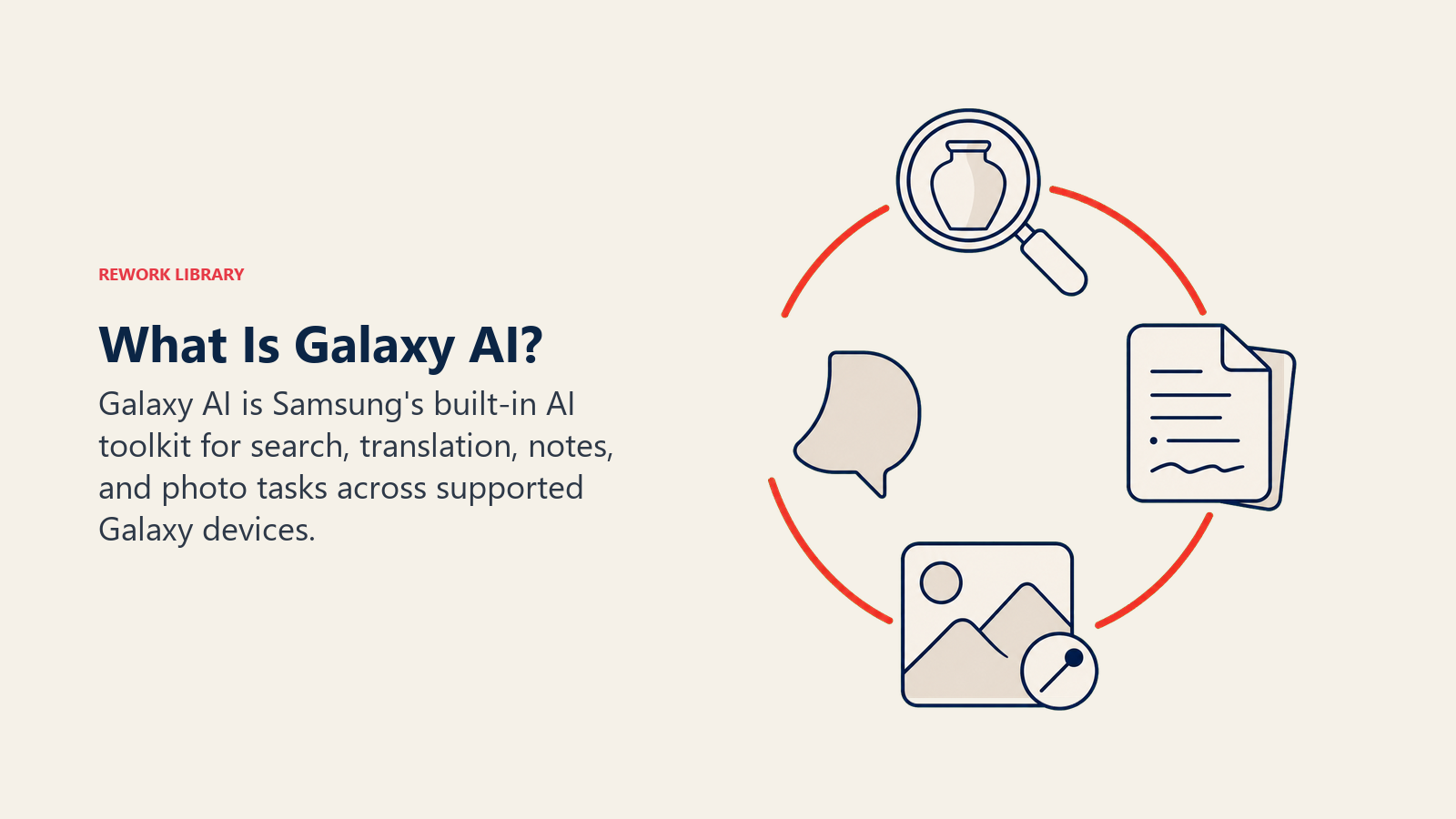
Galaxy AI is Samsung's suite of built-in artificial intelligence features across Galaxy phones, tablets, and watches. It covers real-time call translation, photo and note editing, visual search, and a daily briefing dashboard, running as a hybrid of on-device processing and Google Gemini cloud models depending on the task.
For business leaders, Galaxy AI is the AI layer that ships on the phone in an employee's pocket, not something IT has to roll out separately. Anyone carrying a recent Galaxy device already has access to live call translation, note summarization, and visual search, often without a formal policy, license, or admin console governing how it's used.
What Galaxy AI Actually Is
Samsung introduced Galaxy AI with the Galaxy S24 series in January 2024, positioning it as the company's answer to the AI features Apple and Google were building into their own hardware. Rather than a single app, Galaxy AI is a set of capabilities woven into apps people already use: the Phone app, Samsung Notes, Gallery, Samsung Internet, and the keyboard all gained AI features without a separate download.
The partnership behind it matters as much as the features themselves. Samsung and Google Cloud announced a multi-year deal to bring Google's generative AI to Galaxy devices starting with the S24 series, pairing Samsung's own models with Google's Gemini family. That combination is why Galaxy AI can feel like two products at once: Samsung-built tools like Live Translate and Note Assist, and Google Gemini-powered tools layered on top for search, image generation, and (on newer devices) a Gemini-based assistant that increasingly does the work Bixby used to handle.
Key Galaxy AI Features
Samsung has expanded the feature list with each One UI release since the 2024 launch. The most widely used ones:
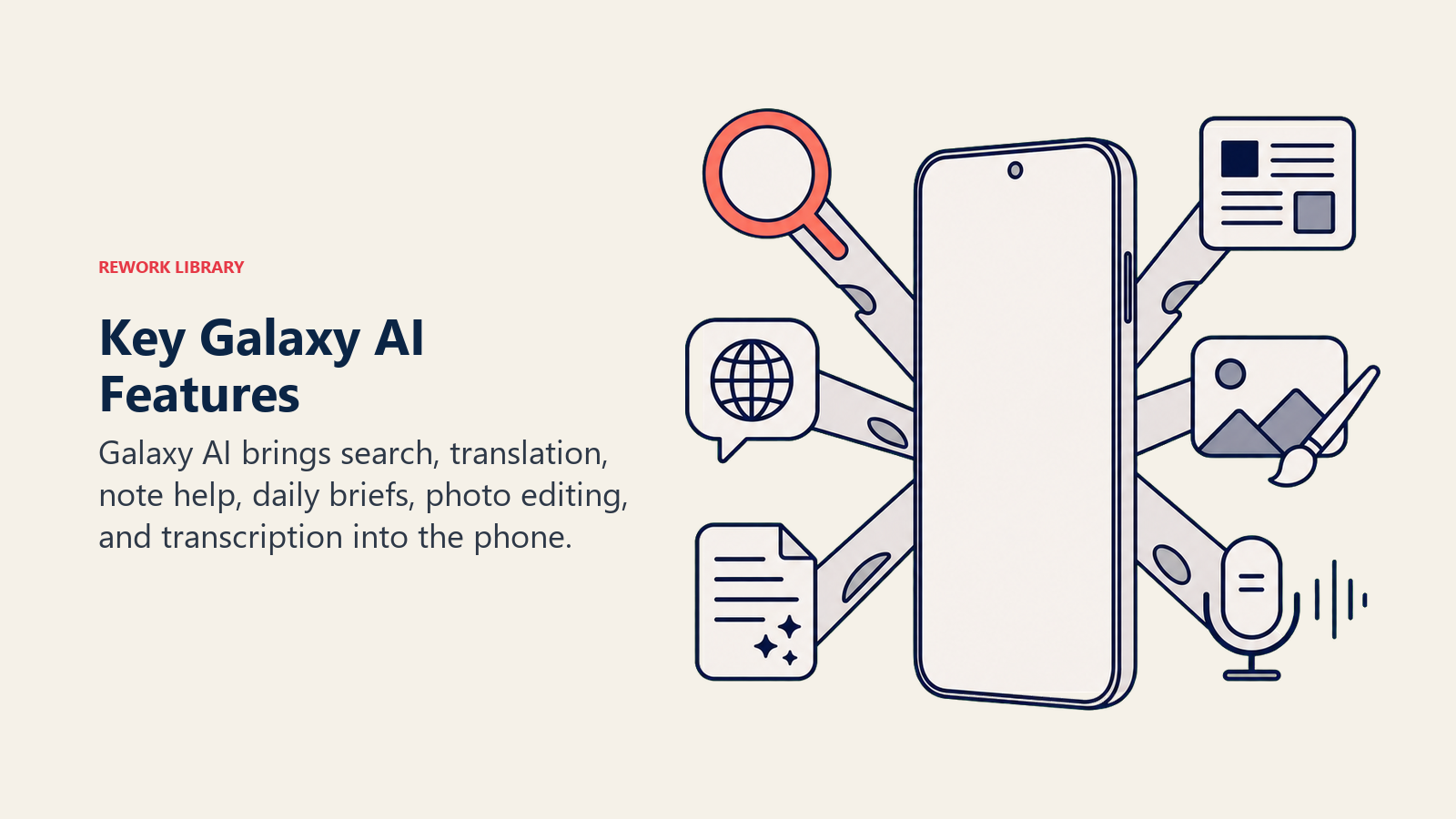
- Circle to Search: Circle, tap, or scribble on anything on screen, a product in a photo, a phrase in a video, a landmark, and get search results without leaving the app you're in. On the Galaxy S26 series, Circle to Search can break a single circled image into multiple search results at once, such as pulling separate results for each item in an outfit.
- Live Translate: Real-time two-way translation during phone calls and messages, showing a transcript and translated text as both people talk. It covers roughly 20 languages, including English, Spanish, French, German, Hindi, Japanese, Korean, and Mandarin.
- Note Assist: Summarizes long notes, cleans up formatting, and converts handwritten S Pen notes into typed text inside Samsung Notes, useful for turning a meeting's raw notes into something worth sharing.
- Sketch to Image (Drawing Assist): Turns a rough sketch, drawn with a finger or S Pen in Samsung Notes or Gallery, into a finished image in a chosen style such as watercolor, 3D cartoon, or illustration.
- Now Brief: A scrollable daily dashboard that pulls together weather, calendar events, reminders, and smart home status into a single AI-generated summary, shown on the lock screen or Now Bar without opening separate apps.
- Photo Assist and Generative Edit: Remove or reposition objects in a photo, extend a background, or adjust framing, using generative AI to fill in the gaps convincingly.
- Writing Assist and Chat Assist: Rewrite a draft in a different tone (Professional, Casual, Polite, and a few others) directly inside Messages, email, and other text fields.
- Interpreter and Transcript Assist: Interpreter does side-by-side conversation translation for in-person conversations; Transcript Assist turns recorded audio into a searchable, translatable text transcript.
On-Device AI and the Google Gemini Partnership
Galaxy AI splits its workload between the phone itself and the cloud, and Samsung gives users some control over which path a given task takes. Fast, privacy-sensitive tasks, like transcribing a call or summarizing a notification, tend to run on the device's own chip using on-device AI techniques similar to what powers Apple's and Google's own local models. Heavier tasks, like generating an image from a sketch or answering a complex search query, route to the cloud, where Samsung's own models work alongside Google Gemini.
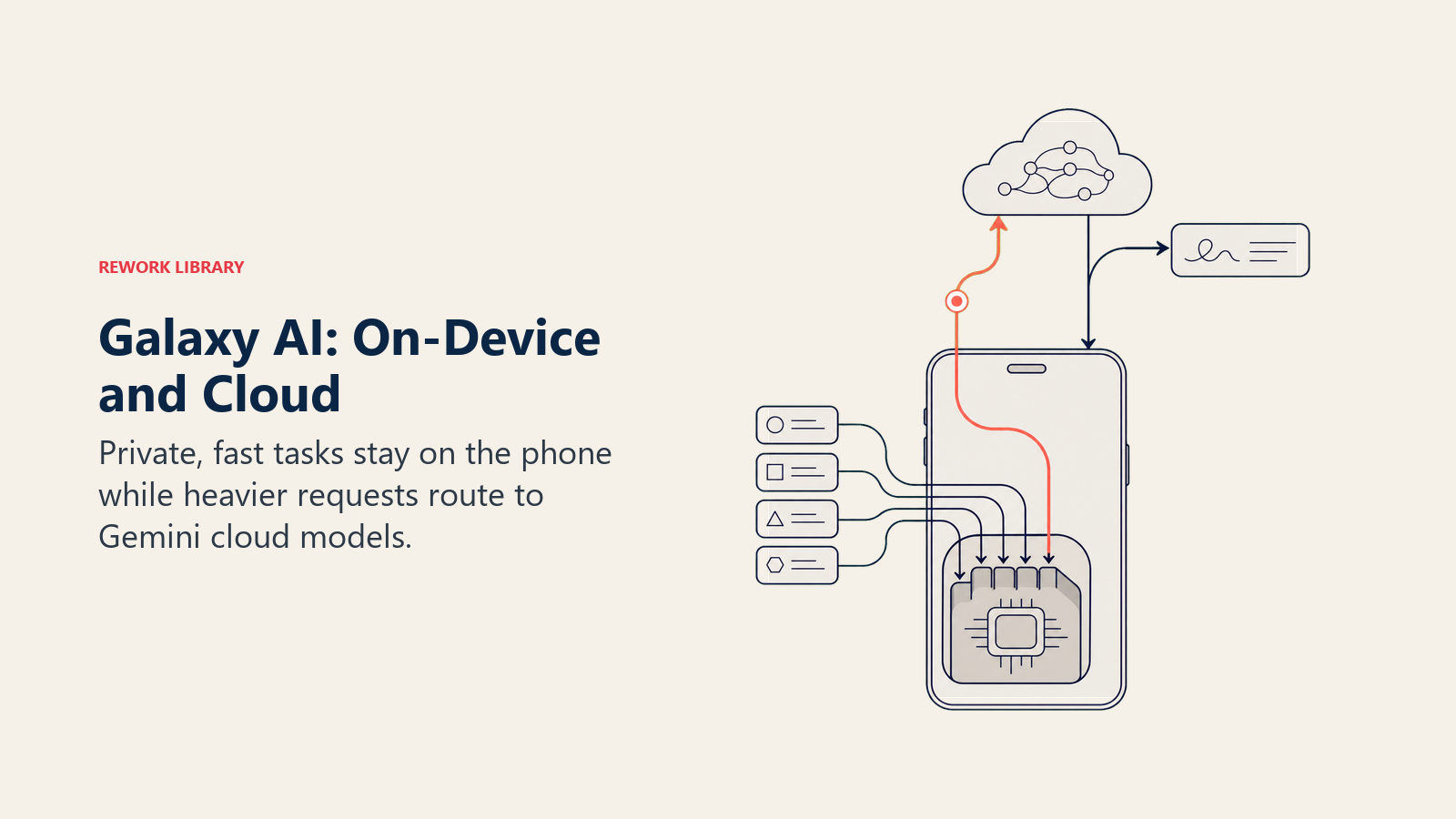
Gemini Nano, Google's smallest and most efficient model in the Gemini family, ships as part of the on-device layer on newer Galaxy hardware, while more demanding requests reach Gemini Pro and other cloud models through Google Cloud's Vertex AI. Samsung has said it plans to nearly double the number of Galaxy AI-enabled devices running Gemini capabilities in 2026, extending the partnership well beyond phones into tablets and other product lines. The practical result for a business is that Galaxy AI increasingly behaves like a Samsung front end for multimodal AI capabilities Google builds, not a fully separate technology stack.
Which Devices Support Galaxy AI
Galaxy AI requires One UI 6.1 or later, and Samsung has extended support backward from the original S24 launch devices to a wide range of existing hardware:
- Galaxy S series: S26 Ultra, S26+, and S26; S25 Ultra, S25 Edge, S25+, S25, and S25 FE; S24 Ultra, S24+, S24, and S24 FE; and, with some features limited, S23 and S22 series phones.
- Galaxy Z foldables: Z Fold7, Z Flip7, and Z Flip7 FE, back through Z Fold3 and Z Flip3.
- Galaxy Tab tablets: Tab S11 Ultra and Tab S11, back through the Tab S8 series.
Feature availability still varies by region, carrier, and exact model, and some FE (Fan Edition) devices get a trimmed version of the feature set rather than the full lineup. Anyone deploying Galaxy hardware at scale should check Samsung's current device list before assuming every unit in a fleet behaves the same way.
Is Galaxy AI Free?
Yes, for the features Samsung builds itself. Samsung's own support documentation states it plainly: "Galaxy AI basic features provided by Samsung are free. Any Samsung enhanced AI features and all third party AI features are subject to different terms and may be subject to fees." That covers the core list most people actually use: Circle to Search, Live Translate, Note Assist, Now Brief, Photo Assist, Writing Assist, Interpreter, Transcript Assist, and Audio Eraser, with no subscription or expiration date attached.
The open question going into the rest of 2026 is what comes next. Samsung has kept the door open for paid tiers on two fronts: "enhanced" versions of its own features that go beyond the current free set, and third-party AI integrations, such as a reported partnership discussion with Perplexity, that would run under separate pricing from Samsung's own tools. Google also controls pricing on its side of the partnership independently of Samsung, so a Gemini Advanced subscription (Google's own paid tier) can apply to some Gemini-powered experiences on a Galaxy device even though the core Galaxy AI feature set stays free.
Privacy: How Samsung Handles Your Data
Samsung's privacy design centers on giving users a choice rather than forcing every request through the cloud. On-device processing keeps data on the phone, encrypted and stored using Knox Vault, Samsung's hardware-backed security enclave, so nothing about that specific task leaves the hardware. For requests that do need cloud processing, such as certain generative image or search tasks, Samsung states that transmitted data is processed to deliver the feature and is not retained afterward.
That's a different privacy model from Apple's, which is worth understanding if a business runs a mixed fleet of iPhones and Galaxy devices. Apple designed Apple Intelligence around on-device-first processing with Private Cloud Compute as the fallback, built specifically so Apple itself can't access the data. Samsung's approach is more explicitly hybrid, giving Galaxy AI broader capability at the cost of routing more requests through the cloud by default.
Galaxy AI vs Apple Intelligence
| Aspect | Galaxy AI | Apple Intelligence |
|---|---|---|
| Maker | Samsung, with Google Gemini as a core partner | Apple, with a custom Google Gemini model now powering Siri |
| Launch | January 2024, with the Galaxy S24 series | October 2024, with iOS 18.1 |
| Processing model | Hybrid: on-device for fast tasks, cloud (Samsung and Google) for heavier ones | On-device first, Private Cloud Compute for anything more demanding |
| Standout feature | Live call translation across roughly 20 languages | Deep OS-level integration and Private Cloud Compute's privacy design |
| Visual search | Circle to Search, multi-item results on newer models | Visual Intelligence, similar concept, narrower rollout |
| Sketch/image generation | Sketch to Image, Generative Edit in Gallery | Image Playground, Genmoji |
| Device reach | Broad: Galaxy S21 and newer, Z Fold3 and newer, Tab S8 and newer | Narrower: iPhone 15 Pro or later, Apple silicon iPad and Mac only |
| Pricing | Basic features free indefinitely, enhanced and third-party features may carry fees | Free on supported hardware, no separate Apple Intelligence subscription |
| Enterprise controls | No dedicated admin console beyond standard MDM | No dedicated admin console beyond standard MDM |
Neither company has built a dedicated enterprise governance layer for its consumer AI features. Both are best understood as an AI layer that shows up on hardware a business already owns, not a platform to formally adopt or license the way a company might adopt Microsoft Copilot or a Gemini Enterprise plan.
Key Facts
- Samsung targets 800 million Galaxy AI-enabled devices by the end of 2026, up from about 400 million in 2025. Reuters via Yahoo Finance
- Samsung's internal brand awareness survey found Galaxy AI awareness climbed from roughly 30% to 80% in a single year. Reuters via Yahoo Finance
- Samsung's official support policy: "Galaxy AI basic features provided by Samsung are free. Any Samsung enhanced AI features and all third party AI features are subject to different terms and may be subject to fees." Samsung Support: Use features with Galaxy AI
- Galaxy AI requires One UI 6.1 or later and runs across the Galaxy S21 through S26 series, Z Fold3 and Z Flip3 or later, and Tab S8 or later, with some features limited on FE models. Samsung Support: Use features with Galaxy AI
- Live Translate supports 20 languages for real-time two-way call translation. Samsung Support: Use Live Translate on Galaxy phones and tablets
- Samsung and Google Cloud's generative AI partnership launched with the Galaxy S24 series in January 2024, combining on-device Gemini Nano with cloud-based Gemini models for heavier tasks. Samsung Newsroom: Samsung and Google Cloud Join Forces
Frequently Asked Questions about Galaxy AI
What is Galaxy AI in simple terms?
Galaxy AI is Samsung's built-in AI toolkit for Galaxy phones, tablets, and watches. It handles things like translating a call in real time, summarizing a note, searching for anything on screen, and turning a sketch into a finished image, using a mix of on-device processing and Google Gemini in the cloud.
Is Galaxy AI free?
The basic features Samsung builds itself, including Circle to Search, Live Translate, Note Assist, and Now Brief, are free indefinitely with no subscription. Samsung has left room to charge for future "enhanced" features and for third-party AI integrations, which would run under separate terms.
Which Samsung phones support Galaxy AI?
Galaxy AI runs on the Galaxy S21 series and newer, Z Fold3 and Z Flip3 and newer, and Tab S8 and newer, all on One UI 6.1 or later. Some FE (Fan Edition) models get a reduced feature set rather than the full lineup.
Does Galaxy AI use Google Gemini?
Yes. Samsung and Google Cloud partnered starting with the Galaxy S24 series, pairing Samsung's own AI features with Google's Gemini models, from the on-device Gemini Nano to cloud-based Gemini models for heavier requests like image generation and complex search.
What is Circle to Search?
Circle to Search lets you circle, tap, or scribble on anything visible on your screen, an object, a phrase, a scene, and get search results without switching apps. On newer Galaxy S26 devices it can return separate results for multiple items circled at once.
Is Galaxy AI processed on-device or in the cloud?
Both, depending on the task. Fast or privacy-sensitive requests run locally on the device's chip and stay encrypted in Samsung's Knox Vault. Heavier requests, like generating an image or running a complex search, are sent to the cloud and, per Samsung, are not stored after the feature is delivered.
How is Galaxy AI different from Apple Intelligence?
Galaxy AI reaches far more devices, including older and mid-range Galaxy hardware, and leans more heavily on cloud processing through its Google Gemini partnership. Apple Intelligence supports a narrower set of newer Apple devices but was designed on-device-first, with Private Cloud Compute as the fallback for anything more demanding.
What is Now Brief?
Now Brief is a scrollable AI-generated dashboard, shown on the lock screen or Now Bar, that pulls together your weather, calendar, reminders, and smart home status into one daily summary, so you don't have to open several apps to see what's coming up.
Will Samsung charge for Galaxy AI in the future?
Samsung has guaranteed the current basic feature set stays free indefinitely, but it has kept the option open to charge for enhanced versions of its own features and for third-party AI integrations it's exploring, such as a reported deal with Perplexity. Google also sets its own pricing for Gemini-branded features independent of Samsung.
Related AI Concepts
- What is Apple Intelligence (Apple's AI)? - The closest direct comparison, Apple's own on-device AI layer
- What is Google Gemini (Google's AI)? - The model family powering much of Galaxy AI's cloud features
- What is On-Device AI? - The local-processing approach behind Galaxy AI's fast, privacy-sensitive tasks
- What is Microsoft Copilot? - A comparable AI layer built for productivity software rather than mobile hardware
- What is Claude AI? - Another general-purpose assistant in the same competitive landscape
- Multimodal AI - How Circle to Search and Sketch to Image combine image and language understanding
- Computer Vision - The underlying technology behind Circle to Search's object recognition
- Natural Language Processing - What powers Live Translate and Note Assist's text understanding
- Edge AI - The broader category of AI running on local hardware like Galaxy chips
- Foundation Models - The category of large pretrained models both Samsung's and Google's models belong to
External Resources
- Samsung Support: Use features with Galaxy AI on your Galaxy phone and tablet - Official feature list, device support, and pricing policy
- Samsung Support: Use Live Translate on Galaxy phones and tablets - Supported languages and setup
- Samsung Newsroom: Samsung and Google Cloud Join Forces to Bring Generative AI to Samsung Galaxy S24 Series - Original partnership announcement and architecture
- Reuters via Yahoo Finance: Samsung to double mobile AI devices to 800 million in 2026 - Device targets and brand awareness data
- Samsung Support: Use AI Drawing Assist on Galaxy phones and tablets - Sketch to Image details and requirements
Part of the AI Terms Collection. Last updated: 2026-07-20

Co-Founder, Rework.com