What is Model Context Protocol (MCP)? The Universal Standard for AI Tool Integration
Turn this article into takeaways for your work.


Each assistant summarizes the article only for you and suggests best practices for your work.
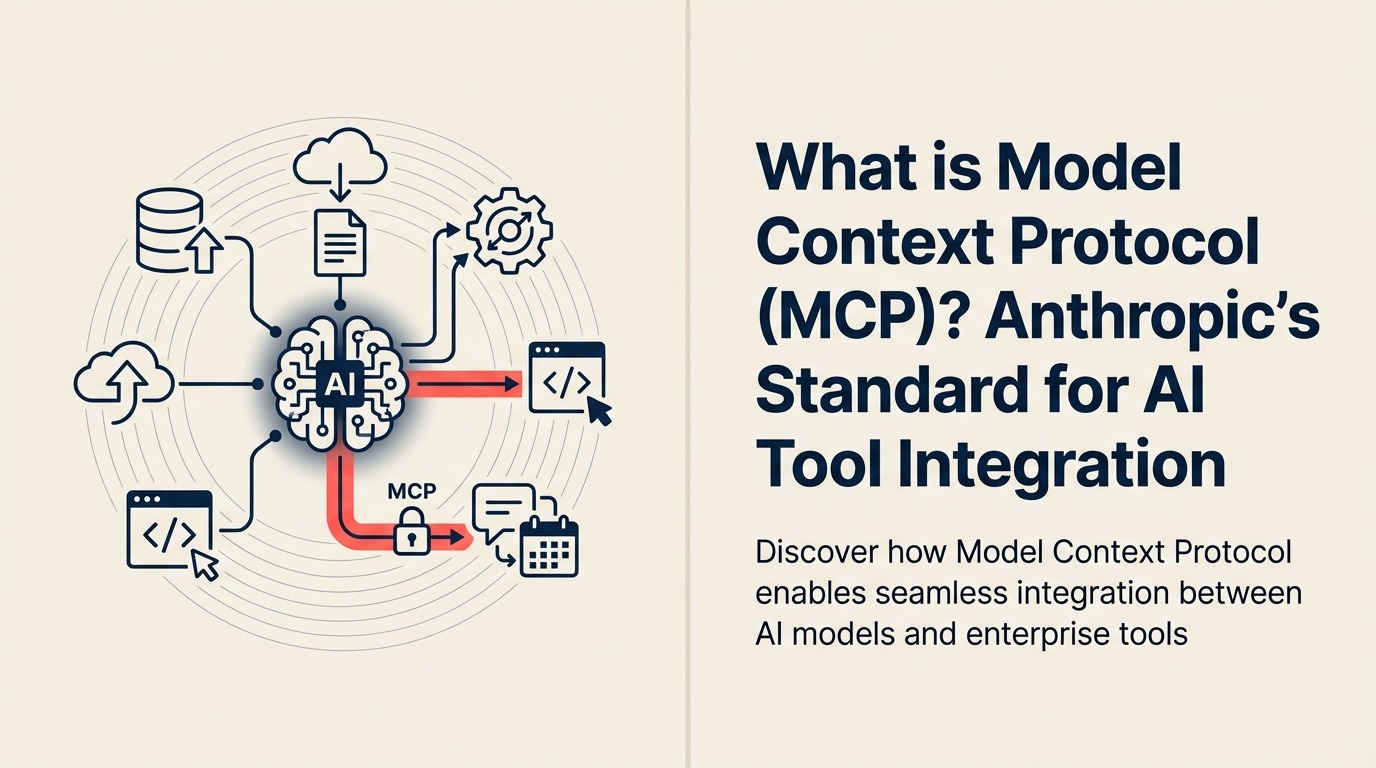
Your AI needs to check inventory, update CRM records, pull analytics, and search documentation, but each integration requires custom code, breaks with updates, and only works with specific models. Then you switch AI providers and rebuild everything from scratch. Model Context Protocol eliminates this chaos by creating a universal standard for connecting AI to tools, like USB made peripheral connections universal for computers.
What Changed in 2026
MCP stopped being "Anthropic's protocol" in late 2025. In December 2025, Anthropic donated the specification to the Agentic AI Foundation (AAIF), a directed fund under the Linux Foundation, co-founded with Block and OpenAI and backed by Google, Microsoft, AWS, Cloudflare, and Bloomberg as supporting members. That governance shift matters for buyers: the standard your integrations depend on is no longer controlled by a single AI vendor, which lowers the risk of unilateral breaking changes.
The practical result is that MCP now sits underneath most major agentic stacks rather than beside them. OpenAI, Google DeepMind, Microsoft, and Salesforce all shipped MCP support inside 13 months of launch. Enterprise platforms are wiring MCP into production workflows (not just developer previews), and the AAIF held its first MCP Dev Summit in New York in April 2026, drawing about 1,200 attendees and more than 95 sessions from companies running MCP at scale. The other big 2026 storyline is security: a systemic design flaw in the official SDKs, disclosed in April 2026, forced the ecosystem to confront how much trust it had extended to unauthenticated MCP servers. Both threads (governance maturity and security scrutiny) are covered in the sections below.
Key Facts
- Governance moved to the Linux Foundation. Anthropic donated MCP to the Agentic AI Foundation (AAIF) on December 9, 2025, co-founded with Block and OpenAI, with Google, Microsoft, AWS, Cloudflare, and Bloomberg as supporting members. Source: Anthropic, "Donating the Model Context Protocol"
- SDK downloads passed 97 million a month. Anthropic reported more than 97 million combined monthly downloads across the Python and TypeScript SDKs at the time of the Linux Foundation donation. Source: Anthropic, "Donating the Model Context Protocol"
- Over 10,000 active public MCP servers. Anthropic counted more than 10,000 active public MCP servers across the ecosystem as of December 2025, up from a few hundred at launch a year earlier. Source: Anthropic, "Donating the Model Context Protocol"
- Every major model provider now supports MCP. OpenAI adopted MCP across its products, including the ChatGPT desktop app, in March 2025; Google DeepMind confirmed support in April 2025; Microsoft integrates MCP through Semantic Kernel and Azure OpenAI. Source: Model Context Protocol, Wikipedia
- Enterprise platforms are shipping real usage. Salesforce's Headless 360 platform, built around an MCP server, processed 4.5 million MCP calls in its first months live, per CEO Marc Benioff on the company's Q1 FY2027 earnings call. Source: The Register, "Salesforce waves bye-bye to UI in 'headless' embrace"
- Gartner ties the shift to agent-ready enterprise apps. Gartner forecasts 40% of enterprise applications will feature task-specific AI agents by the end of 2026, up from under 5% in 2025, a curve that depends on standardized integration layers like MCP. Source: Gartner press release, August 26, 2025
- A systemic SDK flaw exposed the trust gap. In April 2026, OX Security disclosed a design-level flaw in the official MCP SDKs (Python, TypeScript, Java, Rust) enabling remote code execution through the STDIO transport, estimated to touch up to 200,000 vulnerable instances across roughly 150 million downloads. Source: OX Security, "The Mother of All AI Supply Chains"
The Academic Foundation
Model Context Protocol (MCP) was introduced by Anthropic in November 2024 as an open protocol standardizing how AI models communicate with external data sources and tools, enabling universal integration patterns across model providers.
The protocol builds on research in agent architectures and tool-using AI, specifically addressing the fragmentation problem where each AI provider implements proprietary integration methods. MCP defines standardized interfaces for three core capabilities: accessing data sources, invoking tools, and receiving prompts.
The architecture follows client-server patterns from web protocols, where AI models act as clients connecting to MCP servers that expose enterprise systems. This abstraction layer enables "write once, use everywhere" integrations regardless of underlying AI model. As of mid-2026, that abstraction layer is jointly stewarded by Anthropic, OpenAI, Block, and the rest of the AAIF governing board, not owned by any one company.
What This Means for Business
For business leaders, Model Context Protocol means AI integrations that work across different AI providers, reducing vendor lock-in and enabling rapid deployment of AI capabilities without rebuilding connections for each new model.
Think of MCP as electrical outlets for AI. Before standardization, every appliance needed custom wiring. After standardization, any device plugs into any outlet. Similarly, MCP lets any AI model connect to any enterprise system through standard interfaces, dramatically reducing integration complexity and cost.
In practical terms, this means your Salesforce MCP server works with Claude, GPT, Gemini, or future models without rewriting integration code. Your data pipeline investments become model-agnostic, protecting against AI vendor lock-in. That promise is no longer theoretical: OpenAI, Google DeepMind, and Microsoft have all shipped MCP support, so the "write once, connect anywhere" case is now backed by production usage across competing AI stacks, not just Anthropic's own products.
Essential Components
Model Context Protocol consists of these essential elements:
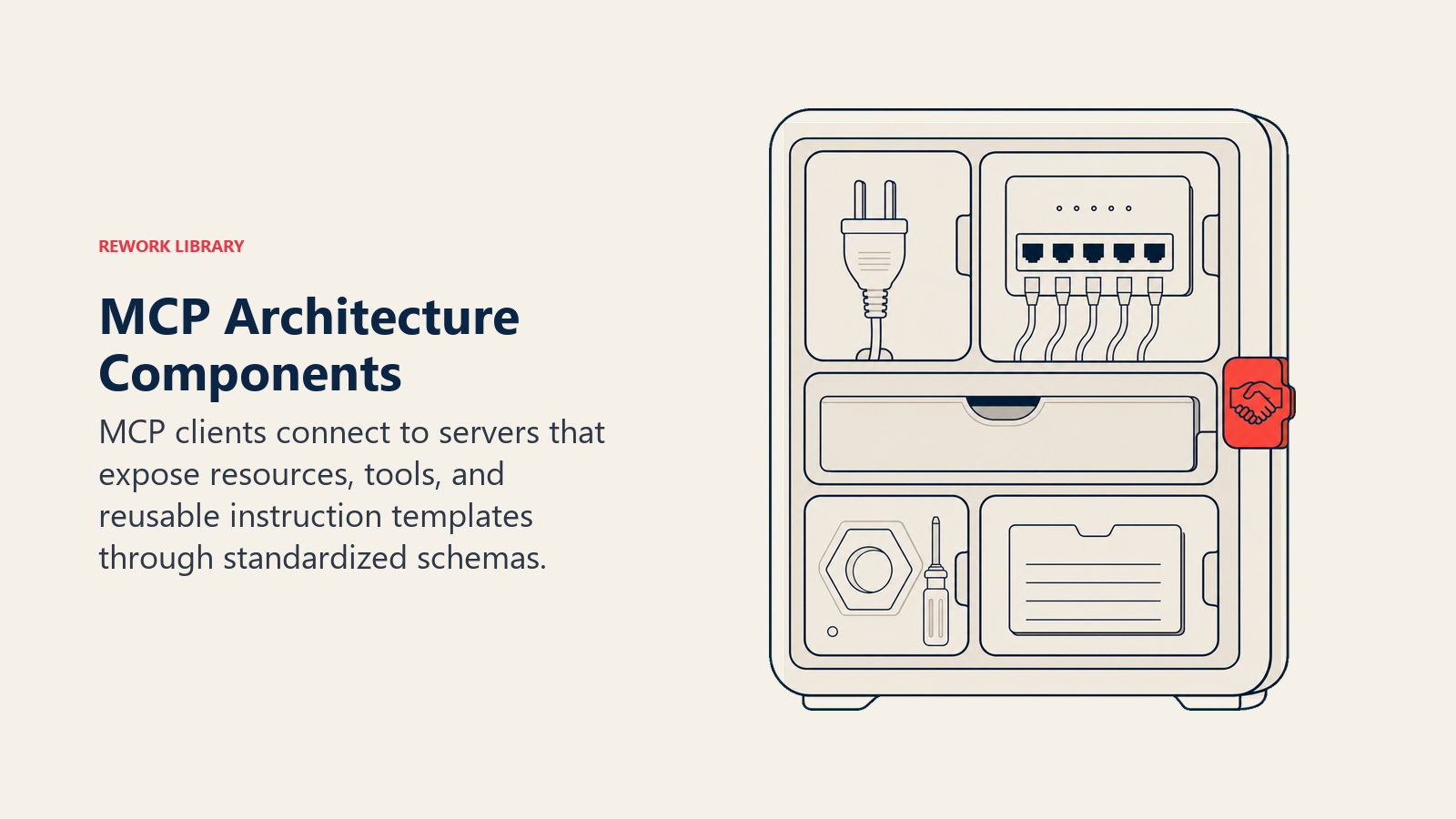
• MCP Servers: Services that expose enterprise systems, databases, APIs, and tools through standardized MCP interfaces, acting as adapters between AI models and your business systems
• MCP Clients: AI applications and AI agents that connect to MCP servers to access data and invoke tools, typically large language models with tool-using capabilities
• Resources: Read-only data sources like knowledge bases, documents, and databases that AI can query through standardized resource URIs and schemas
• Tools: Executable functions like sending emails, creating tickets, or updating records that AI can invoke through standardized tool definitions and parameter schemas
• Prompts: Reusable templates and workflows that guide AI behavior, shareable across different AI models through standardized prompt formats
The Working Process
Model Context Protocol follows these steps:
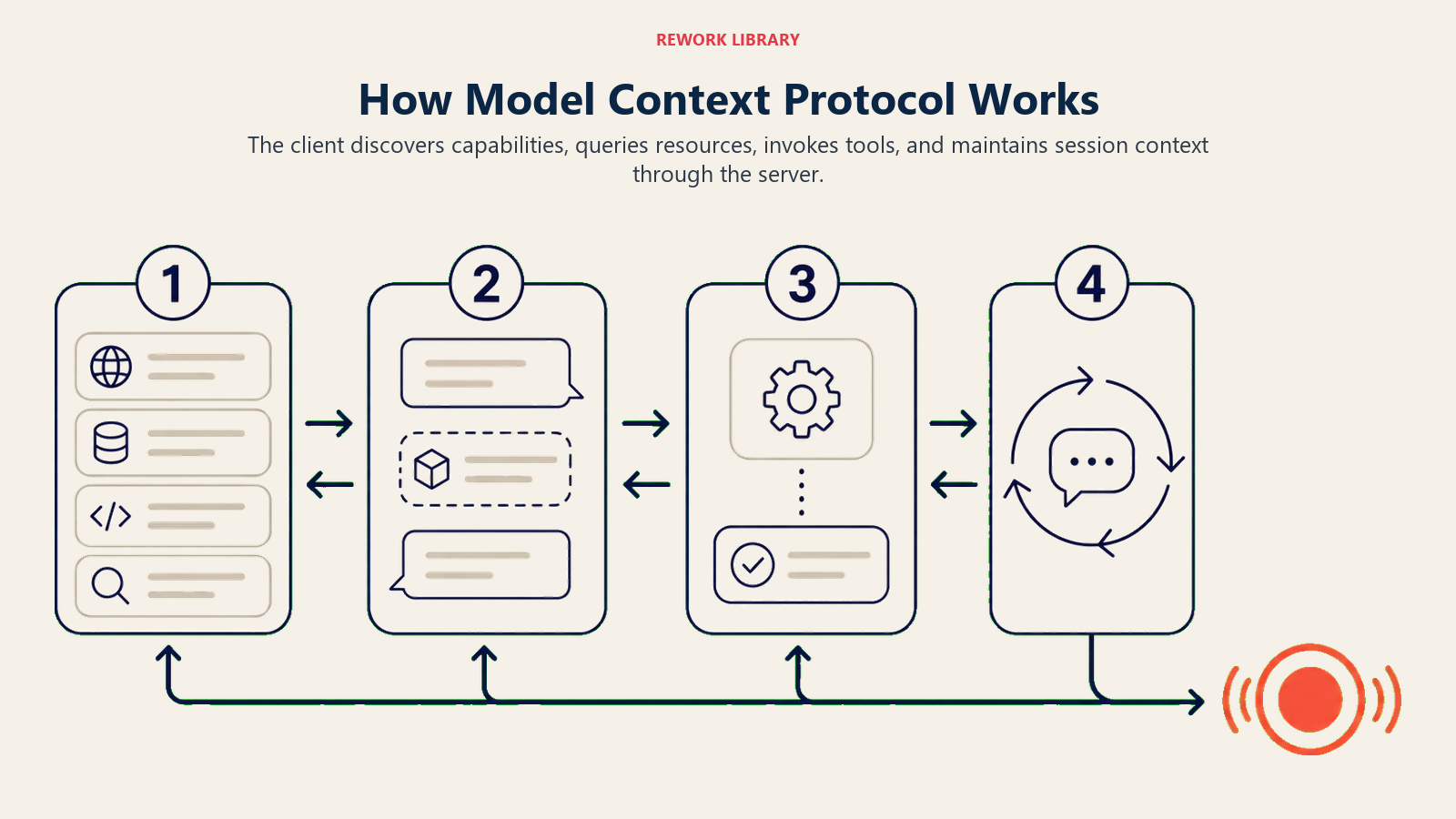
Discovery & Capability Exchange: When an AI client connects to an MCP server, the server advertises available resources, tools, and prompts using standardized schemas, like a restaurant sharing its menu
Resource Querying: The AI requests data by specifying resource URIs and parameters. The MCP server translates this into appropriate database queries or API calls, returning structured data the AI can process
Tool Invocation: When the AI decides to take action, it calls tools through standardized interfaces, providing parameters in expected formats. The MCP server executes the action and returns results
Session Management: MCP maintains connection state, handles authentication, and manages conversation context, enabling multi-turn interactions where AI builds on previous exchanges
This creates interoperability where AI capabilities become plug-and-play rather than requiring custom development for each use case.
Four Implementation Patterns
Model Context Protocol generally falls into four main categories:
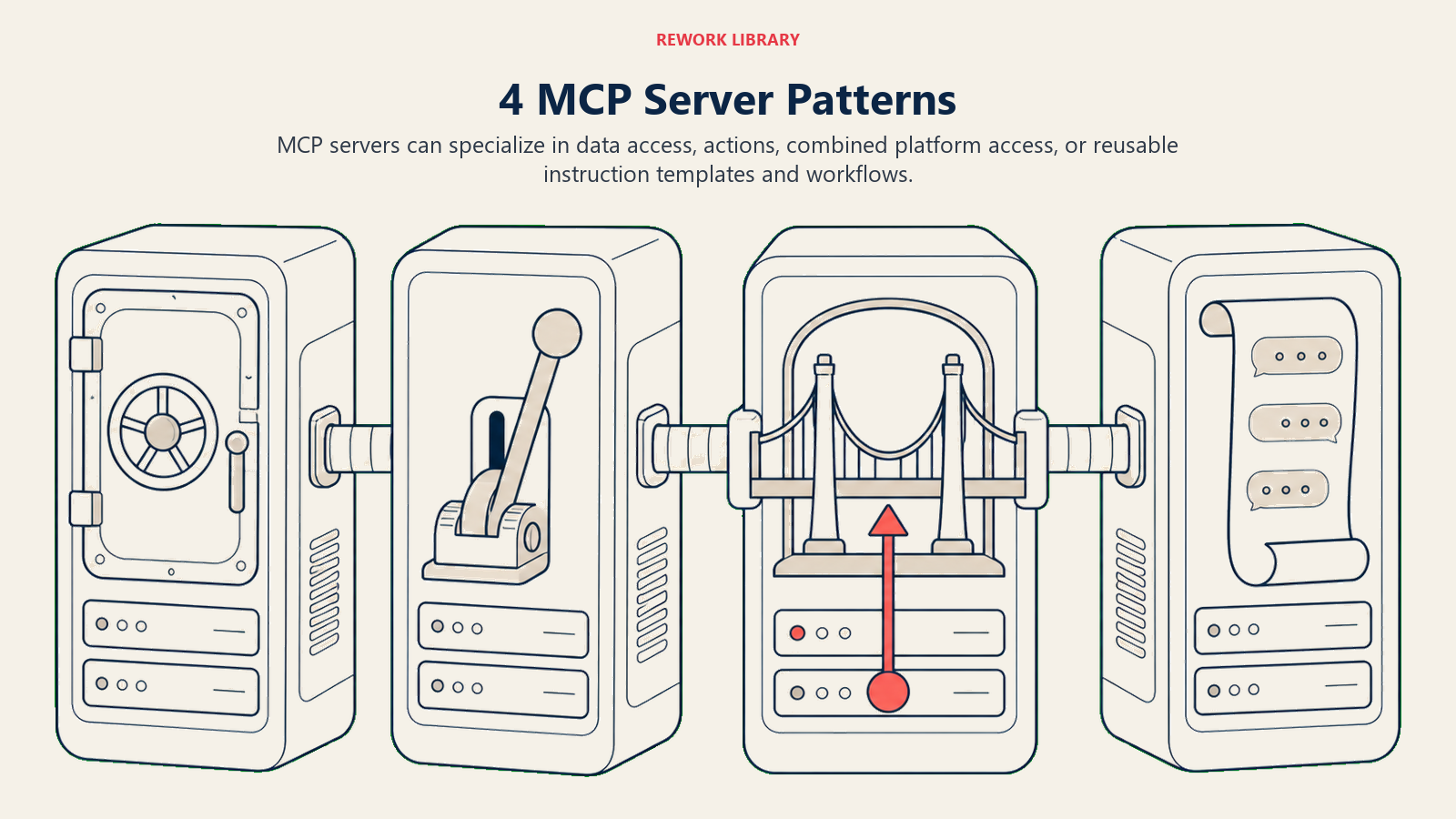
Type 1: Data Access Servers Best for: Knowledge bases, document repositories, databases Key feature: Expose read-only information through resource interfaces Examples: Confluence MCP server, SQL database MCP adapter, file system server
Type 2: Action Servers Best for: CRM systems, ticketing platforms, communication tools Key feature: Enable AI to take actions through tool interfaces Examples: Salesforce MCP server, Jira integration, Slack MCP connector
Type 3: Composite Servers Best for: Comprehensive enterprise platforms Key feature: Combine data access and action capabilities Examples: Google Workspace MCP server (read calendars, send emails), ERP integrations
Type 4: Prompt Servers Best for: Workflow automation, standardized AI behaviors Key feature: Share reusable AI interaction patterns Examples: Sales playbook prompts, customer support templates, compliance checks
Model Context Protocol in Action
Here's how businesses actually use MCP:
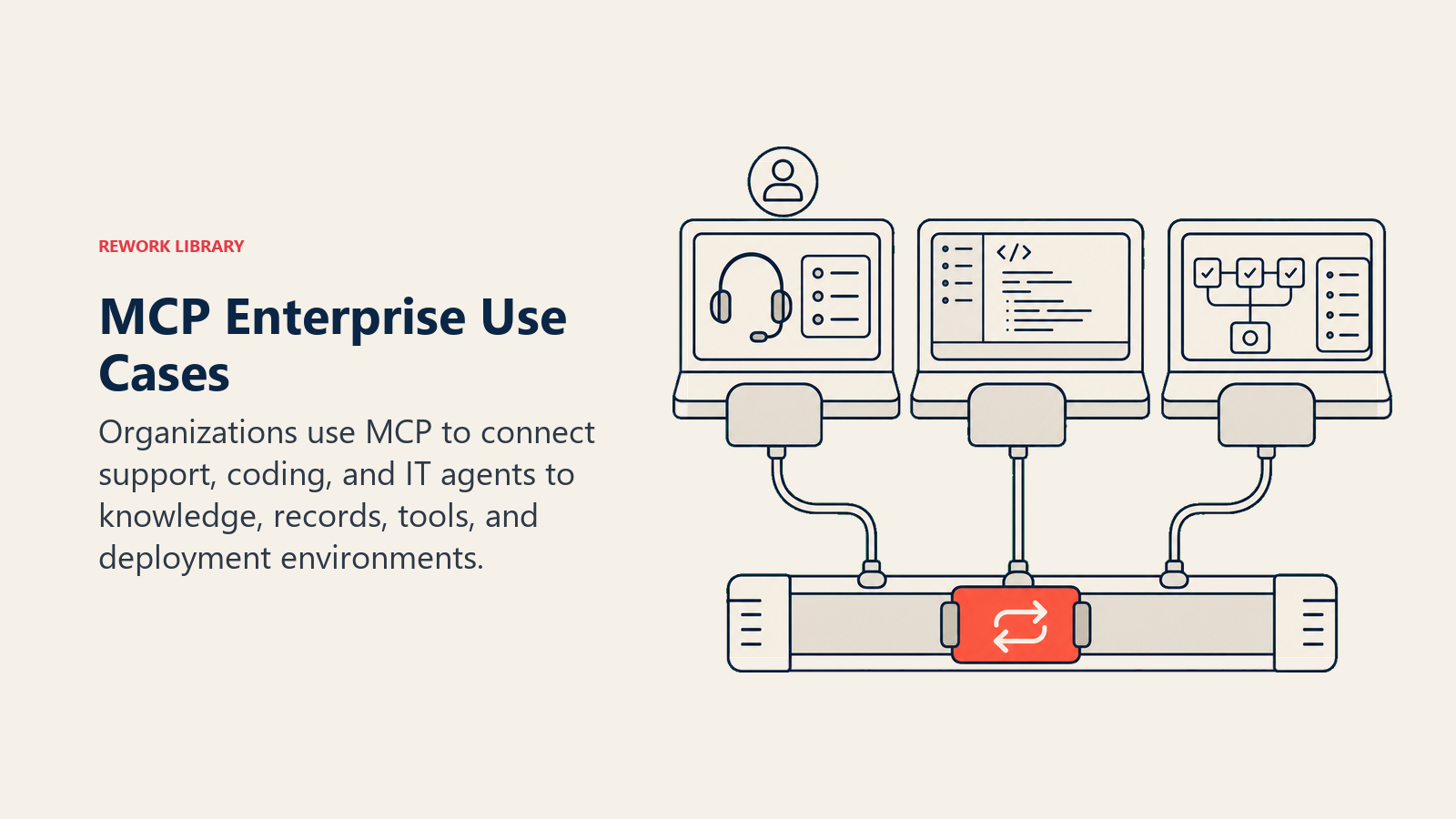
Customer Support Example: Block (Square) implemented MCP servers connecting Claude to their internal knowledge base, CRM, and ticketing system. Support agents now resolve issues 40% faster as AI accesses customer history, suggests solutions from docs, and creates follow-up tasks through unified MCP interfaces.
Development Example: Sourcegraph adopted MCP to connect AI coding assistants to their codebase, issue trackers, and documentation. Developers query code context, generate pull requests, and update documentation through the same MCP servers, regardless of whether they use GitHub Copilot, Cursor, or Claude.
Enterprise IT Example: Replit built MCP servers exposing their development environment, enabling AI to read files, execute code, and manage deployments. When they upgraded to newer model versions, no integration rewrite was required, since MCP abstracted the model switch.
Enterprise CRM Example: Salesforce's Headless 360 platform routes agent interactions through an MCP server rather than a browser UI. By its first-quarter FY2027 earnings call, the platform had processed 4.5 million MCP calls, evidence that MCP has moved from developer demo to a production traffic path for a major SaaS vendor.
Security Considerations in 2026
MCP's growth outpaced its security model, and 2026 was the year that gap became visible. In April 2026, security firm OX Security disclosed a systemic design flaw across the official Python, TypeScript, Java, and Rust SDKs: the STDIO transport executed any process command handed to it, regardless of whether a valid MCP server ever initialized. The disclosure estimated up to 200,000 vulnerable instances across roughly 150 million SDK downloads and more than 7,000 publicly reachable servers. Anthropic confirmed the behavior was intentional by design, updated its security guidance, and declined to change the SDK architecture, which means the mitigation burden sits with whoever deploys an MCP server.
For business leaders, that changes the adoption calculus. Before connecting an MCP server to production systems:
- Treat every MCP server like third-party code, because most of them are. Weak or missing authentication is common. Independent scans of public MCP servers have repeatedly found a large share running with no authentication at all.
- Never expose the STDIO transport directly to untrusted input. Prefer hardened, network-facing transports with proper session binding for anything touching production data.
- Watch for prompt injection and tool poisoning, where a malicious tool description or a manipulated tool response feeds instructions into the model's context. This is the most common exploitation path across documented MCP incidents.
- Require server attestation or a vetted registry entry before connecting a new MCP server, rather than trusting whatever a marketplace or package index surfaces.
None of this is a reason to avoid MCP. It is a reason to govern it the way you would govern any other piece of third-party infrastructure with access to your systems.
Implementation Guide
Ready to adopt Model Context Protocol in your organization?
- Understand the fundamentals with AI Integration architecture
- Design tool interfaces using API Architecture best practices
- Implement security with AI Governance frameworks
- Build MCP servers following the official reference implementations
Related AI Concepts
Explore these topics to build comprehensive MCP strategies:
- Tool Use - Enable AI to invoke external functions
- RAG Architecture - Connect AI to knowledge bases
- AI Orchestration - Coordinate multiple AI tools
- API Security - Protect MCP server endpoints
External Resources
- Anthropic: Model Context Protocol - Original MCP announcement, November 2024
- Anthropic: Donating MCP to the Agentic AI Foundation - Governance transfer to the Linux Foundation, December 2025
- MCP GitHub Reference Servers - Official reference implementations maintained by the MCP steering group
- OX Security: The Mother of All AI Supply Chains - April 2026 disclosure on the systemic MCP SDK design flaw
- Gartner: 40% of Enterprise Apps Will Feature Task-Specific AI Agents by 2026 - Forecast on the enterprise agent adoption curve MCP underpins
Frequently Asked Questions about Model Context Protocol
What is Model Context Protocol (MCP)?
MCP is an open standard, originally developed by Anthropic and now governed by the Agentic AI Foundation under the Linux Foundation, that defines how AI models connect to data sources and tools through universal interfaces, enabling AI integrations that work across different model providers without custom code.
Who governs MCP now that it's not just Anthropic's protocol?
Anthropic donated MCP to the Agentic AI Foundation (AAIF) in December 2025. The AAIF is co-founded by Anthropic, Block, and OpenAI, with Google, Microsoft, AWS, Cloudflare, and Bloomberg as supporting members. That means no single vendor controls the roadmap, which reduces the risk of unilateral breaking changes for businesses that have already built on MCP.
Why does MCP matter for enterprise AI?
MCP eliminates vendor lock-in by making AI integrations model-agnostic. Build your Salesforce, Slack, or database connectors once, then use them with Claude, GPT, Gemini, or future models. OpenAI, Google DeepMind, and Microsoft have all shipped MCP support, so this is now proven in production, not just a design goal.
What's the difference between MCP and APIs?
APIs are generic interfaces for any software integration. MCP is a specialized protocol optimized for AI-to-tool communication, standardizing how AI discovers capabilities, requests data, and invokes functions with appropriate context and error handling.
Is MCP safe to connect to production systems?
It needs careful governance. A systemic design flaw in the official MCP SDKs, disclosed in April 2026, showed that unauthenticated servers and the raw STDIO transport carry real risk, with an estimated 200,000 vulnerable instances across the ecosystem. Treat MCP servers like any other third-party integration: require authentication, avoid exposing STDIO to untrusted input, and vet servers before connecting them to systems that matter.
How do we build an MCP server?
Use the official open-source MCP SDKs (available for Python, TypeScript, Java, and Rust). Define your resources (data sources), tools (actions), and prompts (workflows) using standard schemas. Deploy as a service that AI clients can connect to. See the official reference implementations on GitHub for working examples.
Does MCP only work with Claude?
No. While Anthropic originally developed MCP, it's now an open, Linux Foundation-governed protocol designed for any AI model with tool-using capabilities. OpenAI, Google, Microsoft, and a growing list of enterprise platforms including Salesforce have adopted it in production.
Part of the AI Terms Collection. Last updated: 2026-07-16

Co-Founder, Rework.com