Mobile Experience for Buyers: Optimizing Every Touchpoint for Smartphone Shoppers - 2026 Guide
Turn this article into takeaways for your work.


Each assistant summarizes the article only for you and suggests best practices for your work.
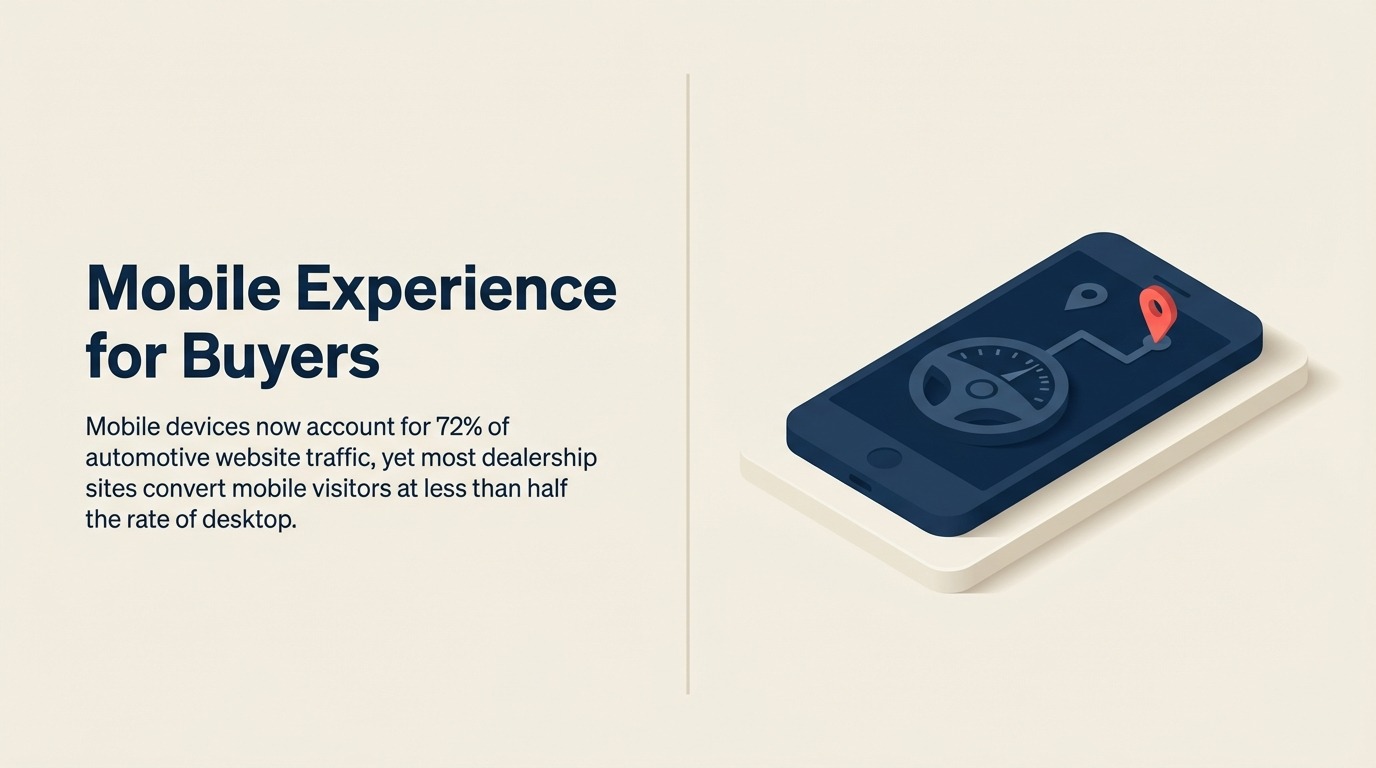
Mobile devices now account for 72% of automotive website traffic. Walk through any dealership at 7:00 PM and you'll see customers on the lot researching inventory on their phones before they walk into the showroom. But here's the problem: most dealership sites convert mobile visitors at less than half the rate of desktop users.
That conversion gap, the difference between 1.8% mobile conversion and 4.2% desktop conversion, represents the industry's largest untapped opportunity. You're not going to stop the shift to mobile. People aren't going home to research cars on desktop computers anymore. So the only option is fixing your mobile experience to match what customers actually do through comprehensive website optimization.
Mobile User Behavior Analysis
Research patterns on mobile vs desktop reveal completely different buying journeys. Desktop users come prepared to compare specifications, open multiple tabs, and spend 15-20 minutes evaluating options. Mobile users browse during micro-moments: waiting in line, during commercials, on lunch breaks. They're looking for quick answers to specific questions, not comprehensive research sessions.
Session duration and page depth differences show the gap clearly. Desktop sessions average 8-12 minutes with 6-8 page views. Mobile sessions run 3-5 minutes with 2-3 page views. That doesn't mean mobile users are less serious, it means they come back multiple times in shorter bursts instead of completing research in one sitting.
Click-to-call vs form submission preferences depend entirely on device. Desktop users fill out forms at 3x the rate of mobile users. But mobile users click phone numbers at 5x the rate of desktop users. If your mobile site buries the phone number and pushes form submissions, you're fighting natural behavior.
Location-based intent signals are strongest on mobile. When someone searches "Toyota dealers near me" on their phone at 11:00 AM on Saturday, they're probably out shopping right now. That same search on desktop might be evening research. Mobile searches carry immediacy that desktop queries don't.
Multi-session research journeys span devices but often start on mobile. 65% of car buyers begin their research on mobile, but 72% complete their purchase research on desktop before visiting a dealership. Your mobile site doesn't need to close the sale, it needs to capture interest and bring them back.
Mobile Website Optimization
Page load speed targets need to stay under 3 seconds on mobile networks, not just on your office wifi. Google's data shows 53% of mobile users abandon sites that take longer than 3 seconds to load. Every additional second costs you 20% of your traffic. Test on actual 4G networks, not cable internet in developer mode.
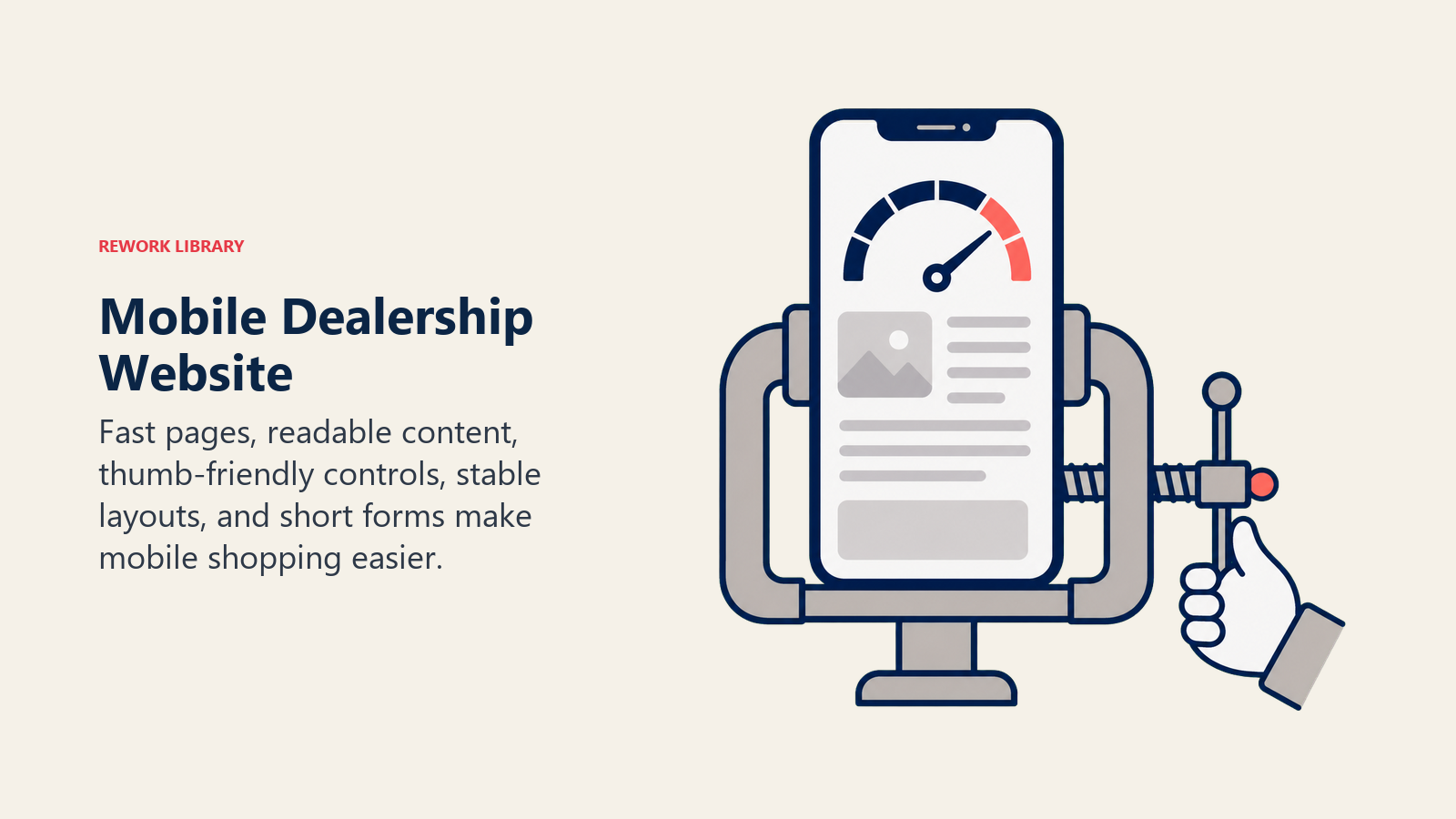
The fixes: compress images aggressively (WebP format saves 30-40% vs JPEG), minimize JavaScript (those chat widgets and tracking pixels add seconds), enable browser caching, and use a content delivery network for inventory photos. Your VDPs don't need 4MB image files that look perfect on 32-inch monitors, they need 200KB files that load fast on phones.
Touch-friendly navigation and buttons prevent frustrated fat-finger mistakes. Buttons need minimum 44x44 pixel touch targets with adequate spacing between them. Dropdown menus need to work with touch, not hover. And your filter checkboxes need to be large enough to tap accurately without zooming.
Simplified forms and auto-fill reduce the typing burden that kills mobile conversions. A 12-field lead form that's annoying on desktop becomes completely unusable on mobile. Cut to 3-4 essential fields, enable autofill for name/email/phone, and use appropriate input types (tel for phone, email for email) so the right keyboard appears automatically.
Click-to-call placement and prominence should dominate your mobile header. Your phone number belongs at the top of every page in a format that launches the phone dialer with one tap, connecting customers to your BDC. Format it properly (<a href="tel:+1-555-123-4567">) so it actually works instead of just displaying text.
Image optimization and lazy loading prevent wasting bandwidth on photos users never see. Don't load 40 vehicle photos on initial page render, load 3-4 hero images, then lazy-load additional gallery images as users scroll. Same applies for multiple vehicles on inventory pages, load what's visible, defer the rest.
Mobile VDP Best Practices
Image gallery and swipe functionality should feel native, not clunky. Users expect to swipe through photos just like they swipe through Instagram. The gallery should be full-width (not desktop layouts crammed onto phones), support pinch-to-zoom for detail inspection, and indicate how many photos remain (5 of 28).
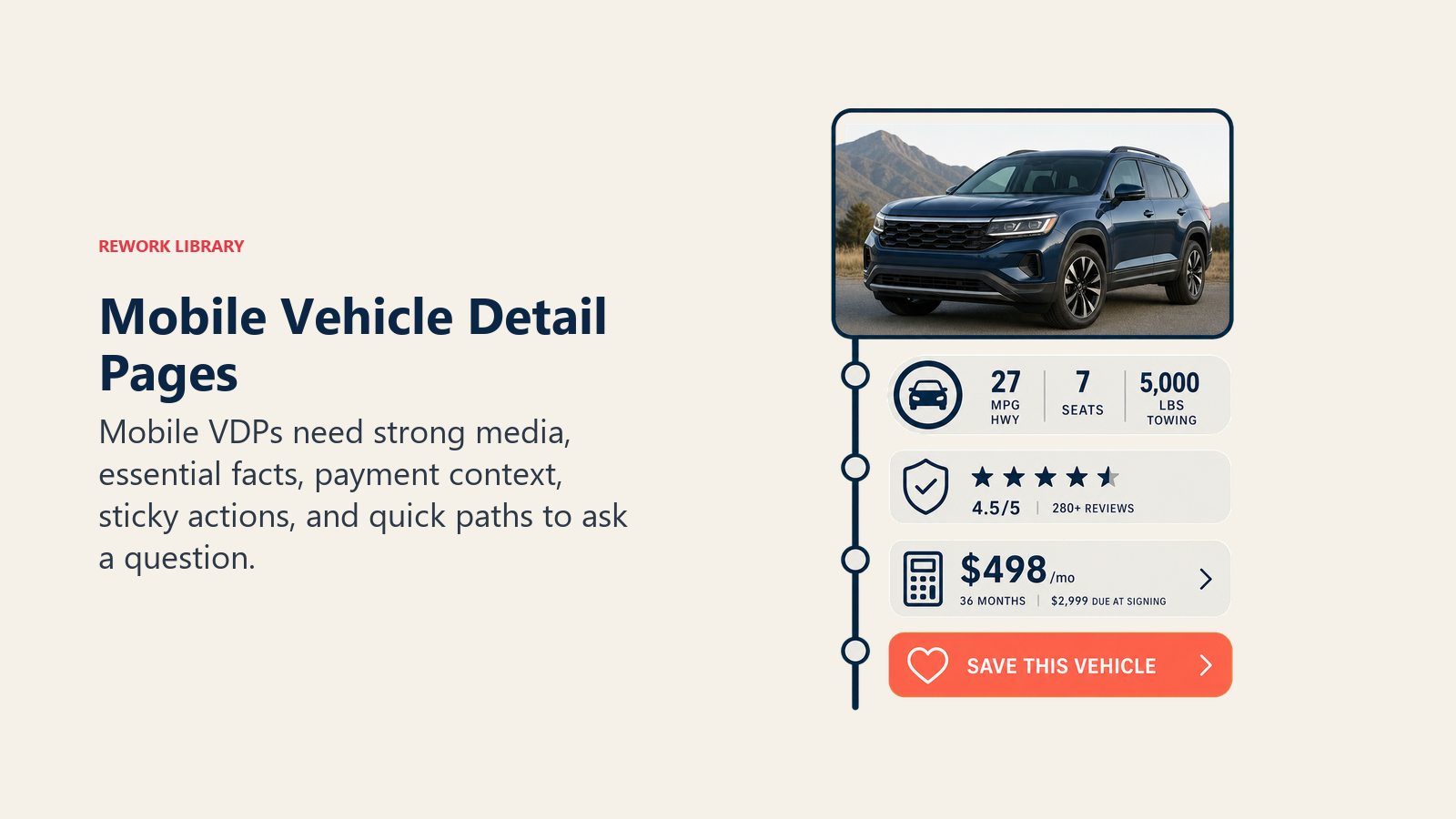
Above-the-fold information hierarchy determines what converts and what confuses. On mobile VDPs, the first screen should show: primary photo, price, key specs (year/make/model/mileage), and one clear CTA. Everything else scrolls. Don't cram specifications, similar vehicles, and dealer info above the fold, you're creating visual overload.
Sticky CTAs and contact options follow users as they scroll. Your primary CTA ("Check Availability" or "Text Us") should stick to the bottom of the screen throughout the VDP. When users finish reviewing photos and specs, the action button should be right there, not requiring scroll-back or menu hunting.
Payment calculator accessibility on mobile needs thoughtful design. Desktop calculators with sliders and multiple inputs work fine on large screens but become unusable on phones. Mobile calculators should default to simplified mode (price, down payment, term) with "Advanced options" tucked into expansion panels, supporting transparent online pricing.
Feature and specification display should prioritize scannability over completeness. Mobile users won't read through 50 lines of equipment specs. Instead: highlight 5-6 key features visually (backup camera, heated seats, navigation), then put complete specs in collapsible sections. Show what matters, hide the rest until requested.
Mobile Search & Inventory Browse
Filter interface design makes or breaks mobile inventory shopping. Desktop sites can show 12 filter categories simultaneously. Mobile sites should show 3-4 primary filters (make, price, body style) with everything else hidden behind "More Filters" buttons. Each filter category should open full-screen on mobile for easy interaction, not overlay in tiny dropdowns.
Sort functionality and defaults need mobile-appropriate options. "Distance: Nearest First" matters more on mobile than desktop because mobile users are often actively shopping. "Price: Low to High" works everywhere, but consider "Newest Arrivals" and "Most Popular" as mobile defaults, they match discovery browsing behavior.
Saved searches and favorites compensate for mobile's multi-session reality. Users can't keep 8 tabs open on their phone like they do on desktop. Give them a way to bookmark vehicles and search parameters so they can pick up where they left off without starting over each session.
Comparison tools on small screens require different approaches than desktop side-by-side grids. Instead of trying to squeeze three vehicles horizontally, stack vehicles vertically with key specs highlighted. Or better: let users add vehicles to a comparison list, then view them in a dedicated full-screen comparison mode.
Back-to-results navigation should be instant and stateful. When users browse from inventory page to VDP and back, they should return to exactly where they were, same filters applied, same scroll position, same sorting. Making them restart the search kills momentum.
Mobile Lead Capture Strategy
Minimal-field form design recognizes that typing on phones is painful. Your mobile lead form should ask for name, phone, and the question being asked, that's it. Email optional, ZIP code only if you're a multi-location group, no mailing addresses or best time to call. Every field you remove increases conversions by 8-12%.
Progressive information gathering spreads data collection across multiple interactions instead of forcing everything upfront. First touchpoint: get phone number. Second touchpoint: confirm interest and appointment time. Third touchpoint: ask about trade-in and financing. You're building a relationship, not conducting an interrogation.
Social login integration (Sign in with Google/Apple) eliminates mobile typing entirely for known users. One tap captures name, email, and sometimes phone number without any form fields. Conversion rates on social login run 30-40% higher than manual form completion on mobile, improving your lead capture efficiency.
SMS opt-in opportunities should be default-on with clear value proposition. "Yes, text me updates on this vehicle" pre-checked with explanation: "Get instant price drops and availability alerts." Mobile users expect text communication, offer it proactively.
One-tap scheduling tools replace back-and-forth appointment setting. Calendly-style interfaces where users select available times work far better on mobile than "call us to schedule" or "what time works for you?" form fields. Show 6-8 available slots, let them tap to confirm, done.
Mobile Marketing Integration
SMS campaign optimization becomes primary channel for mobile-dominant customers. Open rates on text messages run 98% vs 20% for email. But you can't just blast promotions, SMS needs to be conversational, permission-based, and valuable through effective email and text marketing. "Hey Sarah, that Highlander you looked at just dropped $1,500. Want to come see it Saturday?" beats "SALE EVENT THIS WEEKEND!!!"
Mobile ad landing page design should mirror your mobile VDP best practices: fast load times, minimal fields, clear single CTA, click-to-call prominent. The worst thing you can do is drive mobile traffic from paid advertising campaigns to desktop-oriented landing pages that don't work on phones.
App vs mobile web strategy confuses many dealers. Apps make sense for service scheduling and customer portal features (view service history, book maintenance). Apps don't make sense for vehicle shopping, no one downloads a dealership app to browse inventory. Invest in excellent mobile web, not mediocre apps.
Push notification capabilities require apps, which means they're only valuable for customers who've already purchased and downloaded your service app. Don't build a sales app for push notifications, 95% of shoppers won't download it. Use SMS for sales notifications instead.
Location-based marketing works through mobile advertising, not your website. Geofencing competitor lots and serving conquest ads to mobile users in those locations drives traffic. But the mobile experience after they click those ads needs to be flawless or you're wasting ad spend.
Testing & Analytics
Mobile-specific conversion tracking separates mobile performance from overall site metrics. Don't look at combined 2.8% conversion rate and think you're fine, break it out by device. When you see 1.7% mobile and 4.5% desktop, you've identified the problem clearly.
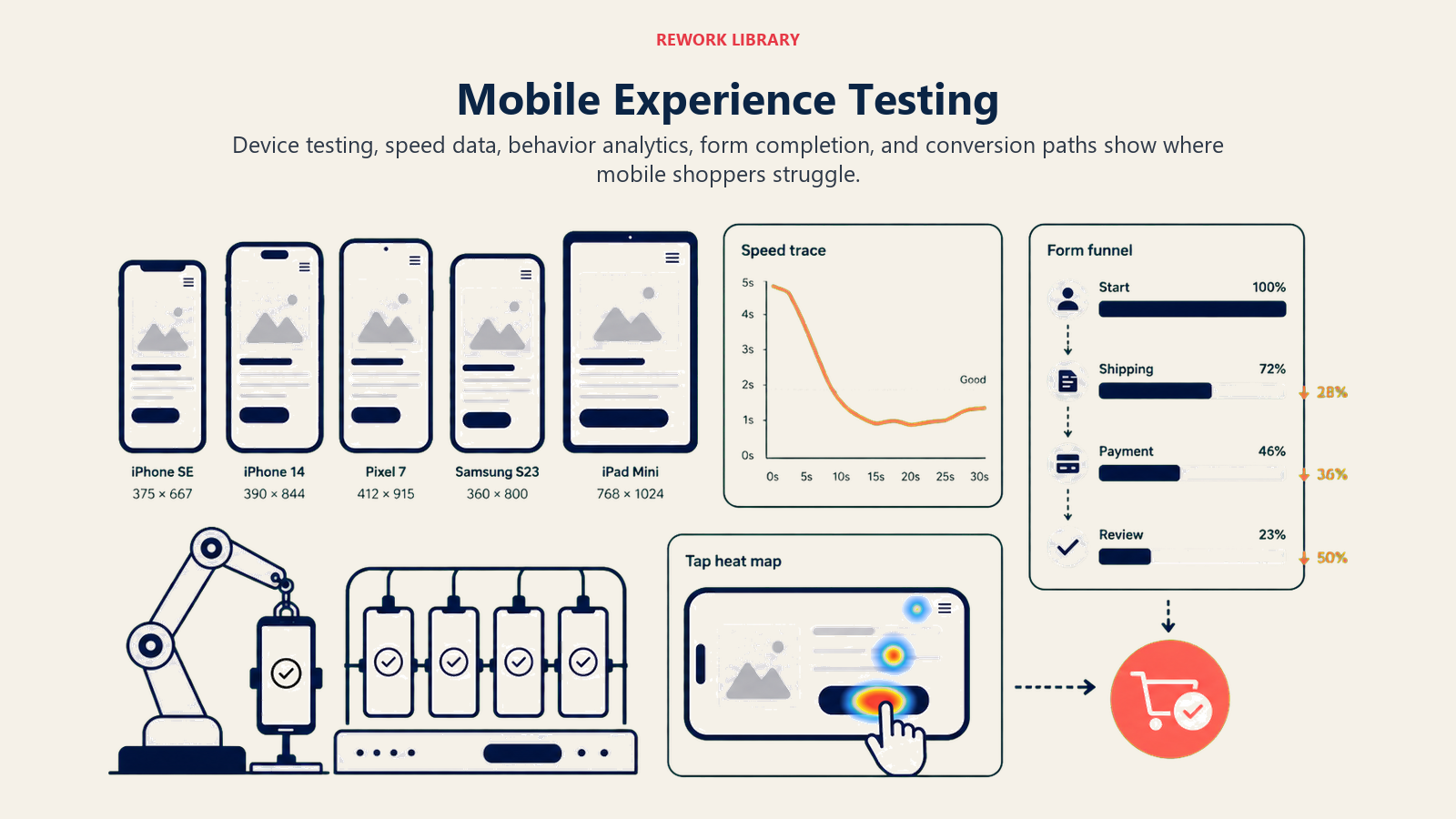
Heat mapping and session recording tools (Hotjar, FullStory) show exactly where mobile users struggle. You'll watch recordings of users trying to tap buttons that don't work, filling out forms that fail to submit, and abandoning after load times exceed 8 seconds. It's eye-opening and action-driving data that enhances your dealership analytics. Industry benchmarks show automotive websites should monitor mobile-specific conversion metrics closely.
Device and OS performance comparison reveals platform-specific issues. Android on Chrome might work perfectly while iOS on Safari has form submission bugs. Test on actual devices, iPhone 13, Samsung Galaxy S23, not just browser emulators.
A/B testing frameworks for mobile need larger sample sizes than desktop because conversion rates start lower. Testing a new mobile VDP layout might require 10,000 visitors to reach statistical significance vs 3,000 for desktop tests. Be patient and trust the data.
Mobile abandonment analysis tells you exactly where you're losing visitors. If 40% of mobile users abandon after viewing one VDP photo, your page load time is the problem. If 60% abandon at the lead form, you're asking for too much information. The funnel doesn't lie.
The dealerships closing the mobile conversion gap aren't waiting for website redesigns or platform migrations. They're making incremental fixes weekly: compressing images, reducing form fields, fixing broken touch targets, and testing continuously through systematic digital retailing. Mobile optimization isn't a project with an end date, it's an operational discipline that compounds over time. Every week you delay is another week of walking 70% of your traffic through a broken experience.
For more on integrating mobile optimization with your broader digital strategy, see Dealership Website Optimization. To optimize your mobile VDPs specifically, review Vehicle Detail Page (VDP) Optimization. For mobile-friendly digital retailing experiences, reference Automotive Digital Retailing. And to ensure your lead management system handles mobile inquiries properly, explore Automotive Lead Management and Lead Response Time Optimization.