Automotive CRM: Dealership Implementation Guide (2026)
Turn this article into takeaways for your work.


Each assistant summarizes the article only for you and suggests best practices for your work.
An automotive CRM is dealership software that captures every lead, tracks it through the sales process, and ties customer data from your DMS into automated follow-up. The payoff comes from implementation, not the tool: choose the right platform, sync clean DMS data, and drive team adoption, and dealerships typically see a 15 to 25% lift in lead-to-sale conversion.
The average dealership spends $30,000-50,000 annually on CRM, yet 60% of sales teams don't use it consistently. The problem isn't the technology, it's the implementation approach.
Most dealerships buy CRM systems the way customers used to buy cars: they walk in, listen to features, get sold on promises, and drive off hoping it works out. Then reality hits. The DMS integration doesn't sync correctly. The sales team ignores it because it's "too complicated." Management gets frustrated because they can't get useful reports.
Six months later, you're stuck in a contract paying for software nobody uses. According to McKinsey's automotive retail digitization research, successful digital transformation in automotive retail requires integrating customer data across approximately 900 individual digital touchpoints, making proper CRM implementation essential.
This guide shows you how to implement CRM the right way, from platform selection through team adoption and performance optimization, so you actually get the ROI vendors promised.
The Business Case for Automotive CRM
Before diving into implementation, understand what CRM actually delivers when done correctly. Lead management and conversion rate improvement. Without CRM, leads sit in email inboxes, get scribbled on sticky notes, or disappear entirely. With CRM, every lead is logged, assigned, tracked, and followed up systematically. Dealerships with effective CRM see 15-25% improvement in lead-to-sale conversion rates simply by ensuring consistent follow-up. This includes better lead response time optimization and systematic follow-up processes.
Customer retention and equity mining capabilities. Your DMS knows when customers bought vehicles, what they're driving, and when leases mature. Your CRM transforms that data into action, with automated campaigns for lease renewals, equity mining, service reminders, and customer loyalty programs. This turns static data into revenue.
Process standardization and accountability. When your best salesperson leaves, their process leaves with them. CRM captures best practices in workflows: when to call, what to say, how many touchpoints to make. New hires ramp up faster because the system guides them through proven processes.
Data analytics and performance insights. Which lead sources convert best? Which salespeople close at highest rates? What's your average days-to-close? CRM dashboards answer these questions in real-time, enabling data-driven decisions instead of gut feelings. Gartner's CRM strategy research emphasizes that an effective CRM project requires customer-facing processes to be considered across the enterprise, including the people, processes, and technologies required to deliver the customer relationship strategy.
Integration with DMS and third-party tools. Modern CRM doesn't exist in isolation. It connects to your DMS, inventory feeds, marketing platforms, phone systems, and digital retailing tools. This creates a unified customer experience from first click to final delivery.
The ROI is measurable: a 100-car-per-month dealership that improves lead conversion by 15% sells an additional 45 vehicles annually. At $2,500 average gross profit, that's $112,500 in additional profit, more than double your CRM investment. The global auto dealership CRM software market, projected to grow from $6.13 billion in 2024 to $8.81 billion by 2028 at a 9.5% CAGR, demonstrates the proven value of CRM technology in automotive retail.
CRM Platform Selection
Not all CRM platforms are created equal, especially in automotive retail. Dealer-specific CRM platforms (VinSolutions, DealerSocket, Elead) are purpose-built for automotive. They include:
- Pre-configured workflows for automotive sales processes
- Native DMS integration with major providers
- Automotive-specific features (equity mining, trade-in tracking, F&I integration)
- Dealer-focused reporting and dashboards
- Industry-specific training and support
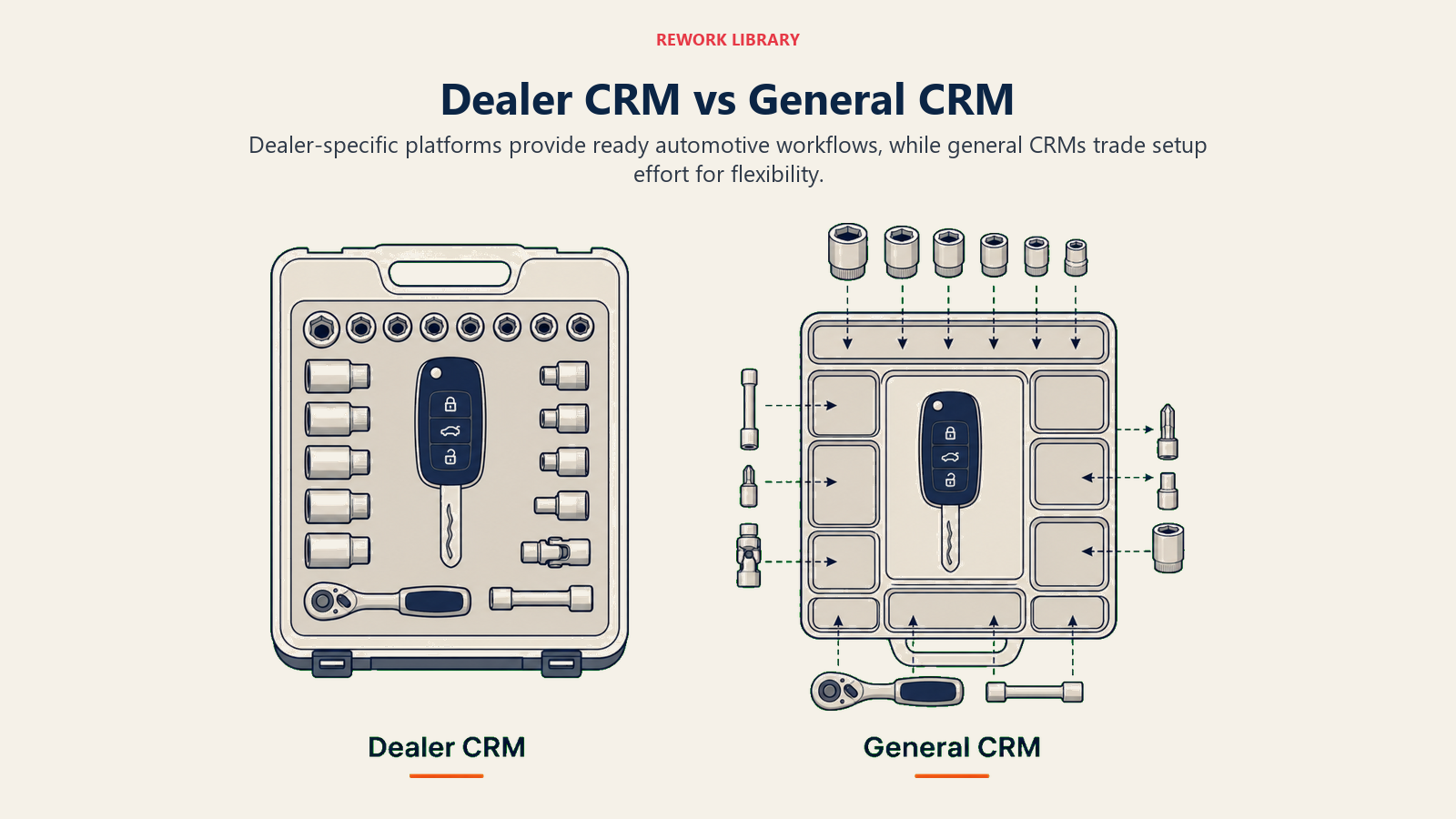
The advantage? They work out-of-the-box for dealerships. The disadvantage? Less flexibility for unique processes and higher cost ($300-500+ per user monthly).
General business CRM (Salesforce, HubSpot) with automotive customization offers more flexibility:
- Lower per-user cost ($50-150 monthly)
- Broader feature sets and customization options
- Better third-party integrations (marketing, social, advertising)
- More sophisticated automation capabilities
- Scalability beyond automotive if you diversify
The disadvantage? Requires significant configuration and automotive-specific customization. You're not buying a turnkey solution. You're building one.
Evaluation criteria should include:
Features: Lead management, customer database, task automation, email/SMS campaigns, reporting, mobile app, integration capabilities.
Integration: Native connections to your DMS (CDK, Reynolds, Dealertrack), inventory systems, phone platforms, website, digital retailing tools.
Pricing: Per-user licensing, setup fees, training costs, integration fees, ongoing support costs. Calculate 3-year total cost of ownership, not just monthly fees.
Support: Training resources, implementation assistance, ongoing technical support, account management, user community.
Single vs. multiple rooftops considerations. If you operate multiple locations, enterprise CRM with centralized reporting and cross-store lead routing becomes essential. Some platforms charge per location, others per user, so do the math.
OEM-required vs. dealer-chosen systems. Some manufacturers mandate specific CRM platforms for certification programs. Understand what's required vs. recommended before making independent decisions.
DMS Integration Strategy
Your CRM is only as good as its connection to your DMS. This integration is the foundation of everything else. Critical data sync requirements include:
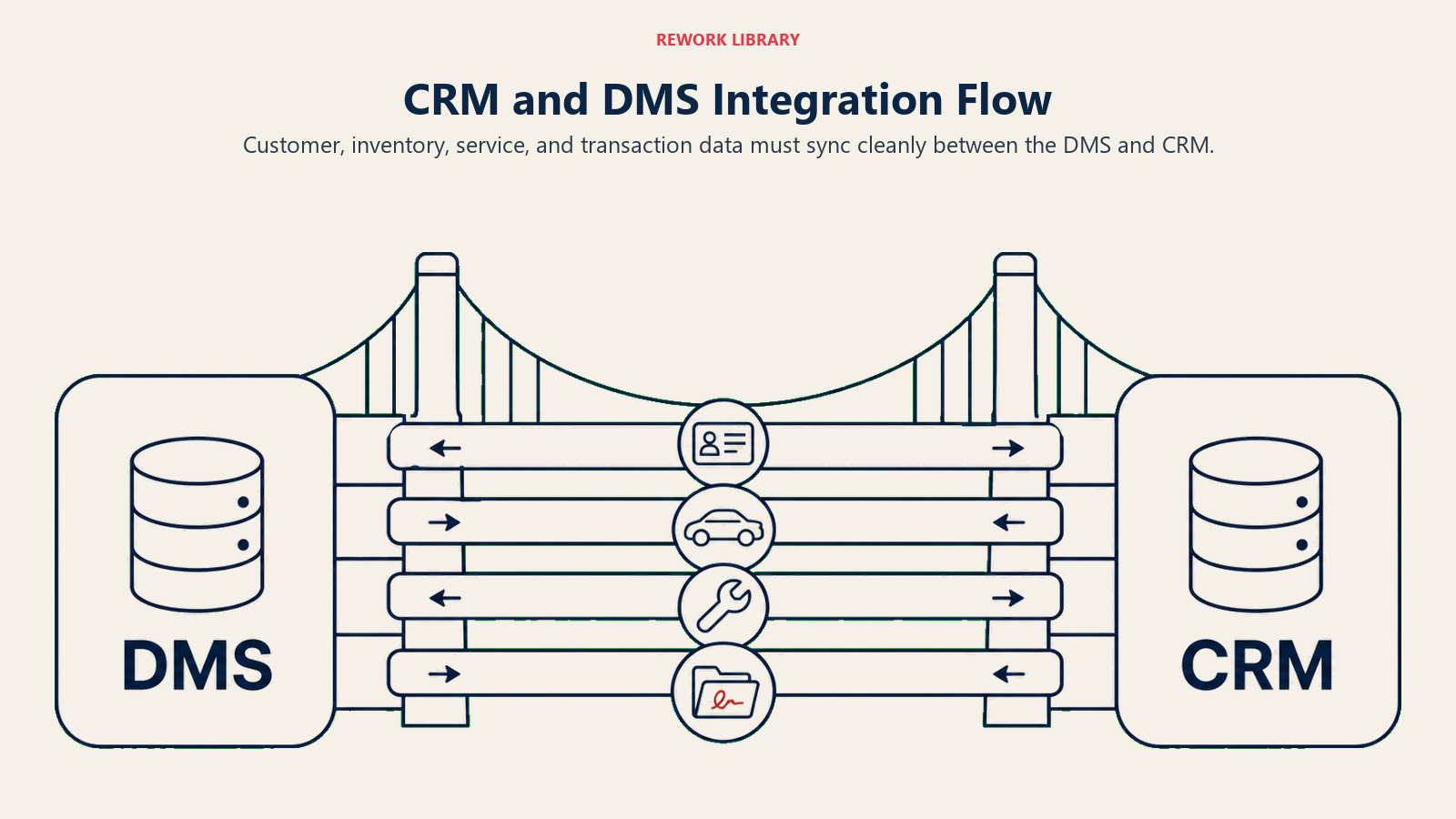
Customer data: Names, addresses, contact information, vehicle ownership history, service records. This should flow from DMS to CRM continuously so sales teams see complete customer profiles.
Inventory data: Available vehicles, VINs, pricing, photos, specs. Real-time sync ensures sales teams show customers vehicles that actually exist.
Service history: Repair orders, service visits, warranty work. This enables service-to-sales opportunities and informed trade-in discussions.
Sales transactions: Deal details, delivery dates, F&I products. This closes the loop from lead to sale, enabling accurate conversion reporting.
Real-time vs. batch integration approaches have different tradeoffs:
Real-time (API-based) sync keeps data current instantly but requires robust technical infrastructure and ongoing monitoring. Best for high-volume dealerships where data accuracy is critical.
Batch sync (overnight or hourly) is simpler and more stable but creates data lag. Acceptable for smaller dealerships where instant updates aren't essential.
Data quality and cleansing before migration prevents garbage-in, garbage-out. Before connecting CRM to DMS:
- Deduplicate customer records (combine multiple entries for same person)
- Standardize formatting (addresses, phone numbers, names)
- Remove test records and inactive accounts
- Verify accuracy of critical fields (email, mobile phone)
Spend two weeks cleaning DMS data before migration. You'll save months of frustration later.
Ongoing data governance and maintenance requires rules:
- Who owns customer records (sales vs. service vs. BDC)?
- How do you handle duplicate detection?
- What fields are mandatory vs. optional?
- Who has permission to edit or delete records?
Common integration challenges and solutions:
Challenge: DMS and CRM have duplicate customer records that don't match. Solution: Implement customer matching logic based on name + phone or email. Create manual review queue for uncertain matches.
Challenge: Inventory sync failures cause customers to inquire about sold vehicles. Solution: Set up real-time sold vehicle flagging and automated unavailability responses.
Challenge: Service history doesn't flow to CRM, limiting sales opportunities. Solution: Configure specific DMS tables/fields to extract RO data and map to CRM service records.
Process Mapping and Workflow Design
CRM doesn't improve processes, it enforces them. If your processes are broken, CRM makes the brokenness consistent. Lead-to-sale workflow and stages should mirror your actual sales process:
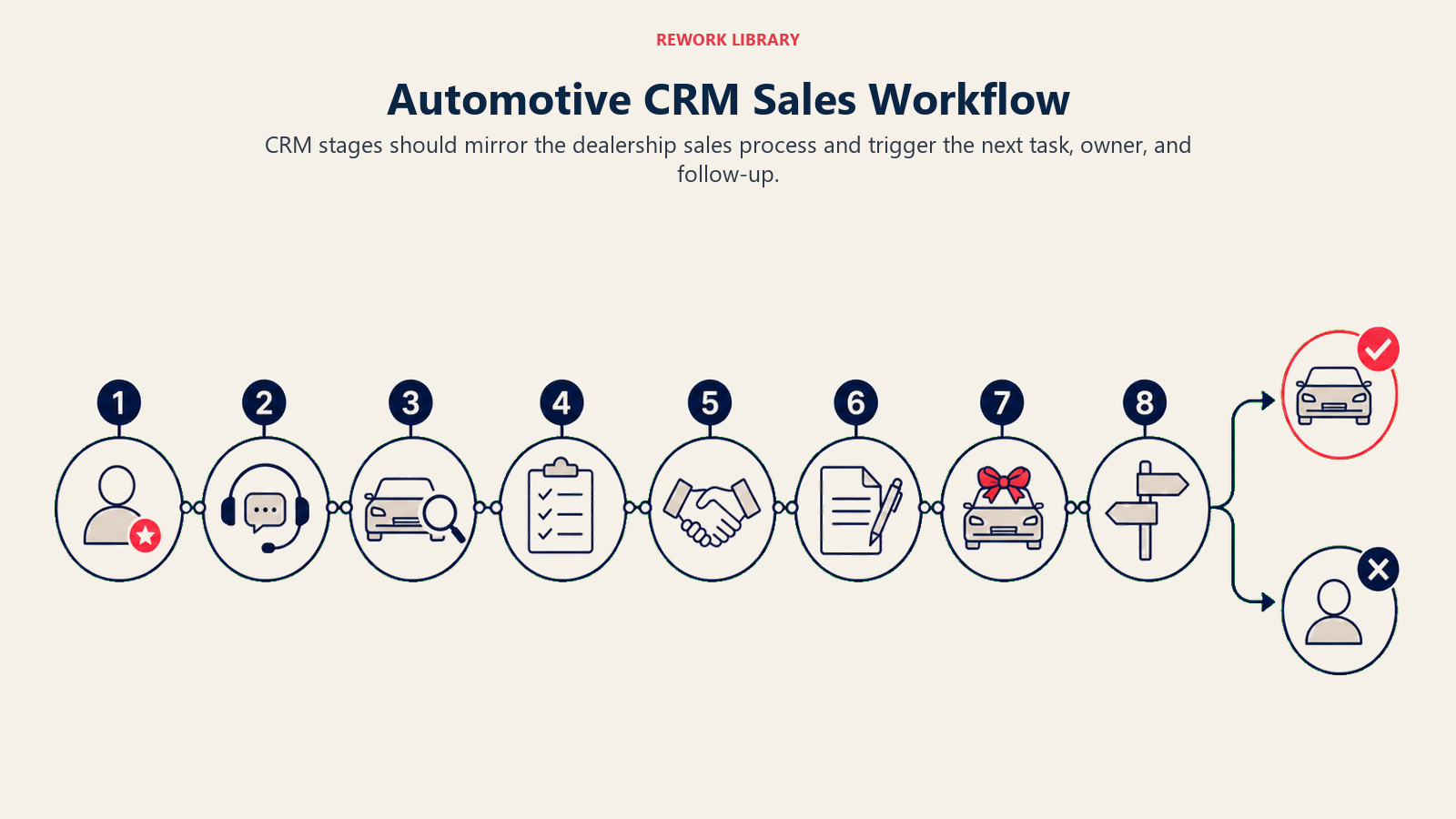
- New Lead (uncontacted)
- Contacted (initial response made)
- Appointment Set (customer scheduled to visit)
- Showed (customer arrived at dealership)
- Test Drive (vehicle demonstration completed)
- Negotiation (working numbers)
- Sold (deal completed)
- Lost (customer purchased elsewhere or dropped out)
Each stage should trigger specific tasks and follow-up actions. This standardizes your automotive sales process across all salespeople.
Task automation and follow-up triggers ensure nothing falls through cracks:
- New lead assigned → immediate email response + task to call within 15 minutes
- Appointment set → confirmation email + reminder text 2 hours before
- Test drive completed → follow-up call next day + email with vehicle details
- 48 hours no response → automated nurture sequence begins
Appointment scheduling and confirmation workflow:
- Customer requests appointment → confirmation email sent
- 24 hours before → reminder email/text
- 2 hours before → final reminder text
- No-show → automated task for BDC to reschedule
Sales process enforcement builds in quality checkpoints:
- Can't move to "Negotiation" stage without completed test drive
- Can't close deal without trade-in appraisal (if applicable)
- Can't deliver without F&I product presentation
- Can't mark sold without VIN and delivery date
BDC workflow and lead routing rules determine lead distribution:
- Internet leads → BDC for qualification
- Phone ups → direct to available salesperson
- Service-to-sales referrals → assigned to customer's previous salesperson
- Walk-ins → floor rotation or up system
Proper routing ensures leads reach the right person based on automotive lead scoring and salesperson specialization.
Data Migration and System Setup
Technical implementation makes or breaks CRM success. Customer database migration and deduplication:
- Export customer data from DMS in standardized format
- Run deduplication algorithms to merge duplicate records
- Map DMS fields to CRM fields (some won't match perfectly)
- Import in batches, verify accuracy, fix issues before full migration
- Plan for 2-4 weeks of migration and testing
User setup and permission levels control access:
- Sales consultants: view assigned leads, limited customer database access
- Sales managers: full team visibility, reporting, deal approval
- BDC: lead assignment, qualification, customer database search
- Service advisors: service customer access, service-to-sales referral creation
- GMs/Executives: full system access, analytics, configuration
Email template configuration for common scenarios:
- Initial lead response (personalized with vehicle interest)
- Appointment confirmation
- Test drive follow-up
- Thank you for visiting
- We miss you (inactive customer re-engagement)
- Lease maturity reminder
Phone system integration (VoIP, call tracking) enables:
- Automatic logging of inbound/outbound calls to customer records
- Call recording for training and quality assurance
- Click-to-call from CRM interface
- Screen pop showing customer info when they call
This technology dramatically improves phone skills for automotive by providing instant context and conversation history.
Reporting and dashboard creation for different roles:
- Sales consultants: personal activity, pipeline, upcoming tasks
- Sales managers: team performance, conversion funnels, lead source ROI
- GMs: dealership-wide metrics, trends, forecasting
- BDC: response times, appointment set rates, lead distribution
Training and Adoption Strategy
The best CRM in the world fails if your team won't use it. Adoption is everything. Role-based training programs:
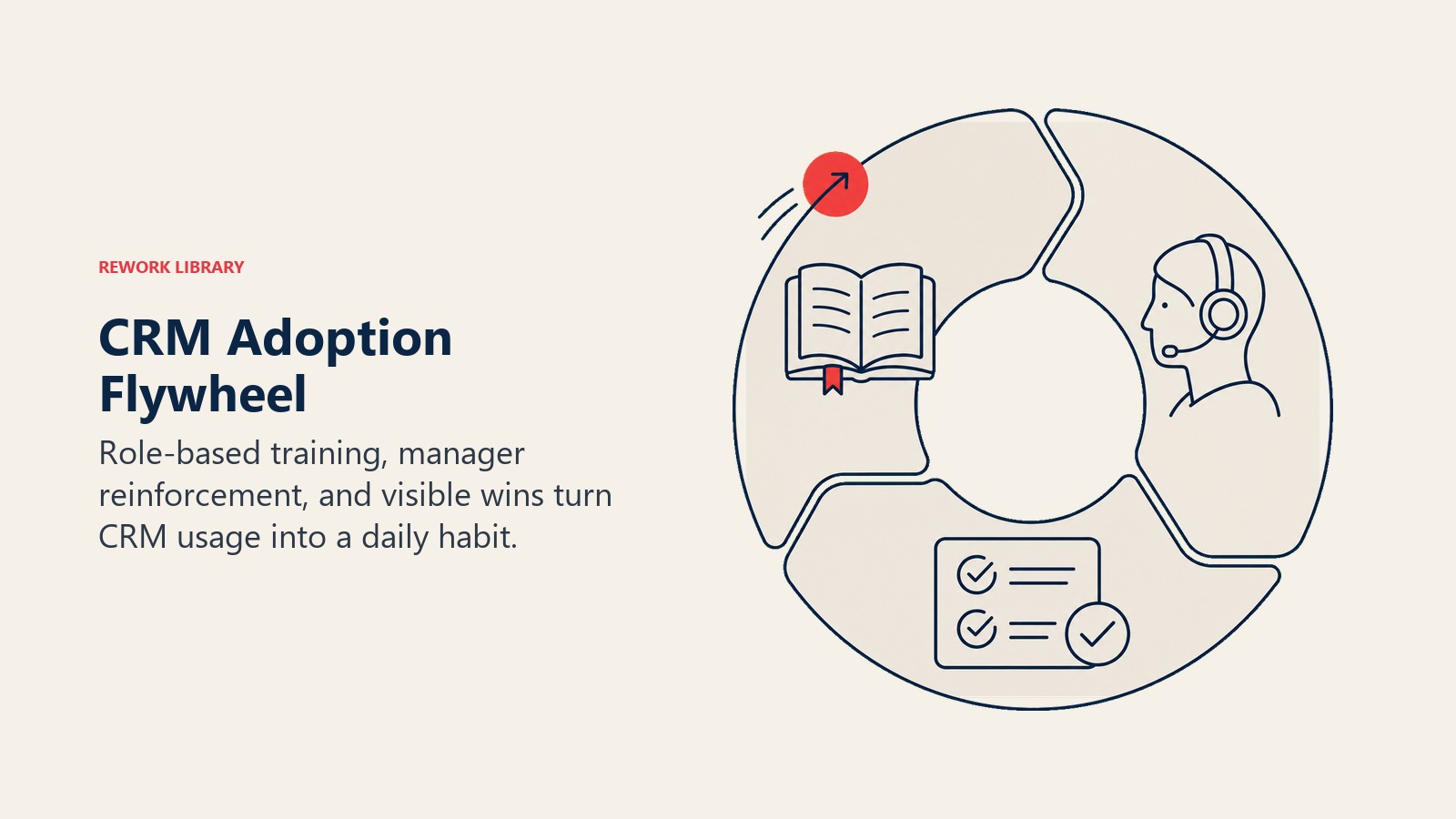
Sales consultants (2-3 hours):
- How to view and claim leads
- Logging customer interactions (calls, texts, emails)
- Creating appointments and tasks
- Updating lead status and deal stages
- Mobile app usage for on-the-go access
BDC (3-4 hours):
- Lead assignment and routing
- Qualification scripts and workflows
- Appointment setting process
- Email campaign management
- Performance metric tracking
Management (4-6 hours):
- Reporting and analytics
- Team performance monitoring
- Deal approval and oversight
- System configuration and customization
- Coaching based on CRM data
Process enforcement and accountability systems:
- Daily huddles reviewing CRM activity (calls made, appointments set)
- Weekly performance scorecards based on CRM metrics
- Manager approval required for closing deals (forces CRM usage)
- Paychecks tied to logged activities (if not in CRM, didn't happen)
Gamification and incentive programs:
- Leaderboards for most calls, emails, appointments set
- Bonuses for CRM adoption milestones
- Recognition for highest activity levels
- Competition between teams or locations
Manager coaching and performance reviews based on CRM data:
- "Your lead response time averages 4 hours. Top performers respond in 15 minutes. Let's work on that."
- "You're setting appointments at 12% rate, but test drive conversion is 65%. That's excellent. Let's get you more appointments."
This data-driven coaching approach transforms sales consultant performance management from subjective to objective.
Ongoing training and skill development:
- Monthly CRM power-user sessions (advanced features)
- Quarterly refresher training for new hires
- Video tutorials for common tasks
- Internal champion program (super users help colleagues)
Marketing Automation Integration
CRM becomes powerful when connected to marketing platforms. Email marketing platform integration connects your customer database to campaign tools:
- Segment customers by purchase date, vehicle type, lease maturity
- Send targeted campaigns (service reminders, equity alerts, new inventory)
- Track opens, clicks, and conversions back to CRM
Automated drip campaigns and lifecycle marketing:
- New customer welcome series (days 1, 3, 7, 30, 90)
- Lease maturity sequence (6 months, 4 months, 2 months, maturity)
- Service reminder series (mileage-based, time-based)
- Equity mining campaigns (monthly for customers with equity)
Lead scoring and nurturing workflows:
- Score leads based on engagement (email opens, website visits, responses)
- High-score leads → hot priority for sales team
- Low-score leads → automated nurture sequences
- Re-engagement campaigns for dormant leads
Service reminder campaigns:
- Oil change due (based on mileage + time)
- Tire rotation recommendations
- Seasonal maintenance (winter prep, summer check-up)
- Warranty expiration alerts with F&I product offers
Equity mining and retention marketing automation:
- Monthly equity scans for positive equity positions
- Automated postcards with "Your vehicle is worth $X more than payoff"
- Lease maturity campaigns starting 6 months early
- Loyalty appreciation messages and VIP event invitations
Reporting and Analytics
CRM data is worthless if you can't turn it into actionable insights. Essential CRM reports and dashboards:
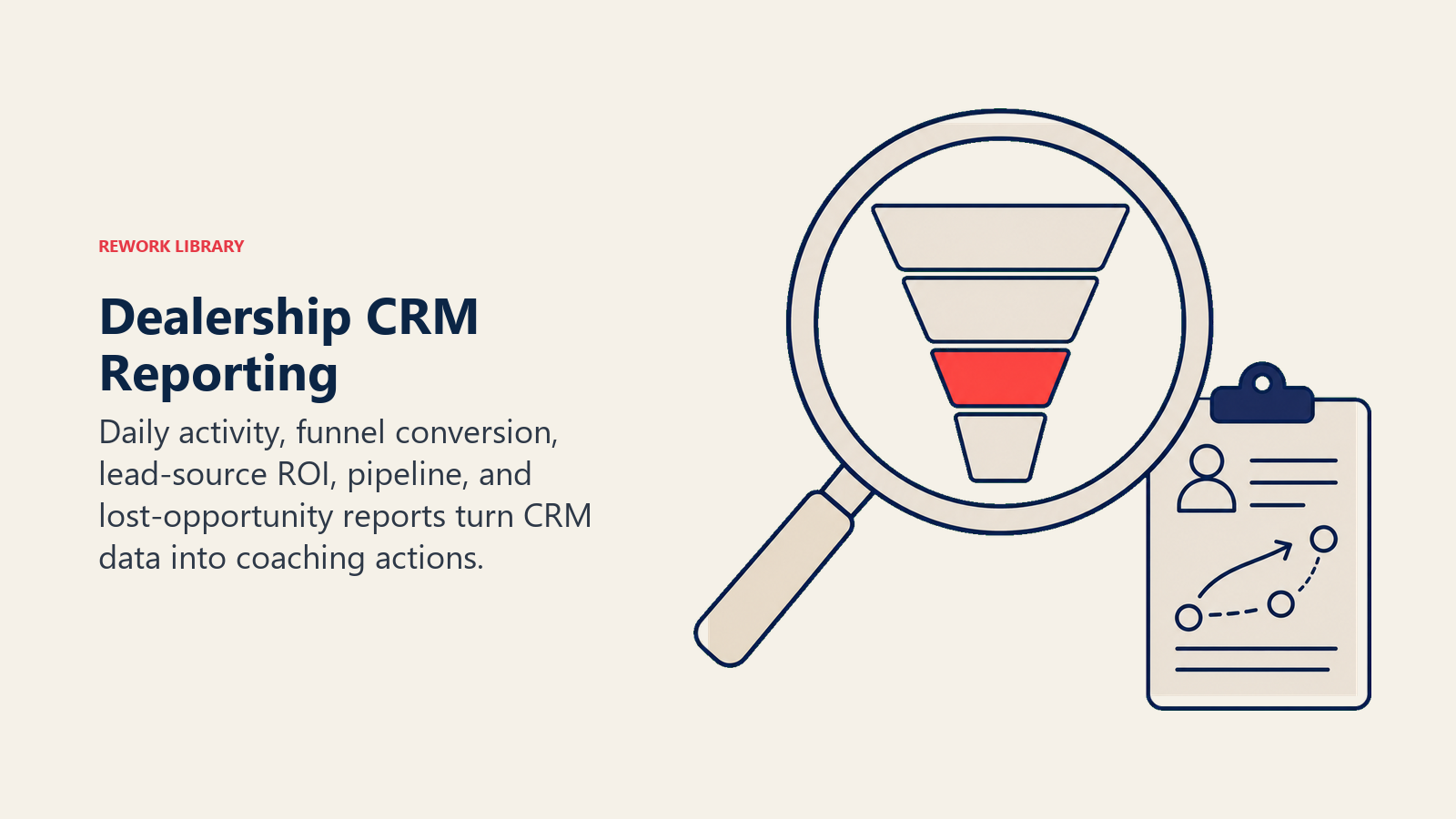
Daily Activity Report: Calls made, emails sent, appointments set, test drives completed by salesperson.
Lead Source ROI Report: Cost per lead, conversion rate, average gross profit by source (third-party sites, website, BDC, referrals).
Conversion Funnel Report: Lead → Contacted → Appointment → Show → Test Drive → Sale percentages.
Pipeline Report: Value and quantity of deals in each stage (negotiation, pending approval, pending delivery).
Lost Opportunity Report: Reasons for lost deals, competitor analysis, pricing sensitivity.
Sales activity metrics that drive accountability:
- Average response time to new leads (target: under 15 minutes)
- Follow-up attempts before giving up (target: 8-12 touchpoints)
- Appointment set rate (target: 15-25% of contacted leads)
- Appointment show rate (target: 60-70%)
- Test drive to sale conversion (target: 25-35%)
Conversion funnel analysis:
- Where do most leads drop off? (identifies process weaknesses)
- Which salespeople have best conversion at each stage? (coaching opportunities)
- How does funnel performance vary by lead source? (marketing optimization)
Lead source ROI tracking:
- Third-party sites: $350 cost per lead, 8% conversion = $4,375 cost per sale
- Website organic: $50 cost per lead, 12% conversion = $417 cost per sale
- Service referrals: $25 cost per lead, 25% conversion = $100 cost per sale
Individual and team performance scorecards create healthy competition and accountability. Display publicly:
- Units sold
- Gross profit per unit
- Lead conversion rate
- Activity levels (calls, emails, appointments)
- Customer satisfaction scores
These metrics become part of your comprehensive dealership KPI dashboard for organizational transparency.
Optimization and Continuous Improvement
CRM implementation isn't one-and-done. It's ongoing refinement.
Regular process audits and refinement:
- Quarterly review of workflow effectiveness
- Identify bottlenecks and abandoned stages
- Streamline unnecessary steps
- Add automation where manual work is repetitive
User feedback and system updates:
- Monthly surveys: "What's frustrating about CRM?"
- Suggestion box for improvement ideas
- Beta testing new features before full rollout
- Regular platform updates from vendor (apply them)
Advanced feature adoption:
- Year 1: Master basics (lead management, tasks, reporting)
- Year 2: Add marketing automation, AI lead scoring, advanced segmentation
- Year 3: Implement predictive analytics, conversational AI, omnichannel engagement
Integration expansion:
- Add chat integration (website conversations flow into CRM)
- Connect video platforms (personalized video messages tracked in CRM)
- Link social media advertising (Facebook leads auto-import)
- Integrate reputation management (reviews tied to customer records)
Measuring actual ROI vs. projected:
- Baseline metrics before CRM: lead conversion rate, customer retention, sales per rep
- Track same metrics 6 months, 12 months, 24 months after implementation
- Calculate incremental sales × average gross profit
- Compare to total CRM investment (licensing + implementation + training)
- Target: 200-300% ROI within first 18 months
Key Takeaways
CRM implementation succeeds when you:
Choose the right platform for your specific needs, dealer-specific vs. general business, features vs. cost, integration capabilities.
Prioritize DMS integration. Without clean, accurate data flowing from DMS to CRM, everything else fails.
Design workflows that match your actual sales process, not generic templates vendors provide.
Invest heavily in training and adoption. The best system is worthless if nobody uses it.
Enforce accountability through daily activity reviews, performance scorecards, and manager coaching.
Connect CRM to marketing automation to turn customer data into revenue-generating campaigns.
Measure everything. Track the metrics that matter and optimize based on data, not opinions.
And remember: CRM doesn't fix bad processes. It makes good processes scalable and consistent. Start with solid fundamentals, then let technology amplify them.
Automotive CRM FAQ
What is an automotive CRM?
An automotive CRM is software built for car dealerships that logs every lead, tracks it through the sales process, and connects to your DMS so sales teams see complete customer profiles. Dealer-specific platforms like VinSolutions, DealerSocket, and Elead ship with automotive workflows and native DMS integration out of the box.
How much does dealership CRM software cost?
Dealer-specific platforms run roughly $300 to $500-plus per user per month, while general business CRMs like Salesforce or HubSpot with automotive customization run about $50 to $150 per user per month but require more configuration. The average dealership spends $30,000 to $50,000 a year all in. Calculate a 3-year total cost of ownership, not just the monthly fee.
What is the ROI of an automotive CRM?
Dealerships with consistent CRM use typically see a 15 to 25% lift in lead-to-sale conversion from systematic follow-up. A 100-car-per-month store that improves conversion 15% sells about 45 more vehicles a year, which at $2,500 average gross is roughly $112,500 in added profit. A realistic target is 200 to 300% ROI within the first 18 months.
Why do dealership CRM implementations fail?
Most failures trace to three issues: the DMS integration doesn't sync correctly, the sales team finds the system too complicated and avoids it, and management can't pull useful reports. The fix is clean DMS data before migration, role-based training, and accountability systems that tie activity logging to daily reviews and pay.
Which is better, a dealer-specific CRM or a general business CRM?
Dealer-specific CRMs work out of the box for dealerships but cost more and flex less. General business CRMs cost less per user and offer broader customization and integrations but require significant automotive configuration. Pick dealer-specific if you want turnkey; pick general business if you have the resources to build and plan to scale beyond automotive.
Related Resources:

Senior Implementation Consultant