Kanban System Implementation: Visual Pull Scheduling for Efficient Manufacturing Flow
Turn this article into takeaways for your work.


Each assistant summarizes the article only for you and suggests best practices for your work.
A precision components manufacturer struggled with a familiar production control problem. Their push-based MRP system generated production schedules weeks in advance. By the time work orders reached the shop floor, priorities had shifted. Expeditors spent their days rescheduling work, creating chaos as production switched between "urgent" jobs that each pushed aside the previous priority.
Inventory piled up throughout the facility. Some parts accumulated because production had run batches that weren't actually needed yet. Others went missing because expediters had redirected resources to handle the latest crisis. The production manager knew which parts were supposed to be in inventory according to the system, but had little idea what actually existed on the floor.
They replaced this chaos with a simple Kanban system. Visual cards authorized production of specific quantities. When downstream processes consumed parts, empty containers with their Kanban cards returned to signal production of more. Within weeks, expediters became nearly obsolete. Inventory levels dropped while part availability improved. The visual system anyone could understand outperformed the sophisticated computer-based scheduling that nobody trusted.
How Kanban Systems Work
Kanban means "signboard" in Japanese. According to Wikipedia, Kanban is a scheduling system for lean manufacturing developed by Taiichi Ohno, an industrial engineer at Toyota, to improve manufacturing efficiency. Toyota developed the technique in the 1950s as part of their lean manufacturing principles, inspired by supermarket shelf replenishment: produce only what's been consumed, when it's been consumed, in the quantity consumed.
Visual signaling and inventory triggers make Kanban work. According to the Lean Enterprise Institute, a kanban is a signaling device that gives authorization and instructions for the production or withdrawal of items in a pull system. A physical card, empty container, or electronic signal authorizes production or material movement. No signal means don't produce, regardless of what forecasts or schedules say. This simple rule creates a pull system synchronized with actual consumption.
The basic loop works like this: parts sit in inventory with Kanban cards attached. When a downstream process consumes parts, the container with its card moves through the system. The empty container and card return to the supplying process, signaling to produce another container of parts. Production occurs. The full container with card returns to inventory, ready for the next consumption cycle.
Pull system mechanics reverse traditional production control logic. Instead of schedules pushing work through production steps, actual consumption pulls replacement. This self-regulating system maintains target inventory levels automatically, supporting just-in-time production goals. If consumption increases, more Kanban signals circulate faster, triggering increased production. If consumption slows, signals circulate more slowly, automatically reducing production.
A metal fabrication shop implemented Kanban for their most common bracket designs. Previously, production planners scheduled bracket runs weekly based on forecasts that were often wrong. Now, consumption drives production automatically. Popular brackets that sell quickly trigger frequent production. Slow-moving brackets produce only when needed. The system self-adjusts without planner intervention.
Types of Kanban serve different purposes within manufacturing operations:
Production Kanban authorizes a work center to produce a specific quantity of parts. When the card arrives at a work center with an empty container, it signals: make another batch.
Withdrawal Kanban (or move Kanban) authorizes material handlers to move parts from one location to another, typically from a supplying process to a consuming process.
Supplier Kanban extends the system beyond factory walls, signaling external suppliers to deliver materials.
Physical and electronic Kanban systems both follow the same logic with different implementations. Physical systems use actual cards or containers as signals. They're simple, visible, and require no technology. As Wikipedia notes, in the late 1940s Toyota began studying supermarkets with the idea of applying shelf-stocking techniques to the factory floor, and in 1953 Toyota applied this logic in their main plant machine shop. But physical cards can be lost, damaged, or create delays if material handlers must physically move cards long distances.
Electronic Kanban uses software to generate production or move signals when consumption occurs. Bar code scans or automated counts trigger signals instantly to supplying processes anywhere. Electronic systems provide better visibility and data collection but require infrastructure and training.
Most manufacturers start with physical Kanban to learn the methodology, then migrate to electronic systems for some loops where the benefits justify the complexity.
Designing Your Kanban System
Effective Kanban requires careful initial design of quantities, reorder points, and system structure.
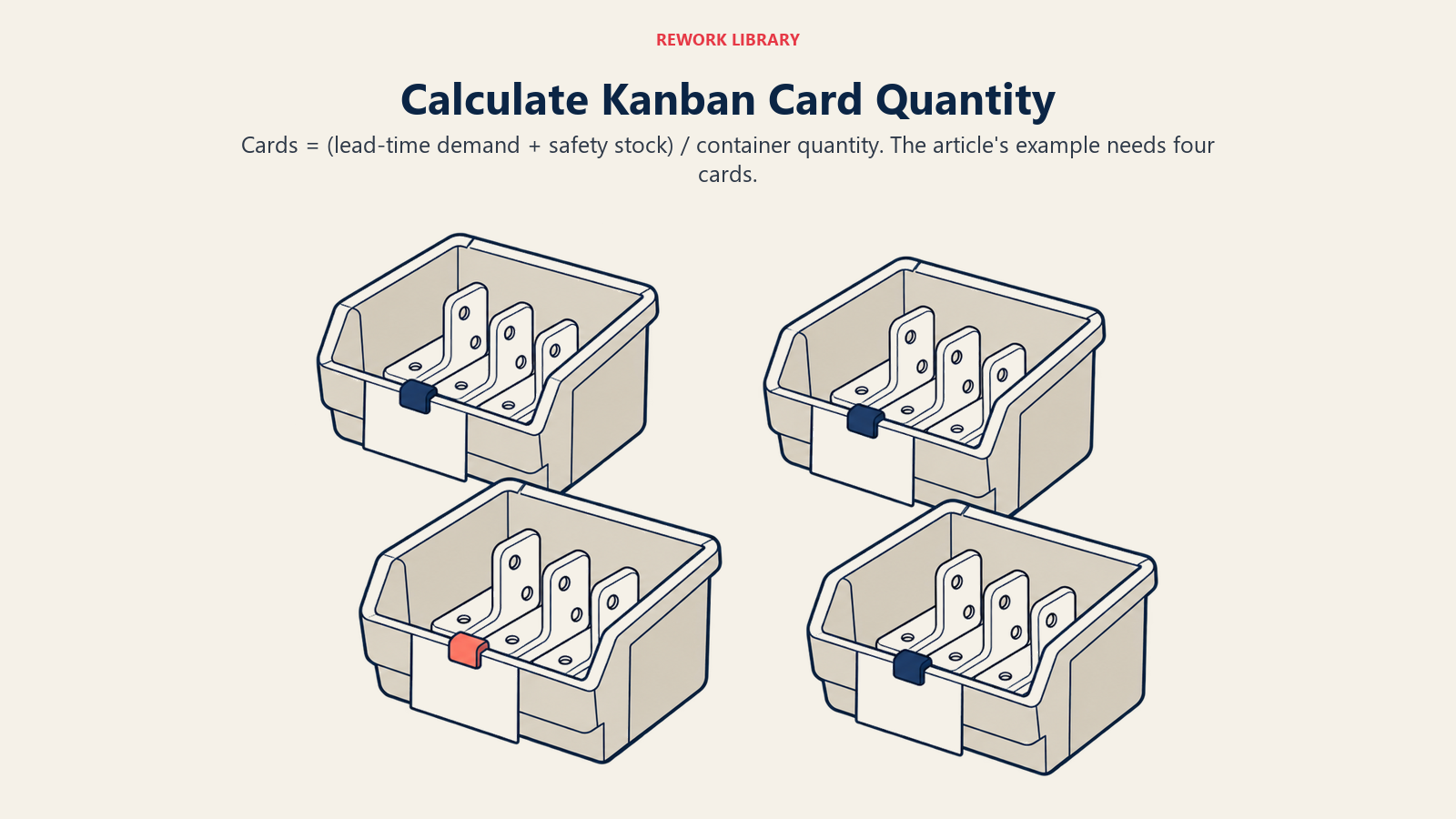
Calculating Kanban quantities and number of cards determines how much inventory the system maintains. The standard calculation considers:
- Average demand during lead time
- Safety stock to buffer demand variability
- Container capacity (standardized quantities that make sense operationally)
Number of Kanban cards = (Average demand during lead time + Safety stock) / Container quantity
If a part has average daily demand of 50 units, production lead time of 2 days, safety stock of 20 units, and containers hold 30 units, you need 4 Kanban cards: (50 × 2 + 20) / 30 = 4 cards.
Start conservatively with higher safety stock and more cards than theoretical minimums. As system reliability improves, gradually reduce cards to lower inventory while maintaining service levels. An incremental approach builds confidence and prevents disruptions.
Setting reorder points and buffer levels determines when production signals trigger. The reorder point is typically when the last container in inventory gets consumed, signaling production of the next batch before inventory reaches zero.
Buffer stock provides protection against variability. Higher buffers increase inventory but improve reliability. Lower buffers reduce inventory but increase stockout risk if demand spikes or production delays occur.
Analyze demand patterns and production capabilities to set appropriate buffers. Stable, predictable items with reliable production need minimal buffers. Variable demand items or parts from processes with quality or reliability issues need larger buffers until you address underlying problems. Effective inventory optimization strategies help determine appropriate buffer levels.
An automotive supplier analyzed six months of consumption data for 200 parts. They found 60% showed very stable demand patterns requiring minimal safety stock. Another 25% had moderate variability needing modest buffers. The remaining 15% were highly variable or produced on unreliable equipment, requiring larger buffers. This analysis-based approach prevented both excess inventory and chronic shortages.
Single-card versus dual-card Kanban represents a design choice affecting system complexity:
Single-card systems use one card type that authorizes both production and movement. When consumed, the card returns to the supplying process, authorizing production and eventual return of filled containers. Simpler to implement but less precise control.
Dual-card systems separate production authorization from movement authorization. Production Kanban controls what work centers produce. Withdrawal Kanban controls what material handlers move. More complex but provides better control when multiple consumers draw from one supplier or when transportation times are significant.
Most implementations start with single-card systems for simplicity, adopting dual-card systems only where the added control justifies additional complexity.
Visual board design for production control makes system status obvious at a glance. Boards display columns for different states: waiting to produce, in production, completed awaiting pickup. Kanban cards move across the board as work progresses, creating visual workflow. This connects to broader 5S workplace organization principles.
Color coding adds information: red cards for critical items requiring immediate attention, yellow for moderate priority, green for standard replenishment. Board positions make priorities obvious - cards on the left need attention, cards on the right are completed.
An electronics assembly operation uses a large board visible from anywhere in their production area. Each product line has a dedicated column. Kanban cards flow from "needed" through "in progress" to "completed." Supervisors scan the board every hour to identify where attention is needed. The visual nature means anyone can understand system status without special training.
Step-by-Step Kanban Implementation
Rolling out Kanban systematically reduces implementation risk and builds organizational capability progressively.
Start with pilot work cells that offer favorable learning conditions: stable demand, reliable equipment, manageable complexity, supportive supervision. Prove the concept works, refine your approach, train people on the methodology, and build credibility before expanding to more challenging areas.
A machinery manufacturer piloted Kanban in their hardware subassembly cell that produced brackets and mounting plates for multiple product lines. Demand was relatively predictable, processes were simple, and the team was receptive to new approaches. After three months, inventory in that cell dropped 45% while delivery performance to downstream assembly improved from 87% to 98%. This visible success enabled expansion to other areas.
Training operators and material handlers ensures everyone understands their role in the system. Operators must learn: what Kanban signals mean, how to prioritize work based on Kanban rather than supervisors' verbal instructions, what to do when problems prevent fulfilling Kanban signals, and how to spot system issues.
Material handlers need training on: how to recognize Kanban signals, standard routes and frequencies for collecting and delivering Kanban, how to maintain visual boards, and when to escalate issues.
Training should be hands-on, using actual Kanban cards, containers, and boards from your implementation. Practice scenarios help people internalize concepts: "What do you do when this container empties?" "How do you know which job to work on next?"
Integrating with ERP and MES systems connects Kanban with broader enterprise systems without losing its simplicity. ERP systems continue to handle demand forecasting, purchasing, and financial tracking. But they release work to the floor in quantities aligned with Kanban rather than detailed scheduling.
Some manufacturers configure ERP to generate planned orders based on demand forecasting, but convert these to Kanban signals rather than traditional work orders. This provides advanced visibility for capacity planning while maintaining pull-based shop floor control.
Manufacturing Execution Systems can track Kanban execution: which cards are active, cycle times between consumption and replenishment, and exception conditions requiring attention. This data visibility enables continuous improvement without adding manual paperwork burden.
Scaling across production lines expands Kanban gradually as capabilities mature. After initial pilots succeed, identify the next wave of products or processes that could benefit. Prioritize areas with inventory problems, scheduling difficulties, or flow issues where Kanban could deliver clear value.
Resist pressure to implement everywhere immediately. Hasty expansion before people understand the methodology or before you've refined your design leads to confusion and failure. Steady, deliberate rollout builds sustainable capability.
A food processing company took two years to extend Kanban across their facility. They started with one packaging line, then expanded to three more lines over six months. Next came raw material receiving and storage. Finally, they extended Kanban signals to their largest suppliers. This patient approach built deep understanding and allowed them to refine designs based on learning.
Optimizing and Refining Kanban Systems
Initial Kanban implementation establishes baseline operation. Optimization delivers increasing benefits over time.
Adjusting Kanban parameters based on data improves system performance as you learn actual consumption patterns and production capabilities. Track key metrics for each Kanban loop:
- Average inventory levels versus targets
- Stockout frequency and causes
- Cycle time from consumption signal to replenishment
- Actual versus planned consumption
If inventory consistently exceeds targets, you have too many Kanban cards circulating. Remove one card and monitor results. If stockouts never occur and inventory runs high, buffers are excessive. Reduce safety stock parameters.
Conversely, if frequent stockouts occur, investigate root causes first. Is demand more variable than assumed? Is production capability less reliable than expected? Does lead time exceed assumptions? Address underlying problems before simply adding more Kanban cards, which treats symptoms rather than causes.
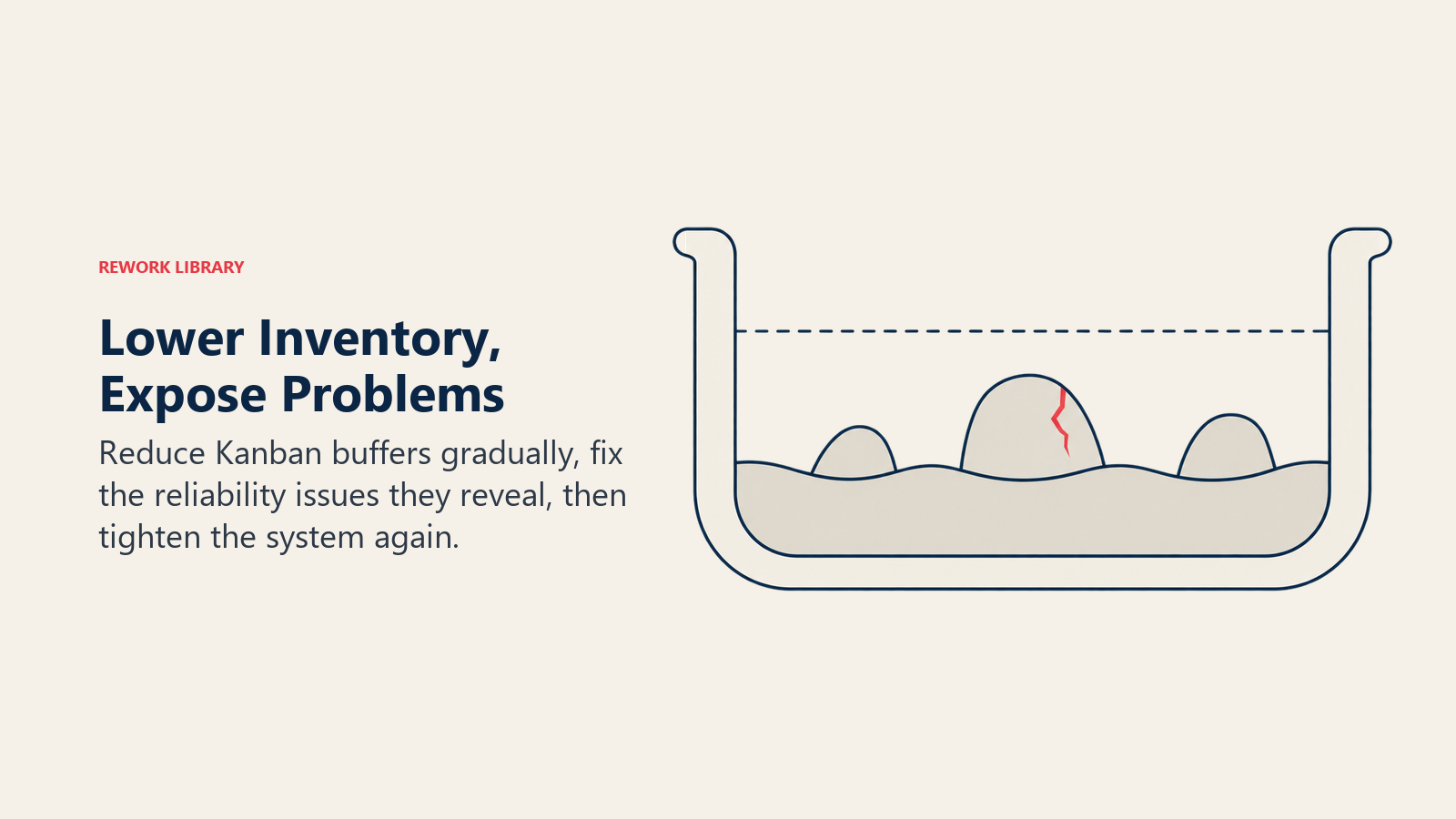
Reducing Kanban quantities over time gradually tightens the system as capabilities improve. Think of Kanban inventory as "water level" that hides "rocks" (problems). Lowering water level (reducing inventory) exposes rocks (problems like quality issues, equipment breakdowns, long changeovers) that you can then fix.
After initial implementation stabilizes, systematically reduce Kanban quantities by 10-20%. This will likely expose problems that previous inventory buffers had hidden. Solve these problems rather than immediately restoring inventory. Then reduce quantities further, exposing and solving the next layer of problems.
This approach follows kaizen continuous improvement principles: use Kanban not just to control inventory but as a tool for identifying and eliminating waste elimination strategies. The journey toward minimum inventory is also a journey toward process excellence.
Handling exceptions and disruptions requires clear procedures so problems don't undermine the system. Define what happens when:
- Equipment breaks down and can't fulfill Kanban signals
- Quality problems require holding production
- Demand spikes suddenly beyond system capacity
- Suppliers can't deliver on time
Exception procedures might include temporary buffer inventory for critical parts, alternate routing to backup equipment, expedite procedures for genuine emergencies, or communication protocols to alert downstream processes about delays.
Document exception handling so people don't make up ad-hoc solutions that bypass the system. Review exceptions regularly to identify recurring problems requiring permanent solutions.
Advanced techniques enhance Kanban as your maturity grows:
Electronic Kanban with automated counting eliminates manual scanning. Scales, sensors, or vision systems detect consumption automatically, triggering production signals without human intervention.
Predictive triggers use demand forecasting and production analytics to signal replenishment slightly before inventory reaches reorder point, reducing lead time impact.
Dynamic Kanban adjusts parameters automatically based on recent consumption patterns. If demand trends upward, the system adds Kanban cards automatically. If demand drops, cards get removed.
These advanced approaches add complexity but can deliver additional benefits once basic Kanban discipline is established and stable.
Kanban as Foundation for Lean Production Control
Kanban provides more than inventory control. It fundamentally changes how production operates.
The visual nature of Kanban makes problems obvious immediately. When Kanban cards accumulate at a work center, it signals a bottleneck requiring attention. When cards don't return as expected, it indicates consumption has dropped. This immediate visibility enables faster problem-solving than traditional systems where issues hide in complex reports. Value stream mapping helps identify where Kanban delivers maximum impact.
Kanban supports continuous improvement by exposing waste as inventory decreases. It enables flexible response to demand changes without replanning entire schedules. It simplifies production control to the point where frontline workers understand and follow it without constant supervision. This aligns with manufacturing supply chain strategy that emphasizes flow and responsiveness.
For manufacturers committed to lean manufacturing principles, Kanban represents a cornerstone methodology that enables just-in-time production, reveals improvement opportunities, and creates flow. Master Kanban before attempting more complex lean techniques. The disciplines required for successful Kanban (standardization, visual management, continuous improvement) translate directly to other lean practices.
Learn More
