E-commerce Platform Selection: Comparing Shopify, WooCommerce, BigCommerce, and More
Turn this article into takeaways for your work.


Each assistant summarizes the article only for you and suggests best practices for your work.
Your e-commerce platform is the foundation of your entire online business. This decision affects everything: how you manage products, process payments, handle customer data, integrate with other tools, and ultimately scale your revenue.
The wrong choice costs you money, time, and momentum. You'll face migration headaches, workflow limitations, or ballooning costs as you grow. The right platform becomes invisible, it just works, scales with you, and doesn't hold you back.
Most businesses commit to a platform for 3-5 years minimum. Migration is expensive and risky. Annual costs range from $500 for basic setups to $50,000+ for enterprise solutions when you factor in apps, hosting, development, and payment processing.
This guide gives you the framework to evaluate platforms objectively, understand total cost of ownership, and match your specific business needs to the right solution.
For most ecommerce growth, the platform decision comes down to stage fit: Shopify wins for fast-launching D2C brands that value ease of use, WooCommerce fits technical teams that want full control and lower per-sale fees at volume, and BigCommerce suits B2B and mid-market sellers who need built-in features without transaction fees. Match the platform to where your revenue is heading over the next 3 to 5 years, not just where you are today.
Platform Comparison Framework
Before comparing specific platforms, establish your evaluation criteria. Different businesses need different things.
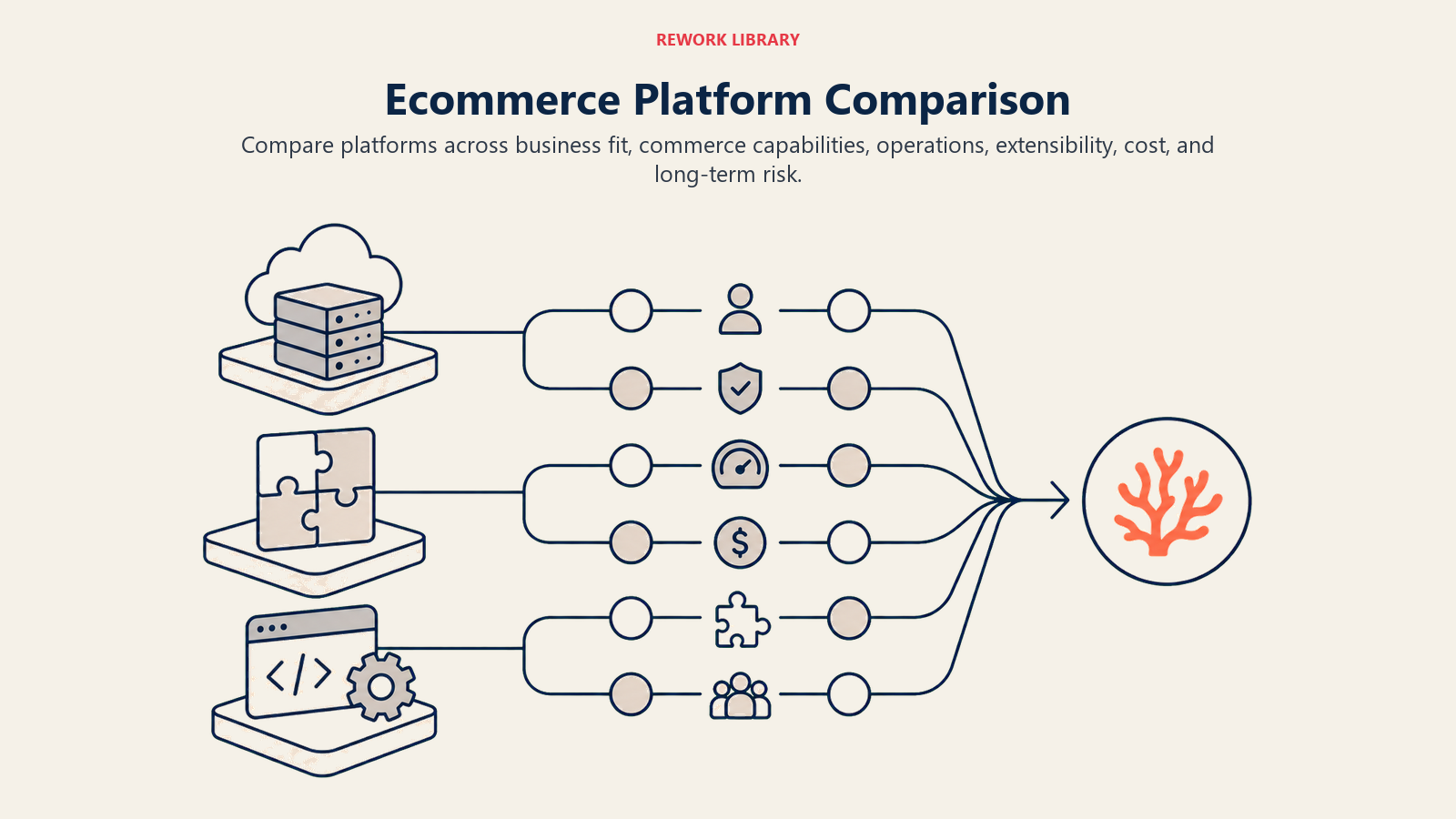
Core Evaluation Criteria:
- Pricing Structure - Monthly fees, transaction costs, payment processing rates, app/plugin expenses
- Scalability - Traffic capacity, product limits, performance under load, upgrade paths
- Feature Completeness - Built-in capabilities vs requiring paid add-ons
- Integration Ecosystem - Available apps, API quality, third-party tool compatibility
- Technical Requirements - Hosting needs, development skills, maintenance overhead
- Support Quality - Response times, knowledge base, community resources
- Customization Flexibility - Theme options, code access, workflow adaptability
Early-Stage Considerations (< $500K annual revenue):
- Speed to launch matters more than perfect customization
- Built-in features trump custom development
- Managed hosting reduces technical overhead
- Lower fixed costs are critical when revenue is unpredictable
- Simple admin interfaces for small teams
Growth-Stage Considerations ($500K - $5M annual revenue):
- Integration capabilities become critical
- Custom workflows justify development investment
- Performance and uptime directly impact revenue
- Multi-channel selling requires robust infrastructure
- Team efficiency and marketing automation matter
Enterprise Considerations ($5M+ annual revenue):
- API flexibility for custom integrations
- Dedicated support and SLAs
- Advanced B2B capabilities
- International selling features
- Unit economics optimization at scale
Technical Expertise Assessment:
- Non-technical founders: Need fully hosted, managed solutions with visual editors
- Technical teams: Can leverage self-hosted platforms for cost savings and control
- Hybrid teams: Benefit from hosted platforms with API access for custom builds
Shopify Deep Dive
Shopify powers over 4.4 million stores globally. It's the default choice for D2C brands, and for good reason.
Pricing Model:
- Basic Shopify: $39/month (2.9% + 30¢ per transaction)
- Shopify: $105/month (2.7% + 30¢ per transaction)
- Advanced Shopify: $399/month (2.5% + 30¢ per transaction)
- Shopify Plus: $2,300+/month (negotiated rates)
Transaction fees apply if you don't use Shopify Payments. These add 0.5-2% depending on your plan.
Strengths:
Ease of Use - The admin interface is intuitive. Non-technical founders can manage the entire store without developer help. Product uploads, order management, and customer communication are straightforward.
App Ecosystem - Over 8,000 apps in the Shopify App Store. Need email marketing? Klaviyo integrates natively. Want reviews? Judge.me or Loox plug in seamlessly. Advanced features like subscriptions (Recharge), bundling (Bold), or AR experiences (Shopify AR) are available.
Marketing Tools - Built-in email marketing, abandoned cart recovery, discount codes, and gift cards. The checkout process is optimized for conversion. Shopify Collabs connects you with influencers.
Multi-Channel Selling - Sell on Facebook, Instagram, TikTok, Amazon, and in-person with Shopify POS. Inventory management syncs across channels automatically.
Payment Flexibility - Shopify Payments eliminates transaction fees and supports Shop Pay (higher conversion rates). Alternative processors (Stripe, PayPal) integrate easily.
Performance - Shopify handles traffic spikes well. Black Friday/Cyber Monday sales rarely crash Shopify stores.
Limitations:
Transaction Fees - If you use external payment processors, additional 0.5-2% fees cut into margins. For high-volume stores, this adds up quickly.
Customization Constraints - Liquid templating language has a learning curve. Checkout customization is limited on non-Plus plans. Custom functionality requires apps or developer work.
App Dependency - Essential features often require paid apps. A typical setup might include Klaviyo ($20+/month), Recharge ($99+/month), and Yotpo ($29+/month). Monthly app costs easily reach $200-500.
Bloat Risk - Too many apps slow down your store. Each app adds code to your theme, impacting site speed and performance.
Best For:
- D2C brands selling physical products
- Fashion, beauty, and lifestyle brands
- Businesses prioritizing speed to market
- Multi-channel retailers (online + social + retail)
- Companies scaling from $0 to $10M+ annually
For detailed optimization strategies, see our Shopify Optimization guide.
WooCommerce Analysis
WooCommerce is a WordPress plugin that powers 26% of all online stores. It's open-source, flexible, and cost-effective if you have technical resources.
Self-Hosted vs Managed:
Self-Hosted - You choose your hosting provider (Bluehost, SiteGround, Kinsta). Full control over server configuration, performance optimization, and costs.
Managed - WooCommerce.com offers managed hosting starting at $25/month. Less control, but they handle security updates, backups, and performance.
Pricing Structure:
- WooCommerce plugin: Free
- Hosting: $10-300+/month depending on traffic and provider
- SSL certificate: $0-100/year (often free with hosting)
- Theme: $0-200 (one-time or annual)
- Extensions: $0-300+/year per extension
- Payment processing: 2.9% + 30¢ (Stripe/PayPal standard rates)
- Developer time: Variable (major cost factor)
Hidden Costs:
- Server management and optimization
- Security updates and monitoring
- Plugin conflict troubleshooting
- Performance optimization
- Backup solutions
- CDN services for global performance
Strengths:
Full Control - You own everything. Server access, database control, complete code customization. No platform lock-in.
Cost-Effective at Scale - No transaction fees beyond payment processor rates. No percentage-based platform fees. High-volume stores save thousands monthly compared to SaaS platforms.
Extensibility - 55,000+ WordPress plugins, 4,000+ WooCommerce extensions. If functionality exists, there's probably a plugin. Custom development is straightforward for PHP developers.
Content Marketing Integration - WordPress is built for content. Blogging, SEO, and content marketing are native strengths. You don't need a separate blog platform.
B2B Capabilities - Excellent for wholesale, membership sites, and complex pricing. Extensions like B2BKing or Wholesale Suite add comprehensive B2B features.
Limitations:
Technical Management - You're responsible for uptime, security, performance, and updates. Server crashes at 2 AM are your problem unless you pay for managed hosting.
Plugin Conflicts - With great flexibility comes plugin compatibility headaches. Updates break things. Testing is essential.
Performance Optimization - Out-of-the-box WooCommerce is slow. You need caching plugins, CDN setup, image optimization, and database tuning.
Support Fragmentation - Free plugins have limited support. Premium plugins each have their own support channels. No unified helpdesk.
Security Responsibility - WordPress sites are frequent hacking targets. You must maintain security plugins, monitor for vulnerabilities, and keep everything updated.
Best For:
- Businesses with in-house developers or technical co-founders
- High-volume stores where transaction fee savings justify technical overhead
- Complex product catalogs requiring custom taxonomy
- Content-heavy sites where blogging is core to the strategy
- B2B or wholesale operations with complex pricing needs
- Businesses already on WordPress
BigCommerce Exploration
BigCommerce positions itself as the "enterprise-grade" platform for mid-market businesses. It offers more built-in features than Shopify at competitive pricing.
Pricing:
- Standard: $39/month (up to $50K annual sales)
- Plus: $105/month (up to $180K annual sales)
- Pro: $399/month (up to $400K annual sales)
- Enterprise: Custom pricing ($400K+ annual sales)
Note: Sales thresholds force upgrades. If you do $51K in annual sales, you must upgrade to Plus ($105/month).
Strengths:
Built-In Features - No transaction fees regardless of payment processor. Abandoned cart recovery, customer segmentation, and product filtering are included. Features that require paid apps on Shopify come standard.
B2B Capabilities - Customer groups, price lists, quote management, and purchase order support are native. BigCommerce B2B Edition adds account management and approval workflows.
Scalability - No bandwidth limits or product limits on any plan. Stores with massive catalogs (100,000+ SKUs) run smoothly.
API-First Architecture - Powerful REST and GraphQL APIs enable headless commerce. Front-end flexibility without platform constraints.
Multi-Storefront - Manage multiple brands or regional stores from one admin (Enterprise plan).
SEO Features - Better out-of-the-box SEO than Shopify. Customizable URLs, automatic sitemap generation, and built-in AMP support.
Limitations:
Learning Curve - The admin interface is more complex than Shopify. More powerful, but harder to learn.
App Ecosystem - Smaller app marketplace than Shopify. Critical integrations exist, but niche apps are limited.
Theme Selection - Fewer free themes. Premium themes cost $150-300.
Sales Threshold Pricing - Forced upgrades based on revenue can be frustrating. A store doing $51K annually jumps from $39/month to $105/month.
Best For:
- B2B sellers needing robust account management
- High-volume stores with large product catalogs
- Businesses outgrowing Shopify but not ready for Magento
- Companies prioritizing built-in features over apps
- Headless commerce implementations
Emerging Platforms & Alternatives
Beyond the big three, several platforms serve specific niches or business models.
Wix eCommerce:
- Pricing: $27-$159/month
- Best for: Small stores (< 100 products), service businesses, visual-first brands
- Strengths: Drag-and-drop builder, beautiful templates, built-in marketing
- Limitations: Limited scalability, fewer integrations, weak for large inventories
Square Online:
- Pricing: Free to $72/month
- Best for: Retail stores with online presence, restaurants, service providers
- Strengths: Seamless POS integration, free tier, simple setup
- Limitations: Basic features, limited customization, transaction fees on free plan
Magento (Adobe Commerce):
- Pricing: Open-source (self-hosted) or $22,000+/year (Adobe Commerce)
- Best for: Enterprise retailers with complex requirements
- Strengths: Ultimate flexibility, massive feature set, global commerce capabilities
- Limitations: Requires significant development resources, expensive to maintain
Headless Commerce Platforms:
Decouple your front-end from your commerce back-end.
- Contentful + Commerce Layer: Best for content-rich brands
- Sanity + Shopify API: Flexible content management with Shopify's commerce engine
- commercetools: Enterprise-grade headless platform
Best for: Brands with unique front-end requirements, multi-touchpoint experiences, or heavy content integration.
Niche Platforms:
- Webflow eCommerce: Design-first platform for visual brands (< 1,000 SKUs)
- Squarespace Commerce: All-in-one website builder with simple e-commerce ($18-65/month)
- 3dcart (Shift4Shop): Free with Shift4 payment processing, good for small-medium stores
- Ecwid: Add e-commerce to existing websites ($0-99/month)
Platform Costs & Economics
Understanding total cost of ownership (TCO) reveals the true expense of each platform.
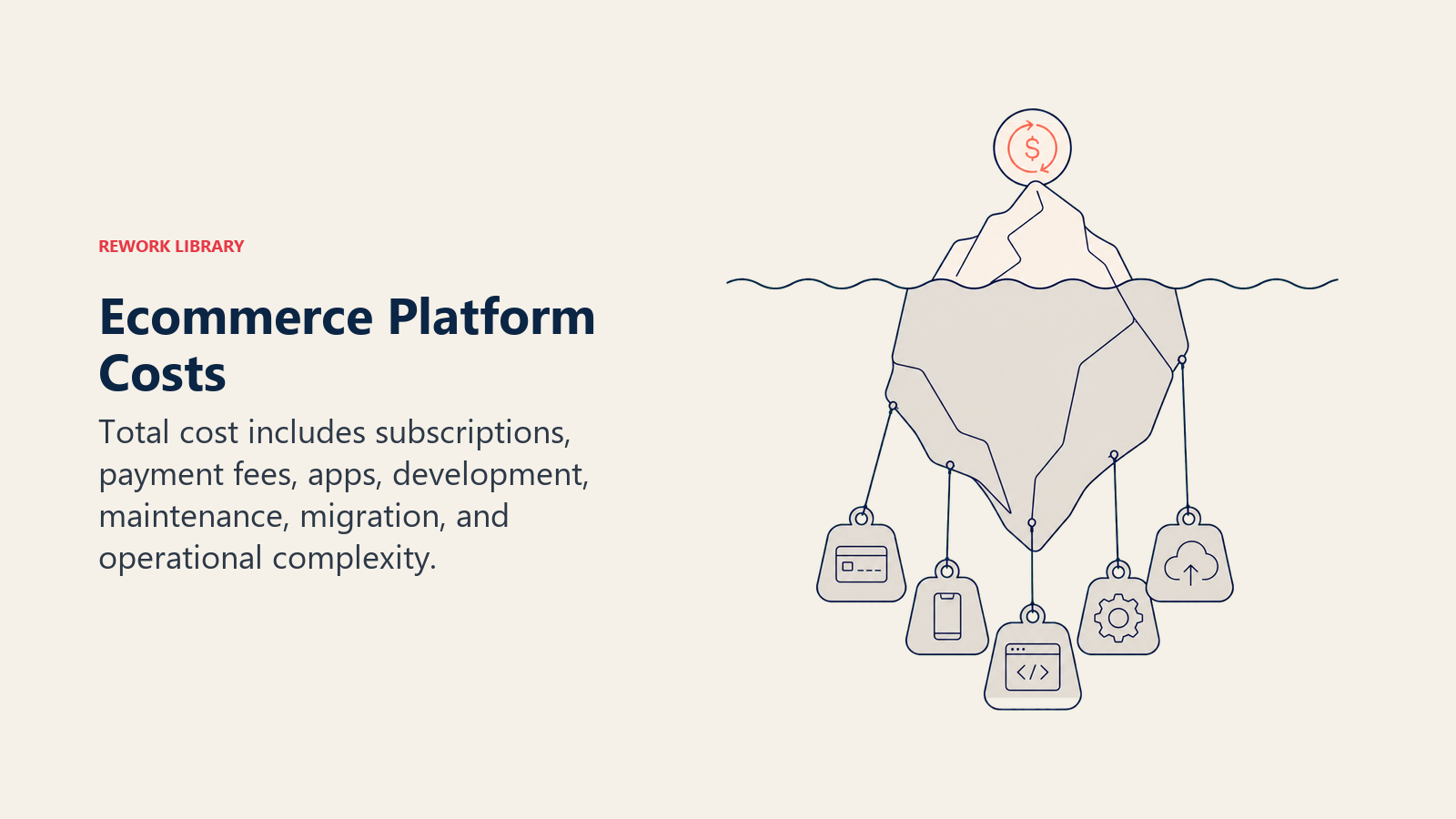
TCO Components:
- Platform Fees: Monthly subscription costs
- Transaction Fees: Platform fees beyond payment processing
- Payment Processing: Credit card processing rates (typically 2.7-2.9% + 30¢)
- Apps/Extensions: Monthly subscriptions for additional functionality
- Hosting: For self-hosted solutions (WooCommerce, Magento)
- Theme/Design: One-time or annual theme costs
- Development: Custom functionality, integrations, maintenance
- Support: Managed services, consultants, agencies
Example: $500K Annual Revenue Store
Shopify Setup:
- Shopify plan: $105/month = $1,260/year
- Payment processing (2.7% + 30¢): ~$13,650/year
- Apps (Klaviyo, Recharge, Yotpo, Reviews): $300/month = $3,600/year
- Theme: $350 one-time
- Developer time (20 hours/year @ $100/hr): $2,000/year
- Annual TCO: $20,860
WooCommerce Setup:
- Managed hosting (Kinsta): $100/month = $1,200/year
- Payment processing (2.9% + 30¢): ~$14,650/year
- Plugins (subscriptions, marketing, SEO): $500/year
- Theme: $200 one-time
- Developer time (40 hours/year @ $100/hr): $4,000/year
- Security/backups: $300/year
- Annual TCO: $20,850
BigCommerce Setup:
- BigCommerce Plus: $105/month = $1,260/year
- Payment processing (2.9% + 30¢): ~$14,650/year
- Apps (fewer needed): $100/month = $1,200/year
- Theme: $250 one-time
- Developer time (15 hours/year @ $100/hr): $1,500/year
- Annual TCO: $18,860
Hidden Cost Traps:
- App Creep: Monthly app costs compound. Audit quarterly.
- Payment Processing: Choosing the right payment processing strategy and negotiated rates on higher volumes save thousands annually
- Developer Dependencies: Platforms requiring frequent developer intervention increase long-term costs
- Migration Costs: Switching platforms costs $5,000-50,000+ depending on complexity
Scaling Costs:
As revenue grows, costs scale differently across platforms:
- Shopify: Transaction fees decrease with higher plans, but app costs increase
- WooCommerce: Hosting costs increase with traffic, but no platform fee scaling
- BigCommerce: Forced plan upgrades based on revenue thresholds
For detailed profitability analysis, review our guide on unit economics for e-commerce.
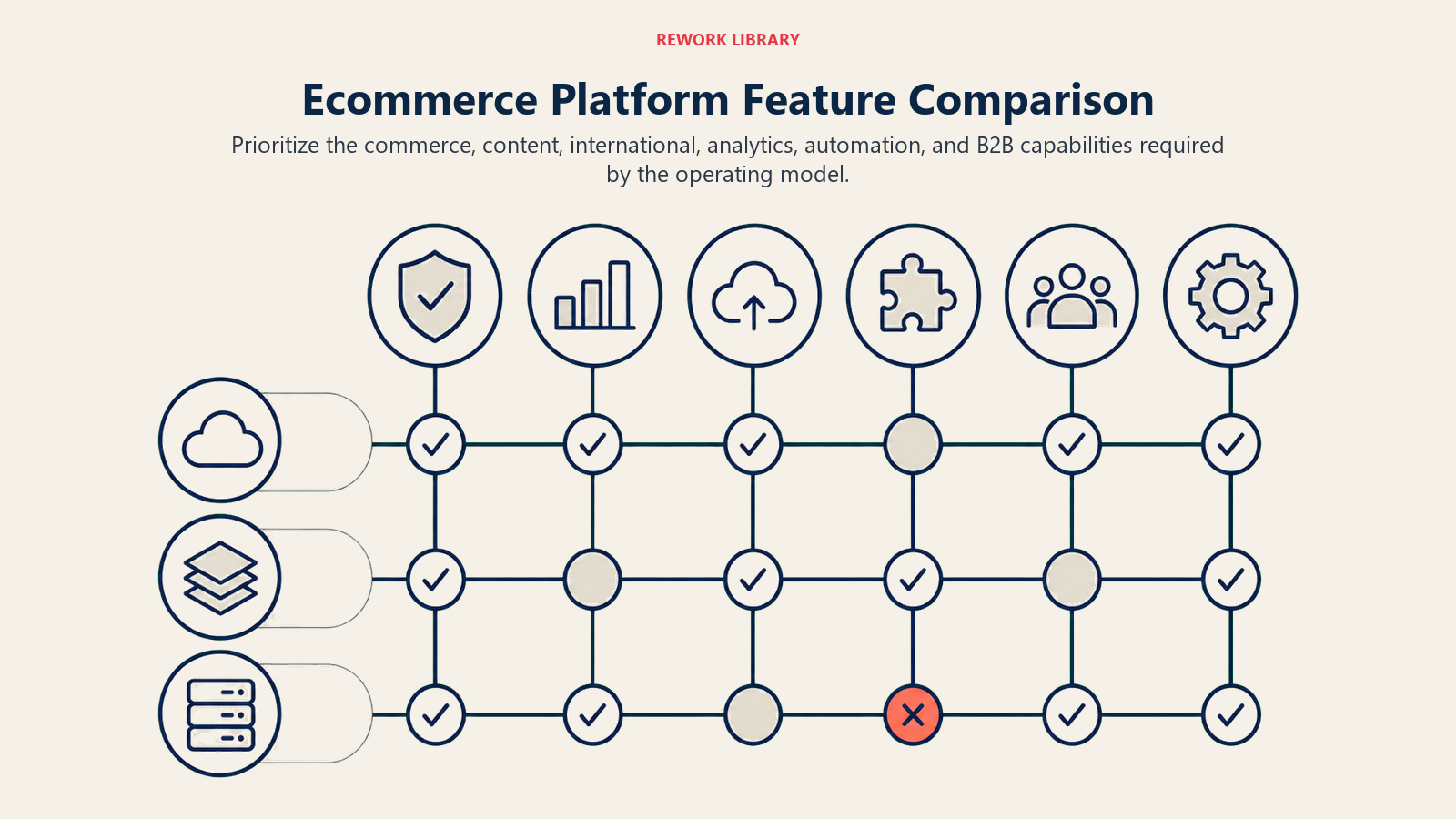
Key Feature Comparison Matrix
Evaluate platforms across critical capabilities:
Product Management:
- Shopify: Unlimited products (all plans), variants (100 per product), great bulk editing
- WooCommerce: Unlimited products, unlimited variants, flexible custom fields
- BigCommerce: Unlimited products, variants (600 per product), advanced option sets
Payment Gateways:
- Shopify: 100+ gateways, Shopify Payments (no transaction fees), Shop Pay for conversion rate optimization
- WooCommerce: Any gateway (Stripe, PayPal, Square, etc.), no restrictions
- BigCommerce: 65+ gateways, no transaction fees regardless of processor
Shipping & Fulfillment:
- Shopify: Calculated shipping, label printing, Shopify Fulfillment Network
- WooCommerce: Plugins for any carrier, custom shipping rules, print labels via plugins
- BigCommerce: Real-time carrier quotes, label printing, ShipperHQ integration
SEO Capabilities:
- Shopify: Good (customizable URLs, auto-generated sitemaps, blog functionality)
- WooCommerce: Excellent (full WordPress SEO power, Yoast integration, complete control)
- BigCommerce: Excellent (customizable URLs, microdata, AMP support, advanced SEO tools)
Mobile Experience:
- Shopify: Excellent mobile admin, responsive themes, Shop app for customers
- WooCommerce: Depends on theme quality, WooCommerce app for basic admin
- BigCommerce: Responsive themes, mobile-optimized checkout, basic mobile admin
Security & Compliance:
- Shopify: PCI DSS compliant (Level 1), automatic security updates, built-in fraud analysis
- WooCommerce: Your responsibility, requires SSL, security plugins, regular updates
- BigCommerce: PCI DSS compliant (Level 1), automatic updates, built-in security
Customer Support:
- Shopify: 24/7 support (all plans), phone/email/chat, extensive documentation, Shopify Academy
- WooCommerce: Community forums, premium extension support, paid support options
- BigCommerce: 24/7 support (phone/email/chat), priority support on higher plans
Technical Considerations
Beyond features, evaluate technical architecture and capabilities.
API Documentation & Quality:
- Shopify: Excellent REST and GraphQL APIs, comprehensive documentation, active developer community
- WooCommerce: REST API built on WordPress, good documentation, extensive developer ecosystem
- BigCommerce: Best-in-class APIs (REST and GraphQL), headless commerce focus, detailed documentation
Migration Tools:
- Shopify: Import tools for most platforms, CSV import, app marketplace with migration specialists
- WooCommerce: Import/export plugins, manual migration common, requires technical knowledge
- BigCommerce: Free migration assistance, import tools, dedicated migration apps
Performance & Speed:
- Shopify: Hosted CDN, optimized infrastructure, fast out-of-the-box, app bloat impacts speed
- WooCommerce: Depends entirely on hosting and optimization, can be very fast or very slow
- BigCommerce: Good performance, hosted infrastructure, optimized for large catalogs
Your site speed and performance directly impact conversion rates. A 1-second delay can reduce conversions by 7%.
Security Standards:
All major platforms support:
- PCI DSS Compliance: Required for handling credit card data
- GDPR Compliance: Privacy regulations for EU customers
- CCPA Compliance: California consumer privacy protections
- SSL Certificates: Encrypted data transmission
Customization Flexibility:
- Shopify: Theme customization via Liquid, app development via API, limited checkout customization (non-Plus)
- WooCommerce: Complete code access, any customization possible, requires PHP knowledge
- BigCommerce: Stencil framework for themes, robust APIs, full checkout customization (Enterprise)
Integration Ecosystem
Your platform must connect with your growth stack.
Email Marketing Integration:
- Klaviyo: Native Shopify/BigCommerce, WooCommerce plugin
- Mailchimp: All platforms supported, better with WooCommerce
- Omnisend: Shopify-focused, good BigCommerce integration
- ActiveCampaign: Plugin-based for all platforms
Strong marketing automation integration is essential for maximizing customer lifetime value.
Accounting Integration:
- QuickBooks: Native integrations (Shopify, BigCommerce), plugins (WooCommerce)
- Xero: Good integrations across all platforms
- Sage: Better support on open platforms (WooCommerce)
Inventory Management:
- Shopify: Native inventory, apps like Stocky, Cin7, TradeGecko
- WooCommerce: ATUM, WooCommerce Stock Manager, ERP integrations
- BigCommerce: Native multi-warehouse, integrates with major systems
CRM Systems:
- HubSpot: All platforms integrate well
- Salesforce: Enterprise integrations available
- Pipedrive: API integrations across platforms
For comprehensive tracking, see our guide on analytics and tracking setup.
Analytics Platforms:
- Google Analytics 4: Universal support
- Segment: All platforms supported, easier with API access
- Mixpanel: Event tracking via integrations
- Customer Data Platforms: Varies by platform
Shipping Integrations:
- ShipStation: Excellent support across all platforms
- Easyship: Multi-platform support for multi-channel marketplace strategy
- Shippo: API-based, works with all platforms
- Carrier APIs: Direct USPS, FedEx, UPS integration
Understanding e-commerce metrics and KPIs helps you choose platforms with proper analytics capabilities.
Migration Strategy & Risk Management
Switching platforms is expensive and risky. Plan carefully.
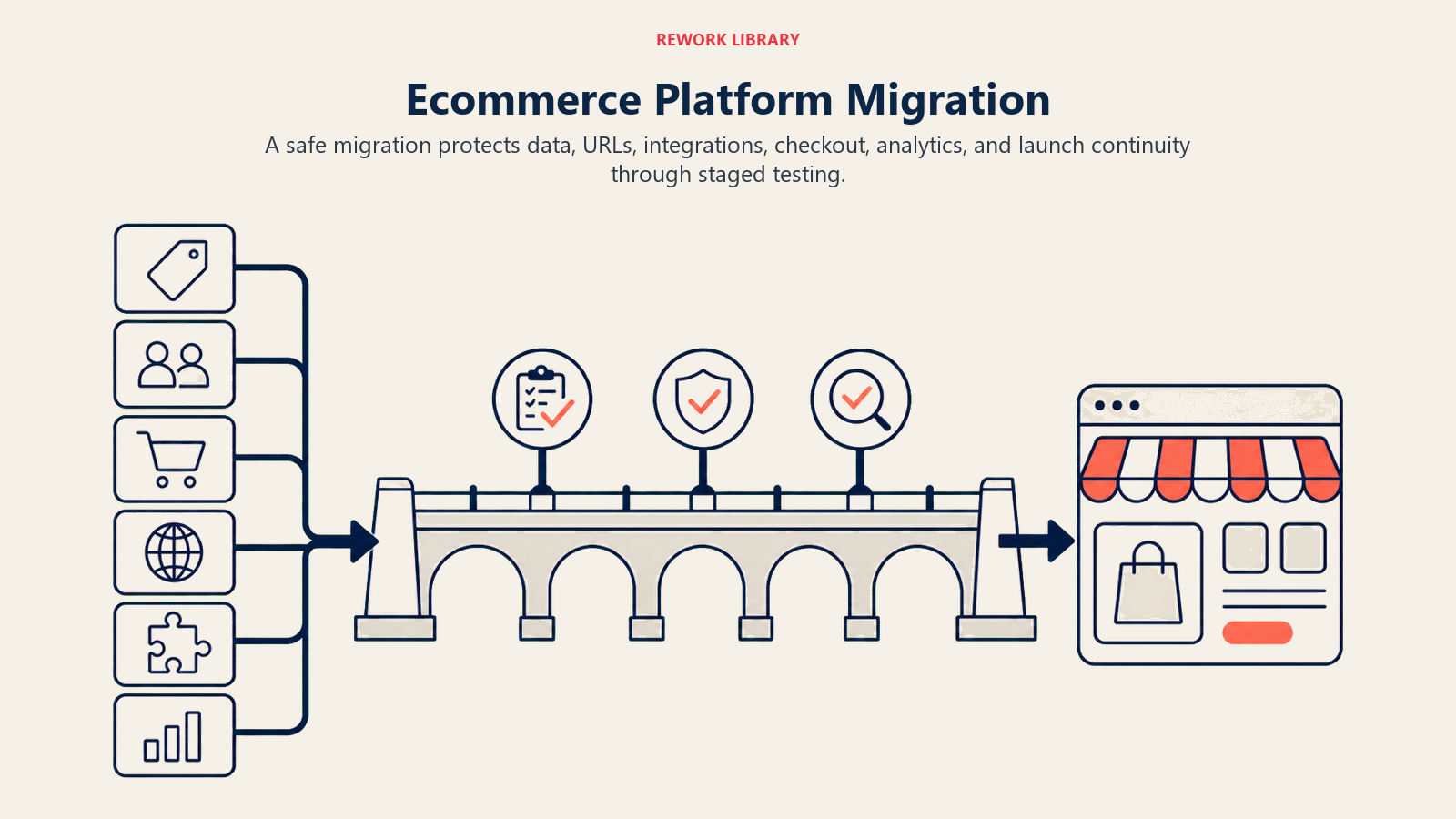
Migration Path Planning:
- Audit Current Setup: Document all products, customer data, order history, integrations, custom functionality
- Data Mapping: Identify how data structures translate to new platform
- Integration Requirements: List all tools that must connect to new platform
- Custom Functionality: Determine which features need rebuilding
- Timeline Planning: Realistic timeline (typically 2-6 months for complex stores)
Data Export/Import:
- Products: SKUs, descriptions, images, variants, pricing, inventory
- Customers: Contact info, order history, saved addresses, account details
- Orders: Historical orders for reporting and customer service
- Content: Blog posts, pages, media assets
- SEO Elements: URLs, metadata, redirects
Downtime Considerations:
- Zero-Downtime Migration: Run new platform in parallel, switch DNS when ready
- Scheduled Downtime: Acceptable for small stores during low-traffic periods
- Phased Migration: Move product categories or regions incrementally
Redirect Management:
Critical for SEO. Every URL on your old platform needs a redirect to the new platform.
- Map old URLs to new URLs (exact matches where possible)
- Implement 301 redirects (permanent)
- Test all redirects before launch
- Monitor 404 errors post-migration
- Update sitemaps immediately
Team Training:
Budget 2-4 weeks for team onboarding:
- Admin interface familiarity
- Order processing workflows
- Customer service procedures
- Product management processes
- Reporting and analytics access
Transition Period Expectations:
- Expect productivity dips during first 2-4 weeks
- Have old platform access available for reference
- Maintain parallel customer service for 30 days
- Run dual analytics for comparison
- Plan for additional support resources
Migration Cost Estimates:
- Simple Store (< 500 products, minimal customization): $2,000-5,000
- Medium Store (500-2,000 products, moderate customization): $5,000-15,000
- Complex Store (2,000+ products, extensive custom work): $15,000-50,000+
Decision Framework & Selection Criteria
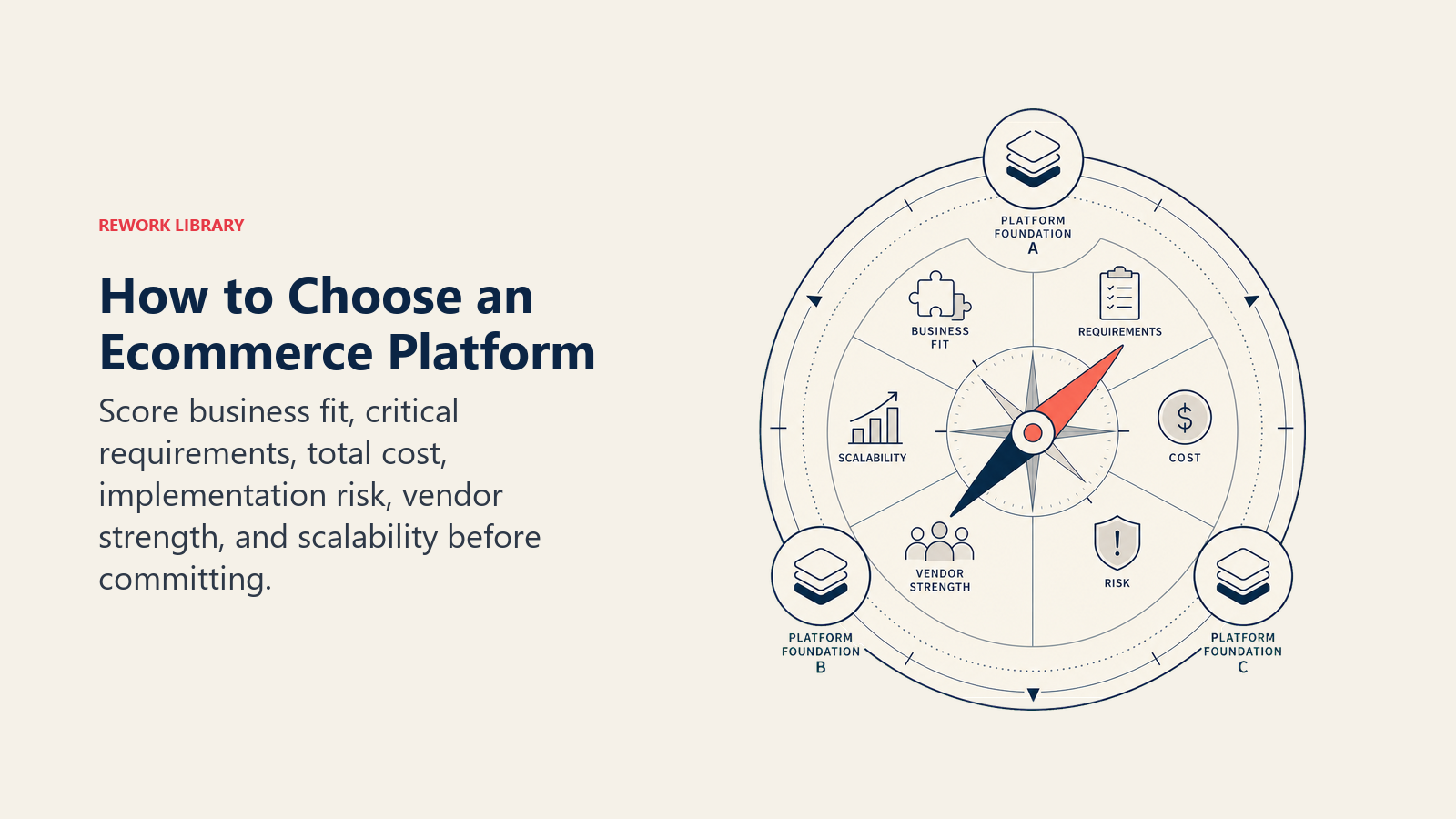
Use this framework to systematically evaluate platforms for your specific needs.
Business Assessment Questionnaire:
Current State:
- Annual revenue: $____
- Products in catalog: ____
- Average order value: $____
- Monthly orders: ____
- Current platform: ____
- Team technical skills: Non-technical / Mixed / Technical
Growth Ambitions:
- Revenue target (1 year): $____
- Revenue target (3 years): $____
- New markets planned: ____
- Additional channels: ____
- International expansion: Yes / No
Budget:
- Monthly platform budget: $____
- App/integration budget: $____
- Development budget: $____
- Maximum acceptable TCO: $____
Priorities (Rank 1-5):
- Ease of use: ____
- Customization flexibility: ____
- Built-in features: ____
- Scalability: ____
- Cost optimization: ____
Scoring Model:
Create a weighted scorecard:
| Criteria | Weight | Shopify | WooCommerce | BigCommerce |
|---|---|---|---|---|
| Ease of Use | 20% | 9 | 5 | 7 |
| Features | 15% | 7 | 8 | 9 |
| Scalability | 20% | 8 | 7 | 9 |
| Cost (Year 1) | 15% | 7 | 8 | 8 |
| Integrations | 10% | 9 | 7 | 7 |
| Support | 10% | 9 | 5 | 8 |
| Customization | 10% | 6 | 10 | 7 |
| Total | 100% | 7.8 | 7.0 | 8.0 |
Adjust weights based on your priorities.
Red Flags & Deal-Breakers:
- Shopify: Sales > $2M annually? Transaction fees become expensive
- WooCommerce: No technical team? Maintenance will overwhelm you
- BigCommerce: < $180K annual sales? Forced upgrades based on revenue thresholds
- All Platforms: Missing critical integration? Confirm API access for custom build
Trial Period Strategy:
Most platforms offer 14-day trials. Use them effectively:
- Days 1-3: Set up basic store, add sample products, test admin interface
- Days 4-7: Configure integrations, test email tools, explore apps
- Days 8-10: Test checkout flow, payment processing, order management
- Days 11-14: Evaluate support quality, performance, mobile experience
Final Selection Checklist:
Before committing:
- Platform supports required payment gateways in your markets
- All critical integrations available or API access confirmed
- Pricing structure fits your revenue model and growth projections
- Team is comfortable with admin interface
- Support quality meets expectations
- E-commerce business model aligns with platform strengths
- Migration path from current platform is clear
- TCO fits budget for 3-year period
- Scalability supports 3x growth without forced migration
- Security and compliance requirements met
Quick Decision Guide:
- Choose Shopify if: You're a D2C brand, value ease of use, need multi-channel selling, want managed hosting
- Choose WooCommerce if: You have technical resources, want full control, need complex customization, operate high-volume store
- Choose BigCommerce if: You're B2B focused, need built-in features, want no transaction fees, operate in mid-market space
Your platform decision shapes your growth trajectory. Choose based on where you're going, not just where you are today. The right platform scales with you. The wrong one forces a painful migration at the worst possible time.
Understand your e-commerce business model, compare platforms against your specific needs, calculate true TCO, and make the decision that supports your 3-5 year vision. When in doubt, consider the migration path. Making the right choice now saves you from expensive platform switches later.
For those choosing Shopify, our Shopify vs Marketplace guide explores additional selling channel considerations to maximize your reach and revenue.
Frequently Asked Questions about Ecommerce Platform Selection
Which ecommerce platform is best for growth?
There is no single best platform; the right choice depends on your growth stage and team. Shopify is the strongest default for D2C brands scaling from zero to $10M because it is fast to launch and easy to run. WooCommerce becomes more cost-effective at high volume if you have technical resources. BigCommerce fits B2B and mid-market sellers who want built-in features and no transaction fees.
How much does an ecommerce platform cost per year?
Total cost of ownership for a store doing around $500K in annual revenue lands near $18,000 to $21,000 across Shopify, WooCommerce, and BigCommerce once you add payment processing, apps, hosting, themes, and developer time. Payment processing (roughly 2.7% to 2.9% plus 30 cents per transaction) is usually the single largest line item, not the platform subscription.
When should I migrate to a different platform?
Migrate when your current platform forces a hard ceiling: record or product limits, performance problems on large catalogs, transaction fees that erode margin at scale, or missing capabilities your growth now requires. Migration costs $2,000 to $50,000 depending on complexity, so confirm the new platform supports 3x your current volume before committing.
Is Shopify or WooCommerce better for SEO?
WooCommerce has the edge because it runs on WordPress, giving you full control over URLs, content, and SEO plugins like Yoast. Shopify SEO is good and improving, with customizable URLs and automatic sitemaps, but its URL structure is less flexible. BigCommerce also offers strong out-of-the-box SEO with microdata and AMP support.
Can I sell on multiple channels with these platforms?
Yes. Shopify leads on multi-channel selling, syncing inventory across Facebook, Instagram, TikTok, Amazon, and in-person Shopify POS. BigCommerce supports multi-storefront management on its Enterprise plan, and WooCommerce can connect to marketplaces through plugins, though it requires more setup.
Related Resources
Once you've selected your platform, optimize your store with these essential guides:
- Site Speed & Performance - Optimize load times and technical performance for higher conversions
- Analytics & Tracking Setup - Implement proper tracking to measure what matters
- Conversion Rate Optimization - Systematically improve your store's conversion rates
- E-commerce Metrics & KPIs - Track the right metrics to drive growth decisions

On this page
- Platform Comparison Framework
- Shopify Deep Dive
- WooCommerce Analysis
- BigCommerce Exploration
- Emerging Platforms & Alternatives
- Platform Costs & Economics
- Key Feature Comparison Matrix
- Technical Considerations
- Integration Ecosystem
- Migration Strategy & Risk Management
- Decision Framework & Selection Criteria
- Related Resources