Category Page Optimization: Architecture, Navigation, Filters & Internal Linking for E-commerce SEO
Turn this article into takeaways for your work.


Each assistant summarizes the article only for you and suggests best practices for your work.
Your category pages are doing more work than you realize. They're not just organizational tools, they're traffic magnets, conversion drivers, and the backbone of your entire e-commerce SEO strategy. Get them right, and you'll rank for high-intent keywords, guide customers to the right products, and see conversion rates climb. Get them wrong, and you'll struggle with thin content penalties, confusing navigation, and visitors who bounce before they buy.
Most e-commerce sites treat category pages as an afterthought. They throw products on a page, add a filter or two, and call it done. But the difference between a mediocre category page and one that performs comes down to architecture, technical SEO, user experience, and strategic internal linking. Understanding your broader e-commerce SEO strategy provides the foundation for category page optimization.
Why Category Pages Matter More Than You Think
Category pages sit at the intersection of search visibility and user experience. They're often the first page a visitor lands on from Google, and they're the gateway to your products. Here's why they matter:
Traffic Hub: Category pages typically rank for broader, higher-volume keywords than individual product pages. "Men's running shoes" gets 10 times more searches than "Nike Air Zoom Pegasus 40." That traffic flows through your category pages first.
Conversion Driver: Users who land on category pages are often further along in their buying journey than those hitting blog posts or homepages. They're looking to compare options and make a purchase decision. A well-optimized category page with strategic product recommendations helps them do that faster.
SEO Foundation: Category pages establish topical authority. When you create a comprehensive, well-structured category page, you're signaling to Google that you're an authority on that product category. This helps your entire site rank better for related terms.
Navigation Hub: Category pages help users (and search engines) understand your site structure. They show how products relate to each other and make it easy to drill down into more specific subcategories or filter results.
But here's the catch: if your category pages have thin content, poor filtering, broken canonicalization, or weak internal linking, they become a liability instead of an asset.
Category Architecture: Building a Solid Foundation
Before you optimize individual category pages, you need to get your overall category architecture right. This is the structure that holds everything together.
Hierarchical Structure and Naming Conventions
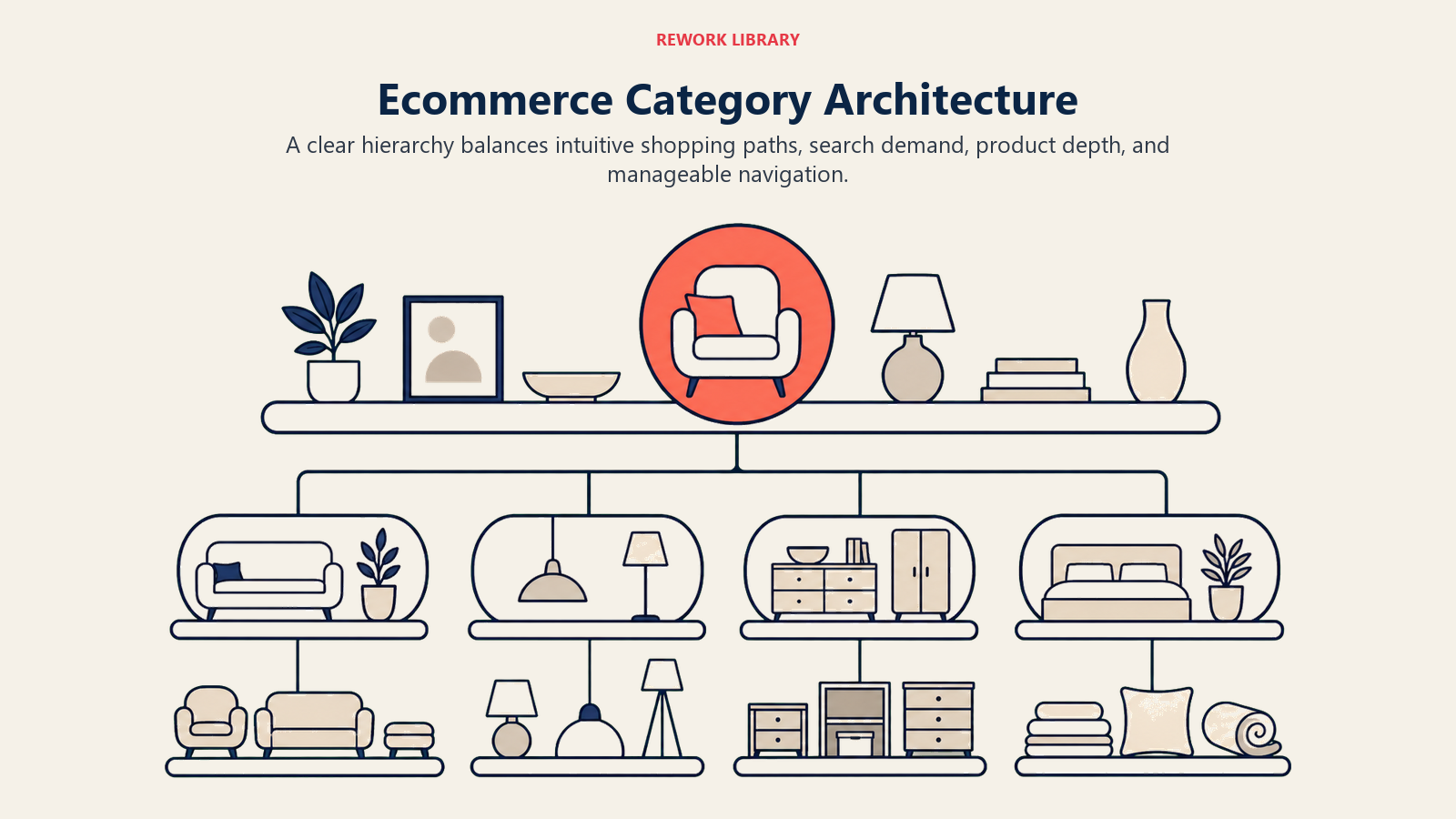
Your category structure should be logical, intuitive, and consistent. Think of it as a tree: your homepage is the trunk, main categories are the major branches, subcategories are smaller branches, and individual products are the leaves.
Best practices for category hierarchy:
Depth vs. Breadth Trade-offs: Aim for a structure that gets users to products in 3-4 clicks maximum. Too shallow (everything at the top level) creates overwhelming choice. Too deep (six levels of subcategories) frustrates users and dilutes link equity.
A good structure for a clothing retailer might look like:
- Homepage → Men's Clothing → Shirts → Casual Shirts → Oxford Shirts
- Homepage → Women's Clothing → Dresses → Evening Dresses
That's four levels, and users can still browse broader categories if they want.
Naming conventions matter: Use names that match how customers search. Not "Apparel Solutions" - "Men's Shirts." Not "Hydration Systems" - "Water Bottles." Use your keyword research to inform category names.
Consistency across categories: If you use plural for one category (Men's Shoes), use plural for all similar categories (Women's Shoes, not "Women's Shoe"). This seems minor, but consistency helps both users and search engines understand your structure.
Scalability: Design your structure to grow. If you add new product lines later, where will they fit? Build a system that can expand without requiring a complete restructuring.
URL Structure Best Practices
Your category URLs should be clean, readable, and hierarchical. Not /category.php?id=472 - something like /mens-clothing/shirts/casual-shirts.
URL best practices:
- Use hyphens, not underscores
- Keep them short but descriptive
- Mirror your category hierarchy
- Avoid unnecessary parameters
- Use lowercase consistently
- Don't include dates or irrelevant information
Example of good URL structure:
/mens-clothing/
/mens-clothing/shirts/
/mens-clothing/shirts/casual-shirts/
This structure makes it clear where you are in the hierarchy and helps Google understand the relationship between pages. It also makes it easier for users to edit URLs manually if they want to move up a level.
Category Canonicalization Strategy
Canonicalization issues are one of the most common category page problems. When you have filters, sorting options, and pagination, you can end up with dozens of URLs showing the same or similar content. That's duplicate content, and Google doesn't like it.
Common canonicalization scenarios:
Filtered URLs: When users apply filters, you might create new URLs:
/mens-shirts/
/mens-shirts/?color=blue
/mens-shirts/?color=blue&size=large
Should these be separate pages or variations of the same page? For most e-commerce sites, filtered URLs should canonical back to the main category page. Use rel="canonical" tags to point these variations to the original:
<link rel="canonical" href="https://yourstore.com/mens-shirts/" />
Sorted URLs: Same principle. If users sort by price or popularity, that shouldn't create a new canonical page:
/mens-shirts/?sort=price-low-to-high → canonicals to /mens-shirts/
Paginated URLs: Pagination is trickier. You generally want to canonical each paginated page to itself (not back to page 1), but implement proper pagination markup. More on this later.
Parameters to watch for:
- Session IDs
- Tracking parameters
- Sorting options
- Display preferences (grid vs. list view)
- Currency or language selectors
Set up rules in your CMS or through robots.txt and canonical tags to handle these consistently. And use Google Search Console to monitor how Google interprets your canonicals - sometimes they ignore them if they think you're wrong. Your site speed & performance can also impact how Google crawls and indexes these variations. If you're on Shopify, check out our guide to Shopify optimization for platform-specific canonicalization strategies.
Category Page SEO Foundation
Once your architecture is sound, focus on optimizing the SEO elements of each category page.
Title Tags and Meta Descriptions
Title tags are still one of the most important on-page SEO factors. For category pages, your title should include:
- Primary keyword
- Category modifier (if relevant)
- Brand name (usually at the end)
Examples:
Men's Casual Shirts | Free Shipping | YourStore
Blue Dresses for Women - Evening & Cocktail | YourStore
Running Shoes for Men - Nike, Adidas, ASICS | YourStore
Keep titles under 60 characters so they don't get cut off in search results. Put the most important keywords first.
Meta descriptions don't directly impact rankings, but they affect click-through rates. Write them for humans, not just search engines. Include:
- What the category offers
- Key differentiators (free shipping, wide selection, brands)
- Call to action
Example:
Shop our collection of men's casual shirts including Oxford, flannel, and linen styles. Free shipping on orders over $50. Find your perfect fit today.
H1 Tags and Heading Hierarchy
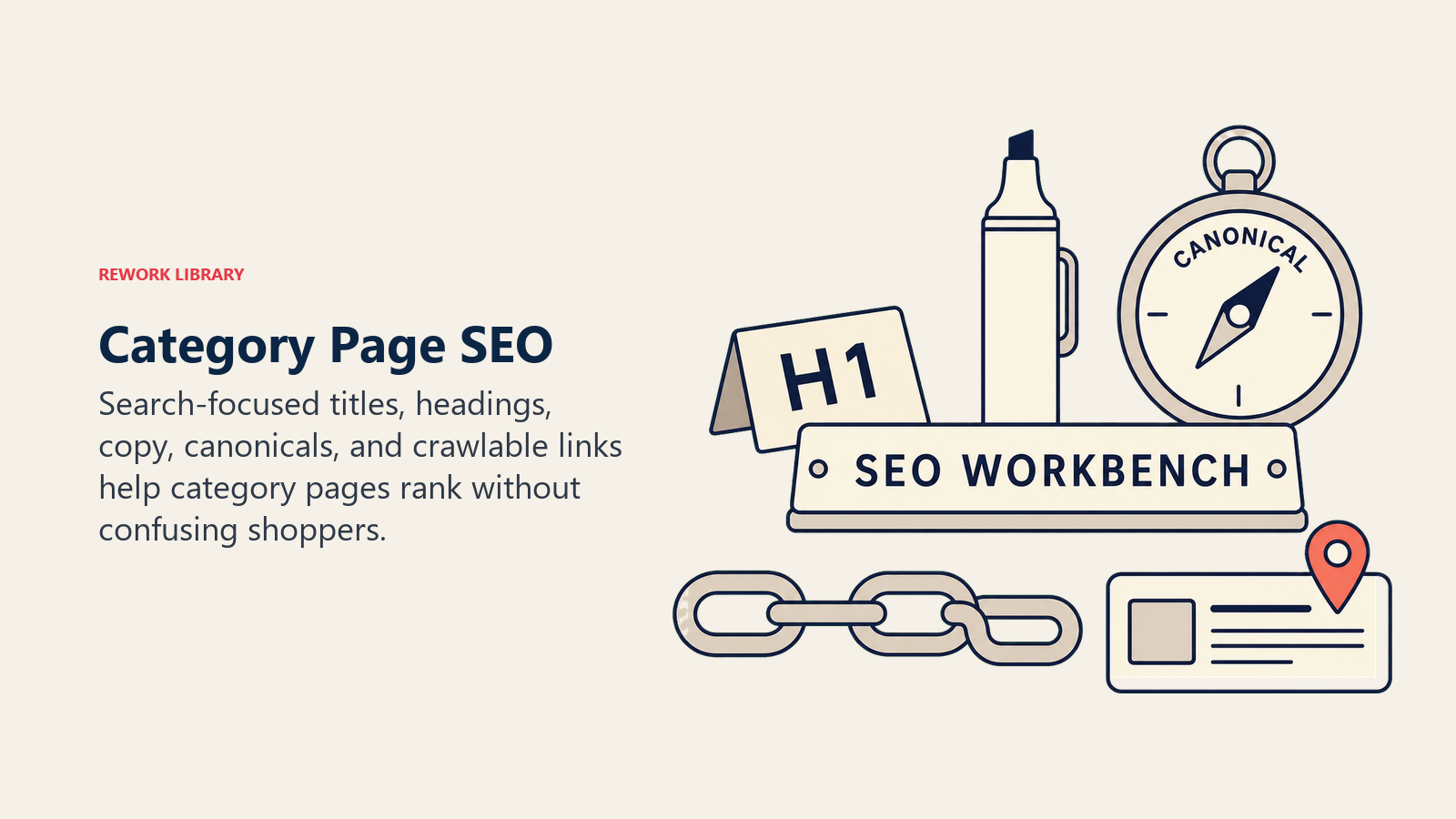
Your H1 should match (or closely match) your title tag and clearly state what the category is. Only one H1 per page.
<h1>Men's Casual Shirts</h1>
Use H2s for subcategories, filters, or content sections:
<h2>Shop by Style</h2>
<h2>Popular Brands</h2>
<h2>Buying Guide: How to Choose a Casual Shirt</h2>
H3s can break down H2 sections further, but don't overthink it. The goal is a logical content hierarchy, not keyword stuffing.
Category Description Content Strategy
This is where most category pages fail. They either have no description at all, or they have a thin paragraph of keyword-stuffed garbage at the bottom that nobody reads.
Good category descriptions serve three purposes:
- Give Google content to index (helps with ranking)
- Help users understand what they're looking at
- Provide value through buying guides or tips
Placement options:
- Above the fold: Short, helpful intro (2-3 sentences)
- Below the products: Longer, more detailed content (300-500 words)
- Expandable section: Hidden by default but crawlable by search engines
Content to include:
- What products are in this category
- Who they're for
- Key features or benefits to consider
- How to choose the right product
- Related categories or complementary products
- Link to relevant guides or resources
Example structure:
[Short intro above products]
Looking for men's casual shirts? We offer Oxford, flannel, chambray, and linen shirts from top brands. Shop styles for work, weekends, and everything in between.

[Longer content below products]
## How to Choose the Right Casual Shirt
Casual shirts are wardrobe staples, but finding the right fit and style matters...

## Popular Casual Shirt Styles
Oxford Shirts: Classic, versatile, works with jeans or chinos...
Flannel Shirts: Perfect for cooler weather, available in traditional plaids...

## Fit Guide
Slim Fit: Tapered through the body and arms...
Regular Fit: Traditional cut with more room...
This gives Google substantial content to index while actually helping users make better buying decisions. The content should naturally incorporate related keywords without feeling forced. This content strategy ties directly into your broader conversion rate optimization (CRO) efforts. Consider incorporating customer reviews and user-generated content to add authenticity and social proof.
Schema Markup for Category Pages
Schema markup helps search engines understand your content and can lead to rich snippets in search results.
Key schema types for category pages:
BreadcrumbList: Shows your hierarchy
{
  "@context": "https://schema.org",
  "@type": "BreadcrumbList",
  "itemListElement": [{
    "@type": "ListItem",
    "position": 1,
    "name": "Men's Clothing",
    "item": "https://yourstore.com/mens-clothing"
  },{
    "@type": "ListItem",
    "position": 2,
    "name": "Shirts",
    "item": "https://yourstore.com/mens-clothing/shirts"
  },{
    "@type": "ListItem",
    "position": 3,
    "name": "Casual Shirts"
  }]
}
CollectionPage or ItemList: Describes the category itself
{
  "@context": "https://schema.org",
  "@type": "CollectionPage",
  "name": "Men's Casual Shirts",
  "description": "Shop our collection of men's casual shirts...",
  "url": "https://yourstore.com/mens-clothing/shirts/casual-shirts"
}
You can also add Product schema for individual products within the category, but that's often handled at the product level. Focus on getting breadcrumb and category page schema right first.
Test your schema using Google's Rich Results Test tool to make sure it's implemented correctly.
Filtering & Faceted Navigation
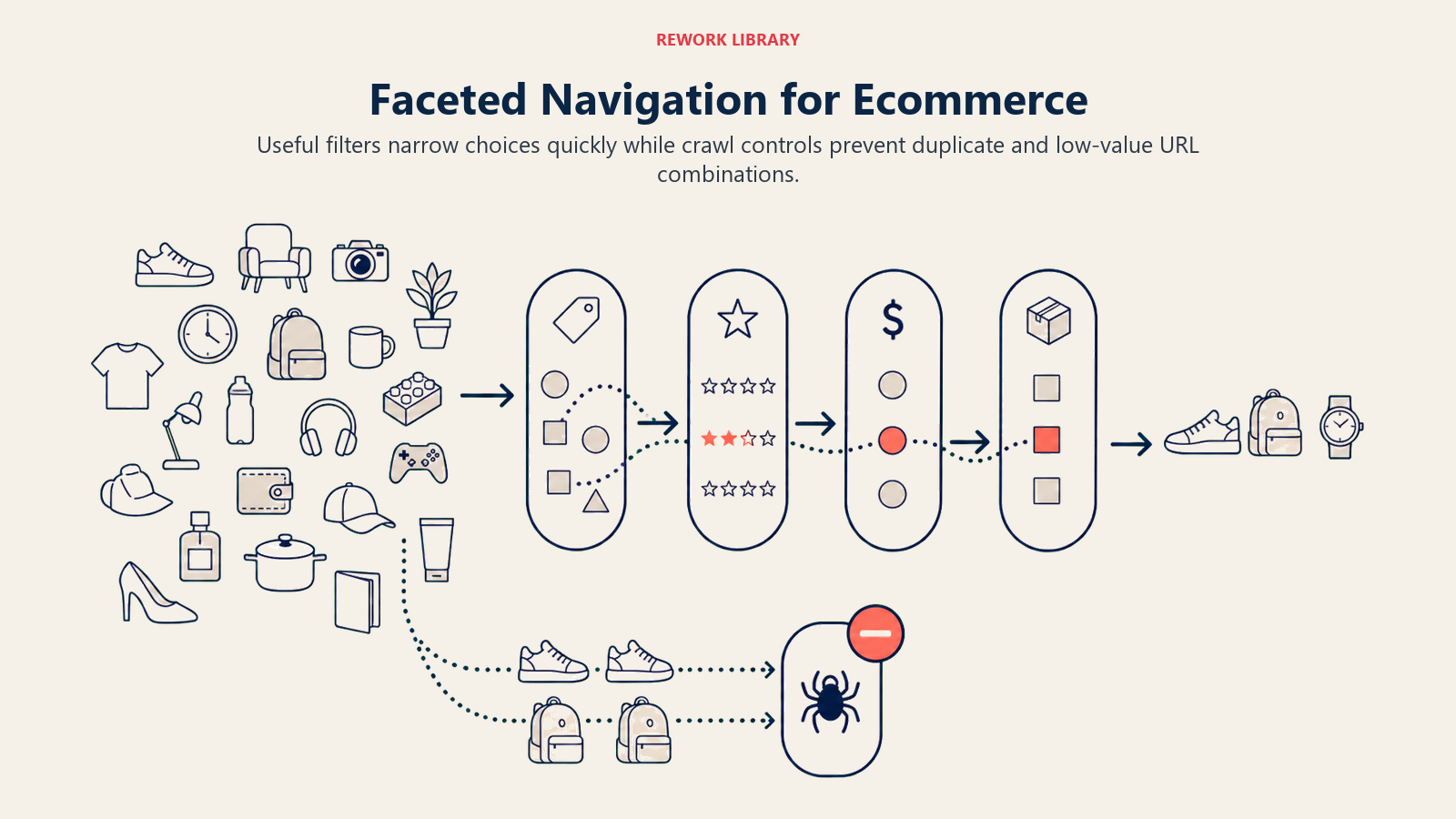
Filters are essential for helping users narrow down large product selections, but they create significant technical challenges for SEO.
Filter Design Principles
Good filters let users quickly find what they're looking for without overwhelming them with choices.
Essential filters for most e-commerce categories:
- Price range (slider or preset ranges)
- Size (if applicable)
- Color (if applicable)
- Brand
- Rating/reviews
- Availability (in stock, on sale)
Advanced filters:
- Material
- Features (waterproof, wireless, etc.)
- Style or subcategory
- Customer attributes (gender, age group)
The key is offering enough filters to be useful without creating decision paralysis. If you have 20 filter options, most users won't use any of them. Start with the most important 5-7 and add more only if data shows they're needed.
Filter UI best practices:
- Show how many results each filter will return
- Allow multiple selections within a filter (e.g. multiple colors)
- Make it easy to clear filters
- Show active filters clearly
- Update results instantly or with minimal delay
- Don't hide products completely - show "out of stock" with note
Static vs. Dynamic Filter Implementation
This is a crucial technical decision that impacts both UX and SEO.
Static filters generate unique URLs for each filter combination:
/mens-shirts/blue/
/mens-shirts/large/
/mens-shirts/blue/large/
Pros:
- Each filter combination is indexable
- Can rank for long-tail keywords ("blue men's shirts large")
- Better for SEO if implemented correctly
- Shareable URLs
Cons:
- Creates massive URL bloat
- Duplicate content issues
- Crawl budget concerns
- Maintenance nightmare
Dynamic filters use JavaScript to filter results without changing the URL, or they change the URL but use canonicals to prevent indexing:
/mens-shirts/?color=blue&size=large → canonicals to /mens-shirts/
Pros:
- Cleaner URL structure
- No duplicate content issues
- Easier to maintain
- Faster filtering experience
Cons:
- Filtered views not indexable
- Misses long-tail keyword opportunities
- URLs not shareable (or they are but don't preserve filters for new visitors)
Hybrid approach (recommended for most sites):
- Main category pages fully indexable
- One level of static filtering for key attributes (e.g.
/mens-shirts/blue/) - Additional filters applied dynamically
- Use canonicals and noindex strategically
- Implement rel="nofollow" on filter links you don't want crawled
Example: Let color and size be static filters (indexable pages), but make brand, price, and other attributes dynamic.
Mobile-Friendly Filter UX
More than half of e-commerce traffic comes from mobile, and filters are harder to use on small screens.
Mobile filter best practices:
- Use a slide-out panel or full-screen filter view
- Large, touch-friendly buttons and checkboxes
- Sticky "Apply Filters" button
- Show result count before applying
- Make it easy to go back or clear filters
- Consider showing fewer initial filters with "More Filters" option
Don't just shrink your desktop filters to fit mobile screens. Design the mobile experience specifically for touch and small viewports. Your mobile commerce optimization strategy should include extensive category page testing.
Filter URL Parameters and Canonicalization
When you implement filters, you need clear rules for how URLs are generated and canonicalized.
URL parameter patterns:
Good: /mens-shirts/?color=blue&size=large
Bad: /mens-shirts/index.php?filter_id=7&sort_by=3&page=2
Use descriptive parameter names. If you must index filtered pages, use clean URLs instead of parameters:
Better: /mens-shirts/blue/large/
Canonical rules:
- Default category view: self-canonical
- Filtered views: canonical to main category (unless strategically allowing indexing)
- Sorted views: canonical to default sort
- Paginated views: self-canonical (more on this below)
Google Search Console parameter handling: Set up URL parameters in GSC to tell Google how to treat them:
sort: "Doesn't change content" → Google should crawl but may ignoresessionid: "No URLs" → Don't crawlcolor,size(if not indexing): "Narrows content" → Let Googlebot decide
Performance Impact of Too Many Filters
Every filter adds complexity to your page. Too many filters slow down page load times, especially if you're using JavaScript to update results in real time.
Performance considerations:
- Lazy-load filter options that aren't immediately visible
- Cache filter counts to avoid database queries on every page load
- Use efficient JavaScript for filter interactions
- Consider server-side rendering for initial page load
- Monitor performance metrics in Google Analytics
If your category page takes 5 seconds to load because of filter complexity, you'll lose conversions no matter how good the filters are. When choosing your platform, ensure it supports efficient filtering - this is a key consideration in e-commerce platform selection.
Breadcrumb Navigation
Breadcrumbs are simple, but they're powerful for both UX and SEO.
Breadcrumb Structure and Placement
Breadcrumbs show users where they are in your site hierarchy and let them navigate back up easily.
Standard placement: Top of the page, above the H1
Home > Men's Clothing > Shirts > Casual Shirts
Breadcrumb best practices:
- Link every level except the current page
- Use separators (>, /, →) to show hierarchy
- Make links clear and clickable
- Match your actual site structure
- Keep it simple - don't show filters in breadcrumbs
Breadcrumb Schema Markup Implementation
Breadcrumb schema helps Google understand and display your site structure in search results.
<ol itemscope itemtype="https://schema.org/BreadcrumbList">
  <li itemprop="itemListElement" itemscope itemtype="https://schema.org/ListItem">
    <a itemprop="item" href="https://yourstore.com/">
      <span itemprop="name">Home</span>
    </a>
    <meta itemprop="position" content="1" />
  </li>
  <li itemprop="itemListElement" itemscope itemtype="https://schema.org/ListItem">
    <a itemprop="item" href="https://yourstore.com/mens-clothing/">
      <span itemprop="name">Men's Clothing</span>
    </a>
    <meta itemprop="position" content="2" />
  </li>
  <li itemprop="itemListElement" itemscope itemtype="https://schema.org/ListItem">
    <span itemprop="name">Casual Shirts</span>
    <meta itemprop="position" content="3" />
  </li>
</ol>
When implemented correctly, Google may show your breadcrumbs in search results instead of your URL, giving users more context about where they'll land.
SEO Benefits and Best Practices
Breadcrumbs help with:
- Internal linking: Every breadcrumb is a contextual link back to parent categories
- Crawlability: Makes it easier for Google to understand your site structure
- User experience: Reduces bounce rate by giving users an easy way to navigate
- Search appearance: Rich snippet display in SERPs
The SEO value is subtle but real. Breadcrumbs reinforce your site hierarchy and pass link equity back up the chain from deep pages to important category pages.
Internal Linking Strategy
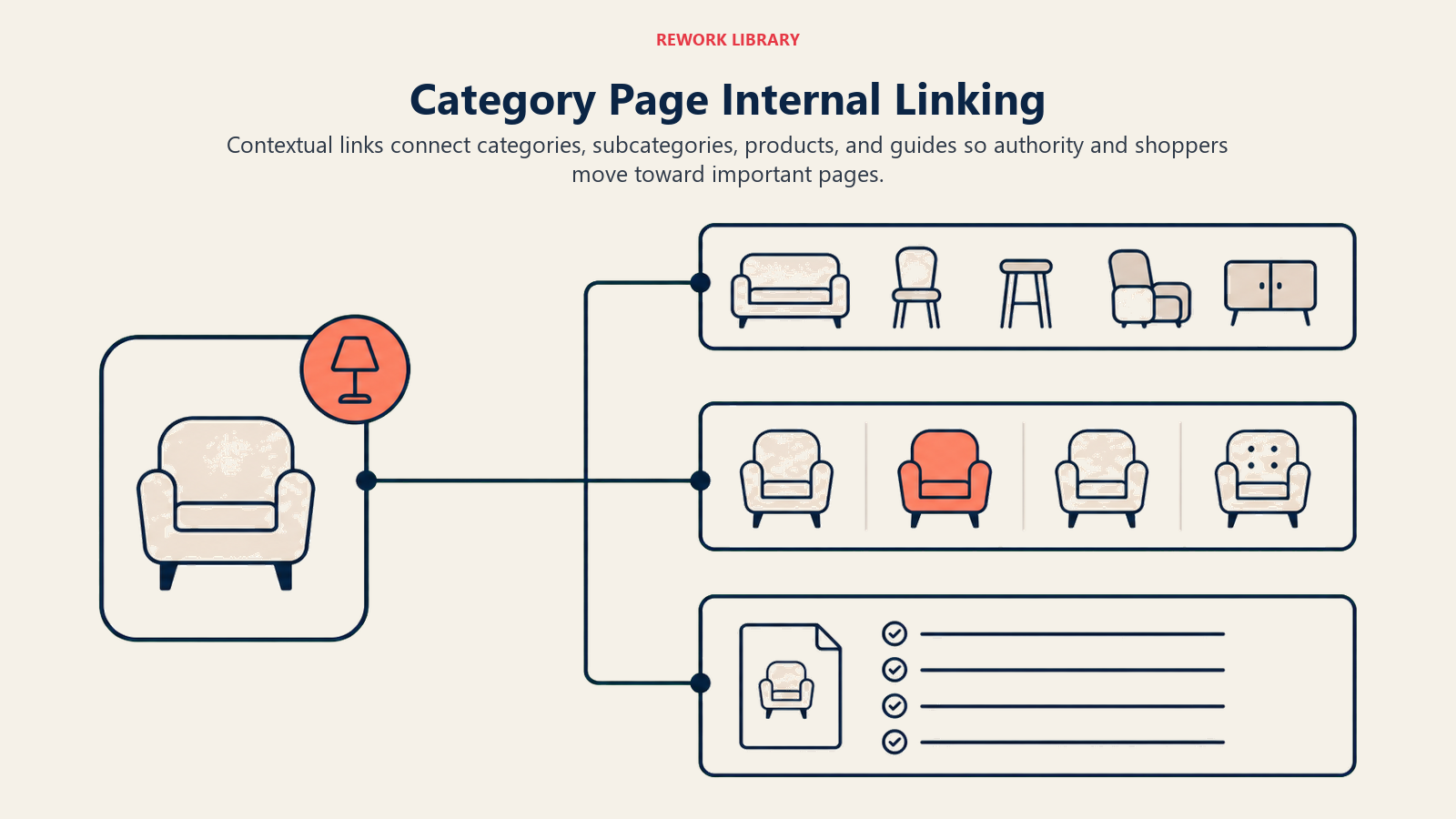
Internal linking is one of the most underutilized SEO tactics for e-commerce sites. It passes link equity, helps Google discover pages, and guides users through your site.
Cross-Category Linking Patterns
Don't let your categories exist in isolation. Link related categories to each other.
Where to add cross-category links:
- Category descriptions: "Looking for women's running shoes? Check out our women's athletic wear section."
- Related categories sidebar or footer
- "You might also like" sections
- Buying guides that span multiple categories
Example: On your "Men's Running Shoes" page, link to:
- Men's Athletic Wear
- Running Accessories
- Women's Running Shoes (for couple shopping)
- Marathon Training Gear
These links help users discover more products and distribute link equity to other important pages.
Product-to-Category Linking
Make sure every product links back to its parent categories. This is usually automatic (breadcrumbs), but double-check that:
- Products link to immediate parent category
- Products may link to multiple categories if they fit in several
- Links use descriptive anchor text
Example: A blue Oxford shirt might appear in:
- Men's Clothing > Shirts
- Men's Clothing > Casual Shirts
- Blue Clothing
- New Arrivals
That product should link back to all relevant categories, ideally through breadcrumbs or a "Categories" section on the product page. This reinforces your site structure and helps distribute link equity. Understanding product page SEO and product page optimization ensures these links are optimized for both search engines and conversions.
Contextual Linking Within Descriptions
The category description content you create is prime real estate for internal links. Don't waste it.
Linking opportunities in category content:
- Link to subcategories when mentioned
- Link to related categories
- Link to buying guides or blog posts
- Link to specific popular products as examples
- Link to size guides or resource pages
Use natural anchor text that describes what users will find. Not "click here" - use "check out our size guide" or "browse our collection of Oxford shirts."
Example:
If you're looking for something more formal, our dress shirts
collection offers a wide range of styles. For warmer weather,
consider our linen shirts which are breathable and lightweight.
Those inline links help users navigate and reinforce topical relationships for Google.
Link Anchor Text Optimization
Anchor text tells Google (and users) what the linked page is about. Use this strategically.
Good anchor text practices:
- Descriptive: "men's dress shoes" not "click here"
- Natural: fits into the sentence naturally
- Varied: don't use the exact same anchor for every link
- Keyword-rich but not spammy: "blue running shoes" not "buy cheap blue running shoes online sale"
Avoid:
- Generic anchors ("click here," "read more")
- Over-optimization (same exact-match keyword anchor repeated)
- Irrelevant anchors (anchor says one thing, link goes somewhere else)
Silo Structure and Topical Authority
Siloing means grouping related content together and linking heavily within each silo, with fewer links between different silos.
E-commerce silo example:
Silo 1: Men's Clothing
- Men's Clothing Hub
  - Men's Shirts Category
    - Casual Shirts Subcategory
    - Dress Shirts Subcategory
  - Men's Pants Category
    - Jeans Subcategory
    - Chinos Subcategory

Silo 2: Women's Clothing
- Women's Clothing Hub
  - Women's Dresses Category
  - Women's Tops Category
Within each silo, link frequently and naturally. Between silos, link more sparingly and strategically. This helps you build topical authority - Google sees you as an expert in each silo because of the deep, interconnected content.
Silo linking rules:
- Heavy internal linking within each silo
- Moderate linking to hub pages of other silos
- Strategic linking between related but different silos
- All silos link back to homepage
This structure helps you rank for competitive keywords by concentrating link equity within topics rather than spreading it thin across your entire site.
Pagination & Large Category Management
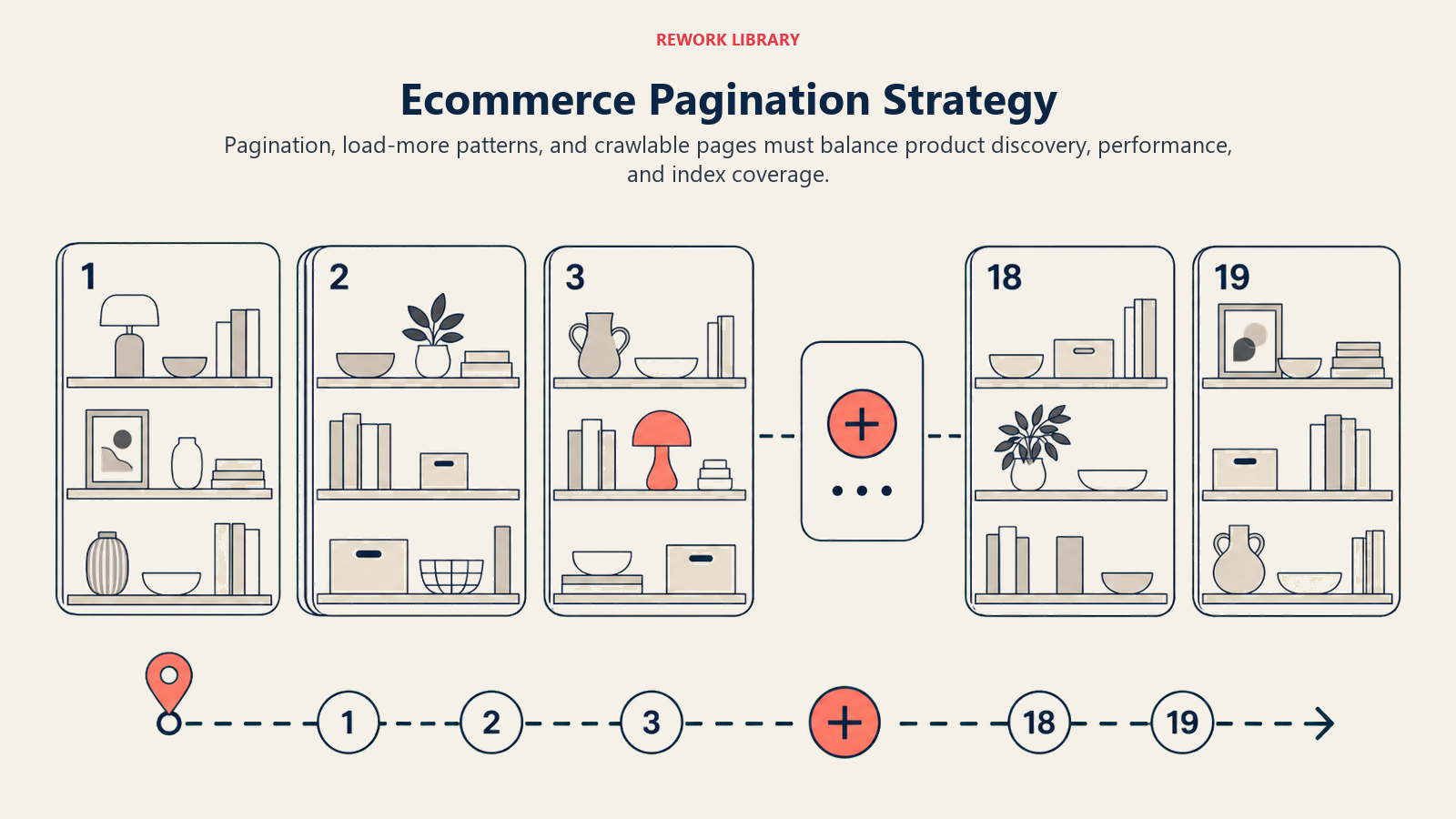
When you have hundreds or thousands of products in a category, pagination becomes essential.
View-All Page Implementation
Should you offer a "View All" option that shows every product on one page?
Pros:
- Users don't have to click through pages
- Can be better for SEO (one page with all content)
- Easier to implement filters
Cons:
- Slow page load if you have thousands of products
- Poor mobile experience
- Hard to maintain good performance
Recommendation: Offer view-all for small categories (under 100 products) but not for large ones. If you do implement view-all, make sure it loads quickly and doesn't tank your Core Web Vitals.
Pagination vs. Infinite Scroll
Pagination shows a set number of products per page with numbered page links.
Pros:
- Users can jump to specific pages
- Footer always accessible
- Better for SEO (distinct URLs)
- Easier to share specific page
Cons:
- Extra clicks required
- Can feel dated
Infinite scroll loads more products as users scroll down.
Pros:
- Seamless browsing experience
- Great for mobile
- Modern UX
Cons:
- Footer unreachable
- Hard to return to specific spot
- Requires careful SEO implementation (pagination tags, distinct URLs for scroll positions)
- Can hurt performance if not optimized
Hybrid approach: Infinite scroll with "Load More" button instead of automatic loading. Or infinite scroll that updates the URL as you scroll through "pages."
rel=next/prev Tags and SEO Implications
Google deprecated rel=next/prev in 2019, but pagination still needs proper handling.
Current best practices:
- Make sure paginated pages are self-canonical (page 2 canonicals to page 2, not page 1)
- Include paginated pages in your sitemap
- Implement clear pagination navigation (Previous, Next, page numbers)
- Don't noindex paginated pages
- Ensure each paginated page has unique content in title tag (e.g. "Men's Shirts - Page 2")
Page 2+ Optimization Strategies
Most people focus on optimizing page 1 of categories and forget about pages 2, 3, and beyond. But those pages get traffic too (especially from longtail searches and brand queries).
Optimization tactics for paginated pages:
- Include unique title tags: "Men's Casual Shirts - Page 2 | YourStore"
- Add brief contextual text on each page: "Browse page 2 of our men's casual shirts collection"
- Make sure breadcrumbs appear on every page
- Include pagination markup in schema
- Monitor performance in Google Search Console
Don't let pages 2+ become duplicate content black holes. Give them unique elements while maintaining category consistency.
Category Page Performance
Speed matters. Category pages often load dozens of product images, filters, and scripts. If they're slow, users bounce and Google ranks you lower.
Page Load Speed Optimization
Critical performance factors:
- Image optimization (compressed, properly sized, lazy loaded)
- Minimize HTTP requests
- Use CDN for static assets
- Compress CSS and JavaScript
- Enable browser caching
- Optimize database queries (especially for filters and product counts)
- Minimize third-party scripts
Aim for under 2.5 seconds to First Contentful Paint and under 4 seconds to fully loaded.
Image Lazy Loading and Optimization
Category pages display dozens of product thumbnails. Don't load them all immediately.
Image optimization checklist:
- Use lazy loading (native browser lazy loading or JavaScript)
- Implement proper image dimensions in HTML
- Use next-gen formats (WebP with fallbacks)
- Compress images without quality loss
- Use responsive images (different sizes for different viewports)
- Preload above-the-fold images
- Use placeholders during loading
Example:
<img src="product-thumbnail.webp"
     loading="lazy"
     width="300"
     height="400"
     alt="Blue Oxford Shirt">
Core Web Vitals for Category Pages
Google's Core Web Vitals are ranking factors. Category pages need to excel at:
Largest Contentful Paint (LCP): Measures loading performance. Target: under 2.5 seconds.
- Optimize hero images
- Reduce server response time
- Use CDN
- Preload critical resources
First Input Delay (FID): Measures interactivity. Target: under 100ms.
- Minimize JavaScript execution
- Break up long tasks
- Use web workers for heavy processing
Cumulative Layout Shift (CLS): Measures visual stability. Target: under 0.1.
- Set image dimensions
- Reserve space for ads or dynamic content
- Avoid injecting content above existing content
- Use CSS for animations, not JavaScript
Test your category pages using Google's PageSpeed Insights and monitor real-user metrics in Search Console.
Merchandising & Conversion Optimization
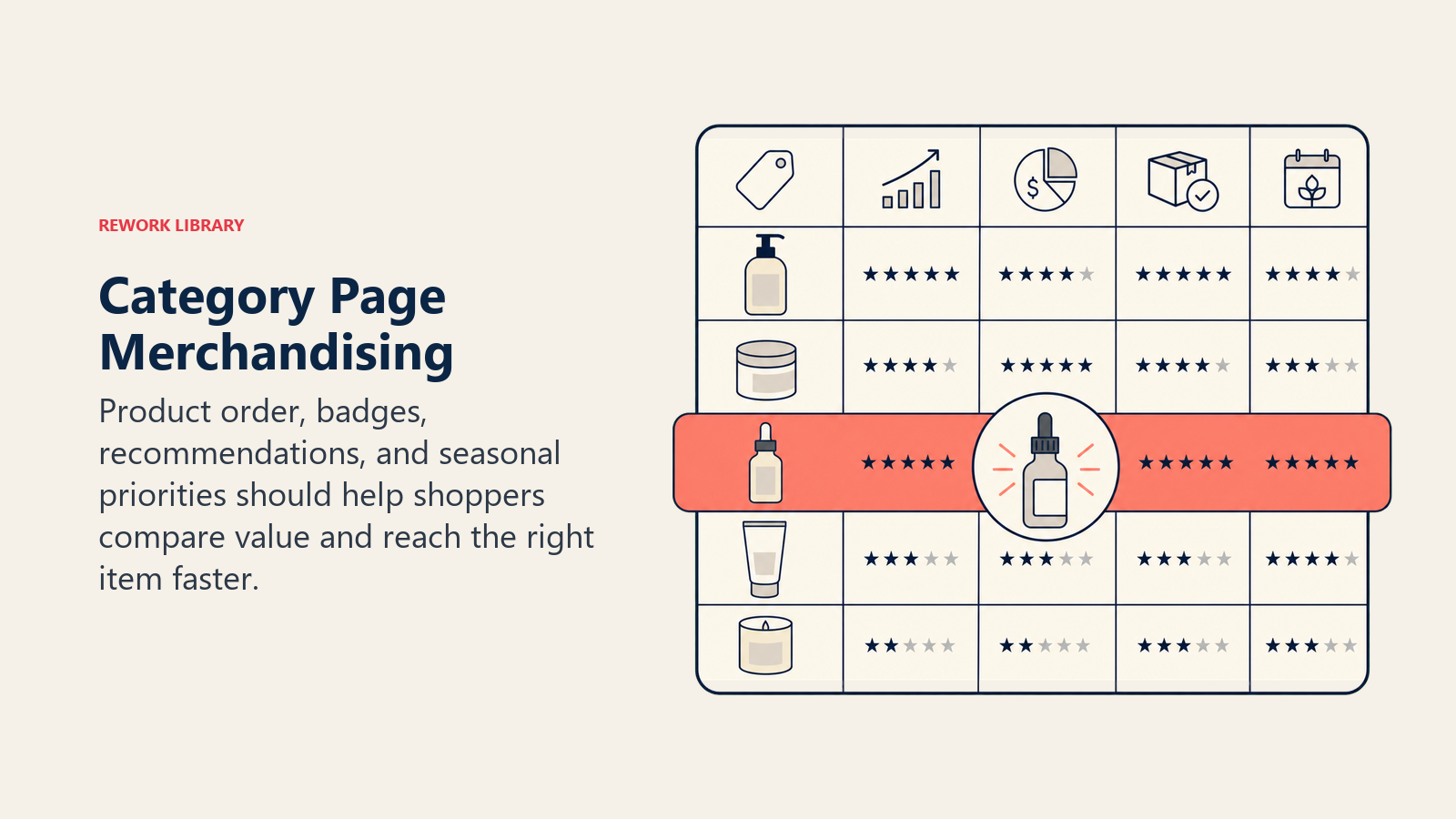
Category pages aren't just about SEO. They need to convert.
Product Sorting Strategies
Default sort order matters. Most sites use:
- Best Sellers: Shows social proof, pushes products with proven demand
- Featured: Lets you highlight specific products strategically
- Newest: Good for fashion and trend-driven products
- Price (Low to High): Helps budget-conscious shoppers
- Price (High to Low): Highlights premium options
- Highest Rated: Leverages reviews for conversion
Let users change the sort order, but choose a default that aligns with your business goals. If you make higher margins on certain products, feature those. If you want to move inventory, highlight sale items.
Featured Product Placement
Strategically featuring products at the top of categories can boost conversions significantly.
Featured placement strategies:
- Highlight new arrivals
- Promote items with high margins
- Show sale or clearance items
- Feature products with great reviews
- Showcase seasonal or trending products
But don't just feature randomly. Use data from your analytics tracking setup. Which products convert best? Which have the best reviews? Which have inventory you need to move?
Seasonal Content Refresh
Update category pages seasonally to stay relevant and improve SEO.
Seasonal updates:
- Refresh category descriptions with seasonal keywords
- Update featured products
- Add seasonal filters or tags
- Update images to reflect current season
- Create seasonal buyer's guides
Example: Your "Men's Jackets" category should look different in November (highlighting winter coats) than in April (highlighting light windbreakers).
A/B Testing Category Layouts
Don't guess what works - test it. Implement a systematic A/B testing framework for continuous optimization.
Elements to test:
- Grid layout (2 columns vs. 3 vs. 4)
- Product card design
- Filter placement (left sidebar vs. top bar)
- Sort default order
- Image vs. description prominence
- "Add to Cart" button placement
- Quick view vs. requiring click to product page
Run tests long enough to get statistical significance and segment results by device type (mobile vs. desktop) since optimal layouts often differ.
Mobile Category Page Experience
Mobile commerce is more than half of e-commerce traffic for many retailers. Your category pages need to work flawlessly on small screens.
Responsive Filter Implementation
Mobile screens don't have room for sidebar filters. Use:
- Slide-out filter panel
- Full-screen filter overlay
- Sticky "Filter" button that's always accessible
- Show number of active filters on the button
Mobile filter UX tips:
- Large touch targets (minimum 44px)
- Show how many results each filter will return
- Let users apply multiple filters at once, then update results
- Make "Clear All" prominent
- Show applied filters at top of product grid
Mobile-First Navigation Design
Simplify navigation for mobile. Don't try to cram desktop navigation into a mobile viewport.
Mobile category navigation:
- Hamburger menu or tab bar
- Breadcrumbs simplified or hidden (show only current location)
- Horizontal scrolling subcategory chips
- Minimal text, maximum visual clarity
Touch-Friendly Sorting and Filtering
Everything needs to be easy to tap.
Touch optimization:
- Larger buttons and controls
- More spacing between clickable elements
- Swipeable carousels for product browsing
- Pull-to-refresh on category pages
- Haptic feedback on interactions (if platform supports)
Test on actual devices, not just browser emulation. Touch interactions feel different.
Common Category Page Mistakes
Let's cover what not to do.
Thin Content: A category page with just product listings and no descriptive content struggles to rank. Google wants context. Add a meaningful description, buying guide, or educational content.
Poor Filtering: Either no filters (frustrating for users) or too many filters (overwhelming). Or filters that return zero results. Always show result counts before applying filters.
Broken Canonicals: Filtered, sorted, and paginated URLs creating duplicate content nightmares. Fix your canonical tags and parameter handling.
Internal Linking Gaps: Categories that don't link to related categories or subcategories. You're leaving SEO value on the table and making navigation harder for users.
Slow Performance: Category pages that take 5+ seconds to load will hemorrhage visitors. Optimize images, reduce JavaScript, and fix your Core Web Vitals.
Ignoring Mobile: Designing only for desktop and letting mobile be an afterthought. Test mobile-first, then adapt for desktop.
No Schema Markup: Missing breadcrumb, product, and category page schema means you're not getting rich snippets in search results.
Keyword Stuffing: Writing category descriptions that read like robot-generated garbage. Write for humans first, optimize for search engines second.
Putting It All Together
Category page optimization isn't a one-time project. It's an ongoing process of architecture refinement, content improvement, technical optimization, and conversion testing.
Start with the foundation: clean URL structure, proper canonicalization, solid internal linking. Then layer on the content: meaningful descriptions, buying guides, contextual links. Optimize performance: images, Core Web Vitals, mobile experience. Finally, test and iterate: merchandising, layouts, filters.
The sites that win in e-commerce SEO don't have magic strategies. They just get all the fundamentals right: architecture, content, technical SEO, and user experience. Category pages are where these fundamentals come together.
Don't try to fix everything at once. Pick your highest-traffic categories and optimize those first. Measure the results. Then expand to more categories systematically.
And remember: category pages serve two masters - search engines and humans. Optimize for both. If you focus only on SEO, you'll rank well but won't convert. If you focus only on conversion, you won't get traffic. Get both right, and your category pages become revenue drivers.
Related Resources
E-commerce SEO Foundations:
- E-commerce SEO Strategy - Building your complete SEO approach
- Product Page SEO - Optimizing individual product pages
- Site Speed & Performance - Technical performance optimization
- Traffic Acquisition Strategy - Multi-channel traffic generation
Conversion & Analytics:
- Conversion Rate Optimization (CRO) - Testing and improving conversion rates
- Analytics & Tracking Setup - Measuring category page performance
- E-commerce Metrics & KPIs - Key metrics to track for categories
Mobile & User Experience:
- Mobile Commerce Optimization - Mobile-specific optimization strategies

On this page
- Why Category Pages Matter More Than You Think
- Category Architecture: Building a Solid Foundation
- Hierarchical Structure and Naming Conventions
- URL Structure Best Practices
- Category Canonicalization Strategy
- Category Page SEO Foundation
- Title Tags and Meta Descriptions
- H1 Tags and Heading Hierarchy
- Category Description Content Strategy
- Schema Markup for Category Pages
- Filtering & Faceted Navigation
- Filter Design Principles
- Static vs. Dynamic Filter Implementation
- Mobile-Friendly Filter UX
- Filter URL Parameters and Canonicalization
- Performance Impact of Too Many Filters
- Breadcrumb Navigation
- Breadcrumb Structure and Placement
- Breadcrumb Schema Markup Implementation
- SEO Benefits and Best Practices
- Internal Linking Strategy
- Cross-Category Linking Patterns
- Product-to-Category Linking
- Contextual Linking Within Descriptions
- Link Anchor Text Optimization
- Silo Structure and Topical Authority
- Pagination & Large Category Management
- View-All Page Implementation
- Pagination vs. Infinite Scroll
- rel=next/prev Tags and SEO Implications
- Page 2+ Optimization Strategies
- Category Page Performance
- Page Load Speed Optimization
- Image Lazy Loading and Optimization
- Core Web Vitals for Category Pages
- Merchandising & Conversion Optimization
- Product Sorting Strategies
- Featured Product Placement
- Seasonal Content Refresh
- A/B Testing Category Layouts
- Mobile Category Page Experience
- Responsive Filter Implementation
- Mobile-First Navigation Design
- Touch-Friendly Sorting and Filtering
- Common Category Page Mistakes
- Putting It All Together
- Related Resources