Google Shopping Ads: Feed Optimization, Bidding, and ROAS Strategies
Turn this article into takeaways for your work.


Each assistant summarizes the article only for you and suggests best practices for your work.
Google Shopping ads can be one of the most effective channels for e-commerce businesses, when done right. But most retailers get this wrong: they treat Shopping ads like search ads with product images. They're not. Shopping campaigns succeed or fail based on the quality of your product feed first, campaign structure second, and bidding strategy third. Skip the fundamentals and you'll burn budget showing the wrong products to the wrong people at the wrong price.
This guide covers the complete Google Shopping strategy, from setting up Google Merchant Center to optimizing for return on ad spend (ROAS). We'll focus on what moves the needle: feed quality, smart segmentation, and strategic bidding. As part of your broader traffic acquisition strategy, Shopping ads deliver high-intent customers actively searching for your products.
Why Google Shopping dominates product search
When someone searches "wireless headphones under $100," they're not looking for articles about headphones. They're ready to buy. Google Shopping ads capture this high-intent traffic by showing product images, prices, and merchant names right in search results, before organic listings even appear.
The numbers back this up. Shopping ads account for roughly 76% of retail search ad spend and drive 85% of all clicks on Google Ads for retailers. This isn't because merchants love spending money, it's because Shopping ads work when you're selling products online. The visual format gives you an advantage over text ads. Shoppers can see the product, compare prices across merchants, and click only if your offering looks right. This pre-qualification means traffic from Shopping ads tends to convert better than generic search traffic. You're not paying for clicks from people who just realized your product isn't what they wanted.
But everyone in your category is running Shopping ads too. Your success depends on your product feed quality, price competitiveness, and how well you structure campaigns to prioritize profitable products. Just uploading your catalog and hoping for the best doesn't work anymore.
Product feed fundamentals: the foundation of Shopping success
Your product feed is a structured data file that tells Google everything about your products, titles, descriptions, prices, availability, images, and dozens of other attributes. Google uses this data to match your products to search queries and determine when to show your ads. Poor feed quality is the number one reason Shopping campaigns underperform. Google can't show your products for relevant searches if your data is incomplete, incorrect, or poorly optimized. And even if your ads do show up, weak titles and images won't get clicks.
Google Merchant Center setup
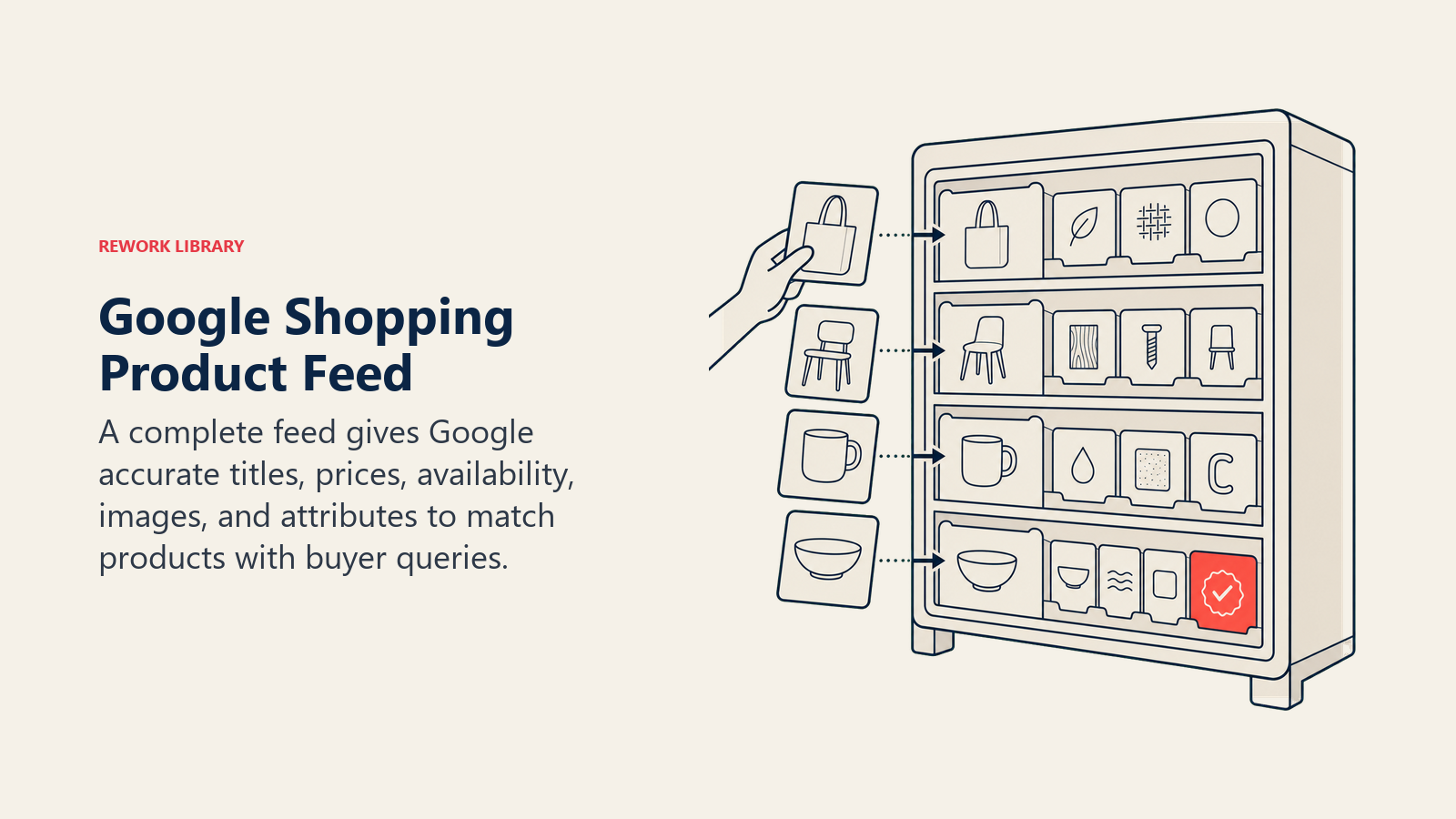
Before running Shopping ads, you need a Google Merchant Center account. This is where you upload your product feed, manage inventory, and ensure your product data meets Google's requirements.
The setup process involves:
- Verifying and claiming your website URL
- Setting up your product feed (via file upload, Google Sheets, or automated feed from your e-commerce platform)
- Configuring shipping and tax settings
- Linking your Merchant Center account to Google Ads
Most e-commerce platforms (Shopify, WooCommerce, BigCommerce) offer apps or plugins that automatically generate feeds and sync inventory. These integrations work fine for basic setups, but they often produce generic titles and descriptions that don't perform well. More on optimization in a moment.
Feed format and requirements
Google accepts product feeds in several formats: XML, TXT (tab-delimited), or Google Sheets. Most merchants use XML feeds generated by their e-commerce platform or a feed management tool.
Every product in your feed needs these required attributes:
- ID: unique identifier for each product
- Title: product name and key details
- Description: longer product details
- Link: URL to the product page on your site
- Image link: URL to the main product image
- Availability: in stock, out of stock, or preorder
- Price: product price including currency
- Brand: manufacturer or brand name
- GTIN (Global Trade Item Number): barcode number, required for many categories
- MPN (Manufacturer Part Number): if you don't have a GTIN
- Condition: new, refurbished, or used
- Google product category: the category from Google's taxonomy that best matches your product
Missing required attributes gets your products disapproved. But including only required attributes means you're missing opportunities to improve performance through optional attributes like custom labels, product types, and additional image links.
Common feed errors and how to fix them
Google Merchant Center will flag feed errors in the Diagnostics section. Here are the most common issues:
Missing or incorrect GTINs: Google requires manufacturer barcodes for most new branded products. If your supplier didn't provide GTINs, you'll need to track them down or apply for an exemption if you sell custom or unbranded products.
Image quality issues: Google requires high-resolution images (at least 100x100 pixels, recommended 800x800 or larger) without promotional overlays, watermarks, or borders. Images that are blurry, pixelated, or showing the wrong product get disapproved. Your product photography and video quality directly impacts ad performance and click-through rates.
Price mismatches: If the price in your feed doesn't match the price on your website when Google crawls it, your products get suspended. Keep your feed updated in real-time, especially during promotions.
Shipping configuration errors: If you don't set up shipping correctly in Merchant Center, Google might not show your ads at all. You can configure shipping at the account level or add shipping attributes to individual products for more control.
The fix for most errors is straightforward: update your feed with correct data and resubmit. The challenge is maintaining feed quality over time as you add products, change prices, and update inventory. Set up automated feed updates (at least daily) to avoid approval issues.
Feed optimization strategy: getting clicks and conversions
Meeting Google's requirements keeps you in the game. Optimizing your feed helps you win.
Title and description optimization
Your product title is the most important element in your feed. It appears directly in Shopping ads and heavily influences what searches trigger your ads. Google uses title keywords to match products to search queries, so generic titles kill your performance.
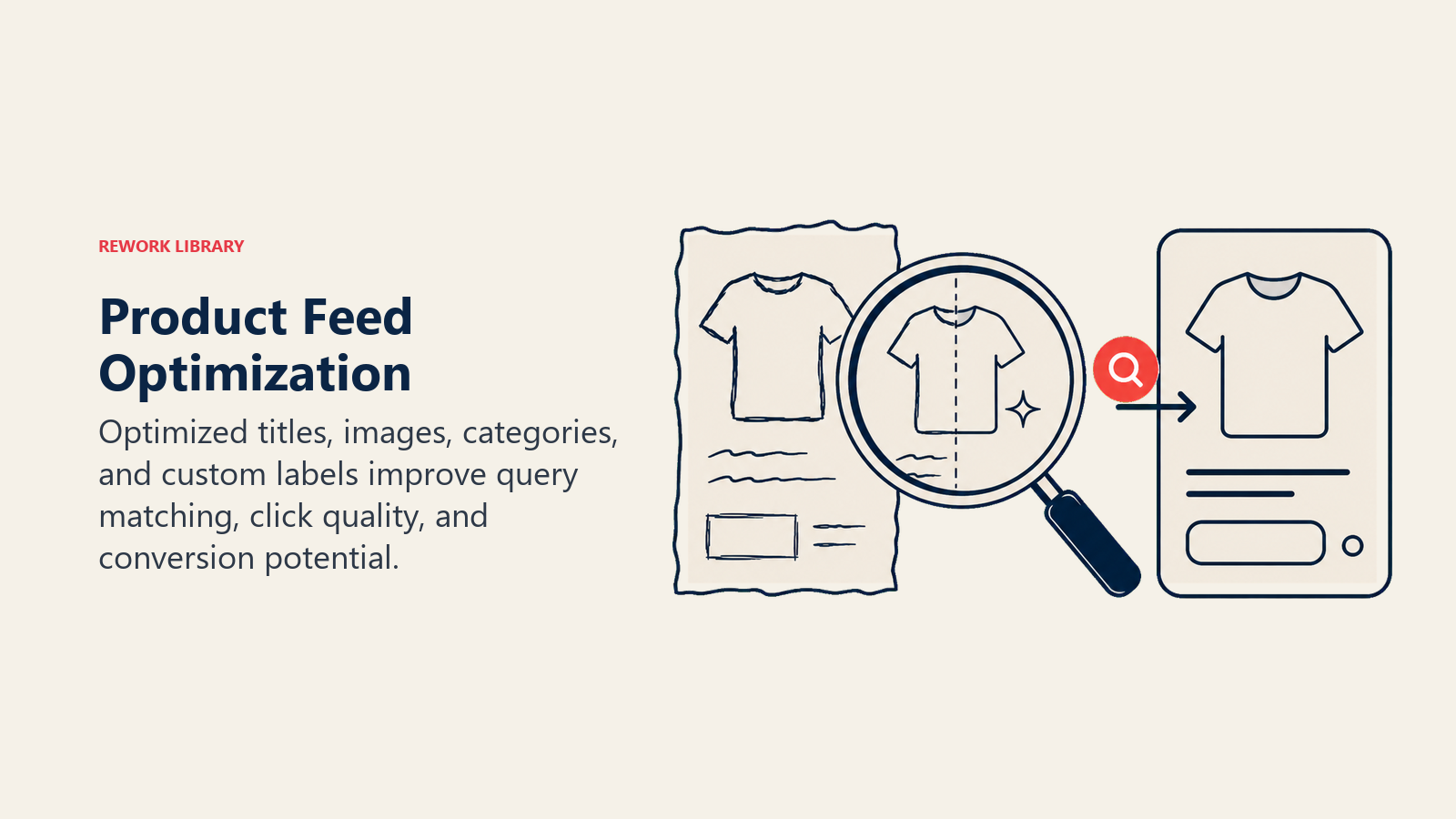
Bad title: "Blue Shirt - Large"
Good title: "Men's Oxford Button-Down Shirt | Long Sleeve | Navy Blue | Size Large | Cotton"
Front-load titles with the most important keywords. Include brand, product type, key features, and relevant details. Different categories prioritize different attributes:
- Apparel: Brand, gender, product type, color, size, material
- Electronics: Brand, product line, model number, key specs (storage, screen size)
- Home goods: Product type, material, dimensions, color, style
- Consumables: Brand, product type, quantity/size, variant (flavor, scent)
Google allows up to 150 characters for titles, but most of that gets cut off in the ad display. Put the most critical information in the first 70 characters.
Product descriptions have less direct impact on ad performance but help with quality signals and can appear in some ad formats. Write clear, benefit-focused descriptions that include relevant keywords naturally. Don't keyword stuff, Google penalizes that, but do include terms that shoppers actually search for.
Product categories and types
Google requires you to assign each product to a category from their taxonomy (google_product_category attribute). Pick the most specific category that fits. "Apparel & Accessories > Clothing > Shirts & Tops" is better than just "Apparel & Accessories."
You can also add your own categorization using the product_type attribute. This doesn't affect ad serving directly, but it helps you organize products in campaign segmentation. If you use product_type consistently, you can create ad groups targeting specific categories from your own taxonomy.
Custom labels: the secret to advanced segmentation
Custom labels (custom_label_0 through custom_label_4) are optional attributes you can add to tag products with any criteria that matters to your business. These labels don't affect ad serving, but they're essential for campaign structure and bid management.
Common ways to use custom labels:
- Margin: tag products as high-margin, medium-margin, low-margin
- Seasonality: mark seasonal products so you can adjust bids during peak periods
- Best sellers: identify top-performing products for priority bidding
- Price tiers: group products by price range ($0-50, $50-100, $100+)
- Clearance: flag products you're trying to move quickly
Once you've added custom labels to your feed, you can create separate ad groups or campaigns for each label and set different bids. More on this in the campaign structure section.
Image quality and additional images
Your main product image is often the deciding factor in whether someone clicks your ad or a competitor's. High-quality images on clean white backgrounds perform best for most categories.
Google allows up to 10 additional images per product (additional_image_link attribute). Use them. Shopping ads can show multiple images in carousel formats, and having more approved images improves your chances of appearing in visual search results and Performance Max campaigns.
For apparel, show multiple angles and on-model shots. For electronics, show the product from different perspectives and include images of key features. For furniture, show the item in a room setting and close-ups of materials.
Campaign architecture: how to structure Shopping campaigns
The way you organize your Shopping campaigns determines how much control you have over bidding, budget allocation, and performance tracking. Poor structure makes optimization impossible.
Standard Shopping vs Performance Max
You have two main campaign types for product advertising:
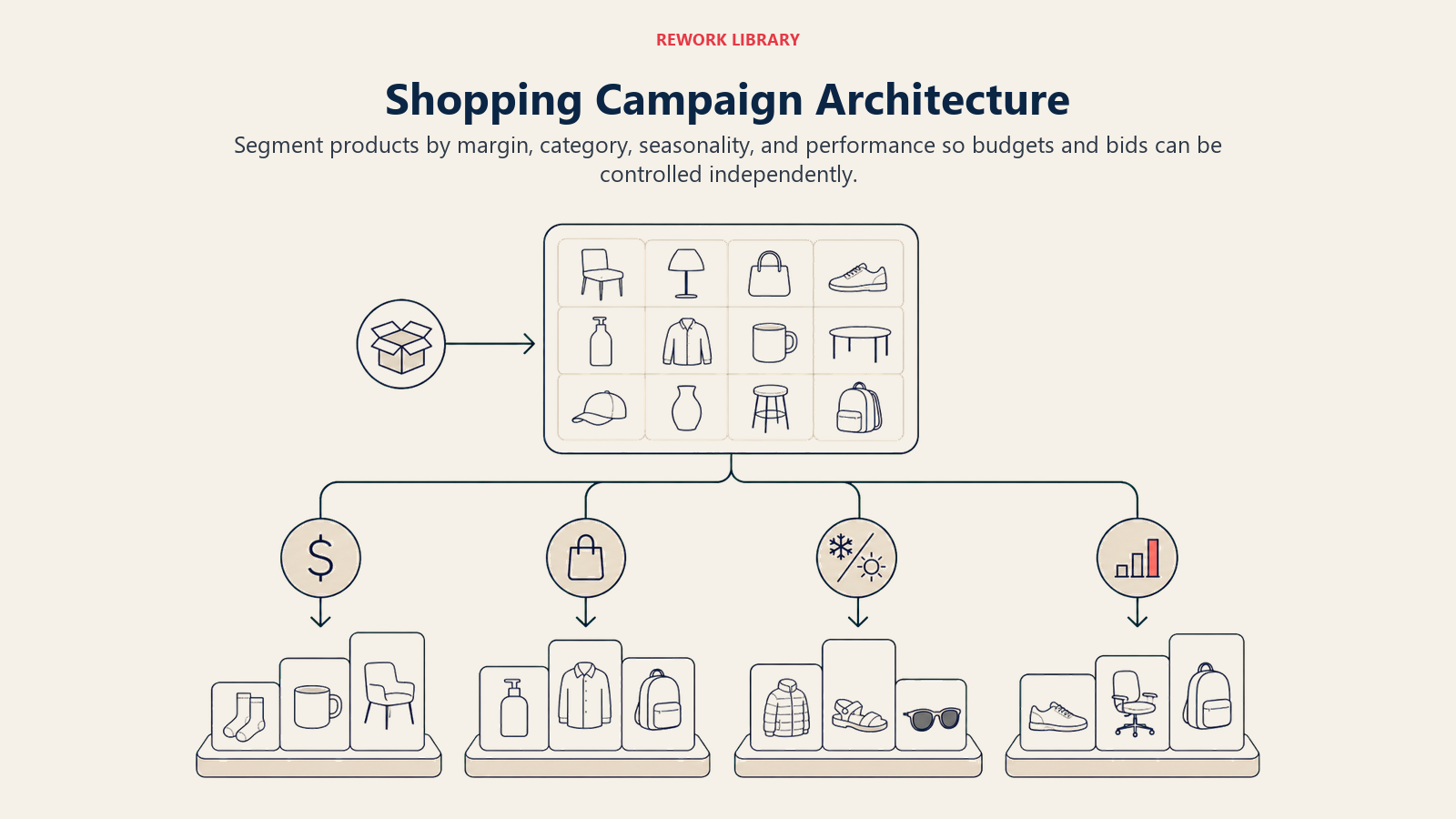
Standard Shopping campaigns give you control over campaign structure, ad groups, product segmentation, and bidding. You can organize products into ad groups based on custom labels, product types, or other attributes, then set different bids for each group. This is the campaign type most e-commerce businesses should start with.
Performance Max campaigns are Google's automated solution that uses machine learning to show your products across Search, Shopping, Display, YouTube, Gmail, and Discover. You provide product feeds and creative assets, and Google's algorithm decides where and when to show ads. You get less control but potentially broader reach.
Which should you use? For most e-commerce businesses, start with Standard Shopping campaigns. You need the control and data to understand what's working before you hand the reins to automation. Once you have proven performance and sufficient conversion data (ideally 30+ conversions per month), you can test Performance Max to scale further.
Some businesses run both: Standard Shopping campaigns for their core product lines where they want full control, and Performance Max to test new products or reach additional placements. Just be aware that campaigns compete against each other in auctions, so monitor cannibalization.
Campaign structure strategies
There are several ways to structure Standard Shopping campaigns. The right approach depends on your catalog size, product diversity, and business priorities.
Single campaign with product group segmentation: Simple approach where you have one campaign with multiple ad groups subdivided by product attributes (brand, category, custom labels). This works for smaller catalogs (under 1,000 products) or when products have similar margins and performance.
Separate campaigns by category: Create distinct campaigns for different product categories (shoes, shirts, accessories). This gives you better budget control and reporting by category. You can allocate more budget to high-performing categories and pause low performers without affecting other products.
Separate campaigns by margin: Use custom labels to flag high-margin vs low-margin products, then create separate campaigns for each. Bid more aggressively on high-margin products where you can afford higher acquisition costs. This is particularly effective for retailers with wide margin variance across products.
Separate campaigns by brand: If you sell multiple brands with different price points and audiences, split them into separate campaigns. This is common for retailers who sell both their own brand and third-party brands, or premium brands alongside budget options.
Priority-based segmentation: Google's priority settings (Low, Medium, High) determine which campaign serves ads when products appear in multiple campaigns. Advanced advertisers use this to create tiered bidding strategies where branded searches go to one campaign and generic searches to another, each with different bids and budgets.
For most e-commerce businesses with diverse catalogs, a hybrid approach works best: separate campaigns by major category (or margin tier), then use product groups within each campaign to segment by specific attributes.
Budget allocation across campaigns
Don't spread your budget equally across all campaigns. Allocate based on performance and strategic priorities.
Start with your best-performing categories or products. If shoes account for 60% of your revenue but only get 40% of your Shopping budget, reallocate. Use past data (from organic sales, previous ad performance, or even margin analysis) to inform initial budget splits. Understanding your unit economics for e-commerce is critical for making smart budget allocation decisions.
Set daily budgets high enough that campaigns aren't limited by budget. If a campaign is hitting its budget limit before the end of the day, you're missing opportunities. Check the "Limited by budget" indicator in Google Ads and increase budgets for campaigns that are constrained.
Once campaigns are running, use ROAS or profitability to guide budget decisions. Shift budget from low-ROAS campaigns to high-ROAS campaigns. If a campaign is consistently returning 3:1 ROAS and another is stuck at 1.5:1, move budget to the winner.
Bidding strategies for maximizing ROAS
Your bidding strategy determines how much you pay for clicks and which products Google prioritizes in auctions. Get this right and you're profitable. Get it wrong and you burn budget on low-converting traffic.
Target ROAS vs Manual CPC
Google offers several automated bidding strategies for Shopping campaigns, but the two most common for e-commerce are Target ROAS and Manual CPC.
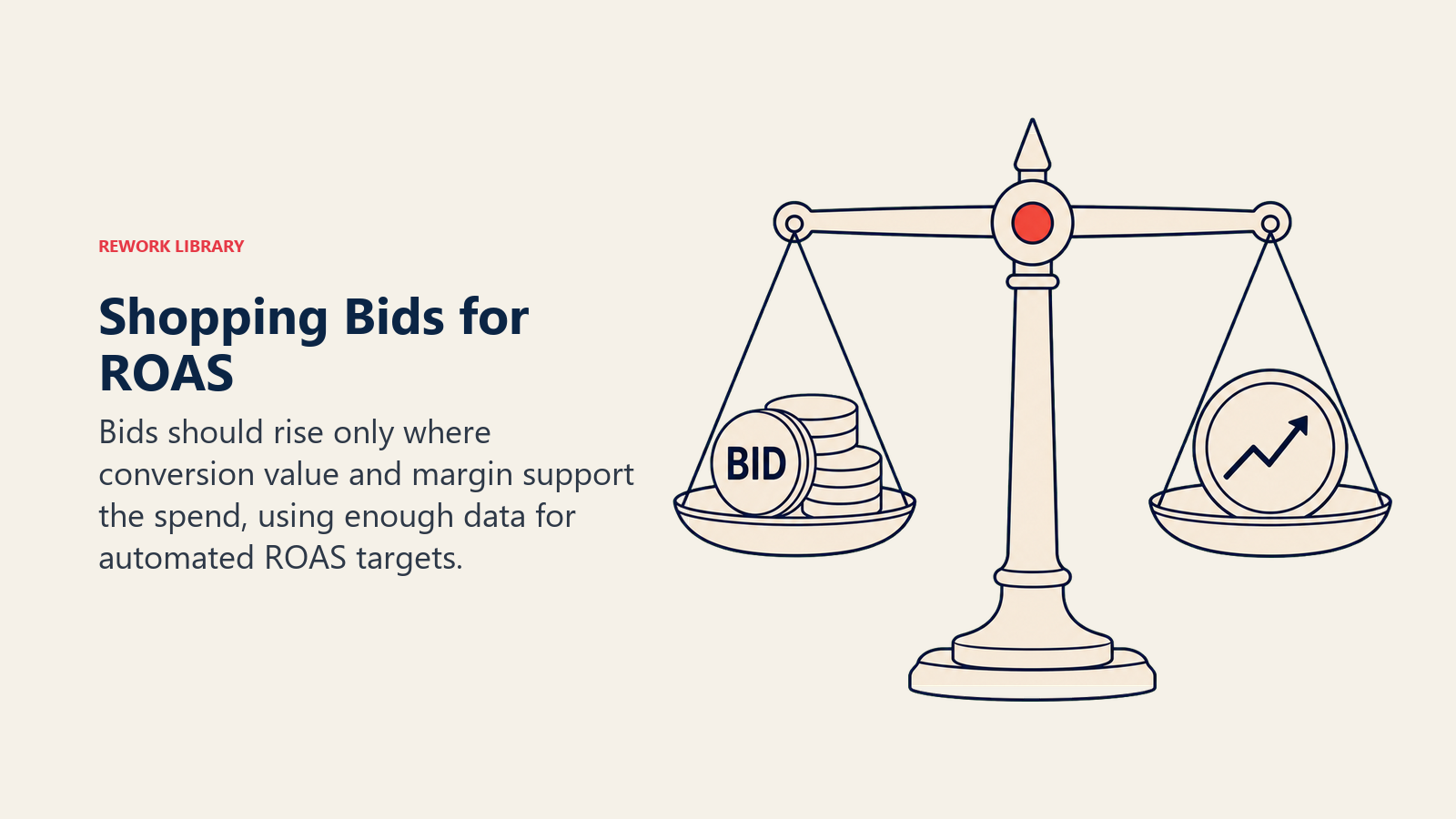
Manual CPC gives you full control. You set maximum cost-per-click bids for each product group, and Google tries to stay under that limit while getting you as many clicks as possible. This is the best starting point if you're new to Shopping ads or don't have enough conversion data yet (Google recommends at least 20 conversions in the past 30 days for automated strategies).
Start with conservative bids, whatever you can afford based on your average order value and target margins. Monitor performance for 2-4 weeks, then adjust bids based on ROAS. Increase bids on product groups with strong ROAS, decrease bids on underperformers.
Target ROAS is an automated bidding strategy where you tell Google your desired return on ad spend, and the algorithm adjusts bids in real-time to hit that target. If you set a 400% target ROAS, Google aims to generate $4 in revenue for every $1 in ad spend.
Target ROAS works well once you have sufficient conversion data and understand your unit economics. The algorithm needs data to learn what converts, so don't switch to Target ROAS with a brand new campaign. Also be realistic with your target, if you set it too high, Google will bid too conservatively and you'll miss volume.
Most e-commerce businesses eventually migrate to Target ROAS for the efficiency, but starting with Manual CPC gives you better insight into performance by product segment.
Bid adjustments by device, location, and time
Even with automated bidding, you can apply bid adjustments to increase or decrease bids based on device, location, or time of day.
Device adjustments: If mobile users convert at a lower rate or have lower average order values, reduce mobile bids by 20-30%. Conversely, if tablet users are your best converters, increase tablet bids. Check device performance in Google Ads and adjust accordingly.
Location adjustments: Some geographic areas convert better than others. If customers in certain states or cities have higher conversion rates or order values, increase bids for those locations. This is particularly useful if you have regional inventory differences or shipping cost variations.
Ad schedule adjustments: If conversions happen primarily during certain hours (evenings, weekends), you can increase bids during peak times and decrease them during low-converting hours. Look at your conversion data by hour and day of week to identify patterns.
Bid adjustments are percentages applied on top of your base bids. A +20% mobile adjustment means if your base bid is $1.00, you'll actually bid $1.20 for mobile clicks. Adjustments can range from -100% (don't show ads) to +900% (bid 10x higher).
Seasonal bid strategy adjustments
E-commerce has seasonal patterns, holiday shopping, back-to-school, summer clearance. Your bidding strategy should reflect these cycles.
During peak seasons when conversion rates are higher and competition is intense, increase bids aggressively on your best products. Use custom labels to identify seasonal items (winter coats, holiday decorations, patio furniture) and create separate ad groups or campaigns where you can ramp up bids when demand peaks.
Conversely, during slow periods, reduce bids to avoid overpaying for lower-intent traffic. You can also shift budget from seasonal products to evergreen categories that perform consistently year-round.
Plan these adjustments in advance. Don't wait until Black Friday to increase your holiday campaign budgets, ramp up in early November so Google's algorithm has time to learn and optimize before the peak days.
Audience bid multipliers
Google allows you to apply bid adjustments for specific audiences, people who previously visited your site, past customers, or users with certain demographics and interests.
Remarketing audiences: People who visited your site but didn't purchase are much more likely to convert than cold traffic. Add your remarketing audiences to Shopping campaigns with +50% to +100% bid adjustments. You're not creating separate retargeting and remarketing campaigns (Google handles remarketing through Display and other channels), but you're telling Shopping campaigns to bid more aggressively when past visitors search for products.
Customer match audiences: Upload lists of past customers and increase bids when they search. These are your warmest prospects for repeat purchases, upsells, or complementary products.
Similar audiences: Google can create audiences that look like your best customers. Add these as observation audiences first (no bid adjustment) to see how they perform, then add bid adjustments if they convert well.
Audience targeting in Shopping campaigns isn't as granular as in search or display campaigns, but bid adjustments based on audience data can significantly improve ROAS by prioritizing higher-intent shoppers.
Targeting and segmentation tactics
Beyond campaign structure and bidding, several targeting and segmentation strategies can improve Shopping performance.
Geographic targeting strategies
If you ship nationwide, you might assume targeting all locations makes sense. But not all locations perform equally.
Look at your historical sales data by state or region. Some areas might have higher average order values, better conversion rates, or lower return rates. Start campaigns with broader geographic targeting, then analyze location reports in Google Ads to identify top and bottom performers.
Once you have data, consider:
- Creating separate campaigns for high-performing regions with higher bids and budgets
- Excluding or reducing bids for locations with poor performance or high shipping costs that eat into margins
- Using location-based custom labels if you have regional inventory (e.g. winter gear for northern states)
For local businesses or retailers with physical stores, use local inventory ads to show in-store availability. This requires a separate feed and additional Merchant Center setup, but it can drive significant foot traffic for products people want to see in person before buying.
Mobile vs desktop optimization
Device matters in e-commerce. Mobile shopping has grown dramatically, but conversion patterns differ from desktop.
Mobile shoppers often research on their phones and purchase later on desktop (or vice versa). Look at your assisted conversions data to understand cross-device behavior. If mobile drives a lot of initial research but fewer direct purchases, don't judge mobile performance purely on last-click conversions.
Optimize product landing pages for mobile experience. Fast load times, easy-to-click CTAs, and mobile-friendly checkout flows all improve conversion rates through conversion rate optimization techniques. If your mobile site is slow or clunky, even great Shopping ads won't convert traffic efficiently.
Consider creating separate campaigns for mobile and desktop if performance differs significantly. This gives you independent budget and bid control for each device type. Most businesses find that mobile requires lower bids but higher volume, while desktop converts better at higher order values.
New vs returning customer segmentation
Google allows you to segment campaigns by new customers vs returning customers using customer acquisition campaigns and customer match lists.
Customer acquisition campaigns specifically target first-time buyers. Google tracks whether someone has purchased from you before (based on conversion data) and only shows ads to new customers in these campaigns. This is useful if you want to control acquisition costs separately from retention efforts.
Returning customer campaigns use customer match lists and bid more aggressively for people who've already purchased. These shoppers have higher customer lifetime value potential and lower acquisition risk, so you can afford to pay more to win their repeat business.
This segmentation works well for brands with strong repeat purchase behavior (consumables, apparel, pet supplies). For one-time purchase categories (furniture, mattresses), there's less value in this approach.
Performance Max Shopping campaigns
Performance Max campaigns are worth understanding even if you don't use them as your primary strategy.
When to use Performance Max
Performance Max makes sense when:
- You've exhausted scale with Standard Shopping and want to reach new placements (YouTube, Display, Discover)
- You have at least 30 conversions per month so Google's algorithm has data to optimize
- You're comfortable giving up granular control for potential performance gains
- You have good creative assets (images, videos, headlines, descriptions) to feed the campaign

Performance Max doesn't make sense when:
- You're just starting with Google Shopping and need to learn what works
- You want detailed control over product-level bidding and segmentation
- Your conversion volume is too low for algorithms to optimize effectively
- You can't produce quality creative assets for all placements
Many e-commerce businesses use Performance Max to complement Standard Shopping rather than replace it. Standard Shopping handles core product categories with manual optimization, while Performance Max explores new placements and audiences.
Asset requirements and best practices
Performance Max campaigns require you to upload creative assets that Google mixes and matches across placements:
- Images: At least 4 landscape images (1.91:1 ratio) and 4 square images (1:1 ratio)
- Logos: At least one square and one landscape logo
- Videos: Optional but recommended for YouTube placements (15-second and 30-second versions)
- Headlines: Up to 5 headlines (max 30 characters each)
- Long headlines: 1-5 long headlines (max 90 characters)
- Descriptions: Up to 5 descriptions (max 60 characters each)
Google automatically generates combinations and tests performance across placements. Your job is to provide diverse, high-quality assets so the algorithm has options.
Best practices:
- Use lifestyle images that show products in use, not just product shots on white backgrounds
- Test multiple headline angles (benefits, features, urgency, social proof)
- Include videos if possible, YouTube placements can drive significant volume
- Refresh assets every few months to prevent creative fatigue
Automated bidding and optimization
Performance Max only works with automated bidding strategies, either Maximize Conversions or Target ROAS. You can't use Manual CPC.
If you're optimizing for profit, use Target ROAS and set a realistic target based on your unit economics. If you're trying to maximize volume and have room in your margins, use Maximize Conversions.
The algorithm optimizes across all Google properties, so you're competing for placements on Shopping, Search, YouTube, Display, and Discover simultaneously. Google decides where your ads show based on predicted performance, not your manual preferences.
This makes reporting less transparent. You won't see performance broken down by product as granularly as in Standard Shopping. Google provides asset group reporting and placement insights, but individual product-level data is limited.
Monitor overall campaign ROAS and conversion volume. If Performance Max hits your targets, let it run. If ROAS drops below acceptable levels, adjust your Target ROAS or reduce budget until performance stabilizes.
Conversion tracking and analytics
None of your optimization efforts matter if you're not tracking conversions accurately.
Conversion value setup
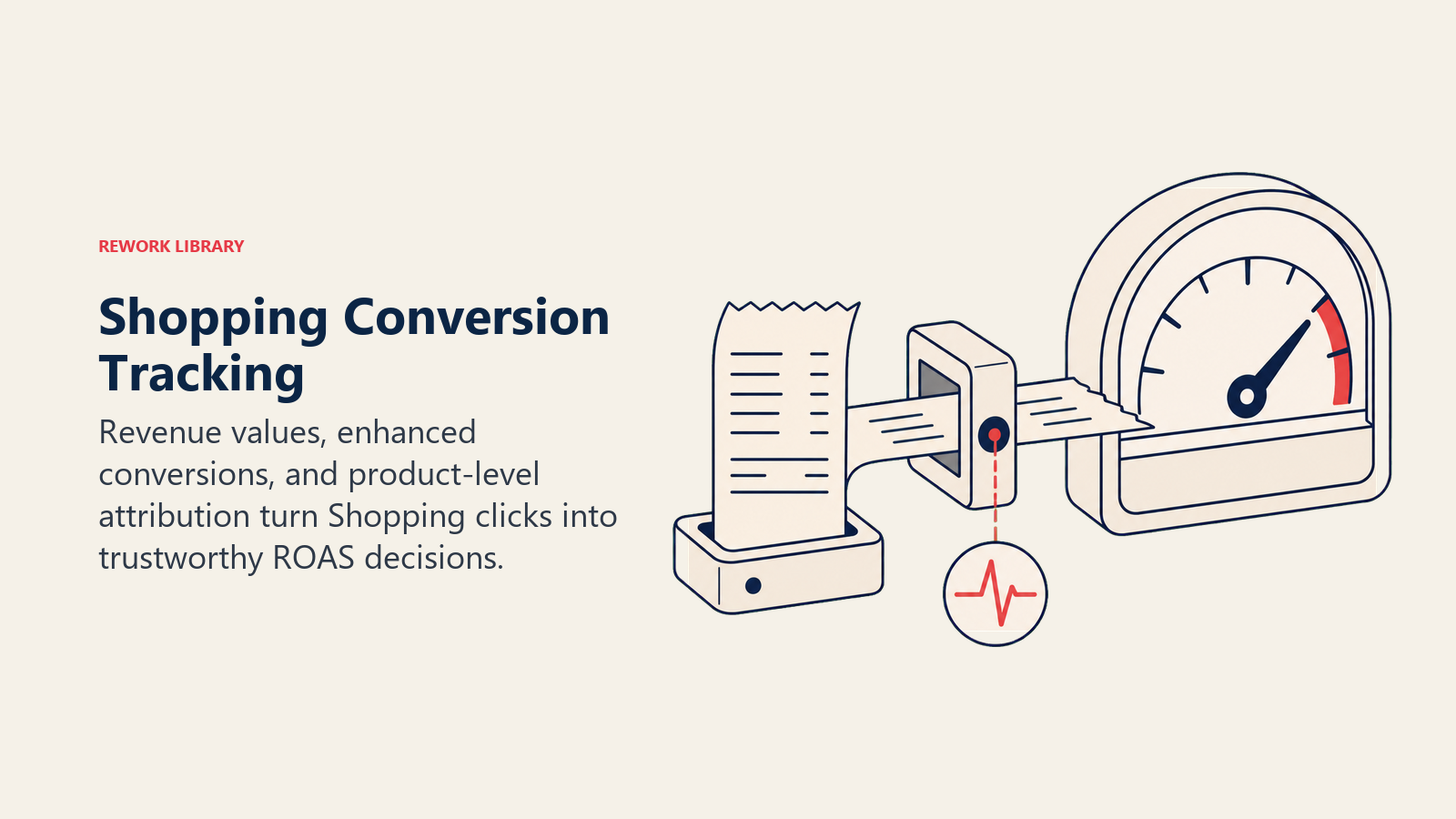
Google Shopping campaigns need conversion tracking to measure ROAS. Basic conversion tracking (counting completed purchases) is essential, but conversion value tracking (revenue from each purchase) is what enables ROAS bidding and profitability analysis.
Set up enhanced e-commerce tracking in Google Analytics and import conversion goals into Google Ads. This passes transaction values so Google knows how much revenue each click generated, not just whether someone purchased.
If you're using Shopify, BigCommerce, or other major platforms, this is relatively straightforward with built-in Google Ads integrations. For custom e-commerce systems, you'll need to implement conversion tracking code that captures order values dynamically.
Don't forget to track your revenue correctly, use the actual sale price (after discounts, not the original price) so your ROAS calculations reflect reality.
Multi-touch attribution
Most customers don't buy on their first click. They might see your Shopping ad, visit your site, leave, see a retargeting ad, come back, leave again, then finally search your brand name and purchase.
Google Ads defaults to last-click attribution, which gives all credit to the final interaction before purchase. This undervalues upper-funnel campaigns like prospecting Shopping ads that introduced customers to your brand.
Switch to data-driven attribution if you have enough conversion volume (at least 300 conversions in 30 days). Data-driven attribution uses machine learning to assign fractional credit to each touchpoint based on its contribution to the final conversion. This gives you a more accurate picture of which campaigns are actually driving results, not just closing sales.
If you don't qualify for data-driven attribution, use linear or time-decay attribution models as a middle ground. These spread credit across touchpoints rather than giving everything to the last click.
Analyzing product-level performance
Don't just look at campaign-level metrics. Drill down into product-level data to identify winners and losers.
In Google Ads, go to your Shopping campaign, then click on "Product groups" to see performance by product. Look for:
- High spend, low ROAS products: These are burning budget without returns. Reduce bids or exclude them entirely.
- Low spend, high ROAS products: These are profitable but limited by low bids or budget. Increase bids to capture more volume.
- High impressions, low CTR products: Your ads are showing but not getting clicks. Improve titles, images, or pricing. Or the search queries triggering these ads might be irrelevant, check search terms and add negative keywords.
- High CTR, low conversion rate products: People click but don't buy. Could be pricing, landing page issues through product page optimization, or product-market fit problems.
Export product performance data regularly and cross-reference with inventory, margins, and seasonality. Some products might have great ROAS but low inventory turnover, those might not be worth scaling. Others might have mediocre ROAS but clear out slow-moving stock, which has strategic value beyond pure ad performance.
Understanding ROAS vs ROI
ROAS (Return On Ad Spend) and ROI (Return On Investment) are related but different metrics.
ROAS = Revenue ÷ Ad Spend
If you spend $1,000 on Shopping ads and generate $4,000 in revenue, your ROAS is 4:1 or 400%.
ROI = (Revenue - All Costs) ÷ All Costs
ROI accounts for product costs, shipping, fulfillment, overhead, not just ad spend. You might have 4:1 ROAS but only 1.5:1 ROI if your margins are thin.
For day-to-day campaign optimization, focus on ROAS because it's directly actionable for ad decisions. But for overall business profitability and budgeting, track ROI to ensure your advertising is actually profitable after all costs.
If your margins are 40% and you're running a 2:1 ROAS campaign, you're breaking even or losing money. If margins are 60% and ROAS is 3:1, you're solidly profitable. Know your unit economics for e-commerce so you can set ROAS targets that align with profit goals.
For a deeper dive into the metrics that matter most for e-commerce growth, see our guide on E-commerce Metrics & KPIs.
Common mistakes to avoid
Here's where most e-commerce businesses waste money on Shopping ads.
Poor feed data quality
Running campaigns with incomplete titles, low-quality images, or missing attributes is like showing up to a competition with broken equipment. You're at an immediate disadvantage.
Invest time in feed optimization before scaling spend. Clean up product titles to include relevant keywords. Replace blurry or inconsistent images. Fill in optional attributes like product type and custom labels. Fix any approval issues in Merchant Center.
Google rewards feed quality with better ad placement and lower costs. Two merchants selling the same product at the same price can have vastly different click-through rates based purely on how well their product data is optimized.
Incorrect category mapping
Choosing the wrong google_product_category means your ads show for irrelevant searches or don't show when they should.
"Blue Light Blocking Glasses" shouldn't be categorized under "Health & Beauty > Vision Care" when "Apparel & Accessories > Clothing Accessories > Eyewear > Eyeglasses" is more accurate for shopping behavior. The category determines which searches trigger your ads, so specificity matters.
Use Google's product category taxonomy and pick the most specific category that fits. When in doubt, test a few options and see which generates better performance.
Over-broad campaigns without segmentation
Throwing all your products into one campaign with one bid is the fast way to waste budget. High-margin products and loss leaders shouldn't have the same bid. Seasonal items and evergreen products need different strategies.
Use custom labels to segment by margin, seasonality, price tier, or any other business-relevant criteria. Then create separate campaigns or ad groups for each segment. This lets you optimize bids based on strategic priorities, not just aggregate performance.
Ignoring negative keywords
Shopping campaigns don't use keyword targeting like search campaigns, but they absolutely need negative keywords. Google matches your products to search queries based on product data, and sometimes those matches are wrong.
If you sell premium leather bags and keep showing up for "cheap bags" or "free bags," add those as negative keywords. Review your search terms report weekly and add irrelevant queries as negatives.
Build negative keyword lists for common junk terms (free, cheap, DIY, how to make, used, broken) and apply them to all Shopping campaigns. This prevents wasted clicks from people who will never buy.
Ignoring seasonal trends and inventory
Running the same bids and budgets year-round ignores e-commerce reality. Demand fluctuates by season, and so should your strategy.
Ramp up bids and budgets for seasonal products when demand peaks. Pull back when the season ends. Use Google Trends and your historical sales data to predict when to make these adjustments.
Also sync your Shopping ads with inventory levels. There's no point bidding aggressively on products that are out of stock or running low. Use inventory feeds that update in real-time, or manually pause products when stock runs out to avoid paying for clicks you can't fulfill.
Testing and optimization roadmap
Continuous testing is how you improve Shopping performance over time.
Feed experiments
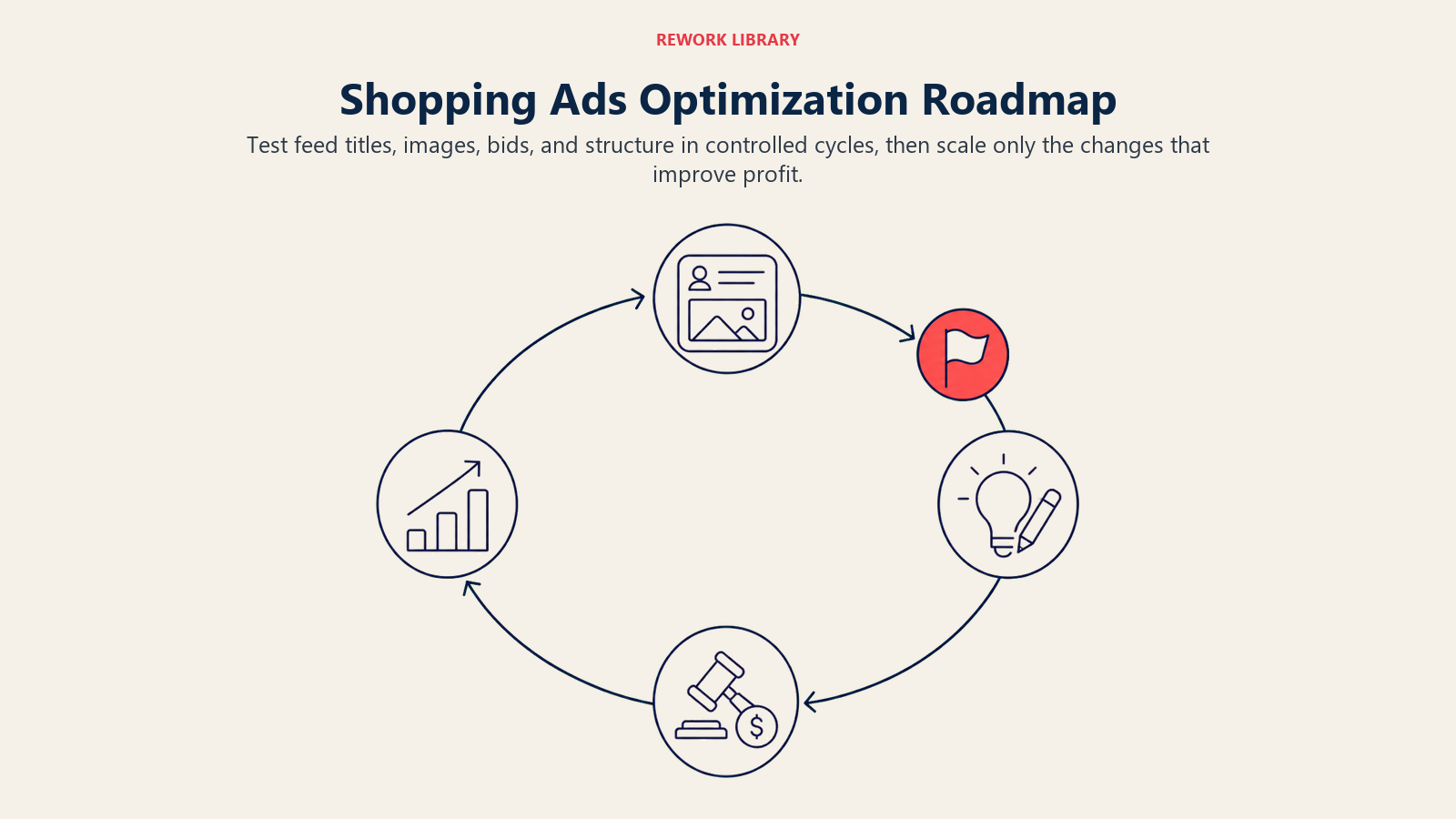
Test different title formats to see what drives better CTR. For a subset of products, try front-loading brand vs front-loading product type. Or test whether including prices in titles (for low-priced items) improves clicks.
Test image variations, lifestyle photos vs product-only shots, different angles, white backgrounds vs lifestyle backgrounds. Upload new images as additional_image_links and see if Google's algorithm favors them.
Run these tests on small groups of products first. Once you identify a winner, roll it out across your full catalog.
Bid strategy testing
If you're using Manual CPC, test small bid increases on high-performing product groups to see if you can scale volume while maintaining ROAS. Sometimes you're capped by bids that are too conservative, and a 20% increase unlocks significantly more impression share and conversions.
If you're considering switching to Target ROAS, run a pilot campaign with a subset of products first. Compare performance against a control campaign using Manual CPC through your A/B testing framework. Give it 4-6 weeks of data before making a full switch.
Audience testing
Add new audience segments (similar audiences, in-market audiences, custom intent) as observation first, no bid adjustments. Let them collect data for a few weeks, then analyze conversion rates and ROAS. If an audience performs well, add a positive bid adjustment and scale it.
Test different bid adjustment levels. Is +30% better than +50% for your remarketing audience? A/B test by splitting products into campaigns with different settings.
Creative optimization
For Performance Max campaigns, regularly refresh your asset groups. Swap out underperforming images, test new headlines, add videos if you haven't already.
For Shopping ads themselves, the "creative" is your product feed. Keep testing title optimizations, new product images, and promotional feeds (more on this below).
Promotion feeds and special offers
Google supports promotional annotations that show offers like "20% off" or "Free shipping" directly in Shopping ads. These require a separate promotions feed in Merchant Center.
Test adding promotions to your top products during slow periods to boost click-through rates. The offer has to be real and reflected on your landing page, but promotions can significantly increase ad visibility and CTR.
Run controlled tests: apply promotions to half your products and compare CTR and conversion rates against non-promoted products in the same category.
Competitive dynamics in Shopping auctions
You're not running Shopping ads in a vacuum. Understanding how competition affects performance helps you make smarter decisions.
Price competitiveness
Shopping ads show prices directly, so shoppers compare you against competitors in real-time. If you're significantly more expensive than competitors for the same product, your CTR will suffer no matter how good your feed optimization is.
You don't need to be the cheapest, people factor in shipping costs, brand trust, and seller ratings, but you can't be dramatically overpriced and expect clicks.
Monitor competitor pricing using tools like Google Merchant Center's benchmark reports, which show how your prices compare to other retailers selling the same products. If you're consistently above the market, consider whether you can adjust your pricing strategy for e-commerce or focus your ad spend on products where you're price-competitive.
For items where you can't compete on price, emphasize other value propositions in your descriptions and on your landing pages: faster shipping, better return policy, bundled offers, loyalty programs.
Ad position impact
Higher ad positions generally get more clicks but cost more per click. The question is whether the additional clicks justify the higher cost.
For high-margin products, position 1-3 is worth paying for. For low-margin items, position 4-6 might be more profitable if it delivers a better balance of volume and cost.
Monitor your average position and impression share metrics. If you're losing impression share due to budget constraints, consider increasing budget rather than bids, you might be winning auctions but not showing up for all opportunities.
Quality Score in Shopping campaigns
Google doesn't publicly show Quality Scores for Shopping campaigns like it does for search ads, but the underlying concept still applies. Google uses expected CTR, landing page experience, and ad relevance to determine your ad rank (which affects position and costs).
Better feed quality (which improves CTR) and better landing page experience (fast load times, mobile-friendly, clear product info) lower your costs over time. This is why two merchants bidding the same amount for the same product might pay different actual CPCs, one has better quality signals.
Focus on improving these quality factors alongside your bidding strategy. It's not just about how much you bid; it's about how efficiently Google thinks your ads will perform.
Future-proofing your Shopping strategy
The Google Ads landscape evolves constantly. Here's how to stay ahead.
AI-driven optimization and automation
Google increasingly pushes advertisers toward automated bidding and campaigns like Performance Max. The algorithms genuinely do work, when you have enough conversion data and quality creative assets.
Don't resist automation entirely, but don't blindly trust it either. Use automated bidding for campaigns with sufficient conversion volume, but maintain manual oversight. Monitor performance closely in the first few weeks after switching to automated strategies and be ready to revert if results drop.
Set up conversion value rules to teach Google's algorithms what's actually valuable. For example, if new customers are worth more than repeat purchases (or vice versa), assign different conversion values so the algorithm optimizes for the right outcome.
Integration with other channels
Shopping ads work better when integrated with your broader marketing strategy. Your traffic acquisition strategy should coordinate Shopping ads with SEO, Facebook & Instagram ads, and other channels.
Use Shopping insights to inform product page optimization. If certain search terms drive high ROAS in Shopping ads, optimize your product pages for those terms organically through e-commerce SEO strategy too.
Coordinate promotional calendars across channels. If you're running a 20% off sale, push it through Shopping promotions, social ads, email, and on-site simultaneously for maximum impact.
Ensure your analytics and tracking setup captures cross-channel behavior. Shoppers interact with multiple touchpoints before purchasing, and your attribution model should reflect that.
Preparing for algorithm changes
Google updates its Shopping algorithms regularly, adjusting how products match to searches, how bids are optimized, what feeds require. Staying informed helps you adapt quickly.
Follow Google's e-commerce and Shopping ads announcements in their support documentation and blog. Join e-commerce advertising communities where merchants share what's working (and what's broken) after updates.
Build flexibility into your campaigns. Don't over-optimize for current conditions to the point where a small algorithm shift tanks your performance. Maintain diverse campaign structures, test new features when Google releases them (before your competitors do), and keep learning.
The bottom line on Shopping ads success
Google Shopping ads deliver results when you treat product feed quality as the foundation, segment campaigns strategically, and optimize bids based on actual profitability rather than vanity metrics.
The mistake most e-commerce businesses make is focusing on bids and budgets while neglecting feed optimization. Or they throw products into single campaigns without segmentation and wonder why profitable products subsidize losers.
Start with your product feed. Clean up titles, improve images, add custom labels, fix errors. Then build campaign structures that let you bid differently based on margin, seasonality, and performance. Use Manual CPC until you have enough data, then migrate to Target ROAS with realistic targets based on your unit economics. Monitor product-level performance constantly and shift budget toward winners.
Shopping ads aren't a "set and forget" channel. They require ongoing feed maintenance, performance analysis, and bid adjustments. But for e-commerce businesses selling products people actively search for, Shopping ads remain one of the highest-ROI channels available, if you do the work.
Your next step: audit your product feed for errors and optimization opportunities. Fix the basics first. Then tackle campaign structure, segmentation, and bidding. Results follow execution.
Related resources
Traffic & Acquisition:
- Traffic Acquisition Strategy - Comprehensive approach to driving qualified traffic to your store
- E-commerce SEO Strategy - Organic search optimization for long-term growth
- Facebook & Instagram Ads - Social advertising strategies for e-commerce
- Amazon Advertising - Strategies for advertising on Amazon's marketplace
- Retargeting & Remarketing - Re-engage visitors who didn't convert
Conversion & Optimization:
- Conversion Rate Optimization - Turn more traffic into paying customers
- Product Page Optimization - Optimize product pages for higher conversions
- Product Photography & Video - Visual content that drives sales
- Pricing Strategy for E-commerce - Strategic pricing for profitability and growth
Analytics & Economics:
- E-commerce Metrics & KPIs - Track the metrics that actually matter for profitability
- Analytics & Tracking Setup - Implement proper tracking for accurate attribution
- A/B Testing Framework - Structured approach to testing and optimization
- Unit Economics for E-commerce - Understand profitability at the unit level
- Customer Lifetime Value - Calculate and optimize customer lifetime value

Sales Operations Practice Lead
On this page
- Why Google Shopping dominates product search
- Product feed fundamentals: the foundation of Shopping success
- Google Merchant Center setup
- Feed format and requirements
- Common feed errors and how to fix them
- Feed optimization strategy: getting clicks and conversions
- Title and description optimization
- Product categories and types
- Custom labels: the secret to advanced segmentation
- Image quality and additional images
- Campaign architecture: how to structure Shopping campaigns
- Standard Shopping vs Performance Max
- Campaign structure strategies
- Budget allocation across campaigns
- Bidding strategies for maximizing ROAS
- Target ROAS vs Manual CPC
- Bid adjustments by device, location, and time
- Seasonal bid strategy adjustments
- Audience bid multipliers
- Targeting and segmentation tactics
- Geographic targeting strategies
- Mobile vs desktop optimization
- New vs returning customer segmentation
- Performance Max Shopping campaigns
- When to use Performance Max
- Asset requirements and best practices
- Automated bidding and optimization
- Conversion tracking and analytics
- Conversion value setup
- Multi-touch attribution
- Analyzing product-level performance
- Understanding ROAS vs ROI
- Common mistakes to avoid
- Poor feed data quality
- Incorrect category mapping
- Over-broad campaigns without segmentation
- Ignoring negative keywords
- Ignoring seasonal trends and inventory
- Testing and optimization roadmap
- Feed experiments
- Bid strategy testing
- Audience testing
- Creative optimization
- Promotion feeds and special offers
- Competitive dynamics in Shopping auctions
- Price competitiveness
- Ad position impact
- Quality Score in Shopping campaigns
- Future-proofing your Shopping strategy
- AI-driven optimization and automation
- Integration with other channels
- Preparing for algorithm changes
- The bottom line on Shopping ads success
- Related resources