Subscription Pause & Skip: Flexible Pause Options That Reduce Churn
Turn this article into takeaways for your work.


Each assistant summarizes the article only for you and suggests best practices for your work.
The Real Reason Customers Cancel (And What They Actually Want)
Here's a scenario that plays out thousands of times daily across subscription businesses: A customer has three unopened boxes of your product sitting in their closet. They're about to get charged again. So they cancel.
But here's the thing, they don't actually want to cancel. They just need a break.
Traditional subscription models force an all-or-nothing choice: keep getting shipments you don't need, or cancel entirely. It's like breaking up with someone because you need space for a few weeks. Dramatic, permanent, and completely unnecessary.
The data is clear. According to research from subscription retention platforms, 35-45% of customers who cancel subscriptions cite "too much product" or "not using it fast enough" as their main reason. These aren't people who dislike your product. They're not switching to competitors. They just need flexibility.
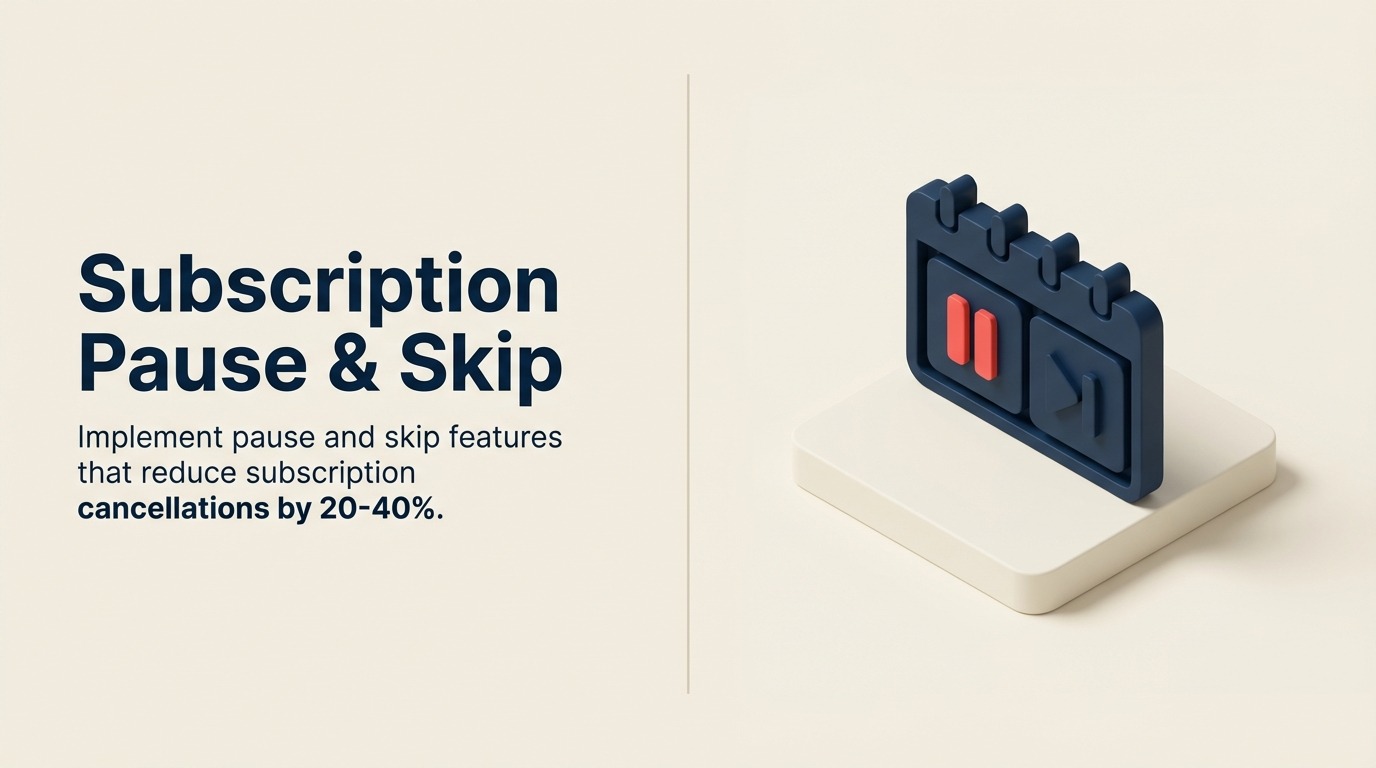
When you offer pause and skip features, you're saying: "We understand life happens. Take what you need, when you need it." This single change can reduce cancellations by 20-40% and increase customer lifetime value by 25-35%.
Think about it differently. Every customer who cancels because they have too much product is a retention failure, not an acquisition failure. You already did the hard part, you got them to subscribe. Now you're losing them over something completely fixable.
Pause vs Skip: Understanding the Core Differences
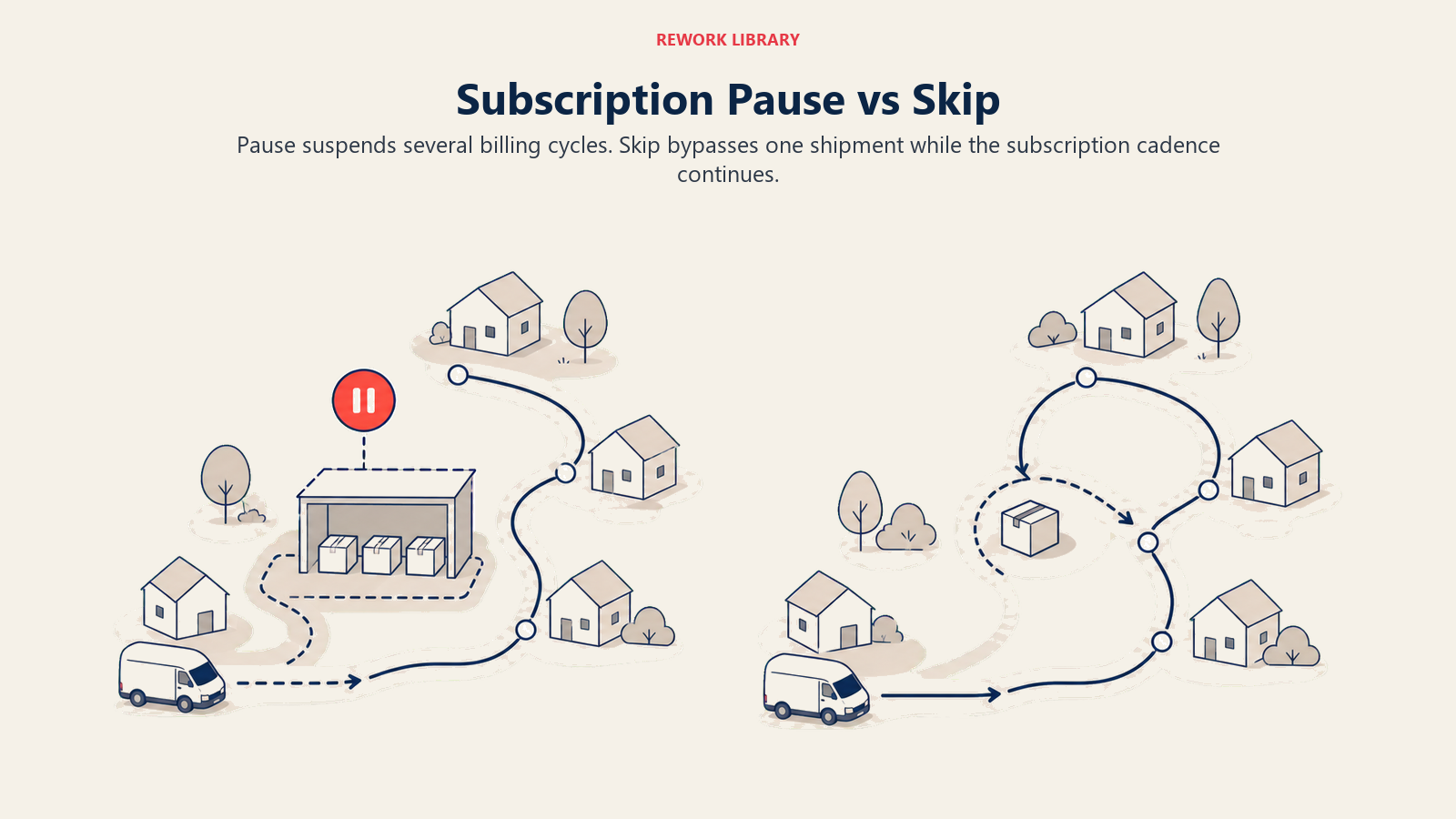
Let's get clear on what we're talking about because these terms get used interchangeably, but they serve different purposes:
| Feature | Pause | Skip |
|---|---|---|
| What it does | Suspends subscription for a set period | Skips a single upcoming shipment |
| Duration | Multiple billing cycles (1-3 months typical) | One billing cycle only |
| Use case | Extended break (vacation, oversupply, budget) | One-time adjustment (traveling, timing off) |
| Billing | No charges during pause period | No charge for skipped shipment only |
| Automatic resumption | Yes, after selected duration | Yes, reverts to normal schedule |
| Typical adoption rate | 8-15% of active subscribers | 15-25% of active subscribers |
| Retention impact | Prevents 30-45% of would-be cancellations | Prevents 20-30% of would-be cancellations |
Pause is your heavy-duty flexibility tool. A customer hits pause, selects 1-3 months (or whatever durations you offer), and their subscription goes dormant. No charges, no shipments. On the resume date, everything automatically reactivates. It's perfect for customers who are oversupplied, going through a budget crunch, or traveling for an extended period.
Skip is the lighter touch option. It's a one-time bypass of the next scheduled shipment. The customer clicks skip, that upcoming order gets canceled, and the next one after that proceeds as normal. It's ideal for customers who just need a small adjustment, maybe they're going on vacation when their next box ships, or they've got a backlog but not a massive one.
Both serve the same ultimate goal: keeping customers subscribed by removing the friction that leads to cancellation. But they address different levels of need.
The Churn Problem: Data That Demands Attention
Let's talk numbers.
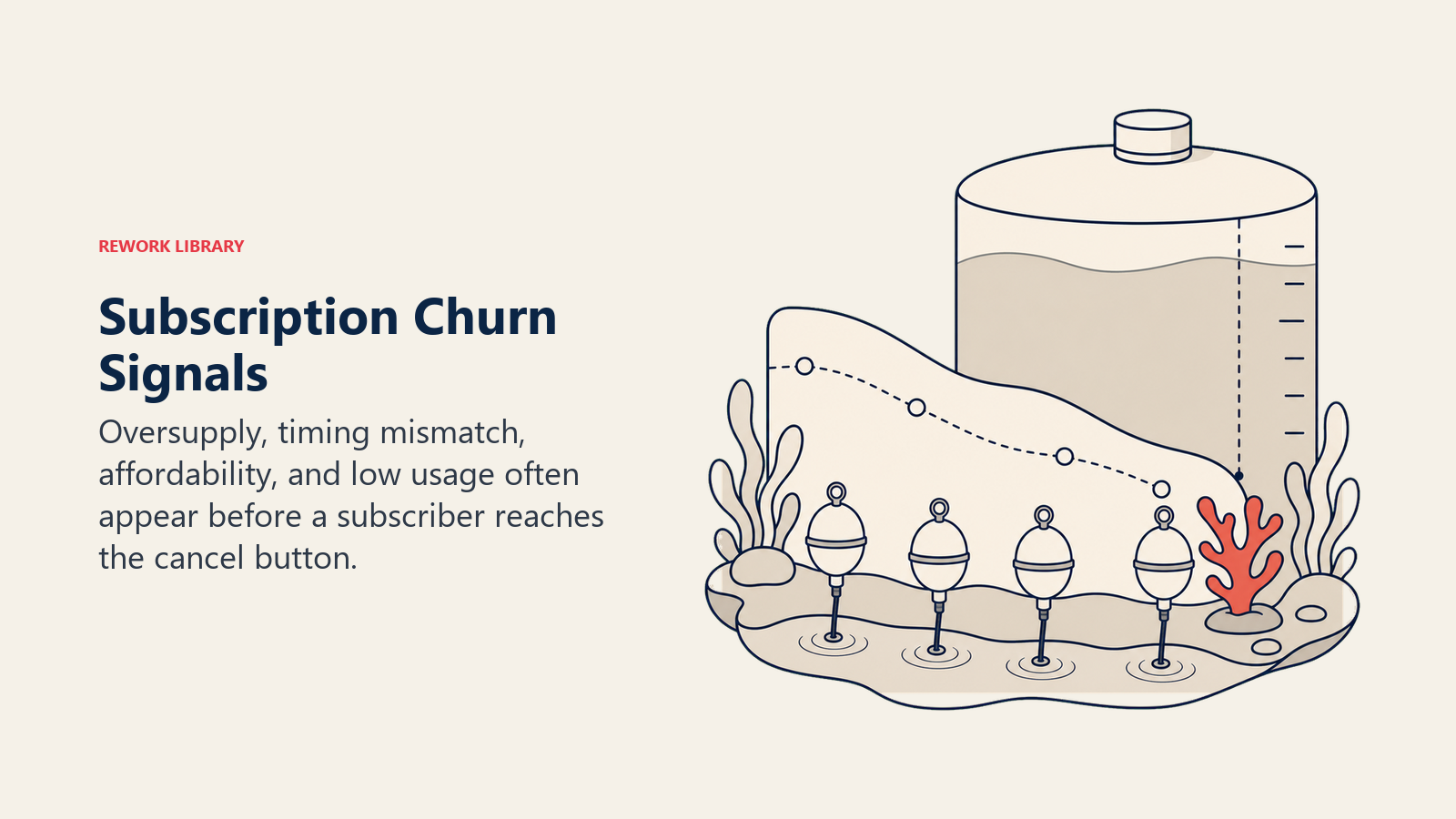
A typical D2C subscription business loses 5-10% of subscribers monthly to voluntary churn. That's 60-120% annual churn rate, meaning you need to replace your entire subscriber base every year just to maintain revenue. It's exhausting and expensive.
Now break down why people cancel:
- 35-45%: "Too much product" or "not using fast enough"
- 20-25%: "Too expensive" or "budget constraints"
- 15-20%: "No longer need the product"
- 10-15%: Quality or satisfaction issues
- 5-10%: Other reasons
Notice something? The top two reasons, representing 55-70% of all cancellations, are temporary conditions. These customers aren't permanently done with your product. They just need an off-ramp that isn't cancellation.
Subscription businesses that implement pause and skip features see these outcomes:
Churn reduction: 20-40% decrease in overall cancellation rate. For a business with 10,000 subscribers and 7% monthly churn, that's saving 140-280 subscribers per month, or 1,680-3,360 subscribers annually.
Revenue protection: Each saved subscriber represents their full customer lifetime value, typically 12-36 months of revenue. At $30/month average order value and 24-month LTV, that's $720 per saved customer, or $1.2M-$2.4M in protected annual revenue.
Reactivation rates: 70-85% of customers who pause successfully reactivate when their pause period ends. That's dramatically higher than trying to win back canceled customers (typically 15-25% success rate).
Usage patterns: Customers who use pause/skip features tend to stay subscribed 40-60% longer than those who don't, even accounting for the paused periods. Why? Flexibility builds loyalty.
The math is simple: implementing pause and skip features is one of the highest-ROI retention initiatives you can do. The technical lift is moderate, the operational impact is manageable, and the financial return is immediate and measurable.
Pause Implementation: The Technical and Strategic Details
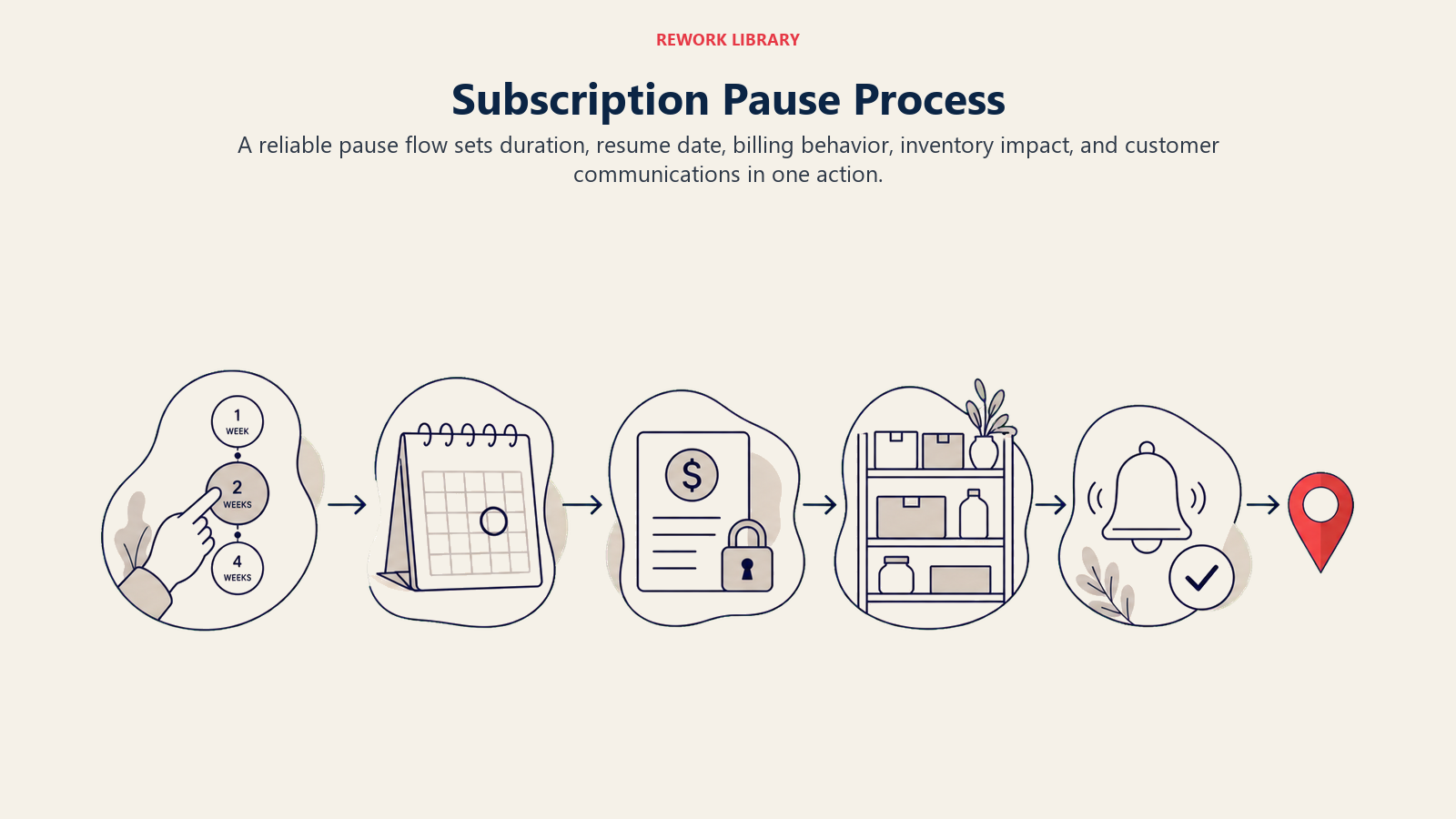
Implementing pause effectively requires getting three things right: the mechanics, the user experience, and the communication.
Configurable Duration Options
Don't just offer "pause." Offer specific durations that align with real customer needs:
Standard options:
- 1 month (30 days)
- 2 months (60 days)
- 3 months (90 days)
Some businesses also offer "indefinite pause" where customers choose their own resume date. This sounds appealing but creates complications, you get low reactivation rates because there's no automatic trigger to bring customers back. If you do offer it, cap it at 6 months and require customers to actively reactivate rather than auto-resuming.
Best practice: Make 1-2 months the default selection. Most customers just need a short break, and shorter pauses have higher reactivation rates (85-90% for 1 month vs. 60-70% for 3+ months).
Automatic Reminder System
The pause period shouldn't be a black box. Customers need touchpoints:
Pause confirmation: Immediately after pausing, send a confirmation email with:
- The exact resume date
- What will happen when they resume (next shipment date, charge date)
- How to modify or cancel the pause if needed
Mid-pause check-in (for pauses 2+ months): Send a reminder halfway through with:
- Status update on when they'll resume
- Option to resume early if they've gone through their supply
- Gentle product reminders or new product announcements
Resume preview (7 days before reactivation): This is critical. Send a heads-up that includes:
- "Your subscription resumes in 7 days"
- Exact next shipment and charge date
- Option to extend pause or make changes
- Excitement-building content (new products, customer favorites)
Reactivation confirmation: On the day they resume, send a welcome back message with:
- Confirmation that they're active again
- What to expect with their next shipment
- Thank you for staying subscribed
This communication cadence keeps customers informed, prevents surprise charges, and significantly improves reactivation rates.
Self-Service Customer Portal
Make pause management completely self-service through your customer portal:
Essential features:
- One-click pause initiation from account dashboard
- Clear duration selection with visual calendar
- Pause status visibility (days remaining, resume date)
- Easy modification (extend, shorten, cancel pause)
- Pause history (track previous pauses)
UX considerations:
- Make pause equally prominent as cancel, don't hide it
- Show the next charge date prominently
- Provide visual countdown to resume date
- Mobile-optimize everything (40-60% of activity happens mobile)
Technical requirements:
- Integration with billing system (Stripe, Chargebee, Recharge, etc.)
- Real-time status updates
- Proper timezone handling
- Failsafes to prevent duplicate pauses or edge cases
The goal is zero-friction management. Customers should be able to pause in under 30 seconds without needing to contact support.
Skip Implementation: The One-Click Solution
Skip is simpler to implement than pause, but the UX is critical to adoption.
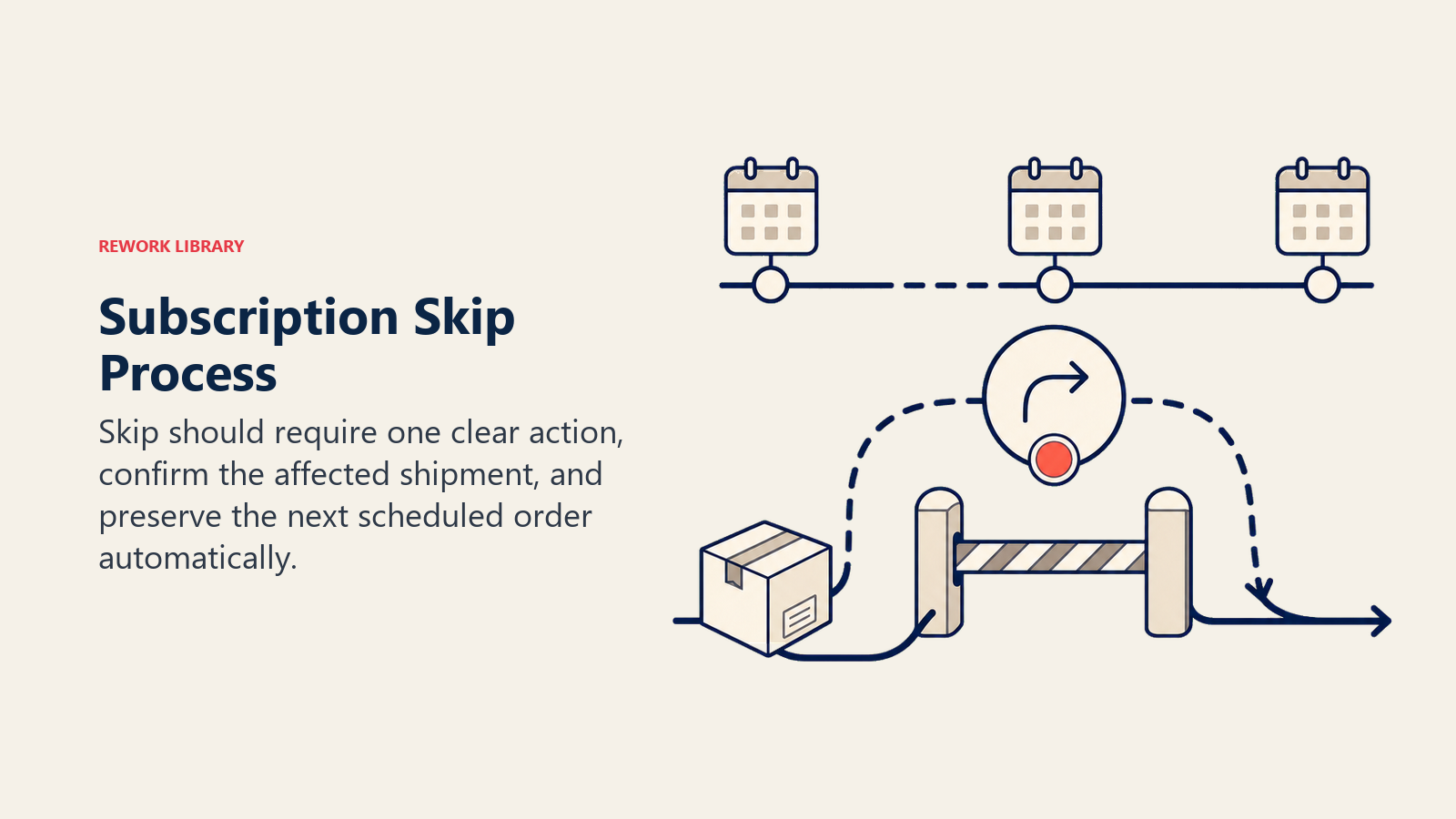
One-Click Skip Mechanism
The ideal skip experience:
- Customer views upcoming orders in their account
- Next to the upcoming order is a "Skip this shipment" button
- They click it
- Confirmation modal: "Skip your [date] shipment? Your next order will be [next date]"
- They confirm
- Done, no multi-step process, no forms, no friction
Key implementation details:
Timing window: Allow skips up to 24-48 hours before the shipment processes. After that, it's too late (order is already in fulfillment). Clearly communicate this deadline.
Single skip limitation: One skip at a time. Don't let customers skip multiple future orders in advance, that's essentially a pause. If they need more flexibility, guide them to pause instead.
Undo capability: Allow customers to undo a skip up until the original shipment date. Life changes, and someone who skipped might realize they actually need that shipment.
Visual feedback: Make it crystal clear that the skip worked. Update the account dashboard immediately, send a confirmation email, and show the adjusted schedule.
Automatic Schedule Advancement
This is where many implementations fail. When a customer skips their March 15 shipment, what happens?
Wrong approach: The March 15 order just disappears, and they still have an April 15 order coming.
Right approach: The March 15 order is canceled, and their next shipment automatically becomes April 15 (maintaining their regular frequency). Then May 15, June 15, etc.
Why does this matter? Because skip should maintain the customer's intended frequency. If they're on a monthly subscription, they should still get 11 orders that year, just with different timing. If you don't advance the schedule, you're effectively converting them to a slower frequency without their explicit consent.
Mobile Integration Priority
60-70% of skip actions happen on mobile devices, often in the moment when customers realize they need to skip (checking their account while traveling, reviewing their calendar, etc.).
Mobile optimization requirements:
- Large, thumb-friendly buttons
- Minimal scrolling to find skip option
- Native app integration if you have one
- Email links that deep-link to skip functionality
- SMS notifications with skip links
Make skip something customers can do in 15 seconds while standing in line at the grocery store. That level of convenience dramatically increases adoption.
Customer Experience Design: Making Flexibility Obvious
The best pause and skip features in the world don't matter if customers don't know they exist.
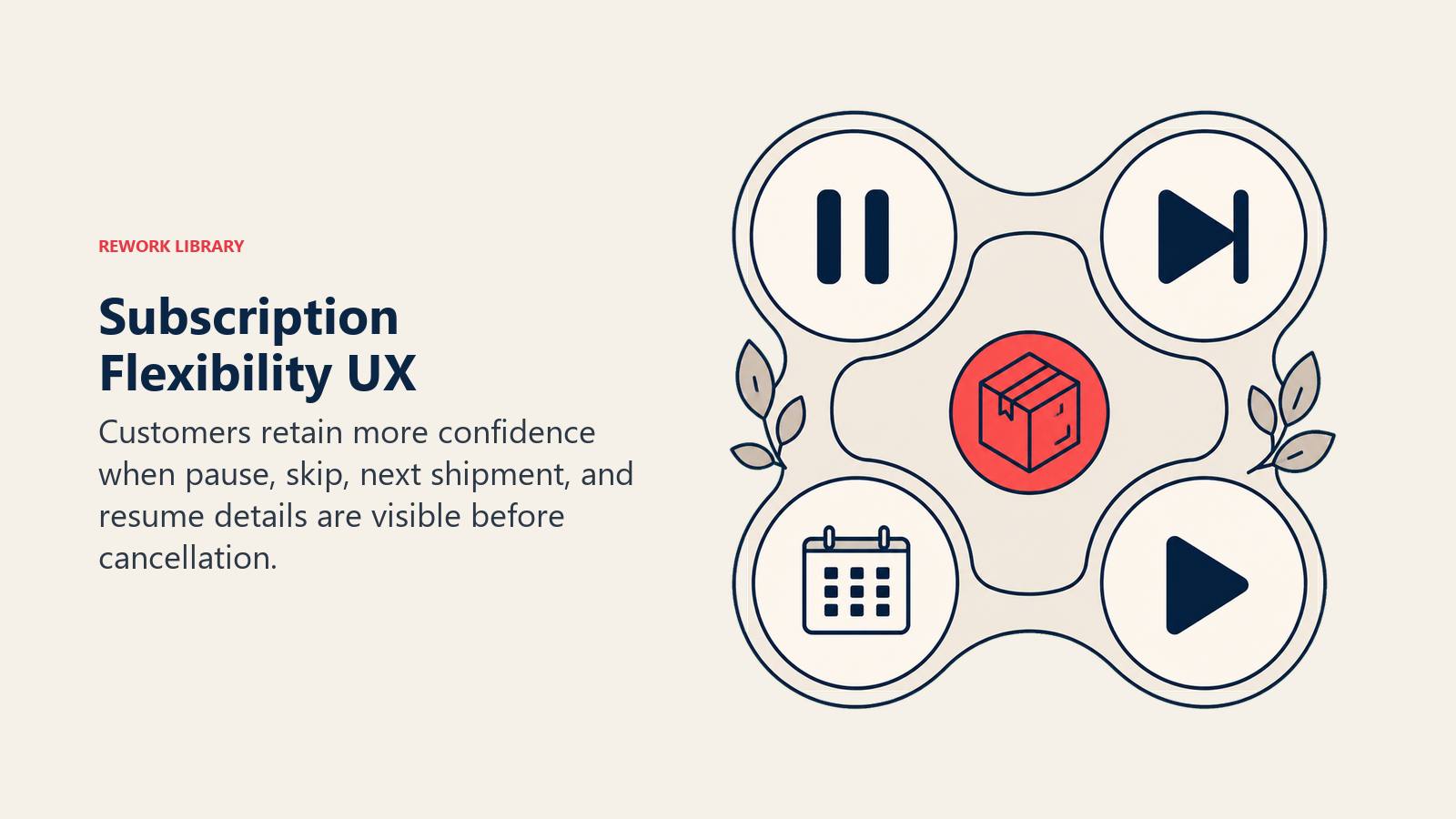
Prominent Placement
Account dashboard: Put pause and skip front and center, not buried in settings. Your dashboard should show:
- Next shipment date with a "Skip this shipment" button next to it
- Subscription status with a "Pause subscription" button
- Upcoming orders (next 2-3) with individual skip options
Pre-cancellation flow: This is critical. When customers click "Cancel subscription," intercept them with: "Before you cancel, would you like to pause or skip instead?" Show the options clearly with one-click activation.
According to subscription churn management best practices, businesses that show pause/skip options in the cancellation flow save 35-50% of would-be cancellations.
Email communications: Include pause/skip options in every subscription-related email:
- Shipping notifications: "Need to skip your next order? Click here"
- Renewal reminders: "Pause your subscription if you're not ready"
- Re-engagement campaigns: "Come back when you're ready, pause for now"
Friction-Free User Experience
Every additional step in the pause/skip process reduces adoption by 10-20%. The gold standard:
For skip: 2 clicks (skip button, confirm) For pause: 3 clicks (pause button, select duration, confirm)
Avoid these friction points:
- Multi-page flows
- Required feedback forms ("Tell us why you're pausing")
- Account verification steps
- Email confirmations before activation
- Phone number requirements
Get feedback after the action if you want it, but don't make it a prerequisite.
Clear Communication
Customers need to understand exactly what happens when they pause or skip:
Before they take action:
- What will happen (no shipment, no charge)
- When they'll resume (specific date)
- How to modify or cancel
- What happens if they do nothing
After they take action:
- Confirmation that it worked
- Reminder of resume date
- Easy access to modify
- Reassurance that they're still a valued customer
Use plain language. "Your subscription is paused until July 15" is clearer than "Subscription status: temporarily suspended, reactivation: 2026-07-15."
Flexibility & Reactivation Strategy: Bringing Customers Back
Pause and skip aren't just about preventing cancellations, they're about creating reactivation opportunities.
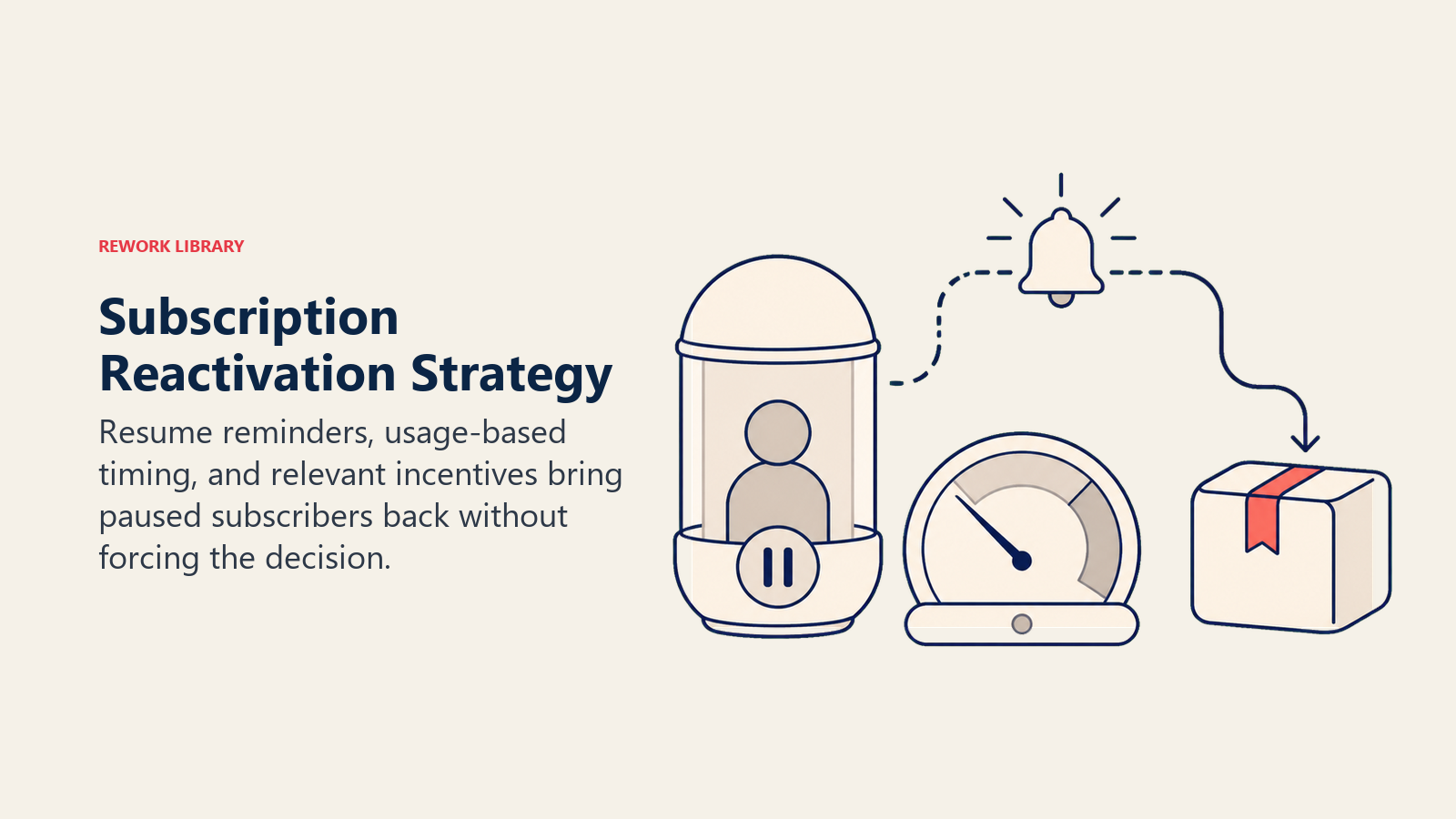
Multiple Flexibility Options
Don't just offer one flavor of pause. Give customers choices:
Standard pause durations: 1 month, 2 months, 3 months as discussed
Custom resume date: "I'll come back when I'm ready" with a 6-month maximum
Frequency adjustment: "Instead of pausing, want to change from monthly to every 6 weeks?" This solves oversupply without stopping revenue.
Quantity adjustment: "Reduce your shipment size instead of skipping" for customers who want less product but don't want to skip entirely.
The more options you provide, the more likely you are to find one that keeps the customer subscribed in some capacity. Someone who would have paused for 3 months might happily switch to 6-week frequency instead, preserving more revenue.
Win-Back Campaign Integration
Paused customers are warm leads. They already love your product, they just needed a break. Your email marketing campaigns for paused subscribers should be different from canceled customer campaigns:
Resume reminder sequence (starting 7 days before reactivation):
- Day -7: "You're scheduled to resume on [date]. Excited to have you back!"
- Day -3: "Your subscription resumes in 3 days. Here's what's new since you paused"
- Day 0: "Welcome back! Your next shipment is on the way"
Extended pause intervention (for 3+ month pauses):
- Week 6: "We miss you! Want to resume early? Here's 15% off your next box"
- Week 10: "Your pause ends soon. Make sure we have your current preferences"
Failed reactivation follow-up (if payment fails on resume):
- Immediate: "We couldn't process your payment. Update your card to resume"
- 24 hours later: "Still want to resume? Click here to update payment"
- 7 days later: Last chance + incentive
Incentive Strategy
Use incentives strategically for reactivation, not as a crutch:
When to offer incentives:
- Extended pauses (3+ months) to encourage early resumption
- Failed payment situations to overcome billing friction
- Pauses that coincide with new product launches
- Customers with high historical LTV
What to offer:
- Discount on next shipment (10-20%)
- Free add-on or bonus item
- Free shipping on reactivation order
- Exclusive access to new products
When NOT to offer incentives:
- Standard 1-2 month pauses (they'll reactivate naturally)
- Customers who pause frequently (you'll train them to expect it)
- First-time pausers (don't devalue the normal experience)
The goal is to make reactivation feel like a positive event, not a transaction they need to be bribed into.
Analytics & Retention Insights: Measuring What Matters
You can't optimize what you don't measure. Track these key e-commerce metrics:
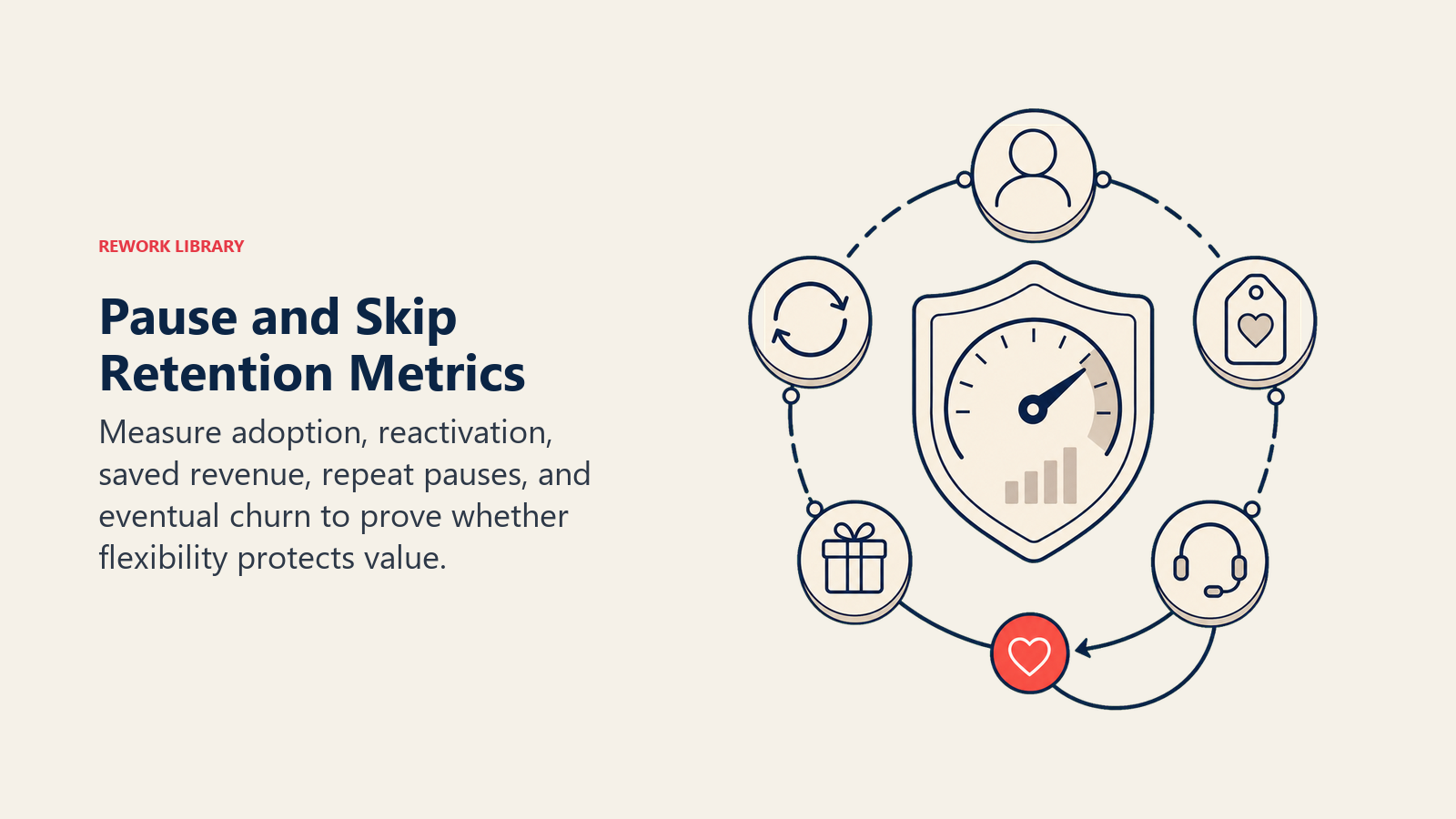
Adoption Rate Tracking
Pause adoption rate: (Number of unique customers who paused / Total active subscribers) × 100
Healthy range: 8-15% quarterly
If you're below 8%, customers may not know the feature exists. If you're above 20%, you might have a product-market fit issue (too much product too frequently).
Skip adoption rate: (Number of unique customers who skipped / Total active subscribers) × 100
Healthy range: 15-25% quarterly
Skip should have higher adoption than pause because it's a lighter-touch intervention.
Reactivation Rate Analysis
Overall reactivation rate: (Customers who successfully resumed / Total customers who paused) × 100
Target: 70-85%
Reactivation rate by duration:
- 1 month pause: 85-90%
- 2 month pause: 75-85%
- 3 month pause: 60-75%
- 3+ month pause: 40-60%
If you're seeing lower rates, investigate: Are resume notifications getting delivered? Is payment failure causing drop-off? Are customers receiving too many marketing emails during pause?
Time to reactivation: How long after the scheduled resume date do customers actually place their next order?
Ideal: 80%+ reactivate within 7 days of scheduled date
If you're seeing delays, you likely have a communication or friction issue.
Revenue Impact Measurement
Protected revenue: Calculate how much revenue you saved by offering pause/skip instead of losing the customer to cancellation.
Formula: (Number of saved cancellations) × (Average LTV) = Protected revenue
Example: 200 customers/month choose pause instead of cancel × $720 average LTV = $144K monthly in protected LTV ($1.73M annually)
Actual revenue impact: Account for the fact that paused customers aren't generating revenue during their pause.
Formula: (Protected revenue) - (Lost revenue during pause period) = Net revenue impact
This will still be strongly positive, but it's important to measure accurately.
Revenue recovery rate: When paused customers resume, do they continue at the same subscription level or downgrade?
Target: 85%+ resume at the same level
Customer Segmentation
Not all pause/skip behavior is equal. Segment your analysis:
By customer tenure:
- New customers (0-3 months): May indicate onboarding issues
- Mid-tenure (3-12 months): Normal behavior
- Long-tenure (12+ months): Strong loyalty signal
By pause frequency:
- First-time pausers: Experiment with the feature
- Occasional pausers (1-2x/year): Healthy usage
- Frequent pausers (3+ times/year): May have subscription frequency mismatch
By product type:
- Consumables: Pause often indicates too-frequent delivery
- Replenishment: May indicate quality issues or competitor switching
- Curated boxes: Could signal preference drift
Use customer segmentation to identify patterns and opportunities. Maybe new customers need better onboarding to set expectations. Maybe frequent pausers should be offered different frequency options.
Operational Considerations: Making It Work Behind the Scenes
Great pause/skip features require operational excellence.
Billing System Integration
Your billing platform needs to handle pause/skip gracefully:
Pause requirements:
- Suspend recurring billing for the pause period
- Automatically resume on the specified date
- Handle payment method expirations during pause
- Process payment retries if reactivation fails
- Maintain subscription metadata during pause
Most modern payment processing platforms (Stripe Billing, Chargebee, Recharge, Bold Subscriptions) support this natively. If you're on a custom system, you'll need to build it.
Skip requirements:
- Cancel the specific upcoming invoice
- Maintain the normal billing schedule after
- Update the next billing date appropriately
- Handle the timing window (no skips within 24-48 hours)
Edge cases to handle:
- Customer pauses, then manually cancels during pause
- Payment method expires during pause period
- Customer has pending refund or credit when pausing
- Multiple pause/skip actions in quick succession
- Pause period spans a product price change
Inventory Planning Impact
Pause and skip affect your demand forecasting:
Challenges:
- Reduced predictability of monthly shipment volume
- Potential inventory buildup if pauses cluster
- Fulfillment volume spikes when pauses end
Solutions:
- Build pause/skip rate assumptions into forecasting (typically 10-15% reduction in any given month)
- Track seasonal patterns (pauses spike during holidays, summer)
- Monitor reactivation pipeline (customers scheduled to resume in next 30 days)
- Adjust production/ordering based on net subscriber count (active subscribers - paused subscribers)
For most businesses, the revenue protection from reduced churn far outweighs the forecasting complexity.
Customer Service Training
Your support team needs to be fluent in pause/skip:
Required knowledge:
- How to pause/skip on behalf of customers
- How to modify existing pauses (extend, shorten, cancel)
- How to handle payment failures on reactivation
- When to suggest pause vs. skip vs. frequency change
- How to access pause/skip history for troubleshooting
Proactive strategies:
- Train reps to suggest pause instead of processing cancellations
- Create scripts for handling "I want to cancel" calls
- Empower reps to add incentives for reactivation
- Track save rate by rep to identify training opportunities
Common support scenarios:
- "I meant to pause but I got charged" → Process refund, apply pause retroactively
- "My pause didn't work" → Investigate why, fix it, compensate
- "I want to resume early" → Make it easy, show appreciation
- "How do I know when I'll resume?" → Point to notifications, confirm date
Best Practices & Common Pitfalls
Use this checklist to evaluate whether pause and skip are truly reducing churn or just adding another buried account feature.
What Works
Make it obvious: Don't hide pause/skip in settings. Put it where customers naturally look when managing their subscription.
Offer multiple durations: 1, 2, and 3 months gives customers choice without overwhelming them.
Automate everything: Manual pause processing doesn't scale. Build it into your platform.
Communicate proactively: Customers should never be surprised by when they resume or what they'll be charged.
Track and optimize: Monitor adoption, reactivation, and revenue impact religiously.
Integrate with cancellation flow: The pre-cancel offer of pause/skip is your highest-value intervention point.
Mobile-optimize aggressively: Most flexibility actions happen on mobile.
Default to customer-friendly: When in doubt, make it easier to pause/skip, not harder.
What Doesn't Work
Hiding the features: Treating pause/skip as a secret escape hatch defeats the purpose. If customers can't find it, they'll cancel instead.
Too much friction: Every form field, every required explanation, every extra click reduces adoption by 10-20%. Keep it simple.
Inadequate communication: Customers who don't know when they'll resume or what will happen feel uncertain and often just cancel during pause.
No reactivation strategy: Offering pause without a plan to bring customers back is just a slower cancellation.
Treating it as failure: Pause/skip aren't signs of customer problems, they're signs of customer flexibility. Don't penalize customers who use these features.
One-size-fits-all: Different customer segments need different flexibility. High-value customers might get longer pause options, new customers might get more hand-holding.
Manual processes: If your team has to manually process pauses, you'll bottleneck, make errors, and frustrate customers.
Ignoring the data: If you're not analyzing who pauses, why they pause, and whether they reactivate, you're flying blind.
Benchmarking & Metrics: Know Your Numbers
Here's what good looks like:
Adoption Rate Benchmarks
Pause adoption: 8-15% of active subscribers use pause quarterly
- Below 8%: Low awareness or too much friction
- 8-15%: Healthy adoption
- Above 15%: Possible frequency mismatch in subscription model design
Skip adoption: 15-25% of active subscribers use skip quarterly
- Below 15%: Feature not prominent enough
- 15-25%: Healthy adoption
- Above 25%: May indicate product oversupply issues
Reactivation Rate Benchmarks
By pause duration:
- 1 month: 85-90% reactivate
- 2 months: 75-85% reactivate
- 3 months: 60-75% reactivate
- 3+ months: 40-60% reactivate
By customer segment:
- New customers (0-3 months): 60-70% reactivate
- Mid-tenure (3-12 months): 75-85% reactivate
- Long-tenure (12+ months): 80-90% reactivate
By communication engagement:
- Customers who open resume reminders: 85-95% reactivate
- Customers who don't open emails: 50-60% reactivate
Revenue Impact Benchmarks
Churn reduction: 20-40% decrease in overall cancellation rate
For a business with:
- 10,000 active subscribers
- $40 average order value
- 7% monthly churn rate
- 30% of churners cite "too much product"
Implementing pause/skip could save:
- 210 customers/month (10,000 × 7% × 30%)
- At $960 average LTV (24 months × $40)
- = $201,600 monthly in protected LTV
- = $2.4M annually in protected revenue
Revenue recovery: 70-85% of paused customers successfully resume and continue generating revenue
LTV impact: Customers who use pause/skip features have 25-35% higher LTV than those who don't, even accounting for paused periods, because they stay subscribed longer.
Time-Based Metrics
Average pause duration: 45-60 days
- Shorter: Customers using pause effectively for temporary breaks
- Longer: Customers treating pause as soft cancellation
Time to first pause: 4-8 months after subscription start
- Earlier: Possible onboarding or frequency mismatch
- Later: Healthy engagement before needing flexibility
Pause frequency: 1.5-2.5 pauses per customer per year
- Lower: Feature adoption could be higher
- Higher: Consider offering more frequency options
Future Considerations: Where Pause & Skip Are Heading
The flexibility features of tomorrow will be smarter and more proactive.
AI-Powered Pause Predictions
Machine learning models can predict when customers are likely to need a pause based on:
- Usage patterns (time between orders increasing)
- Product accumulation (skipping but not pausing)
- Seasonal behavior (paused last summer, likely to pause again)
- Engagement signals (decreasing email opens, no portal logins)
Future platforms will proactively suggest: "Based on your order history, would you like to skip your next shipment?" before the customer even thinks to cancel.
Dynamic Pause Recommendations
Instead of static 1/2/3 month options, future systems will recommend optimal pause durations:
- "Based on your usage rate, we recommend a 6-week pause"
- "Customers with similar patterns typically pause for 2 months"
- "Your product will arrive right when you need it if you resume on [date]"
This removes the guesswork and increases reactivation rates by aligning pause duration with actual need.
Integration with Product Recommendations
Pause periods become opportunities for preference refinement:
- "While you're paused, let us know if your preferences have changed"
- "We've added new products since you paused, want to swap anything?"
- "Your next box will include [recommendations based on updated preferences]"
This turns dormant pause time into active engagement, increasing the likelihood of successful resumption.
Flexible Frequency as Default
The future of subscription programs is dynamic frequency, subscriptions that automatically adjust based on usage rather than requiring manual pauses and skips. Imagine:
- Smart refill triggers based on actual consumption
- IoT-connected products that reorder when you're running low
- AI-optimized delivery timing based on historical usage
Pause and skip will still exist for manual overrides, but the need for them will decrease as systems get better at predicting customer needs.
The Bottom Line
Subscription pause and skip features are table stakes for modern subscription businesses. They're not optional. They're essential retention tools that protect 20-40% of would-be cancellations.
The implementation is straightforward: make pause and skip easy to find, simple to use, and automatic to manage. Communicate clearly at every step. Track adoption and reactivation carefully. Integrate with your cancellation flow to catch customers before they leave.
The ROI is immediate and measurable. Every customer who pauses instead of canceling represents their full lifetime value protected. For most businesses, that's $500-$2,000 per saved customer, or millions of dollars annually at scale. These unit economics make pause and skip features one of the highest-return retention investments.
Most importantly, pause and skip align your business model with customer reality. Life happens. Needs change. Circumstances evolve. Customers don't need to cancel their subscription because they're going on vacation or have too much product, they just need flexibility.
Give them that flexibility, and they'll reward you with loyalty, longer subscription duration, and higher lifetime value. Understanding the customer retention strategies that drive subscription success is essential to building a sustainable business model.
Start with the basics: implement pause with 1/2/3 month options and one-click skip for upcoming orders. Make them prominent in your customer portal and cancellation flow. Track adoption and reactivation. Then optimize based on your data.
Your customers are already telling you what they need, the question is whether you're listening and building the flexibility to meet them where they are.
Related Resources
Explore these complementary guides to build a comprehensive subscription retention strategy:
- Customer Feedback Loop - Learn how to gather and act on feedback from paused customers to improve your subscription offering
- Subscription Churn Management - Master the complete framework for reducing subscription cancellations across all touchpoints
- Customer Lifetime Value - Calculate and optimize the long-term value of retained subscribers
- Customer Retention Strategies - Discover proven tactics for keeping subscribers engaged and active

On this page
- The Real Reason Customers Cancel (And What They Actually Want)
- Pause vs Skip: Understanding the Core Differences
- The Churn Problem: Data That Demands Attention
- Pause Implementation: The Technical and Strategic Details
- Configurable Duration Options
- Automatic Reminder System
- Self-Service Customer Portal
- Skip Implementation: The One-Click Solution
- One-Click Skip Mechanism
- Automatic Schedule Advancement
- Mobile Integration Priority
- Customer Experience Design: Making Flexibility Obvious
- Prominent Placement
- Friction-Free User Experience
- Clear Communication
- Flexibility & Reactivation Strategy: Bringing Customers Back
- Multiple Flexibility Options
- Win-Back Campaign Integration
- Incentive Strategy
- Analytics & Retention Insights: Measuring What Matters
- Adoption Rate Tracking
- Reactivation Rate Analysis
- Revenue Impact Measurement
- Customer Segmentation
- Operational Considerations: Making It Work Behind the Scenes
- Billing System Integration
- Inventory Planning Impact
- Customer Service Training
- Best Practices & Common Pitfalls
- What Works
- What Doesn't Work
- Benchmarking & Metrics: Know Your Numbers
- Adoption Rate Benchmarks
- Reactivation Rate Benchmarks
- Revenue Impact Benchmarks
- Time-Based Metrics
- Future Considerations: Where Pause & Skip Are Heading
- AI-Powered Pause Predictions
- Dynamic Pause Recommendations
- Integration with Product Recommendations
- Flexible Frequency as Default
- The Bottom Line
- Related Resources