Product Page SEO: Title Tags, Descriptions, Schema Markup & Images
Turn this article into takeaways for your work.


Each assistant summarizes the article only for you and suggests best practices for your work.
Product page SEO is one of the highest-leverage ecommerce growth tactics because product pages capture high-intent, ready-to-buy searches. Optimizing title tags, descriptions, schema markup, images, and technical SEO turns each page into a compounding source of organic traffic and revenue across your whole catalog.
Most e-commerce stores fail at product page SEO. They copy manufacturer descriptions, stuff keywords awkwardly into titles, skip schema markup entirely, and wonder why their pages don't rank. Meanwhile, their competitors are capturing thousands of long-tail searches and converting organic traffic into sales.
Product pages are where the money is in e-commerce SEO. These aren't informational pages, they're commercial intent pages where people are ready to buy. Get them right, and you're capturing high-value traffic. Get them wrong, and you're invisible to the exact customers searching for what you sell.
Here's what works.
Why Product Page SEO Matters More Than You Think
Let's start with the economics. If your category page ranks for "running shoes" and gets 1,000 visitors per month at a 2% conversion rate, that's 20 sales. But if you optimize 50 individual product pages that each rank for specific long-tail terms like "Nike Air Zoom Pegasus 39 women's size 8" and each gets just 50 visitors at a 5% conversion rate, that's 125 sales. The product pages win.
Long-tail searches have higher commercial intent. Someone searching "shoes" is browsing. Someone searching "Allbirds Tree Runners charcoal grey size 10" knows exactly what they want and is probably ready to buy today. These are the searches product pages capture when they're optimized correctly.
The numbers back this up. Product pages typically have:
- 3-5x higher conversion rates than category pages
- Lower bounce rates (people found what they were searching for)
- Higher average order values (they're further in the buying journey)
- Better return on SEO investment (one optimized page can rank for dozens of variations)
Understanding your broader e-commerce SEO strategy helps you see how product pages fit into your overall organic traffic plan. While category page optimization captures broader searches, product pages target the specific, high-intent queries that drive revenue.
Title Tag Optimization: Getting the Formula Right
Your title tag is the single most important on-page SEO element. It tells Google what the page is about, and it's what users see in search results. Mess it up, and your page won't rank. Even if it does rank, nobody will click.
The Product Title Tag Structure That Works
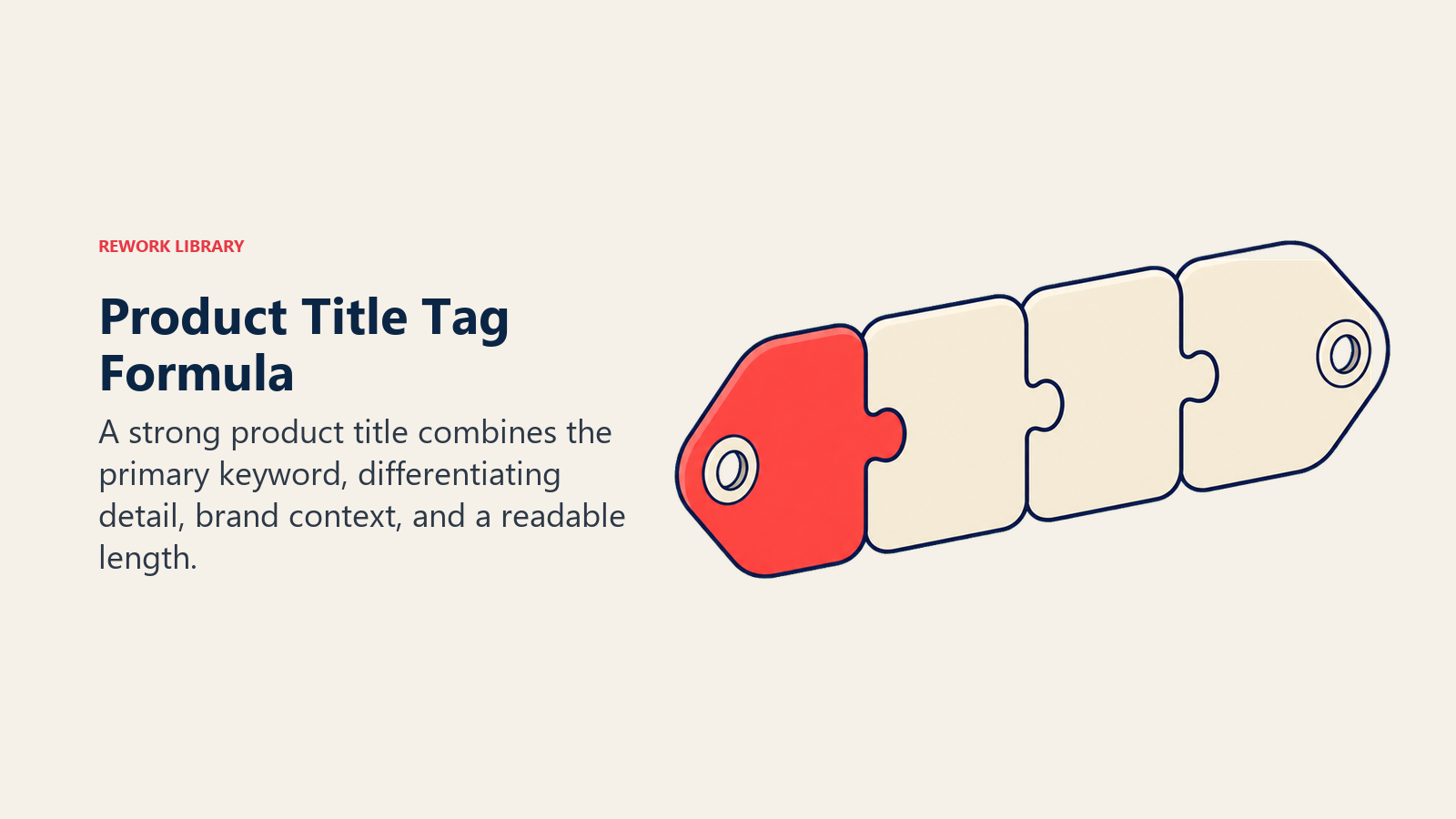
Here's the formula that consistently performs:
Primary Keyword | Brand Name | Secondary Modifier - Site Name
Example:
Wireless Noise Cancelling Headphones | Sony WH-1000XM5 | Black - AudioStore
Breaking that down:
- Primary keyword: What people actually search for ("wireless noise cancelling headphones")
- Brand name: The manufacturer or brand (Sony WH-1000XM5)
- Secondary modifier: Color, size, or key differentiator (Black)
- Site name: Your store name (AudioStore)
Title Tag Best Practices
Keep it under 60 characters. Google typically displays the first 50-60 characters in search results. After that, it gets cut off with "..." and users can't see the rest. Use a character counter tool when writing titles.
Front-load important keywords. Put your most important keyword at the beginning of the title. "Wireless Noise Cancelling Headphones" is better than "Premium Audio Experience Wireless Headphones." The second version buries the actual search term.
Include the brand when it matters. If you're selling established brands, include the brand name. People search for "Nike Air Max" not just "running shoes." But if you're selling private label products, the brand name matters less than the product type.
Add modifiers for variants. If you have separate pages for different colors, sizes, or versions, include that in the title. "iPhone 15 Pro Max 256GB Blue" is more specific than "iPhone 15 Pro Max."
Avoid keyword stuffing. Don't do this: "Shoes Running Shoes Athletic Shoes Best Shoes Buy Shoes." It looks spammy, Google doesn't like it, and users won't click it. One clear, descriptive title is always better than a jumbled mess.
Make it unique across your site. Every product page should have a different title tag. If you've got 500 products with the same title structure, you're competing with yourself. Google won't know which page to rank for a given search term.
What Not to Do
Don't use your product name from your CMS as-is. "PROD-12345-BLK-LG" isn't a title tag. Neither is "Buy Online | Free Shipping | Best Price." These are wasted opportunities.
Don't overthink it. A straightforward, descriptive title beats a clever one every time. "Revolutionary Audio Experience Device" loses to "Wireless Bluetooth Speaker."
Don't ignore search volume data. Use Google Keyword Planner, Ahrefs, or SEMrush to see what people actually search for. If 1,000 people search "standing desk" and only 50 search "height adjustable workstation," optimize for "standing desk."
Meta Descriptions: Writing for Click-Through Rate
Meta descriptions don't directly impact rankings, but they absolutely impact whether people click your result. A well-written description can double your click-through rate. A bad one sends traffic to your competitors.
The Anatomy of a High-Converting Meta Description
Length: 150-160 characters. Google shows about 155-160 characters on desktop, less on mobile. Go longer and it gets cut off.
Include keywords: When someone searches for a term and it appears in your meta description, Google bolds it in the search results. This draws the eye and increases clicks.
Highlight key benefits: What makes this product worth buying? Free shipping? Lifetime warranty? In stock now? Put that front and center.
Add a call-to-action: "Shop now," "Get yours today," "Free shipping on orders over $50" - give people a reason to click.
Use numbers when relevant: "4.8-star rating," "Over 1,000 reviews," "Save 30%." Numbers stand out in search results.
Meta Description Formula
[Primary Benefit] + [Key Feature] + [Trust Signal] + [CTA]
Example: "Sony WH-1000XM5 wireless headphones with industry-leading noise cancellation. Free 2-day shipping, 30-day returns. Over 2,000 5-star reviews. Shop now."
That hits all the marks:
- Benefit: Industry-leading noise cancellation
- Feature: Wireless headphones
- Trust signals: Free shipping, returns, reviews
- CTA: Shop now
What Makes People Click
Price mentions: If you're competitive on price, say so. "Starting at $49" or "20% off today only."
Availability: "In stock and ready to ship" beats "Available for order." People want to know they can get it now.
Social proof: Reviews, ratings, and customer counts build trust. "Rated 4.9/5 by 3,200+ customers."
Unique value propositions: What do you offer that competitors don't? "USA-made," "Lifetime warranty," "Carbon neutral shipping."
Urgency: When genuine, urgency works. "Limited stock" or "Sale ends tonight" can boost clicks. Just don't fake it - Google and customers both notice.
The goal is simple: convince searchers that your product page has what they're looking for and that clicking is worth their time. Your meta description is your 160-character sales pitch. When you combine these elements with comprehensive conversion rate optimization tactics, you maximize both traffic and sales.
Product Description SEO: Writing for Humans and Search Engines
Your product description does triple duty. It needs to sell the product, provide enough unique content for Google to understand the page, and incorporate keywords naturally. Most stores only do one of these well.
The Keyword Research Foundation
Before you write a word, know what people are searching for. Use keyword research tools to find:
- Primary product keywords (what the product is)
- Feature-based keywords (what it does)
- Use case keywords (what problems it solves)
- Brand + model variations
- Long-tail question-based searches
For a standing desk, that might be:
- "electric standing desk"
- "height adjustable desk"
- "sit stand desk for home office"
- "standing desk with memory settings"
- "best standing desk for tall people"
You won't fit all of these into one product description, but knowing the search landscape helps you prioritize what to include.
Writing Descriptions That Rank and Convert
Start with the primary keyword in the first 100 words. Google pays attention to content that appears early on the page. Open with "This electric standing desk features..." not "Introducing our latest innovation in workplace ergonomics..."
Use natural language. Don't write "Standing desk height adjustable sit stand desk office desk ergonomic desk electric desk." Write "This height-adjustable standing desk lets you switch between sitting and standing throughout your workday, promoting better posture and increased energy."
Cover the five W's: What is it? Who is it for? Where do you use it? When would you use it? Why does it matter? These questions naturally incorporate keywords while being genuinely useful to shoppers.
Include specifications and features. "Height range: 29-49 inches" and "Weight capacity: 300 lbs" are both useful information and potential search terms. Someone searching "standing desk for tall person" needs to know the height range.
Address common questions. What questions do customers ask before buying? Answer them in your description. "Is this desk easy to assemble?" can become a subheading with a paragraph addressing it, which might rank for "easy to assemble standing desk."
Aim for 300-500 words minimum. You need enough content for Google to understand the page and rank it for multiple variations. Too short, and you don't have room to be comprehensive. Too long, and it becomes a blog post instead of a product description.
Avoiding the Manufacturer Description Trap
Don't copy manufacturer descriptions. Not for a paragraph. Not for a sentence. Not at all. Here's why:
Duplicate content hurts rankings. If 500 other stores have the exact same description, Google has to pick which one to rank. Spoiler: it's not going to be yours unless you're the manufacturer.
It doesn't match how your customers search. Manufacturers write descriptions for distributors and retailers, not end consumers. The language, keywords, and focus are all wrong.
You can't differentiate. The manufacturer's description doesn't mention your fast shipping, your warranty, your customer service, or anything else that makes buying from you better than buying from a competitor.
Rewrite everything. It's more work, but it's the only way to rank. For detailed guidance on this, check out product description writing strategies that convert.
If you've got thousands of products and rewriting everything seems impossible, prioritize:
- Best sellers (highest revenue impact)
- Products you can realistically rank for (competitive keyword analysis)
- Products with the worst current descriptions (easiest wins)
Consider using A/B testing frameworks to measure which description styles drive better conversion rates while maintaining SEO value.
Product Image Optimization: Speed, Alt Text, and File Names
Images are critical for e-commerce. Shoppers need to see what they're buying. But unoptimized images kill your page speed, and poorly labeled images miss out on image search traffic.
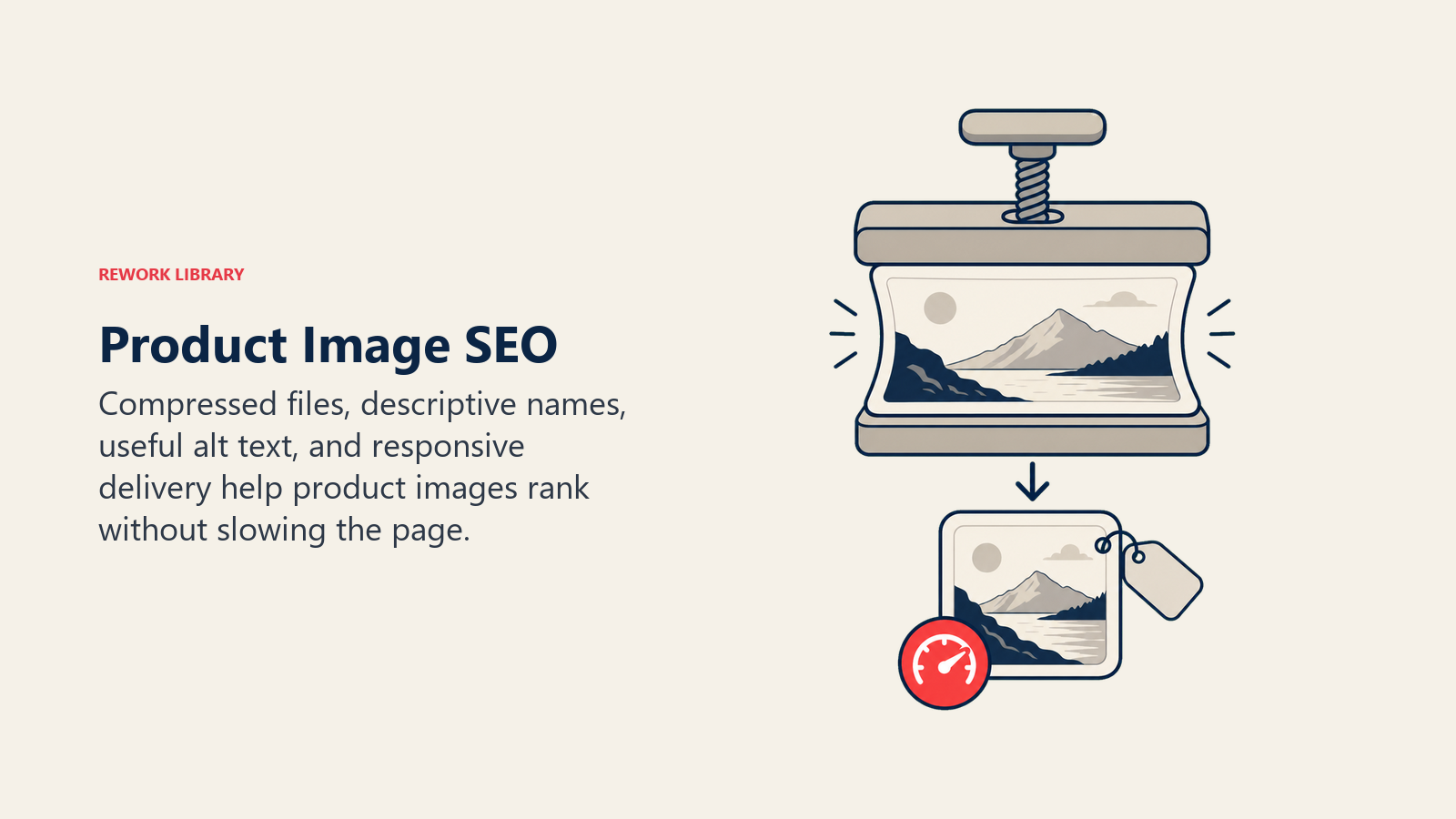
Image File Names: The Overlooked Ranking Factor
Before you upload an image, rename the file. Don't leave it as "IMG_4723.jpg" or "DSC00234.jpg." Google uses file names as a ranking signal for image search.
Good file names:
sony-wh-1000xm5-wireless-headphones-black.jpgstanding-desk-electric-adjustable-white.jpgrunning-shoes-nike-air-zoom-pegasus-39-womens.jpg
Bad file names:
image1.jpgproduct-photo.jpgfinal-FINAL-v3.jpg
Use hyphens to separate words (not underscores), keep it lowercase, and include your primary keyword plus descriptive modifiers.
Alt Text: Accessibility and SEO Combined
Alt text serves two purposes: it helps visually impaired users understand what's in the image, and it tells Google what the image shows. Both matter.
Write descriptive alt text that explains what's in the image: "Sony WH-1000XM5 wireless noise-cancelling headphones in black, shown from the side with cushioned ear cups visible"
Not this: "Headphones" (too vague) "Buy Sony WH-1000XM5 wireless noise cancelling over-ear headphones with industry-leading noise cancellation and premium sound quality now" (keyword-stuffed nonsense)
Include keywords naturally. Your product name and key descriptors should appear in alt text, but it needs to read like a genuine description, not a keyword list.
Describe what's unique in each image. If you have five product images, each should have different alt text:
- Main image: "Sony WH-1000XM5 wireless headphones in black"
- Angle 2: "Sony WH-1000XM5 headphones showing adjustable headband and ear cup padding"
- Lifestyle shot: "Woman wearing Sony WH-1000XM5 headphones while working at desk"
- Close-up: "Close-up of Sony WH-1000XM5 touch controls on right ear cup"
Never leave alt text empty. It's bad for accessibility and it's a wasted SEO opportunity.
Image Size and Performance
Large image files slow down your pages. Slow pages rank worse and convert worse. According to Google, 53% of mobile users abandon pages that take longer than three seconds to load. Your beautiful high-res product photos are costing you sales.
Compress images before uploading. Use tools like TinyPNG, ImageOptim, or Squoosh to reduce file sizes by 50-80% without noticeable quality loss. A 2MB image can usually be compressed to 200-400KB with no visible difference.
Use the right format:
- WebP: Best compression and quality for product photos. Supported by all modern browsers.
- JPEG: Good for photos when WebP isn't supported. Use 80-85% quality setting.
- PNG: Only for images that need transparency (like product images with no background).
Implement responsive images. Serve smaller images to mobile users and larger ones to desktop users. Use srcset and sizes attributes in your image tags so browsers load the appropriately sized version.
Lazy load images below the fold. Your main product image should load immediately, but images further down the page can load as users scroll. This speeds up initial page load time.
Understanding site speed & performance optimization helps you balance image quality with loading speed. Check out product photography & video best practices for creating images that look great and perform well.
Image Search Optimization
Google Image Search drives significant traffic for e-commerce sites, especially for visual products like fashion, furniture, and home goods. Optimizing for image search means:
High-quality images: Blur and low-resolution images don't rank well. Use at least 1200x1200px for product images.
Multiple angles: More images means more chances to rank in image search. Include front, back, side, detail, and lifestyle shots.
Structured data for images: Use Product schema (covered below) to tell Google which image is the main product photo.
Context around images: Text near images helps Google understand what they show. If you have a lifestyle image, surround it with text that describes the use case.
Schema Markup: Telling Google Exactly What You're Selling
Schema markup is structured data that helps search engines understand your product pages. It's what enables rich results in search - the star ratings, prices, and availability you see in Google Shopping results and organic listings.

If you're not using Product schema, you're missing out on the most valuable SEO real estate available: enhanced search listings that stand out from competitors and drive higher click-through rates.
Product Schema: The Essential Implementation
At minimum, every product page needs these schema.org/Product properties:
name: The product name image: URL to main product image (or array of multiple images) description: Product description sku: Your internal SKU number brand: Product brand name offers: Pricing and availability information
Here's what that looks like in JSON-LD format (the Google-recommended implementation):
{
  "@context": "https://schema.org/",
  "@type": "Product",
  "name": "Sony WH-1000XM5 Wireless Noise-Cancelling Headphones",
  "image": [
    "https://example.com/images/sony-wh-1000xm5-black.jpg",
    "https://example.com/images/sony-wh-1000xm5-side.jpg"
  ],
  "description": "Industry-leading noise cancellation with premium sound quality",
  "sku": "WH-1000XM5-BLK",
  "brand": {
    "@type": "Brand",
    "name": "Sony"
  },
  "offers": {
    "@type": "Offer",
    "url": "https://example.com/products/sony-wh-1000xm5",
    "priceCurrency": "USD",
    "price": "399.99",
    "priceValidUntil": "2025-12-31",
    "availability": "https://schema.org/InStock",
    "seller": {
      "@type": "Organization",
      "name": "AudioStore"
    }
  }
}
This goes in a <script type="application/ld+json"> tag in your page HTML.
Adding Review and Rating Schema
If you have product reviews, add AggregateRating schema. This is what shows star ratings in search results - one of the highest-value schema implementations available.
"aggregateRating": {
  "@type": "AggregateRating",
  "ratingValue": "4.8",
  "reviewCount": "326"
}
Add this inside your Product schema object. Now Google can display "Rated 4.8/5 (326 reviews)" in search results, which dramatically increases click-through rates.
To include individual reviews, add Review schema:
"review": [
  {
    "@type": "Review",
    "author": {
      "@type": "Person",
      "name": "Sarah Johnson"
    },
    "datePublished": "2025-05-15",
    "reviewBody": "Best headphones I've ever owned. Noise cancellation is incredible.",
    "reviewRating": {
      "@type": "Rating",
      "ratingValue": "5",
      "bestRating": "5"
    }
  }
]
You can include multiple reviews in the array. Google may display individual reviews as rich snippets, though aggregate ratings appear more consistently. Learn more about leveraging customer reviews & UGC for both SEO and conversion optimization. Combine review schema with trust signals & social proof to maximize credibility.
Additional Valuable Schema Properties
gtin, isbn, or mpn: Product identifiers that help Google match your product to its shopping graph color, size, material: Specific attributes that help with filtering and matching width, height, depth, weight: Dimensional data for shipping and logistics additionalProperty: Custom attributes specific to your product type
The more complete your schema, the better Google understands your products and the more opportunities you have for enhanced search listings.
Testing and Validating Schema
Before you deploy schema markup, test it. Use these tools:
Google Rich Results Test: Tests whether your schema is eligible for rich results in Google Search Schema Markup Validator: Checks for syntax errors and missing required properties
Find these at:
- search.google.com/test/rich-results
- validator.schema.org
Fix any errors before going live. Invalid schema is worse than no schema - it can prevent your pages from appearing in rich results.
URL Structure: Clean, Keyword-Rich, and Hierarchy-Aware
Your product page URLs should be clean, descriptive, and structured to reflect your site hierarchy. Good URL structure helps both users and search engines understand what a page is about.
The Ideal Product URL Format
Option 1: Flat structure with product name
example.com/products/sony-wh-1000xm5-wireless-headphones
Pros: Simple, focuses on product name Cons: Doesn't show category context
Option 2: Category hierarchy
example.com/electronics/headphones/sony-wh-1000xm5-wireless-headphones
Pros: Shows category context, helps with internal linking Cons: Longer URLs, can be fragile if you reorganize categories
Option 3: Shallow hierarchy
example.com/headphones/sony-wh-1000xm5-wireless-headphones
Pros: Balance of context and simplicity Cons: Limited to one category level
Most e-commerce sites do best with either Option 1 or Option 3. Deep hierarchies (5+ levels) make URLs too long and complicated.
URL Best Practices
Keep it readable: Someone should be able to tell what the page is about just from the URL. example.com/products/sony-wh-1000xm5-wireless-headphones is readable. example.com/p?id=12345&cat=4&sort=price is not.
Include keywords: Your primary keyword should appear in the URL slug. If people search "wireless noise cancelling headphones," having that in the URL helps rankings.
Use hyphens, not underscores: Google treats hyphens as word separators but not underscores. "wireless-headphones" works. "wireless_headphones" doesn't.
Keep it short: Aim for under 75 characters for the entire URL. Shorter URLs are easier to share, easier to remember, and display better in search results.
Avoid unnecessary words: Articles and prepositions add nothing. "example.com/products/the-best-wireless-headphones-for-your-home" is worse than "example.com/products/wireless-headphones."
Don't change URLs: Once a product page is live and indexed, changing the URL loses ranking signals. If you must change it, use a 301 redirect from the old URL to the new one.
Be consistent: If you use plural for one category ("headphones"), use plural for all categories. Don't mix "headphone/sony-model" and "speakers/bose-model."
Internal Linking Strategy: Connecting Your Product Pages
Internal links pass ranking signals between pages and help Google discover and understand your site structure. A strong internal linking strategy makes your entire site rank better.
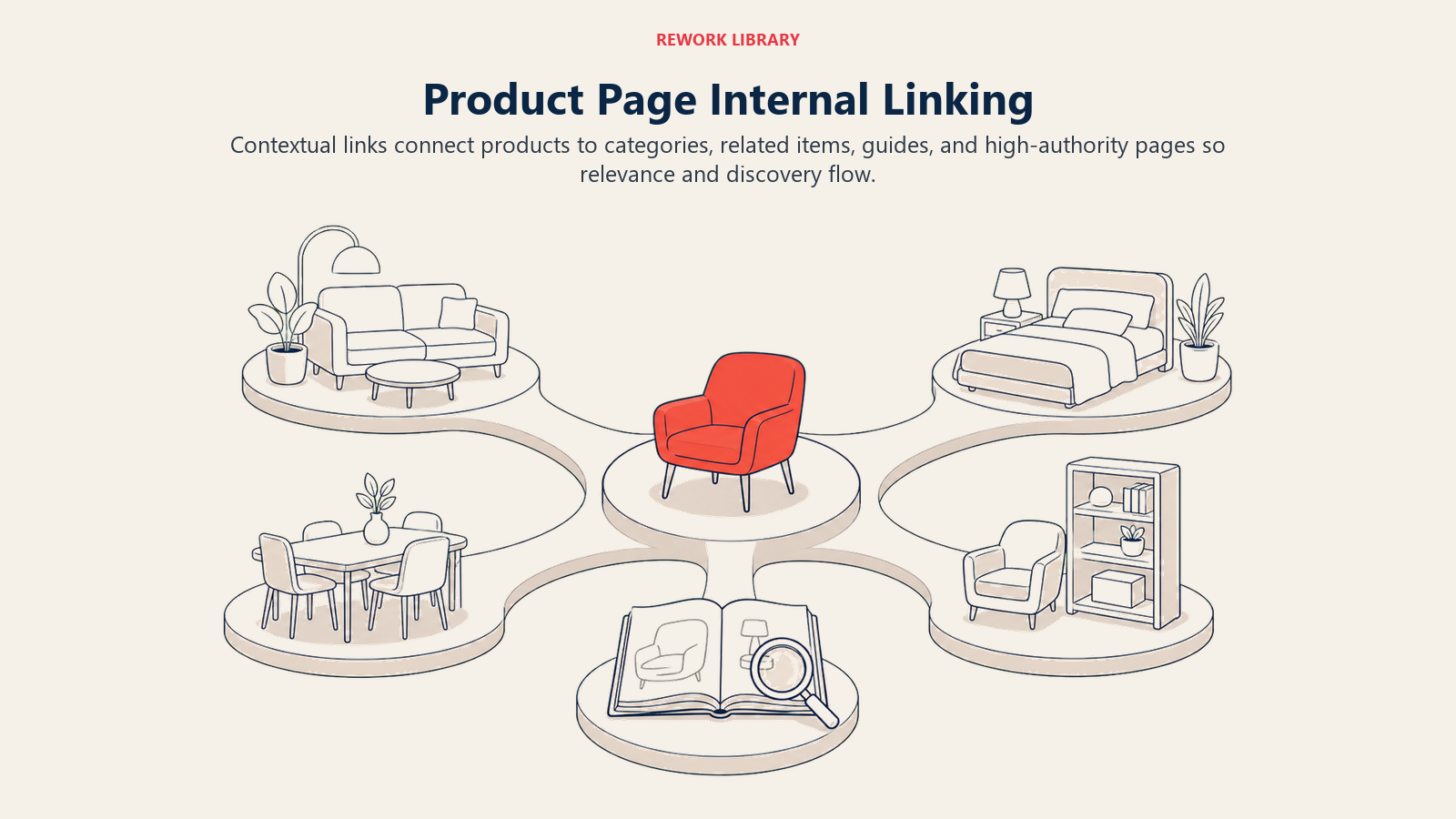
The Three Layers of Product Page Internal Linking
Layer 1: Category to product links Every product should be linked from its category page. This is usually handled automatically by your e-commerce platform. The category page provides topical context - Google knows that if a product is linked from the "Wireless Headphones" category, it's about wireless headphones.
Make sure your category page linking is crawlable (not JavaScript-only) and uses descriptive anchor text. "Sony WH-1000XM5" is better anchor text than "View Product" or "Click Here."
Layer 2: Related product links "Customers also viewed" and "Related products" sections aren't just for conversion - they're valuable internal links. They connect similar products and help Google understand relationships between items.
Keep related products genuinely related. Link headphones to other headphones, cases, and accessories - not random products from other categories.
Layer 3: Content to product links If you have blog content, buying guides, or comparison pages, link from those to relevant product pages. A blog post about "How to Choose Wireless Headphones" should link to your wireless headphone products using keyword-rich anchor text.
This is powerful because content pages often rank for informational queries, and when they do, they pass ranking signals to your product pages while also moving users deeper into the buying funnel.
Anchor Text Best Practices
Use descriptive anchor text: "Sony WH-1000XM5 wireless headphones" tells Google what the linked page is about. "This product" doesn't.
Vary anchor text: Don't use the exact same anchor text for every internal link to a product. Mix in brand names, model numbers, and descriptive variations.
Don't over-optimize: Internal links should read naturally. "Click here to buy Sony WH-1000XM5 wireless noise cancelling over-ear headphones with premium sound quality" is too much.
Link from relevant context: A link from a sentence about noise cancellation to a product with great noise cancellation makes sense. Random, contextless links don't help.
How Many Internal Links?
There's no magic number, but guidelines:
- Category pages should link to all products in that category (could be hundreds)
- Product pages should link to 5-10 related products
- Blog posts should link to 3-5 relevant products
- Avoid excessive linking (50+ links on a product page looks spammy)
The goal is creating a natural web of connections that helps users and search engines navigate your site. For more on optimizing product pages for conversion while maintaining SEO value, see product page optimization. If you're running paid campaigns alongside your SEO efforts, coordinate with your Google Shopping ads strategy to ensure consistent product data across channels.
Handling Product Variants and Duplicates
Product variants - different colors, sizes, or configurations of the same base product - create a challenge. You want each variant to be purchasable, but you don't want to create dozens of near-identical pages that compete with each other in search results.
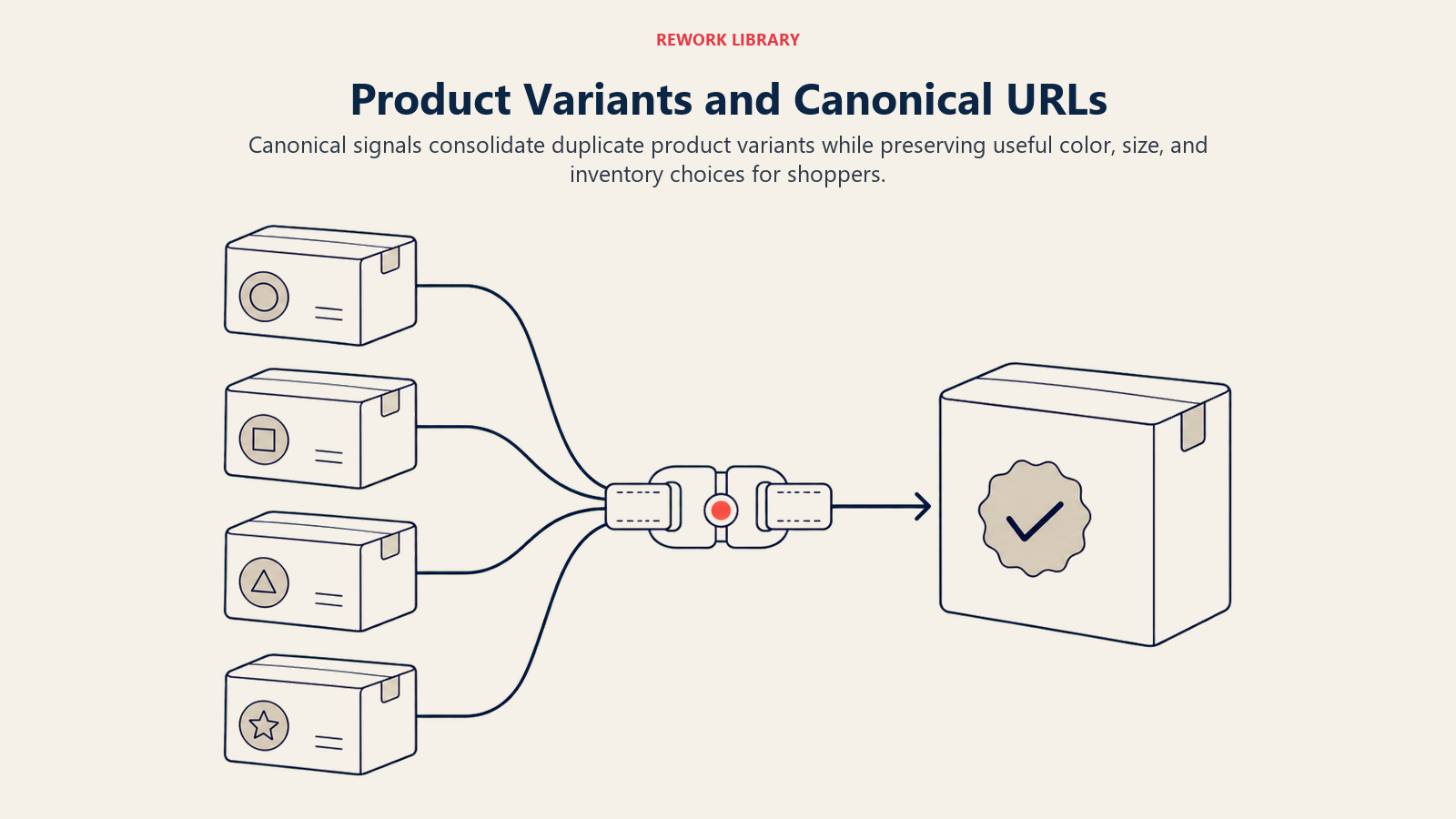
The Three Approaches to Variant URLs
Approach 1: Single page with selectors One URL for the product, with dropdowns or buttons to select color, size, etc. The URL doesn't change when you select a different variant.
Pros: Clean, no duplicate content issues, easy to manage Cons: Can't link directly to a specific variant, can't optimize for "black wireless headphones" separately
Approach 2: Separate URLs with canonical tags Each variant gets its own URL, but all variants point to a canonical URL (usually the main product page).
Example:
- Main:
example.com/products/wireless-headphones(canonical) - Variant:
example.com/products/wireless-headphones-black(canonical points to main) - Variant:
example.com/products/wireless-headphones-silver(canonical points to main)
Pros: Can link to specific variants, can optimize each slightly differently Cons: More complex, requires proper canonical implementation
Approach 3: Parameter-based URLs
Base URL plus parameters for variants: example.com/products/wireless-headphones?color=black&size=large
Pros: Simple to implement, clear structure Cons: Parameters can create crawl bloat, requires proper parameter handling in Google Search Console
Canonical Tags: Telling Google Which Version to Rank
If you have multiple URLs for the same product (variants, or the same product in multiple categories), use canonical tags to tell Google which URL is the "main" version that should rank.
<link rel="canonical" href="https://example.com/products/wireless-headphones" />
This goes in the <head> of every variant page. The canonical tag points to the main product page. Google consolidates ranking signals to that one URL instead of splitting them across multiple pages.
Canonical rules:
- The canonical URL should be the version you want ranking in search results
- It should be a real, accessible page (not a 404 or redirect)
- Use absolute URLs, not relative paths
- Be consistent - don't change canonical URLs frequently
Self-Referencing Canonicals
Even pages without variants should have a canonical tag pointing to themselves. This prevents issues if parameters or tracking codes get added to URLs.
<link rel="canonical" href="https://example.com/products/wireless-headphones" />
On the main page, the canonical points to itself. This makes it crystal clear to Google which URL is the source of truth.
Avoiding Indexation Problems
If you have hundreds of variant pages, you might not want Google crawling and indexing all of them. Options:
noindex, follow: Page isn't indexed but links are followed
<meta name="robots" content="noindex, follow" />
robots.txt parameter blocking: Blocks crawling of parameter-based URLs
Disallow: /*?color=
Disallow: /*?size=
Google Search Console parameter handling: Tell Google how to handle parameters (ignore, representative, etc.)
The goal is letting Google access your product catalog without wasting crawl budget on redundant pages.
Technical SEO for Product Pages
Technical SEO makes sure search engines can crawl, render, and index your product pages effectively. Even perfect on-page optimization doesn't matter if Google can't access your pages.
Page Speed: The Foundation of Technical SEO
We've covered images, but page speed goes deeper. Google uses page speed as a ranking factor, and slow pages convert worse - every 100ms of delay costs you conversions.
Core Web Vitals: Google's metrics for page experience:
- LCP (Largest Contentful Paint): Should be under 2.5 seconds. This is usually your main product image.
- FID (First Input Delay): Should be under 100ms. Time until the page responds to user interaction.
- CLS (Cumulative Layout Shift): Should be under 0.1. Measures visual stability (elements not jumping around).
Check your product pages in Google Search Console or PageSpeed Insights to see where you stand.
Speed optimization tactics:
- Compress images (covered above)
- Minify CSS and JavaScript
- Use a CDN for static assets
- Enable browser caching
- Lazy load non-critical content
- Defer non-essential JavaScript
- Use prefetch/preconnect for critical resources
Mobile-First Indexing
Google predominantly uses the mobile version of your site for indexing and ranking. If your mobile product pages are missing content, images, or structured data, that's what Google sees.
Mobile SEO checklist:
- All content from desktop appears on mobile (not hidden or truncated)
- Images load properly on mobile
- Text is readable without zooming (16px minimum)
- Tap targets are large enough (48x48px minimum)
- Schema markup is present on mobile
- Core Web Vitals meet thresholds on mobile
Test your pages on actual mobile devices, not just desktop browser responsive modes. Real-world mobile experience often differs. For comprehensive strategies on this crucial topic, see our guide to mobile commerce optimization.
Crawlability and Indexability
Check robots.txt: Make sure product pages aren't blocked Review internal linking: Every product should be linked from at least one other page Check canonical tags: They should point to the correct URLs Verify schema validation: Use Google's testing tools Monitor index coverage: Use Google Search Console to find pages that aren't indexing
JavaScript rendering: If your product pages use JavaScript frameworks (React, Vue, etc.), make sure content renders in Google's crawler. Use the URL Inspection tool in Search Console to see what Google sees.
HTTPS and Security
Product pages must be HTTPS. Google confirmed it's a ranking signal, and browsers show warning messages for non-HTTPS pages. Customers won't enter payment information on an insecure site.
Mixed content (HTTPS page loading HTTP resources) can cause problems. Make sure all images, scripts, and stylesheets load over HTTPS.
For more comprehensive technical optimization, review analytics & tracking setup to ensure you're measuring the impact of your SEO efforts.
Measurement and Analytics: Tracking Product Page SEO Performance
You can't improve what you don't measure. Set up proper tracking to understand which product pages rank well, drive traffic, and convert visitors into customers.
Key Metrics to Track
Organic visibility
- Number of keywords each product ranks for
- Average keyword position
- Share of voice vs competitors
- Featured snippet appearances
Track this in Google Search Console or a tool like Ahrefs or SEMrush. You want to see increasing keyword counts and improving positions over time.
Traffic metrics
- Organic sessions to product pages
- Traffic by product category
- Traffic from branded vs non-branded keywords
- Traffic from image search
Set up custom segments in Google Analytics to isolate organic product page traffic.
Engagement metrics
- Bounce rate (lower is better, but context matters)
- Time on page
- Scroll depth
- Add to cart rate from organic traffic
High bounce rates might indicate targeting problems (people finding the page but it's not what they expected) or user experience issues.
Conversion metrics
- Conversion rate by traffic source (organic vs paid vs direct)
- Revenue from organic traffic
- Average order value from organic visitors
- ROI of SEO efforts
The ultimate measure: does product page SEO drive profitable revenue?
Google Search Console: Your Primary SEO Tool
Search Console shows you exactly what's happening in Google Search:
Performance report: Shows queries your pages rank for, their positions, CTR, and impressions. This tells you what's working and what's not.
Index coverage: Shows which pages are indexed and which aren't. If product pages aren't indexing, you've got a technical problem to fix.
Core Web Vitals: Shows which pages pass or fail Google's speed and user experience metrics.
Manual actions: Alerts you if Google has penalized any pages (rare for product pages unless you're doing something spammy).
Check Search Console weekly at minimum. Monthly is too infrequent - you'll miss problems until they've cost you significant traffic.
Setting Up Product Page Tracking in Google Analytics
Create custom reports that show:
- Top organic landing pages (which products drive the most traffic)
- Organic conversion rate by product
- Revenue by organic landing page
- New vs returning visitors on product pages
Set up goals for:
- Add to cart
- Checkout initiated
- Purchase completed
- Email signup from product pages
Tag product URLs consistently so you can filter analytics reports. If all product URLs start with "/products/", you can easily isolate product page data. For implementation details, review our analytics & tracking setup guide.
A/B Testing Product Page SEO Changes
When you make significant changes - new title tags, restructured descriptions, schema implementation - track the impact with before/after analysis.
What to test:
- Title tag formats
- Description length and structure
- Schema markup implementation
- Image optimization
- URL structure changes (with proper redirects)
How to test:
- Pick a subset of similar products
- Implement changes on half, leave half as control
- Track rankings, traffic, and conversions for both groups
- After 4-6 weeks, compare results
- Roll out winning changes site-wide
This is more reliable than changing everything at once and hoping it works. For structured approaches to experimentation, explore our A/B testing framework methodology.
Putting It All Together: Your Product Page SEO Checklist
Here's what every product page needs:
Title Tag
- Under 60 characters
- Includes primary keyword
- Includes brand name
- Unique across site
- Front-loads important terms
Meta Description
- 150-160 characters
- Includes keywords
- Highlights key benefits
- Contains call-to-action
- Unique across site
Product Description
- 300+ words minimum
- Unique content (not manufacturer description)
- Primary keyword in first 100 words
- Natural keyword incorporation
- Addresses customer questions
- Includes specifications
Images
- File names include keywords
- Alt text on all images
- Compressed for speed (under 200KB)
- WebP format when possible
- Multiple angles shown
- High resolution (1200x1200px minimum)
Schema Markup
- Product schema implemented
- Price and availability included
- Review schema (if applicable)
- Images in schema
- Validated with no errors
Technical SEO
- HTTPS enabled
- Mobile-friendly
- Core Web Vitals passing
- Proper canonical tag
- No robots.txt blocking
- Loads in under 3 seconds
- JavaScript renders correctly
Internal Linking
- Linked from category page
- Related products linked
- Descriptive anchor text
- No broken links
- Breadcrumb navigation
Variants & Duplicates
- Canonical tags implemented
- No duplicate content
- Variant URLs handled properly
- Parameter handling configured
Go through this checklist for your top 20% of products first (those driving the most revenue). Then work through the rest of your catalog systematically.
Common Product Page SEO Mistakes to Avoid
Copying manufacturer descriptions: We've covered this, but it's worth repeating. Unique content is non-negotiable.
Thin content: A two-sentence description and some bullet points isn't enough. Google needs content to understand what you're selling and rank you for relevant searches.
Missing schema markup: If your competitors have star ratings in search results and you don't, they're getting more clicks. Implement schema.
Ignoring image optimization: 5MB images kill page speed, which kills rankings and conversions. Compress everything.
Inconsistent product names: If you call it "wireless headphones" in the title tag but "Bluetooth headphones" in the description and "cordless headphones" in the image alt text, you're diluting relevance signals. Pick your primary keyword and use it consistently.
Over-optimization: Stuffing keywords into titles, descriptions, and alt text makes content unreadable and looks spammy to both Google and users. Write naturally.
Neglecting long-tail keywords: Don't just optimize for "headphones." Optimize for "noise cancelling headphones for airplane travel" and "wireless headphones for small ears." Long-tail terms are easier to rank for and convert better.
Forgetting about user experience: SEO brings people to your page, but poor UX sends them away. If your product page is slow, confusing, or missing key information, your conversion rate suffers regardless of rankings. Strong conversion rate optimization ensures that the organic traffic you work hard to attract actually converts.
The Bottom Line
Product page SEO isn't about tricks or hacks. It's about making it easy for search engines to understand what you're selling and giving potential customers the information they need to feel confident buying from you.
Get the fundamentals right - unique, keyword-optimized content, fast-loading images, schema markup, clean URLs, and strong internal linking. Track your results, identify what's working, and do more of it.
Your product pages are where revenue happens. Every hour invested in optimizing them returns dividends in organic traffic, higher conversion rates, and better ROI than almost any other marketing channel.
Start with your best-selling products, work through the checklist, and track the results. Then expand to the rest of your catalog. It's not glamorous work, but it's the work that actually drives e-commerce growth.
Frequently Asked Questions
How does product page SEO drive ecommerce growth? Product pages target high-intent, long-tail searches where buyers are ready to purchase. Optimizing them well captures commercial-intent traffic at a far higher conversion rate than category pages, so each ranking page compounds into more revenue across your catalog.
What are the most important product page SEO elements? Five carry the most weight: a unique keyword-led title tag under 60 characters, a 150-160 character meta description written for clicks, 300+ words of original product copy, Product schema markup, and compressed, well-named images with descriptive alt text.
Why shouldn't I use manufacturer product descriptions? Manufacturer copy is duplicated across hundreds of stores, so Google rarely ranks any single copy of it. Rewriting descriptions in your own words lets you target how customers actually search and differentiate on shipping, warranty, and service.
Does schema markup help product pages rank higher? Schema does not directly boost rankings, but Product and AggregateRating markup unlocks rich results like star ratings and price, which lift click-through rate. More clicks from the same position is a real growth lever.
Which product pages should I optimize first? Start with your best sellers and highest-revenue products, then pages with the weakest current descriptions. These give the fastest return before you work systematically through the rest of the catalog.
Related Resources
SEO Fundamentals:
- E-commerce SEO Strategy - Comprehensive SEO approach for online stores
- Category Page Optimization - Optimizing collection and category pages for rankings
- Site Speed & Performance - Technical optimization for faster page loads
Product Page Optimization:
- Product Page Optimization - Conversion-focused product page best practices
- Product Description Writing - Writing descriptions that sell and rank
- Product Photography & Video - Creating visual content that performs
Trust & Conversion:
- Customer Reviews & UGC - Leveraging reviews for SEO and conversion
- Trust Signals & Social Proof - Building credibility on product pages
- Analytics & Tracking Setup - Measuring SEO performance and ROI

On this page
- Why Product Page SEO Matters More Than You Think
- Title Tag Optimization: Getting the Formula Right
- The Product Title Tag Structure That Works
- Title Tag Best Practices
- What Not to Do
- Meta Descriptions: Writing for Click-Through Rate
- The Anatomy of a High-Converting Meta Description
- Meta Description Formula
- What Makes People Click
- Product Description SEO: Writing for Humans and Search Engines
- The Keyword Research Foundation
- Writing Descriptions That Rank and Convert
- Avoiding the Manufacturer Description Trap
- Product Image Optimization: Speed, Alt Text, and File Names
- Image File Names: The Overlooked Ranking Factor
- Alt Text: Accessibility and SEO Combined
- Image Size and Performance
- Image Search Optimization
- Schema Markup: Telling Google Exactly What You're Selling
- Product Schema: The Essential Implementation
- Adding Review and Rating Schema
- Additional Valuable Schema Properties
- Testing and Validating Schema
- URL Structure: Clean, Keyword-Rich, and Hierarchy-Aware
- The Ideal Product URL Format
- URL Best Practices
- Internal Linking Strategy: Connecting Your Product Pages
- The Three Layers of Product Page Internal Linking
- Anchor Text Best Practices
- How Many Internal Links?
- Handling Product Variants and Duplicates
- The Three Approaches to Variant URLs
- Canonical Tags: Telling Google Which Version to Rank
- Self-Referencing Canonicals
- Avoiding Indexation Problems
- Technical SEO for Product Pages
- Page Speed: The Foundation of Technical SEO
- Mobile-First Indexing
- Crawlability and Indexability
- HTTPS and Security
- Measurement and Analytics: Tracking Product Page SEO Performance
- Key Metrics to Track
- Google Search Console: Your Primary SEO Tool
- Setting Up Product Page Tracking in Google Analytics
- A/B Testing Product Page SEO Changes
- Putting It All Together: Your Product Page SEO Checklist
- Common Product Page SEO Mistakes to Avoid
- The Bottom Line
- Frequently Asked Questions
- Related Resources