Marketing Automation for E-commerce: Workflow Design, Platform Selection, Integration, and ROI Measurement
Turn this article into takeaways for your work.


Each assistant summarizes the article only for you and suggests best practices for your work.
You send 500 emails manually every week. Each takes 3 minutes to personalize, segment, and schedule. That's 25 hours of repetitive work that generates the same open rates, the same click-throughs, and the same revenue as automated workflows that run while you sleep.
Marketing automation isn't about replacing your marketing team. It's about building an intelligent communication infrastructure that responds to customer behavior instantly, personalizes at scale, and generates predictable revenue through systematic, trigger-based workflows. The stores generating 40-60% of revenue from automated flows aren't working harder. They're orchestrating coordinated multi-channel sequences that guide customers through carefully designed journeys.
This guide shows you how to design high-converting workflows, select the right platform, integrate your tech stack, and measure true automation ROI.
What Marketing Automation Actually Means
Marketing automation is systematic, trigger-based communication infrastructure. A customer abandons their cart at 3 PM. Your system waits 1 hour, sends an email with cart contents and a 10% discount, sends an SMS reminder at 24 hours if unopened, and adds them to a retargeting audience. No manual intervention. No spreadsheets. No forgotten follow-ups. Core automation components:
Triggers: Customer actions or conditions that start workflows. Browse a product category 3 times, add $100+ to cart but don't purchase, make first purchase, reach 90 days since last order, hit VIP spending threshold, engage with email but don't convert.
Workflows: Multi-step sequences with conditional logic. If email opened, wait 2 days then send cross-sell. If not opened, send SMS reminder. If purchased, exit flow and enter post-purchase sequence. If abandoned again, increase discount.
Channel orchestration: Coordinated messaging across email, SMS, push notifications, and web. Start with email (lowest cost), escalate to SMS (higher urgency), retarget with ads (highest visibility), display on-site popups (immediate conversion opportunity).
Personalization at scale: Dynamic content based on customer data. Product recommendations from browsing history, pricing tiers by customer segment, content blocks by purchase category, send times by engagement patterns, offers by lifetime value.
The efficiency multiplier is real. One e-commerce manager runs 47 active workflows serving 180,000 contacts. Manual execution would require 12 full-time employees. Automated execution runs on one platform at $1,200/month. That's 50x labor cost reduction with better performance.
Why Marketing Automation Delivers Measurable ROI
The business case for automation isn't theoretical. Stores implementing comprehensive automation infrastructure see consistent improvements across efficiency, revenue, and retention metrics. Time and cost savings: 50-70% reduction in campaign execution time. One marketer manages workflows that previously required a 4-person team. Campaign deployment drops from 8 hours to 45 minutes. The time saved shifts to strategy, testing, and analysis (work that actually improves performance).
Conversion rate improvements: Automated workflows convert 25-35% better than batch-and-blast campaigns. Why? Timing, relevance, and persistence. Cart abandonment recovery emails sent 1 hour after abandonment convert 3x better than 24-hour delays. Browse abandonment sequences capturing intent convert 15-20% of visitors who never added to cart.
Email performance enhancement: Triggered emails see 30-50% higher open rates and 40-60% higher click rates compared to promotional campaigns. Customers expect follow-ups after specific actions. Open rates for post-purchase sequences average 45-55% vs. 18-22% for promotional blasts.
Customer retention impact: Automated retention workflows increase repeat purchase rates by 40-60%. Win-back campaigns recover 8-15% of lapsed customers. Post-purchase email sequences that educate, cross-sell, and gather reviews increase 60-day repeat rates by 35-45%.
Scalable personalization: Manual personalization doesn't scale past 1,000 customers. Automated personalization handles 100,000+ with dynamic product recommendations, segment-specific content, individual send time optimization, and behavior-triggered messaging (all without human intervention).
One DTC brand automated 8 core workflows: welcome series, browse abandonment, cart abandonment, post-purchase education, cross-sell sequence, review requests, win-back campaign, and VIP treatment. Revenue from automated flows went from 12% to 47% of total revenue in 18 months. Same marketing team. Same ad spend. 4x automation revenue through systematic workflow implementation.
Core Automation Workflows Every Store Needs
These foundational workflows generate 60-80% of automation revenue. Start here, optimize performance, then expand to advanced sequences. Welcome series (Days 1-7): New subscriber onboarding that establishes brand value, educates on product benefits, and drives first purchase. Email 1 (Immediate): Welcome discount (10-15% off), brand story, bestsellers Email 2 (Day 2): Social proof, customer reviews, user-generated content, press mentions Email 3 (Day 4): Education content, how to choose products, usage guides, sizing information Email 4 (Day 7): Urgency, discount expiration, limited inventory, last chance messaging
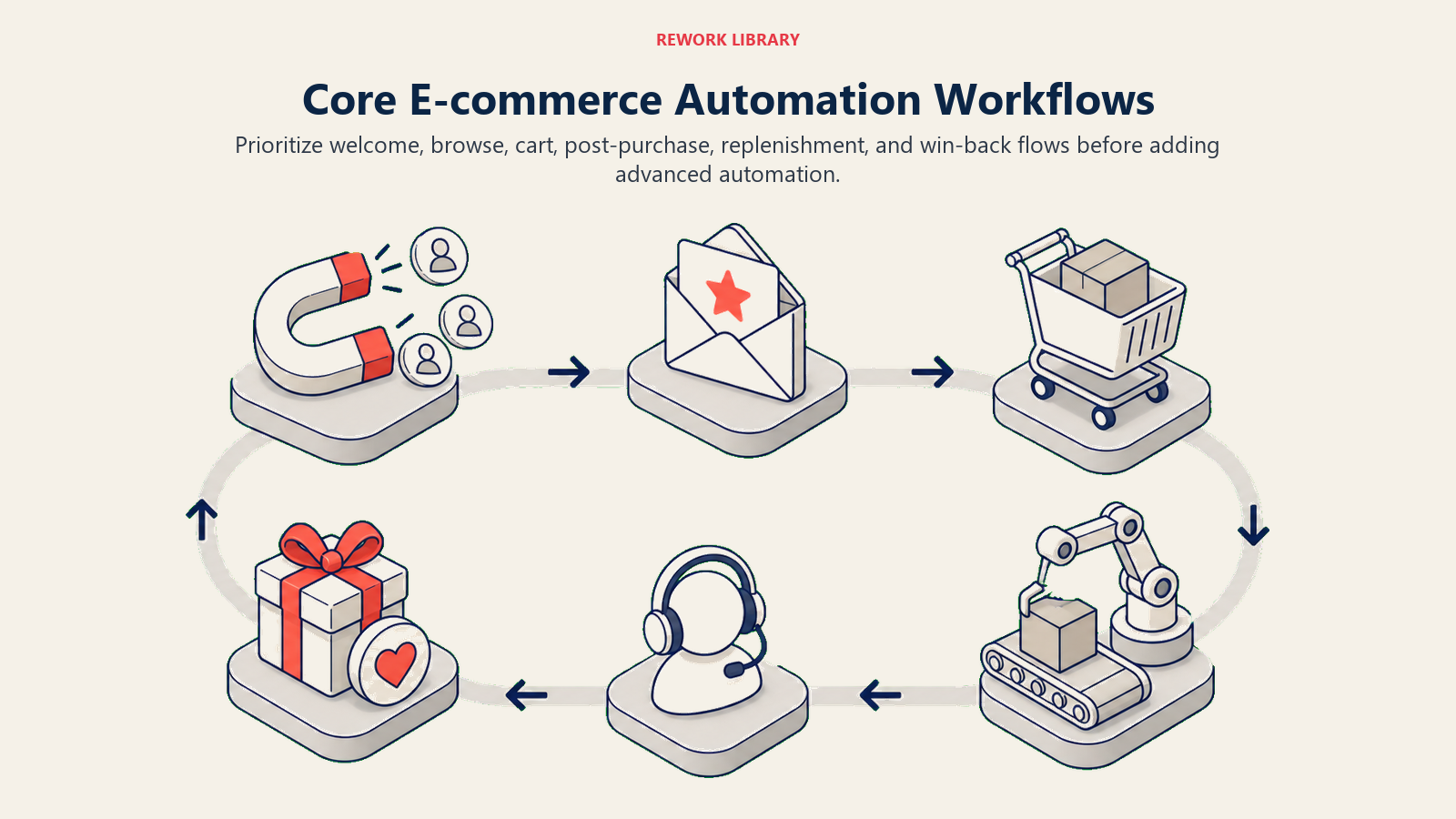
Welcome subscribers convert 40-50% higher than regular list contacts over 90 days. The relationship-building in these first 7 days determines lifetime value.
Browse abandonment: Captures visitors who viewed products but didn't add to cart. Sends 1-3 emails over 3-7 days with viewed products, recommendations, and incentives.
Timing: 2-4 hours after exit (while intent is fresh) Content: Exact products viewed, "others also looked at" recommendations Conversion lift: 10-18% of recipients make purchases
Cart abandonment: The highest-ROI workflow in e-commerce. Recovers 15-30% of abandoned carts through multi-step sequences. See our complete cart abandonment recovery guide for implementation details.
Standard sequence:
- Hour 1: Cart reminder with product images
- Hour 24: Add 10% discount if not opened
- Hour 48: Increase to 15% discount + free shipping
- Hour 72: Final reminder with urgency messaging
Post-purchase sequences: Maximize customer lifetime value through education, engagement, and repeat purchase encouragement.
Day 1: Order confirmation and shipping timeline Day 3: Shipping notification with tracking Day 7: Delivery follow-up, usage tips, care instructions Day 14: How-to content, complementary product suggestions Day 21: Review request with incentive Day 30: Cross-sell based on purchased category Day 60: Replenishment reminder for consumables
Comprehensive post-purchase sequences increase 90-day repeat rates by 35-50%. The customers most likely to buy again are the ones who just bought.
Cross-sell and upsell automation: Triggered by purchase history and product relationships.
"Complete the set" workflows for multi-product categories "You might also need" sequences for complementary items "Upgrade your experience" campaigns for premium alternatives Replenishment reminders for consumable products
One home goods store automated cross-sell based on room categories. Kitchen purchase triggers dinnerware recommendations. Living room triggers decor and lighting. Average order value from automated cross-sells runs 45% higher than catalog browsing.
Win-back campaigns: Re-engage customers who haven't purchased in 60-90 days.
Day 60: "We miss you" with bestseller showcase Day 75: Personalized recommendations from browsing history Day 90: Aggressive discount (20-30% off) with expiration Day 105: Last-chance message, then segment to lower-frequency list
Win-back campaigns recover 8-15% of lapsed customers. The ones who return have 60-70% repeat rate over the next 90 days, better than general customer base.
VIP and loyalty workflows: Reward high-value customers with exclusive treatment.
Automatic tier progression notifications Early access to sales and new products Birthday and anniversary campaigns with gifts Surprise-and-delight random rewards
VIP automation increases retention among your top 20% of customers by 25-35%. The customers generating 60-70% of revenue deserve automated appreciation.
Review request automation: Triggered post-purchase to maximize review volume.
Send 10-15 days after delivery (product used but experience fresh) Include direct review links (reduce friction) Offer incentive for completion (discount on next order) Follow up once if not completed
Automated review requests generate 5-8x more reviews than manual campaigns. Social proof accumulates systematically.
SMS and Multi-Channel Automation
Email isn't enough. SMS, push notifications, and coordinated multi-channel sequences increase conversion rates 40-60% compared to email-only workflows. Learn complete SMS marketing strategy implementation in our dedicated guide. SMS vs. email by use case:
| Use Case | Primary Channel | Reason |
|---|---|---|
| Cart abandonment | SMS first (if opted in) | 98% open rate, immediate visibility |
| Browse abandonment | Email first | Lower urgency, richer content |
| Shipping updates | SMS | Real-time delivery tracking |
| Flash sales | SMS | Time-sensitive, immediate action |
| Welcome series | Educational content, relationship building | |
| Win-back | Email then SMS | Need space to explain value |
SMS-specific automation triggers:
High-value cart abandonment: If cart value exceeds $150 and customer opted into SMS, send SMS reminder at 2 hours, before email at 4 hours. SMS conversion rates run 15-25% (vs. 8-12% for email) on high-intent, high-value carts.
Shipping and delivery notifications: Automated SMS for shipped, out-for-delivery, and delivered status. Reduces "where's my order" support tickets by 60-70% while increasing customer satisfaction.
Flash sale announcements: Time-sensitive promotions with 2-4 hour windows. SMS open rates of 95%+ within 15 minutes drive immediate traffic spikes. One fashion retailer generates $15,000-$25,000 per flash sale SMS to 8,000 subscribers.
Back-in-stock alerts: Customer requests SMS notification when out-of-stock item returns. Automated notification converts 20-35% within 48 hours. Inventory demand signals inform purchasing decisions.
Multi-channel sequence architecture:
Coordinated escalation: Start with email (lowest cost), escalate to SMS if there's no engagement, add retargeting ads for multi-touch reinforcement. Example cart abandonment sequence:
Hour 1: Email reminder Hour 24: SMS reminder (if email unopened) Hour 48: Email with increased discount Hour 72: SMS final notice (if previous unopened) Days 3-14: Retargeting ads with cart products
Channel preference learning: Track response patterns by customer. If someone consistently converts via SMS, prioritize SMS in future workflows. If they never open SMS but engage with email, adjust channel mix automatically.
Preference center automation: Let customers control channel frequency and types. Automated preference respect reduces unsubscribe rates 30-40% while maintaining engagement with opted-in audience.
One DTC brand added SMS to cart abandonment workflow. Email-only recovery rate: 18%. Email + SMS recovery rate: 31%. The 13-point lift generated $180,000 additional annual revenue from existing traffic. No new acquisition cost.
Platform Selection and Comparison
Choosing the wrong marketing automation platform costs 6-12 months in migration pain, integration rebuilding, and lost workflow sophistication. Platform selection determines what's possible for the next 2-3 years. Core platform requirements: E-commerce native integration: Direct connection to your platform (Shopify, BigCommerce, WooCommerce) that syncs customer data, purchase history, product catalog, and behavioral events in real-time. API-based "integrations" that require Zapier aren't real integrations.
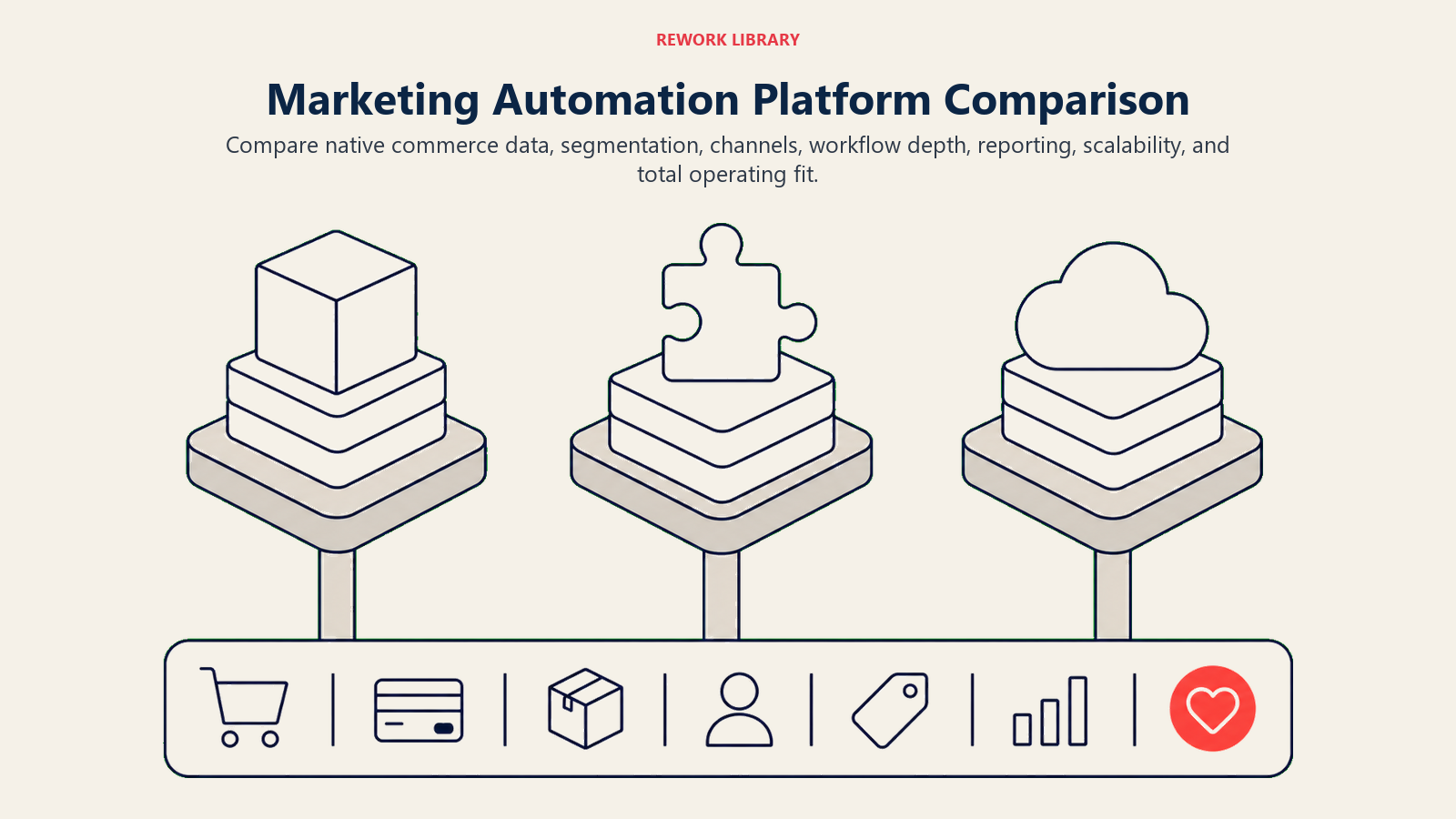
Advanced segmentation: Build segments on behavioral data (viewed category X, purchased product Y, abandoned cart >$Z), demographic data, engagement history, predictive metrics, and custom properties. Segment refresh should be automatic and real-time.
Visual workflow builder: Drag-and-drop interface for multi-step flows with conditional logic, wait periods, A/B tests, and channel selection. If you need developers to build workflows, adoption will be slow.
Multi-channel capability: Unified platform for email, SMS, push notifications, and on-site messaging. Managing separate platforms for each channel makes coordinated workflows impossible.
Deliverability infrastructure: Dedicated IPs for high-volume senders, shared IP reputation management for smaller senders, authentication protocols (SPF, DKIM, DMARC), and ISP relationships that keep messages out of spam folders.
Analytics and attribution: Revenue tracking by workflow, channel, and campaign. Attribution modeling that shows assisted conversions. Cohort analysis that measures long-term impact. Without these, you're optimizing blind.
Platform comparison matrix:
Klaviyo (Market leader for e-commerce) Strengths: Best-in-class e-commerce integration, advanced segmentation, predictive analytics, excellent deliverability, complete attribution Limitations: Higher cost at scale ($600-$1,500/month for 50,000 contacts), learning curve for advanced features Best for: Stores doing $100K+/month with experienced marketing teams
Omnisend (All-in-one automation) Strengths: Built-in SMS and push, e-commerce-specific workflows, competitive pricing ($400-$800/month for 50,000 contacts), easier learning curve Limitations: Less advanced segmentation than Klaviyo, fewer advanced features Best for: Growing stores ($25K-$150K/month) wanting unified platform without complexity
HubSpot Marketing Hub (Enterprise platform) Strengths: CRM integration, content management, landing pages, comprehensive marketing stack, sales team coordination Limitations: Not e-commerce native (requires significant customization), expensive ($800-$3,200/month), overcomplicated for pure e-commerce Best for: B2B e-commerce or stores with complex sales processes
ActiveCampaign (Automation-focused) Strengths: Powerful automation builder, CRM included, good value ($250-$600/month for 50,000 contacts), extensive integrations Limitations: Not e-commerce-specific (requires more setup), limited native e-commerce features Best for: Stores with strong technical teams willing to customize
Mailchimp (Entry-level automation) Strengths: Familiar interface, low entry cost (free-$350/month for 50,000 contacts), basic e-commerce integration Limitations: Weak automation compared to specialists, limited segmentation, higher costs at scale than alternatives Best for: Stores under $10K/month just starting automation
Integration depth evaluation:
Check these before committing:
Real-time sync vs. batch updates (24-hour delays kill cart abandonment effectiveness) Historical data import (can you access pre-integration purchase history?) Product catalog sync (dynamic product recommendations require full catalog) Custom event tracking (can you send custom behavioral triggers?) Bi-directional data flow (does customer data flow back to your store?)
Total cost of ownership calculation:
Platform subscription is 40-60% of total cost. Account for:
SMS costs ($0.01-$0.015 per message, adds $500-$2,000/month for active programs) Dedicated IP ($30-$50/month for deliverability control) Additional contacts/email overages Professional services for implementation ($2,000-$10,000 one-time) Migration costs if switching platforms ($5,000-$20,000 depending on complexity)
One brand compared Klaviyo at $1,200/month to Mailchimp at $350/month. Klaviyo's better segmentation and attribution drove 35% higher automation revenue, $42,000 additional monthly revenue. The $850/month price difference paid for itself in 18 hours of additional sales.
Platform selection isn't about finding the cheapest tool. It's about choosing infrastructure that enables advanced workflows and scales with revenue growth. See our e-commerce platform selection guide for related technology decisions.
Integration Architecture for Automation Success
Your marketing automation platform is the hub. Customer data, purchase history, behavioral events, and engagement data flow in. Personalized messages flow out. Integration architecture determines what's possible. Native e-commerce platform integration: Your store platform (Shopify, BigCommerce, WooCommerce) sends customer and order data to your automation platform. Critical data flows:
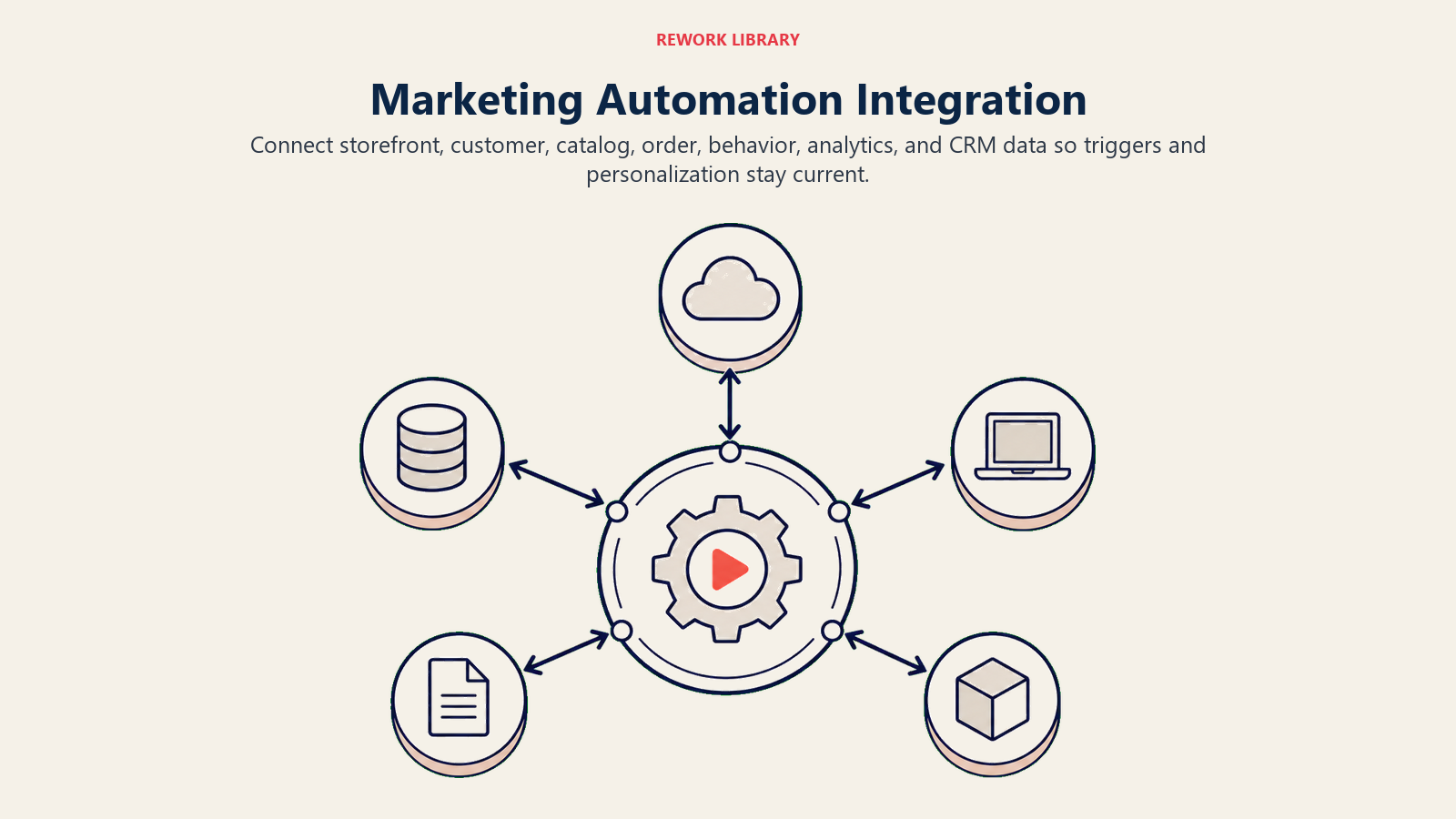
Customer creation/update: New signups, profile changes, custom attributes Product catalog sync: SKUs, images, pricing, inventory for dynamic recommendations Order events: Placed, fulfilled, cancelled, refunded for lifecycle triggers Behavioral events: Product views, add-to-cart, checkout started, search queries
Implementation: Use native integration apps (Klaviyo for Shopify, Omnisend for WooCommerce). Avoid custom API connections unless absolutely necessary. Native apps include pre-built workflows and proven data models.
Customer Data Platform (CDP) integration:
For stores with multiple data sources (mobile app, retail POS, subscription platform), a customer data platform unifies customer identity and makes complete profiles available to automation.
Data consolidation: CDP merges web visitor, email subscriber, app user, and in-store customer into single profile Segment activation: Build segments in CDP, push to automation platform for messaging Event forwarding: CDP collects all behavioral events, routes relevant triggers to automation
Example: Customer browses products on mobile app, adds to cart on website, abandons. CDP recognizes same person, triggers unified cart abandonment workflow with app + web cart contents.
Analytics integration for closed-loop measurement:
Connect automation platform to analytics and tracking infrastructure for complete attribution and ROI measurement.
UTM parameter tagging: Automatically tag all email and SMS links for source tracking Conversion tracking: Pass automation-attributed orders back to analytics platform Revenue synchronization: Match automation platform revenue to actual store revenue Cohort analysis: Measure long-term impact of automation on customer lifetime value
CRM integration for sales coordination:
B2B e-commerce or high-touch sales need bidirectional CRM sync.
Lead scoring: Automation engagement feeds lead scores in CRM Sales triggers: High-value cart abandonment or repeated browsing creates sales tasks Deal tracking: CRM opportunity creation can trigger nurture sequences Win/loss learning: Closed deals inform automation messaging and segmentation
Webhooks and API integration for custom workflows:
Advanced automation requires custom event triggers beyond standard e-commerce events.
Custom events: Subscription renewal, support ticket closure, webinar attendance, quiz completion External triggers: Inventory alerts from WMS, shipping exceptions from 3PL, payment issues from gateway Action triggers: Automation can trigger actions in other systems (create support ticket, update inventory, notify fulfillment)
Real-time vs. batch synchronization:
Integration timing matters:
Real-time (immediate sync): Cart abandonment, browse behavior, form submissions, purchase confirmation, actions that require immediate response Near real-time (5-15 minutes): Product views, search behavior, email engagement, batched for system efficiency Batch (hourly/daily): Profile updates, catalog sync, historical data import, scheduled for resource optimization
One growing store implemented real-time cart abandonment (vs. their previous 24-hour batch). Recovery rate jumped from 11% to 23%. Real-time integration enabled 1-hour email timing that captured high-intent customers before they forgot about their cart.
Workflow Design Best Practices
Building workflows is easy. Building high-converting workflows that don't annoy customers requires systematic design discipline. Trigger identification and optimization: Every workflow starts with a trigger. Choosing the right triggers and refining conditions determines workflow relevance.
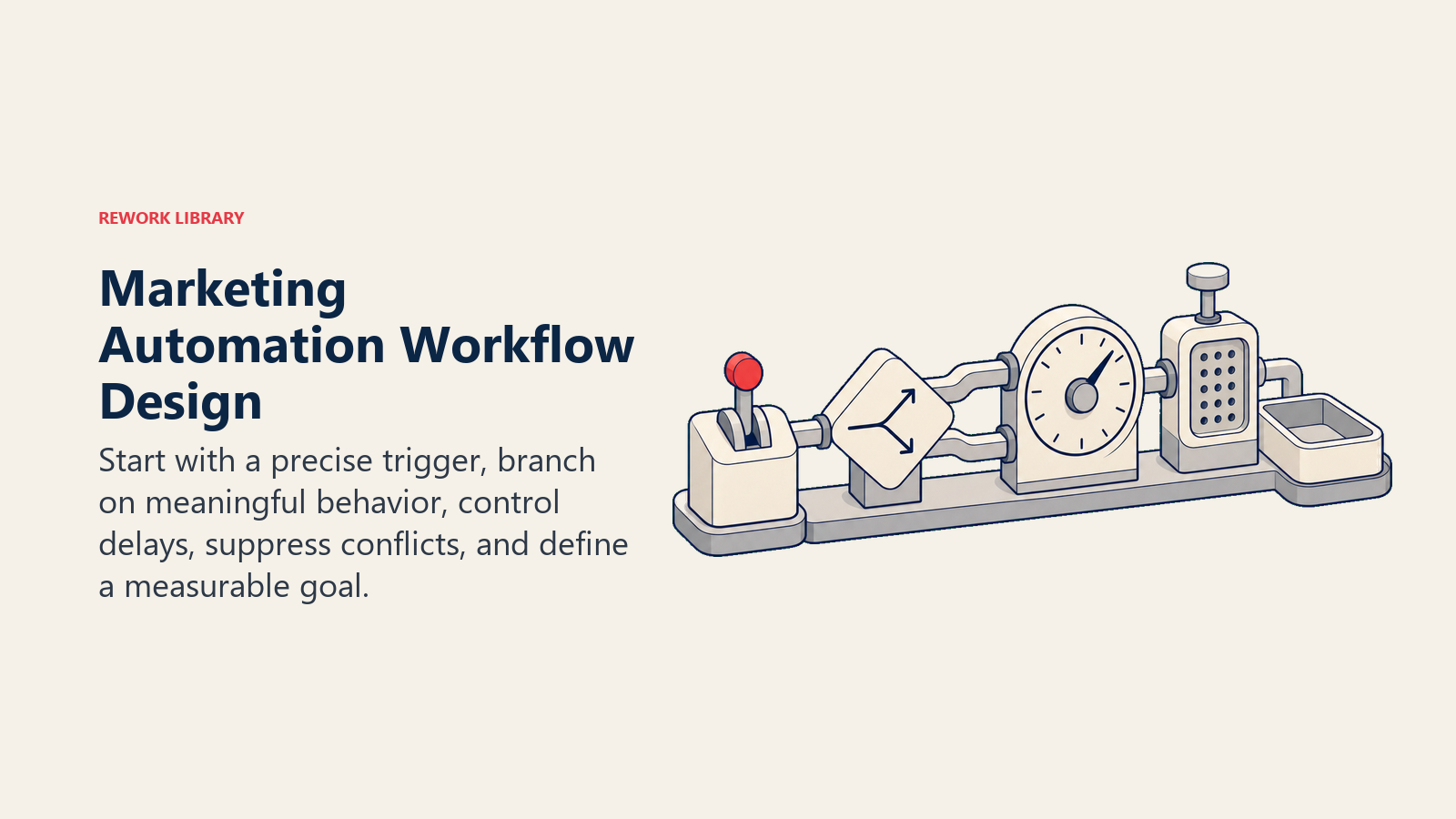
Behavioral triggers: Specific customer actions (viewed product category 3+ times, added $100+ to cart, spent 5+ minutes on product page, downloaded resource, completed quiz) Transactional triggers: Order events (placed, shipped, delivered, 7 days post-delivery, 30 days post-delivery) Time-based triggers: Schedule or delay (7 days after signup, 60 days since last purchase, 24 hours after cart abandonment) Segment-based triggers: Customer attribute changes (reached VIP status, moved to "at risk" segment, birthday month started)
Trigger refinement: Start broad, narrow based on performance. Initial browse abandonment trigger: "Viewed any product." After analysis: "Viewed products in category X for 3+ minutes with 2+ page views." Refined trigger has 40% higher conversion with 60% less volume (better customer experience and economics).
Conditional logic and branching:
Linear workflows waste opportunities. Branching paths based on customer behavior increase relevance.
Engagement-based branching: If email opened → wait 2 days, send cross-sell. If not opened → resend with different subject line, then exit if still not opened. Behavioral branching: If purchased → exit flow, enter post-purchase sequence. If visited site but didn't purchase → send urgency message. If no activity → wait 3 days, send different angle. Attribute-based branching: If VIP customer → exclusive offer. If first-time buyer → education content. If male/female → gender-specific products. Channel branching: If opened email → continue via email. If didn't open but SMS opted-in → send SMS reminder.
One cart abandonment workflow with 4 decision points (opened email, visited site, added to cart again, purchased) converted 31% of entrants vs. 18% for linear workflow. Branching paths matched communication to actual behavior.
Frequency capping and customer experience:
Automation can become spam without frequency controls.
Cross-workflow suppression: Don't send cart abandonment email to someone who just received post-purchase email. Set global send limits (max 1 email per day, 3 per week). Engagement-based frequency: High engagers can receive more messages. If open rate >40%, increase frequency. If <10%, decrease. Smart send time optimization: Learn individual customer preferences. If they typically open emails at 7 PM, schedule sends for 6:45 PM. Fatigue monitoring: Track engagement decline. If open rates drop 30%+ over 30 days, reduce frequency automatically.
Delay optimization:
Wait periods between workflow steps affect both conversion rates and customer experience.
Cart abandonment delays: 1 hour (optimal for high-intent, converts 8-12%), 24 hours (captures procrastinators, converts 4-6%), 48 hours (last chance, converts 2-3%). Testing consistently shows 1-hour send time beats 24-hour by 45-60%.
Post-purchase delays: Immediate (confirmation), 3 days (shipping), 7 days (delivery), 14 days (usage education), 21 days (review request), 30 days (cross-sell). Respect product usage timeline. Don't request reviews before customers have actually used your products.
Welcome series delays: Immediate (welcome + discount), 2 days (social proof), 4 days (education), 7 days (urgency). Give time to engage without overwhelming.
A/B testing within workflows:
You can test every workflow element:
Subject lines, send times, discount amounts, content blocks, calls-to-action, email length, personalization elements, images
Test workflow-level variations: 2-email sequence vs. 3-email sequence, email-only vs. email + SMS, 10% discount vs. free shipping
Statistical significance requirements: 95% confidence, 250+ conversions per variant (not just opens), 7-14 day test duration. Don't make decisions based on 50 opens.
One brand tested cart abandonment discount timing: Option A offered 10% in first email. Option B offered product reminders first, 10% in second email if not purchased. Option B converted 6% higher. Customers who needed discount got it, others converted without incentive margin erosion.
Segmentation and Personalization at Scale
Generic workflows underperform. Segmented, personalized workflows convert 40-60% better. The challenge? Personalizing for 50,000+ customers without manual work. Dynamic segment refresh: Segments update automatically as customer behavior changes. Static segments go stale.
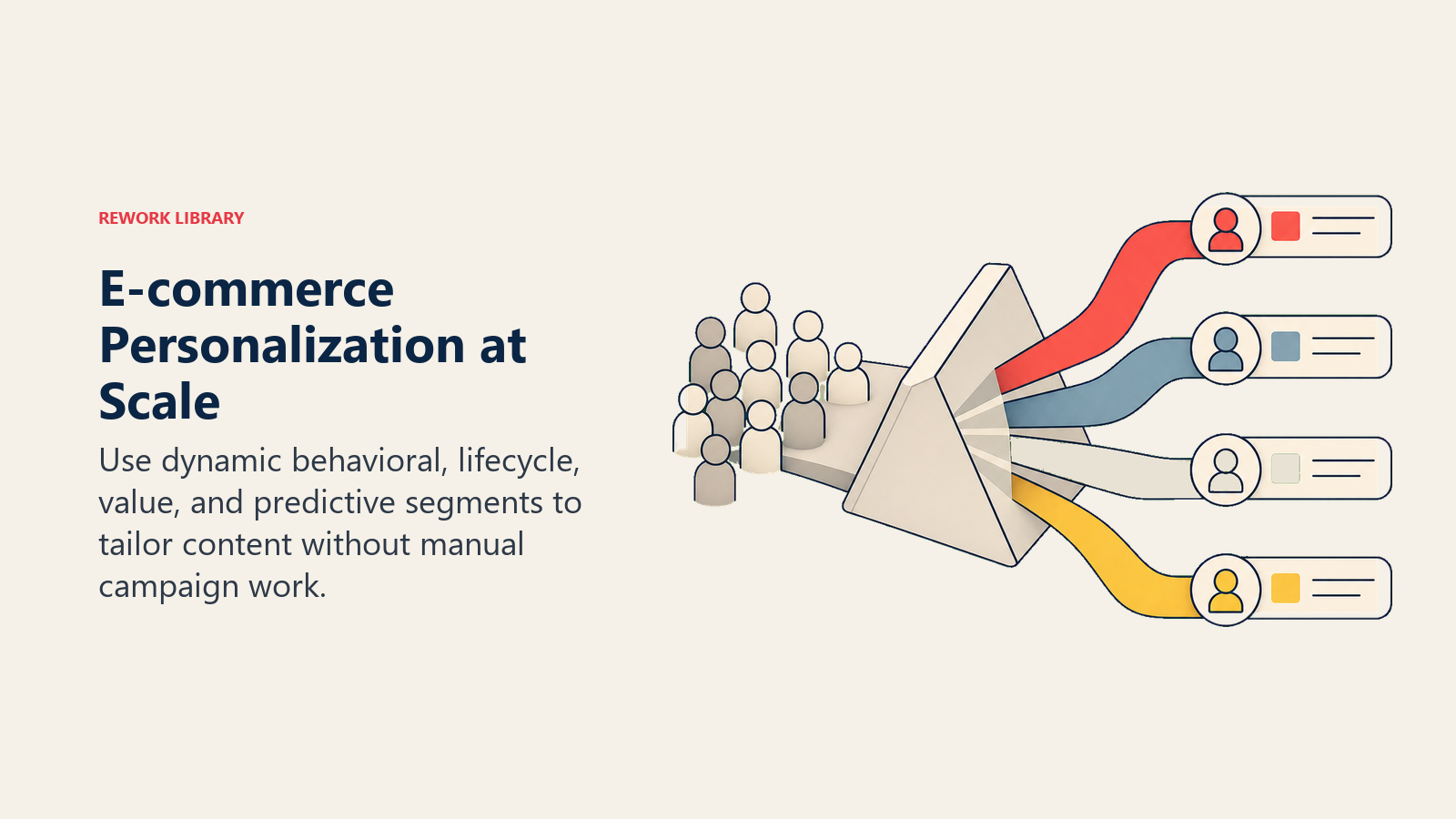
Behavioral segments: Recent purchasers (<30 days), active browsers (7 days), cart abandoners, email engagers (opened 3+ of last 10), dormant customers (90+ days no activity) Value segments: VIP (top 10% LTV), high-potential (high AOV, low frequency), bargain hunters (only purchase on discount), one-time buyers Lifecycle segments: New subscribers, first-time buyers, repeat customers, loyal customers, at-risk, lapsed Product affinity segments: Category purchasers (apparel, accessories, home goods), brand preferences, price sensitivity tiers
Automation platforms refresh segments continuously. Someone moves from "cart abandoner" to "recent purchaser" instantly, exiting cart workflow and entering post-purchase workflow. No manual list management.
Predictive segmentation:
Machine learning identifies patterns humans miss.
Churn prediction: Identify customers likely to lapse in next 30 days based on engagement decline, purchase frequency changes, browsing pattern shifts Purchase likelihood: Score customers by probability of purchase in next 14 days, prioritize high-scoring contacts for promotional campaigns Product affinity prediction: Recommend products customer most likely to purchase based on similar customer purchase patterns Optimal send time: Predict best time to send email for each individual based on historical open patterns
Klaviyo's predictive analytics identified 2,400 customers (12% of list) who generated 43% of next-30-day revenue. Targeting high-likelihood segments increased campaign ROI 3.2x.
Personalization tokens and dynamic content:
Scale personalization by automating content insertion:
Basic personalization: First name, last purchase date, VIP status, points balance Behavioral personalization: Recently viewed products, browsed categories, abandoned cart contents, previous purchases Conditional content blocks: If purchased apparel, show apparel recommendations. If purchased home goods, show home recommendations. Single template, dynamic content. Countdown timers: Dynamic urgency ("Your discount expires in [time remaining]") updates in real-time
One email template with 8 conditional content blocks serves 12 customer segments. Build once, personalize automatically. Previous approach required 12 separate emails and manual segment management.
Lifecycle stage progression:
Move customers through stages automatically:
Subscriber → First-time buyer → Repeat customer → Loyal customer → VIP → Brand advocate
Each stage has specific workflows:
Subscribers: Welcome series, engagement nurture First-time buyers: Post-purchase education, second purchase encouragement Repeat customers: Category expansion, cross-sell Loyal customers: Exclusive previews, loyalty program VIP: Concierge treatment, surprise rewards Advocates: Referral programs, user-generated content requests
Automated stage progression ensures customers receive relevant messages for their relationship phase. Manual stage assignment doesn't scale.
ROI Measurement and Attribution
"Marketing automation works" isn't enough. You need quantified ROI that justifies platform investment and guides optimization priorities. Baseline metrics establishment: Measure pre-automation performance:
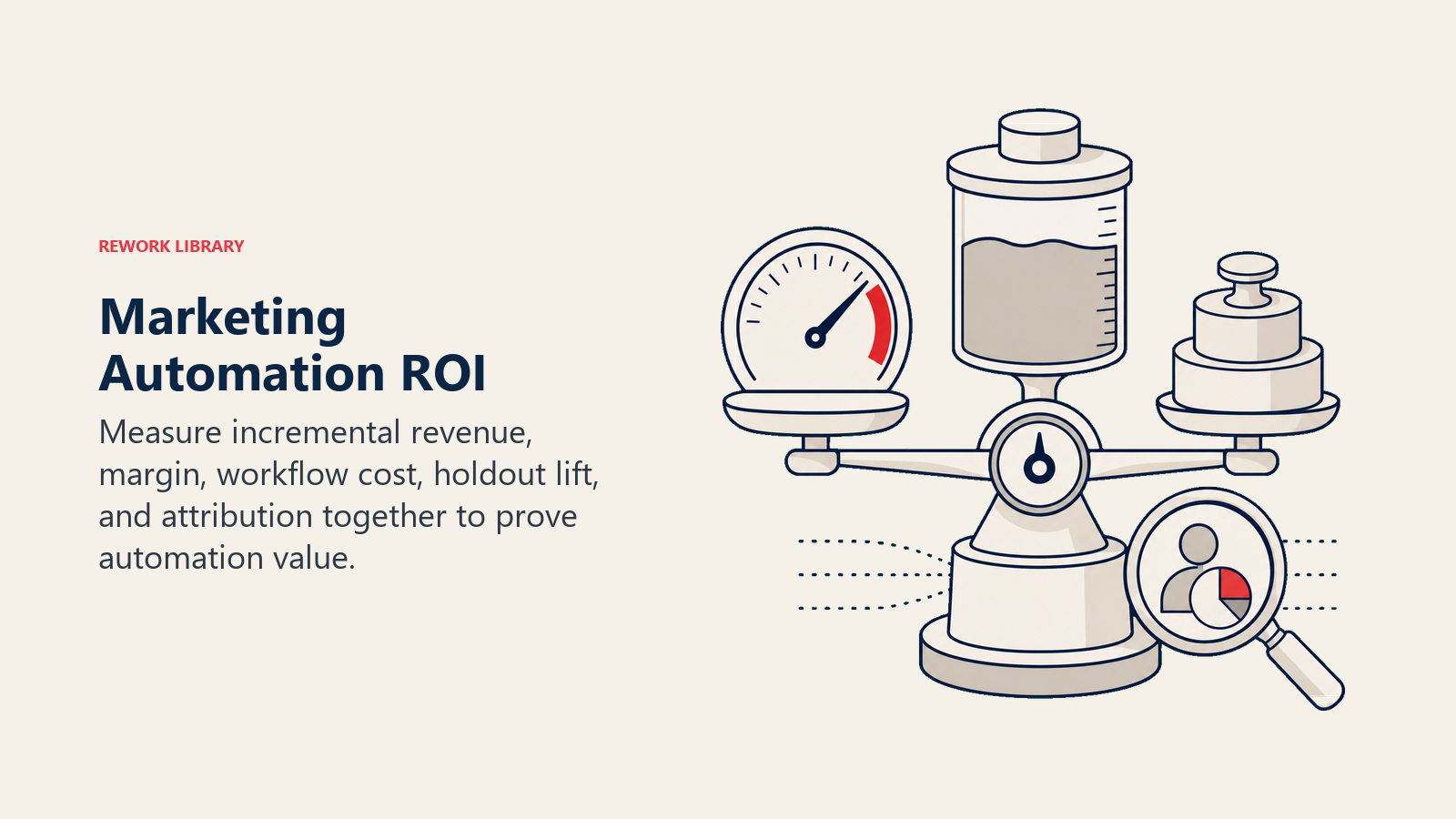
Email revenue as % of total revenue Average order value from email Repeat purchase rate Email list growth rate Campaign deployment time
Post-automation comparison shows true impact. One store measured 8% email revenue pre-automation, 34% post-automation. That's 4.25x multiplier from systematic workflow implementation.
Revenue attribution models:
Direct attribution: Customer clicked email, purchased immediately. Simple, underestimates impact. Automation platforms show this by default ($X revenue from workflow Y).
Assisted attribution: Customer engaged with multiple touchpoints. Email introduced product, retargeting ad reminded, customer purchased later. Multi-touch attribution gives partial credit to each touchpoint.
Incremental attribution: Revenue generated beyond what would have happened anyway. Control groups show true lift. Example: Cart abandonment workflow recovers 18% of carts. But 5% would have returned anyway. Incremental recovery: 13%. That's the true automation value.
Holdout testing for incremental measurement:
Randomly exclude 5-10% of customers from automation workflows (control group). Compare purchase rates:
Treatment group (receives workflows): 22% conversion Control group (no workflows): 14% conversion Incremental lift: 8 percentage points (57% improvement)
If workflow generated $180,000 revenue, incremental revenue is $62,000 (the amount that wouldn't have happened without automation). That's your true ROI calculation base.
Cost per acquisition (CPA) improvement:
Automation reduces effective CPA by increasing conversion from existing traffic.
Pre-automation: $50,000 ad spend, 500 customers, $100 CPA Post-automation: $50,000 ad spend, 750 customers (improved retention + cart recovery), $67 CPA
Same acquisition investment, 33% CPA reduction through automation-driven conversion improvement. And this scales. Every dollar saved on CPA can fund additional acquisition.
Customer lifetime value (CLV) impact:
Automation workflows increase customer lifetime value through retention and repeat purchase:
Pre-automation CLV: $180 (1.5 purchases, $120 AOV) Post-automation CLV: $285 (2.4 purchases, $118 AOV) CLV increase: 58%
This compounds: Higher CLV justifies higher acquisition costs, enables market share growth, and improves unit economics across the business.
Workflow-level performance metrics:
Track each workflow independently to understand e-commerce metrics and KPIs that drive growth:
Revenue per recipient: Total workflow revenue ÷ number of customers who entered Conversion rate: Customers who purchased ÷ customers who entered Revenue per email sent: Total revenue ÷ number of emails sent (measures efficiency) Time to conversion: How long from workflow start to purchase (faster = better) Exit points: Where customers leave workflow without converting (optimization opportunities)
Cart abandonment workflow example:
- 1,000 entries per week
- 180 conversions (18% conversion rate)
- $12,600 revenue
- $12.60 revenue per recipient
- 2.1 emails sent per conversion
Compare workflows: Cart abandonment at $12.60 per recipient outperforms browse abandonment at $4.20 per recipient. Optimization priority: improve browse abandonment or increase cart abandonment volume.
Platform ROI justification:
Calculate total automation value vs. platform cost:
Monthly automation revenue: $85,000 (tracked via platform attribution) Incremental percentage (from holdout test): 65% True incremental revenue: $55,250 Platform cost: $1,200/month ROI: 4,504% (or 46x return)
Even conservative estimates (30% incremental attribution) deliver 17x ROI. Platform investment pays for itself in days, not months.
One store presented quarterly business review: "Marketing automation generated $624,000 incremental revenue on $14,400 platform investment (43x ROI). Recommendation: increase automation sophistication with advanced segmentation and SMS expansion." That's how you justify platform upgrades and expanded automation investment.
Compliance, Deliverability, and Data Privacy
Automation spam destroys deliverability. Legal violations risk fines. Systematic compliance protects both deliverability and customer trust. Consent management:
You need explicit permission to send messages.
Email opt-in: Checkbox on signup forms (pre-checked doesn't count), confirmation email for double opt-in (best practice), clear language about what they'll receive SMS opt-in: Separate explicit consent required (can't assume email permission extends to SMS), clear messaging frequency expectations, disclosure of message/data rates Preference center: Let customers choose message types (promotional, transactional, educational) and frequency (daily, weekly, monthly)
Compliance isn't just legal requirement, it improves engagement. Opted-in, engaged subscribers convert 5-8x better than scraped/purchased lists.
GDPR, CCPA, and CAN-SPAM compliance:
Different regulations, similar principles:
CAN-SPAM (US): Clear identification, honest subject lines, valid physical address, easy unsubscribe, honor opt-outs within 10 days GDPR (EU): Explicit consent, purpose disclosure, right to access data, right to deletion, data portability CCPA (California): Disclosure of data collection, opt-out rights, no discrimination for opt-out
Most automation platforms handle technical compliance (unsubscribe links, suppression lists, preference management). You handle consent collection and privacy policy disclosure.
Unsubscribe and preference handling:
Make opting out easy (even though it hurts):
One-click unsubscribe: No login required, no confirmation needed (just "are you sure?" option) Preference options: Before full unsubscribe, offer frequency reduction or topic selection Feedback collection: Ask why they're leaving (too frequent, not relevant, purchased elsewhere) Automated suppression: Unsubscribes immediately remove from all promotional sends (transactional emails like order confirmation still allowed)
Stores that make unsubscribing easy maintain 2-3% unsubscribe rates. Stores that hide or complicate unsubscribing see 8-12% spam complaint rates, which kills deliverability.
List hygiene automation:
Dead addresses and unengaged contacts hurt deliverability:
Bounce handling: Hard bounces (invalid addresses) automatically suppressed after 1 failure. Soft bounces (temporary issues) suppressed after 3 failures. Engagement-based suppression: Contacts who haven't opened email in 90-180 days move to "sunset segment" with re-engagement campaign. If still no engagement, suppress from promotional sends. Spam trap monitoring: Automation platforms monitor for spam trap hits (honeypot addresses set by ISPs to catch list abuse). Clean lists avoid traps. Invalid address removal: Remove obvious fake addresses (asdf@asdf.com, test@test.com) before they generate bounces
One brand implemented 90-day engagement suppression. List size dropped 18%, but deliverability improved from 87% to 96%, and overall revenue increased 12% (higher quality audience + better inbox placement).
Spam prevention and deliverability:
Getting emails delivered requires ongoing reputation management:
Authentication protocols: SPF (sender verification), DKIM (message signing), DMARC (policy enforcement), all configured correctly Sender reputation: Maintained through low bounce rates (<2%), low complaint rates (<0.1%), high engagement (>15% open rates) Content best practices: Avoid spam trigger words ("FREE!!!"), balanced text/image ratio, clean HTML, testing with spam checkers before sending Sending patterns: Consistent volume (not 0 sends then 100K sends), gradual warm-up for new IPs/domains, engagement-based sending (prioritize engaged subscribers)
Deliverability determines automation ROI. 70% deliverability means 30% of your workflows never reach customers. Maintain 95%+ inbox placement through systematic reputation management.
Maturity Stages: From Basic to Advanced Automation
Marketing automation capability grows in stages. Start with foundations, expand as you prove ROI and build expertise. Stage 1: Basic triggered emails (Months 1-3)
Core workflows running:
- Welcome series (1-3 emails)
- Cart abandonment (1-2 emails)
- Post-purchase confirmation and shipping
Focus: Getting infrastructure working, learning platform, proving basic ROI
Expected impact: 15-25% of email revenue from automation
Stage 2: Expanded workflow coverage (Months 3-6)
Adding workflows:
- Browse abandonment
- Post-purchase education and cross-sell
- Win-back campaigns
- Review requests
Focus: Covering more customer journey touchpoints, improving workflow performance through testing
Expected impact: 30-40% of email revenue from automation
Stage 3: Segmentation and personalization (Months 6-12)
Adding depth:
- Dynamic segmentation by behavior and value
- Conditional content and product recommendations
- Multiple workflow variations by segment
- Predictive analytics integration
Focus: Moving from one-size-fits-all to personalized customer experiences
Expected impact: 40-50% of email revenue from automation, 25-35% increase in repeat purchase rate
Stage 4: Multi-channel orchestration (Months 12-18)
Channel expansion:
- SMS integrated into core workflows
- Push notifications for mobile app customers
- On-site personalization triggered by email engagement
- Coordinated cross-channel sequences
Focus: Right message, right channel, right time
Expected impact: 45-55% of total revenue from automated multi-channel workflows
Stage 5: AI-driven optimization (Months 18+)
Advanced capabilities:
- Machine learning send time optimization
- Predictive product recommendations
- Automated workflow branching based on propensity models
- Dynamic creative optimization (automated A/B testing)
- Churn prediction and proactive retention
Focus: Removing human bottlenecks, scaling optimization beyond manual capacity
Expected impact: 50-65% of revenue from automated workflows, 40-60% improvement in customer lifetime value
Most stores plateau at Stage 3-4. The ones that push to Stage 5 generate sustainable competitive advantages through automation capabilities competitors can't easily replicate.
Making Automation Work for Your Store
Marketing automation isn't a project. It's infrastructure. The stores generating 40-60% of revenue from automated workflows didn't implement everything at once. They started with cart abandonment, proved ROI, expanded to welcome series, proved ROI again, added browse abandonment, and systematically built comprehensive automation infrastructure over 12-18 months.
Start with the workflows that will generate immediate revenue: cart abandonment and welcome series. Get those working, measure incremental revenue, then expand coverage. Choose a platform that matches your current revenue scale but can grow with you. Integrate deeply so customer data flows automatically. Test systematically to improve performance. Add channels as you prove email ROI.
The marketing team managing 47 workflows and 180,000 contacts didn't start there. They started with 2 workflows and 5,000 contacts. Growth came from proving value, expanding capability, and building systematic workflow development processes. The infrastructure they built generates predictable revenue every month while they focus on strategy and testing (not manual campaign execution).
Your automation infrastructure determines what's possible for the next 2-3 years. Build it right.
Related Resources:

On this page
- What Marketing Automation Actually Means
- Why Marketing Automation Delivers Measurable ROI
- Core Automation Workflows Every Store Needs
- SMS and Multi-Channel Automation
- Platform Selection and Comparison
- Integration Architecture for Automation Success
- Workflow Design Best Practices
- Segmentation and Personalization at Scale
- ROI Measurement and Attribution
- Compliance, Deliverability, and Data Privacy
- Maturity Stages: From Basic to Advanced Automation
- Making Automation Work for Your Store