Inbound Lead Generation: Attracting High-Quality Prospects Through Strategic Channels
Turn this article into takeaways for your work.


Each assistant summarizes the article only for you and suggests best practices for your work.
Cold outreach is getting harder. Buyers don't want to be interrupted. They want to educate themselves, research solutions on their own terms, and reach out when they're ready. For professional services firms, this shift changes everything about how you generate new business.
Inbound lead generation solves this problem by making your firm discoverable and valuable to prospects before they're ready to hire. When someone searches for "management consulting for healthcare" or "fractional CFO services," your firm should show up. When they're researching whether to outsource marketing or build in-house, they should find your content. When they're ready to talk to an expert, your website should make it easy to connect.
This isn't about getting more traffic. It's about attracting the right traffic and converting them into qualified leads. This guide shows you how to build that engine.
Why Inbound Matters for Professional Services
Professional services buying decisions are fundamentally different from product purchases. Nobody impulse-buys a $150K consulting engagement. Prospects spend months researching, comparing approaches, and building internal consensus before they ever talk to a vendor. That research phase is where inbound wins. When prospects find your content at the beginning of their journey, you shape how they think about the problem and what good solutions look like. By the time they're ready to request proposals, they already trust your expertise.
The numbers bear this out. Professional services firms with mature inbound programs see 60-70% of new business coming from inbound channels. Their cost per lead runs 3-5x lower than outbound. Even better: inbound leads close at higher rates because they're already educated and self-qualified.
But here's what matters most: inbound creates compounding returns. One piece of content can generate leads for years. Your SEO work compounds over time. Lead magnets automate qualification. Unlike outbound where you start from zero every quarter, inbound builds momentum.
How Inbound Differs from Outbound: Pull vs Push
Outbound is push. You identify target accounts, you reach out, you drive the process. It's active hunting. Inbound is pull. Prospects find you when they're looking for solutions. They engage with your content, download resources, request consultations. You're creating the conditions for them to discover and choose you.
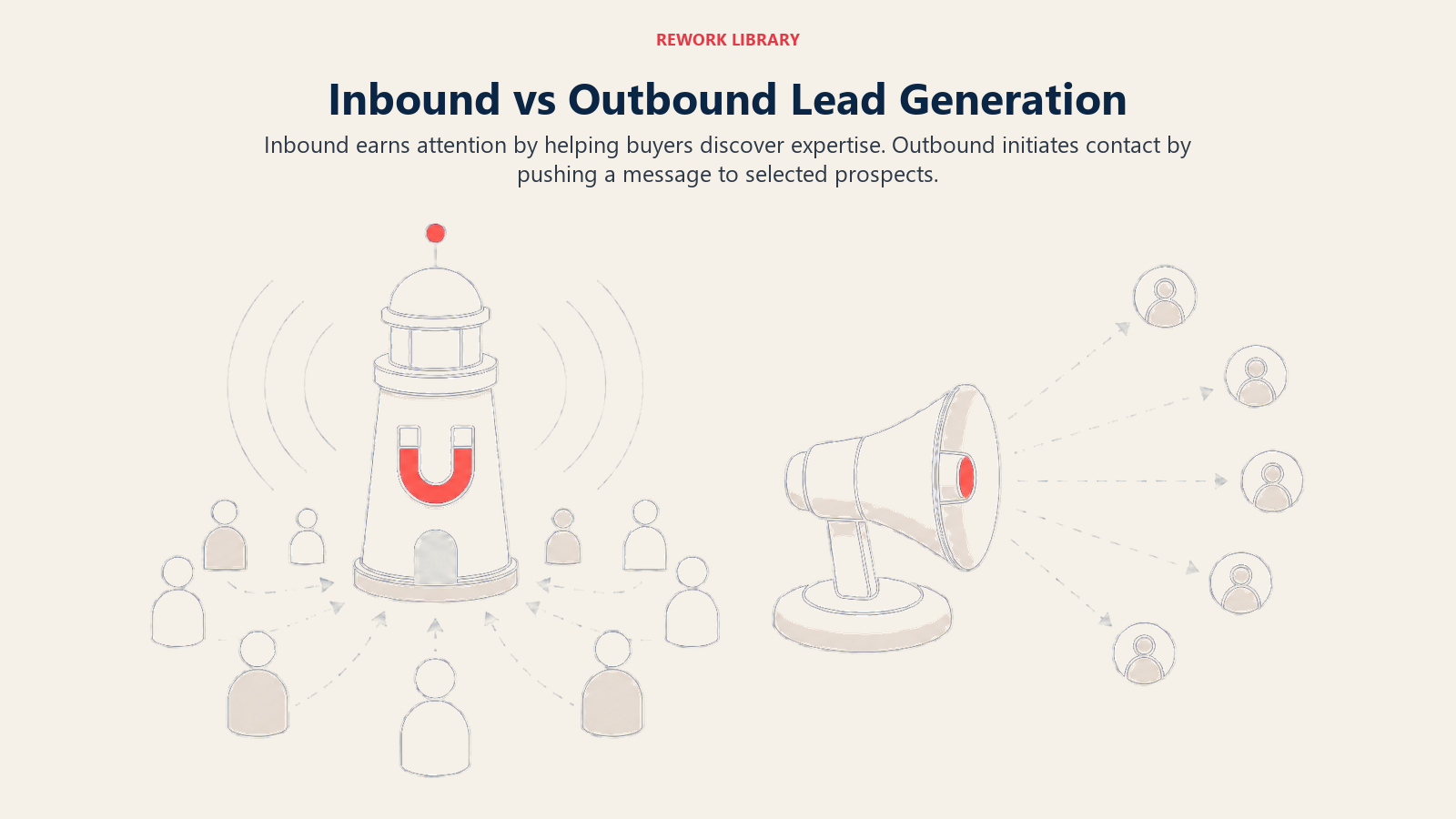
The buyer journey looks completely different:
Outbound journey:
- You identify prospect
- You reach out cold
- You explain what you do
- You try to create urgency
- You overcome objections
- You close (maybe)
Inbound journey:
- Prospect recognizes problem
- Prospect searches for information
- Prospect finds your content
- Prospect learns from multiple touchpoints
- Prospect reaches out when ready
- You close (higher probability)
Inbound takes longer to build but scales better. Outbound generates faster results but requires constant effort. Smart firms do both, using inbound to fill the pipeline while outbound targets specific high-value accounts.
Search Engine Optimization: The Foundation
SEO is how prospects find you when they're actively searching for solutions. If you're not ranking for the searches your ideal clients are making, you're invisible during the most important part of their research.
Keyword Research: What Your Clients Actually Search
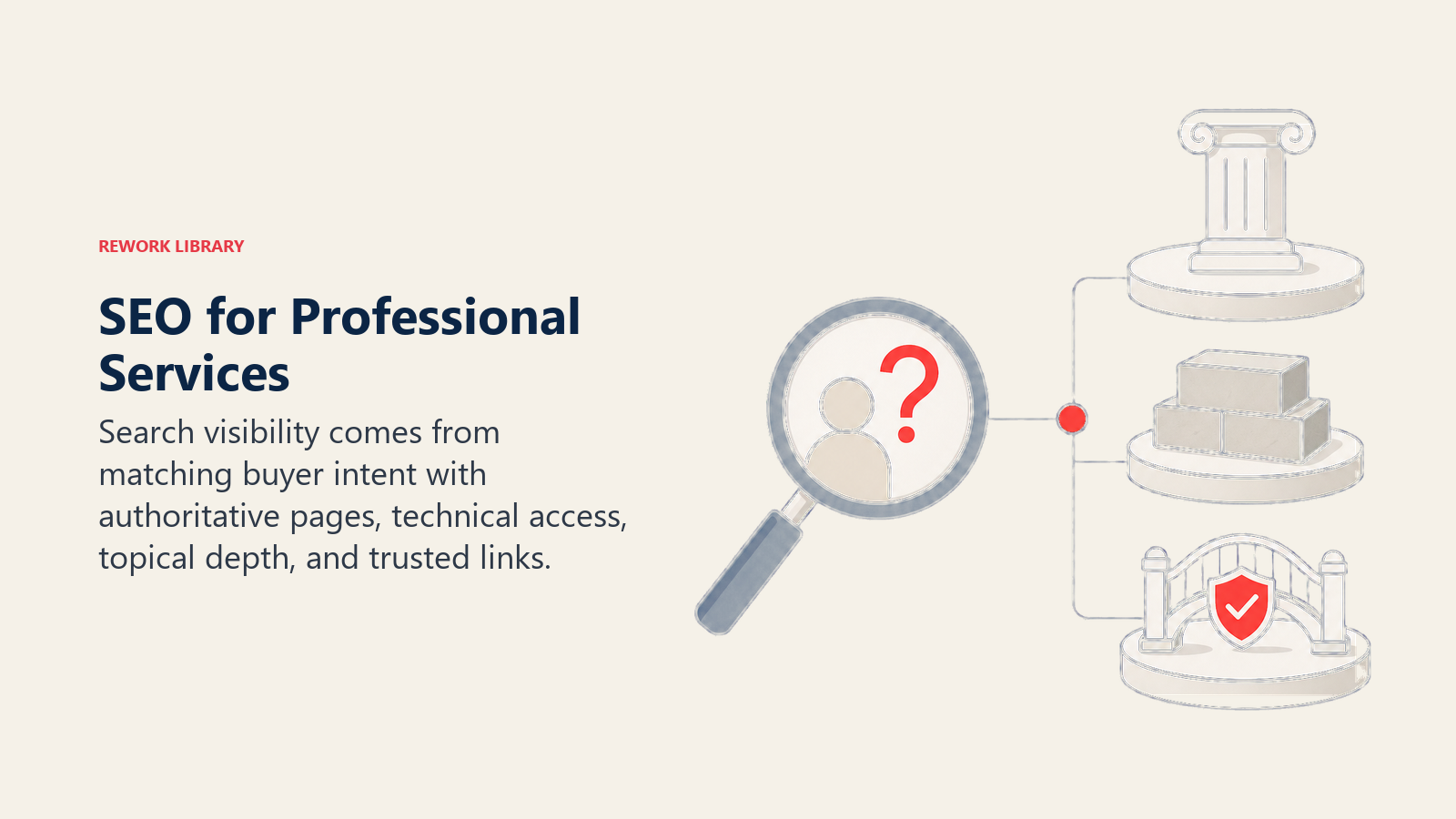
Professional services SEO isn't about ranking for generic terms like "consulting." It's about owning the specific searches that indicate buying intent.
Start by mapping keywords to three categories:
Service keywords - These describe what you do:
- "Fractional CFO services"
- "Healthcare management consulting"
- "B2B content marketing agency"
- "Employment law attorney"
These have high commercial intent. People searching these terms are evaluating vendors. You need to rank here.
Problem keywords - These describe the pain points you solve:
- "How to improve hospital operational efficiency"
- "Reducing customer acquisition cost"
- "Preventing employment discrimination lawsuits"
- "Scaling marketing without hiring"
These capture earlier-stage research. People aren't ready to hire yet, but they're identifying that they need help. Your content here educates and positions your approach.
Question keywords - These are the specific questions buyers ask:
- "Should I hire a fractional CFO or full-time"
- "How much does management consulting cost"
- "When do I need an employment lawyer"
- "Build in-house marketing vs agency"
These are goldmines. They indicate active evaluation and decision-making. Ranking for these puts you directly into the consideration process.
To find these keywords, talk to your sales team about what prospects ask. Review your closed deals to see what problems they were trying to solve. Use tools like Ahrefs, SEMrush, or even Google's autocomplete to find related searches.
Pay attention to search volume and competition. You want keywords with enough volume to matter (usually 50+ monthly searches for B2B services) but not so competitive that you can't rank. Avoid ultra-generic terms where enterprise consulting firms dominate.
Local vs national matters too. "Management consulting" is impossibly competitive. "Management consulting Chicago" or "management consulting for manufacturers" gives you a fighting chance.
On-Page SEO: Service Pages That Convert and Rank
Your service pages need to do two things: rank in search engines and convert visitors into leads. Most firms fail at one or both.
Service page structure that works:
Start with a clear H1 that matches search intent: "Fractional CFO Services for SaaS Companies" not "Financial Leadership Solutions."
Open with the problem, not your credentials. "Scaling a SaaS company requires sophisticated financial planning, but you're not ready for a full-time CFO. We provide executive-level financial strategy at a fraction of the cost."
Include these sections:
- What you do (specific services, deliverables, process)
- Who you serve (industries, company stages, specific situations)
- How you're different (your approach, methodology, philosophy)
- Results you deliver (client outcomes, case studies, metrics)
- Next steps (clear CTA for consultation or download)
Each service page should target 1-2 primary keywords and 3-5 related terms. Use them naturally in:
- Title tag and H1
- First paragraph
- Subheadings
- Image alt text
- Internal links
But don't keyword-stuff. Write for humans first, optimize for search second.
Meta descriptions matter. They don't affect rankings, but they affect click-through rates. Write descriptions that make searchers want to click: "Get strategic CFO-level financial guidance without the $300K salary. See how our fractional CFO service helps SaaS companies scale profitably."
Internal linking connects your content. Link from service pages to related blog posts, case studies, and resources. Link from blog posts back to service pages. This helps Google understand your site structure and spreads ranking power.
Schema markup helps search engines understand your content. Use LocalBusiness schema if you serve specific geographies. Use Service schema for individual service offerings. Use FAQPage schema for common questions.
Content Hubs and Pillar Pages
Topic clusters organize your content around core themes. Instead of random blog posts, you create comprehensive pillar pages on major topics with supporting content linking to them.
For example, a management consulting firm might create a pillar page on "Healthcare Operational Efficiency" with cluster content on:
- Emergency department throughput optimization
- OR utilization improvement
- Revenue cycle management
- Staff scheduling efficiency
- Supply chain cost reduction
The pillar page covers the topic broadly (3,000-5,000 words). Cluster content goes deep on specific subtopics (1,500-2,500 words each). Everything links together.
This structure helps you rank because:
- You demonstrate comprehensive topical authority
- Internal linking distributes ranking power
- You capture search traffic across related queries
- Google sees you as an expert in this domain
And it helps prospects because they can go as deep as they want on topics that matter to them.
Local SEO for Regional Firms
If you serve specific geographies, local SEO is essential. Start with Google Business Profile (formerly Google My Business). Claim and optimize your listing with:
- Accurate business information
- Service area or office locations
- Business category (be specific: "Management Consultant" not "Consultant")
- Complete description with keywords
- Regular posts and updates
- Photos of your office, team, events
Get listed in local business directories. The big ones (Yelp, Yellow Pages, BBB) matter, but also industry-specific directories for lawyers, accountants, consultants.
Build local citations consistently. Your Name, Address, Phone (NAP) should be identical everywhere. Inconsistent information confuses Google and hurts rankings.
Reviews drive local rankings. Ask satisfied clients to leave Google reviews. Respond to all reviews, positive and negative. A firm with 20+ recent reviews will outrank one with zero.
Create location-specific content if you serve multiple markets. "Management Consulting in Dallas" should be a dedicated page, not just a mention on your general services page.
Technical SEO Fundamentals
Technical SEO ensures Google can crawl, index, and rank your site. Professional services sites often have simple technical issues that hurt performance:
Site speed matters. Google uses page speed as a ranking factor. Compress images, minimize JavaScript, use browser caching. Your service pages should load in under 3 seconds.
Mobile optimization is non-negotiable. 60%+ of B2B research happens on mobile devices. Your site needs to work perfectly on phones and tablets. Use responsive design, test on real devices.
SSL certificates (HTTPS) are required. Google treats HTTP sites as less trustworthy. Get an SSL certificate, force HTTPS across your entire site.
XML sitemaps help Google discover content. Generate a sitemap and submit it through Google Search Console. Update it when you publish new content.
Fix broken links and 404 errors. They create poor user experience and waste Google's crawl budget. Run regular audits and fix issues.
Canonical tags prevent duplicate content. If you have similar pages or content accessible via multiple URLs, use canonical tags to tell Google which version to index.
Content Marketing That Generates Leads
SEO gets people to your site. Content marketing is what they find when they arrive and what brings them back. For professional services, content serves three purposes: demonstrate expertise, educate prospects, and create lead capture opportunities.
Strategic Content Types
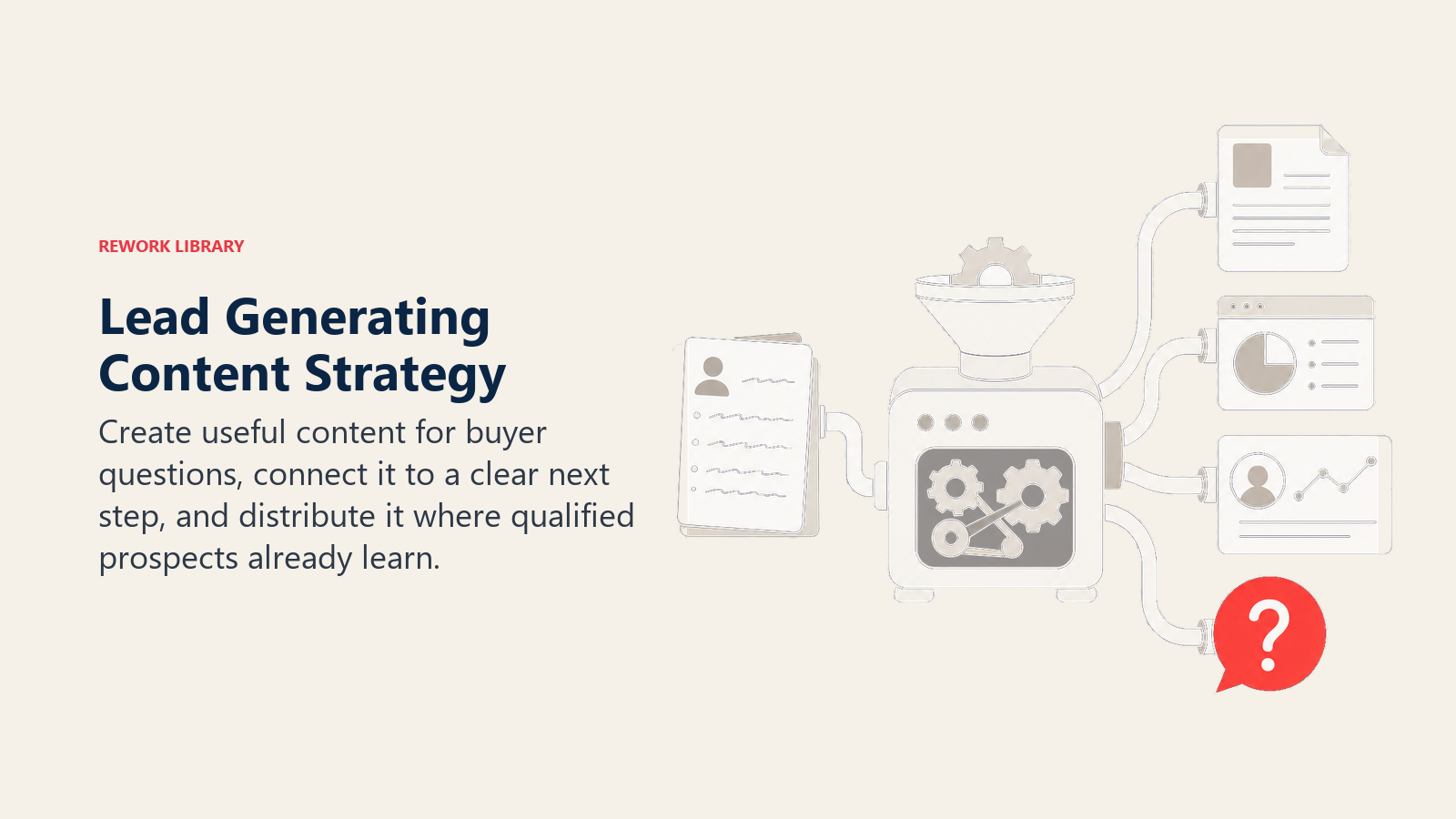
Not all content generates leads equally. Focus on these formats:
Long-form guides (2,000-4,000 words) establish authority and rank well. "The Complete Guide to Fractional CFO Services for SaaS Companies" signals expertise and captures search traffic across multiple keywords. These become lead magnets - gate them or offer downloadable PDFs.
Case studies prove results. Show specific client situations, what you did, and outcomes achieved. Include metrics: "Reduced CAC by 43% in 6 months" beats "Improved marketing efficiency." Prospects want to see if you've solved problems like theirs.
Research and data position you as a thought leader. Original research (surveys, analysis, industry benchmarks) generates backlinks, press mentions, and credibility. Even smaller firms can publish annual reports on their niche. This is where your thought leadership strategy becomes tangible.
Comparison content captures high-intent searches. "In-house marketing vs agency: cost analysis and decision framework" or "Fractional CFO vs full-time CFO: which is right for your stage" helps prospects make decisions and positions your offering favorably.
How-to content builds trust by giving away valuable knowledge. "How to build a financial model for SaaS investors" from a fractional CFO demonstrates expertise and attracts the exact prospects who need that service.
Framework and methodology content showcases your approach. "Our 5-phase process for operational efficiency improvement" or "The IMPACT framework for content strategy" makes your expertise tangible and differentiates you.
Content Mapping to Buyer Journey
Professional services buying journeys are long. Prospects move through distinct stages, and your content needs to match where they are:
Awareness stage - Problem identification:
- Educational blog posts
- Industry trend analysis
- Problem/solution frameworks
- "What is..." and "How to..." content
They're recognizing they have a problem. They're not ready to hire. Content here educates and positions the problem.
Consideration stage - Solution evaluation:
- Comparison guides
- Approach explanations
- Case studies
- ROI calculators
- Webinars and workshops
They know they need help and are evaluating options. Content here shows your approach and results.
Decision stage - Vendor selection:
- Service pages
- Team bios and credentials
- Client testimonials
- Proposal templates
- Pricing guides
- Consultation offers
They're choosing between vendors. Content here addresses objections and makes it easy to start working together.
Map your content inventory to these stages. Most firms have too much awareness content and not enough decision-stage content. Create balance.
Distribution and Amplification
Creating content isn't enough. You need distribution:
Email to your list should be your primary distribution channel. Every piece of content goes to your email list with context about why it matters. Don't just drop a link - explain the value.
LinkedIn personal posts outperform company page posts. Have partners and senior team members share content with their personal networks. Write original post copy, don't just share a link.
LinkedIn articles give your content additional reach within the platform. Republish blog posts as LinkedIn articles to reach prospects who live on LinkedIn. Your LinkedIn strategy should integrate closely with content marketing.
Industry publications extend your reach beyond your audience. Contribute articles to trade publications, industry blogs, and relevant online communities. Include author bios with links back to your site.
Webinars and speaking repurpose content into live formats. Turn a guide into a webinar. Turn research into a conference presentation. Capture registrations for lead generation.
Email signature links turn every email into distribution. Add "Latest from our blog" to signatures with a link to recent content.
Syndication partnerships with complementary firms share audiences. Guest post on their blog, they guest post on yours. Co-create content and cross-promote.
Don't spray content everywhere hoping something sticks. Pick 2-3 distribution channels and do them consistently.
Lead Magnets That Actually Convert
Lead magnets are valuable resources you offer in exchange for contact information. They're how you convert website visitors into known prospects. But most lead magnets fail because they're not valuable enough or not targeted enough.
High-Value Offers Worth Trading Information For
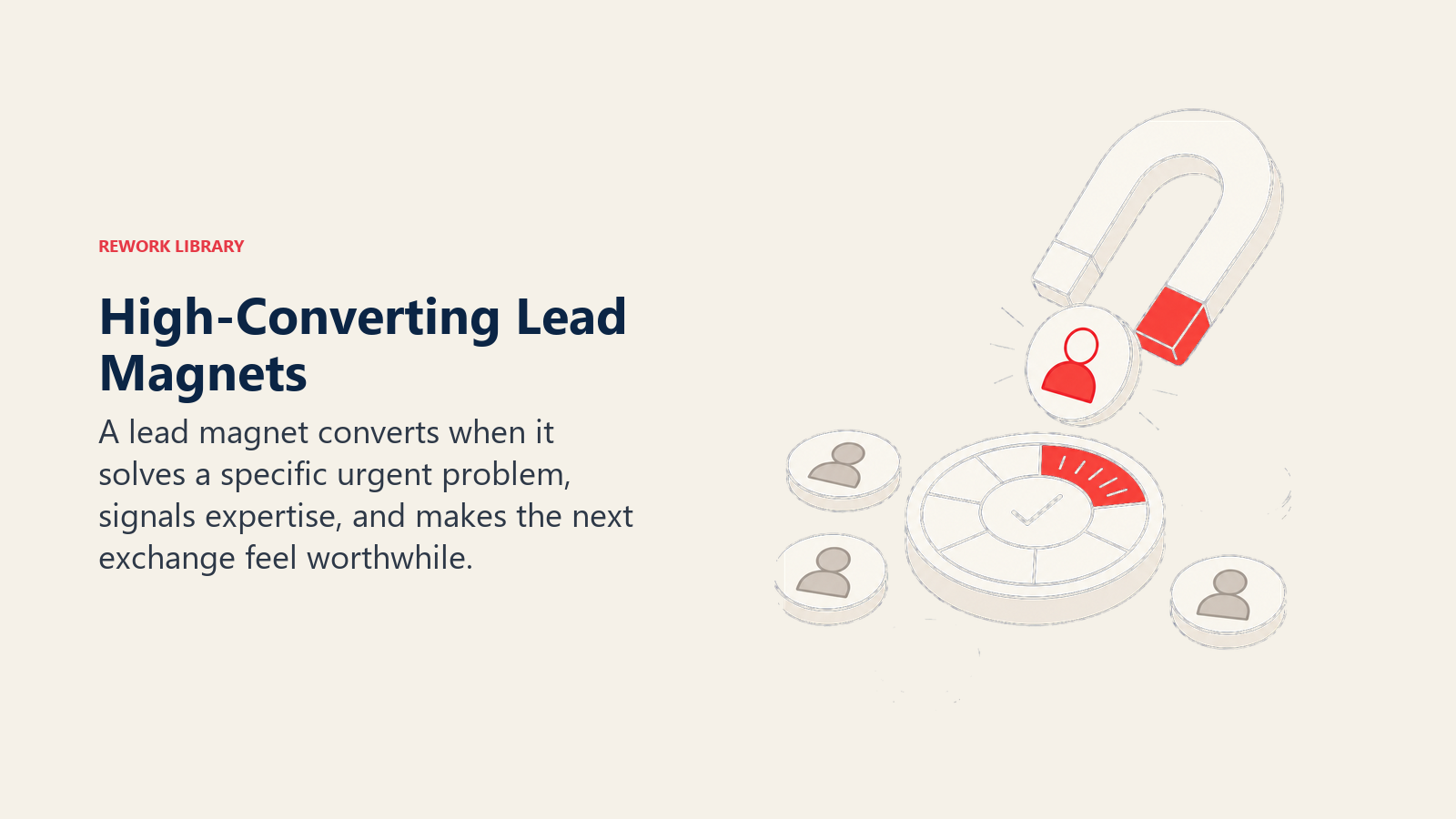
Your lead magnet needs to solve a specific problem your ideal client faces right now. Generic "ultimate guides" don't cut it. Specific, immediately actionable resources do.
Assessment tools let prospects evaluate their current state:
- "SaaS Financial Health Scorecard" for fractional CFO service
- "Marketing Efficiency Assessment" for marketing agencies
- "Operational Maturity Diagnostic" for management consultants
- "Compliance Risk Audit" for law firms
These work because prospects want to know where they stand. The results naturally lead to conversations about improvement.
Templates and frameworks give prospects tools they can use immediately:
- "Financial Model Template for Series A Fundraising"
- "RFP Response Framework"
- "Employee Handbook Template for 50-200 Person Companies"
- "Content Calendar Planning Workbook"
These demonstrate your expertise and save prospects time. They'll use your template and realize they need help implementing.
Industry research and benchmarks provide data prospects can't get elsewhere:
- "2025 SaaS CFO Compensation Benchmark Report"
- "Professional Services Pricing Survey Results"
- "Healthcare Operational Efficiency Benchmarks"
- "Agency Profitability Analysis"
Original research positions you as an authority and gives prospects context for their own performance.
Educational guides teach specific skills or decisions:
- "The SaaS Founder's Guide to Financial Planning"
- "Choosing the Right Marketing Agency: 12 Questions to Ask"
- "When to Hire Your First General Counsel"
- "Building vs Buying: Marketing Technology Decision Framework"
These work when they address a specific decision or learning need, not when they're vague overviews.
Webinar recordings work if the content is genuinely valuable, not just a sales pitch. "How to Build a Scalable Lead Generation Engine" beats "Introduction to Our Services."
Calculators and tools provide instant value:
- ROI calculators
- Cost comparison tools
- Savings estimators
- Scenario planning tools
These work best when they're simple, instantly useful, and lead naturally to your service.
Design Principles for Effective Lead Magnets
Good lead magnets share these characteristics:
Solve one specific problem. Not everything about marketing, but "How to calculate marketing ROI." Not general consulting, but "5-step process for identifying operational bottlenecks."
Demonstrate expertise without requiring it. Prospects should be able to use your resource without being experts. Templates should have instructions. Assessments should have clear scoring.
Actionable and implementable. Prospects should finish your lead magnet with something they can do immediately. Ideas without action steps feel useless.
Professional but not overly designed. You're not selling a product based on design. A well-formatted PDF beats an interactive web experience that takes months to build. Clarity over flash.
Aligned with your services. Your lead magnet should naturally lead to your offering. A financial model template from a fractional CFO makes sense. Random marketing tips from a law firm confuses people.
Quick to consume. Long lead magnets sound valuable but often go unread. A 10-page guide with clear action steps beats a 100-page manual.
Gated vs Ungated Content Strategy
Should you require email addresses to access content, or give it away freely?
The answer is both, strategically.
Ungated content (blog posts, videos, basic resources):
- Builds SEO and traffic
- Demonstrates expertise without friction
- Gets shared more widely
- Builds trust before asking for anything
- Captures prospects who aren't ready to identify themselves
Gated content (guides, templates, research, webinars):
- Captures lead information for follow-up
- Signals higher buyer intent
- Justifies higher production investment
- Creates segmentation opportunity
- Starts the nurture relationship
Use ungated content to attract traffic and build authority. Use gated content to convert that traffic into known leads.
A good ratio: 70-80% ungated blog and educational content, 20-30% gated premium resources.
Progressively gate content based on value. Blog posts should always be ungated. Comprehensive guides and research can be gated. Templates and tools are natural gates because they're immediately useful.
Test gating strategically. Some content performs better ungated (gets shared widely, builds links, ranks well). Other content converts better gated (clearly high-value, targeted to specific buyer stage).
Website Optimization for Lead Capture
Your website is your conversion engine. Traffic means nothing if visitors don't convert into leads. Professional services sites need to balance credibility (proving you're legitimate and capable) with conversion (making it easy to take the next step).
Homepage and Service Page Fundamentals
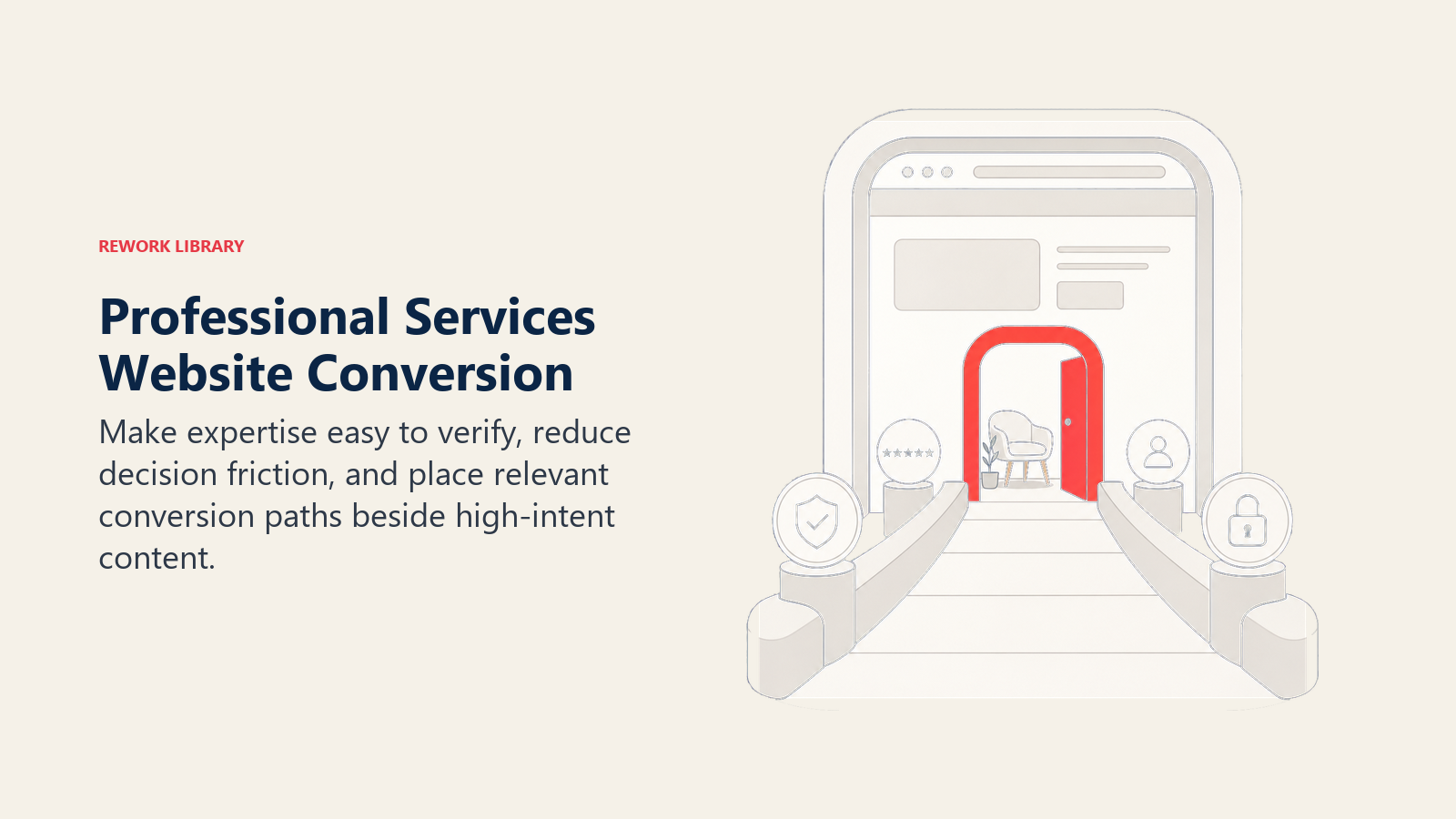
Value proposition above the fold. Visitors should know what you do and who you serve within 3 seconds. "We help SaaS companies scale profitably with fractional CFO services" beats "Welcome to Smith Financial Partners."
Trust indicators near the top. Logos of recognizable clients, credentials, years in business, industries served. These reduce risk perception and give visitors confidence.
Clear primary CTA. One main action you want visitors to take. Usually "Schedule a Consultation" or "Get a Custom Proposal." Make it prominent, repeat it as needed, but don't clutter with 5 different CTAs competing.
Secondary CTAs for different readiness levels. Not everyone's ready to talk. Offer "Download Our Capabilities Overview" or "See Case Studies" for prospects who want to learn more first.
Service specificity. Vague "We provide consulting services" loses to specific "We provide revenue operations consulting for B2B SaaS companies $5M-50M ARR." Specificity attracts the right people and repels the wrong ones.
Social proof throughout. Testimonials, case study snippets, client logos, awards, media mentions. Sprinkle these across your pages to reinforce credibility.
Team visibility. Professional services are about people. Show your team, their expertise, their backgrounds. Senior leadership bios should be detailed and easy to find.
Conversion Rate Optimization
Small changes to website conversion elements can double or triple lead generation. Test these systematically:
Form design matters. Shorter forms convert better but collect less information. Longer forms convert worse but pre-qualify leads better. Test 3-5 fields as a starting point (name, email, company, role, message).
CTA button copy. "Get Started" and "Submit" are weak. "Schedule My Consultation" and "Get Custom Analysis" are specific and benefit-focused.
Form placement. Right sidebar forms work well for long content. Embedded mid-content forms capture engaged readers. Exit-intent popups get one last chance before visitors leave.
Reduce friction everywhere. Remove unnecessary fields, make phone numbers optional, don't require company websites. Every additional field costs you conversions.
Speed and mobile. If your site is slow or broken on mobile, you're losing 50%+ of potential leads. Test on real devices regularly.
A/B test systematically. Change one thing at a time. Test headline, test CTA copy, test form length, test page layout. Measure results over at least 100 conversions before declaring winners.
Lead Capture Mechanisms
You need multiple ways for prospects to engage based on their readiness:
Contact forms are standard but often underused. Create different forms for different intents:
- General inquiry
- Request consultation
- Request proposal
- Partnership inquiry
- Speaking request
Live chat captures prospects who have quick questions. Use it to answer basic questions and route qualified conversations to consultations. Don't make it aggressive or intrusive.
Newsletter signup builds your list with prospects who aren't ready to talk yet. Make it valuable - "Weekly insights on SaaS financial strategy" not "Subscribe to our newsletter."
Resource downloads gate valuable content to capture leads at different journey stages. Track which resources prospects download to understand their interests.
Consultation booking with calendar scheduling tools (Calendly, Chili Piper) eliminates back-and-forth email. Let prospects book directly into available slots.
Phone numbers should be clickable on mobile and prominent for prospects who prefer calling.
Landing Page Strategy
Dedicated landing pages for specific campaigns outperform sending traffic to generic service pages. Build landing pages for:
PPC campaigns - Match the ad message exactly. If the ad promises "Free SaaS Financial Health Assessment," the landing page headline should be identical.
Lead magnets - Each gated resource gets its own landing page explaining the value and showing a preview or table of contents.
Speaking and events - Capture attendee information with event-specific pages offering slides, recordings, or related resources.
Partner referrals - Create custom landing pages for referral partners with co-branded messaging.
Landing page best practices:
- Single focused goal (download, book consultation, register)
- Remove navigation to reduce exits
- Strong headline matching traffic source
- Bullet points showing clear value
- Social proof specific to the offer
- Clear, prominent CTA
Test landing pages aggressively. They're isolated from the rest of your site, so you can experiment without affecting overall site performance.
Email Marketing and Nurture
Email is how you stay top-of-mind with prospects who aren't ready to buy yet. For professional services with 3-12 month sales cycles, nurture is the difference between forgotten and first-choice.
List Building
Grow your email list through:
- Website lead magnets and content downloads
- Newsletter signups
- Webinar registrations
- Event attendance
- Contact form submissions
- Consultation requests
Segment your list by:
- How they joined (webinar attendees vs resource downloaders vs consultation requests)
- Interests (which topics they engage with)
- Company characteristics (industry, size, role)
- Engagement level (active vs dormant)
Clean your list quarterly. Remove hard bounces, unresponsive contacts (12+ months no engagement), and people who've left companies.
Welcome Series
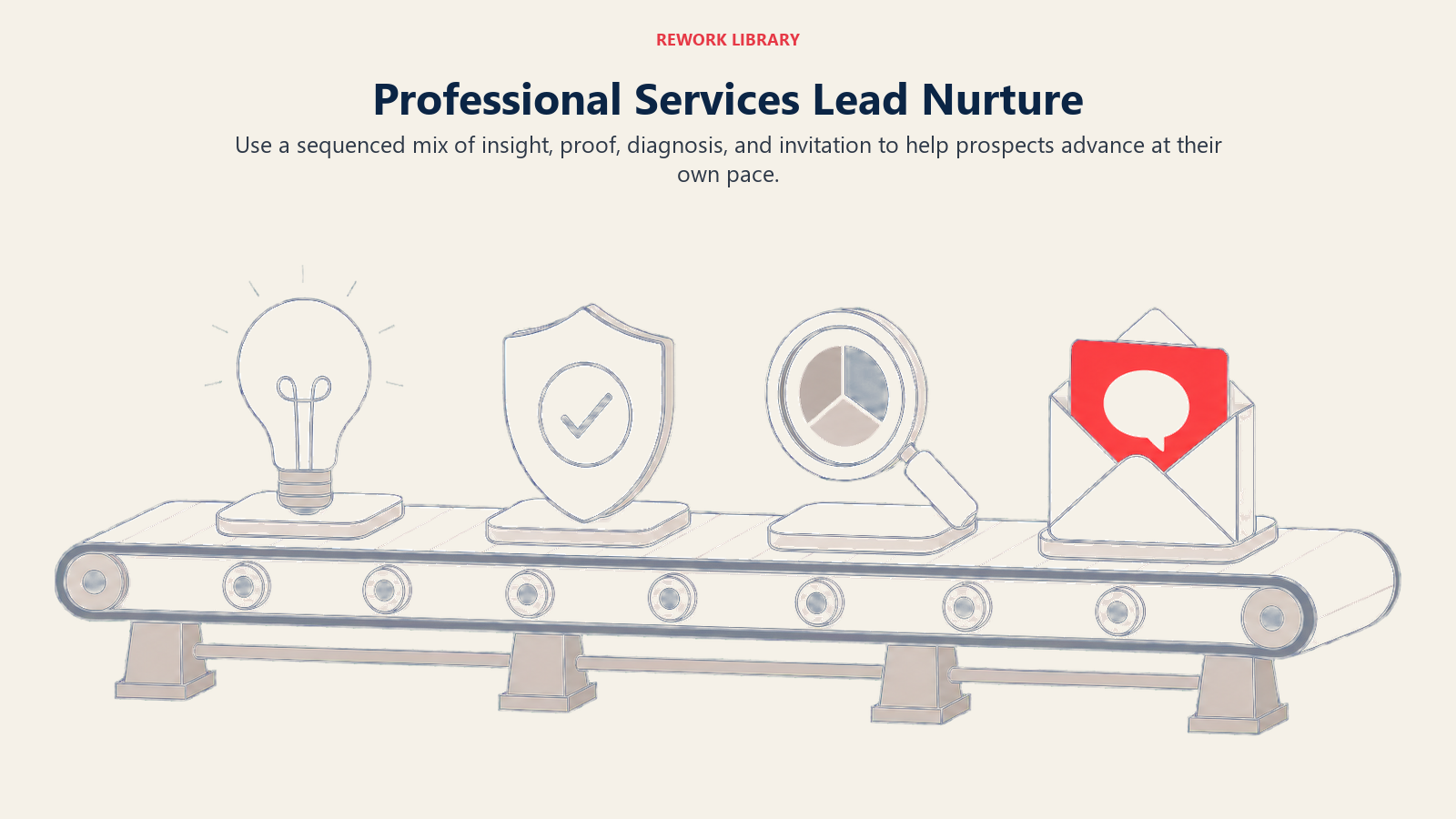
New subscribers should get a welcome series introducing your firm and setting expectations. A good 3-5 email sequence:
Email 1 (immediate): Deliver what they signed up for. If they downloaded a resource, send it immediately with context on how to use it.
Email 2 (2-3 days later): Introduce your firm and what you do. Share your most valuable content. Set expectations for future emails.
Email 3 (5-7 days later): Share a relevant case study or client success story demonstrating results.
Email 4 (10-14 days later): Educational content related to their download or interest area.
Email 5 (20-30 days later): Invitation to take the next step - schedule consultation, attend webinar, explore services.
Welcome series convert better than one-off emails because they build familiarity over time.
Newsletter Strategy
Regular newsletters keep you top-of-mind without being salesy. Successful professional services newsletters:
Consistent schedule. Weekly or bi-weekly works better than monthly. Monthly gets forgotten between sends.
80% value, 20% promotion. Share insights, analysis, frameworks, tools. Mention your services sparingly.
Scannable format. Short sections with clear headlines. Busy executives won't read long paragraphs.
Original perspective. Don't just curate links. Add your take, your analysis, your experience. That's what makes it valuable.
Clear from name. Email from a person (founding partner, thought leader) not "Company Newsletter." Personal from names get better open rates.
Testing subject lines. Your subject line determines open rates. Test questions vs statements, curiosity vs clarity, length, emojis.
Automated Nurture Campaigns
Create automated sequences for common scenarios:
Post-download nurture after someone downloads a lead magnet. Send related content, case studies, invitation to consultation over 4-6 weeks.
Post-consultation follow-up after someone has an initial call but isn't ready to proceed. Stay in touch monthly with relevant insights and check-ins.
Re-engagement campaigns for dormant contacts. Send a "still interested?" email offering your best content or a new resource to see if they're still active prospects.
Industry-specific sequences tailored to different verticals. Healthcare prospects get healthcare content, tech prospects get tech content.
Role-based sequences for different buyer personas. CFOs get financial content, CMOs get marketing content.
Track engagement to identify hot prospects. When someone opens 5 emails in a row and clicks multiple links, that's a signal to reach out.
Social Media for Inbound (LinkedIn Focus)
For B2B professional services, LinkedIn is the primary social channel worth investing in. Facebook, Twitter, Instagram rarely generate qualified leads for consulting, legal, or accounting firms.
LinkedIn Personal Branding
Individual thought leadership outperforms company pages on LinkedIn. Your partners and senior team should be active:
Consistent posting (2-3x per week minimum) keeps you visible. Share insights, reactions to industry news, lessons from client work (anonymized), frameworks and approaches.
Engagement matters more than follower count. 500 highly engaged connections beats 5,000 passive followers. Comment on others' posts, respond to comments on yours, start conversations.
Content formats that work:
- Short-form insights (3-5 paragraphs on one idea)
- Carousel posts with frameworks or step-by-step processes
- Document posts (upload PDFs directly)
- LinkedIn articles (longer-form, 1,000+ words)
- Video (rare in professional services, stands out)
Personal story and experience resonates more than generic advice. "Here's what I learned from a failed implementation project" beats "5 tips for project management."
Call to action on valuable posts. "Want to discuss this for your situation? DM me" or "I wrote a detailed guide on this - link in comments."
Company Page Strategy
Company pages have lower organic reach but serve other purposes:
Showcase your work with case studies, project announcements, team highlights, awards and recognition.
Employee advocacy by sharing and amplifying employee posts, celebrating team member thought leadership.
Paid promotion targeting specific companies, roles, and industries with your best content and lead magnets.
Hiring announcements and career content. Many prospects first encounter you through job postings.
Post 2-3x per week minimum. Mix content types: blog posts, case studies, team highlights, industry insights, company news.
Content Publishing on LinkedIn
LinkedIn's native publishing platform (LinkedIn articles) gives your content additional distribution. Republish blog posts 2-4 weeks after publishing on your site to avoid duplicate content issues.
LinkedIn articles typically get more views than posts linking to external blogs because LinkedIn favors native content. But linking to your site is better for SEO and list building.
Balance both: use LinkedIn articles for reach and awareness, use posts with external links for conversion and list building.
Paid Advertising for Inbound Acceleration
Organic inbound takes time. Paid advertising accelerates results while you build organic channels. For professional services, focus on search and LinkedIn ads.
Google Ads Strategy
Search ads capture high-intent prospects already looking for your services:
Campaign structure:
- Separate campaigns for different services
- Ad groups for keyword themes within each service
- Tightly themed ad groups (10-20 related keywords max)
Keyword targeting:
- Branded keywords (your firm name) to protect against competitors
- High-intent service keywords ("hire fractional CFO")
- Local service keywords if geography matters ("management consulting chicago")
- Competitor keywords (carefully - can be expensive and low-converting)
Ad copy best practices:
- Headline 1: Match search intent exactly
- Headline 2: Differentiation or benefit
- Description: Specific services, results, or process
- Include credentials, industries served, or guarantees
- Strong CTA ("Schedule Free Consultation")
Landing pages should match ad messaging exactly. Don't send paid traffic to generic service pages.
Bidding strategy depends on budget. Start with manual CPC to learn what converts, move to target CPA or maximize conversions once you have data.
LinkedIn Ads
LinkedIn ads target specific companies, roles, and industries. More expensive than Google but better targeting for B2B services:
Campaign types:
- Sponsored content (posts in feed) for awareness and engagement
- Sponsored messaging (InMail) for direct outreach
- Lead gen forms (native LinkedIn forms) reduce friction
- Text ads (sidebar) are cheaper but lower performance
Targeting options:
- Job title and seniority
- Company size and industry
- Specific company lists (account-based marketing)
- LinkedIn groups and interests
- Matched audiences (retargeting)
Content that works on LinkedIn:
- Educational resources and guides
- Webinar registrations
- Assessment tools
- Research and benchmarks
- Thought leadership content
Budget considerations: LinkedIn CPCs often run $8-15 for professional services targeting. You need meaningful budget ($2,000+ per month minimum) to get enough data.
Retargeting Strategy
Most website visitors don't convert on first visit. Retargeting brings them back:
Website visitors who viewed specific service pages get ads promoting related resources or consultations.
Content downloaders who grabbed a lead magnet but didn't book a consultation get ads inviting them to the next step.
Video viewers who watched your content get ads with related offers.
Past clients see ads for new services, expanded offerings, or referral programs.
Retargeting works because it's not cold traffic - these people already know you. Conversion rates run 2-5x higher than cold traffic.
Budget Allocation
How to split your paid budget:
60-70% Google Search for high-intent capture. This typically delivers the best ROI and most qualified leads.
20-30% LinkedIn for targeted awareness and engagement with specific companies or roles.
10-20% Retargeting to convert warm traffic that didn't act on first visit.
Test this allocation and adjust based on actual lead quality and conversion rates, not just cost per lead. A $200 LinkedIn lead that closes at 40% is better than a $50 Google lead that closes at 5%.
Lead Tracking and Attribution
Inbound lead generation without tracking is just guessing. You need to know which channels, campaigns, and content pieces generate qualified leads and revenue.
Analytics Setup
Google Analytics 4 tracks website traffic, behavior, and conversions. Set up:
- Goal completions (form submissions, downloads, consultation bookings)
- Event tracking (button clicks, video plays, scroll depth)
- Audience segments by source, behavior, and demographics
- Conversion paths showing multi-touch journeys
UTM parameters tag all external links so you know exactly where traffic comes from:
- Campaign source (linkedin, google, email)
- Campaign medium (cpc, organic, referral)
- Campaign name (2025-cfo-guide, fractional-cfo-webinar)
- Campaign content (ad-variation-a, button-sidebar)
Use UTMs consistently on all paid ads, email campaigns, social posts, and guest content.
CRM integration connects website activity to lead records. When someone fills out a form, their source, campaign, and behavior should flow into your CRM.
Call tracking for firms where phone calls matter. Use dynamic number insertion to track which campaigns drive calls.
Multi-Touch Attribution
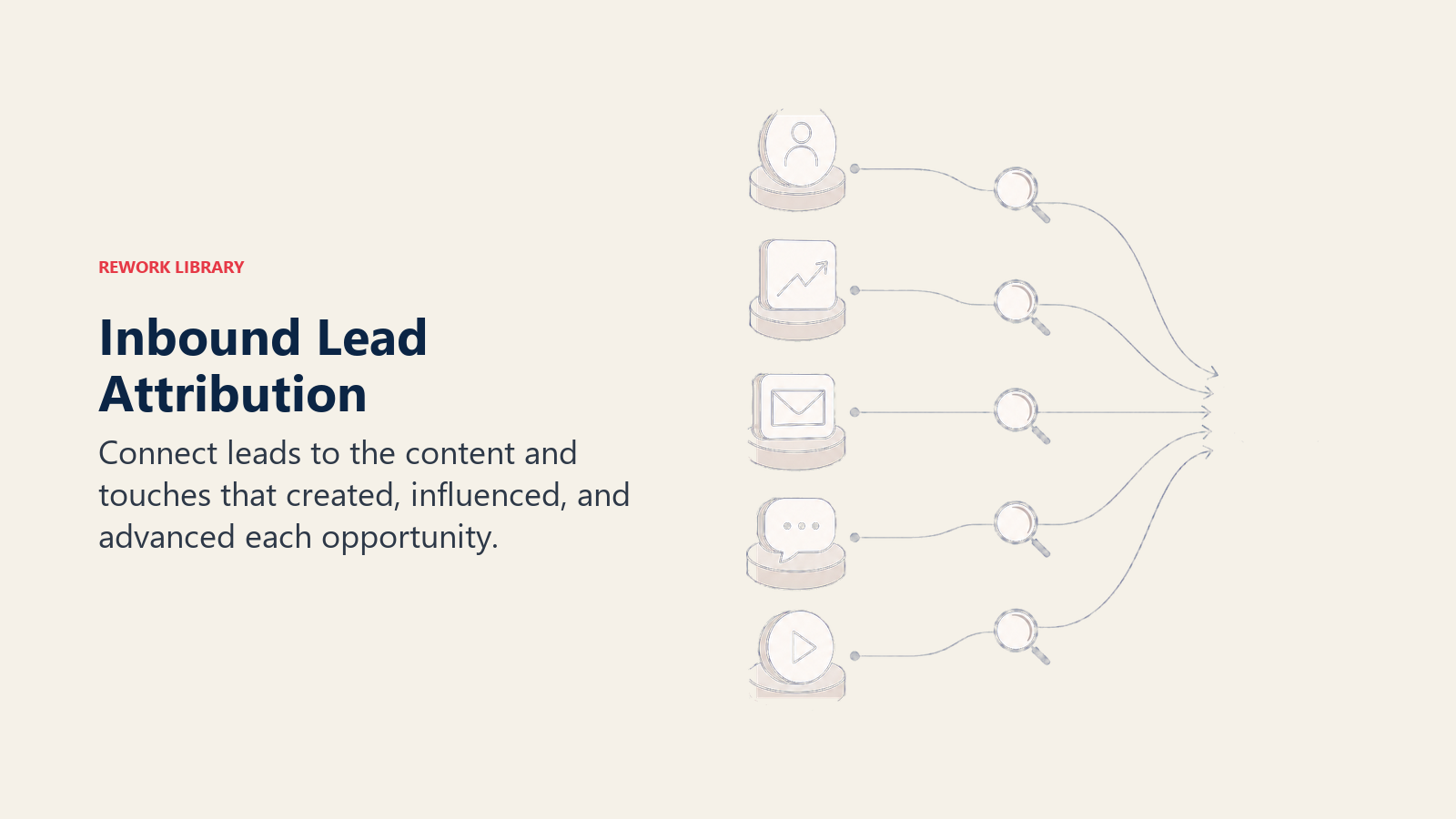
Professional services buying journeys involve multiple touchpoints. Someone might:
- Find you via Google search
- Read three blog posts
- Download a guide
- Attend a webinar
- Book a consultation
- Eventually become a client
Which touchpoint gets credit? Multi-touch attribution spreads credit across the journey.
Attribution models:
First-touch gives all credit to the initial touchpoint. Good for understanding what creates awareness but ignores everything that happened after.
Last-touch gives all credit to the final touchpoint before conversion. Good for understanding what closes deals but ignores the journey.
Linear spreads credit equally across all touchpoints. Fair but doesn't account for different touchpoint impact.
Time-decay gives more credit to recent touchpoints. Assumes later interactions matter more for conversion.
Position-based (U-shaped) gives 40% credit to first touch, 40% to last touch, 20% distributed across middle touches. Balances discovery and conversion.
Most professional services firms should start with position-based attribution. It values both initial discovery and final conversion while acknowledging the middle matters too.
Key Metrics to Track
Traffic metrics:
- Total organic traffic
- Organic traffic by keyword/topic
- Paid traffic by campaign
- Referral traffic by source
- Direct traffic (brand awareness indicator)
Conversion metrics:
- Conversion rate by traffic source
- Form completions by type
- Lead magnet downloads by resource
- Consultation bookings
- Newsletter signups
Lead quality metrics:
- MQL (Marketing Qualified Lead) rate by source
- SQL (Sales Qualified Lead) rate by source
- Opportunity creation rate
- Close rate by original source
- Revenue by channel
Cost metrics:
- Cost per click (paid channels)
- Cost per lead by channel
- Cost per MQL by channel
- Cost per customer by channel
- Customer acquisition cost (CAC)
Engagement metrics:
- Pages per session by source
- Time on site by source
- Return visitor rate
- Email open and click rates
- Content engagement (downloads, shares, time on page)
Pipeline metrics:
- Leads in nurture by source
- Time to MQL by source
- MQL to SQL conversion rate
- Sales cycle length by source
- Pipeline value by source
Track these monthly. Look for trends, not just snapshots. A channel that generates cheap leads but low conversion rates isn't actually performing well. This data integrates directly with your professional services metrics for overall business health monitoring.
Technology Stack for Inbound
You need several tools working together to run effective inbound: Website and CMS:
- WordPress (most flexible, thousands of plugins, strong SEO)
- HubSpot CMS (integrated with HubSpot CRM, easier but less flexible)
- Webflow (designer-friendly, good performance, limited functionality)
Choose based on technical capability and integration needs.
Marketing Automation:
- HubSpot (full-featured, expensive, best for all-in-one)
- ActiveCampaign (strong email automation, affordable, good for email-first strategies)
- Mailchimp (basic automation, cheapest, limited functionality)
- Marketo (enterprise-level, complex, expensive, overkill for most)
CRM:
- Salesforce (most powerful, requires customization, expensive)
- HubSpot CRM (free tier available, easy to use, integrates with HubSpot marketing)
- Pipedrive (simple, affordable, good for smaller firms)
Your CRM needs to integrate with your marketing automation to track lead source and campaign through the sales process.
SEO Tools:
- Ahrefs or SEMrush (keyword research, competitor analysis, backlink monitoring)
- Google Search Console (free, essential for tracking rankings and issues)
- Screaming Frog (technical SEO audits)
Analytics:
- Google Analytics 4 (free, essential)
- Hotjar or Crazy Egg (heatmaps and session recordings)
- Call tracking software if phone leads matter
Landing Page and Form Tools:
- Unbounce (dedicated landing page builder)
- Leadpages (simpler, cheaper alternative)
- Typeform (beautiful forms, higher conversions)
- Your CMS with form plugins (cheapest option)
Scheduling:
- Calendly (simple, affordable)
- Chili Piper (advanced routing and features)
Total monthly cost for a basic stack: $500-1,500. Mid-level stack: $1,500-3,000. Enterprise stack: $3,000-10,000+.
Building Your Inbound Engine
Inbound isn't a campaign you run. It's an engine you build and improve continuously.
Team and Roles
For smaller firms (under 10 people):
- Partner/owner owns strategy and thought leadership content
- Marketing coordinator executes (content creation, SEO, email campaigns)
- Freelance specialists for technical SEO, design, paid ads as needed
For mid-size firms (10-50 people):
- Marketing manager owns strategy and execution
- Content writer produces articles, guides, case studies
- Digital marketing specialist handles SEO, paid ads, automation
- Partner involvement for thought leadership and content review
For larger firms (50+ people):
- Marketing director/VP owns strategy
- Content team (1-3 people) produces all content
- Demand generation manager owns lead generation channels
- Marketing operations manages tech stack and reporting
- Designers and developers support as needed
You can outsource these roles partially or fully, but someone internal needs to own strategy and coordination.
Content Production Workflows
Consistent content requires process:
Monthly planning:
- Identify topic priorities based on keyword research and sales feedback
- Assign content creation responsibilities
- Schedule publication dates
- Plan distribution and promotion
Content creation process:
- Outline approval before full drafting
- Draft creation (write, record, design)
- Subject matter expert review
- Edit for clarity, SEO optimization, brand voice
- Final approval
- Publish to CMS
- Distribute via email, social, paid promotion
Production frequency:
- Blog posts: 2-4 per month minimum (weekly is ideal)
- Lead magnets: 1-2 per quarter
- Case studies: 1 per month
- Webinars: 1 per quarter
- Email newsletters: weekly or bi-weekly
SEO Monitoring and Optimization
Monthly SEO reviews:
- Keyword ranking changes for target terms
- Organic traffic trends by page and topic
- New ranking opportunities (keywords moving up)
- Technical issues from Google Search Console
- Backlink profile changes
Quarterly content audits:
- Identify underperforming content to update or consolidate
- Find ranking opportunities where you're on page 2-3
- Update top-performing content to maintain rankings
- Refresh statistics, examples, and screenshots in older content
Continuous improvement:
- Build internal links from new content to older content
- Update meta descriptions and title tags based on performance
- Expand thin content that's ranking but not converting
- Create new content for keywords where competitors are weak
Optimization and Testing Cycles
Monthly testing:
- A/B test one high-traffic landing page
- Test new lead magnet against existing offers
- Test email subject lines and send times
- Test paid ad copy variations
Quarterly reviews:
- Analyze conversion funnels to find drop-off points
- Review lead source performance and adjust budget allocation
- Evaluate content performance and adjust editorial calendar
- Assess lead quality by source and refine targeting
Annual strategic reviews:
- Comprehensive content audit and refresh
- Keyword strategy realignment
- Competitive analysis and differentiation
- Tech stack evaluation and optimization
Inbound improvement is iterative. Small consistent gains compound over time.
Common Mistakes to Avoid
Most inbound programs underperform for predictable reasons: they attract the wrong audience, hide the next step, or fail to connect marketing activity to sales learning. Traffic over quality. 10,000 visitors who aren't your ideal clients means nothing. 100 visits from CFOs at Series B SaaS companies is gold. Target the right audience, not the biggest audience.
Poor mobile experience. If your site is slow, hard to navigate, or forms don't work on mobile, you're losing 50%+ of leads. Test on real phones regularly.
Weak calls to action. "Learn more" and "Contact us" are forgettable. "Get Your Custom Financial Analysis" and "Schedule 30-Minute Strategy Session" tell prospects exactly what they'll get.
No systematic nurture. You capture leads and then... nothing. Or one follow-up email and done. Long sales cycles require sustained nurture with valuable content.
Forgetting to ask for the business. All education, no conversion opportunities. Every piece of content should have a logical next step.
Ignoring analytics. You're spending time and money on content and ads without knowing what's working. Track everything, review monthly, optimize continuously.
Inconsistent publishing. You write three blog posts in January and then nothing until June. Consistency matters more than volume. One post per month consistently beats sporadic bursts.
Creating content you think prospects need instead of what they're actually searching for. SEO keyword research tells you what they want. Create that.
Gating everything. Requiring email for every piece of content limits reach and sharing. Gate your best resources, leave most content ungated.
No sales and marketing alignment. Marketing generates leads that sales calls unqualified. Or sales ignores marketing leads because "they're never good." Fix the feedback loop. Once leads enter your pipeline, they need proper qualification through your client qualification framework.
Conclusion
Inbound lead generation for professional services isn't magic. It's systematic work on interconnected elements: SEO that gets you found, content that demonstrates expertise, lead magnets that capture interest, website optimization that converts visitors, email nurture that maintains relationships, and tracking that shows what's working.
The firms that build effective inbound engines don't do everything at once. They start with strong foundations (SEO, content, website), add lead capture mechanisms (lead magnets, forms, landing pages), build nurture systems (email sequences, newsletters), and continuously optimize based on data.
It takes 6-12 months to see meaningful results from inbound. But unlike outbound that resets every quarter, inbound builds momentum. Content you publish today generates leads for years. Rankings you earn compound over time. Your email list grows with every new subscriber.
Start with what you can execute consistently. For most firms, that means:
- Optimize service pages for SEO
- Publish one valuable blog post per week
- Create one high-quality lead magnet per quarter
- Build a welcome email series
- Send a weekly or bi-weekly newsletter
- Track everything and optimize monthly
That foundation generates results. Everything else builds on top.
Learn More
Continue building your professional services growth strategy with these related resources:
- Content Marketing for Services - Deep dive into content strategy specifically designed for professional services firms
- Thought Leadership Strategy - Position yourself as an industry authority
- Consultative Business Development - Convert inbound leads through value-driven conversations
- Professional Networking - Complement digital inbound with relationship-based lead generation
- Speaking & Publishing Strategy - Amplify your reach through conferences and publications

Sales Director
On this page
- Why Inbound Matters for Professional Services
- How Inbound Differs from Outbound: Pull vs Push
- Search Engine Optimization: The Foundation
- Keyword Research: What Your Clients Actually Search
- On-Page SEO: Service Pages That Convert and Rank
- Content Hubs and Pillar Pages
- Local SEO for Regional Firms
- Technical SEO Fundamentals
- Content Marketing That Generates Leads
- Strategic Content Types
- Content Mapping to Buyer Journey
- Distribution and Amplification
- Lead Magnets That Actually Convert
- High-Value Offers Worth Trading Information For
- Design Principles for Effective Lead Magnets
- Gated vs Ungated Content Strategy
- Website Optimization for Lead Capture
- Homepage and Service Page Fundamentals
- Conversion Rate Optimization
- Lead Capture Mechanisms
- Landing Page Strategy
- Email Marketing and Nurture
- List Building
- Welcome Series
- Newsletter Strategy
- Automated Nurture Campaigns
- Social Media for Inbound (LinkedIn Focus)
- LinkedIn Personal Branding
- Company Page Strategy
- Content Publishing on LinkedIn
- Paid Advertising for Inbound Acceleration
- Google Ads Strategy
- LinkedIn Ads
- Retargeting Strategy
- Budget Allocation
- Lead Tracking and Attribution
- Analytics Setup
- Multi-Touch Attribution
- Key Metrics to Track
- Technology Stack for Inbound
- Building Your Inbound Engine
- Team and Roles
- Content Production Workflows
- SEO Monitoring and Optimization
- Optimization and Testing Cycles
- Common Mistakes to Avoid
- Conclusion
- Learn More