D2D CRM and Canvassing Apps: The Tech Stack for Door-to-Door Home Services
Turn this article into takeaways for your work.


Each assistant summarizes the article only for you and suggests best practices for your work.
For most of D2D's history, the tech stack was a paper map, a notepad, and a flip phone. Companies competed on hustle and territory knowledge. That's changed. Teams using purpose-built canvassing apps and CRM systems now close more agreements per rep than teams still relying on manual tracking. The tech removes the friction that kills momentum in the field.
The software market has also gotten crowded. Dozens of apps claim to be "the only tool you need." Most sales managers don't have time to run a proper evaluation. This guide cuts through the noise and tells you what actually matters.
Why Doesn't Generic CRM Work for D2D Teams?
Salesforce, HubSpot, and Pipedrive are excellent tools for inside sales teams managing accounts over weeks and months. D2D home services is a different world. Your reps are making 50-80 door contacts per day. They need to log outcomes in under 10 seconds, see territory density in real time, and get their payout estimate updated as soon as a close is confirmed.
Generic CRM wasn't built for that. The mobile UX is usually clunky on a sweaty phone in the afternoon sun. Territory visualization requires custom integration with mapping tools. And there's no native concept of a "canvassing pass," where you track which doors have been knocked, what outcome resulted, and when to revisit.
Purpose-built D2D canvassing apps solve these problems by design. They center the experience around the door, not the account.
That said, canvassing apps and CRM serve different functions, and conflating them creates gaps in your operation. Think of it in two layers:
Layer 1: Canvassing app. Manages what happens in the field. Territory maps, door-level outcomes (knocked, not home, not interested, callback, sold), rep location data, daily progress, and team leaderboards.
Layer 2: CRM / subscription management. Manages what happens after the close. Customer records, service scheduling, billing, retention tracking, and communication history.
The two layers need to talk to each other. A close logged in the canvassing app should automatically create or update a customer record in your CRM. Without that handoff, you're creating manual data entry work and losing information between systems.
Key Facts
- Field sales reps spend just 44% of their time on active selling; the rest goes to administrative work, data entry, internal meetings, and preparation. (SPOTIO State of Field Sales 2026, survey of 452 sales professionals)
- Low-turnover field teams adopt a CRM or integrated field platform at a rate of 78%, compared to just 54% of high-turnover teams, and are 2.4x more likely to operate on one or two integrated systems instead of five or more. (SPOTIO State of Field Sales 2026)
- D2D canvassing converts at an estimated 2-5% across home services verticals, roughly two to five times the conversion rate of digital outreach channels. (Industry benchmark cited by SPOTIO and Knockio; no single peer-reviewed study establishes the range, so treat as a practitioner estimate)
The Core Feature Set to Evaluate in a Canvassing App
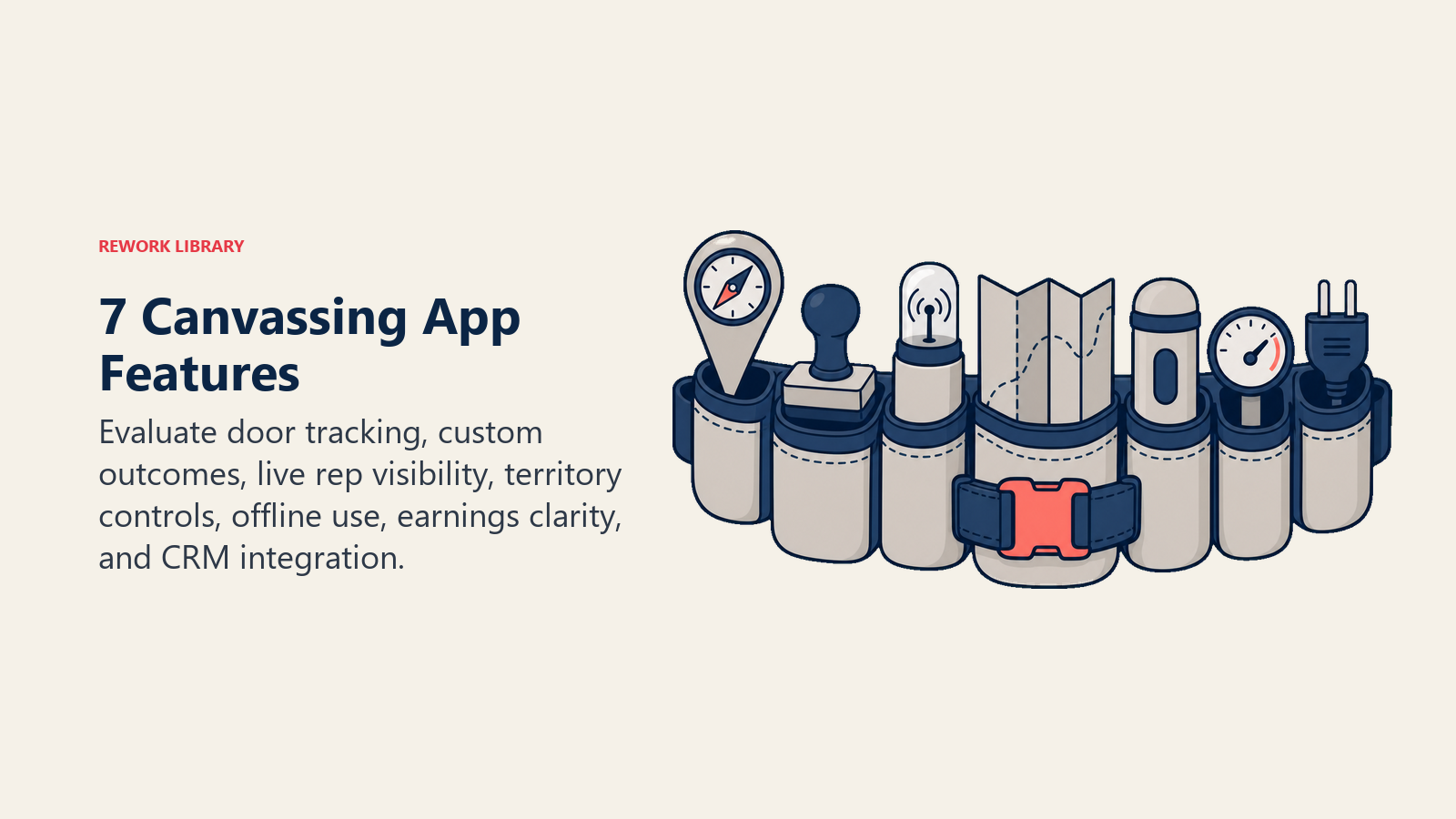
When evaluating canvassing tools, ignore the marketing and focus on whether the product does these seven things well. Gartner's field sales software reviews are a useful reference point for comparing verified user experiences across the category before you commit to a vendor:
1. Pin-level door tracking. Every address in a territory should be trackable at the door level, not just the street. Did the rep knock? What was the outcome? How many times has this door been visited? Without pin-level tracking, you're flying blind on territory saturation.
2. Outcome taxonomy that matches your workflow. Most apps have a set of preset door outcomes (not home, not interested, callback, sold, do not knock). Make sure you can customize these to match how your team actually labels contacts. Pest companies may need outcomes like "existing contract" or "seasonal only." Fiber teams may need "not serviceable" as a geographic filter.
3. Rep-level real-time tracking. Managers need visibility into where their reps are and what they're doing. This isn't about surveillance. It's about being able to route help to a rep who's struggling, redirect someone who's working outside their territory, or recognize a rep who's put in an exceptional shift.
4. Territory assignment with overlap prevention. The app should make it impossible for two reps to unknowingly work the same block on the same day. Territory conflicts waste rep time and create customer experience problems when multiple people knock the same door within hours.
5. Mobile-first UI with offline mode. If the app requires connectivity to log a door outcome, you'll have reps falling behind on logging in areas with poor signal. Offline mode is a hard requirement for any team working neighborhoods with inconsistent coverage.
6. Earnings transparency. Reps should be able to see their close count, projected payout, and any pending chargebacks in real time. This reduces comp disputes and builds trust. See commission and comp design for D2D for why this matters so much for retention.
7. API access or native integration with your CRM. Without this, someone is manually reconciling canvassing data with your subscription management system every night. That's expensive and error-prone.
Canvassing App Comparison: What the Market Offers
The D2D-specific software market has a handful of clear leaders and a longer tail of niche tools. Here's a functional breakdown:
| App | Best for | Strengths | Watch out for |
|---|---|---|---|
| SalesRabbit | Security, pest, solar | Deep territory management, strong integrations, mature product | Pricing scales with user count, can get expensive |
| Spotio | Multi-vertical teams | Good mobile UX, customizable pipelines, sales leaderboards | Limited built-in scheduling tools |
| Knockio | Newer entrants, smaller teams | Affordable, clean interface, good onboarding | Fewer integrations than legacy tools |
| D2D Experts (platform) | Training + software bundles | Community and training alongside the tool | Software is secondary to the training product |
| ServiceTitan (field service) | Primarily for service-side tracking | Excellent for scheduling and billing | Not purpose-built for canvassing; sales-side UX is weak |
None of these is universally right. SalesRabbit is the market leader for security and pest because it's been in the space the longest and has deep integrations with monitoring platforms like Alarm.net and pest management systems. Spotio works well for companies that want a single tool to bridge canvassing and inside sales follow-up. Knockio is worth evaluating if you're under 30 reps and need something you can deploy without a dedicated IT resource.
The CRM Side: Managing Subscribers After the Close
Once someone signs an agreement, they're no longer a prospect. They're a customer. The canvassing app's job is done, and your CRM or subscription management platform takes over.
For D2D home services, the core requirements on the CRM side are:
Contact and account management. Every customer needs a clean record with address, contact info, service address (may differ from billing), plan details, and the rep who sold them.
Service scheduling integration. For pest control and lawn care especially, the CRM needs to trigger service scheduling at the right frequency. If a customer signs up for monthly service and no one books the first visit, you'll have a cancellation within 30 days. See sale to service start handoff for the process detail.
Retention and churn signals. A good CRM flags customers who are approaching a renewal date, who have missed a scheduled service, who've called in with a complaint, or who match your churn risk profile. Without these signals, your team is reactively losing subscribers rather than proactively saving them.
Rep attribution. Every subscriber record should be tagged to the rep who sold them. This is what makes performance dashboards work and what enables clawback enforcement when a rep's customer cancels early.
Payment and billing. Subscription billing is recurring by definition. Your system needs to handle autopay setup, failed payment recovery, and billing disputes cleanly. Many D2D companies integrate with platforms like Stripe, Zuora, or vertical-specific billing tools.
For subscription businesses, the CRM's retention functionality is just as important as its sales pipeline features. A system that captures leads beautifully but gives you no visibility into subscriber health will cost you in churn. Cross-reference retention fundamentals when evaluating how well a CRM supports the post-close subscriber journey.
The Two-Layer Tech Stack Framework
The Field-to-Subscriber Pipeline: Think of every D2D tech decision as fitting into one of two layers, and evaluate each tool against the layer it should serve.
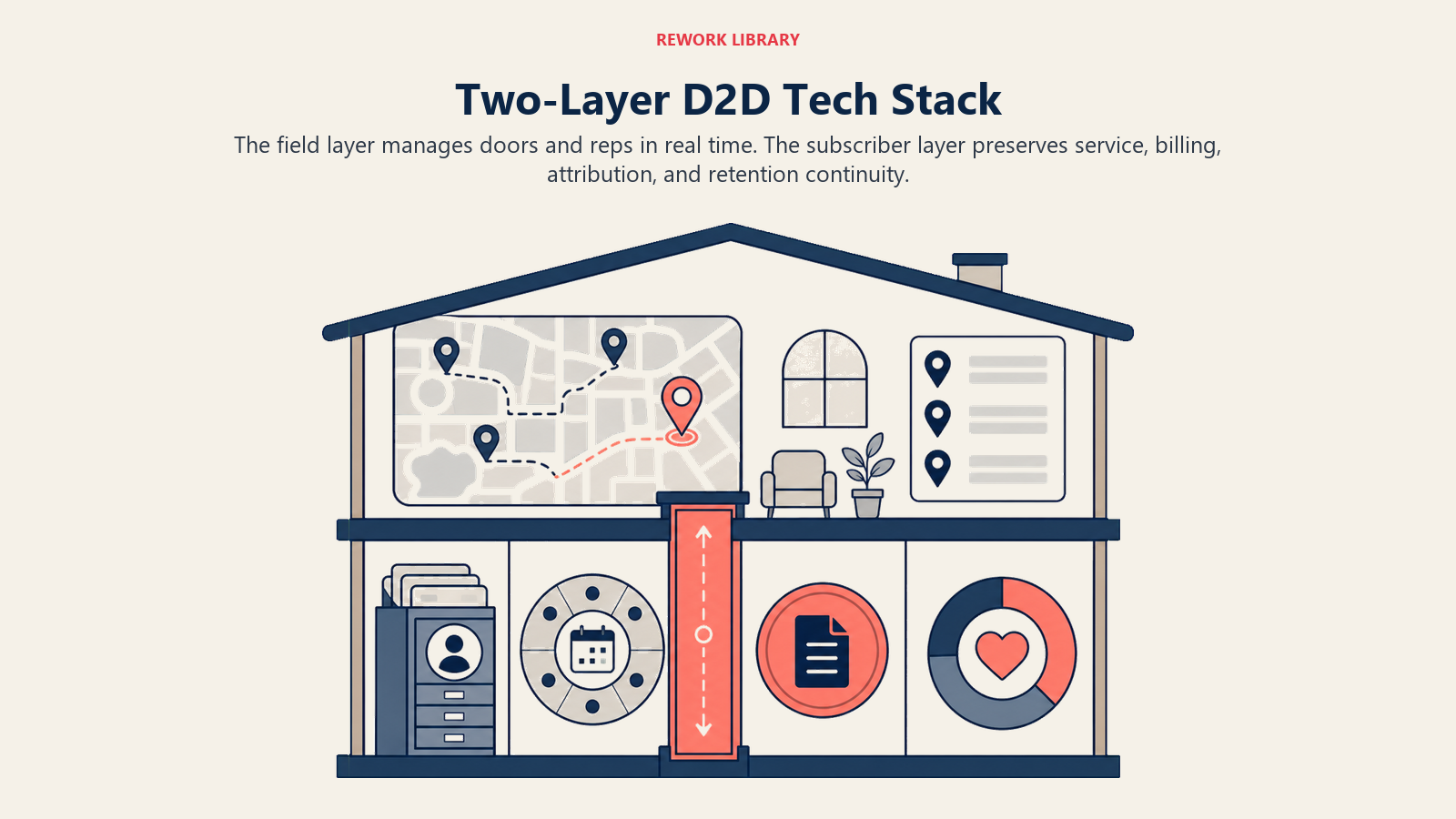
Layer 1 (Field layer): Manages everything that happens at the door. Territory maps, door-level outcomes, rep location, daily progress, team leaderboards, earnings visibility. The critical word here is "real time." Data logged four hours late is nearly useless for territory management decisions.
Layer 2 (Subscriber layer): Manages everything that happens after the close. Customer records, service scheduling, billing, retention signals, rep attribution. The critical word here is "continuity." A subscriber acquired in June needs to be tracked through month 12, not just the week they signed.
Every gap between these two layers is a revenue leak. A close that doesn't automatically become a subscriber record, a service that doesn't trigger because the handoff was manual, a chargeback that can't be enforced because rep attribution wasn't captured: each of these costs money that could have been prevented by a cleaner integration.
Quotable Nuggets
"A canvassing app with no CRM integration is just a digital notepad. The productivity gain comes from the handoff, not the tool itself." (Practitioner observation from D2D operators; consistent with SPOTIO data showing low-turnover teams run 1-2 integrated systems while high-turnover teams run 5+)
"Data hygiene isn't an IT problem, it's a revenue problem. Every address logged incorrectly is a subscriber record you'll never find when you need it." (Field operations principle from D2D canvassing platform communities)
"The best rollout window is the shoulder season. Companies that deploy new technology during peak canvassing season pay twice: once for the technology and once for the morale damage when it breaks at the worst possible time." (Implementation principle from D2D software vendor onboarding documentation)
Wiring the Two Layers Together
The integration between your canvassing app and CRM is where most D2D tech stacks either work smoothly or fall apart. Here's the data flow that needs to happen:
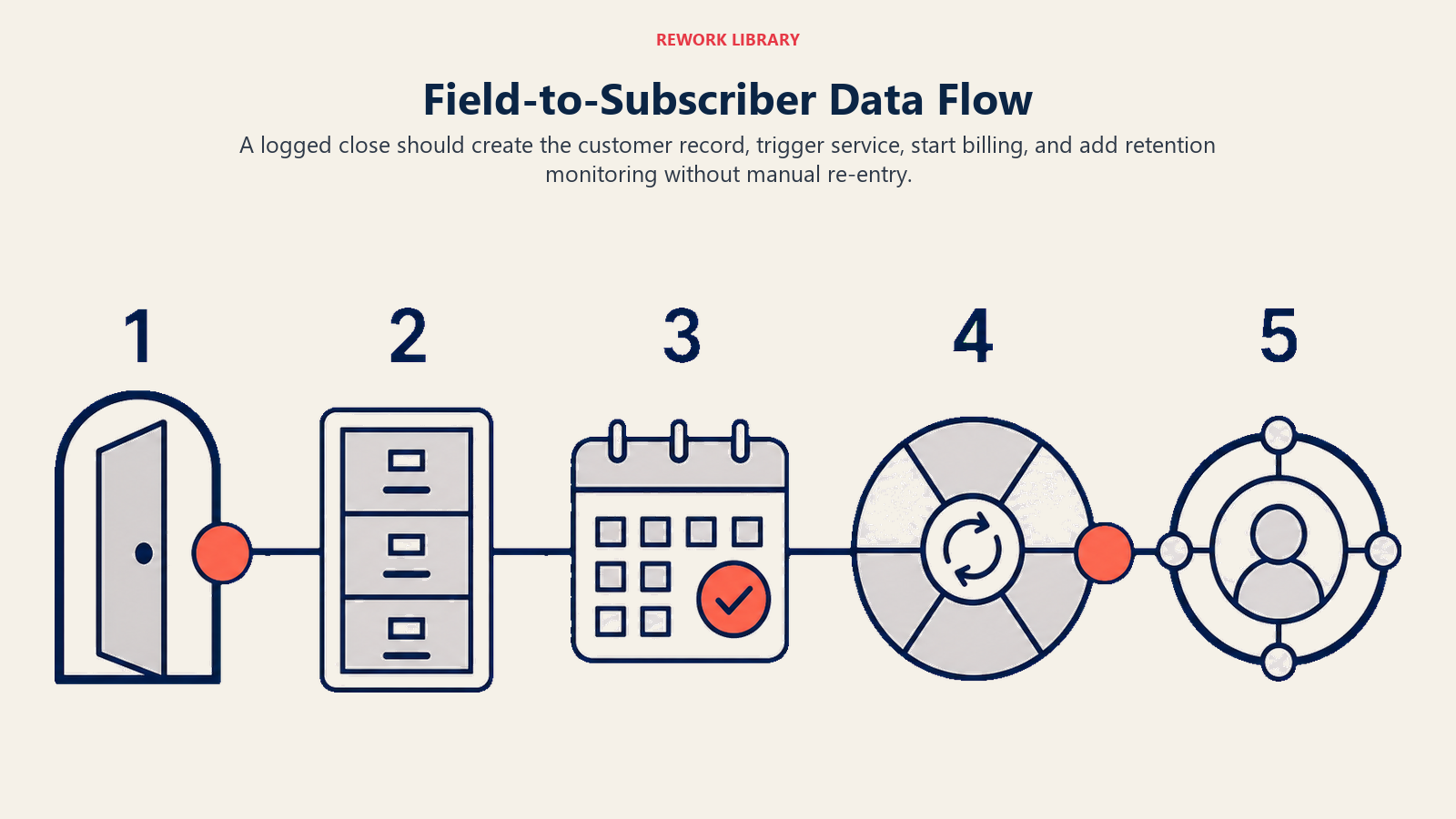
Rep logs close in canvassing app
        |
Close data pushes to CRM (API or Zapier)
        |
CRM creates customer record with rep attribution
        |
Service team gets scheduling trigger
        |
Billing initiates autopay setup
        |
Retention dashboard adds new subscriber to monitoring
If any step in that chain requires manual intervention, you have a gap. Manual steps mean delays, missed records, and inconsistent data that breaks your reporting.
The cleanest implementations use native integrations when they exist (SalesRabbit integrates natively with some security monitoring platforms, for instance) and Zapier or Make for everything else. Build the integration once, test it with 20 closes, confirm the data looks right on both sides, and then scale.
For teams without technical resources, some D2D software vendors offer managed integration setups as part of their onboarding. It's worth paying for this rather than trying to build it yourself without the right expertise.
Data Hygiene: The Problem Nobody Talks About
Your tech stack is only as good as the data going into it. D2D teams have a chronic data hygiene problem because reps are logging outcomes quickly, under pressure, in bad conditions. Addresses get entered wrong. Close details get simplified. Callback times don't get logged.
A few practices that keep data clean:
Address auto-complete from a verified database. Your canvassing app should pull from USPS-verified address data, not free-form text entry. One correct address format for every property in your territory means consistent records across the board.
Mandatory fields at close. The app shouldn't allow a rep to submit a close without filling in the minimum required fields: customer name, phone, email, plan selected, service address confirmed. Every optional field becomes empty data at scale.
Manager review of daily submissions. Someone with authority needs to spot-check 10% of close submissions every day. If you're seeing patterns of errors, incomplete data, or suspicious close times (closes logged at 9pm when your team should be done by 7pm), address them directly.
Deduplication logic. Customers sometimes sign up twice, or an address gets logged multiple times with slightly different formatting. Your CRM should have deduplication rules that catch this before it creates billing problems.
Using Your Tech Stack for Lead Scoring and Qualification
One underused feature in most canvassing apps is the ability to flag doors as "high potential" before a rep even knocks. Using territory data from previous seasons combined with demographic overlays (income, homeownership, home age, existing subscription data), you can rank addresses within a territory and route reps to the most likely prospects first.
This is the beginning of a lead scoring approach applied to D2D. It's not as sophisticated as inbound lead scoring, but the principle is the same: focus rep time on the doors most likely to convert. For a deeper look at how scoring logic works, see lead scoring systems.
For fiber teams especially, where service availability is the primary qualifier, pre-loading serviceable addresses into your territory maps before a canvassing push is standard practice. Reps never knock a door that can't be served. That simple filter dramatically improves conversion rates because reps aren't wasting time on dead-end conversations.
What to Expect from a Proper Tech Stack Implementation
Rolling out a new canvassing app or CRM integration is a 60-90 day project if you're doing it right. Here's a realistic timeline:
| Week | Activity |
|---|---|
| 1-2 | Requirements gathering, vendor demos, integration scoping |
| 3-4 | Account setup, territory data import, user accounts created |
| 5-6 | Pilot with 5-10 reps, integration testing, data quality QA |
| 7-8 | Training for all reps and managers, documentation finalized |
| 9-10 | Full rollout, daily support, issue resolution |
| 11-12 | Performance review, reporting calibration, optimization |
Don't try to roll out new technology during peak canvassing season. Your team is focused on closing, and tech problems during peak season are a morale killer. Roll out and stabilize during the shoulder season, so by the time volume picks up, the system is running smoothly.
Building Toward Real-Time Performance Visibility
The endgame for your tech stack is a real-time view of every layer of your operation: which reps are in the field, which territories are showing strong conversion, which subscribers are at risk of cancellation, and what your projected revenue for the month looks like.
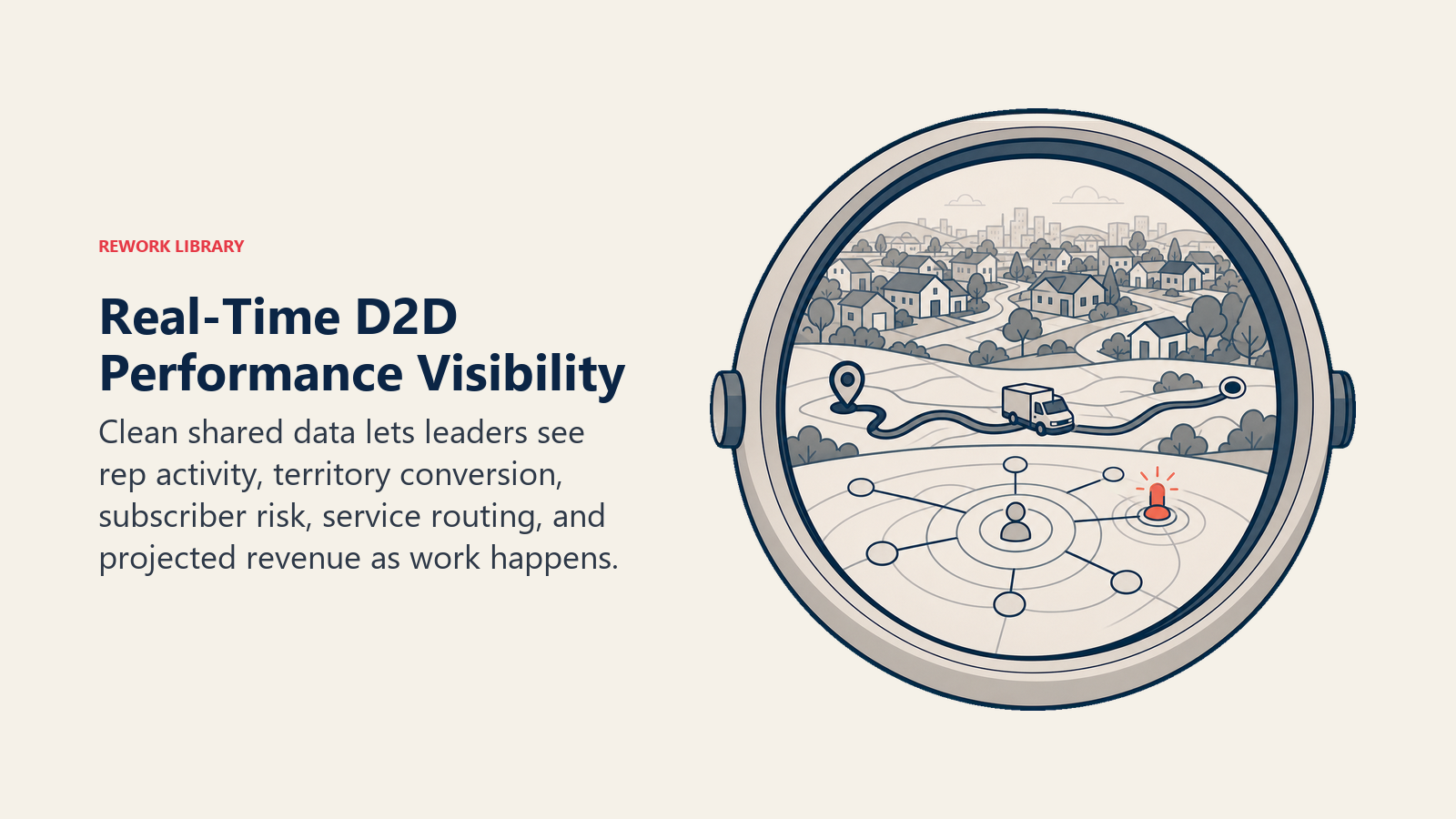
That kind of visibility is only possible if your canvassing app, CRM, and subscription billing system are sharing data cleanly. Companies that achieve it can make real-time decisions about territory assignments, rep coaching, and service routing that compound into significant performance advantages over teams still running on spreadsheets.
For what those performance dashboards look like in practice, read lead and rep performance dashboards. And for how to interpret the territory and knock data your canvassing app generates, see territory and knock analytics.
Frequently Asked Questions about D2D CRM and Canvassing Apps
What is the difference between a canvassing app and a CRM for D2D teams?
A canvassing app manages what happens at the door: territory maps, door-level outcomes, rep location data, daily progress, team leaderboards, and earnings transparency. A CRM manages what happens after the close: customer records, service scheduling, retention signals, billing, and rep attribution. Both are necessary. Without a canvassing app, you lose field visibility. Without a CRM, you lose subscriber continuity. The two layers need a clean integration so a close logged in the field automatically becomes a subscriber record in the CRM.
Which canvassing apps are the best for D2D home services?
SalesRabbit is the market leader for security and pest because it has the deepest integrations with vertical-specific platforms and has been in the space the longest. Spotio works well for teams that want to bridge canvassing and inside sales follow-up in one tool. Knockio is worth evaluating for smaller teams (under 30 reps) that need a fast, affordable deployment without dedicated IT resources. The right choice depends on your vertical, team size, and which CRM or billing system you need to integrate with. No app is universally right.
What features are non-negotiable in a canvassing app?
Pin-level door tracking, customizable outcome taxonomy, real-time rep location visibility, territory assignment with overlap prevention, offline mode, earnings transparency for reps, and API or native integration with your CRM. Any app that is missing offline mode is a hard pass for teams working neighborhoods with inconsistent signal. Any app without earnings transparency will create comp disputes and reduce rep trust.
How long does it take to roll out a new canvassing app?
A proper rollout is a 60 to 90 day project. Weeks one through four cover requirements, vendor selection, account setup, and territory data import. Weeks five through eight are a pilot with a small rep cohort followed by full-team training. Weeks nine through twelve are full rollout with daily support and reporting calibration. Do not start a rollout during peak canvassing season. Problems that would be minor during a slow period become major morale events when reps are under production pressure.
How do I keep D2D canvassing data clean when reps are logging quickly under pressure?
Three practices matter most: address auto-complete from a USPS-verified database (eliminates free-form text errors), mandatory fields at close that prevent submission of incomplete records, and daily manager review of a 10% sample of close submissions. Deduplication logic in your CRM catches addresses that get logged multiple times with slightly different formatting. None of this works unless the end-of-day submission is a non-negotiable: closes not logged do not get paid.
Can I use a general-purpose CRM like Salesforce or HubSpot for D2D?
General CRMs can work on the subscriber management side, but they are not built for the field layer. The mobile UX is clunky for reps logging outcomes between doors, territory visualization requires custom configuration, and there is no native concept of a canvassing pass. You would need to pair a general CRM with a purpose-built canvassing app and build the integration yourself. This is manageable for large teams with technical resources. Smaller teams are usually better served by a purpose-built D2D platform that covers both layers.
What should the integration between my canvassing app and CRM do automatically?
At minimum: a close logged in the canvassing app should automatically create a customer record in the CRM with rep attribution attached, trigger a service scheduling notification to your ops team, and initiate billing setup. Every manual step in that chain is a gap where records get lost, service visits get missed, and chargebacks become unenforceable. Build the integration once, test it with 20 closes before full rollout, and confirm the data is clean on both sides before scaling.

Senior Implementation Consultant
On this page
- Why Doesn't Generic CRM Work for D2D Teams?
- Key Facts
- The Core Feature Set to Evaluate in a Canvassing App
- Canvassing App Comparison: What the Market Offers
- The CRM Side: Managing Subscribers After the Close
- The Two-Layer Tech Stack Framework
- Quotable Nuggets
- Wiring the Two Layers Together
- Data Hygiene: The Problem Nobody Talks About
- Using Your Tech Stack for Lead Scoring and Qualification
- What to Expect from a Proper Tech Stack Implementation
- Building Toward Real-Time Performance Visibility