Single-Piece Flow: One-Piece Flow in Lean Explained
Turn this article into takeaways for your work.


Each assistant summarizes the article only for you and suggests best practices for your work.
Ten units need to pass through three workstations. In one plant, all ten sit at station one until every last one is finished, then the whole stack moves to station two, then station three, and the first completed unit reaches the customer only after the entire batch has cleared the line. In the plant next door, the first unit moves to station two the moment it's done at station one, and it's finished and out the door while units four through ten are still working their way down the line. Same three stations. Same total amount of work. A wildly different wait for whoever is waiting on unit number one.
That gap is single-piece flow, and it's one of the few ideas in lean where the arithmetic makes the case more convincingly than the philosophy does.
Key Facts: Single-Piece Flow
- The Lean Enterprise Institute defines continuous flow as "producing and moving one item at a time (or a small and consistent batch of items) through a series of processing steps as continuously as possible," and lists single-piece flow, one-piece flow, and make one, move one as the same idea (Lean Enterprise Institute).
- Its opposite, batch-and-queue, is defined as moving "large lots (batches) of items" to the next process "regardless of whether they are actually needed," where they then sit "in a line (a queue)" (Lean Enterprise Institute).
- In most manufacturing operations, actual value-adding processing time is "a tiny fraction of total lead time, often less than 5%. The rest is waiting" (Art of Lean, updated March 2026).
- NIST's Manufacturing Extension Partnership describes cellular layouts as lining up equipment "in a tight sequence to allow for one piece flow and a flexible and balanced workload among stations" (NIST MEP).
What Is Single-Piece Flow?
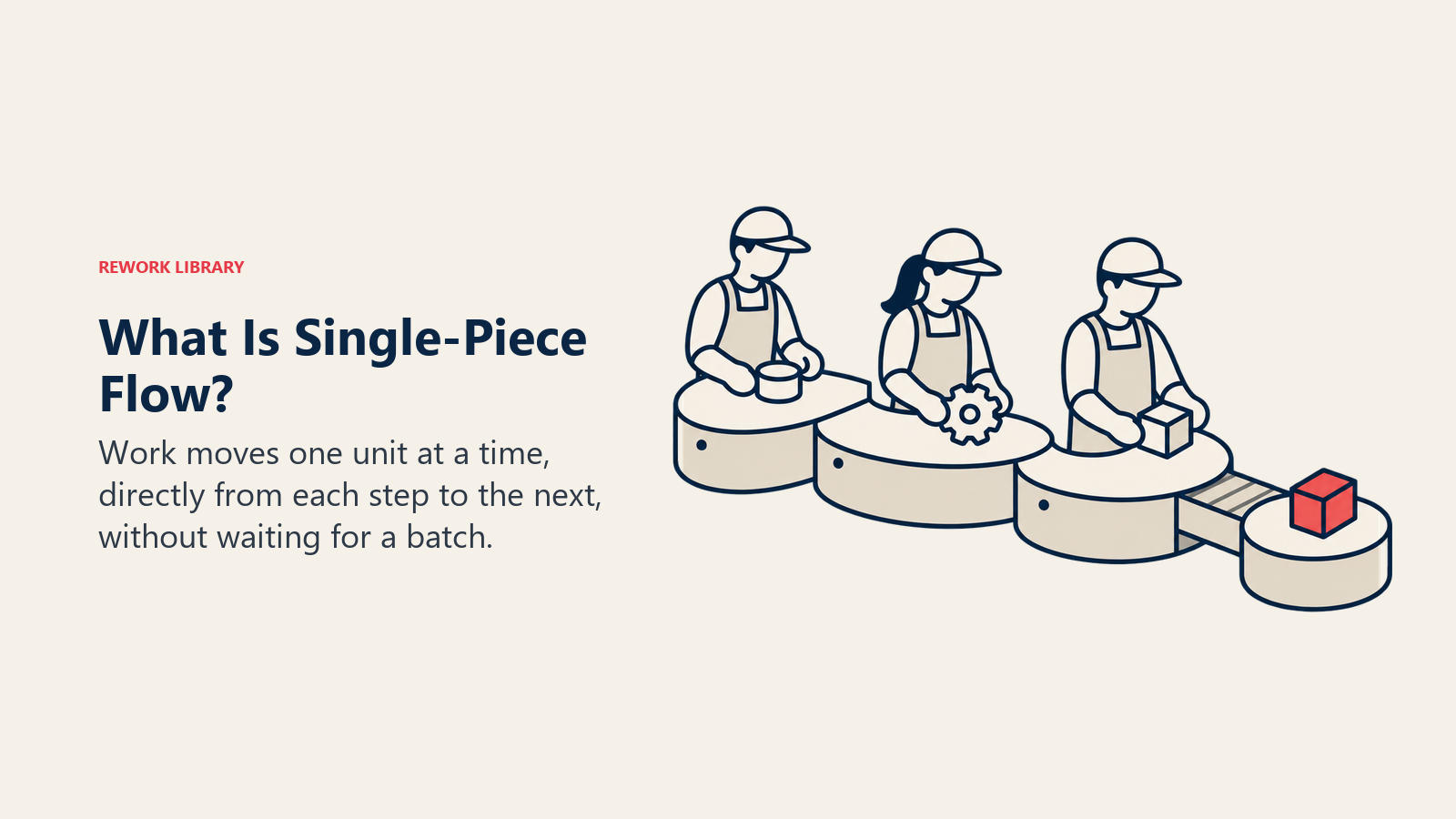
Single-piece flow means moving work through a process one unit at a time instead of in batches, so each step does its work and hands the result straight to the next step rather than setting it down to wait for its neighbors. The Lean Enterprise Institute's own definition treats this as one concept with three interchangeable names: continuous flow, one-piece flow, and single-piece flow all describe "producing and moving one item at a time... through a series of processing steps as continuously as possible, with each step making just what is requested by the next step" (Lean Enterprise Institute). There's no technical difference between the three names. Pick whichever one your organization already uses.
The contrast that makes the concept click is batch-and-queue, the default in most operations that were never redesigned around flow. Batch-and-queue processes a full batch at one station, moves it to the next station only when every unit in it is done, and lets it sit "in a line (a queue)" until that station is ready (Lean Enterprise Institute). Nothing about batch-and-queue is irrational on its face. Grouping similar work together feels efficient, and it's how most people organize work by instinct. The problem only shows up once you measure what that grouping does to the clock.
| Dimension | Batch-and-queue | Single-piece flow |
|---|---|---|
| Transfer batch size | A full batch (10, 50, 500 units) moves together | One unit moves at a time |
| Work in process between stations | Piles up to the size of the batch | Roughly one unit per station |
| Defect visibility | A bad unit rides along inside the batch until inspection | The very next unit shows whether the problem repeats |
| Lead time for the first finished unit | Waits for the whole batch to clear every prior station | Limited mostly by the sum of individual station times |
| Flexibility to mix products | Favors long runs of one product | Supports frequent switching, if changeover is fast |
| What sets the pace | Batch size and queue discipline | Takt time and station balance |
Single-piece flow is also the operational expression of pull: a station only produces the next unit when the station after it is ready to take one, which is a different discipline from simply making the transfer batch smaller. You can shrink a batch from 500 to 50 and still be running batch-and-queue. Flow is the specific case where the transfer batch reaches one, and pull is what keeps that one unit from becoming a small stockpile the moment nobody's watching.
Batch-and-Queue vs. Single-Piece Flow, by the Numbers
Here's the comparison that convinces skeptics faster than any diagram: the classic three-station, ten-unit example, worked out in full.
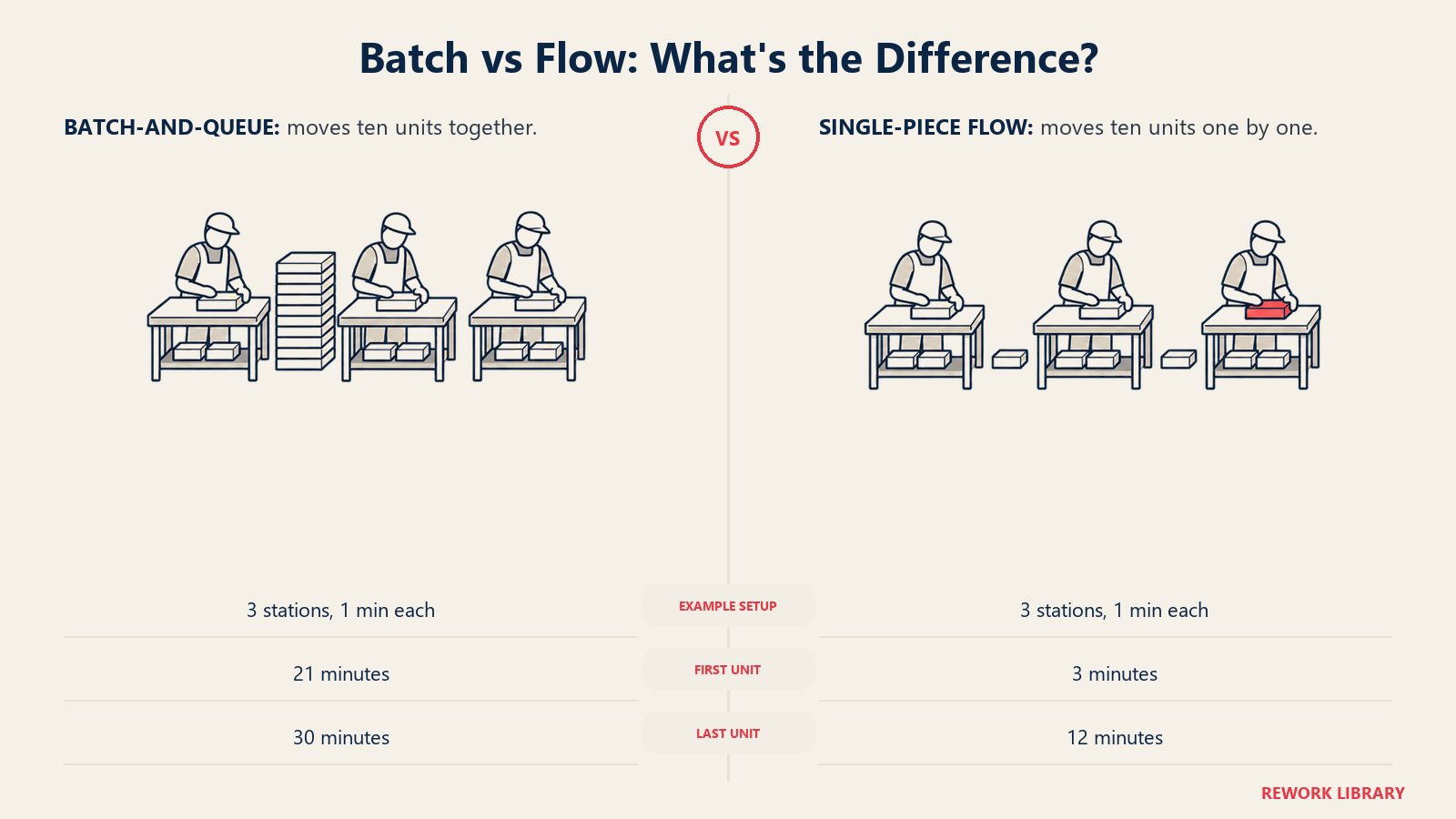
Assume three workstations in sequence, each one taking exactly one minute to process a single unit, and ten units that need to move through all three. Hold every other variable constant. Nobody works faster in either scenario. The only thing that changes is how many units move together between stations.
Batch of ten (batch-and-queue). Station one processes all ten units one after another, finishing the batch at the 10-minute mark. Only then does the full batch move to station two, which takes another 10 minutes to process all ten, finishing at the 20-minute mark. The batch moves to station three, which finishes all ten at the 30-minute mark. Because the batch travels as a unit between stations, the first finished piece can leave station three no earlier than 21 minutes in (10 minutes at station one, 10 more at station two, then one minute for that specific unit to clear station three) and the last piece isn't done until minute 30. A customer waiting on the very first unit off the line waits 21 minutes for something that took one minute of actual work at each of three stations.
Batch of one (single-piece flow). Unit one moves to station two the instant station one finishes it, at the one-minute mark, and reaches station three at the two-minute mark, finishing at minute three. Because each station is free the moment it releases a unit, station one starts unit two at minute one, and a steady pipeline forms: each subsequent unit finishes two minutes after the one before it. Unit ten, the last one, finishes at minute 12.
| Scenario | First unit finished | Last (10th) unit finished | Total elapsed time |
|---|---|---|---|
| Batch of 10 (batch-and-queue) | Minute 21 | Minute 30 | 30 minutes |
| Batch of 1 (single-piece flow) | Minute 3 | Minute 12 | 12 minutes |
| Improvement | 7x faster to the first unit | 2.5x faster to the last unit | 18 minutes saved |
Read that table twice, because the second line is the one people miss. Total processing time didn't change: three stations, one minute each, ten units, 30 minutes of work either way. Nobody sped up, added a shift, or bought a faster machine. The only variable that moved was the size of the batch traveling between stations, and it cut lead time to the first unit by 86% and total elapsed time by 60%. That's the entire argument for single-piece flow in one worked example, and it holds regardless of whether the "stations" are machines, desks, or steps in a piece of software.
Scale the example up and the gap gets worse, not better. Real processes rarely have just three stations and a batch of ten. A back office process with six steps and a batch of 50 behaves the same way, with a far larger multiplier between the two lead times. The three-station toy example understates the case for most real operations.
Why Flow Collapses Lead Time Without Anyone Working Faster
The worked example above isn't a special case. It's a direct illustration of where lead time actually goes in most processes. In most manufacturing operations, the actual value-adding processing time is "a tiny fraction of total lead time, often less than 5%. The rest is waiting" (Art of Lean). If processing time is a rounding error and waiting is nearly everything, then the fastest lever available isn't making people or machines work faster. It's removing the waiting.
This is exactly what batch size controls. A large transfer batch manufactures queue time by design: every unit except the last one in the batch sits idle at each station, waiting for its batchmates to catch up before the group can move. Shrink the batch and you shrink the manufactured wait, unit by unit, station by station. Value stream mapping is the tool most teams use to see this on their own process, because it puts a number on how much of each step's timeline is work versus queue, and the ratio is almost always worse than assumed before it's measured.
It also explains why "work faster" is usually the wrong first move. Speeding up a station that's already fast relative to its neighbors buys almost nothing, because the bottleneck was never processing speed. It was the batch sitting in queue waiting for a turn. Cut the batch size and the queue drains regardless of how fast any individual station runs.
Why Flow Catches Defects Immediately
There's a second effect that matters as much as the speed gain, and it's easy to underrate until you've watched it happen. In a batch of ten, a defect introduced at station one rides along inside nine other units before anyone inspects the batch downstream. By the time someone catches it, station one may have already produced the next batch with the same problem. In single-piece flow, the very next unit off station one is the test of whether the defect is still happening, because it's the only unit in front of the operator.
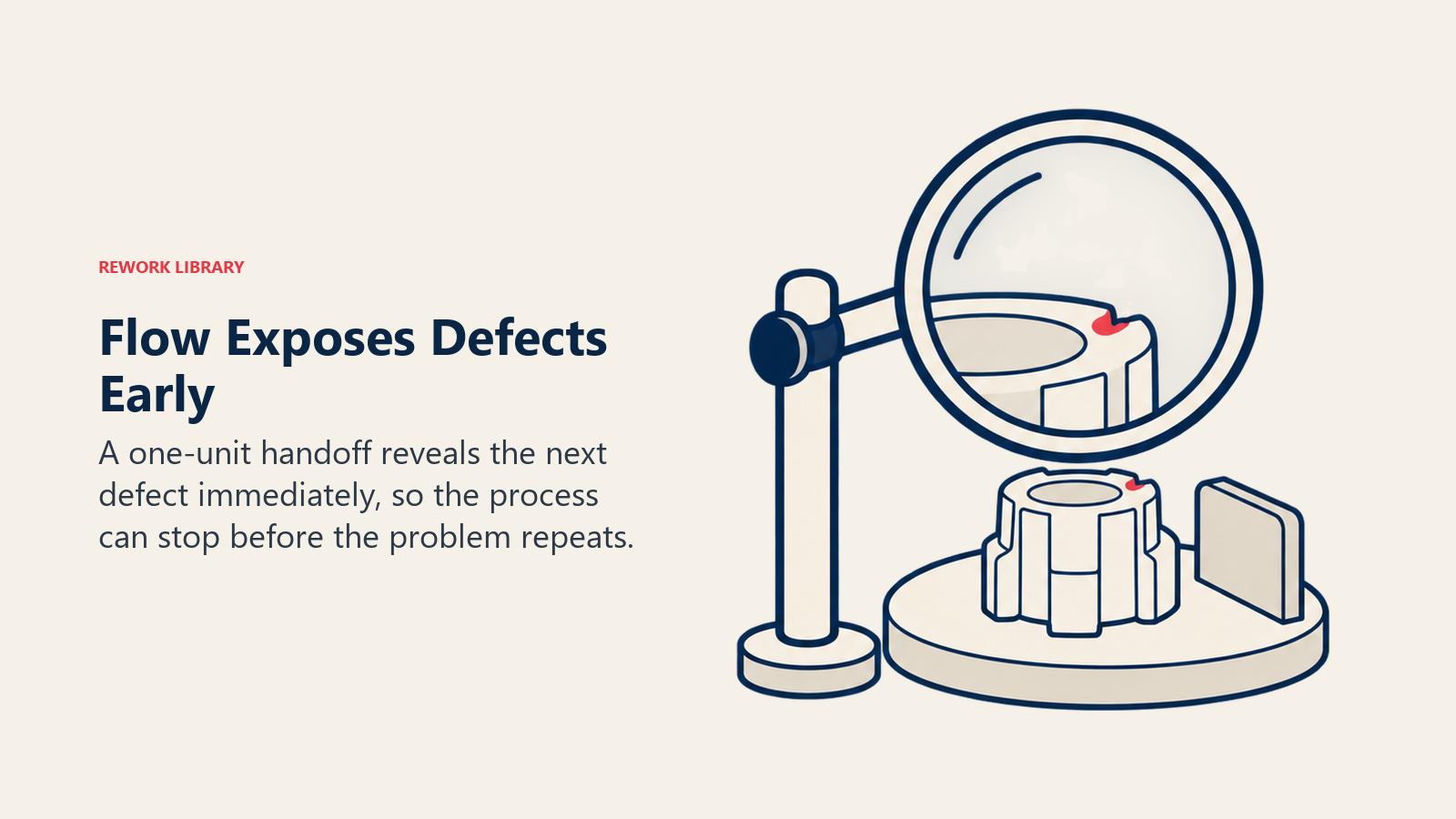
That immediacy ties single-piece flow to jidoka and poka-yoke rather than treating it as a separate initiative. Toyota describes jidoka as "stopping immediately when abnormalities are detected to prevent defective products from being produced," paired with just-in-time, which links every process "in a continuous flow" by making only what's needed, when it's needed (Toyota). Flow makes that stop-and-fix response fast enough to matter: stopping a batch of one costs one unit of lost output, while stopping a batch of fifty, discovered only at inspection, costs the rework or scrap of everything made since the last good check, plus whatever already shipped.
Poka-yoke devices reinforce the same logic at the point of work: a fixture that only accepts a part in the correct orientation, or a form field that won't submit blank, catches the mistake at the unit where it happens rather than relying on a downstream inspector to find it in a pile. Flow and mistake-proofing attack the same problem from two directions: one shrinks the batch a defect can hide inside, the other makes the defect impossible in the first place.
Prerequisites for Single-Piece Flow
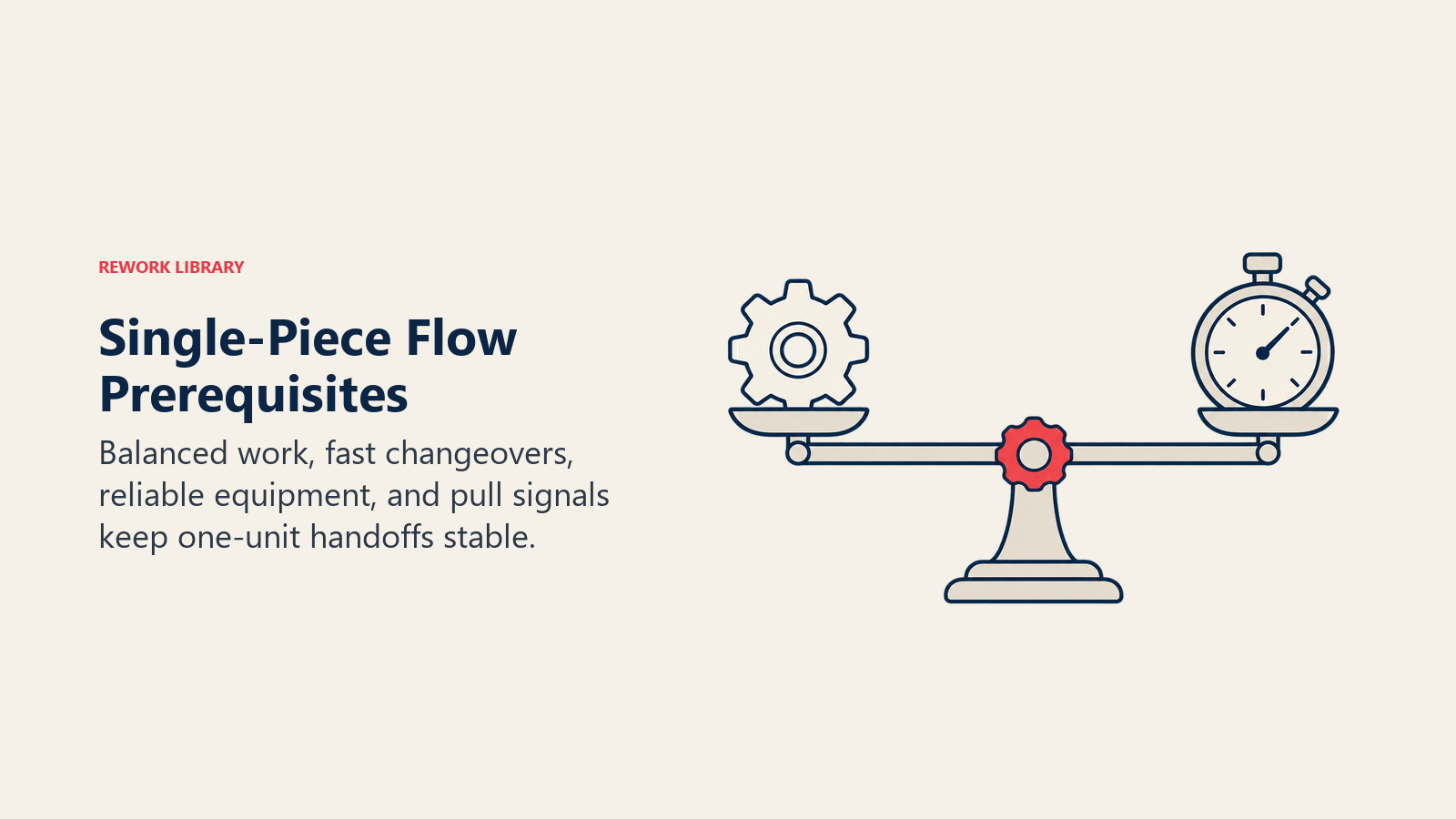
Flow looks simple once running. Getting there requires several things to already be true, and skipping any one is the most common reason a conversion stalls or quietly reverses months later.
| Prerequisite | What it means for flow | If you skip it |
|---|---|---|
| Known takt time | Sets the pace every station has to hit | Flow has no target, so nobody can tell whether one-at-a-time is actually fast enough |
| Line balanced to takt | Every station's cycle time sits at or under takt | The slowest station starves everything downstream and blocks everything upstream |
| Fast changeover (SMED) | Switching product or job type costs minutes, not hours | Small batches become too expensive to run, and flow quietly reverts to batching |
| Reliable equipment (TPM) | Machines run when scheduled, without hidden downtime | Flow carries almost no buffer, so one unplanned stop halts the whole line with it |
| Standard work | Every operator follows the same sequence at the same pace | Cycle times vary station to station, and flow turns uneven instead of smooth |
| A working pull signal | Downstream authorizes exactly one unit at a time | Without a signal, "flow" quietly turns back into push wearing a flow label |
| Cross-trained operators | People can shift to whichever station is running behind | One absence or one slow station stalls the entire cell |
Notice that changeover time and equipment reliability sit at the center of that list, not standard work or pull signals. That's deliberate. A team can understand pull systems perfectly and still fail at flow if changeovers take an hour, because fast changeovers are what make batches of one affordable in the first place. Get that groundwork done before converting the layout, not after.
Cell Layout: Why Distance and Handoffs Matter
Most facilities and offices are organized by function: all the lathes in one area, all the drills in another, all the underwriters on one floor and all the approvers on another. That layout looks efficient on an org chart and creates enormous hidden batching in practice, because moving a part or a file from one functional area to the next means physically carrying, walking, or routing it, and nobody carries one unit at a time when they can carry twenty.
A work cell breaks that pattern by physically grouping the equipment or steps a single product family needs, arranged in the order they're used, close enough together that a unit can move from step to step without a trip across the building. The U-shaped cell takes this further: instead of a straight line, the stations bend into a U so the entry point and the exit point sit near each other. One or two cross-trained operators can walk the inside of the U, tending multiple stations in a tight loop, adding or removing people as demand rises and falls without redesigning the whole cell.
| Dimension | Straight-line layout | U-shaped cell |
|---|---|---|
| Operator coverage | One operator per station, hard to flex | One or two operators can cover several stations |
| Entry and exit points | Far apart, at opposite ends | Close together, easy to monitor both |
| Adjusting headcount with demand | Requires re-balancing stations across the line | Add or remove a walking path segment |
| Travel distance for a unit | Often long, especially if machines were placed by function | Short by design, since stations sit close together |
| Visibility of the whole process | Limited, operators see only their own station | High, one person can often see the entire cell |
The tool that makes travel distance visible, rather than assumed, is the spaghetti diagram: a simple trace of the actual path a part, a document, or a person walks during one cycle, overlaid on the floor plan or office layout. Functional layouts almost always produce a spaghetti diagram that looks exactly like its name, a tangle of criss-crossing lines, because work keeps traveling back and forth between departments that were never placed with sequence in mind. Redesigning around a cell, and confirming the redesign with a second spaghetti diagram, is usually the single biggest lever for cutting the transport and waiting time that batch-and-queue layouts accumulate by default.
Single-Piece Flow Outside Manufacturing
The logic travels intact into any process with a repeatable sequence of steps, whether or not anything physical moves down a line. The translation is mechanical: "unit" becomes whichever thing the process exists to complete, and "station" becomes whichever role or system touches it next.
| Domain | What "one unit" means | What batching looks like | What flow looks like |
|---|---|---|---|
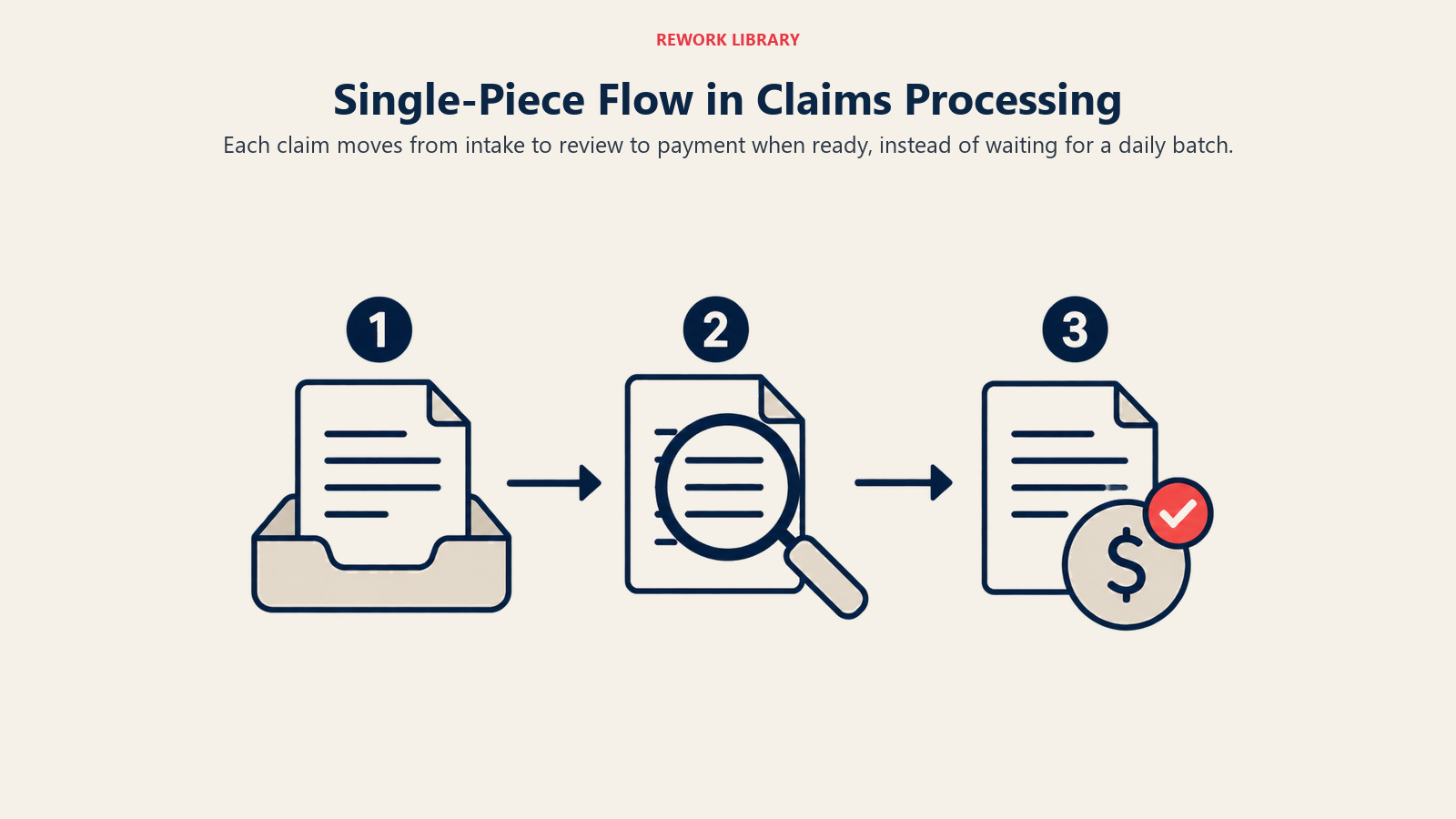
| Claims processing | One claim | Claims collected into a folder before forwarding to the next stage | Each claim moves to underwriting the moment intake finishes it |
| Employee onboarding | One new hire | A cohort of hires processed together on a fixed start date | Each hire's paperwork, access, and training move independently on their own timeline |
| Invoice approval | One invoice | Invoices batched weekly for a single approval run | Each invoice routes to the approver as soon as it's coded |
| Code review | One pull request | Several PRs queued and reviewed together at the end of a sprint | Each PR is reviewed as soon as it's opened, before the next one stacks up |
| Hiring | One candidate | All candidates for a role interviewed, then all reviewed together at the end | Each candidate is scored and decided on right after their interview |
Here's what that looks like worked through in detail, using claims processing as the example. Picture a small commercial claims team with three steps: intake verification, adjuster review, and payment release, each taking about 20 minutes of actual work per claim. The team's habit is to batch: intake collects claims through the day and forwards the day's batch to adjusters at 5pm, and adjusters do the same, batching their reviews and forwarding a batch to payment release once a day.
A claim that finishes intake at 9:05am doesn't move to adjuster review until 5pm that day, sits through the adjuster's queue until their own end-of-day batch goes out, and doesn't reach payment release until the following afternoon. Total lead time for that one claim: close to three business days, even though the underlying work is one hour.
Switch to flow: the moment intake finishes a claim, it moves straight to the adjuster queue instead of a folder. The adjuster works it and passes it straight to payment release. The same claim, with the same three steps and the same 20 minutes each, is fully processed in about an hour instead of three days. Nothing about the individual steps got faster. The batch that was manufacturing two and a half days of pure waiting simply disappeared.
When Batching Is Still the Right Answer
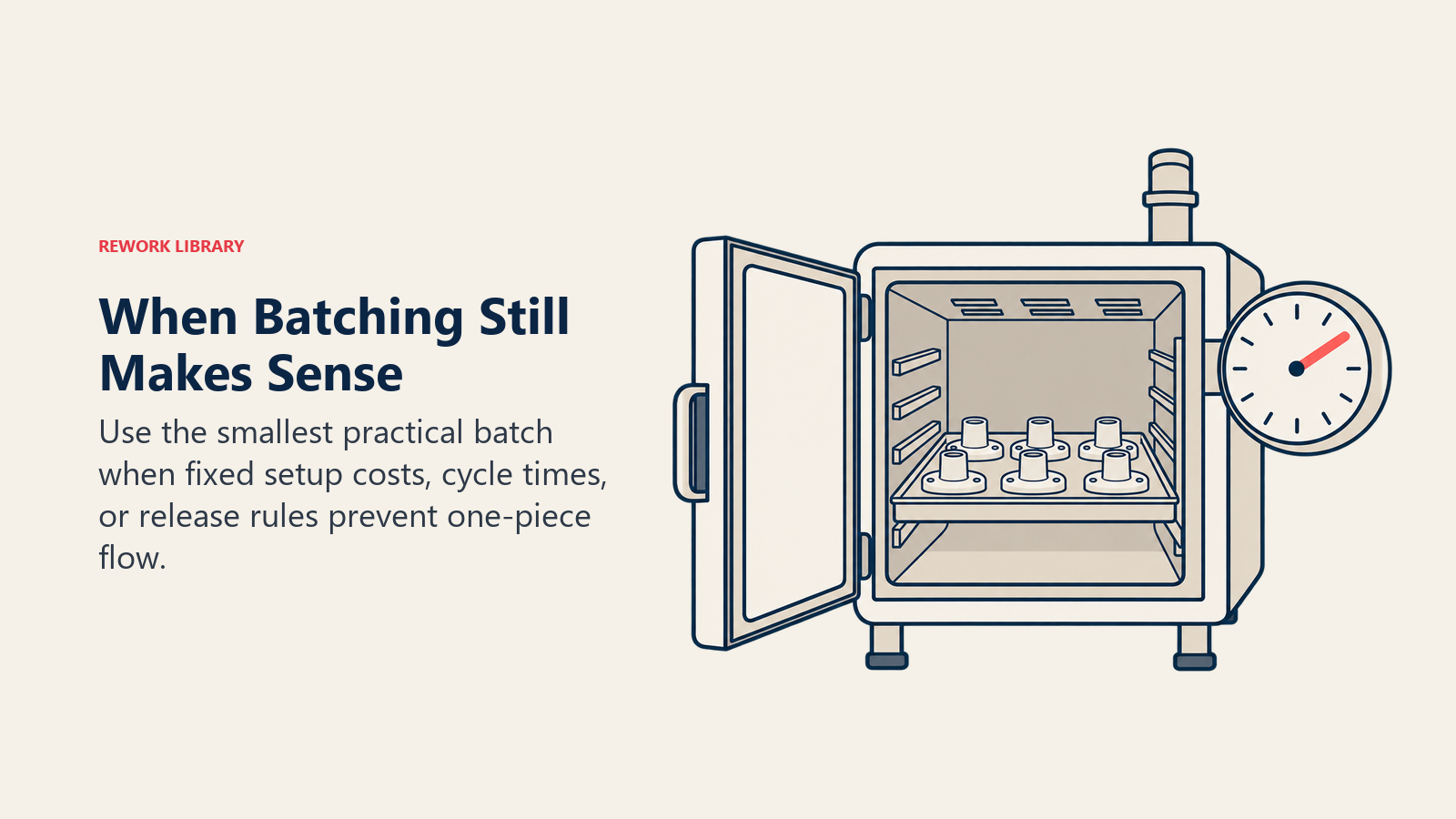
None of this means batching is always wrong. There are process shapes where batching a task before forwarding it is genuinely the smarter operational choice, not a lapse in lean discipline.
| Scenario | Why batching wins | Example |
|---|---|---|
| Setup-dominated processes | If changeover time is large relative to per-unit processing time, running one-piece flow means spending more time switching over than producing | A stamping press with a two-hour die change and a 30-second cycle time per part |
| Sterilization and curing cycles | The cycle has a fixed duration regardless of how many units are inside it, so filling the chamber is the only way to amortize that fixed time | A steam sterilizer's minimum exposure period is 30 minutes at 121°C in a gravity displacement unit, or 4 minutes at 132°C in a prevacuum unit, the same duration whether it holds one tray or a full load (CDC) |
| Shipping economics | Transportation has a fixed per-trip cost that batching amortizes across many units | Consolidating orders into a full truckload instead of dispatching a courier per unit |
| Regulated batch records | The batch, not the individual unit, is the formal unit of quality release and traceability | Pharmaceutical and biologics manufacturing, where every batch carries one lot number and one release decision |
The common thread across all four is a fixed cost, a fixed cycle time, or a fixed compliance boundary that doesn't shrink no matter how small the transfer batch gets. Single-piece flow attacks queue time; it does nothing for a cost or a clock that's fixed per batch rather than per unit. The right response in these cases isn't to force flow anyway. It's to reduce the fixed cost where possible (SMED exists precisely to shrink the setup-dominated case) and to run the smallest batch that fixed constraint actually allows, rather than the largest batch tradition allows.
Metrics That Prove Flow Is Working
Converting a line or a workflow to single-piece flow is a redesign, not a one-time event, and it needs metrics that show whether the redesign is holding rather than quietly drifting back to batching.
| Metric | What changes under flow | How to read it |
|---|---|---|
| Lead time to first unit | Drops sharply, often the most visible early win | Compare it against the same batch-vs-flow math worked out earlier in this article |
| Work in process (WIP) | Falls to roughly one unit sitting between each pair of stations | Count units physically waiting between stations, not units anywhere in the system |
| First pass yield | Rises, because a defect is caught one unit later instead of one batch later | Track it station by station, not only at final inspection |
| On-time delivery | Improves as the spread between best-case and worst-case lead time narrows | Watch the variance, not just the average |
| Changeover time | Has to fall before flow becomes affordable, and keep falling after | Treat it as a leading indicator for flow's health, not a lagging one |
Common Failure Modes
Most flow conversions that fail don't fail because the idea was wrong. They fail because one of the prerequisites got skipped, and the symptoms below are the tell.
| Failure mode | What it looks like | Fix |
|---|---|---|
| Forcing flow before changeover time drops | A line moves in batches of one but spends more time switching over between units than actually producing | Run SMED first, then convert the layout to flow |
| Flow that's really small-batch in disguise | The team calls it single-piece flow, but work still moves between stations in groups of five or ten | Check the actual transfer batch size at each handoff, not what the process is called |
| Unbalanced stations | One slow station starves everything downstream of it and blocks everything upstream of it | Rebalance cycle times against takt, not against whatever's convenient to leave alone |
| Ignoring demand variability | Flow is tuned to average demand and breaks the first week volume spikes | Add heijunka to level the mix and volume before flow has to absorb the swing |
| No cross-training | A single absence or one slow operator stalls the entire cell | Build a skills matrix and rotate assignments across stations on purpose |
Every one of these traces back to a prerequisite that was assumed rather than confirmed. That's the pattern worth remembering more than any individual fix: single-piece flow doesn't fail because the arithmetic stops working. It fails because something the arithmetic depends on, a fast changeover, a balanced line, a demand pattern that's been leveled, quietly wasn't true when the layout changed.
Frequently Asked Questions about Single-Piece Flow
What is single-piece flow?
Single-piece flow means moving work through a process one unit at a time, so each step hands its output straight to the next step instead of setting it down to wait for the rest of a batch. It's the way of running a process that keeps work in progress at roughly one unit per station instead of letting it pile up in batches between stations.
Is single-piece flow the same thing as one-piece flow or continuous flow?
Yes. The Lean Enterprise Institute treats continuous flow, one-piece flow, and single-piece flow as the same concept with three different names in common use. There's no technical distinction between them, so use whichever term your team already uses.
Why does single-piece flow reduce lead time if nobody works any faster?
Because in most processes, actual processing time is a small fraction of total lead time, often under 5%, and the rest is waiting. Batching manufactures most of that wait: every unit except the last one in a batch sits idle while its batchmates catch up. Shrinking the batch to one removes that manufactured wait without changing how fast any station works.
What has to be true before a team can run single-piece flow?
A known takt time, stations balanced to that takt, fast changeovers so small batches are affordable, reliable equipment since flow carries almost no buffer, standard work so cycle times are consistent, a working pull signal, and cross-trained operators who can flex across stations. Skipping the changeover and reliability prerequisites is the most common reason flow conversions fail.
Does single-piece flow work outside manufacturing?
Yes. Any process with a repeatable sequence of steps can apply it: claims processing, employee onboarding, invoice approval, code review, and hiring all fit the pattern. Replace "unit" with whatever the process exists to complete, and replace "station" with whichever role or system touches it next.
When should a process stay batched instead of converting to flow?
When a fixed cost, a fixed cycle time, or a fixed compliance boundary doesn't shrink no matter how small the transfer batch gets: setup-dominated processes with long changeovers, sterilization or curing cycles with a fixed duration regardless of load size, shipments with a fixed per-trip cost, and regulated industries where the batch itself is the unit of quality release.
How is single-piece flow different from a pull system?
A pull system describes the trigger: production happens only when a downstream step signals it needs more. Single-piece flow describes the transfer batch size: work moves one unit at a time. You can run a pull system with batches larger than one, but a well-run flow cell almost always needs a pull signal to keep that single unit from turning into a small pile the moment nobody's watching.
Related reading
- Takt Time, the pace target every flow cell has to hit
- Pull System, the signal mechanism that keeps flow from reverting to push
- SMED, the changeover reduction that makes small batches affordable
- Total Productive Maintenance, the reliability groundwork flow needs before it can run with no buffer
- Standard Work, the consistent method every station follows at the same pace
- Jidoka, stopping the instant a defect appears instead of letting it travel
- Poka-Yoke, mistake-proofing that catches errors at the unit where they happen
- Value Stream Mapping, the tool that shows how much of your lead time is queue versus work
- Just-in-Time, the broader production strategy single-piece flow makes possible
- Heijunka, leveling demand so flow doesn't break under volume spikes
- Spaghetti Diagram, tracing travel distance to redesign a work cell

Customer Success Operations Manager
On this page
- What Is Single-Piece Flow?
- Batch-and-Queue vs. Single-Piece Flow, by the Numbers
- Why Flow Collapses Lead Time Without Anyone Working Faster
- Why Flow Catches Defects Immediately
- Prerequisites for Single-Piece Flow
- Cell Layout: Why Distance and Handoffs Matter
- Single-Piece Flow Outside Manufacturing
- When Batching Is Still the Right Answer
- Metrics That Prove Flow Is Working
- Common Failure Modes
- Related reading