AI Tool Selection Framework: A Strategic Approach to Choosing the Right AI Solutions
Turn this article into takeaways for your work.


Each assistant summarizes the article only for you and suggests best practices for your work.
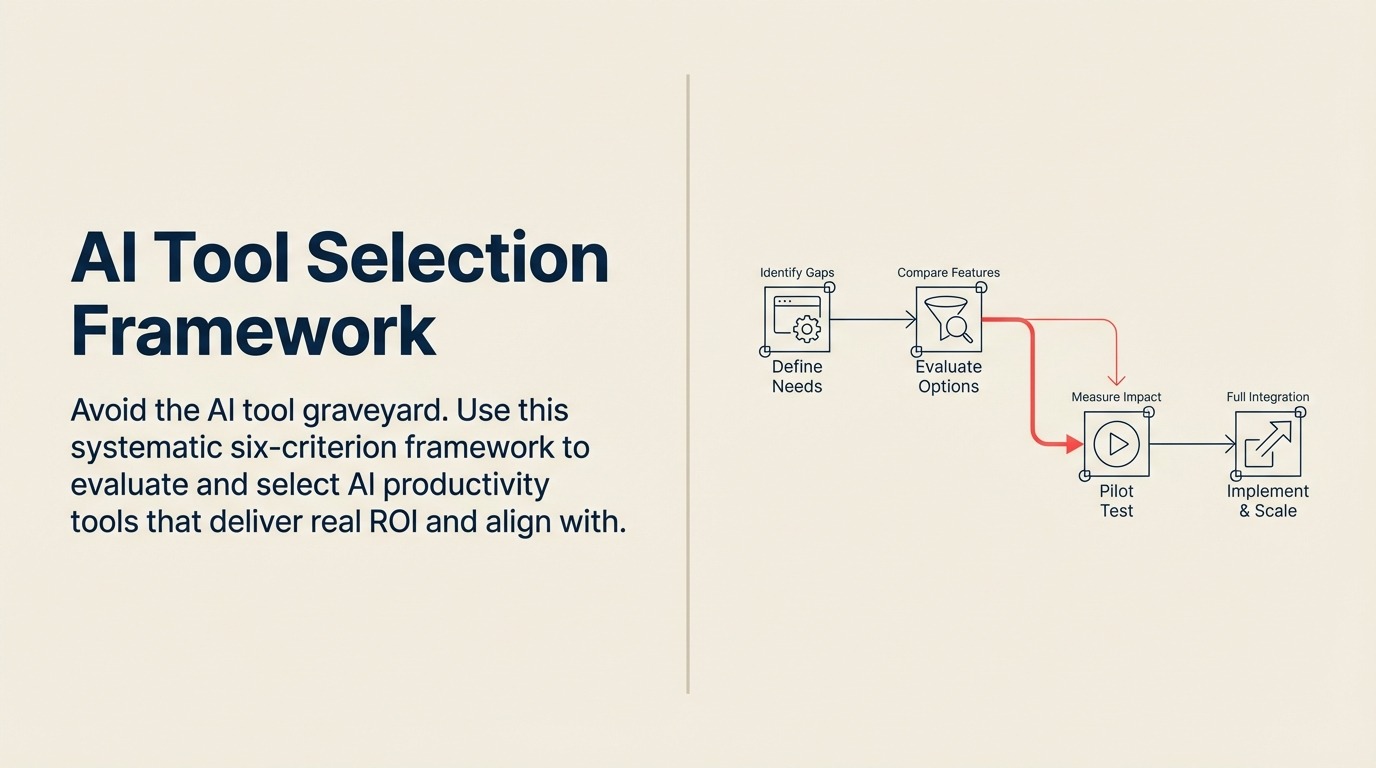
Sixty-seven percent of AI initiatives fail to deliver ROI. Not because the technology doesn't work, but because companies select the wrong tools for their needs.
The graveyard is full of AI tools that looked impressive in demos but never got adopted. Tools that promised transformation but couldn't integrate with existing systems. Tools that solved problems nobody actually had.
The pattern is consistent: companies evaluate AI tools the same way they evaluate traditional software. They look at features, compare pricing, maybe run a small pilot. Then they're surprised when the tool sits unused six months after purchase. Understanding the fundamental differences between AI and traditional productivity software is crucial before beginning your evaluation.
AI tools require a different evaluation framework. One that accounts for learning curves, data requirements, integration complexity, and adoption challenges that traditional software doesn't present.
Here's the framework that actually works.
The Six-Criterion Selection Framework
Most AI tool selection failures happen because evaluation is either too simple (just price and features) or too complex (paralysis by analysis). Six criteria provide the right balance - comprehensive enough to catch major issues, streamlined enough to actually complete the evaluation.
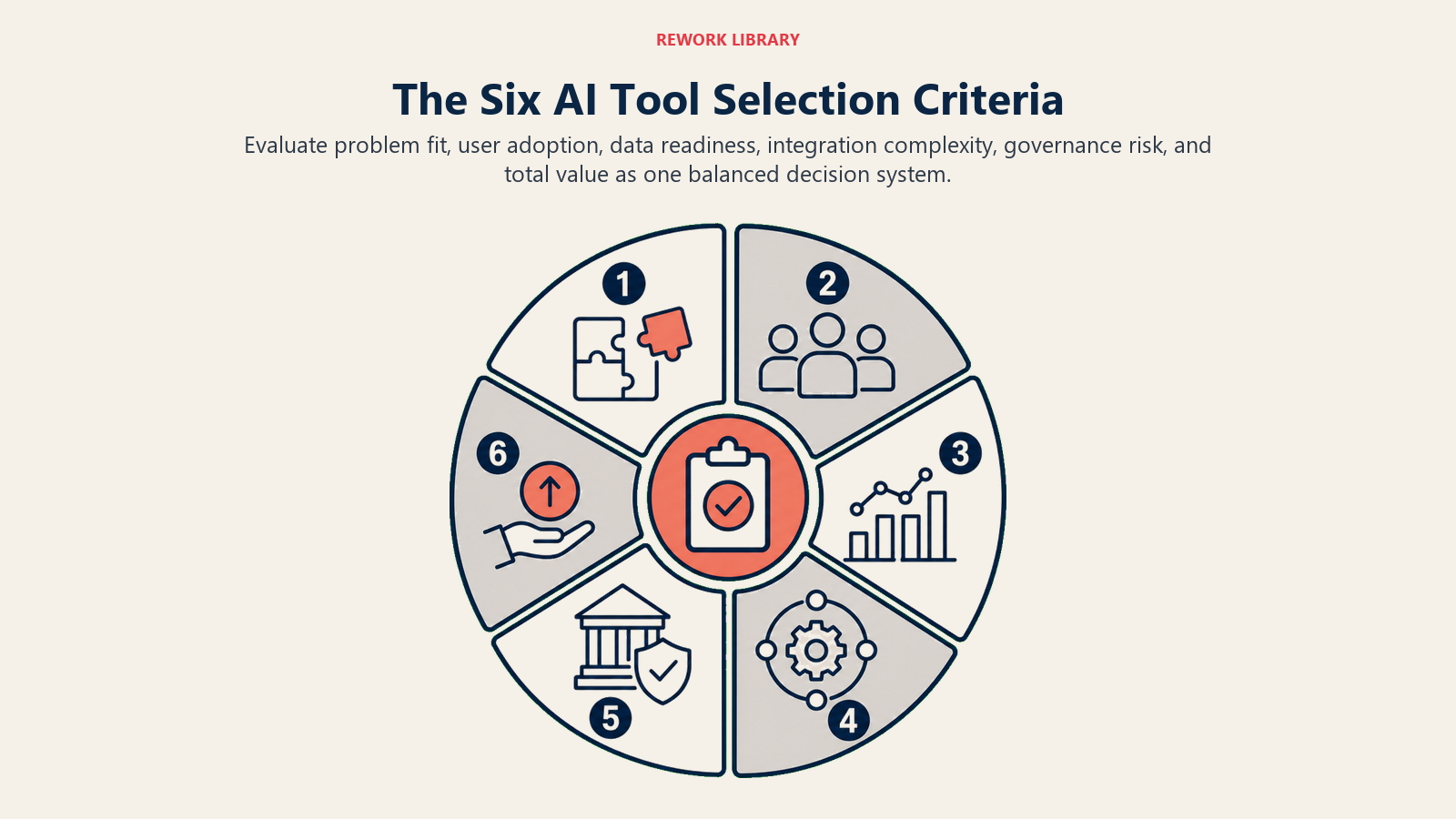
Criterion 1: Business Problem Alignment
Start here, not with the technology. What specific problem are you trying to solve? What business outcome would success look like? How will you measure it?
The Problem-First Approach: Too many AI tool selections start with "We should use AI for something." That's backwards. Start with your business problems ranked by impact and pain level. Then evaluate whether AI tools can solve them better than alternatives.
A manufacturing company frustrated with quality issues shouldn't look for AI quality control tools. They should analyze where defects occur, why existing processes miss them, and what information would help prevent them. Then - and only then - evaluate whether AI tools can provide that information better than traditional approaches.
ROI Potential Assessment: Before evaluating any tools, estimate the value of solving the problem. What does this problem cost you annually in time, errors, missed opportunities, or customer dissatisfaction?
If email management wastes 5 hours per week across 50 knowledge workers, that's 250 hours weekly or $750K annually (assuming $60/hour fully loaded cost). An AI email tool that saves 50% of that time needs to cost less than $375K annually to break even - and that's before factoring in implementation time and learning curve.
This math forces honest conversations about whether the problem is worth solving and what you can afford to spend. For detailed guidance on building business cases, see our comprehensive guide on AI productivity ROI metrics.
Success Metrics Definition: Define exactly how you'll measure success before evaluation begins. Not fuzzy metrics like "improved productivity" but specific measures like "reduce email processing time by 40%" or "decrease document creation time from 3 hours to 45 minutes."
These metrics become your evaluation criteria. If a tool can't demonstrate impact on your success metrics during piloting, it doesn't matter how impressive its feature list is.
Criterion 2: Integration Capabilities
AI tools don't work in isolation. They need data from your existing systems and need to push insights back into your workflows. Integration complexity is the number one predictor of implementation failure.
Existing Tech Stack Compatibility: List every system that would need to connect to the AI tool. Your CRM, ERP, communication platforms, data warehouse, authentication systems. Then evaluate:
- Does the tool have native integrations with these systems?
- Are the integrations bi-directional (read and write)?
- How often do integrations break according to user reviews?
- What happens when integrated systems update?
A tool with limited integrations might still work if you have strong middleware (like Zapier or Workato) or development resources to build custom connections. But factor that cost and complexity into your total ownership calculation.
Data Flow Requirements: Map the complete data journey. Where does data originate? How does it need to be transformed? Where do insights need to appear? Who needs to act on them?
An AI sales tool might pull data from your CRM, email system, and calendar. It generates insights that need to appear in the CRM where reps actually work, trigger notifications in Slack, and feed into reports in your BI tool. Each of those touchpoints is an integration requirement.
Miss any link in that chain and the tool becomes a dashboard people check occasionally instead of a system that drives daily behavior.
API and Webhook Availability: Even with native integrations, evaluate the underlying API. Robust APIs let you build custom workflows and adapt as needs change. Look for:
- RESTful APIs with comprehensive documentation
- Webhook support for real-time updates
- Rate limits that accommodate your data volume
- Versioning policies that won't break existing integrations
Criterion 3: Data Requirements and Privacy
AI tools are hungry for data. Understanding what they need and how they'll use it prevents both implementation failure and compliance nightmares.
Training Data Needs: Some AI tools work out of the box. Others need training on your specific data before they're useful. Understand which category you're dealing with and whether you have the required training data.
An AI document classifier needs hundreds or thousands of labeled examples to learn your categorization scheme. If you don't have that training data, you'll need to create it - which can take months. Traditional rule-based document routing might actually be faster to implement.
Security and Compliance: Where does your data go when the AI processes it? Is it used to train models that other customers benefit from? How long is it retained? Can you request deletion?
These questions aren't theoretical. A financial services firm used an AI writing assistant for client communications, not realizing client data was being used to improve the model. Their compliance team discovered it during an audit. The resulting investigation and remediation cost seven figures.
Critical Questions for Every AI Tool:
- Is data processed locally or in the cloud?
- Which countries are processing servers located in?
- Is your data segregated from other customers' data?
- Does the vendor use your data for model training?
- What certifications do they hold (SOC 2, ISO 27001, etc.)?
- Can you export or delete your data on demand?
These questions directly tie into broader concerns around AI ethics and data privacy that should inform your entire selection process.
Data Residency Requirements: For global companies, data residency matters. European operations might require data stay in EU data centers. Some industries have specific requirements about where sensitive data can be processed.
Many AI tools run on major cloud platforms (AWS, Azure, Google Cloud) and can offer regional data residency. Others are purely US-based. Know your requirements before evaluation begins.
Criterion 4: User Adoption Factors
The best AI tool means nothing if people won't use it. Adoption challenges kill more AI initiatives than technical limitations.
Learning Curve: AI tools introduce new paradigms. Instead of clicking through menus, you describe what you want. Instead of exact results, you get probabilistic recommendations. Users need to learn not just how to operate the tool, but how to think about working with it.
Evaluate this honestly. How tech-savvy are your users? How much time will training require? What ongoing support will users need?
A development team might embrace a code generation tool with minimal training. A sales team with mixed technical comfort levels might struggle with anything beyond the most intuitive interfaces.
Change Management Needs: AI tools often change workflows, not just automate them. If your current process is "analyst creates report, manager reviews, executive sees results," an AI analytics tool might enable executives to query data directly. That's powerful, but it also threatens established roles and processes.
Map how work will change if the tool is adopted. Who gains responsibilities? Who loses them? Whose expertise becomes less critical? Those insights tell you where resistance will come from and what change management you'll need.
User Interface Quality: Spend serious time in the interface doing real work scenarios. Not just the happy path the vendor demonstrates, but messy real-world situations.
Can you find features without hunting? Does the system handle errors gracefully? Are outputs easy to understand and act on? Would your least technical user be able to accomplish basic tasks?
Interface quality matters more for AI tools than traditional software because users can't rely on memorized menu paths. Each interaction requires understanding what the AI did and evaluating whether it's correct.
Criterion 5: Vendor Viability and Support
The AI tool market is volatile. Well-funded startups fold. Established vendors exit products. Acquisitions change roadmaps overnight.
Company Stability: Evaluate the vendor's longevity and financial health. Not because you're making a decades-long commitment, but because switching AI tools is expensive once they're embedded in workflows.
Look for:
- Years in business and growth trajectory
- Customer count and retention rates
- Funding or profitability status
- Key customer references
A venture-backed startup with impressive technology but 18 months of runway carries risk. So does an acquired product where the acquirer has overlapping solutions.
Product Roadmap: Where is the product headed? What capabilities are on the development plan? How do those align with your future needs?
But also: how often has the vendor delivered on past roadmap commitments? Ambitious roadmaps mean nothing if execution is poor.
Support Quality: When something breaks or you need help, what happens? Evaluate:
- Response time commitments in SLA
- Quality of documentation and self-service resources
- Availability of technical support vs just account management
- Community size and activity
- Professional services availability for complex implementations
AI tools can behave unpredictably. You need support that understands both the technology and your use case.
Criterion 6: Total Cost of Ownership
Sticker price is just the beginning. AI tools carry costs throughout their lifecycle that aren't obvious during initial evaluation.
Licensing Models: AI tools typically use one of three models:
- Per-user subscriptions (predictable but can get expensive at scale)
- Usage-based pricing (aligns cost with value but makes budgeting harder)
- Hybrid models (base subscription plus usage fees)
Understand which model applies and how it scales. A tool that costs $50/user/month seems reasonable until you realize you need to license 500 users. Usage-based pricing looks affordable at current volumes but might explode if adoption is successful.
Implementation Costs: What does it take to get the tool operational? These costs often exceed first-year licensing:
- Technical implementation (integrations, configuration, testing)
- Data preparation and quality improvement
- Training content development
- User training and onboarding
- Change management activities
- Pilot program operation
Get specific estimates for your environment. Don't accept vendor assurances that "implementation is straightforward" without understanding what that means for your specific situation.
Ongoing Operational Expenses: After go-live, what does it cost to operate?
- System administration time
- Integration maintenance
- User support
- Model retraining or fine-tuning
- Additional data storage or processing fees
- Ongoing training for new users
The Scoring Model: Making Objective Comparisons
Once you've evaluated tools against all six criteria, you need a way to compare them objectively. A weighted scoring model prevents bias toward flashy features or charming sales teams.
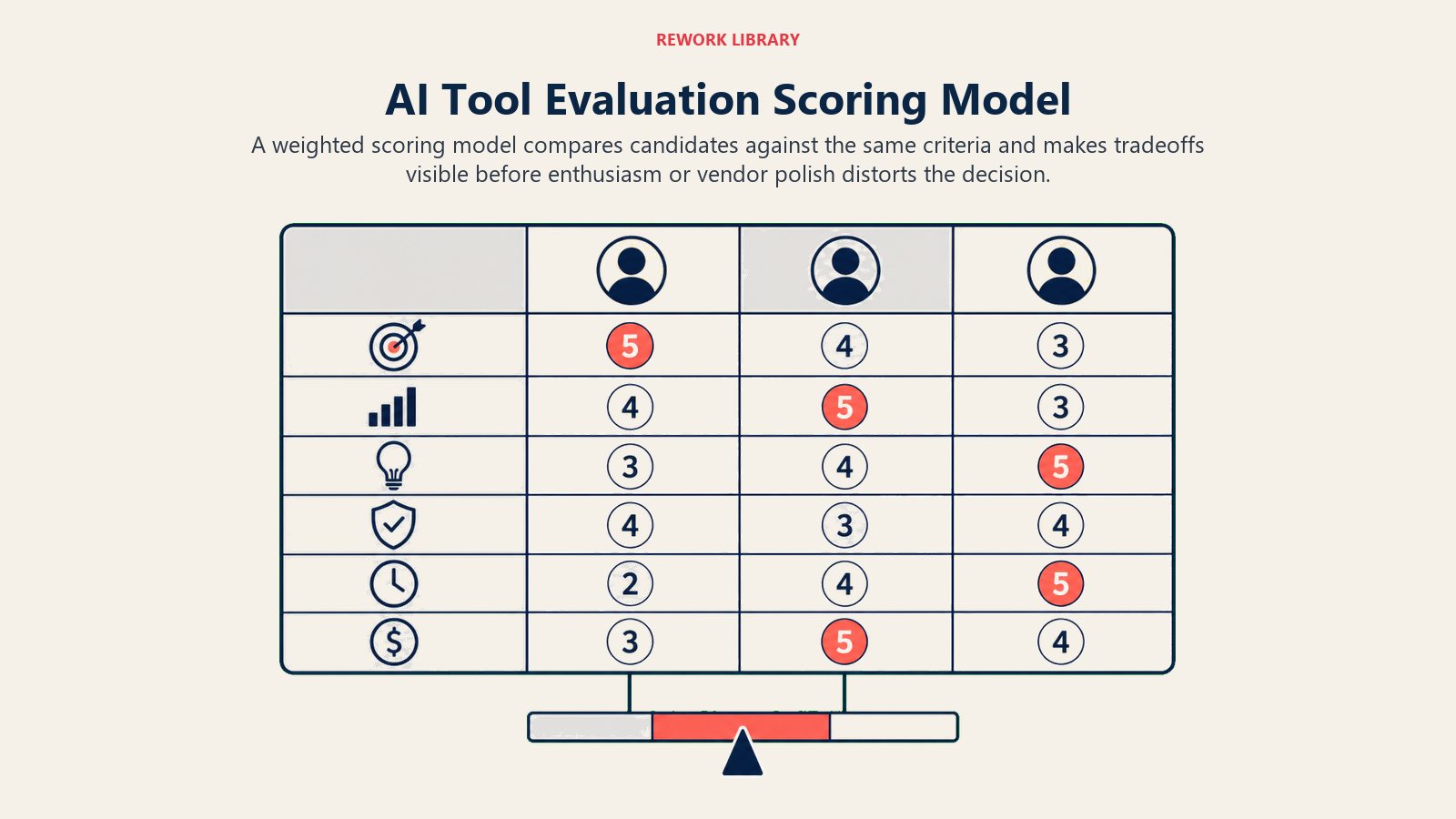
How to Build Your Scorecard:
- Weight the Criteria: Assign importance weights to each criterion based on your situation. A regulated industry might weight data privacy at 25% of total score. A fast-moving startup might weight that at 10% and vendor stability at 15%.
There's no universal right answer - the weights should reflect your specific context and priorities.
- Define Scoring Rubrics: For each criterion, create a 1-5 scale with specific definitions. For example:
Business Problem Alignment:
- 5: Directly solves stated problem with measurable impact
- 4: Solves problem but impact is harder to quantify
- 3: Partially addresses problem
- 2: Indirect relationship to problem
- 1: Doesn't address stated problem
Score Each Tool: Have multiple evaluators score independently, then compare and discuss discrepancies. This prevents individual bias from dominating the selection.
Calculate Weighted Totals: Multiply each criterion score by its weight and sum for a total score. This gives you an objective ranking to inform your decision.
Example Scorecard:
| Criterion | Weight | Tool A | Tool B | Tool C |
|---|---|---|---|---|
| Business Alignment | 25% | 5 | 4 | 3 |
| Integration | 20% | 3 | 5 | 4 |
| Data/Privacy | 15% | 4 | 4 | 5 |
| User Adoption | 20% | 4 | 3 | 4 |
| Vendor Stability | 10% | 5 | 4 | 3 |
| Total Cost | 10% | 3 | 4 | 4 |
| Weighted Total | 4.15 | 4.15 | 3.85 |
When tools score similarly, that's useful information. It means either would likely work, so you can use secondary factors like relationship quality or roadmap alignment to break the tie.
Pilot Program Design: Testing Before Full Commitment
Scorecards inform decisions, but pilots validate them. A well-designed pilot catches issues that paper evaluation misses.
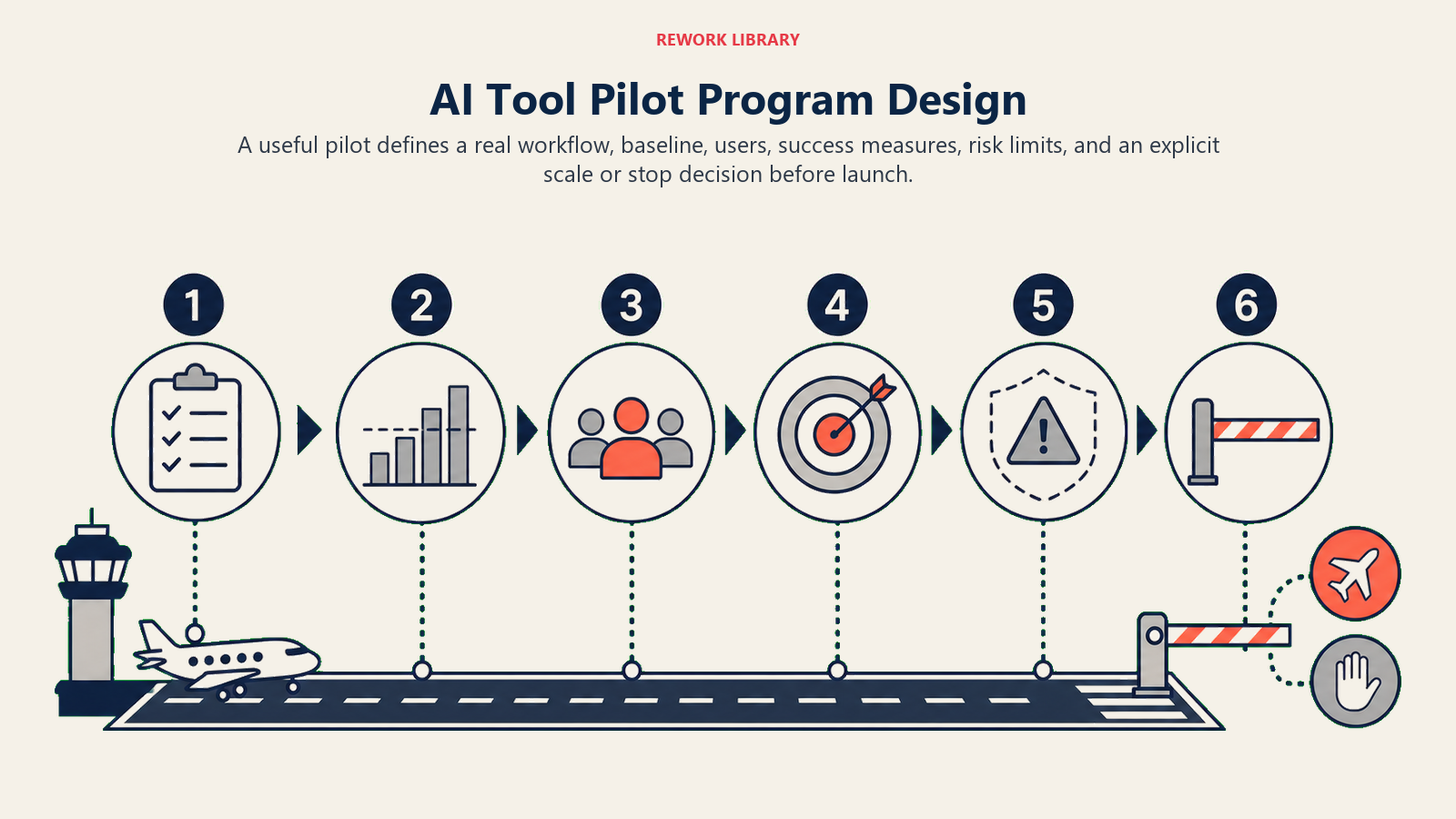
Pilot Structure:
- Duration: 60-90 days (shorter doesn't show adoption patterns, longer delays decisions)
- Users: 15-25 people representing different skill levels and use cases
- Scope: Real work, not contrived scenarios
- Support: Vendor assistance for technical issues but users work independently for daily usage
What to Measure:
- Actual usage frequency (not survey data about intent to use)
- Task completion time before and after tool adoption
- Output quality metrics specific to your use case
- Number and type of support tickets
- User satisfaction scores at 30, 60, and 90 days
Red Flags to Watch For:
- Usage drops off after initial enthusiasm
- Users revert to old tools for important work
- Support tickets don't decrease over time
- Quality problems emerge after initial success
- Integration issues appear only with real data volumes
A pilot that looks successful but shows any of these patterns will likely fail at full scale.
Putting It All Together
AI tool selection isn't about finding the most advanced technology or the best demo. It's about matching tools to problems, ensuring they'll work in your environment, and confirming people will actually use them.
The framework gives you a systematic way to evaluate those factors without getting lost in feature comparison spreadsheets or swayed by vendor presentations.
Start with clear problems and success metrics. Evaluate systematically across all six criteria. Score objectively. Pilot thoroughly. Then make your decision with confidence.
Related Resources
Continue building your AI tool selection expertise:
- What are AI Productivity Tools - Foundation concepts
- Types of AI Productivity Tools - Category overview
- AI Tool Implementation Roadmap - Post-selection execution
- AI Security and Compliance - Deep dive into criterion 3
- AI Tool Cost Management - Deep dive into criterion 6
Most AI tool failures are selection failures. Get selection right, and implementation gets dramatically easier. After selection, move forward with a structured AI tool implementation roadmap and comprehensive AI training and onboarding to maximize adoption.

On this page
- The Six-Criterion Selection Framework
- Criterion 1: Business Problem Alignment
- Criterion 2: Integration Capabilities
- Criterion 3: Data Requirements and Privacy
- Criterion 4: User Adoption Factors
- Criterion 5: Vendor Viability and Support
- Criterion 6: Total Cost of Ownership
- The Scoring Model: Making Objective Comparisons
- Pilot Program Design: Testing Before Full Commitment
- Putting It All Together
- Related Resources