AI Integration with Existing Systems
Turn this article into takeaways for your work.


Each assistant summarizes the article only for you and suggests best practices for your work.
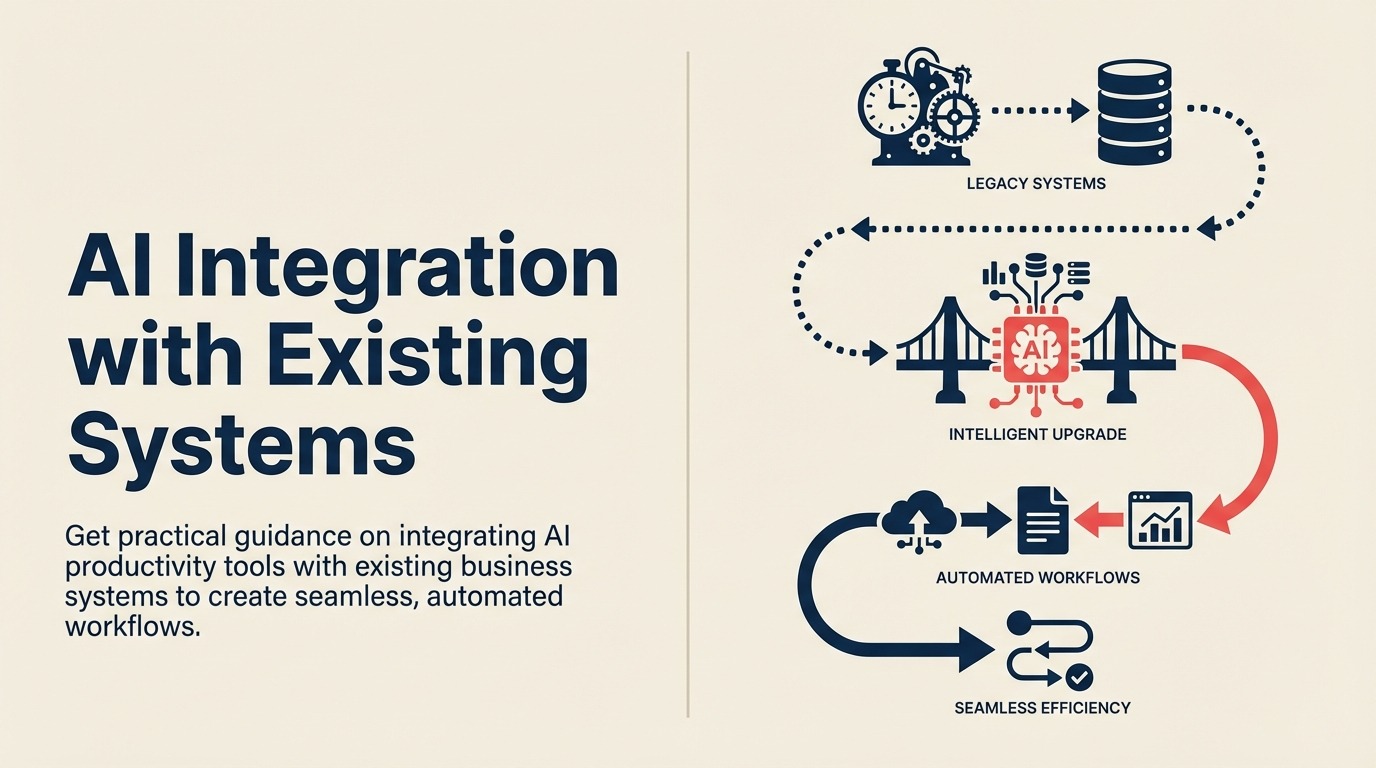
You've identified an AI tool that solves a real problem. The demo looked great. The ROI calculation is compelling. You're ready to deploy. Then reality hits: this AI tool needs to work with your existing systems. Your CRM, your ERP, your project management platform, your communication tools, your databases. If it sits in isolation, it's just another login, another place to check, another silo.
This is the integration challenge. And it's where most AI productivity initiatives fail. Not because the AI doesn't work. But because organizations can't connect it to their existing tech stack effectively.
Your AI tool selection framework must prioritize integration capabilities from the start, not as an afterthought. The AI extracts data from documents but someone still has to copy-paste it into the ERP. The AI drafts emails but you have to manually move them to your email client. The AI identifies tasks but they don't flow into your project management system.
Integration transforms AI tools from interesting demos into actual productivity gains. When your AI writing assistant connects to your CRM and can draft emails using customer context from Salesforce, that's valuable. When your AI scheduling tool syncs with Google Calendar, Zoom, and Slack automatically, that saves time. When your AI document processing feeds directly into your accounting system without human transfer, that's automation.
The good news is that integration is solvable. Modern APIs, integration platforms, and architectural patterns make connecting AI tools to existing systems more accessible than ever. The challenge isn't technical feasibility. It's understanding the options and choosing the right approach for your specific situation.
Integration Architecture Patterns
Different integration scenarios call for different architectural approaches.
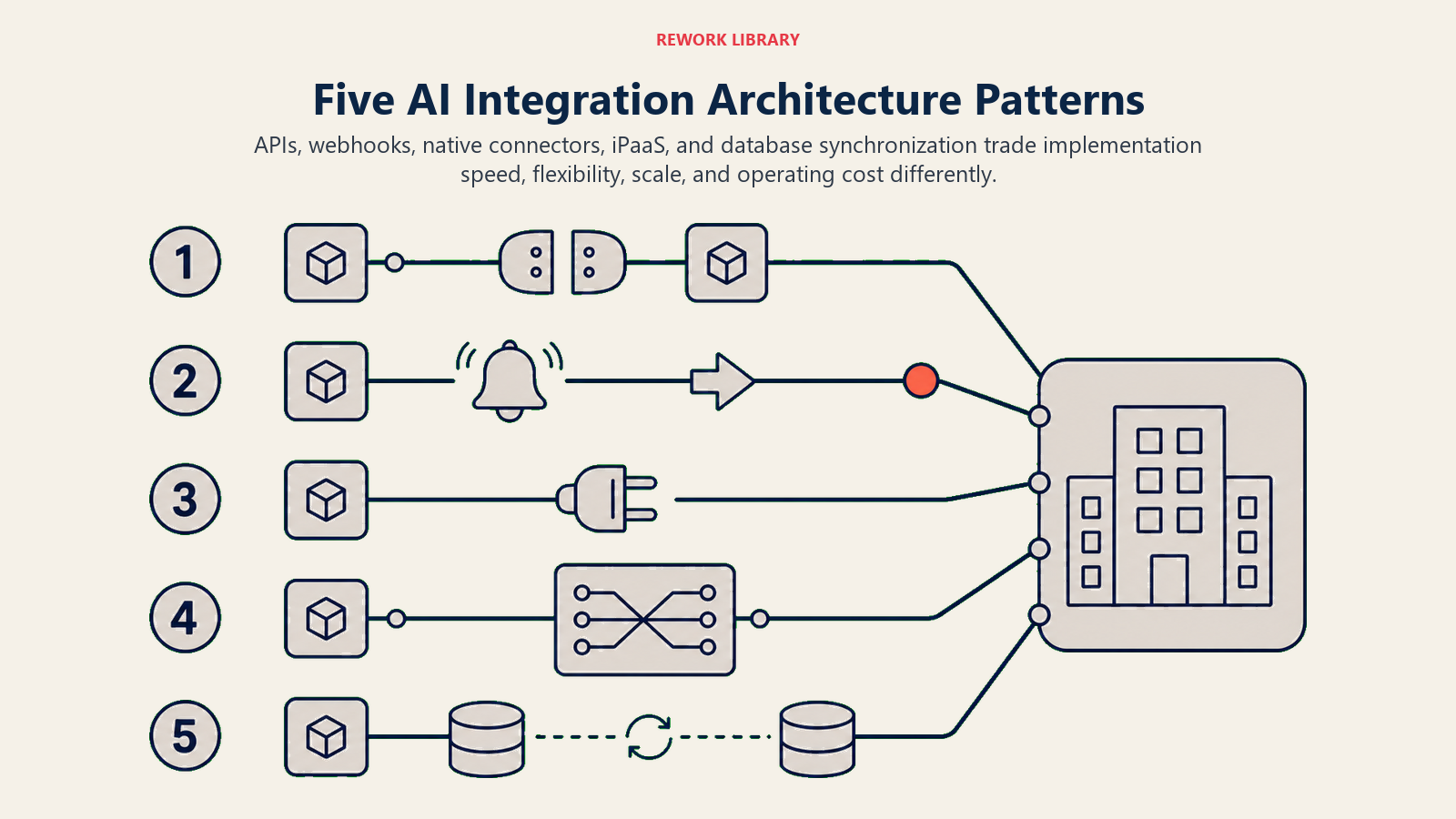
API-based integration is the gold standard. The AI tool has an API that lets other systems read or write data. Your existing systems have APIs that let the AI tool interact with them. You build integrations that move data between systems programmatically based on triggers and rules.
API integration is fast, reliable, and scales well. Once built, it runs automatically without human intervention. The challenge is that it requires technical expertise. Someone needs to understand both APIs, handle authentication, map data fields, and manage errors.
Webhook triggers enable event-driven automation. Something happens in one system (new lead created, document uploaded, email received) and it triggers an action in another system automatically. Webhooks are lightweight and real-time. They're ideal for workflows that need to respond immediately to events.
The limitation is that not all systems support webhooks. And managing webhook reliability (retries, error handling, validation) requires careful implementation.
Platform connectors are pre-built integrations between specific tools. Salesforce has a connector for Slack. HubSpot integrates with Google Workspace. Many AI tools build native connectors for popular platforms to make integration easier for customers.
Platform connectors are fast to implement because someone else built them. The tradeoff is limited customization. You get the integration the vendor built, not necessarily the exact workflow you want.
Middleware and iPaaS solutions (Integration Platform as a Service) sit between your systems and orchestrate data flow. Tools like Zapier, Make, Workato, or Tray.io connect to hundreds of applications and let you build integrations without coding. You define the trigger (when this happens), the action (do this), and the data mapping (transform fields this way).
iPaaS platforms make integration accessible to non-developers. The cost is ongoing subscription fees and potential performance limitations for high-volume scenarios.
Database synchronization creates direct connections between databases. Your AI tool writes to a database. Your business systems read from that same database or a synchronized replica. This pattern works for data warehouse scenarios or when systems need shared access to the same information.
Database synchronization requires careful schema design and change management, but it can handle high-volume data transfer efficiently.
Common Integration Scenarios
Understanding typical integration patterns helps you plan your implementation.
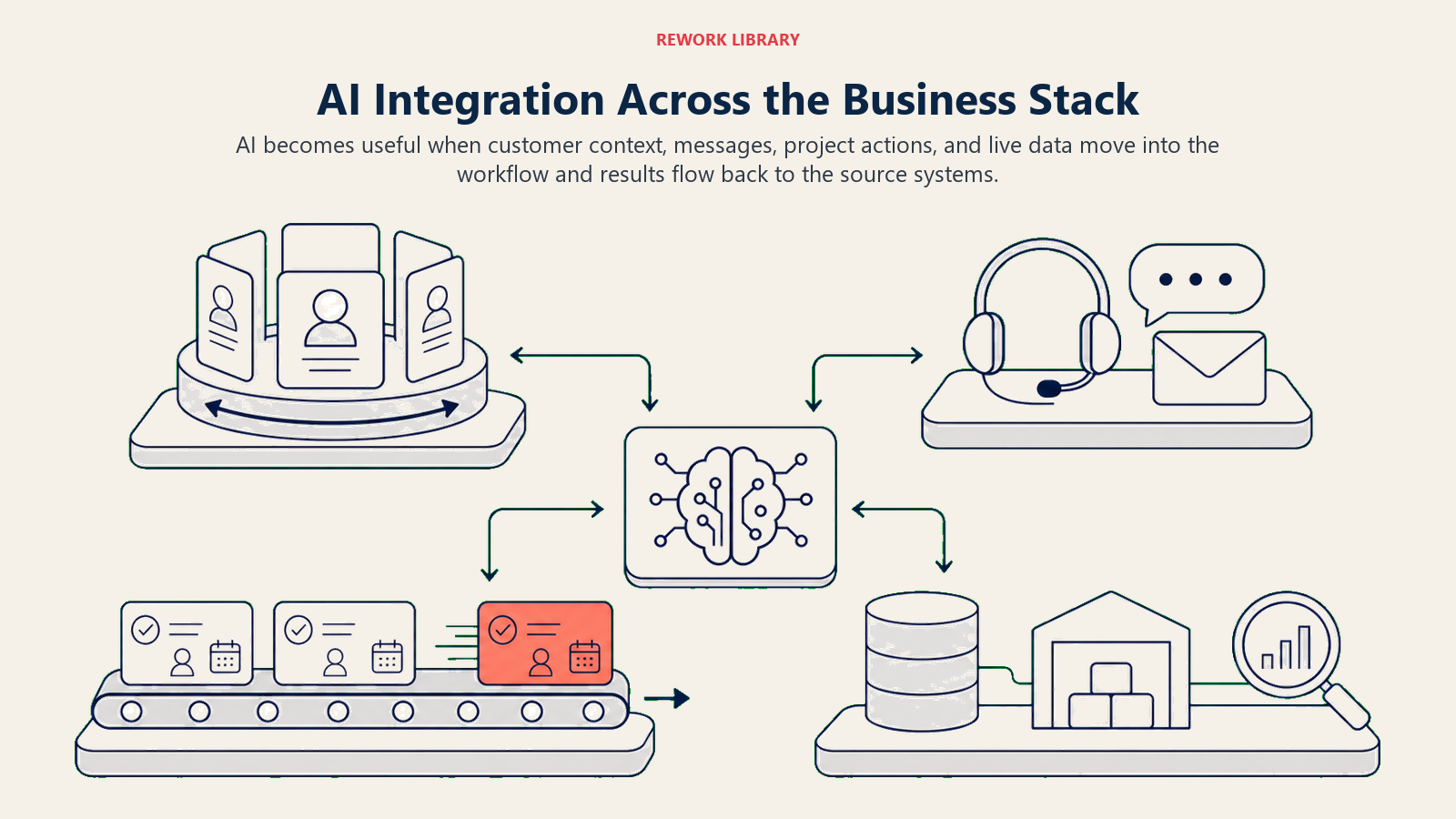
AI plus CRM integration is one of the most valuable combinations. Your AI writing tool connects to Salesforce or HubSpot. When drafting an email to a customer, it pulls account history, recent interactions, open opportunities, and support tickets. The email gets personalized based on actual customer context instead of generic templates.
The integration flows both ways. The AI drafts the email. You send it. The system logs the communication to the CRM automatically. You're not copying information between systems. It flows seamlessly.
Technical requirements: CRM API access, authentication (usually OAuth), field mapping between AI tool and CRM, webhook setup for bi-directional sync.
AI plus communication platform integration connects AI tools to Slack, Microsoft Teams, or email. You can trigger AI actions directly from your communication tool. In Slack, you type a command and the AI generates a summary of a document, drafts a response, or analyzes data. The results appear in the conversation thread where everyone can see them.
This integration brings AI into your team's existing workflow instead of requiring them to context-switch to another tool. Adoption increases because using the AI is as simple as sending a message.
Technical requirements: Communication platform API or bot framework, webhook for receiving messages, response handling, authentication management.
AI plus project management integration creates tasks, updates status, and tracks work automatically. Your AI meeting assistant transcribes a discussion. It identifies action items and creates tasks in Asana or Jira automatically, assigned to the right people with due dates. No manual task creation required.
Or your AI document processing tool extracts contract terms and creates project milestones based on deliverable dates. The AI reads, interprets, and populates your project management system automatically.
Technical requirements: Project management API access, task/project creation logic, assignment rules, webhook for status updates, user mapping between systems.
AI plus data platform integration connects AI tools to databases, data warehouses, or business intelligence platforms. Your AI analytics tool queries your data warehouse directly to generate insights. Or your AI reporting tool pulls data from multiple sources, analyzes it, and writes results back to your BI platform for visualization.
This integration eliminates manual data export/import cycles. The AI works with live data and outputs structured results that feed directly into your analysis tools.
Technical requirements: Database credentials and connection strings, SQL or query language support, data transformation logic, scheduled execution, error handling.
AI plus business intelligence integration enhances BI tools with AI capabilities. Your Tableau or Power BI dashboard includes AI-generated narrative explanations of data trends. Or an AI tool monitors your BI platform for anomalies and alerts you automatically when patterns change.
This makes insights accessible to non-technical users. They don't need to interpret charts. The AI explains what the data means in plain language.
Technical requirements: BI platform API or embedding framework, data access permissions, visualization refresh triggers, natural language generation setup.
Integration Platform Options
Different tools serve different integration needs.
Zapier and Make (formerly Integromat) are the accessible entry point. Zapier and Make support thousands of applications with pre-built connectors. You build workflows using a visual interface: when this trigger happens, do these actions. No coding required for basic integrations.
These platforms work well for small to medium volumes (hundreds or thousands of workflow executions daily). They struggle with very high volume (millions of executions), complex transformations, or integrations requiring advanced logic.
Pricing is usage-based. Free tiers handle light use. Business plans range from $50-500+ monthly depending on volume and features. Cost can escalate quickly for high-volume scenarios.
Workato and Tray.io are enterprise iPaaS platforms. Workato and Tray.io handle higher volumes, support more complex workflows, include enterprise features like audit logs and role-based access, and provide better governance and monitoring.
These platforms make sense for organizations with complex integration requirements or high volumes. They require more setup and expertise than simpler tools but deliver enterprise-grade capabilities.
Pricing is typically negotiated based on usage and requirements. Expect $20,000-100,000+ annually for enterprise deployments.
Custom API development gives you maximum control. You write code that calls APIs directly, handling authentication, data transformation, error management, and retry logic exactly how you need it.
Custom development makes sense when your requirements don't fit pre-built platforms, when you need very high performance, or when you want to avoid ongoing platform subscription costs. The tradeoff is development time and ongoing maintenance responsibility.
Cost varies by complexity. Simple integrations might take 20-40 development hours. Complex ones can require months of work. But once built, recurring costs are minimal (just infrastructure).
Platform-native integrations are built by the AI tool vendor or your business system vendor. Salesforce has native integration with Slack. Microsoft 365 AI features integrate natively with Teams and Outlook. These integrations work out of the box with minimal setup.
Native integrations are the easiest to implement but offer limited customization. You get what the vendor built. If it meets your needs, great. If you need something different, you'll need a custom approach.
The connection to AI workflow automation shows how these integration patterns enable end-to-end process automation that spans multiple systems.
Technical Considerations for Integration
Building reliable integrations requires addressing several technical challenges.
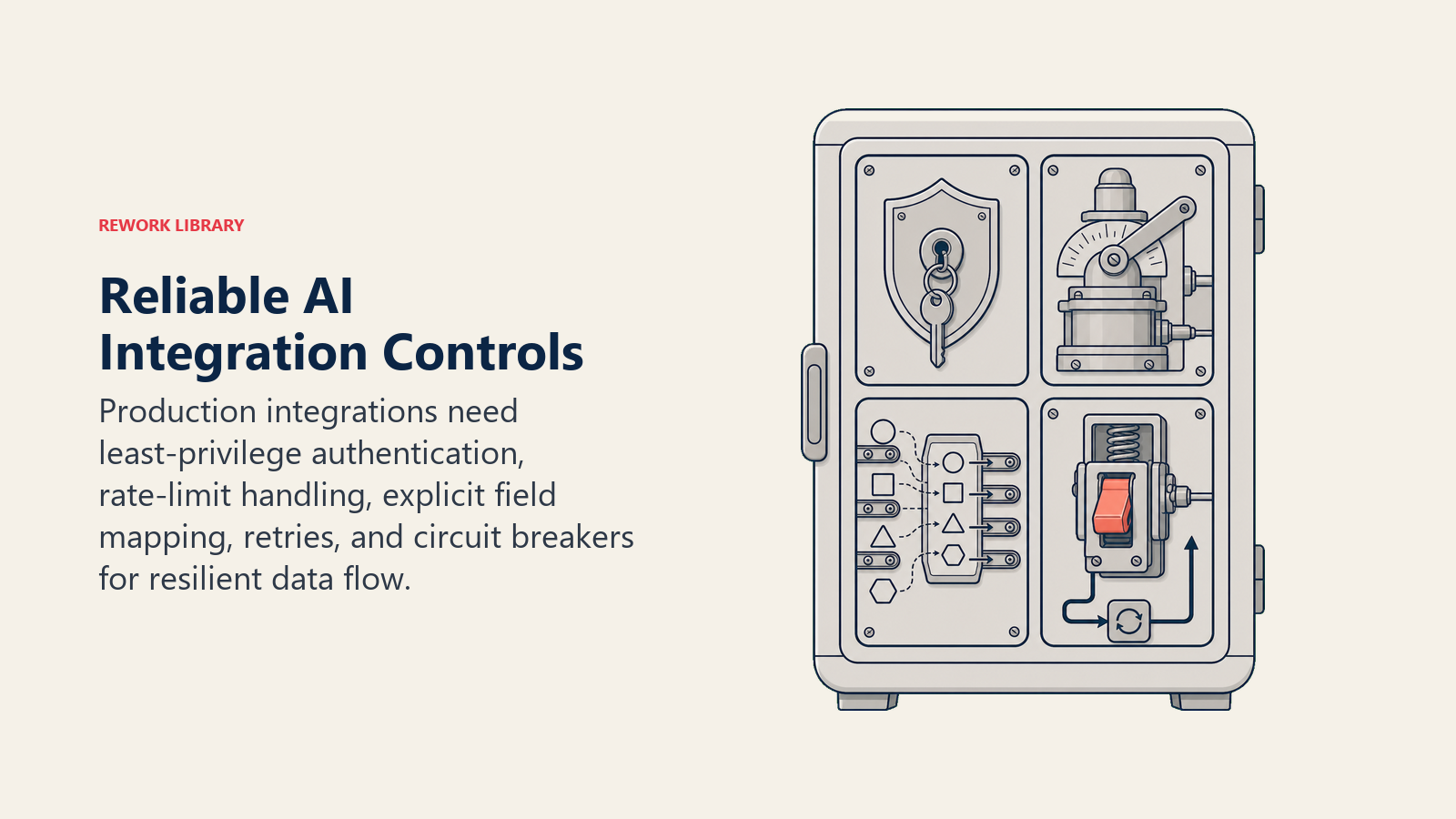
Authentication and security ensure only authorized systems access your data. Most modern APIs use OAuth 2.0 for authentication. You grant the integration permission to access specific data or perform specific actions. Credentials are stored securely and can be revoked if needed.
For internal integrations, you might use API keys, service accounts, or certificate-based authentication. The key is never hard-coding credentials in code or configuration files. Use secrets management systems or environment variables.
Consider what access level the integration needs. Don't grant admin rights if read-only access suffices. Apply principle of least privilege to limit security risk.
Rate limits and throttling prevent your integration from overwhelming APIs. Most APIs limit how many requests you can make per minute or hour. Exceed the limit and your requests get rejected or your access gets temporarily blocked.
Good integration code respects rate limits. It includes logic to track request counts, backs off when approaching limits, and queues requests if necessary. Implementing exponential backoff (wait longer between each retry) prevents cascading failures.
For high-volume integrations, batch operations where possible. Instead of making 1,000 individual API calls to create records, make one batch call that creates all 1,000 at once.
Data mapping and transformation translates between different systems' data formats. Your AI tool calls contact information "full_name" but your CRM uses separate "first_name" and "last_name" fields. The integration needs to split or combine fields appropriately.
Transformations can be simple (field renaming) or complex (calculating derived values, enriching with additional data, applying business rules). Document your mapping logic clearly. Future you will appreciate understanding why certain transformations exist.
Consider data type mismatches. One system stores dates as "YYYY-MM-DD" strings. Another uses Unix timestamps. The integration handles the conversion.
Error handling and retries make integrations resilient. Network issues happen. APIs go down temporarily. Systems reject requests due to validation errors. Good integration code handles these failures gracefully.
Implement retry logic with exponential backoff for transient failures (network issues, temporary API downtime). Don't retry for permanent failures (authentication errors, invalid data). Log errors with enough context to debug issues. Alert humans when manual intervention is needed.
Include circuit breaker patterns for system outages. If an API fails repeatedly, stop trying temporarily rather than hammering it with requests. Resume after a cooldown period.
The Integration Build Process
Successful integration follows a structured implementation process.
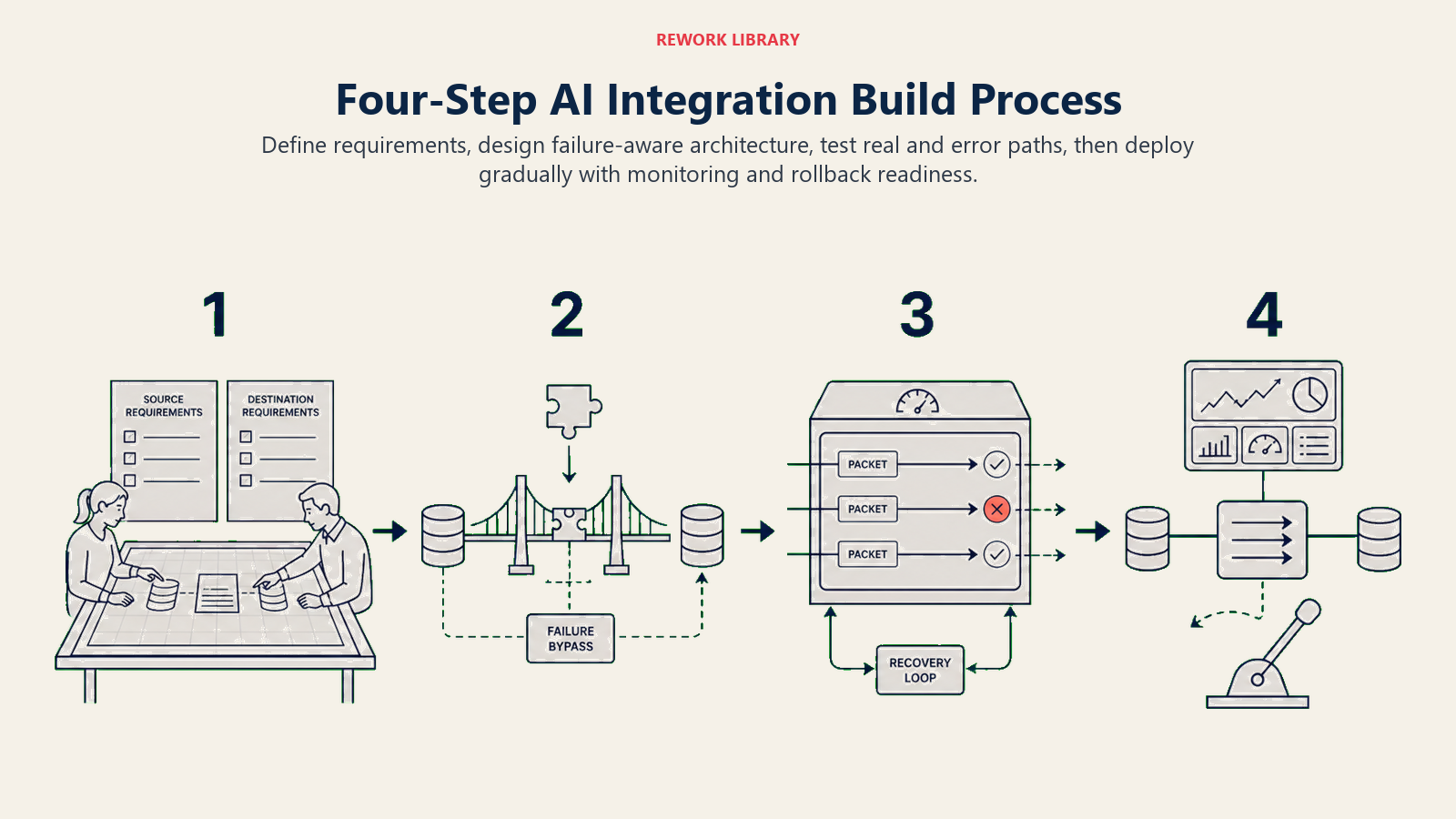
Requirements gathering defines what the integration needs to do. What data flows from where to where? What triggers the flow? What transformations are needed? What error conditions must be handled? What performance requirements exist?
Document these requirements clearly. Include example data for each scenario. Identify edge cases and error conditions. This documentation guides development and serves as validation criteria.
Architecture design determines how the integration will work technically. Which integration pattern makes sense? API-based, webhook-driven, middleware platform? What components are needed? Where does logic execute (cloud function, on-premise server, integration platform)?
Consider failure modes. What happens if the source system is unavailable? What if the destination system rejects data? How do you recover from partial failures?
Design for observability. How will you know the integration is working? What metrics will you track? Where do logs go?
Development and testing builds the integration and validates it works correctly. Start with a minimal viable integration. Get basic data flow working, then add features incrementally. This reduces risk and provides early validation of the approach.
Test with real data in a non-production environment. Don't just test happy paths. Test error conditions, edge cases, high volume, and recovery scenarios. Validate that error handling actually works by triggering errors intentionally.
Include security testing. Can unauthorized systems access the integration? Are credentials properly protected? Does the integration respect authorization rules?
Deployment and monitoring moves the integration to production and ensures it continues working. Deploy in stages if possible. Start with a small subset of data or users, validate it works, then expand.
Monitor actively in the first days and weeks. Watch for errors, performance issues, or unexpected behavior. Be ready to roll back if serious issues emerge.
Implement ongoing monitoring and alerting. Track success rates, error rates, latency, and volume. Alert when metrics exceed thresholds. Don't wait for users to report problems.
Data Flow Governance
Integration creates data flows across systems. Governance ensures those flows are appropriate and compliant.
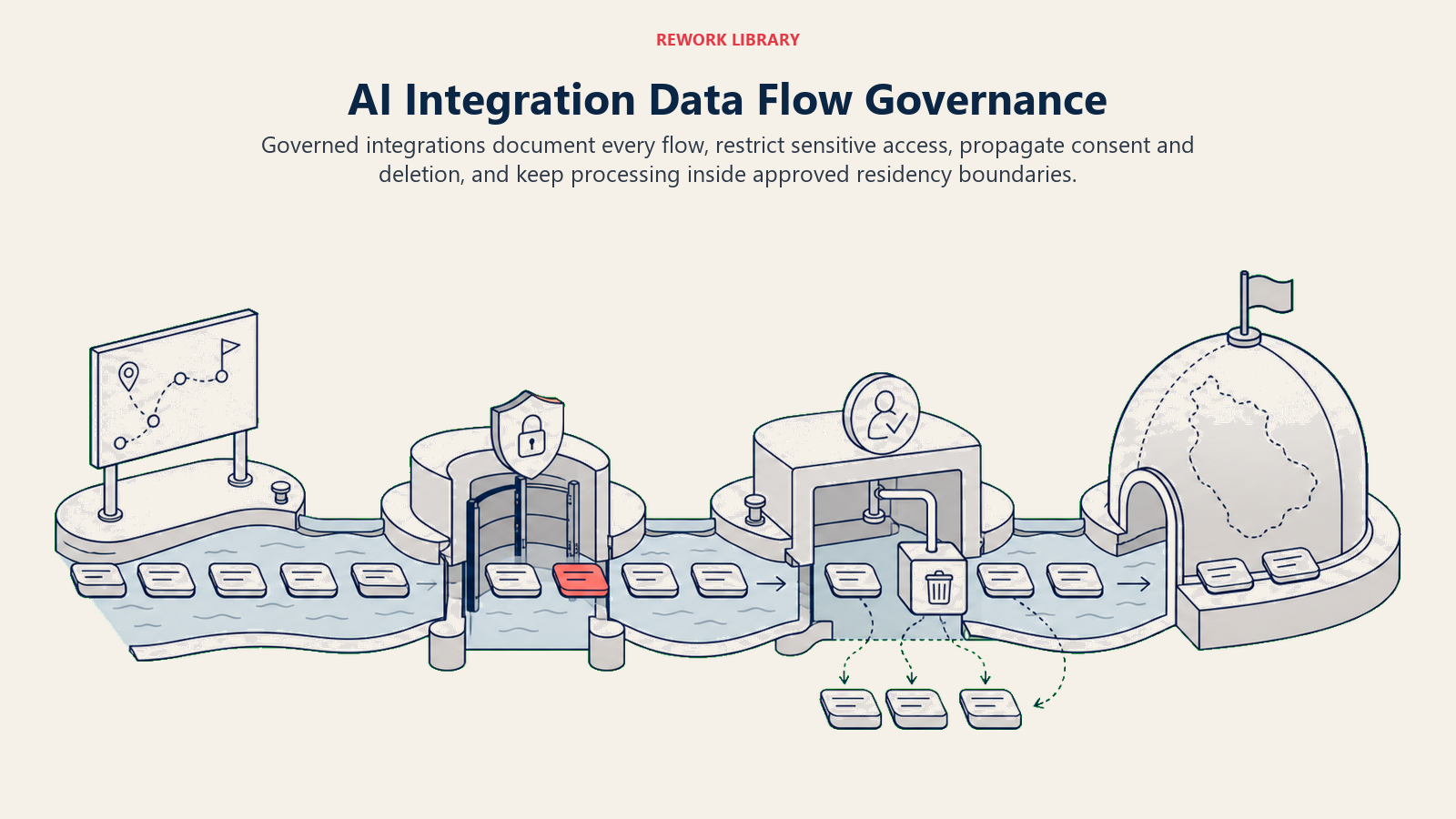
What data flows where needs to be documented and controlled. Customer personal information should only flow to systems that need it and are approved to store it. Financial data has different access requirements than marketing data.
Create a data flow diagram showing what information moves between systems. Review it with security, compliance, and legal teams. Ensure all data flows are necessary and appropriate.
Consent and compliance matter especially for customer data. GDPR, CCPA, and other privacy regulations require customer consent for certain data uses. Your integrations need to respect these rules.
If a customer requests data deletion, the integration should propagate that deletion to all connected systems. If they opt out of marketing, that preference should sync everywhere. Integration creates obligations to maintain consistency across systems.
Data residency requirements restrict where data can be stored or processed. Some regulations require data to stay within specific geographic regions. Some industries or customers have contractual requirements about data location.
Ensure your integration respects these requirements. If data must stay in the EU, don't route it through US-based integration platforms or APIs that process data in the US.
The AI security and compliance framework provides comprehensive guidance on addressing these governance concerns in AI integrations. Security architecture for integrations often determines whether you can deploy AI tools in regulated environments.
Maintenance and Monitoring
Integration isn't build-and-forget. Ongoing maintenance keeps it working reliably.
Monitoring integration health provides visibility into whether data is flowing correctly. Track metrics like:
- Success rate: What percentage of integration attempts succeed?
- Error rate: How many attempts fail and why?
- Latency: How long does data take to flow from source to destination?
- Volume: How much data is being transferred?
Set up dashboards showing these metrics over time. Alert when thresholds are exceeded. A sudden drop in success rate indicates a problem that needs attention.
Handling API changes is inevitable. Systems update their APIs. Field names change. Endpoints move. Authentication methods evolve. Your integration needs to adapt.
Subscribe to API change notifications from your integration partners. Test against new API versions in non-production environments before they affect production. Plan migration timelines that give you buffer before old API versions are deprecated.
Managing version compatibility across multiple systems creates complexity. System A updates, requires changes to the integration, but the new integration won't work with the old version of System B. You need to coordinate updates carefully.
Implement versioning in your integration code. Support multiple API versions simultaneously during transition periods. This lets different systems update on different schedules without breaking the integration.
Scaling for growth ensures the integration continues working as volume increases. An integration that handles 100 records daily might not work for 10,000 daily. Plan for growth by:
- Using batch operations for bulk data transfer
- Implementing queuing for asynchronous processing
- Scaling infrastructure as volume grows
- Optimizing database queries and data transformations
Monitor performance trends. If processing time is increasing as volume grows, you'll hit capacity limits eventually. Address performance issues before they become problems.
Connection to Tool Stack Optimization
Integration enables the connected AI ecosystem that maximizes productivity.
AI tool stack optimization requires understanding how tools work together. Integration is what creates synergy between tools. Your AI writing assistant becomes 10x more valuable when it connects to your CRM, email, and document systems. Your AI analytics tool becomes strategic when it connects to your data warehouse and BI platform.
AI tool implementation roadmap should include integration planning from the start. Don't select AI tools based solely on features. Consider integration capabilities. Can it connect to your existing systems? What integration methods does it support? How much effort is required?
AI data entry automation and AI document processing depend entirely on integration quality. These tools only deliver value when extracted data flows automatically into your business systems.
Tools with poor integration capabilities create silos. You spend time copying data between systems instead of working. Strong integration capabilities create multiplicative value across your tech stack.
Integration Anti-Patterns to Avoid
Learning from common mistakes helps you avoid them.
Don't build custom integrations for everything. Pre-built connectors and platforms exist for good reason. Building custom integrations is expensive and creates ongoing maintenance burden. Use platforms like Zapier or Workato when they meet your needs. Only build custom when requirements truly demand it.
Don't ignore error handling. Optimistic integrations that assume everything works create data inconsistencies when failures occur. Always implement comprehensive error handling, logging, and alerting.
Don't hard-code business logic into integration code. Business rules change. If your integration contains complex if/then logic about how to route data or transform fields, that logic should live in a configurable rules engine or database, not buried in integration code.
Don't skip documentation. Six months from now, someone (possibly you) will need to understand how this integration works, why certain decisions were made, and how to troubleshoot issues. Document architecture, data flows, error handling, and dependencies.
Don't integrate everything. Not every tool needs to connect to every other tool. Too many integrations create complexity, maintenance burden, and failure points. Integrate strategically where it creates real value.
The Integration Imperative
AI productivity tools only deliver their full value when integrated into your existing workflows and systems. The AI that sits isolated is the AI that gets ignored. The AI that's embedded in your daily tools and processes is the AI that transforms how you work.
Integration is what transforms interesting technology into business value. The AI meeting transcription tool that creates tasks in your project management system automatically saves more time than one that requires manual task creation. The AI document processing that feeds directly into your ERP eliminates more manual work than one that outputs to spreadsheets.
The integration challenge is solvable. The platforms exist. The technical patterns are established. The question is whether you're approaching AI adoption with integration as a priority from the start, or as an afterthought that happens later (which often means never).
Because the ROI of AI productivity tools isn't just in what the AI can do. It's in how seamlessly that capability integrates into your existing operations. That seamlessness requires intentional integration architecture, not hoping tools will somehow work together magically.
The connected AI ecosystem is what delivers transformation. The isolated AI tool is what collects dust after the initial enthusiasm fades. Choose integration early, design it deliberately, and build it right. That's how you turn AI productivity tools from interesting demos into sustained competitive advantage.

On this page
- Integration Architecture Patterns
- Common Integration Scenarios
- Integration Platform Options
- Technical Considerations for Integration
- The Integration Build Process
- Data Flow Governance
- Maintenance and Monitoring
- Connection to Tool Stack Optimization
- Integration Anti-Patterns to Avoid
- The Integration Imperative