AI Tool Stack Optimization: Build an Integrated, Efficient AI Ecosystem
Turn this article into takeaways for your work.


Each assistant summarizes the article only for you and suggests best practices for your work.
Your team uses 15 different AI tools. Marketing has their AI writing assistant. Sales bought an AI research tool. Finance got AI analytics. Engineering picked their own AI code assistant. And nobody knows what IT is using.
Sound familiar? That's AI sprawl.
Each tool made sense individually. Each promised productivity gains. But together, they've created a mess: overlapping capabilities, disconnected workflows, escalating costs, and frustrated employees switching between platforms.
It's time to optimize your AI tool stack.
The AI Tool Stack Assessment
Before you can optimize, you need to see what you've got. That means a comprehensive inventory of every AI productivity tool your organization uses, from officially sanctioned platforms to shadow IT purchases made by individual teams.
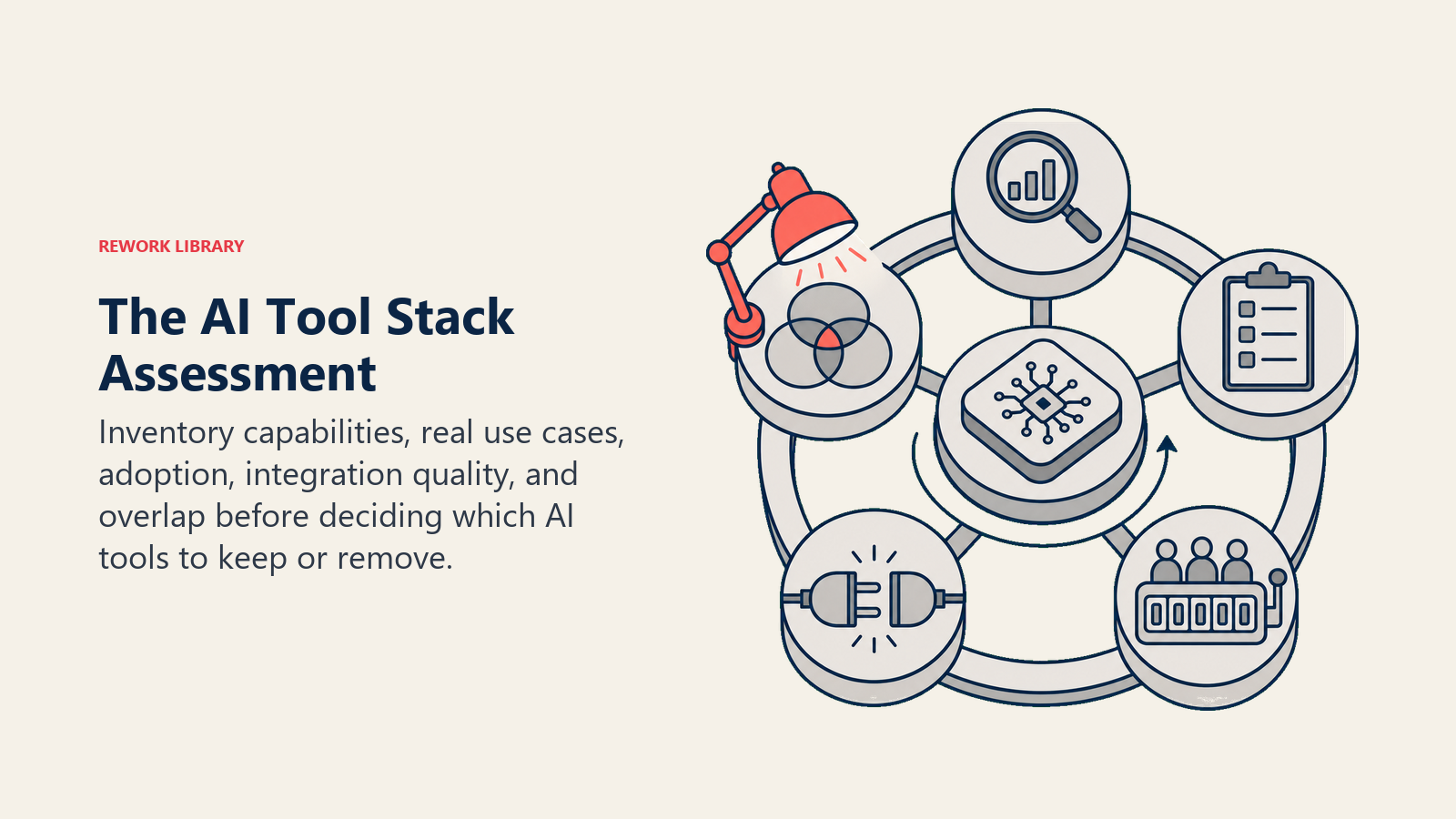
Start by mapping your current AI tools across these dimensions:
Core capabilities: What does each tool actually do? Be specific. "AI writing" isn't enough. Does it generate content, edit existing content, or both? Does it handle long-form articles, social posts, or emails?
Primary use cases: How are people actually using it? Not how the vendor says you should use it, but what's really happening. The gap between intended and actual use tells you a lot about unmet needs.
User adoption: Who's using what, and how often? You might have licenses for 100 seats but only 20 active users. That's a problem worth solving.
Integration quality: Do these tools talk to each other? Do they connect to your core systems? Or is everyone copying and pasting between platforms?
Overlap analysis: Where do capabilities duplicate? Three tools that all summarize meetings probably means you can consolidate.
One operations director did this exercise and discovered his 50-person team was paying for 23 different AI tools. After mapping capabilities, he found that four comprehensive platforms could handle 90% of their use cases. That's the power of assessment.
Tool Stack Design Principles
Once you've assessed your current mess, you need principles to guide your optimization. These aren't arbitrary rules but proven approaches that separate efficient AI stacks from chaotic ones.
Consolidation over proliferation: Favor fewer vendors with broader platforms over dozens of point solutions. The integration burden alone justifies this approach. But don't consolidate blindly. Sometimes a specialized tool genuinely outperforms a general platform for specific use cases.
Integration as non-negotiable: Every tool must either integrate with your core systems or have a damn good reason why it can't. Standalone tools create data silos, duplicate effort, and make it impossible to see the full picture of what's happening.
Standardization without stifling innovation: Yes, you want consistent user experiences and centralized management. No, you don't want to prevent teams from experimenting with new capabilities. The balance? A core stack that everyone uses plus a structured process for evaluating specialized tools.
Flexibility at the edges: Your core platform should be stable and broadly deployed. But leave room for function-specific tools where they genuinely add value. The design team might need specialized image generation capabilities that your enterprise platform doesn't provide.
Scalability without complexity explosion: As you grow, your tool stack should expand thoughtfully, not proportionally. Adding a new department shouldn't mean adding five new tools. Your architecture should support growth without becoming unmanageable.
These principles create the framework for making stack decisions. When someone wants to add a new tool, you've got clear criteria to evaluate whether it fits.
The Ideal AI Tool Stack Architecture
An optimized AI tool stack looks like a pyramid, not a pile. It's got structure, hierarchy, and clear purpose for each layer.
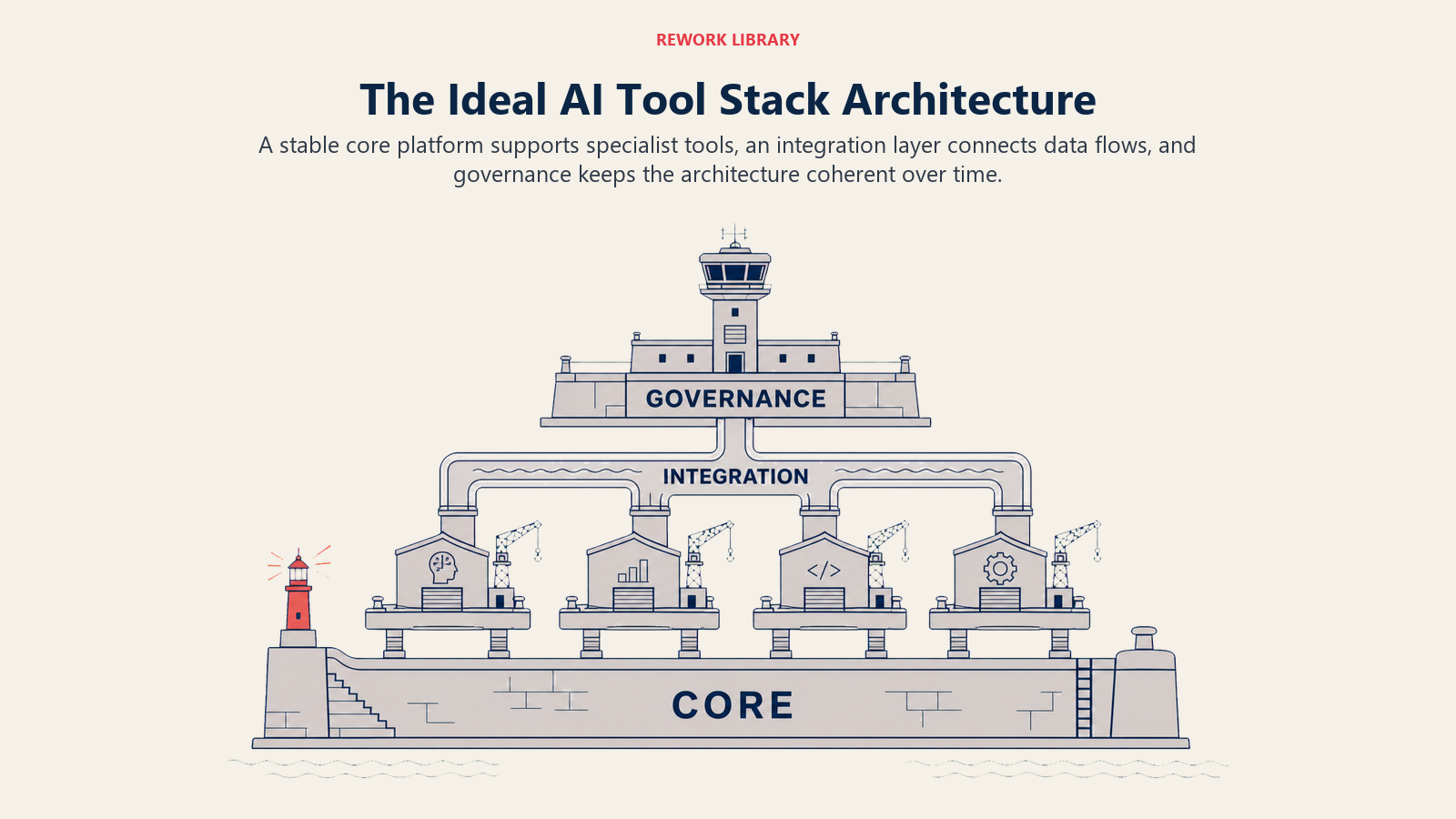
Core platform layer: This is your foundation. One or two enterprise AI suites that handle the bulk of everyday AI needs across your organization. Think Microsoft 365 Copilot, Google Workspace AI, or similar comprehensive platforms. They're not the best at everything, but they're good enough at most things. And they integrate deeply with tools your people already use.
Function-specific layer: Here's where specialized tools live. The AI sales intelligence platform that goes deeper than your core suite. The AI design tool that generates better images than generic platforms. The AI code assistant built specifically for your development stack. These tools justify their existence by being significantly better at specific tasks.
Integration layer: The often-overlooked middle tier that makes everything work together. API connectors, middleware platforms, automation tools that move data between systems. Without this layer, even the best tools become silos.
Governance layer: Policies, controls, monitoring systems, and approval processes that keep your stack from exploding again. This isn't bureaucracy for its own sake. It's the structure that prevents teams from accidentally creating the next round of tool sprawl.
One financial services company rebuilt their stack using this architecture. Core layer: Microsoft 365 with Copilot. Function-specific: AI-powered compliance monitoring, specialized financial modeling tools. Integration: Power Automate plus custom APIs. Governance: Monthly stack reviews and a clear tool evaluation process. Result: 60% reduction in tool count, 40% cost savings, and higher user satisfaction.
Consolidation Strategies
Optimization means making hard choices about which tools stay and which go. Here's how to approach consolidation without destroying value.
Multi-tool vendors vs best-of-breed: The classic enterprise software debate applies to AI tools too. Do you go all-in with one vendor's ecosystem, accepting that some capabilities won't be quite as good? Or do you pick the best tool for each function, accepting the integration complexity that comes with it?
There's no universal answer, but the trend is clear: consolidation around platform vendors is winning for most organizations. The integration burden and management overhead of dozens of point solutions usually outweighs the incremental capability improvements they offer.
Build vs buy decisions: Sometimes the best optimization move is building custom AI capabilities on top of foundation models rather than buying more tools. This makes sense when your use case is highly specific to your business, when you've got the technical capability to build and maintain it, and when commercial tools would require extensive customization anyway.
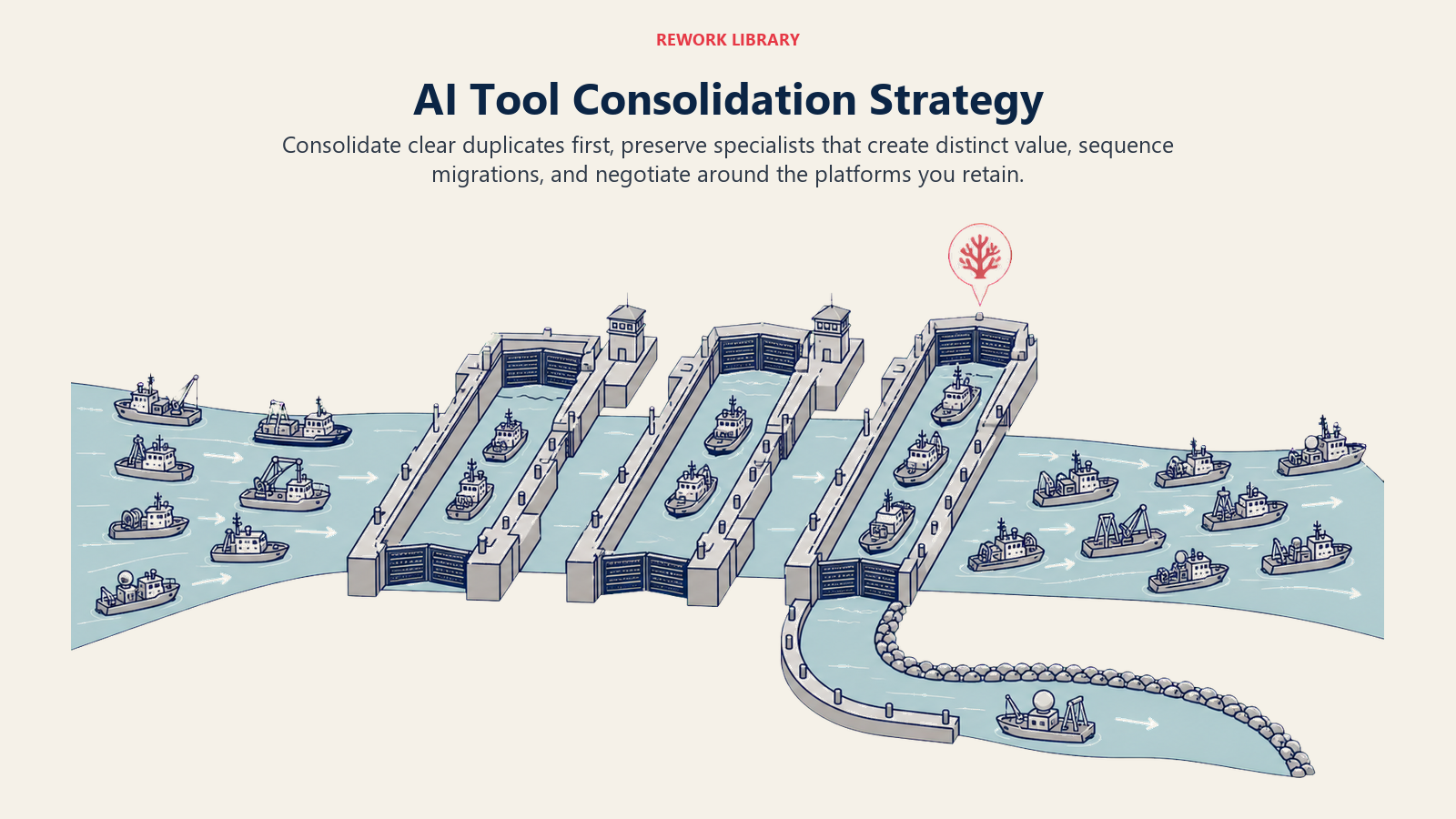
Migration planning: You can't flip a switch and move from 20 tools to five. You need a migration roadmap that sequences the changes, minimizes disruption, and maintains productivity throughout the transition. Start with the easiest wins (clear duplicates with low usage) and build momentum before tackling the complex consolidations.
Vendor negotiation: When you're consolidating, you've got leverage. You're potentially increasing your spend with vendors you're keeping and definitely cutting off vendors you're dropping. Use that leverage. Push for better pricing, more favorable terms, enhanced support, or additional capabilities.
And don't be afraid to negotiate your exit from tools you're leaving. Many vendors would rather keep you as a partial customer or extend a transition period than lose you entirely. You might get three months free to make migration easier.
Integration Optimization
Consolidated or not, your tools need to work together. Here's how to optimize integration across your AI stack.
API strategy: Every tool you keep should have a documented, stable API. That's your integration pathway. Map out which systems need to exchange data, what that data looks like, and how frequently it flows. Then build or configure the connections to make it happen.
Data flow architecture: Don't create spaghetti. Define clean data flows where information moves purposefully between systems rather than being randomly synced everywhere. A typical pattern: data originates in your core systems (CRM, ERP, etc.), flows to AI tools for enhancement or analysis, and results flow back to core systems for action.
Single sign-on implementation: Users shouldn't need separate logins for every AI tool. Implement SSO across your entire stack. This isn't just convenience; it's security. Fewer passwords mean fewer forgotten credentials, fewer reset requests, and fewer opportunities for credential compromise.
Unified analytics: You can't optimize what you can't measure. Create dashboards that show usage, value, and cost across your entire AI tool stack, not just individual tools. See the full picture of where AI is working and where it's not.
One manufacturing company integrated their AI tools through a central data hub. Every tool connected to the hub, not to each other. This star topology (versus point-to-point connections) meant adding or removing a tool didn't break everything else. That's smart integration architecture.
Governance for Tool Stack Management
Without governance, your optimized stack will become messy again. Here's the structure that keeps it clean.
Tool approval process: Before anyone can add a new AI tool, they go through a defined evaluation process using an AI tool selection framework. What problem does it solve? Can existing tools handle it? How does it integrate? What's the total cost? Who needs access? What's the backup plan if the vendor disappears?
Not every question needs a formal committee review. But someone needs to ask these questions and have authority to say "no, use the existing tool" or "yes, this is worth adding."
Usage monitoring: Track who's using what, and how often. Low-utilization tools are candidates for elimination. High-utilization tools might need more investment. Usage patterns that don't match expectations signal either unmet needs or inadequate training.
Periodic stack reviews: Quarterly or semi-annually, review your entire AI tool stack. What's working? What's not? What's changed in the market? What new needs have emerged? This isn't about constant churn but deliberate evolution.
Sunset criteria: Define clear conditions under which you'll retire a tool. If usage drops below X, if better alternatives emerge, if the vendor stops innovating, if security issues arise. Having criteria established means you can make sunsetting decisions rationally rather than emotionally.
One professional services firm made stack review part of their quarterly business review process. Every department reported on their AI tool usage, value delivered, and challenges faced. This visibility kept the stack healthy and prevented shadow IT from recreating sprawl.
Cost Optimization Through Stack Rationalization
Let's talk money. Tool stack optimization should reduce costs while maintaining or improving value through effective AI tool cost management. Here's how that math works.
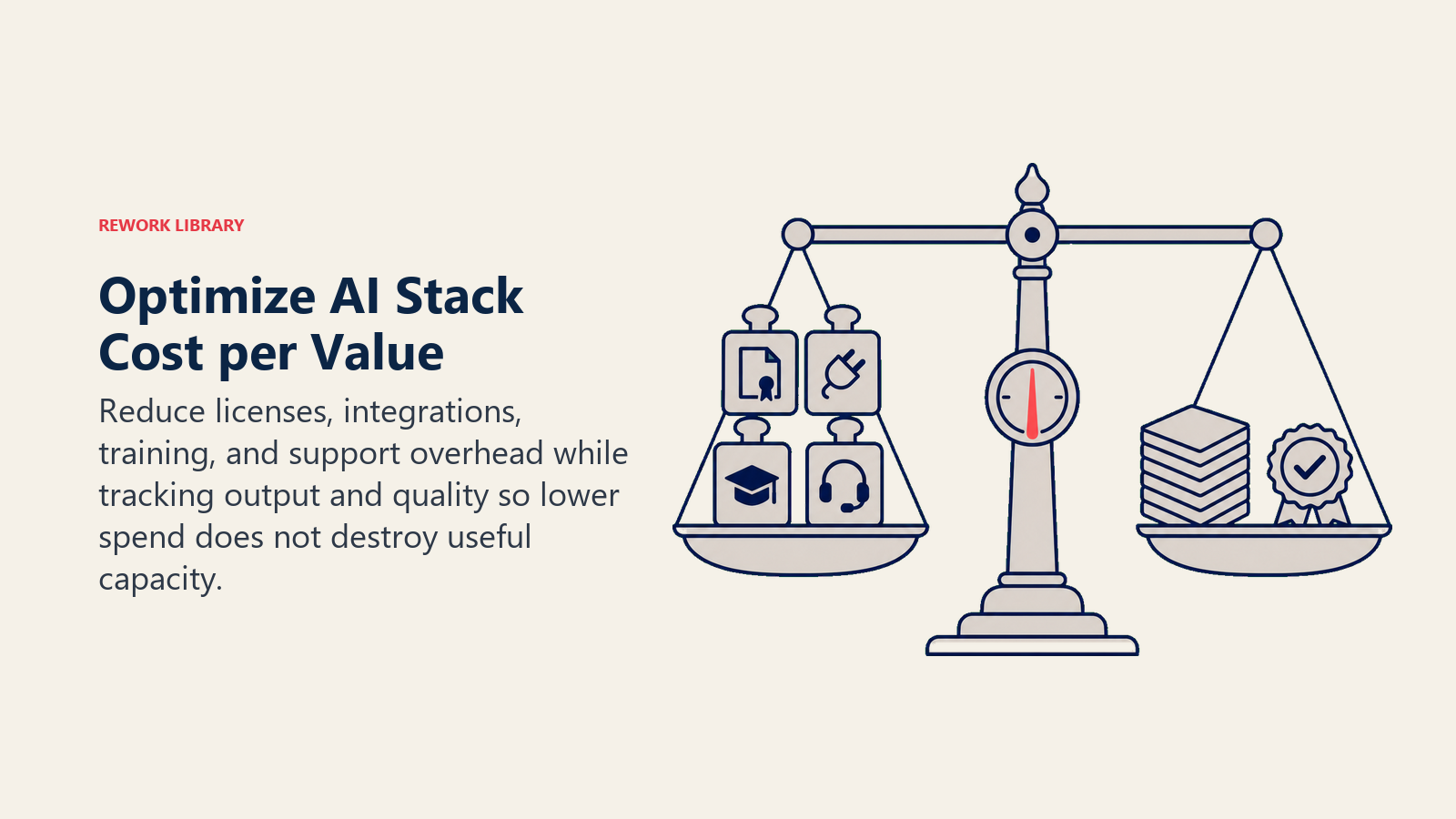
The average organization that optimizes their AI stack reduces tool-related spending by 30-50%. That comes from several sources:
License consolidation: When you move from 15 single-purpose tools to three comprehensive platforms, you buy fewer licenses. And you often get volume discounts on the platforms you do buy.
Reduced integration costs: Fewer tools mean fewer integrations to build and maintain. That's real savings in development time, middleware costs, and ongoing maintenance.
Lower training burden: Teaching people three platforms takes less time and money than training them on 15 different tools. Onboarding new employees gets faster and cheaper.
Decreased support overhead: Your IT and support teams spend less time troubleshooting issues across a complex tool landscape. They can go deeper on the tools you do use.
But here's what matters more than absolute cost reduction: cost per unit of value. If you cut tool spending by 40% but also reduce productivity by 20%, that's a bad trade. If you reduce spending by 30% while increasing productivity by 25%, that's a massive win.
Measure both sides of the equation. Track costs, absolutely. But also track output, efficiency, and value generated. The goal is optimization, not just minimization.
Making Stack Optimization Stick
You've assessed your current mess, designed a cleaner architecture, consolidated where it makes sense, optimized integrations, and established governance. Now you need to keep it from falling apart again.
Executive sponsorship: Tool stack optimization fails without executive support. Someone in leadership needs to care about this, preferably someone with authority across departments who can say "no, we're not buying another tool that duplicates what we already have." Building an AI-first culture starts with leadership commitment.
Continuous communication: Keep teams informed about why stack optimization matters, what changes are happening, and how it benefits them. Don't present consolidation as a cost-cutting exercise. Frame it as making their work lives simpler and more productive.
Regular reinforcement: In every relevant meeting, planning session, and review, ask about tool stack implications. When someone proposes a new initiative, ask how it fits with the current stack. When you're evaluating results, look at tool utilization as a factor.
Success stories: Find and share examples of how stack optimization is working. The team that's using fewer tools but accomplishing more. The process that got simpler because systems now integrate. The cost savings that funded other investments.
Your AI tool stack should be an asset, not a liability. When it's optimized well, it amplifies what your people can accomplish without creating complexity overhead. That's when AI tooling delivers real, sustained productivity gains.
The question isn't whether to optimize your AI stack. It's whether you'll do it proactively and thoughtfully or reactively when the mess becomes untenable. Choose the former.
