What are AI Productivity Tools: Transform Business Operations with Intelligent Automation
Turn this article into takeaways for your work.


Each assistant summarizes the article only for you and suggests best practices for your work.
Here's the paradox: we have more productivity tools than ever, but we're not getting more productive.
The average knowledge worker uses 11 different apps just to get through their day. We've got project management tools, communication platforms, document editors, spreadsheets, presentation software, and about six other things running simultaneously. And we're still drowning in work.
If you're a C-level exec trying to actually improve operational efficiency, you need to understand what AI productivity tools really are. They're not just another category of software to add to the stack. They're a fundamental shift in how work gets done.
What are AI Productivity Tools?
AI productivity tools are software applications that use artificial intelligence and machine learning to augment human capabilities. They don't just help you do your work faster - they actively learn from patterns, make intelligent decisions, and adapt to your specific needs.
The key difference? Traditional tools execute commands. AI tools understand intent and context.
When you use a traditional tool, you tell it exactly what to do. When you use an AI tool, you tell it what you want to accomplish, and it figures out how to help you get there. It's the difference between a calculator that adds numbers when you press buttons versus a system that analyzes your financial data and suggests budget optimizations.
Automation vs Intelligence: The Critical Distinction
Most productivity software automates tasks. AI productivity tools add intelligence to that automation.
Traditional automation follows rules you define:
- "If email contains X, move to folder Y"
- "When form is submitted, create task in project management tool"
- "Every Monday at 9 AM, send this report"
AI-powered automation adapts and learns:
- "This email looks urgent based on sender, content, and your past behavior"
- "This task should probably go to Sarah based on workload and expertise"
- "The report timing should shift because stakeholder engagement is highest on Wednesdays"
The shift from rule-based to learning-based systems changes what's possible. You can automate tasks that previously required human judgment.
Four Ways AI Tools Differ from Traditional Software
1. Learning and Adaptation
Traditional software does exactly what it did yesterday. AI tools get better over time.
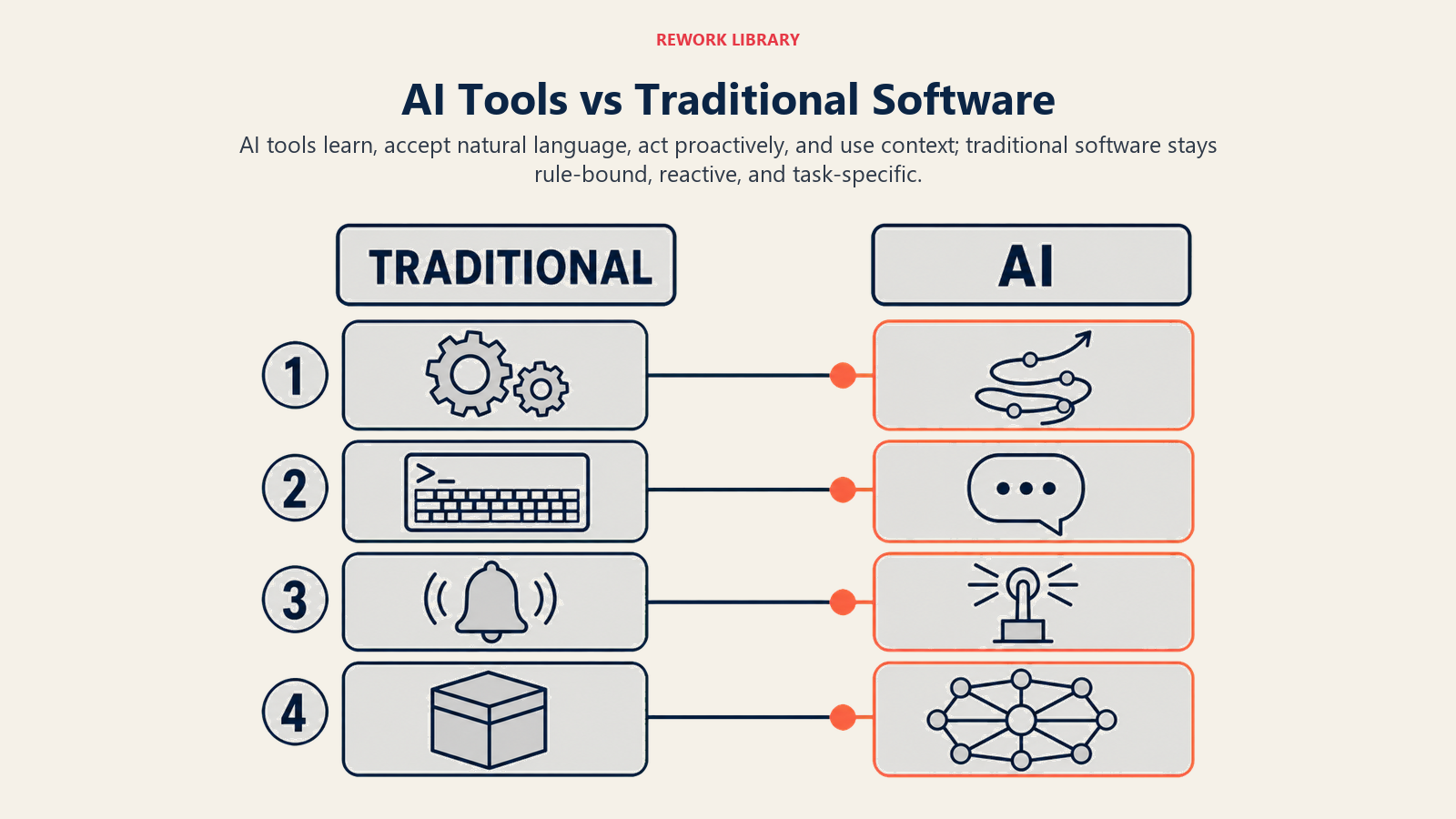
A traditional spell-checker has a fixed dictionary. An AI writing assistant learns your writing style, adapts to your industry terminology, and gets better at suggesting improvements the more you use it.
This learning happens across different dimensions:
- Your specific writing patterns and preferences
- Company-wide language and terminology
- Industry-specific context and requirements
- Real-time feedback from your edits
The result? Tools that become more useful the longer you use them, instead of staying static or requiring manual reconfiguration.
2. Natural Language Interfaces
You don't need to learn commands, formulas, or query languages. You just ask.
Instead of writing =SUMIF(A2:A50,">=100",B2:B50) in a spreadsheet, you type "show me total revenue from customers who spent more than $100." The AI understands, executes, and presents the answer.
For business users who aren't technical experts, this eliminates the expertise barrier. Data analysts don't need to spend weeks writing SQL queries. Marketing managers don't need to master pivot tables. Finance teams don't need to build complex formulas.
The interface adapts to how humans naturally communicate, rather than forcing humans to learn machine language.
3. Predictive and Proactive Capabilities
AI tools don't just respond to requests. They anticipate needs and surface insights you didn't know to ask for.
Traditional analytics platforms show you what happened. AI-powered platforms tell you:
- What's likely to happen next (predictive)
- Why it's happening (explanatory)
- What you should do about it (prescriptive)
This proactive intelligence transforms how decisions get made. Instead of periodic reports that require manual analysis, you get real-time alerts about anomalies, trends, and opportunities.
4. Context Awareness
AI productivity tools understand the broader context of your work, not just isolated tasks.
When you're writing an email, an AI assistant knows:
- Who you're writing to and your relationship
- The topic and its history
- Your communication style
- The likely goal of the email
- What information might be relevant
It can suggest not just grammar corrections, but substantive improvements based on all this context. Traditional tools only see the text in front of them.
Business Value Drivers: Why AI Tools Actually Matter
Let's talk about actual business impact, not hypothetical productivity gains.
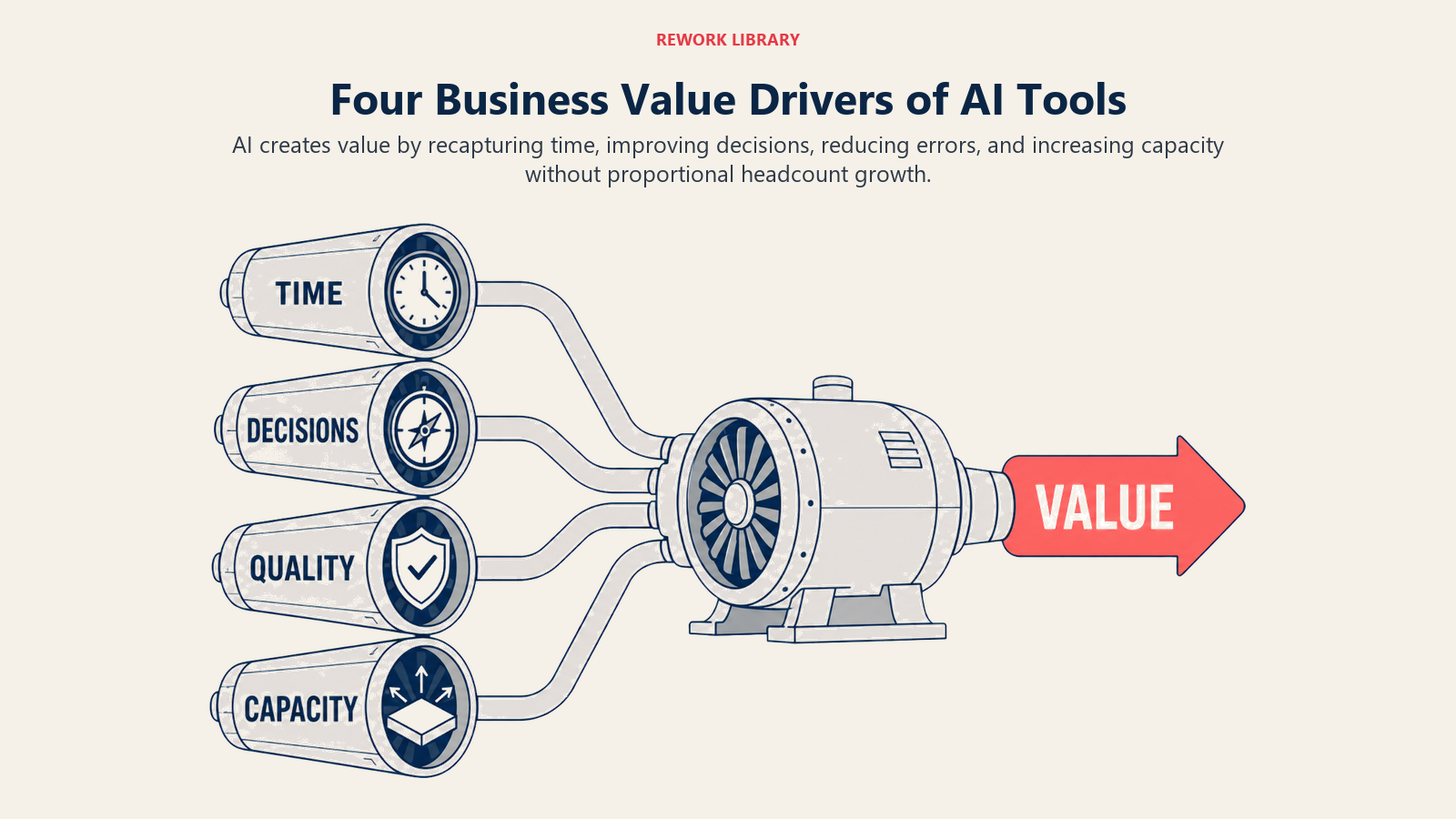
Time Recapture: 40-60% Reduction in Repetitive Tasks
Companies implementing AI productivity tools consistently report massive time savings on routine tasks:
- Content creation time drops 50-70% (first drafts, editing, formatting)
- Data entry and processing time falls 80-90% (document processing, form filling)
- Research and analysis time shrinks 40-60% (information gathering, synthesis)
- Meeting administration time decreases 60-70% (scheduling, notes, follow-up)
According to McKinsey's research on AI productivity, generative AI could add $2.6 to $4.4 trillion annually to the global economy through productivity gains.
That's not 5% efficiency gains. It's reclaiming hours per person per day.
A marketing team of 10 people spending 20 hours per week on content creation can redirect 120 hours per week to strategy and campaigns instead of writing first drafts. That's three full-time equivalents of capacity without adding headcount.
Decision Quality Improvement
AI tools don't just make you faster. They make you better.
When you can analyze 10x more data, consider more variables, and run scenarios in seconds instead of days, decision quality improves. You're not relying on gut feel or limited analysis anymore.
Finance teams using AI analytics catch budget variances and anomalies 2-3 weeks earlier than manual review processes. Sales teams with AI forecasting tools improve forecast accuracy by 15-20 percentage points. Product teams using AI sentiment analysis catch customer issues before they become widespread problems.
Better decisions compound over time. Small improvements in conversion rates, pricing optimization, or resource allocation add up to millions in impact.
Error Reduction and Consistency
Humans make mistakes when doing repetitive work. AI tools don't.
Data entry error rates drop from 3-5% (human baseline) to under 0.5% with AI document processing. Compliance issues decrease because AI systems enforce rules consistently. Customer communications maintain brand voice because AI tools apply style guidelines uniformly.
This consistency matters most in high-volume operations. When you're processing thousands of invoices, thousands of support tickets, thousands of data records, even small error rates create massive cleanup work. AI eliminates that tax.
Scalability Without Proportional Headcount Growth
This is the metric executives care about most: can we grow without hiring proportionally?
AI productivity tools break the linear relationship between volume and headcount. You can handle 2x the volume with less than 2x the staff - sometimes with the same team size.
A customer support team of 50 handling 10,000 tickets per month can grow to 20,000 tickets per month with AI chatbots and automated routing, adding maybe 10 people instead of 50. A content team producing 100 articles per month can scale to 250 with AI writing assistants, without tripling team size.
The operational leverage compounds as AI tools get better and more integrated.
Four Categories of AI Productivity Applications
AI tools cluster into four main categories based on what they help you do.
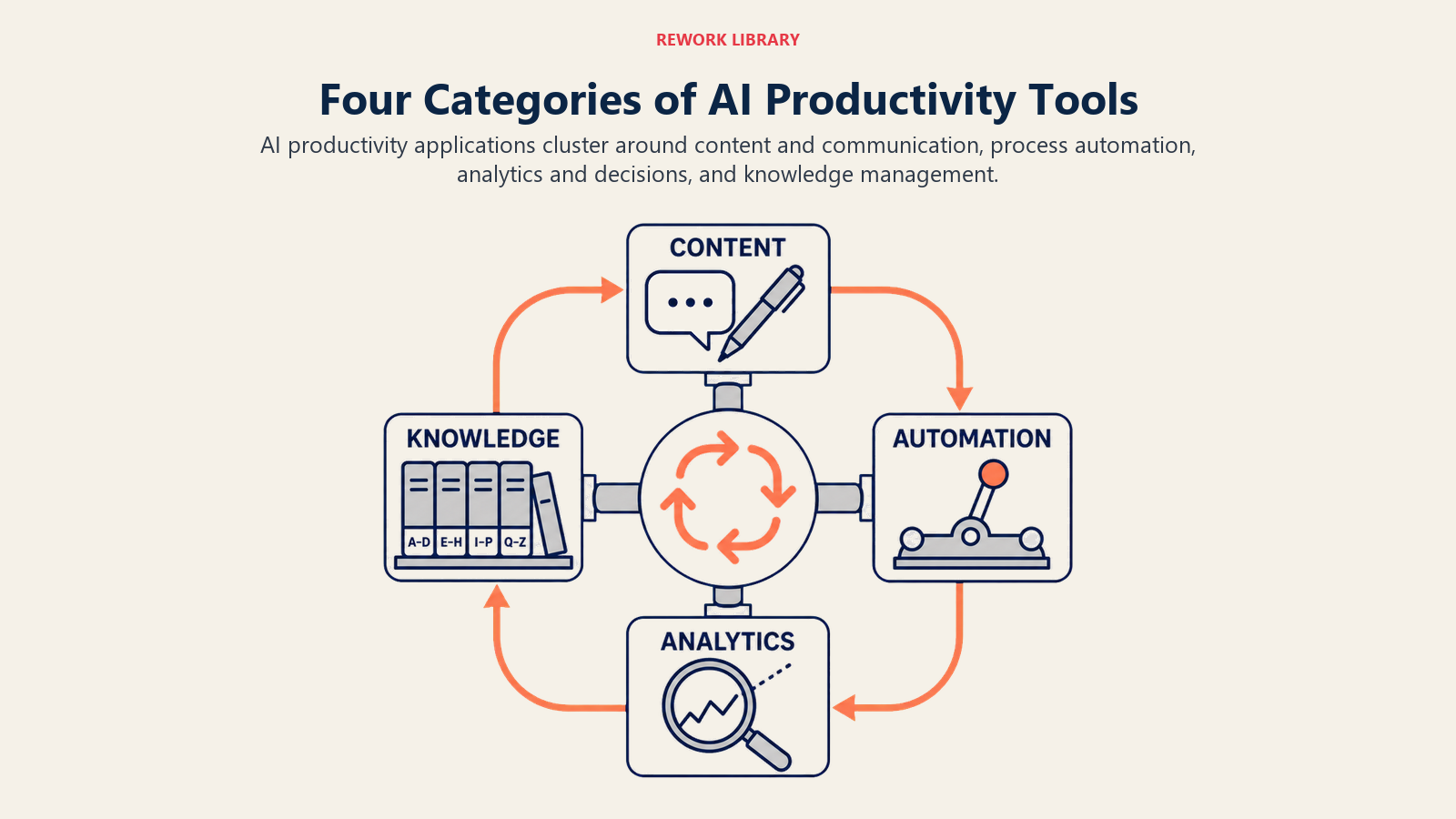
1. Content and Communication
Tools that help you write, edit, communicate, and create content:
- AI writing assistants for drafting emails, documents, articles
- Copy editing and proofreading tools like Grammarly and ChatGPT
- Meeting transcription and summarization
- Language translation and localization with DeepL and Google Translate
- Documentation generation
These tools are seeing the fastest adoption because the value is immediate and measurable. Every knowledge worker writes emails and documents. Cutting that time in half creates instant ROI.
2. Process Automation
Tools that handle repetitive workflows and data processing:
- Document processing and data extraction
- Task routing and assignment
- Email management and filtering
- Data entry automation
- Workflow orchestration
Process automation AI differs from traditional RPA by handling unstructured data and making decisions. Understanding how AI differs from traditional productivity software helps you identify which processes benefit most from AI automation.
3. Analytics and Decision Support
Tools that analyze data and support decision-making:
- Natural language data querying
- Predictive analytics and forecasting
- Anomaly detection and alerting
- Automated insight generation
- Decision optimization
Analytics AI democratizes data access. Business users who couldn't write SQL queries or build models can now analyze data conversationally and get sophisticated insights.
4. Knowledge Management
Tools that help you find, organize, and leverage information:
- Internal search and knowledge bases
- Question answering systems
- Research and information synthesis
- Learning and training platforms
Knowledge management AI solves the "we know this somewhere" problem. Instead of spending 30 minutes searching Slack, email, docs, and wikis, you ask a question and get a synthesized answer with sources.
Real-World Impact Metrics
Let's look at actual numbers from companies that implemented AI productivity tools:
Mid-market SaaS company (250 employees):
- 12 hours per week per employee saved on email and communication
- 40% reduction in meeting time through better scheduling and async AI summaries
- 60% faster content production for marketing and sales enablement
- Net impact: equivalent of adding 35 full-time employees without hiring
Professional services firm (500 employees):
- 70% reduction in proposal creation time (from 8 hours to 2.5 hours average)
- 50% improvement in client research and preparation efficiency
- 80% less time on administrative tasks (timesheets, expense reports, scheduling)
- Net impact: 20% increase in billable hours without increasing work hours
Manufacturing company (1,200 employees):
- 85% reduction in invoice processing time
- 65% faster quality issue identification and resolution
- 40% improvement in demand forecasting accuracy
- Net impact: $3.2M annual cost savings in operations
These aren't best-case scenarios. They're typical results when AI tools are implemented systematically with proper change management.
Critical Success Factors
Most AI tool implementations fail to deliver ROI. Here's what separates success from expensive experiments:
1. Problem-First, Not Tool-First
Start with the business problem you're solving, not the cool AI tool you heard about.
Bad approach: "Let's find something to use AI for." Good approach: "Proposal creation takes too long and quality is inconsistent. What tools can solve this?"
The companies seeing the best results identify specific, measurable problems first, then select AI tools designed to solve those problems.
2. Integration with Existing Workflows
AI tools that sit in isolation don't get used. They need to integrate with how people already work.
If your team lives in Slack, the AI tool needs to work in Slack. If they live in Microsoft Teams, it needs to work there. If they use Salesforce all day, the AI needs to plug into Salesforce.
Forcing people to switch context to use an AI tool guarantees low adoption.
3. Human-in-the-Loop Design
AI tools work best when they augment human judgment, not replace it.
The most successful implementations have AI generate first drafts, suggestions, or analysis, with humans reviewing and refining. This combines AI speed and scale with human judgment and context.
Fully automated AI with no human review creates quality problems and trust issues. The right balance is AI doing the heavy lifting with human oversight at critical points.
4. Continuous Learning and Optimization
AI tools aren't set-and-forget. They require training, feedback, and refinement.
Companies that invest in prompt engineering, model fine-tuning, and feedback loops get 2-3x better results than those that just deploy out-of-the-box solutions.
This means dedicating resources to AI tool optimization, not just deployment. Someone needs to own making these tools better over time.
ROI Framework: How to Measure AI Productivity Tool Impact
Don't just implement AI tools and hope for the best. Measure systematically. For a comprehensive approach to measuring impact, see our guide on AI productivity ROI metrics.
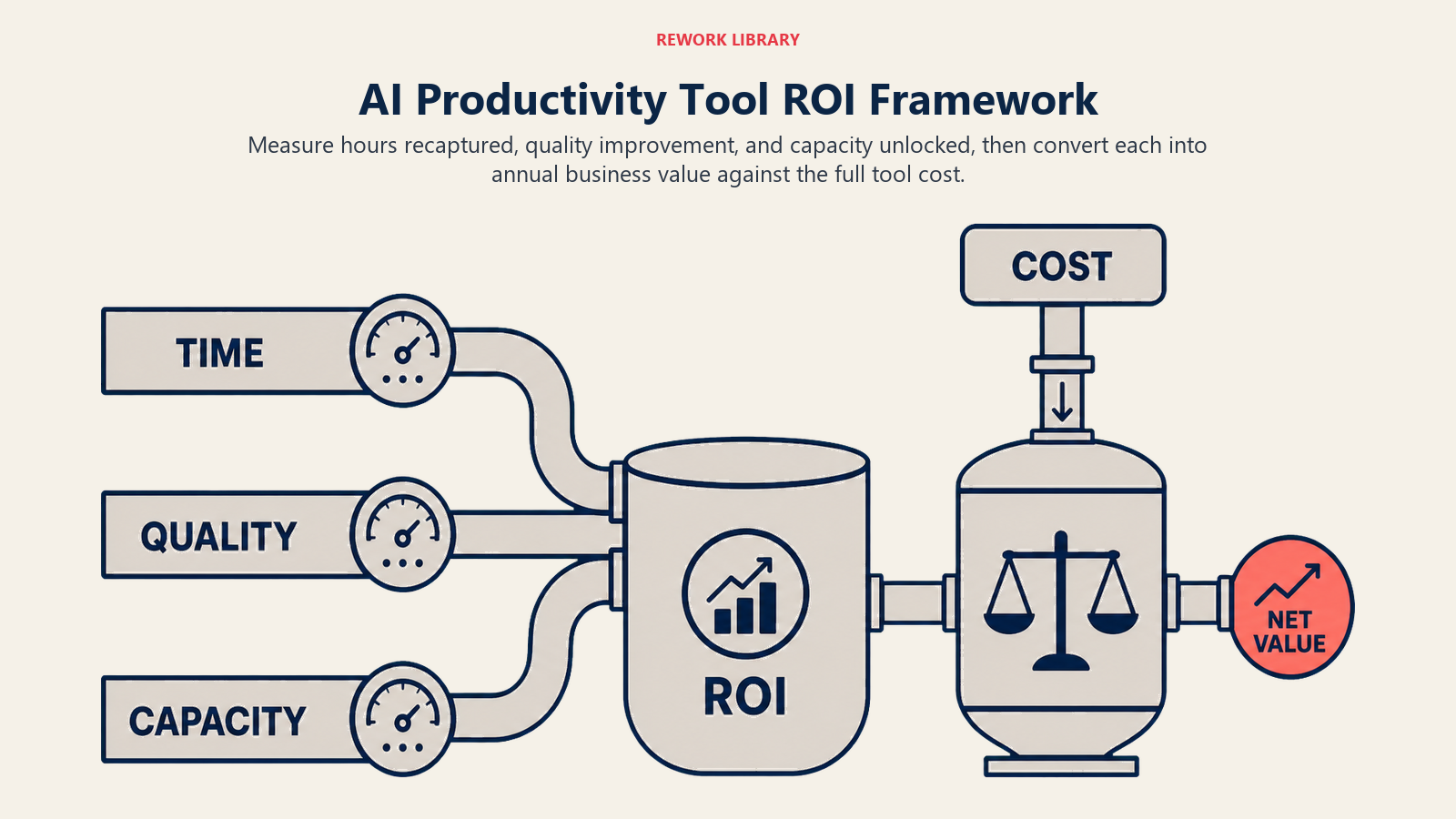
Time Savings Calculation
Before AI: Track time spent on tasks the AI tool will handle
- Content creation: X hours per week
- Data processing: Y hours per week
- Research and analysis: Z hours per week
After AI: Measure actual time reduction
- What percentage decrease in time per task?
- How many hours recaptured per person per week?
- What's the dollar value of that time (loaded cost per employee)?
Formula: (Hours saved per week × Employees × Annual weeks × Loaded cost per hour) = Annual value
A 10-hour per week saving across 100 employees at $75/hour loaded cost = $3.9M annual value.
Quality Improvement Measurement
Track error rates, revision cycles, and customer satisfaction before and after AI implementation:
- Error rates in data entry, document processing, content creation
- Number of revision rounds needed before final output
- Customer satisfaction scores for AI-assisted interactions
- Compliance issue rates
Quality improvements are harder to quantify than time savings, but often more valuable. Catching errors earlier, reducing compliance risk, and improving customer experience drive significant business value.
Capacity Unlocking
Measure what your team can accomplish with the same headcount:
- Volume of work completed (tickets, articles, analyses, etc.)
- New initiatives launched because capacity was freed up
- Revenue per employee improvement
- Customer accounts managed per team member
The goal isn't just efficiency. It's unlocking capacity to do higher-value work.
Learn More
Ready to implement AI productivity tools in your organization? Explore these related topics:
- Types of AI Productivity Tools - Understand the different categories and use cases
- AI vs Traditional Productivity Software - Know when AI adds value vs traditional tools
- AI Tool Selection Framework - Evaluate and choose the right AI tools systematically
- AI Productivity ROI Metrics - Measure and prove AI tool business value

On this page
- What are AI Productivity Tools?
- Automation vs Intelligence: The Critical Distinction
- Four Ways AI Tools Differ from Traditional Software
- 1. Learning and Adaptation
- 2. Natural Language Interfaces
- 3. Predictive and Proactive Capabilities
- 4. Context Awareness
- Business Value Drivers: Why AI Tools Actually Matter
- Time Recapture: 40-60% Reduction in Repetitive Tasks
- Decision Quality Improvement
- Error Reduction and Consistency
- Scalability Without Proportional Headcount Growth
- Four Categories of AI Productivity Applications
- 1. Content and Communication
- 2. Process Automation
- 3. Analytics and Decision Support
- 4. Knowledge Management
- Real-World Impact Metrics
- Critical Success Factors
- 1. Problem-First, Not Tool-First
- 2. Integration with Existing Workflows
- 3. Human-in-the-Loop Design
- 4. Continuous Learning and Optimization
- ROI Framework: How to Measure AI Productivity Tool Impact
- Time Savings Calculation
- Quality Improvement Measurement
- Capacity Unlocking
- Learn More