AI Tool Implementation Roadmap
Turn this article into takeaways for your work.


Each assistant summarizes the article only for you and suggests best practices for your work.
Seventy percent of AI projects never reach production. Companies invest in tools, assign teams, kick off initiatives with enthusiasm. Then six months later? Adoption is stalled, ROI is unclear, and everyone has quietly returned to their old workflows.
The problem usually isn't the technology. It's the implementation approach. Organizations treat AI adoption like software deployment: buy the tool, configure it, train users, and declare success. But AI productivity tools change how people work, what they prioritize, and how they measure success. That requires organizational change management, not just technical implementation.
Here's a structured roadmap that addresses both the technical and organizational dimensions of AI adoption.
The Five-Phase Implementation Model
Successful AI implementation follows a predictable pattern across organizations, regardless of specific tools or use cases.
Phase 1: Assessment and Planning (4-6 weeks): Understanding your current state, identifying opportunities, and defining success criteria before purchasing anything.
Phase 2: Pilot Program (8-12 weeks): Testing AI tools with a small group, learning what works, and refining your approach with minimal organizational disruption.
Phase 3: Initial Rollout (12-16 weeks): Expanding beyond the pilot team to departments or functions, establishing processes, and building momentum.
Phase 4: Scale and Expansion (ongoing): Organization-wide deployment, integrating AI into standard workflows, and adding use cases.
Phase 5: Optimization and Refinement (continuous): Measuring performance, improving adoption, and maximizing ROI through ongoing refinement.
Don't skip phases thinking you'll move faster. The organizations that deploy fastest often fail fastest. The ones that take time to understand their context and build proper foundations? They succeed most consistently.
Phase 1: Assessment and Planning
Everything that follows depends on getting the foundation right.
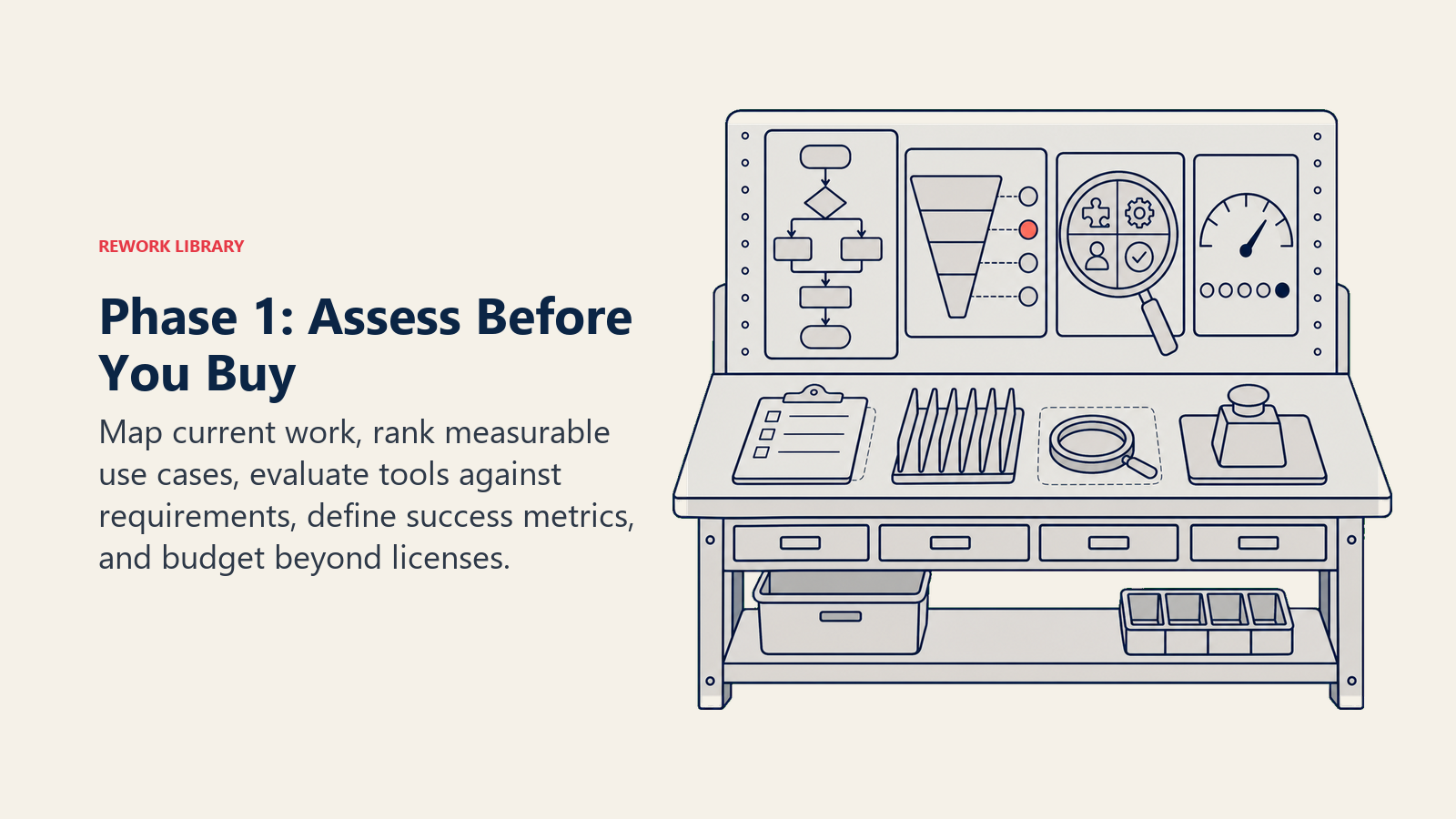
Current State Analysis: Before implementing AI, understand your current workflows, pain points, and opportunities. Where do teams spend time on repetitive tasks? Which processes have high error rates? What decisions lack sufficient data? Which collaborations break down due to communication overhead?
Talk to actual users, not just managers. The VP might think the team spends most time on analysis. But frontline employees? They know they're spending it on data cleanup and formatting. Solve the real problems, not the perceived ones.
Use Case Identification and Prioritization: You've probably identified dozens of potential AI applications. Don't try to tackle all of them simultaneously. Prioritize based on:
Impact potential - How much time/cost/quality improvement is possible? Implementation difficulty - How complex is deployment and integration? User readiness - Will this team embrace change or resist it? Measurability - Can you clearly demonstrate value?
Start with use cases that are high impact, moderate difficulty, measurable, and involve willing users. Early wins build credibility and momentum for harder implementations later.
Tool Evaluation and Selection: Match tools to specific use cases, not the other way around. Don't start with "we need to implement an AI assistant" and search for applications. Start with "our analysts spend 15 hours weekly creating reports" and find the tool that solves that problem. A systematic AI tool selection framework helps evaluate options objectively against your specific requirements.
Evaluate tools based on capabilities, integration requirements, total cost of ownership, vendor stability, security and compliance, and user experience. Remember you're evaluating the entire solution, not just the AI model. Implementation support, documentation quality, and customer success resources matter as much as feature lists.
Success Metrics Definition: Define what success looks like before implementation, not after. Time savings? Error reduction? Quality improvement? Revenue impact? User satisfaction? Be specific and measurable.
One marketing team defined success for their AI content tool as follows: "Reduce content creation time by 40%, maintain or improve content quality scores, achieve 80% user adoption within six months." Those specific metrics drove implementation decisions and enabled clear ROI demonstration, following best practices outlined in AI productivity ROI metrics.
Budget and Resource Allocation: Account for more than software costs. Include implementation support, training development, change management, integration work, and the opportunity cost of staff time during transition. AI tool subscriptions might cost $50 per user monthly, but total implementation costs including time and training can be 3-5x the software expense.
Phase 2: Pilot Program
Pilots are for learning, not for proving AI works in theory. You're testing whether it works for your organization, with your workflows, your data, and your team culture.
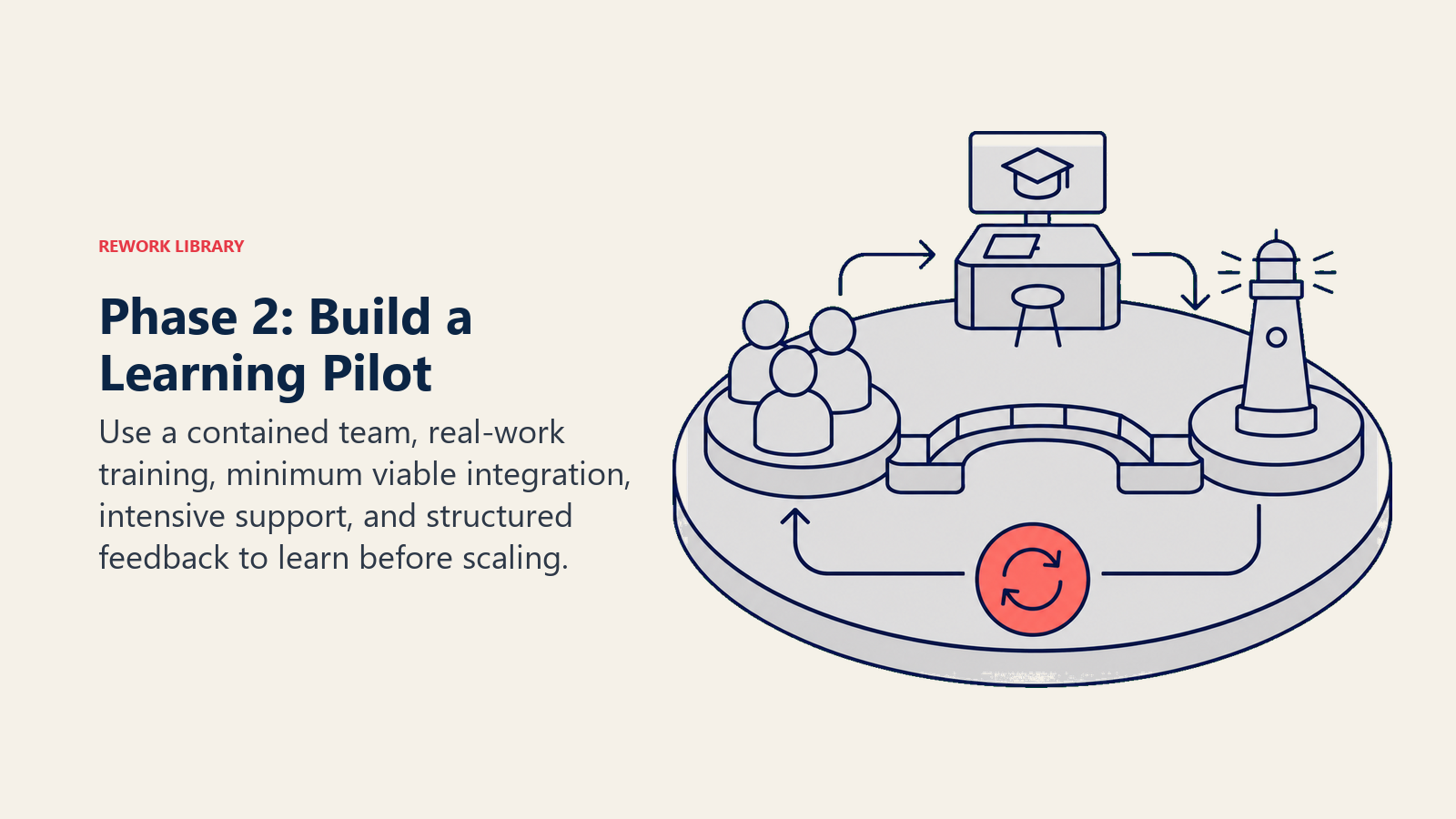
Pilot Scope Definition: Choose a contained use case with a small team. Maybe 10-20 users from a single department, focusing on one workflow. Large enough to learn from diverse use cases, small enough to manage closely.
Select pilot participants carefully. You want early adopters who'll engage constructively, not resisters who'll prove it doesn't work. But also include skeptics who'll identify real problems rather than enthusiastically ignoring issues.
Team Selection and Training: Pilot team training needs to go beyond "here's how to use the tool." Explain the why behind AI adoption, how it changes their workflow, what's expected of them, and how success will be measured.
Provide hands-on practice with real work examples, not generic demos. Have them use AI tools for actual projects during training, with support available for questions and troubleshooting.
Integration Setup: Connect AI tools to existing systems and workflows. If your AI writing assistant isn't integrated with your content management system, adoption will be minimal because using it creates extra work.
Start with minimal viable integration. Don't spend three months building perfect integrations before pilot launch. Get basic connections working, launch the pilot, and improve integration based on actual usage patterns.
Initial Deployment: Launch with explicit pilot framing. This is a test. Feedback is expected. Problems are learning opportunities. Early issues don't mean failure. They inform the full rollout.
Provide intensive support during first weeks. Have implementation team members available for questions. Conduct weekly check-ins with pilot participants. Address problems immediately.
Feedback Collection and Iteration: Structured feedback collection throughout the pilot reveals what's working and what needs adjustment. Weekly surveys, bi-weekly group discussions, and usage analytics provide different perspectives.
Ask specific questions like "Which tasks is the AI tool helpful for? Which tasks is it unhelpful for? What would make it more useful? What barriers prevent you from using it more?"
One software company ran a pilot with their AI code generation tool. Initial feedback revealed the tool was great for boilerplate code but struggled with their specific frameworks. They adjusted training to focus on use cases where the tool excelled and set appropriate expectations for where it didn't. Final adoption was higher because users knew when to use the tool versus when traditional approaches were better.
Phase 3: Initial Rollout
Armed with pilot learnings, you're ready to expand. But not to everyone simultaneously.
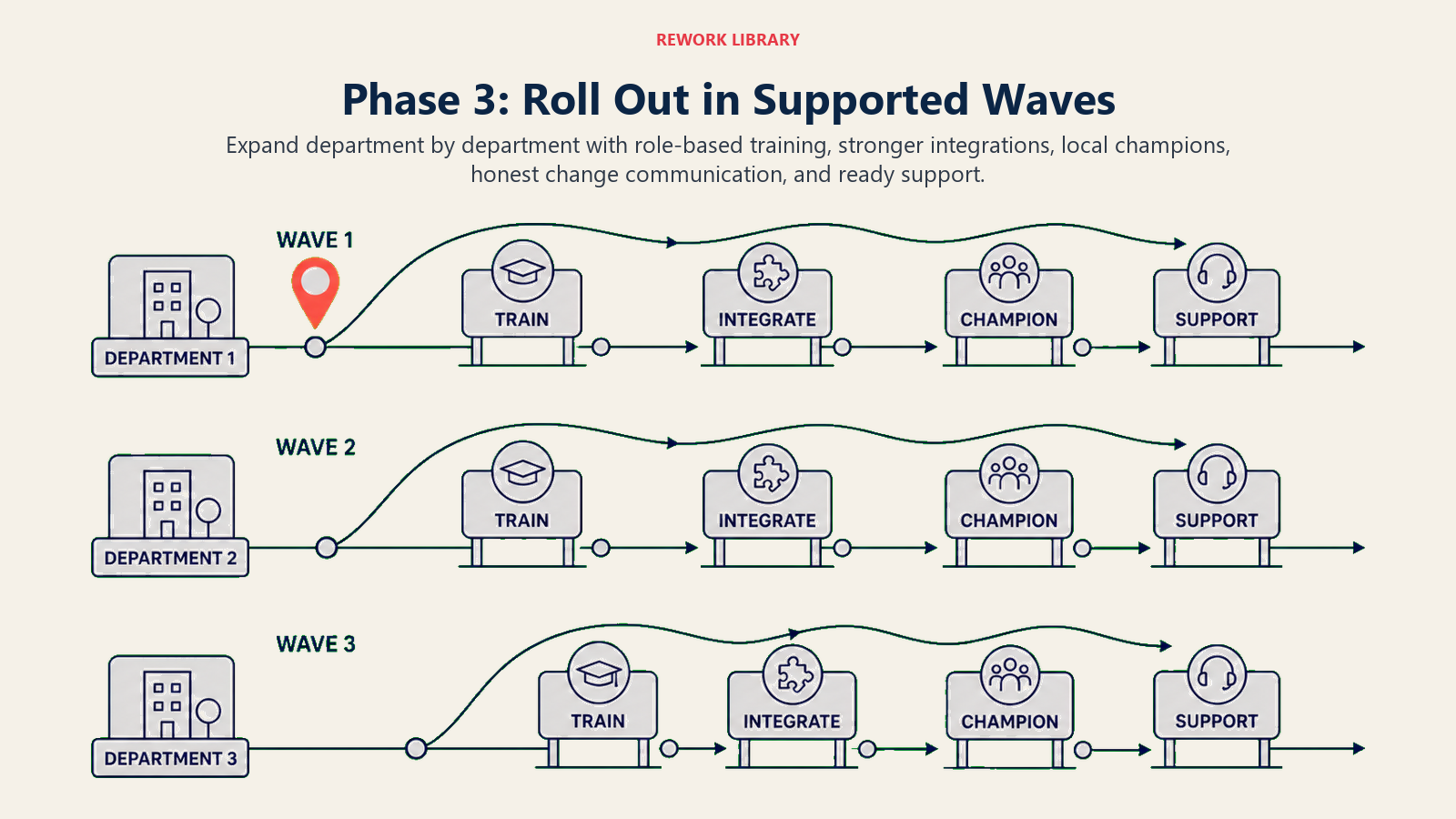
Expanded Deployment: Roll out to additional teams or departments in waves. Maybe three departments in month one, five more in month two. Staggered deployment enables you to support each group adequately and apply learnings from early groups to later ones.
Prioritize departments based on pilot learnings. If the pilot revealed certain teams or use cases are better fits, deploy there first. Build momentum through successes rather than struggling with difficult implementations early.
Training Program Execution: Develop training informed by pilot experience. Include real examples from pilot participants showing how the tool helped them. Address specific concerns that emerged during the pilot.
Provide role-based training. Managers need different training than individual contributors. Technical users need different depth than business users. Generic training for everyone is efficient but ineffective.
Integration Completion: Enhance integrations based on pilot feedback. If pilot users wanted deeper CRM integration or automated workflows between systems, build those capabilities before broader rollout.
Integration quality directly impacts adoption. Tools that fit smoothly into existing workflows get used. Tools that require context switching or duplicate data entry get abandoned.
Change Management: This is where many implementations fail. People don't resist AI. They resist changing how they work. Address the organizational change dimension explicitly using proven AI change management strategies.
Communicate why the organization is adopting AI, not just what tools you're deploying. Connect AI adoption to business strategy and individual benefits. Show how it addresses pain points employees have mentioned.
Identify and empower champions within each department. These aren't IT staff pushing the tool. They're peers who've used it successfully and can demonstrate value to colleagues.
Address concerns directly. "Will this replace my job?" "What if I prefer the old way?" "How do I trust AI-generated outputs?" Don't dismiss these concerns or provide platitudes. Give honest, specific answers.
Support Infrastructure: Establish support resources before broad rollout. This includes documentation, training materials, help desk support, and expert users available for consultation.
Create a knowledge base with common questions, use case examples, troubleshooting guides, and best practices. Make it searchable and accessible where users work.
Phase 4: Scale and Expansion
Initial rollout proved the concept works for specific teams and use cases. Scaling makes it standard across the organization.
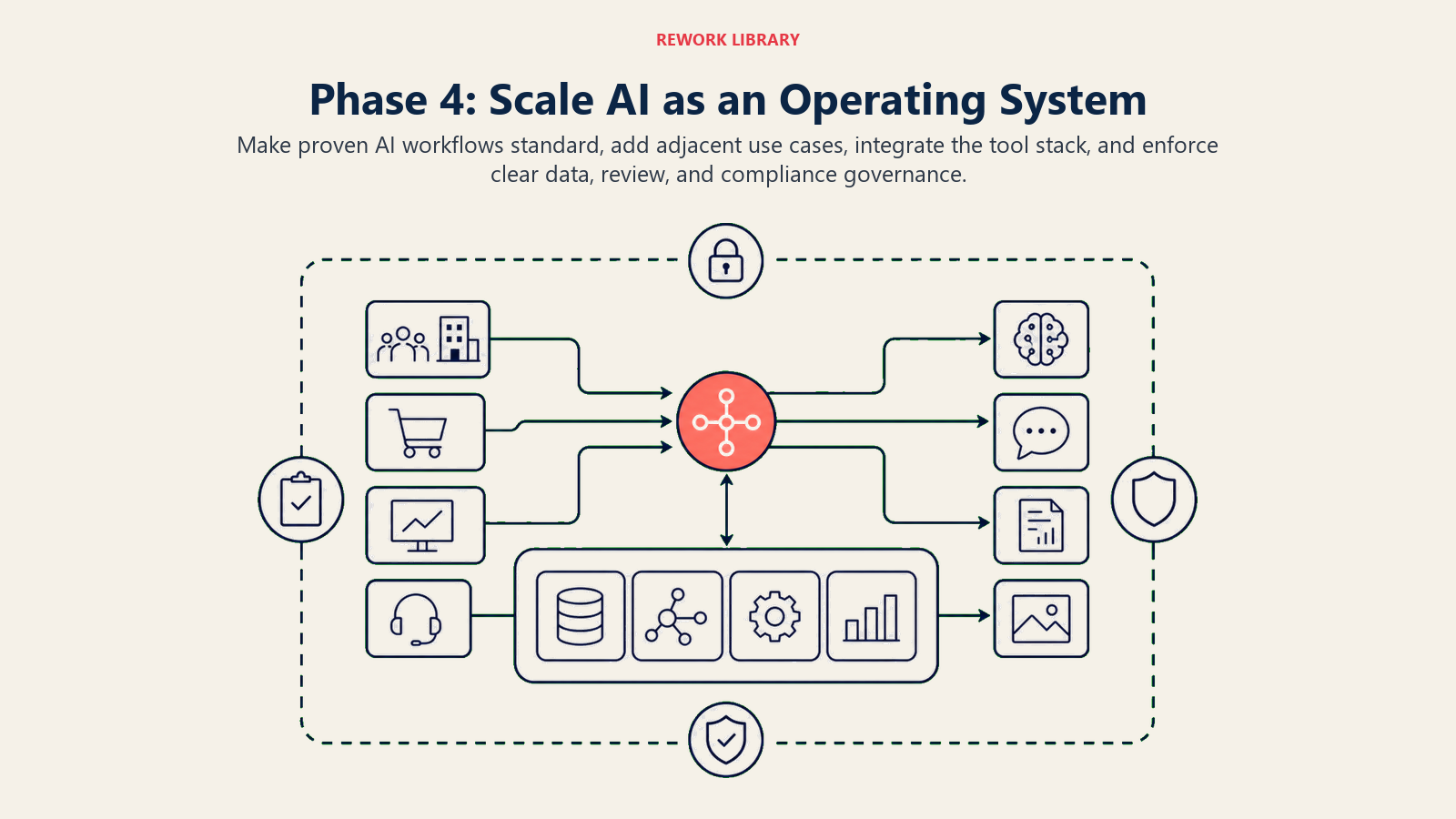
Organization-Wide Rollout: Extend deployment to all relevant teams and users. At this point, you're not asking for volunteers. You're making AI tools part of standard workflows and expectations.
Maintain support levels during scale. Don't assume people will figure it out on their own just because the tool is proven. New users need the same support pilot participants received.
Additional Use Case Implementation: With core use cases deployed, expand to additional applications. If you started with AI for content creation, add AI for analysis. If you began with email automation, add document processing.
Leverage existing adoption. Users already comfortable with one AI tool are more receptive to additional AI applications. Build on established credibility rather than starting from zero with each new tool.
Tool Stack Integration: As you deploy multiple AI tools, ensure they work together rather than creating disconnected silos. Your AI writing tool should integrate with your AI research tool and your content management system.
Consider consolidation where appropriate. Do you need three different AI tools that overlap in capability, or can you standardize on fewer platforms with broader use?
Governance Framework Establishment: With organization-wide AI deployment, you need clear governance covering data usage, output quality standards, review requirements, and compliance procedures. Address AI security and compliance concerns systematically across all deployments.
Define which AI applications require human review before use. Maybe AI-generated financial reports need verification, but AI-generated meeting summaries don't. Be specific about expectations.
Establish data policies covering what information can be processed by AI tools, particularly for systems using cloud-based models. Ensure compliance with regulatory requirements and customer commitments.
Phase 5: Optimization and Refinement
AI implementation isn't a project with an end date. It's an ongoing capability that improves continuously.
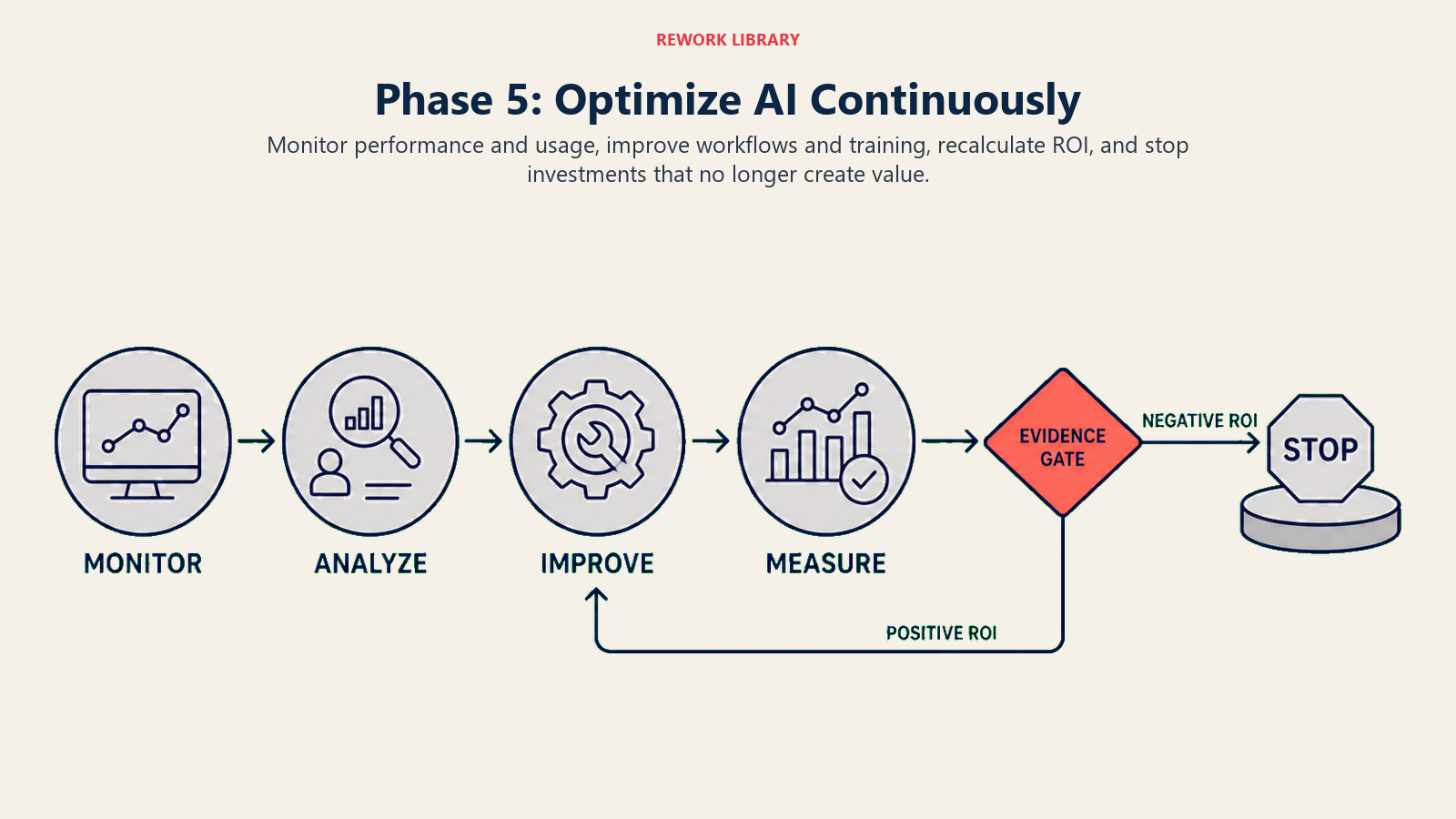
Performance Monitoring: Track metrics defined in Phase 1. Are you achieving expected time savings? Quality improvements? Cost reductions? User adoption levels?
Monitor usage patterns, not just adoption statistics. High adoption with minimal usage per user suggests the tool isn't providing sufficient value. Moderate adoption with intensive usage by active users might indicate the tool is highly valuable for specific use cases.
Usage Analytics: Understand how people are actually using AI tools. Which features get used heavily? Which remain untouched? Where do users struggle? What workflows generate best results?
Analytics reveal gaps between intended and actual usage. Maybe you expected people to use the AI tool for complex analysis, but they're primarily using it for simple summarization. That's valuable information for training and communication adjustments.
Continuous Improvement: Refine processes, training, and integration based on ongoing feedback and analytics. Update documentation to reflect best practices discovered by users. Enhance integrations to reduce friction points.
Schedule regular reviews (quarterly is common) to assess performance, gather feedback, and plan improvements. Make AI optimization an ongoing discussion, not an annual exercise.
ROI Tracking: Calculate actual return on investment comparing benefits realized to total costs incurred. Include both tangible benefits (time saved, costs reduced) and intangible ones like quality improvements and employee satisfaction.
Be honest about ROI. If a particular AI application isn't delivering expected value, pivot or discontinue rather than continuing investment for political reasons.
One professional services firm tracks detailed ROI across their AI tools. Their proposal automation tool shows 12x ROI through time savings and higher win rates. Their AI research tool shows 4x ROI. Their experimental AI customer support tool showed negative ROI after six months and was discontinued. That honest assessment enables better resource allocation.
Common Implementation Pitfalls
Understanding what derails AI adoption helps you avoid these traps.
Technology-First Approach: Starting with "let's implement an AI tool" instead of "let's solve this specific problem" leads to solutions searching for problems. Identify business needs first, then find appropriate AI tools.
Inadequate Change Management: Treating AI implementation as technical deployment rather than organizational change creates resistance and low adoption. People issues kill more AI projects than technical issues.
Insufficient Training: Two-hour training sessions don't prepare users for changing their workflows. Ongoing support, role-specific training, and hands-on practice drive adoption.
Unrealistic Expectations: Expecting AI to solve all problems immediately leads to disappointment. Set realistic expectations about what AI can do, what it requires from users, and how long value realization takes.
Lack of Executive Support: Without visible executive commitment, AI adoption competes with every other priority and usually loses. Leadership must actively support, model usage, and hold teams accountable for adoption.
Poor Integration: Tools that don't fit into existing workflows get abandoned. Integration quality determines usage more than feature sophistication.
Premature Scaling: Rushing from pilot to organization-wide deployment before working through issues creates massive problems. Take time to learn and refine before scaling.
No Clear Success Metrics: Without defined measures of success, you can't demonstrate ROI or identify what's working. Define metrics upfront and track them consistently.
Making It Real
AI tool implementation isn't about following a perfect roadmap. It's about structured experimentation, learning from experience, and continuously improving.
Your implementation will differ from this framework based on your organization's size, culture, technical maturity, and specific use cases. The principles remain consistent: understand before acting, start small and learn, support users through change, measure results honestly, and improve continuously.
The organizations succeeding with AI aren't the ones with the most sophisticated tools or largest budgets. They're the ones that approach implementation systematically, take time to learn, and treat it as organizational change requiring both technical and cultural adaptation.
That 70% failure rate exists because most organizations skip the hard parts: change management, training, support, measurement, and continuous improvement. They buy tools and expect magic. Magic doesn't happen. Disciplined implementation does.
Your AI adoption doesn't need to join the 70% that stall out. Follow a structured approach, invest in the organizational dimensions, measure honestly, and adapt based on what you learn. The competitive advantage from effective AI adoption is significant and growing. The implementation roadmap isn't complicated. It just requires discipline to execute properly.
Related Resources:
