AI Data Analysis Tools
Turn this article into takeaways for your work.


Each assistant summarizes the article only for you and suggests best practices for your work.
Your sales director has a simple question: "Which product features drive the highest customer retention?" The answer exists in your data, but getting it requires a SQL query, data transformation, and statistical analysis. So the question goes into the data team's backlog, and the decision gets delayed.
This is the analyst bottleneck that slows down every data-driven company.
AI data analysis tools are changing this dynamic. Business users can ask questions in plain English and get answers immediately, without waiting for analysts or learning technical tools. The democratization of data analysis means faster decisions and more employees working with actual evidence instead of assumptions.
When comparing AI vs traditional productivity software, data analysis shows the clearest advantage. Traditional BI tools require technical expertise. AI tools enable self-service for business users.
AI Data Analysis Capabilities
AI transforms how non-technical users interact with data.
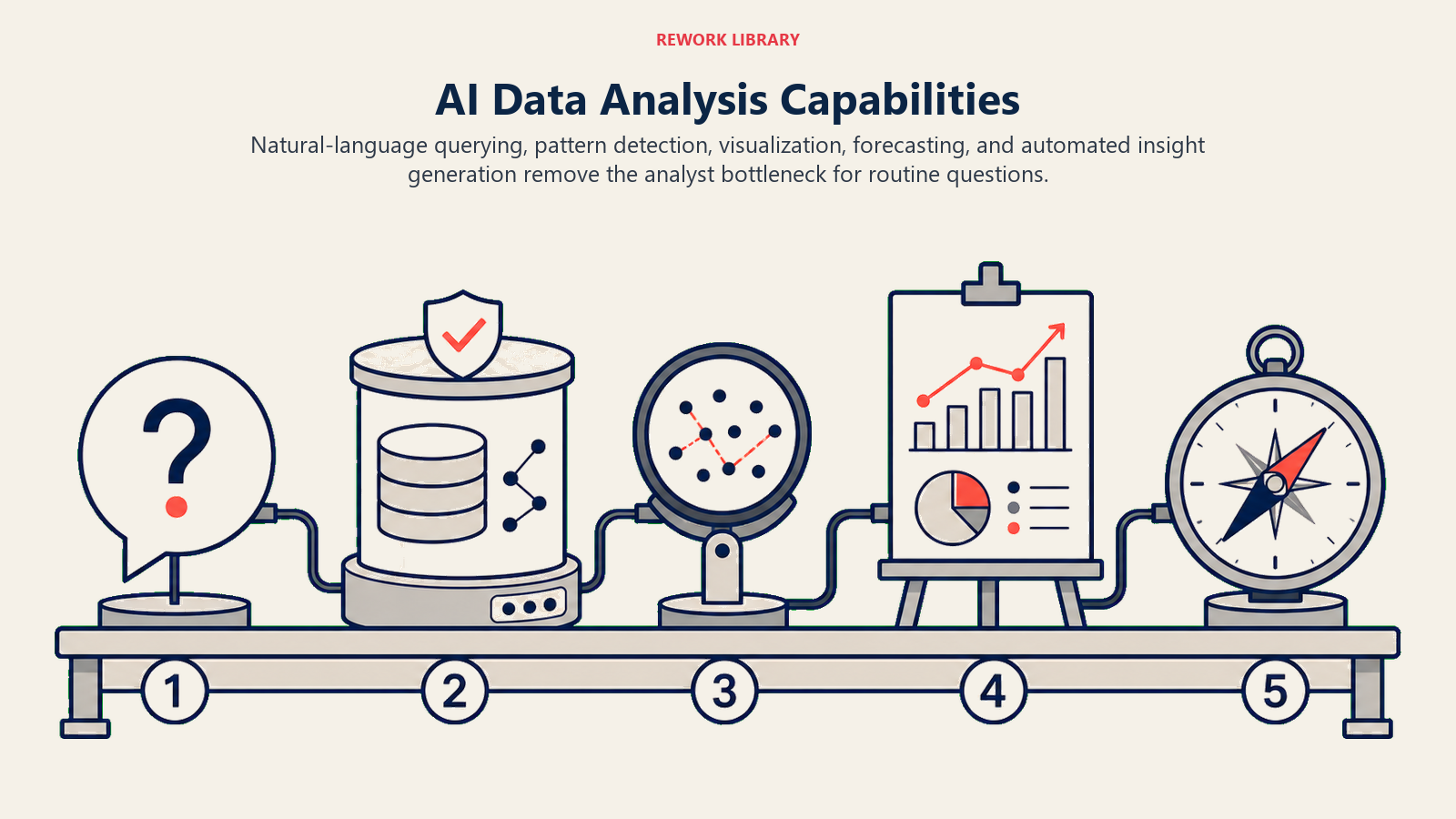
Natural language querying lets business users ask questions conversationally. Instead of writing "SELECT product, AVG(retention_rate) FROM customers GROUP BY product", you ask "what's the average retention rate by product?" The AI translates your question into the necessary queries and returns results.
Automated insight discovery proactively surfaces patterns you didn't think to look for. The AI analyzes your data to find anomalies, trends, and correlations that might be relevant to your business questions.
Anomaly detection flags unusual patterns that deserve investigation. When a metric suddenly spikes or drops, the AI notices and alerts you before you have to manually check dashboards.
Pattern recognition identifies relationships in your data that aren't immediately obvious. The AI can spot that certain customer behaviors correlate with churn risk, or that specific combinations of factors predict deal success.
Predictive modeling generates forecasts based on historical patterns. You can ask "what's our likely revenue for next quarter?" and get an AI-generated forecast with confidence intervals, without building statistical models yourself.
How AI Changes Data Analysis
The shift from traditional analytics to AI-powered analysis is fundamental.
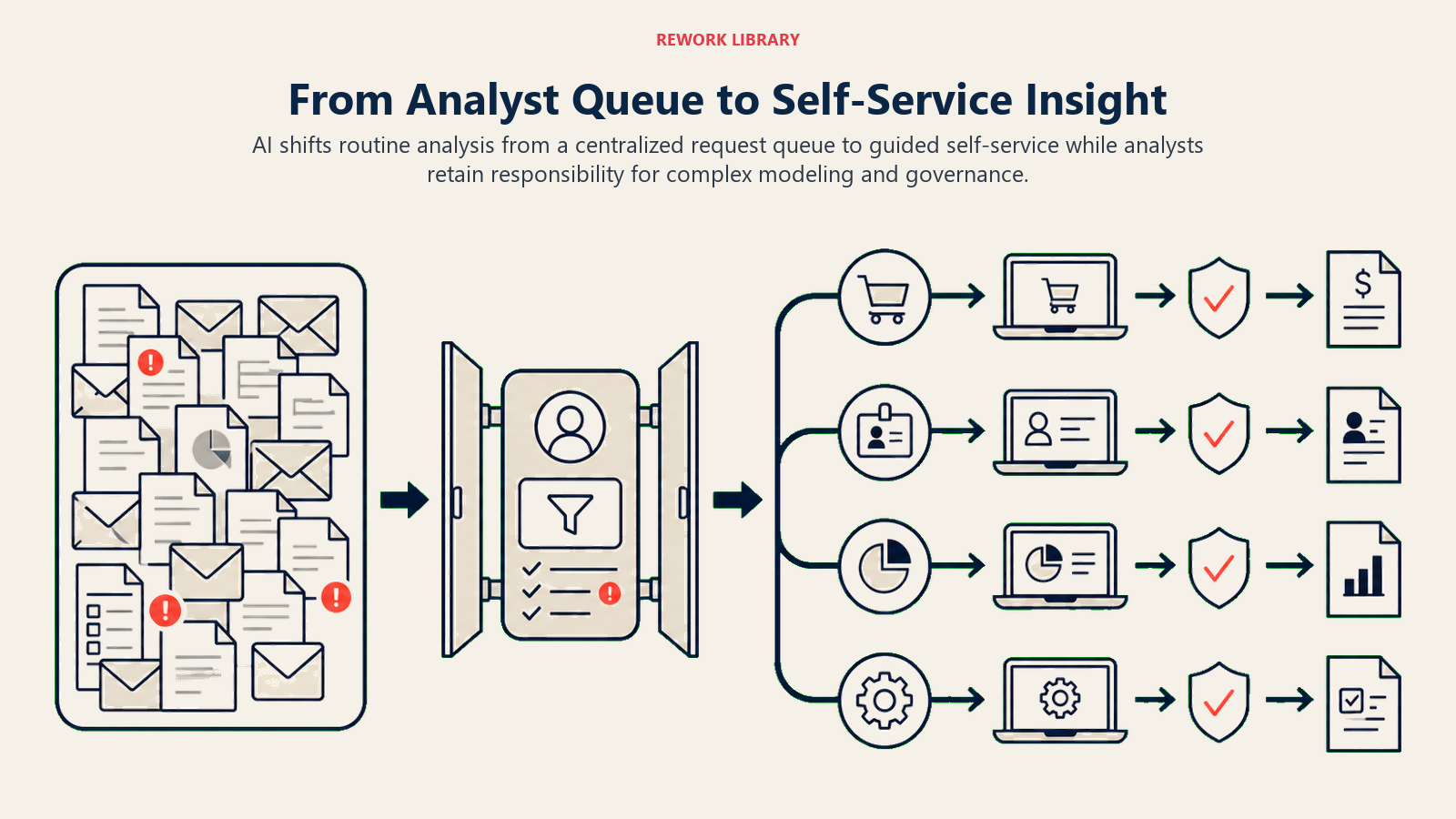
From SQL to natural language removes the technical barrier to data access. Business users don't need to learn database query languages or understand table schemas. They ask questions the same way they'd ask a colleague.
From manual exploration to AI suggestions accelerates discovery. Instead of the analyst needing to think of every possible cut of the data, the AI suggests relevant analyses based on what you're looking at.
From static reports to conversational analysis enables follow-up questions. When you see interesting data, you can immediately dig deeper by asking the next logical question without waiting for a new report.
From technical to self-service shifts who can work with data. Marketing managers, sales directors, and operations leaders can analyze their own data instead of relying on centralized analytics teams for every question.
Leading AI Data Analysis Platforms
Different platforms bring AI capabilities to data analysis.
Tableau with AI features integrates natural language into its established analytics platform. Tableau users can type questions in plain English and get visualizations automatically. Tableau's Explain Data feature uses AI to surface possible explanations for data points that stand out.
Microsoft Power BI with Copilot embeds AI assistance throughout the analytics experience. Power BI Copilot can create visualizations from descriptions, generate summaries of reports, and answer questions about data using natural language. It integrates seamlessly with Microsoft's data ecosystem.
ThoughtSpot pioneered AI-powered search for analytics. ThoughtSpot entire interface is built around asking questions conversationally and getting instant answers. ThoughtSpot excels at making enterprise data accessible to non-technical users.
Looker with AI combines Google's AI capabilities with Looker's data modeling. Users benefit from AI-generated insights while working within a governed data environment that ensures everyone uses consistent business definitions.
Specialized tools like Julius and DataRobot focus specifically on AI-assisted analysis. Julius provides a ChatGPT-like interface for data analysis, while DataRobot automates the building and deployment of predictive models.
Use Cases by Department
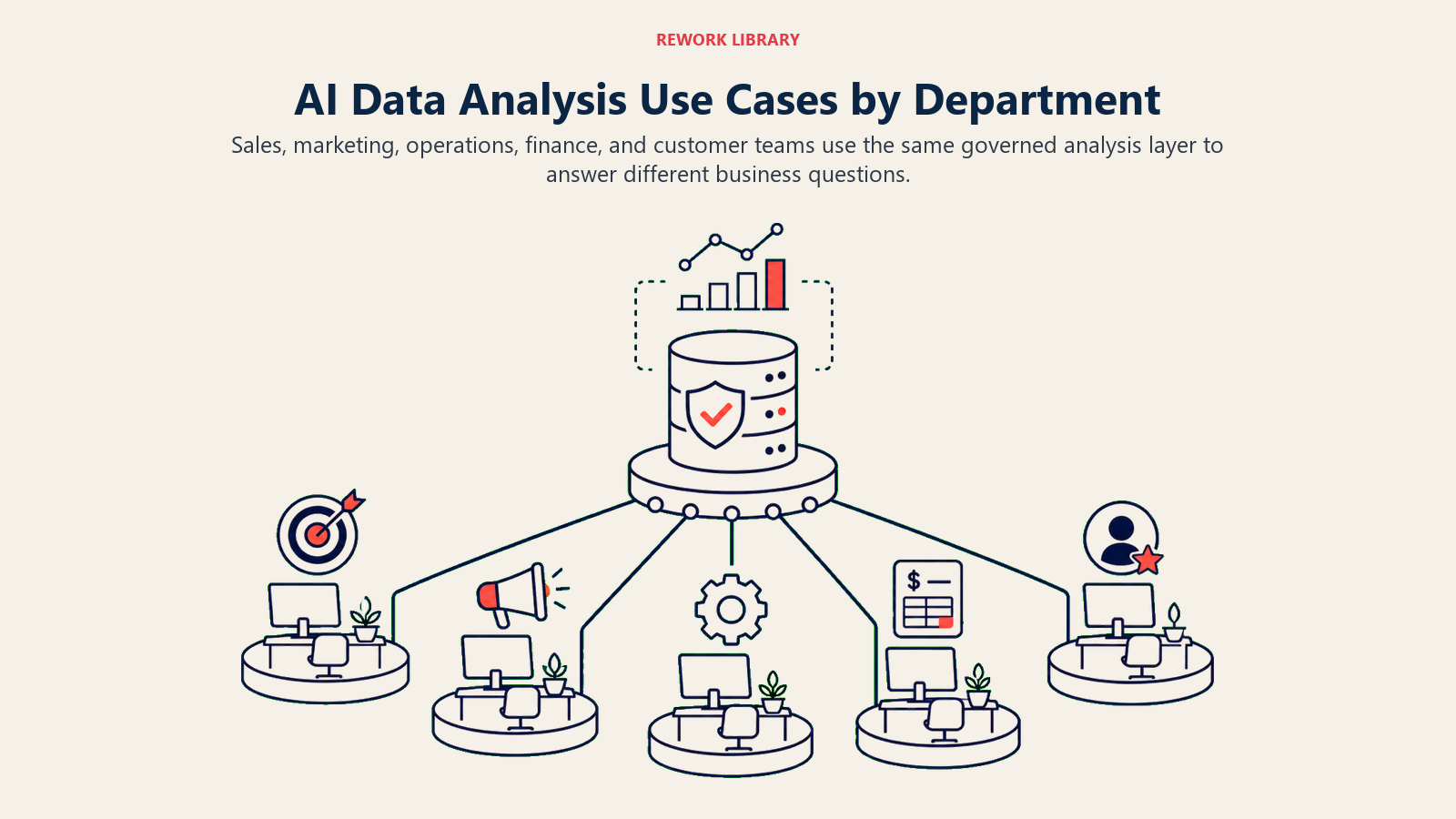
Different functions benefit from AI data analysis in specific ways.
Sales
Sales teams need rapid answers to pipeline and performance questions:
- Pipeline analysis: "Which deals in our pipeline are most likely to close this quarter?"
- Deal insights: "What characteristics do our largest deals share?"
- Forecasting: "Based on current pipeline, what's our likely revenue for Q2?"
- Performance tracking: "How are conversion rates trending compared to last quarter?"
- Segment analysis: "Which industries have the highest win rates?"
Marketing
Marketing teams analyze campaign performance and customer behavior:
- Campaign performance: "Which email campaigns drove the most conversions last month?"
- Attribution: "What's the typical customer journey before conversion?"
- Customer segments: "What are the defining characteristics of our most valuable customers?"
- Content analysis: "Which blog topics correlate with the highest engagement?"
- Channel effectiveness: "How does ROI compare across our marketing channels?"
Finance
Finance teams track performance and investigate variances:
- Variance analysis: "Why did expenses increase 15% compared to budget?"
- Budget monitoring: "Which departments are trending over budget?"
- Forecast accuracy: "How accurate were our revenue forecasts over the last six months?"
- Cost drivers: "What's causing the increase in our customer acquisition costs?"
- Profitability: "Which product lines have the highest gross margins?"
Operations
Operations teams monitor efficiency and capacity:
- Efficiency metrics: "How has average order fulfillment time changed over the year?"
- Capacity planning: "Are we trending toward capacity constraints in any regions?"
- Quality monitoring: "Has our defect rate increased in the last quarter?"
- Resource utilization: "Which facilities have the highest productivity rates?"
- Process performance: "What's causing longer cycle times in our service operations?"
The AI Analysis Workflow
Using AI for data analysis follows a natural conversation pattern.
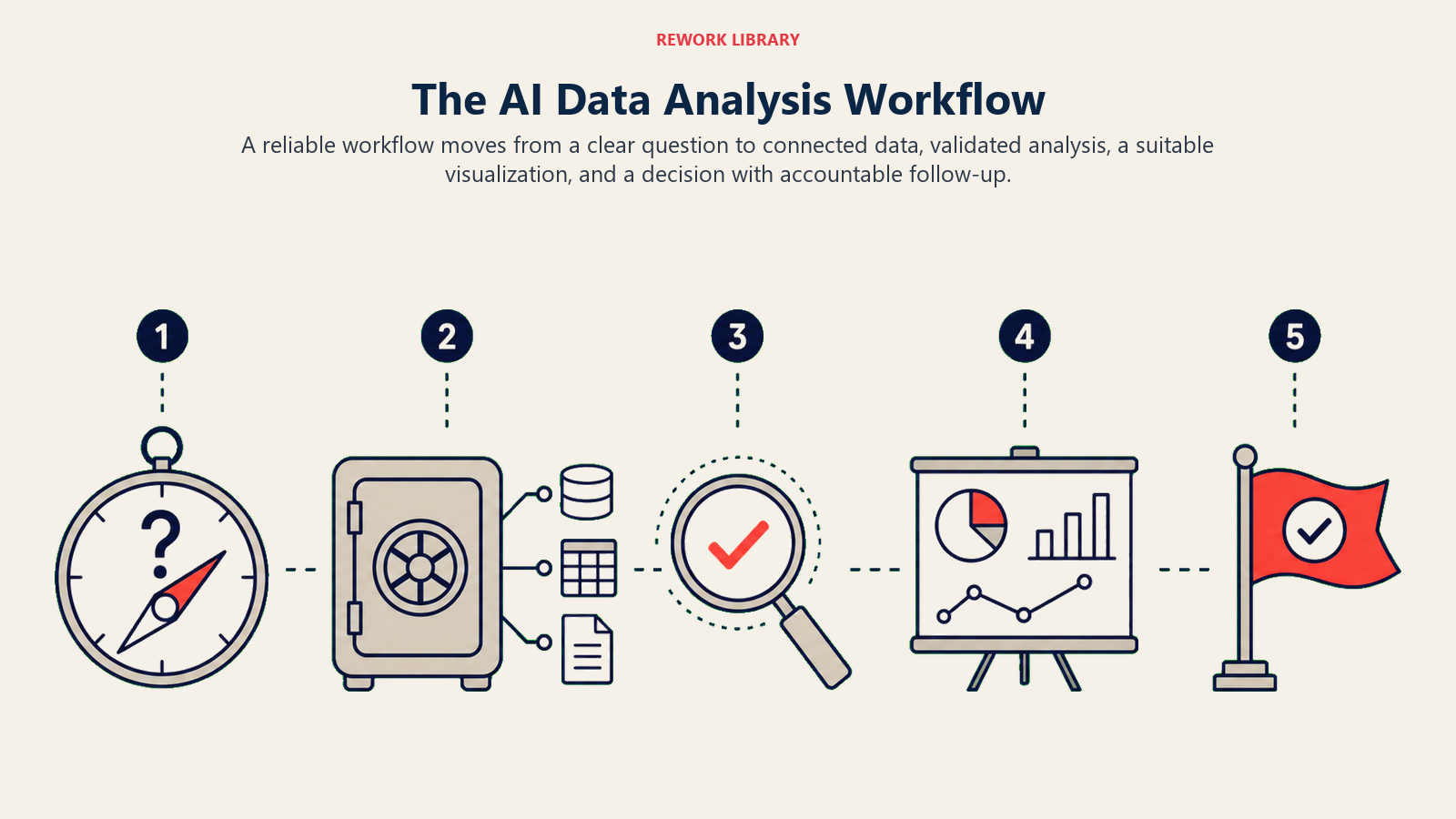
Ask questions in plain English without worrying about technical syntax. Be specific about what you want to know, but you don't need to know how to structure a database query.
Review AI-generated insights that answer your question. The AI returns data visualizations, summary statistics, or specific answers depending on what you asked.
Drill into details by asking follow-up questions. If an insight sparks curiosity, you can immediately explore deeper without starting a new analysis.
Export and share findings with colleagues who need the information. Most platforms let you save analyses, schedule them to run regularly, or embed them in other tools.
Data Literacy Requirements
AI data analysis tools lower technical barriers, but users still need basic data literacy.
You need to understand what data you have available. AI can't analyze data that doesn't exist or isn't integrated into the platform.
You should recognize when results seem odd or implausible. AI can make mistakes in interpretation, and users need enough context to spot when answers don't make business sense.
You need to know how to ask good questions. Vague questions produce vague answers. The more specific and contextual your question, the more useful the response.
You should understand basic statistical concepts like averages, trends, and correlations. AI can do the calculations, but you need to interpret whether findings are meaningful for your business.
Governance and Access Control
Self-service data analysis requires careful governance.
Data access control ensures users only see data they're authorized to view. Finance data, HR information, and customer details often have different permission requirements.
Data quality standards maintain trust in analysis results. Organizations need processes to ensure data is accurate, complete, and properly defined before exposing it for self-service analysis.
Metric definitions prevent confusion when different teams analyze the same topics. A governed data catalog ensures everyone uses the same definition of key metrics like "active customer" or "qualified lead."
Analysis guardrails protect against misinterpretation. Some platforms can flag when analyses might be misleading due to small sample sizes, seasonal effects, or other statistical considerations.
Your AI tool selection framework for data analysis tools should evaluate governance capabilities as carefully as analytical features.
Measuring Success
AI data analysis tools deliver value through faster, broader data access.
Track time to insight before and after implementation. How long does it take users to get answers to business questions? Good AI tools can reduce this from days to minutes.
Measure breadth of data usage across your organization. Are more employees making data-driven decisions? Is data analysis happening beyond the analytics team?
Monitor decision velocity in key processes. Can managers make faster decisions because they have immediate access to relevant data?
Calculate analyst capacity recapture. When business users can self-serve routine analyses, what are analysts freed up to work on? The highest value is redirecting analyst time to complex, strategic work.
A retail company implemented AI data analysis and saw:
- Time to answer standard business questions dropped from 2-3 days to under 10 minutes
- The number of employees regularly using data for decisions increased from 50 to 350
- The analytics team reduced time spent on routine reporting by 60%
- Analysts shifted focus to advanced modeling and strategic projects
Getting Started
Begin with a pilot group of business users who have high data needs but limited technical skills. Sales operations, marketing analysts, and finance planners are often good candidates.
Start with well-understood data that's already clean and reliable. Don't begin your AI analytics journey with messy, poorly defined datasets.
Train users on how to ask good questions and interpret results. The tool might be self-service, but users benefit from guidance on effective analysis techniques.
Build a library of common questions and analyses. As users develop useful queries, save and share them so others can build on that work.
Establish a support channel for when users get stuck or results seem wrong. Even with AI assistance, people will need help understanding edge cases and resolving data issues.
Consider how data analysis fits into your broader AI tool implementation roadmap. Self-service analytics often enables other AI initiatives by making data accessible for training and validation.
AI data analysis tools won't replace expert analysts. But they will change what analysts spend time on and who can access data insights.
When your sales director can answer their own retention analysis question in five minutes instead of waiting three days for an analyst, decisions happen faster. When your marketing manager can explore campaign performance without learning SQL, optimization happens more frequently. When your finance team can investigate variances as they appear instead of in next week's meeting, issues get resolved sooner.
That's the real value of democratizing data analysis through AI.
Related Articles:
