AI Reporting and Visualization
Turn this article into takeaways for your work.


Each assistant summarizes the article only for you and suggests best practices for your work.
Your analytics team spent three days building last quarter's executive dashboard. Charts were polished, data was validated, and the presentation looked perfect. But here's the thing: by the time stakeholders reviewed it, the market had already shifted, and everyone wanted different metrics highlighted.
Sound familiar? Most analysts spend 60% of their time creating reports and only 40% actually analyzing data. That ratio is backwards, and AI is here to flip it.
Why Traditional Reporting Drains Resources
Let's be honest about what report creation really involves. An analyst pulls data from multiple systems, cleans and normalizes it, decides which chart types to use, builds the visualizations, writes explanatory text, formats everything for consistency, and distributes it to stakeholders. Then someone asks "what changed since last month?" and you're back to square one.
The process isn't just time-consuming. It's repetitive. You're making the same visualization decisions, writing similar narratives, and highlighting comparable trends month after month. And while you're building charts, you're not discovering insights.
AI reporting tools don't replace analysts. They handle the repetitive parts so analysts can focus on interpretation and recommendations.
How AI Enhances Reporting Capabilities
Modern AI reporting systems do more than create charts. They analyze your data, identify what's interesting, and explain it in plain language.
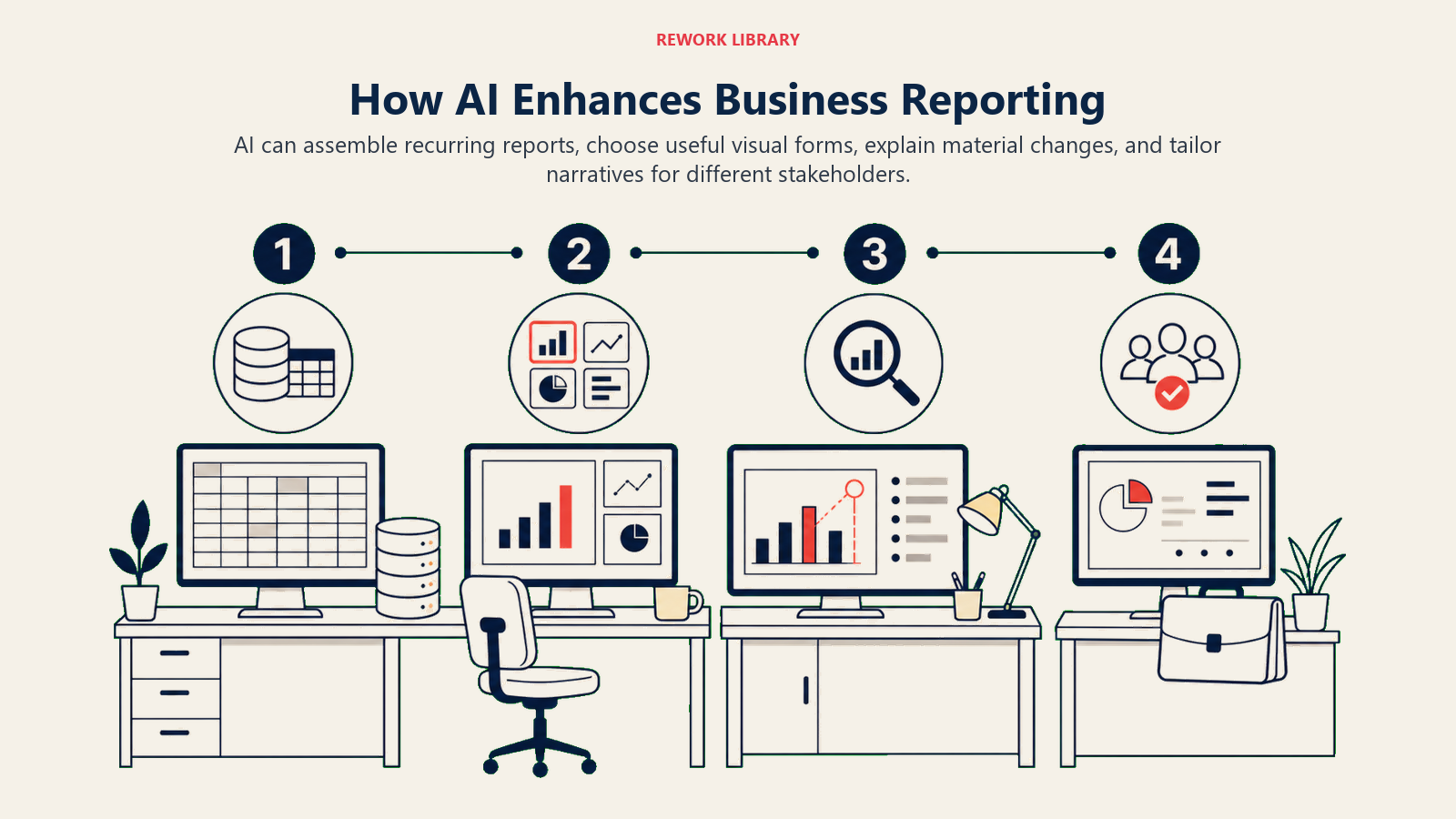
Automated Chart Selection: The system examines your data structure and automatically chooses the most effective visualization. Time series data gets line charts with trend lines. Distribution analysis triggers histograms or box plots. Comparison data becomes bar charts with variance indicators. You're not scrolling through chart galleries anymore. AI picks based on what your data is actually saying. This automated decision-making exemplifies how AI productivity tools transform time-consuming manual processes into instant insights.
Smart Data Visualization: AI identifies outliers, trends, and patterns before rendering. It'll add annotations to anomalies, highlight significant changes, and adjust scales to emphasize what matters. That revenue spike in March? The system flags it, compares it to historical patterns, and adds context automatically.
Natural Language Narratives: This is where AI really shines. Instead of forcing stakeholders to interpret charts, the system generates written explanations. Something like: "Revenue increased 23% over last quarter, driven primarily by enterprise accounts in the technology sector. This exceeded projections by 8% and represents the strongest growth since Q2 2023." That's auto-generated, not hand-written.
Insight Highlighting: AI scans reports for statistically significant findings. It distinguishes between normal variance and meaningful changes. Your executives don't need to hunt for what's important. The system brings it to the surface.
Report Scheduling and Distribution: Once configured, reports generate and distribute themselves. Daily operational dashboards at 8am. Weekly performance summaries on Mondays. Monthly executive overviews on the first business day. All automatic, all current.
AI Improvements in Data Visualization
Good visualization isn't about making pretty charts. It's about choosing the right representation for your specific audience and objective.
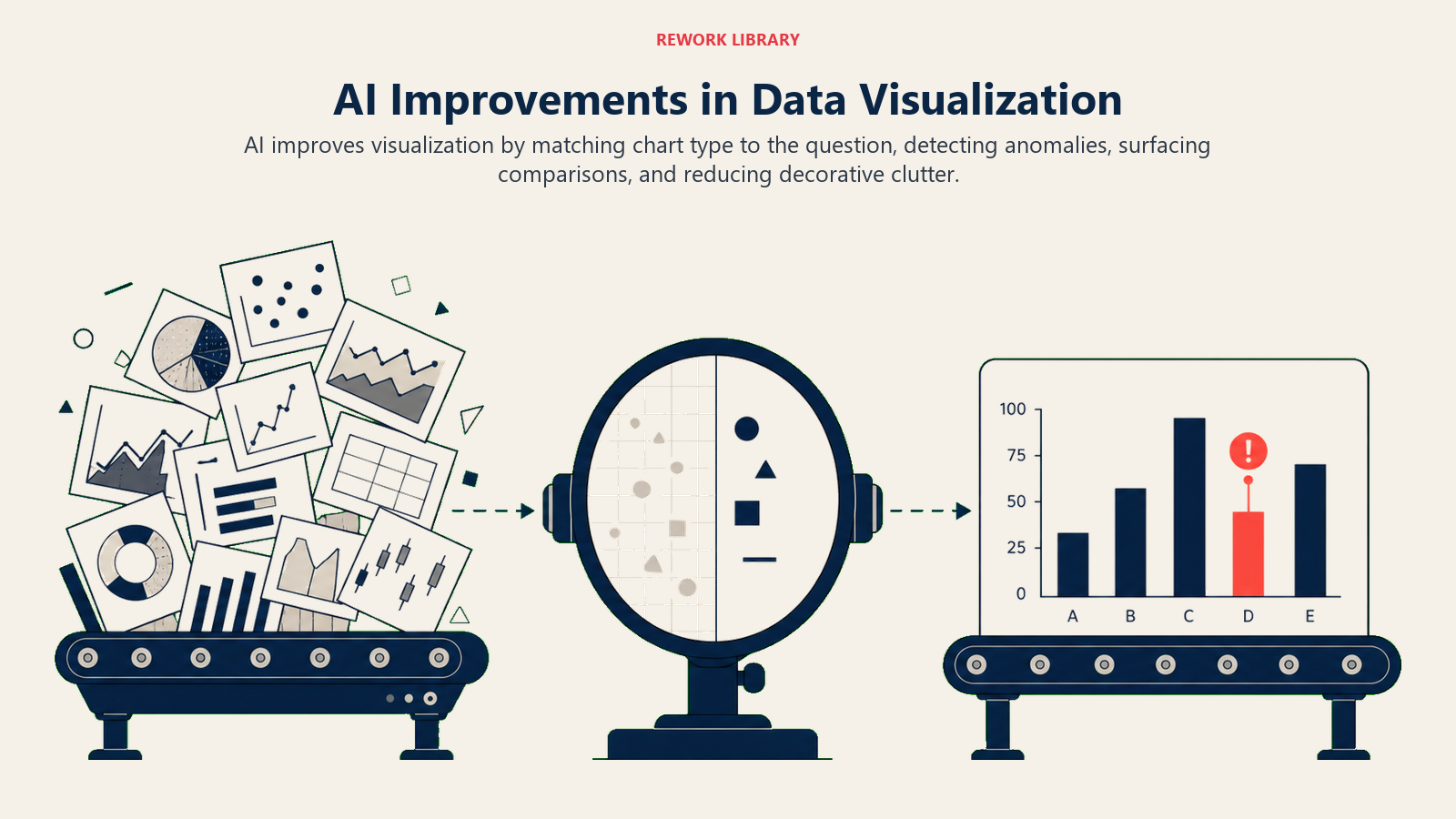
Best Chart Type Recommendation: AI considers your data characteristics (categorical vs. continuous, time-based vs. comparative), your audience (technical vs. executive), and your goal (trend identification vs. performance monitoring). A CFO reviewing quarterly performance gets different visualizations than an operations manager tracking daily metrics.
Outlier and Trend Detection: The system applies statistical analysis before visualization. It identifies outliers, determines if they're errors or meaningful anomalies, and highlights trends that exceed normal variation. That 15% sales increase might look impressive, but AI knows it's within seasonal norms and doesn't flag it as exceptional.
Interactive Exploration Suggestions: Modern AI reporting tools don't just show static charts. They suggest relevant drill-downs. "Revenue is up 20% overall. Would you like to see this broken down by region?" The system anticipates questions and provides pathways to answers.
Personalized Views by Role: Different stakeholders need different perspectives. Sales leaders want pipeline metrics and conversion rates. Finance wants margin analysis and cash flow. Operations wants efficiency and capacity. AI generates role-specific views from the same underlying data.
Leading AI Reporting Tools
Several platforms have integrated AI capabilities into their reporting frameworks.
Power BI with Narrative Insights: Microsoft Power BI includes AI-powered narratives that explain what changed and why. The "Smart Narrative" feature generates text summaries of your visualizations, highlighting key changes and providing context. It integrates with Microsoft's broader ecosystem, making it natural for organizations already using Azure and Office 365.
Tableau with Explain Data: Tableau's AI feature analyzes why a data point is unusual. Click any mark in your visualization, and Explain Data runs statistical models to identify potential explanations. It considers correlations, outliers, and trend changes automatically. The depth of statistical analysis makes it particularly strong for technical users.
Qlik with Insight Advisor: Qlik's AI engine generates visualizations based on natural language queries. You can ask "what drove Q4 sales growth?" and the system builds appropriate charts and provides explanations. The associative engine considers relationships across your entire data model, finding connections you might not have considered. These platforms are part of the broader ecosystem of AI business intelligence platforms transforming strategic decision-making.
Looker with AI-Generated Insights: Looker's embedded analytics include machine learning models that detect anomalies and trends. The platform excels at embedded reporting by putting AI-powered insights directly into operational applications where users work.
Specialized Tools: Platforms like Narrative Science (Quill) and Automated Insights (Wordsmith) focus specifically on natural language generation from data. They're particularly strong for organizations that need written reports at scale (think automated earnings reports or personalized performance summaries for thousands of clients).
Report Types Enhanced by AI
Different reporting needs benefit from AI in different ways.
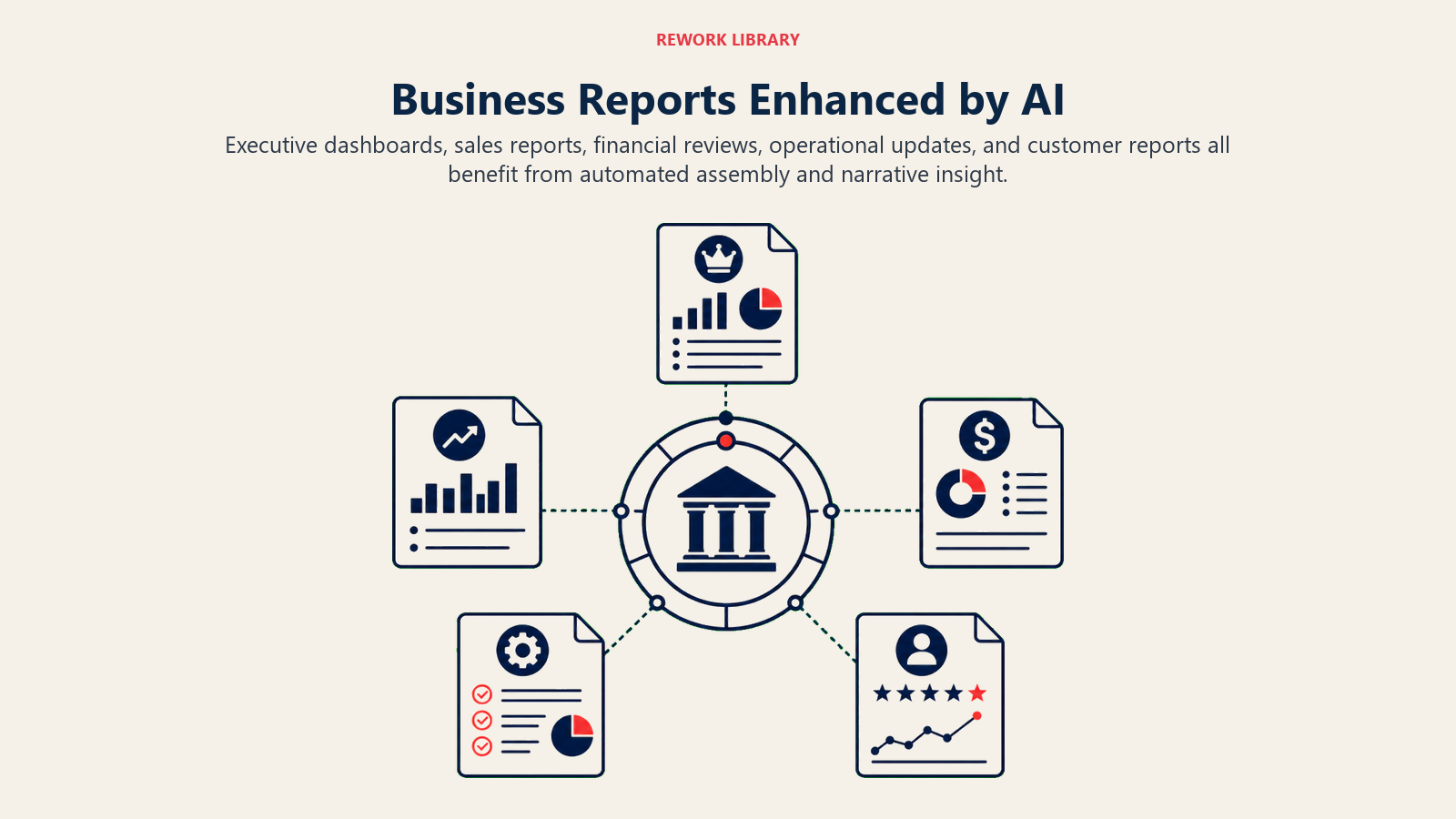
Executive Summaries with Key Insights: C-suite leaders don't want to interpret raw data. They want summaries like: "Revenue grew 12%, margin compressed by 2 points due to input cost increases, and customer acquisition costs decreased 15% through improved targeting." AI generates these summaries by analyzing the data and translating findings into business language.
Performance Dashboards with Anomalies: Operational dashboards benefit from AI's ability to flag unusual patterns. When order processing time suddenly increases by 40%, the system highlights it, compares it to historical patterns, and notes that it coincides with a system update. That's actionable information, delivered automatically.
KPI Tracking with Trend Analysis: AI doesn't just show you current KPI values. It contextualizes them. Is this month's customer churn rate of 3.2% good or concerning? AI compares it to historical norms, industry benchmarks, and seasonal patterns, then tells you if action is needed. This level of analysis feeds into AI performance measurement frameworks that track actual business outcomes.
Ad-Hoc Analysis with Guided Exploration: When business users ask exploratory questions, AI suggests relevant analyses. Someone querying regional sales performance might get prompted with questions like "Would you like to see product mix by region?" or "Compare this to prior year performance?" The system guides users toward deeper insights.
The AI Reporting Workflow
Understanding how these systems work helps you implement them effectively.
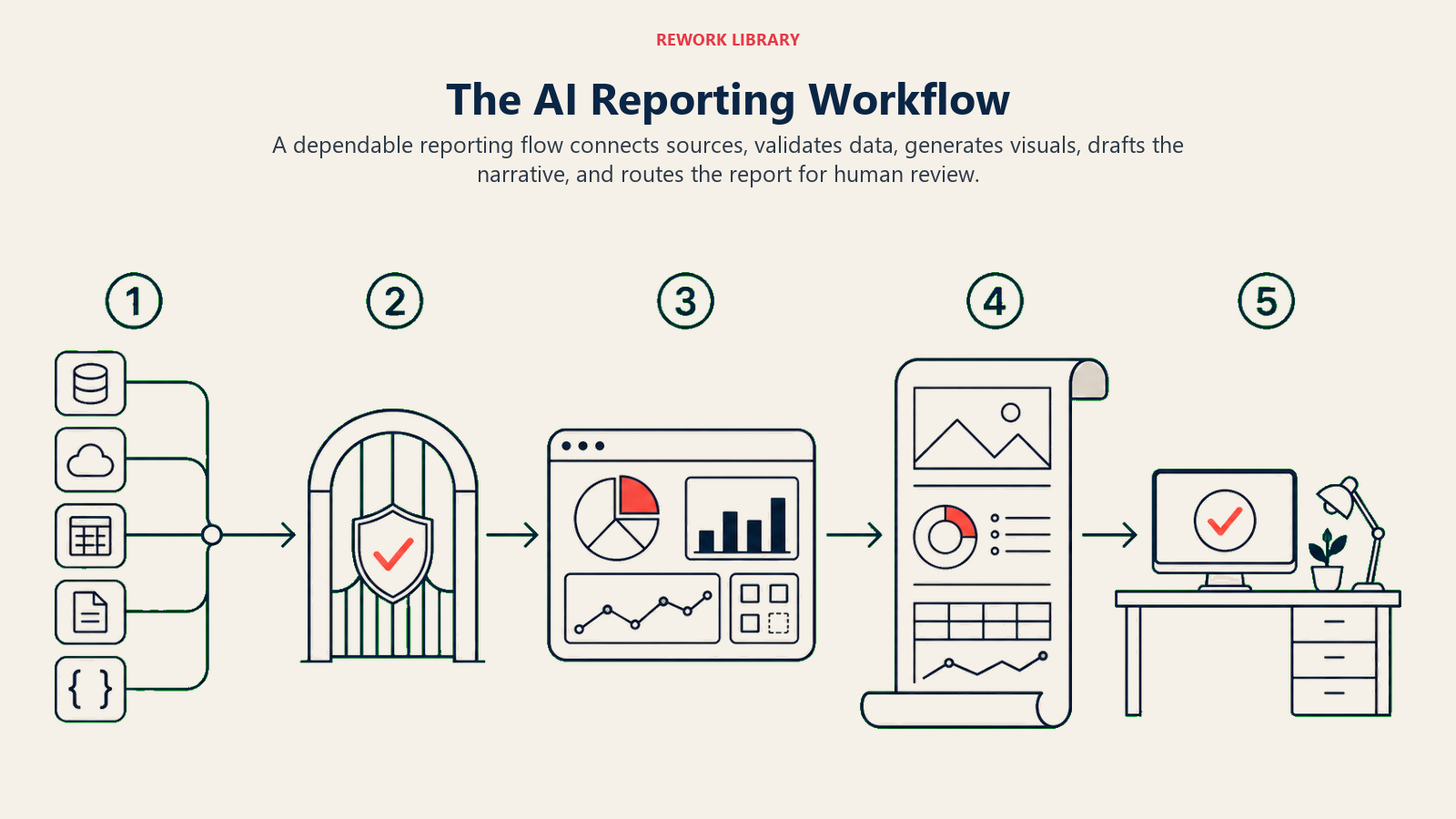
Data Connection: AI reporting tools connect to your existing data sources (databases, data warehouses, cloud applications, spreadsheets). The integration layer handles data extraction and refresh scheduling. You're not copying data manually or maintaining separate reporting databases.
AI Analysis and Insight Discovery: Once connected, AI algorithms scan the data for patterns, anomalies, trends, and relationships. This happens before visualization. The system is determining what's noteworthy and how to present it.
Visualization Generation: Based on insights identified, the system creates appropriate visualizations. Chart types match data characteristics and reporting objectives. Scales adjust to emphasize meaningful variation. Annotations highlight key findings.
Narrative Creation: Natural language generation engines translate data insights into written explanations. The tone and detail level adjust based on audience settings. Technical users get statistical details. Executives get business implications.
Distribution and Collaboration: Reports are delivered via email, shared to collaboration platforms, embedded in applications, or published to web portals. Scheduling ensures stakeholders receive updates when they need them. Version control maintains history and enables comparison across time periods.
Customization and Branding
AI-generated reports still need to align with your organization's standards and communication style.
Most platforms allow you to define templates that control visual design (colors, fonts, layouts, logos). The AI works within these constraints, ensuring consistency while automating content generation.
For narrative text, you can set tone parameters (formal vs. conversational), specify terminology preferences (use "clients" not "customers"), and define thresholds for what constitutes a significant change worth mentioning.
The goal isn't to make AI-generated reports indistinguishable from human-created ones. It's to maintain your organization's communication standards while dramatically reducing creation time.
Time Savings and Quality Improvements
The efficiency gains are measurable and significant.
Organizations implementing AI reporting typically see 50-70% reduction in time spent on routine report creation. That executive dashboard that took three days? Now it takes half a day, mostly spent reviewing AI-generated content and adding strategic commentary.
But time savings aren't the only benefit. AI reporting often improves quality by:
Ensuring Consistency: Human analysts might present the same metric differently across reports. AI applies consistent definitions and calculations.
Reducing Errors: Manual data entry and formula mistakes disappear when AI handles the mechanics.
Increasing Timeliness: Reports can be generated and distributed more frequently when creation is automated.
Discovering Hidden Insights: AI analyzes all the data, not just the metrics you remember to check. It finds patterns you didn't know to look for.
The ROI calculation is straightforward: (analyst time saved × hourly cost) + (value of insights discovered earlier). For most analytics teams, AI reporting pays for itself in months, not years. Establishing clear AI productivity ROI metrics from the start helps quantify and communicate these benefits across the organization.
Making the Transition
Implementing AI reporting doesn't mean discarding your current tools and processes overnight.
Start with one report type (perhaps monthly executive summaries or daily operational dashboards). Choose something that's time-consuming but follows a consistent structure. Let AI handle the routine parts while analysts focus on adding context and recommendations.
As your team gets comfortable with AI-generated content, expand to additional report types. Build a library of templates and configurations that capture your organization's reporting standards.
The analysts on your team aren't becoming obsolete. They're shifting from chart creation to insight interpretation, from data formatting to strategic analysis, from report building to recommendation development.
That's the whole point. AI handles what computers do well (processing large volumes of data, identifying patterns, generating consistent output). Humans focus on what we do well (understanding context, making judgment calls, providing strategic direction).
Your reporting doesn't need to be a bottleneck anymore. With AI handling the mechanics, your team can actually spend time thinking about what the data means and what actions to take. That's analytics worth doing.
Related Resources:
