AI Copy Editing and Proofreading: Improve Content Quality at Scale
Turn this article into takeaways for your work.


Each assistant summarizes the article only for you and suggests best practices for your work.
Here's what most content operations look like: writers spend hours creating first drafts, then editors spend even more hours fixing grammar, improving clarity, adjusting tone, and catching inconsistencies. The editing phase often takes longer than the writing phase.
This is the editing bottleneck, and it's exactly what AI editing tools are designed to solve. Not by replacing human editors, but by handling the mechanical work so humans can focus on strategic improvements.
Let's look at what AI editing tools can actually do, which ones work for different needs, and how to implement them without sacrificing quality. As part of a broader AI writing assistant workflow, editing tools complement content generation by ensuring quality at scale.
What AI Editing Tools Can and Can't Do
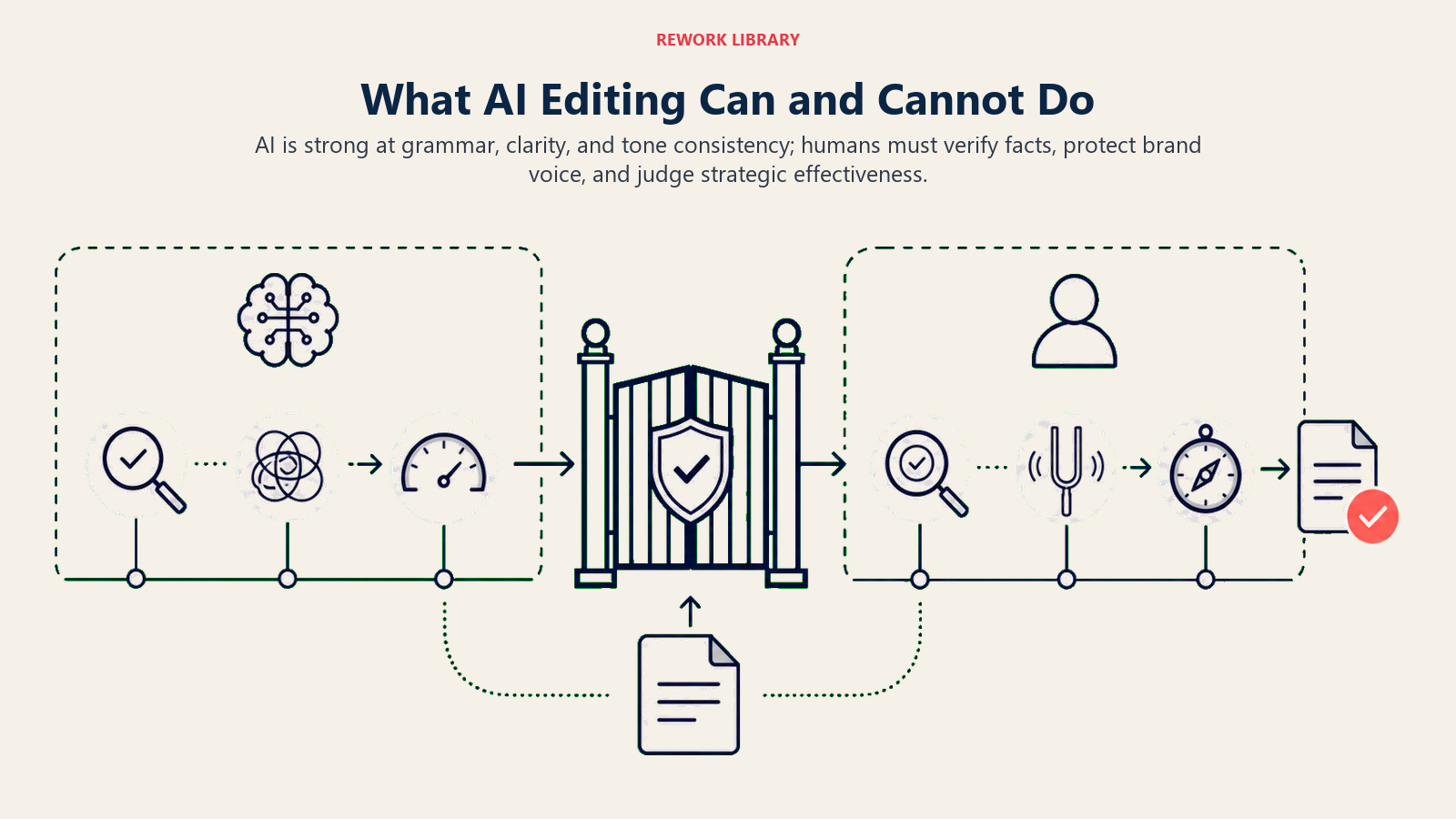
AI copy editing tools raise content team productivity by handling the mechanical work, grammar, spelling, clarity, and tone consistency, so editors can focus on strategy and accuracy. Teams typically cut routine editing time by 40-60% while improving consistency. AI still can't verify facts or replicate brand voice without training, so the best results come from pairing automation with human review.
Understanding AI editing capabilities helps you deploy them effectively.
Grammar and spelling are near-perfect. AI catches typos, subject-verb disagreement, punctuation errors, and common grammatical mistakes with accuracy that matches or exceeds human proofreaders. These are well-defined rules AI handles systematically.
You can trust AI for basic correctness checking. It won't miss simple errors because it got tired or distracted. This alone can save 30-40% of editing time for many content types.
Style and clarity is where AI shows strong but not perfect capabilities. It identifies complex sentences that could be simpler, passive voice that should be active, redundant phrasing, and jargon that needs explanation.
But AI suggestions aren't always right. Sometimes complex sentences are necessary. Sometimes passive voice is intentional. You need human judgment to accept or reject style suggestions.
Tone consistency needs contextual understanding, and AI has gotten impressively good at this. It can detect when a sentence doesn't match the surrounding tone (formal language in a casual piece, or vice versa). It can suggest adjustments to match your target tone.
The limitation? AI doesn't inherently know your brand voice. It needs training examples or explicit guidelines in each use to maintain brand consistency.
Factual accuracy is still a human job. AI can't verify whether your statistics are correct, your product features are accurately described, or your case study details are true. It can identify claims that seem suspicious or vague, but verification requires subject matter expertise.
Never trust AI to fact-check technical content, legal statements, or anything with compliance requirements.
Brand voice requires customization. Out-of-the-box AI editing tools don't know if your brand is playful or serious, conversational or formal, bold or cautious. You need to either train them on your content or provide explicit brand voice guidelines with each use.
Some enterprise tools let you create custom style guides that AI enforces. This is powerful but requires investment to set up properly.
Leading AI Editing Platforms
Different tools work better for different needs and team sizes. Here's how the main options compare at a glance before the detail below:
| Tool | Best for | Editing depth | Where it runs |
|---|---|---|---|
| Grammarly Business | Real-time team writing assistance | Sentence-level | Browser, Docs, Office, Slack |
| ProWritingAid | Long-form quality analysis | Document-level reports | Editor app, integrations |
| Hemingway Editor | Readability and clarity | Clarity and structure | Standalone editor |
| Modern LLMs | Structural and second-pass editing | Section and document-level | Chat interface, API |
| Acrolinx | Enterprise content governance | Terminology and compliance | Enterprise CMS integrations |
Grammarly Business is the most widely adopted AI editing tool for good reason. It works everywhere: browsers, Google Docs, Microsoft Office, Slack. It catches grammar, spelling, clarity, tone, and engagement issues in real-time as people type.
The business version adds brand voice profiles, style guides, and analytics on writing quality across your team. You can see which writers need help with clarity, which ones overuse jargon, and track improvements over time.
The catch is it's primarily sentence-level editing. It won't restructure an entire document for better flow.
ProWritingAid offers deeper analysis than Grammarly, with reports on writing style, overused words, sentence structure variety, and readability metrics. It's stronger for long-form content where you want comprehensive analysis, not just real-time corrections.
Better for content teams focused on quality depth than speed. The learning curve is steeper (more features means more complexity).
Hemingway Editor focuses on clarity and readability. It highlights complex sentences, passive voice, and adverbs. The AI-powered version (Hemingway Editor Plus) adds rewriting suggestions.
It's intentionally simple. Great for making dense content more readable, less useful for comprehensive editing.
Modern LLMs for structural editing work well when you need more than grammar fixes. You can ask it to reorganize sections for better flow, identify missing transitions, suggest stronger opening and closing paragraphs, or rewrite sections for different audiences.
This requires more active prompting than passive tools, but it handles higher-level editing that automated tools miss. Use it for second-pass editing after automated tools have handled mechanical corrections. For optimal results, apply prompt engineering best practices to structure your editing requests.
Acrolinx is enterprise-focused for companies that need strict content governance. It enforces terminology, brand voice, legal compliance, and accessibility standards across thousands of content creators.
Expensive and complex to implement, but necessary for large organizations with regulatory requirements or complex global brand guidelines.
The Three-Tier Editing Approach
Most effective content operations implement editing in tiers:
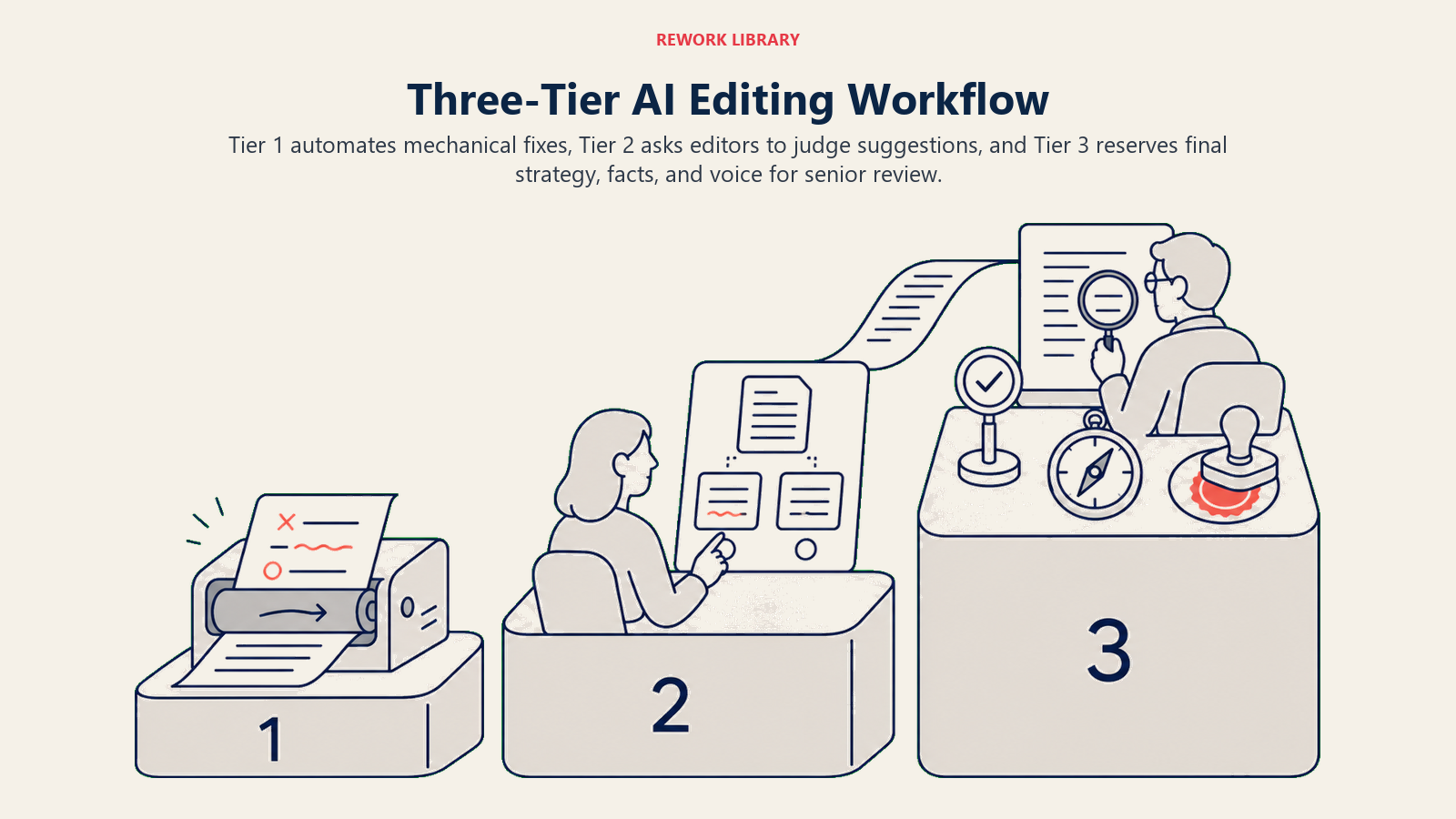
Tier 1: AI-automated corrections happen in real-time as people write or in batch processing before human review. Grammar, spelling, basic formatting, and obvious clarity issues get fixed automatically.
This tier should need zero human review for low-stakes content like internal documentation or draft social posts. Accept all suggestions and move forward.
For higher-stakes content, AI makes suggestions but humans approve before application. You want to see what changed.
Tier 2: AI-suggested improvements need human judgment. These are style changes, tone adjustments, structural recommendations, and clarity improvements where AI might be right or might be removing intentional stylistic choices.
Editors review these suggestions and apply the ones that improve the content. This is where most editing time now goes: evaluating AI suggestions rather than catching errors.
Train your team to evaluate suggestions quickly. Don't agonize over every comma. Accept the clearly good suggestions, reject the clearly wrong ones, spend time only on the ones that actually matter.
Tier 3: Human final review focuses on things AI can't do: strategic framing, factual accuracy, brand voice authenticity, logical argument flow, and overall effectiveness.
This is senior editor or subject matter expert work. They're not fixing grammar (AI handled it). They're ensuring the content achieves its purpose and meets quality standards.
The time savings comes from shifting most editors from Tier 1 work to Tier 2 and 3 work (higher-value activities that actually improve content).
Business Applications by Content Type
Different content types benefit differently from AI editing.
Marketing materials like blog posts, landing pages, and white papers get the full benefit of AI editing. These need to be error-free, clear, and on-brand. AI handles correctness, suggests clarity improvements, and editors focus on persuasiveness and strategic messaging.
Typical workflow looks like this: writer creates first draft, AI editing tool fixes mechanical issues, content editor refines for brand voice and effectiveness, senior editor approves high-stakes pieces.
Sales collateral such as proposals, presentations, and one-pagers needs perfect grammar and clarity because errors undermine credibility. AI catches mistakes that humans miss when rushing to meet deadlines.
Sales teams particularly appreciate real-time editing in email clients. Writing a proposal at 11 PM before a big meeting? AI catches the typos you'd have made.
Customer communications including help docs, FAQs, and support emails need clarity above all. AI tools that focus on readability (like Hemingway) work particularly well here.
For support teams, AI editing in their ticketing system means responses go out faster and with fewer errors. This improves customer experience while reducing editorial bottleneck.
Internal documentation has lower quality stakes but higher volume. AI can handle most editing automatically without human review. SOPs, process docs, and meeting notes get cleaned up systematically without consuming editorial resources.
Legal and compliance content still needs human expertise, but AI helps catch inconsistent terminology, unclear phrasing, and accessibility issues. It can't verify legal accuracy, but it can make legally accurate content more readable.
Lawyers appreciate AI tools that catch errors without suggesting changes that alter meaning. The best legal AI tools work conservatively. They only flag clear problems, not stylistic preferences.
Integration with Content Workflows
AI editing works best when embedded directly in your existing tools and workflows.
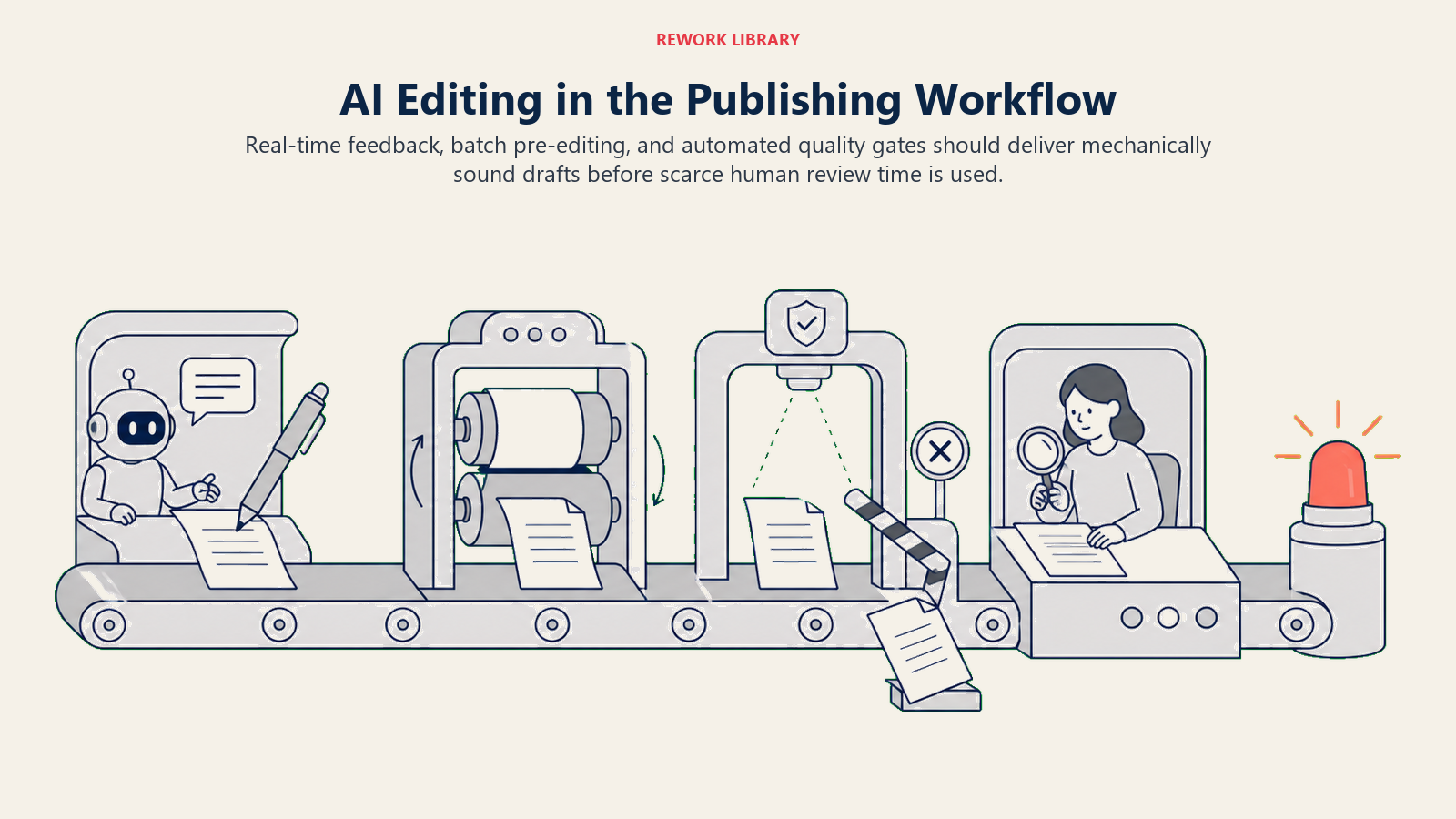
Real-time editing in composition tools means writers get feedback as they type. Grammarly and similar tools sit in your browser, so they work in Google Docs, WordPress, Notion, or wherever you write.
The advantage is writers fix issues immediately rather than creating work for editors later. The challenge? Some writers find real-time suggestions distracting and turn them off.
Test with your team. Some people love real-time feedback, others prefer to write drafts without interruption and then run editing tools afterward. When implementing across content creation workflows, consider how editing tools integrate with your AI content generation tools for a seamless writing-to-publishing pipeline.
Batch processing pipelines work better for high-volume content operations. All drafts go through automated editing before human review. This scales better than individual writers remembering to run editing tools.
You can set up automations where content submitted to your CMS automatically gets analyzed by AI editing tools, with issues flagged for review before publishing.
Quality gates in publishing workflow prevent content from progressing until it meets defined standards. AI checks act as automatic quality gates. Content with grammar errors below threshold doesn't proceed to editor review. Content with readability scores too low gets flagged for rewriting.
This focuses human review time on content that's already mechanically sound, not on catching typos and basic errors.
Measuring Editing Efficiency
Track metrics to understand AI editing impact:
Time savings should be measured per content type and per team member. Track:
- Average editing time before AI tools
- Average editing time after AI tools
- Percentage of suggestions auto-applied vs. reviewed
- Time from draft complete to publish-ready
Expect to see 40-60% reduction in editing time for routine content, smaller but meaningful improvements for complex content requiring extensive human judgment.
Quality improvements matter as much as speed. Track:
- Error rates in published content (grammar, spelling)
- Readability scores over time
- Brand voice consistency (through audits)
- Content performance metrics (engagement, conversion)
If editing time drops but error rates increase, your quality control process needs work. If editing time drops and error rates also drop, the system is working.
Team productivity can be measured by:
- Content pieces per editor per month
- Revision cycles per piece
- Time stuck in editing phase
- Writer/editor ratio changes
Successful AI editing implementations often let you produce 50% more content with the same editorial team, or maintain output with fewer editors (and reallocate budget to more writers).
Training AI on Brand Voice
Generic AI editing suggestions often remove the distinctive voice that makes your content yours. Customization fixes this.
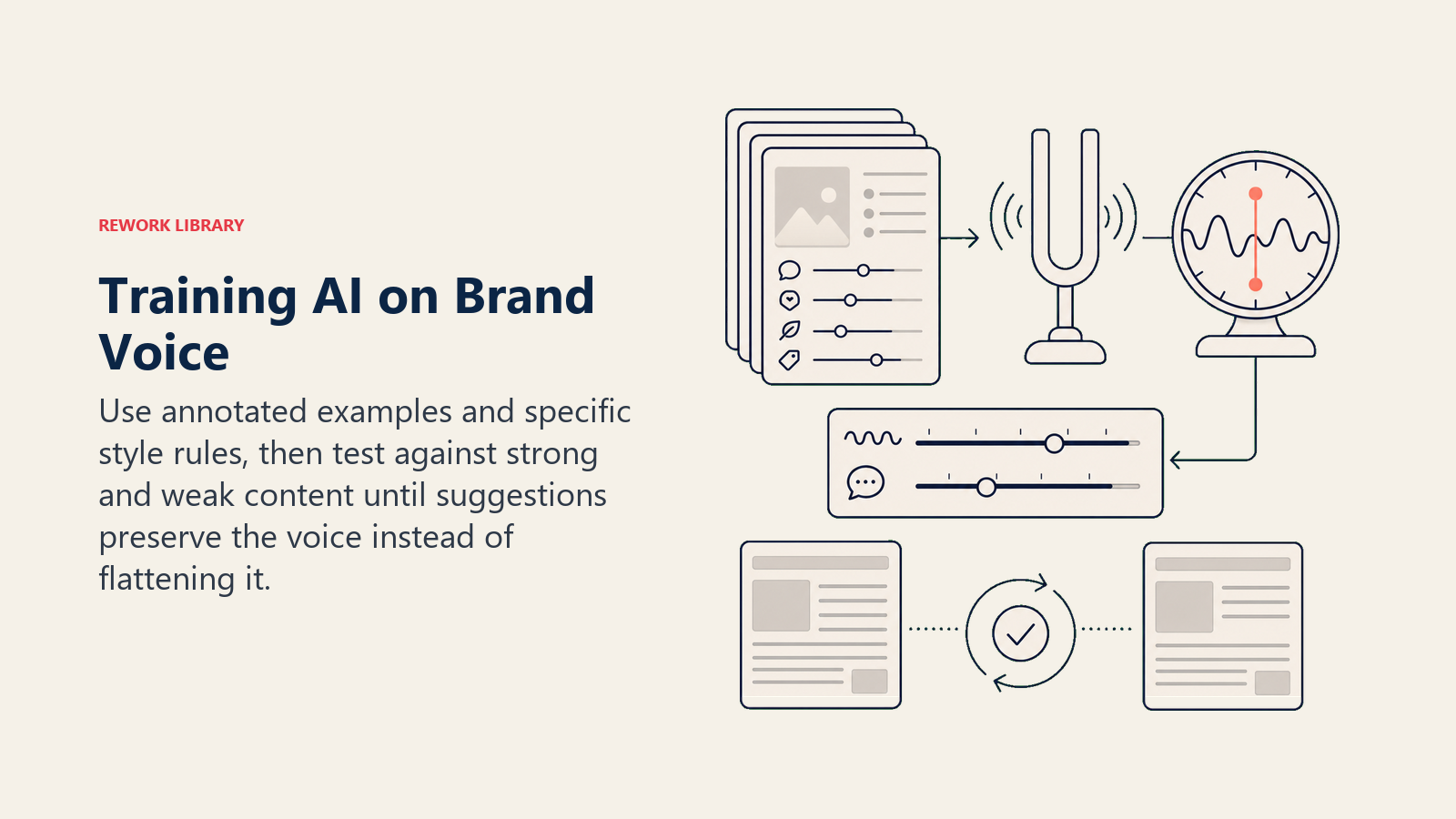
Create brand voice examples specifically for AI training. Collect 10-20 pieces that perfectly embody your brand voice. Annotate them with what makes them good: "Notice the conversational tone, short sentences, active voice, and direct address to reader."
Some tools let you upload these as style references. Others require you to distill patterns into rules.
Define specific guidelines that go beyond "be conversational" or "keep it professional." Specify things like:
- Sentence length targets (vary between X and Y words)
- Acceptable and unacceptable jargon
- Tone descriptors with examples
- What makes your voice different from competitors
Test and iterate your AI editing rules with real content. Run them on existing good content. Do they suggest changes? If so, refine rules. Run them on mediocre content. Do they improve it toward your standards? If not, adjust.
This takes time. Plan for 2-3 months of iteration before AI editing consistently maintains your brand voice.
Moving Forward with AI Editing
The content teams seeing the biggest efficiency gains from AI editing share common patterns.
They use multiple tools for different purposes (Grammarly for real-time writing assistance, ChatGPT or Claude for structural improvements, specialized tools for specific content types). They've implemented tiered editing workflows that let AI handle mechanical corrections while humans focus on strategic improvements. And they've invested in customizing AI tools for their brand voice rather than accepting generic suggestions.
Start with automated grammar and spelling checking (the easiest win with lowest risk). Expand to style and clarity suggestions as your team gets comfortable. Eventually, move to custom brand voice training and structural editing assistance. Organizations successfully implementing AI tools across teams typically follow proven AI tool implementation roadmaps to ensure adoption and value realization.
The goal isn't to eliminate human editors. It's to let them spend time on high-value editorial work instead of fixing typos.
For related capabilities, see AI Writing Assistants Overview for content creation context, AI Content Generation Tools for scaling production, AI Documentation Tools for technical content editing, and Building an AI-First Culture for organizational change management.
Frequently Asked Questions
How much time does AI copy editing actually save?
Most content teams cut routine editing time by 40-60% on standard content like blog posts, internal docs, and social copy. The savings are smaller on complex content that needs heavy human judgment, but even there AI removes the mechanical work so editors spend their time on strategy and accuracy instead of typos.
Can AI proofreading replace human editors?
No. AI is near-perfect on grammar, spelling, and basic clarity, but it can't verify facts, judge strategic framing, or reliably hold your brand voice without training. The productive model is tiered: AI handles mechanical corrections, and human editors focus on accuracy, persuasion, and overall effectiveness.
What is the best AI tool for copy editing?
It depends on the job. Grammarly Business is best for real-time, team-wide writing assistance, ProWritingAid for deep long-form analysis, Hemingway for readability, modern LLMs for structural editing, and Acrolinx for enterprise governance. Many teams combine two or three rather than relying on one.
Is AI editing accurate enough for professional content?
Yes for mechanical correctness, which AI handles as well as or better than human proofreaders. For factual accuracy, legal claims, and compliance, you still need human review. Use AI to make professional content cleaner and faster to ship, not to sign off on correctness in regulated material.
How do I keep AI editing from flattening my brand voice?
Train it. Collect 10-20 pieces that embody your voice, give the tool explicit guidelines on sentence length, jargon, and tone, then test and refine on real content. Plan for two to three months of iteration before AI editing consistently maintains your voice rather than smoothing it away.
