Types of AI Productivity Tools: A Comprehensive Business Classification Guide
Turn this article into takeaways for your work.


Each assistant summarizes the article only for you and suggests best practices for your work.
The AI productivity tool market has exploded. In 2026, businesses face over 15,000 different AI solutions, each promising to transform how work gets done. For executives trying to make sense of this landscape, the sheer volume is paralyzing. Which tools actually matter? Where do you even start?
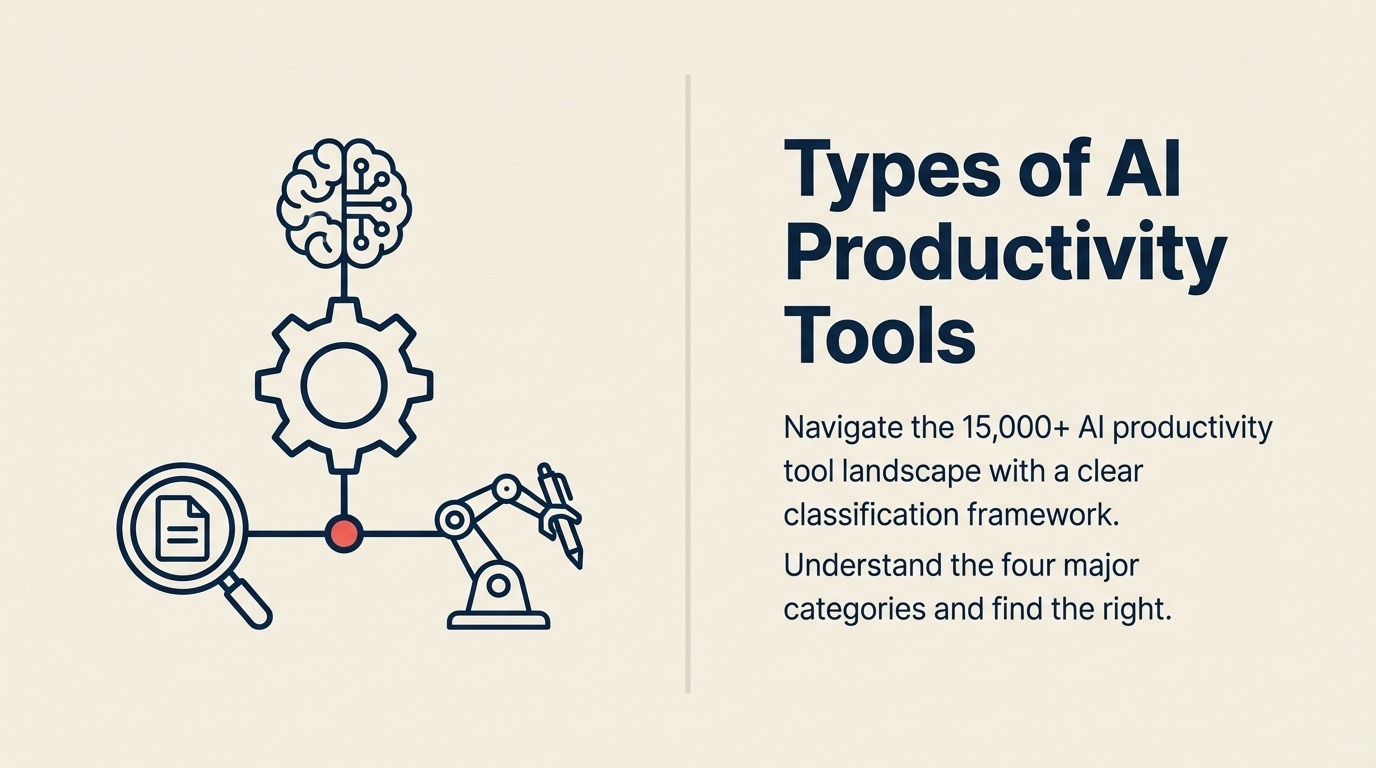
The answer isn't to evaluate every tool. It's to understand the categories first. When you know the four major types of AI productivity tools and what each does best, you can quickly identify which solutions align with your business needs. If you're new to AI productivity tools, start there for foundational concepts before diving into specific categories.
Why Classification Matters for Executives
Most companies approach AI tool selection backwards. They hear about a hot new tool, run a pilot, and then try to figure out where it fits. This leads to a cluttered tech stack, duplicate capabilities, and tools that don't integrate.
Smart executives start with the classification. They map their business processes to tool categories, identify gaps, and then evaluate specific solutions within the right category. This approach cuts evaluation time by 60% and dramatically improves adoption rates. Using a systematic AI tool selection framework ensures you choose solutions that deliver measurable business value.
The Four Major Categories of AI Productivity Tools
After analyzing hundreds of enterprise AI deployments, we've identified four distinct categories that cover the vast majority of business use cases. Each category uses AI differently and solves different problems.

Category 1: Generative AI Tools
These tools create new content from prompts. They're the most visible category right now, and for good reason - they can produce work that previously required human creativity and expertise.
What They Do:
- Write articles, emails, reports, and documentation
- Generate images, designs, and visual content
- Create code, scripts, and technical implementations
- Build presentations and marketing materials
- Produce audio and video content
Business Applications: Content creation is the obvious use case, but the real ROI comes from specialized applications. Legal teams use generative AI to draft contracts. Sales teams generate personalized proposals at scale. Engineering teams accelerate code development with AI pair programming.
The best tools in this category don't just generate content - they understand context, maintain brand voice, and integrate with your existing workflows. For deeper insights on scaling content operations, explore our guide on AI content generation tools.
Leading Platforms:
- ChatGPT and Claude for general-purpose text generation
- GitHub Copilot for code generation
- Midjourney and DALL-E for visual content
- Jasper and Copy.ai for marketing content
- Notion AI and Gamma for documentation and presentations
When to Use Them: Generative AI tools work best when you need to scale content production without scaling headcount. They're ideal for repetitive content tasks, first drafts that humans can refine, and situations where speed matters more than perfection.
Category 2: Intelligent Automation Tools
These tools eliminate repetitive work by learning patterns and automating complex workflows. Unlike traditional automation, they can handle exceptions, adapt to changes, and make decisions based on context.
What They Do:
- Automate multi-step business processes
- Extract data from documents and emails
- Route information to the right people and systems
- Monitor processes and optimize performance
- Handle exceptions without breaking the workflow
Business Applications: Finance teams use intelligent automation to process invoices and expense reports. HR departments automate candidate screening and onboarding. Operations teams eliminate manual data entry across systems.
The key difference from traditional RPA is that these tools learn. When a process changes or an exception occurs, they adapt instead of breaking. This means 90% less maintenance than traditional automation.
Leading Platforms:
- UiPath and Automation Anywhere for enterprise RPA with AI
- Zapier and Make for workflow automation
- Celonis for process mining and optimization
- Nanonets and Rossum for document processing
- Workato for integration and automation
When to Use Them: Deploy intelligent automation when you have high-volume, repetitive processes that follow patterns but aren't completely standardized. They excel in situations where traditional automation would require constant maintenance.
Category 3: Augmented Analytics Tools
These tools turn data into insights without requiring SQL queries or complex analysis. They use AI to find patterns, answer questions in natural language, and predict future outcomes.
What They Do:
- Answer business questions in plain English
- Automatically identify trends and anomalies
- Generate reports and visualizations
- Predict future outcomes based on historical data
- Recommend actions based on analysis
Business Applications: Executives ask questions like "Why did revenue drop in Q3?" and get answers with supporting data. Sales leaders predict which deals will close. Operations teams spot inefficiencies before they become problems.
The best augmented analytics tools don't require data science expertise. Anyone in the organization can ask questions and get reliable answers.
Leading Platforms:
- ThoughtSpot and Tableau with Ask Data for natural language queries
- Microsoft Power BI with AI features for automated insights
- Dataiku and DataRobot for predictive analytics
- Looker with AI for business intelligence
- Gong and Chorus for conversation intelligence
When to Use Them: Choose augmented analytics when you have data but lack the analyst capacity to extract insights. They're perfect for democratizing data access and enabling data-driven decisions throughout the organization.
Category 4: AI-Powered Communication Tools
These tools make communication more efficient by capturing context, summarizing information, and surfacing what matters. They don't replace communication - they make it less time-consuming and more effective.
What They Do:
- Transcribe and summarize meetings automatically
- Prioritize emails and suggest responses
- Schedule meetings by understanding availability and preferences
- Translate conversations in real-time
- Extract action items and follow-ups from discussions
Business Applications: Teams eliminate note-taking during meetings. Executives quickly catch up on discussions they missed. Global teams communicate across language barriers. Everyone spends less time managing calendars and email.
The ROI here isn't about creating new value - it's about reclaiming time. The average executive spends 23 hours per week in meetings and managing email. AI communication tools can cut that by 30-40%.
Leading Platforms:
- Otter.ai and Fireflies for meeting transcription
- SaneBox and Superhuman for email management
- Calendly and Motion for intelligent scheduling
- Slack with AI for team communication
- Zoom AI Companion for meeting intelligence
When to Use Them: Implement AI communication tools when time management and meeting overhead are significant pain points. They work best in organizations with heavy collaboration and meeting cultures.
Specialized Tools by Business Function
Beyond these four major categories, AI tools are increasingly specialized by business function. Understanding these specializations helps you find solutions that address specific departmental needs.
Sales and Marketing Tools
- Lead scoring and qualification
- Content personalization
- Campaign optimization
- Sales forecasting
- Conversation intelligence
These tools integrate with your CRM and understand the sales process. They don't just automate tasks - they improve conversion rates and pipeline quality.
Operations and Finance Tools
- Expense management and approval routing
- Invoice processing and matching
- Supply chain optimization
- Fraud detection
- Financial forecasting
Operations-focused AI tools understand business rules and exceptions. They reduce processing time while improving accuracy and compliance.
HR and Talent Management Tools
- Resume screening and candidate matching
- Interview scheduling and coordination
- Employee sentiment analysis
- Performance review assistance
- Learning path recommendations
HR AI tools handle high-volume recruiting tasks and surface insights about workforce trends that would take months to identify manually.
Customer Service Tools
- Ticket routing and prioritization
- Response suggestion
- Sentiment analysis
- Knowledge base generation
- Chatbot management
Customer service AI doesn't replace agents - it makes them more efficient by handling routine questions and surfacing relevant information instantly.
Selection Criteria by Category
Each category of AI tools requires different evaluation criteria. Here's what matters most for each:
For Generative AI Tools:
- Output quality and consistency
- Brand voice and tone customization
- Integration with content management systems
- Version control and approval workflows
- Cost per unit of content generated
When evaluating these tools, consider both data privacy requirements and long-term cost implications through proper AI tool cost management.
For Intelligent Automation Tools:
- Exception handling capability
- Integration breadth (how many systems can it connect?)
- Learning and adaptation over time
- Governance and audit trail
- Implementation and maintenance requirements
For Augmented Analytics Tools:
- Natural language understanding accuracy
- Data source connectivity
- Governance and security controls
- Visualization and reporting flexibility
- Mobile access and sharing capabilities
For AI Communication Tools:
- Transcription and summary accuracy
- Calendar and email system integration
- Multi-language support
- Privacy and data retention policies
- Team adoption and ease of use
Building Your AI Tool Stack
Most successful AI implementations don't start with all categories at once. They follow a progression:
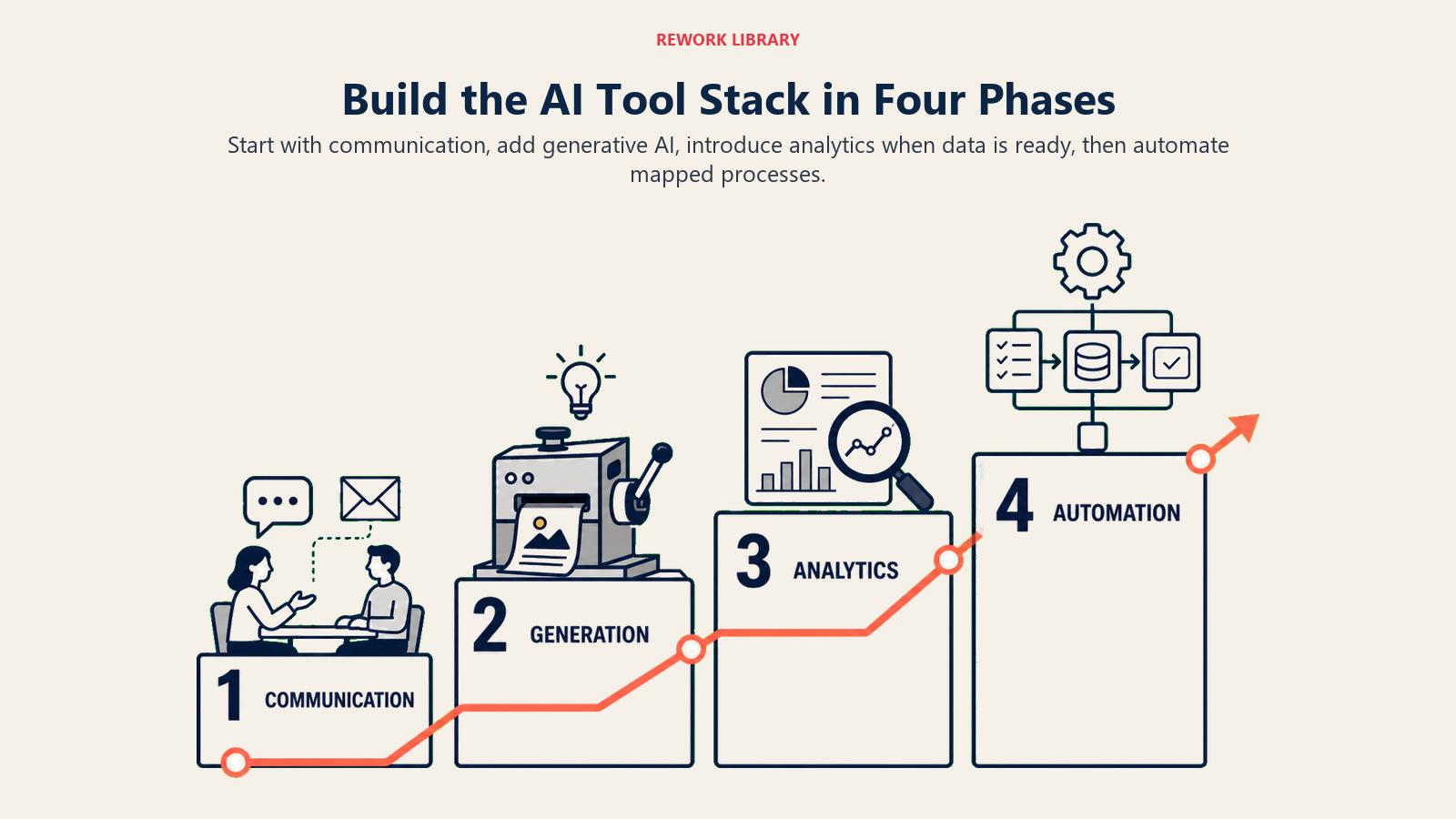
Phase 1: Communication Tools Start here because they have the fastest time-to-value and highest adoption rates. Everyone understands meeting notes and email management.
Phase 2: Generative AI Tools Once people are comfortable with AI, introduce content generation. Start with low-risk use cases like first drafts and brainstorming.
Phase 3: Augmented Analytics Deploy analytics tools when you have stakeholder buy-in and data infrastructure ready. These require more change management but deliver significant strategic value.
Phase 4: Intelligent Automation Save automation for last because it requires the most investment in process mapping and integration. But it also delivers the highest long-term ROI.
This progression lets you build AI capability while managing risk and change effectively.
Avoiding the AI Tool Trap
Here's what doesn't work: adopting tools from every category simultaneously. You end up with overlap, integration challenges, and user confusion.
The better approach is to map your highest-value business processes to the appropriate category, then select best-in-class tools that integrate well together. A smaller, well-integrated AI tool stack beats a large collection of disconnected point solutions.
Focus on category coverage, not tool quantity. Make sure you have strong solutions in the categories that matter most to your business, rather than trying to implement everything at once.
Related Resources
Understanding tool categories is the first step. Next, learn how to systematically evaluate and select the right tools for your organization:
- What are AI Productivity Tools - Core concepts and definitions
- AI Tool Selection Framework - Systematic evaluation approach
- AI Writing Assistants Overview - Deep dive into generative content tools
- AI Workflow Automation Overview - Automation implementation guide
- AI Data Analysis Tools - Analytics platform comparison
The AI tool landscape will keep growing. But the categories stay consistent. Master the classification, and you'll navigate this market with confidence.

On this page
- Why Classification Matters for Executives
- The Four Major Categories of AI Productivity Tools
- Category 1: Generative AI Tools
- Category 2: Intelligent Automation Tools
- Category 3: Augmented Analytics Tools
- Category 4: AI-Powered Communication Tools
- Specialized Tools by Business Function
- Sales and Marketing Tools
- Operations and Finance Tools
- HR and Talent Management Tools
- Customer Service Tools
- Selection Criteria by Category
- Building Your AI Tool Stack
- Avoiding the AI Tool Trap
- Related Resources