Task Dependencies: FS, SS, FF, and SF Explained
Turn this article into takeaways for your work.


Each assistant summarizes the article only for you and suggests best practices for your work.
Task dependencies define the order in which project work can happen. Get them wrong and your schedule collapses; get them right and your team knows exactly when each piece of work can start, overlap, or wait.
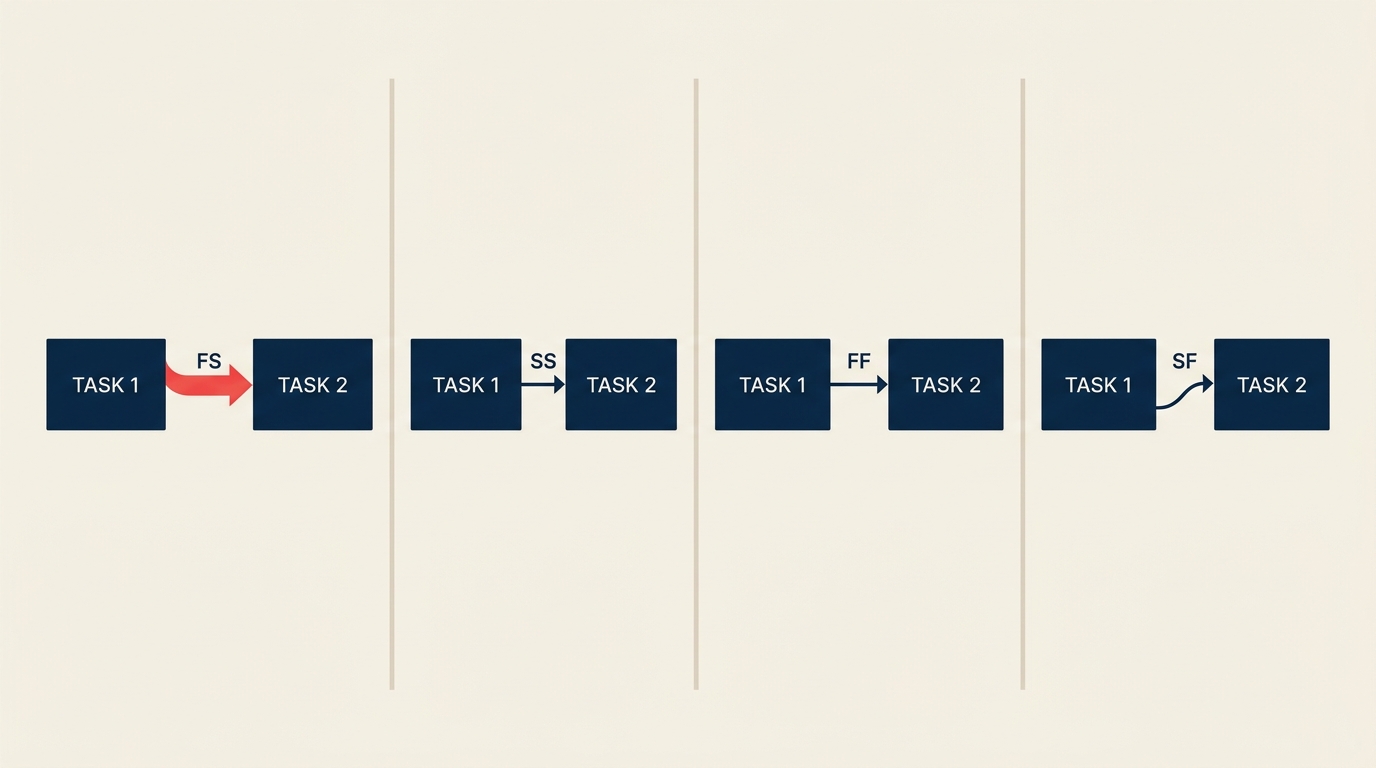
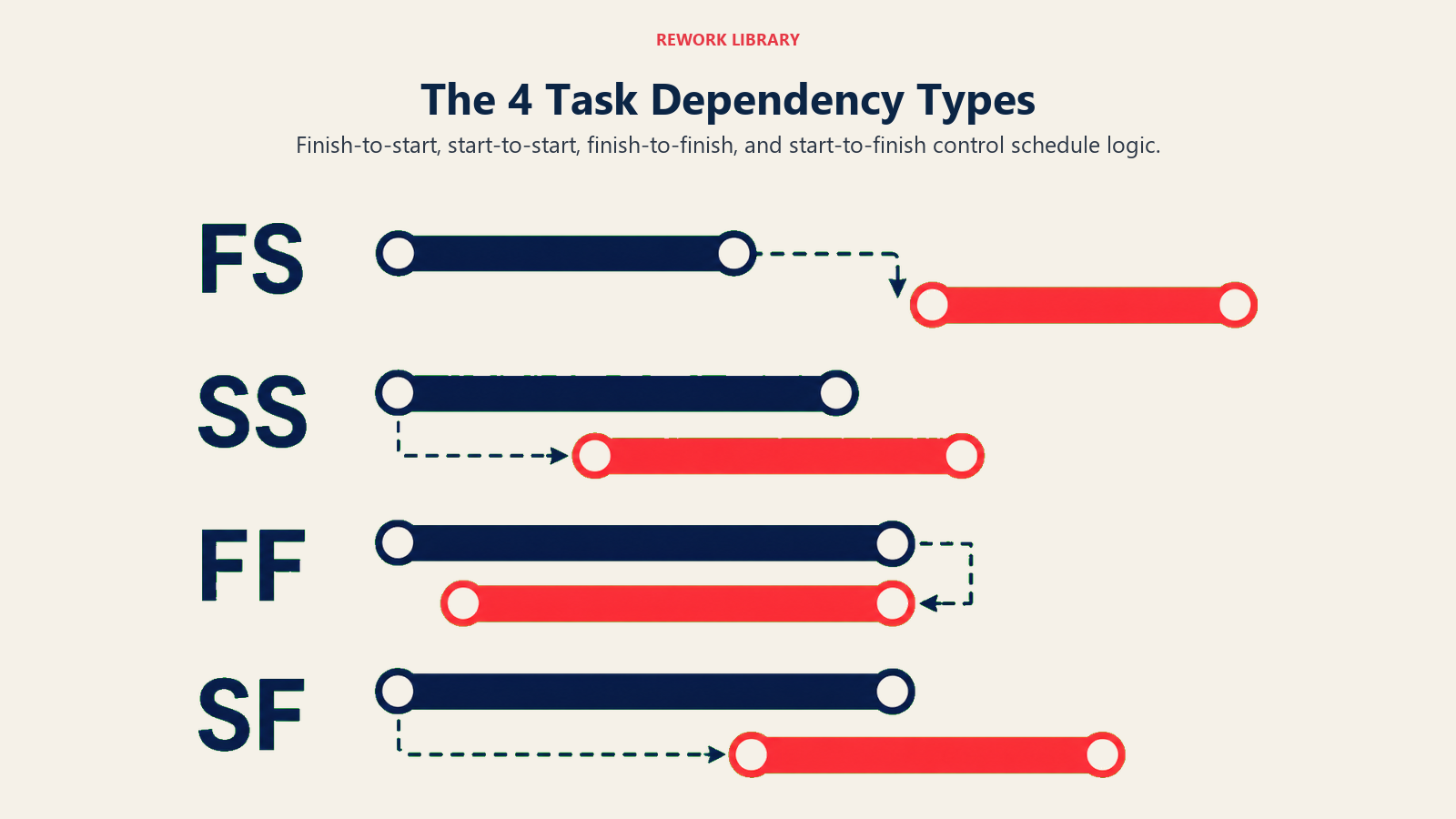
There are four logical dependency types: finish-to-start (FS), start-to-start (SS), finish-to-finish (FF), and start-to-finish (SF). Each one describes a specific relationship between the end or beginning of one task and the end or beginning of another. This article covers all four, explains lead and lag time, and walks through the four dependency categories that every project manager needs to know.
What are task dependencies?
A task dependency is a logical relationship between two tasks that determines when one can begin or end relative to the other. In scheduling software and in the project management network diagram, the two tasks in a dependency are called the predecessor (the task that comes first in the relationship) and the successor (the task that is constrained by it).
Dependencies are not the same as task sequences. Sequence is the order things happen. Dependency is the logical reason they happen in that order. That distinction matters because some tasks can overlap, some must wait for others to finish, and a few rare situations require one task to start before its predecessor can stop.
Key Facts
- The Project Management Institute reports that poor schedule sequencing is among the top three causes of project overruns, contributing to cost impacts in 37% of projects globally (PMI Pulse of the Profession, 2023).
- A study by McKinsey found that large construction and IT projects run an average of 20% over schedule, with dependency mismanagement cited as a primary root cause (McKinsey Global Institute, 2017).
- Schedule compression techniques like fast-tracking, which rely on intentionally overlapping dependent tasks, are used in 60% of delayed projects to recover time (PMI, 2022).
The four types of task dependencies
Most scheduling tools, including Microsoft Project and Rework, support all four logical relationship types defined by the Project Management Body of Knowledge (PMBOK). Here is each one with a plain-language example.
| Type | Full name | Rule | Real example |
|---|---|---|---|
| FS | Finish-to-Start | Successor starts only after predecessor finishes | You must pour the foundation (Task A) before you can frame the walls (Task B). Task B cannot start until Task A is done. |
| SS | Start-to-Start | Successor starts only after predecessor starts | A developer starts writing code (Task A), and a technical writer can begin drafting documentation (Task B) as soon as coding starts. Both run in parallel from the same start point. |
| FF | Finish-to-Finish | Successor finishes only after predecessor finishes | Testing (Task A) and bug-fixing (Task B) must both finish together. You can't close testing until the final fixes are complete. |
| SF | Start-to-Finish | Successor finishes only after predecessor starts | A night security guard (Task B) can only leave after the morning replacement (Task A) starts the shift. SF is the rarest type in practice. |
FS is the default. The vast majority of task relationships in a typical project are finish-to-start. If you are unsure what type to use, FS is almost always the right call.
SF is the exception. SF shows up most often in just-in-time manufacturing and shift handover scenarios. If you find yourself using SF frequently, it usually means the schedule logic needs rethinking.
Dependency categories and lead vs lag
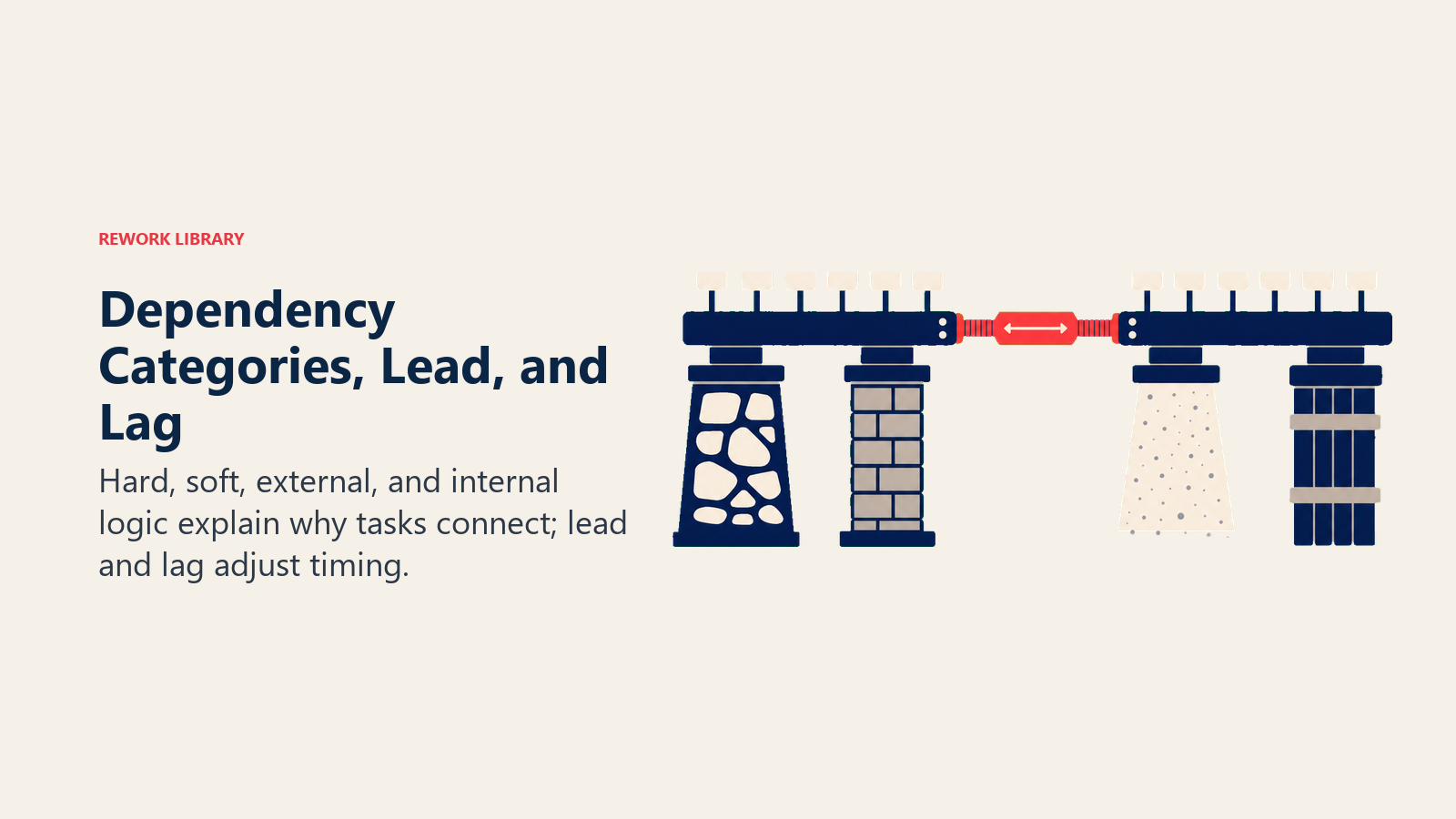
Beyond the four logical types, every dependency also falls into one of four categories that describe why the relationship exists. And every dependency can be adjusted with lead or lag time to make the schedule more realistic.
Dependency categories
| Category | Definition | Who controls it |
|---|---|---|
| Mandatory | A physical or contractual constraint that cannot be changed. Also called "hard logic." | External reality |
| Discretionary | A preferred sequence based on best practice or team preference. Can be changed if needed. Also called "soft logic." | Project team |
| External | Depends on something outside the project, such as a vendor delivery, regulatory approval, or client sign-off. | Third party |
| Internal | Depends on something within the project or organization. Usually discretionary but not always. | Project + org |
Knowing whether a dependency is mandatory or discretionary is important during schedule compression. You can fast-track (overlap) discretionary dependencies; you cannot fast-track mandatory ones. The fast-tracking vs crashing article explains that trade-off in detail.
Lead time and lag time
Lag time adds a waiting period between predecessor and successor. If you need two days for concrete to cure before framing can start, that is a two-day lag on an FS dependency.
Lead time allows a successor to start before its predecessor finishes. If you model it as negative lag, a three-day lead on an FS dependency means the successor can start three days before the predecessor is done. This is how schedule compression works in practice.
Both lead and lag are expressed in the same units as the project schedule (days, hours, or percentage of predecessor duration).
Why task dependencies matter
Dependencies are the connective tissue of a project schedule. Here is what goes wrong without them.
Teams start work they cannot complete. If Task B starts before Task A is done, the team working on B may hit a wall mid-task and have to wait or redo work. That creates waste and frustration.
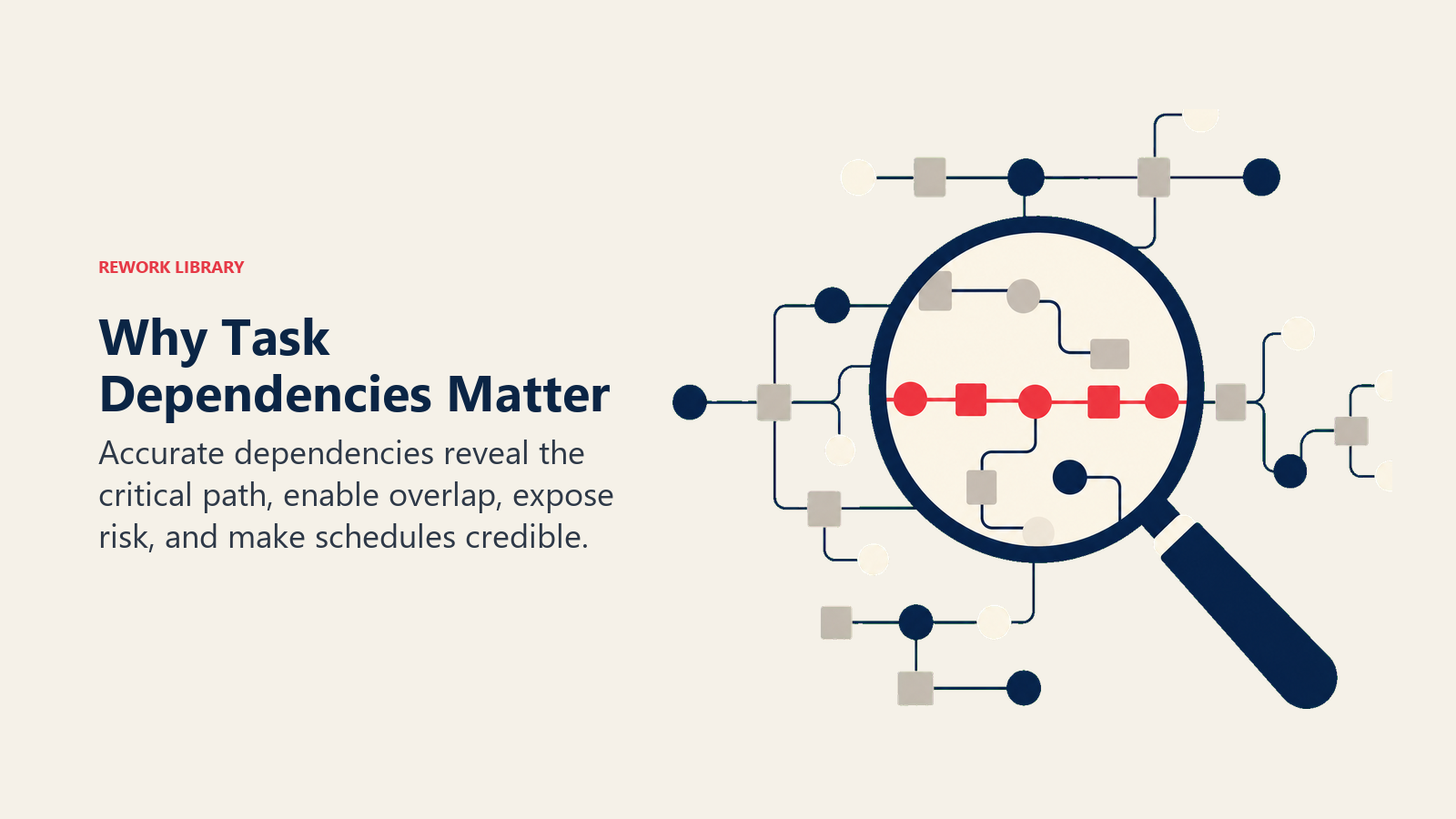
The critical path becomes invisible. The critical path method only works if dependencies are mapped correctly. A missing dependency means the algorithm calculates the wrong minimum project duration, and your schedule is wrong before you even start.
Float disappears. Float and slack calculations depend entirely on accurate dependency logic. If the dependencies are wrong, you will not know which tasks actually have wiggle room.
Changes cascade unpredictably. When a task slips, its successors slip too. But only if the dependencies are mapped. Without them, you will not see the ripple until it is too late to respond.
Common mistakes
These are the dependency errors that show up most often on real projects.
Using FS everywhere out of habit. Not every task is finish-to-start. Defaulting to FS when SS or FF is more accurate creates an artificially long schedule and makes parallel work invisible.
Skipping discretionary dependencies. Teams sometimes model only hard logic and leave out soft logic because "it's flexible." But undocumented soft dependencies mean a future team member might reorder tasks in ways that break quality or best practice.
Ignoring external dependencies. If a vendor needs to deliver materials before your team can install them, that is an external FS dependency. Leaving it out means the schedule shows the installation starting before the delivery has even been requested.
Adding dependencies to resources, not tasks. A common trap is linking tasks because the same person does both, not because the work itself requires sequencing. Resource constraints should be handled by resource leveling, not by inventing task dependencies. The work breakdown structure phase is a good time to separate these two concerns.
Not reviewing dependencies after scope changes. When scope changes, some dependencies become irrelevant and new ones appear. A dependency audit is a standard part of your integrated change control process.
How to map task dependencies
List tasks, identify predecessors, choose relationship types, add lead or lag, then validate with the team.
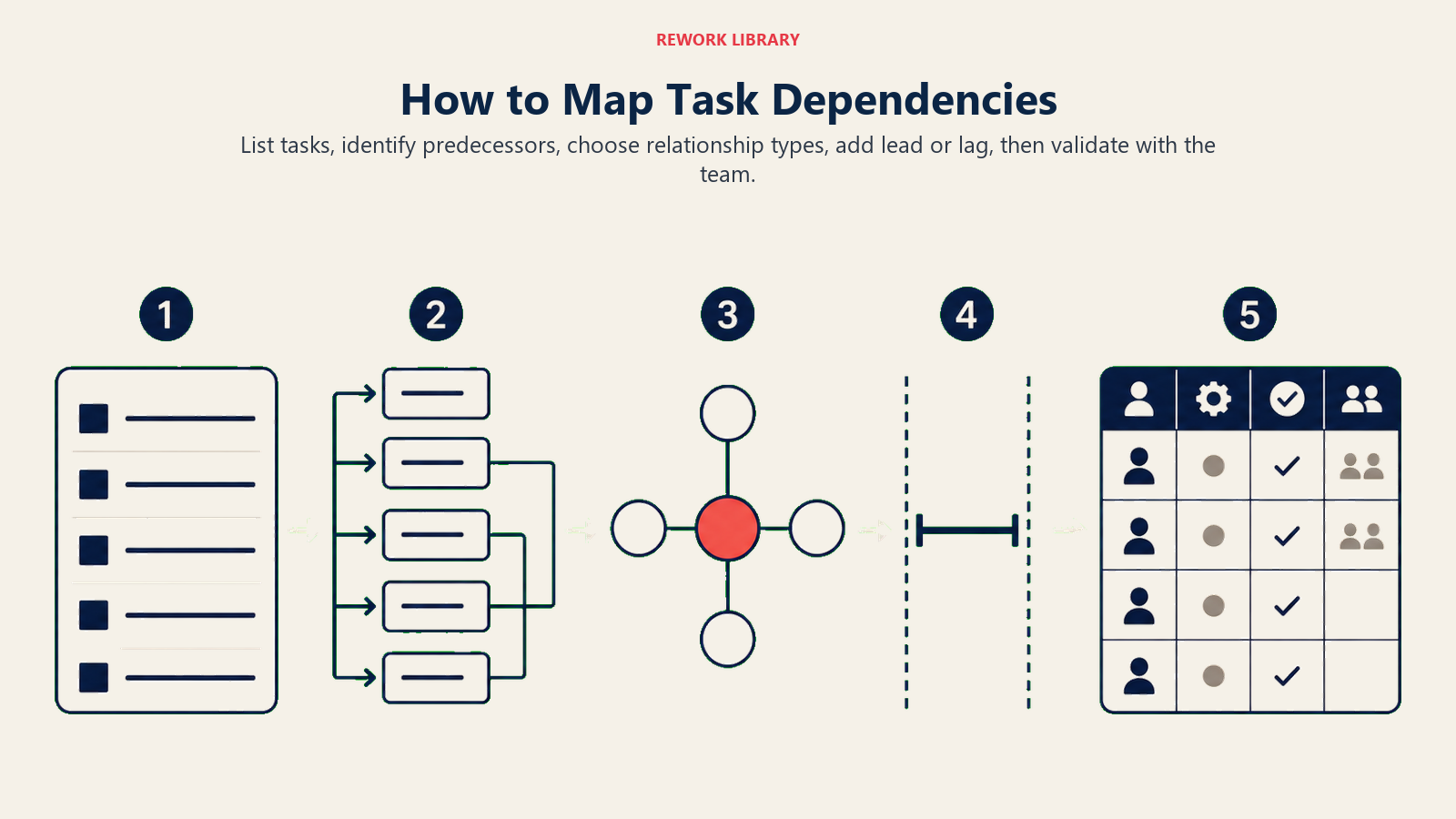
Step 1: List all tasks from your WBS
Start with a complete work breakdown structure. You cannot map dependencies on tasks you have not yet identified. Every deliverable should be broken down to work packages before you start sequencing.
Step 2: Identify the predecessor for each task
Work through your task list and ask: "What must happen, or at least begin, before this task can start or finish?" Some tasks have no predecessors (they can start at any time). Most have one or two. A few may have several.
Step 3: Assign the correct relationship type
For each predecessor-successor pair, decide whether the relationship is FS, SS, FF, or SF. Ask yourself: is it the finish or the start of the predecessor that triggers the successor? And is it the start or the finish of the successor that is triggered?
Step 4: Add lead or lag where needed
If there is a mandatory wait between tasks (curing time, approval period, shipping lead time), add lag. If the successor can begin before the predecessor finishes, add lead. Be honest here: inflated lag hides real float, and unrealistic lead sets teams up for rework.
Step 5: Validate with the team and build the network diagram
Have the people doing the work review the dependency map. They will catch logic errors faster than any PM sitting alone at a desk. Once validated, the dependencies become the foundation for your network diagram, your critical path analysis, and your Gantt chart.
Task dependency examples
Here are three common project scenarios showing how dependencies look in practice.
| Project | Task A (predecessor) | Task B (successor) | Dependency type | Notes |
|---|---|---|---|---|
| Software release | Code review complete | Deployment begins | FS (mandatory) | Cannot deploy unreviewed code. No compression possible. |
| Marketing campaign | Ad copywriting starts | Design concepting starts | SS (discretionary) | Both can run in parallel once copy direction is set. Two-day lead added so design has a head start on concepts. |
| Construction handover | Punch-list inspections finish | Certificate of occupancy issued | FF (external) | The certifying authority won't issue the certificate until all inspections are closed. Both finish together. |
Best practices
Do:
- Use the dependency type that reflects the real-world logic of the work, not just scheduling convenience.
- Document why each discretionary dependency exists. A brief note in the project schedule saves hours of confusion later.
- Review dependencies whenever scope, resources, or timelines change.
- Use float and slack analysis after mapping dependencies to find where the schedule has flexibility.
- Link your dependency map to your project planning document so stakeholders understand the schedule logic.
Don't:
- Add dependencies to enforce resource constraints. Use resource leveling for that.
- Forget external dependencies. Vendor deliveries, regulatory sign-offs, and client approvals are real schedule risks.
- Assume all dependencies are finish-to-start. A schedule built entirely on FS relationships is almost certainly longer than it needs to be.
- Use SF unless you have a genuine shift-handover or just-in-time scenario. It confuses most team members and most scheduling tools.
- Skip the team review. Dependency logic that looks right on paper often falls apart when the people doing the work see it.
Dependency mapping is one of the first things you do when building a schedule and one of the last things you think to update when things change. That gap is where project timelines break. Keep your dependency logic current, validate it with your team, and use the right relationship type for the work. Your schedule will be honest, your critical chain project management analysis will be accurate, and your team will know exactly what depends on what.
For a visual representation of how your dependencies connect, see the milestone chart and network diagram guides. And if your project uses a structured governance model, the PRINCE2 methodology section on product-based planning covers how dependencies work inside a stage-gate framework.
Related reading
- Network Diagram: the visual representation of task dependencies across your project
- Critical Path Method: how to use dependencies to find the longest path and protect your deadline
- Float and Slack: understanding scheduling flexibility once dependencies are mapped
- Fast-Tracking vs Crashing: how to compress a schedule by adjusting discretionary dependencies
- Work Breakdown Structure: the foundation you build before you can map any dependencies

Senior Operations & Growth Strategist
On this page
- What are task dependencies?
- The four types of task dependencies
- Dependency categories and lead vs lag
- Dependency categories
- Lead time and lag time
- Why task dependencies matter
- Common mistakes
- How to map task dependencies
- Step 1: List all tasks from your WBS
- Step 2: Identify the predecessor for each task
- Step 3: Assign the correct relationship type
- Step 4: Add lead or lag where needed
- Step 5: Validate with the team and build the network diagram
- Task dependency examples
- Best practices
- Related reading