Scrumban: Combining Scrum and Kanban
Turn this article into takeaways for your work.


Each assistant summarizes the article only for you and suggests best practices for your work.
Scrumban is what you get when you stop forcing a choice between Scrum and Kanban. Teams that need structured planning but can't afford rigid sprints reach for scrumban first.
What is Scrumban?
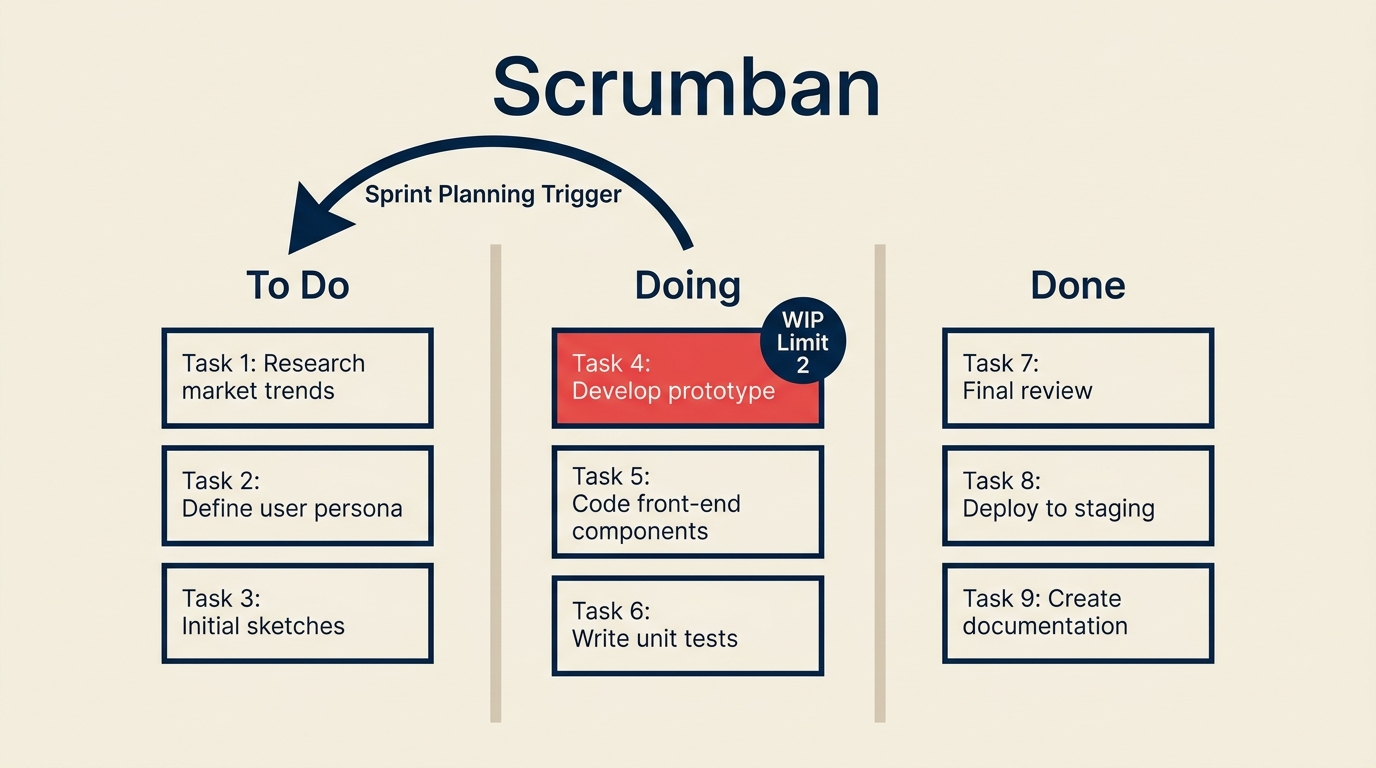
Scrumban is a hybrid agile framework that layers Kanban's continuous-flow mechanics on top of Scrum's planning discipline. Work moves through a pull-based board with Work in Progress (WIP) limits, but planning events fire on-demand rather than on a fixed sprint clock.
Corey Ladas coined the term in a 2008 essay and later expanded on it in his book Scrumban: Essays on Kanban Systems for Lean Software Development. His core argument: Scrum is a good scaffolding for teams new to agile, but as teams mature they should strip away the ceremonies that don't add value and keep the ones that do. Kanban's flow model fills in the gaps. The result is a framework flexible enough for maintenance work, support queues, and marketing operations, none of which map cleanly onto two-week sprints.
Key facts
- The 17th State of Agile Report (2023) found that 9% of respondents used a Scrum/Kanban hybrid as their primary delivery approach, up from 6% two years prior.
- Teams that implement WIP limits alongside a pull system typically see 20-40% reductions in cycle time, according to flow-improvement data cited in Donald Reinertsen's Principles of Product Development Flow (2009).
- Scrumban retains planning events but triggers them by queue size, not calendar, so planning effort stays proportional to actual work volume.
Scrum vs Kanban vs Scrumban
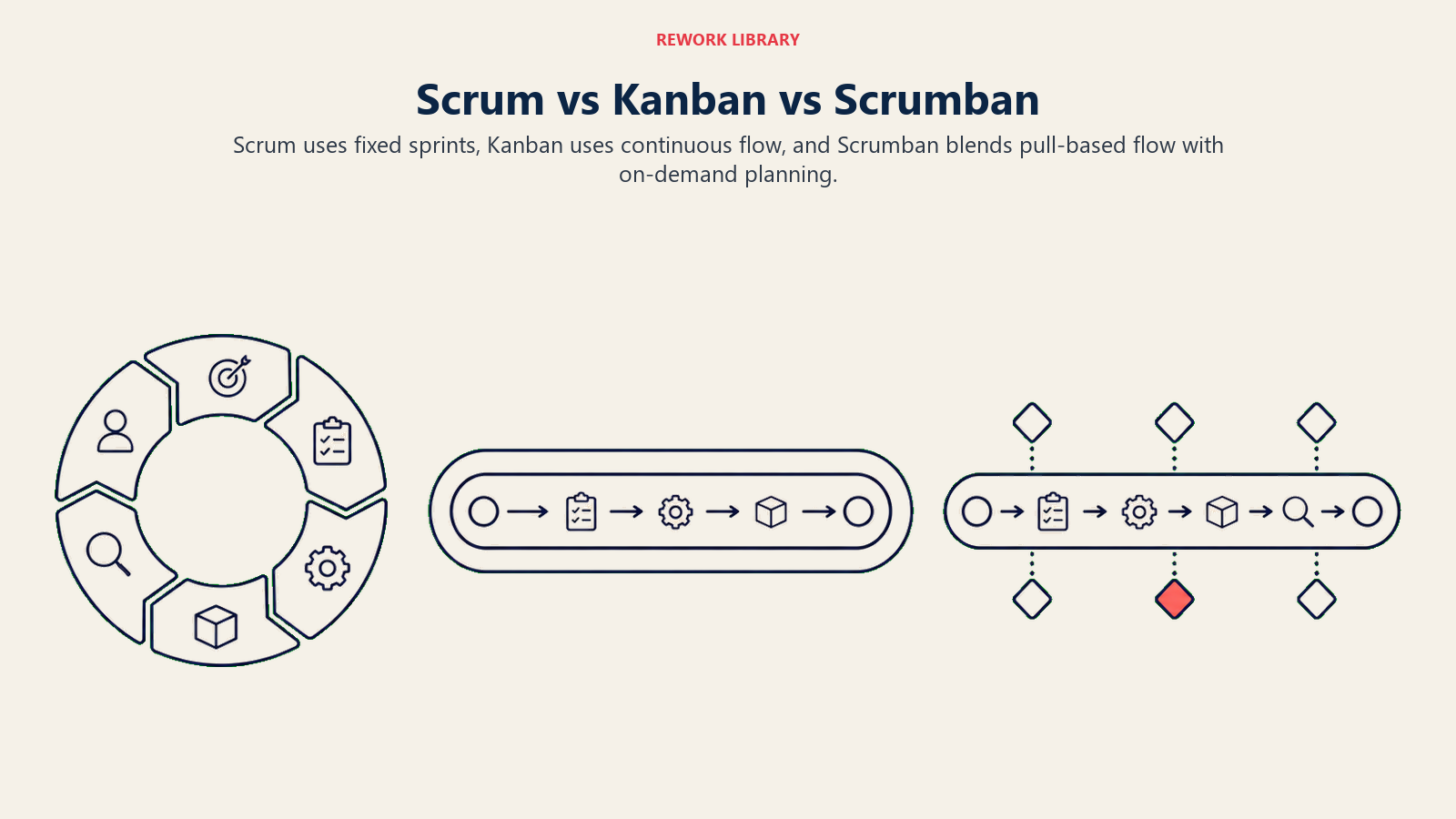
The three frameworks share a board and a backlog, but they diverge quickly on cadence, roles, and how work enters the system.
| Dimension | Scrum | Kanban | Scrumban |
|---|---|---|---|
| Cadence | Fixed sprints (1-4 weeks) | Continuous flow | On-demand planning trigger |
| Defined roles | Product Owner, Scrum Master, Dev Team | None required | Optional (team decides) |
| WIP limits | No native WIP limits | Core mechanic | Core mechanic |
| Board columns | Sprint Backlog, In Progress, Done | Fully customizable | Customizable with WIP limits per column |
| Planning trigger | Start of every sprint | None | When ready queue drops below threshold |
| Best for | Discovery-heavy product work | Operations, support, stable demand | Maintenance, evolving product teams, support |
| Change mid-cycle | Resisted (wait for next sprint) | Welcome at any time | Welcome at any time |
If your team already runs Scrum but keeps bending the sprint rules to handle urgent requests, you're halfway to scrumban already. And if you run Kanban but find you never stop to reflect or plan, scrumban's structured-when-needed model gives you a reason to pause.
How Scrumban works
The mechanics of scrumban rest on four interlocking ideas.
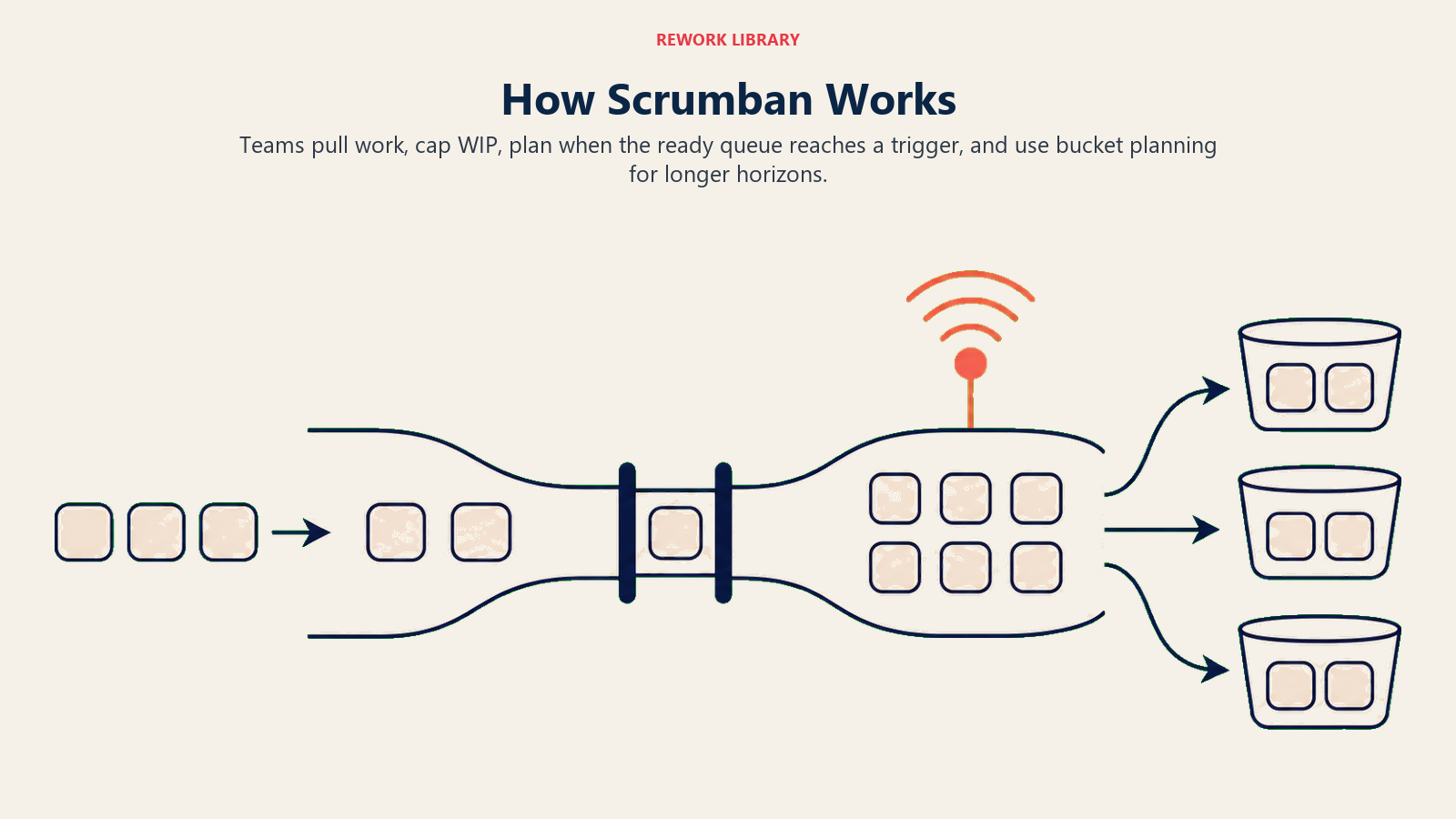
Pull system. Work doesn't get pushed to engineers. It gets pulled. When someone finishes a task, they pull the next item from a ready queue into their column. This keeps work from piling up in one person's lane and makes bottlenecks visible immediately.
WIP limits. Each board column carries a maximum count. The Doing column might hold no more than three cards at once. When the column is full, the team focuses on finishing before starting anything new. WIP limits are the single most powerful lever for cutting cycle time in any kanban-derived system.
Ready queue. Between the backlog and the active work columns sits a ready queue, a small buffer of groomed, prioritized items that are genuinely ready to pull. The ready queue decouples planning from execution. Planning can happen in a focused burst, then the team pulls from the queue at will without needing a planner in the room.
On-demand planning trigger. Instead of planning every two weeks no matter what, scrumban fires a planning event when the ready queue falls below a set threshold, say two items per developer. This means planning effort scales with actual need. Quiet weeks get a quick top-up; busy weeks may not need planning at all.
A cumulative flow diagram is the natural tracking tool for scrumban because it visualizes queue sizes, WIP, and throughput in one view. If a band starts widening, work is accumulating faster than it's finishing.
Benefits of Scrumban
Flow without chaos. Kanban's continuous flow model keeps work moving. Scrumban adds just enough structure to stop the backlog from turning into a graveyard of untouched tickets.
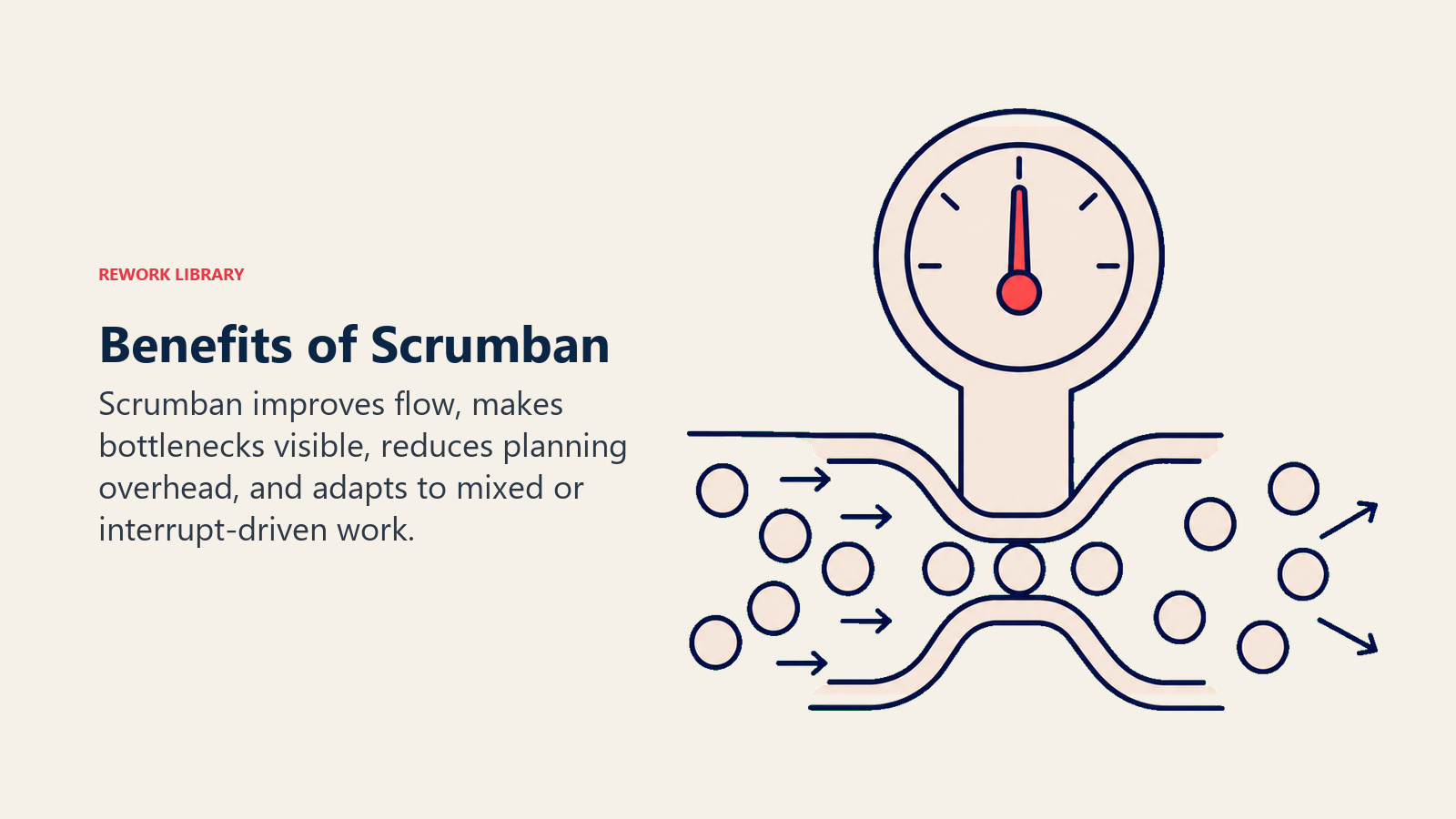
Planning on your terms. Teams that struggle with sprint planning ceremonies that take all day for two hours of real decisions will notice the difference immediately. Planning happens when the queue needs refilling, not because the calendar says so.
Lower overhead for stable teams. Once a team knows what it's doing, the Scrum ceremonies that made sense during ramp-up start to feel redundant. Scrumban lets teams drop what doesn't serve them and keep what does.
Handles mixed work types. Most real teams deal with both planned work (new features, projects) and unplanned work (bugs, requests, incidents). Scrum struggles with unplanned work because it disrupts the sprint. Scrumban absorbs it because the board always has room to pull new items into the ready queue outside the normal grooming cycle.
Visibility. The board stays live at all times. Anyone can see what's in progress, what's blocked, and how close the ready queue is to triggering planning. There's no waiting for a sprint review to learn the state of the system.
When Scrumban falls short
Scrumban isn't a universal fix. It introduces its own failure modes.
No roles means no accountability. Scrum's defined roles exist because someone needs to own the backlog, someone needs to facilitate, and someone needs to protect the team from scope creep. Scrumban drops these roles by default. Teams that skip that structure often end up with an ungroomed backlog, planning meetings that no one prepares for, and a board no one updates.
WIP limits require discipline. The first time a manager asks the team to "just add one more thing," the WIP limit gets quietly bumped. Once limits become suggestions, the flow mechanics break down. Scrumban only works if the team treats WIP limits as hard constraints.
Not ideal for large, complex discovery work. If you're building something genuinely unknown, the sprint rhythm of Scrum forces the reflection and planning that exploratory work needs. Scrumban's on-demand planning can let teams go too long without stepping back to ask whether they're building the right thing.
Hard to measure velocity. Because there are no fixed sprints, traditional velocity in agile metrics don't apply directly. Teams switch to throughput (items completed per week) and cycle time instead. That's a better measure in most cases, but it requires a mindset shift.
How to implement Scrumban
Step 1: Start from your current board
Don't redesign everything at once. Whether you're coming from Scrum or Kanban, keep your existing columns and card format. The first change is invisible: you're shifting from a push mentality (assign work to people) to a pull mentality (let people pull from the queue when ready).
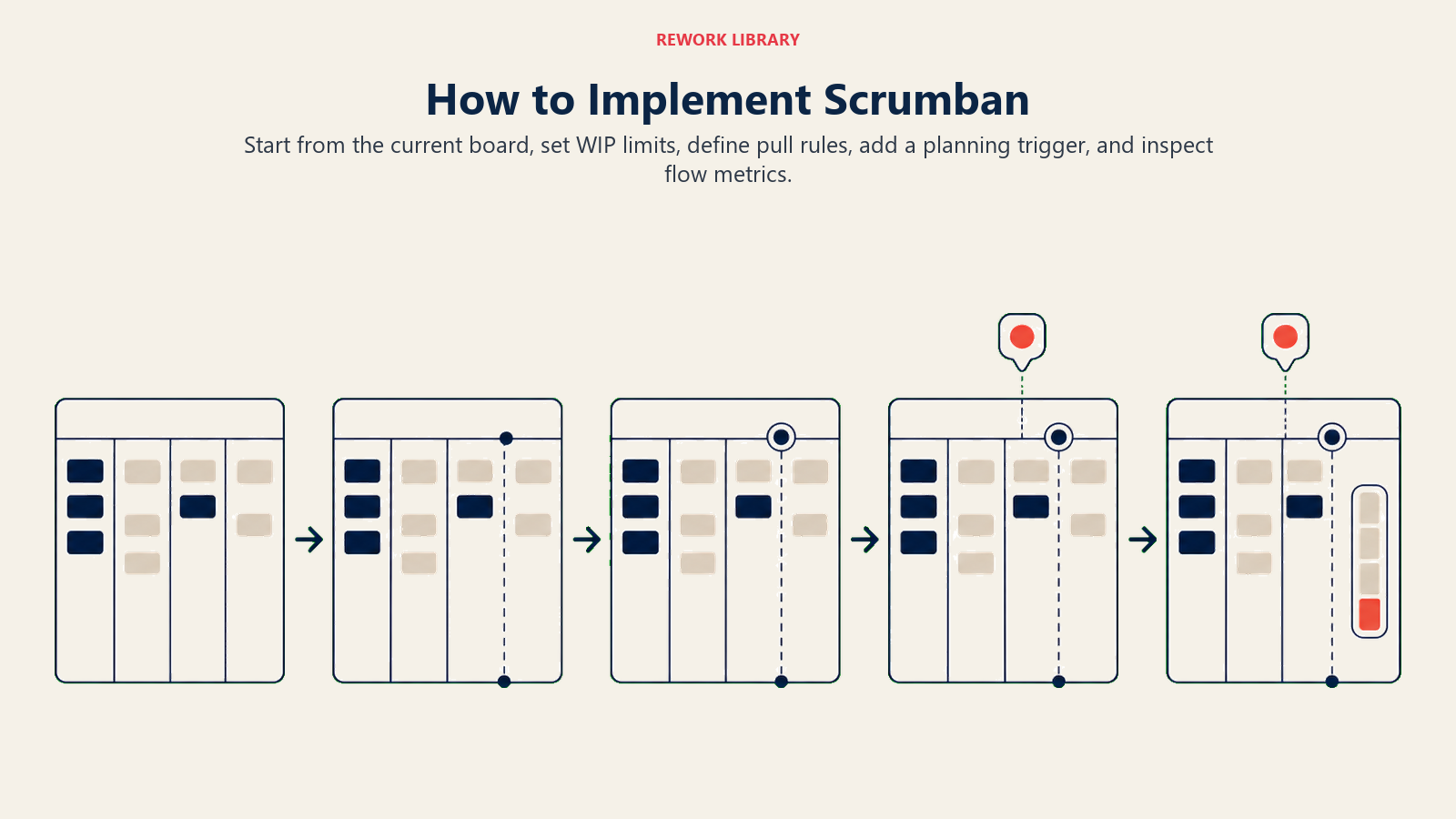
Step 2: Add WIP limits to active columns
Pick a conservative number for each in-progress column, typically one to two per team member. You'll adjust after a week or two. The goal isn't to pick the perfect number, it's to make flow problems visible.
Step 3: Create a ready queue
Add a "Ready" column between your backlog and your first active column. Items move into Ready only when they're groomed: defined, estimated, and genuinely actionable. This is your planning output. The team pulls from Ready freely without needing a planner present.
Step 4: Set a planning trigger threshold
Decide how low the ready queue can fall before you run a planning session. A common starting point: plan when Ready drops below a two-day supply. Write this down. The trigger should be a real number, not "when it feels low."
Step 5: Run lightweight retrospectives
Even without fixed sprints, teams need to step back and ask what's working. Schedule a short retrospective every two to four weeks, or after a defined number of items shipped. Keep it short, 30 to 45 minutes, and focused on flow: what slowed us down, what helped, and what one thing we'd change next.
After a few cycles you'll have real throughput data. Use it to refine WIP limits, adjust the planning trigger, and identify which types of work move through the board fastest. That's the continuous-improvement loop at the core of agile methodology.
Scrumban examples by team type
| Team type | Why Scrumban fits | Board setup | Planning trigger |
|---|---|---|---|
| Software maintenance team | Mix of bugs, minor features, and tech debt; sprint boundaries create false urgency | To Do / Ready / In Progress (WIP 2) / Review / Done | Ready queue drops below 3 |
| IT support | High volume of unpredictable requests; no two weeks look alike | Triage / Ready / In Progress (WIP 3) / Resolved | Ready queue drops below 5 |
| Marketing operations | Campaign deliverables plus ad-hoc requests; deadlines aren't sprint-aligned | Backlog / Ready / In Progress (WIP 2) / Review / Published | Ready queue drops below 2 |
| Product team post-launch | Scaling a live product; discovery work mixed with incremental improvements | Discovery / Grooming / Ready / In Progress (WIP 3) / Done | Ready queue drops below 3 |
Best practices
Keep the board honest. Update card status the moment it changes, not at standup, not at end of day. A stale board is worse than no board because it creates false confidence.
Treat WIP limits as a team contract. Agree on them together, write them on the board, and hold each other to them. When someone wants to exceed the limit, that's a conversation, not a unilateral decision.
Separate urgent from planned work. Add a small "Fast Lane" row on the board for genuine emergencies. Limit it to one item at a time. This gives incidents a path without blowing up the main flow.
Visualize blocked work. Use a flag or color tag for blocked cards rather than just leaving them in progress. Blocked work sitting quietly inside a WIP limit is invisible waste.
Measure cycle time, not velocity. Track how long items spend from Ready to Done. Cycle time tells you how predictable your delivery is. Improving it is the main goal of the pull system.
Link back to what is Scrum and what is Kanban periodically. Scrumban borrows from both, and when something isn't working it helps to go back to the source principles. Often the answer is already there.
If your team is exploring broader frameworks for scaling, Scaled Agile Framework (SAFe) addresses similar tensions at the portfolio level. And for teams that want even less ceremony than scrumban, Extreme Programming (XP) goes in a different direction: more engineering practice, less process scaffolding.
Related reading

Senior Operations & Growth Strategist
On this page
- What is Scrumban?
- Scrum vs Kanban vs Scrumban
- How Scrumban works
- Benefits of Scrumban
- When Scrumban falls short
- How to implement Scrumban
- Step 1: Start from your current board
- Step 2: Add WIP limits to active columns
- Step 3: Create a ready queue
- Step 4: Set a planning trigger threshold
- Step 5: Run lightweight retrospectives
- Scrumban examples by team type
- Best practices
- Related reading