AI Agents vs Chatbots, RPA, and Automation: The Real Difference
Turn this article into takeaways for your work.


Each assistant summarizes the article only for you and suggests best practices for your work.
"AI agent" gets slapped on everything now. A scripted chatbot, a screen-scraping bot, a Zapier flow, a genuine reasoning system: vendors call them all agents. That's a problem when you're buying, because these four things fail in completely different ways and cost completely different amounts to run.
This page draws the lines. We'll compare a chatbot, robotic process automation (RPA), fixed workflow automation, and a real AI agent across the five dimensions that actually separate them. Then we'll cover when each is the right pick, because agents are not always the answer. Sometimes the boring tool is the correct one.
The Four Things People Call "Automation"
Start with plain definitions, stripped of marketing.
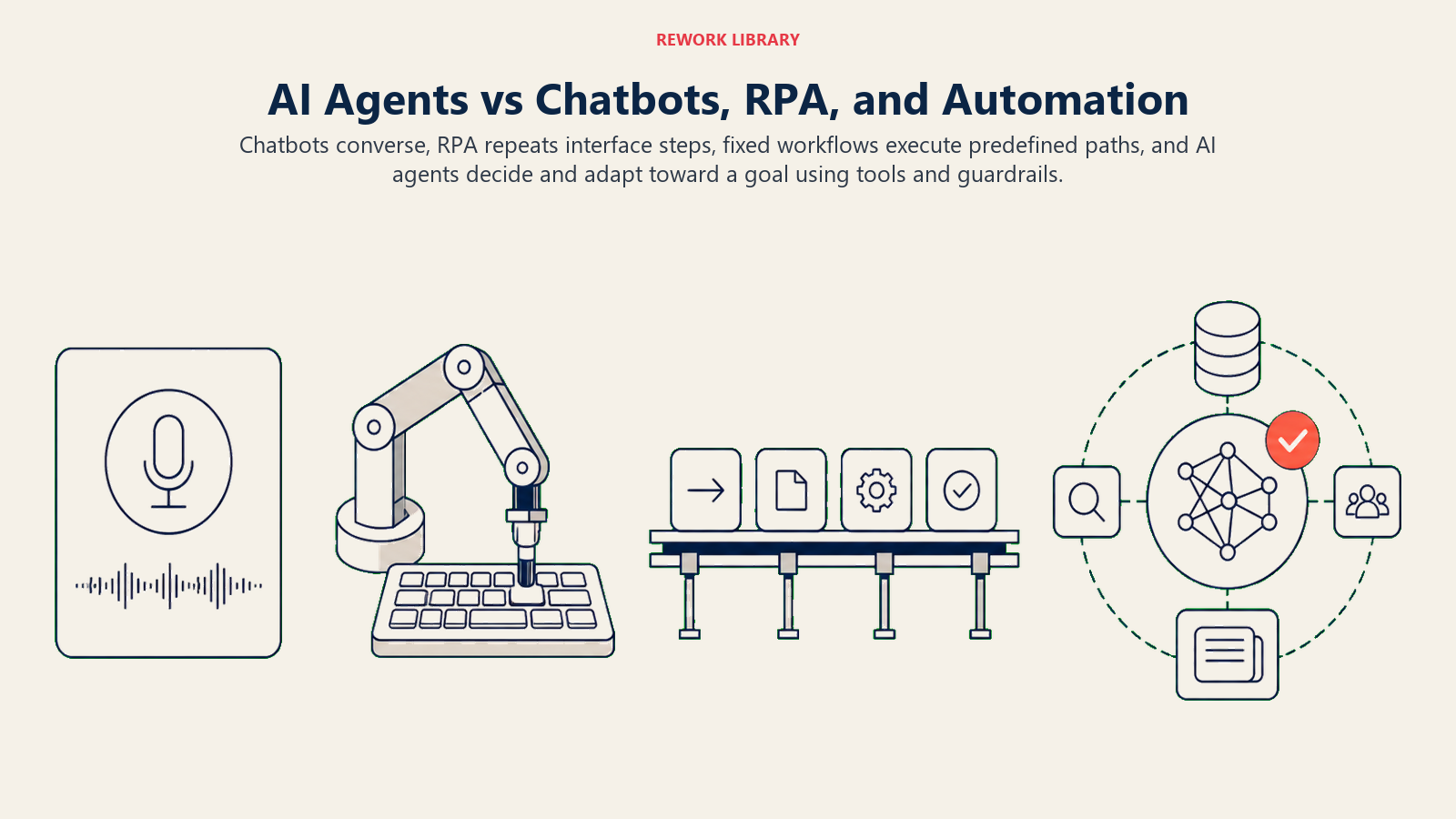
- Chatbot. A conversational front end. Classic chatbots follow a decision tree ("Press 1 for billing"). Newer ones use a language model to sound natural. Either way, the core job is to talk: answer a question, collect an input, route a request. It doesn't reach into your systems and change things unless someone wired that in.
- RPA (robotic process automation). A software robot that mimics clicks and keystrokes across applications that have no clean API. It copies a value from a spreadsheet, pastes it into an ERP screen, hits submit. Fast, tireless, and completely literal. It does exactly the recorded steps.
- Fixed workflow automation. The "if this, then that" layer: Zapier, Make, n8n, native CRM workflows. A trigger fires, and a predefined sequence runs. New form submission creates a CRM record and sends a Slack ping. The path is drawn in advance and never varies.
- AI agent. A system that takes a goal, decides the steps itself, calls tools to act, checks the result, and adjusts. It reasons about what to do rather than replaying a script. Give it "process this refund request" and it reads the message, checks the order, applies the policy, and either acts or escalates.
The quick tell: the first three do what you told them. An agent decides what to do.
The Five Dimensions That Actually Separate Them
Marketing blurs these tools together. These five questions pull them apart. Ask them of any "AI" product a vendor pitches you.
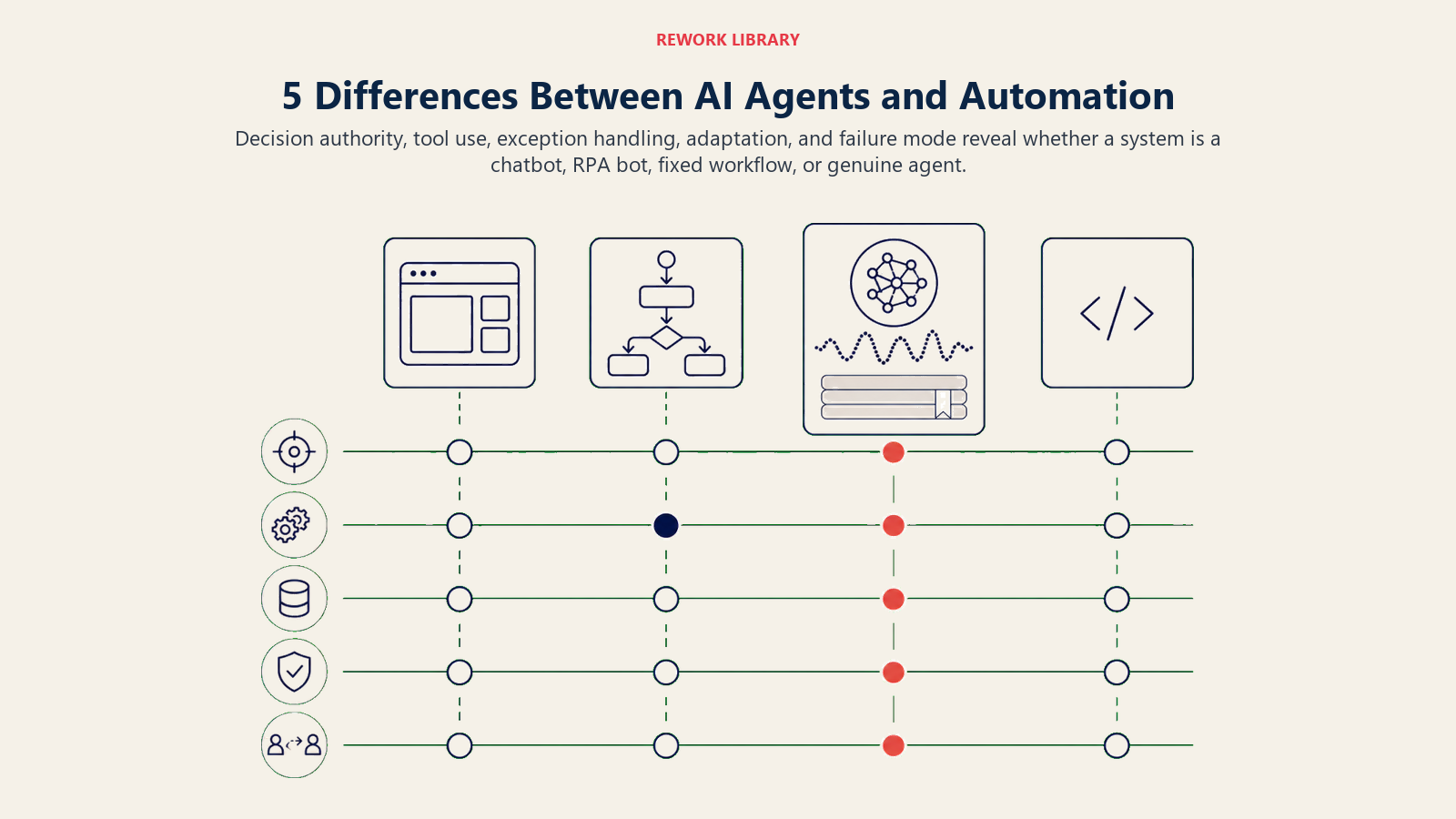
| Dimension | Chatbot | RPA | Fixed workflow automation | AI agent |
|---|---|---|---|---|
| Does it decide? | No. Follows a script or answers from a knowledge base | No. Replays recorded steps exactly | No. Runs a predefined path | Yes. Chooses the steps to reach a goal |
| Does it use tools / take actions? | Rarely. Mostly talks; acts only where hard-wired | Yes, by imitating a human at the UI | Yes, through predefined connectors | Yes, calls tools/APIs it selects at runtime |
| Does it handle exceptions? | No. Off-script input breaks or dead-ends | No. A moved button or new field stops it | No. An unmapped case falls through | Yes, up to a point. Reasons about the odd case, then escalates |
| Does it adapt? | No. Static until a human edits it | No. Brittle to any UI change | No. Static until you rebuild the flow | Yes. Adjusts to new inputs within its guardrails |
| What breaks it? | Anything outside the script; ambiguous phrasing | A UI change, a slow screen, a popup | An input the flow was never designed for | Bad instructions, missing tools, no guardrails, ambiguous goals |
Read that table top to bottom on the "Does it decide?" row. That single row is the real fault line. Everything to the left of the agent column executes a plan a human already made. The agent makes the plan. That's the difference worth paying for, and the difference worth being careful about.
Chatbot: When Talking Is the Whole Job
A chatbot is the right tool when the job is a conversation with a bounded set of answers. FAQ deflection, order-status lookups, "book me a demo," triage that ends in "here's your answer" or "let me route you." If your problem is "customers keep asking the same 20 questions," a good chatbot on a clean knowledge base solves most of it.
Where it's the wrong tool: anything that requires acting across systems, judgment on edge cases, or a multi-step task. A chatbot that has to "process the return, update the ERP, and email the label" is really an agent wearing a chat interface. Don't buy a talker to do a doer's job. When inbound volume grows past simple Q&A, that job usually belongs to a purpose-built agent like the AI Reply Agent, which reads intent, acts by the rules, and hands off when it should.
And chatbots are worth supervising. A language-model chatbot can drift off-topic, invent a policy, or answer a question it should have escalated. That's exactly why the AI Chatbot QA Agent exists: an agent that watches every bot conversation, scores it against your rules, and flags failures before a customer complains. It's the clearest proof that these categories stack. An agent can supervise a bot. A bot can't supervise an agent.
RPA: When the System Has No API
RPA earns its keep in one specific situation: you need to move data through an application that gives you no clean way in. A legacy ERP, a government portal, a mainframe green screen. RPA drives the mouse and keyboard like a very fast, very patient intern who never gets bored.
It's the right tool when the process is high-volume, rule-based, and the underlying screens don't change. Payroll entry, invoice keying, reconciliation across two systems that refuse to talk to each other.
It's the wrong tool the moment anything varies. RPA is famously brittle: a vendor moves a button, adds a field, or the page loads a half-second slow, and the bot fails silently. It has zero judgment about the exception it just hit. That fragility is why teams increasingly wrap RPA inside something smarter, letting an agent decide what needs doing and handing the mechanical keystrokes to the bot. The bot supplies the hands. The agent supplies the head.
Fixed Workflow Automation: When the Path Never Changes
This is the workhorse of most operations teams, and for good reason. When a process has a clear trigger and a fixed sequence of steps, a workflow tool is cheaper, faster, and far more predictable than an agent. New lead to CRM record to welcome email to task for the rep: draw it once, and it runs forever without a language model second-guessing itself.
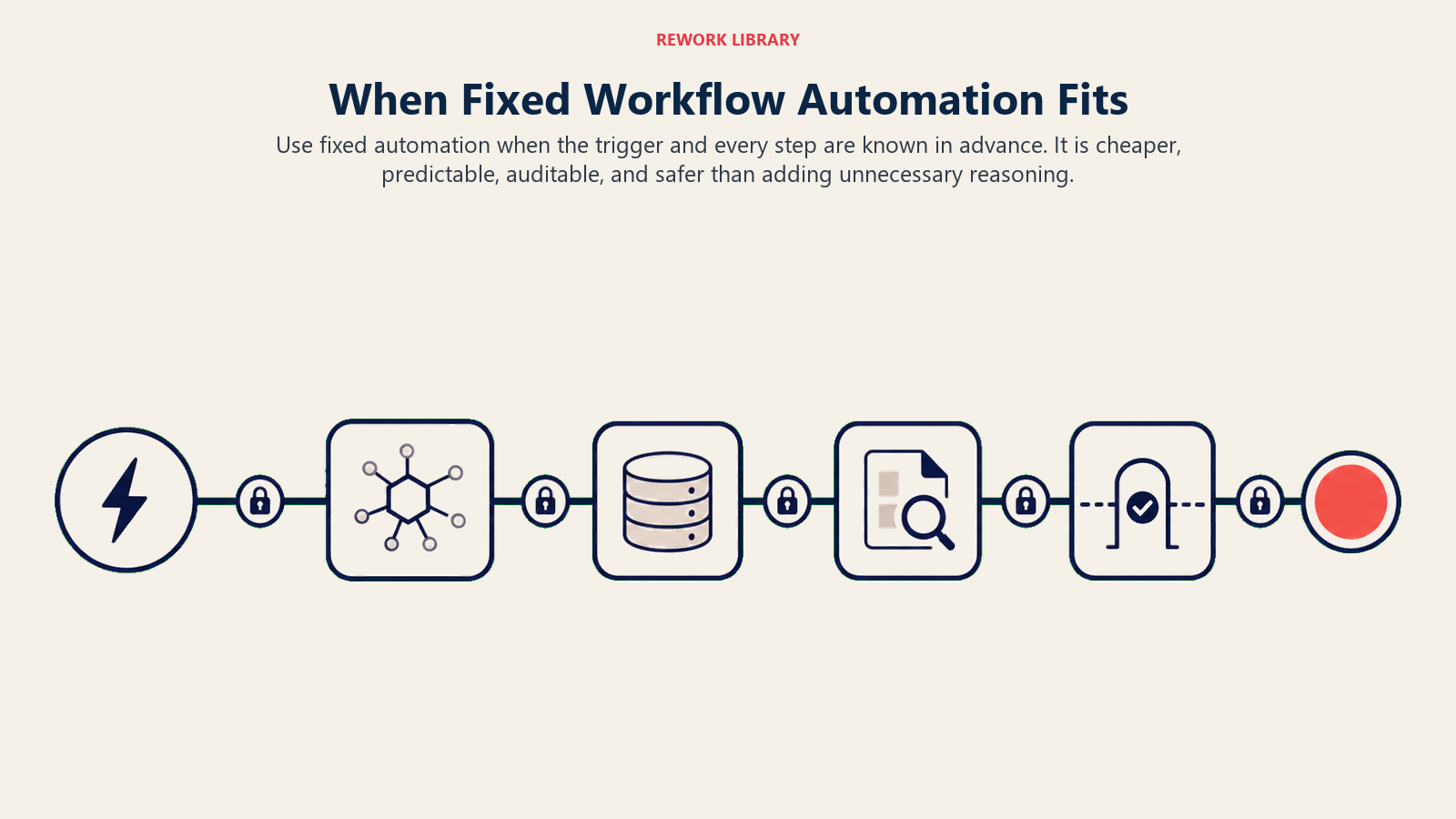
The rule of thumb: if you can draw the whole process as a flowchart with no diamond-shaped "it depends" boxes, use fixed automation. It's deterministic, auditable, and it won't hallucinate. Those are features, not limitations.
The wrong tool test is just as simple. If your flowchart is mostly "it depends" boxes, if half the value is in handling the cases you didn't anticipate, a fixed flow will drown in edge cases. Every unmapped input falls through the cracks, and you end up bolting on branch after branch until the flow is unmaintainable. That's the signal you've outgrown fixed automation and need something that can reason. For the deeper version of this decision, the workflow copilot pattern covers where a reasoning layer belongs on top of a rules layer.
AI Agent: When the Steps Depend on the Situation
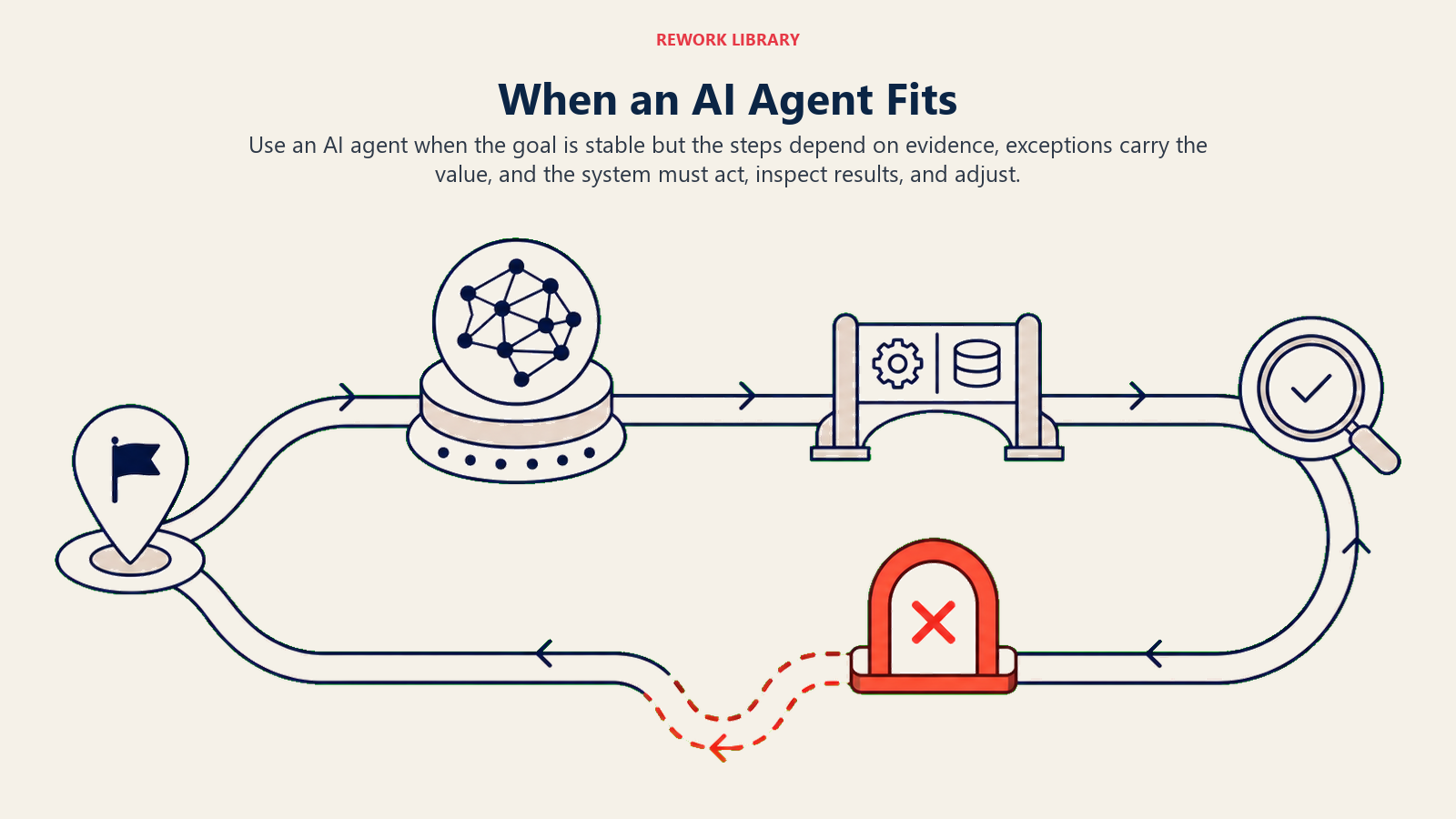
An agent is the right tool when the path can't be fully drawn in advance. The task has a goal, but the steps to get there depend on what the agent finds along the way. Triage an inbound message and decide whether to answer, act, or escalate. Research an account from a dozen scattered sources. Chase an overdue invoice with the right message at the right time and know when to stop.
Two traits mark a genuine agent job:
- The exceptions are the point. If most of the value is in handling cases you can't fully script, you want reasoning, not branches.
- It needs to use tools and check its own work. An agent reads a result, decides if it worked, and adjusts. A workflow just runs the next step regardless.
You can see this in production blueprints. An AI CRM Hygiene Agent doesn't just run a dedupe rule; it reasons about which of two records is the survivor and what to enrich. An AI Support Triage Agent reads sentiment and intent, then routes, deflects, or escalates based on what it read. The autonomous agent pattern describes this decide-act-check loop in more depth.
But agents are not free, and they're not always the answer. They cost more per run, they can be wrong in confident-sounding ways, and they need guardrails a workflow never does. If a chatbot or a fixed flow solves your problem, use it. Reaching for an agent when a rule would do is how projects blow their budget. Gartner projects that over 40% of agentic AI projects will be scrapped by the end of 2027, driven by escalating costs, unclear business value, and inadequate risk controls (Gartner, June 2025). Most of those cancellations trace back to one mistake: using an agent where a simpler, cheaper tool would have done the job.
The Categories Stack (This Is the Part People Miss)
The most useful mental model isn't "which one wins." It's that these tools layer.
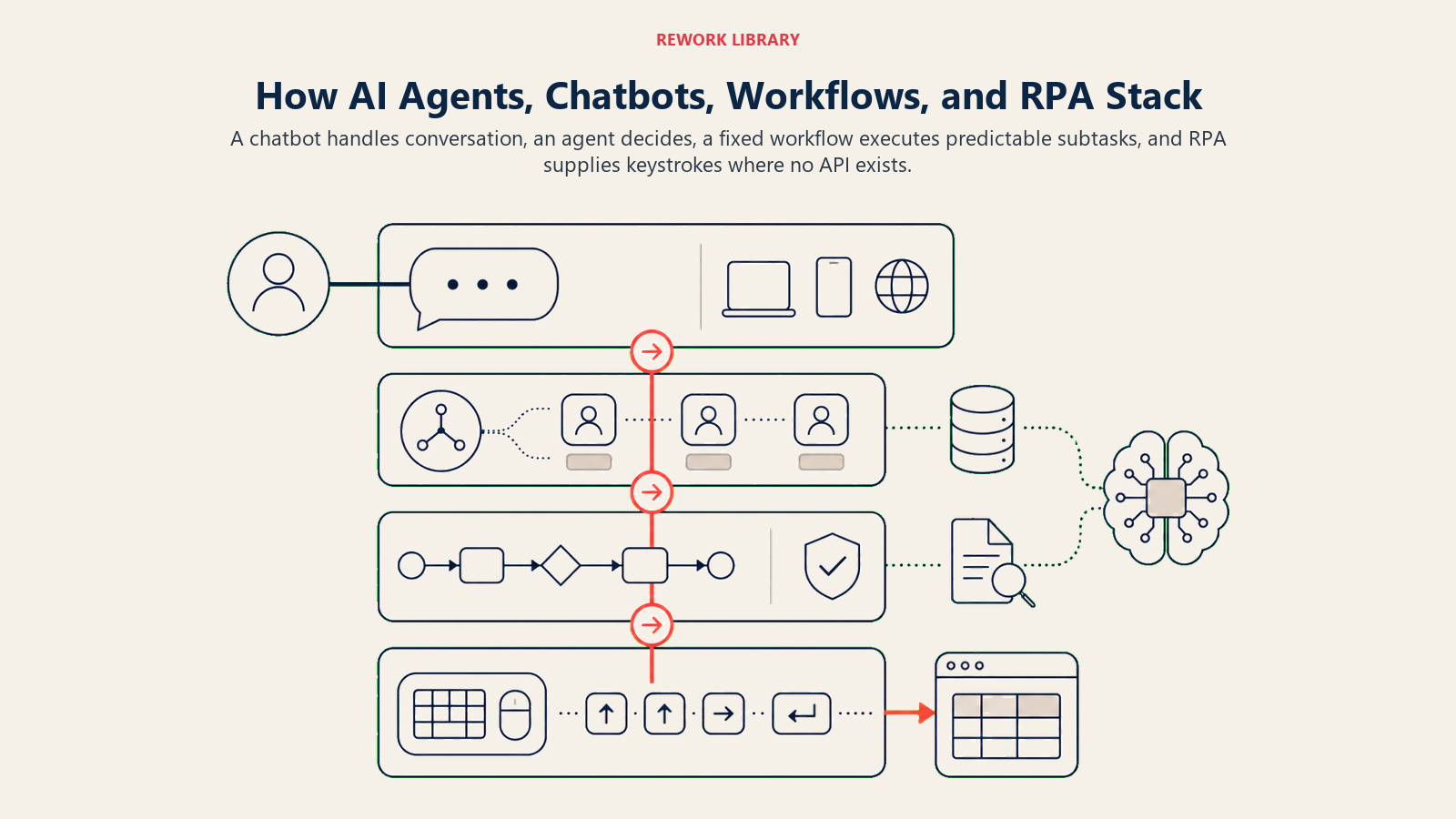
- A chatbot handles the conversation.
- An agent decides what the conversation means and what to do about it.
- The agent calls a fixed workflow to run a deterministic sub-task.
- The workflow triggers an RPA bot to key data into the system with no API.
- Another agent (like the AI Chatbot QA Agent) supervises the whole thing and flags when it goes wrong.
Real deployments almost always combine them. The AI SDR Agent blueprint is a good example: the agent reasons about which account to target and what to say, but it leans on fixed sequencing tools to send and a CRM workflow to log every touch. The agent is the brain. The other tools are the hands and the paperwork. Buying "an agent" without the plumbing underneath is how demos look great and rollouts stall.
A 30-Second Decision Guide
Run any candidate process through these questions in order:
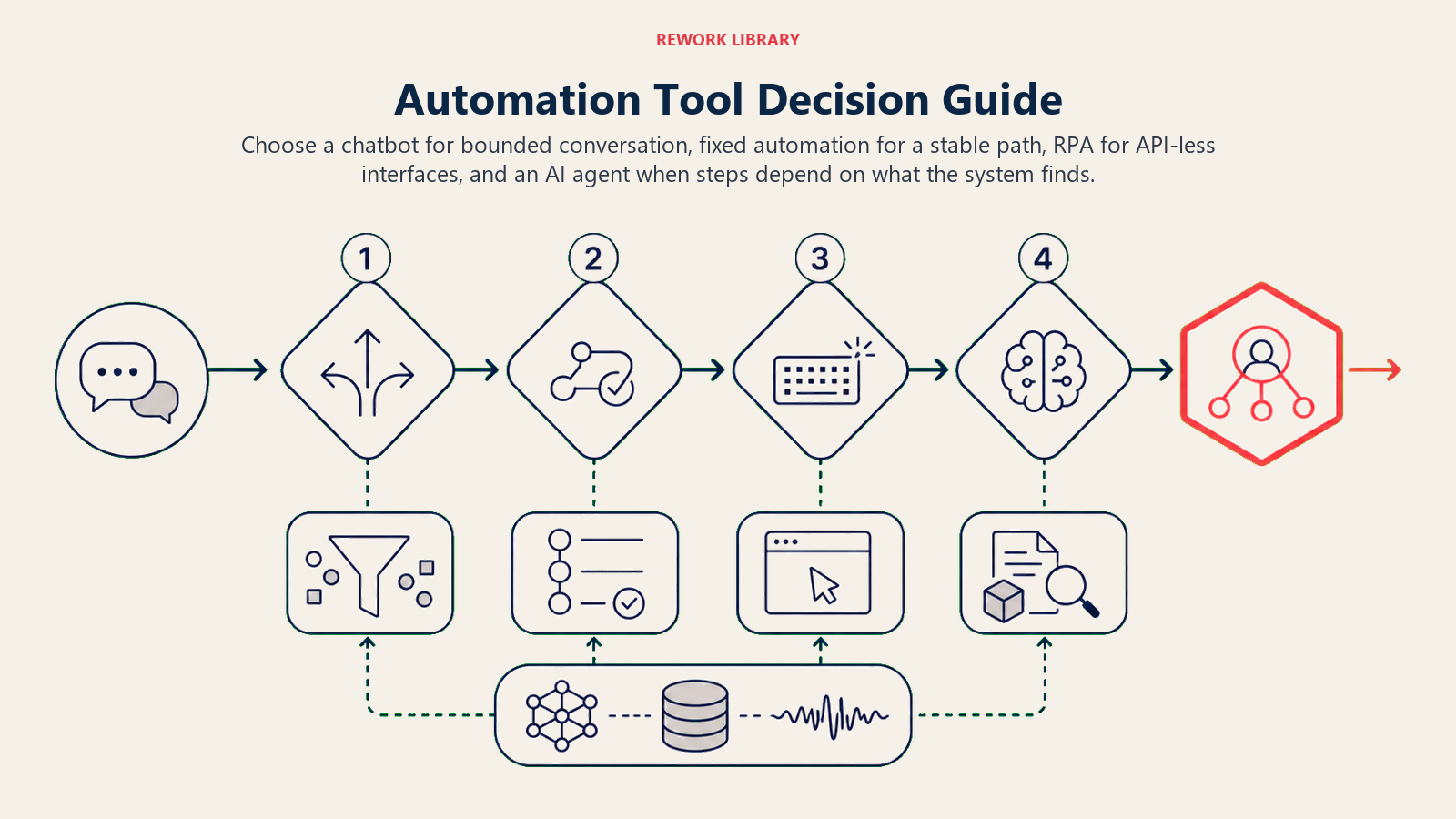
- Is the whole job a conversation? Use a chatbot. Supervise it.
- Is the path fixed and drawable as a flowchart with no "it depends" boxes? Use fixed workflow automation.
- Does that fixed path need to touch a system with no API? Add RPA for those keystrokes.
- Do the steps depend on what you find, and are the exceptions the whole point? Now you want an AI agent, with guardrails and a human handoff.
Most organizations need all four, aimed at the problems each is actually good at. The failures come from pointing the expensive, reasoning tool at a problem a five-dollar rule would have solved.
Frequently Asked Questions about AI Agents vs Chatbots, RPA, and Automation
Is an AI agent just a chatbot with extra steps?
No. A chatbot's job is to talk; it acts only where a human hard-wired an action. An agent's job is to reach a goal: it decides the steps, calls tools to act, checks the result, and adjusts. A chatbot can be the interface to an agent, but the reasoning layer is what makes it an agent.
What's the difference between RPA and an AI agent?
RPA replays recorded clicks and keystrokes exactly, with zero judgment. It's ideal for high-volume, rule-based work on systems with no API, and it breaks the moment a screen changes. An agent reasons about what to do and adapts to new inputs. They pair well: the agent decides, RPA supplies the keystrokes for legacy systems.
When should I NOT use an AI agent?
When a simpler tool solves the problem. If the whole job is a bounded conversation, use a chatbot. If the path is a fixed flowchart with no "it depends" branches, use workflow automation. Agents cost more, can be confidently wrong, and need guardrails. Reach for one only when the steps genuinely depend on the situation and exceptions are the point.
Can an AI agent supervise a chatbot?
Yes, and it's a common setup. An AI Chatbot QA Agent watches every bot conversation, scores it against your rules, and flags drift, hallucinated policies, or missed escalations before a customer complains. It shows how these categories stack: an agent can supervise a bot, but a bot can't supervise an agent.
Do I have to pick just one?
No. Most real systems layer them. A chatbot handles the conversation, an agent decides what it means, a fixed workflow runs deterministic sub-tasks, and RPA handles keystrokes on API-less systems. The skill is matching each tool to the part of the job it's actually good at.

Co-Founder, Rework.com
On this page
- The Four Things People Call "Automation"
- The Five Dimensions That Actually Separate Them
- Chatbot: When Talking Is the Whole Job
- RPA: When the System Has No API
- Fixed Workflow Automation: When the Path Never Changes
- AI Agent: When the Steps Depend on the Situation
- The Categories Stack (This Is the Part People Miss)
- A 30-Second Decision Guide