AI Inventory Alert Agent: A Build Blueprint for Stock Monitoring and Reorder Alerts (2026)
Turn this article into takeaways for your work.


Each assistant summarizes the article only for you and suggests best practices for your work.
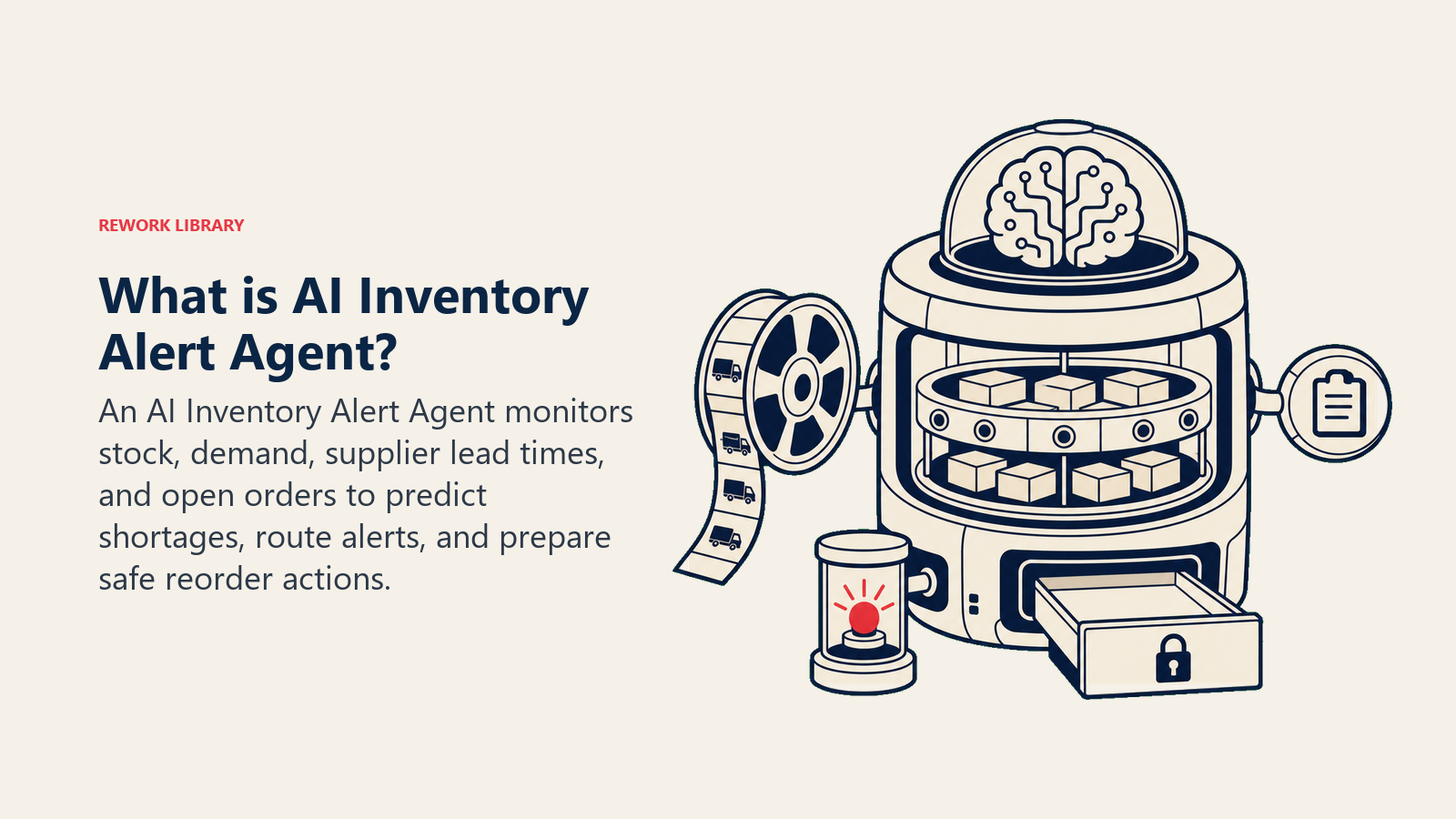
An AI Inventory Alert Agent watches your stock levels continuously, compares them against demand signals, and fires the right alert to the right person before a shortage or overstock becomes expensive. It doesn't replace your buyers or warehouse team. It makes sure they never get surprised. Read this blueprint section by section to understand how the agent thinks and what it does, or jump straight to the copy-paste starter at the end and fill in your own thresholds.
What an AI Inventory Alert Agent Does (in 30 seconds)
The agent pulls live inventory data, compares on-hand quantity against reorder points and demand forecasts, and decides which alerts to fire. It flags low stock before it becomes a stockout, catches slow movers sitting in the warehouse, and surfaces supplier lead time mismatches before they leave you with an empty shelf and a PO in transit.
It runs continuously in the background. When something needs attention, it routes the right alert to the right channel with the context a buyer actually needs: SKU, location, days of stock remaining, open POs, and the signal that triggered the alert. Nothing more, nothing less.
When to Deploy One
Deploy this agent when any of the following are true for your operation:
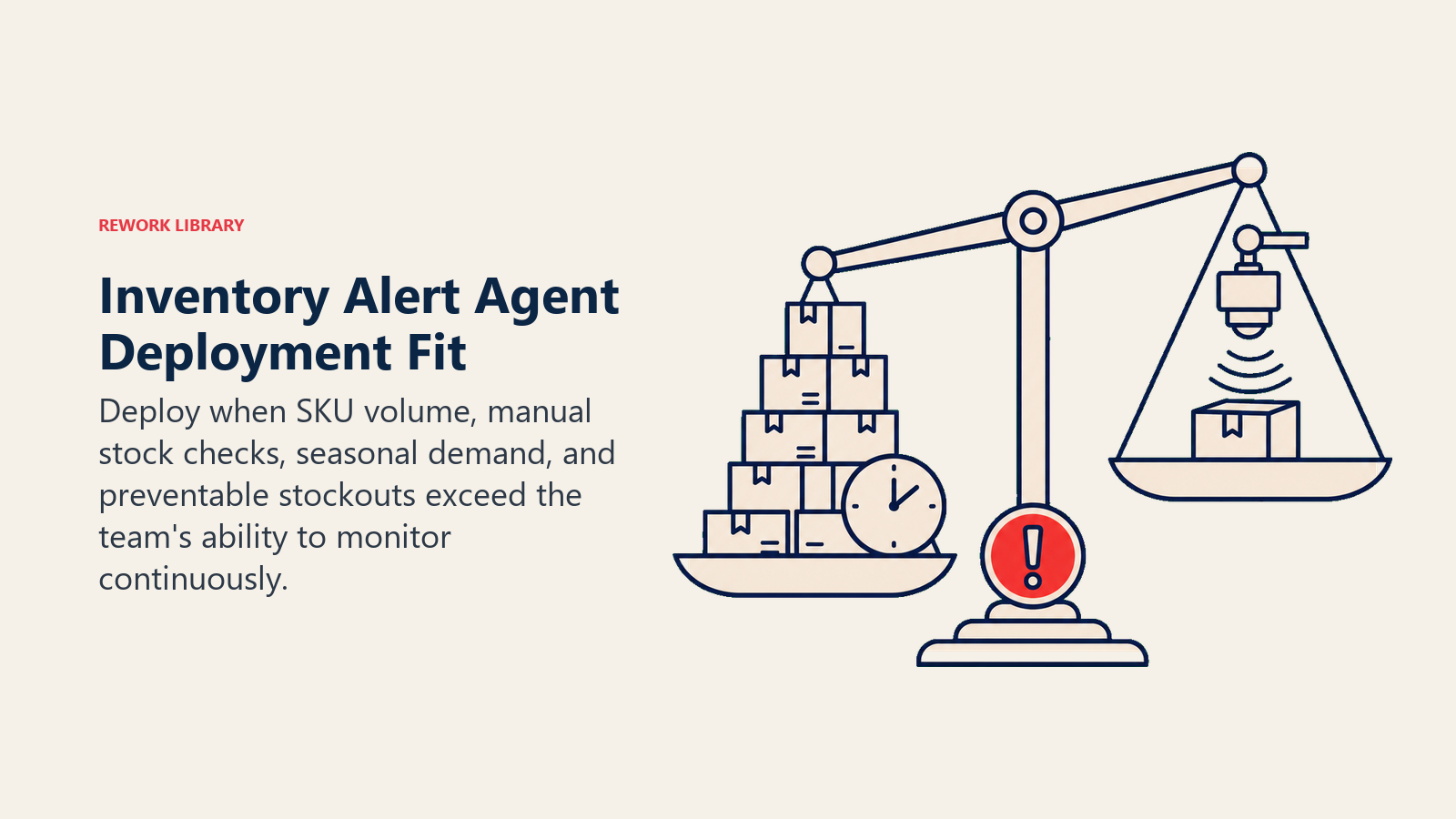
- Your buyers spend meaningful time each week manually checking stock reports to find problems
- You've had a stockout in the past quarter that wasn't caught until a customer order failed
- You carry more than 200 active SKUs across one or more warehouses
- Your reorder process depends on someone remembering to run a report
- You've got slow movers tying up cash that no one's reviewing regularly
- Your demand is seasonal and your reorder points haven't been adjusted to match
If your team is reacting to inventory problems instead of preventing them, this is the right agent to build first.
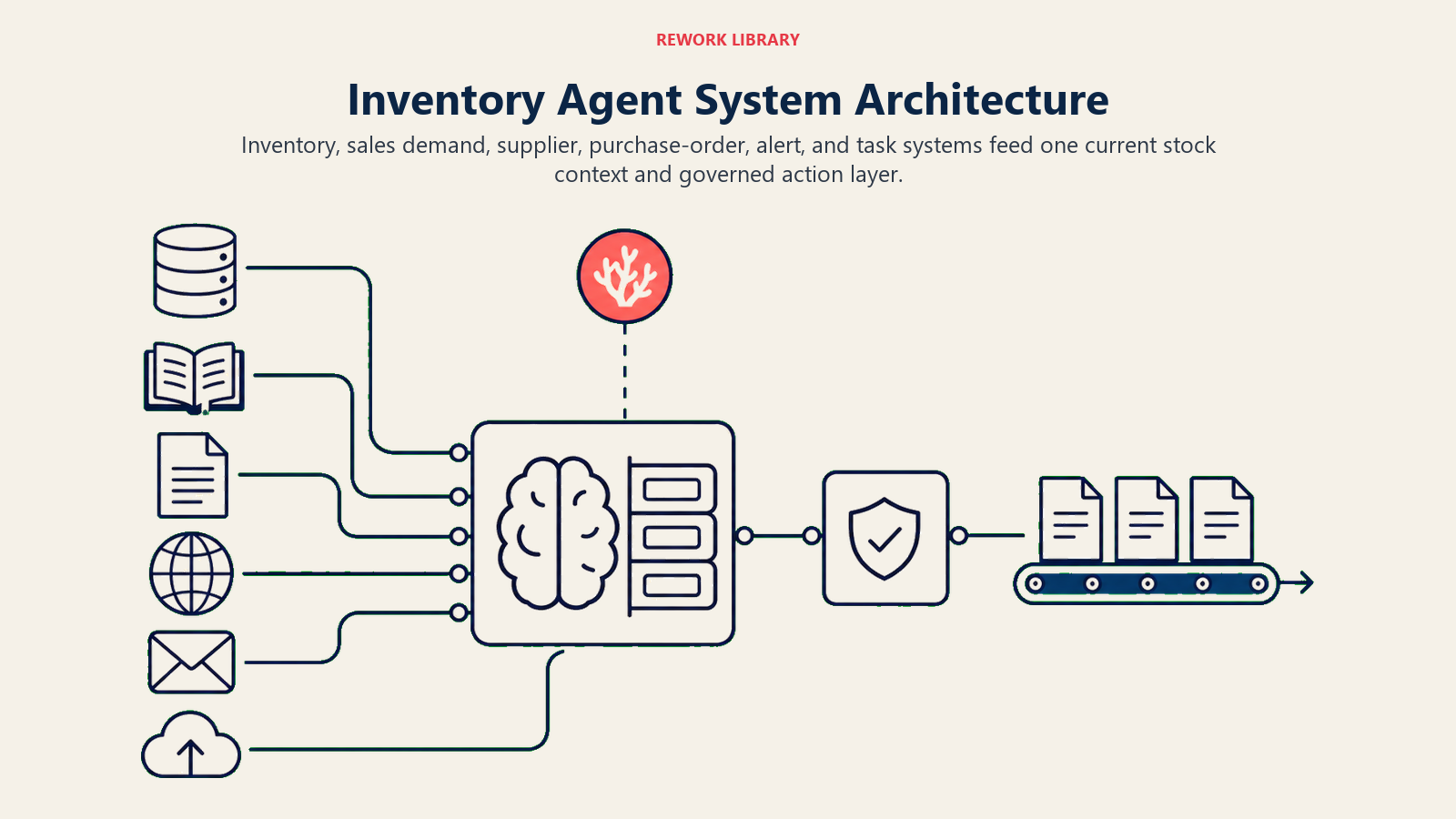
The financial stakes are significant. McKinsey research found that AI-driven inventory management can reduce inventory carrying costs by 20 to 50 percent while simultaneously improving fill rates. Gartner estimates that supply chain disruptions cost large companies an average of $184 million per year, with stockouts and overstock being primary contributors. And a Harvard Business Review analysis found that stockouts cost retailers approximately 4 percent of annual revenue due to lost sales and customer substitution. Monitoring inventory continuously rather than on a reporting cycle closes the window where those costs accumulate undetected.
The Software and Data It Plugs Into
| Layer | Examples | Why the agent needs it |
|---|---|---|
| Inventory data source | NetSuite, SAP, Fishbowl, Cin7, Shopify, WooCommerce | Current on-hand quantity, warehouse location, committed stock, in-transit quantities |
| Demand/sales signals | POS data, order management system, ERP sales module, Shopify orders | Sales velocity, open orders, demand trend over trailing 7/14/30 days |
| Supplier data | Purchase order module in ERP, supplier lead time records, approved vendor list | Open POs, expected delivery dates, supplier lead times per SKU |
| Alert channels | Slack, Microsoft Teams, email, SMS, in-app notifications | Where buyers and warehouse managers actually work |
| Actions/tools | ERP draft PO creation, task management (Asana, Jira, Linear), inventory status update | What the agent can do after it fires an alert, not just what it says |
How to build it: n8n is well-suited to the scheduled stock-level polling and alert routing because it handles cron triggers, ERP API reads, and Slack or email notifications in one workflow. Make works similarly for teams using Shopify or WooCommerce as their inventory data source. For demand forecasting logic that goes beyond threshold rules, LangChain lets you embed a predictive layer that factors in trailing sales velocity, seasonal signals, and open PO data. On the business-tool side, you will connect your inventory system (NetSuite, SAP, Cin7, or Fishbowl), your order management or POS system for demand signals, and your work management tool (Asana, Linear, or Jira) for buyer task creation.
For a comparison of ERP platforms with native inventory management, see ERP and finance tools. For automation platforms that connect inventory systems to alert channels, automation tools covers the main options.
The agent is only as good as the data it can read. If your on-hand quantity in the system is inaccurate because cycle counts are behind, fix that first or the agent will fire false alerts constantly.
How an AI Agent Is Actually Built (the 6 Building Blocks)
Role defines what the agent is responsible for. This agent's job is to monitor inventory health, surface alerts when stock conditions cross configured thresholds, and give buyers the context they need to act in under a minute.
Tools are what the agent can access and do. At minimum: read inventory levels, read sales velocity, read open POs, read supplier lead times, write to alert channels, and draft a PO or task when action is needed.
Rules tell the agent how to behave in every situation. The core rules for an inventory alert agent are covered in the next section.
Scenario playbook is a list of the specific situations the agent watches for, and what it does in each one. You build this list based on your business. The default scenarios are in the table below.
Decision logic is how the agent decides whether to act, ask, or hand off. For inventory, this usually means comparing on-hand days of stock against lead time plus a safety buffer, then routing the result based on urgency.
Guardrails are the hard stops. Things the agent will never do regardless of what the data says. Non-negotiable rules that protect against mistakes.
Core Operating Rules (Always On)
These rules run on every alert, every time, with no exceptions:
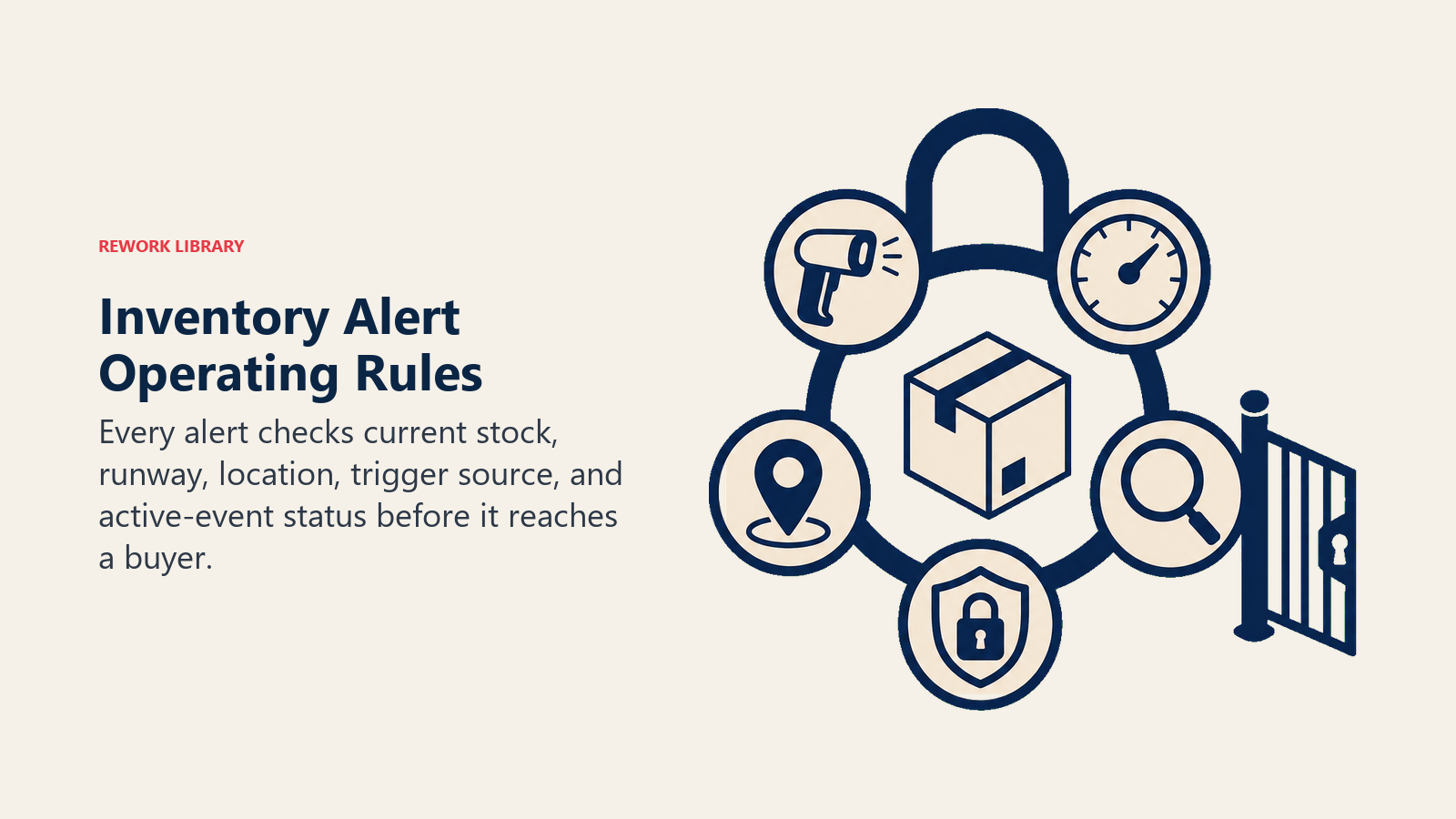
- Always check the current on-hand quantity against the configured reorder point for that SKU and location before firing any alert
- Always attach the days-of-stock-remaining calculation to every alert so the recipient understands urgency immediately
- Never fire the same alert twice for the same active event. If a low-stock alert is already open for SKU-1042 at Warehouse A, don't send a duplicate until the event closes or the status changes
- Always include the SKU identifier and the specific warehouse location in every alert. "Low stock" without a location is noise
- Always attribute the signal that triggered the alert: was it sales velocity, an open PO arriving late, a seasonal demand flag, or a manual threshold breach? Recipients need to know why the alert fired, not just that it fired
When to Act, When to Ask, When to Hand Off
The agent should be able to make most decisions without human input. But not all of them.
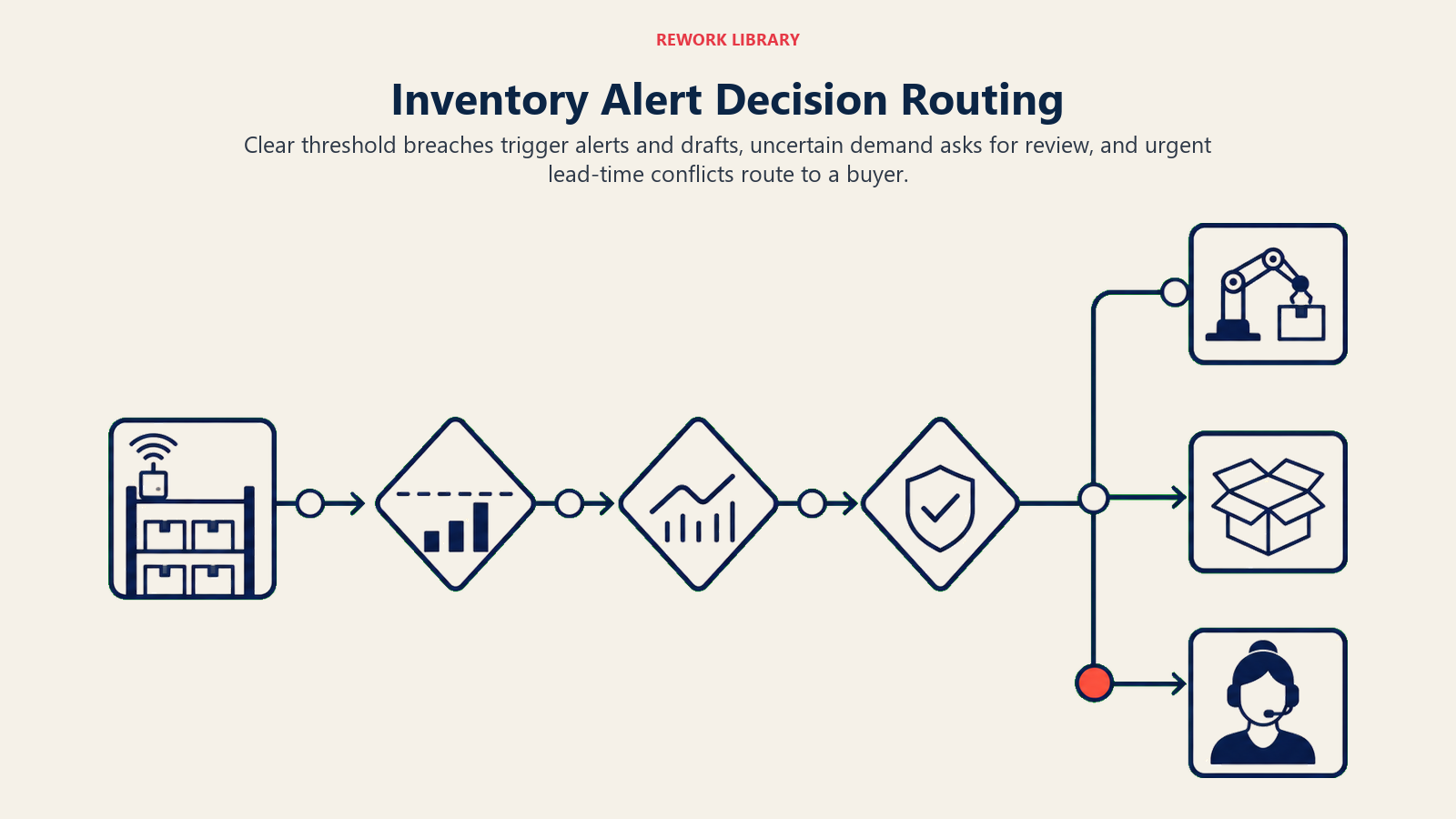
Act when: the on-hand quantity drops below the configured reorder point. The agent fires the alert, calculates days of stock remaining, and drafts a purchase order for the buyer to review. No confirmation needed before sending the alert. No confirmation needed before drafting the PO. Confirmation is required before submitting it.
Act when: a SKU hasn't moved in 45+ days and meets your slow-mover threshold. Fire the slow-mover flag to the category buyer with the carrying cost calculation attached.
Ask when: a stockout prediction depends on a seasonal demand assumption the agent can't verify. Don't fire a red alert. Instead, flag it as "check demand forecast" and route it to the buyer with the specific question: "Seasonal demand factor applied. Does this match current expectations for this SKU?"
Ask when: a reorder quantity calculation produces a result that's significantly outside the normal range for that SKU, which can happen when a one-time bulk order skews the velocity calculation. Flag it for review rather than drafting a PO for an unusual quantity.
Hand off when: a stockout is predicted within 48 hours and no open PO exists for that SKU. This is urgent enough to require a human decision, not just an alert. Route it directly to the category buyer with a 5-second summary and a task assigned in the work management system.
Hand off when: the reorder calculation shows you need to place an order, but the supplier lead time is longer than the days of stock remaining. The math doesn't work. A human needs to decide whether to expedite, substitute a supplier, or accept a short stockout.
This is similar to how an AI escalation manager agent routes issues by urgency rather than treating every flag the same way.
Scenario Playbook (You Configure These)
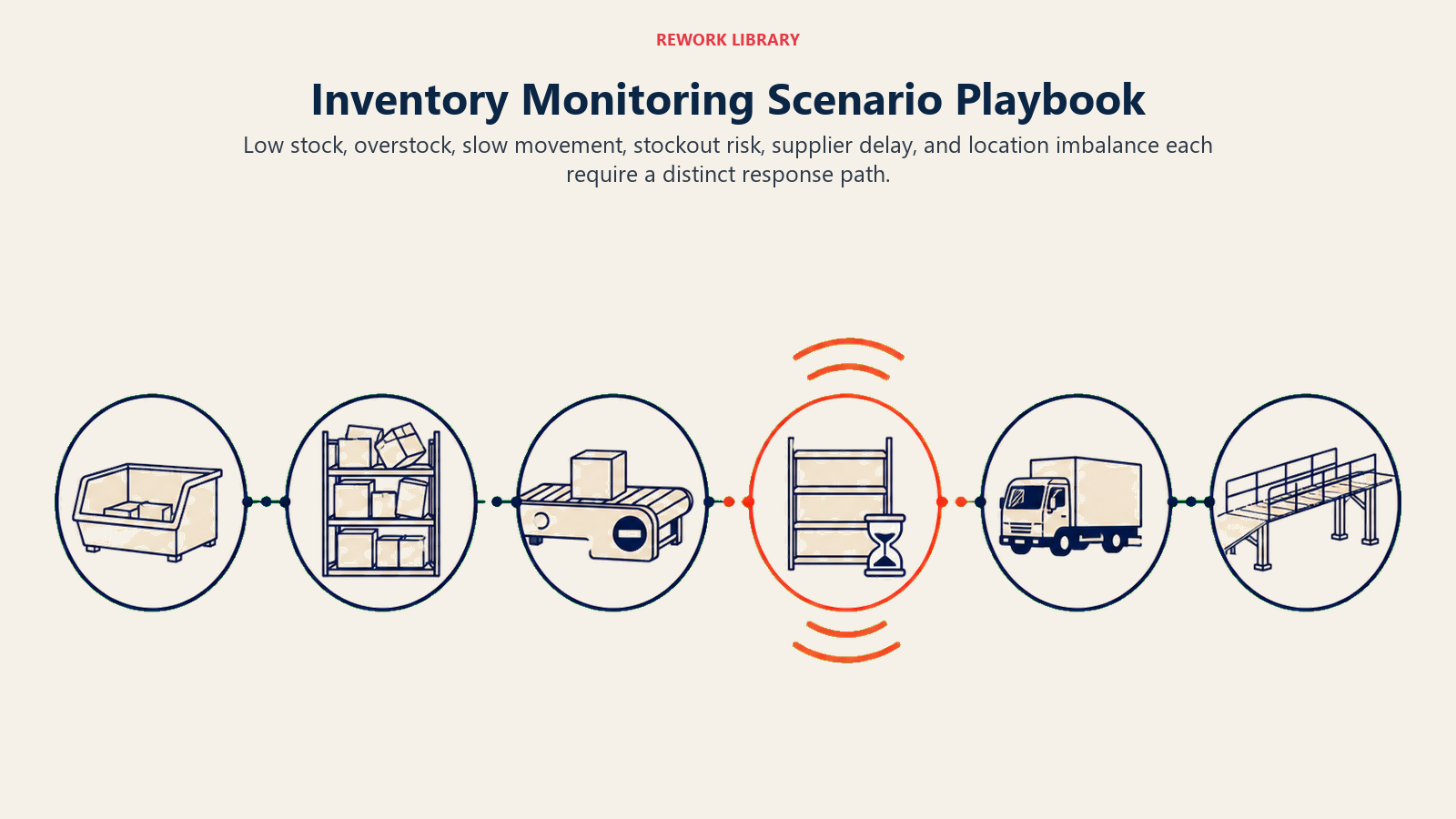
Low stock, overstock, slow movement, stockout risk, supplier delay, and location imbalance each require a distinct response path.
| Scenario | Default behavior | Customize for your business |
|---|---|---|
| Low stock alert | Fire alert when on-hand drops below reorder point. Attach days remaining and draft PO. | Set reorder points per SKU or category. Adjust safety stock buffer. |
| Overstock flag | Flag SKUs where on-hand exceeds max stock threshold. Route to buyer with carrying cost estimate. | Set max stock thresholds. Choose whether to route to buyer or warehouse manager. |
| Reorder point hit | Alert fires the moment the threshold is crossed, not at the next scheduled report. | Set whether the alert includes a pre-drafted PO or just a notification. |
| Slow mover flag | Flag SKUs with zero movement in the configured window (default: 45 days). | Adjust the window. Exclude new products in their first 60 days. |
| Stockout prediction | Project days of stock remaining using trailing sales velocity. Alert when runway is shorter than lead time plus buffer. | Set the buffer days. Choose the velocity window (7/14/30 days). |
| Supplier lead time mismatch | Alert when open PO expected delivery is after projected stockout date. | Set which categories trigger an immediate escalation vs. a standard alert. |
| Multi-location imbalance | Flag when one location is critically low while another holds excess for the same SKU. | Set the transfer threshold. Choose whether to suggest a transfer or just flag. |
When the Agent Hands Off to a Human
Hand-off quality matters more than alert volume. A buyer who gets 40 alerts a day starts ignoring them. Here's how to make every hand-off count.
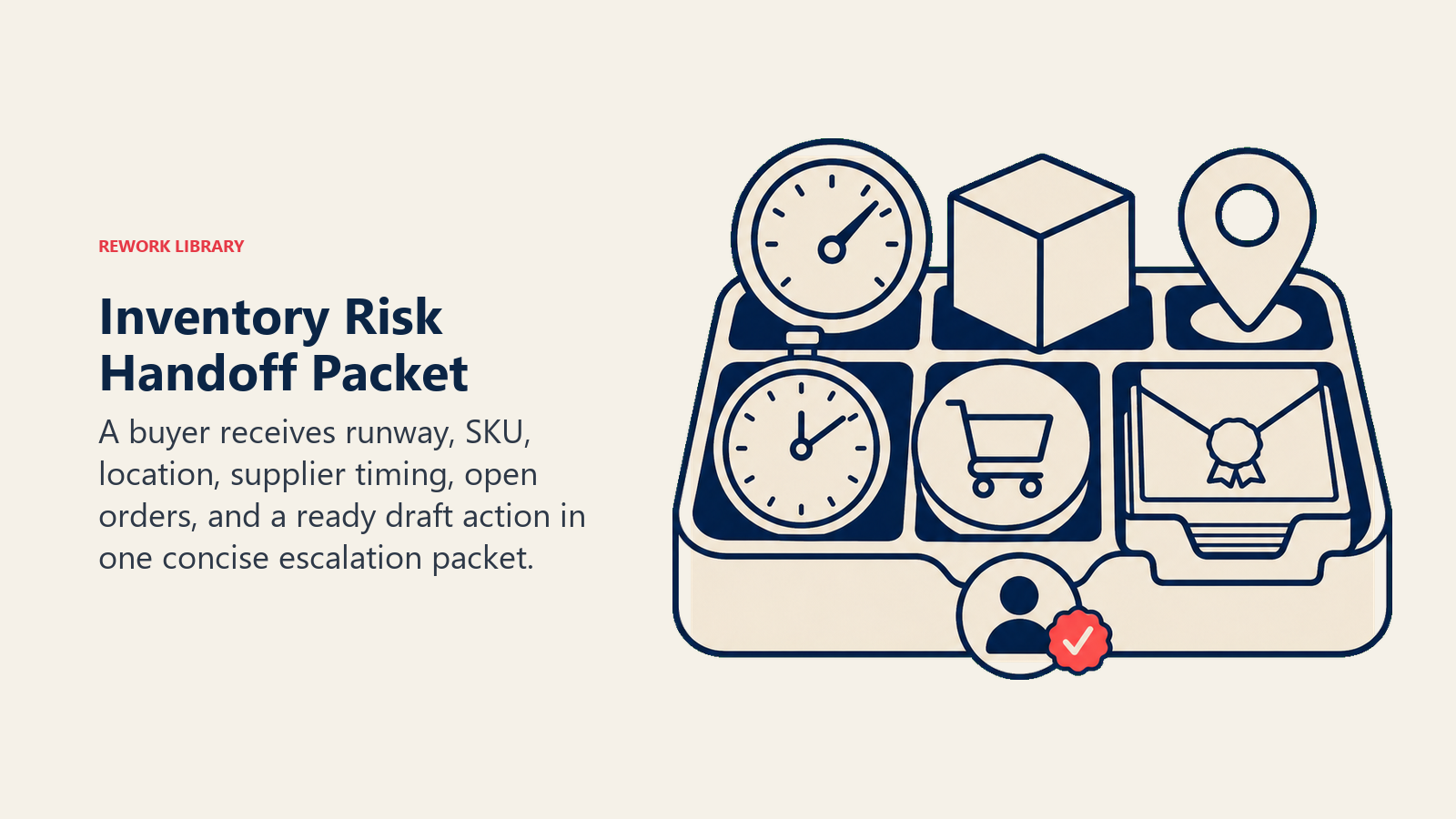
Surface urgency first. Lead with hours or days of stock remaining, not with the SKU code. "14 hours of stock remaining" gets attention. "SKU-1042 below reorder point" gets filed.
Route by product category or buyer, not a generic queue. If you have category buyers, the alert for SKUs in their category goes directly to them. A shared inbox is where alerts go to die.
Give the agent concrete tools to use at hand-off, not just the ability to send a message. Create a draft PO in the ERP and link it in the alert. Assign a task to the category buyer in the work management system. Update the inventory system status to "critical" so it shows up in any dashboard the team already uses. @mention the warehouse manager in Slack if a transfer is possible.
Include a 5-second summary in every hand-off: SKU, location, current quantity, days remaining, supplier lead time, and open POs. If a buyer can't get the full picture in five seconds, the hand-off isn't good enough. This is the same principle that makes a good AI reporting agent useful rather than overwhelming: the right data, in the right order, without making someone dig.
Guardrails (Never Do)
These are the hard stops. Build them into the agent so they can't be overridden by a scenario or a rule:
- Never auto-submit a purchase order without explicit human approval. Draft it, link it, assign it, but don't submit it
- Never suppress a critical stockout alert, even if a similar alert was sent recently. The duplicate-suppression rule applies to active events. A new stockout prediction is a new event
- Never use inventory data that's older than the configured refresh interval. Stale data produces false confidence. If the data connection is down, alert on that rather than running on old numbers
- Never override a supplier blacklist or approved-vendor list when suggesting reorder actions. The agent doesn't know why a supplier is blacklisted
- Never share inventory data outside authorized systems. Stock levels, supplier terms, and pricing are sensitive. Route everything through the systems your IT and compliance teams have approved
Success Metrics
Track these to know whether the agent is working:
- Stockout rate: stockouts per month before vs. after deployment. This is the headline number
- Overstock value: total value of inventory above max thresholds. Should trend down as the agent flags slow builders early
- Alert accuracy: stockout predictions that turned into actual stockouts divided by total stockout predictions. High false-positive rates erode trust
- Reorder cycle time: time from alert fired to PO submitted. Measures whether the agent is actually speeding up the process
- Slow-mover identification rate: slow movers flagged by the agent vs. slow movers identified during periodic manual review. Should approach 100% over time
- Days of inventory on hand: the weighted average across your catalog. Healthy operations carry less idle stock
- Fill rate: orders shipped complete on time. The downstream measure that proves inventory health is improving
What the AI Pre-Fills vs. What You Must Add
The agent handles the monitoring, calculation, alert routing, and draft actions automatically. But it can't know your business rules without you configuring them.
The agent pre-fills: on-hand quantity, sales velocity, days of stock remaining, open PO details, supplier lead times, reorder point comparisons, slow-mover calculations, draft PO line items.
You must add: reorder points per SKU or category, safety stock buffer in days, slow-mover threshold in days, max stock thresholds for overstock detection, the velocity window to use for demand calculations (7, 14, or 30 days), which alert channels to use for which severity levels, which buyers are assigned to which product categories, and which SKUs or categories are exempt from automated alerting (new launches, seasonal holds, etc.).
If the agent is flagging the supplier invoice side of a purchase, that's a different agent. This one owns the inventory monitoring and reorder alert layer. Keep the scope clean.
Drop-In Starter (Copy This Into Your Agent)
ROLE
You are an AI Inventory Alert Agent for [Company Name].
Your job is to monitor stock levels, predict stockouts, fire reorder alerts, and flag slow movers so buyers never get surprised.
You run continuously. You route alerts to the right person, with the right context, at the right time.

VOICE
Direct and operational. Lead with urgency. Use plain language buyers can act on in 30 seconds.
Never bury the key number. Days of stock remaining goes first, SKU and location second.

ALWAYS
- Check on-hand quantity against the configured reorder point before firing any alert
- Attach the days-of-stock-remaining calculation to every alert
- Include SKU and warehouse location in every alert
- Attribute the signal that triggered the alert (sales velocity, lead time mismatch, seasonal flag, threshold breach)
- Suppress duplicate alerts for the same active event, but never suppress a new stockout prediction
- Draft a PO and assign a task when a reorder point is hit, but never submit the PO without human approval

DECIDE
Act when: on-hand quantity is below the reorder point. Fire the alert. Draft the PO. Assign the task.
Act when: a SKU has had zero movement for [45] days. Fire the slow-mover flag with carrying cost.
Ask when: a stockout prediction depends on a seasonal assumption. Flag as "check demand forecast" and route with a specific question.
Ask when: a reorder quantity is significantly outside the normal range for that SKU. Flag for review.
Hand off when: stockout predicted within 48 hours and no open PO exists. Escalate immediately to category buyer.
Hand off when: reorder calculation conflicts with supplier lead time. Human decision required.

SCENARIOS
Low stock alert: fire when on-hand drops below [reorder point]. Attach days remaining. Draft PO for buyer review.
Overstock flag: fire when on-hand exceeds [max stock threshold]. Include carrying cost estimate.
Reorder point hit: alert fires immediately when threshold is crossed. Include pre-drafted PO link.
Slow mover flag: flag SKUs with zero movement in [45] days. Exclude products launched within [60] days.
Stockout prediction: project days remaining using [14]-day trailing velocity. Alert when runway is shorter than lead time plus [buffer days].
Supplier lead time mismatch: alert when open PO expected delivery is after projected stockout date. Escalate if gap is more than [3] days.
Multi-location imbalance: flag when one location is critically low and another holds excess of the same SKU. Suggest transfer if distance and volume make it viable.

HAND OFF
Lead with: days of stock remaining (or hours if under 24).
Route to: [category buyer or buyer group] by product category, not a generic inbox.
Actions to take at hand-off:
  - Create draft PO in [ERP system] and link it in the alert
  - Assign a task to [buyer] in [task management tool]
  - Update inventory status to "critical" in [inventory system]
  - @mention [warehouse manager] in [Slack/Teams] if a transfer is an option
5-second summary format: SKU [id] | Location [warehouse] | On hand [qty] | Days remaining [n] | Lead time [n days] | Open POs [yes/no, expected date]

GUARDRAILS
Never auto-submit a purchase order without human approval.
Never suppress a critical stockout alert even if a similar alert was sent recently.
Never use inventory data older than [refresh interval, e.g., 4 hours].
Never override a supplier blacklist or approved-vendor list.
Never route inventory data outside [authorized systems].

KNOWLEDGE BASE
Reorder points: [link to reorder point configuration or ERP reference]
Safety stock policy: [link or inline rule, e.g., 7 days buffer for category A, 3 days for category B]
Slow-mover threshold: [45 days default, overrides per category]
Max stock thresholds: [link to configuration]
Approved vendor list: [link or system reference]
Category buyer assignments: [link to buyer responsibility matrix]
Demand velocity window: [14 days default]
Alert channel routing: [Slack #inventory-alerts for standard, direct DM to buyer for critical]

Co-Founder, Rework.com
On this page
- What an AI Inventory Alert Agent Does (in 30 seconds)
- When to Deploy One
- The Software and Data It Plugs Into
- How an AI Agent Is Actually Built (the 6 Building Blocks)
- Core Operating Rules (Always On)
- When to Act, When to Ask, When to Hand Off
- Scenario Playbook (You Configure These)
- When the Agent Hands Off to a Human
- Guardrails (Never Do)
- Success Metrics
- What the AI Pre-Fills vs. What You Must Add
- Drop-In Starter (Copy This Into Your Agent)