Strichliste (Check Sheet): So erfassen Sie Prozessdaten
Turn this article into takeaways for your work.


Each assistant summarizes the article only for you and suggests best practices for your work.
Eine Strichliste ist eines der einfachsten Qualitätswerkzeuge zu erstellen und eines der schwersten zu ignorieren, sobald man gesehen hat, was sie offenlegt. Es handelt sich um ein strukturiertes Formular, das Sie genau dort ausfüllen, wo die Arbeit tatsächlich stattfindet, und das rohe Beobachtung in Echtzeit in zählbare Daten verwandelt.
Ohne Strichliste verlassen sich Teams auf Erinnerung oder Anekdoten. Mit einer Strichliste zeigen sich Muster schnell.
Was ist eine Strichliste?
Eine Strichliste (auch Zählliste oder Fehlerkonzentrationsblatt genannt) ist ein vorbereitetes Formular zur Erfassung und Zählung von Daten genau dort, wo die Arbeit stattfindet. Sie legen die Kategorien im Voraus fest und markieren dann jedes Vorkommnis, sobald es auftritt. Keine Tabellenkalkulation, keine Datenbankabfrage während der Erfassung nötig: nur ein Formular, ein Stift und konsistente Beobachtung.
Sie gehört zu den sieben grundlegenden Qualitätswerkzeugen, die der japanische Ingenieur Kaoru Ishikawa in den 1950er-Jahren entwickelte und in seinem Guide to Quality Control (1968) veröffentlichte. Die Strichliste bildet das Fundament des Werkzeugkastens, weil die anderen sechs Werkzeuge, von der Pareto-Analyse bis zum Fischgrätendiagramm, Daten brauchen, mit denen sie arbeiten können. Die Strichliste ist der Weg, wie Sie an diese Daten kommen.
Wichtigste Fakten
- Kaoru Ishikawa führte die sieben grundlegenden Qualitätswerkzeuge in seinem 1968 erschienenen Buch Guide to Quality Control ein, konzipiert, um Werkstattmitarbeitenden visuelle, nicht-statistische Methoden zur Prozessverbesserung zu geben. Die American Society for Quality (ASQ) führt die Strichliste noch heute als eines dieser sieben grundlegenden Werkzeuge.
- Ishikawa beobachtete, dass die sieben grundlegenden Werkzeuge etwa 95 % der qualitätsbezogenen Probleme in einer Fabrikumgebung lösen konnten (zurückgeführt auf eine Aussage Ishikawas um 1985, vier Jahre vor seinem Tod 1989).
- "Man kann nicht verbessern, was man nie zu zählen für nötig hielt." Die Strichliste macht das Zählen systematisch statt gelegentlich.
Arten von Strichlisten
Nicht jede Strichliste sieht gleich aus. Das richtige Format hängt davon ab, was Sie herausfinden wollen.
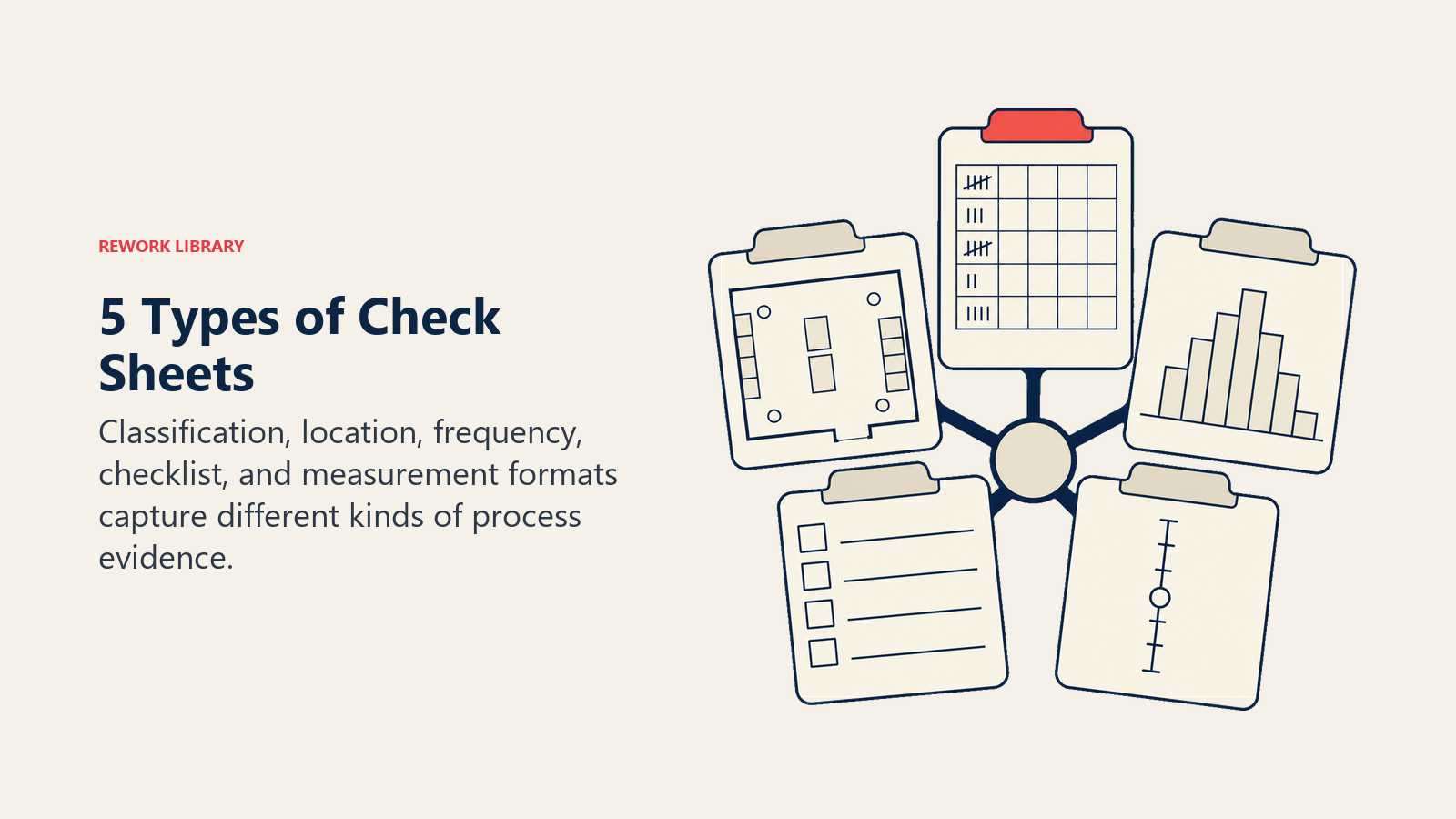
| Typ | Was erfasst wird | Beispielanwendung |
|---|---|---|
| Klassifizierung (Fehlerart-Zählung) | Wie oft jede Fehler- oder Ereigniskategorie auftritt | Anrufgründe in einem Support-Center zählen |
| Standort (Fehlerkonzentration / Measles-Chart) | Wo an einem Produkt oder Diagramm sich Fehler häufen | Kratzerstellen auf einer Autotürverkleidung markieren |
| Häufigkeit / Zählung | Wie oft ein gemessener Wert in definierte Bereiche fällt | Zykluszeiten über Schichten hinweg verfolgen |
| Checkliste / Bestätigung | Ob erforderliche Schritte abgeschlossen wurden (bestanden/nicht bestanden) | Sicherheitschecks vor dem Flug |
| Messwertskala | Verteilung gemessener Werte über einen Bereich | Produktgewichte an einer Verpackungslinie erfassen |
Klassifizierungs-Strichlisten sind der häufigste Ausgangspunkt. Standort-Strichlisten (manchmal Measles-Charts genannt) funktionieren am besten, wenn die physische Platzierung wichtig ist. Messwertskala-Strichlisten fließen direkt in die Erstellung von Histogrammen ein.
Vorteile einer Strichliste
Das Hauptargument für eine Strichliste ist ihre Einfachheit. Sie erfordert keine Software und keine Schulung über wenige Minuten Einweisung hinaus. Aber ihr wahrer Wert liegt darin, was sie anschließend ermöglicht.
Sie wandelt Beobachtung in Daten um. Eine Führungskraft, die bemerkt "wir haben freitags anscheinend viele Abrechnungsfehler", hat eine Vermutung. Eine Strichliste, die Abrechnungsfehler nach Wochentag über vier Wochen erfasst, hat Belege.
Sie erfasst Daten in Echtzeit. Anders als nachträgliche Protokolle oder Vorfallstickets wird eine Strichliste genau in dem Moment ausgefüllt, in dem ein Ereignis eintritt. Das reduziert Erinnerungsverzerrung und erfasst Ereignisse, die es nie in einen Bericht schaffen.
Sie füttert den Rest des Qualitätswerkzeugkastens. Strichlisten-Daten sind das Rohmaterial für die Pareto-Analyse (welche Fehlerart dominiert?), das Fischgrätendiagramm (was verursacht den häufigsten Fehler?), Streudiagramme (bewegen sich zwei Variablen zusammen?) und die statistische Prozesskontrolle (SPC). Ohne verlässliche Erfassung an der Quelle arbeitet jedes nachgelagerte Werkzeug mit Vermutungen.
Sie schafft eine gemeinsame Sprache. Einigt sich ein Team vor Beginn der Erfassung darauf, was als "Fehler" oder "ausgelassener Schritt" zählt, löst es damit auch Kategoriestreitigkeiten, die sonst viel später während der Analyse auftauchen würden.
Wie Sie eine Strichliste erstellen
Eine brauchbare Strichliste beginnt mit einer präzisen Beobachtungsfrage und nimmt dann jede Reibung aus der Erfassung der einzelnen Ereignisse an der Quelle.
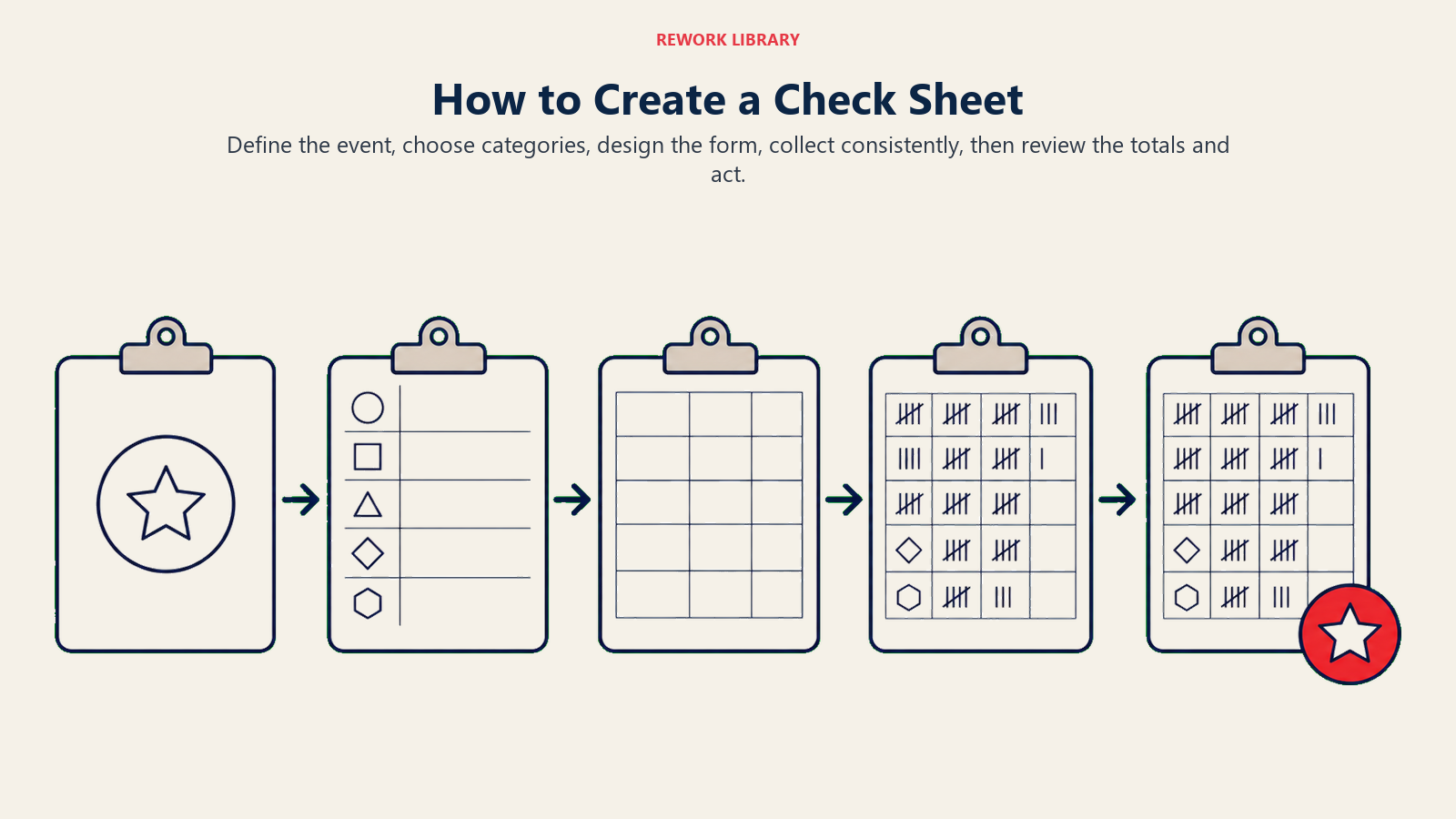
Schritt 1: Das zu verfolgende Ereignis oder den Fehler definieren
Seien Sie konkret. "Kundenbeschwerde" ist zu weit gefasst. "Kundenbeschwerde über verspätete Lieferung" ist erfassbar. Schreiben Sie eine Ein-Satz-Definition und stellen Sie sicher, dass sich das gesamte Team darüber einig ist, was zählt.
Schritt 2: Die Kategorien festlegen
Wählen Sie die Zeilen- oder Spaltenüberschriften. Bei einer Klassifizierungs-Strichliste sind das die Ereignistypen (Fehler A, Fehler B, Fehler C). Bei einer Häufigkeits-Strichliste sind das Wertebereiche (unter 30 Sekunden, 30-60 Sekunden, über 60 Sekunden). Beschränken Sie sich auf 6 bis 10 Kategorien. Zu viele Kategorien und das Formular wird zu Rauschen.
Sind Sie unsicher, welche Kategorien Sie nutzen sollen, führen Sie einen Testlauf über einen Tag mit einer Kategorie "Sonstiges" durch und sehen Sie, was sich dort ansammelt. Diese Punkte werden oft zu eigenen Zeilen.
Schritt 3: Das Formular gestalten
Halten Sie das Layout übersichtlich. Spalten oder Zeilen sollten klare Überschriften haben. Fügen Sie Felder ein für:
- Datum und Schicht
- Standort oder Arbeitsbereich
- Name oder Kennung der Bedienperson (optional, abhängig vom Ziel)
- Gesamtanzahl pro Kategorie
Ein physisches Papierformular funktioniert während der Datenerfassung oft besser als ein digitales, weil es kein Navigieren auf einem Bildschirm mitten in der Aufgabe erfordert. Sie können die Strichzählungen am Ende jeder Schicht digitalisieren.
Schritt 4: Daten konsistent erfassen
Weisen Sie die Erfassungsverantwortung klar zu. Eine Person pro Schicht oder eine Rotation mit Übergabeprotokoll. Erfassen Sie lange genug, um ein Muster zu erkennen: typischerweise ein bis vier Wochen, je nach Ereignishäufigkeit. Treten Fehler stündlich auf, kann ein Tag reichen. Treten sie zweimal pro Woche auf, brauchen Sie mehr Zeit.
Briefen Sie die Erfassenden genau darüber, was zählt. Sind sich zwei Erfassende uneinig, ob etwas Fehlertyp A oder Fehlertyp B ist, teilt sich die Daten auf eine Weise auf, die die Analyse unzuverlässig macht.
Schritt 5: Überprüfen und handeln
Zählen Sie die Summen am Ende des Erfassungszeitraums zusammen. Bringen Sie die Daten dann irgendwohin. Führen Sie eine Pareto-Analyse durch, um die häufigste Kategorie zu finden. Nutzen Sie ein Fischgrätendiagramm, um Ursachen zu ergründen. Wenden Sie 5-Why an, wenn Sie eine schnelle verbale Ursachenverfolgung wollen.
Lassen Sie die Daten nicht liegen. Eine Strichliste, die abgeheftet statt analysiert wird, ist eine verpasste Chance.
Beispiele für Strichlisten nach Funktion
Dieselbe Zählstruktur lässt sich an unterschiedliche Funktionen anpassen, indem man die Kategorien und den Beobachtungspunkt ändert.
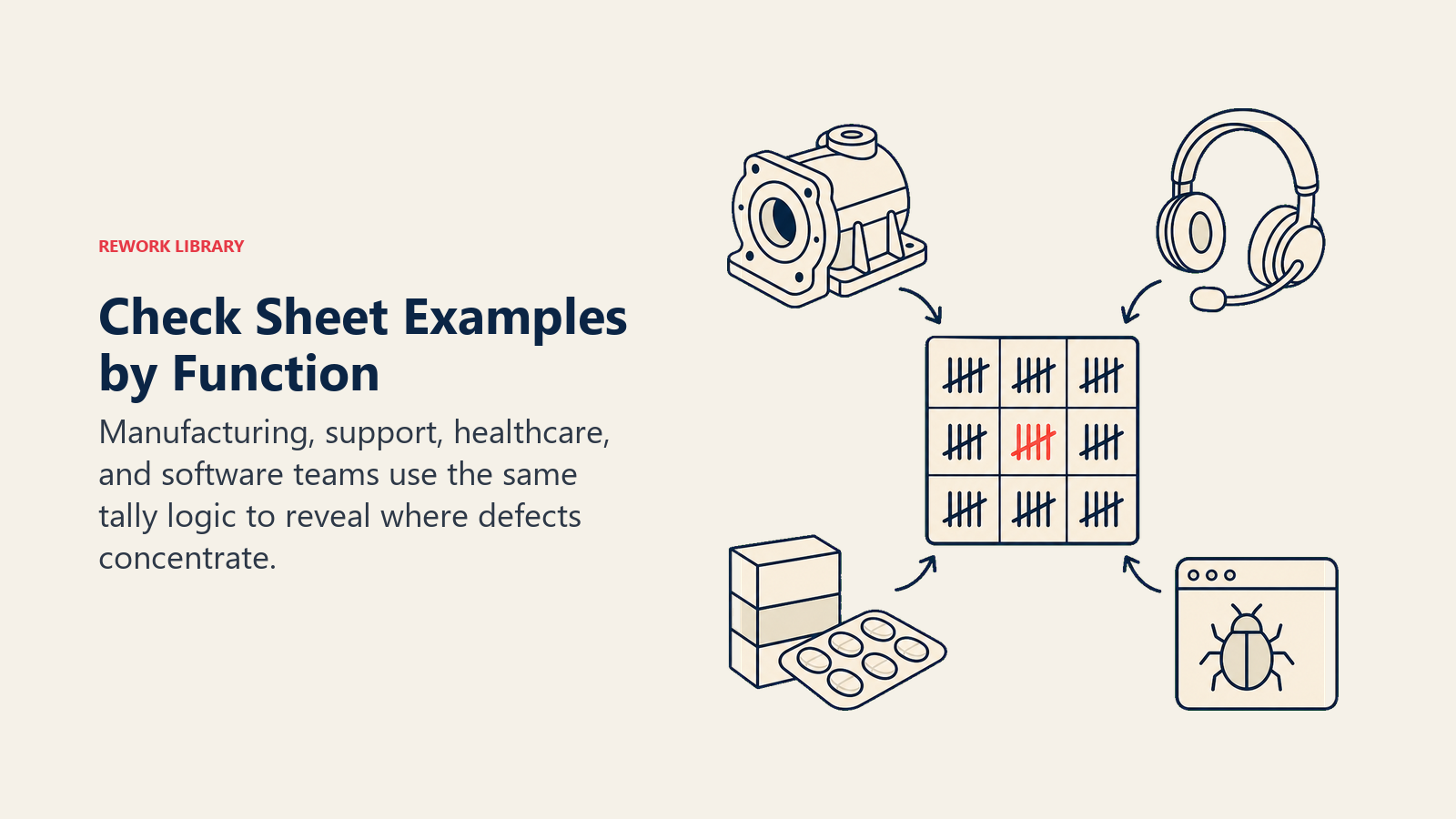
Fertigungsfehler
Eine Produktionslinie verfolgt fünf Fehlertypen über drei Schichten. Nach einer Woche zeigt die Zählung, dass "Oberflächenkratzer" 61 % aller Fehler ausmacht und 80 % davon in der Nachtschicht auftreten. Das ist umsetzbar: Die Strichliste hat nichts gelöst, aber direkt darauf hingewiesen, wo man nachschauen muss.
| Fehlertyp | Tagschicht | Abendschicht | Nachtschicht | Gesamt |
|---|---|---|---|---|
| Oberflächenkratzer | 12 | 15 | 41 | 68 |
| Maßabweichung | 5 | 6 | 4 | 15 |
| Fehlendes Bauteil | 2 | 1 | 3 | 6 |
| Verpackungsfehler | 4 | 5 | 3 | 12 |
| Sonstiges | 1 | 2 | 2 | 5 |
| Gesamt | 24 | 29 | 53 | 106 |
Anrufgründe im Kundensupport
Ein Support-Team verfolgt eingehende Anrufkategorien über 10 Arbeitstage. "Passwort zurücksetzen" führt die Liste mit 34 % an, gefolgt von "Abrechnungsfrage" mit 22 %. Ein Self-Service-Link zum Zurücksetzen des Passworts auf der Login-Seite adressiert ein Drittel des Anrufvolumens, ohne zusätzliches Personal.
Medikationsfehler im Gesundheitswesen
Eine Pflegeeinheit verfolgt Medikationsfehlertypen: falsche Dosis, falscher Patient, falscher Zeitpunkt, falsches Medikament. Über 30 Tage macht "falscher Zeitpunkt" 58 % der Vorfälle aus. Die anschließende Ursachenanalyse fällt deutlich enger aus, weil die Strichliste drei andere Kategorien aus der Betrachtung ausschloss.
Software-Fehlertypen
Ein QA-Team protokolliert Bugs nach Typ während eines Sprints: UI-Darstellung, Datenvalidierung, API-Timeout, Berechtigungen und Sonstiges. Strichlisten-Daten fließen direkt in Sprint-Retrospektiven ein, mit Belegen statt Meinungen.
Strichliste vs. Checkliste
Diese beiden Werkzeuge teilen sich einen Namensstamm, dienen aber unterschiedlichen Zwecken. Der Unterschied ist wichtig.
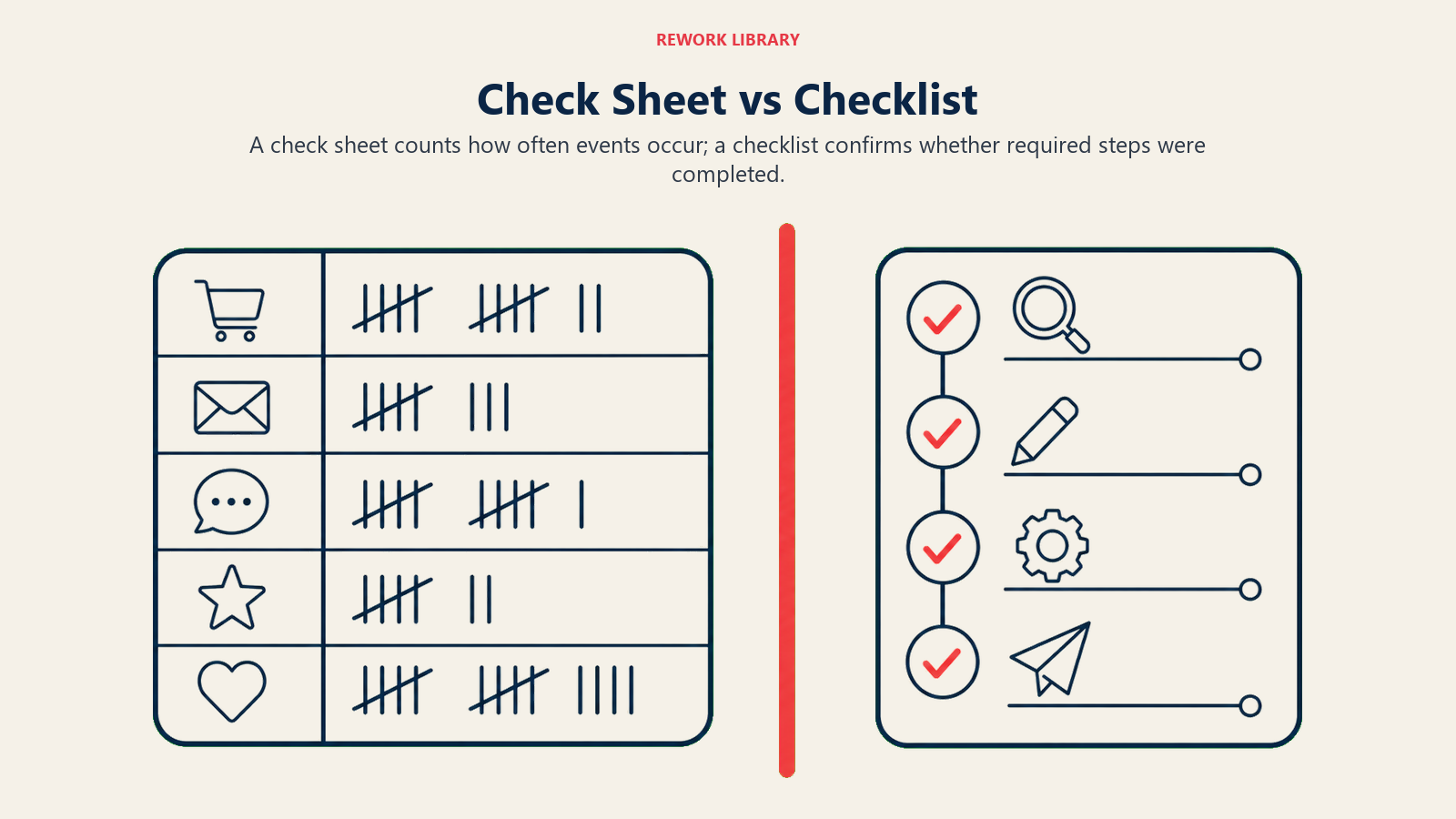
Eine Strichliste ist ein Datenerfassungswerkzeug. Ihr Ziel ist es, zu zählen, wie oft etwas über Kategorien hinweg über die Zeit auftritt. Das Ergebnis ist eine Häufigkeitstabelle, die Sie analysieren.
Eine Checkliste ist ein Aufgabenbestätigungswerkzeug. Ihr Ziel ist es, zu bestätigen, dass erforderliche Schritte abgeschlossen wurden. Das Ergebnis ist ein Nachweis, dass eine Prozedur korrekt befolgt wurde.
Beide sind sinnvoll. Aber sie zu verwechseln verursacht Probleme. Geben Sie jemandem eine Checkliste und bitten ihn, "Qualität zu verfolgen", wird er Kästchen abhaken und Ihnen sagen, dass alles bestanden hat, selbst wenn derselbe Schritt wiederholt auf unterschiedliche Weise fehlgeschlagen ist. Eine Strichliste hätte dieses Muster erfasst.
Nutzen Sie eine Checkliste, um eine Prozedur durchzusetzen. Nutzen Sie eine Strichliste, um zu verstehen, was tatsächlich passiert.
Best Practices
Tun:
- Kategorien vor Beginn der Erfassung festlegen, nicht währenddessen
- Daten am Ort des Auftretens erfassen, nicht aus der Erinnerung am Tagesende
- Daten lange genug erfassen, um ein stabiles Muster zu erkennen (mindestens eine Woche bei mittlerer Ereignishäufigkeit)
- Jeden Strichlisten-Durchlauf mit einem Analyseschritt nachverfolgen
- Erfassende gemeinsam schulen, damit alle dieselben Definitionen anwenden
- Ihre Strichliste mit der Messphase von Six Sigma DMAIC oder einem Verbesserungszyklus des Total Quality Management verknüpfen
Nicht tun:
- Das Formular mit zu vielen Kategorien gestalten (über 10 wird unhandlich)
- Daten über inkonsistente Zeiträume erfassen und vergleichen
- Eine Strichliste anstelle einer Checkliste nutzen, wenn das Ziel Prozedurkonformität ist
- Annehmen, dass die erste Datenrunde repräsentativ ist: erst pilotieren, Kategorien anpassen, wenn "Sonstiges" ein Spitzenergebnis ist
- Den Überprüfungsschritt überspringen. Nicht analysierte Daten verbessern nichts
Weiterführende Lektüre
- Pareto-Analyse: Die 80/20-Regel für Priorisierung
- Fischgrätendiagramm: Werkzeug zur Ursachenanalyse
- 5-Why: Eine einfache Methode zur Ursachenanalyse
- Histogramm als Qualitätswerkzeug
- Streudiagramm zur Prozessanalyse
- Six Sigma: DMAIC-Methodik
- Überblick über Total Quality Management
- Was ist ein Flussdiagramm?

Customer Success Operations Manager
On this page
- Was ist eine Strichliste?
- Arten von Strichlisten
- Vorteile einer Strichliste
- Wie Sie eine Strichliste erstellen
- Schritt 1: Das zu verfolgende Ereignis oder den Fehler definieren
- Schritt 2: Die Kategorien festlegen
- Schritt 3: Das Formular gestalten
- Schritt 4: Daten konsistent erfassen
- Schritt 5: Überprüfen und handeln
- Beispiele für Strichlisten nach Funktion
- Strichliste vs. Checkliste
- Best Practices
- Weiterführende Lektüre