Early Warning Systems: Mengesan Risiko Retention Sebelum Terlambat
Turn this article into takeaways for your work.


Each assistant summarizes the article only for you and suggests best practices for your work.
Satu team CS berasa kecewa. Setiap bulan, 3-5 customers akan hantar cancellation requests dengan sedikit warning sahaja. Bila CS terlibat, keputusan sudah dibuat, budget sudah diagihkan semula, dan alternatif sudah dipilih.
VP bertanya kepada team: "Mengapa kita tidak nampak ini datang?"
CSM: "Kami buat quarterly check-ins. Customers kata mereka happy, kemudian hilang."
Masalahnya jelas bila mereka tengok:
- Quarterly touchpoints terlepas segala yang berlaku antara calls
- Customers elak perbualan uncomfortable tentang dissatisfaction
- Usage sudah menurun berbulan sebelum sesiapa perasan
- Mereka tiada cara sistematik untuk spot risk signals
Jadi mereka bina early warning system dengan automated alerts untuk 15 leading indicators, daily health score monitoring, usage anomaly detection, stakeholder change tracking, dan support ticket pattern analysis.
Tiga bulan kemudian, hasilnya jelas: Mereka kenalpasti at-risk accounts 6 minggu lebih awal secara purata. Intervention success rate melonjak dari 25% ke 67%. Mereka cegah 8 churns bernilai $520k ARR. Dan CSMs habiskan kurang masa firefighting, lebih masa untuk proactive success.
Pelajarannya? Semakin awal anda kesan risiko, semakin mudah untuk menyelamatkan. Early warning systems cipta time window yang anda perlukan untuk effective intervention.
Early Warning System Concept
Leading Indicators vs Lagging Indicators
Lagging indicators beritahu apa yang sudah berlaku. Bila mereka trigger, selalunya sudah terlambat.
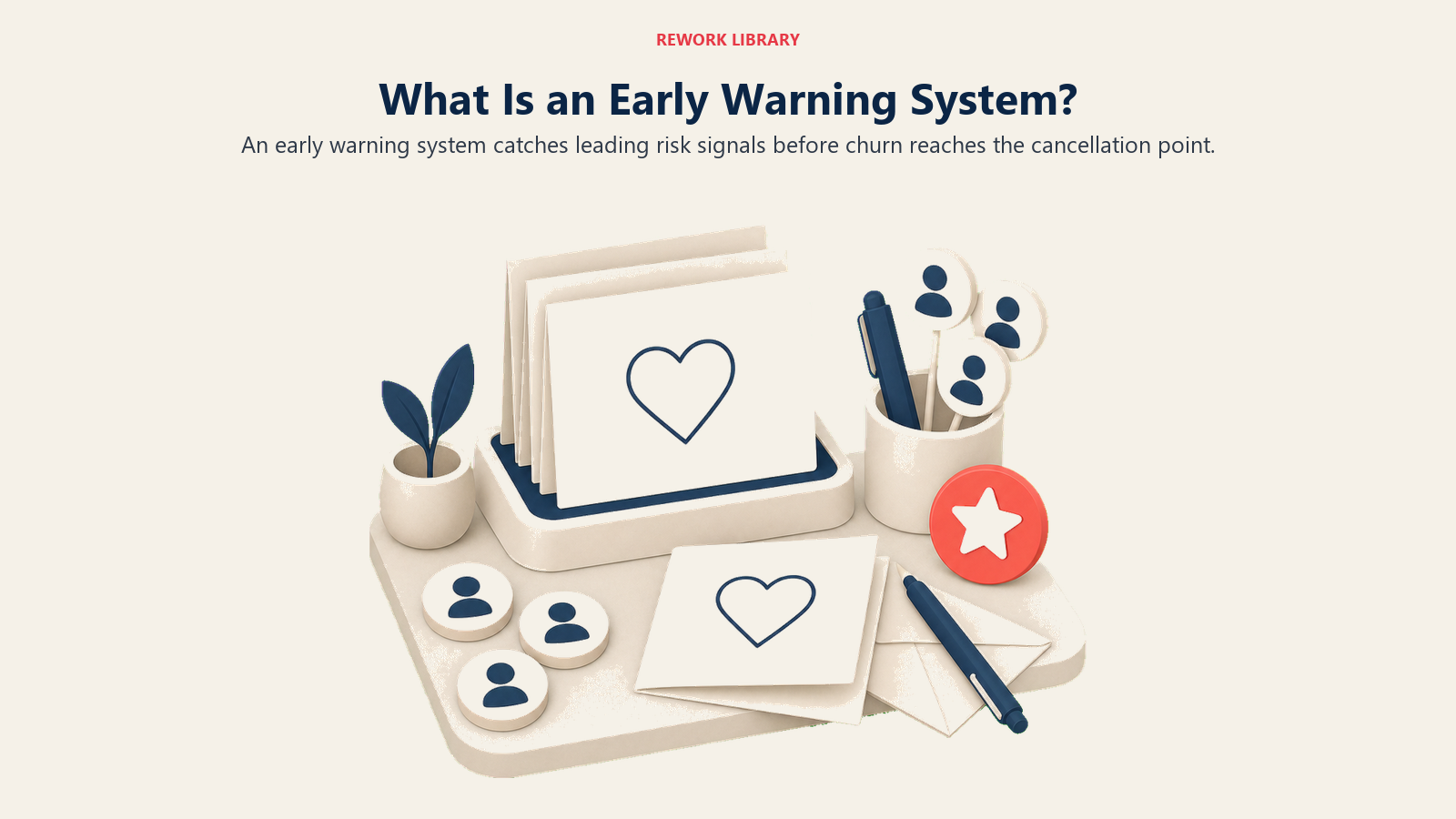
Fikirkan: Seorang customer hantar cancellation notice. Renewal gagal. NPS turun ke detractor. Contract expired tanpa renewal discussion. Apa persamaan semua ini? Sedikit atau tiada masa untuk intervene. Customers sudah buat keputusan mereka.
Leading indicators berfungsi berbeza. Mereka signal masalah potensial sebelum outcomes berlaku, beri anda window untuk intervene.
Anda nampak usage menurun 30% dalam 60 hari. Executive sponsor berhenti login. Support tickets meningkat. Tiada touchpoints dalam 45 hari. Budget freeze dikomunikasikan. Setiap satu beri anda breathing room.
Perbezaan masa penting:
- Lagging indicators: 0-7 hari untuk save (hampir mustahil)
- Leading indicators: 30-90 hari notice (save rates 60-80%)
Ini rupa dalam praktik.
Lagging indicator path: Bulan 1, usage menurun tapi tiada siapa perasan. Bulan 2, usage masih menurun tapi tiada siapa monitor secara sistematik. Bulan 3, customer hantar cancellation notice. Sekarang anda perasan. Anda ada 30 hari lagi terima kasih kepada contractual notice period. Save rate anda? 15%.
Leading indicator path: Bulan 1, usage turun 25% dan trigger alert. CSM reach out dalam 48 jam. Mereka kenalpasti issue, new team members tak di-onboard. CSM sediakan re-onboarding support. Usage pulih. Save rate? 75%.
Fokus early warning system anda pada leading indicators.
Signal vs Noise Management
Bukan setiap signal tunjukkan real risk. Terlalu banyak false alarms cipta alert fatigue, dan team anda mula ignore semuanya.
Signal adalah behavior change yang benar-benar predict churn. Seperti bila active user count turun 40% dalam 30 hari dan historical data anda tunjuk 70% correlation dengan churn. Itu perlukan immediate CSM outreach.
Noise adalah behavior change yang tidak predict churn. Active users turun 10% semasa holiday period, tapi ia seasonal pattern dan users sentiasa kembali. Anda monitor tapi tidak trigger alerts.
Urus balance ini perlukan empat perkara:
Pertama, historical analysis. Signal mana yang predict actual churn? Yang mana trigger alerts tapi customers renew juga? Calculate precision untuk setiap alert type.
Kedua, threshold tuning. Set thresholds yang tangkap real risk tanpa tenggelamkan team anda dalam false positives. Anda balance sensitivity (tangkap semua risk) dengan specificity (elak false alarms).
Ketiga, contextual rules. Account untuk seasonality seperti holidays dan fiscal year-end. Guna segment-specific thresholds, enterprise customers berkelakuan berbeza daripada SMB. Pertimbangkan customer lifecycle stage, new customers bertindak berbeza daripada yang mature.
Keempat, alert suppression. Temporarily suppress alerts semasa known low-usage periods. Consolidate related alerts supaya anda hantar satu notification bukannya lima.
Matlamat anda? 70-80% alerts sepatutnya represent real risk.
Time to Intervention Windows
Berapa banyak masa anda ada antara alert dan potential churn? Itu critical success factor anda.
Short windows beri anda 1-2 minggu. Payment failure berlaku dan anda ada kurang dari 14 hari untuk intervene. Ini perlukan immediate, urgent action.
Medium windows beri anda 30-60 hari. Usage sudah menurun 30% dalam 2 bulan, dan anda ada 30-60 hari sebelum renewal. Masa untuk proactive intervention dan root cause analysis.
Long windows beri anda 90+ hari. Customer terlepas onboarding milestone, tapi anda ada 90+ hari sebelum typical churn point. Anda boleh buat course correction dan re-onboarding.
Optimize untuk medium-to-long windows. Mereka paling actionable, anda ada masa untuk faham root cause, masa untuk implement solution, dan anda dapat highest save rates.
Alert design principle: Trigger alerts cukup awal untuk allow thoughtful intervention, bukan hanya emergency response.
Severity Levels and Escalation
Tidak semua alerts dibuat sama. Anda perlukan severity framework yang beritahu team anda cara respond.
Critical (P0): Immediate churn risk pada high-value account. Fikirkan payment failure, cancellation inquiry, atau executive sponsor termination. Response time bawah 4 jam. Escalate kepada CSM + Manager + Sales.
High (P1): Significant risk perlukan intervention dalam 24 jam. Health score jatuh bawah 40, usage menurun lebih dari 40% dalam 30 hari, atau multiple P1 support tickets masuk. CSM dan Manager terlibat.
Medium (P2): Moderate risk. Action diperlukan dalam seminggu. Health score berada pada 40-60, engagement menurun, atau support tickets meningkat. Response time 2-3 hari. CSM handle.
Low (P3): Early warning. Monitor dan address secara proactive. Terlepas training, minor usage decline, atau tiada touchpoint dalam 30 hari. Response time 1-2 minggu. Ini bahagian daripada routine workflow CSM.
Define clear escalation triggers dan siapa terlibat pada setiap severity level. Team anda tidak sepatutnya perlu teka.
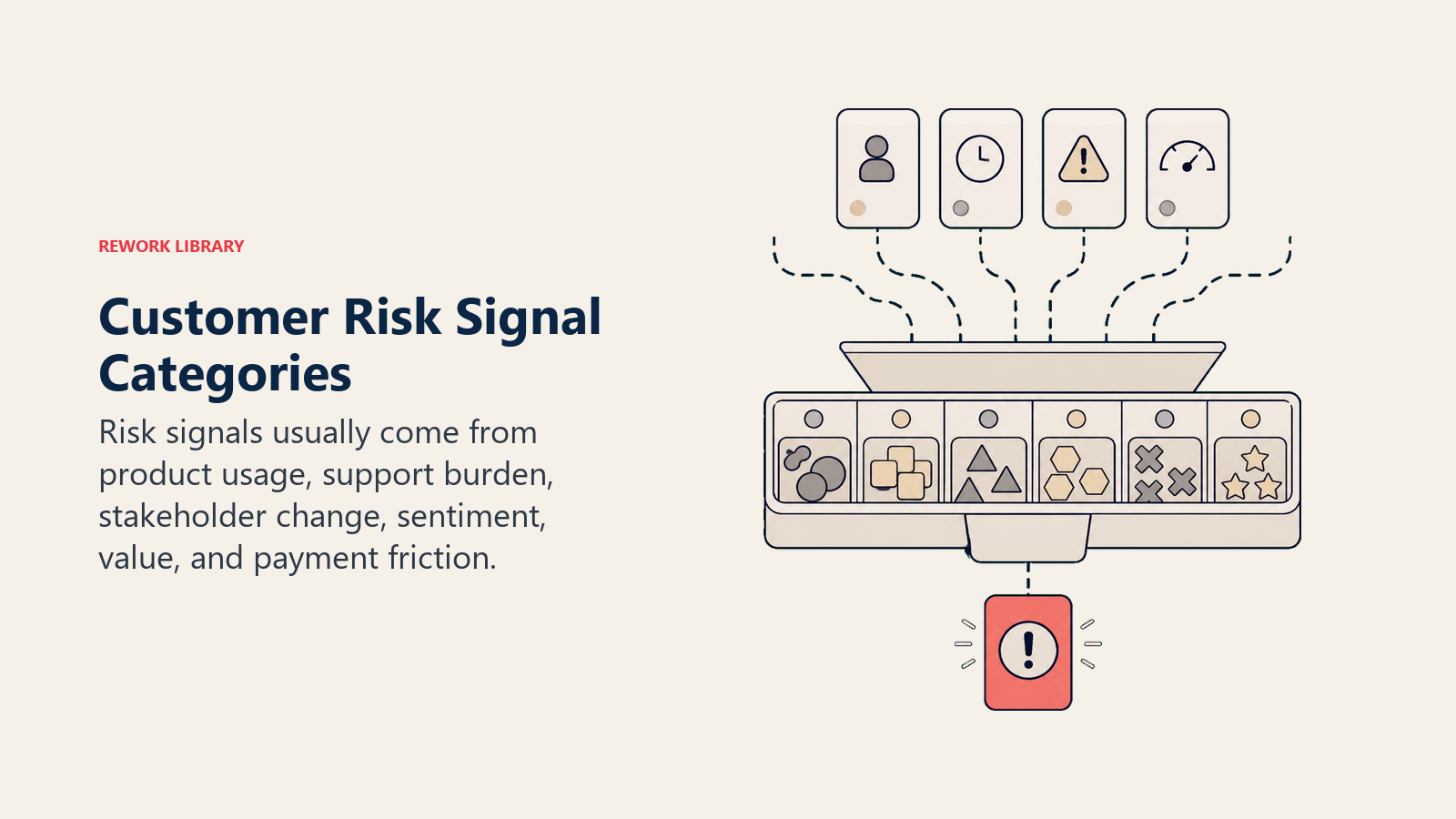
Risk Signal Categories
Usage Decline and Disengagement
Usage adalah strongest predictor retention. Declining usage hampir selalu mendahului churn. Ini signals untuk watch:
Active Users Declining: Absolute count menurun, percentage licenses digunakan jatuh, dan week-over-week trend negatif. Alert threshold: lebih dari 25% decline dalam 30 hari.
Login Frequency Dropping: Users login kurang kerap. Anda nampak shift dari daily ke weekly, atau weekly ke monthly. Alert threshold: 50% reduction dalam login frequency untuk key users.
Feature Usage Declining: Core features kurang digunakan. Breadth features menyempit bila users abandon functionality. Alert threshold: 30% decline dalam core feature usage dalam 60 hari.
Session Duration Decreasing: Users habiskan kurang masa dalam product anda, yang biasanya bermakna declining value atau increased friction. Alert threshold: sustained 40% decrease dalam 45 hari.
Data Created/Stored Declining: Kurang content dicipta bermakna reduced investment dalam platform anda. Alert threshold: 35% decline dalam data creation rate.
Relationship Deterioration
Relationships melindungi accounts semasa challenges. Bila relationships lemah, accounts jadi vulnerable. Watch signals ini:
Executive Sponsor Departure: Key stakeholder anda tinggalkan company, dan decision-maker baru tidak kenal product anda. Ini immediate, critical risk alert.
Champion Disengagement: Internal advocate anda berhenti engage dan tidak respond kepada outreach. Alert threshold: tiada contact dalam 30 hari.
Stakeholder Changes: Reorganizations, budget owner changes, atau department shutdowns. Alert bila detected.
Meeting Cancellations: QBRs cancelled atau postponed, check-ins rescheduled berulang kali. Alert threshold: 2+ consecutive meeting cancellations.
Reduced Responsiveness: Email response times jadi slower, meeting attendance turun. Alert threshold: response time lebih 7 hari berbanding historical baseline mereka.
Sentiment and Satisfaction Drops
Sentiment predict behavior. Unhappy customers leave, walaupun usage masih nampak healthy.
NPS Score Decline: Customer turun dari Promoter (9-10) ke Passive (7-8) atau Detractor (0-6), atau anda nampak multi-point drop. Alert threshold: NPS turun 3+ points atau jadi detractor.
CSAT Declining: Support satisfaction menurun, post-interaction surveys jadi negative. Alert threshold: CSAT bawah 6/10 atau declining trend.
Negative Feedback: Survey comments mention switching, frustration, atau disappointment. Competitive mentions muncul. Alert pada sebarang mention competitor evaluation.
Social Media/Review Sites: Negative reviews posted, public complaints muncul. Alert pada sebarang negative public mention.
CSM Sentiment Assessment: CSM anda flag account sebagai "at risk" berdasarkan interactions. Kadang-kadang ia hanya gut feel bahawa sesuatu tak betul. Alert bila CSM manually flag.
Support and Issue Patterns
Issues cipta friction. Unresolved issues drive churn. Pattern masalah signal product-fit atau quality concerns.
Support Ticket Volume Spike: Sudden increase dalam tickets, lebih tinggi dari historical baseline customer. Alert threshold: lebih dari 3x normal ticket volume dalam 30 hari.
Critical Issues (P1 Tickets): High-severity bugs atau outages, business-critical functionality broken. Alert pada sebarang P1 ticket opened.
Escalations: Ticket escalated ke engineering atau management, customer request executive involvement. Alert pada sebarang escalation.
Unresolved Issues: Tickets open lebih dari 14 hari, multiple reopened tickets. Alert threshold: ticket open lebih dari 21 hari atau lebih dari 2 reopens.
Support Satisfaction Declining: Post-ticket CSAT bawah 7, customer express frustration dalam ticket. Alert threshold: CSAT bawah 6 atau negative sentiment.
Stakeholder Changes
External changes cipta instability. Budgets, priorities, dan relationships reset. Proactive engagement penting semasa transitions.
Budget Freeze Announced: Customer komunikasikan budget cuts, hiring freezes, atau cost reduction initiatives. Alert immediately, ini renewal risk.
Layoffs or Restructuring: Customer mengalami layoffs atau department reorganization. Alert sebagai high priority, priorities berubah dan budgets berisiko.
M&A Activity: Customer acquired atau acquire company lain. Alert sebagai high priority, new decision-makers datang dan tech stack consolidation bermula.
Leadership Changes: New CEO, CFO, atau department head bermakna new priorities datang. Alert sebagai medium priority, anda perlu reset relationship.
Strategic Pivot: Customer mengubah business model atau strategic direction mereka. Alert sebagai medium priority, use case alignment anda berisiko.
Competitive Activity
Competitive pressure adalah top churn driver. Early detection beri anda masa untuk differentiate, address gaps, atau prove superior value.
Competitor Mentioned: Customer tanya tentang competitive features atau mention menilai alternatives. Alert immediately, mereka actively shopping.
Feature Requests Match Competitor: Repeated requests untuk features competitor anda tawarkan, dan gaps jadi pain points. Alert sebagai medium priority, ini competitive vulnerability.
Industry Shifts: New competitor launches atau competitor announce major feature. Alert untuk review accounts dalam affected segment.
Reduced Lock-In: Customer kurangkan data dalam system anda atau migrate data keluar. Alert sebagai high priority, mereka bersedia untuk switch.
Contract Term Requests: Requests untuk shorten contract term atau move ke month-to-month. Alert sebagai high priority, mereka keep options mereka open.
Building Alert Systems
Alert Trigger Configuration
Define clear trigger conditions supaya system anda tahu exactly bila fire alert.
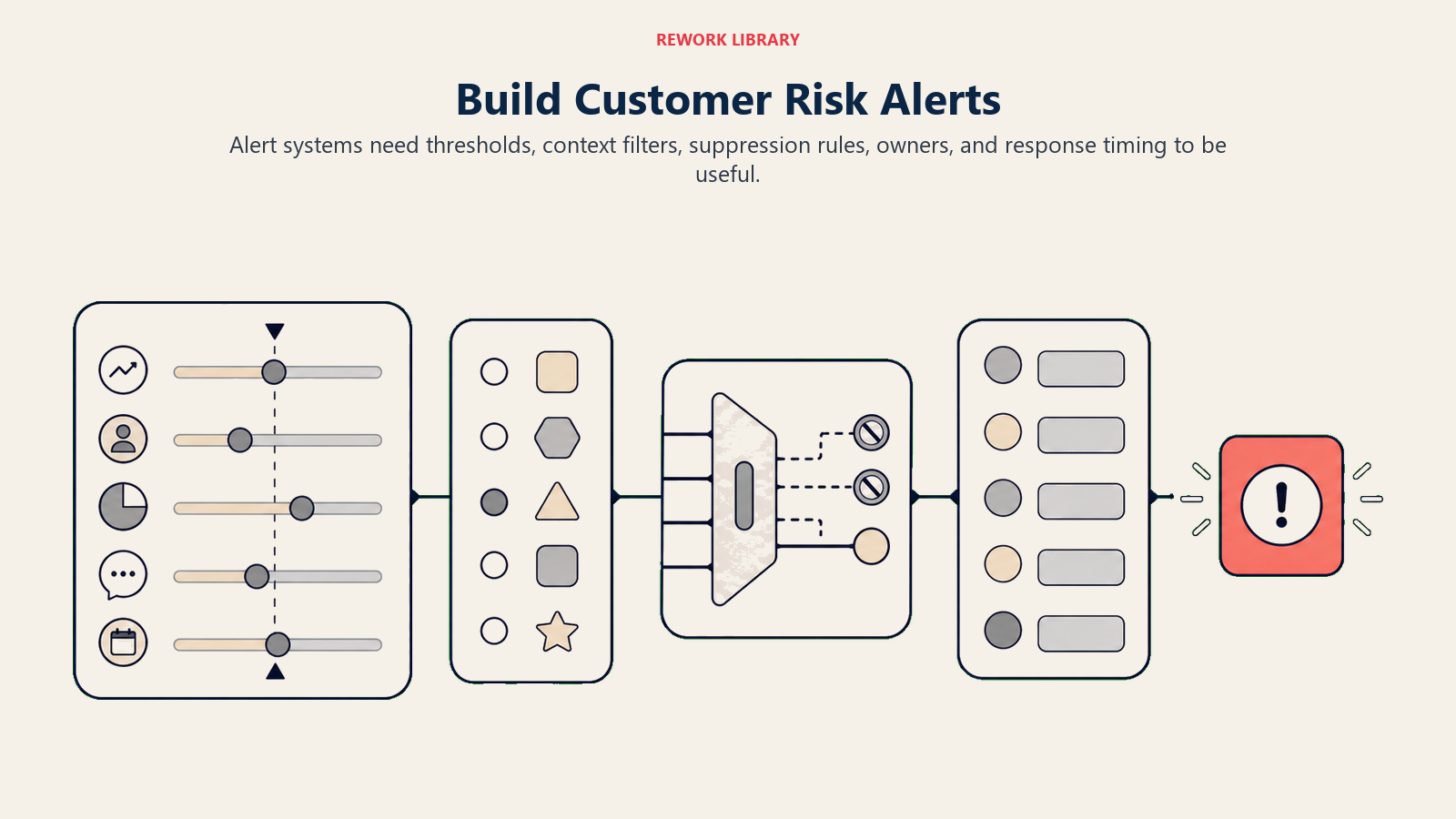
Example Alert: Usage Decline
Trigger bila active users menurun lebih dari 30% berbanding 60-day baseline DAN decline sustained lebih dari 14 hari DAN account tidak dalam seasonal low-usage period.
Severity: High (P1) Assigned to: Account CSM Escalation: CSM Manager jika tidak addressed dalam 48 jam
Example Alert: Executive Sponsor Departure
Trigger bila executive sponsor contact marked "Left Company" dalam CRM ATAU bila executive sponsor role mereka removed.
Severity: Critical (P0) Assigned to: Account CSM + CSM Manager + Sales Rep Escalation: Immediate notification
Alert Configuration Template:
Alert Name: [Descriptive name]
Description: [What this alert detects]
Trigger Condition: [Specific logic]
Data Sources: [Where data comes from]
Threshold: [Specific values]
Severity: [P0/P1/P2/P3]
Assigned To: [Role]
Escalation: [Who + When]
Response Time: [SLA]
Recommended Action: [Initial steps]
Threshold Setting Methodology
Setting alert thresholds bukan guesswork. Ini cara buatnya:
Step 1: Historical Analysis
Analyze past churned customers. Kenalpasti common behavior patterns. Tentukan di mana signal muncul.
Example: 85% churned customers ada lebih dari 30% usage decline. 60% churned customers ada lebih dari 40% usage decline. Set threshold anda pada 30% decline, anda tangkap 85% churners dengan beberapa false positives.
Step 2: Test on Historical Data
Apply threshold anda kepada last 12 months data. Calculate true positive rate (churned customers anda tangkap). Calculate false positive rate (healthy customers anda flagged).
Step 3: Balance Sensitivity and Specificity
High sensitivity bermakna lower thresholds, lebih alerts, dan higher false positive rate. Guna ini untuk critical accounts di mana churn ada high impact.
High specificity bermakna higher thresholds, kurang alerts, dan anda mungkin terlepas beberapa risk. Guna ini untuk large portfolios di mana alert fatigue adalah concern.
Step 4: Segment-Specific Thresholds
Enterprise customers biasanya ada lower usage baselines. Set threshold pada 35% decline.
SMB customers sepatutnya ada higher usage. Set threshold pada 25% decline.
Step 5: Iterate Based on Accuracy
Track alert outcomes monthly. Adjust thresholds jika anda dapat terlalu banyak false positives atau negatives. Refine quarterly.
Alert Prioritization and Routing
Different alerts perlukan different routing logic.
P0 (Critical) Alerts pergi kepada account CSM (immediate email + Slack), CSM Manager (immediate notification), dan Sales Rep (jika renewal menghampiri). Delivered instantly.
P1 (High) Alerts pergi kepada account CSM (email + dashboard) dan CSM Manager (daily digest). Delivered dalam 1 jam.
P2 (Medium) Alerts pergi kepada account CSM (dashboard + daily digest). Delivered dalam daily digest email.
P3 (Low) Alerts pergi kepada account CSM (dashboard sahaja). Delivered dalam weekly digest.
Routing Rules:
By account value: Accounts lebih $100k ARR escalated, P2 jadi P1. Accounts bawah $10k ARR downgraded, P1 jadi P2. Ia resource allocation.
By renewal proximity: Kurang dari 60 hari ke renewal? Escalate severity satu level. Lebih dari 180 hari ke renewal? Anda mungkin downgrade severity.
By customer segment: Enterprise alerts escalate kepada both CSM dan Sales. SMB alerts pergi kepada CSM sahaja (unless high ARR).
Notification Channels and Timing
Match notification channel anda kepada alert severity.
Critical (P0): Slack/Teams instant message, immediate email, SMS (untuk executive sponsor departure atau payment failure), dan dashboard badge.
High (P1): Email dalam 1 jam, dashboard badge, dan daily summary email.
Medium (P2): Dashboard badge dan daily digest email.
Low (P3): Dashboard sahaja dan weekly digest email.
Timing Strategy:
Real-time alerts keluar untuk critical events seperti payment failure atau cancellation inquiry. Hantar immediate notification bila event berlaku.
Batch alerts berfungsi untuk medium-priority signals. Satu email per hari pada 9am local time dengan summary semua P2 alerts.
Weekly rollups handle low-priority signals. Monday morning summary beri portfolio overview.
Avoid Alert Overload:
Jangan hantar same alert berulang kali. Sekali triggered, suppress untuk 7 hari kecuali situation bertambah buruk.
Consolidate related alerts. Hantar satu notification untuk account, bukan separate alerts untuk setiap metric.
Respect CSM working hours. Tiada alerts antara 8pm-8am kecuali critical.
Alert Suppression and De-Duplication
Suppression Rules:
Temporary suppression berfungsi begini: Alert triggers, CSM acknowledge, system suppress untuk 7 hari. Ini beri CSM masa untuk investigate dan act. Re-alert jika condition bertambah buruk.
Planned downtime perlukan manual suppression. Bila customer komunikasikan planned low usage (holiday, migration, dll.), manually suppress usage alerts untuk period itu.
Seasonal patterns sepatutnya auto-suppress. December usage biasanya 40% lebih rendah semasa holiday season. Auto-suppress usage decline alerts dari Dec 15-Jan 5. Buat segment-specific, education customers perlukan summer break suppression juga.
De-Duplication:
Masalahnya: Multiple alerts untuk same underlying issue cipta noise.
Example: Account XYZ ada declining usage. Alerts triggered untuk low active users, reduced login frequency, feature usage drop, dan session duration decline. CSM dapat 4 alerts untuk same problem.
Solution adalah alert consolidation. Group related alerts together. Hantar single notification: "Account XYZ: Multi-metric usage decline." Details tunjuk semua affected metrics. CSM nampak complete picture, bukan fragmented signals.
Implementation: Define alert groups (usage group, engagement group, support group). Bila multiple alerts dalam same group trigger dalam 24 jam, consolidate mereka. Hantar satu notification dengan complete context.
Alert Response Playbooks
Response Protocols by Alert Type
Playbook: Usage Decline Alert
Trigger: Active users declined >30% dalam 30 hari
Response Steps:
Investigate (Within 24 hours):
- Check product untuk issues atau changes
- Review recent support tickets
- Check untuk stakeholder changes
- Kenalpasti users mana yang inactive
Reach Out (Within 48 hours):
- Email atau call primary contact
- "Noticed usage declined, wanted to check in"
- Listen untuk signals (issues, priorities changed, competitor)
Diagnose Root Cause:
- Product issues? (Escalate ke product team)
- Onboarding gaps? (Re-onboarding campaign)
- Stakeholder changes? (Rebuild relationships)
- Value not seen? (ROI review, use case expansion)
Implement Solution:
- Tailor intervention berdasarkan root cause
- Set follow-up timeline
- Monitor usage weekly
Document and Track:
- Log findings dalam CRM
- Update success plan
- Track intervention outcome
Playbook: Executive Sponsor Departure
Trigger: Executive sponsor left company
Response Steps:
Immediate Assessment (Within 4 hours):
- Confirm departure
- Kenalpasti replacement (if any)
- Assess contract dan renewal timeline
Internal Coordination (Within 24 hours):
- Alert CSM Manager dan Sales Rep
- Develop relationship rebuild strategy
- Prepare executive sponsor transition plan
Outreach to Customer (Within 48 hours):
- Congratulate departing sponsor, request intro kepada replacement
- Jika tiada replacement, reach out kepada next-highest stakeholder
- Request meeting untuk "ensure continued success"
Relationship Reset (Within 2 weeks):
- Meeting dengan new decision-maker
- Re-establish value proposition
- Faham new priorities dan goals
- Map new org structure
Intensive Engagement (Next 90 days):
- Weekly touchpoints
- Executive Business Review
- Demonstrate value dan ROI
- Secure commitment dari new sponsor
Playbook: Support Ticket Spike
Trigger: >3x normal ticket volume dalam 30 hari
Response Steps:
Analyze Tickets (Within 24 hours):
- Jenis issues apa?
- Same issue berulang? (systemic)
- Different issues? (general friction)
- Severity levels?
Coordinate with Support (Within 48 hours):
- Ensure tickets prioritized
- Fast-track resolution
- Kenalpasti jika product bug atau training gap
Proactive Outreach (Within 72 hours):
- CSM calls customer
- Acknowledge issues
- Explain resolution plan
- Offer additional support
Resolution and Follow-Up:
- Ensure semua tickets resolved
- Post-resolution satisfaction check
- Prevent recurrence (training, process change)
Relationship Repair:
- Jika satisfaction impacted, invest dalam relationship
- Executive apology jika wajar
- Demonstrate commitment kepada customer success
Investigation and Validation Steps
Standard Investigation Process:
Step 1: Validate Alert
- Ini true signal atau false positive?
- Check data quality (integration failure, data lag?)
- Confirm condition masih present (bukan transient blip)
Step 2: Gather Full Context
- Review semua customer data (bukan hanya alert metric)
- Check health score dan dimensions lain
- Review recent touchpoints dan notes
- Check untuk external factors (org changes, market conditions)
Step 3: Identify Root Cause
- Mengapa ini berlaku?
- Bila ia bermula?
- Apa yang berubah?
- Ini symptom atau cause?
Step 4: Assess Severity and Urgency
- Berapa serious risk ini?
- Berapa banyak masa untuk intervene?
- Adakah customer actively menilai alternatives?
- Apa yang dipertaruhkan (ARR, strategic account)?
Step 5: Determine Action Plan
- Intervention apa diperlukan?
- Siapa perlu terlibat?
- Apa timelinenya?
- Resources apa diperlukan?
Documentation: Log findings dalam CRM untuk future reference dan pattern analysis.
Intervention Strategies
Match Intervention to Root Cause:
Root Cause: Product/Technical Issues
- Intervention: Issue resolution, workarounds, escalation ke engineering
- Timeline: Immediate (high priority)
- Involvement: Support, Product, Engineering
Root Cause: Lack of Value/ROI
- Intervention: Value review, use case expansion, ROI analysis, training
- Timeline: 2-4 minggu
- Involvement: CSM, occasionally sales
Root Cause: Onboarding/Adoption Gaps
- Intervention: Re-onboarding, training, best practices sharing
- Timeline: 2-4 minggu
- Involvement: CSM, Training team
Root Cause: Stakeholder Changes
- Intervention: Relationship rebuilding, exec engagement, value re-establishment
- Timeline: 4-8 minggu
- Involvement: CSM, Sales, Exec team
Root Cause: Budget/Economic
- Intervention: ROI proof, contract flexibility, cost-benefit analysis
- Timeline: Varies (tied kepada budget cycle)
- Involvement: CSM, Sales, Finance
Root Cause: Competitive Pressure
- Intervention: Differentiation, roadmap sharing, executive engagement
- Timeline: 2-6 minggu
- Involvement: CSM, Sales, Product
Intervention Selection Framework:
- Diagnose root cause dulu
- Pilih intervention yang address cause (bukan hanya symptom)
- Libatkan right stakeholders
- Set clear timeline dan success criteria
- Monitor dan adjust
Escalation Procedures
When to Escalate:
To CSM Manager:
- Alert tidak resolved dalam SLA
- Customer request executive involvement
- Save effort perlukan resources beyond CSM authority
- High-value account pada critical risk
To Sales Team:
- Renewal at risk (contract negotiation needed)
- Executive relationship needed
- Competitive situation
- Expansion opportunity perlukan sales involvement
To Product Team:
- Systemic product issue
- Feature gap driving churn
- Multiple customers report same issue
- Feedback critical untuk roadmap
To Executive Team:
- Strategic account at risk
- Reputational risk (public negative feedback)
- Contract value >$X (company-specific threshold)
- Customer request C-level engagement
Escalation Process:
Step 1: Prepare Context
- Document full situation
- Root cause analysis
- Actions taken setakat ini
- Recommendation untuk escalation support
Step 2: Escalate Through Proper Channels
- Guna defined escalation paths
- Provide complete context (jangan buat exec hunt untuk info)
- Specific tentang help needed
Step 3: Coordinate Response
- Align pada message dan approach
- Clear ownership (siapa buat apa)
- Timeline untuk escalated intervention
Step 4: Execute and Follow Up
- Implement escalated intervention
- Track progress
- Keep escalation team informed
- Close loop bila resolved
Documentation Requirements
What to Document:
Alert Details:
- Alert type dan trigger
- Date/time triggered
- Account details
- Metrics dan thresholds
Investigation Findings:
- Root cause identified
- Context dan contributing factors
- Customer communication (if any)
- Severity assessment
Actions Taken:
- Intervention selected
- Siapa terlibat
- Timeline
- Resources used
Outcome:
- Issue resolved?
- Customer respond positively?
- Health score change (if applicable)
- Churn prevented atau tidak
Learnings:
- Apa yang worked
- Apa yang tidak
- Would kita handle differently next time?
Where to Document:
- CRM (primary system of record)
- Customer success platform (if separate)
- Escalation tracker (if critical)
- Team wiki (playbook improvements)
Why Documentation Matters:
- Pattern identification (recurring issues)
- Playbook refinement (learn apa yang works)
- Knowledge sharing (team belajar antara satu sama lain)
- Accountability (track response times dan outcomes)
- Historical context (future CSMs faham account history)
Managing Alert Fatigue
Balancing Sensitivity and Noise
Alert fatigue problem adalah real.
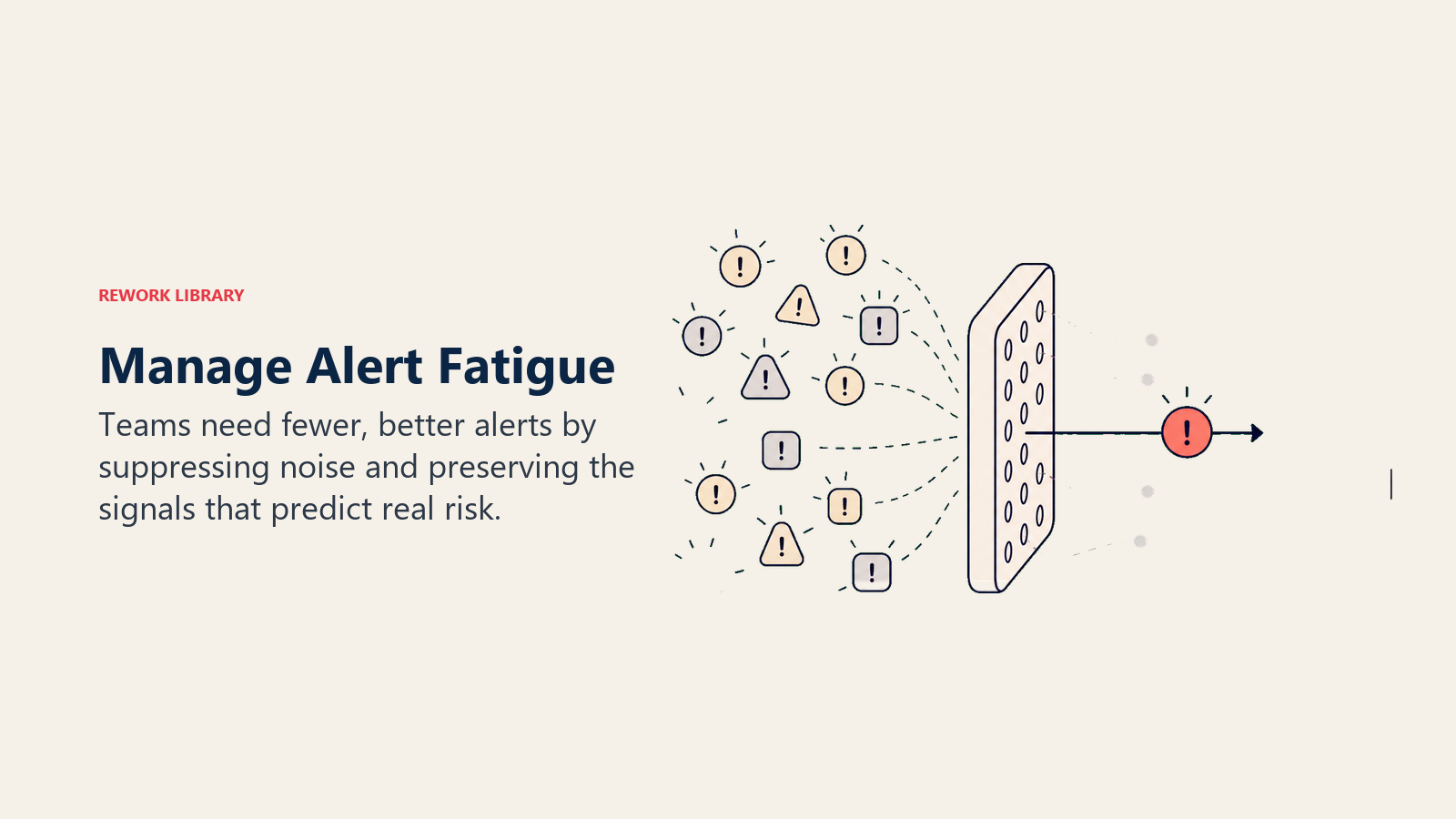
Too sensitive dan setiap small change trigger alert. CSMs dapat 50+ alerts per hari. Mereka mula ignore kerana noise tenggelamkan signal. Critical alerts terlepas.
Too conservative dan hanya extreme situations trigger alerts. Anda terlepas early warning signals. Intervention datang terlambat. Churn naik.
Cari balance bermakna hit target metrics ini: 3-8 alerts per CSM per minggu (manageable volume). 70-80% true positive rate (most alerts real). Lebih 85% response rate (CSMs actually act pada alerts). Lebih 60% save rate (interventions work).
Ini calibration process:
Bulan 1, track baseline anda. Berapa banyak alerts triggered? Berapa banyak acted upon? Berapa banyak predict actual churn?
Bulan 2, analyze accuracy. Alerts mana ada high true positive rate? Keep mereka sensitive. Alerts mana mostly false positives? Kurangkan sensitivity mereka.
Bulan 3, adjust thresholds. Tingkatkan thresholds untuk noisy alerts. Maintain atau kurangkan thresholds untuk accurate alerts.
Bulan 4, validate improvements. Alert volume menurun? True positive rate meningkat? CSMs respond lebih?
Kemudian teruskan quarterly reviews untuk refine thresholds berdasarkan outcomes.
Alert Refinement and Tuning
Anda ada lima refinement strategies available:
Strategy 1: Increase Minimum Threshold. Current approach alerts jika usage menurun lebih 20%. Refined approach alerts jika usage menurun lebih 30%. Result: Kurang alerts, higher accuracy.
Strategy 2: Add Sustained Duration Requirement. Current approach alerts immediately bila threshold crossed. Refined approach alerts hanya jika condition sustained lebih dari 14 hari. Result: Filter transient blips, kurangkan noise.
Strategy 3: Add Contextual Rules. Current approach alerts pada low usage universally. Refined approach account untuk segment baselines, enterprise versus SMB berkelakuan berbeza. Result: Segment-appropriate thresholds.
Strategy 4: Combine Multiple Signals. Current approach alerts pada any single metric decline. Refined approach alerts hanya bila 2+ metrics menurun. Result: Stronger signal, kurang false positives.
Strategy 5: Machine Learning Anomaly Detection. Current approach guna static thresholds. Refined approach guna ML models yang belajar normal behavior patterns dan alert pada deviations. Result: Adaptive kepada customer-specific baselines.
Tuning Process:
Weekly: Review alert volume dan dapat CSM feedback tentang usefulness.
Monthly: Calculate true positive rate per alert type dan kenalpasti top 3 most noisy alerts.
Quarterly: Implement threshold adjustments, validate improvements, document changes.
Consolidating Related Alerts
Alert fragmentation adalah masalah.
Ini yang berlaku: Account XYZ ada declining health. System trigger 5 separate alerts, active users down 30%, login frequency decreased, feature usage declining, session duration down, dan health score turun ke 55. CSM dapat 5 alerts untuk same underlying issue.
Solutionnya adalah consolidated alerts.
Instead 5 alerts, hantar satu: "Account XYZ: Multi-metric Health Decline." Summary kata health score turun dari 72 ke 55 dalam 30 hari. Details tunjuk active users pada -32% (45 → 31), login frequency pada -40% (daily → 3x/week), feature usage pada -25% (6 features → 4.5 avg), dan session duration pada -35%. Recommended action: Investigate usage decline root cause.
Benefits: Satu notification instead lima. Complete picture issue. Reduced alert fatigue. CSM nampak pattern, bukan isolated metrics.
Cara implement:
Define alert groups. Usage Group termasuk active users, logins, features, dan session duration. Engagement Group termasuk touchpoints, QBR, training, dan emails. Support Group termasuk tickets, escalations, dan CSAT. Relationship Group termasuk stakeholder changes dan responsiveness.
Consolidation logic: Jika multiple alerts dalam same group trigger dalam 24 jam, combine mereka ke single consolidated alert. Tunjuk semua affected metrics dalam detail view.
Machine Learning for Noise Reduction
ML Applications:
Anomaly Detection:
- ML belajar normal behavior patterns untuk setiap account
- Alerts hanya bila behavior significantly deviates dari learned baseline
- Adaptive kepada account-specific patterns
Example:
- Account A biasanya ada 50 active users
- Account B biasanya ada 500 active users
- Both turun ke 40 users
- Traditional: Both trigger "low usage" alert
- ML: Account A normal (-20%, within baseline variance), no alert
- Account B anomalous (-92%), trigger alert
Predictive Alerting:
- ML predict likelihood churn berdasarkan current trajectory
- Alert hanya bila churn probability exceeds threshold
Example:
- Account dengan slight usage decline
- Traditional: May atau may not alert (depends pada threshold)
- ML: Analyze pattern, predict 15% churn probability (low risk), no alert
- Account dengan similar decline tapi different pattern
- ML: Predict 75% churn probability (high risk), triggers alert
Alert Prioritization:
- ML scores setiap alert by likelihood representing true risk
- CSMs nampak high-confidence alerts dulu
Benefits:
- Kurangkan false positives (belajar apa normal vs concerning)
- Adapt kepada changing patterns
- Lebih accurate risk prediction
Requirements:
- Historical data (12+ months)
- Data science resources
- ML infrastructure
- Ongoing model training
Best for: Large SaaS companies dengan data teams dan mature alert systems.
Team Capacity Considerations
Right-Size Alert Volume to Team Capacity:
Calculate Capacity:
- Average CSM manage 50 accounts
- Can handle 5-8 meaningful alerts per minggu
- Setiap alert investigation/response ambil 1-2 jam
Portfolio Math:
- 500 customers across 10 CSMs
- Target: 50-80 total alerts per minggu (5-8 per CSM)
- Alert rate: 10-16% accounts per minggu
If Alert Volume Exceeds Capacity:
Option 1: Reduce Alert Sensitivity
- Tingkatkan thresholds
- Kurangkan number alert types
- Focus pada highest-impact signals
Option 2: Increase Team Capacity
- Hire lebih CSMs
- Automate routine responses
- Guna AI untuk assist investigation
Option 3: Triage and Prioritize
- CSMs focus pada P0/P1 sahaja
- P2/P3 handled via scaled programs
- Terima bahawa beberapa signals tidak dapat immediate attention
Option 4: Improve Efficiency
- Better playbooks (faster response)
- Pre-investigation (automation kumpulkan context)
- Templated outreach (save CSM time)
Monitor:
- CSM alert response rate (sepatutnya >80%)
- Jika response rate turun, alert volume kemungkinan terlalu tinggi
- Adjust thresholds atau tambah capacity
Cross-Functional Integration
Sales Team Coordination
When to Involve Sales:
Renewal at Risk:
- Contract dalam 90 hari
- Health score <60
- Alert sales untuk commercial negotiation support
Executive Relationship Needed:
- Customer request exec-level engagement
- High-value account at risk
- Sales ada stronger exec relationships
Expansion Opportunity:
- Health score >80
- Usage signals expansion readiness
- Sales handle commercial expansion conversation
Competitive Situation:
- Customer menilai alternatives
- Sales boleh position differentiation
- Mungkin perlukan pricing/contracting flexibility
Coordination Mechanisms:
Shared Alerts:
- Critical alerts copy sales rep
- Renewal risk alerts (60 days out) copy sales
Weekly Account Reviews:
- CS dan Sales review at-risk accounts together
- Align pada approach dan ownership
- Coordinate outreach (jangan duplicate)
CRM Integration:
- Health scores visible dalam CRM
- Alerts cipta tasks untuk sales rep
- Shared account notes dan timeline
Clear Ownership:
- CS owns: Relationship, adoption, health
- Sales owns: Contract negotiation, commercial terms, executive relationships
- Collaborate: At-risk accounts, renewals, expansion
Product Team Feedback Loops
When to Escalate to Product:
Systemic Product Issues:
- Multiple customers report same problem
- Issue driving churn
- Feature gap vs competitors
Feature Requests:
- Repeated requests untuk same feature
- Lost deals kerana missing feature
- Expansion blocked oleh feature gap
Usability Problems:
- Customers struggling dengan specific workflows
- Low adoption key features
- Support tickets tunjukkan confusion
Competitive Intelligence:
- Customers membandingkan dengan competitor features
- Market trends perlukan product evolution
Feedback Mechanisms:
Weekly Product/CS Sync:
- CS share top customer issues
- Product share roadmap updates
- Alignment pada priorities
Feedback Tracking:
- Log feature requests dalam product tool (Productboard, Aha, dll.)
- Tag dengan customer ARR, churn risk
- Prioritize features yang prevent churn
Beta Programs:
- Libatkan at-risk customers dalam beta (jika feature address their need)
- Tunjukkan commitment untuk address gaps
- Build advocacy
Roadmap Communication:
- Product share roadmap dengan CS
- CS komunikasikan timelines kepada at-risk customers
- "Feature you need coming in Q3" boleh save account
Support Team Collaboration
CS-Support Integration:
Support Alerts CS:
- P1 tickets cipta automatic CS alert
- Escalations notify CSM
- Low CSAT scores trigger CS outreach
CS Provides Context:
- High-value accounts flagged untuk priority support
- At-risk accounts marked untuk white-glove treatment
- Context pada customer situation bantu support
Post-Issue Follow-Up:
- CS follow up selepas ticket resolution
- Ensure satisfaction
- Repair relationship jika needed
Pattern Identification:
- Support kenalpasti recurring issues
- CS escalate kepada product jika systemic
- Proactive communication kepada customers lain jika widespread
Coordination Tools:
- Shared ticketing system visibility
- Support health metrics dalam CS dashboard
- Weekly CS-Support stand-up
Executive Escalation Paths
When to Escalate to Executives:
Strategic Account at Risk:
- Top-tier customer (by ARR atau strategic value)
- Churn akan jadi significant revenue/reputation loss
- Perlukan C-level engagement
Reputational Risk:
- Customer mengancam public negative review
- Social media escalation
- Industry influence (akan impact customers lain)
Contractual Disputes:
- Legal atau commercial issues
- Perlukan executive decision-making authority
Relationship Reset:
- Customer request CEO/exec involvement
- Previous escalations unsuccessful
- Executive-to-executive relationship needed
Escalation Process:
Step 1: Prepare Exec Brief
- Customer background (size, strategic importance, history)
- Current situation (apa berlaku, root cause)
- Actions taken (apa sudah dicuba, results)
- Ask (apa yang kita perlukan dari exec?)
- Timeline (urgency)
Step 2: Escalate Through Manager
- CSM Manager reviews
- Validate escalation appropriate
- Tambah context/recommendation
- Escalate kepada exec team
Step 3: Executive Engagement
- Exec contact customer (call, email, meeting)
- Dengar, empathize, commit kepada resolution
- Coordinate internal resources
- Follow through pada commitments
Step 4: CSM Executes
- CSM implement resolution plan
- Executive check in periodically
- CSM close loop dengan executive bila resolved
Best Practices:
- Escalate awal jika strategic account (jangan tunggu sampai hopeless)
- Prepare exec thoroughly (jangan buat mereka hunt untuk context)
- Clear ask (apa specifically kita perlukan exec buat?)
- Follow through (exec involvement cipta accountability)
Measuring System Effectiveness
Alert Accuracy (True vs False Positives)
Key Metrics:
True Positive Rate (Recall): Daripada customers yang churned, berapa % kita alert?
- Formula: Alerts yang churned / Total churned
- Target: >75% (tangkap most churn)
Example:
- 20 customers churned quarter ini
- 16 sudah flagged oleh early warning system
- True Positive Rate: 16/20 = 80% ✓
False Positive Rate: Daripada customers kita alert, berapa % actually renewed?
- Formula: Alerts yang renewed / Total alerts
- Target: <40% (beberapa false positives acceptable, tapi tidak terlalu banyak)
Example:
- 50 alerts triggered quarter ini
- 30 customers renewed, 20 churned
- False Positive Rate: 30/50 = 60% (terlalu tinggi, kurangkan sensitivity)
Precision: Daripada customers kita alert, berapa % actually churned?
- Formula: Alerts yang churned / Total alerts
- Target: >60%
Example:
- 50 alerts triggered
- 20 churned
- Precision: 20/50 = 40% (low, terlalu banyak false positives)
F1 Score: Balance precision dan recall
- Formula: 2 × (Precision × Recall) / (Precision + Recall)
- Target: >0.65
Track monthly, refine quarterly berdasarkan results.
Time to Response
Measure How Quickly Alerts Are Addressed:
Response SLAs by Severity:
- P0 (Critical): <4 jam
- P1 (High): <24 jam
- P2 (Medium): <72 jam
- P3 (Low): <1 minggu
Actual Performance:
Example Metrics:
- P0 average response time: 2.3 jam ✓
- P1 average response time: 18 jam ✓
- P2 average response time: 96 jam ✗ (exceeds SLA)
- P3 average response time: 5 hari ✓
Action: Investigate mengapa P2 alerts exceed SLA. Possible causes:
- Terlalu banyak P2 alerts (kurangkan sensitivity)
- CSM capacity issues (tambah resources atau automate)
- Unclear playbooks (improve response guidance)
Track:
- Response time distribution (median, 90th percentile)
- % alerts meeting SLA
- Response time trends (improving atau degrading)
Impact: Faster response correlates dengan higher save rates. Setiap hari delay kurangkan intervention effectiveness.
Intervention Success Rates
Measure Outcomes of Alert-Triggered Interventions:
Success Rate by Alert Type:
Example:
| Alert Type | Interventions | Saved | Churned | Save Rate |
|---|---|---|---|---|
| Usage Decline | 45 | 32 | 13 | 71% |
| Exec Departure | 12 | 7 | 5 | 58% |
| Support Spike | 23 | 19 | 4 | 83% |
| Low Engagement | 34 | 22 | 12 | 65% |
| Total | 114 | 80 | 34 | 70% |
Insights:
- Support spike alerts ada highest save rate (issue resolution works)
- Exec departure alerts ada lowest save rate (relationship reset susah)
- Overall 70% save rate kuat (vs ~20% reactive)
Track:
- Save rate by alert type
- Save rate by intervention strategy
- Save rate by CSM (coaching opportunity)
- Save rate by customer segment
Use To:
- Validate alert value (alerts enable saves?)
- Refine playbooks (intervention mana works best?)
- Prioritize alert types (focus pada highest-impact)
- Justify early warning system investment (ROI)
Saved Customer Tracking
Quantify Value of Early Warning System:
Saved Customer Definition: Customer flagged oleh alert, intervention implemented, customer renewed (kemungkinan akan churn without intervention).
Tracking:
Monthly Saved Customer Report:
customers saved
- ARR saved
- Alert types yang triggered intervention
- Intervention strategies used
Example:
October Results:
- Customers saved: 8
- ARR saved: $340k
- Alert breakdown:
- Usage decline: 5 saves ($220k)
- Exec departure: 1 save ($80k)
- Support spike: 2 saves ($40k)
Intervention breakdown:
- Re-onboarding: 3 saves
- Executive engagement: 2 saves
- Issue resolution: 2 saves
- Value review: 1 save
Year-to-Date:
- Customers saved: 67
- ARR saved: $3.2M
- ROI early warning system: 15x (system cost $200k, saved $3.2M)
Attribution:
- Conservative: Hanya kira saves di mana alert directly led kepada intervention
- Document intervention timing (before atau after alert)
- CSM confirm customer akan churn without intervention
Use To:
- Demonstrate early warning system value
- Justify investment dan resources
- Celebrate team wins
- Refine alert dan intervention strategies
System Improvement Metrics
Track Early Warning System Maturity:
Alert Coverage:
- % churned customers yang ada alerts (target: >80%)
- Trend: Sepatutnya meningkat bila system improves
Lead Time:
- Average days antara alert dan churn event (target: >60 days)
- Trend: Sepatutnya meningkat (earlier detection)
Response Rate:
- % alerts yang CSMs act (target: >85%)
- Trend: Sepatutnya tinggi dan stable
Playbook Completeness:
- % alert types dengan defined response playbooks (target: 100%)
- Trend: Sepatutnya capai 100% dan maintain
CSM Confidence:
- Survey CSMs tentang trust dalam alert system (1-10 scale)
- Target: >8/10
- Trend: Sepatutnya meningkat bila accuracy improves
Integration Completeness:
- % data sources integrated (product, CRM, support, surveys)
- Target: 100% critical sources
- Trend: Meningkat bila new sources added
Track Quarterly: Report kepada CS leadership tentang system health dan improvements.
Advanced Warning Techniques
Predictive Analytics and ML
Beyond Reactive Alerts to Predictive Models:
Reactive Alerts:
- "Usage declined 30%"
- Beritahu anda apa berlaku
- Masih ada masa untuk intervene, tapi sudah declining
Predictive Alerts:
- "Usage pattern tunjukkan 75% churn probability dalam 90 days"
- Beritahu anda apa akan berlaku
- Intervene sebelum decline bermula
Predictive Model Example:
Input Data:
- Current usage, engagement, sentiment metrics
- Usage trends (trajectory)
- Historical patterns dari churned customers
- Customer attributes (segment, tenure, ARR)
Model Output:
- Churn probability (0-100%)
- Predicted time to churn
- Key risk factors identified
Alert Trigger:
- Jika churn probability >70% → P1 Alert
- Jika churn probability >85% → P0 Alert
Advantages:
- Earlier warning (predict sebelum metrics decline)
- Lebih accurate (belajar complex patterns)
- Specific risk factors (beritahu anda mengapa)
Requirements:
- 1000+ customers
- 18-24 bulan historical data
- Data science resources
- ML infrastructure
Best for: Large SaaS companies dengan mature data operations.
Pattern Recognition
Identify Churn Patterns from Historical Data:
Pattern Example: The Disengagement Spiral
Pattern:
- Executive sponsor terlepas QBR (engagement drop)
- Dua minggu kemudian: Usage menurun 15% (adoption impact)
- Empat minggu kemudian: Support tickets meningkat (friction)
- Lapan minggu kemudian: Usage down 40%, customer churns
Insight: QBR no-show adalah earliest signal. Jika kita nampak pattern ini bermula, intervene pada Step 1.
Pattern-Based Alert:
- Trigger: Executive sponsor terlepas QBR
- Historical data: 60% accounts yang fit pattern ini churned
- Action: Immediate CSM outreach, reschedule QBR, assess relationship health
Common Churn Patterns:
The Silent Exit:
- Gradual usage decline lebih 6+ bulan
- Tiada complaints atau support tickets
- Quiet disengagement
- Early signal: Login frequency menurun
The Frustrated Activist:
- Support ticket spike
- Negative feedback
- Vocal tentang issues
- Early signal: First escalated ticket
The Budget Cut:
- Economic signal (layoffs, budget freeze)
- Usage stable tapi renewal at risk
- Early signal: Stakeholder communication tentang budget
The Competitive Switch:
- Feature requests match competitor
- Questions tentang migration
- Early signal: Competitive mentions
Use Pattern Recognition To:
- Kenalpasti high-risk patterns awal
- Cipta pattern-specific playbooks
- Predict likely churn trajectory
- Intervene pada optimal point dalam pattern
Cohort Comparison
Compare Account to Similar Accounts:
Cohort Analysis Example:
Account XYZ:
- Industry: Healthcare
- Size: 200 employees
- ARR: $50k
- Tenure: 8 bulan
- Usage: 60% active users
Adakah ini healthy?
Compare to Cohort (Healthcare, 100-300 employees, $40-60k ARR, 6-12 bulan tenure):
- Average active users: 72%
- Healthy accounts (renewed): 78% active
- Churned accounts: 55% active
Insight: Account XYZ pada 60% bawah cohort average dan lebih dekat dengan churn profile daripada healthy profile.
Alert: Account XYZ underperforming cohort, at risk.
Advantages:
- Contextualized assessment (adakah ini bagus atau buruk untuk customer type ini?)
- Segment-specific benchmarks
- Kenalpasti outliers
Implementation:
- Define cohorts (industry, size, product, tenure)
- Calculate cohort benchmarks
- Alert bila account significantly bawah cohort average
Use Cases:
- Benchmarking health scores
- Setting segment-specific thresholds
- Kenalpasti best-in-class vs at-risk
- Customer-facing reporting ("Anda dalam top 25% companies serupa")
Anomaly Detection
Detect Unusual Behavior Patterns:
Traditional Thresholds:
- Alert jika active users <50
- Works untuk beberapa accounts, tidak untuk yang lain
Anomaly Detection:
- Belajar normal behavior setiap account
- Alert bila behavior deviates significantly dari baseline account itu
- Adaptive kepada account-specific patterns
Example:
Account A:
- Normal: 200-220 active users
- Bulan ini: 180 active users
- Change: -20 users (within normal variance)
- Anomaly detection: No alert (masih within expected range)
Account B:
- Normal: 50-55 active users
- Bulan ini: 35 active users
- Change: -20 users (significant deviation)
- Anomaly detection: Alert (anomalous untuk account ini)
Both accounts hilang 20 users, tapi hanya Account B's decline anomalous.
Anomaly Types:
Sudden Drop:
- Metric turun sharply vs baseline
- Example: Usage turun 50% dalam satu minggu
Trend Reversal:
- Growing metric mula declining
- Example: Adding users monthly, suddenly mula losing users
Pattern Break:
- Behavior tidak match historical pattern
- Example: Biasanya active Monday-Friday, suddenly tiada weekend activity
Advantages:
- Account-specific baselines (tiada one-size-fits-all threshold)
- Tangkap changes yang bukan absolute thresholds
- Kurangkan false positives (faham apa normal untuk setiap account)
Implementation:
- Machine learning anomaly detection models
- Perlukan historical data per account
- Tools: AWS SageMaker, Azure ML, atau custom ML models
Multi-Signal Correlation
Combine Multiple Signals for Stronger Prediction:
Single Signal:
- Usage declined 25%
- Alone, may atau may not tunjukkan serious risk
Multiple Correlated Signals:
- Usage declined 25% DAN
- Engagement down (tiada touchpoints dalam 60 hari) DAN
- Sentiment declining (NPS turun dari 8 ke 5)
Combined Signal = Much Stronger Risk Indicator
Correlation Analysis:
High-Risk Combinations:
- Low usage + Low engagement + Low sentiment = 85% churn probability
- Low usage alone = 40% churn probability
- Alert hanya pada high-risk combinations (kurangkan false positives)
Pattern: The Triple Threat
- Usage, engagement, dan sentiment semua declining
- Historical data: 80% accounts dengan pattern ini churned
- Action: P0 alert, immediate intervention
Pattern: The Saveable Situation
- Usage declining tapi engagement dan sentiment tinggi
- Historical data: 70% saved dengan re-onboarding
- Action: P2 alert, re-onboarding playbook
Implementation:
- Analyze signal combinations mana predict churn
- Cipta alert rules untuk high-probability combinations
- Weight combined signals lebih tinggi dari single signals
Benefits:
- Higher accuracy (multi-signal = stronger prediction)
- Reduced false positives (single anomaly mungkin bukan risk)
- Better intervention targeting (tahu jenis issue apa)
The Bottom Line
Semakin awal anda kesan risiko, semakin mudah untuk menyelamatkan. Early warning systems buat perbezaan antara reactive firefighting dan proactive customer success.
Teams dengan effective early warning systems dapat 60-80% save rates berbanding 15-25% reactive saves. Mereka detect risk 4-6 minggu lebih awal daripada menunggu cancellation notice. Mereka capai 30-40% churn reduction kerana proactive intervention works. CSM productivity naik, mereka focus pada real risk, bukan false alarms. Dan retention jadi predictable kerana mereka boleh forecast at-risk accounts accurately.
Teams tanpa early warning systems? Mereka dapat churn surprises. "We didn't see it coming" jadi regular refrain. Save rates kekal rendah kerana terlambat untuk intervene effectively. Mereka waste effort investigate accounts yang tak actually at risk. Ia constant crisis mode. Reactive firefighting. Unpredictable retention kerana mereka tidak boleh forecast accurately.
Comprehensive early warning system perlukan lima perkara: Leading indicator alerts untuk tangkap problems awal. Balanced sensitivity antara signal dan noise. Clear response playbooks supaya semua orang tahu apa yang perlu buat. Cross-functional integration untuk libatkan right stakeholders. Dan continuous refinement untuk improve accuracy over time.
Start simple, measure accuracy, refine continuously. Early warning system terbaik adalah yang CSMs trust dan act on.
Bina early warning system anda. Detect risk awal. Intervene secara proactive. Tengok retention anda improve.
Ready untuk bina early warning system anda? Mulakan dengan customer health monitoring, design health score models, dan implement at-risk customer management.
Learn more:

On this page
- Early Warning System Concept
- Leading Indicators vs Lagging Indicators
- Signal vs Noise Management
- Time to Intervention Windows
- Severity Levels and Escalation
- Risk Signal Categories
- Usage Decline and Disengagement
- Relationship Deterioration
- Sentiment and Satisfaction Drops
- Support and Issue Patterns
- Stakeholder Changes
- Competitive Activity
- Building Alert Systems
- Alert Trigger Configuration
- Threshold Setting Methodology
- Alert Prioritization and Routing
- Notification Channels and Timing
- Alert Suppression and De-Duplication
- Alert Response Playbooks
- Response Protocols by Alert Type
- Investigation and Validation Steps
- Intervention Strategies
- Escalation Procedures
- Documentation Requirements
- Managing Alert Fatigue
- Balancing Sensitivity and Noise
- Alert Refinement and Tuning
- Consolidating Related Alerts
- Machine Learning for Noise Reduction
- Team Capacity Considerations
- Cross-Functional Integration
- Sales Team Coordination
- Product Team Feedback Loops
- Support Team Collaboration
- Executive Escalation Paths
- Measuring System Effectiveness
- Alert Accuracy (True vs False Positives)
- Time to Response
- Intervention Success Rates
- Saved Customer Tracking
- System Improvement Metrics
- Advanced Warning Techniques
- Predictive Analytics and ML
- Pattern Recognition
- Cohort Comparison
- Anomaly Detection
- Multi-Signal Correlation
- The Bottom Line