Revenue Data Dictionary: The Shared Language for RevOps
A revenue data dictionary defines the words and fields that run the revenue system.
Without one, teams use the same labels differently. "Lead source", "SQL", "pipeline", "commit", "churn", and "expansion" can each mean something different depending on who is reporting.
RevOps owns the dictionary so the company can trust its dashboards and workflows.
Forrester's RevOps responsibilities model is useful because the dictionary sits across functions, not inside one team. Forrester's RevOps technology alignment research also reinforces why revenue technology needs shared governance.
Key operating facts
- A revenue data dictionary is not a spreadsheet of field names. It is the shared contract for how teams define, enter, change, and report revenue data.
- The first version should focus on fields and metrics that affect decisions: lifecycle stage, source, segment, owner, stage, forecast category, amount, renewal date, churn reason, and expansion signal.
- Definitions need owners. A field with no owner will drift, especially when it appears in executive reporting, forecast calls, or finance planning.
- Every board-facing metric should trace back to a dictionary entry. That is what keeps board-ready revenue reporting and forecast governance from turning into definition debates.
What to include
| Field | Description |
|---|---|
| Name | Field or metric name |
| Definition | Plain-language meaning |
| Object | Lead, contact, account, opportunity, customer |
| Owner | Team responsible for accuracy |
| Source system | CRM, MAP, CS platform, billing, enrichment |
| Allowed values | Picklist or valid format |
| Required stage | When the field must be complete |
| Reports affected | Dashboards or workflows that use it |
Start with critical fields
Do not document every field first. Start with lifecycle status, lead source, owner, segment, stage, close date, forecast category, amount, churn reason, renewal date, and expansion type.
Connect this to CRM Field Governance.
Why a dictionary matters
A data dictionary prevents teams from using familiar words in incompatible ways.
For example:
- Marketing may define SQL as sales accepted.
- Sales may define SQL as discovery completed.
- Finance may define pipeline as qualified opportunities only.
- Sales managers may include early opportunities in pipeline.
- CS may define churn by logo while finance reports revenue churn.
These differences are not semantic. They change dashboards, planning, budget, forecast, and accountability.
Dictionary structure
Each entry should include:
| Element | Why it matters |
|---|---|
| Business definition | Plain meaning everyone can understand |
| Technical field | Where it lives in the system |
| Object | Lead, account, opportunity, subscription, customer |
| Owner | Who approves changes |
| Source of truth | Which system wins |
| Allowed values | Picklist or format |
| Required use | When and why it must be complete |
| Reports | Where it appears |
| Change history | When definition changed |
This structure makes the dictionary useful for both business leaders and systems owners.
Definition quality standard
The quality of a dictionary entry depends on whether it can remove interpretation during real work.
Turn this article into takeaways for your work.


Each assistant summarizes the article only for you and suggests best practices for your work.
A strong entry answers five questions:
| Question | Example using "Qualified Pipeline" |
|---|---|
| What does it mean? | Open opportunity value that meets approved qualification criteria |
| Where does it live? | Opportunity object in CRM |
| What is included? | Selected stages, current close period, active opportunities |
| What is excluded? | Closed-lost, disqualified, duplicate, inactive, renewal-only if reported separately |
| Who can change it? | Sales leadership and finance, governed by RevOps |
Weak definitions sound familiar but do not guide behavior. "Qualified pipeline is pipeline that looks real" will not survive a forecast call. "Qualified pipeline is open opportunity amount where the opportunity has passed stage 2 exit criteria, has a current close date, has an owner, and is not excluded by forecast policy" gives managers something to inspect.
The same standard applies to fields. "Churn reason is why the customer left" is not enough. The entry should state whether the reason is logo churn or revenue churn, who assigns it, when it is assigned, which values are allowed, and how it is used in reporting.
Critical entries
Start with entries that affect decisions:
- Lead source
- Lifecycle stage
- MQL
- SQL
- Opportunity
- Qualified pipeline
- Forecast category
- Commit
- Best case
- Closed-won
- ARR
- Bookings
- Renewal date
- Churn reason
- Expansion signal
- Customer health
Do not try to document every obscure field first. Start with the fields that show up in leadership meetings.
Allowed values
Picklists need governance.
For example, churn reason values should be specific enough to act on:
- Bad fit
- Missing feature
- No budget
- Poor onboarding
- No executive sponsor
- Low usage
- Competitor
- Business closed
If the list is too vague, reporting cannot drive action. If it is too detailed, users will choose the wrong value or default to other.
Required fields
The dictionary should explain why a field is required.
Tie requirement to decisions:
- Routing
- Qualification
- Forecast
- Handoff
- Billing
- Compliance
- Renewal
- Expansion
- Board reporting
If no decision depends on the field, it may be useful but not required.
Dictionary workflow
When a team requests a new field or metric:
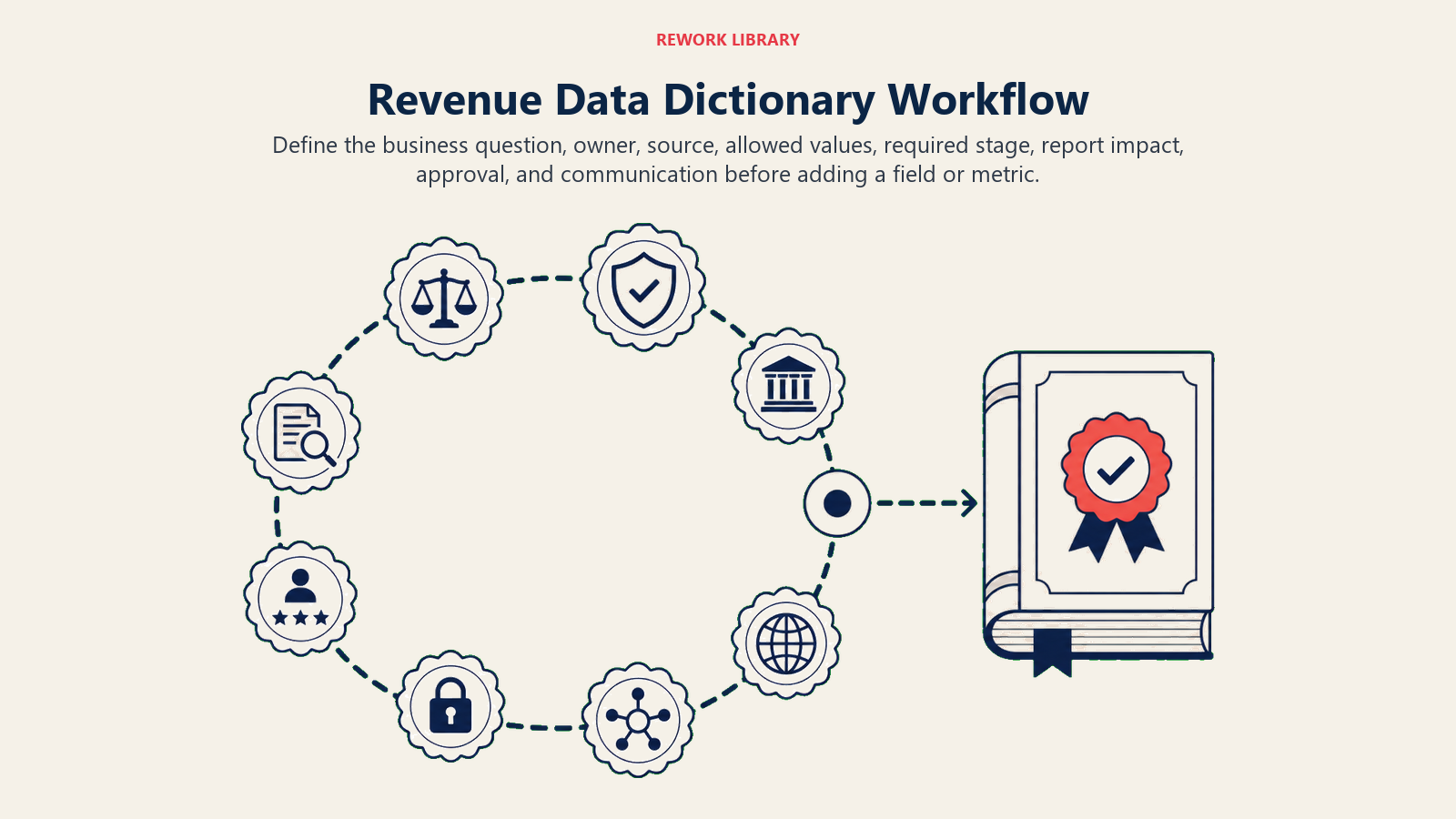
- Define the business question.
- Identify owner and source of truth.
- Decide allowed values.
- Decide required stage.
- Identify reports affected.
- Approve or reject through governance.
- Add entry to dictionary.
- Communicate change.
This connects the dictionary to Required Fields vs Useful Fields.
Minimum viable dictionary
The first useful dictionary can be small. It does not need to cover every CRM field.
Start with 20 to 30 entries across four groups:
| Group | Example entries | Why it comes first |
|---|---|---|
| Lifecycle | Lead, MQL, SQL, opportunity, customer, renewal, churn | Controls funnel reporting |
| Source and ownership | Original source, latest source, campaign, owner, segment | Controls attribution and accountability |
| Pipeline and forecast | Amount, stage, close date, forecast category, commit, qualified pipeline | Controls forecast and board reporting |
| Post-sale | Renewal date, churn reason, health category, expansion signal, handoff completeness | Controls retention and expansion visibility |
This first version should be good enough to resolve common disputes. If leaders argue about source attribution, forecast categories, SQL definition, churn reason, or pipeline quality, the dictionary should answer the question or show the missing governance.
Do not start with rarely used fields. That creates documentation work with low adoption. Start where confusion is already expensive.
Change control
Definitions change. The problem is silent change.
Every meaningful change should include:
- Old definition
- New definition
- Reason
- Effective date
- Reports affected
- Historical impact
- Approval owner
This helps leaders interpret trends correctly.
Adoption
A dictionary that no one uses is just documentation.
RevOps should connect the dictionary to:
- Dashboard tooltips
- CRM field descriptions
- Onboarding
- Manager training
- Systems governance
- Executive reporting
- Audit checklists
The dictionary should be easy to find during real work.
Common mistakes
Documenting too much too early. Teams get overwhelmed.
No owner per entry. Definitions decay.
No change history. Trend changes become confusing.
Technical language only. Business users cannot understand the field.
Dictionary disconnected from CRM. Users see different guidance in different places.
Readiness checklist
Before launch:
- Critical entries are documented.
- Owners are named.
- Source-of-truth rules are included.
- Allowed values are current.
- Required fields have business reasons.
- Change process is clear.
- Dashboard definitions link back to the dictionary.
The dictionary is working when a metric dispute can be resolved by opening the entry, not by asking around.
Example entries
Example: Lead source
| Element | Definition |
|---|---|
| Business meaning | Original source that created the person or account record |
| Object | Lead, contact, or account depending on model |
| Owner | Marketing Ops with RevOps governance |
| Source of truth | Marketing automation or governed CRM field |
| Allowed values | Paid search, organic, referral, partner, event, outbound, direct |
| Required stage | At creation |
| Reports affected | Attribution, funnel conversion, campaign ROI |
Example: Commit
| Element | Definition |
|---|---|
| Business meaning | Revenue expected to close in the period based on agreed criteria |
| Object | Opportunity |
| Owner | Sales leadership with RevOps governance |
| Source of truth | CRM |
| Required stage | Forecast review |
| Reports affected | Forecast, board reporting, finance planning |
Examples make the dictionary easier to adopt.
Dictionary and onboarding
Use the dictionary in onboarding for RevOps, sales, marketing, CS, and finance.
New employees should learn:
- What lifecycle stages mean
- Which fields matter
- Which definitions are shared
- Which reports are source of truth
- Who owns changes
This reduces tribal knowledge.
Dictionary maintenance
Review the dictionary monthly for high-change fields and quarterly for the broader model.
Review triggers:
- New field request
- Dashboard dispute
- Forecast definition change
- New GTM motion
- CRM migration
- Integration change
- Finance planning change
The dictionary should change when the business changes, but changes should be visible.
Field retirement
A dictionary should also help retire fields.
Retire a field when:
- No report uses it.
- No workflow depends on it.
- Data quality is too low to repair.
- A better field replaces it.
- The business question no longer matters.
Field retirement keeps the CRM usable.
Quality metrics
Track dictionary health:
- Percent of critical fields documented
- Percent of critical fields with owners
- Fields with unclear allowed values
- Metrics with no formula
- Definitions changed this quarter
- Dashboard metrics linked to dictionary
These metrics show whether the dictionary is an operating asset.
Quality rule
The dictionary should be close to where work happens. If users have to hunt for definitions, they will ask a teammate, guess, or create a local definition. RevOps should make the official definition easier to find than the unofficial one.
Build sequence
Build the dictionary in phases.
Phase 1: executive metrics.
Document revenue, pipeline, forecast, conversion, retention, expansion, and data-quality metrics used in leadership meetings.
Phase 2: lifecycle fields.
Document lifecycle stage, lead status, opportunity stage, forecast category, renewal status, and expansion status.
Phase 3: workflow fields.
Document owner, SLA, routing, handoff, risk, rejection, and closed-lost fields.
Phase 4: cleanup and retirement.
Remove or mark fields that no longer support decisions.
Governance roles
The dictionary needs roles:
| Role | Responsibility |
|---|---|
| RevOps owner | Maintains structure and change process |
| Field owner | Approves definition and allowed values |
| Systems owner | Updates CRM or connected tool |
| Finance reviewer | Reviews metrics used for planning |
| Functional reviewer | Confirms workflow fit |
Without roles, the dictionary decays.
Connection to dashboards
Every executive dashboard metric should link back to a dictionary entry.
The entry should explain:
- Formula
- Source
- Time window
- Exclusions
- Refresh cadence
- Owner
- Caveats
This makes dashboards easier to defend and easier to fix.
Connection to CRM
CRM field descriptions should match dictionary definitions.
If the dictionary says one thing and the CRM tooltip says another, users will follow the tool in front of them. RevOps should keep the dictionary and CRM guidance aligned.
Examples of bad definitions
Bad definition: "Qualified pipeline is good pipeline."
Better definition: "Qualified pipeline is open opportunity value expected to close in the selected period where opportunity stage is at or beyond qualified, amount is populated, close date is current, and excluded stages are removed."
Bad definition: "Churn reason is why the customer left."
Better definition: "Churn reason is the primary customer, product, commercial, or fit reason assigned at churn review, using approved values and owned by CS with RevOps governance."
Specific definitions reduce interpretation.
Definition cleanup checklist
Before launch:
- Critical fields are documented.
- Executive metrics are documented.
- CRM field help is aligned.
- Owners are named.
- Change log exists.
- Old definitions are archived.
- Users know where to find the dictionary.
The dictionary is mature when teams use it before creating a new field or dashboard.
Practical warning
A dictionary can become stale quickly if it is treated as a documentation project.
Tie it to active workflows:
- New field requests require a dictionary entry.
- Dashboard metrics require dictionary definitions.
- Forecast category changes update the dictionary.
- Required fields need documented business reasons.
- Retired fields are marked with dates.
This makes the dictionary part of governance instead of an afterthought.
Practical warning operating examples
If a sales leader asks for a new required field called "deal quality," RevOps should not create it immediately. The dictionary process should ask: what does deal quality mean, who owns it, which values are allowed, where is it required, which report uses it, and what action follows?
If finance asks for "qualified pipeline," RevOps should document the exact formula before the dashboard is built. Does it include stage 1? Does it include renewals? Does it exclude close dates outside the quarter? Does it use weighted or unweighted amount?
If CS asks for churn reasons, RevOps should define allowed values that can change behavior. A vague value like "not enough value" may need sub-reasons tied to adoption, onboarding, product fit, or executive sponsorship.
Practical warning adoption rule
The dictionary should make good data easier than bad data. If the official definition is hard to find, users will invent local definitions. If the allowed values do not match real work, users will choose other. If changes take too long, teams will bypass governance.
RevOps should keep the dictionary practical, visible, and tied to decisions.
Risk checklist
Before rollout, test the dictionary against common requests:
- A new required field
- A new dashboard metric
- A forecast definition dispute
- A churn reason cleanup
- A source attribution question
- A board reporting metric
For each request, the dictionary should show the definition, owner, source, allowed values, required use, and reports affected. If it cannot, add the missing entry before scaling the process.
Practical rule
The dictionary should reduce interpretation. A sales manager, marketer, CS leader, finance partner, and RevOps analyst should be able to read the same entry and understand the same business meaning.
That shared language is what makes revenue reporting and workflow easier to trust.
The dictionary should also help teams say no. If a requested field has no owner, no source of truth, no allowed values, and no report or workflow that depends on it, RevOps should reject or defer it. That discipline keeps the CRM from filling with fields that create more work than value.
The same applies to metrics. If a metric cannot be defined clearly enough for the dictionary, it is not ready for executive reporting.
Use the dictionary as a quality gate. Before a field becomes required, before a metric reaches the board, and before a workflow depends on a value, the definition should be clear enough for the people entering and using the data.
That is how a dictionary moves from documentation to operating control. It protects dashboards, routing, forecast, renewal planning, customer handoffs, and leadership reporting because every dependent process points back to a clear definition.
The cost of drift is high. A field that starts with one meaning in marketing, another in sales, and a third in finance will eventually create three reports that disagree. At that point, the cleanup is not only technical. Leaders have to rebuild trust in the numbers. A current dictionary prevents that avoidable work.
How to make the dictionary visible
Adoption improves when the dictionary shows up where people already work.
Use multiple surfaces:
| Surface | How to use it |
|---|---|
| CRM field help | Put the short definition where users enter data |
| Dashboard tooltip | Explain formulas and exclusions in the report |
| Onboarding checklist | Teach lifecycle, source, forecast, and handoff definitions early |
| Change request form | Require owner, definition, allowed values, and reports affected |
| Forecast call notes | Link disputed metrics back to official definitions |
| Data quality review | Use dictionary entries as the inspection standard |
The dictionary should not require people to search a wiki during live work. The full version can live in a governed document, but the short definition should appear inside the CRM, dashboard, or process where the user needs it.
This is also how RevOps earns compliance without heavy enforcement. If the official definition is easier to find than the informal one, people are more likely to use it.
Data dictionary audit
Once the first version is live, audit it against actual work. The audit should not ask whether the document is complete. It should ask whether the dictionary reduces confusion in decisions that matter.
Use a practical audit:
| Audit test | What to inspect | Good sign |
|---|---|---|
| Forecast call | Metrics and categories discussed by sales and finance | Definitions are referenced without debate |
| Pipeline review | Stage, amount, close date, and qualified pipeline rules | Managers inspect against written criteria |
| Campaign review | Source, campaign, and conversion fields | Marketing and sales agree on the funnel math |
| Renewal review | Renewal date, risk category, churn reason, expansion signal | CS and finance use the same terms |
| Dashboard request | New metric or report request | Owner, formula, source, and exclusions are defined before build |
| Field request | New required field request | Business reason and decision use are clear |
The audit often finds three types of gaps.
First, missing entries. A metric appears in leadership meetings but has no definition. Add it before the next report cycle.
Second, weak entries. The entry exists but does not answer enough questions. For example, "pipeline source" may need to clarify original source, latest source, opportunity source, and campaign influence.
Third, adoption gaps. The entry is clear, but users do not see it during work. In that case, the fix may be CRM help text, dashboard tooltip, manager training, or field cleanup rather than more documentation.
The audit should produce a short action list. Do not turn it into a full data cleanup program unless the evidence justifies that scope. The best audits improve the dictionary while also revealing where workflow, reporting, or governance needs repair.
Operating examples
Here is how a dictionary changes common RevOps conversations.
A sales leader asks for a required "decision maker" field. RevOps checks the dictionary standard before creating the field. What does decision maker mean? Is it economic buyer, executive sponsor, signing authority, or meeting attendee? At which stage is it required? Which report or workflow uses it? If the answer is unclear, the field request is not ready.
Finance asks why qualified pipeline changed from last month. RevOps opens the qualified pipeline entry. If the definition changed, the change history should show effective date, owner, and historical impact. If the definition did not change, the team inspects source data: stage movement, close-date changes, excluded records, amount changes, and new opportunity creation.
CS wants better churn reasons. RevOps avoids adding twenty values immediately. The dictionary process starts with the business question: which churn reasons would change acquisition, onboarding, product, pricing, or customer engagement? Values that do not change action can stay out of the picklist.
Marketing wants a new attribution dashboard. RevOps checks source definitions first. If original source, latest source, campaign, and opportunity source are not defined, a new dashboard will only make disagreement more visible. The dictionary work comes before the report build.
These examples show the real purpose of the dictionary. It helps teams slow down before they encode confusion into systems.
Data dictionary change packet
Every important field change should update the data dictionary.
Capture:
- Field name.
- Definition.
- Source system.
- Allowed values.
- Owner.
- Required stage.
- Reports affected.
- Workflow affected.
- Change date.
- Retirement rule.
This keeps the dictionary from becoming stale documentation. It should be the control surface for revenue data, not an archive no one trusts.
Frequently Asked Questions about Revenue Data Dictionary
Who owns the revenue data dictionary?
RevOps should own it, with field-level input from marketing, sales, CS, finance, and systems owners.
Where should it live?
Somewhere visible and version-controlled enough that people can find current definitions. The format matters less than adoption.
Learn more

Principal Solution Architect
On this page
- What to include
- Start with critical fields
- Why a dictionary matters
- Dictionary structure
- Definition quality standard
- Critical entries
- Allowed values
- Required fields
- Dictionary workflow
- Minimum viable dictionary
- Change control
- Adoption
- Common mistakes
- Readiness checklist
- Example entries
- Dictionary and onboarding
- Dictionary maintenance
- Field retirement
- Quality metrics
- Quality rule
- Build sequence
- Governance roles
- Connection to dashboards
- Connection to CRM
- Examples of bad definitions
- Definition cleanup checklist
- Practical warning
- Practical warning operating examples
- Practical warning adoption rule
- Risk checklist
- Practical rule
- How to make the dictionary visible
- Data dictionary audit
- Operating examples
- Data dictionary change packet
- Learn more