Resource allocation is where project plans either hold up or fall apart. You can write the most detailed schedule in the world, but if the right people aren't assigned to the right tasks at the right time, that plan is fiction.
Resource Allocation in Project Management
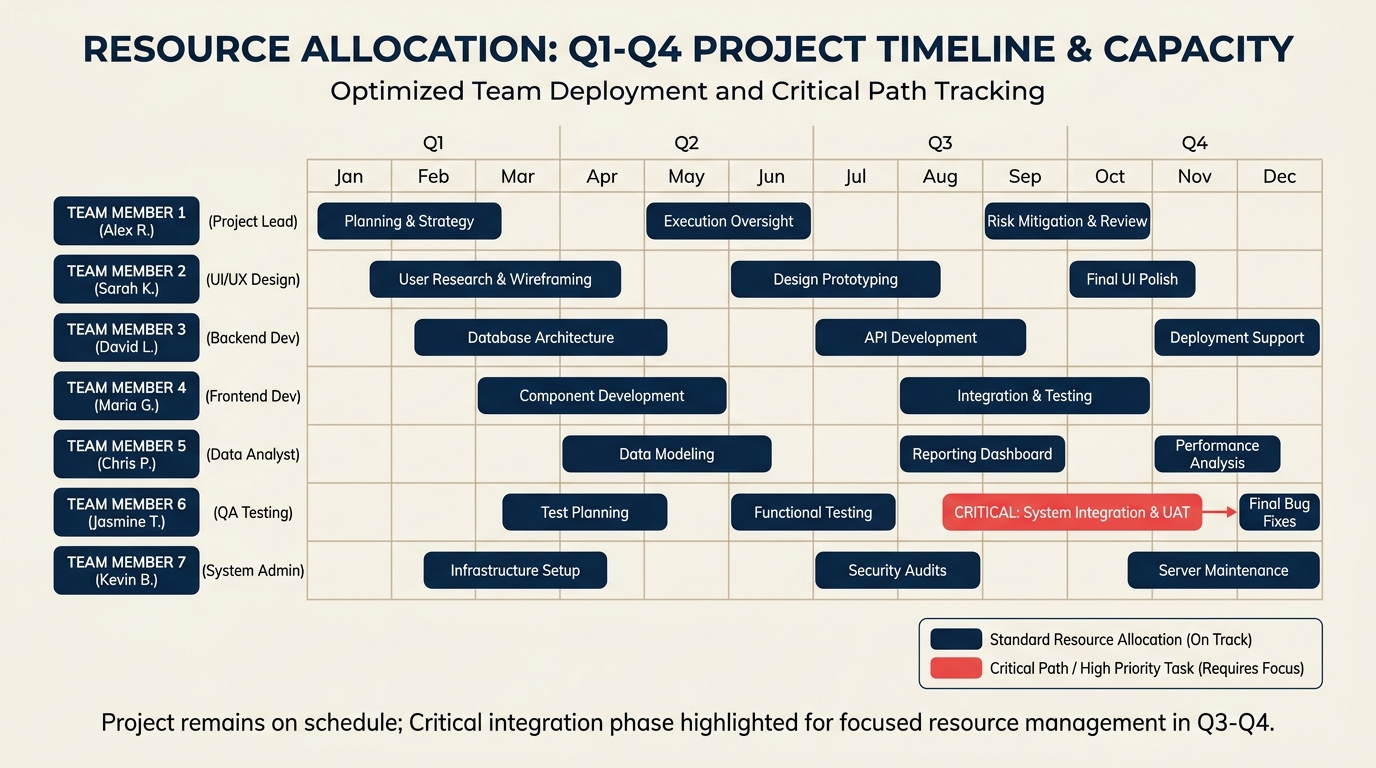
Turn this article into takeaways for your work.


Each assistant summarizes the article only for you and suggests best practices for your work.
What Is Resource Allocation?
Resource allocation is the process of identifying, assigning, and scheduling available resources, including people, equipment, budget, and time, to specific project tasks in order to maximize value while respecting constraints. It answers three questions at once: who does this work, what do they need to do it, and when does it happen.
Key Facts
- PMI's Pulse of the Profession report found that inadequate resource forecasting is among the top causes of project failure, with organizations wasting an average of $97 million for every $1 billion invested due to poor project performance. (PMI, 2023)
- A 2022 Wellingtone State of Project Management survey found that 40% of project managers cited resource management as their single biggest challenge.
- Knowledge workers spend, on average, 58% of their day on coordination and communication rather than skilled task work, much of it caused by unclear resource assignments. (IDC, 2022)
"A plan no one has the capacity to execute is just a wish with a deadline."
Why Resource Allocation Matters
When resource allocation is done badly, the damage shows up fast. Tasks overlap and team members get pulled in three directions. Budgets swell because under-resourced work takes longer than estimated. Deadlines slip, client trust erodes, and team members burn out from chronic overload.
But the less visible cost is opportunity cost. When a senior engineer spends two weeks on work a junior could handle, that's two weeks of high-leverage work that didn't happen. Good resource allocation puts skilled people on the tasks where they create the most value, not just the tasks that landed on their desk first.
This is why resource allocation isn't a one-time setup step. It's an active management discipline that runs from project kickoff to final delivery.
Types of Resources to Allocate
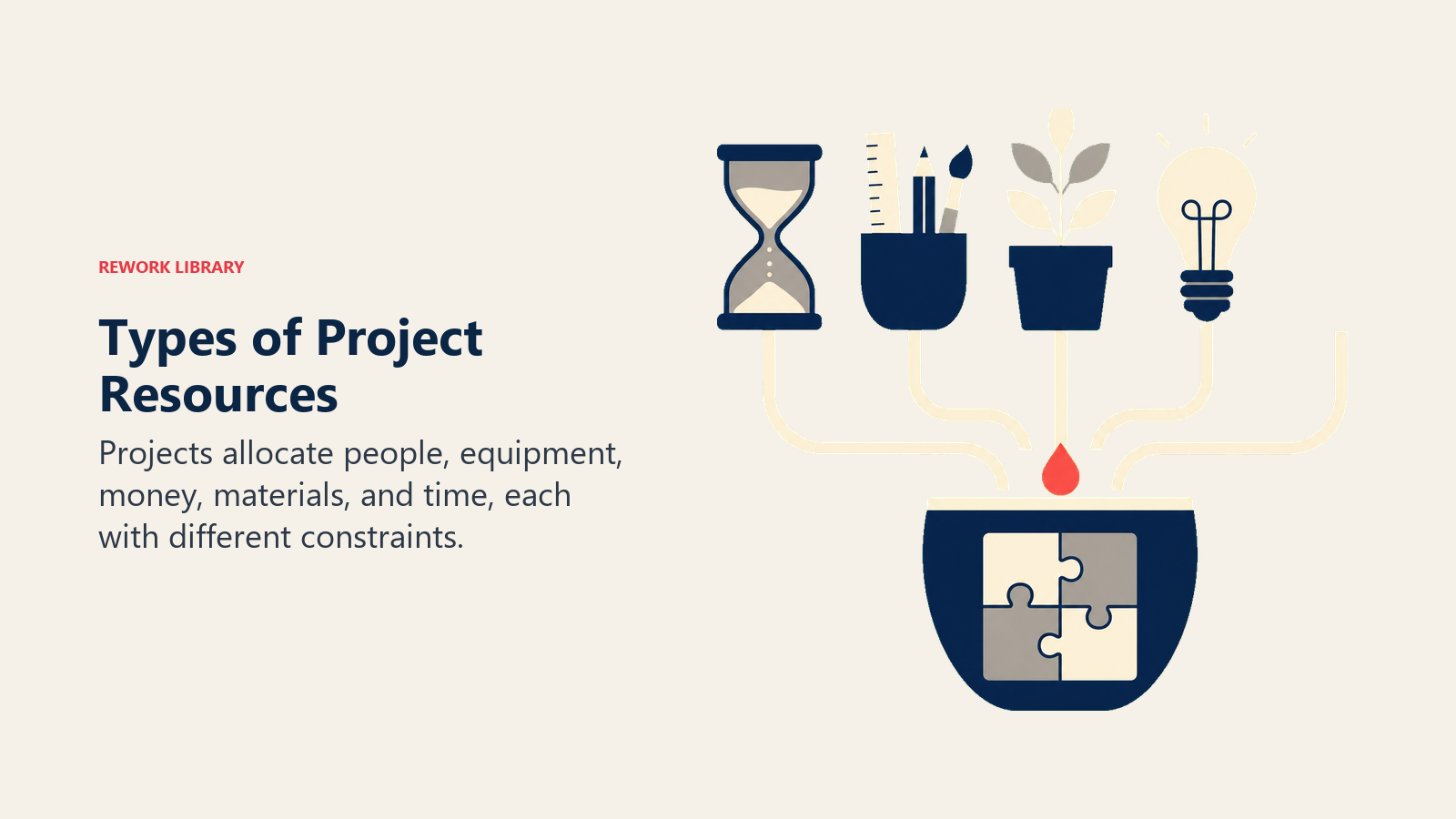
Projects draw on several categories of resources, and each one needs its own tracking method:
| Resource Type | What It Includes | Example |
|---|---|---|
| Human | Team members, contractors, subject matter experts | A backend developer, a UX designer, a legal reviewer |
| Equipment | Hardware, machinery, licensed software, lab instruments | A staging server, a video editing suite, a forklift |
| Financial | Budget, contingency funds, vendor payments | $12,000 for a contractor sprint, $800 for a software license |
| Material | Physical supplies, raw materials, consumables | Printed training manuals, fabrication materials |
| Time | Scheduled windows, calendar blocks, lead times | A two-week testing window before the regulatory deadline |
Human resources are typically the most complex to manage because people have skills, availability limits, competing projects, and leave schedules that equipment and budget don't have.
How to Allocate Resources: Step by Step
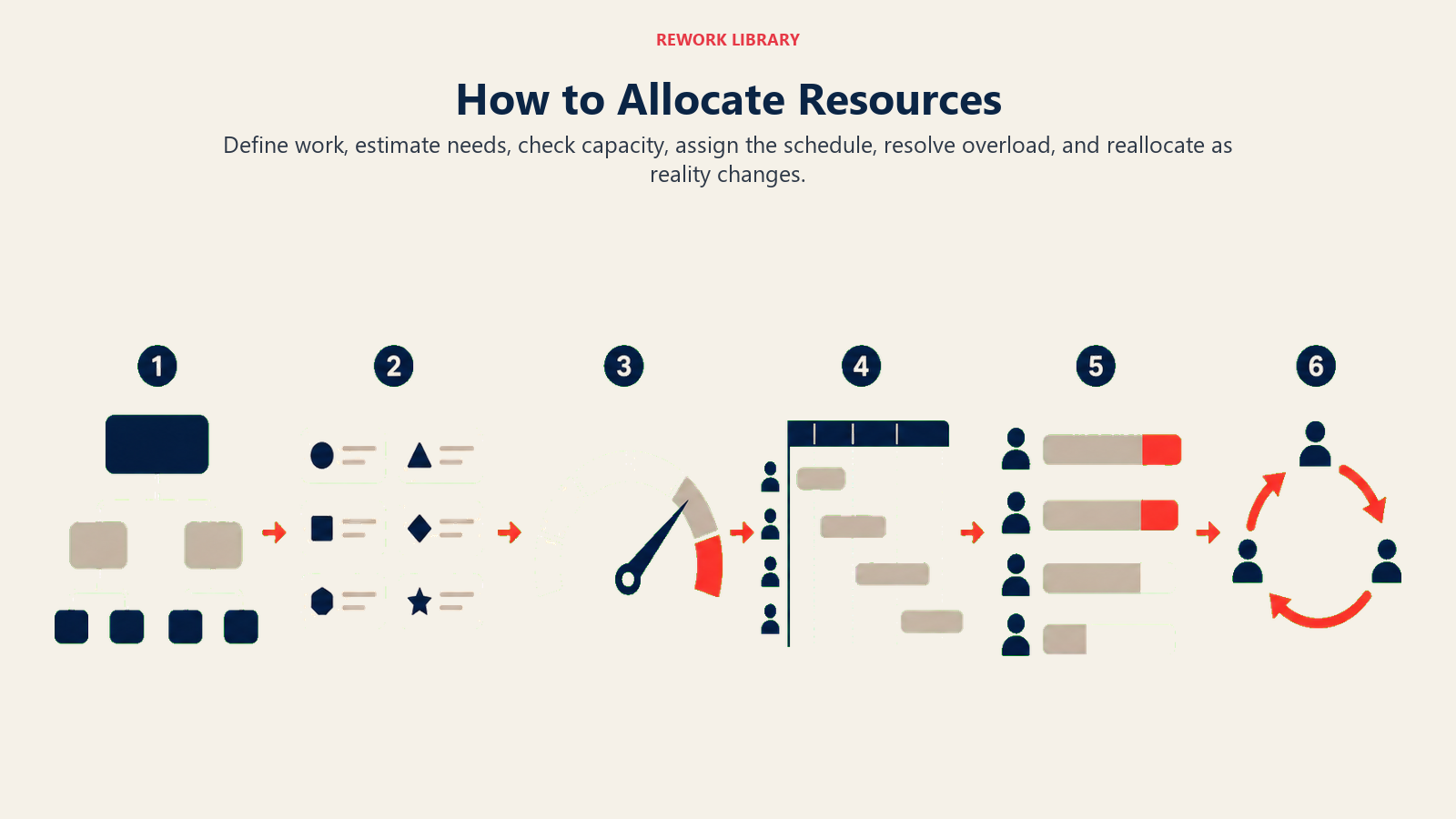
A repeatable process beats improvisation every time. Here's how to do it.
Step 1: Define Project Scope and Tasks
Start with the work, not the people. Use a work breakdown structure (WBS) to decompose the project into all the tasks that need to happen. If you assign resources before you know the full scope, you'll miss things and scramble to fill gaps mid-project.
Step 2: Estimate Resource Requirements
For each task, determine what type and quantity of resource it needs. A content audit task might require one writer for 20 hours. A server migration might require two engineers and a systems architect for a full week. Be specific. Vague estimates ("some developer time") cause the overallocation problems that derail projects later.
Step 3: Check Availability and Capacity
Before assigning anyone, verify their actual availability. Pull in leave calendars, check commitments on other projects, and account for recurring meetings and administrative overhead. People are rarely 100% available, and treating them as if they are is how you create phantom schedules. See capacity planning for a deeper look at this step.
Step 4: Assign Resources to the Schedule
Map each task to its resources and plot the assignments against your Gantt chart or project schedule. Sequence-dependent tasks (those where one must finish before the next can start) need special attention here. Use your critical path method (CPM) analysis to understand which tasks have zero slack and which have buffer.
Step 5: Balance Overallocation
Once assignments are mapped, check for overallocation: any point where a person is scheduled for more hours than they have available. Don't leave these as-is and hope the team "figures it out." Use resource leveling or resource smoothing to resolve conflicts. Resource leveling vs. resource smoothing covers both techniques in detail, including when to use each one.
Step 6: Monitor and Re-allocate
Real projects deviate from plans. Track actuals against your allocations weekly. When a task runs long, a team member goes on sick leave, or scope changes, adjust assignments proactively. Waiting until a resource conflict becomes a deadline crisis means all your options are bad ones. Build re-allocation checkpoints into your regular project cadence.
Resource Allocation Methods
Different projects call for different approaches to deciding who gets what:
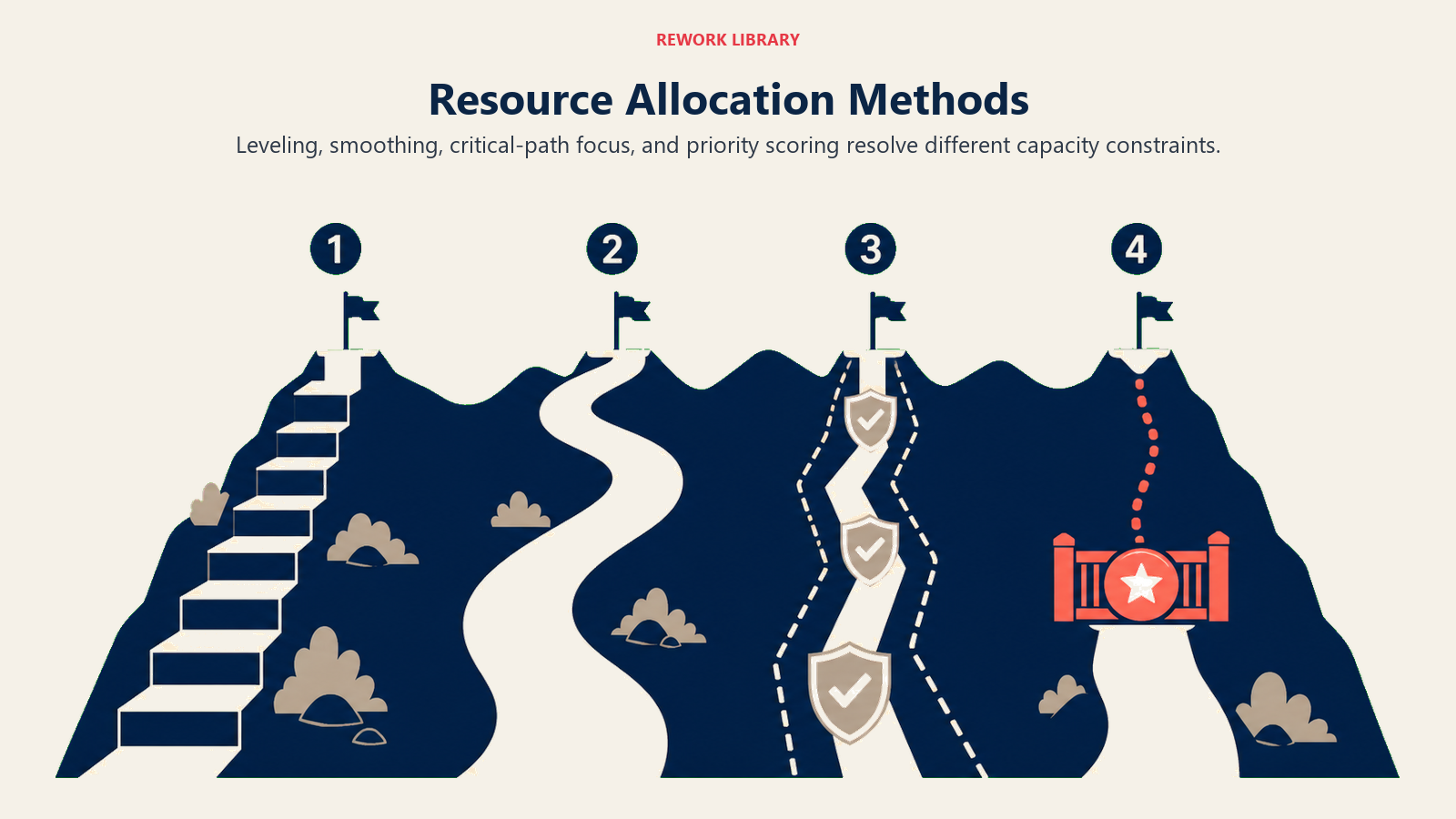
Resource leveling adjusts the project schedule to eliminate overallocation, even if that means extending the end date. It's the right call when resource limits are non-negotiable and the deadline has some flexibility.
Resource smoothing keeps the project deadline fixed and redistributes work within the float and slack already built into the schedule. Use this when the deadline is hard but the resource peaks can be shaved without pushing the end date.
Critical path-driven allocation prioritizes resourcing the tasks on the critical path first, then fills in non-critical work with remaining capacity. This protects the deadline by ensuring the highest-risk sequence is never starved of resources.
Priority-based allocation uses a scoring system (urgency, business value, strategic alignment) to rank tasks and assign limited resources to the highest-priority items first. This is common in organizations juggling multiple projects simultaneously, and it ties closely to project planning governance processes.
For a detailed comparison of leveling and smoothing, see resource leveling vs. resource smoothing.
Common Resource Allocation Challenges and Mistakes
Overallocation without a safety valve. Scheduling someone at 100% capacity leaves no room for meetings, rework, or unexpected blockers. A realistic utilization target is 70-80% of available hours, with the rest treated as buffer.
Ignoring task dependencies. Assigning resources without modeling which tasks depend on each other leads to situations where a team member is waiting for an upstream deliverable while their allocated window runs out. Map dependencies before finalizing assignments.
No contingency buffer. The triple constraint of scope, time, and cost means that surprises in one dimension ripple into the others. Allocating exactly the resources needed with zero buffer assumes everything will go to plan. It won't.
Siloed planning. When each team lead allocates their own people independently without a shared view of the full project, the same person ends up double-booked across teams. A single, visible resource plan prevents this.
Resource Allocation Example
Imagine a small product team running a three-week feature launch. The team has three people: Alex (lead developer), Priya (designer), and Sam (QA engineer).
| Task | Assigned To | Week 1 | Week 2 | Week 3 |
|---|---|---|---|---|
| UI design mockups | Priya | 40 hrs | ||
| Backend API development | Alex | 40 hrs | 30 hrs | |
| Frontend implementation | Alex | 10 hrs | ||
| QA testing | Sam | 20 hrs | 20 hrs | |
| Stakeholder review | Priya | 10 hrs | ||
| Bug fixes and final polish | Alex, Sam | 20 hrs each |
Notice that Alex has 40 hours in Week 1 and 40 hours in Week 2, but only 20 hours of bug fixes in Week 3. That 20-hour gap is intentional buffer. If backend work runs long in Week 2, Alex can absorb it without crashing the Week 3 deadline. Priya's design work is front-loaded so Alex never waits on assets. Sam's QA work starts in Week 2 after design and backend are far enough along to test. Dependencies are baked into the schedule, not left to chance.
Best Practices
Do:
- Allocate resources after scope is defined, not before
- Model actual availability, not theoretical capacity
- Keep a shared, visible resource plan all stakeholders can see
- Build utilization buffers (aim for 70-80% booked, not 100%)
- Review and adjust allocations at regular project checkpoints
- Prioritize the critical path first when capacity is tight
Don't:
- Assume people can be on multiple projects at full capacity simultaneously
- Allocate based on who is available right now without checking future commitments
- Treat the initial allocation plan as static once the project starts
- Rely on informal verbal agreements instead of documented assignments
Frequently Asked Questions about Resource Allocation in Project Management
What is the difference between resource allocation and resource leveling?
Resource allocation is the broader process of assigning resources to tasks across a project. Resource leveling is a specific technique used to resolve overallocation by adjusting the schedule when resources are stretched too thin. Think of allocation as the plan and leveling as one of the tools you use to fix the plan when it doesn't work.
What is resource overallocation?
Overallocation happens when a person or resource is scheduled for more hours in a given period than they actually have available. For example, if Alex is assigned to two parallel tasks that together require 60 hours in a 40-hour week, Alex is overallocated by 20 hours. Project management software flags this automatically, but resolving it requires human judgment about which tasks to delay, reduce in scope, or hand off to someone else.
What tools help with resource allocation?
Most project management platforms include resource allocation views: Microsoft Project's resource sheet, Asana's workload view, Smartsheet's resource management module, and Jira's capacity planning boards all visualize who is assigned to what and flag overloads. Simpler projects can be managed with a shared spreadsheet if it's kept current.
How do I allocate resources across multiple projects?
Multi-project allocation requires a portfolio view, not a single-project view. You need a master resource calendar that shows each person's commitments across all active projects, then allocate new project work into the gaps. Priority-based allocation helps here: when capacity is genuinely tight, the higher-priority project gets the resource, and the lower-priority project either adjusts scope or extends its timeline.
What is the right utilization rate for team members?
Most practitioners target 70-80% of available hours as billable or task-assigned work, leaving 20-30% for meetings, training, administrative work, and unexpected issues. Higher utilization rates feel efficient on paper but eliminate the slack that lets teams respond to real-world variation without burning out. Resource allocation isn't glamorous work, but it's the foundation every other project management discipline builds on. Get the assignments right, protect your people from overload, and keep the plan visible to everyone who needs it. That's what separates projects that deliver from projects that just have great kick-off decks.

Senior Operations & Growth Strategist
On this page
- What Is Resource Allocation?
- Why Resource Allocation Matters
- Types of Resources to Allocate
- How to Allocate Resources: Step by Step
- Step 1: Define Project Scope and Tasks
- Step 2: Estimate Resource Requirements
- Step 3: Check Availability and Capacity
- Step 4: Assign Resources to the Schedule
- Step 5: Balance Overallocation
- Step 6: Monitor and Re-allocate
- Resource Allocation Methods
- Common Resource Allocation Challenges and Mistakes
- Resource Allocation Example
- Best Practices