Best Business Process Management Software in 2026: 14 BPM Platforms Compared
Turn this article into takeaways for your work.


Each assistant summarizes the article only for you and suggests best practices for your work.
What changed this year: Gartner published its first-ever Magic Quadrant for BOAT (Business Orchestration and Automation Technologies) in October 2025, retiring the old iBPMS category name; ProcessMaker fully merged into Decisions in 2026 and processmaker.com now redirects to decisions.com; Kissflow's old flat monthly price disappeared from its pricing page; and Creatio rolled out a new Unlimited, per-organization pricing tier alongside its traditional per-user plans.*
Appian and Pega Platform are built for regulated enterprises that need governance and an audit trail baked into every case, Camunda and Microsoft Power Automate fit teams that want developers or an existing Microsoft 365 contract driving the automation, Pipefy and Quickbase work for operations teams that want a process live in weeks without a services engagement, and SAP Signavio and Bizagi belong on the shortlist the moment the job is modelling and governing a process rather than running it. This guide evaluates all 14 platforms below on pricing, capture depth, and where each one sits in that modelling-versus-execution split, so you can match the tool to the actual job instead of the one with the loudest marketing page.
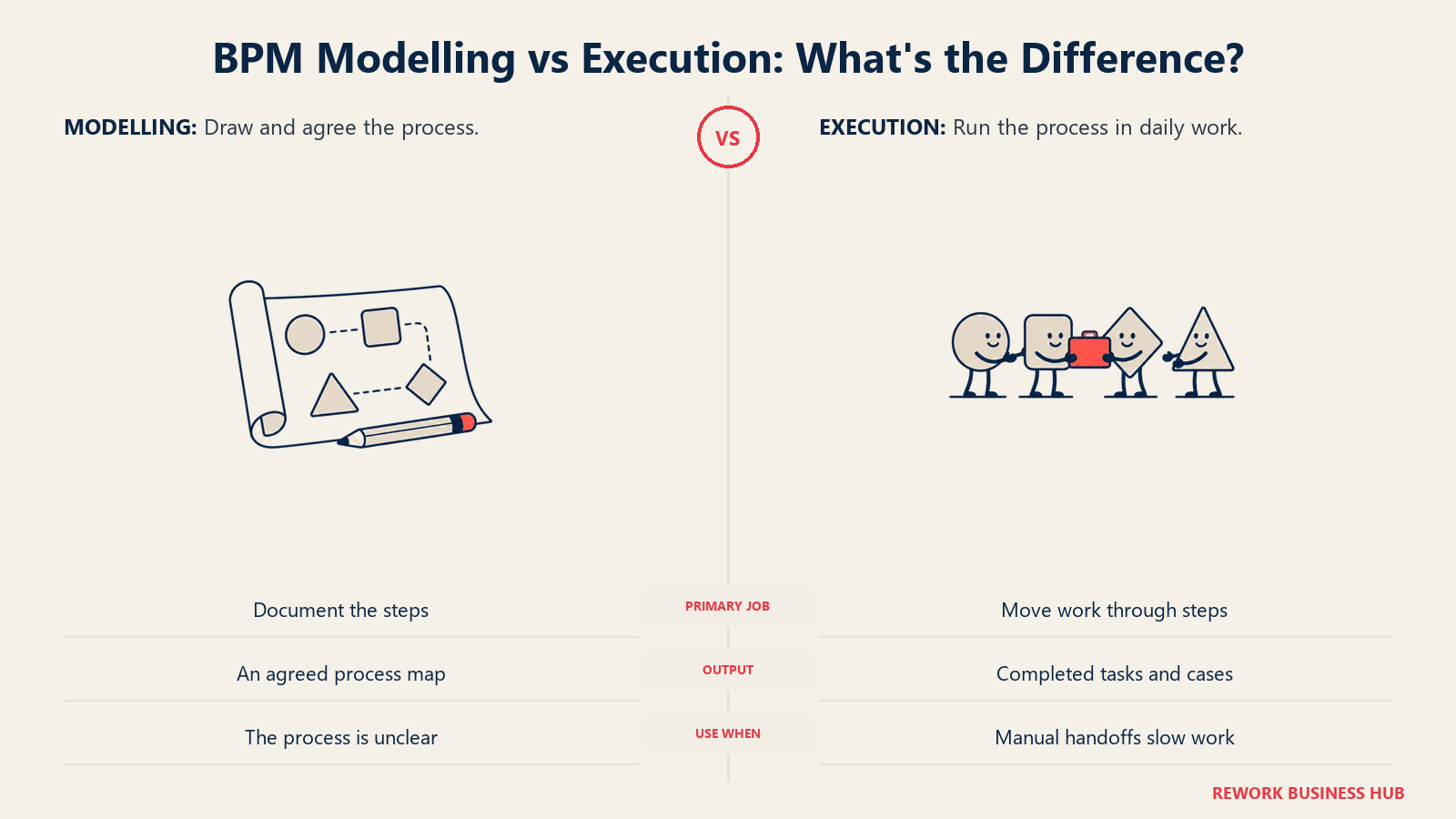
"BPM" is a label that covers two genuinely different jobs, and most buyers only need one of them. The modelling layer is where you draw a process, document who does what, and get sign-off from the people who own the work, tools like Visio, Lucidchart, and Creately live here, alongside dedicated process-architecture suites like SAP Signavio and Bizagi. The execution layer is where that process actually runs: forms route, approvals fire, systems talk to each other, and a case moves from open to closed without a human re-typing data at every step. Appian, Pega, Camunda, Power Automate, and the rest of the low-code suites below live here. And if the only thing you actually need to run is an approval chain, that is a narrower, cheaper buy than a full BPM suite; the best approval workflow software guide covers that category on its own terms. Buying a modelling tool when you needed execution (or the other way around) is the single most common mistake in this category, and it's why this guide treats the split as a structural decision, not a footnote.
Key Facts
- The global business process management software market is projected to grow from $25.88 billion in 2026 to $91.87 billion by 2034, a 17.2% compound annual growth rate. (Fortune Business Insights)
- A composite enterprise deploying Microsoft Power Automate saw a 248% three-year ROI and a payback period under six months, with $39.85 million in net present value, per a Forrester Total Economic Impact study commissioned by Microsoft. (Forrester TEI of Microsoft Power Automate)
- 79% of organizations plan to increase automation spend, with budgets expected to rise by an average of 20% over the next two years, per Camunda's 2026 State of Agentic Orchestration and Automation report. (Camunda)
- 73% of employers intend to accelerate the automation of business processes and tasks by 2030, per the World Economic Forum's Future of Jobs Report 2025. (World Economic Forum)
Quick Comparison Table
| Tool | Best For | Starting Price | Key Strength | Key Limitation |
|---|---|---|---|---|
| Appian | Regulated enterprises needing governed, audited case management | Priced per user/month/app, no public figure | Named a Leader in Gartner's inaugural BOAT Magic Quadrant | Every tier requires a sales quote before you see a number |
| Pega Platform | Large-scale case management in insurance, banking, and government | No public figure, free trial available | Deep case-management and decisioning depth at enterprise scale | Pega's own pricing page prints no tiers or figures at all |
| Camunda | Developer-led teams orchestrating processes into microservices | Free for local dev, SaaS from a 30-day trial | Genuinely free, unrestricted development tier | Production use requires an Enterprise quote either way |
| Microsoft Power Automate | Teams already paying for Microsoft 365 wanting cloud flows and RPA | Premium $15/user/month, paid yearly | Cheapest real published entry point on this list | Unattended RPA bots and process mining cost far more, fast |
| Nintex | Workflow automation paired with document generation | No public figure, contact sales | Workflow plus document generation (Drawloop) in one platform | Zero pricing transparency, not even a starting range |
| Pipefy | Ops teams wanting a real free tier to start on | Free (capped); Business/Enterprise custom | A genuinely usable free Starter tier still exists | Free tier caps at 5 processes and 10 users |
| Kissflow | No-code workflow automation for business users | No longer published, contact sales | Business-user-friendly no-code process builder | Its old flat monthly price is gone from the pricing page |
| Quickbase | No-code app building on top of process workflows | Team $35/user/month billed annually | Real, published per-user pricing plus a flexible usage option | A platform minimum fee applies on top of the per-user rate |
| ProcessMaker (now Decisions) | Teams wanting orchestration without per-user licensing | No public figure, custom quote | Explicitly rejects per-user pricing as a design principle | The ProcessMaker brand no longer exists as a standalone product |
| Creatio | Teams wanting BPM bundled with a native CRM | Growth $40/user/month, behind a $10,000/year minimum | Published per-user rates plus an Unlimited, per-organization tier | The $40 rate means little against a $10,000 annual floor |
| Zoho Creator | Budget-conscious teams wanting a no-code app builder | Standard $8/user/month billed annually | Cheapest published per-user rate here, plus a free Edition and a 15-day trial | The $8 rate is annual billing only, no monthly figure published |
| Process Street | Recurring checklists and SOPs, not full BPM | No public figure, contact sales | Purpose-built for recurring, checklist-style process work | Not a case-management or systems-integration platform |
| SAP Signavio | Enterprise process intelligence and process mining | No public figure, modular per-named-user quote | Deep process mining layered on top of process modelling | Process mining is the single largest, least predictable cost |
| Bizagi | Free process modelling with a paid engine behind it | Modeler free; Platform is consumption-based | A genuinely free, full-featured process modelling tool | The execution engine's real cost only appears after a quote |
Modelling vs Execution: The Two Halves of BPM
Every tool above runs on the execution side of BPM: it moves a process forward. A second, equally important set of tools exists to draw that process in the first place, get it approved, and keep the diagram in sync with reality as the process changes. Buyers routinely shop for one and end up evaluating the other, which is why this split gets its own section instead of a single line in the intro.
Microsoft Visio, Lucidchart, and Creately are the three most-searched modelling tools, and each has a dedicated head-to-head on this site: Best Visio Alternatives and Best Creately Alternatives cover the competitive field for each, while Lucidchart vs Visio, Lucidchart vs Miro, and Visio vs draw.io go head-to-head on the three matchups buyers ask about most. If your team's actual gap is a wider whiteboarding or diagramming need rather than BPM specifically, Best Online Whiteboard Software covers that adjacent category.
SAP Signavio and Bizagi sit a level above general-purpose diagramming: both are purpose-built process-architecture suites with governance, version control, and (for SAP Signavio) process mining layered on top of the drawing canvas, and both get full write-ups later in this guide. The common thread across every modelling tool here is BPMN 2.0, the open notation standard maintained by the Object Management Group, which is what lets a diagram drawn in Visio import cleanly into Bizagi or SAP Signavio without redrawing it from scratch. For the concept layer underneath all of this (what a process map actually needs to capture, and how it differs from a swimlane diagram or a SIPOC), see Business Process Mapping and BPMN Explained.
| Tool | Category | Starting Price | Best For |
|---|---|---|---|
| Microsoft Visio | General diagramming, Windows-native | Visio Plan 1 $5/user/month paid yearly (web/Teams only, no desktop app) | Teams already on Microsoft 365 wanting a familiar flowchart tool |
| Lucidchart | General diagramming, browser-based | Individual $9/month plus tax; Free tier capped at 3 documents | Teams wanting real-time collaborative diagramming outside Microsoft |
| Creately | General diagramming with a flat-rate team plan | Starter $5/user/month billed annually; Business $89/month flat, unlimited users | Teams that want one flat bill instead of counting seats |
| SAP Signavio | Enterprise process architecture and mining | No public figure, per-named-user and per-block quote | Enterprises that need process mining, not just process drawing |
| Bizagi | Process modelling plus an execution engine | Modeler free; Platform consumption-based, no public figure | Teams wanting a free way to model before committing to an engine |
1. Appian: The BOAT Category Leader With No Public Price
Appian's low-code platform spans process automation, case management, and (as of its 2026 releases) agentic orchestration, and Gartner named it a Leader in the inaugural Magic Quadrant for BOAT (Business Orchestration and Automation Technologies) published in October 2025, the category that replaced the older iBPMS label. Appian sells three editions, Standard, Advanced, and Premium, and the pricing model itself is the notable part: every edition is priced per user, per month, per app, not a flat per-seat rate. That structure means two teams with identical headcounts can land on very different bills depending on how many separate applications they build on the platform. None of the three editions carries a public dollar figure; every quote goes through sales.
Appian Community Edition is a separate offering: a free, dedicated platform instance built for personal development and learning, explicitly not licensed for production traffic. It's a reasonable way to evaluate Appian's process-modelling and low-code experience before a paid conversation starts. If the per-app pricing model is what's pushing you to shop around rather than the platform itself, our guide to the best Appian alternatives works through the fourteen platforms worth putting beside it.
| What you get | What you don't |
|---|---|
| A free Community Edition for personal development | A published dollar figure at any paid tier |
| Governance and audit depth built for regulated industries | A flat per-seat price, billing is per user per app |
| Recognition as a Leader in Gartner's first BOAT Magic Quadrant | A self-serve path to production without a sales call |
| Case management, process automation, and agentic orchestration in one platform | The lightest possible entry price on this list |
Pricing: Standard, Advanced, and Premium editions, each priced per user per month per app, no dollar figure published. Appian Community Edition is free for personal development only, not production. (Appian) Best for: Regulated enterprises (insurance, banking, government) that need governed, audited case management and are prepared to run pricing through a sales evaluation. Not ideal for: A small team wanting to see a number before booking a call, or one wanting a flat per-seat price rather than a per-app one.
2. Pega Platform: Case Management at Enterprise Scale, Pricing Behind a Wall
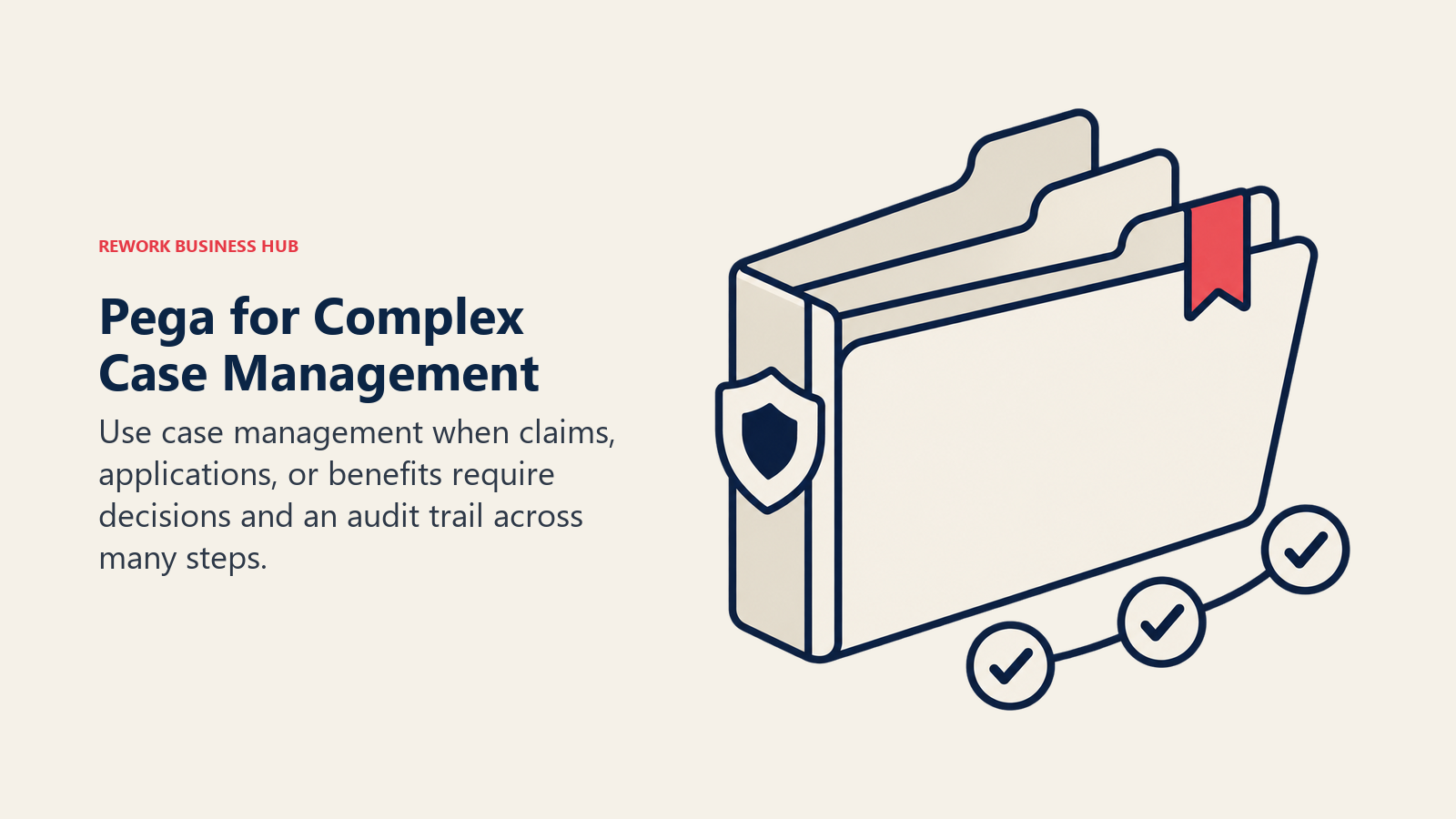
Pega's pitch is case management at enterprise scale: insurance claims, loan origination, government benefits processing, workflows where a single "case" moves through dozens of decision points over days or weeks and needs a complete audit trail at every step. Pega layers decisioning and next-best-action logic on top of that case engine, which is what separates it from a simpler workflow tool.
Pega's own pricing page prints no tiers, no dollar figures, and no billing basis; the only call to action is a free trial link and a path to sales. Third-party trackers cite ranges as wide as $35 to $90 per user per month (reported), but that figure comes from aggregator sites, not from Pega directly, so treat it as a rough planning signal rather than a quote. Pega and Appian land on most of the same shortlists and neither publishes a number, which makes the choice between them a capability question rather than a price one; we work through it in Appian vs Pega.
| What you get | What you don't |
|---|---|
| Case management and decisioning depth built for regulated, high-volume workflows | A single dollar figure printed anywhere on Pega's own site |
| A free trial to evaluate the platform before a sales conversation | A self-serve path to a production license |
| Next-best-action decisioning layered on top of the process engine | The lightest or fastest evaluation path on this list |
| On-premise and cloud deployment options | Transparent, comparable per-seat pricing |
Pricing: No public pricing published on Pega's own site; free trial available; production licensing requires a custom sales quote. (Pega) Best for: Large enterprises running high-volume, multi-step case management (claims, origination, benefits) that need decisioning built into the workflow itself. Not ideal for: A team wanting a public price ladder to compare before the first sales call.
3. Camunda: Open-Source Process Orchestration for Developer-Led Teams
Camunda's audience differs from most of this list: it's an orchestration engine built for developers who model processes in BPMN and wire them directly into microservices and event streams, not business users dragging boxes on a canvas. The free tier is genuinely free: Self-Managed Development lets a team build and run the full stack, the process engine, Operate, Tasklist, Identity, Optimize, and both the Desktop and Web Modeler, on their own machine with no license required. The catch is that this tier is explicitly not licensed for production traffic.
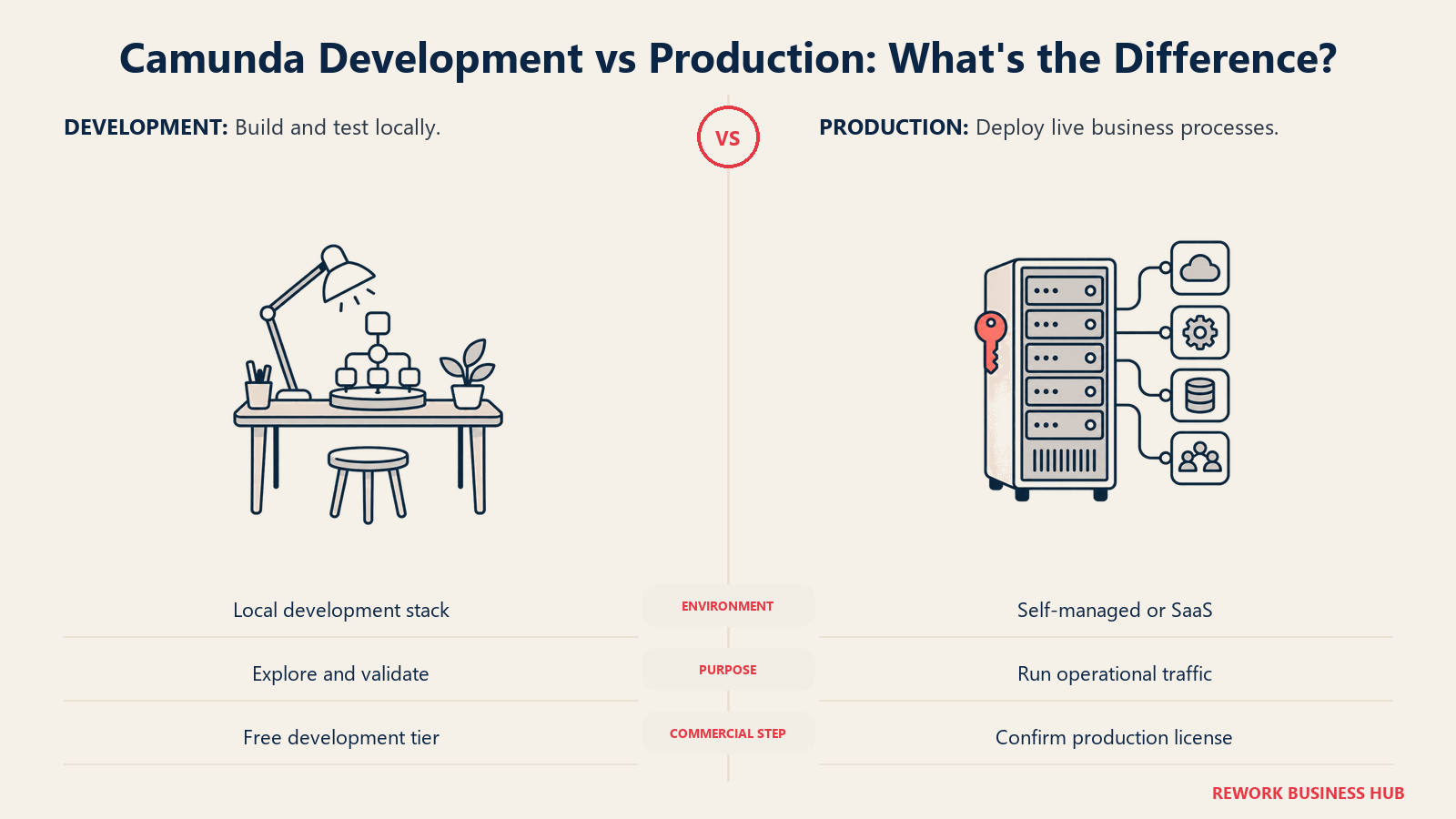
Moving to production means either a self-managed Enterprise license (custom quote, with 24x7 support and SLAs) or Camunda SaaS, which offers a 30-day free trial with full execution capability. After that trial ends, the free SaaS tier drops back to modeling only, no live process execution. Camunda's own 2026 State of Agentic Orchestration and Automation report found that organizations manage roughly 50 endpoint systems across their business processes on average, a footprint expanding about 14% a year, which is the underlying reason orchestration tools like this one keep growing in scope.
| What you get | What you don't |
|---|---|
| A genuinely free, fully functional local development tier | Production usage rights on the free tier, at any point |
| BPMN-native modelling built for developers, not just business users | A business-user-friendly, no-code building experience |
| A 30-day SaaS trial with full execution before it drops to modeling-only | A published per-process or per-user price for production |
| Deep integration into microservices and event-driven architectures | The simplest onboarding path for a non-technical team |
Pricing: Self-Managed Development free, no license, local use only. Self-Managed Production requires an Enterprise license (custom quote). Camunda SaaS: talk to sales, or start a 30-day free trial with full execution, dropping to modeling-only afterward. (Camunda) Best for: Developer-led teams orchestrating processes across microservices who want an open, BPMN-native engine rather than a closed low-code canvas. Related: Business Process Management, explained. Not ideal for: A business team without engineering resources wanting to build and launch a process without writing code.
4. Microsoft Power Automate: The Cheapest Real Published Entry Point
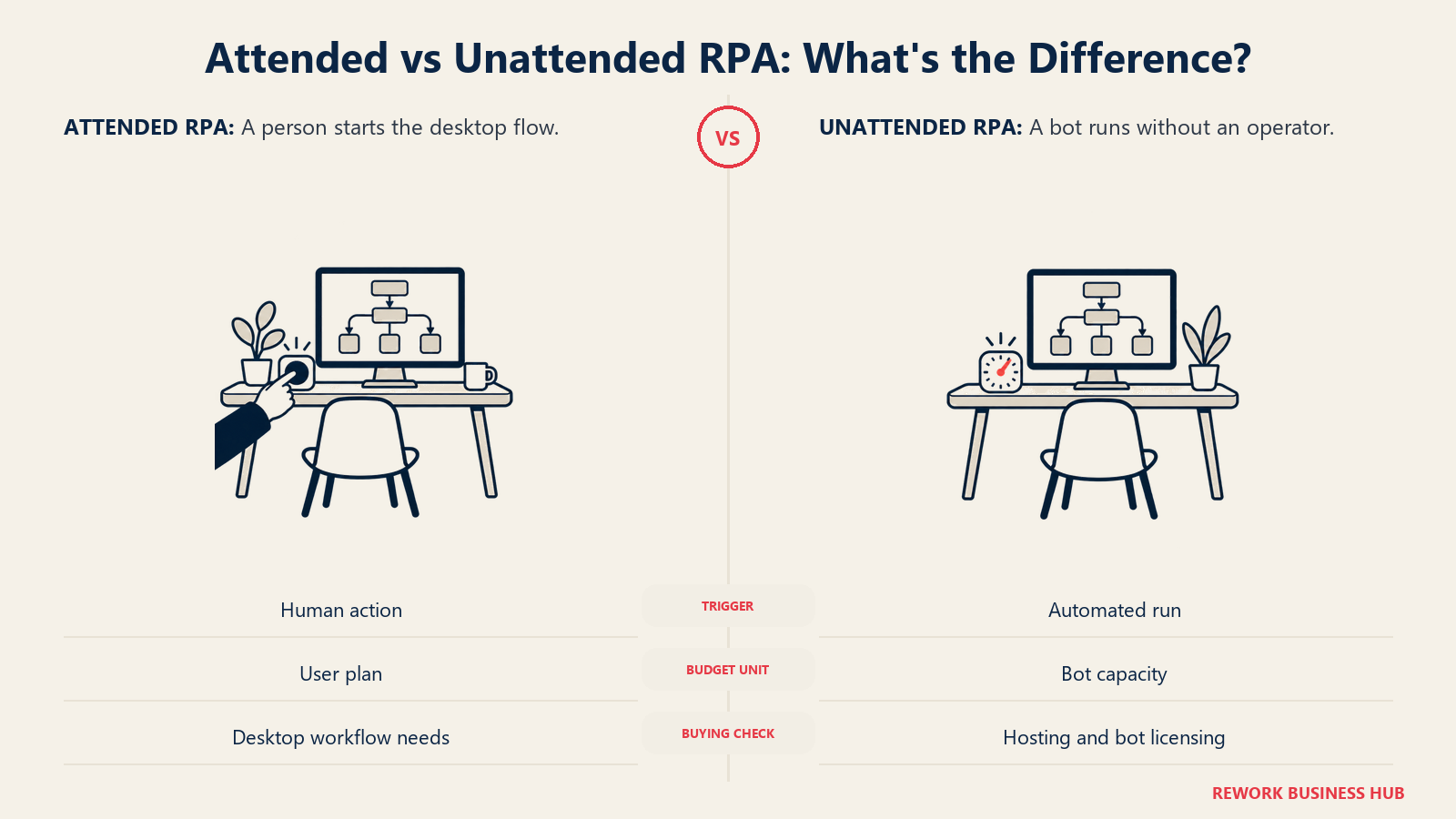
Power Automate is the execution layer of the Microsoft Power Platform, and if your organization already pays for Microsoft 365, it's the cheapest genuinely published entry point on this entire list. The core Premium plan covers cloud flows, attended desktop automation (RPA), and a slice of process and task mining, all for a real, quoted dollar figure rather than a sales call. Where the bill grows fast is unattended automation: moving from a human-triggered flow to a bot that runs on its own requires the Process plan, priced per bot rather than per user, and Process Mining is a separate, much larger add-on aimed at large enterprises analyzing systems at scale rather than a single team automating a handful of workflows.
A Forrester Total Economic Impact study commissioned by Microsoft modeled a composite 30,000-employee organization and found a 248% three-year ROI on Power Automate deployment, with a payback period under six months and $39.85 million in net present value, driven mostly by RPA time savings and legacy tool retirement. For the broader automation category Power Automate competes in, see Best Workflow Automation Software, and for the RPA concept specifically, Robotic Process Automation, explained.
| What you get | What you don't |
|---|---|
| A real, published per-user price for cloud flows and attended RPA | Unattended bots at the same low per-user rate, that's a separate per-bot plan |
| A 30-day free trial with standard connectors | Process Mining included, it's a $5,000/tenant/month add-on |
| Deep native integration across Microsoft 365 and Dataverse | The cheapest option if your team isn't already on Microsoft 365 |
| A Forrester-verified ROI study with real, cited numbers | A flat price once you add unattended bots and mining together |
Pricing: Free 30-day trial. Premium $15/user/month, paid yearly (cloud flows, attended RPA, limited process/task mining). Process $150/bot/month, paid yearly (unattended desktop flows). Hosted Process $215/bot/month, paid yearly (adds a Microsoft-hosted VM). Process Mining add-on $5,000/tenant/month, paid yearly, requires Premium. (Microsoft) Best for: Teams already licensing Microsoft 365 that want cloud flows and attended RPA at the lowest real published price in this category. Not ideal for: A team needing heavy unattended automation or process mining from day one, that's where the per-bot and per-tenant add-on pricing takes over.
5. Nintex: Workflow Automation Paired With Document Generation
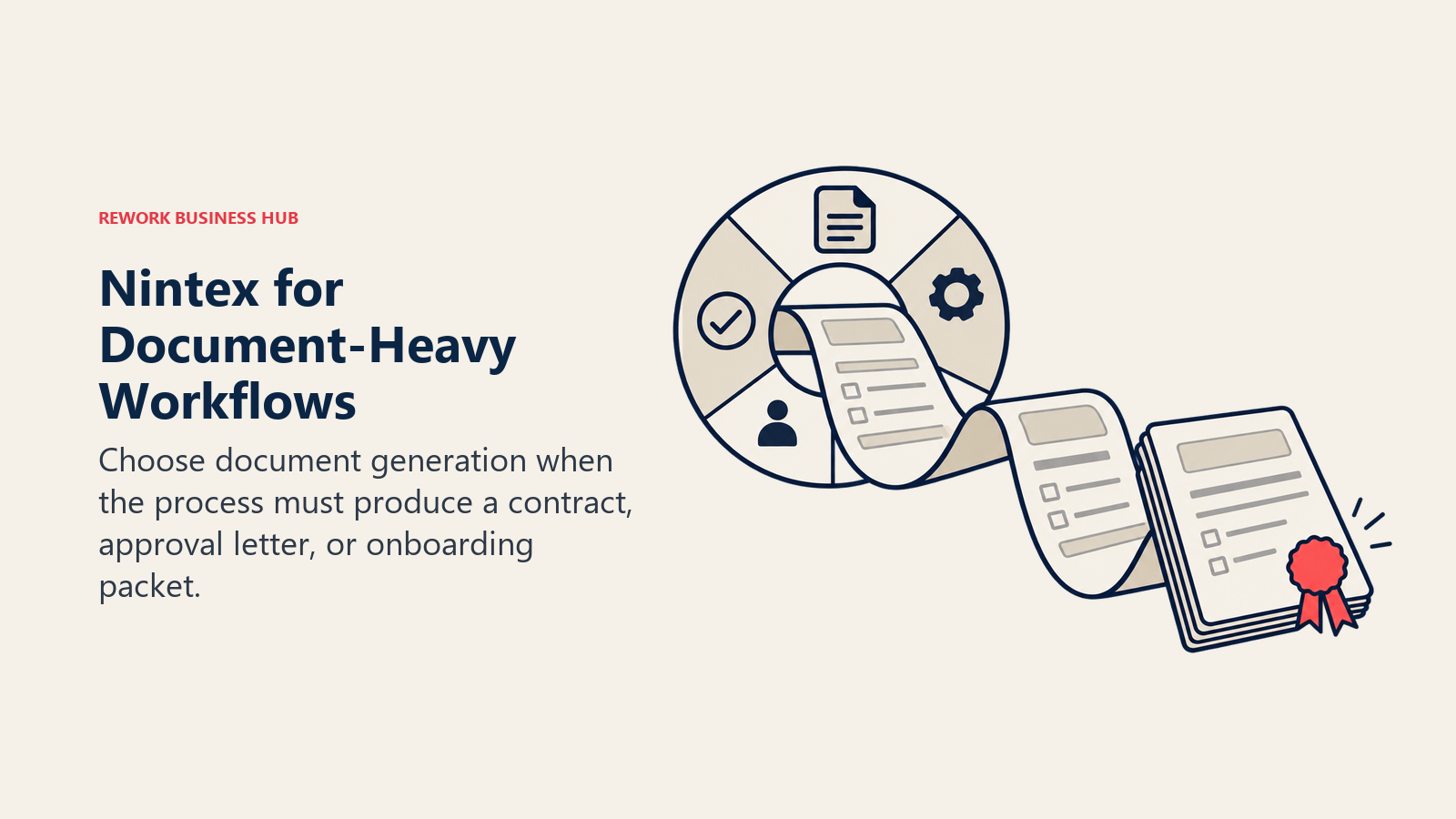
Nintex pairs workflow automation with document generation (its Drawloop lineage) and process mapping, a combination aimed at teams whose process doesn't end at a status change but at a signed, generated document, a contract, an approval letter, an onboarding packet. That document-generation layer is Nintex's clearest point of difference from a pure workflow tool: the process and the paperwork it produces live in the same platform.
Its pricing page carries no tiers, no per-user rate, and no starting figure of any kind; the entire page directs visitors to a contact form or a sales email. "Talk with our sales team to explore how Nintex can support your goals" is the extent of what's published, so budgeting a Nintex deployment means opening a sales conversation before you can compare it against anything else on this list on price. If that wall is why you're shopping, our best Nintex alternatives guide covers the fourteen platforms that most often replace it, including the few that keep the document-generation layer rather than dropping it.
| What you get | What you don't |
|---|---|
| Workflow automation and document generation in one platform | Any published tier names, prices, or user counts |
| Process mapping alongside process execution | A self-serve trial with visible pricing at the end |
| A workflow-plus-paperwork combination few competitors bundle | The fastest evaluation path on this list |
| Enterprise-grade governance for document-heavy approval chains | A budget-friendly entry point for a small team |
Pricing: No public pricing published; contact sales for a quote. (Nintex) Best for: Teams whose process output is a generated, signed document (contracts, approval letters, onboarding packets), not just a status change. Not ideal for: A team wanting to compare a starting price before it invests time in a sales conversation.
6. Pipefy: A Free Tier That Still Exists, With Real Caps
Pipefy is built around a kanban-style process canvas: each card represents a case moving through a process, and the platform is aimed at operations teams (procurement, HR, finance shared services) that want a visual, easy-to-build workflow without a developer. Its Starter plan is free and still genuinely usable, not a crippled trial: up to 5 processes, 10 users, 50 cards per month, and 500 database records, no credit card required. Every plan, including Starter, ships with 1,000 single-use AI credits.
Business and Enterprise tiers move to a custom quote with no per-user figure printed, though Pipefy runs a stated SMB program offering "up to 90% discount" for companies with 11 to 200 employees, again without a published starting price. Teams who have already hit one of those Starter caps and are shopping the wider field will find the cap-by-cap breakdown in Best Pipefy Alternatives, and the direct matchup against the other no-code workflow name in this list is covered in Kissflow vs Pipefy. For the broader no-code app-building category Pipefy sits adjacent to, see Best No-Code App Builders.
| What you get | What you don't |
|---|---|
| A genuinely free Starter tier, no credit card required | Room to grow past 5 processes or 10 users on that free tier |
| 1,000 AI credits included on every plan, including free | A published per-user price on Business or Enterprise |
| A stated SMB discount program (up to 90% off) | A specific dollar figure attached to that discount |
| Kanban-style process building with no developer required | Deep systems-integration depth compared to Appian or Pega |
Pricing: Starter free (5 processes, 10 users, 50 cards/month, 500 database records). Business and Enterprise custom, contact sales. 1,000 single-use AI credits included on every plan. SMB program offers up to 90% off for 11-200 employee companies, no price printed. (Pipefy) Best for: Operations teams wanting a real, usable free tier to build their first one or two processes before any budget conversation. Not ideal for: A team past 10 users or 5 active processes, that's a Business-tier conversation with no visible starting price.
7. Kissflow: The Vanishing Pricing Page
Kissflow built its reputation on no-code workflow automation with a genuinely simple flat monthly price, business users could stand up an approval workflow without touching code, and the pricing page reflected that simplicity. That page is gone. As of August 2026, kissflow.com/pricing is a consultation and demo funnel: no tier names, no dollar figures, no user counts, just a path to a sales call.
If you've seen a flat $1,500-per-month figure quoted for Kissflow, treat it as unconfirmed rather than current. It does still circulate in third-party posts, but it also survives on one of Kissflow's own content pages, where the body text says $1,500 per month for up to 50 users while that same page's FAQ says $2,500, and a second Kissflow page puts the Basic plan at $2,500 as well. Two numbers, both published by the vendor, a thousand dollars a month apart. Best Kissflow Alternatives documents the contradiction in full. Kissflow does not publish pricing on its pricing page, and getting an actual number now means booking a call, the same friction point as Appian, Pega, and Nintex above.
| What you get | What you don't |
|---|---|
| A no-code, business-user-friendly process builder | A visible price anywhere on its own pricing page |
| A platform historically known for workflow automation depth | The flat, simple pricing it was once known for |
| A guided demo path for evaluating fit | A self-serve trial you can price out on your own |
| A long track record in the no-code workflow category | Any published starting figure, even a range |
Pricing: No longer published on Kissflow's pricing page; contact sales for a quote. Do not rely on older third-party figures (including a previously circulated $1,500/month number), they no longer reflect what Kissflow charges. (Kissflow) Best for: Business teams that already know they want a no-code process builder and are comfortable evaluating price through a sales call rather than a public page. Not ideal for: A budget-conscious team wanting to self-serve a price comparison without talking to sales first.
8. Quickbase: Real Per-User Prices, Plus a Platform Minimum
Quickbase is a no-code application platform with process workflows built in: teams use it to build tracking apps, approval chains, and operational databases without a developer, and it's one of the few vendors on this list that actually publishes a per-user dollar figure on its own site. Team starts at $35 per user per month billed annually, and Business steps up to $55 per user per month billed annually, both with SSO, audit logs, and (on Business) FDA and HIPAA compliance features layered in.
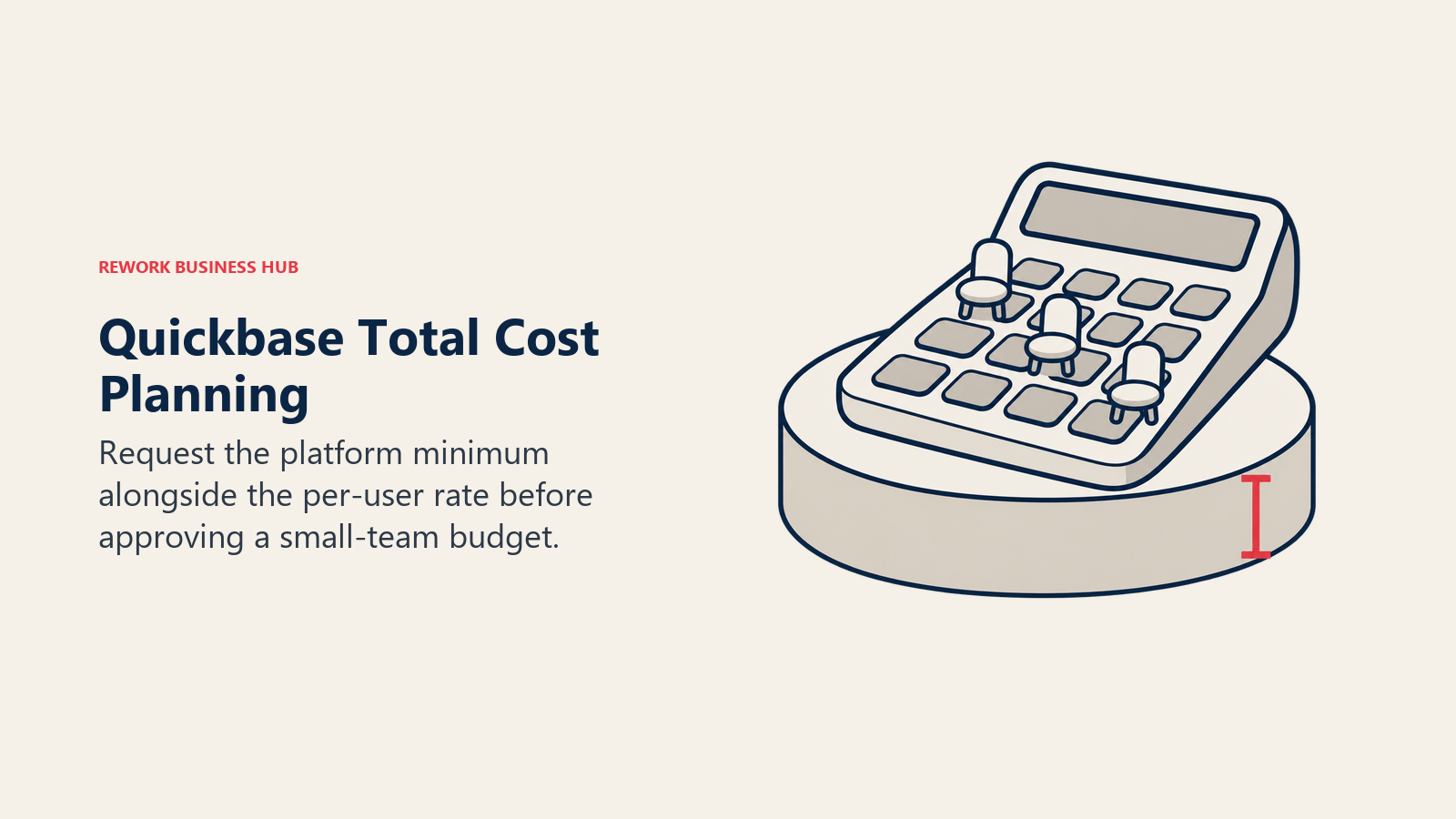
The catch, and it's a real one for budgeting, is that Quickbase also charges a platform minimum fee on top of the per-user rate, so the quoted per-seat price understates the actual bill for a smaller team. Quickbase also offers a usage-based pricing alternative built around "reads" rather than pure per-user counts, worth asking about if your usage pattern is uneven across the year. That unforecastable minimum is the single most common reason teams leave, which is why Best Quickbase Alternatives sorts the field by pricing model rather than by feature list, and surfaces the two vendors here that charge nothing per seat at all.
| What you get | What you don't |
|---|---|
| A real, published per-user price straight from the vendor | A quote that excludes the platform minimum fee |
| SSO, SCIM provisioning, and compliance features on Business | The lowest published starting price on this list |
| A 30-day free trial with full Business plan features | Per-user-only billing, without exception |
| An alternative usage-based pricing model for uneven usage | A published Enterprise price, that tier stays custom |
Pricing: 30-day free trial (full Business features). Team $35/user/month billed annually. Business $55/user/month billed annually. Enterprise custom. A platform minimum fee applies on top of per-user pricing; all users on an account must be on the same plan. (Quickbase) Best for: Operations teams wanting a no-code app platform with process workflows built in, and a real published price to plan against. Not ideal for: A very small team that will get hit disproportionately hard by the platform minimum fee relative to its per-seat cost.
9. ProcessMaker (now Decisions): A BPM Brand That No Longer Stands Alone
ProcessMaker and Decisions merged in November 2025, and in June 2026 the combined company completed a full rebrand: the ProcessMaker name and website are gone, and processmaker.com now redirects to decisions.com. Existing ProcessMaker customers keep using their product without disruption, but anyone shopping for "ProcessMaker" today is actually shopping for Decisions, positioned around what the company calls a "universal orchestrator" governing AI agents, bots, APIs, and human work across processes.
Pricing carries over the same custom-quote structure ProcessMaker used before the merger: three tiers, Foundation, Growth, and Enterprise, each requiring a "Get a Custom Quote" conversation with no dollar figure printed. The company is explicit that this isn't a per-user model by design: "Decisions isn't built around restrictive per-user pricing," with cost instead based on use-case scope, deployment requirements, and the capabilities in play.
| What you get | What you don't |
|---|---|
| No per-user licensing, by explicit design choice | A published dollar figure at any of its three tiers |
| Continuity for existing ProcessMaker customers, no disruption | The ProcessMaker brand or website, both are retired |
| Three scoped tiers (Foundation, Growth, Enterprise) | A self-serve way to compare tiers without a sales call |
| Positioning around orchestrating AI agents alongside human work | The name recognition ProcessMaker had built over years |
Pricing: Foundation, Growth, and Enterprise tiers, all requiring a custom quote; pricing is explicitly not per-user, based instead on use-case scope and deployment requirements. (Decisions) Best for: Teams that already evaluated ProcessMaker and want continuity, or anyone wanting orchestration pricing that doesn't scale purely by headcount. Not ideal for: A buyer searching specifically for "ProcessMaker" expecting an independent product; it no longer exists as one.
10. Creatio: CRM-Native BPM With a New Unlimited Tier
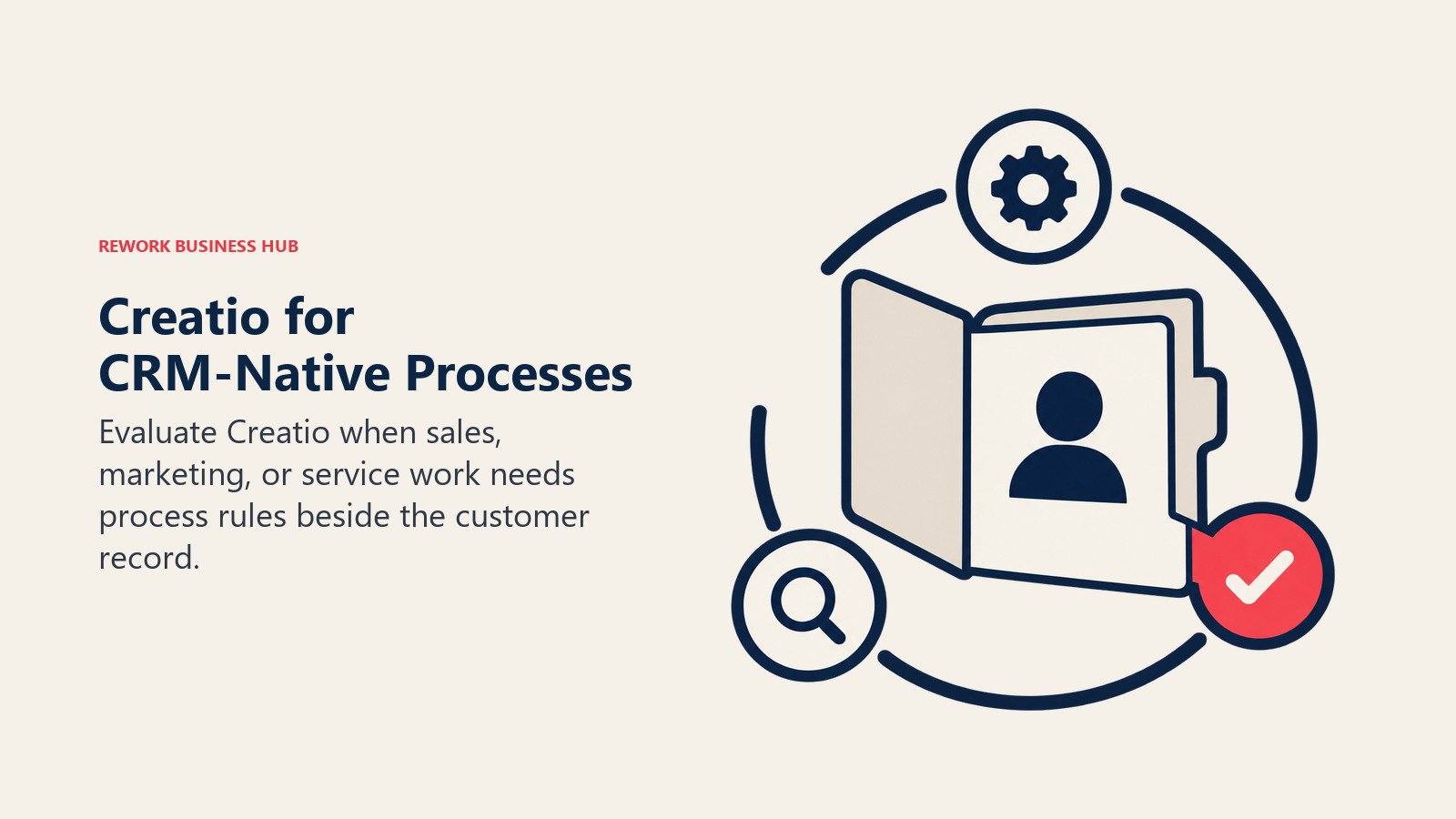
Creatio's process engine grew out of a CRM platform, and that lineage still shows: Creatio's real differentiator is BPM tooling built natively alongside sales, marketing, and service CRM modules, rather than bolted onto a generic canvas. As of May 1, 2026, Creatio rolled out a new pricing model built around an Unlimited tier, alongside its existing Growth and Enterprise tiers, aimed at removing per-user licensing friction entirely for organizations that would rather budget per-org than per-seat.
Growth and Enterprise both start with a minimum of 5 users; Unlimited, as the name states, has no user cap. Creatio's pricing page now prints real figures: Growth runs $40 per user per month and Enterprise $75 per user per month, with Unlimited quoted per organization. The number that actually shapes the deal sits underneath those rates, a $10,000 minimum annual purchase on a standard 3-year contract, so a 5-user Growth team is nowhere near that floor and pays the minimum rather than the per-seat math.
| What you get | What you don't |
|---|---|
| Published per-user rates on Creatio's own pricing page | A rate that means much below the $10,000 annual floor |
| A new Unlimited tier with no per-user cap or counting | A free tier of any kind |
| AI credits included per user (200 to 400 depending on tier) | A minimum below 5 users on Growth or Enterprise |
| Unlimited workflow execution and API calls on higher tiers | Self-serve pricing without downloading a PDF or calling sales |
Pricing: Growth $40/user/month, Enterprise $75/user/month, Unlimited quoted per organization with no user cap. Minimum 5 users on Growth and Enterprise. A $10,000 minimum annual purchase and a standard 3-year contract apply. Add-on Sales, Marketing, or Service modules run $15/user/month each. (Creatio) Best for: Teams that want BPM and CRM in one native platform and would rather budget per-organization than count seats. Not ideal for: A buyer wanting a visible per-seat price to compare before a sales conversation starts.
11. Zoho Creator: The Cheapest Published Per-User Rate on This List
Zoho Creator is a no-code application builder with workflow automation baked in, and it's the closest thing on this list to a true budget option for a small team wanting to automate a process without a per-seat price that scales into the hundreds. A Free Edition covers one custom app for an individual or small team, and every paid tier ships with a 15-day free trial, no credit card required.
Zoho publishes the rates on its own pricing page: Standard $8 per user per month, Professional $20, and Enterprise $25, all billed annually, with a Flex tier quoted on request. Zoho's own FAQ confirms the model is per-user: "Zoho Creator offers per-user pricing, so you can add however many users you want by purchasing licenses." One catch worth knowing before you budget: those are annual-billing figures, and while Zoho says yearly billing saves more than 30%, it never prints the monthly rate, so a team that wants to pay month to month cannot compute its bill from the page.
| What you get | What you don't |
|---|---|
| A genuinely free Edition for one app | A dollar figure printed directly on Zoho's live pricing page |
| A 15-day trial with no credit card on paid tiers | Certainty on exact pricing without checking a tracker or region |
| Confirmed per-user billing, verified via Zoho's own FAQ | The deepest process-governance features on this list |
| A budget-friendly ladder relative to enterprise BPM suites | Case-management depth comparable to Appian or Pega |
Pricing: Free Edition (one app). Standard $8/user/month, Professional $20/user/month, Enterprise $25/user/month, all billed annually. Flex custom. 15-day free trial, no credit card required. Local taxes extra. Zoho states annual billing saves more than 30% versus monthly, but the monthly figures are not published. (Zoho Creator) Best for: Budget-conscious small teams wanting a no-code app and process builder without enterprise BPM pricing. Not ideal for: A team that needs certainty on an exact dollar figure without checking a region-specific page or a third-party tracker first.
12. Process Street: Recurring Checklists and SOPs, Not a Full BPM Suite
Process Street is narrower than everything else on this list, deliberately so: it's built for recurring, checklist-style process work, onboarding sequences, audit checklists, standard operating procedures, rather than complex, branching case management. That focus is also its strength: teams that just need a documented, repeatable checklist a person runs through every time tend to find it faster to set up than a full BPM suite.
Its pricing page names three tiers, Startup, Pro, and Enterprise, but prints no dollar figures for any of them. Startup has explicit eligibility criteria (fewer than 15 employees and under $2 million in revenue) and caps at 5 users and 10 guests; Pro carries a custom user count and a 14-day free trial with no credit card; Enterprise is fully custom. Worth knowing before you evaluate it: the company repositioned in 2025 as a compliance operations platform, and it changed who counts as a billable seat partway through 2025, so a quote today and a colleague's older account are not the same product on the same terms. Best Process Street Alternatives covers both changes and splits the field by which job you actually have. For the standard operating procedures Process Street is often used to run, see Standard Operating Procedure, explained.
| What you get | What you don't |
|---|---|
| A purpose-built tool for recurring checklists and SOPs | Case-management or systems-integration depth |
| A 14-day free trial on Pro, no credit card required | A dollar figure printed for any of its three tiers |
| A discounted Startup tier for genuinely small companies | Room on Startup past 5 users or 10 guests |
| Data Set records for tracking structured process data | Branching, multi-system workflow orchestration |
Pricing: Startup, Pro, and Enterprise tiers, no dollar figures published; Startup requires under 15 employees and under $2M revenue (5 users, 10 guests); Pro offers a 14-day free trial, no credit card. (Process Street) Best for: Teams whose process need is a recurring, repeatable checklist or SOP, not a branching, multi-system workflow. Not ideal for: Teams needing case management, systems integration, or anything beyond a documented checklist run by a human.
13. SAP Signavio: Enterprise Process Intelligence and Mining
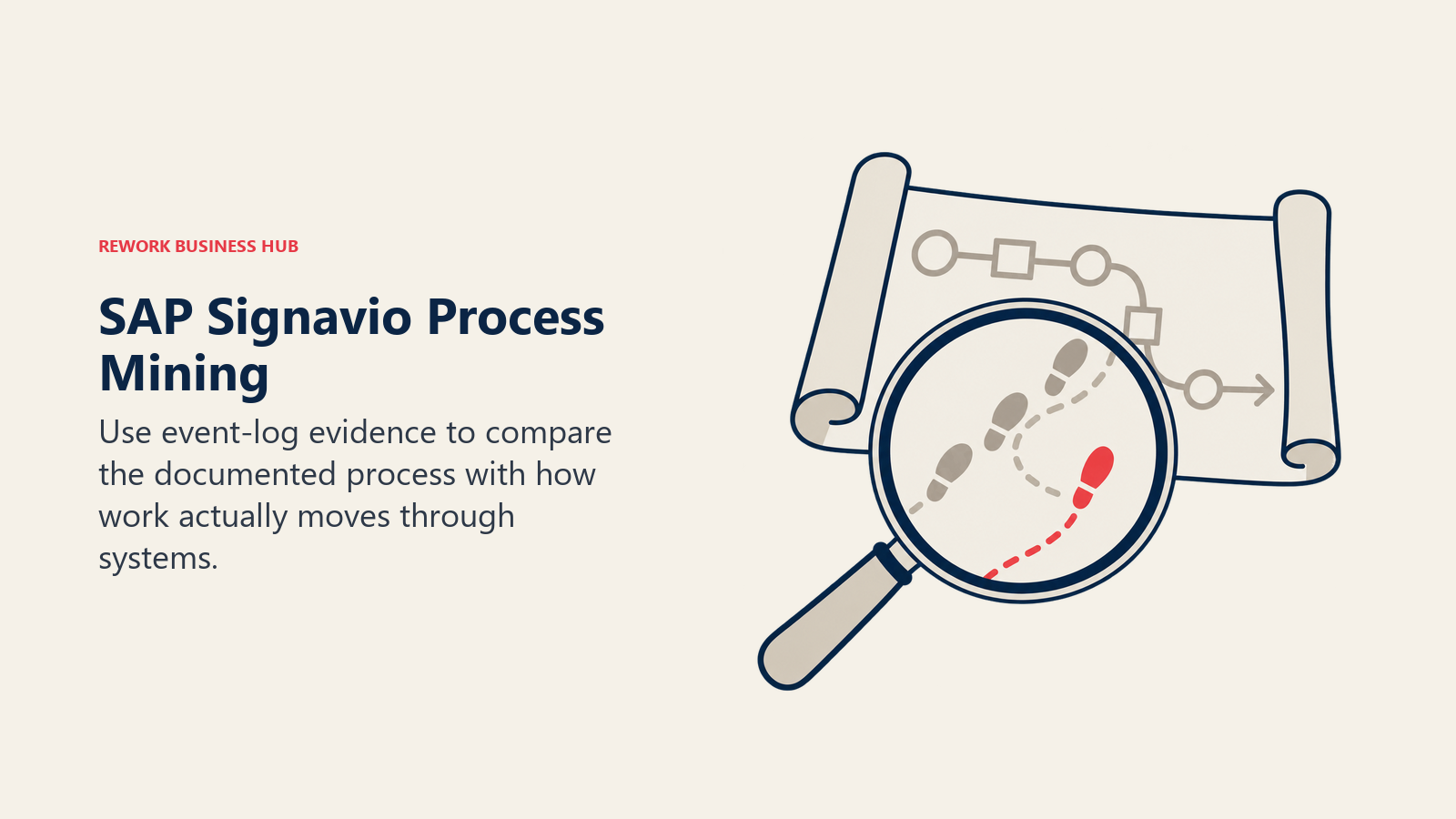
SAP Signavio sits above general-purpose diagramming: it's a full process-architecture suite that combines process modelling and documentation with process mining, the ability to reconstruct how a process actually runs from system event-log data rather than how someone assumes it runs. That mining layer is what separates SAP Signavio from Visio, Lucidchart, or Bizagi's free Modeler; it's built for enterprises that need to see the gap between the documented process and reality, at scale.
Pricing is modular and named-user-based: Process Manager is priced per named user, Collaboration Hub per block of 10 named users, and Process Intelligence (the mining module) per block of 200,000 records, with volume discounts at scale. No public dollar figure is printed anywhere on SAP's own site for any of these modules; every quote runs through SAP sales. Third-party analysts report typical enterprise process-intelligence deals landing between $150,000 and $700,000 depending on user count and whether mining is in scope (reported).
| What you get | What you don't |
|---|---|
| Process modelling and process mining in one connected suite | A published dollar figure for any module |
| A modular pricing structure (pay for the modules you use) | A predictable cost once process mining enters the scope |
| Volume discounts at scale for large named-user counts | A self-serve way to size a quote without SAP sales |
| Deep SAP ecosystem integration for existing SAP customers | The lightest-weight entry point on this list |
Pricing: Modular, per-named-user pricing (Process Manager per user, Collaboration Hub per 10-user block, Process Intelligence per 200,000-record block); no public dollar figure. Third-party analysts report typical enterprise deals between $150K and $700K depending on scope (reported). (SAP Signavio) Best for: Enterprises that need process mining, reconstructing how a process actually runs from real system data, on top of process modelling and documentation. Related: Process Mining, explained. Not ideal for: A team that just needs to draw and document a process; that job is covered by far cheaper tools further up this guide. If SAP Signavio is already on your shortlist and the quote came back higher than expected, the SAP Signavio alternatives guide splits the field by whether you actually need process mining or only process modelling.
14. Bizagi: A Genuinely Free Modeler, a Consumption-Priced Engine Behind It
Bizagi splits cleanly into two products, and only one of them is free. Bizagi Modeler is free, per Bizagi's own product page under the heading "Free Modeler," with intuitive process mapping, publishing to PDF, Word, Excel, the web, and SharePoint, import from Visio, IBM Blueworks, and XPDL/BPMN files, and process simulation, all included at no cost. Bizagi's own page does not state a user cap or an expiration date for the free Modeler, so treat any specific limit you see quoted elsewhere (a commonly repeated "up to 20 users" figure) as third-party-reported rather than vendor-confirmed.
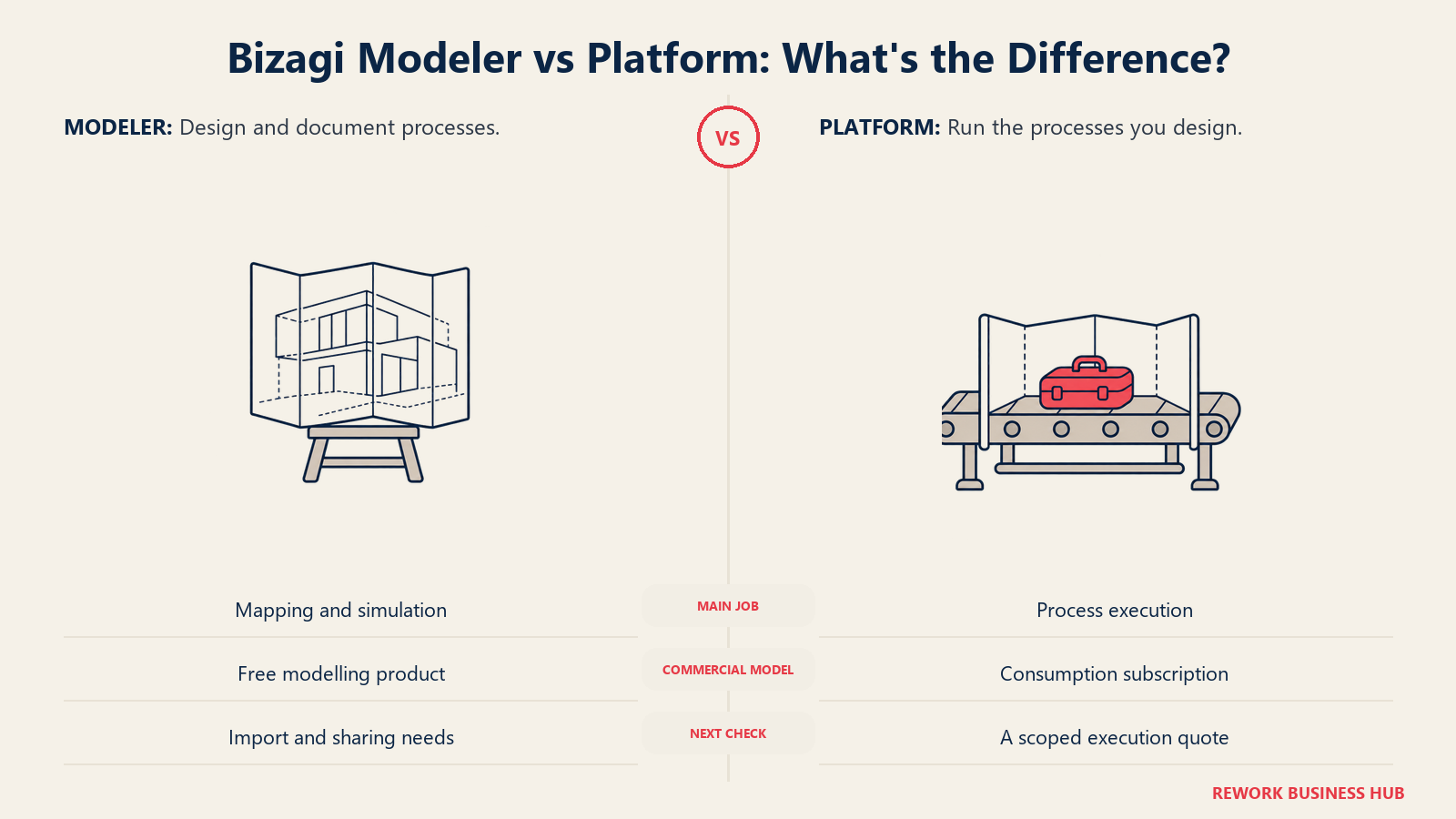
The second product, Bizagi Platform (the execution engine that actually runs the processes you model), is priced on a consumption basis with no per-user or per-app limit inside a subscription, "no limits on the number of users or apps within your subscription," per Bizagi's own pricing page, but no dollar figure appears anywhere on that page either. Getting an actual number means downloading a pricing brochure or requesting a quote directly.
| What you get | What you don't |
|---|---|
| A genuinely free, fully functional Modeler, confirmed by the vendor | A published price for the execution engine (Bizagi Platform) |
| Consumption-based Platform pricing with no per-user or per-app cap | Certainty on what "consumption-based" actually costs at your scale |
| Import from Visio, IBM Blueworks, and XPDL/BPMN into the free Modeler | A stated user or time limit on the free Modeler, none is published |
| Process simulation included in the free tier | A self-serve trial of the paid Platform without a sales conversation |
Bizagi Platform (the execution engine) is consumption-based with unlimited users and apps per subscription; no dollar figure published, request a quote or pricing brochure. (Bizagi) Best for: Teams wanting to model and document processes for free before committing budget to an execution engine. The Bizagi alternatives guide picks up exactly where that decision gets hard, sorting the field by which vendors publish a real execution-engine price and which do not. Not ideal for: A team that needs to run, not just draw, a process; that requires the unpriced Platform tier and a sales conversation.
Sizing and Stage Fit
| Company size | Best-fit picks | Why |
|---|---|---|
| 1 to 10 | Pipefy (free tier), Zoho Creator, Bizagi Modeler | Free or near-free tiers cover a small team's first process without a per-seat bill |
| 10 to 50 | Process Street, Quickbase, Kissflow | Recurring checklists or no-code app building without needing a systems-integration platform |
| 50 to 200 | Creatio, ProcessMaker (now Decisions), Nintex | CRM-native BPM, orchestration without per-user licensing, or workflow plus document generation at mid-market scale |
| 200-plus, regulated or high-volume case management | Appian, Pega Platform, Camunda (self-managed Enterprise) | Governance, audit trails, and orchestration depth built for large, regulated case volumes |
| Any size, modelling and documentation only | Microsoft Visio, Lucidchart, Creately, Bizagi Modeler | Draw and document a process without committing to an execution engine yet |
| Any size, process mining required | SAP Signavio | The only tool on this list that reconstructs how a process actually runs from event-log data |
How to Choose: Decision Framework
Match the row that describes your actual problem, not the vendor with the longest feature list. If your process gap is really about connecting apps together rather than modelling or running a formal BPM process, Best Workflow Automation Software covers that broader, less formal category.
| If your team needs... | Best pick |
|---|---|
| Regulated, audited case management at enterprise scale | Appian or Pega Platform |
| A genuinely free way to develop and test process orchestration locally | Camunda |
| The cheapest real published entry point, and you're on Microsoft 365 | Microsoft Power Automate |
| Workflow automation bundled with document generation | Nintex |
| A real free tier to build the first one or two processes | Pipefy |
| No-code process building for business users, no developer required | Kissflow |
| A no-code app platform with a real published per-user price | Quickbase |
| Orchestration pricing that doesn't scale purely by headcount | ProcessMaker (now Decisions) |
| BPM bundled natively with CRM | Creatio |
| A budget no-code app builder for a small team | Zoho Creator |
| Recurring checklists and SOPs, not branching case management | Process Street |
| Process mining to see how a process actually runs, not just how it's documented | SAP Signavio |
| A free process-modelling tool before committing to an execution engine | Bizagi Modeler |
| General-purpose diagramming rather than a dedicated BPM suite | Microsoft Visio, Lucidchart, or Creately |
Frequently Asked Questions about Business Process Management Software
What's the difference between BPM software, workflow automation, and low-code platforms?
BPM software manages a complete process end to end, including modelling, execution, and governance. Workflow automation is narrower, moving data or tasks between steps without necessarily managing the full case lifecycle. Low-code platforms are a delivery method, several tools in this guide (Appian, Pega, Creatio) are both BPM suites and low-code platforms at once. The modelling-versus-execution split covered earlier in this guide is usually the more useful distinction for a buyer than any of these labels alone.
Which BPM tools on this list have a genuinely free tier?
Pipefy's Starter plan is free with real caps (5 processes, 10 users, 50 cards/month). Zoho Creator has a Free Edition for one app. Camunda's Self-Managed Development tier is free but restricted to local, non-production use. Bizagi Modeler is entirely free, though the Bizagi Platform execution engine is not. None of Appian, Pega, Nintex, Kissflow, SAP Signavio, or ProcessMaker (Decisions) offer a free tier.
Why do so many BPM vendors refuse to publish pricing?
Enterprise BPM deployments vary enormously in scope, user count, deployment model, and the number of processes automated, which makes a flat published price hard for a vendor to stand behind. Appian, Pega, Nintex, Kissflow, SAP Signavio, and ProcessMaker (now Decisions) all require a sales conversation for a specific figure. That opacity is worth factoring into your evaluation timeline: a quote-only vendor typically adds weeks to a purchase decision compared to one with a public price ladder.
What happened to ProcessMaker?
ProcessMaker merged with Decisions in November 2025, and in June 2026 the combined company completed a full rebrand under the Decisions name. processmaker.com now redirects to decisions.com. Existing ProcessMaker customers keep their product with no disruption, but the ProcessMaker brand no longer exists as an independently marketed product.
Is Kissflow's old flat monthly price still available?
No. As of August 2026, kissflow.com/pricing shows no tiers, dollar figures, or user counts, only a path to a sales consultation. A previously circulated flat figure (around $1,500/month) that still appears in older third-party content no longer reflects what Kissflow charges.
What is BOAT, and how does it relate to BPM?
BOAT (Business Orchestration and Automation Technologies) is the category name Gartner introduced in October 2025, replacing the older iBPMS (intelligent Business Process Management Suites) label. It consolidates process orchestration, low-code development, enterprise connectivity, and agentic automation into one analyst category. Appian and Camunda both appear in Gartner's first BOAT Magic Quadrant.
Do I need a developer to use these BPM tools?
It depends on the tool. Kissflow, Pipefy, Quickbase, Zoho Creator, and Process Street are built for business users with no coding background. Camunda is built for developers modelling processes in BPMN and wiring them into code. Appian, Pega, Nintex, Creatio, and ProcessMaker (now Decisions) sit in between, usable by business users for simpler processes but typically needing technical involvement for complex integrations.
What's the cheapest way to start using BPM software today?
For execution, Microsoft Power Automate's Premium plan at $15/user/month (paid yearly) is the cheapest published entry point on this list, especially if you already pay for Microsoft 365. For modelling only, Bizagi Modeler is free with no published cap, and Pipefy's free Starter tier covers a small team's first process end to end.
How should I evaluate a vendor that won't publish a price?
Ask for the pricing model up front (per user, per app, per process, consumption-based) before you ask for a number, since that structure affects how the price will scale as you grow. Request a sample quote scoped to your actual user count and use case, and ask directly how the vendor's minimum commitment or platform fee (if any) works, several vendors in this guide, including Quickbase and Bizagi, layer a platform fee or minimum on top of the headline rate.
Should I buy a modelling tool or an execution tool first?
Model first if your process isn't documented yet or multiple stakeholders need to agree on how it should work; tools like Bizagi Modeler, Visio, or Lucidchart are cheap or free and get everyone looking at the same diagram. Move to an execution tool (Camunda, Power Automate, Pipefy, or similar) once the process is agreed and the actual bottleneck is manual, repetitive work rather than disagreement about the steps.
What to Do Next
Start by deciding which half of BPM you actually need: if the process isn't documented and agreed yet, pick a modelling tool (Bizagi Modeler is free, Visio and Lucidchart are cheap) before you spend a cent on an execution engine. If the process is already clear and the real problem is manual, repetitive work, trial your top two execution picks against one real process for two weeks, not a sandbox demo, and track how many manual steps actually disappear. For quote-only vendors (Appian, Pega, Nintex, Kissflow, SAP Signavio, ProcessMaker/Decisions), ask for the pricing model and a sample quote scoped to your real user count before the first call ends, so you're comparing an actual number against the published prices elsewhere on this list.

Customer Success Operations Manager
On this page
- Key Facts
- Quick Comparison Table
- Modelling vs Execution: The Two Halves of BPM
- 1. Appian: The BOAT Category Leader With No Public Price
- 2. Pega Platform: Case Management at Enterprise Scale, Pricing Behind a Wall
- 3. Camunda: Open-Source Process Orchestration for Developer-Led Teams
- 4. Microsoft Power Automate: The Cheapest Real Published Entry Point
- 5. Nintex: Workflow Automation Paired With Document Generation
- 6. Pipefy: A Free Tier That Still Exists, With Real Caps
- 7. Kissflow: The Vanishing Pricing Page
- 8. Quickbase: Real Per-User Prices, Plus a Platform Minimum
- 9. ProcessMaker (now Decisions): A BPM Brand That No Longer Stands Alone
- 10. Creatio: CRM-Native BPM With a New Unlimited Tier
- 11. Zoho Creator: The Cheapest Published Per-User Rate on This List
- 12. Process Street: Recurring Checklists and SOPs, Not a Full BPM Suite
- 13. SAP Signavio: Enterprise Process Intelligence and Mining
- 14. Bizagi: A Genuinely Free Modeler, a Consumption-Priced Engine Behind It
- Sizing and Stage Fit
- How to Choose: Decision Framework
- What to Do Next