Lucidchart vs Visio: Which Diagramming Tool Fits Your Team in 2026?
Turn this article into takeaways for your work.


Each assistant summarizes the article only for you and suggests best practices for your work.
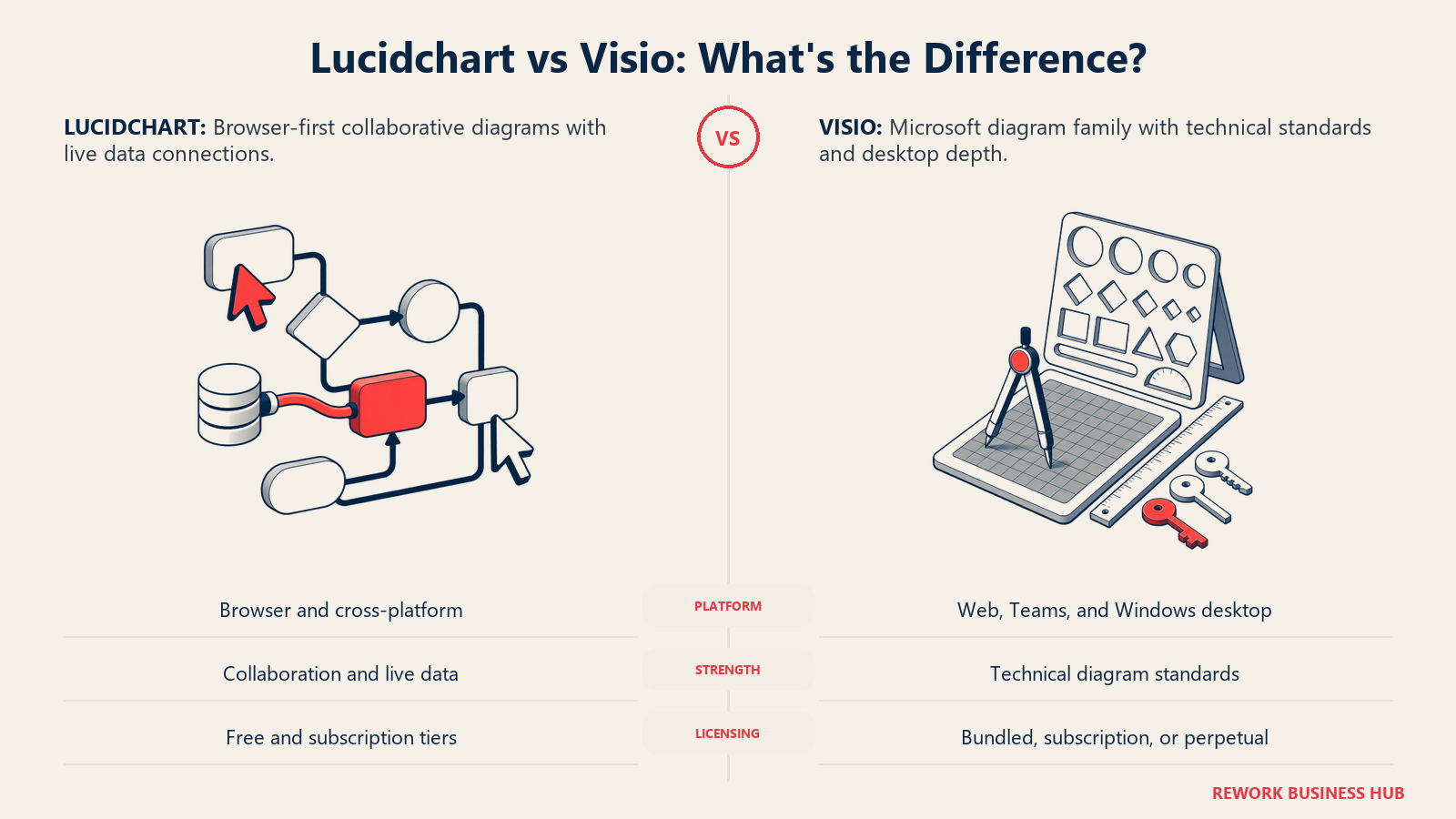
Search "lucidchart vs visio" and most guides compare them as if each name points to a single product at a single price. Neither does. Visio is four separate products, each sold on its own terms: Visio in Microsoft 365 is a free, lightweight app bundled into every Microsoft 365 commercial plan, Visio Plan 1 is a $5.00 user/month subscription that never installs on a desktop, Visio Plan 2 is a $15.00 user/month subscription that does, and Visio Standard 2024 and Visio Professional 2024 are perpetual, one-time purchases at $309.99 and $579.99 that never require a renewal. A reader who says "Visio costs $5" and a reader who says "Visio costs $580" are both quoting Microsoft correctly. They're just describing different products.
Lucidchart's pricing has the opposite shape. Instead of four named SKUs, it's a free tier plus a per-seat ladder that Lucid doesn't publish in full: Free costs nothing, Individual is a flat $9.00 a month, and Team pricing lives behind an interactive configurator that returns no numbers to a static page. If you're scoping a diagramming tool for 10, 25 or 100 people, that asymmetry, four public Visio price points and one hidden tier against two public Lucidchart price points and one hidden tier, is the actual shape of the decision, before a single feature gets compared.
This guide walks through what each SKU actually includes, the real cost math at three team sizes, and where the perpetual license changes the comparison entirely: a $309.99 one-time purchase is cheaper than any subscription past roughly three years, but it buys you a version of Visio that's frozen the day you install it. If you're weighing more than these two names, our roundup of business process management software covers the wider field, and if you've already ruled Visio out on price, our guide to Visio alternatives picks up from here.
TL;DR
| Lucidchart | Visio | |
|---|---|---|
| What it is | A web-based diagramming and data-visualization platform, sold as its own product | Four separate Microsoft products: a free app, two subscriptions, and two perpetual licenses |
| How you buy it | Free, Individual ($9.00/month plus tax), Team (configurator-only), or Enterprise (contact sales) | Visio in Microsoft 365 (included), Plan 1 ($5.00 user/month), Plan 2 ($15.00 user/month), Standard 2024 ($309.99 one time), or Professional 2024 ($579.99 one time) |
| Cheapest paid tier with real editing power | Individual at $9.00/month plus tax, browser-based, no desktop install needed | Visio Plan 1 at $5.00 user/month, web and Teams only, no desktop app |
| Cheapest tier with a desktop app | Not applicable; Lucidchart is browser-based on every tier | Visio Plan 2 at $15.00 user/month, or Standard 2024 at $309.99 one time |
| Free tier | 3 editable documents, 60 shapes per document, 100 basic templates | Visio in Microsoft 365, included with any Microsoft 365 commercial plan at no extra charge |
| Billing model | Monthly (Individual) or an unpublished per-seat rate via configurator (Team) | Annual commitment for both subscriptions, or a single one-time payment for perpetual licenses |
| Best for | Teams that want one browser-based tool, live data-linked diagrams, and cross-platform editing without installing anything | Teams standardized on Microsoft 365 that need deep technical diagram standards: BPMN 2.0, network, P&ID, Azure/AWS architecture |
| Diagram-type depth | Flowcharts, ERD, UML, cloud-architecture import, org charts, data-linked visualizations | Flowcharts, org charts, network diagrams, engineering diagrams, ERD, UML 2.5, BPMN 2.0, P&ID |
| File compatibility | Imports and exports .vsdx, .vsd and .vdx, with occasional connection-point differences on round trips | Native .vsdx format, the format every other diagramming tool measures its import fidelity against |
Key Facts
- The business process documentation tools market was valued at $2.16 billion in 2025 and is projected to reach $2.4 billion in 2026, a CAGR of 11.3%, according to The Business Research Company.
- Visio traces back to Shapeware Corporation's version 1.0, which shipped in 1992. The company renamed itself Visio Corporation in 1995, and Microsoft acquired it in 2000, according to Wikipedia's Microsoft Visio entry.
- Lucidchart carries a 4.5 out of 5 rating from 2,246 reviews on Capterra, and Microsoft Visio carries the same 4.5 out of 5 rating from 3,279 reviews, per Capterra's Lucidchart reviews and Capterra's Visio reviews.
- Gliffy, a smaller diagramming competitor, stopped selling and renewing new licenses for Gliffy for Jira on March 31, 2026, and closed its standalone Gliffy Online tool to new accounts entirely, according to Gliffy's own product pages, a reminder of how much this category has consolidated around the two names in this comparison.
Who Each Tool Is Really For
Visio grew up as Windows desktop software inside the Office family, and its reputation still assumes that shape. That's only half right in 2026. Visio in Microsoft 365 is a browser app anyone with a Microsoft 365 commercial license already has, and Plan 1 is a $5.00 user/month subscription that runs entirely in the browser and Teams, no desktop install at all. The desktop app, the thing most people picture when they hear "Visio," only ships with Plan 2 or a perpetual license. So the honest description of Visio's buyer isn't "a Windows shop." It's "an organization already inside Microsoft 365, deciding how much of Visio's technical depth it needs to pay for."
Lucidchart grew up browser-first and stayed that way. No desktop download to manage, no OS-specific version to patch, every plan from Free up runs the same way in any browser on Windows, macOS or Linux. Its buyer is defined less by operating system and more by whether the team wants live, data-linked diagrams and needs to collaborate with people outside a Microsoft 365 tenant, since anyone with a browser and a link can be invited in.
| Dimension | Lucidchart | Visio |
|---|---|---|
| Primary use case | General-purpose diagramming with live data links: flowcharts, ERDs, cloud architecture, org charts | Technical and standards-based diagramming: network topology, engineering, P&ID, BPMN 2.0, UML |
| Who typically buys it | IT teams, process owners and cross-functional teams that want one tool independent of their OS or Office plan | Organizations already licensing Microsoft 365 that need Visio's deeper technical diagram standards |
| Where it lives in the stack | Standalone, browser-based, its own login and admin console | Bundled into the Microsoft 365 family, or purchased as a standalone desktop license |
| Ideal team size to adopt | Any size, since Free and Individual need no admin rollout | Any size already administering Microsoft 365; harder to justify standing up from zero |
| Non-Microsoft-shop teams | Fully first-class; nothing about Lucidchart assumes Microsoft 365 | Workable through Visio in Microsoft 365 or a perpetual license, but the deepest integrations assume a Microsoft tenant |
The practical split: if your organization needs deep engineering-grade diagram standards and already administers Microsoft 365, Visio's higher tiers extend software you're already paying for. If your priority is one browser-based tool that works the same for every person on the team, Lucidchart is the simpler starting point. Process owners weighing how diagrams fit into broader documentation work may also want our guide to business process mapping, which covers the method independent of which tool runs it.
Licensing: What Each SKU Actually Includes
Bookmark this section before you get a quote from either vendor, because getting the SKU wrong is the single most common mistake in this comparison. Figures below come from Microsoft's own pricing pages.
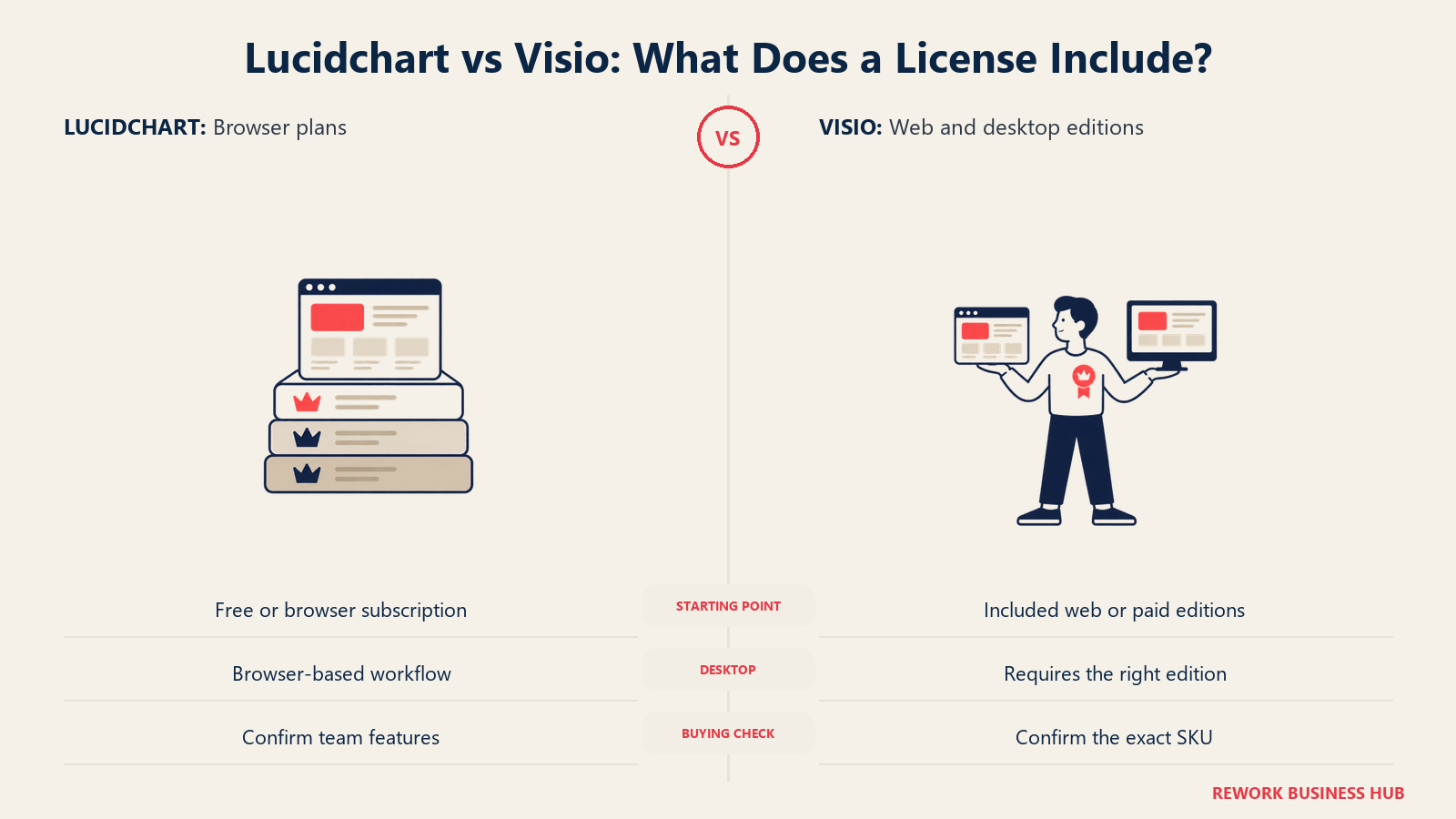
Visio's five products, per Microsoft's Visio plans and pricing page and Microsoft's one-time purchase page:
| Product | Exact price | Desktop app | What it actually includes |
|---|---|---|---|
| Visio in Microsoft 365 | Included in Microsoft 365 commercial plans, no extra charge | No | A lightweight web and Teams app for viewing, editing and creating basic diagrams |
| Visio Plan 1 | $5.00 user/month, paid yearly | No | Web and Teams apps only, no desktop install of any kind |
| Visio Plan 2 | $15.00 user/month, paid yearly | Yes | Web and Teams apps, plus the full Visio desktop app |
| Visio Standard 2024 | $309.99 one-time purchase | Yes | Perpetual license: flowcharts, org charts, mind maps |
| Visio Professional 2024 | $579.99 one-time purchase | Yes | Perpetual license: adds Azure/AWS architecture, ERD, UML, P&ID, BPMN 2.0, data connectivity, and data graphics with automatic refresh |
Both subscriptions require annual payment and auto-renew unless canceled, and Microsoft offers 30-day free trials for Plan 1 and Plan 2. The reputation trap: "Visio is a Windows desktop app" is only half true anymore, since Plan 1 has no desktop app at all, and Visio in Microsoft 365 is a free web app most Microsoft 365 subscribers already have and never notice. Say which SKU you mean every time, because "Visio starts at $5" and "Visio costs $580" are both accurate descriptions of different products.
Lucidchart's four tiers, per Lucid's own trial and pricing page:
| Plan | Exact price | What it includes |
|---|---|---|
| Free | $0 | 3 editable documents, 60 shapes per document, 100 basic templates |
| Individual | $9.00/month plus tax | Unlimited documents, unlimited shapes and lines, premium templates, Presentation Mode, 1 GB storage, premium shape libraries, Visio import and export |
| Team | Not published on a static page | Quoted per seat inside Lucid's interactive pricing configurator only. Reported at roughly $10/user/month with a 3-seat minimum, per Vendr's Lucid Software marketplace data (reported, not vendor-confirmed) |
| Enterprise | Contact sales | Bundles Lucidchart with Lucidspark as the Lucid Suite |
Confirm the current Team price with Lucid. The figure above carries a "(reported)" label and a named third-party source instead of a vendor citation.
Cost at 10, 25 and 100 Users
This is where the four-products-at-four-prices problem stops being an abstraction and starts changing your budget by a factor of ten. There isn't one "cost of Visio," there are five, and which one applies depends entirely on which SKU you picked above.
Visio, all four paid SKUs, at each seat count (subscriptions billed annually; perpetual licenses billed once):
| Seats | Plan 1, $5.00/user/mo | Plan 2, $15.00/user/mo | Standard 2024, one time | Professional 2024, one time |
|---|---|---|---|---|
| 10 | $600/yr | $1,800/yr | $3,099.90 | $5,799.90 |
| 25 | $1,500/yr | $4,500/yr | $7,749.75 | $14,499.75 |
| 100 | $6,000/yr | $18,000/yr | $30,999.00 | $57,999.00 |
Lucidchart, annual cost at each seat count:
| Seats | Individual ($9.00/mo plus tax) | Team (reported, roughly $10/user/mo) |
|---|---|---|
| 10 | $1,080/yr, plus tax | roughly $1,200/yr (reported) |
| 25 | $2,700/yr, plus tax | roughly $3,000/yr (reported) |
| 100 | $10,800/yr, plus tax | roughly $12,000/yr (reported) |
Treat the Lucidchart Individual row with one caveat: Individual is licensed per person, not per shared team workspace, so buying 25 Individual seats one at a time is a real option but an administratively clumsy one next to a proper Team plan. It's included here because it's the only Lucidchart figure Lucid actually publishes.
The perpetual crossover. A one-time purchase looks expensive next to a $5 or $9 monthly number until you run it out past year one. Comparing Visio Professional 2024 ($579.99 once) against Visio Plan 2 ($15.00 user/month paid yearly, or $180/year), the perpetual license becomes the cheaper option after $579.99 / $180 = 3.22 years, just over three years of ownership. Past that point, every additional year on the perpetual license costs nothing further, while the subscription keeps billing. The tradeoff is real, though: a perpetual license is frozen at whatever version you bought. It doesn't pick up new diagram types, new integrations, or new AI features the way a subscription does, and Microsoft's historical release cadence for Visio has run roughly every three years (Visio 2016, 2019, 2021, 2024), so a perpetual buyer is choosing to sit out feature updates for the length of one product cycle in exchange for owning the license outright.
At real budgets: a 25-person team needing only basic flowcharts gets there cheapest on Visio Plan 1 at $1,500/year, but with no desktop app and no BPMN 2.0. The same team needing the full technical diagram set and planning to keep the license three-plus years undercuts Plan 2's $4,500/year with Professional 2024's $14,499.75 one-time cost within four years. A team that just wants one predictable line item gets it from Lucidchart Individual at $2,700/year plus tax.
Shape Libraries and Diagram-Type Depth
Both tools cover the same basic ground: flowcharts, org charts, ERDs, UML and cloud architecture diagrams. Where they genuinely diverge is technical standards coverage and how a diagram gets built in the first place.
Visio's deeper tiers carry a shape library built for engineering and IT documentation: network topology (Azure, AWS, rack, LDAP, Active Directory), UML 2.5, P&ID, and formal BPMN 2.0, all gated behind Plan 2 or Professional 2024. That's the strongest argument for Visio in a technical documentation context: BPMN 2.0 compliance and P&ID aren't things every diagramming tool bothers to support to spec.
Lucidchart leans the other direction: fewer formally standardized notations, but a shape library built around importing infrastructure rather than drawing it by hand. It imports AWS architecture and generates diagrams automatically, builds org charts straight from a spreadsheet, and visualizes UML sequence markup from existing data rather than requiring every shape placed manually, per Lucid's own features page.
| Capability | Lucidchart | Visio |
|---|---|---|
| Flowcharts and process maps | Yes | Yes |
| Org charts | Yes, plus automatic generation from a spreadsheet | Yes, plus automatic generation from Excel, Exchange or Azure Active Directory (Plan 2/perpetual) |
| ERD | Yes | Yes (Plan 2/Professional) |
| UML | Yes (sequence, class diagrams) | Yes, UML 2.5 (Plan 2/Professional) |
| BPMN 2.0 | Not a dedicated notation library | Yes, formal BPMN 2.0 support (Professional 2024, Plan 2) |
| Network diagrams (Azure, AWS, rack, LDAP, Active Directory) | Cloud architecture import for AWS and Azure | Dedicated network shape libraries including rack and Active Directory (Plan 2/Professional) |
| P&ID (process and instrumentation) | Not supported | Yes (Professional 2024) |
| Cloud architecture import | Yes, imports AWS architecture directly into a diagram | Shape libraries exist, but no direct cloud-account import feature |
| Data-linked visualization from CSV/Sheets/Excel | Yes, native, with conditional formatting | Data linking to Excel, SharePoint lists and SQL Server (Plan 2/perpetual) |
If the need is genuinely "we produce BPMN 2.0-compliant process models for audit or compliance purposes," Visio Professional 2024 or Plan 2 is the one built for that spec. If it's "we want diagrams that update themselves when the underlying data changes," Lucidchart's import-and-link model gets there with less manual shape placement. Readers formalizing process models may also want our BPMN reference guide.
File Compatibility: Moving .vsdx Files Both Ways
This is the real switching cost in this comparison, more than price or features. Visio's native format, .vsdx, is also the de facto standard the rest of the diagramming market measures its own import fidelity against, so the compatibility story runs almost entirely in one direction: how well the other tool reads and writes Visio's format, not the reverse.
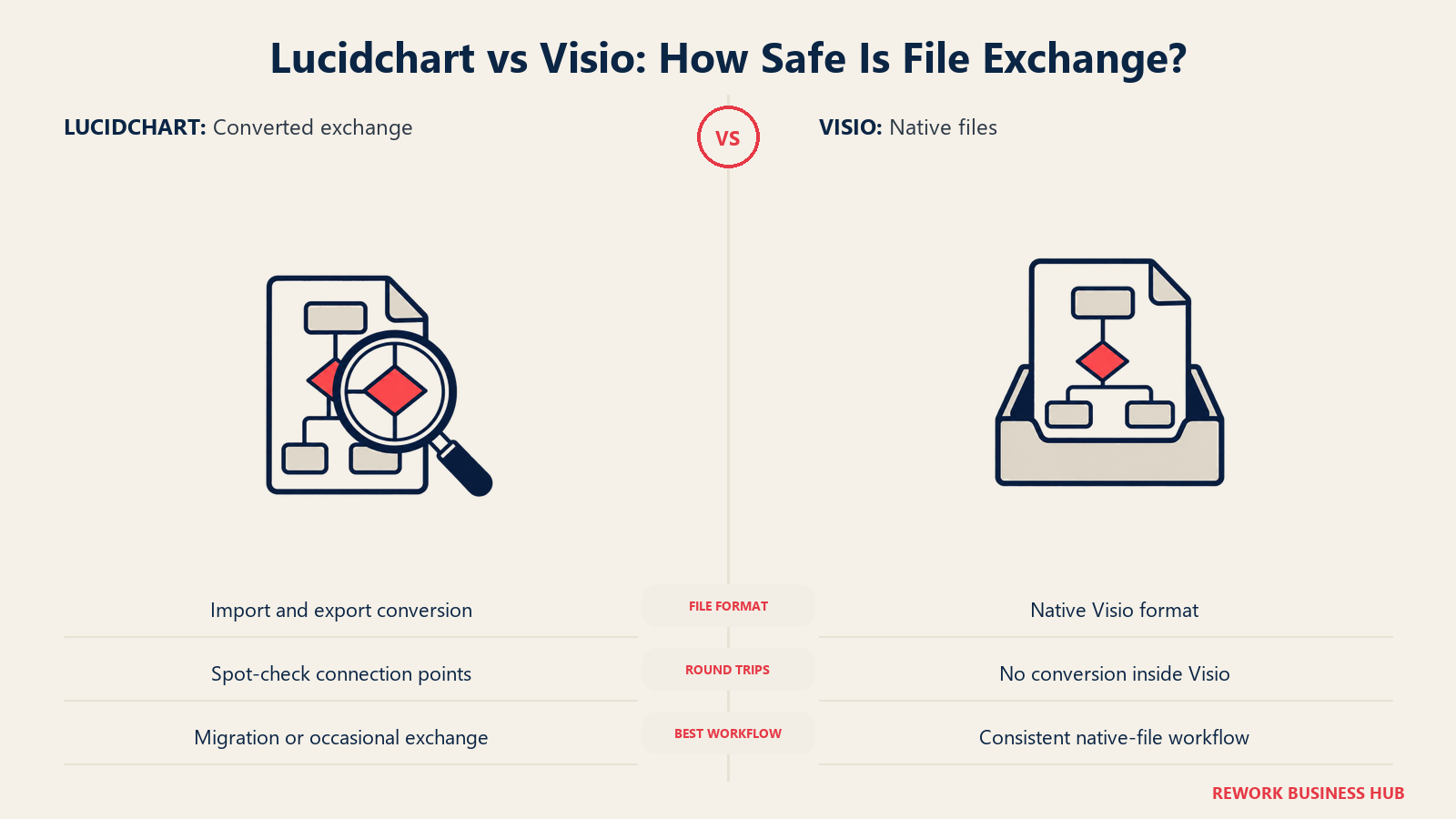
Lucidchart imports .vsdx, .vsd and .vdx files directly, with .vsdx importing at higher fidelity than the older formats, and exports Lucidchart documents back out as Visio-compatible .vsdx or .vdx files, according to Lucid's own help center and Lucid's community forum. The honest caveat: because the two applications don't share an underlying file model, round trips aren't always lossless. Some users report connection points not surviving a full import-edit-export-reimport cycle, so a team moving files back and forth repeatedly should test that specific workflow before treating it as a long-term pattern rather than a one-time migration.
| Compatibility factor | Lucidchart | Visio |
|---|---|---|
| Native format | Lucidchart's own format, browser-based | .vsdx (the format itself) |
| Import .vsdx | Yes, high fidelity | Native |
| Import .vsd / .vdx (legacy) | Yes, lower fidelity than .vsdx | Native |
| Export to .vsdx | Yes | Native |
| Round-trip fidelity | Generally strong; some reports of connection points not surviving multiple round trips | Native, no conversion involved |
| Best for | One-way migration off Visio, or occasional file exchange with Visio-only collaborators | Teams that need to guarantee zero format drift because everyone stays inside Visio |
For a team actively migrating away from Visio, Lucid publishes a dedicated migration guide covering what transfers cleanly.
Real-Time Collaboration and Seat Handling
Both tools support live, multi-person editing, but they got there from different starting points, which shows up in how each handles seats and viewers.
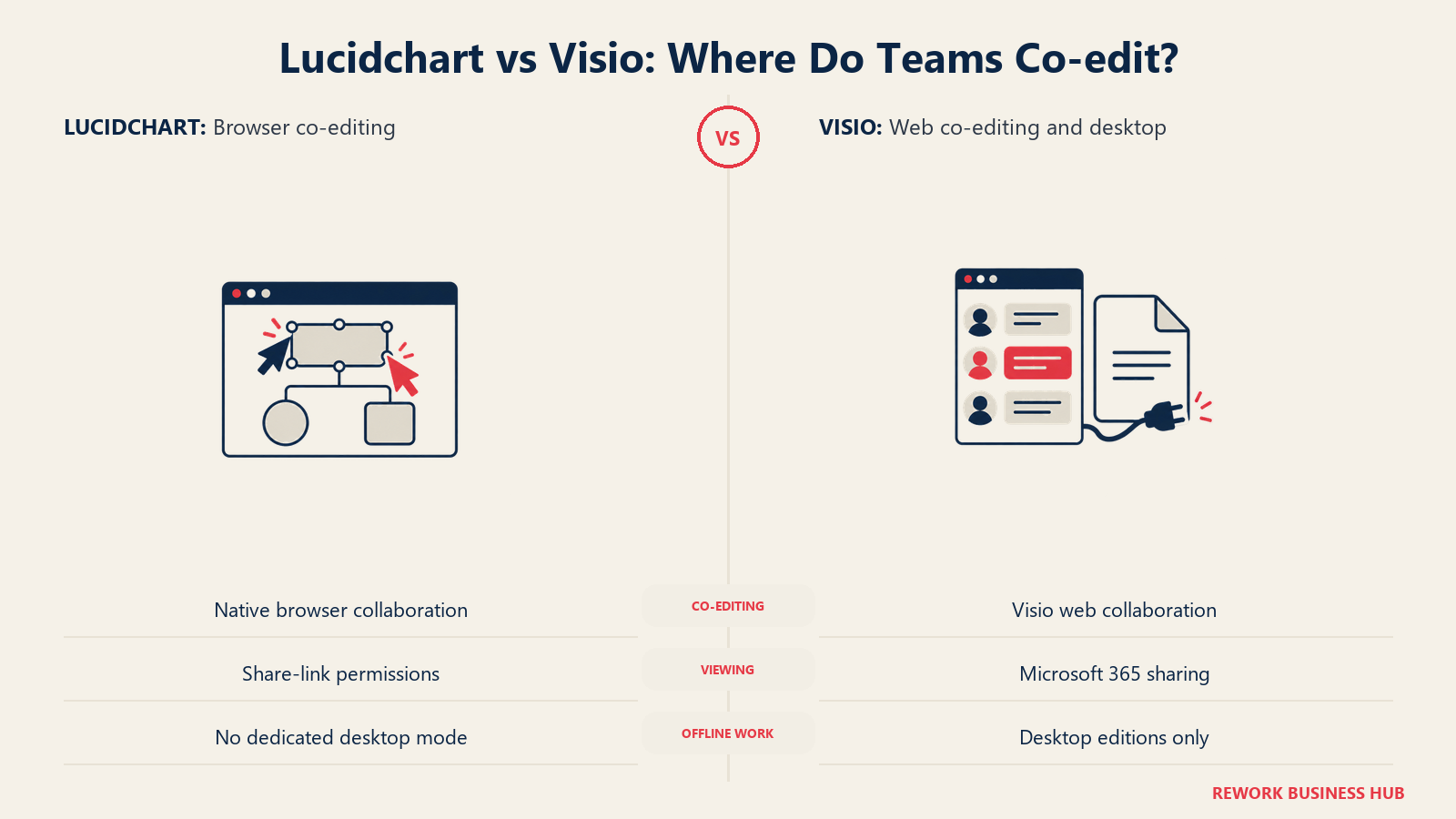
Lucidchart was built browser-first for real-time collaboration: multiple people edit the same document simultaneously, with in-editor chat and commenting, per Lucid's own features page. Visio added co-authoring later, scoped to the web app specifically, per Microsoft's own version comparison page. The desktop app behaves more like a traditional Office document: strong for individual authoring and offline work, not the venue for live co-editing.
| Factor | Lucidchart | Visio |
|---|---|---|
| Real-time co-editing | Yes, native to every tier including Free | Yes, in the web app on every plan; not the desktop app's primary mode |
| In-canvas commenting and chat | Yes | Yes, in the web app |
| Licensing unit | Named user, per seat | Named user, per seat, per plan tier |
| Minimum seats to buy | 1 (Individual); reportedly 3 for Team | 1 |
| Viewing without an editor license | Shareable links; recipients can view without a paid seat depending on sharing settings | Shareable links through Microsoft 365 and Visio for the web, viewable without a full editor license depending on the plan |
| Offline editing | Browser-based; no dedicated offline desktop mode | Yes, on the desktop app (Plan 2 and perpetual licenses only) |
The practical difference for a rollout: Lucidchart is licensed the same way on every tier, so admins have fewer license categories to reconcile. Visio's seat math is more layered, a 25-person team might mix Plan 1 seats for light editors with Plan 2 seats for heavy desktop authors, which is a more accurate reflection of real usage but more work to administer.
Platform Support: Windows, macOS and Browser
Here's where "Visio is Windows desktop software" runs into the sharpest correction. There is no native macOS desktop application for Visio, full stop. But Visio for the web runs in any modern browser on macOS, including Safari, Chrome and Edge, so a Mac user can view, create and edit diagrams without installing anything, just not with the full desktop feature set, per Microsoft's own support documentation. Microsoft says it works best in Edge or Chrome, though Firefox and Safari both render it unofficially.
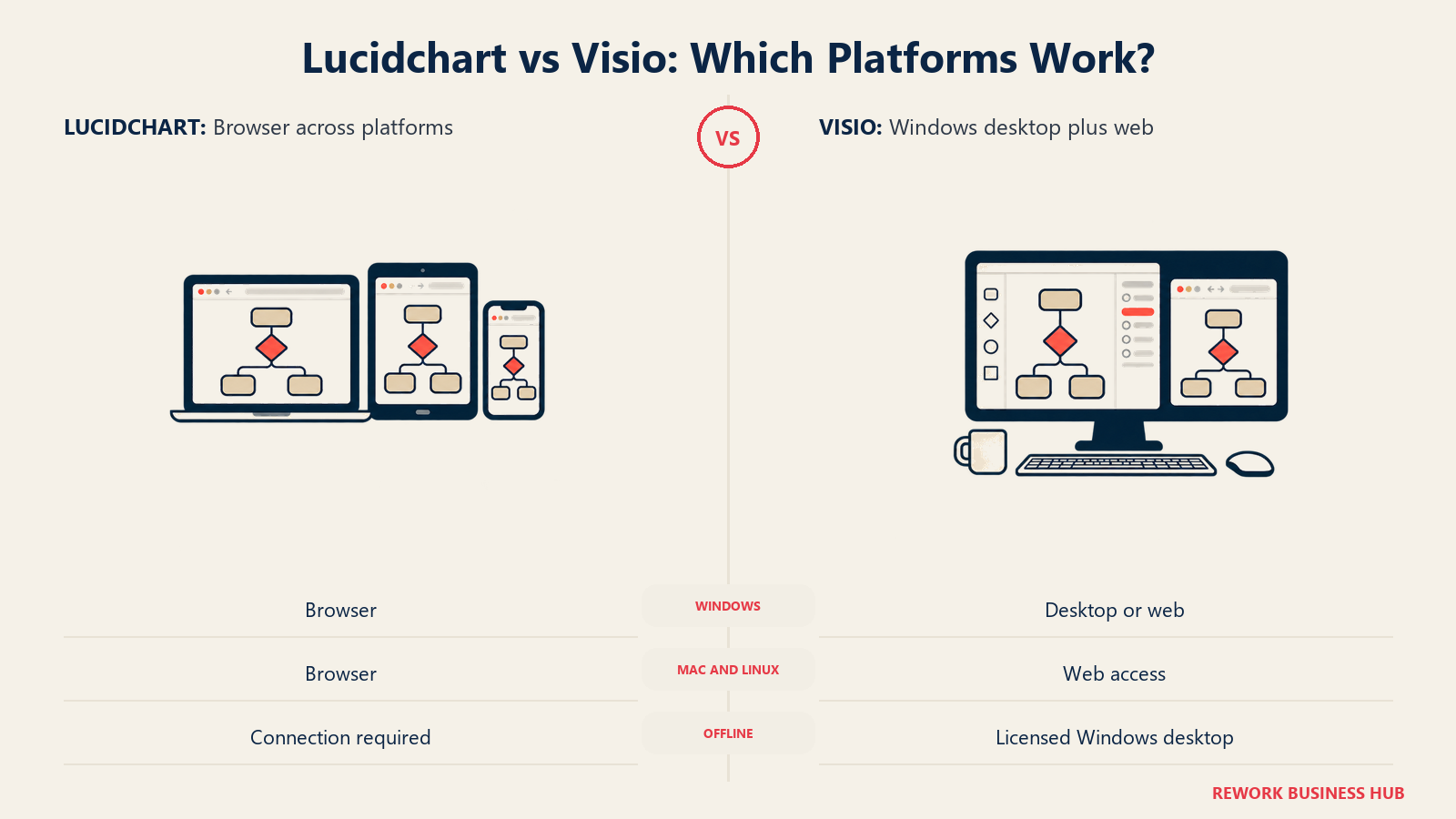
Lucidchart sidesteps the platform question entirely: every tier runs the same way in a browser on Windows, macOS or Linux, with no native desktop app to begin with.
| Platform | Lucidchart | Visio |
|---|---|---|
| Windows desktop app | Not applicable, browser-based | Yes (Plan 2, Standard 2024, Professional 2024) |
| macOS desktop app | Not applicable, browser-based | None; Microsoft does not publish a native Mac app |
| macOS via browser | Full functionality, same as any platform | Yes, via Visio for the web; best supported in Edge and Chrome |
| Linux | Full functionality via browser | Browser access to the web app only |
| Mobile | Browser-based mobile access | Visio mobile app exists for viewing and light editing |
| Offline use | Not supported; requires a live connection | Yes, on the desktop app tiers only |
For a mixed-OS organization with a meaningful Mac population, this is one of the more concrete decision points in the whole comparison: Visio's full technical feature set is Windows-desktop-only, and Mac users get the lighter web experience regardless of which subscription tier the company pays for.
Microsoft 365 and Atlassian Integration Depth
Visio's Microsoft 365 integration is native by definition, since Visio is a Microsoft 365 product. Diagrams embed directly into Teams, SharePoint and OneDrive, data links straight to Excel, SharePoint lists and SQL Server without a connector, and licensing rides on the same admin console a Microsoft 365 tenant already uses. There's no separate app to authorize, no separate identity system, no separate billing relationship.
Lucidchart's deepest integration isn't Microsoft, it's Atlassian. Lucid ships an official Jira connector for attaching diagrams to issues, and a Confluence connector supporting Confluence Cloud plus recent Server and Data Center versions, per Lucid's own Atlassian integrations page and the Atlassian Marketplace listing. The Jira connector requires a paid Lucidchart plan, and the Confluence connector specifically requires Team or Enterprise, not just Individual. Lucidchart also connects to Microsoft 365, Google Workspace, Slack and Salesforce, but Atlassian is where the integration goes deepest.
| Integration | Lucidchart | Visio |
|---|---|---|
| Microsoft Teams | Yes | Native |
| SharePoint / OneDrive | Yes, via connector | Native |
| Excel / SharePoint lists / SQL Server data linking | Via Google Sheets, Excel and CSV import | Native (Plan 2 and perpetual licenses) |
| Jira | Official connector; requires a paid Lucidchart plan | No native connector; third-party Atlassian Marketplace apps only |
| Confluence | Official connector; requires Team or Enterprise plan | No native connector; third-party Atlassian Marketplace apps only |
| Slack | Yes | Via Microsoft Teams and general M365 notification routing |
| Google Workspace | Yes, native | Not applicable; Microsoft ecosystem only |
If your process documentation already lives in Confluence, or your tickets already live in Jira, that's a genuinely strong argument for Lucidchart regardless of price. If your organization is standardized on Microsoft 365, Visio removes a vendor relationship rather than adding one.
Data Linking and Automatic Diagram Generation
Neither tool expects every diagram drawn shape by shape anymore, one of the more genuinely useful capability sets on both sides once a diagram needs to reflect live data rather than a one-time snapshot.
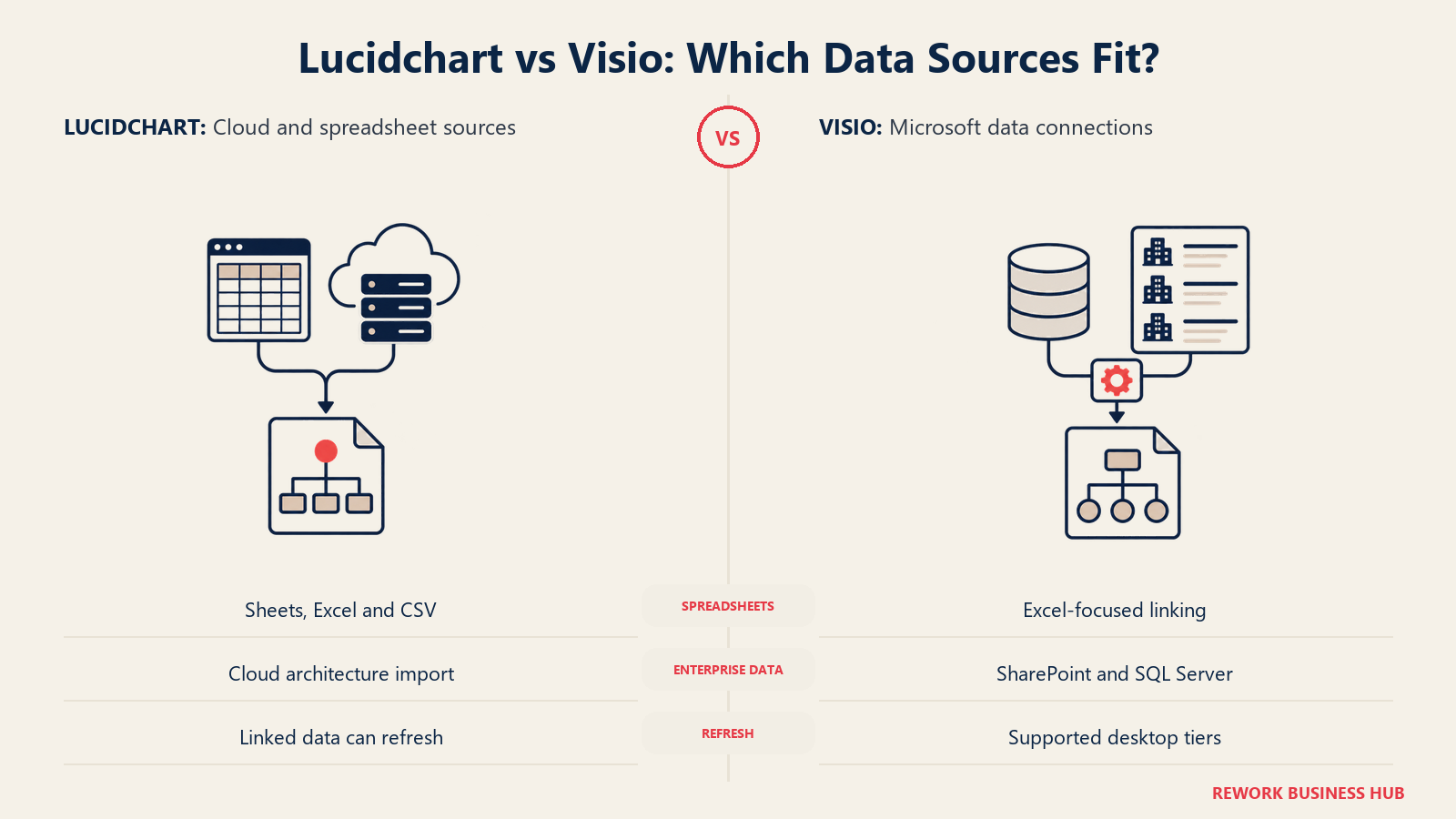
Lucidchart links directly to Google Sheets, Excel or CSV files and builds visualizations automatically, with conditional formatting so a shape's color or label changes with the underlying values, and it imports AWS architecture and generates org charts straight from spreadsheet data, per Lucid's own features page. Visio's equivalent, gated to Plan 2 and the perpetual licenses, links shapes to Excel, SharePoint lists and SQL Server, with automatic org chart generation from Excel, Exchange or Azure Active Directory, and automatic data refresh, per Microsoft's own version comparison.
| Data-linking capability | Lucidchart | Visio |
|---|---|---|
| Link to Excel | Yes | Yes (Plan 2/perpetual) |
| Link to Google Sheets | Yes | No |
| Link to CSV | Yes | Limited; primarily via Excel import |
| Link to SharePoint lists | No | Yes (Plan 2/perpetual) |
| Link to SQL Server | No | Yes (Plan 2/perpetual) |
| Automatic org chart generation | Yes, from spreadsheet data | Yes, from Excel, Exchange or Azure Active Directory (Plan 2/perpetual) |
| Automatic data refresh | Yes | Yes (Plan 2/perpetual) |
| Cloud architecture auto-import (AWS/Azure) | Yes, imports AWS architecture directly | Shape libraries exist; no direct account-level import |
| Conditional formatting from linked data | Yes | Yes (Plan 2/perpetual) |
On Visio's side, none of this data-linking depth exists on Visio in Microsoft 365 or Plan 1. It's exclusive to Plan 2 and the two perpetual licenses, so a team evaluating Visio specifically for automatic diagram generation from live data needs to budget for the $15.00 tier or a perpetual license, not the $5.00 entry point.
Admin, Security and Governance
Governance questions surface later in most rollouts, once IT or security gets involved, and the two tools answer them from different starting points, one a standalone vendor, the other a module inside a much larger platform.
Visio's governance is inherited entirely from its Microsoft 365 tenant. There's no separate Visio-specific admin console, security review or compliance certification: whatever SSO, conditional access and data residency posture the organization already configured for Microsoft 365 applies to Visio automatically, a genuine advantage for a team that has already fully vetted Microsoft 365.
Lucid, as a standalone vendor, publishes its own security posture directly: SAML-based SSO, SCIM provisioning and federated identity support on the Enterprise tier, alongside SOC 2 Type II, ISO 27001, ISO 27701, ISO 42001 for AI governance, FedRAMP Authorized at the Moderate level, GDPR, CCPA, CASA and IRAP certification, per Lucid's own security page. Enterprise admins get role-based permissions, two-factor authentication, domain verification, and an "Enterprise Shield" add-on for restricted IP login and idle session timeouts. Data resides across six AWS regions: the US, EU and Australia.
| Governance area | Lucidchart | Visio |
|---|---|---|
| SSO / SAML | Enterprise tier | Inherited from the organization's Microsoft 365 configuration |
| Admin console | Dedicated Lucid admin console | Microsoft 365 admin center, shared across all Microsoft 365 apps |
| Compliance certifications | SOC 2 Type II, ISO 27001/27701/42001, FedRAMP Moderate, GDPR, CCPA, CASA, IRAP | Governed by Microsoft 365's own published compliance program |
| Data residency | AWS, six regions: US, EU, Australia | Governed by the organization's Microsoft 365 data residency settings |
| AI governance certification | ISO 42001, specific to Lucid's AI features | Managed at the Microsoft 365 organization level |
| Two-factor authentication | Yes, Enterprise | Inherited from Microsoft 365 tenant security policy |
Because Visio's governance model is entirely inherited, evaluating it as a security question is really evaluating Microsoft 365 as a whole, shorter for an already-Microsoft shop, longer for a review scoped narrowly to one diagramming tool. Lucid's model is self-contained and independently certified: more work to review the first time, but it doesn't ride on a separate platform's posture.
AI Features in 2026
This is one of the more lopsided sections in the comparison.
Lucid AI is a native, shipped capability: users type a text prompt to generate content directly on the Lucidchart canvas, and the platform supports text summarization and a ChatGPT integration through a custom GPT, per Lucid's own features page.
Visio has no native text-to-diagram or Copilot feature inside the desktop app or Visio for the web. Microsoft hasn't announced a text-to-diagram capability on Visio's roadmap, and Copilot reached Word, Excel, PowerPoint and Teams well ahead of any Visio-specific rollout, per discussion threads on Microsoft's own Q&A forum. The workaround is indirect: generate content with Copilot in Word or Excel, then manually transfer it into a Visio diagram.
| AI capability | Lucidchart | Visio |
|---|---|---|
| Native text-to-diagram prompt | Yes, on the canvas directly (Lucid AI) | No native feature; Microsoft has not announced one on the roadmap |
| AI content summarization | Yes | Indirect, via Copilot in Word or Teams, not inside Visio itself |
| Third-party AI assistant integration | ChatGPT integration via a custom GPT | None specific to Visio |
| Where the AI actually runs | Inside the Lucidchart canvas | Outside Visio, in other Microsoft 365 apps, with manual transfer into a diagram |
If AI-assisted diagram generation is a real requirement, that's a meaningful point in Lucidchart's favor as of 2026, not a marginal one. A team standardized on Visio for its technical notation depth should plan on drafting diagrams manually or through the Excel-to-Visio workaround above, not an in-product prompt.
Implementation and Time to Value
Rolling either tool out is less about the software and more about what habits and infrastructure a team already has.
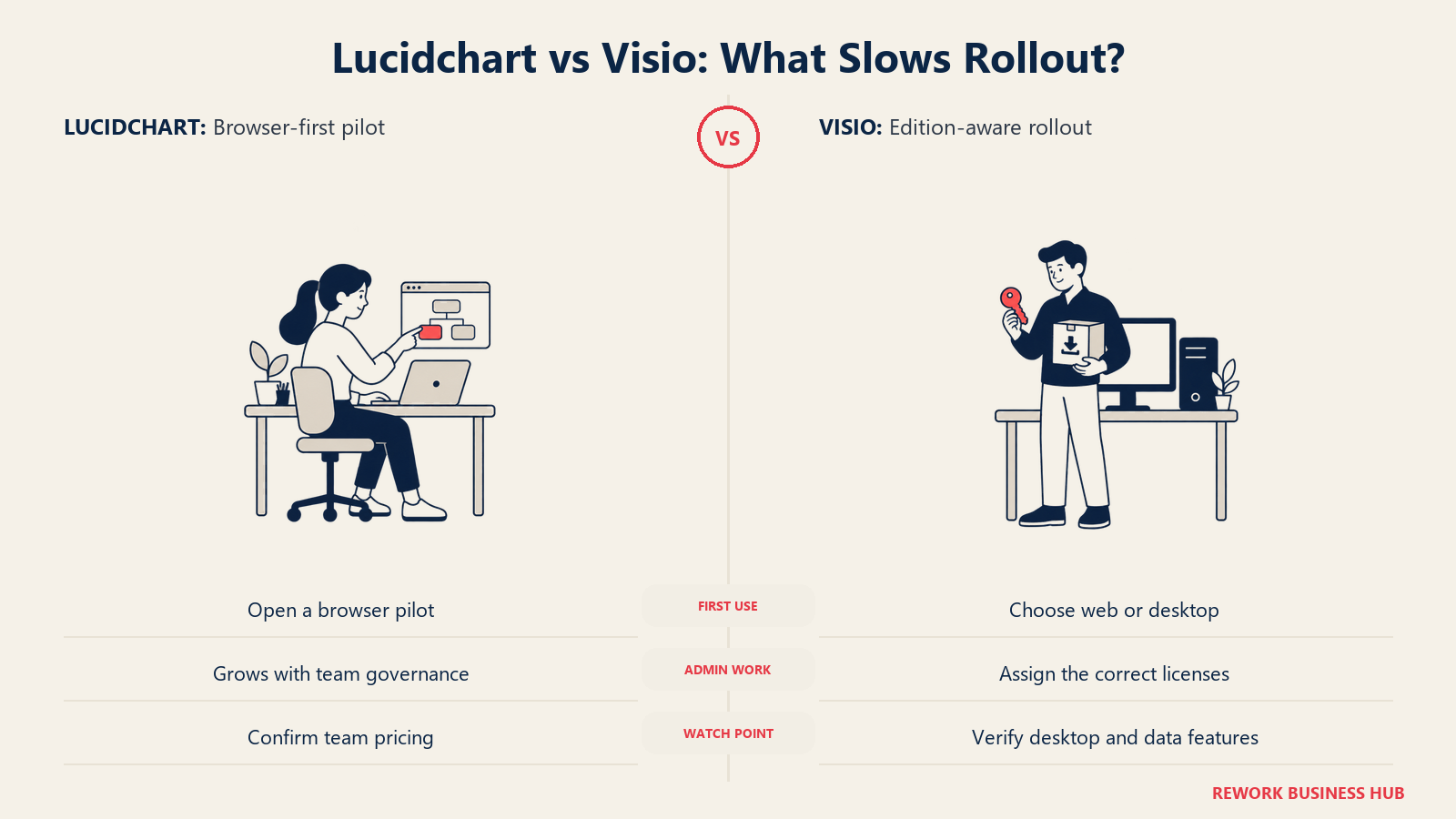
For an organization already administering Microsoft 365, adding Visio is close to flipping on a feature: licenses assign through the same admin center, and users who already know Word or Excel recognize the ribbon-and-canvas layout immediately. The friction shows up on the technical-standards side, BPMN 2.0, network diagramming and P&ID depth take real training time regardless of which tool delivers them, and picking the wrong SKU (Plan 1 without a desktop app, for instance) is a common early mistake.
For a team with no Microsoft 365 dependency, Lucidchart's onboarding is close to zero: sign up, open a browser, start building, with no admin console needed until the team is large enough to need Team or Enterprise governance. The tradeoff shows up on migration instead: teams moving off Visio need to import and spot-check existing .vsdx libraries rather than assume a perfect transfer, per the file-compatibility caveats above.
| Factor | Lucidchart | Visio |
|---|---|---|
| Time to first diagram | Minutes; no install, no admin approval needed for Free or Individual | Minutes for Visio in Microsoft 365 or Plan 1; longer if a desktop install and license assignment are required |
| Admin setup effort | Low until Team/Enterprise governance is needed | Low if Microsoft 365 is already administered; higher if standing up Visio licensing from zero |
| Training load for basic use | Low | Low for basic diagrams; moderate to high for BPMN 2.0, P&ID or network-diagram depth |
| Migration effort from the other tool | Import Visio files directly, spot-check connection points | No formal import path from Lucidchart; typically manual rebuild |
| Where friction usually shows up | Getting Team-tier pricing without contacting sales | Picking the SKU that actually includes the desktop app or data linking a team assumed was included |
When Visio Is the Right Call
- You need formal BPMN 2.0, P&ID or deep network-diagram standards, and you're willing to pay for Plan 2 or Professional 2024 to get them. Neither the cheaper Visio tiers nor Lucidchart's shape library matches this depth.
- Your team already administers Microsoft 365 and wants one more license inside an existing tenant rather than a new vendor relationship and security review.
- You'll keep the license for years without switching tools. Professional 2024's $579.99 one-time cost beats Plan 2's $180/year subscription after roughly three years and stays fixed after that.
- Your team is Windows-desktop-first, and offline editing with the full feature set matters more than browser access from any device.
When Lucidchart Is the Right Call
- Your organization has no meaningful Microsoft 365 footprint, and licensing a diagramming tool independent of any other platform is the priority.
- You want AI-assisted diagram generation inside the tool itself, rather than drafting content elsewhere and manually transferring it in.
- Your process documentation lives in Confluence, or tickets live in Jira, and a native, first-party connector matters more than Microsoft-ecosystem depth.
- You have Mac users who need the full feature set, not the lighter web-only experience Visio routes them to by default.
- You want one predictable per-seat number, not perpetual-versus-subscription math across five SKUs.
If neither of these two is quite the fit, the decision tree branches further. A reader who's ruled out Visio but wants a whiteboard-first tool instead of a diagram-first one should compare Lucidchart vs Miro. A reader for whom price alone is the objection to Visio should look at Visio vs draw.io, the free-option version of this same question. And if Lucidchart's opaque Team pricing is the sticking point, our Lucidchart alternatives roundup covers other options with published per-seat rates.
Decision Framework
| If you are... | Pick |
|---|---|
| Producing BPMN 2.0-compliant or P&ID diagrams for compliance or engineering purposes | Visio Professional 2024 or Plan 2 |
| Already administering Microsoft 365 and want to avoid a new vendor relationship | Visio |
| Planning to keep the license three-plus years with no version-upgrade requirement | Visio Professional 2024 (perpetual) |
| Working from a mixed-OS team with real Mac users needing full functionality | Lucidchart |
| Documenting processes inside Confluence or attaching diagrams to Jira tickets | Lucidchart |
| Wanting AI-assisted diagram generation inside the diagramming tool itself | Lucidchart |
| Budget-constrained and wanting the simplest possible per-seat number with no SKU decision tree | Lucidchart Individual at $9.00/month plus tax |
| Needing the cheapest possible entry point into Visio specifically, and desktop access isn't required | Visio Plan 1 at $5.00 user/month |
The short version. Visio isn't one price, it's five, and the right answer depends on whether you need the desktop app, the technical notation depth, and how long you'll keep the license. Lucidchart isn't one price either, but its public ladder is shorter and its per-seat number is the same whether you need three diagram types or thirty. Answer "do we need BPMN 2.0/P&ID depth, and are we already inside Microsoft 365" first, and the rest resolves quickly.
What to Do Next
Write down which Visio SKU you'd actually need, not just "Visio." Basic flowcharts with no desktop requirement, price Plan 1 at your real headcount. BPMN 2.0, network diagrams or P&ID, price Plan 2 or Professional 2024 and run the perpetual-versus-subscription math above against your expected renewal horizon. If neither answer requires Microsoft 365 at all, price Lucidchart Individual or request Team pricing directly from Lucid's sales team, since that figure isn't published anywhere public.
Frequently Asked Questions about Lucidchart vs Visio
Is Lucidchart cheaper than Visio?
It depends entirely on which Visio SKU you're comparing against. Lucidchart Individual runs $9.00/month plus tax, cheaper than Visio Plan 2's $15.00 user/month, but more expensive than Visio Plan 1's $5.00 user/month. Visio's perpetual licenses, $309.99 or $579.99 once, don't map to a monthly comparison since there's no recurring bill after purchase.
Which Visio plan should I actually buy?
Start with what you need, not the price. Basic flowcharts and org charts with no desktop app are covered by Plan 1 at $5.00 user/month. BPMN 2.0, network diagrams, P&ID or data linking to SharePoint and SQL Server require Plan 2 or a perpetual license, since none of that ships in Plan 1 or the free Visio in Microsoft 365 app.
Can Lucidchart open Visio files?
Yes. Lucidchart imports .vsdx, .vsd and .vdx files, with .vsdx importing at higher fidelity, and exports back out as Visio-compatible .vsdx or .vdx files. Round trips aren't always perfectly lossless, so test your own diagram library before relying on repeated back-and-forth transfers.
Does Visio work on a Mac?
There's no native macOS desktop app for Visio. Mac users access it through a browser via Visio for the web, which Microsoft says works best in Edge or Chrome, with Firefox and Safari unofficially supported. The full desktop feature set, including offline editing, stays Windows-only.
Is there a genuinely free version of either tool?
Yes, on both sides, with real limits. Visio in Microsoft 365 is free with any Microsoft 365 commercial plan but is a lightweight web and Teams app only. Lucidchart's Free tier needs no Microsoft 365 at all, but caps out at 3 editable documents and 60 shapes per document.
Is a one-time Visio purchase a better deal than a subscription?
For long-term ownership, often yes. Visio Professional 2024's $579.99 one-time cost beats Plan 2's $15.00 user/month subscription after roughly three years. The tradeoff: a perpetual license is frozen at the version you bought and won't pick up new features the way a subscription does.
Does Lucidchart support BPMN 2.0?
Not as a dedicated, formally compliant notation library the way Visio Professional 2024 does. Lucidchart covers flowcharts, ERD and UML well, but a team needing audit-grade BPMN 2.0 compliance should evaluate Visio's Professional tier or Plan 2 instead.
Does Lucidchart integrate with Jira and Confluence?
Yes, natively. Lucid publishes an official Jira connector for attaching diagrams to issues and a Confluence connector for Confluence Cloud and recent Server/Data Center versions. The Jira connector needs a paid Lucidchart plan; Confluence needs Team or Enterprise. Visio has no native Atlassian connector, only third-party Marketplace apps.
Which tool has better AI features in 2026?
Lucidchart, clearly. Lucid AI generates diagram content from a text prompt directly on the canvas. Visio has no native text-to-diagram or Copilot feature inside the app; the workaround is drafting content in Copilot-enabled apps like Word or Excel and manually transferring it into a Visio diagram.

Customer Success Operations Manager
On this page
- TL;DR
- Key Facts
- Who Each Tool Is Really For
- Licensing: What Each SKU Actually Includes
- Cost at 10, 25 and 100 Users
- Shape Libraries and Diagram-Type Depth
- File Compatibility: Moving .vsdx Files Both Ways
- Real-Time Collaboration and Seat Handling
- Platform Support: Windows, macOS and Browser
- Microsoft 365 and Atlassian Integration Depth
- Data Linking and Automatic Diagram Generation
- Admin, Security and Governance
- AI Features in 2026
- Implementation and Time to Value
- When Visio Is the Right Call
- When Lucidchart Is the Right Call
- Decision Framework
- What to Do Next