Best Process Street Alternatives in 2026: 13 SOP and Workflow Tools Compared
Turn this article into takeaways for your work.


Each assistant summarizes the article only for you and suggests best practices for your work.
Process Street is not the product most "Process Street alternatives" articles are actually reviewing. Sometime in 2025 it repositioned from a recurring-checklist tool into what it now calls a "Compliance Operations Platform," pulled every dollar figure off its pricing page, and changed who counts as a billable seat: organizations created on or after August 1, 2025 are billed for Admins, Builders, and Users, while organizations created before that date only pay for Admins and Builders, their Users ride free. A reader comparing a fresh quote today against a colleague's older account, or against a 2023 review that still quotes a number, is pricing out two structurally different products under the same name.
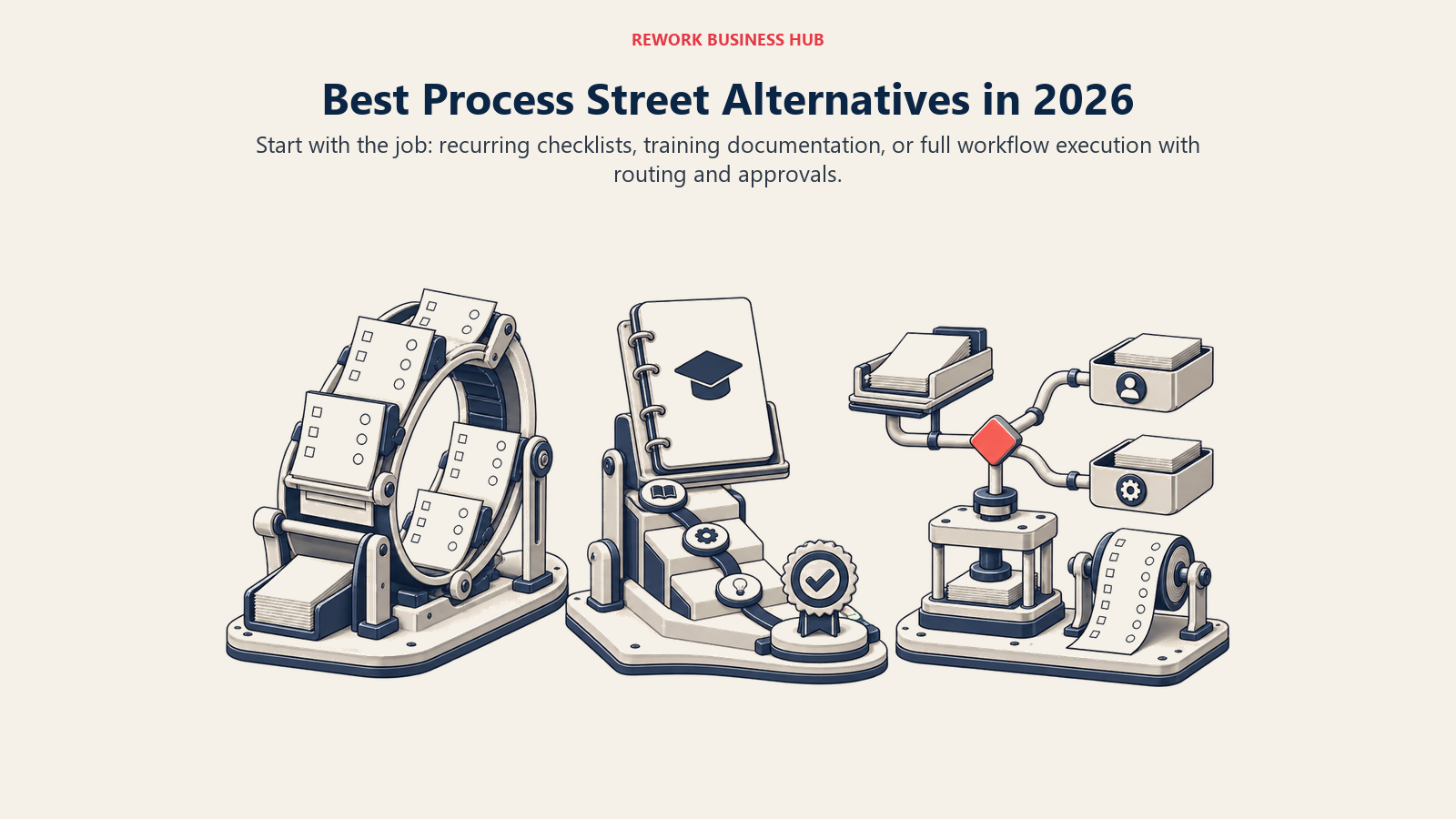
That repositioning is also why a single "best alternative" answer doesn't hold up. Process Street used to serve three genuinely different shopping trips at once, recurring checklists and SOPs, employee training and onboarding documentation, and full process execution with routing and approvals, and most competitors below only do one of the three well. This guide splits all 13 tools by that job so you can skip straight to your third of the list.
Key Facts
- Roughly 1 in 10 employees strongly agree their organization does a good job of onboarding new hires, per Gallup's workplace research. (Gallup)
- Employees who call their onboarding experience exceptional are nearly twice as likely to feel fully prepared to excel in their new role, per the same Gallup analysis. (Gallup)
- A landmark checklist protocol tested across 108 Michigan intensive care units cut catheter-related bloodstream infections by 66%, the study widely credited with popularizing the modern case for documented, repeatable checklists. (New England Journal of Medicine)
- 73% of employers intend to accelerate the automation of business processes and tasks by 2030, per the World Economic Forum's Future of Jobs Report 2025. (World Economic Forum)
- 79% of organizations plan to increase automation spend, with budgets expected to rise by an average of 20% over the next two years, per Camunda's 2026 State of Agentic Orchestration and Automation report. (Camunda)
Quick Comparison Table
| Tool | Best For | Starting Price | Key Strength | Key Limitation |
|---|---|---|---|---|
| Pipefy | Ops teams outgrowing a linear checklist for branching, case-based work | Free (Starter, capped); Business and Enterprise custom | A real, usable free tier with role-based routing | No published Business/Enterprise price, and estimates vary widely |
| Tallyfy | The most direct, purpose-built Process Street replacement | Full seat $300/year ($25/month equivalent); Light seat $100/year | Unlimited free guests, SSO and SCIM on every paid plan | No case-management depth beyond workflow tracking |
| Trainual | Training curricula and onboarding completion tracking, not process execution | Not published, book a demo | Purpose-built for proving training was completed, not just assigned | Runs no live process, it documents and trains on one |
| Kissflow | No-code workflow automation for business users | Not published, contact sales | Business-user-friendly, no developer required | Its own pages disagree on what the unpublished price even was |
| monday.com | Teams that already work in boards, wanting automation layered on top | Free up to 2 seats; Basic $9/seat/month billed annually | Familiar board interface, flexible automation recipes | 3-seat minimum on every paid plan |
| Rework | Mid-market ops teams wanting workflow, CRM, and HR on one platform | Process Engine from $99/mo billed yearly (5 seats) | Workflow, approvals, CRM, People, and inbox in one login | Not a BPMN process-orchestration engine or per-user app builder |
| ClickUp | Teams wanting checklists and light automation bundled into an existing tool | Free Forever $0; Unlimited $7/user/month billed annually | Generous free tier, checklist templates built in | Limited branching and case depth versus a dedicated BPM tool |
| Notion | Documenting SOPs and onboarding wikis, not running a live process | Free $0; Plus $10/seat/month | Best-in-class documentation and search | No native approval routing or step-by-step enforcement |
| Asana | Task management with rules-based routing | Personal free (2 users for new accounts); Starter $10.99/user/month billed annually | Rules-based automation layered on familiar task lists | Free-tier cap dropped from 10 to 2 seats for new signups |
| Quickbase | No-code app building with process workflows | Team $35/user/month billed annually | A real, published per-user price, rare in this category | Unpublished platform minimum fee stacks on top of the rate |
| Nintex | Workflow automation that ends in a generated, signed document | Not published, contact sales | Workflow plus document generation in one platform | Zero pricing transparency, not even a range |
| Smartsheet | Spreadsheet-grid ops and PMO teams | Pro $9/member/month billed yearly | Familiar grid interface with automation rules | Deeper case-management add-ons stack extra cost |
| SweetProcess | SOPs, checklists, and a knowledge base, what Process Street used to be | Standard $99/month or $990/year, up to 10 users | Flat pricing, every user gets every feature | No routing or case management across departments |
Which Job Do You Actually Have?
Every "Process Street alternative" claim in this guide really answers one of three separate questions, and conflating them is the single biggest reason a shortlist goes wrong. A team that needs a documented, repeatable checklist a person runs the same way every time is shopping for something different than a team that needs to prove a new hire actually absorbed that checklist, which is different again from a team whose process needs to branch, route to different people, and leave an audit trail. Process Street's old, simple version tried to serve all three at once. Almost nothing on the list below still does.
| Job | What it looks like | Tools to shortlist |
|---|---|---|
| Recurring checklists and SOPs | A documented, repeatable run-through: audits, opening and closing procedures, onboarding sequences, run the same way every time | Tallyfy, SweetProcess |
| Employee training and onboarding documentation | Turning those SOPs into assigned curricula, tracking who completed what, proving comprehension rather than just running the steps | Trainual, Notion |
| Full process execution with routing and approvals | A case that moves between people, branches on an answer, and needs an audit trail: a purchase request, a hire, a customer onboarding | Pipefy, Kissflow, monday.com, Rework, ClickUp, Asana, Quickbase, Nintex, Smartsheet |
That third bucket is by far the largest, and it's also where the market itself is voting with its wallet. Global BPM and workflow software spending is projected to grow from $25.88 billion in 2026 to $91.87 billion by 2034, a 17.2% compound annual growth rate, per Fortune Business Insights, which tracks tightly with why so many vendors below are investing in routing logic and case tracking rather than staying a flat checklist app. (Fortune Business Insights) If your gap is really a lighter-weight app-to-app automation problem rather than a documented internal process, Best Workflow Automation Software covers that adjacent, less formal category.
1. Pipefy: A Free Tier That Still Beats a Checklist App at Actual Process Work
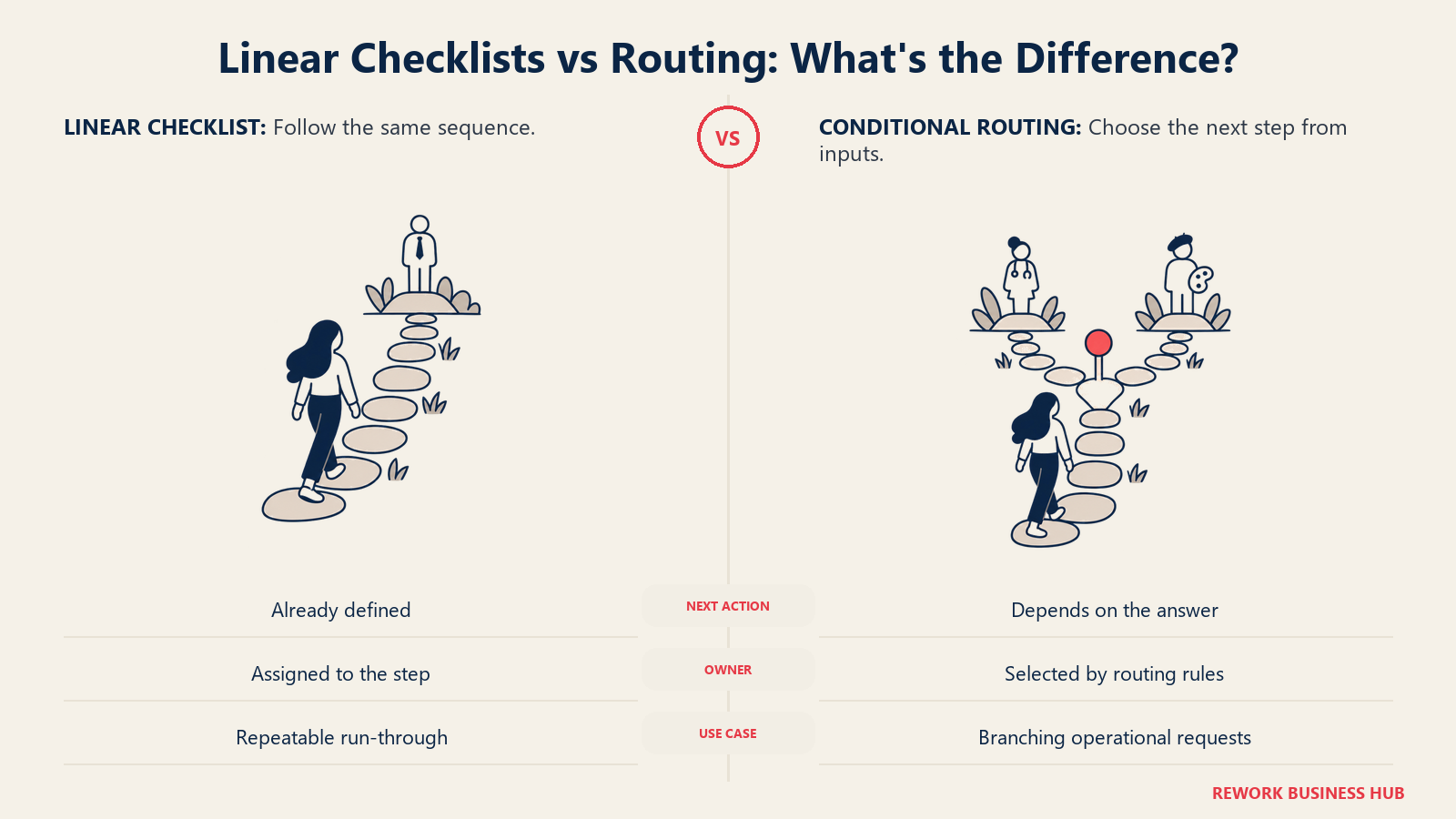
Pipefy's kanban process canvas is what a Process Street checklist looks like once it grows a spine: each card represents one case, a hire, a purchase request, a customer onboarding, moving through named stages with role-based permissions and conditional forms, not just checked and unchecked steps in a fixed order. Cards can branch, reassign, and route differently depending on what gets filled in, which puts Pipefy closer to a lightweight case-management engine than to a to-do list with steps.
Starter is free and still genuinely usable: up to 10 users, 5 processes, 50 cards a month, 500 database records, and 15 automation jobs, no credit card required. Business moves to per-user billing with unlimited users and processes, but Pipefy doesn't publish a dollar figure for it, and reported figures range from $18 to $33 per user per month, unusually wide for a vendor with a public free tier, so treat that range as a planning signal rather than a quote.
| What you get | What you don't |
|---|---|
| A genuinely free, usable Starter tier, no credit card required | A published price the moment you outgrow 10 users or 5 processes |
| Cards that branch and route by role, not a fixed linear order | A single confirmed Business-tier dollar figure |
| Real case-style process tracking, not just checked boxes | Systems-integration depth comparable to Kissflow or Quickbase |
| A stated SMB discount program for 11-200 employee companies | A published percentage for that discount |
Pricing: Starter free (10 users, 5 processes, 50 cards/month, 500 database records, 15 automation jobs). Business and Enterprise custom, contact sales. (Pipefy) Best for: Teams outgrowing a checklist tool because their process branches, routes to different people, or needs a real audit trail, not just a linear list of steps. Not ideal for: A team that wants to stay small forever; the moment you cross 10 users or 5 processes, the next number is a sales call. For a deeper look at how Pipefy stacks up against its own direct competitors, see our Pipefy alternatives guide.
2. Tallyfy: The Most Direct, Purpose-Built Process Street Competitor
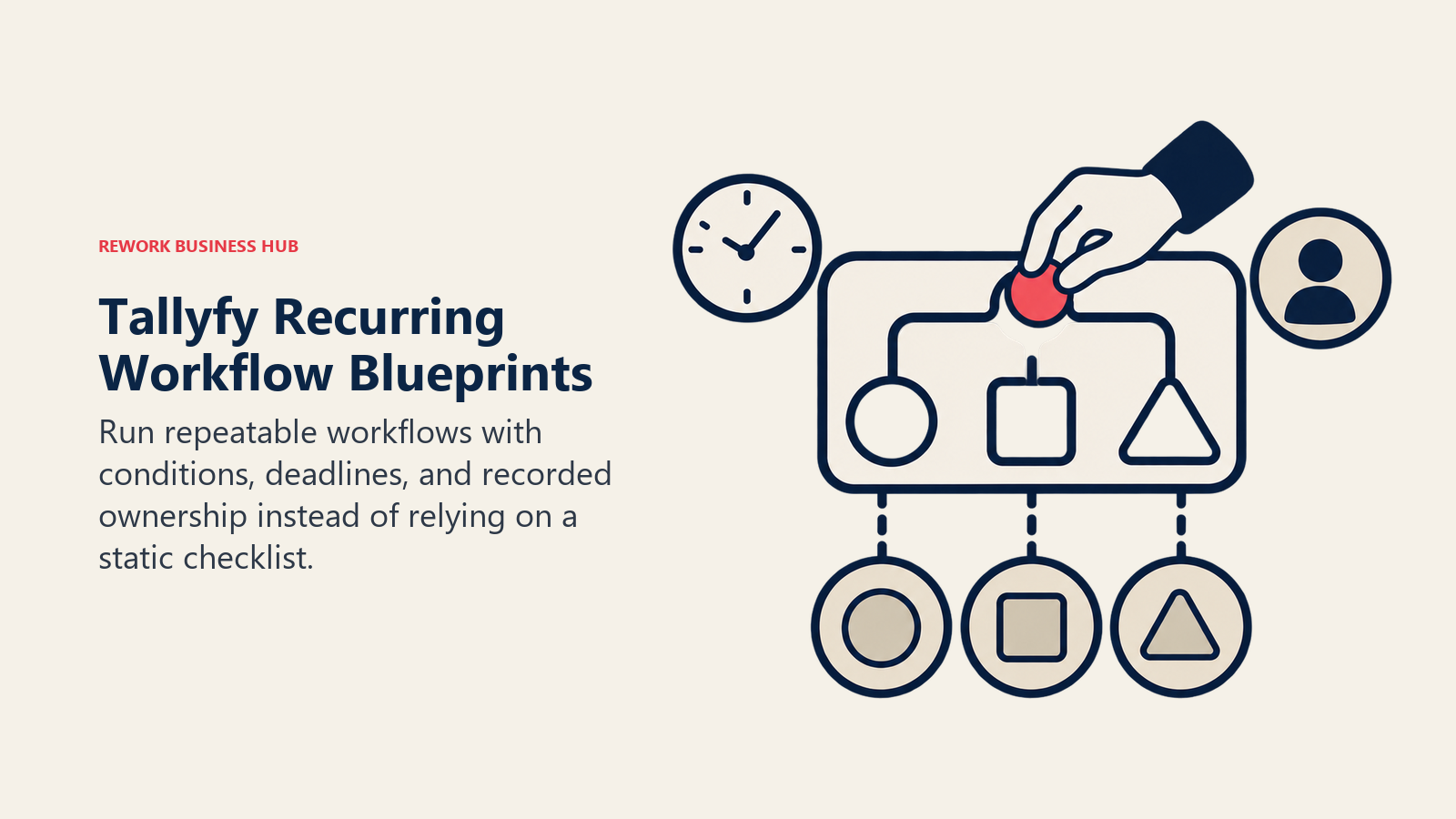
Tallyfy is arguably the closest match on this list to what Process Street used to be: a tool built specifically to run recurring workflows and checklists with conditional logic, deadlines, approvals, and full tracking of who did what and when. Where it goes further than a straight-line checklist is branching, a Tallyfy "blueprint" can route differently depending on an answer partway through, something a flat checklist can't do on its own.
Pricing is refreshingly plain for this category. Full seats run $30/month billed annually ($300/year), Light seats (read and limited-action users) run $10/month billed annually ($100/year), and every paid plan includes unlimited free guests, so an external participant in a workflow, a client signing off, a contractor submitting paperwork, doesn't add to the bill. SSO and SCIM ship on every paid plan rather than being gated behind an enterprise tier, and a 14-day trial gets you in without a credit card.
| What you get | What you don't |
|---|---|
| A flat, published per-seat price with an annual figure attached | A free tier of any kind, minimum is 1 paid seat |
| Unlimited free guests on every paid plan | Case-management or systems-integration depth beyond workflow tracking |
| SSO and SCIM included, not an enterprise-only add-on | A monthly-billing discount matching the annual rate |
| A cheaper Light seat for read-mostly participants | A visual kanban canvas like Pipefy's |
Pricing: Full seat $300/year billed annually (a $25/month equivalent), or $30/month month-to-month. Light seat $100/year billed annually, or $10/month month-to-month. Unlimited free guests on every paid plan. Data Feed analytics add-on +$20/seat/year. 14-day trial, no credit card. (Tallyfy) Best for: Teams that specifically want a Process-Street-shaped tool, recurring checklists with tracking, but need branching logic and don't want guest users inflating the bill. Not ideal for: Teams that need deep systems integration or full case management beyond workflow tracking; Tallyfy stays focused on the checklist-plus-logic job rather than expanding into broader BPM.
3. Trainual: The Training and Onboarding Documentation Job, Not the Process Job
Trainual is the clearest example on this list of a tool solving a genuinely different job than Process Street's checklist engine: it turns your SOPs into training curricula, assigns them to new hires, and tracks who has actually read and completed what. Less "run this process," more "prove this person knows how to run this process." A lot of former Process Street shoppers are quietly shopping for exactly this job without realizing it's a separate category, and the stakes are real: many employers estimate the total cost to hire and onboard a replacement reaches three to four times the position's salary, per SHRM. (SHRM)

Trainual is also this article's clearest stale-reputation trap. It built its early reputation on visible, affordable per-seat SMB pricing, but Trainual's own pricing page no longer prints a dollar figure for any of its four tiers, Core, Pro, Premium, and Enterprise. The page states plainly that pricing depends on team size and feature needs, and routes every visitor to a demo booking, the same quote-only friction now facing several other tools on this list.
| What you get | What you don't |
|---|---|
| Purpose-built training curricula and completion tracking | A published price anywhere on the pricing page, at any tier |
| Assignment and quizzing to prove comprehension, not just access | Live process execution, routing, or approvals |
| A structure built specifically for onboarding new hires | A self-serve way to compare cost before a demo call |
| Four named tiers to frame a demo conversation around | A free tier or trial figure to test before that call |
Pricing: Core, Pro, Premium, and Enterprise tiers; no public pricing published, book a demo. (Trainual) Best for: Teams whose real gap is proving new hires actually absorbed the SOP, tracked completion and quizzes, not just running the process itself. Not ideal for: A team that needs live process execution, routing, or approvals; Trainual documents and trains on a process, it doesn't run one. See Best Knowledge Management Software for the wider documentation category Trainual sits inside.
4. Kissflow: A No-Code Workflow Builder Going Through the Same Pricing Blackout
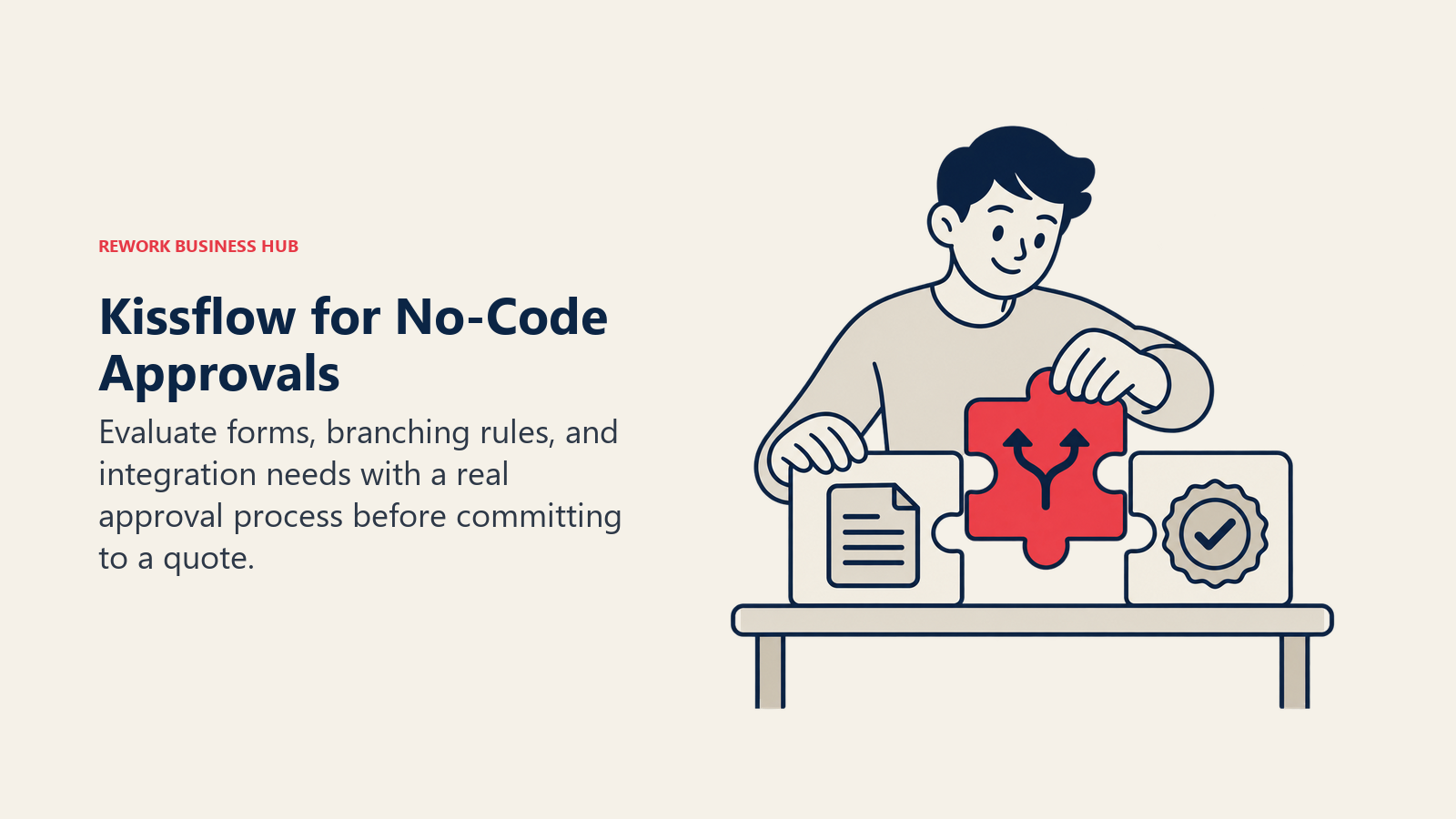
Kissflow's pitch is business users building approval workflows and process apps without a developer, drag-and-drop forms, routing rules, and reporting aimed at the same "get it live in weeks, not a services engagement" buyer that Pipefy and Quickbase target. It's a genuine execution tool, not a checklist app, cards move through defined stages with real branching and integration hooks.
Kissflow's pricing page publishes no figures at all, just a path to a sales consultation, and its own content pages disagree with each other about what the number even is. One page states "$1,500 per month for up to 50 users" in its body text, that same page's own FAQ says "$2,500 per month for 50 users," and a separate comparison page cites "$2,500 per month for the Basic plan." Do not treat the older $1,500 figure as current, Kissflow's own site contradicts it, so get any number in writing before you budget around it. If Kissflow rather than Process Street is the tool you are actually trying to replace, Best Kissflow Alternatives works that shortlist end to end.
| What you get | What you don't |
|---|---|
| A no-code, business-user-friendly workflow builder | A visible price anywhere on its own pricing page |
| Real branching and integration hooks, not a flat checklist | Agreement between Kissflow's own pages on what the price was |
| A guided demo path for evaluating fit | A self-serve trial you can price out on your own |
| A long track record in the no-code workflow category | Any published starting figure, even a range |
Pricing: Not published, contact sales. Kissflow's own 2026 content pages quote conflicting starting points ($1,500/month for up to 50 users on one page, $2,500/month for the Basic plan and in that same first page's FAQ), so treat every circulating figure as unconfirmed. (Kissflow) Best for: Business teams that want a no-code workflow builder for approvals and process apps and are comfortable evaluating price through a sales call. Not ideal for: A budget-conscious team that wants to compare a public number before booking time with sales, that number doesn't currently exist. Considering both Kissflow and Pipefy? See our head-to-head, Kissflow vs Pipefy.
5. monday.com: A Familiar Work OS With Workflow Automations Layered On Top
monday.com's boards, timelines, and dashboards are a familiar shape to anyone who has looked at project management tools, and its automation recipes, when X happens, do Y, let a board double as a lightweight process: an approval status changes, a notification fires, a task gets assigned. That's a genuinely different starting point than Process Street's linear checklist; the process lives inside a flexible board rather than a fixed run-through.
Free covers up to 2 seats. Paid Work Management plans start at Basic ($9/seat/month billed annually), step to Standard ($12) and Pro ($19), with Enterprise custom, and every paid plan carries a 3-seat minimum, so a 2-person team pricing out Basic ends up paying for 3 seats regardless.
| What you get | What you don't |
|---|---|
| A familiar board-and-timeline interface most teams already know | Paid access below 3 seats, even for a 2-person team |
| Automation recipes that turn a board into a lightweight process | Dedicated case-management or document-generation depth |
| A free tier for evaluating the interface before paying | A published Enterprise price |
| Flexible boards that adapt to many process shapes | An out-of-the-box compliance or approvals framework |
Pricing: Free up to 2 seats. Basic $9/seat/month, Standard $12, Pro $19, all billed annually. Enterprise custom. 3-seat minimum on every paid plan. (monday.com) Best for: Teams that already think in boards and timelines and want workflow automation layered on top of a tool they use for project tracking anyway. Not ideal for: A 1-2 person team, the 3-seat minimum on every paid plan means paying for headcount you don't have. Related: our dedicated monday.com alternatives guide.
6. Rework: One Platform Instead of a Workflow Tool, a CRM, and an HR Tool That Only Talk Through Integrations
Rework's argument in this category is consolidation, not process-engine depth. Workflow, BPM, Request (approvals), Task, Project, Docs, and E-Sign are live modules on one platform, sitting next to Sales CRM, Lead Management, the People app (HRIS, timesheets, payroll), and a unified inbox spanning WhatsApp, Messenger, Instagram DM, TikTok, Zalo, and web chat. For a mid-market operations team, that means the SOP that used to live in Process Street, the approval that used to live in email, and the onboarding tracker that used to live in a spreadsheet all sit behind the same login.
Rework sells engines with seats in blocks of 5, never per-user licenses. Its Process Engine is $99/month billed yearly ($1,188/year), or $120 month to month, with 5 work seats included, and extra seats cost $13/month per block of 5 on yearly billing, working out to $1,812/year at 25 seats and $2,592/year at 50 seats on the Standard edition, and $5,424/year at 100 seats on the Advanced edition.
| What you get | What you don't |
|---|---|
| Workflow, BPM, approvals, CRM, and HR on one platform | A BPMN 2.0 process-orchestration engine like Camunda or Appian |
| Published engine pricing, billed yearly or month to month | Per-user licensing |
| A unified inbox spanning six channels, not a separate tool | A fit for a solo or single-user buyer |
| A 5-seat starting engine that's genuinely a small-team price | Deep, regulated case-management or audit-trail depth |
Pricing: Process Engine $99/month billed yearly ($1,188/year) or $120 month to month, 5 work seats included. Extra seats $13/month per block of 5 on yearly billing. 25 seats = $1,812/year, 50 seats = $2,592/year (Standard edition), 100 seats = $5,424/year (Advanced edition), all on yearly billing. 14-day free trial. (Rework pricing) Best for: A 10 to 200 person mid-market ops team that's tired of a workflow tool, a CRM, and an HR tool that only talk to each other through integrations. Not ideal for: Rework is not a BPMN 2.0 process-orchestration engine and doesn't compete with Camunda, Appian, or Pega on executable process modelling, case-management depth, or regulated audit trails. It's not a general-purpose no-code database or app builder like Quickbase. And it's not for solo or single-user buyers, every engine starts with 5 seats, so one person pays for five. Teams whose only job is drawing and governing process diagrams, not running one, should look at a dedicated modelling tool instead; see our Visio alternatives or Creately alternatives guides for that separate category.
7. ClickUp: A Generous Free Tier With Checklist Templates Built In
ClickUp packages tasks, docs, checklists, and automations into one workspace, and its checklist templates, with nested sub-items and assignees, are the closest thing on this list to a Process-Street-style run-through living inside a broader project tool rather than a standalone product. Automations can route a task, change a status, or notify someone when a checklist item completes, giving it more workflow logic than a pure checklist app without the dedicated case-management depth of Pipefy or Kissflow.
Free Forever covers $0 with unlimited tasks and unlimited free plan members, though storage caps at 60MB and you get one form. Unlimited runs $7/user/month billed annually ($10 monthly), Business steps to $12 annually ($19 monthly), and Enterprise is custom; a Brain AI add-on runs $9/user/month annually on top of any plan.
| What you get | What you don't |
|---|---|
| Unlimited tasks and unlimited free members on the $0 plan | More than 60MB of storage or a second form on that free plan |
| Checklist templates with nested sub-items and assignees | Deep conditional branching or full case tracking |
| Automations that route tasks and notify on completion | AI features included, Brain is a separate $9/user/month add-on |
| A single workspace covering tasks, docs, and checklists together | Approval-chain depth comparable to Kissflow or Pipefy |
Pricing: Free Forever $0 (unlimited tasks and free members, 60MB storage, 1 form). Unlimited $7/user/month billed annually, $10 monthly. Business $12 annually, $19 monthly. Enterprise custom. Brain AI add-on $9/user/month annually. (ClickUp) Best for: Teams that want checklists and light workflow automation bundled into a tool they're already using for tasks and docs, without buying a separate BPM product. Not ideal for: Teams whose process needs real conditional branching, approval chains, or case tracking; ClickUp's checklists are closer to Process Street's original scope than to Pipefy or Kissflow's execution depth. See our ClickUp alternatives guide for the wider field.
8. Notion: Great Documentation, Not a Workflow Engine
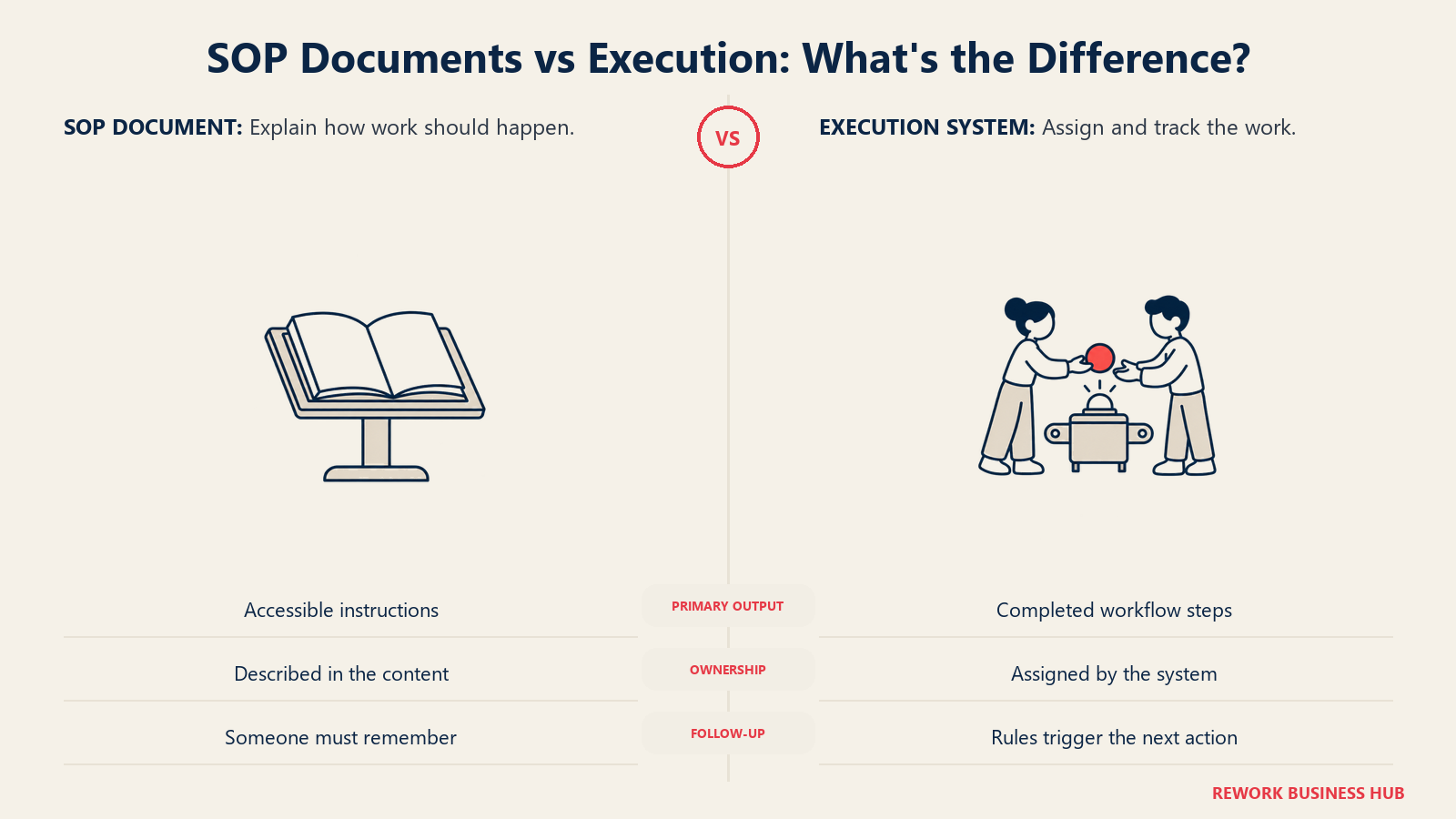
Notion's wikis, databases, and templated pages make it a strong home for the SOP itself, the written procedure, the onboarding wiki, the policy page, but it has no native approval routing, no case tracking, and no conditional branching. A Notion "checklist" is a to-do list on a page; nothing enforces order, assigns ownership per step, or notifies anyone when a step gets skipped. That's a real gap for teams coming from Process Street expecting the run-through behavior, not just the document.
Free covers $0 with 10 external guests, 7-day page history, and 5MB file uploads, more than enough to evaluate the tool. Plus runs $10/seat/month and Business $20/seat/month; Notion states yearly billing saves up to 20% without printing the exact annual per-seat figure, so budget off the monthly rate and treat the discount as a range. Enterprise is custom.
| What you get | What you don't |
|---|---|
| Best-in-class documentation, wikis, and search | Any enforced order, ownership, or notification on a checklist |
| A genuinely usable free tier for evaluating the product | Approval routing, case tracking, or conditional branching |
| A published monthly per-seat price on paid tiers | An exact annual per-seat figure, only "saves up to 20%" |
| Flexible databases that double as lightweight checklists | Automation that runs a process rather than just displaying it |
Pricing: Free $0 (10 external guests, 7-day page history, 5MB file uploads). Plus $10/seat/month. Business $20/seat/month. Yearly billing saves up to 20% (exact annual figure not published). Enterprise custom. (Notion) Best for: Teams whose real gap is documenting and organizing SOPs, onboarding wikis, and policies in one searchable place, not running or tracking a live process. Not ideal for: Any process that needs enforced order, ownership per step, or notifications when something's skipped; Notion tracks none of that automatically. For a deeper comparison against Notion's own direct competitors, see Best Notion Alternatives.
9. Asana: The Free-Tier Trap Everyone Still Gets Wrong
Asana's task and project management is a familiar shape to teams evaluating Process Street, and Rules, its automation feature, can route a task, change a status, or notify an owner when a step completes, giving it real workflow logic layered onto a task list. But there's a reputation trap worth stating plainly: Asana's free Personal plan dropped its free-seat cap to just 2 users for any account created on or after November 12, 2025. Legacy accounts created before that date keep up to 10 seats, so two teams reading the exact same "Asana is free for small teams" claim right now are looking at genuinely different products depending only on when they signed up.
Starter runs $10.99/user/month billed annually ($13.49 billed monthly), Advanced steps to $24.99 annually ($30.49 monthly), and Enterprise requires a sales conversation.
| What you get | What you don't |
|---|---|
| Rules-based automation that routes tasks and updates status | A 10-seat free tier if your account is new (it's capped at 2) |
| A published, transparent per-user price on Starter and Advanced | Guest users included free the way Tallyfy offers them |
| A familiar task-and-project interface most teams already know | Dedicated checklist-run-through behavior like Tallyfy's |
| A legacy-account grandfather clause for pre-Nov-2025 signups | Any warning about that cutoff on the pricing page itself |
Pricing: Personal (free) capped at 2 users for accounts created on or after November 12, 2025; legacy accounts keep up to 10. Starter $10.99/user/month billed annually, $13.49 billed monthly. Advanced $24.99 annually, $30.49 monthly. Enterprise contact sales. (Asana) Best for: Teams that want task-and-project management with rules-based automation handling the routing and status changes a checklist tool leaves manual. Not ideal for: A small team assuming Asana's free tier still covers up to 10 people, check your account's creation date before planning a rollout around it. See our Asana alternatives guide for the wider comparison.
10. Quickbase: A Published Per-User Price, Plus a Platform Minimum Nobody Prints
Quickbase is a no-code app platform with process workflows built in. Teams use it to build tracking apps, approval chains, and operational databases without a developer, and it's one of the few vendors in this entire guide, Process Street included, that actually prints a per-user dollar figure on its own site rather than routing everyone to sales.
Team starts at $35 per user per month billed annually, and Business steps to $55 per user per month billed annually, both with SSO and audit logs. The catch: Quickbase's own pricing page states verbatim that the "cost shown does not include platform minimum," and Quickbase does not publish what that minimum actually is, so the quoted per-seat number understates the real bill for a small team. A 30-day free trial covers full Business plan features, and a usage-based "Reads" option exists as an alternative to pure per-user billing.
| What you get | What you don't |
|---|---|
| A real, published per-user price straight from the vendor | A quote that includes the platform minimum fee |
| SSO and audit logs on both published tiers | The lowest published starting price on this list |
| A 30-day free trial with full Business plan features | Per-user-only billing without exception |
| An alternative usage-based "Reads" pricing model | A published Enterprise price, that tier stays custom |
Pricing: 30-day free trial (full Business features). Team $35/user/month billed annually. Business $55/user/month billed annually. Enterprise custom. A platform minimum fee applies on top of per-user pricing; the amount is not published. (Quickbase) Best for: Ops teams wanting a no-code app platform with process workflows built in and an actual published price to start budgeting against. Not ideal for: A very small team that will feel the unpublished platform minimum disproportionately relative to its per-seat cost. See our Quickbase alternatives guide for how it stacks up against the rest of the no-code field.
11. Nintex: Workflow Plus Document Generation, Priced Behind a Wall
Nintex pairs workflow automation with document generation, contracts, approval letters, onboarding packets, so the process and the paperwork it produces live in the same platform rather than a workflow tool handing off to a separate e-signature product. That combination is Nintex's clearest point of difference from every checklist tool on this list; the process doesn't end at a checked box, it ends at a generated, signed document.
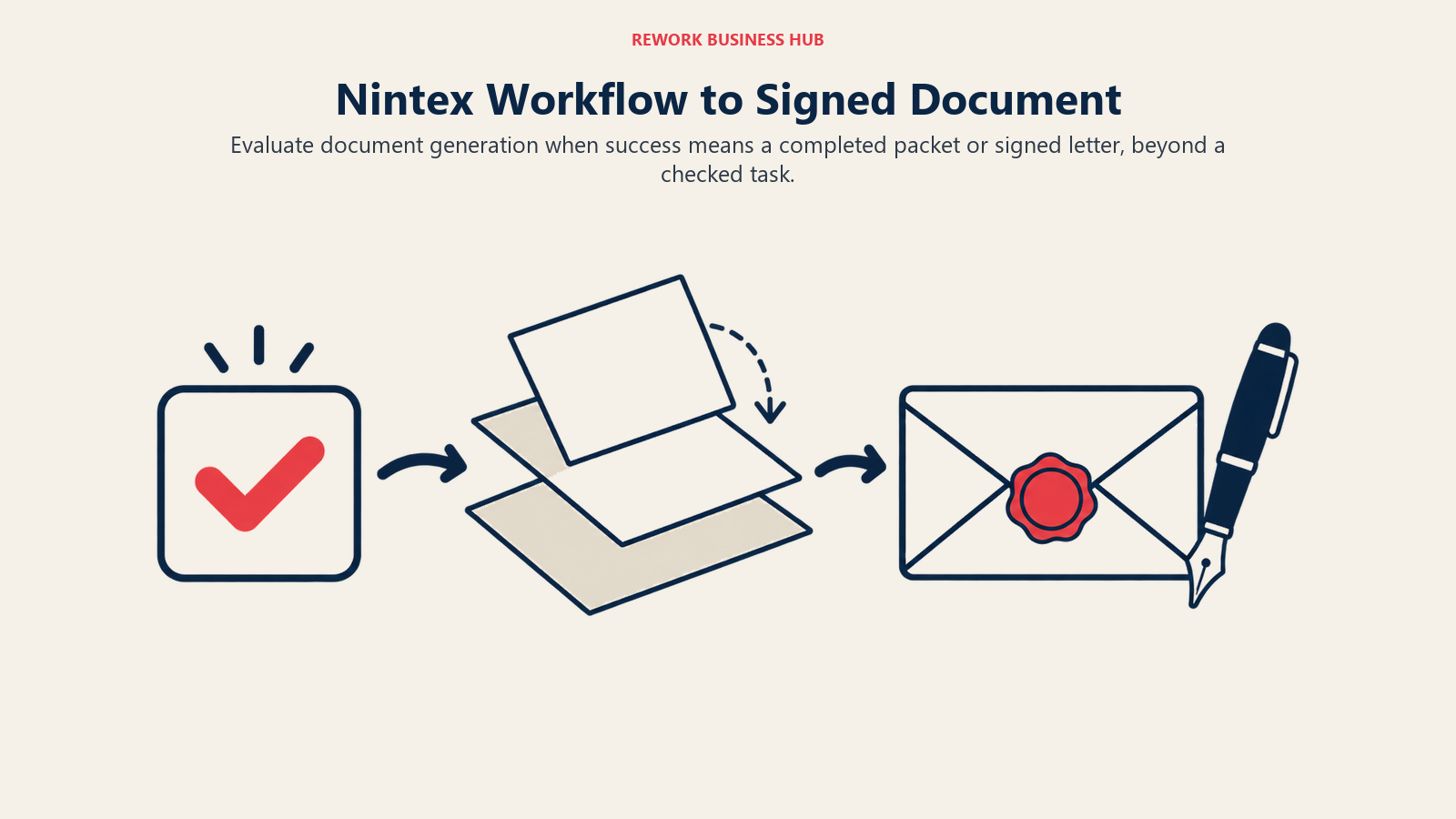
Nintex's pricing page carries no tiers, no per-user rate, and no starting figure at all, just a path to a contact form. Independent reviews report a Standard subscription for Nintex Workflow at $910 per month with unlimited users, and an Advanced or Enterprise plan (which adds Nintex RPA) around $1,400 per month, per Cloudwards; treat both as a rough planning signal rather than a confirmed vendor quote. (Cloudwards)
| What you get | What you don't |
|---|---|
| Workflow automation and document generation in one platform | Any published tier names, prices, or user counts |
| Process mapping alongside process execution | A self-serve trial with visible pricing at the end |
| A workflow-plus-paperwork combination few competitors bundle | The fastest evaluation path on this list |
| Enterprise-grade governance for document-heavy approval chains | A budget-friendly entry point for a small team |
Pricing: No public pricing; contact sales for a quote. Independent reviews report a Standard plan around $910/month (unlimited users) and an Advanced/Enterprise plan around $1,400/month, per Cloudwards (reported). (Nintex) Best for: Teams whose process output is a generated, signed document, not just a status change, contracts, approval letters, onboarding packets. Not ideal for: A team wanting to compare a starting price before investing time in a sales conversation. Nintex sits in the broader workflow automation category covered earlier in this guide, alongside lighter app-to-app tools like Zapier.
12. Smartsheet: A Spreadsheet-Grid Team Already Knows, With Automation Rules
Smartsheet's grid-and-automation approach suits ops and PMO teams already comfortable in a spreadsheet-like interface: rows become process instances, columns become status, dates, and owners, and automation rules handle reminders, approval requests, and status routing without anyone writing code.
Pro runs $9/member/month billed yearly ($12 monthly) for 1 to 10 members with unlimited Contributors, and Business steps to $19/member/month billed yearly ($24 monthly) for 3 or more members with unlimited Guests and Contributors. Enterprise is custom, starting at 10-plus members. Add-ons stack on top: Dynamic View starts at $125/month and Data Shuttle starts at $100/month.
| What you get | What you don't |
|---|---|
| A familiar spreadsheet-grid interface with real automation | Case-management or document-generation depth beyond the grid |
| Unlimited Contributors on Pro and unlimited Guests on Business | A published Enterprise price |
| A published monthly and yearly rate on both named tiers | Advanced features (Dynamic View, Data Shuttle) included free |
| Automation rules for reminders, approvals, and status changes | Branching logic as flexible as Pipefy's or Kissflow's |
Pricing: Pro $9/member/month billed yearly, $12 monthly (1-10 members, unlimited Contributors). Business $19/member/month billed yearly, $24 monthly (3+ members, unlimited Guests and Contributors). Enterprise custom, 10+ members. Dynamic View add-on from $125/month, Data Shuttle add-on from $100/month. (Smartsheet) Best for: Ops and PMO teams already comfortable in a spreadsheet-style grid who want automation rules layered on top rather than learning a new checklist interface. Not ideal for: A team wanting deep case management or document generation; Smartsheet's strength is the grid, not process depth beyond it.
13. SweetProcess: The Closest Thing to What Process Street Used to Be
If the reason you're reading this article is that Process Street stopped being the simple SOP-and-checklist tool it used to be, SweetProcess is the most direct answer. Procedures, processes, policies, and a searchable knowledge base, plus task management, all in one flat-priced platform where every user gets every feature regardless of tier. That flat pricing model, SweetProcess's own description of it, is a deliberate contrast to tools that gate features behind a premium plan.
Standard runs $99/month or $990/year, roughly a 16.7% discount for paying annually, for up to 10 users, with additional users at $5/month or $50/year each. A Small Team plan, annual only, covers up to 5 users for $495/year, with additional users at $50/year. Every plan ships a 14-day free trial with no credit card and a 30-day money-back guarantee.
| What you get | What you don't |
|---|---|
| Every feature available to every user, no gated premium tier | Routing, approvals, or case management across departments |
| A published monthly and annual price straight from the vendor | A free tier, only a 14-day trial without a credit card |
| A cheaper Small Team plan for up to 5 users | Monthly billing on the Small Team plan, that one is annual only |
| A 30-day money-back guarantee on top of the trial | Kanban-style visual process building like Pipefy's |
Pricing: Standard $99/month or $990/year, up to 10 users, additional users $5/month or $50/year. Small Team (annual only) $495/year, up to 5 users, additional users $50/year. 14-day free trial, no credit card. 30-day money-back guarantee. (SweetProcess) Best for: Teams whose actual need is documented SOPs, checklists, and a knowledge base, the job Process Street was originally built for, at a flat price with every feature included. Not ideal for: Teams that need routing, approvals, or case management across systems; SweetProcess documents and checklists a process, it doesn't orchestrate one across departments.
Sizing and Stage Fit
| Company size | Best-fit picks | Why |
|---|---|---|
| 1 to 10 | SweetProcess Small Team, Tallyfy, Notion free tier | Flat or per-seat pricing sized for a first documented process without enterprise overhead |
| 10 to 50 | Pipefy Starter, ClickUp, Trainual | Free or low-cost tiers cover checklists, light automation, and onboarding curricula together |
| 50 to 200 | Kissflow, monday.com, Rework, Quickbase | No-code workflow depth, consolidated Work Ops, or a real per-user app platform at mid-market scale |
| 200-plus | Nintex, Smartsheet Enterprise, Asana Advanced | Document-generation depth, PMO-grade grids, and enterprise automation for larger rollouts |
| Any size, training and onboarding focus | Trainual, Notion | Purpose-built curricula tracking or flexible wiki documentation, independent of headcount |
| Any size, documentation and knowledge base focus | SweetProcess, Notion | A searchable home for SOPs and policies before or alongside any execution engine |
Persona Fit: Who Actually Picks What
| If you are a... | Pick |
|---|---|
| Ops manager running procurement, HR, or finance approvals | Pipefy or Kissflow |
| HR or People lead building onboarding curricula and tracking completion | Trainual |
| Compliance or quality lead documenting SOPs and policies | SweetProcess |
| Small team wanting a familiar work tool with automation layered on | monday.com, ClickUp, or Asana |
| Ops team consolidating workflow, CRM, and HR into one platform | Rework |
| No-code builder wanting apps plus process workflows together | Quickbase |
| Team whose process output is a signed or generated document | Nintex |
| Spreadsheet-native PMO or ops team | Smartsheet |
| Knowledge-base-first documentation team | Notion |
How to Choose: Decision Framework
Match the row that describes your actual problem, not the vendor with the loudest brand recognition. If your real gap turns out to be full BPM depth (case management, systems integration, regulated audit trails) rather than checklists or lightweight approvals, our broader BPM software roundup covers that heavier tier.
| If your team needs... | Best pick |
|---|---|
| The most direct, purpose-built Process-Street-style checklist replacement | Tallyfy |
| SOPs, policies, and a searchable knowledge base at a flat price | SweetProcess |
| Training curricula and completion tracking for new hires | Trainual |
| Kanban-style process execution with branching and a real free tier | Pipefy |
| No-code workflow automation for business users | Kissflow |
| One platform instead of a workflow tool, a CRM, and an HR tool | Rework |
| Checklists and light automation bundled into a tool you already use | ClickUp |
| Documentation and wikis, not process execution | Notion |
| Task management with rules-based routing (check your signup date first) | Asana |
| A no-code app platform with a real published per-user price | Quickbase |
| Workflow automation that ends in a generated, signed document | Nintex |
| A spreadsheet-grid interface your ops team already knows | Smartsheet |
Frequently Asked Questions about Process Street Alternatives
Why did Process Street stop publishing its pricing?
Process Street repositioned in 2025 from a recurring-checklist tool into what it now calls a "Compliance Operations Platform," and its pricing page moved to a fully custom-quote model with no dollar figures at all. That mirrors a wider pattern in this category: Kissflow and Nintex also publish no figures, and only a handful of vendors on this list, Quickbase, monday.com, and SweetProcess among them, still print a real number.
What is the Process Street billing change that took effect in August 2025?
Organizations created on or after August 1, 2025 are billed for Admins, Builders, and Users, all three seat types count toward the bill. Organizations created before that date are billed only for Admins and Builders, their Users are free. A new buyer comparing a fresh quote against an incumbent's older account is comparing two structurally different bills for the same product.
Which of these tools is the closest direct replacement for Process Street's original checklist product?
Tallyfy and SweetProcess are the two closest matches. Both are purpose-built for recurring, documented checklists and SOPs rather than broader case management, and both publish a real, straightforward price (Tallyfy per seat, SweetProcess flat per account tier).
I actually need training and onboarding tracking, not a checklist tool. What should I look at?
Trainual is built specifically for that job, turning SOPs into assigned curricula and tracking completion, though it no longer publishes a price and requires a demo call. Notion works as a lighter-weight, self-serve alternative for documentation and onboarding wikis, though it has no built-in completion tracking or quizzing.
Which tools on this list still have a genuinely usable free tier?
Pipefy's Starter plan is free with real caps (10 users, 5 processes, 50 cards/month). ClickUp's Free Forever plan has unlimited tasks and unlimited free members, capped mainly by 60MB of storage. Notion's free tier covers 10 external guests and light usage. Asana's free Personal plan is capped at 2 users for any account created on or after November 12, 2025, legacy accounts keep up to 10. monday.com's free tier covers up to 2 seats.
Why does Asana's free tier matter so much for this comparison?
Because the cap changed recently and unevenly. Accounts created before November 12, 2025 keep up to 10 free seats; accounts created on or after that date are capped at 2. Two teams reading an identical "Asana is free for small teams" claim today may be looking at genuinely different products depending only on when they signed up, the same kind of quiet structural change driving this whole guide.
Is Kissflow's old $1,500-per-month figure still accurate?
No. Kissflow's own pricing page currently publishes no figures at all, and its own content pages disagree with each other: one page's body text cites $1,500/month for up to 50 users while that same page's FAQ cites $2,500/month for 50 users, and a separate comparison page cites $2,500/month for the Basic plan. Treat any single number you see quoted for Kissflow as unconfirmed until you get one in writing.
How should I evaluate a vendor that won't publish a price?
Ask for the pricing model up front (per user, per seat type, flat per account, consumption-based) before you ask for a number, since that structure affects how the price scales as you grow. Request a sample quote scoped to your actual user count, and ask directly whether a platform minimum or setup fee applies on top of the headline rate, several vendors in this guide, including Quickbase, layer a minimum fee that isn't printed anywhere.
Do any of these tools require a developer to set up?
No. Every tool in this guide, including Rework, Pipefy, Kissflow, Tallyfy, and SweetProcess, is built for business users configuring checklists, forms, and approval routing without writing code. That's the core promise of the category Process Street helped popularize, and it's why none of these 13 compete with true low-code or BPMN-native platforms like Camunda or Appian on developer-level orchestration.
What's the single biggest mistake teams make shopping for a Process Street alternative?
Treating it as one shopping trip instead of three. A tool built for recurring checklists (Tallyfy, SweetProcess) won't satisfy a team that actually needs training completion tracking (Trainual), and neither will satisfy a team that needs branching, multi-person approval routing (Pipefy, Kissflow, Rework). Decide which job you have first, then shop inside that third of the list.
What to Do Next
Start by deciding which of the three jobs you actually have, recurring checklists, training and onboarding documentation, or full process execution with routing and approvals, before you book a single demo. If it's checklists, trial Tallyfy or SweetProcess against one real SOP for two weeks and see whether the branching logic (or the flat pricing) earns its keep. If it's training, get Trainual on a call and ask specifically how completion tracking and quizzing work, since that's the entire reason to pick it over a plain wiki. If it's full execution, put your top two picks from Pipefy, Kissflow, monday.com, Rework, ClickUp, Asana, Quickbase, Nintex, or Smartsheet through one real approval chain, not a sandbox demo, and count how many steps still need a human to manually push them forward. For every quote-only vendor on this list, ask for the pricing model and a sample quote scoped to your real user count before the first call ends, so you're comparing an actual number against the published prices sitting elsewhere on this page.

Customer Success Operations Manager
On this page
- Key Facts
- Quick Comparison Table
- Which Job Do You Actually Have?
- 1. Pipefy: A Free Tier That Still Beats a Checklist App at Actual Process Work
- 2. Tallyfy: The Most Direct, Purpose-Built Process Street Competitor
- 3. Trainual: The Training and Onboarding Documentation Job, Not the Process Job
- 4. Kissflow: A No-Code Workflow Builder Going Through the Same Pricing Blackout
- 5. monday.com: A Familiar Work OS With Workflow Automations Layered On Top
- 6. Rework: One Platform Instead of a Workflow Tool, a CRM, and an HR Tool That Only Talk Through Integrations
- 7. ClickUp: A Generous Free Tier With Checklist Templates Built In
- 8. Notion: Great Documentation, Not a Workflow Engine
- 9. Asana: The Free-Tier Trap Everyone Still Gets Wrong
- 10. Quickbase: A Published Per-User Price, Plus a Platform Minimum Nobody Prints
- 11. Nintex: Workflow Plus Document Generation, Priced Behind a Wall
- 12. Smartsheet: A Spreadsheet-Grid Team Already Knows, With Automation Rules
- 13. SweetProcess: The Closest Thing to What Process Street Used to Be
- Sizing and Stage Fit
- Persona Fit: Who Actually Picks What
- How to Choose: Decision Framework
- What to Do Next