Best Workflow Automation Software in 2026: 12 Tools Ranked by Technical Skill, App Coverage, and Data Control
Turn this article into takeaways for your work.


Each assistant summarizes the article only for you and suggests best practices for your work.
The best workflow automation software in 2026 is the one that fits your team's technical skill and app stack, not the one with the biggest connector count. Zapier wins the widest no-code library, Make wins complex visual logic at a fair price, n8n wins for teams that need full data control, and Workato or Boomi win when enterprise governance and legacy-system depth matter more than setup speed. This guide ranks 12 platforms by fit so you can shortlist fast.
Most teams buy the wrong automation tool because they start with a feature comparison instead of a fit assessment. They read connector counts and pricing pages without first asking: does anyone on this team write code? How many of our apps are mainstream SaaS versus niche or internal tools? And does our data need to stay on our own infrastructure? Those three questions eliminate most of the field before you look at a single demo. The stakes behind those questions are real: knowledge workers lose 62% of their workday to repetitive, mundane tasks, according to Asana's Anatomy of Work Global Index, and picking a tool that doesn't fit your team means that time stays lost.
This guide segments 12 workflow automation platforms by exactly that: technical resource level, app coverage, and self-hosting requirements, then by team size and growth stage. If you're automating your first workflows or you've outgrown a tool that used to work, this is the guide you need. One honest note before the list: Rework automates sales and lead workflows natively inside its own CRM, but it isn't a general-purpose integration tool like the platforms compared here, so it doesn't appear in the ranking below.
Quick Comparison Table
Use this snapshot to narrow the field by segment before comparing individual vendor trade-offs.
| Segment | Tool | Best For | Starting Price | Key Strength | Key Limitation |
|---|---|---|---|---|---|
| No-Code / SMB | Zapier | Widest app library, zero learning curve | Free; $19.99/mo (Starter) | 7,000+ app integrations, fastest setup | Task-based billing scales badly at volume |
| No-Code / SMB | Integrately | Zapier switchers wanting 1-click templates | Free; $19.99/mo (Starter) | 20M+ pre-built automation templates | Weak for custom branching logic |
| No-Code / SMB | Pabbly Connect | High-volume automation without per-task billing | Free; $16/mo (Standard) | Filters and routers don't count as billable tasks | Thinner connector depth for enterprise apps |
| No-Code / SMB | Activepieces | Low-cost credits with a free self-hosted option | Free (self-host); $16/mo (Plus, billed yearly) | MIT open-source, AI-native pieces | Smaller ecosystem than Zapier or Make |
| Visual Mid-Market | Make | Complex multi-step workflows at moderate cost | Free; $9/mo (Core) | Visual scenario canvas, operations-based pricing | Steeper learning curve than Zapier |
| Visual Mid-Market | Relay.app | Approval-heavy workflows needing human review | Free; $9/user/mo (Starter) | Native human-in-the-loop approval steps | Smaller integration library (100+ apps) |
| Developer / Self-Hosted | n8n | Technical teams needing full data control | Free (self-hosted); ~$26/mo cloud (Starter) | Open-source, self-hostable, JavaScript in any node | Requires technical setup to run in production |
| Developer / Self-Hosted | Pipedream | Code-first, event-driven automation | Free (100 credits/day); $29/mo (Basic) | 2,500+ triggers, full Node/Python/Go code control | Not accessible to non-technical users |
| Enterprise iPaaS | Workato | Enterprise governance with agentic AI recipes | Custom, from ~$10,000/yr | Deep Workday, SAP, ServiceNow connectors | Six-figure contracts; overkill under 200 people |
| Enterprise iPaaS | Tray.ai (Tray.io) | Mid-market enterprise depth without Workato's price | Custom, from ~$595/mo (estimated) | Merlin GenAI layer, stateful long-running workflows | Sales-led, opaque pricing, no self-serve |
| Enterprise iPaaS | Boomi | Hybrid on-prem plus cloud integration at scale | $99/mo pay-as-you-go plus usage | Mature, hybrid deployment, huge connector library | Expensive at scale; complex to administer |
| Ecosystem-Native | Microsoft Power Automate | Microsoft 365 shops automating Teams and Dynamics | Included in M365 (standard connectors); $15/user/mo (Premium) | Deep Microsoft ecosystem depth plus RPA | Weak and clunky outside the Microsoft stack |
How to Choose Workflow Automation Software in 2026
Most automation buying mistakes happen before anyone opens a pricing page. Teams compare connector counts and demo videos instead of answering three questions that actually determine fit. That gap matters more than most buyers realize: currently demonstrated automation and AI technologies could handle roughly 57% of US work hours today, according to McKinsey Global Institute research reported by Fortune, which is exactly why fit beats feature count when you're choosing which slice of that work to automate first.
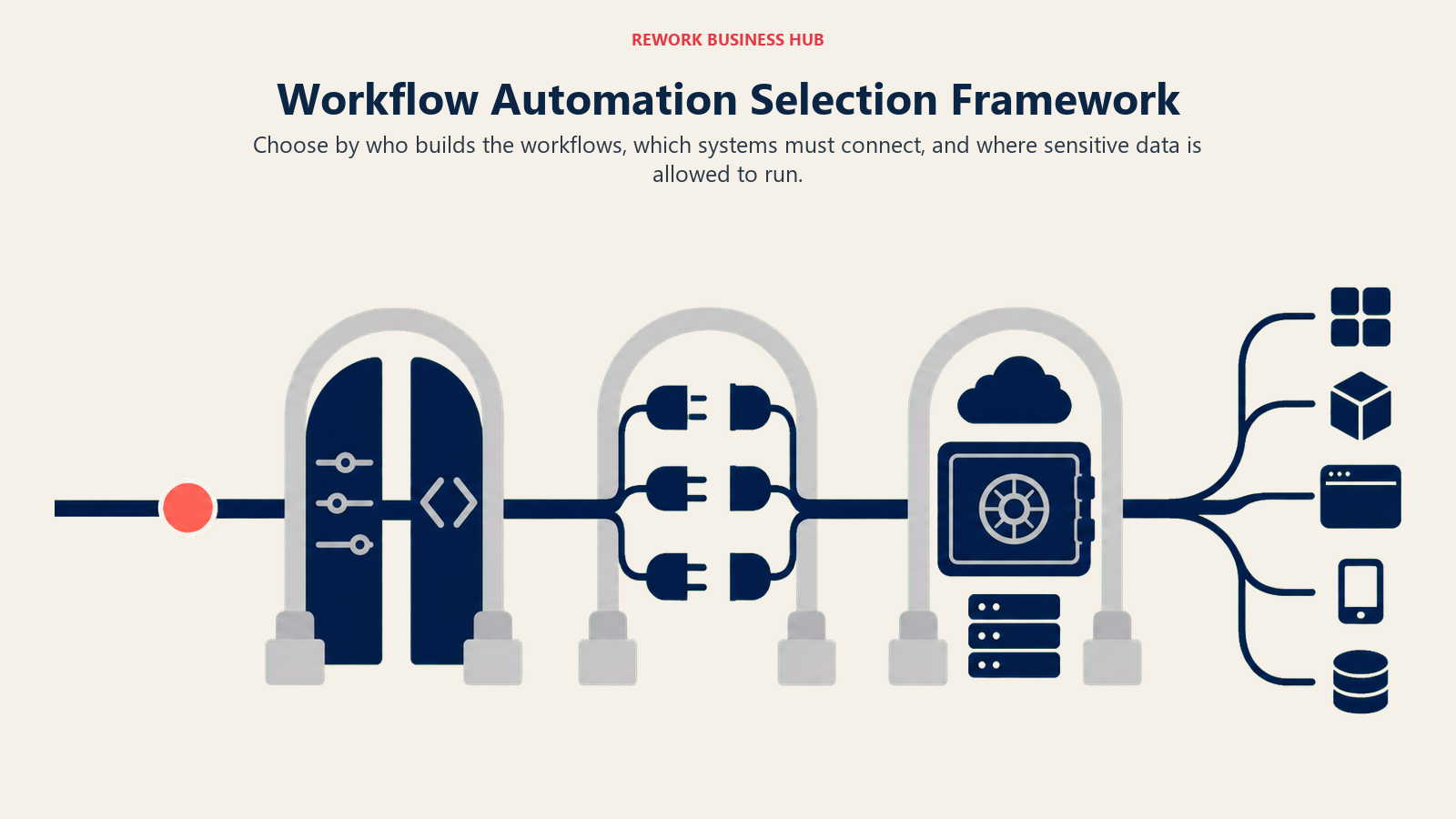
- Who's going to build and maintain these workflows? A non-technical ops manager and a backend engineer need fundamentally different tools, and handing a code-first platform to someone without engineering support is how automations become unmaintainable within six months.
- What does your app stack actually look like? Mainstream SaaS (CRM, email, Slack, spreadsheets) is a different problem than niche developer APIs or legacy enterprise systems like SAP and Workday. The gap is bigger than most teams assume: the average enterprise now manages 897 applications, but only 29% of them are actually integrated, according to the Salesforce MuleSoft Connectivity Benchmark Report.
- Does your data need to stay on your own infrastructure? Healthcare, finance, and other regulated industries often have a hard requirement here that eliminates most cloud-only tools before pricing even enters the conversation.
Answer those three before reading a single feature spec. If you're comparing the three most common visual automation tools head-to-head, the Zapier vs n8n vs Make comparison walks through the trade-offs for teams who've narrowed their evaluation to those options.
Key Facts: Workflow Automation Effectiveness
- Currently demonstrated automation and AI technologies could handle roughly 57% of US work hours today, according to McKinsey Global Institute research (reported by Fortune).
- The average enterprise now manages 897 applications, but only 29% of them are integrated with each other, according to the Salesforce MuleSoft Connectivity Benchmark Report.
- A Forrester Total Economic Impact study commissioned by Microsoft found a composite organization using Power Automate saw a 248% ROI over three years with payback in under six months (Forrester TEI study).
Framework: By Technical Resource Level
| Team Type | What You Need | Best Fits |
|---|---|---|
| No technical resources, need results fast | Point-and-click builder, pre-built templates | Zapier, Integrately, Pabbly Connect |
| Ops-savvy but non-developer | Visual canvas with branching logic | Make, Activepieces, Relay.app |
| Has engineering capacity | Code-level control, self-hosting option | n8n, Pipedream |
| Dedicated IT or integration team | Enterprise governance, deep connectors | Workato, Tray.ai, Boomi |
| Standardized on Microsoft 365 | Native automation already in the license | Microsoft Power Automate |
Framework: By App Coverage Needed
| Your Stack | What Matters Most | Best Fits |
|---|---|---|
| Mainstream SaaS (CRM, email, Slack, Sheets) | Broadest library, fastest setup | Zapier, Integrately |
| Niche or developer-facing APIs, webhooks | Large trigger library, code access | Pipedream, n8n |
| Enterprise systems (SAP, Workday, ServiceNow) | Deep, maintained enterprise connectors | Workato, Boomi, Tray.ai |
| Microsoft ecosystem (Teams, SharePoint, Dynamics) | Native depth, included licensing | Microsoft Power Automate |
| Mixed SMB stack on a tight budget | Flat-rate or unlimited-task pricing | Pabbly Connect, Activepieces |
Framework: By Self-Hosting and Data Control Requirement
| Requirement | Why It Matters | Best Fits |
|---|---|---|
| Data must never leave your infrastructure | Healthcare, finance, government-adjacent SaaS | n8n (self-hosted) |
| Hybrid cloud plus on-premise systems | Legacy ERP, mainframe, on-prem databases | Boomi |
| Fully managed, zero infrastructure ownership | Fastest time-to-value, no maintenance burden | Zapier, Make, Integrately, Pabbly Connect |
| Open-source with optional self-hosting | Flexibility without full vendor lock-in | Activepieces, n8n |
| Cloud-hosted but compliance-heavy | SOC 2, audit logs, governance without self-hosting | Workato, Tray.ai |
For teams thinking through what these platforms actually replace inside a CRM-centered stack, the CRM workflow automation guide covers which triggers and actions are better handled natively versus which genuinely need an external tool.
Stage Fit Matrix
Use this matrix as a stage filter after you understand your technical resources, app stack, and data control needs.
| Tool | Startup (1-20) | Growth (20-100) | Mid-Market (100-500) | Enterprise (500+) |
|---|---|---|---|---|
| Zapier | Strong fit | Strong fit | Possible, watch costs | Departmental only |
| Integrately | Strong fit | Good fit | Limited | Not ideal |
| Pabbly Connect | Strong fit | Good fit | Limited | Not recommended |
| Activepieces | Strong fit | Strong fit | Good fit | Possible (Enterprise plan) |
| Make | Strong fit | Strong fit | Good fit | Possible |
| Relay.app | Good fit | Strong fit | Good fit | Limited |
| n8n | Strong fit (technical) | Strong fit | Good fit | Good fit |
| Pipedream | Strong fit (technical) | Strong fit | Good fit | Custom |
| Workato | Not ideal | Not ideal | Possible | Strong fit |
| Tray.ai | Not ideal | Limited | Strong fit | Strong fit |
| Boomi | Not ideal | Not ideal | Possible | Strong fit |
| Power Automate | Good fit (M365) | Good fit (M365) | Strong fit (M365) | Strong fit (M365) |
Sizing and Persona Table
| Tool | Ideal Team Size | Primary Buyer Persona |
|---|---|---|
| Zapier | 5-500 employees | RevOps Manager, Marketing Ops Lead |
| Integrately | 1-50 employees | Small Business Owner, Agency Owner |
| Pabbly Connect | 1-50 employees | Founder, Small Ops Team Lead |
| Activepieces | 1-100 employees | RevOps Lead, Startup Founder |
| Make | 5-200 employees | Automation Specialist, RevOps Analyst |
| Relay.app | 5-200 employees | Ops Manager, VP of Operations |
| n8n | 1-500 employees | CTO, Technical Ops Lead, DevOps Engineer |
| Pipedream | 1-100 employees (technical) | Software Engineer, Technical Ops Lead |
| Workato | 500-50,000 employees | VP of IT, Enterprise Architect |
| Tray.ai | 50-500 employees | VP of Operations, Integration Engineer |
| Boomi | 200-10,000+ employees | Enterprise Architect, IT Integration Manager |
| Power Automate | Any size (M365 orgs) | IT Director, CIO, M365 Admin |
1. Zapier: Widest App Library, Fastest No-Code Setup
Zapier built the no-code automation category, and its bet has always been simplicity over depth. Pick a trigger app, pick an action app, map the fields, and you're live in minutes. With 7,000+ app integrations, it's the fastest path from idea to working automation for teams running mostly linear workflows across mainstream SaaS tools. In Zapier's own survey of knowledge workers, marketers reported saving an average of 25 hours a week automating tasks, more than any other role tracked, ahead of IT professionals (20 hours) and customer service reps (16 hours) (Zapier). See Zapier's pricing page before scaling up; the task-based model surprises teams who automate aggressively. For a deeper look at where Zapier's model breaks down and what to replace it with, see best Zapier alternatives.
| What you get | What you don't |
|---|---|
| 7,000+ app integrations, the broadest library on the market | Affordable pricing at high task volumes |
| Fastest setup for non-technical teams | Deep branching and looping comparable to Make |
| Large template library and community | Self-hosting or on-premise data control |
| Reliable uptime, well-documented | Advanced error handling and retry logic |
Pricing: Free (100 tasks/mo). Starter $19.99/mo (annual, 750 tasks). Professional $49/mo (2,000 tasks). Team $69/mo (annual, 2,000 tasks, up to 25 users). Enterprise custom.
Best for: Non-technical ops and RevOps teams connecting 5-20 mainstream SaaS apps without needing code or a specialist.
2. Integrately: One-Click Automations for Zapier Switchers
Integrately's positioning is direct: it's built for people leaving Zapier who want lower cost and faster setup without losing app coverage. The library holds 20+ million pre-built automation templates across 1,200+ apps, so common patterns (new CRM contact to email list, form submission to Slack notification) go live in about two minutes with one click, not manual field mapping.
| What you get | What you don't |
|---|---|
| 20M+ pre-built automation templates | Complex conditional logic or multi-branch routing |
| One-click activation for common workflows | Deep data transformation capabilities |
| 1,200+ app integrations | Strong error handling beyond basic retry |
| Clean, approachable UI for non-technical users | Enterprise governance or audit features |
Pricing: Free (100 tasks/mo). Starter $19.99/mo. Professional $39/mo. Growth $99/mo. Business $239/mo.
Best for: Small teams and agencies switching from Zapier who want lower pricing and faster setup for standard automations. If you are already on Integrately and weighing what comes next, the best Integrately alternatives guide compares 13 options on cost per task and when a second seat starts costing money.
3. Pabbly Connect: Unlimited Tasks Without the Per-Task Bill
Pabbly Connect's product philosophy is one blunt differentiator: filters, routers, and formatters don't count as billable tasks, and a lifetime deal (periodically available from around $349 one-time) removes annual renewal costs entirely. For teams running high-volume, repetitive workflows, this pricing model can represent significant savings over task-based competitors. See best Pabbly Connect alternatives if you've outgrown its connector depth.
| What you get | What you don't |
|---|---|
| Filters and routers excluded from billable tasks | A modern, polished interface |
| Lifetime pricing option available | Deep integrations for complex enterprise platforms |
| 1,000+ app integrations | Strong conditional logic or data transformation |
| Unlimited workflows and team members on paid plans | Fast support response times |
Pricing: Free (100 tasks/mo). Standard $16/mo (12,000 tasks, annual). Pro $33/mo. Ultimate $67/mo. Lifetime deals from $349 (periodic).
Best for: Budget-conscious teams and agencies with high task volume who want flat, predictable pricing above all else.
4. Activepieces: Open-Source, Now Billed in Credits
Activepieces is the MIT-licensed open-source alternative that positions itself between Zapier's simplicity and n8n's technical depth. The Plus cloud plan runs $16/mo billed yearly for 10,000 credits a month, where one credit covers a whole run, and the self-hosted Community Edition is free with no workflow limits. SOC 2 Type II certification and built-in AI pieces (OpenAI, Claude, Gemini) round out a genuinely modern feature set for a younger platform.
| What you get | What you don't |
|---|---|
| Unlimited tasks on the Plus plan | The app ecosystem size of Zapier or Make |
| True open-source, self-hostable | Long production track record |
| SOC 2 Type II, GDPR, HIPAA compliance | Deep templates library like Integrately |
| Built-in AI agent support on every plan | Large third-party community |
Pricing: Free (cloud, 1,000 tasks/mo; self-hosted unlimited). Plus $25/mo (unlimited tasks, 10 active flows). Business $150/mo. Enterprise custom.
Best for: Ops teams wanting Zapier-equivalent functionality at a fraction of the cost with a credible compliance posture. For teams weighing a move off it, the best Activepieces alternatives guide covers 14 options on licensing, self-hosting and connector depth.
5. Make: Visual Canvas for Complex Logic at a Fair Price
Make's product philosophy is visual automation as a first-class citizen. Where Zapier shows a linear list of steps, Make shows a scenario canvas: modules, routers, iterators, and aggregators you can see and debug visually. Pricing is operations-based rather than task-based, and teams running high-volume, multi-step automations typically see meaningful cost reduction switching from Zapier. See best Make alternatives for a deeper breakdown of where Make's own ceiling shows up.
| What you get | What you don't |
|---|---|
| Visual canvas for building and debugging workflows | Zapier-level simplicity for non-technical users |
| Operations-based pricing, cost-effective at scale | Clean version control or scenario history |
| 1,700+ app integrations | Enterprise-grade audit logs on lower tiers |
| Iterators, aggregators, and advanced data transforms | Native code execution beyond simple functions |
Pricing: Free (1,000 ops/mo). Core $9/mo (10,000 ops). Pro $16/mo. Teams $29/mo. Enterprise custom.
Best for: Technical-leaning ops teams that have outgrown Zapier's linear model and need visual branching without writing code.
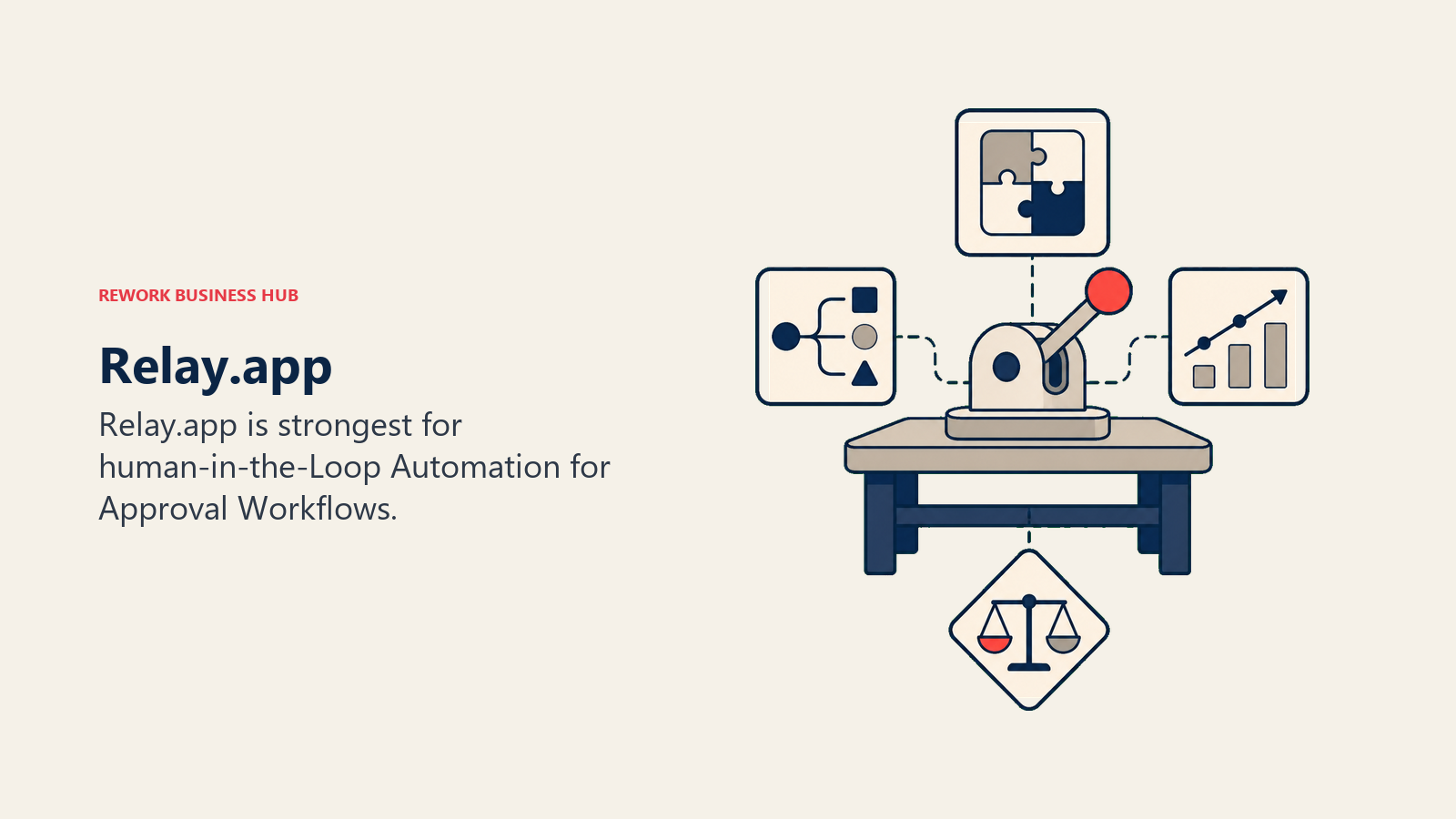
6. Relay.app: Human-in-the-Loop Automation for Approval Workflows
Relay.app addresses a gap most automation platforms ignore: workflows that intentionally need a human decision before they proceed. Every Relay workflow can include a "human in the loop" step that pauses, notifies the right person, waits for approve or reject, then continues. Other tools treat human approval as a workaround; Relay makes it a first-class primitive, which matters for compliance-heavy or judgment-call processes.
| What you get | What you don't |
|---|---|
| Native human-approval steps in workflows | A large pre-built integration library |
| Clean, modern UI built for business users | Deep enterprise governance or SSO |
| AI-assisted workflow suggestions | Battle-tested reliability across edge cases |
| Per-seat pricing, predictable at scale | Complex iterator or aggregator logic |
Pricing: Free (1 user, 200 runs/mo). Starter $9/user/mo (unlimited runs). Business $18/user/mo.
Best for: Ops teams building approval-heavy workflows (legal review, discount sign-off, contract actions) where humans need to stay in the loop.
7. n8n: Open-Source Automation With Full Data Control
n8n's philosophy is that automation infrastructure should be owned by the team running it. Open-source, self-hostable, with JavaScript or Python available in every node. For companies where data residency is non-negotiable (healthcare, fintech, legal, EU-regulated businesses), n8n is often the only serious option, and the free self-hosted tier is genuinely unlimited in executions. For the technical trade-offs against other developer-grade tools, see best n8n alternatives.
| What you get | What you don't |
|---|---|
| Full data control with self-hosting | Easy setup for non-technical users |
| Open-source code (fair-code for core) | The polish of Zapier or Make's consumer UX |
| JavaScript and Python in any node | A large pre-built template library |
| Unlimited executions on self-hosted deployments | Vendor-managed reliability without effort |
Pricing: Free (self-hosted, unlimited). Cloud Starter ~$26/mo (2,500 executions). Cloud Pro ~$65/mo (10,000 executions). Enterprise custom.
Best for: Technical teams, regulated industries, and anyone who needs automation data to stay on their own infrastructure.
8. Pipedream: Developer-First Event Automation
Pipedream's approach is code-first automation. Every trigger, action, and data transformation can be written as Node.js, Python, Go, or Bash. The trigger library is the largest developer-facing option on this list, at 2,500+ integrated event sources, including niche APIs that no-code tools don't cover. For developers tired of fighting a no-code tool's limitations, Pipedream is a relief, and the generous free tier covers many internal automation use cases without ever paying.
| What you get | What you don't |
|---|---|
| Code-level control in every workflow step | A friendly no-code builder for non-developers |
| 2,500+ triggers, including rare and niche APIs | A polished business-user experience |
| Git-based version control for workflows | Pre-built templates for common business processes |
| Generous free tier (100 credits/day) | Strong enterprise governance features |
Pricing: Free (100 credits/day, 3 active workflows). Basic $29/mo (2,000 credits/day). Advanced $49/mo (10,000 credits/day). Business custom.
Best for: Developer-led teams who want automation with the full power of code and no infrastructure to manage.
9. Workato: Enterprise Integration With Governance and AI
Workato's product vision is the integration platform as connective tissue across the enterprise: recipes built by business teams, reviewed and deployed by IT, with full audit trails. It targets companies above 500 employees with a dedicated IT ops function that needs enterprise-grade security, compliance documentation, and deep connectors for Workday, SAP, and ServiceNow that shallower tools don't maintain. For where Workato's pricing stops making sense, see best Workato alternatives.
| What you get | What you don't |
|---|---|
| Enterprise-grade governance and audit logs | Affordable pricing for small teams |
| Deep, high-fidelity connectors (Workday, SAP, ServiceNow) | A self-serve trial experience |
| Agentic automation (Workato One) for AI-assisted recipes | Quick setup without a sales conversation |
| SOC 2, GDPR, HIPAA compliance documentation | Flexibility to experiment cheaply |
Pricing: Custom, sales-led. Standard from ~$10,000/yr. Professional $30,000-$80,000/yr. Enterprise $84,000-$300,000+/yr.
Best for: Enterprises (500+ employees) needing a governed, company-wide integration layer with a dedicated automation team.
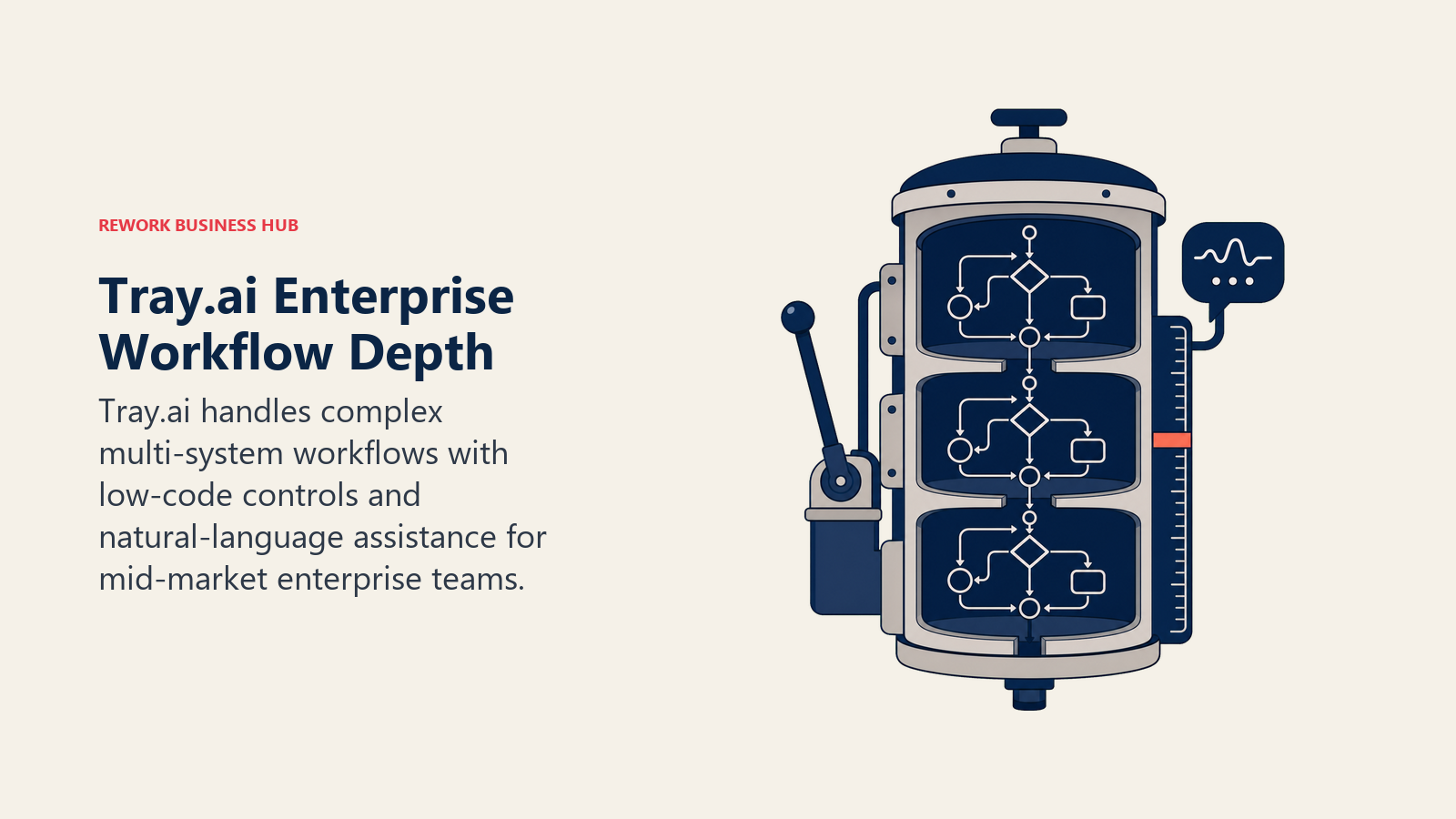
10. Tray.ai (Tray.io): Enterprise Depth at Mid-Market Pricing
Tray.io, rebranded Tray.ai after its 2024 pivot around the Merlin AI agentic platform, positions itself between Make's visual simplicity and Workato's enterprise contract size. Its low-code builder handles complex, conditional, multi-system workflows, and the Merlin AI layer helps non-technical operators write workflows in natural language. Pricing is entirely custom and sales-led, but it consistently lands below Workato for comparable enterprise connector depth. See best Tray.io alternatives for the full field of comparable options.
| What you get | What you don't |
|---|---|
| Complex conditional logic and loops built-in | Self-serve signup or a trial without sales |
| Strong RevOps-specific connector depth | Transparent public pricing |
| Merlin AI for natural language workflow building | A cheap entry point for experimentation |
| Enterprise security (SOC 2, SSO, RBAC) | Fast time-to-first-workflow |
Pricing: Custom, sales-led. Professional tier estimated from ~$595-$695/mo. Enterprise custom.
Best for: Mid-market RevOps and IT teams (50-500 employees) with complex multi-system workflows who need Workato-level depth without Workato's contract size.
11. Boomi: Battle-Tested Hybrid iPaaS for Complex Environments
Boomi has been connecting enterprise systems since before most tools on this list existed, and it's one of the most mature iPaaS platforms available. Its AtomSphere platform runs integration in your cloud, on-premises, or hybrid, which makes it genuinely different from cloud-only tools for organizations with legacy systems they can't move. It targets senior integration architects at companies where SAP or Oracle ERP integrations are core infrastructure, often in government, healthcare, or manufacturing.
| What you get | What you don't |
|---|---|
| Hybrid and on-premise deployment options | Affordable pricing at scale |
| Mature, proven at enterprise scale | A fast, self-serve onboarding experience |
| Huge library of pre-built connectors, including legacy systems | A modern, intuitive interface |
| Strong data quality and master data management | Implementation under a few months |
Pricing: Pay-as-you-go from $99/mo plus usage. Professional subscription from ~$550/mo. Enterprise contracts typically $50,000-$190,000+/yr.
Best for: Enterprise IT teams integrating complex on-premise and cloud environments, especially where SAP, Oracle, or government systems are involved.
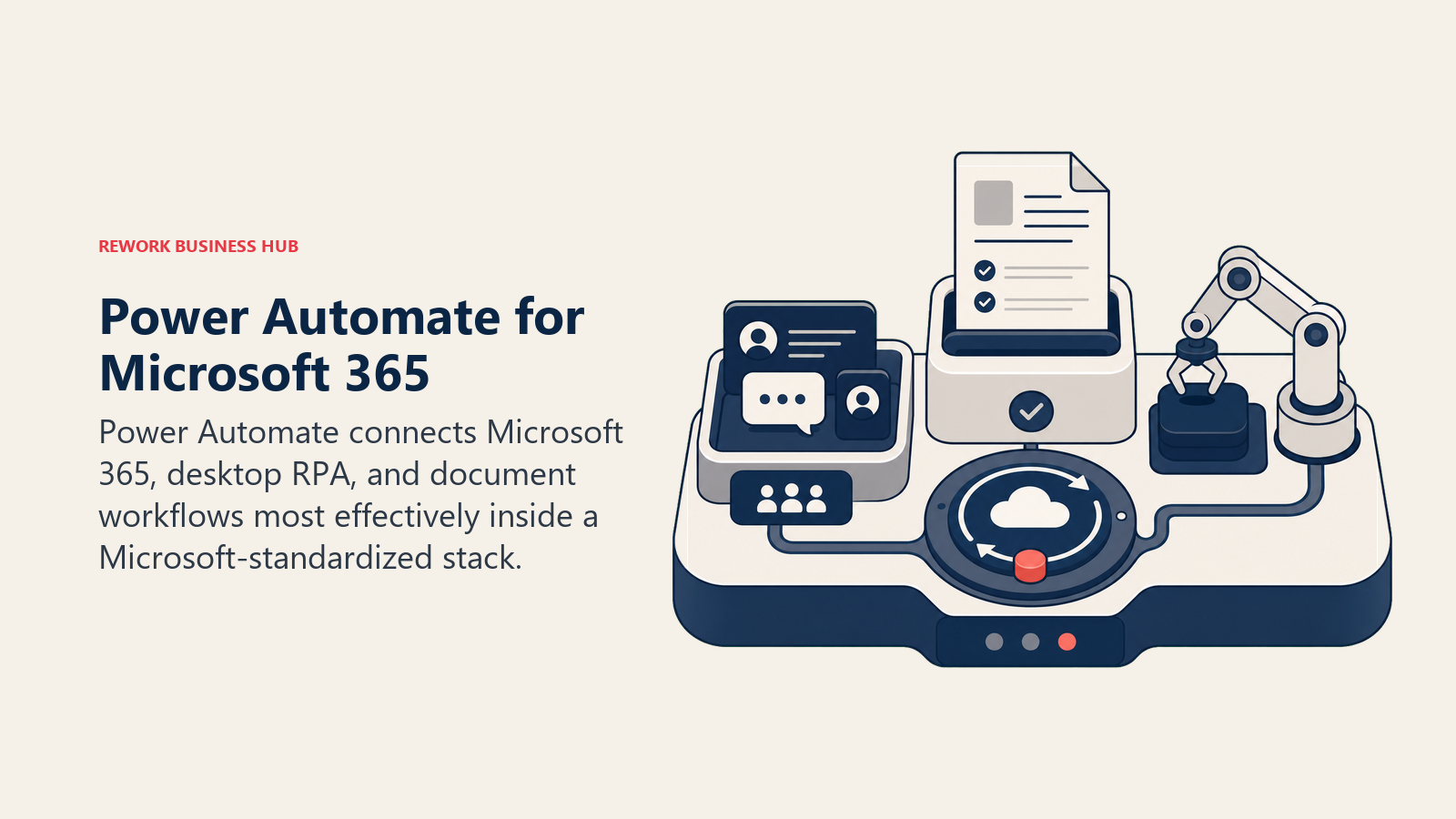
12. Microsoft Power Automate: Deep Integration for Microsoft 365 Shops
Power Automate's approach is simple: if your company runs on Microsoft, automation should be native to that ecosystem. Teams already using Teams, SharePoint, Outlook, and Dynamics 365 get automation that works without an API key or third-party account, and it's included with most Microsoft 365 business plans. Desktop flows (RPA for legacy systems without APIs), cloud flows, and AI Builder for document processing round out the platform. A Forrester Total Economic Impact study commissioned by Microsoft found a composite organization deploying Power Automate saw a 248% ROI over three years with payback in under six months, and employees on high-impact RPA use cases like data entry and invoicing saved roughly 200 hours a year each (Forrester TEI study). See best Power Automate alternatives if your stack extends well beyond Microsoft.
| What you get | What you don't |
|---|---|
| Deep M365 integration (Teams, SharePoint, Outlook, Dynamics) | A clean, modern UI |
| Included with many M365 licensing tiers | Good non-Microsoft connector quality |
| Desktop UI automation (RPA) for legacy systems | Fast debugging and error visibility |
| AI Builder for document processing | Flexibility for a mixed, non-Microsoft tech stack |
Pricing: Included with M365 Business Premium and above (standard connectors). Premium $15/user/mo. Process (unattended RPA) $150/bot/mo.
Best for: IT-led automation in Microsoft-standardized organizations of any size, especially where Teams and SharePoint are the primary work surfaces.
Automation Buying Mistakes to Avoid
Most automation rollouts stall for the same handful of reasons, and the cause is almost never the software itself. The true cost of software sprawl puts numbers on what layered middleware tools cost over time beyond the license fee, which is worth reading before you finalize a shortlist.
| Mistake | What It Looks Like | What to Do Instead |
|---|---|---|
| Buying for scale you don't have yet | Choosing Workato at 30 people because "we'll grow into it" | Buy for your current stage plus 12-18 months of growth |
| Handing a code-first tool to a non-technical team | n8n or Pipedream workflows nobody can maintain after the builder leaves | Match the tool to who will actually own it long-term |
| Ignoring task or operation limits until the bill arrives | Zapier or Integrately bills spike as automation volume grows | Model your actual monthly volume before committing to a tier |
| Choosing a visual tool for a data pipeline problem | Using Make or Zapier for scheduled ETL and bulk data sync | Route data engineering work to a purpose-built tool, not a business-automation platform |
| Underestimating enterprise implementation cost | Budgeting only for Workato or Boomi licenses, not setup and admin | Add 2-3x the annual license cost as implementation budget |
| Splitting automation across too many tools | Zapier for marketing, Make for sales, n8n for engineering, no one owns the map | Consolidate onto the fewest platforms that cover your actual use cases |
Before you finalize your shortlist, map three of your highest-friction workflows and test them in your top two picks. The form-to-CRM automation guide is a good reference if lead capture and routing are part of what you're automating.
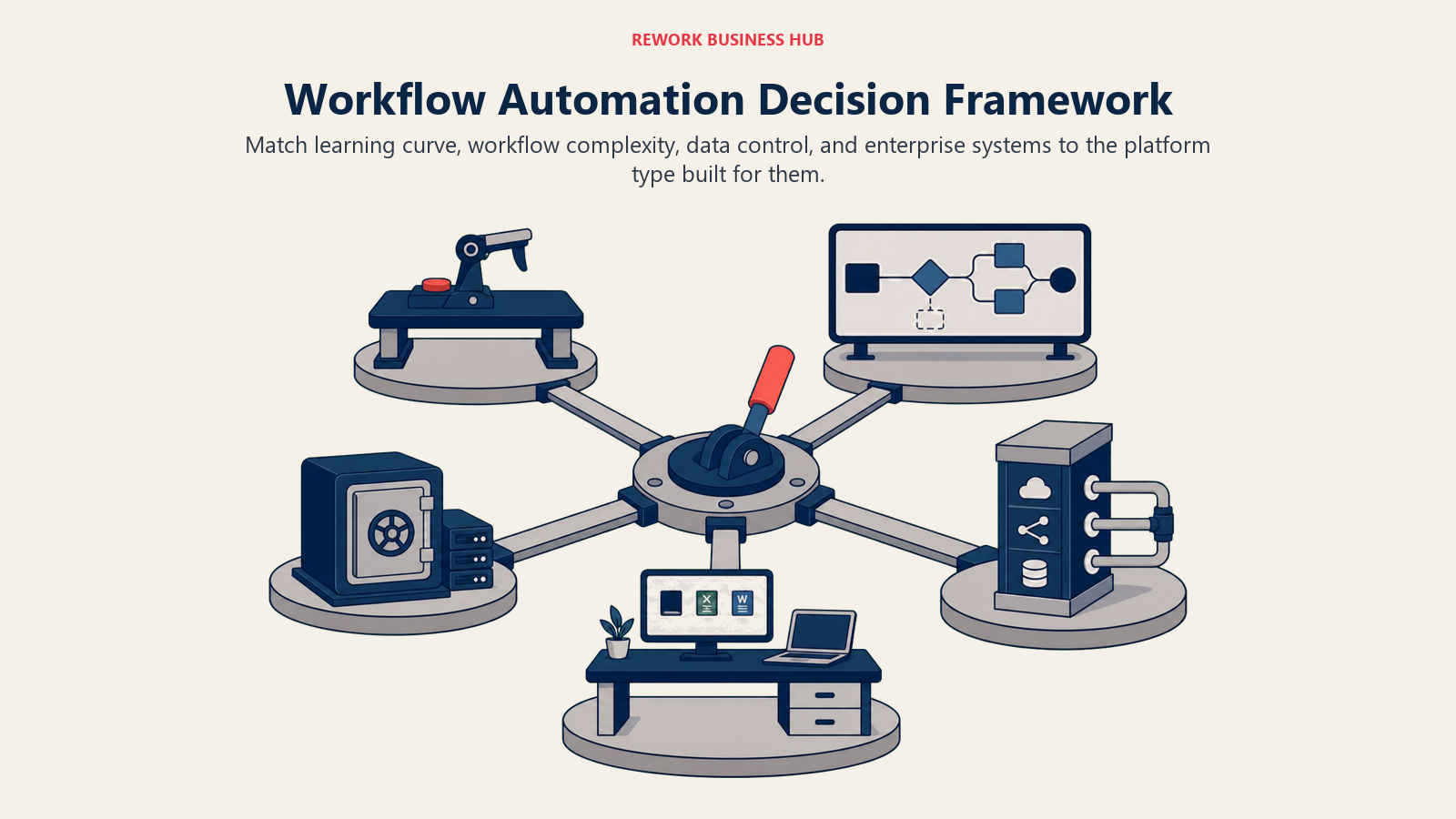
Decision Framework
Use this table as your final filter. Match your situation to the right tool.
| If you need... | Pick... | Why |
|---|---|---|
| The widest app library with zero learning curve | Zapier | 7,000+ integrations; fastest setup for non-technical teams |
| Pre-built templates and 1-click setup on a budget | Integrately | 20M+ templates; lower cost than Zapier for standard workflows |
| Unlimited-task pricing at the lowest recurring cost | Pabbly Connect | Filters and routers excluded from billing; lifetime deal option |
| Open-source flexibility with a free self-hosted edition | Activepieces | MIT license, SOC 2 certified, $16/mo Plus plan billed yearly |
| Complex visual logic without writing code | Make | Scenario canvas with routers, iterators, and aggregators |
| Workflows that need a human approval step | Relay.app | Native human-in-the-loop primitive, not a workaround |
| Full data control and self-hosted infrastructure | n8n | Open-source, unlimited self-hosted executions, code in any node |
| Code-first automation with no server to manage | Pipedream | 2,500+ triggers; full Node/Python/Go execution per step |
| Enterprise governance and deep Workday/SAP connectors | Workato | Recipe governance, audit trails, agentic AI orchestration |
| Enterprise depth without Workato's contract size | Tray.ai | Merlin AI layer, stateful workflows, softer mid-market pricing |
| Hybrid on-premise and cloud integration at scale | Boomi | Mature Atom architecture; proven at complex enterprise scale |
| Automation already included in your Microsoft 365 plan | Power Automate | Deep Teams, SharePoint, and Dynamics integration at no extra cost |
Frequently Asked Questions about Workflow Automation Software
What is the best workflow automation software in 2026?
There's no single best tool for everyone. The best fit depends on technical skill and app stack: Zapier for the widest no-code library, Make for complex visual logic at a fair price, n8n for teams that need full data control, and Workato or Boomi for enterprise governance and legacy-system depth.
What is the best workflow automation tool for a non-technical team?
Zapier, Integrately, and Pabbly Connect are all built for point-and-click setup with no coding required. Zapier wins on app coverage, Integrately wins on pre-built templates, and Pabbly Connect wins on flat, predictable pricing.
How much does workflow automation software cost in 2026?
Entry pricing ranges from free (Zapier, Make, n8n self-hosted, Activepieces) to roughly $9-$29 a month for most SMB and mid-market tools. Enterprise iPaaS platforms like Workato and Boomi typically run $10,000 to $300,000+ a year once implementation and volume are factored in.
What's the difference between task-based and operations-based pricing?
Task-based pricing (Zapier, Integrately) counts each action in a workflow as a billable task, so multi-step automations get expensive fast. Operations-based pricing (Make) and execution-based pricing (n8n) count differently, and some tools like Pabbly Connect exclude filters and routers from billing entirely. Model your real monthly volume before comparing sticker prices.
Is there a free workflow automation tool that scales?
n8n's self-hosted Community Edition is free with unlimited executions if you're willing to run your own infrastructure. Activepieces offers a similar free self-hosted option. For fully managed free tiers, Zapier, Make, and Pipedream all offer usable free plans, though they cap out quickly at real automation volume.
When do I need an enterprise iPaaS instead of a no-code tool?
When your automation needs to touch systems like SAP, Workday, or ServiceNow with governance, audit trails, and a dedicated automation team to run it. Below roughly 200 employees, Workato and Boomi's contract size and implementation overhead rarely pay back compared to Make or n8n.
Can I use Microsoft Power Automate outside of Microsoft 365?
Technically yes, but it's not built for it. Power Automate's connector quality outside the Microsoft ecosystem is inconsistent, and teams running a mixed SaaS stack usually get more value from Zapier or Make, reserving Power Automate for internal Teams and SharePoint workflows.
Does Rework replace tools like Zapier or Make?
No. Rework automates sales and lead workflows natively inside its own CRM, but it isn't a general-purpose integration platform for connecting dozens of outside apps. If your automation needs are mostly about your CRM and pipeline, Rework may reduce how much middleware you need; if you need to connect a wide external stack, you still need a platform like the ones in this guide.
What to Do Next
Narrow your list to two tools before you run a real pilot. Map three of your highest-friction workflows, the ones your team handles manually or that break most often in your current setup, and rebuild them in each candidate over two weeks. Measure setup time, error rate, and what the monthly cost would be at your actual automation volume, not a demo scenario.
For most non-technical ops teams, the shortlist is Zapier or Make. For technical teams that need self-hosting, it's n8n. For enterprises with SAP, Workday, or ServiceNow at the core, it's Workato or Boomi. The right tool is the one your team can still maintain and afford six months from now, not the one with the longest feature list on the sales page.

Principal Product Marketing Strategist
On this page
- Quick Comparison Table
- How to Choose Workflow Automation Software in 2026
- Framework: By Technical Resource Level
- Framework: By App Coverage Needed
- Framework: By Self-Hosting and Data Control Requirement
- Stage Fit Matrix
- Sizing and Persona Table
- 1. Zapier: Widest App Library, Fastest No-Code Setup
- 2. Integrately: One-Click Automations for Zapier Switchers
- 3. Pabbly Connect: Unlimited Tasks Without the Per-Task Bill
- 4. Activepieces: Open-Source, Now Billed in Credits
- 5. Make: Visual Canvas for Complex Logic at a Fair Price
- 6. Relay.app: Human-in-the-Loop Automation for Approval Workflows
- 7. n8n: Open-Source Automation With Full Data Control
- 8. Pipedream: Developer-First Event Automation
- 9. Workato: Enterprise Integration With Governance and AI
- 10. Tray.ai (Tray.io): Enterprise Depth at Mid-Market Pricing
- 11. Boomi: Battle-Tested Hybrid iPaaS for Complex Environments
- 12. Microsoft Power Automate: Deep Integration for Microsoft 365 Shops
- Automation Buying Mistakes to Avoid
- Decision Framework
- What to Do Next