Kissflow vs Pipefy: Which Workflow Platform Fits Your Team in 2026?
Turn this article into takeaways for your work.


Each assistant summarizes the article only for you and suggests best practices for your work.
Kissflow discloses no pricing anywhere on its own site, while Pipefy prints every cap on its free tier and then goes quiet above it. That asymmetry is the actual story of this comparison, not a footnote to it.
Search "kissflow vs pipefy" and most guides open with a feature grid: forms here, automation there, a checkmark next to whichever integration got mentioned in a press release. That's not where this decision actually gets made. It gets made at the point where you try to find out what either tool costs, and the two vendors answer that question in opposite ways.
Pipefy tells you almost everything for free. Its Starter tier is a real, usable product with every limit printed on the pricing page: 10 users, 5 processes, 50 cards a month, 2GB of storage, 500 database records, 15 automation jobs, 205 API calls a month. You can sign up right now, build a real process, and know exactly where the wall is. Above that wall, Pipefy goes as quiet as everyone else, Business and Enterprise pricing is per-user and unpublished.
Kissflow never opens the door at all. There's no free tier, no self-serve signup, and no number on its pricing page, only a form that routes you into a sales conversation for a "fixed annual agreement." Worse, Kissflow's own content pages don't agree with each other about what that agreement starts at. That gap, a provable free product on one side and an unconfirmed sales quote on the other, is what actually separates these two tools for a buyer trying to build a budget before they've spent an hour on a call. For the wider field this comparison sits inside, see our roundup of business process management software.
TL;DR
| Kissflow | Pipefy | |
|---|---|---|
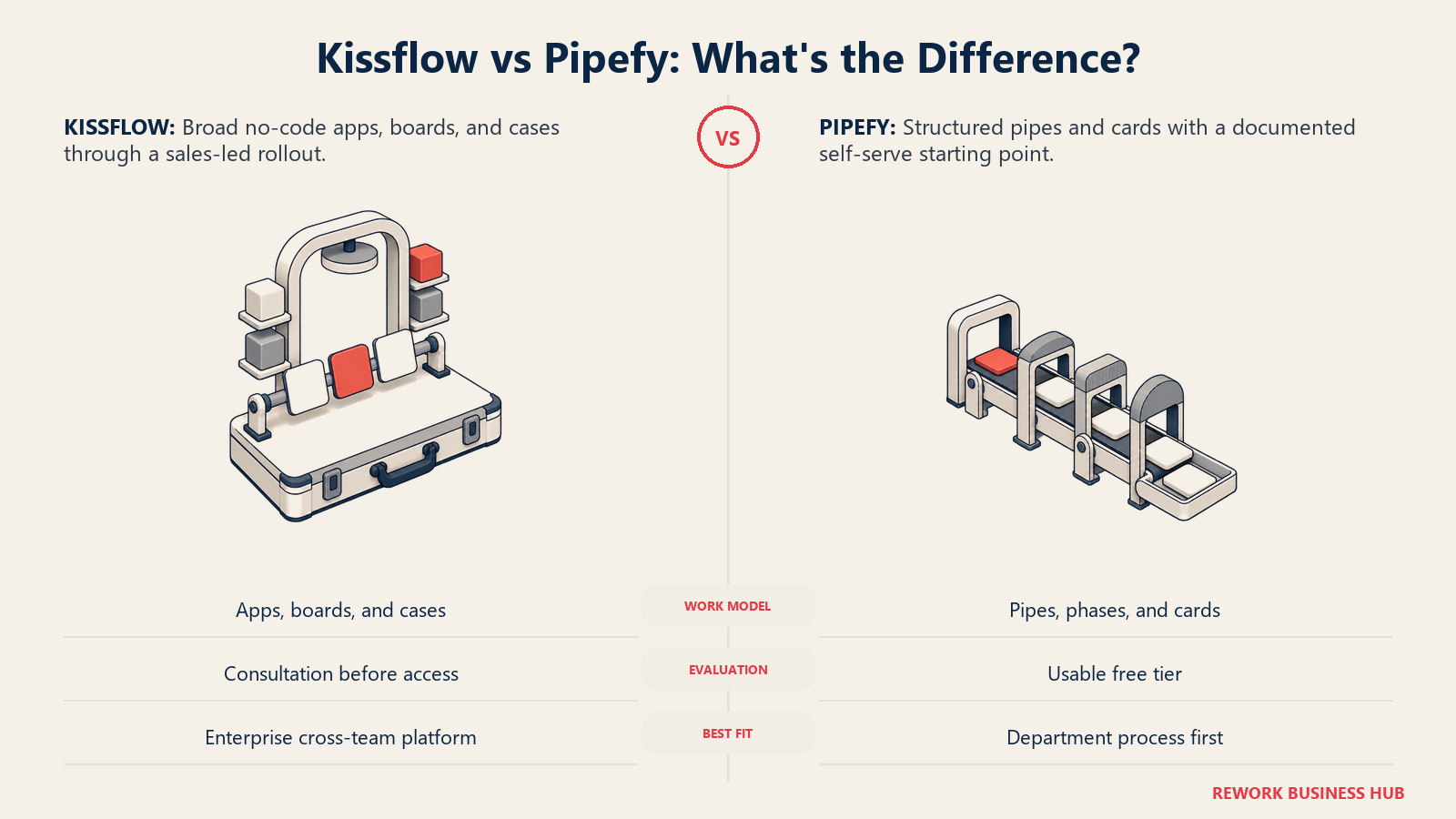
| What it is | A no-code workflow, case management and app-building platform sold as a fixed annual agreement | A pipe-and-card process automation platform with a genuinely usable free tier |
| How you buy it | Consultation only; no self-serve signup, no published price at any tier | Self-serve Starter (free), Business and Enterprise (both custom-quoted per user) |
| Cheapest way to try it before buying | Not possible without a sales call | Sign up free, no credit card required |
| Free tier | None | Yes: 10 users, 5 processes, 50 cards/month, 2GB storage, 500 database records, 15 automation jobs, 205 API calls/month |
| Pricing transparency | Kissflow's own content pages quote two different starting figures for the same plan | Starter tier fully documented; Business and Enterprise pricing withheld |
| Process-building model | Apps, boards and cases: flexible containers for both structured workflow and unstructured work | Pipes made of phases, with cards as the unit of work moving through them |
| Native AI | OpenAI and Gemini connectors, AI-suggested form fields, natural-language app building | AI Studio, AI Agents for classification and data extraction, AI Copilot, 1,000 AI credits on every tier |
| Best for | Enterprise teams that can absorb a sales-led buying process for deep case management | Teams that want to prove the tool works before committing budget |
Key Facts
- The global workflow automation market is valued at $27.91 billion in 2026 and is projected to reach $65.26 billion by 2034, an 11.20% CAGR, according to Fortune Business Insights.
- 88% of organizations now use AI in at least one business function, up ten percentage points from the year before, according to McKinsey's State of AI 2025 survey of nearly 2,000 respondents across 105 countries.
- A Forrester Total Economic Impact study commissioned by Microsoft found a composite organization using a workflow automation platform saw a 248% three-year ROI with payback in under six months, according to Microsoft's Power Platform blog.
- Gartner published its first Magic Quadrant for Business Orchestration and Automation Technologies (BOAT) in October 2025, folding BPA, low-code, iPaaS, RPA and document processing into one evaluated category and formally retiring the older iBPMS framework, according to Appian's summary of the report.
- Kissflow carries a 4.2 out of 5 rating from 88 reviews on Capterra, while Pipefy carries a 4.6 out of 5 rating from 323 reviews, as of a live check in August 2026 against Kissflow's Capterra page and Pipefy's Capterra page.
Who Each Tool Is Really For
Kissflow grew up as a departmental no-code platform for building custom apps and running approval-heavy processes, purchase requests, onboarding, expense claims, vendor registration, and it now bundles that with a case management module for handling work that doesn't follow a fixed sequence: incidents, claims, tickets, bug reports, service requests. Its buyer is an IT or ops leader assembling several different internal systems under one governance umbrella, and comfortable enough with an enterprise sales cycle to get there.
Pipefy grew up the opposite way: a single visual metaphor, the pipe, applied to everything from a sales pipeline to a procurement request to an HR onboarding flow, with the free tier doing real work for genuinely small teams before anyone talks to sales. Its buyer is someone who wants to model one process today, prove it works, and decide whether to pay before a renewal date forces the question.
| Dimension | Kissflow | Pipefy |
|---|---|---|
| Primary use case | No-code app building plus case management for unstructured, cross-team work | Structured, repeatable processes modeled as pipes with cards moving through phases |
| Who typically buys it | IT leaders and ops directors standardizing several internal processes under one platform | Ops managers and team leads who want to model and prove one process before scaling it |
| Evaluation path | Sales-led; a consultation is required before you see a price or a live product | Self-serve; sign up and build a real pipe with no sales contact required |
| Where it lives in the org | Positioned as an enterprise-wide workflow and app platform | Positioned as a departmental process tool that scales up as adoption grows |
| Ideal team size to start | Mid-market to enterprise, comfortable committing to an annual agreement upfront | Any size, since the free tier needs no budget approval to start |
| Team fit | Kissflow | Pipefy |
|---|---|---|
| IT / Ops | Strong: purpose-built for standardizing multiple internal processes and apps | Strong: pipes model IT tickets, change requests and internal service desks well |
| Procurement / Finance | Strong: dedicated approval chains and vendor-facing forms | Strong: procurement is one of Pipefy's most common templated use cases |
| HR / People Ops | Strong: onboarding, leave management and employee case handling are named use cases | Good: onboarding pipes are common, though HR-specific templates are lighter |
| Sales / RevOps | Weak: not built as a CRM or pipeline tracker | Moderate: the pipe metaphor maps naturally to a sales process, though it isn't a dedicated CRM |
| Compliance / Audit | Moderate: RBAC and SOC 2 Type II support audit needs, but case-level audit trails are less prominent in vendor materials | Moderate: detailed permission levels and full activity audit logs, per Pipefy's own security documentation |
If what you actually need is a diagram of a process rather than a system that runs it, that's a different comparison entirely, see Lucidchart vs Visio for that question.
Building Processes: Apps and Cases vs Pipes and Cards
This is where the two products genuinely diverge, and it matters more than either vendor's marketing copy suggests.
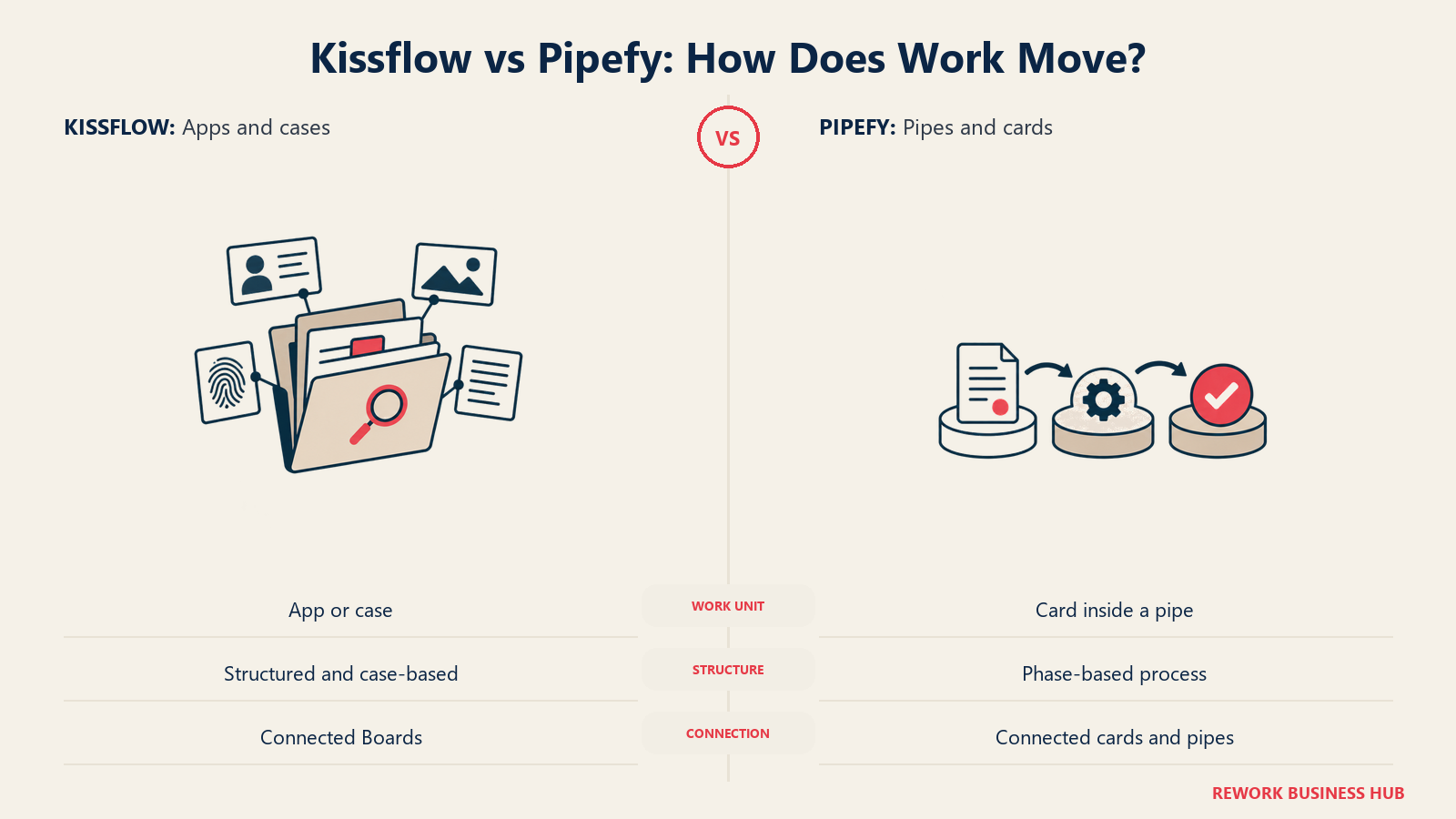
Kissflow's building blocks are Boards, Apps and Cases, and the vendor uses the terms somewhat interchangeably depending on which product page you're reading. In practice, a Board is a customizable work container, an App is a purpose-built application assembled from forms, workflow logic and reporting, and a Case is the flexible variant for unstructured work: incidents, investigations, claims, anything that doesn't move through a fixed sequence of steps. Kissflow's own case management pages describe multiple visualization layouts (List, Kanban, Matrix) and "Connected Boards" for coordinating work across teams. What Kissflow does not publish clearly is a hard line between when something is a Workflow and when it's a Case, so evaluating this section in a demo, not a data sheet, is the only way to know if the distinction matches how your team actually works.
Pipefy's model is narrower and more legible from the outside. A Pipe represents one process, broken into Phases that represent its stages, and a Card represents one unit of work, a request, a deal, a ticket, moving through those phases on a Kanban board or a list view. Automations run on event-to-action logic: when a card enters or leaves a phase, a predefined action fires, moving the card, updating a field, sending an email, or creating a connected card in a different pipe entirely. That single metaphor, repeated everywhere, is Pipefy's biggest usability advantage and also its biggest limitation: it models sequential, phase-based work extremely well and models genuinely unstructured case work less naturally than Kissflow's dedicated Case construct does.
| Capability | Kissflow | Pipefy |
|---|---|---|
| Core building block | Boards, Apps and Cases (used somewhat interchangeably in vendor materials) | Pipes made of Phases, with Cards as the unit of work |
| Structured, sequential workflow | Yes, via the workflow/app builder | Yes, this is the primary model |
| Unstructured or case-based work | Yes, a dedicated Case management module | Possible by adapting a pipe, but not a purpose-built case construct |
| Visualization options | List, Kanban, Matrix views | Kanban board (the default) or a simple list view |
| Cross-process linking | "Connected Boards" for multi-team coordination | Connected cards and connected pipes, triggered through automations |
| Learning curve for the metaphor | Steeper: three overlapping concepts to learn (Board, App, Case) | Flatter: one metaphor (pipe, phase, card) reused across every process |
If the category itself, workflow automation broadly rather than these two specific vendors, is what you're evaluating, our workflow automation software roundup covers a wider set of options built around different metaphors again.
Forms and Request Intake
Both tools treat the form as the front door into a process, but they hand that door to different people.
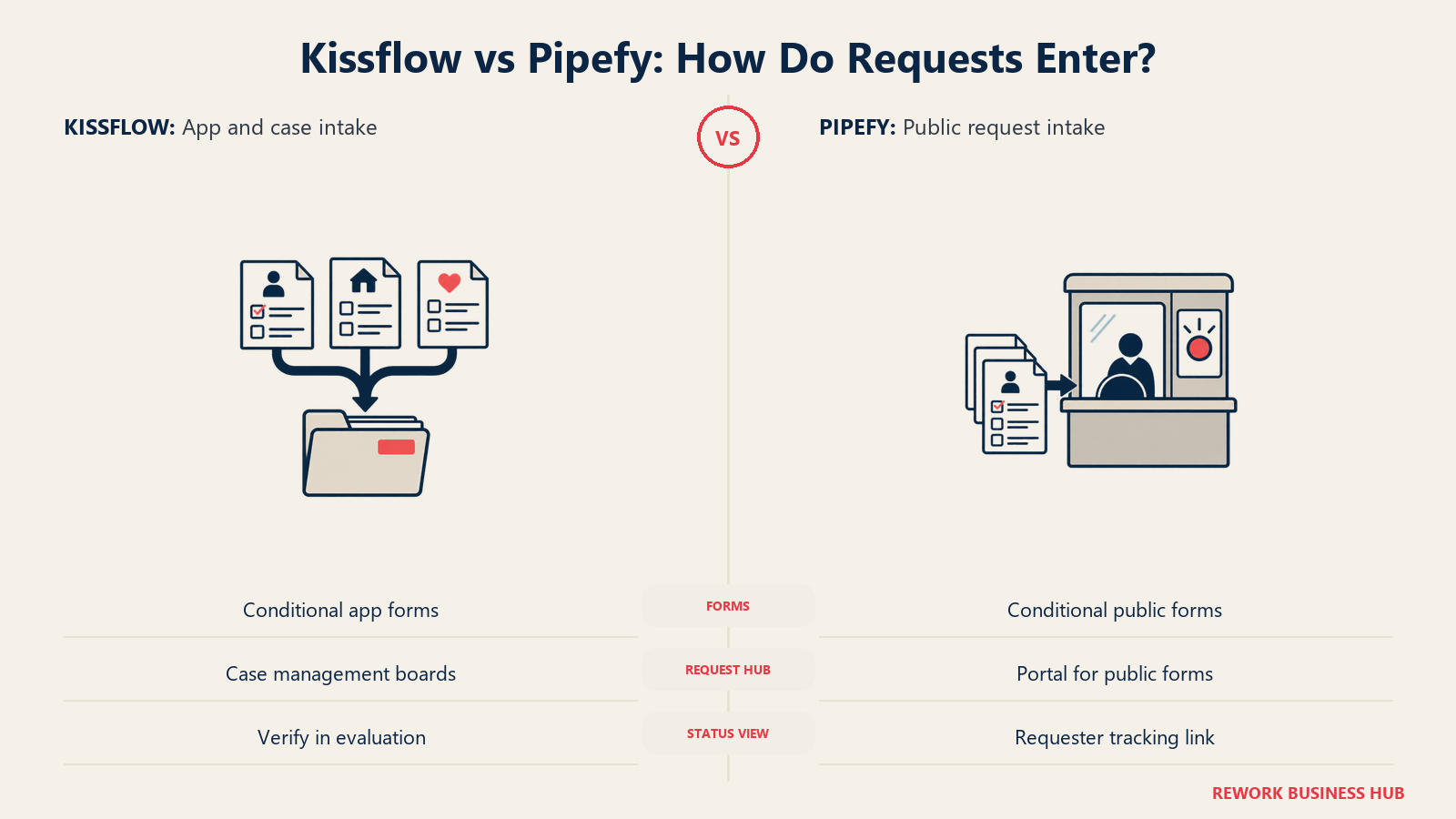
Kissflow's form builder supports conditional logic, decision tables and custom components, and the vendor has layered generative AI onto it: AI-suggested fields, powered by an OpenAI connector, propose new data fields based on the type of workflow being built, and a Gemini connector was added in August 2026 for the same purpose using Google's model instead. Forms live inside whichever App or Case they belong to and inherit that container's permissions.
Pipefy separates the concept more explicitly. Every pipe has a Start Form that collects whatever inputs the process needs before a card is created, and a Public Form variant of that same form that people outside the organization, vendors, candidates, customers, can fill out without a Pipefy login. Submissions from a public form land automatically as a new card in the first phase of the pipe, and requesters get an authenticated link so they can track their own submission's status through Pipefy's Request Tracker, without needing an account at all. A Portal groups multiple public forms in one place so requesters don't need individual links.
| Capability | Kissflow | Pipefy |
|---|---|---|
| Conditional logic in forms | Yes | Yes |
| AI-suggested form fields | Yes, via OpenAI and Gemini connectors | Not a named feature; AI is applied after intake, not to the form itself |
| External, non-logged-in submission | Supported through app and case forms | Yes, a dedicated Public Form with a shareable URL or embed code |
| Requester status tracking without an account | Not a named feature in vendor materials | Yes, the Request Tracker, via an authenticated email link |
| Centralized request hub | Case management boards serve this role | A dedicated Portal groups multiple public forms |
Automation and Rules Depth
Kissflow's automation runs on dynamic routing rules: task assignment adjusts automatically for priority or role changes, and the platform layers "agentic automation" and generative AI on top, described by the vendor as suggesting workflow steps and adapting workflows dynamically to business needs. The specific mechanics of how deep that rule engine goes, nested conditions, branching logic, are not detailed in Kissflow's own public materials, which is itself worth noting for a buyer trying to evaluate depth before a sales call.
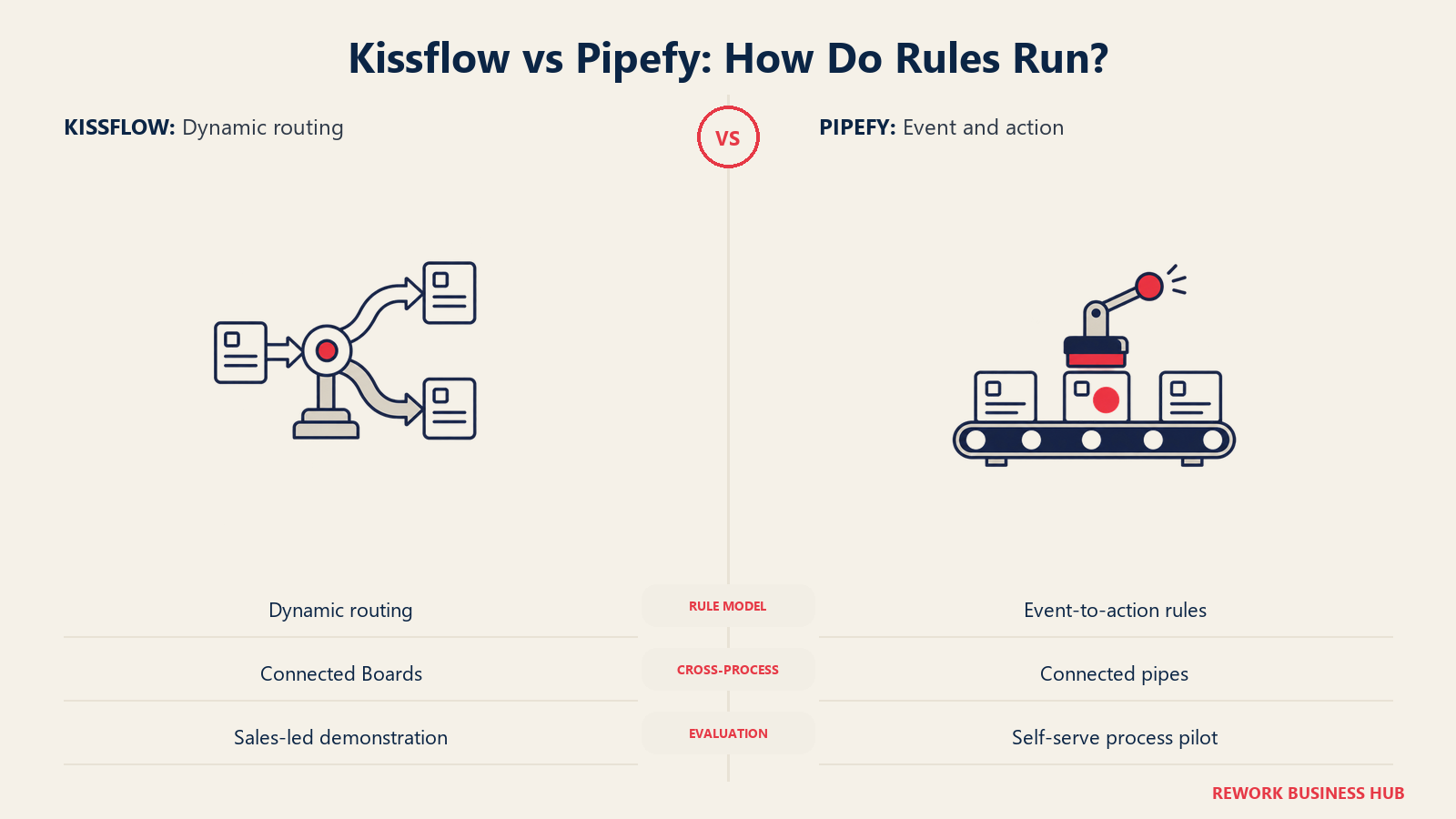
Pipefy's rule engine is explicit and event-based: a trigger (a card entering or leaving a phase, a field changing value) fires an action (move the card, update a field, send an email template, create a connected card or database record in another pipe). That specificity, published in Pipefy's own help documentation rather than left to marketing copy, makes it easier to evaluate what the automation engine can actually do without booking a demo first.
| Capability | Kissflow | Pipefy |
|---|---|---|
| Rule model | Dynamic routing rules plus AI-suggested adaptation | Explicit event-to-action automation |
| Conditional branching | Present, depth not fully documented publicly | Documented: field-value and phase-transition triggers |
| Cross-process automation | Connected Boards | Connected cards and connected pipes, triggered automatically |
| Automation caps on the entry tier | No free tier to measure against | 15 automation jobs/month on the free Starter tier |
| Where to evaluate the real depth | Only inside a sales-led demo | Directly, by building a free pipe and testing it yourself |
If what you actually need is lighter, point-to-point automation between individual apps rather than a full process platform, that's a different category: see our Zapier alternatives guide for that narrower use case.
Integrations and API Limits
Kissflow describes "native connectors for major enterprise systems, plus custom API-level integration," backed by a developer portal, but doesn't publish a specific connector count or a rate-limit table anywhere public. That's consistent with its no-pricing-page pattern: the depth of what you'd actually get is scoped during the sales conversation, not published for self-evaluation beforehand.
Pipefy is the opposite case, and its API limits are the sharpest illustration of the free tier's real ceiling. The Starter (free) plan is capped at 205 API calls a month, worth stating plainly because that number is small enough that any real integration, a webhook firing on every new card, a nightly sync job, will exhaust it fast. Business raises that to 500 API calls a month and Enterprise to 10,000, but neither of those tiers has a published price, so you can see exactly where the free tier's technical ceiling sits without ever learning what it costs to raise it.
| Integration factor | Kissflow | Pipefy |
|---|---|---|
| Named connector approach | Native connectors for enterprise systems, custom API-level integration | Native iPaaS-style connectors plus a documented REST API |
| API calls, free tier | No free tier to measure | 205 calls/month (Starter) |
| API calls, paid tiers | Not published | 500 calls/month (Business), 10,000 calls/month (Enterprise), neither priced |
| Automation jobs, free tier | No free tier to measure | 15/month (Starter), rising to 300 (Business) and 2,000 (Enterprise) |
| Where the ceiling becomes visible | Only after a sales conversation scopes it | Immediately, on the published Starter tier limits |
A team that outgrows either tool's connector depth entirely, needing genuinely unlimited records and a full app-building layer instead of a workflow layer, is really asking a different question; our Quickbase alternatives guide covers that adjacent, database-first category.
Reporting and Analytics
Kissflow's reporting is described as giving "real-time visibility into operational performance," with dashboards for tracking cycle times and highlighting bottlenecks, alongside custom reporting inside the case management module specifically. The vendor's own materials emphasize the outcome (visibility, bottleneck detection) more than the mechanics of how a report gets built.
Pipefy exposes reporting at the pipe level, with dashboards that reflect the phases and cards inside a given process, and its database feature (a separate but connected object type) supports structured records that reporting can query against, though the free tier's 500-record cap limits how much a Starter-tier report can meaningfully cover.
| Capability | Kissflow | Pipefy |
|---|---|---|
| Real-time dashboards | Yes | Yes, scoped per pipe |
| Cycle-time and bottleneck tracking | Named as a core capability | Available via pipe-level reporting |
| Cross-process reporting | Supported through Connected Boards | Requires connecting pipes and databases together |
| Reporting depth on the entry tier | No entry tier to test | Limited by the Starter tier's 500-record cap |
| Where to verify reporting depth firsthand | Requires a sales demo | Directly, inside the free tier |
Admin, Security and Governance
Both vendors have invested seriously here, and the certification lists are close enough that security posture alone won't decide this comparison for most buyers.
Kissflow holds SOC 2 Type II attestation and ISO 27001 certification, supports GDPR with a Data Processing Agreement built on Standard Contractual Clauses, and states it runs regular vulnerability scans and annual penetration tests alongside encrypted data backups. Role-based access control governs who can see or edit what.
Pipefy's certification list runs longer: SOC 2, ISO 27001, ISO 27018 (cloud personal data protection), ISO 27701 (privacy information management) and ISO 42001, specifically an AI management system standard, worth noting given how much of both vendors' 2026 roadmap is AI-driven. Pipefy also carries an AWS Qualified Software designation, supports SSO through Auth0, offers two-factor authentication, and lets admins set permission levels described as "high or low privileges" per user, with identity integration into existing IAM or Active Directory systems. Data is encrypted in transit and at rest with 256-bit encryption, hosted in Oracle Cloud Infrastructure facilities in the United States, with a stated 99.9%-plus uptime target and audit logs covering all platform activity.
| Governance area | Kissflow | Pipefy |
|---|---|---|
| SOC 2 | Type II | Type 2 |
| ISO certifications | ISO 27001 | ISO 27001, ISO 27018, ISO 27701, ISO 42001 |
| GDPR | Yes, with a DPA using Standard Contractual Clauses | Yes, plus LGPD (Brazil) compliance documentation |
| SSO | Not detailed in public materials | Auth0-based SSO |
| Two-factor authentication | Not detailed in public materials | Yes, plus configurable strong password policies |
| Permission model | Role-based access control | Configurable high/low privilege levels per user, plus IAM/Active Directory integration |
| Audit logging | Not detailed in public materials | Logs all platform activity |
| Data residency | Governed by Kissflow's own infrastructure, not publicly detailed by region | Oracle Cloud Infrastructure, United States |
AI Features in 2026
Neither vendor is behind here; both have shipped real AI capability rather than a bolted-on chatbot, and both frame 2026 as the year it moved from experimental to embedded.
Kissflow's AI centers on app and workflow creation itself: natural-language application development, AI-suggested workflow steps, and AI-suggested form fields, powered first by an OpenAI connector and, as of August 2026, a Gemini connector as a second model option. The vendor's own positioning leans hard on "no black boxes," meaning AI suggestions stay inside the existing governance and permission model rather than acting autonomously.
Pipefy's AI is more operational: an AI Studio for building and managing AI agents through natural-language prompts and a no-code interface, pre-built AI Agents that classify incoming requests, extract data from documents like invoices or contracts, and auto-route cards to the correct phase, and an AI Copilot that builds workflows from natural language and generates process insights. Every Pipefy tier, including the free Starter plan, ships with 1,000 single-use AI credits included, with additional credits sold as an add-on above that.
| AI capability | Kissflow | Pipefy |
|---|---|---|
| Where AI is applied | Building the app or workflow itself | Running inside the workflow, on live cards and documents |
| Natural-language creation | Yes, AI app builder | Yes, AI Copilot |
| Document data extraction | Not a named capability in public materials | Yes, AI Agents extract data from invoices and contracts |
| Auto-classification / auto-routing | Described as "adapts workflows dynamically" | Explicit: AI Agents classify and auto-route cards |
| AI credits included on the entry tier | No entry tier to measure | 1,000 credits on every tier, including free Starter |
| AI governance certification | Not separately certified | ISO 42001, an AI management systems standard |
Cost at 10, 25 and 100 Users
Here's the part neither vendor makes easy, and where guessing would do more harm than an honest gap.
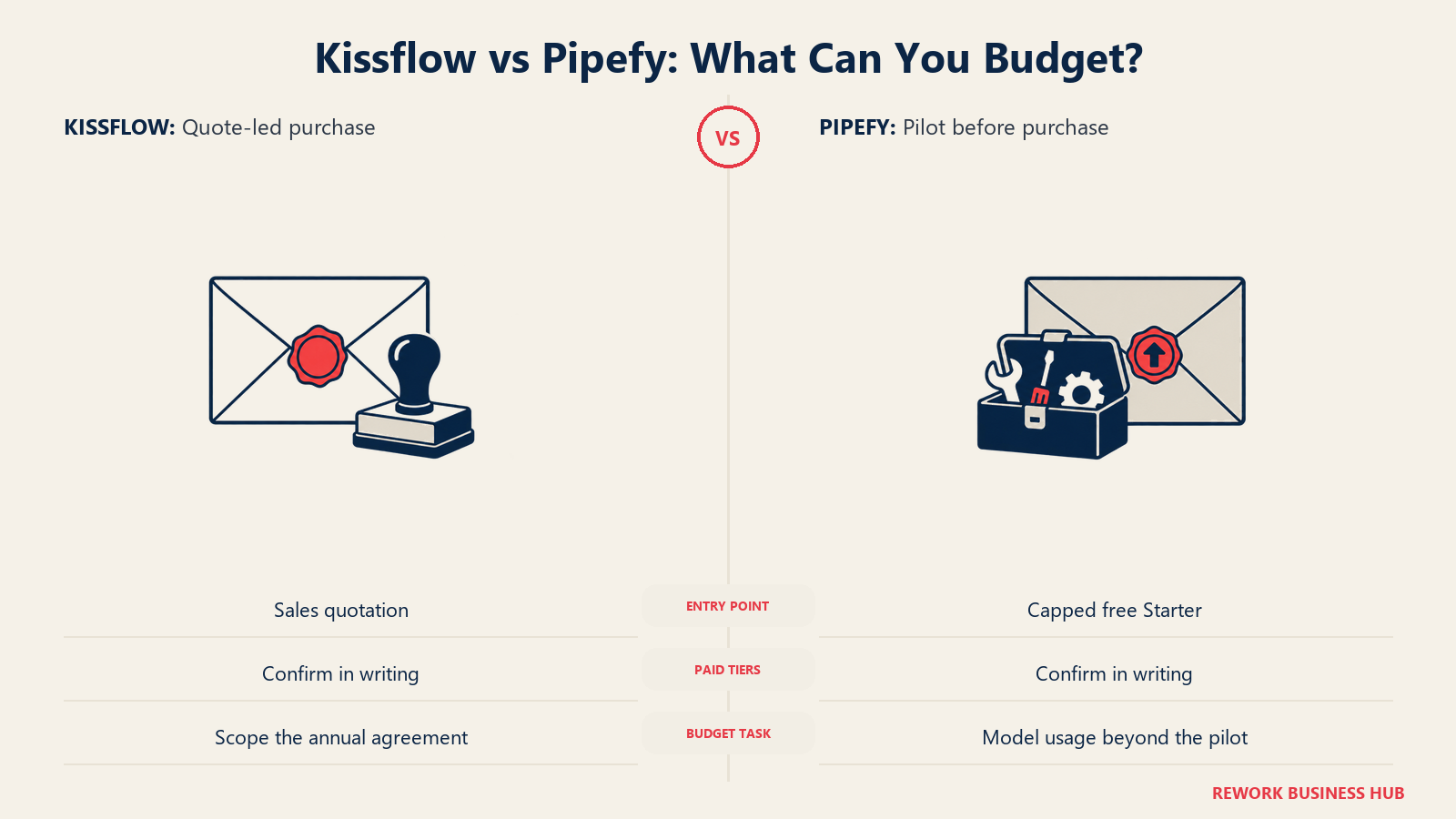
What's actually knowable about Kissflow's price: nothing confirmed. Kissflow's pricing page publishes no figures at all; it sells fixed annual agreements quoted per organization through a consultation. Kissflow's own 2026 content pages then contradict each other: one page's body text says Kissflow "starts at $1,500 per month for up to 50 users," while that same page's FAQ says "$2,500 per month for 50 users," and a separate Kissflow page puts the Basic plan at "$2,500 per month" too. Two figures, both published by Kissflow itself, on pages published the same year. Treat both as unconfirmed until you have a number in writing from a sales rep.
| Circulating Kissflow figure | Where it appears | Status |
|---|---|---|
| $1,500/month, up to 50 users | Kissflow's own enterprise BPM pricing content page | Unconfirmed; contradicted by the FAQ on the same page |
| $2,500/month, 50 users | The FAQ section of that same Kissflow page | Unconfirmed; contradicts the body text above it |
| $2,500/month, Basic plan | A separate Kissflow no-code pricing comparison page | Unconfirmed; the newer of the two figures |
| Confirmed price anywhere on kissflow.com/pricing | The vendor's actual pricing page | None. Contact sales is the only path. |
What's actually knowable about Pipefy's price: the free Starter tier, completely. Beyond that, per-user rates for Business and Enterprise aren't published either, and third-party trackers report Business anywhere from $18 to $33 per user per month, a four-way spread wide enough that quoting a single number from it would mislead more than it informs.
| Pipefy tier | Users | Processes | Cards/month | Storage | Database records | Automation jobs/month | API calls/month | Price |
|---|---|---|---|---|---|---|---|---|
| Starter | Up to 10 | Up to 5 | Up to 50 | 2GB | 500 | 15 | 205 | Free |
| Business | Unlimited | Unlimited | Unlimited | 20GB | 10,000 | 300 | 500 | Not published; per-user billing, reported $18 to $33/user/month across trackers |
| Enterprise | Unlimited | Unlimited | Unlimited | Custom | Custom | 2,000 | 10,000 | Not published |
At 10 users, that's the sharpest contrast in the whole comparison: a team can run a real, if capped, process on Pipefy for zero dollars, while the same team evaluating Kissflow can't get a number without a sales call, and even that call routes back to circulating figures the vendor itself doesn't fully stand behind. At 25 and 100 users, both vendors converge on the same problem: neither publishes a confirmed per-seat rate, so nobody can build a defensible annual budget from public information alone at either seat count.
| Seats | What you can establish about Kissflow | What you can establish about Pipefy |
|---|---|---|
| 10 | Nothing confirmed; a sales quote is required before any number exists | Free, if usage stays inside the Starter caps (5 processes, 50 cards/month, 205 API calls/month) |
| 25 | Nothing confirmed; likely above Kissflow's own circulating figures for a 50-user band, still unconfirmed | Starter tier's 10-user cap is already exceeded; Business tier required, per-user rate unpublished |
| 100 | Nothing confirmed; enterprise-scale quote required | Business or Enterprise tier required, per-user rate unpublished at either level |
That matters for more than curiosity. A procurement cycle usually needs a defensible number before a budget line gets approved, and "the vendor will tell us after a call" is a materially different starting position than "the vendor prints the number and we can multiply it ourselves." Pipefy gets a 10-person team to a working proof of concept with zero procurement involvement at all. Kissflow requires procurement sign-off on a process that starts with an unconfirmed number and ends with whatever a sales rep quotes, which is a real cost in calendar time even before the annual contract value is settled. Neither gap is disqualifying on its own, but a buyer who assumes Pipefy is "the cheap one" because of its free tier is skipping the fact that its paid tiers are exactly as opaque as Kissflow's only tier.
Implementation and Time to Value
Kissflow's onboarding runs through its sales and implementation process from the start: there's no way to touch the product without a demo or trial arranged through sales, and the platform's own case management materials suggest real depth (over 200 pre-built process templates as of an April 2026 vendor update), but that depth is something you're told about rather than something you can test unassisted before signing.
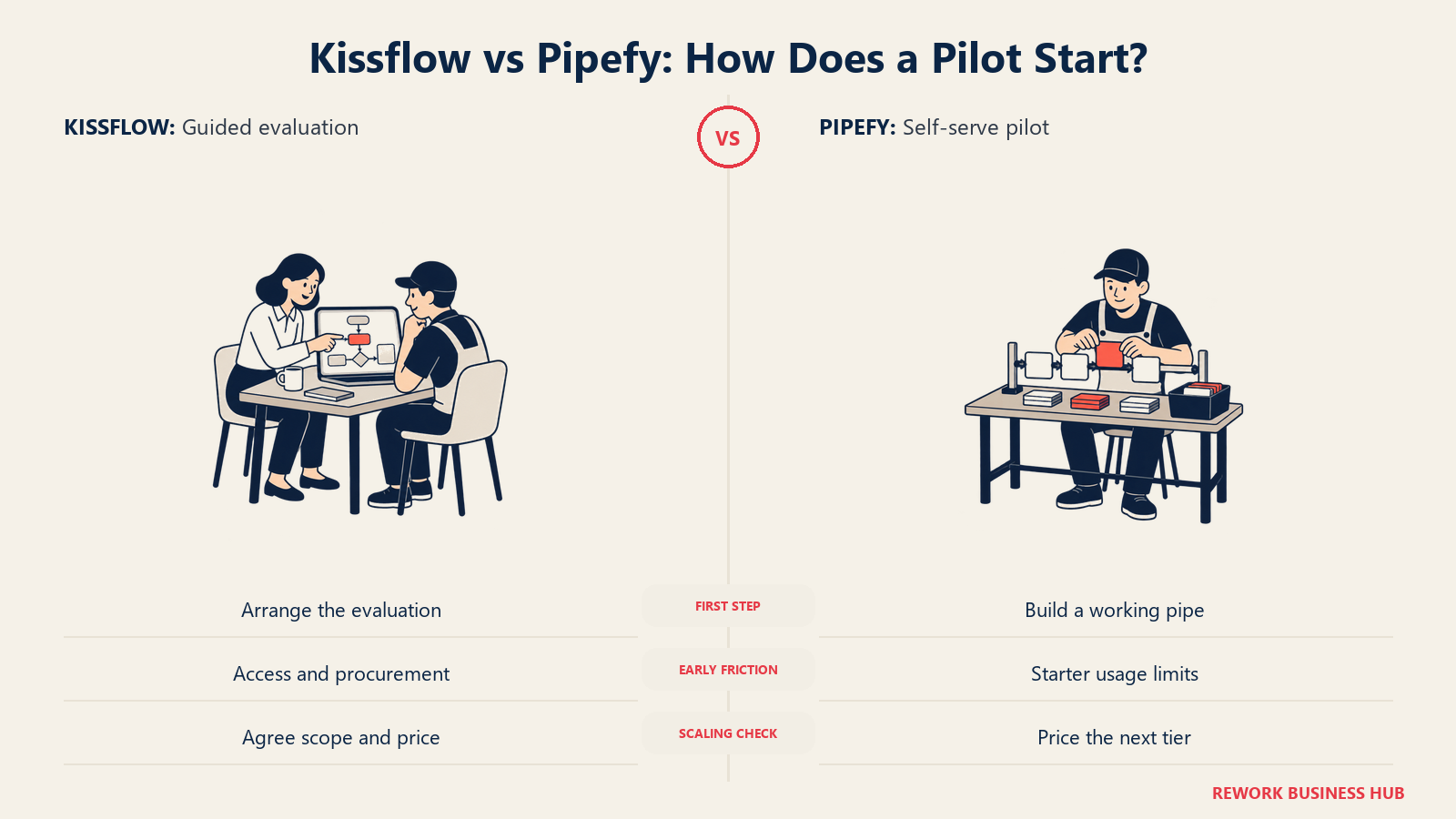
Pipefy inverts that entirely: sign up, build a pipe, and you have a working process in minutes, with the free tier's caps functioning as an honest trial rather than a time-boxed one. The tradeoff shows up on the other side, moving from Starter to Business means learning what the new tier actually costs only after you've already outgrown the free one, which can turn a smooth pilot into an unplanned procurement scramble right when the team is depending on the tool most.
| Factor | Kissflow | Pipefy |
|---|---|---|
| Time to first working process | Not measurable without a sales-arranged demo | Minutes, no approval needed |
| Who needs to be involved to start | Sales, and likely procurement, before any hands-on evaluation | One person with a browser |
| Pre-built templates | 200-plus, per a 2026 vendor update | Templates exist per use case (procurement, HR, IT), depth not separately quantified |
| Where the friction shows up | Getting a confirmed price before committing calendar time to a sales process | Discovering the real cost of scaling past the free tier's caps |
| Training load | Moderate to high for the case management module's full depth | Low for basic pipes; the AI Studio and database features add a real learning curve on top |
When Kissflow Is the Right Call
- You're standardizing several different internal processes and apps under one governance model, and want case management, structured workflow and no-code app building in a single platform rather than stitching several tools together.
- You have unstructured, investigation-style work (incidents, claims, complex tickets) that doesn't map cleanly to a linear phase-based flow, where Kissflow's dedicated Case construct is a better fit than forcing that work into a pipe.
- Your organization already runs sales-led enterprise software procurement as a matter of course, so a consultation-only pricing model isn't friction, it's simply how every vendor relationship starts.
- You need over 200 pre-built templates as a starting point rather than building every process from a blank pipe.
If Kissflow's opaque pricing is the specific dealbreaker, our Kissflow alternatives roundup covers vendors that publish real, checkable numbers.
When Pipefy Is the Right Call
- You want to prove the tool works before anyone approves a budget. The free Starter tier is real software, not a 14-day countdown, and it's the single strongest argument in this entire comparison.
- Your processes are genuinely sequential, request in, phases move it forward, outcome out, which is exactly what the pipe-and-card model was built to express.
- You need AI capability that's included, not upsold, since every Pipefy tier ships with 1,000 AI credits, letting a small team test document extraction and auto-routing without a separate AI line item.
- Security certification depth matters to your buyer, and Pipefy's ISO 27018, ISO 27701 and ISO 42001 certifications, alongside SOC 2 and ISO 27001, cover ground Kissflow's public materials don't detail as fully.
If Pipefy's Starter caps are already too tight for a 10-person team's real usage, that's worth knowing before you build a pilot around them; our Pipefy alternatives guide covers tools with different free-tier tradeoffs.
Decision Framework
| If you are... | Pick |
|---|---|
| Handling unstructured, investigation-style case work alongside standard workflows | Kissflow |
| Standardizing many internal apps and processes under one enterprise agreement | Kissflow |
| Comfortable with a sales-led evaluation and want deep case management | Kissflow |
| Wanting to prove a process works before requesting any budget | Pipefy |
| Running mostly linear, phase-based processes (procurement, onboarding, approvals) | Pipefy |
| Prioritizing AI features included in the base plan rather than upsold separately | Pipefy |
| Needing the deepest published security/compliance certification list | Pipefy |
| Needing a confirmed number for a procurement committee before a single call | Neither, confirm directly with each vendor and get it in writing |
The short version. Kissflow and Pipefy solve genuinely different shapes of work, case-based and unstructured on one side, sequential and phase-based on the other, and that difference alone should drive most of the decision. But the pricing question sits underneath both answers: Pipefy lets a real team prove the fit for free before anyone signs anything, while Kissflow asks you to commit calendar time to a sales process before you learn even an unconfirmed number. Neither vendor will hand you a defensible per-seat rate past the free tier, so budget the evaluation itself, not just the tool, into your timeline.
What to Do Next
Write down which shape of work you actually have. If it's unstructured, case-driven work spanning teams, book the Kissflow consultation and ask for the number in writing before the call ends, don't let "we'll follow up" close the meeting. If it's a sequential process you can describe in five or six phases, sign up for Pipefy's free Starter tier today and build the real thing, not a demo of it, before you spend a dollar.
If the real problem sitting underneath this decision is that your workflow tool, your CRM and your HR system only talk to each other through integrations that break at the worst moment, that's a different question than Kissflow versus Pipefy. Rework runs Workflow, BPM, approvals, tasks and projects on the same platform as Sales CRM, Lead Management and the People app, so a process, the deal it's tied to, and the person handling it live in one system instead of three. Its Process Engine starts at $99/month billed yearly ($1,188/year) or $120 month to month, with 5 work seats included and extra seats in blocks of 5 at $13/month per block on yearly billing; see rework.com/pricing for current terms. It's worth saying plainly: Rework isn't a BPMN 2.0 process-orchestration engine and isn't built for solo buyers, so if what you need is deep, standards-compliant process modeling rather than day-to-day cross-team execution, Kissflow or Pipefy remain the right comparison to be having, or a dedicated diagramming tool built for that spec; see our Visio alternatives guide for that narrower question.
Frequently Asked Questions about Kissflow vs Pipefy
Is Kissflow or Pipefy cheaper?
It's not possible to say with confidence. Pipefy's Starter tier is free up to 10 users and hard caps, but its paid Business and Enterprise tiers have no published price. Kissflow has no free tier at all and no published price anywhere, only circulating, vendor-contradicted figures of $1,500 to $2,500 a month. Get a written quote from each before assuming either is the budget option.
Does Pipefy have a genuinely free plan?
Yes. The Starter tier costs nothing and needs no credit card, but it's capped at 10 users, 5 processes, 50 cards a month, 2GB of storage, 500 database records, 15 automation jobs a month and 205 API calls a month. It's real, usable software within those limits, not a time-boxed trial.
Why doesn't Kissflow publish pricing?
Kissflow sells fixed annual agreements quoted per organization rather than published per-seat tiers, positioning itself as an enterprise sale from the start. The tradeoff for buyers is that no number exists anywhere public, and even Kissflow's own content pages disagree about what a typical starting price looks like.
What happens when a team outgrows Pipefy's free tier?
They move to the Business tier, which removes the user, process and card caps entirely and raises storage, database records, automation jobs and API calls, but Pipefy doesn't publish what that tier costs. Third-party trackers report a wide $18 to $33 per user per month range, so budget for a real quote rather than assuming the reported figure.
Does Kissflow support case management, not just linear workflows?
Yes. Kissflow has a dedicated Case management module for unstructured work like incidents, claims, ticketing and investigations, separate from its standard workflow and app-building tools, with List, Kanban and Matrix views.
Which tool has stronger AI features in 2026?
Both ship real AI, applied to different parts of the process. Kissflow's AI, via OpenAI and Gemini connectors, focuses on building the app or workflow itself: suggesting fields and steps. Pipefy's AI Agents operate inside live workflows, classifying requests, extracting data from documents, and auto-routing cards, with 1,000 AI credits included on every tier, including the free one.
Which tool has more integrations?
Kissflow describes native connectors for major enterprise systems plus custom API-level integration, but doesn't publish a specific count. Pipefy documents its API limits explicitly by tier, 205 calls a month on Starter, rising to 500 on Business and 10,000 on Enterprise, which makes it easier to evaluate integration depth without a sales call.
Is either tool better for regulated or compliance-heavy processes?
On paper, Pipefy's public certification list runs longer: SOC 2, ISO 27001, ISO 27018, ISO 27701 and ISO 42001, alongside GDPR and LGPD compliance documentation. Kissflow holds SOC 2 Type II and ISO 27001 with GDPR support via a Standard Contractual Clauses DPA. Neither list should be taken as a substitute for your own compliance team's review.
Can I evaluate Kissflow at all without talking to sales?
Not based on what's publicly available. There's no self-serve trial or free tier, and pricing requires a consultation. That's the central asymmetry in this whole comparison: Pipefy lets you build and test the real product first, Kissflow requires a sales relationship before you can do either.
Which tool is faster to set up?
Pipefy, clearly, for a first process. Sign-up to a working pipe takes minutes with no approval chain. Kissflow's setup runs through its sales and implementation process from the start, which means a working system depends on how quickly that process moves, not on the software itself.

Customer Success Operations Manager
On this page
- TL;DR
- Key Facts
- Who Each Tool Is Really For
- Building Processes: Apps and Cases vs Pipes and Cards
- Forms and Request Intake
- Automation and Rules Depth
- Integrations and API Limits
- Reporting and Analytics
- Admin, Security and Governance
- AI Features in 2026
- Cost at 10, 25 and 100 Users
- Implementation and Time to Value
- When Kissflow Is the Right Call
- When Pipefy Is the Right Call
- Decision Framework
- What to Do Next