Best Visio Alternatives in 2026: 13 Diagramming Tools Compared
Turn this article into takeaways for your work.


Each assistant summarizes the article only for you and suggests best practices for your work.
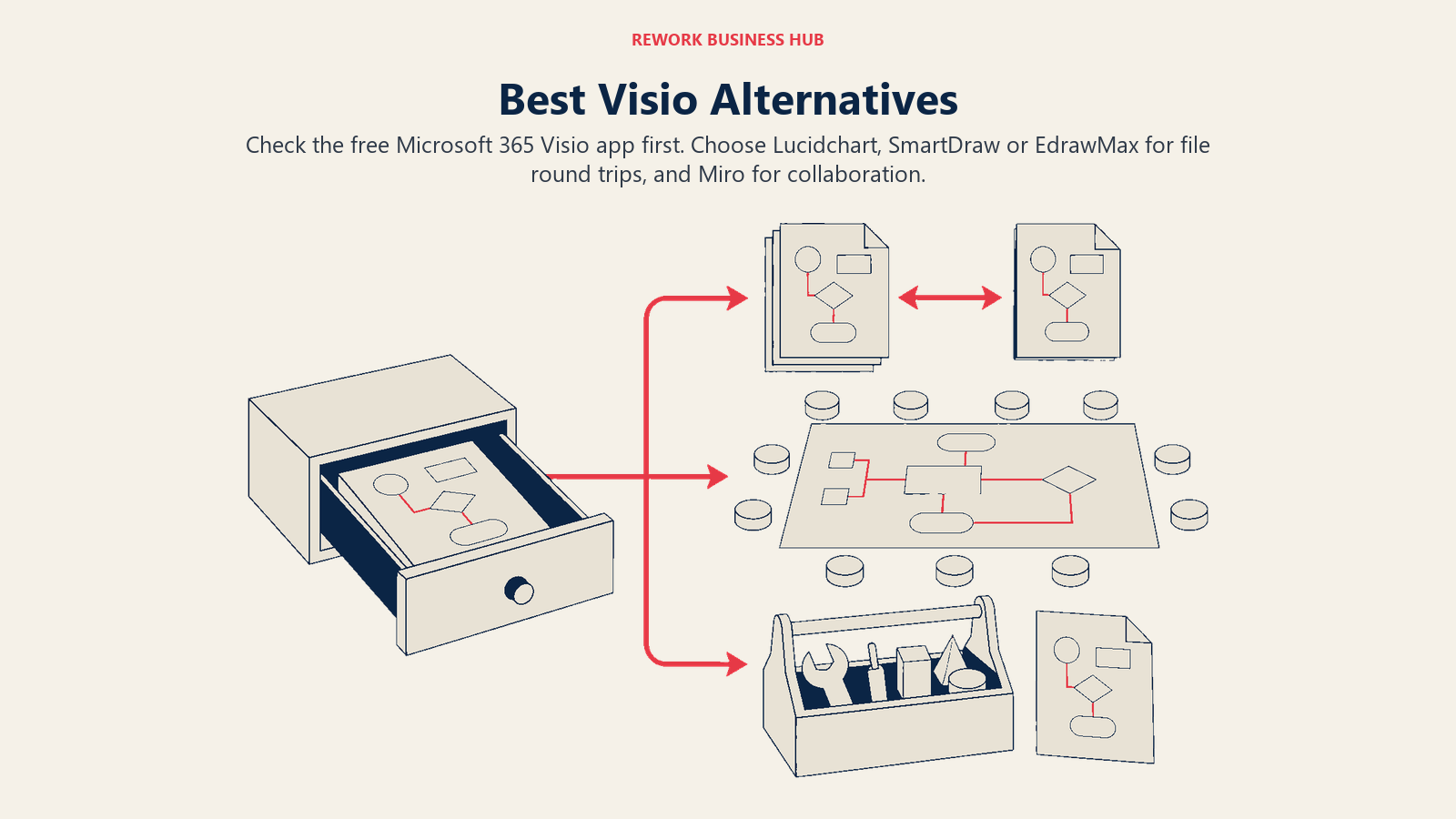
Here's the thing almost nobody tells a Visio buyer up front: if your company already pays for a Microsoft 365 commercial plan, you likely have Visio already, in a lightweight web and Teams app, at no extra charge. It won't run the desktop stencil library or the offline editing that a lot of long-time Visio users expect, but for basic flowcharts, org charts, and quick process maps, it's already sitting in your app launcher. A meaningful share of people searching "Visio alternatives" are really asking "how do I stop paying for Visio," and for some of them the honest answer is a setting, not a purchase. This guide covers that option first, then moves to the 13 tools people reach for when the free web app genuinely isn't enough: Lucidchart, draw.io, Miro, Creately, SmartDraw, Whimsical, Cacoo, Gliffy Diagrams for Confluence, Excalidraw, EdrawMax, Figma/FigJam, LibreOffice Draw, and Bizagi Modeler.
Visio earns its reputation the old-fashioned way: it's been drawing technical diagrams since 1992, and its shape library still covers ground newer tools haven't caught up to, network topology, P&ID, BPMN 2.0, Azure and AWS architecture, ERD and UML. The real friction shows up once you look past the marketing page. Visio Plan 1, the cheapest paid tier, has no desktop app at all, it's web and Teams only. Plan 2 adds the desktop app but jumps to $15 per user per month, paid yearly with no monthly option. The perpetual licenses, Visio Standard 2024 and Visio Professional 2024, run $309.99 and $579.99 as one-time purchases, real money for something that will eventually fall behind file-format support. macOS support has always been secondary rather than native, and real-time co-editing still trails what web-native tools built collaboration around from day one. None of that makes Visio a bad product. It makes it a specific one, built for Windows-first, IT-heavy documentation, and a lot of buyers evaluating this list have a use case that fits somewhere else entirely.
Key Facts
- Graphics beat text badly on long-term memory: in delayed recall tests, participants who viewed information as graphics made errors only 6% of the time, versus 27% for the same information in text, per a 2025 study in Psychonomic Bulletin & Review. (Ciccione et al., 2025)
- 42% of institutional process knowledge exists only in individual employees' heads, and the resulting gaps cost the average large US business $47 million a year in lost productivity, per Panopto's Workplace Knowledge and Productivity Report, a YouGov survey of 1,001 US employees at companies with 200+ staff. (Panopto via PR Newswire)
- Microsoft Visio is tracked in use at roughly 31,000 companies, and 38% of them have 1,000 or more employees, meaning Visio's real customer base skews toward large enterprise IT and engineering teams rather than small businesses. (Enlyft)
- Not being able to see a shared whiteboard is one of the most commonly reported hybrid-meeting problems, cited by 63% of workers, according to Owl Labs' State of Hybrid Work 2025 report. (Owl Labs)
Microsoft Visio Pricing: What You're Actually Paying
Before comparing alternatives, it helps to know exactly what you'd be walking away from. Visio isn't one product at one price, it's five, and the tier most people picture when they hear "Visio" isn't the one most new buyers actually get quoted.
| Offering | Price | Notes |
|---|---|---|
| Visio in Microsoft 365 | Included in Microsoft 365 commercial plans, no extra charge | Lightweight web and Teams app for viewing, editing, and creating basic diagrams. Most eligible buyers don't know they already have it. |
| Visio Plan 1 | $5.00/user/month, paid yearly | Web and Teams apps only. No desktop app. |
| Visio Plan 2 | $15.00/user/month, paid yearly | Web and Teams apps plus the full Visio desktop app. |
| Visio Standard 2024 | $309.99 one-time purchase | Perpetual license. Flowcharts, org charts, mind maps. |
| Visio Professional 2024 | $579.99 one-time purchase | Perpetual license. Adds Azure/AWS architecture, ERD/UML, P&ID, BPMN 2.0, data connectivity, and data graphics with automatic refresh. |
Both subscription plans require annual payment and auto-renew, though 30-day free trials exist for each. If a vendor or a colleague tells you "Visio starts at $5," ask which tier they mean. That's the web-only Plan 1, not the desktop app most people picture when they think of Visio. Figures above are drawn directly from Microsoft's own Visio plans and pricing page.
Quick Comparison Table
| Tool | Best For | Starting Price | Key Strength | Key Limitation |
|---|---|---|---|---|
| Lucidchart | The closest like-for-like Visio replacement | $9/mo (Individual, annual) | Two-way .vsdx import and export | Team pricing isn't published; free tier caps at 3 documents |
| draw.io (diagrams.net) | Zero-cost diagramming with no seat limits | Free, forever | Genuinely free, open source, self-hostable | Built-in export to .vsdx was removed after v26.0.16 |
| Miro | Whiteboarding with diagrams as one format among many | $8/member/mo (Starter, annual) | Best real-time collaboration on this list | Not a dedicated diagramming tool; native Visio support needs an add-on app |
| Creately | Flat-rate pricing that doesn't punish adding people | $5/user/mo (Starter, annual) | $89/mo unlimited-user Business plan | Visio import limited to the Jira/Confluence plugin |
| SmartDraw | Automated org charts and the deepest Visio compatibility | $8.95/user/mo intro (Team, annual) | Two-way .vsdx import and export | Real-time collaboration is weaker than Miro or Lucidchart |
| Whimsical | Fast flowcharts for non-technical teams | $10/mo per editor (Pro) | Fastest time-to-diagram on this list | No Visio file support of any kind |
| Cacoo | Collaborative diagrams with a built-in presentation mode | $6/user/mo monthly, $4.98 annual (Pro) | Imports .vsdx cleanly, including from mobile | No export path back to Visio format |
| Gliffy Diagrams for Confluence | Native, in-page diagramming for Atlassian teams | Free for up to 10 users | Diagrams version with the Confluence page itself | Imported Visio shapes mostly become flattened, uneditable images |
| Excalidraw | Hand-drawn sketches for engineering whiteboarding | Free, forever (core) | Open source, end-to-end encrypted, zero account friction | No data linking, no Visio format support |
| EdrawMax | Widest diagram-type coverage with a lifetime license option | $69/mo promo (Annual) | Full bidirectional .vsdx import and export | Team and business pricing isn't published |
| Figma / FigJam | Teams already paying for Figma who need a whiteboard | $3/mo per Collab seat (Professional, annual) | Bundled at no extra cost with existing Figma seats | Not built for ERDs, network diagrams, or any Visio file work |
| LibreOffice Draw | Opening old Visio files without any subscription | Free, forever | Genuinely free desktop app that opens .vsdx via libvisio | No export back to Visio format; desktop only |
| Bizagi Modeler | Free BPMN 2.0 process modeling with a path to automation | Free (desktop, single user) | Unlimited processes and simulation at no cost | Collaborative and automation features require the paid PaaS platform |
Visio File Compatibility: Which Tools Actually Handle .vsdx
This is the real switching blocker most comparison pages skip. A team migrating off Visio usually has years of .vsdx files sitting in SharePoint, and whether a candidate tool can open, edit, and hand those files back in a format Visio itself can still read decides whether the switch is a weekend project or a slow bleed of broken diagrams.
| Tool | Imports .vsdx | Exports .vsdx | Notes |
|---|---|---|---|
| Microsoft Visio | Native | Native | Reference point |
| Lucidchart | Yes | Yes (Individual plan and up) | Full round trip, though hyperlink actions beyond a simple web link don't survive export |
| draw.io | Yes | No | Built-in export was removed after v26.0.16; a free third-party converter fills the gap |
| SmartDraw | Yes | Yes | Imports convert to SmartDraw's native format first, then re-export cleanly to .vsdx |
| EdrawMax | Yes | Yes | Marketed specifically as bidirectional Visio compatibility |
| Cacoo | Yes | No | Export only reaches SVG, not back to a Visio-readable format |
| Gliffy Diagrams for Confluence | Yes (paid accounts) | No | Imported shapes mostly become flattened images with limited re-editability |
| LibreOffice Draw | Yes | No | Uses the libvisio import library; covers Visio formats from 1992 through the 2013-era .vsdx |
| Miro | Via the draw.io app inside Miro | No | Not a native Miro capability; runs through the embedded draw.io app |
| Creately | Limited (Jira/Confluence plugin only) | No | Main platform relies on an SVG import workaround |
| Bizagi Modeler | Yes (as a BPMN starting point) | No | Import feeds Bizagi's BPMN modeling, not a direct file round trip |
| Whimsical | No | No | No Visio format support |
| Excalidraw | No | No | Different sketch-first format by design |
| Figma / FigJam | No | No | No Visio format support |
1. Lucidchart: The Closest Thing to a Straight Visio Swap
Lucidchart is the pick for a team that wants the least workflow disruption from switching. It imports VSD, VDX, and VSDX files (VSDX imports with the highest fidelity), and on the Individual plan and above, it exports right back to VSDX or VDX. That two-way compatibility, plus data-linked shapes and a cloud architecture import feature comparable to Visio Professional, makes it the alternative most people mean when they say "just like Visio, but in the browser." If Lucidchart itself is the tool you're now evaluating away from, the dedicated Lucidchart alternatives guide covers that swap, and Lucidchart vs. Visio walks through the head-to-head in more depth than a roundup entry can.
| What you get | What you don't |
|---|---|
| Two-way .vsdx and .vdx import/export on Individual and up | A published Team price; Lucid quotes it only inside its live configurator |
| Data-linked shapes and cloud architecture import | Visio's perpetual, one-time-purchase option |
| Unlimited documents and shapes on Individual ($9/mo) | Free-tier headroom past 3 editable documents |
| Presentation Mode and premium shape libraries | Offline desktop editing (browser-first by design) |
Pricing: Free: 3 editable documents, 60 shapes per document, 100 basic templates. Individual: $9.00/month plus tax, unlimited documents and shapes, 1 GB storage, Visio import and export. Team: not published on a static page; commonly reported around $10/user/month with a 3-seat minimum (reported, per Vendr's marketplace data, not confirmed by Lucid). Enterprise: contact sales, bundles Lucidchart with Lucidspark as the Lucid Suite. Source: Lucid's own trial and pricing page.
Best for: Teams that want Visio-equivalent file compatibility and smart diagramming without buying a Microsoft 365 seat just for the desktop app.
Not ideal for: Budget-first buyers, since the jump from a 3-document free plan to unlimited-everything Individual pricing happens fast for anyone diagramming daily.
2. draw.io (diagrams.net): Free Forever, and It Means It
draw.io's entire pitch is that a diagramming tool should be infrastructure, not a subscription. There's no sign-up requirement, no seat limit, no paywalled feature tier. It runs in the browser at app.diagrams.net, as a desktop app, and as a VS Code extension, with native integrations into Google, Microsoft, Atlassian, GitHub, and Notion. It imports .vsdx files directly by dragging them onto the canvas, standard flowcharts, network diagrams, and org charts migrate cleanly, though highly Visio-specific features don't always survive the conversion perfectly. The one honest caveat: built-in export back to .vsdx was removed after version 26.0.16, so a team that needs to hand a file back to a Visio-only stakeholder needs a workaround, not a native button. For teams comparing this specific swap directly, see Visio vs. draw.io.
| What you get | What you don't |
|---|---|
| Completely free web, desktop, and VS Code apps, no account required | Built-in .vsdx export (removed after v26.0.16) |
| Open source (Apache 2.0), self-hostable, diagrams stored as plain XML | AI-assisted diagram generation |
| Native Confluence, Jira, GitHub, and Notion integrations | Real-time co-editing as polished as Miro's |
| Works fully offline | A single, first-party pricing page for the Confluence/Jira apps |
Pricing: Core draw.io (web and desktop): free forever, no sign-up required, open source, per drawio.com's own site. draw.io for Confluence and Jira: paid Atlassian Marketplace apps, priced by user tier (the Marketplace listing renders pricing client-side; check it directly for a current quote).
Best for: Any team that wants zero licensing cost and full data ownership, especially engineering and DevOps teams already living in GitHub or Confluence.
Not ideal for: Teams that need a guaranteed, native round trip back into Visio's own file format.
3. Miro: When the Diagram Is One Slide in a Bigger Workshop
Miro isn't a diagramming tool with a whiteboard bolted on, it's the reverse: a visual collaboration platform where flowcharts are one format among stickies, mind maps, and retrospectives. That distinction matters for the buyer whose real complaint about Visio isn't the shape library, it's that stakeholders can't see or contribute to the diagram live. Given that 63% of workers cite not being able to see a shared whiteboard as a common hybrid-meeting problem, per Owl Labs' 2025 research, a platform built around a persistent, always-visible shared canvas solves a different problem than Visio was ever built to solve. (Owl Labs) Visio compatibility isn't native to Miro, but the "draw.io diagrams by Miro" app embeds draw.io's import inside a Miro board, which covers most practical cases. Teams weighing this against Lucidchart specifically should read Lucidchart vs. Miro; teams comparing Miro against its own direct competitors should see Miro alternatives.

| What you get | What you don't |
|---|---|
| Best-in-class real-time collaboration and async commenting | A dedicated diagramming tool built for ERDs or network topology |
| Strong integrations: Jira, Confluence, Figma, Slack, Teams | Native Visio import (runs through the embedded draw.io app instead) |
| A genuinely usable free plan (3 editable boards) | Pricing that beats Visio at scale; Business rivals Visio Plan 2 |
| Templates built for every workshop and retro format | Focused, single-purpose diagram editing |
Pricing: Free: 3 editable boards, older boards go read-only. Starter: $8/member/month billed annually ($10 monthly). Business: $20/member/month billed annually ($25 monthly). Enterprise: custom, from 30 members. Confirmed on Miro's own pricing page.
Best for: Distributed teams that need a shared visual workspace for planning and workshops, with diagrams as one output among many.
Not ideal for: Teams whose core need is precise, data-linked technical diagrams rather than collaborative ideation.
4. Creately: Flat-Rate Pricing That Doesn't Punish Team Growth
Creately's Business plan is the rare case where the vendor's headline claim held up on re-verification: $89 a month, billed annually, for unlimited users. For a 20-person operations team, that's a fraction of what per-seat pricing from Visio or Lucidchart would cost at the same headcount. Creately also layers in project-management features, task tracking and visual databases attached directly to the diagram, which suits teams that want fewer tools rather than a purer diagramming experience. The catch is Visio compatibility: direct .vsdx import on the main platform is limited, it works cleanly through the Jira and Confluence plugins, but standalone users are mostly relying on an SVG-based workaround. If you're evaluating Creately itself rather than Visio, the dedicated Creately alternatives guide covers that comparison directly.
| What you get | What you don't |
|---|---|
| A genuinely flat $89/month Business plan, unlimited users | Direct .vsdx import outside the Jira/Confluence plugins |
| Built-in task tracking and visual databases | The deepest technical shape library on this list |
| AI-assisted diagramming on all paid plans | A free tier past 45 items per canvas |
| A free plan with unlimited collaborators | Export back to a Visio-readable format |
Pricing: Free: $0 forever, 45 items per canvas, 1 folder, 2 imports, unlimited collaborators. Starter: $5/user/month billed annually ($8 monthly). Business: $89/month billed annually ($149 monthly), unlimited users, 3,000 items per canvas, 1-year version history. Enterprise: custom, with Excel and Google Sheets sync.
Best for: Operations and process teams around 10-50 people who want diagramming and lightweight project tracking in one flat-rate tool.
Not ideal for: Teams whose diagrams need to move cleanly back and forth with Visio users outside their own Jira or Confluence instance.
5. SmartDraw: Built to Feel Like Visio, Not Replace It
SmartDraw's whole design philosophy is automation: type a list of steps or a hierarchy and its auto-layout engine arranges the shapes, connectors, and labels for you. That saves real time for HR teams cranking out org charts or compliance teams standardizing documentation. Where SmartDraw earns its place on this list specifically is Visio compatibility: it imports VSD, VSDX, VST, and VSTX files without needing a Visio license, and it exports back to VSD or VSDX cleanly, the best two-way round trip outside of EdrawMax. The one nuance worth knowing: imported files convert to SmartDraw's native format first, so they're not staying in VSDX until you explicitly re-export.
| What you get | What you don't |
|---|---|
| Full two-way .vsdx/.vsd import and export | Real-time collaboration as polished as Miro or Lucidchart |
| An auto-layout engine that builds diagrams from typed data | A free tier of any kind, only a 7-day trial |
| 70+ integrations including Microsoft 365 and Google Workspace | A design language that feels current next to Whimsical or Miro |
| No Visio license required to import Visio files | Deep whiteboarding or workshop features |
Pricing: Individual: $9.95/month introductory, $10.95/month regular, billed annually, 1 user minimum. Team: $8.95/user/month introductory, $10.95/user/month regular, billed annually, 3 user minimum. Enterprise: contact sales. (Older figures of $5.99 or $9.95 circulating elsewhere are stale.)
Best for: Compliance, HR, and process teams generating high volumes of org charts or standardized diagrams, or Visio users who specifically need reliable file round-tripping.
Not ideal for: Teams that prioritize live, Miro-style co-editing over automated layout.
6. Whimsical: When the Point Is Speed, Not Fidelity
Whimsical is what's left if you strip Visio down to what most business teams actually use it for: a flowchart drawn in the next 20 minutes for a meeting that starts in 25. There's no data linking, no 250,000-shape library, no cloud architecture import. What you get instead is a fast, opinionated editor that produces clean-looking flowcharts, wireframes, and mind maps without a learning curve. Whimsical also prices editors, not viewers, which matters if the real complaint about Visio was paying for stakeholders who only ever look at the diagram. It carries zero Visio format support in either direction, so it's a poor fit for anyone with an existing library of .vsdx files to migrate.

| What you get | What you don't |
|---|---|
| The fastest time-to-diagram of any tool on this list | Any Visio file import or export |
| Unlimited free viewers on every plan | Data-linked shapes or smart diagramming |
| A genuinely usable free plan (3 team boards) | Enterprise compliance or governance controls |
| Wireframes, docs, and mind maps in the same tool | Fit for technical or network diagrams |
Pricing: Free: $0/month, 3 team boards, 3 teams, 10 guests, 5 MB per file, 7-day version history, unlimited viewers. Pro: $10/month per editor, 17% off billed annually. Business: $20/month per editor, 17% off billed annually.
Best for: Product managers, founders, and business teams that draw a flowchart a few times a week and don't want training overhead.
Not ideal for: Anyone with an existing Visio library that needs to migrate, or teams needing technical, data-linked diagrams.
7. Cacoo: Visio Import Without the Visio Price Tag
Cacoo, built by Nulab, sits in an underrated spot: real-time collaborative diagramming with a built-in presentation mode, so a finished flowchart can be walked through slide-by-slide without exporting to PowerPoint first. Its .vsdx import has specifically improved, Cacoo now imports Visio files cleanly, including from Visio 2013 and later, which makes it a genuinely useful landing spot for a team leaving Visio on price rather than on features. The gap is the return trip: Cacoo doesn't export back to a Visio-readable format at all, only to SVG, so it's a one-way migration rather than an ongoing exchange with Visio-using stakeholders.
| What you get | What you don't |
|---|---|
| Clean .vsdx import, including from mobile | Any export path back to Visio format |
| A built-in presentation mode, no PowerPoint export step | A shape library as deep as Visio's or Lucidchart's |
| Real-time co-editing with inline comments | Broad name recognition outside Japan and Asia-Pacific |
| A genuinely free "always free" plan (6 sheets) | AI diagram generation |
Pricing: Free: "Always free," 6 sheets, unlimited users. Pro: $6/user/month monthly, about $4.98/user/month billed annually (17% off), 1 user. Team: same $6/user/month monthly, about $4.98 annually, up to 1,000 users. Enterprise: custom.
Best for: Small-to-mid teams that diagram regularly and present findings to stakeholders, wanting import and presentation in one place.
Not ideal for: Teams that need to hand diagrams back to Visio users on an ongoing basis.
8. Gliffy Diagrams for Confluence: Built for Teams That Live in Atlassian
If Confluence or Jira is where your documentation actually lives, Gliffy Diagrams for Confluence is worth evaluating before any standalone tool on this list. Diagrams embed natively in pages, version history ties to the page's own history, and editing happens in place without a separate tab. It's free for up to 10 users with no time limit, and climbs to $3.80 per user per month for 11 to 100 users, billed annually, cheap by comparison to a per-seat Lucidchart contract for the same headcount. One important correction if you've read older coverage of Gliffy: Gliffy Online, the standalone web tool, is closed to new accounts, existing subscribers keep access, but nobody can sign up fresh anymore. And Gliffy stopped selling and renewing Gliffy for Jira licenses on March 31, 2026, a date that's now in the past. Existing Jira licenses get support through their normal Atlassian Marketplace terms, but Gliffy itself now recommends moving Jira diagrams into Confluence. None of that affects Gliffy Diagrams for Confluence, which remains actively sold and supported. Visio import works on paid accounts, though imported shapes mostly land as flattened images rather than fully editable objects. Teams weighing Confluence-adjacent tools more broadly may also want Confluence alternatives.

| What you get | What you don't |
|---|---|
| Diagrams that version natively with the Confluence page | A path to buy Gliffy Online or a new Gliffy for Jira license |
| Free for up to 10 users, no time limit | Fully editable Visio-imported shapes (they import as images) |
| $3.80/user/month (11-100 users) undercuts most standalone tools | A polished standalone experience outside Atlassian |
| A Zero Egress variant from $2.80/user/month for data-residency needs | Relevance to any team not already on Confluence or Jira |
Pricing: Gliffy Diagrams for Confluence: free for up to 10 users, $3.80/user/month for 11-100 users billed annually, enterprise pricing above that. Gliffy Zero Egress for Confluence: 1-100 users "as low as" $2.80/user/month.
Best for: Engineering and ops teams already standardized on Confluence who want diagrams to live and version inside pages, not in a separate app.
Not ideal for: Any team not on Atlassian, or anyone hoping to buy Gliffy Online or a fresh Gliffy for Jira license, neither is purchasable anymore.
9. Excalidraw: Open Source Sketching for When Polish Isn't the Point
Excalidraw's hand-drawn rendering style is a deliberate choice: it signals "this is a sketch," which lowers the pressure to make something presentation-ready and speeds up the actual thinking. It's fully open source, works entirely in the browser with no account required, and supports end-to-end encrypted collaboration for teams that want privacy without setting up infrastructure. Engineers reach for it specifically because it strips away everything Visio has, shape libraries, data linking, stencils, and leaves just enough to sketch a system design or a data flow during a call. There's no Visio format support in either direction, which is fine, since nobody choosing Excalidraw over Visio is trying to preserve a .vsdx file's formatting anyway.
| What you get | What you don't |
|---|---|
| Free forever for the full core editor, open source (MIT) | Any Visio file import or export |
| End-to-end encrypted collaboration, no account needed | Data-linked shapes or smart diagram features |
| A VS Code extension that embeds diagrams in repos | Enterprise compliance or admin controls in the free tier |
| Notion and Obsidian integrations | A shape library built for formal technical documentation |
Pricing: Free: "Free forever," full editor, 1 infinite scene, unlimited collaborators, export to PNG/SVG, open source. Excalidraw+: $6/user/month billed annually ($7 monthly, annual saves 14%), unlimited scenes and folders, cloud storage, access management, comments, 14-day free trial.
Best for: Engineering teams that want fast, private, zero-friction sketching for system design and architecture discussions.
Not ideal for: Anyone migrating an existing Visio library or needing formal, data-linked technical diagrams.
10. EdrawMax: The Other Perpetual-License Option
EdrawMax is the closest thing to Visio's own one-time-purchase model outside of Visio itself, and it's arguably more useful for teams outside the Microsoft 365 ecosystem, since it runs on Windows, Mac, and Linux. It covers over 280 diagram types in one product, floor plans, electrical schematics, Gantt charts, infographics, alongside the standard IT and business diagrams, and it's genuinely bidirectional on Visio compatibility: it imports both .vsd and .vsdx, and exports specifically to .vsdx for Visio 2013 and later, one of only two tools on this list (with SmartDraw) that round-trips cleanly in both directions.
| What you get | What you don't |
|---|---|
| Full bidirectional .vsdx import and export | Published team or business pricing |
| 280+ diagram types, the widest coverage on this list | Real-time collaboration as smooth as Miro or Cacoo |
| A genuine perpetual license option, not just a subscription | A modern-feeling UI next to Whimsical or Lucidchart |
| Works fully offline on Windows, Mac, and Linux | Deep third-party integrations |
Pricing: Semi-annual (6 months): $99 regular, $89 promotional. Annual: $99 regular, $69 promotional. Perpetual single license: $245 regular, $198 promotional, lifetime EdrawMax V15 desktop plus 3 years of mobile and online access. Perpetual 2-in-1 bundle (EdrawMax + EdrawMind): $312 regular, $245 promotional. Perpetual 3-in-1 bundle (adds EdrawProj): $390 regular, $215 promotional. Team and business pricing sits on a separate page, so confirm current pricing with the vendor.
Best for: Cost-conscious teams outside the Microsoft ecosystem who want the widest diagram-type coverage and real Visio file compatibility without a subscription.
Not ideal for: Teams that need live, multi-editor collaboration on the same diagram in real time.
11. Figma / FigJam: The Free Whiteboard You Might Already Be Paying For
FigJam is Figma's whiteboard product, and it's been bundled with every Figma paid seat since March 2025. If your design team already pays for Figma, you already have FigJam, no separate line item. That completely changes the math for a design-adjacent team weighing a new Visio license against a tool they're already funding. FigJam isn't built for ERDs, network diagrams, or anything resembling Visio's technical stencils, it's for retrospectives, user journey maps, and workshop-style ideation, with templates simple enough that non-designers pick them up in minutes. There's no Visio format support at all, so this only replaces the collaborative-whiteboard slice of what Visio does, not the technical-documentation half.
| What you get | What you don't |
|---|---|
| Included at no extra cost with every paid Figma seat | Any Visio file import or export |
| Seamless handoff into Figma design files | ERD, network, or data-linked diagram support |
| Strong templates for retros, journeys, and workshops | Value if you're not already paying for Figma |
| A design language non-designers pick up quickly | A company-wide diagramming standard |
Pricing: Collab seat, the FigJam seat: $3/month (Professional, annual), $5/month (Organization and Enterprise, annual). Full seat (needed for Figma design files): $16/month (Professional, annual), $55/month (Organization), $90/month (Enterprise). Dev seat: $12/$25/$35 across the same three tiers. Starter is free with limited access.
Best for: Teams already on paid Figma plans who want a zero-additional-cost whiteboard for workshops and planning, not technical diagramming.
Not ideal for: Any team that isn't already paying for Figma, or anyone needing Visio-format compatibility.
12. LibreOffice Draw: The Free Desktop App That Actually Opens Visio Files
LibreOffice Draw is the quiet, unglamorous answer for a specific problem: a folder full of old .vsdx and .vsd files, and no appetite to pay for Visio or a subscription just to open them. LibreOffice is completely free for individuals and organizations alike, open source under the Mozilla Public License 2.0, with no paid tier hiding behind the download. Draw is one of six apps in the suite, and it opens Visio files going all the way back to Visio 1 from 1992 through the 2013-era .vsdx format, using the libvisio import library. It's genuinely useful for basic editing and viewing, but there's no export back to a Visio-readable format, and it's a desktop-only tool with none of the real-time collaboration that Miro or Lucidchart built their products around.
| What you get | What you don't |
|---|---|
| Completely free, open source, no paid tier at any size | Export back to a Visio-readable format |
| Opens .vsd, .vdx, .vtx, and .vsdx via libvisio | Real-time, multi-user collaboration |
| A full office suite (Writer, Calc, Impress) alongside Draw | A modern, polished editing experience |
| Works fully offline on Windows, Mac, and Linux | Cloud storage or hosted sharing built in |
Pricing: Free, for individuals and organizations, no paid consumer or business tier. Optional professional support is available separately through The Document Foundation and its partners.
Best for: A one-time or occasional need to open, view, or lightly edit existing Visio files without paying for anything.
Not ideal for: Ongoing collaborative diagramming, or any workflow that needs to export back into Visio's format.
13. Bizagi Modeler: Free BPMN Modeling for Process-First Teams
Bizagi Modeler takes a different angle than everything else on this list: it's free, full stop, not a trial and not a stripped-down community edition. As a single user, you can model, document, simulate, and publish an unlimited number of BPMN 2.0 processes, saved locally, with no subscription required. That makes it a strong fit for a process owner or business analyst whose real job is documenting how work flows, not producing polished visual assets. It imports from Microsoft Visio, IBM Blueworks, XPDL, and BPMN files as a starting point for further modeling, and publishes out to PDF, Word, Excel, or directly to the web and SharePoint. Where it fits into a longer-term plan: the free Modeler isn't sold at a paid tier on its own, deeper features like process mining, a collaborative model library, and low-code process automation live inside Bizagi's broader PaaS platform, priced through a custom proposal rather than a published rate. For readers going deeper on the notation itself, what BPMN actually is and how business process mapping works are useful background before picking a modeling tool.
| What you get | What you don't |
|---|---|
| A genuinely free, full-featured BPMN 2.0 modeler | Real-time multi-user collaboration on the free tier |
| Unlimited processes and simulation, no subscription | Published pricing for the paid PaaS platform |
| Import from Visio, IBM Blueworks, XPDL, and BPMN | Export back to a Visio-readable format |
| A direct upgrade path to process automation later | Any cloud storage on the free desktop tier |
Pricing: Bizagi Modeler (free): $0, desktop application, single user, local storage, unlimited processes and models, no subscription. Enterprise features (process mining, collaborative library, automation, low-code apps): not sold separately, bundled into the Bizagi PaaS platform, contact sales for a tailored proposal.
Best for: Process owners and business analysts who want serious, standards-based BPMN modeling at zero cost, with room to grow into automation later.
Not ideal for: Teams that need real-time collaborative editing or a guaranteed round trip back into Visio's file format.
Why Teams Actually Leave Visio
Give Visio its due before writing it off. Three decades of shape libraries add up, and for a solution architect documenting a Cisco network or an enterprise data flow, nothing on this list matches its technical depth, particularly on Visio Professional's BPMN 2.0, ERD, and P&ID support. The teams evaluating alternatives usually aren't rejecting that depth. They're running into the edges around it.
The first edge is the tier confusion. "Visio starts at $5" is technically true and practically misleading, since that's Plan 1, which has no desktop app at all. The desktop experience most people associate with Visio starts at Plan 2, $15 per user per month, paid annually with no monthly option to test the waters. The second edge is the perpetual-license math: Visio Standard 2024 at $309.99 or Professional 2024 at $579.99 is real money up front, and eventually that version stops getting file-format updates, an invisible cost until a colleague's newer .vsdx file won't open cleanly. The third edge is collaboration. Visio was built as technical documentation software, not a live co-editing tool, and teams that have gotten used to Miro-style real-time editing or Google Docs-style commenting find Visio's collaboration model genuinely dated by comparison, a gap that shows up directly in the 63% of workers who cite whiteboard visibility as a common hybrid-meeting problem. (Owl Labs)
The fourth edge, and the one that actually decides which alternative fits, is what you're optimizing for. A team leaving over cost and file compatibility wants Lucidchart, SmartDraw, or EdrawMax, tools built for a clean, two-way handoff with Visio's own format. A team leaving because collaboration outgrew documentation wants Miro, Whimsical, or FigJam, tools that treat the diagram as one part of a bigger shared workspace. A team leaving purely on price wants draw.io, LibreOffice Draw, or Bizagi Modeler, genuinely free tools with no seat count to negotiate. And a team standardized on Confluence or Jira should look at Gliffy Diagrams for Confluence before anything standalone. None of these are wrong choices. They're different bets about which part of Visio's job actually matters to the team making the switch.
Stage Fit Matrix
| Tool | Startup (0-10) | Growth (10-50) | Mid-Market (50-200) | Enterprise (200+) |
|---|---|---|---|---|
| Lucidchart | Good | Excellent | Strong | Strong |
| draw.io | Excellent | Excellent | Strong | Good |
| Miro | Good | Excellent | Strong | Excellent |
| Creately | Good | Excellent | Strong | Good |
| SmartDraw | Moderate | Good | Excellent | Good |
| Whimsical | Excellent | Strong | Good | Limited |
| Cacoo | Good | Excellent | Strong | Moderate |
| Gliffy Diagrams for Confluence | Good (Atlassian) | Strong (Atlassian) | Strong (Atlassian) | Good (Atlassian) |
| Excalidraw | Excellent | Strong | Good (eng teams) | Limited |
| EdrawMax | Excellent | Strong | Good | Moderate |
| Figma / FigJam | Good (Figma users) | Strong (Figma users) | Good (Figma users) | Good (Figma users) |
| LibreOffice Draw | Good | Good | Moderate | Moderate |
| Bizagi Modeler | Good | Strong | Strong | Good (Modeler alone; PaaS needed at scale) |
Sizing and Persona Table
| Tool | Team Size Sweet Spot | Primary Buyer | Secondary Buyer |
|---|---|---|---|
| Lucidchart | 5-500 | IT Director / Solution Architect | Business Analyst |
| draw.io | 1-500+ | Engineering Lead / DevOps | Operations Analyst |
| Miro | 5-500+ | Head of Product | Agile Coach / VP Design |
| Creately | 10-50 | Operations Lead / PM | Business Analyst |
| SmartDraw | 10-200 | HR Director / Process Analyst | IT Manager |
| Whimsical | 1-50 | Product Manager | Startup Founder |
| Cacoo | 2-100 | Team Lead / PM | Operations Manager |
| Gliffy Diagrams for Confluence | 1-100 (Atlassian) | Engineering Manager | Confluence Admin |
| Excalidraw | 1-50 (eng teams) | Staff Engineer | Technical PM |
| EdrawMax | 1-100 | Solo Professional / SMB Owner | IT Manager |
| Figma / FigJam | 2-200 (Figma users) | Design Lead / VP Product | Product Manager |
| LibreOffice Draw | 1-50 | IT Admin / Solo User | Cost-Conscious SMB |
| Bizagi Modeler | 1-200 | Process Owner / Business Analyst | BPM Lead |
How to Choose: Decision Framework
| If you need... | Best pick |
|---|---|
| The closest Visio-equivalent file compatibility, both directions | Lucidchart, SmartDraw, or EdrawMax |
| Zero cost, no seat count, full features | draw.io, LibreOffice Draw, or Bizagi Modeler |
| Real-time whiteboarding with diagrams as one output among many | Miro or FigJam |
| Flat-rate pricing that doesn't punish adding headcount | Creately |
| The fastest possible time-to-diagram, no training | Whimsical |
| A diagram that doubles as a presentation deliverable | Cacoo |
| Native, in-page diagramming inside Confluence or Jira | Gliffy Diagrams for Confluence |
| Hand-drawn, private technical sketching for engineering teams | Excalidraw |
| Standards-based BPMN 2.0 modeling with a path to automation | Bizagi Modeler |
| A related overview of the whole process-tooling category | See the business process management software roundup |
Frequently Asked Questions about Visio Alternatives
Is there a free version of Visio?
Yes, but it's easy to miss. Visio in Microsoft 365 is a lightweight web and Teams app included at no extra charge in Microsoft 365 commercial plans, good for basic flowcharts and diagrams. It's not the same as the paid desktop app most people picture when they think of Visio.
Why do teams look for Visio alternatives?
Four reasons come up most: Plan 1, the cheapest paid tier, has no desktop app at all; Plan 2 jumps to $15 per user per month, paid annually only; the perpetual licenses run $309.99 to $579.99 up front; and real-time collaboration lags behind web-native tools that built co-editing in from the start.
What's the best free Visio alternative?
draw.io for browser-based diagramming, LibreOffice Draw for a desktop app that actually opens old .vsdx files, and Bizagi Modeler if the diagrams are specifically BPMN 2.0 process models. All three are genuinely free, not limited trials.
Which Visio alternative has the best .vsdx compatibility?
SmartDraw and EdrawMax both offer full two-way import and export to .vsdx. Lucidchart is close behind, with two-way support on its Individual plan and above, though a few hyperlink action types don't survive the export.
What happened to Gliffy Online?
It's closed to new accounts. Existing subscribers keep access and can still create diagrams, but nobody can sign up fresh anymore. Separately, Gliffy stopped selling and renewing Gliffy for Jira licenses on March 31, 2026. Gliffy Diagrams for Confluence is unaffected by either change and remains actively sold.
Is Miro a real diagramming tool, or just a whiteboard?
It's a whiteboard-first platform where diagramming is one capability among many, not a dedicated diagramming tool like Lucidchart or SmartDraw. It's a strong pick if the real complaint about Visio is collaboration, not shape-library depth, but it isn't built for data-linked ERDs or network topology.
What's the best Visio alternative for BPMN process modeling?
Bizagi Modeler, which is free, supports BPMN 2.0 natively, and can import existing Visio diagrams as a modeling starting point. Visio Professional 2024 itself also supports BPMN 2.0, for teams staying inside the Microsoft ecosystem.
Can I open Visio files without buying Visio?
Yes. LibreOffice Draw opens .vsd, .vdx, and .vsdx files for free using the libvisio import library, and most of the paid tools on this list, Lucidchart, draw.io, SmartDraw, EdrawMax, and Cacoo, import .vsdx as well.
What's the best Visio alternative for teams already on Confluence or Jira?
Gliffy Diagrams for Confluence, since diagrams live and version natively inside the page itself. It's free for up to 10 users and $3.80 per user per month from 11 to 100 users, billed annually.
Does Microsoft still sell a one-time-purchase version of Visio?
Yes. Visio Standard 2024 is $309.99 and Visio Professional 2024 is $579.99, both perpetual licenses rather than subscriptions. EdrawMax is the closest equivalent perpetual-license option outside Microsoft's own ecosystem.
What to Do Next
Start by checking whether you already have Visio in Microsoft 365 through an existing Microsoft 365 commercial plan, that alone resolves a surprising share of "Visio alternatives" searches before you compare a single third-party tool. If it doesn't cover what you need, use the Visio File Compatibility table above to shortlist based on your real migration risk: existing .vsdx files pull you toward Lucidchart, SmartDraw, or EdrawMax, while a clean slate opens up draw.io, Miro, or Whimsical. Then run a two-week pilot with a real diagram your team already maintains, not a demo template, since format fidelity and collaboration friction only show up under actual use. For the wider category view, start with the business process management software roundup, and for the concept layer behind any of these tools, what a flowchart actually is and how business process mapping works are worth a read before you standardize on one.

Customer Success Operations Manager
On this page
- Key Facts
- Microsoft Visio Pricing: What You're Actually Paying
- Quick Comparison Table
- Visio File Compatibility: Which Tools Actually Handle .vsdx
- 1. Lucidchart: The Closest Thing to a Straight Visio Swap
- 2. draw.io (diagrams.net): Free Forever, and It Means It
- 3. Miro: When the Diagram Is One Slide in a Bigger Workshop
- 4. Creately: Flat-Rate Pricing That Doesn't Punish Team Growth
- 5. SmartDraw: Built to Feel Like Visio, Not Replace It
- 6. Whimsical: When the Point Is Speed, Not Fidelity
- 7. Cacoo: Visio Import Without the Visio Price Tag
- 8. Gliffy Diagrams for Confluence: Built for Teams That Live in Atlassian
- 9. Excalidraw: Open Source Sketching for When Polish Isn't the Point
- 10. EdrawMax: The Other Perpetual-License Option
- 11. Figma / FigJam: The Free Whiteboard You Might Already Be Paying For
- 12. LibreOffice Draw: The Free Desktop App That Actually Opens Visio Files
- 13. Bizagi Modeler: Free BPMN Modeling for Process-First Teams
- Why Teams Actually Leave Visio
- Stage Fit Matrix
- Sizing and Persona Table
- How to Choose: Decision Framework
- What to Do Next