Best Nintex Alternatives in 2026: 14 Workflow Platforms Compared
Turn this article into takeaways for your work.


Each assistant summarizes the article only for you and suggests best practices for your work.
Nintex still publishes zero dollar figures anywhere on its site, a contact-sales form is the entire pricing page. New this year: Gartner named both Appian and Pega Leaders in its first Magic Quadrant for Business Orchestration and Automation Technologies (BOAT), and Microsoft's April 2, 2026 deprecation of Azure ACS for SharePoint Online put a hard deadline under a lot of legacy Nintex-for-SharePoint workflows.*
Microsoft Power Automate fits Microsoft 365 shops that want cloud flows and RPA bots inside the tenant they already pay for. Camunda fits developer-led teams that want to own a BPMN 2.0 engine outright instead of clicking through a vendor's low-code designer. Rework fits an ops team that wants workflow, approvals, and e-signature bundled with CRM and HR under one predictable vendor bill instead of Nintex's separate modules and an undisclosed quote. This guide sorts all 14 alternatives below on what actually forces a Nintex evaluation in 2026, not feature parity first.
Two things push Nintex buyers into this list more than any feature gap. First, Nintex is one of the only platforms in this whole category that publishes literally nothing: no starting price, no tier name, no range, just a form that reads "Talk with our sales team to explore how Nintex can support your goals." Second, for teams running Nintex on SharePoint, the timing is worse than a quiet frustration: the SharePoint 2013 workflow engine has reached end of support, and Microsoft deprecated Azure ACS for SharePoint Online on April 2, 2026, the authentication layer a lot of older Nintex-for-SharePoint workflows depend on. Nintex's own guidance now routes on-premises customers toward Nintex Automation K2 and the K2 for SharePoint SPFx integration, and Nintex Kryon RPA's public APIs are being deprecated too, with Nintex's own public APIs named as the replacement. Nintex is also unusual in pairing workflow with document generation and eSign in one suite, so an alternative that only automates steps and leaves document assembly to someone else is a real gap for some of these buyers, not a footnote; the Best Business Process Management Software hub covers the wider category if a Nintex-shaped switch isn't quite your starting point. Every price below states whether it is billed monthly or annually.
Key Facts
- The global workflow automation market is projected to grow from $27.91 billion in 2026 to $65.26 billion by 2034, an 11.20% compound annual growth rate. (Fortune Business Insights)
- The global digital signature market is projected to grow from $13.70 billion in 2026 to $154.52 billion by 2034, a 35.40% compound annual growth rate. (Fortune Business Insights)
- Gartner named both Appian and Pega Leaders in its inaugural Magic Quadrant for Business Orchestration and Automation Technologies, published October 2025. (Appian)
- Microsoft deprecated Azure ACS for SharePoint Online on April 2, 2026, the authentication layer many legacy Nintex-for-SharePoint workflows depend on. (Nintex)
- 89% of development executives said their firm is either currently implementing or actively planning a citizen developer strategy, per Forrester's Developer Survey, 2025. (Forrester)
Quick Comparison Table
| Tool | Best For | Starting Price | Key Strength | Key Limitation |
|---|---|---|---|---|
| Microsoft Power Automate | Microsoft 365 shops wanting cloud flows and RPA bots in one tenant | Premium $15/user/month paid yearly | Deepest native tie-in to Teams, SharePoint, and the rest of Power Platform | Bots (Process, Hosted Process) bill separately from the per-user rate |
| Appian | Regulated enterprises needing governed, audited case management | Priced per user/month/app, no public figure | Named a Leader in Gartner's first BOAT Magic Quadrant | Per-app pricing means identical headcounts land on different bills |
| Camunda | Developer-led teams wanting to own a BPMN 2.0 engine directly | Free (non-production only); Enterprise custom | Open-source orchestration core, no vendor lock-in on the engine itself | Free tier stops at modelling once the SaaS trial ends |
| Kissflow | Business teams comfortable evaluating price via a sales call | Not published, fixed annual agreement | No-code process and app builder built for business users | Zero published number anywhere, same opacity as Nintex |
| Pipefy | Ops teams wanting a real free tier before any budget talk | Free (Starter, capped); Business custom | Free Starter is genuinely usable: 10 users, 5 processes, no card | Business bills per user with no published rate at all |
| Rework | Ops teams wanting workflow, CRM, and HR bundled with one bill | Process Engine from $99/mo billed yearly (5 seats) | One published engine price, computable without a call | Not a BPMN engine and no document-assembly depth to match Nintex |
| Quickbase | Teams wanting a no-code database with workflow layered on | Team from $35/user/month billed annually | One of the few vendors here that prints a real per-user number | Publishes a price but not the platform minimum stacked on top |
| Process Street | Teams running recurring checklist-driven SOPs | Not published, 5-user minimum on Startup | Checklist-first process design most business users grasp instantly | No dollar figure anywhere, same as Kissflow and Nintex |
| Laserfiche | Regulated teams wanting document management and workflow together | Professional $73/user/month billed annually | Closest match to Nintex's workflow-plus-document combination | Entry price is 5-user minimum, several times Nintex-adjacent tools |
| Decisions | Teams that explicitly don't want per-user licensing math | Not published, custom quote per tier | States outright it isn't built around restrictive per-user pricing | Zero dollar figures published for any of its three tiers |
| Creatio | Teams wanting BPM bundled natively with CRM | Growth $40/user/month (behind a $10,000/year minimum) | New Unlimited tier removes per-seat counting entirely | $10,000 annual purchase minimum applies regardless of headcount |
| Zoho Creator | Budget-conscious teams already inside the Zoho ecosystem | Standard $8/user/month billed annually | Cheapest published per-user rate with workflow rules included | The $8 rate is annual billing only, no monthly figure published |
| Tallyfy | Very small teams that want a real price with a 1-seat minimum | Full Seat $300/year ($25/month equivalent) | Cheapest real published price on this entire list, no seat floor | Checklist/process documentation depth, not a BPMN engine |
| Conga | Teams whose real gap is document generation, not workflow | Not published, quote-based | Purpose-built document assembly and CLM, Nintex's other half | Not a workflow engine at all, solves only one piece of Nintex's job |
What Each Alternative Actually Replaces: Workflow Only vs. Workflow Plus Document Generation
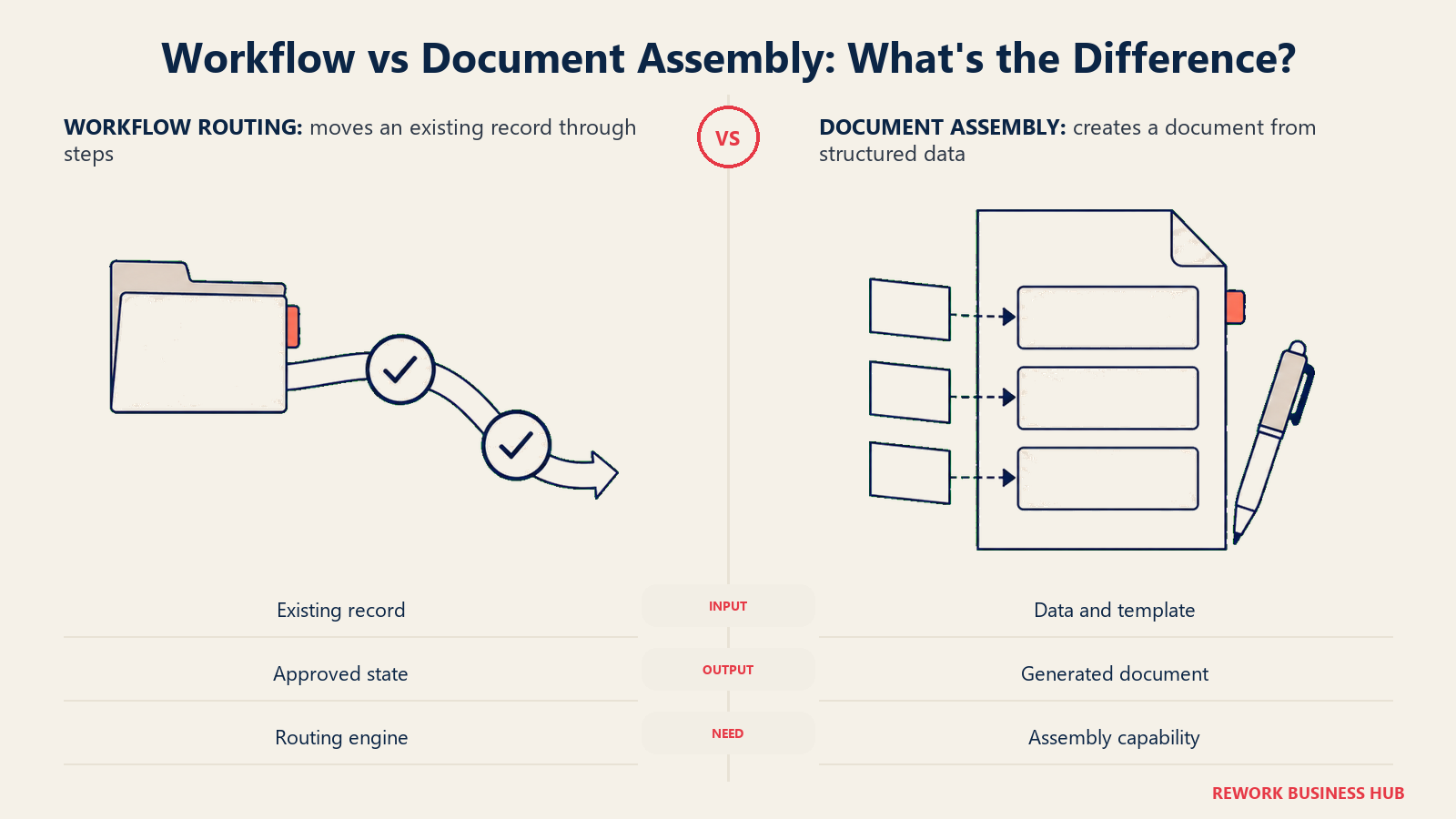
This is the split most competitor roundups skip, and it's the one that matters most for a Nintex buyer specifically. Nintex doesn't sell a single product, it sells workflow automation, document generation (its Drawloop-style templated document assembly), and eSign together, plus RPA through Kryon. Most of the 14 alternatives below only replace the workflow piece. If your Nintex apps lean heavily on generating contracts, proposals, or forms from a template, a workflow-only alternative leaves that job unfilled and you'll need a second tool next to it.
| Tool | Workflow Automation | Document Generation | E-Signature | Where That Leaves You |
|---|---|---|---|---|
| Microsoft Power Automate | Yes (cloud flows, RPA bots) | No native document assembly | Via connectors (Adobe Sign, DocuSign) | Pair with a document-gen connector or a separate tool |
| Appian | Yes (case management, orchestration) | Limited, mostly via connectors | Via integration | Workflow and governance depth, document assembly is bolted on |
| Camunda | Yes (BPMN 2.0 engine) | No | No | Pure orchestration; pair with a dedicated doc and eSign tool |
| Kissflow | Yes | No | No | Process and app building only |
| Pipefy | Yes (kanban-style process) | No | No | Process only |
| Rework | Yes (Workflow, BPM, Request modules) | No templated document assembly | Yes (E-Sign is a live module) | Workflow plus eSign, not Nintex's document-assembly depth |
| Quickbase | Limited (automations inside apps) | No | No | Database-first, workflow is a feature, not the product |
| Process Street | Yes (checklist-driven) | No | No | Process documentation only |
| Laserfiche | Yes (workflow inside the ECM) | Yes (forms and document generation) | Via integration | Closest full match to Nintex, at an enterprise price |
| Decisions | Yes | Limited | Via integration | Process and some document handling, not templated assembly |
| Creatio | Yes (BPM) | Limited | Via integration | BPM bundled with CRM, not document assembly |
| Zoho Creator | Yes (workflow rules) | No | Via Zoho Sign integration | App builder and workflow first |
| Tallyfy | Yes (checklist and process tracking) | No | No | Process documentation, no document generation at all |
| Conga | No, not a workflow engine | Yes (Composer, templated document assembly) | Yes (Conga Sign) | Document generation and eSign, the piece most of this list skips |
Laserfiche and Rework are the two entries that come closest to Nintex's own product shape, from opposite directions: Laserfiche matches the document-and-workflow combination but at an enterprise price with a 5-user minimum, while Rework matches the workflow-and-eSign combination but skips templated document assembly entirely. If document generation specifically is the piece you can't lose, Conga is the honest answer, not a workflow platform at all, but the closest thing to Nintex's Drawloop heritage on this list.
1. Microsoft Power Automate: The Cloud-Flow Alternative Microsoft Already Sells You
Power Automate is the automation layer of the Microsoft Power Platform, and for a Nintex-for-SharePoint customer specifically, it's the most obvious first evaluation: it's built by the same company that just deprecated Azure ACS underneath older Nintex SharePoint workflows, and it already ships inside most Microsoft 365 tenants. Cloud flows handle the same trigger-and-action automation Nintex workflows do, desktop and cloud RPA bots extend into unattended process automation, and Process Mining adds visibility into how a process actually runs versus how it's documented.
Premium runs $15 per user per month paid yearly, a separate line from the Process and Hosted Process bot pricing: unattended bots run $150 per bot per month paid yearly, and hosted (cloud-run) bots run $215 per bot per month paid yearly. Process Mining is a $5,000 per tenant per month add-on, paid yearly, available only alongside Premium. A free trial is available. For a Nintex customer whose real workflows are simple approval chains and document routing inside SharePoint or Teams, Power Automate is often the cheapest realistic replacement, provided the bot and mining costs stay out of the budget. The Power Automate vs Nintex head-to-head runs that swap in full, including what a Nintex quote has to beat once the bot lines are counted.
| Pros | Cons |
|---|---|
| Deepest native integration with Teams, SharePoint, and Dataverse of anything on this list | Bots (Process, Hosted Process) and Process Mining bill as separate line items |
| A real, published per-user rate, no sales call required for the base license | Full value depends on already being invested in the Microsoft ecosystem |
| A free trial to test cloud flows before committing to Premium | RPA bot pricing at $150-215/bot/month adds up fast for heavy automation |
Pricing: Premium $15/user/month paid yearly. Process (unattended bot) $150/bot/month paid yearly. Hosted Process $215/bot/month paid yearly. Process Mining add-on $5,000/tenant/month paid yearly, requires Premium. Free trial available. (Microsoft) Best for: Microsoft 365 shops, especially Nintex-for-SharePoint customers already navigating the Azure ACS deprecation, who want cloud flows and RPA in the tenant they already pay for. Not ideal for: A team whose Nintex workflows lean heavily on document generation and eSign; Power Automate handles neither natively and needs connectors for both.
2. Appian: Enterprise Governance, With No Price Until You Call
Appian belongs on this list for the Nintex buyer whose real complaint was never workflow steps, it was governance depth: case management, audit trails, and process orchestration built for insurance, banking, or government work. Gartner named Appian a Leader in its inaugural Magic Quadrant for Business Orchestration and Automation Technologies (BOAT), published October 2025, the framework that replaced the older iBPMS category and folded in process orchestration, connectivity, and agentic automation as one market. For the fuller field in this exact category, Best Appian Alternatives covers the matchup on its own, and if the real question is Appian versus its closest enterprise rival, Appian vs Pega runs that comparison directly.
Appian sells Standard, Advanced, and Premium editions, each priced per user, per month, per app, not a flat per-seat rate, so two teams with identical headcounts can land on very different bills depending on how many separate applications they build. None of the three editions carries a public dollar figure; every quote runs through sales. A free Community Edition exists for personal development and learning, explicitly not licensed for production traffic, a reasonable way to test the modeling experience before that first sales call.
| Pros | Cons |
|---|---|
| Named a Leader in Gartner's first-ever BOAT Magic Quadrant | Zero public pricing anywhere; every number requires a sales conversation |
| Governance and audit depth built for regulated, high-volume case work | Per-app pricing (not per-seat) makes budgeting from headcount alone unreliable |
| A free Community Edition for evaluating the platform hands-on | Overkill for a team just wanting to replace a handful of Nintex approval flows |
Pricing: Standard, Advanced, and Premium editions, each priced per user per month per app, no dollar figure published. Community Edition free for personal development only, not production. (Appian) Best for: Regulated enterprises that need governed, audited case management and are prepared to run pricing through a sales evaluation. Not ideal for: A team that just wants a Nintex-style workflow replacement with a visible starting price; Appian's per-app enterprise pricing is a different conversation entirely.
3. Camunda: The Open-Source BPMN Engine Built for Developers, Not Admins
Camunda takes the opposite approach from Nintex's low-code, drag-and-drop designer: it's a BPMN 2.0 process orchestration engine built for developers, with Zeebe as the execution core, meant to be embedded, versioned, and deployed through code rather than clicked together by a business user. For a Nintex customer whose workflows have outgrown a visual designer and need real branching logic, retries, and API-first orchestration, Camunda is the honest next step up, not a like-for-like swap.
Self-Managed Development is free, runs locally, and is explicitly non-production, no license required. Self-Managed Production needs an Enterprise license, which requires a sales conversation. Camunda's SaaS offering gives a 30-day free trial with full execution; after that, the free tier drops to modeling only, with no runtime execution included. No dollar figure is published anywhere on Camunda's pricing page.
| Pros | Cons |
|---|---|
| Open-source BPMN 2.0 core, no vendor lock-in on the engine itself | Not a low-code tool for business users; it expects developers |
| A genuinely free, unlimited local development tier for non-production work | Free SaaS tier drops to modeling-only after the 30-day trial ends |
| Zeebe's execution engine is built for high-throughput, cloud-native workloads | Zero dollar figures published; Enterprise Production requires a sales call |
Pricing: Self-Managed Development free (local, non-production, no license). Self-Managed Production requires an Enterprise license, sales conversation. SaaS offers a 30-day free trial with full execution, then modeling-only. No dollar figure published. (Camunda) Best for: Developer-led teams that want to own a BPMN 2.0 orchestration engine outright, embedded into their own applications rather than configured through a vendor's UI. Not ideal for: A business-user-led team that liked Nintex's drag-and-drop designer specifically; Camunda expects engineers, not process owners, to build the flows.
4. Kissflow: The No-Code Builder With the Same Pricing Opacity as Nintex
Kissflow built its reputation on no-code process and app building for business users, no developer required, and it's a fair structural comparison to Nintex on the "no-code first" positioning. What it shares with Nintex less flatteringly is pricing opacity: as of September 2026, kissflow.com/pricing sells a consultation-led, fixed annual agreement quoted per organization, with the page itself stating "Pricing built around the value you generate" and "No surprise costs" rather than any tier or dollar figure. Older circulating numbers for Kissflow (a widely repeated $1,500/month figure) no longer reflect what the vendor's own page shows and should be treated as dead.
For the closest matchup on this exact "no-code process builder" question, Best Kissflow Alternatives runs the comparison directly, and Kissflow vs Pipefy is the head-to-head if those two are your actual shortlist.
| Pros | Cons |
|---|---|
| No-code, business-user-friendly process and app builder | Not one visible price anywhere on its current pricing page |
| Long track record in the no-code workflow category | No published price to budget against |
| A guided demo path for structured evaluation | No self-serve way to compare cost before a sales conversation |
Pricing: Not published on Kissflow's pricing page; sold as a fixed annual agreement quoted per organization. (Kissflow) Best for: Business teams that already know they want a no-code process and app builder and are comfortable evaluating price through a sales call. Not ideal for: A budget-conscious team wanting to self-serve a price comparison; Kissflow offers exactly as little pricing transparency as Nintex does.
5. Pipefy: The Free Tier That's Actually Usable, Until It Isn't
Pipefy takes a kanban-first approach: each card represents a case or record moving through a process, aimed at operations teams (procurement, HR, finance shared services) wanting a visual, no-developer-required way to build a workflow-backed app. What separates Pipefy from most "free tier" marketing on this list is that Starter is genuinely usable, not a crippled trial: up to 5 processes, 10 users, 50 cards per month, 2GB storage, and 500 database records, with no credit card required and 1,000 AI credits included every month, even on the free plan.
Business moves to per-user billing with unlimited processes and users, up to 10,000 database records, and 20GB storage, but Pipefy does not publish a dollar figure for it; Enterprise is similarly unpriced. For a closer look at this specific matchup, Best Pipefy Alternatives covers it directly, and Kissflow vs Pipefy is the head-to-head against the previous entry on this list.
| Pros | Cons |
|---|---|
| Starter is a real, usable free tier: 5 processes, 10 users, no card | Business tier bills per user with literally no published rate |
| 1,000 AI credits included on every plan, including free | 5-process, 10-user cap on Starter arrives faster than it sounds |
| Kanban-style cards make process status intuitive for non-technical teams | No BPMN-level modeling depth for complex branching logic |
Pricing: Starter free (5 processes, 10 users, 50 cards/month, 500 database records, 2GB storage). Business and Enterprise custom, contact sales. (Pipefy) Best for: Operations teams wanting a genuinely free tier to build their first process before any budget conversation starts. Not ideal for: A team already past 10 users or 5 active processes; that's a Business-tier conversation with no visible starting price attached.
6. Rework: One Platform Instead of a Workflow Tool, a CRM, and an HR Tool
Rework's argument in this category is consolidation, not process-engine depth or document-assembly depth to match Nintex's Drawloop heritage. Workflow, BPM, Request (approvals), Task, Project, Docs, and E-Sign are live modules on one platform, next to a Sales CRM, Lead Management, the People app (HRIS, timesheets, payroll), and a unified inbox spanning WhatsApp, Messenger, Instagram DM, TikTok, Zalo, and web chat. Where Nintex bundles workflow with document generation and eSign, Rework bundles workflow with eSign too, but the buyer it fits is different: a 10 to 200 person mid-market ops team tired of a workflow tool, a CRM, and an HR tool that only talk to each other through brittle integrations, or don't talk at all.
Unlike Nintex, Rework actually publishes a real price: its Process Engine (Workflow, BPM, Request, and Task Service) runs $99 a month billed yearly ($1,188 a year), or $120 month to month, with 5 work seats included, and extra seats come in blocks of 5 at $13 a month per block on yearly billing. A 25-seat team lands at $1,812 a year on the Standard edition and 100 seats lands at $5,424 a year on the Advanced edition, both on yearly billing, numbers you can compute yourself without a call, which is the whole point next to a vendor whose pricing page is a contact form.
Rework is not a BPMN 2.0 process-orchestration engine, and it doesn't compete with Camunda or Appian on executable process modeling, case-management depth, or regulated audit trails. It has no RPA offering to match Nintex's Kryon product line. And it doesn't replace Nintex's document-generation depth, the templated document assembly (contracts, proposals, forms) that Nintex built its Drawloop acquisition around, or Nintex's SharePoint-native workflow story; a team migrating off SharePoint 2013 workflows specifically needs a SharePoint-aware answer like Power Automate, not Rework.
| What you get | What you don't |
|---|---|
| A published engine price, no sales call needed for a number | A BPMN 2.0 process-orchestration engine like Camunda or Appian |
| Workflow, BPM, Task, Project, Docs, and E-Sign on one platform | RPA, and no templated document-generation engine to match Nintex |
| A unified inbox (WhatsApp, Messenger, Instagram DM, TikTok, Zalo, web chat) | Nintex's SharePoint-native workflow story or a SharePoint migration path |
| CRM and the People app (HRIS, timesheets, payroll) in the same login | Per-user licensing; Rework sells engines with seats in blocks of 5 |
Pricing: Process Engine $99/month billed yearly ($1,188/year) or $120 month to month, 5 work seats included. Extra seats come in blocks of 5 at $13/month per block on yearly billing. Worked totals on yearly billing: 25 seats = $1,812/year (Standard edition), 100 seats = $5,424/year (Advanced edition). 14-day free trial. (Rework) Best for: A 10 to 200 person mid-market ops team that wants workflow, approvals, project, task, CRM, and People management under one login instead of three or four separate tools stitched together. Not ideal for: Teams needing BPMN process-orchestration depth, RPA, Nintex-grade templated document generation, or a SharePoint-native migration path; also not a fit for a solo buyer, every engine starts with 5 seats.
7. Quickbase: The No-Code Database That Actually Publishes a Per-User Price
Quickbase approaches this category from the opposite direction of Nintex: it's a no-code relational database and app builder first, with workflow automations layered on top of the apps you build, rather than a workflow engine with a database bolted on. For a Nintex customer whose real need was closer to "build a tracked, structured app" than "orchestrate a complex approval chain," Quickbase can be a better-fit switch than a pure workflow competitor. The dedicated Best Quickbase Alternatives guide covers this exact category from Quickbase's own side, worth a look if the database angle matters more to you than the workflow angle.
Quickbase is one of the few vendors on this whole list that prints a real per-user dollar figure: Team runs from $35 per user per month, and Business runs from $55 per user per month, both priced annually, with a 30-day free trial. The catch, stated on Quickbase's own pricing page, is "Cost shown does not include platform minimum," a fee Quickbase never quantifies, plus the requirement that "All users must be on the same plan."
| Pros | Cons |
|---|---|
| A real, published per-user starting price, rare in this whole category | An undisclosed platform minimum stacks on top of the per-user rate |
| A 30-day free trial before committing to either paid tier | All users must sit on the same plan, no mixing Team and Business seats |
| Genuine relational database depth for structured, multi-table apps | Workflow automation is a feature of the database, not the core product |
Pricing: Team from $35/user/month, priced annually. Business from $55/user/month, priced annually. Enterprise custom. 30-day free trial. Platform minimum applies on top, unquantified. (Quickbase) Best for: A team whose Nintex apps were really structured trackers with a few automated alerts, better served by a database-first tool than a pure workflow engine. Not ideal for: A team whose Nintex use was genuinely complex, branching workflow orchestration; Quickbase's automations sit inside its apps rather than standing alone as a process engine.
8. Process Street: Checklist-First SOPs, With No Price on the Page Either
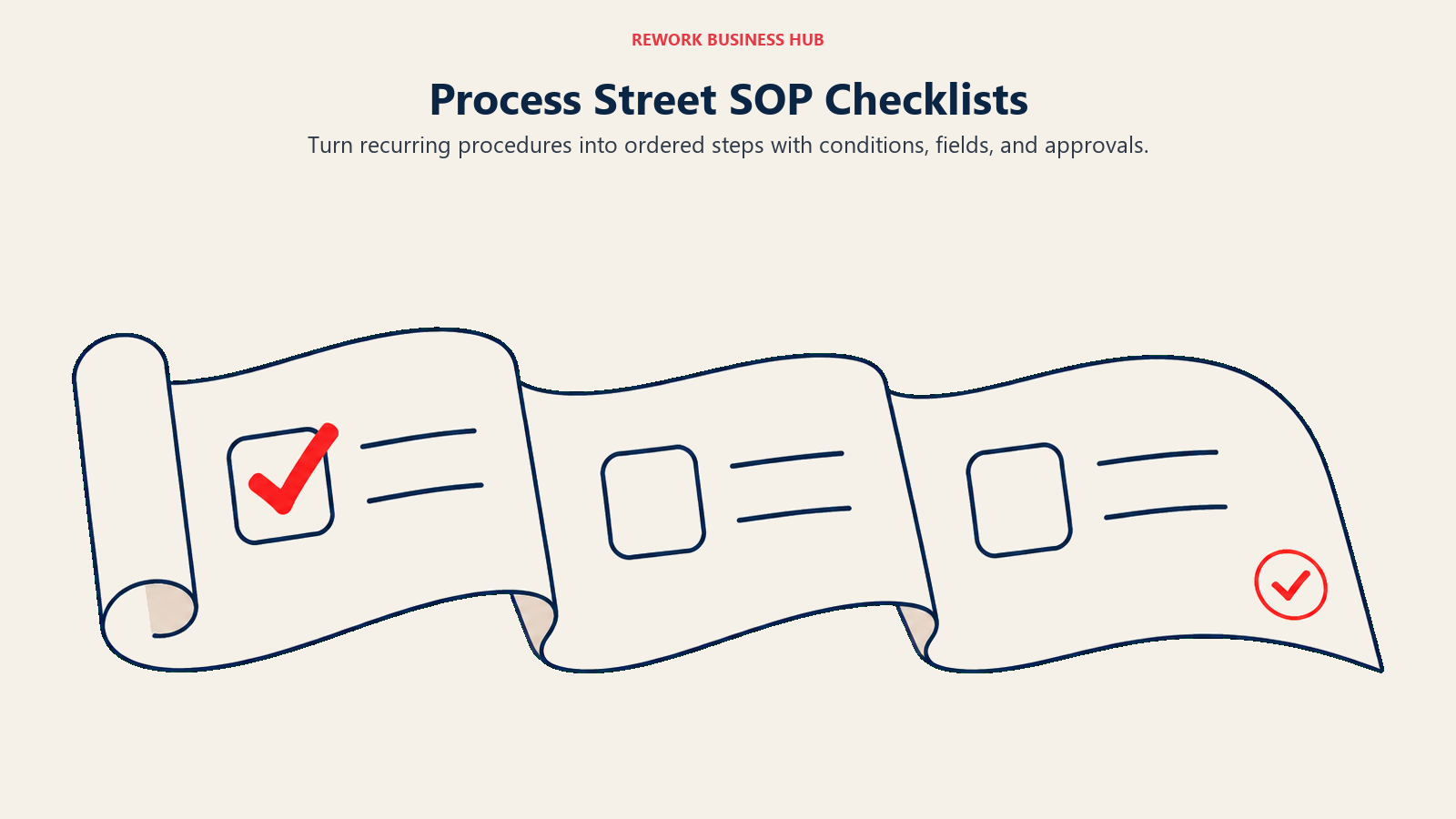
Process Street takes a different shape from Nintex entirely: instead of a visual flowchart or BPMN diagram, a process is a checklist, a series of ordered steps with conditional logic, form fields, and approvals attached, aimed squarely at recurring operational SOPs (employee onboarding, vendor intake, monthly close) rather than complex case management. For a Nintex customer whose real workflows are closer to "make sure everyone follows the same steps in order" than "orchestrate a multi-branch business process," the checklist model is often easier for non-technical staff to both build and follow.
Process Street sells Startup, Pro, and Enterprise tiers, and like Nintex, publishes no dollar figure on its own pricing page. Startup carries a 5-user minimum, up to 5,000 Data Set records, 100 automation actions per month, and 50 API calls per month. Pro raises the Data Set ceiling to 10,000 records. Enterprise removes the API call cap entirely. For the closest matchup on this exact checklist-first question, Best Process Street Alternatives runs the comparison directly.
| Pros | Cons |
|---|---|
| Checklist-first design most business users grasp without training | No dollar figure published anywhere, the same opacity Nintex has |
| Conditional logic and form fields built into each checklist step | 5-user minimum on Startup locks out very small teams |
| Clear tier progression on record and API limits, if not on price | Not built for complex, branching BPMN-style process orchestration |
Pricing: Startup, Pro, and Enterprise tiers, no dollar figures published. Startup: 5-user minimum, 5,000 Data Set records, 100 automation actions/month, 50 API calls/month. Pro: 10,000 Data Set records. Enterprise: unlimited API calls. (Process Street) Best for: Ops teams running recurring, checklist-driven SOPs (onboarding, intake, monthly close) who want a simpler mental model than a flowchart-style workflow builder. Not ideal for: A team needing genuine branching process orchestration or case management; Process Street's checklist model isn't built for that complexity.
9. Laserfiche: Enterprise Content Management With Workflow Built In, at an Enterprise Price
Laserfiche is the entry on this list that structurally resembles Nintex the most: it pairs document management (an actual ECM, not just file storage) with workflow automation and forms, aimed at regulated industries (government, healthcare, financial services) that need both a system of record for documents and the process logic that moves them through review and approval. For a Nintex customer whose apps genuinely combined document handling with workflow, not just triggers and approvals, Laserfiche is a closer functional match than most of the pure workflow tools on this list.
That match comes at a price. Professional runs $73 per user per month billed annually, with a 5-user minimum, putting the realistic entry cost well above every workflow-only competitor here. Business steps up to $93 per user per month billed annually with a 25-user minimum. Business+ prices at $42 per user per month billed annually, but only at a 500-user minimum, so it's cheaper per seat purely because it requires 500 seats to buy in at all, never treat that $42 figure as an entry price. Cloud Starter and the self-hosted Laserfiche 12 product carry no published figure.
| Pros | Cons |
|---|---|
| A real ECM (document management) paired natively with workflow, closest to Nintex's own shape | Professional's entry price ($73/user/month, 5-user minimum) is the highest on this list |
| Built for regulated, compliance-heavy document and process work | Business+'s lower per-seat rate only applies at a 500-user minimum |
| Strong audit trail and records-management depth for government and healthcare | Overkill and overpriced for a team that just needs simple workflow steps |
Pricing: Professional $73/user/month billed annually, 5-user minimum. Business $93/user/month billed annually, 25-user minimum. Business+ $42/user/month billed annually, 500-user minimum. Cloud Starter and self-hosted Laserfiche 12 carry no published figure. (Laserfiche) Best for: Regulated teams whose Nintex use combined real document management with workflow, and who can absorb an enterprise-tier price for that combination. Not ideal for: A small team or one without genuine document-management needs; the 5-user minimum and $73/user/month entry price price out most simple workflow-only use cases.
10. Decisions: BPM Built to Explicitly Reject Per-User Pricing
Decisions (which absorbed ProcessMaker, no longer a standalone brand) is a low-code BPM and intelligent automation platform combining workflow, forms, and robotic process automation in one product. Its own pricing page makes an unusually direct claim for this category: "Decisions isn't built around restrictive per-user pricing," positioning itself against the per-seat math that Quickbase, Kintone, and Zoho Creator all use.
The claim comes without a number attached to back it up. Foundation, Growth, and Enterprise are the three named tiers, and every one of them requires a custom quote, no dollar figures published anywhere on the page. For a Nintex buyer whose primary complaint was per-user licensing creep as their process footprint grew, Decisions' stated philosophy is worth evaluating directly, but the actual number still requires the same sales call Nintex itself demands.
| Pros | Cons |
|---|---|
| Explicitly states it avoids restrictive per-user pricing | No dollar figure published for any of its three tiers |
| Combines workflow, forms, and RPA in one low-code platform | The "not per-user" claim can't be verified without a sales quote |
| Inherited ProcessMaker's BPM heritage after the brand absorption | Same pricing opacity as Nintex, just with different marketing language |
Pricing: Foundation, Growth, and Enterprise tiers, no dollar figures published, custom quote per tier. (Decisions) Best for: A team specifically frustrated by per-user pricing creep on a workflow tool, willing to verify Decisions' "not per-user" claim through its own sales process. Not ideal for: A budget-conscious buyer wanting a self-serve number before a call; Decisions offers no more pricing transparency than Nintex does.
11. Creatio: BPM Bundled Into a CRM, Behind a $10,000 Minimum
Creatio's process engine grew out of a CRM platform, and that lineage still shows: its real differentiator is BPM tooling built natively alongside sales, marketing, and service CRM modules, rather than bolted onto a generic canvas. As of its current pricing, Creatio sells Growth, Enterprise, and a newer Unlimited tier aimed at organizations that would rather budget per organization than per seat.
Growth runs $40 per user per month, and Enterprise runs $75 per user per month; both require a minimum annual purchase of $10,000, on a standard 3-year contract. That minimum matters more than the headline per-user rate: a 10-person team at $40/user/month nominally owes $4,800 a year, but the $10,000 floor applies regardless, so quoting $40 without mentioning it is genuinely misleading. Unlimited has no per-user limits at all, priced custom. Add-on products (Sales, Marketing, Service) run $15 per user per month each, and AI packages range from $5,000 per year (500K credits) to $150,000 per year (8M credits).
| Pros | Cons |
|---|---|
| App building and BPM live natively on the same platform as CRM | A $10,000/year minimum purchase and 3-year standard contract apply regardless of headcount |
| New Unlimited tier removes per-seat counting entirely | Growth and Enterprise both carry that same $10,000 floor |
| Modular add-ons (Sales, Marketing, Service) at a stated per-user rate | Small teams pay the $10,000 minimum even if seat math suggests less |
Pricing: Growth $40/user/month. Enterprise $75/user/month. Both require a $10,000/year minimum purchase, standard 3-year contract. Unlimited tier custom, no per-user limits. Add-on products (Sales, Marketing, Service) $15/user/month each. (Creatio) Best for: Teams wanting BPM and app building bundled natively with CRM, with budget already cleared for a $10,000+ annual commitment. Not ideal for: A small team hoping the $40/user/month headline rate reflects their real cost; the $10,000 minimum makes Creatio expensive well below that seat count.
12. Zoho Creator: The Budget No-Code Builder With Workflow Rules Included
Zoho Creator is the closest thing on this list to a genuine budget option: a no-code app builder with workflow automation built in, sold alongside 55-plus other Zoho apps that many small businesses already run their operations on. A Free Edition covers one custom app, and every paid tier ships with a 15-day free trial and no credit card required, lower friction than Nintex's sales-gated evaluation path.
Standard runs $8 per user per month billed annually, Professional runs $20 per user per month billed annually, and Enterprise runs $25 per user per month billed annually; a Flex tier is priced custom. Zoho's own pricing page states "Yearly, save more than 30%," which means month-to-month costs more, though Zoho does not publish the monthly figure.
| Pros | Cons |
|---|---|
| Cheapest published per-user rate with workflow rules included | The published $8-25 range is annual billing only, no monthly figure exists |
| Genuinely free Edition for one app, plus 15-day trials with no card | Deep integration with 55+ Zoho apps is a lock-in if you don't use them |
| Confirmed per-user billing model, all three main tiers priced | Governance and case-management depth well behind Appian, Creatio, or Decisions |
Pricing: Standard $8/user/month billed annually. Professional $20/user/month billed annually. Enterprise $25/user/month billed annually. Flex custom. Free Edition covers one app. 15-day free trial, no credit card. Yearly billing saves over 30% versus an unpublished monthly rate. (Zoho Creator) Best for: Budget-conscious small teams already inside the Zoho ecosystem wanting a cheap, published no-code app and workflow builder. Not ideal for: A team that needs the monthly (non-annual) price before committing; Zoho Creator's page simply doesn't publish one.
13. Tallyfy: The Cheapest Real Published Price on This Entire List
Tallyfy documents and tracks recurring processes as ordered, trackable checklists, closer in spirit to Process Street than to a BPMN engine, aimed at small and mid-size teams wanting their SOPs to actually get followed rather than live in a static document. What separates Tallyfy from nearly everything else in this guide is that it's the only vendor with both a real published dollar figure and no seat minimum at all.
Full Seat runs $300 per year on an annual plan (working out to $25 per month), or $30 per month on a month-to-month contract. Light Seat, a reduced-permission role, runs $100 per year annual, or $10 per month month-to-month. A Data Feed analytics add-on runs $20 per seat per year, annual billing only. The minimum purchase is a single seat, and a 14-day free trial is available before committing to either plan.
| Pros | Cons |
|---|---|
| A real, published per-seat price, both monthly and annual stated clearly | Checklist and process-tracking depth, not a BPMN-level orchestration engine |
| No seat minimum at all, the only vendor here you can buy as a single seat | No document-generation or eSign module to match Nintex's bundle |
| Light Seat tier at $100/year gives a genuinely cheap read-only-style option | 14-day trial is shorter than several competitors' 30-day windows |
Pricing: Full Seat $300/year annual ($25/month equivalent), or $30/month month-to-month. Light Seat $100/year annual, or $10/month month-to-month. Data Feed add-on $20/seat/year, annual only. Minimum 1 seat. 14-day free trial. (Tallyfy) Best for: Small teams wanting real, published, low-cost process documentation and tracking, with no seat floor forcing them to buy more licenses than they need. Not ideal for: A team needing complex branching workflow logic, RPA, or document generation; Tallyfy's checklist model doesn't reach that depth.
14. Conga: Document Generation and CLM, Not Workflow, Nintex's Other Half
Conga earns its place on this list for a specific reason: it isn't a workflow engine at all, and it doesn't pretend to be one. What it does is document generation (Conga Composer, templated assembly of contracts, proposals, and forms from structured data) and contract lifecycle management (CLM), the exact piece of Nintex's product line that most workflow-only competitors in this guide simply don't touch. If your Nintex evaluation started because a workflow alternative left your document generation unsolved, Conga is the honest, direct answer to that specific gap.
Neither Conga Composer nor Conga CLM carries a published dollar figure. Pricing is entirely quote-based, reached through a contact form rather than a self-serve pricing page, no more transparent than Nintex's own page. Pair Conga with a workflow tool from earlier in this list (Power Automate, Camunda, or Rework for the eSign piece) if your real need spans both automation and document assembly, the combination Nintex itself sells as one product.
| Pros | Cons |
|---|---|
| Purpose-built templated document generation, the piece most alternatives here skip | Not a workflow engine at all; it solves one piece of what Nintex does |
| Contract lifecycle management (CLM) built alongside document assembly | Zero published pricing, a quote-based contact form only |
| A direct, honest answer to the document-generation gap this whole guide flags | Needs to be paired with a separate workflow tool for full Nintex-equivalent coverage |
Pricing: Not published for Conga Composer or CLM. Quote-based, contact form only. (Conga) Best for: A team whose specific gap after leaving Nintex is document generation and contract lifecycle management, not workflow automation. Not ideal for: A team wanting a single tool that replaces Nintex's workflow layer; Conga needs to be paired with something else on this list for that.
Cost at 10, 25, and 100 Users
Built only from published rates; vendors with no printed dollar figure simply have no number to put in the cell, which is itself the finding worth noting given how many vendors on this list share Nintex's pricing opacity.
| Tool | 10 users | 25 users | 100 users |
|---|---|---|---|
| Microsoft Power Automate (Premium, annual) | $1,800/year | $4,500/year | $18,000/year |
| Appian | Not published | Not published | Not published |
| Camunda | Not published | Not published | Not published |
| Kissflow | Not published | Not published | Not published |
| Pipefy (Starter free up to 10; Business unpublished above) | $0/year | Not published | Not published |
| Rework (Process Engine, billed yearly; Advanced edition at 100) | $1,344/year | $1,812/year | $5,424/year |
| Quickbase (Team, annual, excludes platform minimum) | $4,200/year + minimum | $10,500/year + minimum | $42,000/year + minimum |
| Process Street | Not published | Not published | Not published |
| Laserfiche (Professional, annual, 5-user minimum) | $8,760/year | $21,900/year | $87,600/year |
| Decisions | Not published | Not published | Not published |
| Creatio (Growth, annual, $10,000/year minimum applies) | $10,000/year (floor) | $12,000/year | $48,000/year |
| Zoho Creator (Standard, annual) | $960/year | $2,400/year | $9,600/year |
| Tallyfy (Full Seat, annual, no seat minimum) | $3,000/year | $7,500/year | $30,000/year |
| Conga | Not published | Not published | Not published |
Rework and Zoho Creator are the two rows worth studying together: at 10 seats Zoho Creator's $960 undercuts Rework's $1,344, but Zoho's per-user total climbs with every person who joins, while Rework adds seats in blocks of 5, so by 25 seats Rework is the cheaper of the two. Quickbase's row carries the loudest asterisk on this table, its per-user total is real and published, but the undisclosed platform minimum stacked on top means the true number in every cell is higher than what's shown.
Stage Fit: Where Each Tool Wins as You Scale
| Stage | What's happening | Best-fit tools |
|---|---|---|
| First workflow, no budget yet | Testing whether a no-code workflow tool even fits the team | Pipefy Starter (free), Camunda Self-Managed Development (free) |
| Microsoft 365 shop, simple flows | Approval chains and document routing inside Teams or SharePoint | Microsoft Power Automate |
| Recurring SOPs, checklist-driven | Onboarding, intake, and monthly-close processes that need consistency | Process Street, Tallyfy |
| Consolidating tool sprawl | Ops wants workflow, CRM, and HR under one roof instead of several logins | Rework Work Ops |
| Document-heavy, regulated workflow | Records management and document generation matter as much as process steps | Laserfiche, Conga (paired with a workflow tool) |
| Regulated or enterprise governance | SSO, audit trails, and case-management depth become non-negotiable | Appian, Decisions, Creatio Enterprise |
Sizing and Persona Fit
| Company size | Buyer persona | Best-fit picks | Why |
|---|---|---|---|
| 1 to 10 | Founder or ops generalist, no dedicated IT | Pipefy Starter, Tallyfy (no seat minimum) | Free or low, no-floor pricing with no per-seat negotiation |
| 10 to 50 | Ops manager or business analyst | Zoho Creator, Process Street, Microsoft Power Automate | Budget-friendly, published rates that don't require a dedicated developer |
| 50 to 200 | IT director and ops director co-buying | Rework Work Ops, Quickbase, Kissflow | Packaged pricing or a real per-user rate fits mid-market growth |
| 200-plus, IT-led | CIO or enterprise architect | Appian, Decisions, Creatio Enterprise, Laserfiche | Governance, case-management, and document-management depth for scale |
| Any size, developer-led | Engineering lead embedding process logic into applications | Camunda | BPMN 2.0 engine built to be owned and deployed by developers |
How to Choose: Decision Framework
Start with the capability your current Nintex setup cannot lose, then use it to narrow the shortlist.
| If your team needs... | Best pick |
|---|---|
| The cheapest real published price on this whole list | Tallyfy |
| A single tool that most closely matches Nintex's workflow-plus-document combination | Laserfiche |
| Document generation and CLM specifically, the piece most alternatives skip | Conga |
| Deep Microsoft 365, Teams, and SharePoint integration | Microsoft Power Automate |
| Workflow, CRM, and HR bundled into one predictable vendor bill | Rework Work Ops |
| Regulated, audited case management at enterprise scale | Appian |
| An open-source BPMN 2.0 engine owned outright by developers | Camunda |
| A genuinely usable free tier to prototype the first process | Pipefy Starter |
| A no-code database with workflow layered on top, not workflow-first | Quickbase |
| Explicit avoidance of per-user pricing math | Decisions |
If what you actually lost patience with is diagramming and process documentation rather than a running workflow engine, that's a different tool category entirely, covered in Best Visio Alternatives and Best Creately Alternatives.
Frequently Asked Questions about Nintex Alternatives
Which Nintex alternatives actually publish a real price?
Microsoft Power Automate (Premium $15/user/month paid yearly), Quickbase (Team from $35/user/month billed annually, plus an undisclosed platform minimum), Rework (Process Engine $99/month billed yearly, 5 seats included), Zoho Creator (Standard $8/user/month billed annually), Creatio (Growth $40/user/month, behind a $10,000/year minimum), and Tallyfy (Full Seat $300/year, no seat minimum) all show a real dollar figure on their own pricing page. Appian, Camunda, Kissflow, Pipefy's paid tiers, Process Street, Decisions, and Conga all require a sales conversation, same as Nintex itself.
What's actually happening with Nintex and SharePoint in 2026?
The SharePoint 2013 workflow engine has reached end of support, and Microsoft deprecated Azure ACS for SharePoint Online on April 2, 2026, the authentication layer many legacy Nintex-for-SharePoint workflows rely on. Nintex's own guidance routes on-premises customers toward Nintex Automation K2 and the K2 for SharePoint SPFx integration. Nintex Kryon RPA's public APIs are also being deprecated, with Nintex's own public APIs named as the replacement.
Is Rework a real Nintex replacement?
Only for the workflow-and-approvals piece, plus e-signature. Rework doesn't offer a BPMN 2.0 process-orchestration engine, has no RPA to match Nintex Kryon, and doesn't replace Nintex's templated document-generation depth or its SharePoint-native workflow story. It fits a team whose real problem is that workflow, CRM, and HR tools live in separate, unbundled, per-user subscriptions and wants one vendor bill instead.
Which alternative handles document generation the way Nintex does?
Conga (Composer for templated document assembly, plus CLM) is the closest match to Nintex's Drawloop-derived document-generation depth, though it's not a workflow engine at all and needs pairing with a separate workflow tool. Laserfiche is the other strong match, combining document management with workflow natively, at a considerably higher entry price.
Which alternative fits a regulated, enterprise governance need?
Appian (named a Leader in Gartner's first BOAT Magic Quadrant), Decisions (low-code BPM plus RPA), Creatio's Enterprise tier, and Laserfiche (built for government, healthcare, and financial-services document and process work) all target regulated or enterprise-scale deployments, though each requires a sales conversation to reach a final number.
Do any of these alternatives have a genuinely free tier?
Yes. Pipefy's Starter plan (10 users, 5 processes, no credit card), Camunda's Self-Managed Development tier (free, local, non-production), and Zoho Creator's Free Edition (one custom app) all offer real, no-credit-card entry points. None of them are production-ready at scale without upgrading to a paid tier.
Which alternative has the cheapest real published starting price?
Tallyfy's Full Seat plan, $300/year (about $25/month) with no seat minimum at all, is the cheapest published number on this entire list. Zoho Creator's $8/user/month Standard tier is the cheapest per-user rate, though it requires annual billing.
What happened to Nintex Kryon RPA?
Nintex Kryon RPA's public APIs are being deprecated and will eventually be removed, with Nintex's own public APIs named as the intended replacement. If RPA specifically was the piece of Nintex your team relied on, Microsoft Power Automate's Process and Hosted Process bots are the most direct like-for-like alternative on this list.
Should I pick a developer-first or business-user-first workflow engine?
Lean developer-first (Camunda) if your team has engineers who want to own and version the process logic in code. Lean business-user-first (Kissflow, Pipefy, Process Street, Tallyfy) if the people building and maintaining workflows are ops or process owners without a development background, which is closer to how most Nintex customers actually used it.
How should I evaluate a vendor that won't publish a price, since so many on this list don't?
Ask for the pricing model itself (per user, per app, per organization, usage-based) before asking for a number, since that structure determines how the price scales as the team grows. Request a sample quote scoped to your real user count, and ask directly whether any minimum purchase or platform fee applies on top of the headline rate, the exact question Nintex's contact-sales form leaves unanswered until you're already on a call.
What to Do Next
Start by sorting the list above into the split that actually matches your Nintex use case: workflow-only or workflow-plus-document-generation. If your Nintex apps leaned on document assembly and eSign as much as on process steps, trial Laserfiche or pair Conga with a workflow tool like Power Automate or Rework, and track what each combination would have cost against your real Nintex bill. If your use case was pure process automation, run a two-week pilot against your top two or three existing Nintex workflows on Power Automate (if you're Microsoft-centric) and one no-code competitor (Kissflow, Pipefy, or Process Street), and get a written quote from each before your Nintex contract renewal date arrives, not after.

Customer Success Operations Manager
On this page
- Key Facts
- Quick Comparison Table
- What Each Alternative Actually Replaces: Workflow Only vs. Workflow Plus Document Generation
- 1. Microsoft Power Automate: The Cloud-Flow Alternative Microsoft Already Sells You
- 2. Appian: Enterprise Governance, With No Price Until You Call
- 3. Camunda: The Open-Source BPMN Engine Built for Developers, Not Admins
- 4. Kissflow: The No-Code Builder With the Same Pricing Opacity as Nintex
- 5. Pipefy: The Free Tier That's Actually Usable, Until It Isn't
- 6. Rework: One Platform Instead of a Workflow Tool, a CRM, and an HR Tool
- 7. Quickbase: The No-Code Database That Actually Publishes a Per-User Price
- 8. Process Street: Checklist-First SOPs, With No Price on the Page Either
- 9. Laserfiche: Enterprise Content Management With Workflow Built In, at an Enterprise Price
- 10. Decisions: BPM Built to Explicitly Reject Per-User Pricing
- 11. Creatio: BPM Bundled Into a CRM, Behind a $10,000 Minimum
- 12. Zoho Creator: The Budget No-Code Builder With Workflow Rules Included
- 13. Tallyfy: The Cheapest Real Published Price on This Entire List
- 14. Conga: Document Generation and CLM, Not Workflow, Nintex's Other Half
- Cost at 10, 25, and 100 Users
- Stage Fit: Where Each Tool Wins as You Scale
- Sizing and Persona Fit
- How to Choose: Decision Framework
- What to Do Next