パイプラインアーキテクチャ:収益を支えるオペレーティングシステムの設計
Turn this article into takeaways for your work.


Each assistant summarizes the article only for you and suggests best practices for your work.
営業パイプラインの問題について、本当のことをお伝えします。原因が営業チームにあることは、ほとんどありません。原因はアーキテクチャにあります。
最初のパイプラインは、48時間で構築したのではないでしょうか。商談オブジェクトは1つ、ステージは6つ、ラウンドロビンでの振り分け、それで完了です。5人の担当者が1つのセグメントに1つの製品を売っていた頃は、見事に機能しました。しかし、営業パイプラインとは実際に何か、そしてどう機能すべきかを理解することと、拡張できるパイプラインを設計することは別の話です。
その後、セールスサイクルの異なる2つ目の製品ラインを追加しました。次にSMBとEnterpriseのチームに分割しました。さらに海外へ展開しました。今のパイプラインは、応急処置、カスタムフィールド、そして四半期ごとに破綻する複雑さを増す一方の回避策で、かろうじて持ちこたえています。
心当たりはありませんか。
収益リーダー、CRO、営業オペレーションの責任者の方に、理解していただきたいことがあります。パイプラインアーキテクチャは、一度きりのセットアッププロジェクトではありません。収益のためのオペレーティングシステムです。そしてオペレーティングシステムと同じように、アーキテクチャ上の誤った判断は技術的負債として積み重なり、成長の足かせになります。
パイプラインアーキテクチャとは
パイプラインアーキテクチャとは、事業全体で収益をどのように整理し、追跡し、前進させるかを決める構造設計の全体像です。データモデル、プロセスフロー、権限の構造、システム連携を組み合わせたもので、営業オペレーションの在り方を定義します。
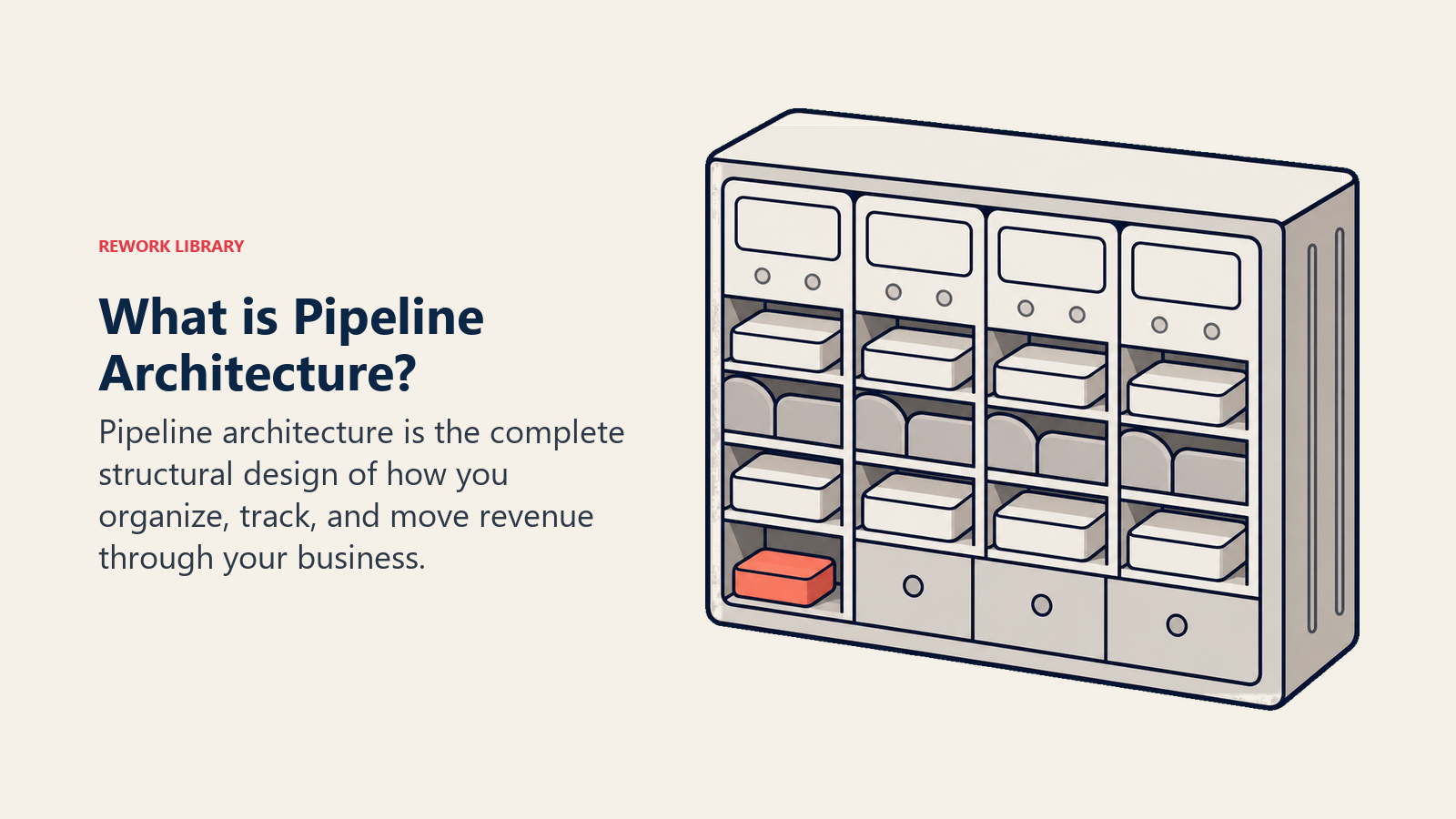
収益エンジンの設計図と考えてください。商談がアカウント、コンタクト、製品、活動とどう関係するか。各ステージでどのデータをなぜ取得するか。誰が何を閲覧し、編集し、レポートできるか。パイプラインがマーケティング、財務、プロダクト、サポートとどうつながるか。製品ライン、セグメント、地域の拡大に合わせてアーキテクチャがどう拡張されるか。これらをすべて含みます。
ここでの重要な言葉は「アーキテクチャ」です。 ステージ名を少し直したり、カスタムフィールドを足したりする話ではありません。レベニューオペレーションを拡張できるのか、それとも流砂の上に築いているのかを決める、根本的な構造の話です。
単純化しすぎることの見えないコスト
多くの企業は、可能な限り単純なパイプラインから始めます。見極めからクロージングまで1本の直線的なプロセスです。それには十分な理由があります。規模が小さいうちは、単純さが有効に働くからです。
問題は、事業の複雑さは断りなくやって来ることです。
現実には何が起こるのでしょうか。
Enterpriseの商談には、SMBの商談には不要な法務レビューやセキュリティ監査が必要です。海外の商談では、承認要件も支払条件も異なります。拡張の商談は、新規事業とはまったく異なる見極め基準に従います。パートナー経由の商談には、直販にはないチャネルとの調整が必要です。
そこで回避策を足し始めます。「商談タイプ」を記録するカスタムフィールド。無関係なステージを飛ばすためのチェックボックスの小細工。CRMでは対応できないために、Notionに文書化された手作業のプロセス。自動化のロジックが商談タイプを区別できないために送られるメールのリマインダー。
コストは急速に膨らみます。
営業担当者は、時間の30%を販売ではなくデータ入力に費やします。商談タイプごとに進むスピードが違うため、フォーキャストは信頼できなくなります。アーキテクチャが正確な予測を支えられないとき、パイプラインとフォーキャストの違いを理解することが重要になります。データが商談ごとにばらつくため、レポートは破綻します。「シンプル」なはずのパイプラインが暗黙知を必要とするため、オンボーディングに6週間かかります。経営陣は、カスタムのSQLクエリなしには基本的な問いにすら答えを得られません。
拡大に成功する企業は、最初から複雑さを受け止められるアーキテクチャを設計するか、後になってアーキテクチャの作り直しという代償を払うか、のどちらかです。
アーキテクチャの中核コンポーネント
パイプラインアーキテクチャは、収益の動きを管理するために必要なステージ、オーナーシップのルール、データフィールド、ガバナンスを定義します。
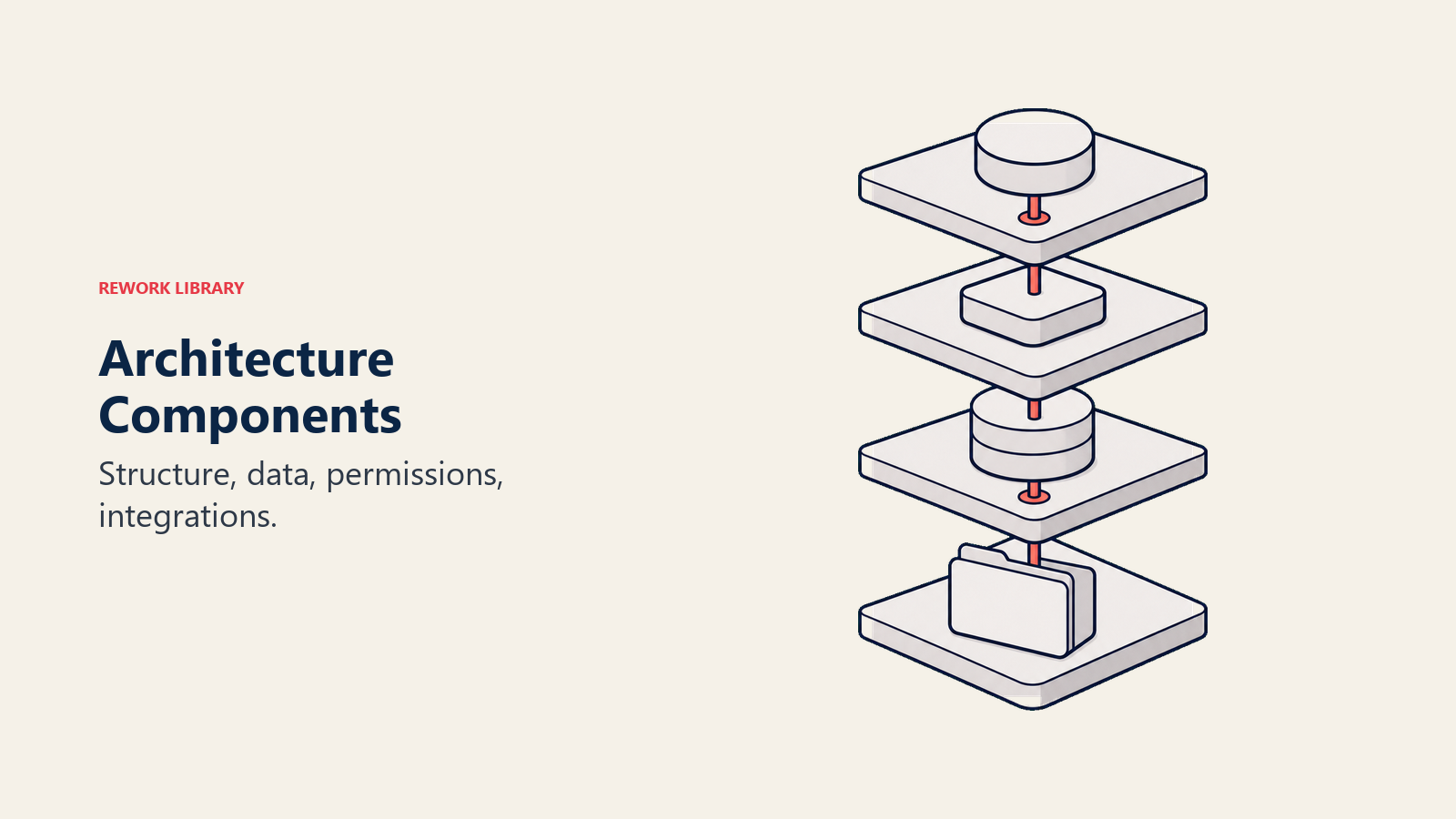
優れたパイプラインアーキテクチャは、相互に関連する4つの層に対応します。
1. パイプライン構造(ステージ、ゲート、フロー)
多くの方が「パイプライン」と聞いて思い浮かべるのは、商談が開始から成約まで通るステージでしょう。
検討すべき主なポイント:
ステージの定義: 各ステージは実際に何を表すのか。入口の基準は何か。出口の基準は何か。パイプラインのステージ設計によって、担当者が商談の進行をどれだけ明確に理解できるかが決まります。
ステージゲート: 先へ進む前に、どのような見極め、承認、検証が必要か。ステージゲート基準を定義すれば、不適格な商談の前進を防げます。
フローのバリエーション: すべての商談が同じ経路をたどるのか。それとも商談タイプごとに異なるフローが必要か。
例外処理: 商談がステージを飛ばしたり、後戻りしたりした場合はどうするか。
単一フローの例(SMB向けSaaS):
Lead → Qualified → Demo → Proposal → Negotiation → Closed Won/Lost
複数フローの例(パートナーシップを伴うEnterprise):
Direct: Lead → Qualified → Discovery → Technical Eval → Commercial → Legal → Closed
Partner: Lead → Partner Referral → Joint Validation → Deal Registration → Commercial → Closed
構造は、御社で商談が実際に進む様子を反映したものでなければなりません。CRM管理者の頭の中にしか存在しない、理想化された直線的なプロセスであってはなりません。
2. データモデル(オブジェクト、フィールド、リレーション)
データモデルは、どの情報を追跡し、それらがどうつながるかを定義します。
収益アーキテクチャの中核オブジェクト:
商談(Opportunities) - 見込み案件を追跡する、パイプラインの主要エンティティ
- 必須フィールド:金額、クローズ予定日、ステージ、オーナー
- 一般的なフィールド:商談タイプ、製品構成、競合、ネクストステップ
- 内部フィールド:フォーキャストカテゴリー、テリトリー、発生源
アカウント(Accounts) - 顧客と見込み客を表す、企業レベルのエンティティ
- 必須フィールド:名称、業界、規模、地域
- 関係:1つのアカウント → 複数の商談(時間の経過とともに)
- 方針:企業データの信頼できる唯一の情報源
コンタクト(Contacts) - 意思決定者、影響者、推進者、ステークホルダー
- 必須フィールド:氏名、役割、メールアドレス
- 関係:複数のコンタクト → 1つの商談
- 方針:単一の窓口だけでなく、購買委員会を追跡する
製品(Products) - 販売する対象
- 必須フィールド:SKU、価格、カテゴリー
- 関係:複数の製品 → 1つの商談
- 方針:製品レベルのフォーキャストとクロスセル分析を可能にする
活動(Activities) - エンゲージメントを追跡する、通話、メール、ミーティング、デモ
- 必須フィールド:種類、日付、オーナー、関連する商談
- 関係:複数の活動 → 1つの商談
- 方針:営業のエンゲージメントとベロシティを測定する
データアーキテクチャの原則:
標準フィールドは標準のまま使います。 CEOが好むからといって、「クローズ予定日」を「受注見込み日」に改名しないでください。標準フィールドには、標準のレポート、標準の連携、標準のトラブルシューティングが用意されています。
カスタムフィールドは明確に分類します。 全員が使う共通フィールド(「競合」など)。役割ごとの一般フィールド(プリセールス向けの「技術要件」など)。オペレーション部門だけが見る内部フィールド(「ルーティング元」など)。
重要なフィールドは必須にします。 商談規模とクローズ予定日が分からなければフォーキャストができないなら、それらを必須にしてください。担当者から不満が出るなら、壊れているのはデータモデルではなく、見極めのプロセスです。
入力時にデータを検証します。 クローズ予定日が過去になっていませんか。ディスカバリーが1回だけで、1,000万ドルを超える商談はありませんか。ステージが見極めからいきなり受注に飛んでいませんか。検証ルールは、不正なデータがパイプラインを汚染する前に食い止めます。
3. 権限モデル(閲覧、オーナーシップ、編集)
誰が何を閲覧し、編集し、レポートできるのか。これは思っている以上に重要です。
権限について検討すべき点:
ロールベースのアクセス制御は重要です。営業担当者は自分の商談(任意でチームの商談も)を見ます。営業マネージャーはチームの商談とロールアップのレポートを見ます。営業オペレーションは、編集権限付きですべての商談を見ます。経営陣は、戦略ダッシュボードですべての商談を見ます。部門横断のチームには、必要な範囲のアクセスを与えます。セールスエンジニアは技術フィールド、財務は契約条件、法務はリスクフラグを見ます。
チーム単位の閲覧範囲は、モデルによって異なります。テリトリーベースなら、担当者は自分のテリトリーの商談を見ます。アカウントベースなら、担当者は自分が持つアカウントの商談を見ます。多くの企業は両者を組み合わせます。Enterpriseの担当者は指名アカウントを、SMBの担当者はテリトリーのプールを見ます。
データの機密性については判断が必要です。商談金額や収益のフォーキャストを誰が見られるか。同僚のquota達成状況を担当者に見せるべきか。競合の名前を広く見せてよいか。
編集権限は、商談データの衛生管理を左右します。担当者は商談を後戻りさせられるのか、前進だけか。フォーキャスト上のクローズ予定日を自由に変更できるのか。商談規模を変更するにはどのような承認が必要か。
権限モデルが悪いと、2つの問題が起こります。開放しすぎる場合(全員がすべてを閲覧でき、データの規律が崩れる)か、閉じすぎる場合(必要なデータにアクセスできずレポートが破綻する)です。
4. 連携ポイント(マーケティング、財務、オペレーション)
パイプラインは単独では存在しません。事業内の、収益に関わるあらゆるシステムとつながっています。
重要な連携:
マーケティングオートメーション(リードの引き渡し):
- MQLがリードとしてCRMに流れ込む
- リードから商談へのコンバージョンを追跡する
- クローズドループのアトリビューションで、収益とキャンペーンを結びつける
- 共有するデータ: リードソース、キャンペーン、行動スコア、属性適合度
財務システム(収益認識):
- 成約した商談が請求のワークフローを起動する
- 契約条件が、収益認識のために財務へ渡る
- アップセルと更新を、既存顧客に対して追跡する
- 共有するデータ: 商談金額、製品、支払条件、契約日
プロダクト・提供(ディールデスク、プロビジョニング):
- 承認された商談がプロビジョニングへ流れる
- 構成要件が商談に記録される
- 導入スケジュールが調整される
- 共有するデータ: 製品SKU、数量、個別要件
サポートシステム(受注後の引き継ぎ):
- カスタマーサクセスが受注した商談の詳細を受け取る
- サポートケースの履歴が、更新のフォーキャストに反映される
- 製品の利用状況から、拡張の機会を特定する
- 共有するデータ: アカウントの健全性、利用データ、サポートチケット
連携アーキテクチャの原則:
エクスポートではなくAPIを使います。 CSVの手動エクスポートは、データの遅延と人為的ミスを招きます。APIベースの連携なら、ほぼリアルタイムでデータが同期されます。
引き渡しのポイントを明確にします。 リードはいつ営業の商談になるのか。成約した商談はいつ顧客になるのか。引き渡しが曖昧だと、抜け漏れが生じます。
フィールドは明示的にマッピングします。 マーケティングツールの「会社名」がCRMの「アカウント名」に一致すると決めつけないでください。明示的なフィールドマッピングが、重複を防ぎます。
同期の失敗を監視します。 連携は壊れるものです。エラーを記録し、担当者に通知し、よくある問題に備えて運用手順書を用意してください。
単一パイプラインか複数パイプラインかの判断
アーキテクチャで最も影響の大きい判断が、パイプラインを1つにするか複数にするかです。
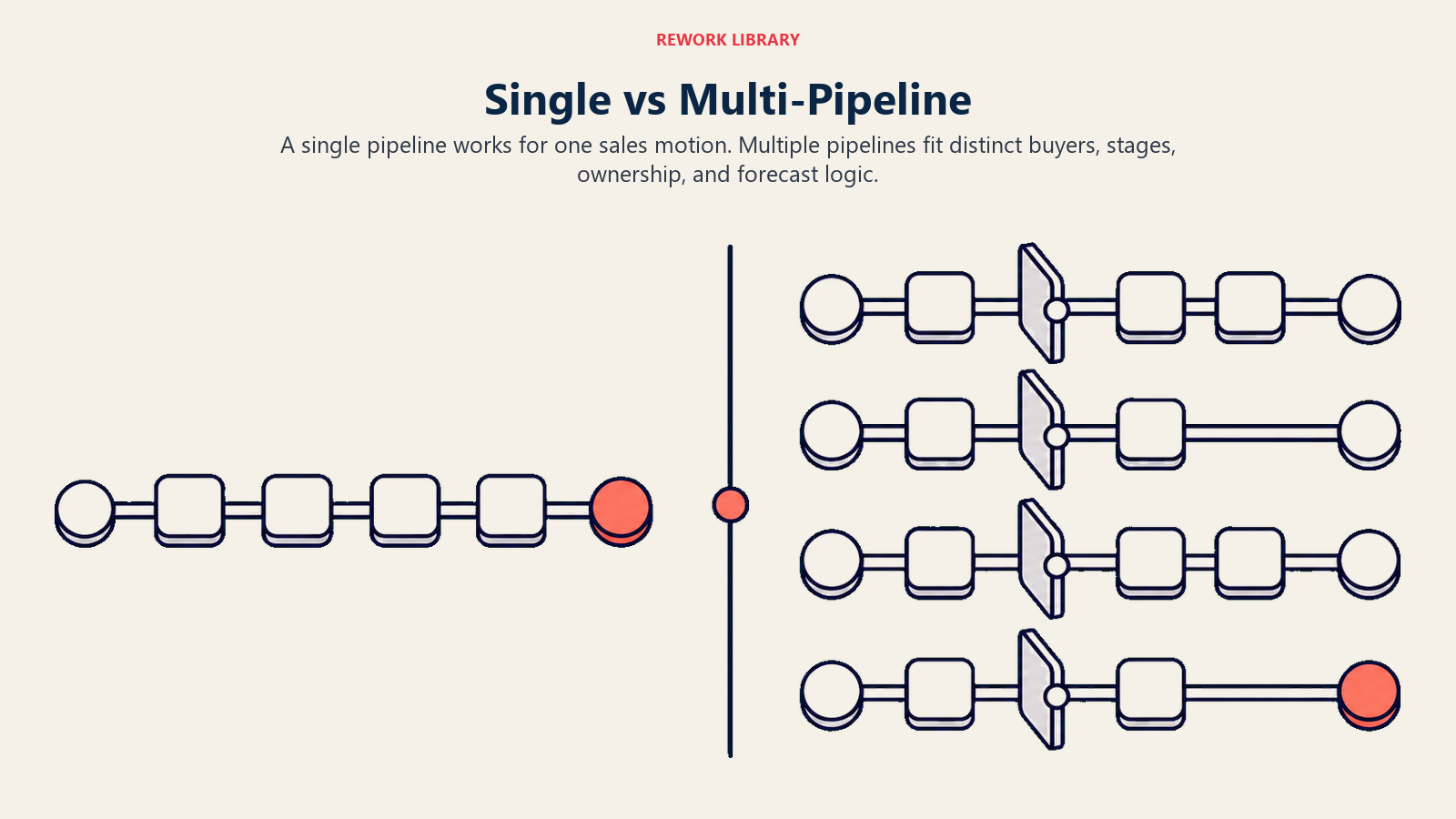
単一パイプラインで十分な場合
次の条件なら、単一パイプラインのままにします。
- 一貫した営業スタイルで、1つの製品(または製品ライン)を売っている
- すべての商談が、同じ見極め、評価、承認のプロセスをたどる
- 商談規模が比較的均一である(10倍の範囲内)
- 顧客セグメントを問わず、セールスサイクルの長さが一貫している
- 地域による違いが、異なるプロセスを必要としない
例:SMB向けSaaS企業
- 製品は1つ、ACVは2,000〜20,000ドル
- すべての商談:デモ → トライアル → 商用契約でのクロージング
- カスタム開発も、法務レビューも、Enterprise向けの調達もない
- 単一パイプラインで見事に機能します。
複数パイプラインが必要になる場合
次のような場合は、複数のパイプラインが必要です。
製品ごとにセールスサイクルが異なる:
- 製品A:トランザクション型、30日サイクル、セルフサーブのトライアル
- 製品B:Enterprise型、9か月サイクル、個別の導入、調達プロセス
顧客セグメントごとに必要なプロセスが異なる:
- SMB:オンラインデモ → DocuSignでの契約 → 即時利用開始
- Enterprise:RFP → セキュリティ監査 → 法務交渉 → MSA → SOW
地域ごとに要件が異なる:
- 米国:標準条件、USD、30日払い
- EU:GDPR対応、複数通貨、60日払い
- APAC:パートナー主導、現地法人の要件
ビジネスモデルが根本的に異なる:
- 新規事業:ハイタッチ、ディスカバリー主導
- 拡張:ロータッチ、プロダクト主導
- 更新:カスタマーサクセス主導、利用状況ベース
こうした違いを1つのパイプラインに押し込めると、混乱が生じます。一部の商談には無関係なステージがあり、別の商談にはステージが足りません。条件付きフィールドがあちこちに増え、レポートには大量の絞り込みが必要になります。ここで複数パイプラインの管理が欠かせなくなります。
複数パイプラインのアーキテクチャパターン
パターン1:製品ベースのパイプライン
Pipeline 1 (Core Platform): Lead → Demo → Technical → Commercial → Legal → Close
Pipeline 2 (Add-On Modules): Qualified → Validation → Commercial → Close
Pipeline 3 (Professional Services): Scoping → Proposal → SOW → Close
パターン2:セグメントベースのパイプライン
SMB Pipeline: Inbound → Demo → Trial → Close (30 days)
Mid-Market Pipeline: Outbound → Discovery → Evaluation → Negotiation → Close (90 days)
Enterprise Pipeline: Target → Multi-threading → POC → Procurement → Legal → Close (270 days)
パターン3:ビジネスモデル別のパイプライン
New Business Pipeline: Prospecting → Qualification → Solution → Proposal → Close
Expansion Pipeline: Opportunity ID → Business Case → Approval → Implementation
Renewal Pipeline: 120-day Alert → Health Check → Commercial Discussion → Renewal Decision
パターン4:ハイブリッド型
- 根本的に異なるプロセスには、複数のパイプラインを使う
- バリエーションには、パイプライン内でレコードタイプや商談タイプを使う
- 例:新規事業と更新のパイプラインは分けつつ、新規事業の中では「セグメント」フィールドでSMB/Mid-Market/Enterpriseを区別する
パイプラインのセグメンテーション戦略
単一か複数かの判断に加えて、効果的なアーキテクチャには、パイプライン内またはパイプライン間での丁寧なセグメンテーションが必要です。
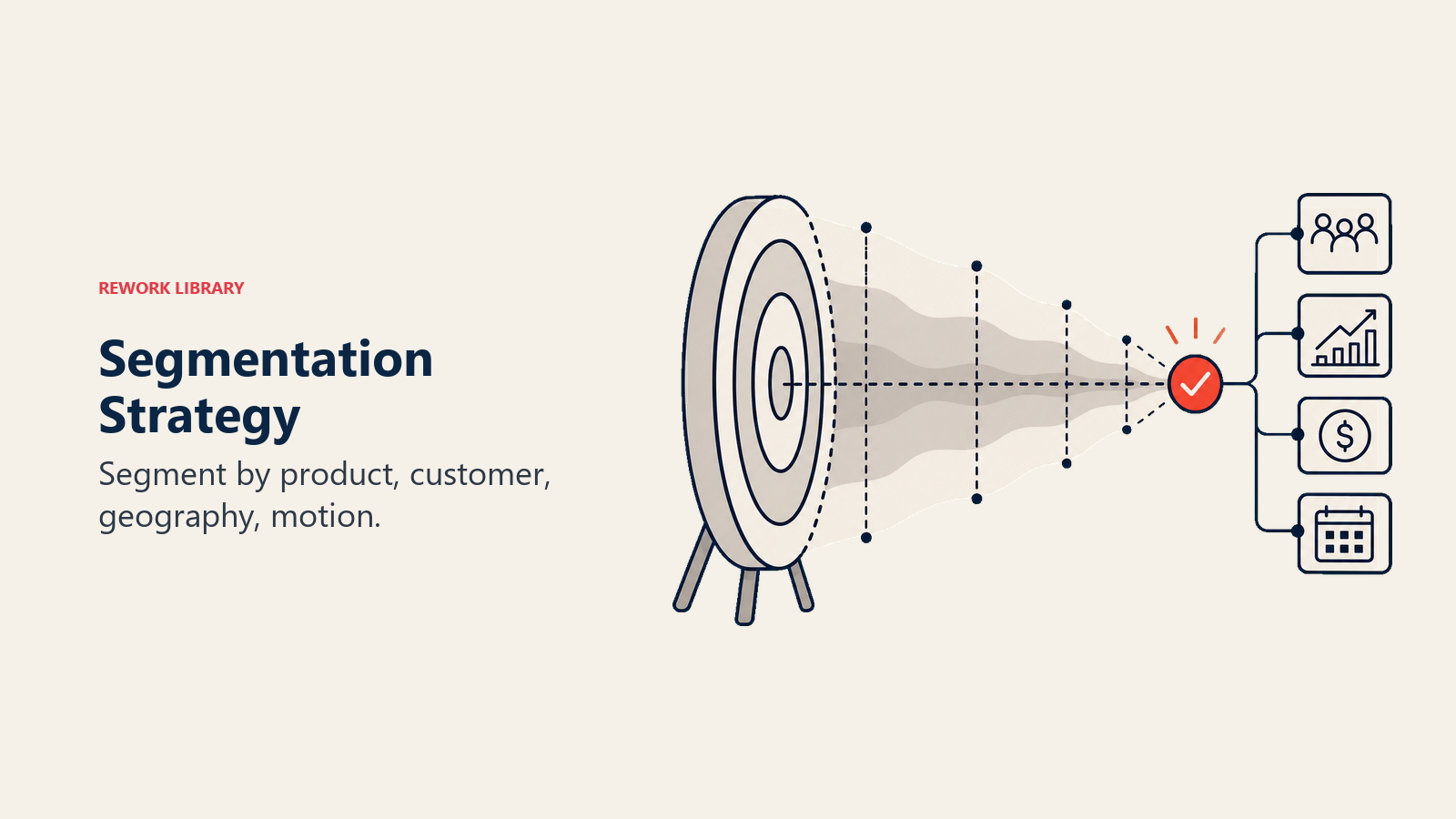
セグメンテーションの軸
製品ラインで分けられます。ハードウェア、ソフトウェア、サービス。あるいはプラットフォーム、アドオン、プロフェッショナルサービス。それぞれ提供の経路が異なります。
顧客セグメントで分けられます。SMB(セルフサーブ、ロータッチ、短いサイクル)、ミッドマーケット(ガイド付き、ミディアムタッチ、中程度のサイクル)、Enterprise(ハイタッチ、長いサイクル、複雑な購買委員会)です。
地域で分けられます。地域ごとのコンプライアンス要件(GDPR、SOC2、現地の規制)、言語と通貨の違い、地域ごとのパートナー経由と直販のモデルなどです。
営業スタイルで分けられます。インバウンド(マーケティング発、温度の高いリード)、アウトバウンド(営業発、温度の低い見込み客)、パートナー主導(チャネル発、共同での営業が必要)です。
顧客ライフサイクルで分けられます。新規顧客の獲得、既存顧客へのクロスセルやアップセル、期限が近い契約の更新や維持、解約した顧客の呼び戻しです。
セグメンテーションの実装
オプション1:パイプラインオブジェクトを分ける
- 文字どおり別々のパイプラインエンティティにする(ほとんどのCRMが対応)
- メリット: プロセスを完全に分離でき、レポートがすっきりし、無関係なフィールドがない
- デメリット: 全体像を把握しにくく、サイロ化のリスクがある
オプション2:1つのパイプライン内でレコードタイプを使う
- 同じオブジェクトで、レコードタイプに応じてレイアウトとプロセスを変える
- メリット: レポートを一本化でき、タイプ間の移行が容易
- デメリット: 条件付きロジックで、やはり煩雑になりうる
オプション3:フィールドによるセグメンテーション
- 単一のパイプラインで、「商談タイプ」や「セグメント」などのフィールドで区別する
- メリット: 実装が最も簡単
- デメリット: 無関係なステージやフィールドの問題は解決せず、レポートには絞り込みが必要
オプション4:ハイブリッド
- 本当に異なるプロセス(新規事業と更新)には、別々のパイプラインを使う
- プロセス内のバリエーション(SMBとEnterprise)には、レコードタイプやフィールドを使う
- メリット: 明確さとシンプルさのバランスが取れる
- デメリット: 事前の丁寧な設計が必要
正しい選択は、プロセスが実際にどれだけ異なるかによります。商談のフローの80%が共通なら、フィールドによるセグメンテーションを使います。共通部分が50%未満なら、別々のパイプラインを作成します。詳しい戦略については、パイプラインのセグメンテーションの手法を参照してください。
データアーキテクチャの原則
個々のオブジェクトやフィールドを超えて、拡張可能なデータアーキテクチャを導く原則があります。
原則1:カスタムより標準を優先する
どのCRMプラットフォームにも、商談の標準フィールドが用意されています。金額、クローズ予定日、ステージ、オーナー、アカウント名などです。
それらを使いましょう。「金額」があるのに「期待収益」を作らないでください。「クローズ予定日」があるのに「予測クローズ」を作らないでください。
なぜでしょうか。標準フィールドには、標準のレポート、標準の連携、標準の動作があるからです。カスタムフィールドは、あらゆるものをカスタムで用意する必要があります。
原則2:共通、一般、内部のフィールド分類
すべてのフィールドが同じように重要なわけではありません。分類してください。
共通フィールドは、全員が入力しなければならないものです。フォーキャスト、レポート、引き継ぎに不可欠です。例:クローズ予定日、金額、ステージ、ネクストステップ。
一般フィールドは、役割や商談に固有のものです。重要ですが、全員向けではありません。例:競合(営業)、技術要件(プリセールス)、移行の複雑さ(導入)。
内部フィールドは、オペレーション、分析、連携専用です。担当者には表示しません。例:リードソース、ルーティングのタイムスタンプ、連携の同期ステータス。
この分類は、フィールドのレイアウト(担当者に何を見せるか)、検証ルール(何を必須にするか)、トレーニングの重点(何が最も重要か)の指針になります。
原則3:必須フィールドがプロセスを徹底させる
商談規模とクローズ予定日が分からなければ正確なフォーキャストを作れないなら、それらを必須にします。テリトリーと製品が分からなければ商談を振り分けられないなら、それらを必須にします。
よくある反論:「この初期段階では、担当者はまだ金額を知りません。」
回答: それなら、まだ商談を作成すべきではありません。必須フィールドは、見極めを徹底させます。商談規模を見積もれないなら、その商談は見極められていません。しっかりした商談の見極めのプロセスがあれば、担当者はどのデータが必要かを把握できます。
これにより、場当たり的なデータ入力ではなく、より早く、より良い見極めが促されます。
原則4:検証が不正なデータを防ぐ
検証ルールは、明らかに誤ったデータを検出します。クローズ予定日が過去になっている(失注として記録する場合を除く)。活動が1件しか記録されていないのに100万ドルを超える商談。必須のステップを飛ばしたステージ進行(デモなしで見極めからいきなり受注へ移るなど)。説明なしに50%を超えて変更された金額。
不正なデータは、レポートを無意味にします。検証ルールは最初の防衛線です。定期的なパイプラインの衛生管理が、検証ルールで拾えないものを補います。
原則5:リレーションがナビゲーションを決める
オブジェクト同士の関係によって、担当者の操作の流れと、レポートの仕組みが決まります。
標準的なリレーション:
- アカウント → 商談(1対多):1つの企業、時間をかけた複数の商談
- 商談 → コンタクト(多対多):1つの商談、複数のステークホルダー
- 商談 → 製品(1対多):1つの商談、複数の明細
- アカウント → 活動(1対多):すべての接点がアカウントに集約される
ナビゲーション上の意味:
- アカウントのレコードから、担当者がすべての商談(現在と過去)を見られること
- 商談から、関与しているすべてのコンタクトとその役割を見られること
- コンタクトから、そのコンタクトが関わるすべての商談を見られること
レポート上の意味:
- 商談レポートは、アカウント別にグループ化できる
- 活動レポートは、商談ステージで絞り込める
- コンタクトレポートは、商談への関与状況を示せる
リレーションの設計が悪いと、ユーザー体験もレポートも壊れます。
拡張に耐える権限アーキテクチャ
権限の設計は、後回しにされがちです。そうあってはなりません。
ロールベースのアクセス制御(RBAC)
ロールを明示的に定義します。
営業担当者:
- 閲覧:自分の商談 + 任意でチームの商談
- 編集:自分の商談
- 削除:不可
- レポート:個人用ダッシュボード
営業マネージャー:
- 閲覧:チームの商談 + 地域へのロールアップ
- 編集:自分の商談 + チームの商談(コーチング用)
- 削除:不可
- レポート:チームのパフォーマンス、パイプラインの健全性
営業オペレーション:
- 閲覧:すべての商談
- 編集:すべての商談(データクレンジング用)
- 削除:可(重複やテストデータ用)
- レポート:分析機能のフルアクセス
経営陣:
- 閲覧:すべての商談(集計済み)
- 編集:不可(経営陣がCRMで商談を変更すべきではありません)
- 削除:不可
- レポート:戦略ダッシュボード(フォーキャスト精度、win rate、セグメント別のパフォーマンス)
部門横断:
- セールスエンジニア:技術評価ステージと関連フィールドを閲覧
- 財務:契約条件と成約済みの商談データを閲覧
- 法務:法務ステージの商談とリスクフラグを閲覧
- カスタマーサクセス:拡張・更新の商談を閲覧
閲覧モデル
テリトリーベースの閲覧:
- 担当者は、割り当てられたテリトリー(地域、アカウントリスト、業種)の商談を見る
- メリット: オーナーシップが明確で、チームの成長に合わせて拡張できる
- デメリット: 正確なテリトリーの割り当てが必要
チームベースの閲覧:
- 担当者は、チーム(ポッド、地域、セグメント)の全員の商談を見る
- メリット: 協力を促せる
- デメリット: オーナーシップが不明確だと、説明責任が弱まることがある
アカウントベースの閲覧:
- 担当者は、割り当てられたアカウントのすべての商談を見る
- メリット: 関係の継続性が保てる(特に拡張や更新)
- デメリット: トランザクション型のSMBモデルには向かない
ブレンドモデル(最も一般的):
- Enterpriseの担当者:アカウントベース(指名アカウントのオーナーシップ)
- SMBの担当者:テリトリーベース(地域またはプール型のリード)
データの機密性に関する検討事項
収益の可視性:
- すべての担当者が、全員の商談金額を見られるようにすべきか。(同僚への透明性か、競争上の機微か)
- 部門横断のチームに収益を見せるべきか。(財務と法務は可、マーケティングは不要かもしれません)
競合インテリジェンス:
- 競合の名前を広く見せるべきか。(アクセス範囲が広すぎると、漏えいのリスクがあります)
- 失注理由をチームをまたいで見せるべきか。(学びのためには可。ただし機微な詳細は伏せます)
戦略的アカウント:
- 注目度の高い商談には、追加のアクセス制限を設けるべきか。(知る必要のある範囲に限定)
これらは技術的な問いではなく、組織文化の問いです。ただし、アーキテクチャはその答えを支えなければなりません。
連携要件
パイプラインは単独では動きません。連携アーキテクチャによって、システム同士が調和して動くか、互いにぶつかり合うかが決まります。
マーケティングオートメーションとの連携(リードの引き渡し)
データの流れ:
- マーケティングがリードを獲得する(フォーム、広告、イベント)
- マーケティングオートメーションがリードをスコアリングする(行動 + 属性)
- MQLがリードとしてCRMに送られる
- 営業がリードを商談に転換する
- 成約した商談がマーケティングオートメーションに同期される(クローズドループのアトリビューション)
連携の要件:
- API接続(リアルタイムまたはほぼリアルタイム)
- フィールドマッピング(リードソース、キャンペーン、行動スコア)
- 重複の防止(メールアドレスによる照合)
- ステータスの同期(リードステータス、商談ステージ、受注)
アーキテクチャ上の考慮点: マーケティングと営業は、MQLの定義で合意しなければなりません。連携はずれを解消してくれません。混乱をより速く同期するだけです。
財務システムとの連携(収益認識)
データの流れ:
- 受注した商談が財務/ERPに送られる
- 契約条件(金額、支払スケジュール、開始日)が渡される
- 財務が会計ルールに従って収益を計上する
- アップセルと更新が、顧客生涯価値を更新する
連携の要件:
- 契約データ(金額、製品、契約期間、支払条件)
- 顧客エンティティの照合(CRMのアカウント = 財務の顧客)
- 変更の追跡(変更契約やアップセルが更新のトリガーになる)
アーキテクチャ上の考慮点: 営業パイプラインのステージは、財務の収益認識のマイルストーンと整合させる必要があります。「受注」とは「契約上確定し、請求可能」を意味しなければならず、「口頭での了承」ではありません。
プロダクト・提供との連携(ディールデスク、プロビジョニング)
データの流れ:
- 承認された商談が、プロビジョニングのワークフローを起動する
- 製品の構成の詳細(SKU、数量、個別オプション)が提供部門へ渡る
- 導入スケジュールが、営業とデリバリーの間で調整される
連携の要件:
- 製品カタログの同期(CRMの製品 = プロビジョニングのSKU)
- 構成の詳細(カスタムフィールド、特別要件)
- 承認ワークフロー(財務承認、法務承認、技術的実現性)
アーキテクチャ上の考慮点: 商談の構成は、提供部門が動けるだけ詳細でなければなりません。漠然とした「Enterpriseライセンス」では機能しません。提供部門が必要とするのは「50シート、APIアクセス、プレミアムサポート」です。
サポートシステムとの連携(受注後の引き継ぎ)
データの流れ:
- 成約した商談がカスタマーサクセスのプラットフォームに送られる
- サポートケースの履歴が、更新のフォーキャストを補強する
- 製品の利用データから、拡張の機会を特定する
- ヘルススコアが、先回りしたアプローチの判断材料になる
連携の要件:
- 顧客レコードの作成(アカウントとコンタクトの引き継ぎ)
- 製品の利用権限の同期(購入内容と契約日)
- 更新アラート(契約終了日に基づく)
アーキテクチャ上の考慮点: 営業の仕事は、カスタマーサクセスが始まるところで終わることが多くあります。引き継ぎが明確であれば、リテンションが高まり、拡張も増えます。
スケーラビリティの考慮事項
アーキテクチャ上の判断によって、スムーズに拡大できるか、痛みを伴う作り直しが必要な限界にぶつかるかが決まります。
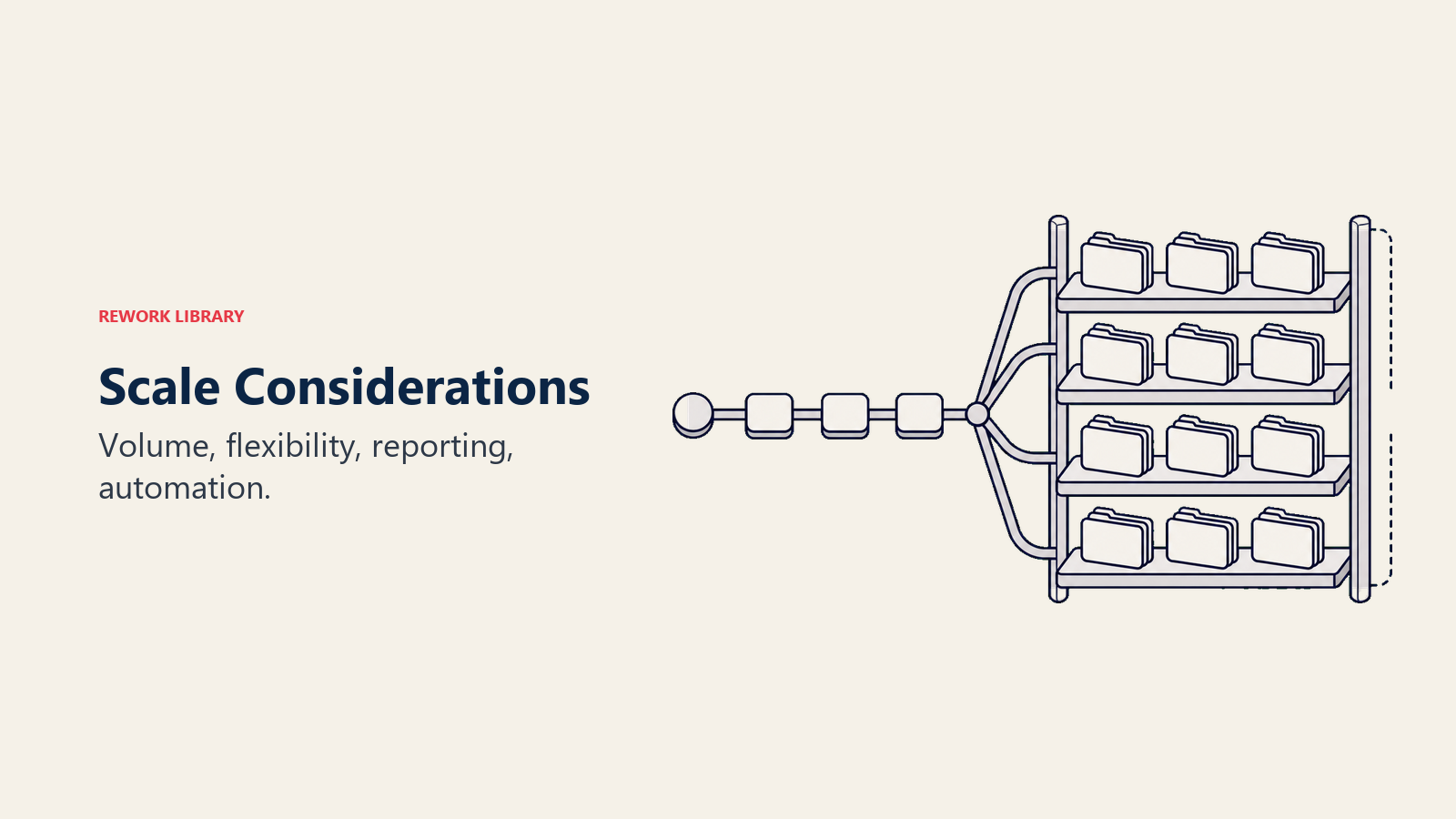
データ量に対するパフォーマンス
データ量の目安:
- 10,000件の商談:ほとんどのCRMで問題なく処理できる
- 100,000件の商談:クエリの最適化と、主要フィールドへのインデックス付与を始める
- 1,000,000件以上の商談:データのアーカイブ戦略と、別個のレポーティング用データベースが必要
拡張のためのアーキテクチャ:
- 頻繁に検索されるフィールド(オーナー、ステージ、クローズ予定日、テリトリー)にインデックスを付ける
- X年より古い成約済みの商談はアーカイブする(レポーティング用データベースには残し、日常のCRMからは外す)
- ライブのクエリではなく、集計済みのロールアップを使う(例:テリトリー別のパイプラインを事前に計算しておく)
- データを分割する(例:進行中の商談と成約済みの商談を分ける)
よくある間違い: 早すぎる最適化です。今日の商談が500件なら、100万件を前提に設計しないでください。ただし、いずれ拡大することを見据えて設計してください。
プロセスの柔軟性
チームの拡大には、プロセスの変更が必要です。
- 1か月目:担当者5人、Slackでの手動のリード振り分け
- 12か月目:担当者20人、テリトリー別のラウンドロビン
- 24か月目:担当者50人、担当者の成績と稼働状況による重み付けでの振り分け
柔軟性のためのアーキテクチャ:
- ルーティングのロジックを外部化する(CRMのワークフローに直接組み込むのではなく、専用のルーティングサービスを使う)
- カスタマイズよりも設定を優先する(コードではなく、設定を変更する)
- 組織階層に合わせて調整される承認ワークフローを構築する(マネージャーの名前を直接書き込まない)
よくある間違い: 前提を直接書き込んでしまうことです。「当社は米国でしか販売しません」が、「EMEAに拡大することになり、パイプライン全体が破綻した」に変わります。
レポート機能
レポートのニーズは拡大します。
- 初期段階:基本的なファネル(リード、商談、成約)
- 成長段階:ソース別のコンバージョン率の分析、担当者の成績、win/loss分析
- 拡大段階:多次元の分析(製品別、地域別のセグメント)、コホート分析、予測型のフォーキャスト
レポートのためのアーキテクチャ:
- 一貫したデータ取得(入力されていないフィールドはレポートできない)
- 整理されたカテゴリー分け(一貫したステージ名、製品カテゴリー、失注理由)
- 履歴の追跡(ステージ変更の履歴、金額変更のログを保存する)
- 複雑なクエリ用に、別個のレポーティング用データベースを持つ(本番のCRMを遅くしない)
よくある間違い: 取得していなかったデータが必要だと後になって気づくことです。ステージの遷移を記録していなければ、「各ステージの滞留日数」は分析できません。パイプラインベロシティを理解するには、初日からこの履歴データが必要です。
自動化の可能性
自動化の機会:
- テリトリー、製品、アカウント規模に基づく自動ルーティング
- スコアリングルールに基づく自動見極め
- ステージと活動に基づく自動フォローアップのシーケンス
- 停滞した商談、期限切れのフォローアップ、リスクのあるフォーキャストの自動アラート
自動化のためのアーキテクチャ:
- 整理された必須のデータ(自動化には信頼できる入力が必要)
- イベントトリガー(ステージ変更、フィールド更新、時間ベース)
- APIファーストの設計(自動化はCRMの外にあり、APIで連携を制御する)
- エラー処理(自動化は穏やかに失敗し、問題を記録し、担当者に通知する)
よくある間違い: 壊れたプロセスを自動化することです。自動化は、良いプロセスを速くし、悪いプロセスをより速く失敗させます。
アーキテクチャのアンチパターン
次のような、よくあるアーキテクチャ上の間違いを避けましょう。
アンチパターン1:過度な複雑さ
商談ごとに20個のカスタムフィールドがあり、その大半が使われていません。チェックボックスの組み合わせによる7つの条件付きフローがあります。基盤のプロセスは同じなのに、セグメントごとにステージ名が違います。1件の商談を作るのに、何ページものドキュメントが必要です。
これは、あらゆる例外や個別の要望に対応しようとして起こります。
対策は、徹底して単純化することです。商談の80%は標準のプロセスに収めます。残りの20%は手動で対応します。
アンチパターン2:構造の不足
必須フィールドがありません(データ品質の惨事)。検証ルールがありません(あらゆる場所にゴミのデータ)。ステージの定義がありません(「交渉」の解釈が人によって違う)。連携がありません(手動のエクスポートとインポート)。
これは、「厳格すぎる」ことや「営業の足を引っ張る」ことへの恐れから起こります。
対策は、構造がスピードを生むと理解することです。プロセスが明確なら、混乱が減り、実行が速くなります。
アンチパターン3:画一的な設計
EnterpriseとSMBで、プロセスがまったく異なるのに、同一のパイプラインに押し込んでいます。意図の強さが違うのに、インバウンドとアウトバウンドで同じ見極め基準を使っています。セールスサイクルが違うのに、製品の違いに対応していません。
これは、単純さを明確さと取り違えたり、CRMプラットフォームの制約があったりして起こります。
対策は、実際の事業に合わせて設計することです。プロセスが根本的に異なるなら、別々のパイプラインを作成します。
アンチパターン4:ツール主導の設計
自社のプロセスではなく、CRMの初期設定に合わせてパイプラインを作っています。CRMが対応しにくいからと、複数パイプラインを避けています。プラットフォームの制約を回避するために、カスタムフィールドで小細工をしています。
これは、プロセスを支えるツールを探さず、ツールにプロセスを決めさせてしまうことで起こります。
対策は、まず理想のアーキテクチャを設計し、それを支えるツールを探すことです。ツールの制約に合わせて設計してはいけません。
アンチパターン5:作ったら放置
事業は進化したのに、パイプラインは3年間変わっていません。2019年から残るカスタムフィールドの目的を、誰も覚えていません。「昔からこうやってきたから」という理由で、回避策の上に回避策が積み重なっています。
これは、アーキテクチャを継続的な規律ではなく、一度きりのプロジェクトとして扱うことで起こります。
対策は、四半期ごとにアーキテクチャを見直すことです。使われていないフィールドはアーカイブし、積み重なった複雑さを単純化します。停滞ではなく進化を選びましょう。
まとめ:競争優位としてのアーキテクチャ
パイプラインアーキテクチャは、華やかなものではありません。グロースハックでも、特効薬でもありません。しかし、スムーズに拡大するレベニューオペレーションと、自らの複雑さで崩壊するレベニューオペレーションを分けるのは、まさにこれです。
パイプラインアーキテクチャが優れた企業は、担当者を数か月ではなく数週間で立ち上げます(明確なプロセス、整理されたデータ、直感的な構造)。正確にフォーキャストできます(一貫したデータ取得、定義されたステージ、信頼できるフロー)。そして、確信を持った意思決定を支えるフォーキャスト精度を実現します。壊れずに拡大できます(柔軟なアーキテクチャ、モジュール式の連携、自動化への備え)。意思決定が速くなります(実際に機能するレポート、信頼できるデータ)。
パイプラインアーキテクチャが弱い企業は、毎日CRMと格闘しています(回避策、データクレンジング、SQLが必要なレポート)。成長するにつれて、全体が見えなくなります(セグメント、地域、製品をまたいで見渡せない)。販売より、ツールに時間を費やします(複雑なデータ入力、不明確なプロセス、暗黙知)。そして18か月ごとに、痛みを伴う作り直しをします(高コストで、混乱を招き、士気を下げる)。
しっかりしたアーキテクチャを設計するのに最適な時期は、最初でした。次に良い時期は今です。次の成長フェーズで綻びが露わになる前に取り組んでください。
拡張できるパイプラインアーキテクチャを設計する準備はできましたか? まずパイプラインのステージ設計でステージ構造を定義し、次に複雑なレベニューオペレーション向けの複数パイプラインの管理戦略を探ってみてください。
関連記事
- パイプライン指標の概要 - アーキテクチャが整った後に追跡すべき主要指標
- 商談進行の管理 - パイプライン内で商談を効果的に前進させる
- パイプラインレビュー - アーキテクチャを機能させ続けるためのガバナンスの実践
- パイプラインカバレッジ分析 - 収益目標に対して十分なパイプラインを確保する

On this page
- パイプラインアーキテクチャとは
- 単純化しすぎることの見えないコスト
- アーキテクチャの中核コンポーネント
- 1. パイプライン構造(ステージ、ゲート、フロー)
- 2. データモデル(オブジェクト、フィールド、リレーション)
- 3. 権限モデル(閲覧、オーナーシップ、編集)
- 4. 連携ポイント(マーケティング、財務、オペレーション)
- 単一パイプラインか複数パイプラインかの判断
- 単一パイプラインで十分な場合
- 複数パイプラインが必要になる場合
- 複数パイプラインのアーキテクチャパターン
- パイプラインのセグメンテーション戦略
- セグメンテーションの軸
- セグメンテーションの実装
- データアーキテクチャの原則
- 原則1:カスタムより標準を優先する
- 原則2:共通、一般、内部のフィールド分類
- 原則3:必須フィールドがプロセスを徹底させる
- 原則4:検証が不正なデータを防ぐ
- 原則5:リレーションがナビゲーションを決める
- 拡張に耐える権限アーキテクチャ
- ロールベースのアクセス制御(RBAC)
- 閲覧モデル
- データの機密性に関する検討事項
- 連携要件
- マーケティングオートメーションとの連携(リードの引き渡し)
- 財務システムとの連携(収益認識)
- プロダクト・提供との連携(ディールデスク、プロビジョニング)
- サポートシステムとの連携(受注後の引き継ぎ)
- スケーラビリティの考慮事項
- データ量に対するパフォーマンス
- プロセスの柔軟性
- レポート機能
- 自動化の可能性
- アーキテクチャのアンチパターン
- アンチパターン1:過度な複雑さ
- アンチパターン2:構造の不足
- アンチパターン3:画一的な設計
- アンチパターン4:ツール主導の設計
- アンチパターン5:作ったら放置
- まとめ:競争優位としてのアーキテクチャ
- 関連記事