Best Customer Success Software in 2026: 15 Platforms for Retention and Expansion Teams
Turn this article into takeaways for your work.


Each assistant summarizes the article only for you and suggests best practices for your work.
The best customer success software in 2026 depends on how your team actually works, not on which vendor has the biggest logo wall. ChurnZero wins for mid-market B2B SaaS teams buying their first serious CS platform, because it ships opinionated health scores, playbooks and a renewal forecast without a six-month build. Vitally wins when product usage is your strongest signal and you run a hybrid or tech-touch motion. Planhat wins when your data model is unusual and you would rather shape the platform than fight it. Gainsight wins at the top end, where governance, breadth and an actual CS operating system matter more than time to value. Akita and Custify win when the budget is five figures and the CS team is under six people. Churnkey wins when the churn hurting you is self-serve cancellations rather than enterprise non-renewals.
This guide ranks 15 platforms for VPs and Heads of Customer Success, CS Ops leads, COOs and founder-operators at B2B SaaS companies of roughly 20 to 500 people, buying their first or second CS platform. Evaluation criteria were what the platform costs to run at your real account count, how much of the health scoring works without a data engineer, how much CS Ops maintenance it demands after go-live, whether it drives renewal and expansion motions or only reports on them, and how cleanly it takes the handoff from sales.
Key Facts
- The median latest-disclosed net revenue retention across public B2B SaaS is 122%, and the top decile clears 155%, based on 913 verified disclosures from 105 public B2B SaaS companies sourced from SEC filings in Cust's 2026 State of Customer Success.
- Private SaaS companies live well below that public median. For companies with average contract values between $25,000 and $50,000, SaaS Capital reports median net revenue retention of 102%, with the top quartile at 111% and the bottom quartile at 97%.
- Increasing customer retention rates by 5% increases profits by 25% to 95%, per Frederick Reichheld's research at Bain and Company, and acquiring a new customer costs five to 25 times more than retaining an existing one (Harvard Business Review).
- 95% of B2B tech companies now have an established customer success function, and 62% of organizations outside B2B tech are adopting customer success principles, according to the Customer Success Index 2025, a vendor benchmark from Gainsight based on a survey of more than 400 CS professionals.
- Only one of the 13 dedicated customer success platforms in this guide publishes a full self-serve rate card: Akita publishes complete tiers and per-user rates, SmartKarrot and Churnkey publish a single entry price, and the remaining ten route every plan through a sales conversation.
Quick Comparison Table
| Tool | Best For | Starting Price | Key Strength | Key Limitation |
|---|---|---|---|---|
| ChurnZero | Mid-market B2B SaaS buying a first serious CS platform | No published price. $18,681 to $131,560 per year (reported by Vendr) | Opinionated health, playbooks and a renewal forecast out of the box | Nothing published, so budgeting starts with a sales call |
| Vitally | Product-led and hybrid teams where usage is the strongest signal | Quote only, three plans by CS motion | Flexible data model with genuinely good automation | Only the High-Touch plan includes unlimited full seats |
| Planhat | Teams whose customer data model does not fit a standard template | Quote only, add-ons priced separately | Shapes to almost any data structure and revenue motion | Configuration freedom means real implementation work |
| Gainsight | 200+ employee companies needing governance and breadth | Quote only, Essentials and Enterprise editions | The deepest suite in the category, viewer licenses unlimited | Overbuilt and overpriced for a five-person CS team |
| Totango (incl. Catalyst) | Sales-led CS motions and large account portfolios | Quote only, Enterprise and Premier tiers | High account ceilings and a strong Salesforce path via Catalyst | The free tier it was famous for is no longer listed |
| Custify | SMB and lower mid-market teams that want fast time to value | Quote only, no setup fees | Lifecycle focus and no implementation fee | No published pricing and a smaller integration library |
| ClientSuccess | Small CS teams that want packaging explained honestly | Quote only, Startup, Growth and Enterprise packages | Explains exactly what drives the quote, 15 to 20% off annual | Customer-count caps on the lower packages |
| Velaris | AI-first teams replacing spreadsheets and a stack of point tools | Quote only, one license covering 5 users | Everything in a single license with unlimited viewers | Younger product with a shorter reference list |
| Akita | Two to four person CS teams on a real budget | $49/month (Small Teams), 20% off annual prepay | The only full published rate card in the category | Lighter analytics and fewer native integrations |
| SmartKarrot | Account-heavy portfolios wanting automation at scale | $15,000/year (Basic, 5 users) | Publishes an entry price and scales by user tier | $15,000 is a high floor for a first CS platform |
| ZapScale | Budget-conscious teams under 500 customers | ~$500/month (reported, Startup) | Low entry cost with usage-based health scoring | No vendor pricing page at all, so every figure is third-party |
| EverAfter | Teams whose gap is the customer-facing experience | Quote only, all tiers include the builder | Customer portals and onboarding hubs done properly | Not an internal health scoring and forecasting platform |
| Churnkey | Self-serve and PLG products losing revenue at cancellation | $250/month billed yearly (Starter) | Cancel flows, pause offers and failed-payment recovery | Solves involuntary and self-serve churn, not CSM workflow |
| HubSpot Service Hub | Companies already standardized on HubSpot | $90/seat/month (Professional, annual commit) plus $1,500 onboarding | One record across marketing, sales, service and success | Customer Success Workspace needs Professional or higher |
| Pendo | Teams whose health scores need better product telemetry first | Free up to 500 monthly active users, paid tiers quote only | Best-in-class product analytics and in-app guidance | Not a CS platform, no renewal or account management layer |
The Pricing Transparency Problem, Documented
This is the single most useful table in this article, and no other roundup will give it to you straight. We opened all 15 vendor pricing pages on 23 August 2026 and recorded what each one actually publishes. The pattern is not an accident: customer success platforms price on a mix of seats and account volume, and vendors would rather learn your account count before quoting than publish a number that looks expensive at scale.
| Vendor | Publishes a price? | What the page actually gives you |
|---|---|---|
| Akita | Full rate card | Two published tiers, per-extra-user rate, account ceilings, annual discount |
| SmartKarrot | Entry tier only | Basic at $15,000 a year for 5 users, everything above it is "Contact Sales" |
| Churnkey | Entry tier only | Starter at $250 a month billed yearly, Core and Intelligence unpriced |
| HubSpot Service Hub | Full rate card | Per-seat rates plus one-time onboarding fees, but the monthly and annual toggle is inconsistent |
| Pendo | Free tier only | Free up to 500 monthly active users, all paid tiers custom |
| Gainsight | No | Two editions with seat and account allowances, no figures |
| ChurnZero | No | Pricing page is not publicly accessible |
| Totango (incl. Catalyst) | No | Tiers with seat and account allowances, every one routes to "Talk to sales" |
| Planhat | No | "Quote-based pricing with add-ons for advanced needs" |
| Vitally | No | Three plans described by CS motion, no figures |
| Custify | No | No tiers, one commitment: no setup fees |
| ClientSuccess | No | Three packages with limits, plus an explanation of what drives the quote |
| Velaris | No | Packaging described (one license, 5 users, unlimited viewers), no price |
| EverAfter | No | "Customized pricing tailored for you" |
| ZapScale | No | No public pricing page |
Two practical consequences. First, you cannot build a shortlist from a spreadsheet of list prices, because ten of these vendors have no list price. Build it from fit, then run three quotes in parallel and let them price against each other. Second, quote-only pricing is negotiable pricing. Vendors who publish nothing have room to move, and end of quarter is when they move.
What Drives Your Quote
When there is no rate card, the quote is a formula the vendor will not show you. These are the five inputs that actually move it, in rough order of impact.
| Input | Why it moves the price | How to control it |
|---|---|---|
| Practitioner seats | Full-license CSM seats are the primary billing unit almost everywhere | Count who genuinely needs to build playbooks versus who only needs to read dashboards. Viewer or observer seats are usually free or near free |
| Customer account count | Most tiers carry an explicit account ceiling (Totango Enterprise at 2,000, Catalyst Growth at 2,500, Akita Growing Teams at 100,000) | Know your real account count including inactive logos, and ask what happens when you cross the ceiling mid-term |
| Modules and add-ons | Planhat, Gainsight, Totango and Vitally all sell capability in layers | Buy the layer you will use in the first 12 months, and get the add-on price fixed in the contract now |
| Integration depth | Salesforce and data warehouse connectors are frequently the gated feature | Confirm your specific CRM object model is supported before signing, not after |
| Contract term | ClientSuccess publishes a 15 to 20% annual discount, Akita 20% for annual prepayment | If you have the cash, prepayment is the cleanest discount lever in this category |
Before any of that, decide what your health score is actually made of. Buying a platform before you know your risk signals is how CS teams end up with an expensive dashboard nobody trusts. Our guide to customer health monitoring covers the signal design that should come first.
What Changed in This Category
Three shifts matter for anyone carrying a shortlist built before 2025.
| Change | What happened | What it means for your shortlist |
|---|---|---|
| Catalyst stopped being a separate company | Catalyst is now sold as a Totango product line and appears on Totango's own pricing page, with a Growth tier covering 2,500 customer accounts and up to 5 Salesforce custom objects | Never evaluate Catalyst and Totango as two independent vendors. One contract, one roadmap, one negotiation |
| Totango's free plan is gone from its pricing page | As of 23 August 2026, Totango's pricing page lists no free tier. Every plan, including Catalyst Growth, routes through "Talk to sales" | If a 2023 blog post pitched you a free forever Totango account, that entry path is not on the page any more. Budget for a paid tier |
| The mid-tier consolidated hard | Strikedeck, Amity, UserIQ, Bolstra and Natero no longer sell independently. Meanwhile Gainsight added Skilljar, Staircase AI and Atlas AI agents to its own line | Fewer independent mid-tier options, and more of the category sold as a suite. Check that any smaller vendor you shortlist is still selling and still shipping |
The direction is the same one that hit performance management and help desk software before it: point tools get absorbed, suites reprice around bundles, and the cheap single-module entry path narrows. Budget for a platform decision rather than a tool purchase.
Stage Fit Matrix
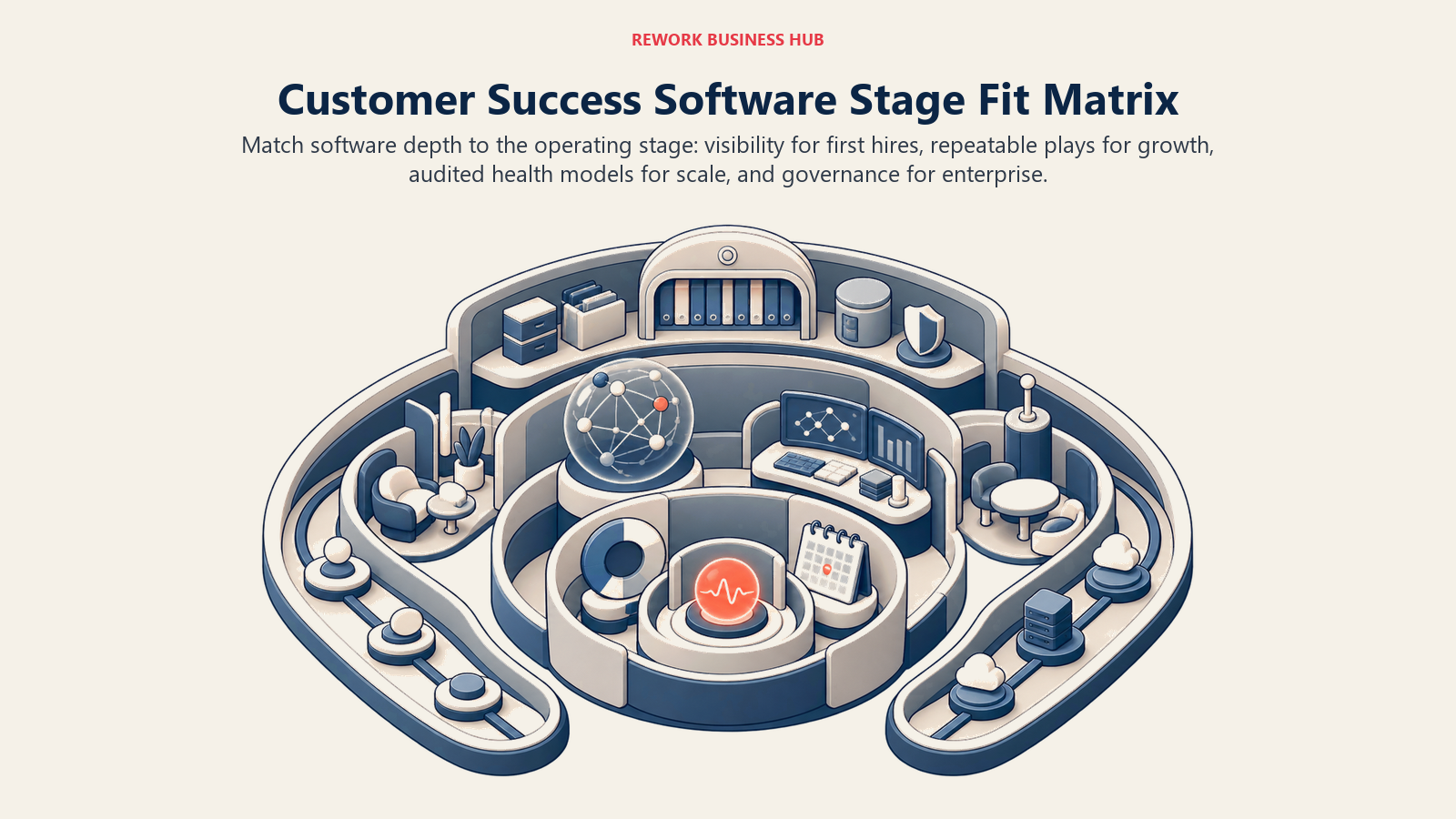
The platform that fits a first CS hire can become too light once health models, playbooks, and governance become formal operating requirements.
| Company stage | What customer success actually looks like here | Best fits |
|---|---|---|
| Under 20 employees, pre-Series A | One founder, a shared spreadsheet, and a Slack channel per key account | Nothing yet, or Akita if renewals are already slipping |
| 20 to 50 employees, first CS hires | One or two CSMs covering everything, no CS Ops | Akita, Custify, ClientSuccess Startup, ZapScale |
| 50 to 150 employees, Series A to B | Three to eight CSMs, segmentation appears, renewals get a calendar | ChurnZero, Vitally, Custify, ClientSuccess Growth, Velaris |
| 150 to 500 employees, Series B to D | CS Ops exists, health scoring gets audited, NRR is a board metric | ChurnZero, Vitally, Planhat, Totango, Gainsight |
| 500 to 2,000 employees | Multiple CS motions, digital plus high touch, formal QBR machinery | Gainsight, Totango, Planhat |
| 2,000+ employees | CS is one system inside a wider revenue architecture | Gainsight, Totango, Planhat with warehouse integration |
Sizing and Persona Table
| Who owns customer success | Their real problem | What to buy | What to skip |
|---|---|---|---|
| Founder or COO, no CS team | Renewals surprise them, and nobody owns the signal | Akita, ZapScale, Churnkey if the product is self-serve | Anything quote-only with a six-figure ceiling |
| First VP of CS, 50 to 150 people | CSMs work from memory and a spreadsheet | ChurnZero, Custify, Vitally, ClientSuccess | Gainsight, Planhat |
| CS Ops lead, 150 to 400 people | Health scores exist but nobody believes them | Vitally, Planhat, ChurnZero | Point tools that cannot ingest product usage |
| VP of CS reporting NRR to a board | Forecast accuracy on renewal and expansion | ChurnZero, Gainsight, Totango | Portal-only or churn-flow-only tools |
| Head of Product-Led Growth | Thousands of accounts, no room for a CSM per logo | Vitally, Pendo, Churnkey, EverAfter | High-touch platforms priced per practitioner seat |
| Head of Onboarding or Professional Services | Customers stall between signature and first value | EverAfter, Planhat, Velaris | Renewal forecasting suites |
1. ChurnZero: The Default First Serious CS Platform
ChurnZero is what most 50 to 400 person B2B SaaS companies shortlist first, and the reason is opinionated design. The platform arrives with a working view of what customer success is: health scores built from usage, engagement and support signals, journeys that trigger plays when an account drifts, in-app messaging so CSMs can reach users inside the product instead of over email, and a Renewal and Forecast Hub that turns the renewal calendar into a number a VP can defend in a board meeting. You are not handed a blank canvas and asked to invent your own methodology.
That is the whole trade. Vendors like Planhat give you more freedom; ChurnZero gives you a shorter path to a CS team that runs the same process twice. For a first platform, that usually matters more, because the failure mode of a flexible tool is a six-month configuration project that ends with three CSMs still working from a spreadsheet.
ChurnZero does not publish pricing, and its pricing page is not publicly accessible. From its anonymized ChurnZero transactions, Vendr reports a range of $18,681 to $131,560 per year, with a median annual contract of $44,681 (reported, not vendor-confirmed). Treat that as a planning band, not a quote. Your seat count and account count will move it more than anything else on the call.
The honest limitation is procurement friction plus reporting ceiling. Nothing is published, so budgeting starts with a sales conversation. And when your reporting questions get genuinely unusual, teams that outgrow ChurnZero usually move toward a platform with a more open data model. If you are weighing it against the field, see best ChurnZero alternatives, and the head-to-head sits in Gainsight vs ChurnZero.
| Pros | Cons |
|---|---|
| Opinionated health scoring and plays that work on day 30 | No published pricing at any tier |
| Renewal and Forecast Hub that CS leaders actually present from | Reporting flexibility caps out before Planhat or Vitally |
| In-app Success Center reaches users inside your product | Implementation still needs a data owner on your side |
| Strong mid-market reference base and community | Quote scales quickly with practitioner seats |
Best for: 50 to 400 employee B2B SaaS companies buying their first real CS platform and needing a defensible renewal forecast fast. Sizing fit: 50 to 500. Stage fit: Series A through Series D.
2. Vitally: The Data Model People Actually Enjoy Working In
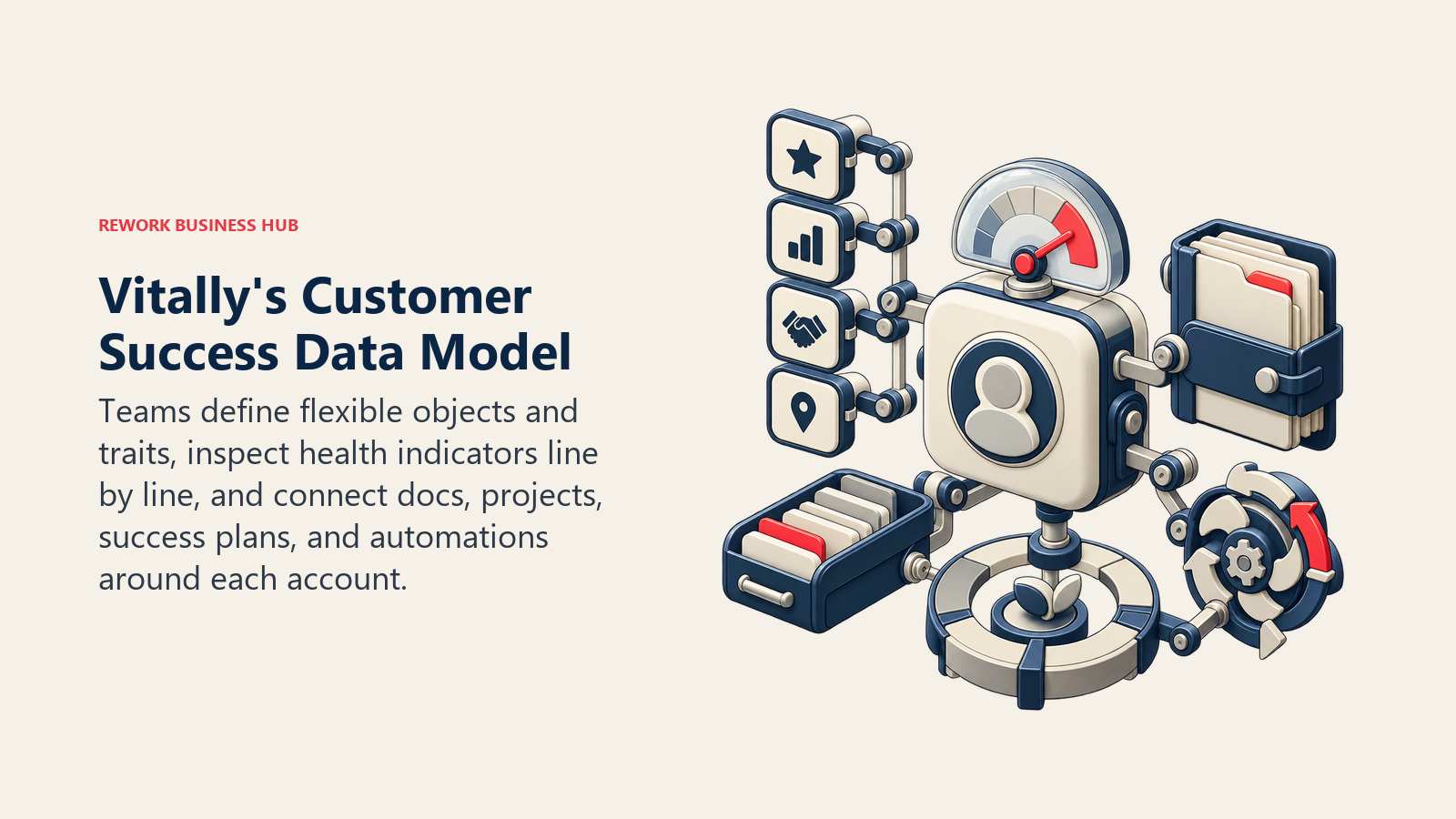
Vitally was built by people who thought CS platforms were too rigid, and it shows in the shape of the product. Everything is an object with traits you define, indicators roll up into health scores you can inspect line by line, and Docs, Projects and Success Plans mean a CSM can run an account without leaving for Notion and a spreadsheet. Automations are unlimited on every plan, which is unusual and genuinely changes how much a small team can cover.
The three plans map to CS motion rather than company size: Tech-Touch for one-to-many and product-led programs, Hybrid-Touch for mixed models, and High-Touch for one-to-one coverage. All three include unlimited automations, unlimited observer seats, SSO, the full integration library and unlimited docs. Pricing is quote only.
Here is the detail that gets repeated wrongly everywhere: unlimited full seats belongs to the High-Touch plan, not to all three. If you read "Vitally includes unlimited seats" in a comparison table, that claim is only true at the top plan. On Tech-Touch and Hybrid-Touch, full-license seats are a billable line, and observer seats are the unlimited part. Confirm the seat model against the plan you are actually being quoted.
Vitally suits teams where product usage is the strongest available signal and where CS Ops is a real function, even if it is one person. It is a weaker fit for services-heavy businesses whose value is delivered by humans rather than logins, because the health model leans on telemetry. Pair it with clean instrumentation and a defined set of adoption metrics before go-live, or you will build scores on signals nobody validated.
| Pros | Cons |
|---|---|
| Flexible object and trait model without an implementation project | Unlimited full seats only on the High-Touch plan |
| Unlimited automations and observer seats on every plan | Quote only, so cost is unknown until you talk to sales |
| Docs, Projects and Success Plans replace a stack of side tools | Leans heavily on product telemetry you have to supply |
| Genuinely good user experience, so CSMs keep the data current | Less enterprise governance tooling than Gainsight |
Best for: product-led and hybrid CS teams at 50 to 500 person companies where usage data is the health score. If the motion-based plans do not match how your team covers accounts, best Vitally alternatives works through the swaps, and Vitally vs Planhat is the head-to-head most Vitally shortlists come down to. Sizing fit: 30 to 500. Stage fit: Series A through Series D.
3. Planhat: The Customer Platform for Data You Cannot Standardize
Planhat calls itself a customer platform rather than a customer success platform, and the distinction is real. It is built around a modelling layer where you define objects, relationships, formulas and metrics that match your business, then build the CS workflow on top. Revenue, projects, portals and email sequences all sit in the same system. Teams with multi-entity customers, reseller hierarchies, usage-based contracts or a services component tend to land here after every templated tool fails to represent their accounts.
Pricing is quote based. Planhat's page states "quote-based pricing with add-ons for advanced needs" and names the add-ons: Upgraded AI Platform, Advanced Service, Email Marketing and Advanced Portals. No tiers, seats or minimums are published, so the add-on list is the only concrete signal about how the quote is assembled. Get every add-on you might want priced now, in the same contract, rather than discovering the AI layer is a separate line item in year two.
The cost of that flexibility is work. Planhat rewards a team with a CS Ops person and punishes one without. If nobody owns the data model, the platform becomes a very capable empty building. That is the honest dividing line between Planhat and ChurnZero, and it is a question about your team more than about the software.
Planhat is also strong outside the US, with a European base and a real footprint in companies selling into Europe. If the flexibility appeals but the implementation load worries you, best Planhat alternatives covers the lighter options.
| Pros | Cons |
|---|---|
| Data model bends to almost any customer structure | Needs a CS Ops owner to reach its potential |
| Revenue, projects, portals and email in one platform | Quote-only pricing with separately priced add-ons |
| Formula and metric engine strong enough to replace BI reporting | Longer time to first working health score |
| Good European presence and multi-currency handling | Overkill for a two-person CS team |
Best for: 100 to 1,000 person companies with a customer data model no templated platform can represent. Planhat vs Custify vs Velaris lines it up against the two lighter options teams usually weigh it against. Sizing fit: 75 to 2,000. Stage fit: Series B through public company.
4. Gainsight: The Category Standard, Priced for Companies With Procurement
Gainsight built this category and still sets its vocabulary. Customer 360, scorecards, Cockpit, CTAs, success plans, journey automation and the surrounding product line (Skilljar for customer education, Product Experience for in-app analytics and guides, Customer Communities, Staircase AI for conversation intelligence, and Atlas AI agents) make it the broadest offering here by a wide margin. If your CS organization spans multiple motions, multiple regions and a governance requirement, no other vendor covers as much ground under one contract.
Pricing is quote only, with two editions. Essentials includes 10 full users and 100 customers per user. Enterprise includes 20 full users and 200 customers per user. Both include unlimited viewer licenses, which is worth more than it sounds: the whole company can read account health without a seat charge, and that is often what turns CS data into a shared source of truth rather than a CS-team artifact.
Read those allowances carefully, because they are the real sizing mechanic. Essentials at 10 users and 100 customers per user tops out around 1,000 customer accounts. If you have 3,000 accounts and six CSMs, the customers-per-user math, not the headcount, is what pushes you up an edition.
The limitation is fit, not quality. For a five-person CS team at a 60-person company, Gainsight is a larger system than the problem requires, and the implementation and administration load will land on people who do not have room for it. Buy it when you have a CS Ops function and an admin who owns the platform. Best Gainsight alternatives covers the downshift options.
| Pros | Cons |
|---|---|
| Broadest capability set in the category, by a distance | Overbuilt for small CS teams, with the admin load to match |
| Unlimited viewer licenses on both editions | Quote only, and priced for companies with procurement |
| Adjacent products (education, communities, product analytics) under one vendor | Customers-per-user allowances can force an edition upgrade |
| Deepest ecosystem of partners, certified admins and playbook content | Time to first value measured in months, not weeks |
Best for: 200 to 5,000 employee companies with a CS Ops function and more than one customer success motion to govern. For the two matchups it lands in most often, see Totango vs Gainsight on packaging shape and Vitally vs Gainsight vs ChurnZero on day-to-day fit. Sizing fit: 200 to 10,000. Stage fit: Series C through public company.
5. Totango (incl. Catalyst): Big Account Ceilings and a Salesforce-Native Path
Totango and Catalyst are one company now, and Catalyst is sold as a Totango product line on Totango's own pricing page. That matters practically: do not run two evaluations, and do not let two reps quote you separately. The combined line covers Totango's programme-based CS model, Catalyst's Salesforce-native account management approach, and Unison, the customer intelligence engine that sits underneath both with Standard AI Models or Custom AI Models.
The published packaging is where this gets useful. Totango CS Enterprise includes 10 practitioner seats, 2,000 customer accounts and 5 teams. Premier includes 20 practitioner seats, 3 viewer seats, 10,000 customer accounts, unlimited teams and one development instance. Catalyst Growth covers 2,500 customer accounts and up to 5 Salesforce custom objects. Every one of those routes through "Talk to sales" for the actual number.
Note what those allowances tell you. A 10,000-account ceiling on Premier is among the highest published in this category, which makes Totango a serious option for companies with long tails of small accounts that a per-seat platform would price badly.
Now the claim to be careful about. Totango was famous for a free forever plan, and that reputation still shows up in comparison articles. As of 23 August 2026, Totango's pricing page lists no free tier. If you are carrying that expectation into a budget conversation, correct it before the meeting. The switching cases are covered in best Totango alternatives.
| Pros | Cons |
|---|---|
| Highest published account ceilings in the category | The free tier it was known for is no longer listed |
| Catalyst gives a genuinely Salesforce-native option | Quote only across every tier |
| Unison AI layer applies across both product lines | Two merged products mean two overlapping ways to do the same thing |
| Programme model suits scaled and digital CS motions | Post-merger roadmap questions are fair to ask on the call |
Best for: companies with 2,000 or more customer accounts, or CS teams that need to live inside Salesforce. Sizing fit: 100 to 5,000. Stage fit: Series B through public company.
6. Custify: Lifecycle-First CS for Teams Without an Ops Function
Custify aims at the gap between a spreadsheet and an enterprise suite. The model is lifecycle-centric: define the stages a customer moves through, attach health signals and playbooks to each stage, and let the platform tell CSMs what needs attention today rather than presenting a dashboard and hoping someone interprets it. For a team of two to eight CSMs with no dedicated CS Ops person, that framing does a lot of work.
Custify does not publish tiers or figures. The one concrete commitment on its pricing page is worth reading closely: no setup fees. In a category where implementation and onboarding charges routinely add a five-figure line to year one, a vendor stating flatly that it does not charge them is a real cost difference, not a marketing line. It is also a signal about deployment effort, since a vendor absorbing implementation has an incentive to keep it short.
The trade is depth and ecosystem. Custify's integration library is smaller than ChurnZero's or Gainsight's, and if your stack includes an unusual data warehouse setup or a heavily customized Salesforce instance, verify the connector before you sign rather than after. Reporting is solid for standard CS questions and thinner when the questions get exotic.
Custify is a European company and a common answer for SaaS businesses that want EU data residency without a long procurement cycle. It fits best when your accounts move through recognizable stages and your problem is coverage rather than analysis. Before configuring the lifecycle, it helps to have already done the work in customer segmentation, because Custify's model is only as good as the segments you feed it.
| Pros | Cons |
|---|---|
| No setup fees, stated plainly on the pricing page | No published tiers or figures at all |
| Lifecycle and playbook model suits teams without CS Ops | Smaller integration library than the category leaders |
| Fast time to value, typically weeks rather than months | Reporting depth trails Planhat and Vitally |
| European base and EU data handling | Smaller reference base in North America |
Best for: 30 to 200 person B2B SaaS companies with two to eight CSMs and no dedicated CS Ops hire. Because Custify publishes no figures at all, best Custify alternatives covers the vendors worth pricing alongside it. Sizing fit: 20 to 300. Stage fit: Seed through Series C.
7. ClientSuccess: The Vendor That Explains Its Own Pricing Model
ClientSuccess does not publish a price either, but it does something more useful than most quote-only vendors: it explains the formula. Pricing is based on the number of customer success managers using the platform and the modules you need. That single sentence tells you how to control your own quote, which is more than nine of the vendors here offer.
The three packages carry published limits. Startup allows a maximum of 10 customers and 500 full licenses, one goal or KBO per customer, and onboarding-only support. Growth allows a maximum of 50 customers and 5,000 full licenses, three goals or KBOs per customer, and a dedicated CSM. Enterprise removes the customer and license caps and includes custom dashboards and a customer portal. Annual contracts get 15 to 20% off, and there are no setup fees.
Read the Startup and Growth caps carefully and ask what ClientSuccess counts as a "customer" in your context, because a 10-customer ceiling reads very differently depending on the answer. That is a first-call question, not a post-signature discovery.
The product itself is a straightforward, well-built CS platform: health scoring, success plans, goals and KBOs, revenue and renewal tracking, and a pulse view for leadership. It does not try to be a data platform, and it is not trying to win against Gainsight on breadth. It wins on being comprehensible, which is exactly what a first-time buyer with no CS Ops function needs. The goals and KBO structure also pairs naturally with a formal account tiering strategy.
| Pros | Cons |
|---|---|
| Publishes what actually drives the quote, unlike most rivals | Still no actual figures on the page |
| 15 to 20% annual discount and no setup fees | Customer-count caps on Startup and Growth need clarifying |
| Clean goals and KBO model tied to renewal tracking | Startup tier support is onboarding only |
| Dedicated CSM included from the Growth package up | Narrower than the data-platform competitors |
Best for: small and mid-market CS teams that want a defined package and a support relationship rather than a build project. ClientSuccess vs Akita vs SmartKarrot compares the three vendors that publish the most about how they charge. Sizing fit: 20 to 500. Stage fit: Seed through Series C.
8. Velaris: One License, Five Users, AI Doing the Admin
Velaris is the newest serious entrant here and it is built around a specific bet: most CSM time goes to admin, not customers, so the platform should write the meeting notes, summarize the account, draft the follow-up and surface the risk without being asked. Account health, success plans, projects, surveys, analytics and a collaborative customer portal all sit in one product, with AI woven through rather than bolted on as a separate module.
Packaging is unusually clear for a quote-only vendor. Velaris states that everything comes in one license covering 5 users, with unlimited viewers and add-ons available, and a custom estimate on request. That single-license framing removes the module arithmetic that makes Gainsight, Planhat and Totango quotes hard to compare, which is a real advantage when you are running three evaluations at once.
The five-user base is the sizing constraint to plan around. It is a good fit for a CS team of three to eight, and you should ask what the per-user rate looks like above the included five before you commit, because that is where the price curve lives.
What you give up is maturity. Velaris has a shorter reference list, a smaller partner ecosystem and less battle-tested behavior at extreme scale than ChurnZero or Gainsight. For a 300-account portfolio run by a modern CS team, that matters less than the daily experience. For a regulated enterprise with a two-year procurement cycle, it matters more. Ask for references at your exact size and motion.
| Pros | Cons |
|---|---|
| One license covering 5 users with unlimited viewers | Quote only, and the rate above 5 users is unpublished |
| AI handles notes, summaries and follow-ups natively | Younger product with a shorter reference list |
| Broad functional coverage without module arithmetic | Smaller partner and integration ecosystem |
| Customer portal included rather than sold separately | Less proven at very large account volumes |
Best for: three to eight person CS teams that want AI doing the administrative work and one line item instead of six. Sizing fit: 20 to 300. Stage fit: Seed through Series C.
9. Akita: The Only Published Rate Card in the Category
Akita is the answer to the question this whole article keeps running into: what if you just want to see the price. Small Teams is $49 a month and covers 2 full users, 4 read-only users, 2 integrations and up to 10,000 accounts and contacts. Growing Teams is $99 a month and covers 4 full users, 8 read-only users, 4 integrations and up to 100,000 accounts and contacts. Enterprise is custom with unlimited accounts. Annual prepayment takes 20% off. Extra full users are $29 a month each, extra integrations $29 a month each. There is a 14-day free trial, and no setup or cancellation fees.
Look at the account ceilings against the price. Ten thousand accounts for $49 a month is an entirely different pricing philosophy from a category that mostly bills by account volume, and it makes Akita unusually strong for businesses with many small customers, such as SMB-focused SaaS or a self-serve base with a thin CSM layer on top.
The product does the core job: health scores from usage and CRM data, segments, tasks and alerts, playbooks, and integrations to the usual suspects. It is not going to out-analyze Planhat or out-govern Gainsight, and the analytics are the first place you will feel the ceiling. The two-integration limit on the entry tier is also tighter than it looks once you count CRM, billing, support and product analytics.
Use Akita when the alternative is a spreadsheet. A working health score and a task queue for $588 a year, or $470 prepaid annually, beats a perfect platform you never buy. Feed it a risk model you actually trust and it will punch far above its price.
| Pros | Cons |
|---|---|
| Full published rate card, tiers, limits and per-user rates | Analytics and reporting are basic by category standards |
| Very high account ceilings for the price | Two integrations on the entry tier runs out fast |
| No setup or cancellation fees, 14-day trial | Small vendor, thinner ecosystem and community |
| 20% discount for annual prepayment | Not built for multi-motion or enterprise governance |
Best for: two to four person CS teams that need a working health score and renewal queue this quarter, on a real budget. Sizing fit: 10 to 150. Stage fit: pre-seed through Series B.
10. SmartKarrot: Automation-Heavy CS With a Published Floor
SmartKarrot targets teams whose problem is scale rather than sophistication: many accounts, not enough CSMs, and a need to automate touchpoints, health scoring, playbooks and account intelligence rather than personalize each one. Its feature set leans toward operational automation, product usage analytics, journey design and account expansion signals.
It is one of only three dedicated vendors here that publishes any figure. Basic is $15,000 a year and includes 5 users, 2 third-party integrations and email support, and SmartKarrot's own page flags that number as a discounted price. Growth (10 users), Pro (25 users) and Enterprise (custom) are all "Contact Sales". So the tiering is by user count, and the entry point is a five-figure annual commitment.
That floor is the deciding factor. Fifteen thousand dollars a year is entirely reasonable for a 20-person CS org and completely wrong as a first CS platform for a company running two CSMs, where Akita or Custify does the same core job for a fraction of it. Also note the two-integration limit at Basic, which is the same constraint Akita has at $49 a month, so weigh what you are actually buying with the extra spend: automation depth and user seats, not connectivity.
Ask specifically what the discounted framing means, and what the standing rate is at renewal. A promotional entry price that resets in year two is a budgeting problem, not a saving.
| Pros | Cons |
|---|---|
| Publishes an entry price, which most rivals do not | $15,000 a year is a high floor for a first platform |
| Strong automation and lifecycle journeys at account scale | Basic includes only 2 third-party integrations |
| Clear user-count tiering (5, 10, 25, custom) | Entry price is flagged as discounted, so confirm renewal rate |
| Account intelligence and expansion signals built in | Smaller presence and community than the category leaders |
Best for: CS organizations of 5 to 25 practitioners running scaled or digital motions across large account portfolios. Sizing fit: 100 to 1,000. Stage fit: Series B through late stage.
11. ZapScale: Cheap Entry, and You Will Not Find the Price on Their Site
ZapScale positions itself as the affordable customer success platform for growing SaaS teams, built around product usage scoring, health signals pulled from six data sources, churn prediction and a light CSM workflow. The pitch is straightforward: most of what a mid-market platform does, at a small-team price.
Pricing is where you need to be careful. ZapScale has no working vendor pricing page. Third-party software directories including GetApp and Software Advice list Startup at roughly $500 a month for up to 100 customers and Growth at roughly $2,000 a month for up to 500 customers, with Enterprise custom. Those figures are reported, not vendor-confirmed, and you should treat them as an order of magnitude rather than a quote. Anyone presenting them as ZapScale's official pricing is repeating a directory listing.
Do the math before you get attached to "affordable". At roughly $500 a month for up to 100 customers, ZapScale costs about $6,000 a year, which is more than ten times Akita's entry tier while covering one percent as many accounts. It is cheaper than SmartKarrot's $15,000 floor and probably cheaper than a mid-market ChurnZero contract, so it occupies a genuine middle band, but "cheap" is relative to the enterprise end of this category, not to the whole of it.
The absent pricing page is also a due diligence item in itself. Ask directly about funding, roadmap and reference customers at your size, and get pricing in writing with renewal terms attached.
| Pros | Cons |
|---|---|
| Genuine mid-band pricing between Akita and the enterprise tier | No vendor pricing page at all, the URL 404s |
| Usage-based health scoring across multiple data sources | Every published figure is third-party reported |
| Customer-count tiers make sizing predictable | Account ceilings are low relative to the price |
| Fast setup, aimed at teams without CS Ops | Smaller vendor, so verify roadmap and references |
Best for: teams under 500 customers who want more than a starter tool and less than a mid-market contract. Sizing fit: 20 to 200. Stage fit: Seed through Series B.
12. EverAfter: The One That Points Outward, Not Inward
Every other platform on this list is built for your team to look at. EverAfter is built for your customer to look at. It generates customer-facing hubs and portals: onboarding plans, shared timelines, resources, tasks, success metrics and QBR content, assembled from widgets and driven by automation and visibility rules so each customer sees their own version without a CSM building it by hand.
That makes it a different purchase, not a cheaper one. If your problem is that CSMs cannot see risk, EverAfter does not solve it. If your problem is that onboarding stalls, customers lose the plan between calls, and every QBR gets rebuilt in slides from scratch, it addresses that directly and nothing else on this list does it as well.
Pricing is quote only, described as "customized pricing tailored for you". All tiers include the widget-based interface builder, automation and visibility rules, 100+ integrations, engagement tracking, customer login with SSO, granular roles, task management and a dedicated CSM. The fact that every tier includes the builder is the useful detail: you are not buying a stripped entry version that cannot do the core job.
The common and correct pattern is EverAfter alongside a CS platform rather than instead of one, which means budgeting for two contracts. Teams running scaled onboarding across hundreds of accounts get the most out of it, because the automation replaces work that genuinely does not scale.
| Pros | Cons |
|---|---|
| Best-in-class customer-facing portals and onboarding hubs | Not an internal health scoring or forecasting platform |
| Builder and automation rules included on every tier | Usually a second contract alongside a CS platform |
| Customer login, SSO and granular roles handled properly | Quote only, no figures published |
| Engagement tracking shows what customers actually opened | Value depends on customers logging in, which needs driving |
Best for: teams whose weak point is the customer-facing experience during onboarding, adoption and QBRs. Sizing fit: 50 to 1,000. Stage fit: Series A through late stage.
13. Churnkey: For Revenue Leaking at the Cancel Button
Churnkey solves a different churn problem from everything above it. It works at the cancellation moment and in the payment stack: cancel flows that ask why and offer the right save, pause instead of cancel, targeted discounts, failed-payment recovery, and reactivation campaigns for customers who already left. For a self-serve or product-led business, that is often where most of the recoverable revenue actually sits, and no amount of CSM playbook design touches it.
Pricing starts at $250 a month billed yearly for Starter, which covers up to $5,000 a month in churn volume. Core and Intelligence target businesses with $10,000 a month or more in churn volume, and their prices are not published. Enterprise is custom. There is a 14-day trial with no credit card, and the SDK and MCP server are free on every plan.
The volume-based model is the thing to check first. Pricing scales with the revenue you are losing, so run your own number before the call: if you churn $8,000 a month, you are already above the Starter band and need a Core quote.
Churnkey is not a customer success platform and does not claim to be. There is no account health scoring, no CSM workflow and no renewal forecast. It sits alongside one, or it stands alone in businesses with no CSMs at all. If churn is your board-level problem, pair it with the diagnostic work in churn prediction models so you are fixing causes upstream and catching the leaks downstream.
| Pros | Cons |
|---|---|
| Publishes an entry price and a clear volume band | Not a CS platform, no health scoring or CSM workflow |
| Directly recovers revenue at cancellation and failed payment | Pricing scales with the churn you are already suffering |
| SDK and MCP server free on every plan | Core and Intelligence tiers are unpriced |
| 14-day trial with no credit card required | Little value for a purely enterprise, sales-led business |
Best for: self-serve, PLG and subscription businesses losing revenue at cancellation and to failed payments. Sizing fit: any size with a self-serve base. Stage fit: any.
14. HubSpot Service Hub: The Right Answer If You Already Live in HubSpot
HubSpot's Customer Success Workspace gives CSMs a single pane over account health, product usage, open tickets, deals and activity, on the same customer record marketing and sales already use. That last part is the entire argument. The handoff from closed-won to onboarding stops being an export, and nobody argues about whose CRM record is correct.
The access rule matters more than the features: the Customer Success Workspace requires Service Hub Professional or Enterprise. HubSpot publishes Professional at $90 per seat per month on an annual commitment and $100 per seat per month billed monthly, plus a one-time $1,500 Professional onboarding fee. Enterprise starts at $150 per seat per month with a one-time $3,500 onboarding fee. A free tier exists for up to 2 users but does not include the workspace.
The annual commitment is the cheaper of the two, so confirm in writing that your quote is written on the annual term before you build a budget on it. Also model the onboarding fee properly: at a five-seat Professional team, the one-time $1,500 is more than a quarter of your first-year software cost.
The honest limitation is depth. Health scoring, playbooks and renewal forecasting in Service Hub are competent rather than category-leading, and a CS team whose primary job is complex enterprise retention will feel the difference against ChurnZero or Gainsight within a quarter. If you are already all-in on HubSpot, that trade is usually still worth it.
| Pros | Cons |
|---|---|
| One customer record across marketing, sales, service and success | Workspace requires Professional or Enterprise, not Starter |
| Published per-seat pricing, rare in this category | One-time onboarding fees of $1,500 and $3,500 |
| Tickets, deals and usage visible in the same workspace | Health scoring and forecasting are shallower than the specialists |
| No integration project between CRM and CS platform | The published monthly and annual rates need confirming in writing |
Best for: companies already running HubSpot who want CS on the same record rather than a separate system. Sizing fit: 20 to 500. Stage fit: Seed through Series C.
15. Pendo: Fix the Signal Before You Buy the Scoreboard
Pendo belongs on this list for a reason many CS buyers discover too late: a customer success platform is only as good as the product data feeding it. If you cannot answer which features an account uses, which users have gone quiet and where onboarding stalls, then a health score is a guess with a color on it. Pendo supplies exactly that layer, plus in-app guides and walkthroughs, NPS and sentiment surveys, and session replay at the higher tiers.
The free plan is real and useful for evaluation: up to 500 monthly active users, with product analytics, in-app guides, and Pendo-branded roadmaps and NPS. Paid tiers are Base, Core (adds session replay) and Ultimate (adds sentiment surveys, Orchestrate, Listen and Data Sync), all quote only and priced on monthly active users. That MAU-based model is important to understand early, because your cost grows with product success rather than with CS headcount.
Pendo is not a CS platform. There is no renewal forecast, no account plan, no CSM task queue. Buying it instead of a CS platform leaves your team with beautiful analytics and no workflow. Buying it alongside one, or before one at an early-stage company, is often the higher-leverage sequence. The pattern for wiring the two together is in product usage meets the customer health dashboard.
| Pros | Cons |
|---|---|
| Genuinely free tier up to 500 monthly active users | Not a customer success platform, no renewal or account layer |
| Best-in-class product analytics and in-app guidance | Paid pricing is quote only at every tier |
| Session replay and sentiment surveys at higher tiers | MAU-based pricing grows as your product succeeds |
| Feeds better signals into whichever CS platform you buy | Implementation needs engineering time for tagging |
Best for: teams whose health scores are unreliable because the underlying product telemetry is thin or missing. Sizing fit: any. Stage fit: Seed through public company.
Buying Mistakes to Avoid
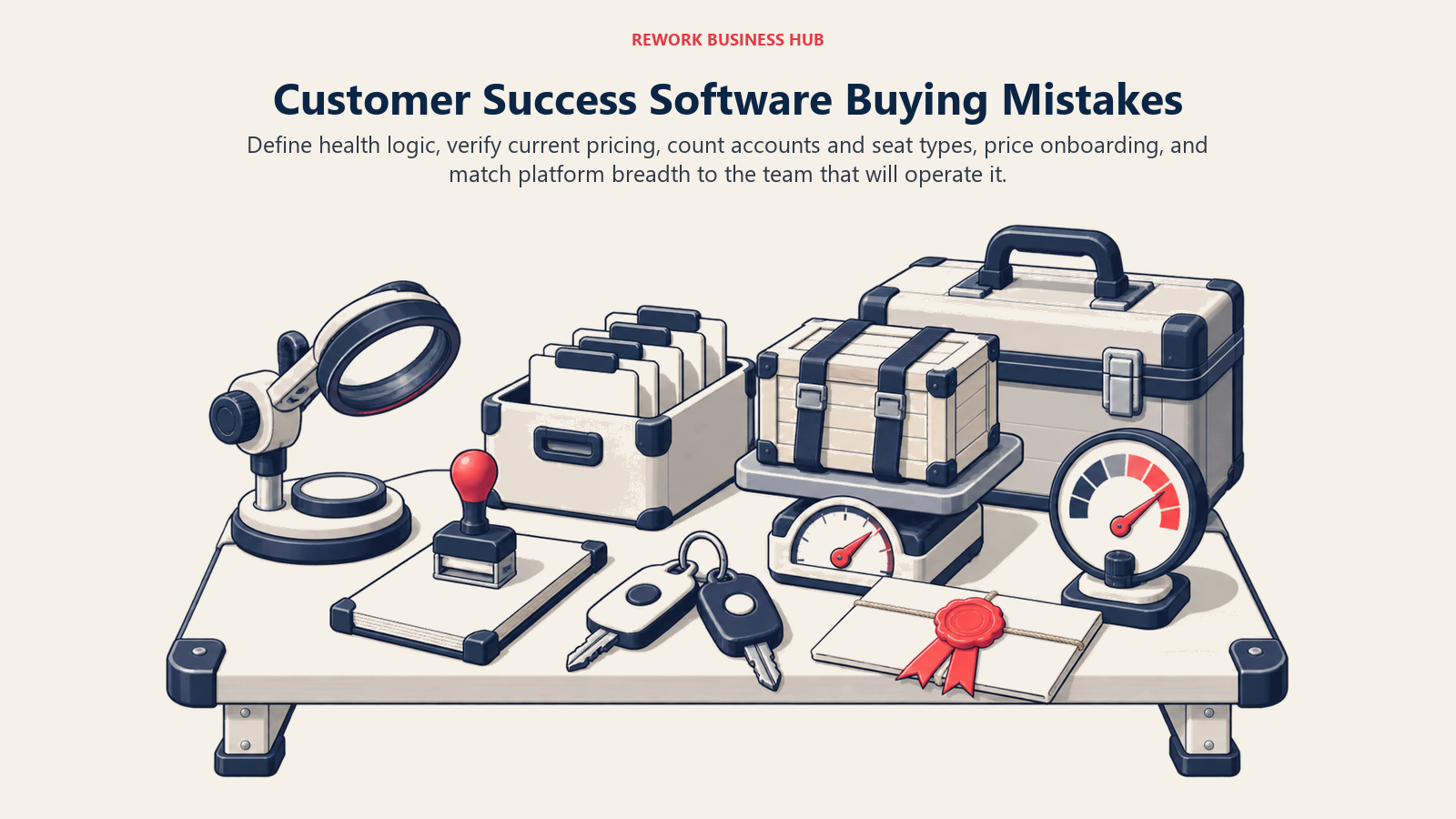
The riskiest purchase is a polished demo that hides how health logic, pricing, account limits, onboarding, and ongoing administration work in practice.
| Mistake | What it looks like | What to do instead |
|---|---|---|
| Buying a platform before defining the health score | Six weeks of implementation, then an argument about what "yellow" means | Write your risk signals and thresholds down first, then buy the tool that models them |
| Quoting a reputation instead of the current page | A budget built on Totango's old free tier, which its pricing page no longer lists | Re-verify every price and every tier on the vendor's own site in the month you buy |
| Treating a third-party listing as a vendor price | A board deck citing ZapScale at $500 a month from a directory profile | Label reported figures as reported, and get the real number in writing |
| Ignoring account ceilings | A 3,000-account business signs a tier capped at 2,000 accounts | Count active plus dormant logos, then ask what happens when you cross the ceiling mid-term |
| Counting only practitioner seats | The quote doubles when finance, product and the exec team need access | Confirm which seats are free. Gainsight, Vitally and Velaris all include unlimited viewers or observers |
| Buying breadth you will not staff | A 60-person company licenses a suite that needs a full-time admin nobody hired | Match the platform to the CS Ops capacity you actually have, not the one on next year's org chart |
| Forgetting the onboarding fee | Year one costs 25% more than the seat math suggested | Ask for the fully loaded first-year number including implementation, add-ons and renewal terms |
The first row is the expensive one. Digital and self-service customer success adoption jumped from 42% to 73% in a single year according to the Customer Success Index 2025, and teams scaling that fast on top of an undefined health model are automating a guess. Meanwhile the public market data shows why the stakes rose: Cust's analysis of SEC filings describes 2024 to 2026 as an era of NRR compression, with former top performers like Snowflake falling from 178% to 125%. Expansion is harder than it was, so the tooling has to earn its cost against a smaller upside.
There is also a spending wave to be aware of when you negotiate. Gartner predicts that over 50% of customer service organizations will double their technology spend by 2028 (Gartner newsroom, March 2026). Vendors know that forecast too, and it is showing up in multi-year contract structures. Push back on three-year terms until you have run one full renewal cycle in the tool.
How to Choose: Decision Framework
A useful shortlist starts with the signals, operating motion, account volume, renewal process, customer-facing needs, and budget model your team can actually support.
| If you need... | Pick... | Why |
|---|---|---|
| A first serious CS platform with playbooks and a renewal forecast that works quickly | ChurnZero | Opinionated out of the box, so a mid-market team is running a real process in weeks rather than quarters |
| Health scoring driven by product usage, in a tech-touch or hybrid motion | Vitally | Flexible object and trait model with unlimited automations on every plan |
| A data model no templated platform can represent | Planhat | Objects, formulas and metrics you define yourself, plus revenue and portals in the same system |
| Breadth, governance and multiple CS motions under one contract | Gainsight | The deepest suite in the category, with unlimited viewer licenses on both editions |
| Room for thousands of accounts, or a Salesforce-native workflow | Totango (incl. Catalyst) | Up to 10,000 customer accounts on Premier, and Catalyst for the Salesforce path |
| Fast time to value with no implementation fee | Custify | Lifecycle model aimed at teams without CS Ops, and no setup fees |
| A package you can understand before the sales call | ClientSuccess | Publishes what drives the quote, plus 15 to 20% off annual and no setup fees |
| AI handling CSM admin, in one license instead of six modules | Velaris | One license covering 5 users with unlimited viewers and AI built through the workflow |
| A published price and a working health score on a small budget | Akita | $49 a month for 2 full users and up to 10,000 accounts, 20% off annual prepayment |
| Automation across a large portfolio with a five-figure budget already approved | SmartKarrot | $15,000 a year entry covering 5 users, tiering upward by user count |
| A middle option between a starter tool and a mid-market contract | ZapScale | Reported at roughly $500 a month for up to 100 customers, with usage-based scoring |
| Customer-facing onboarding hubs and QBR portals | EverAfter | The builder, automation rules and customer SSO are included on every tier |
| To stop losing revenue at the cancel button and to failed payments | Churnkey | $250 a month billed yearly at Starter, with cancel flows, pauses and payment recovery |
| CS on the same record as your existing CRM | HubSpot Service Hub | Customer Success Workspace on Professional at $90 per seat per month, annual commit |
| Better product telemetry before you trust any health score | Pendo | Free up to 500 monthly active users, with the analytics depth a CS platform depends on |
What to Do Next
Shortlist two platforms, not five, and make them structurally different: one that fits your budget and team today, and one a tier up that you would grow into over 18 months. Running two real evaluations beats skimming five demos, because the questions that matter only surface when you put your own data in.
Then run all three of these tests before anything reaches legal. First, load 20 real accounts, including your three most obviously at-risk ones, and see whether the health score independently flags them. A platform that cannot rediscover the risk you already know about will not find the risk you do not. Second, get the fully loaded first-year number in writing: practitioner seats, viewer seats, account ceiling, integrations, implementation, add-ons, and what the renewal rate looks like if your account count grows 40%. In a category where ten of fifteen vendors publish nothing, that written number is your only defense against a surprise in month 13. Third, have a CSM run one week of their real workload in each trial, unassisted. Adoption by your own team is the variable that decides whether any of this produces a retention result.
If the shortlist is still wide open, name the problem out loud before you look at another demo. Unreliable health signals, no renewal forecast, stalled onboarding, and self-serve cancellations are four different purchases, and the fastest way to waste a quarter is to buy for one while suffering from another.

Principal Product Marketing Strategist
On this page
- Key Facts
- Quick Comparison Table
- The Pricing Transparency Problem, Documented
- What Drives Your Quote
- What Changed in This Category
- Stage Fit Matrix
- Sizing and Persona Table
- 1. ChurnZero: The Default First Serious CS Platform
- 2. Vitally: The Data Model People Actually Enjoy Working In
- 3. Planhat: The Customer Platform for Data You Cannot Standardize
- 4. Gainsight: The Category Standard, Priced for Companies With Procurement
- 5. Totango (incl. Catalyst): Big Account Ceilings and a Salesforce-Native Path
- 6. Custify: Lifecycle-First CS for Teams Without an Ops Function
- 7. ClientSuccess: The Vendor That Explains Its Own Pricing Model
- 8. Velaris: One License, Five Users, AI Doing the Admin
- 9. Akita: The Only Published Rate Card in the Category
- 10. SmartKarrot: Automation-Heavy CS With a Published Floor
- 11. ZapScale: Cheap Entry, and You Will Not Find the Price on Their Site
- 12. EverAfter: The One That Points Outward, Not Inward
- 13. Churnkey: For Revenue Leaking at the Cancel Button
- 14. HubSpot Service Hub: The Right Answer If You Already Live in HubSpot
- 15. Pendo: Fix the Signal Before You Buy the Scoreboard
- Buying Mistakes to Avoid
- How to Choose: Decision Framework
- What to Do Next