Totango vs Gainsight: Which Customer Success Platform Fits Your Team in 2026?
Turn this article into takeaways for your work.


Each assistant summarizes the article only for you and suggests best practices for your work.
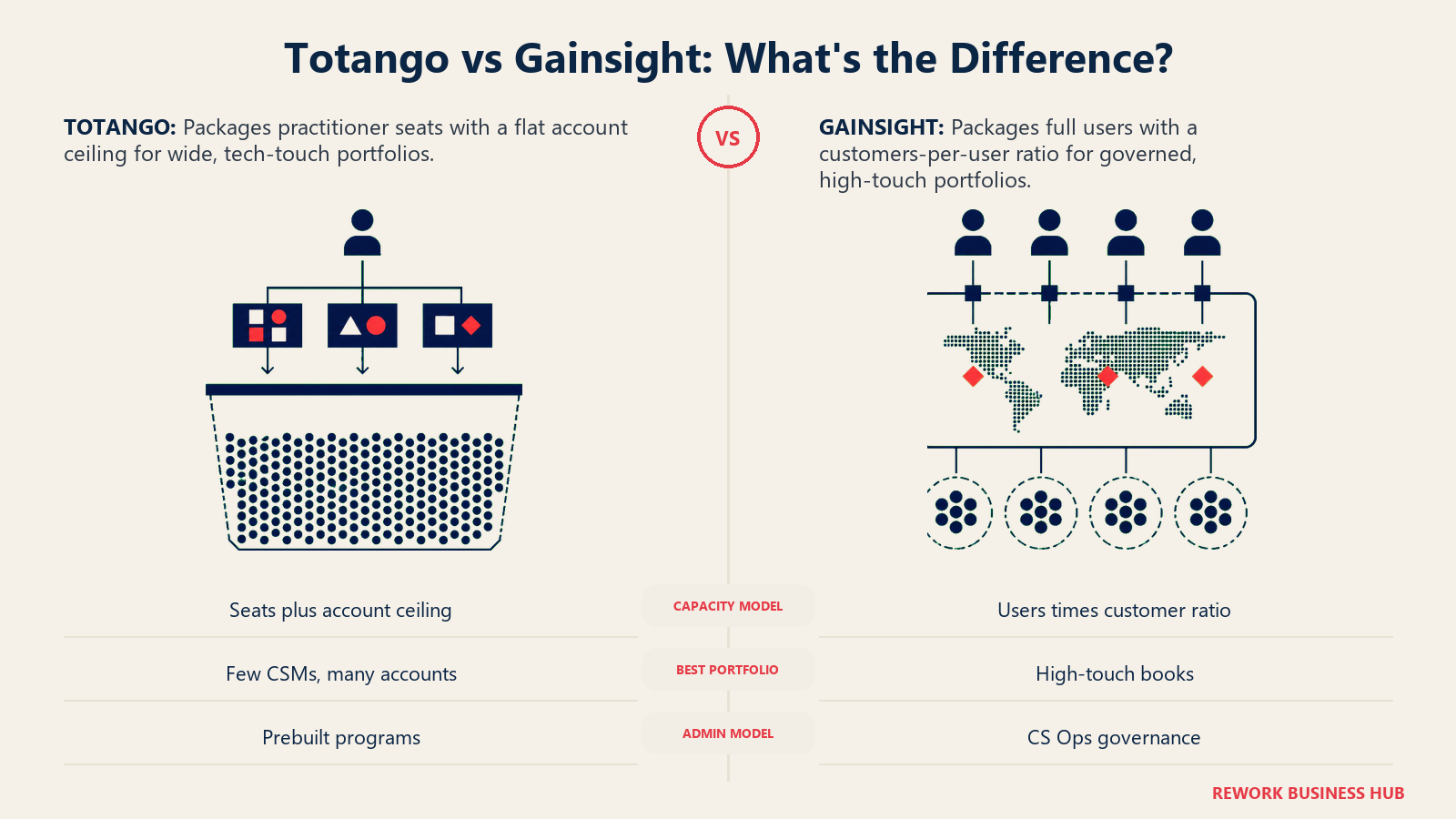
If your shortlist has narrowed to Totango and Gainsight, you're past the argument about whether you need a customer success platform. What's left is a quieter question most write-ups skip: how does each vendor decide what you owe. Totango spent a decade as the free-forever entry point into this category, the platform teams reached for before they had a budget line for CS software. That plan is gone from its pricing page. Gainsight spent the same decade building into the category's enterprise standard, adding education, product analytics, and conversation AI onto a core most enterprises already trust. Put the two pricing pages side by side today and you don't find a features fight. You find two different theories of what a CS seat should be priced against.
This is for a VP or Head of Customer Success, a CS Ops lead, or a Chief Customer Officer or COO at a B2B SaaS company roughly 50 to 1,000 people. You don't need a checklist confirming both tools do health scoring and playbooks. They do. You need to know that Gainsight gates its editions on customers per full user, a ratio that scales with headcount, while Totango gates its tiers on practitioner seats plus a flat account ceiling and a team count, a bundle that doesn't scale the same way. Get that distinction backwards going into the first sales call and you'll spend weeks negotiating against the wrong number.
Key Facts
- Neither vendor publishes a price. Gainsight lists edition shapes behind "Request Pricing": Essentials includes 10 full users at 100 customers per user, Enterprise 20 at 200, both with unlimited viewer licenses (Gainsight pricing). Totango lists tier shapes behind "Talk to sales": CS Enterprise covers 10 practitioner seats, 2,000 customer accounts and 5 teams, CS Premier covers 20 seats, 3 viewer seats, 10,000 accounts, unlimited teams and 1 development instance (Totango pricing).
- The free tier Totango was known for is no longer listed on its pricing page. Every line item, including Totango CS, Unison, and Catalyst Growth, routes to "Talk to sales." There is no self-serve or trial path shown anywhere on the page.
- Gainsight's Renewal and Expansion Forecasting is an Enterprise-edition feature, not included in Essentials. Company News and Organizational Mapping and Sponsor Tracking sit behind the same Enterprise gate (Gainsight pricing).
- Median net revenue retention across 105 public B2B SaaS companies was 122% in 2026, top decile 155%, from 913 verified disclosures in SEC filings and earnings transcripts (Cust, 2026 State of Customer Success).
- 52% of surveyed companies now build AI into CS workflows, per Gainsight's own Customer Success Index, a vendor benchmark of more than 250 companies, not an independent study (Gainsight).
TL;DR
| Totango | Gainsight | |
|---|---|---|
| Ideal customer | High-volume portfolios, many accounts per CSM | Enterprise or complex mid-market, 20+ CSMs |
| Core strength | Prebuilt, SuccessBLOC-style programs at account-count scale | Breadth and governance across CS, analytics, education, community |
| Pricing model | Quote only, CS Enterprise and Premier tiers | Quote only, Essentials and Enterprise editions |
| What drives the number | Seats, flat account ceiling, team count, which product line | Full users, customers-per-user ratio, edition, attached products |
| Product structure | Three lines: Totango CS, Unison AI, Catalyst Growth | One CS core plus separately priced Skilljar, Product Experience, Communities, Staircase AI |
| Implementation load | Moderate, tiers bundle a named CS contact | Heavy, assumes a dedicated CS Ops owner |
| Best for | Portfolio-scale CS covering thousands of accounts per team | Standardizing one motion across regions and products, with governance evidence |
| Risk of choosing wrong | Buying Premier for accounts you'll never fill while seats run out first | Paying enterprise money for configuration nobody finishes |
Who Each Platform Is Really Built For
The honest split isn't headcount, it's account shape. A team with eight CSMs and 1,200 mid-market accounts behaves differently than a team with eight CSMs and 25,000 small accounts, even though both have "eight CSMs" on the org chart. Totango and Gainsight are built for opposite ends of that spectrum.
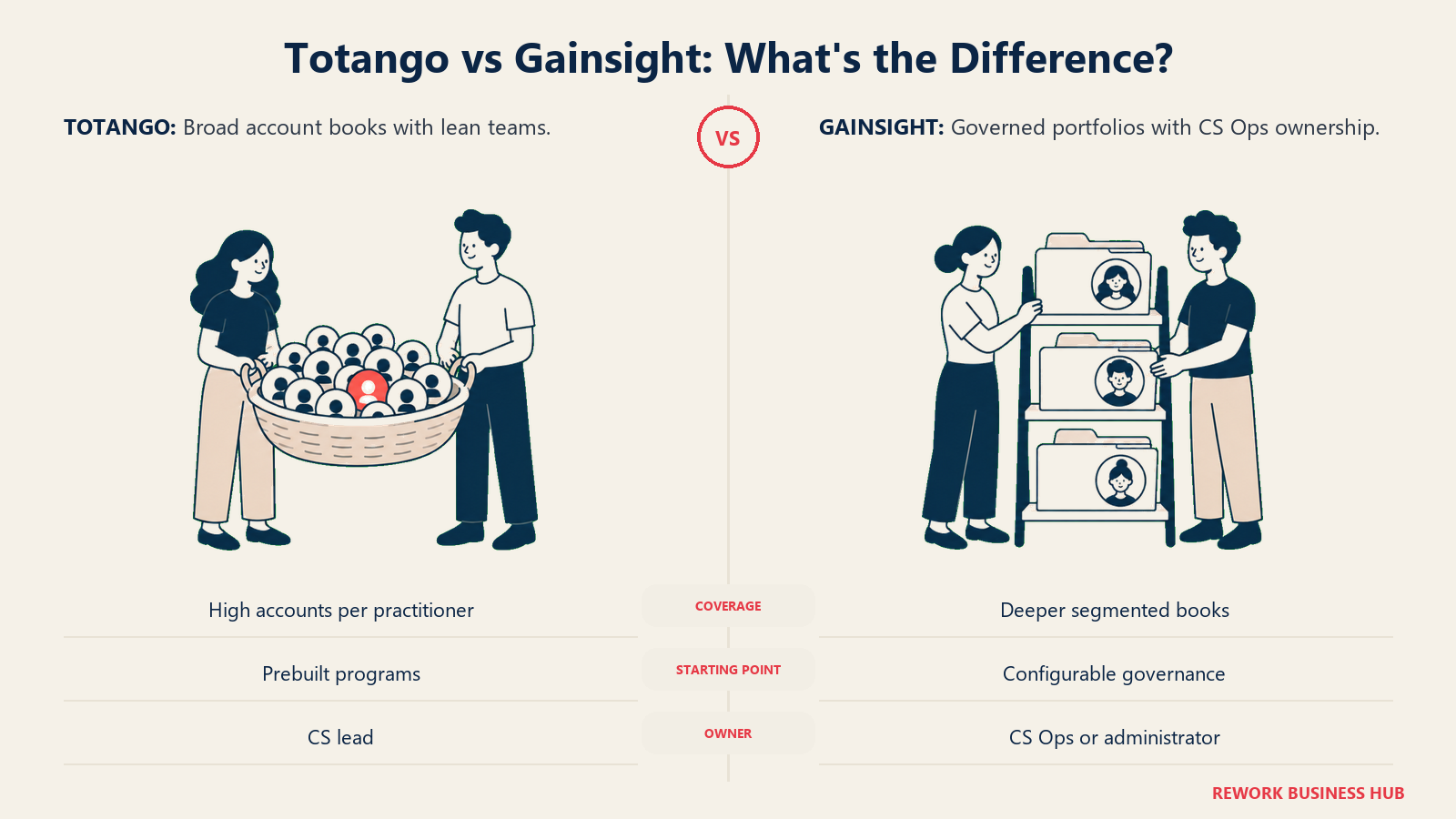
Totango's own pricing page bundles seats with a flat account ceiling: 2,000 accounts on CS Enterprise, 10,000 on CS Premier. That's a platform built assuming your portfolio is wide relative to your team, the shape you get from a tech-touch or hybrid motion where a handful of practitioners cover a large number of low-touch accounts. Gainsight's editions instead publish a per-user ratio, 100 or 200 customers per full user, which is a platform built assuming you'll add users roughly in step with your account base, the shape you get from a high-touch enterprise motion where each CSM owns a smaller, deeper book.
| Totango | Gainsight | |
|---|---|---|
| Company size sweet spot | 50 to 500 employees, portfolio-heavy motions | 500+ employees, or complex mid-market |
| CS team size | Small teams covering large account counts | 20 to 200+ CSMs across segments and regions |
| Maturity assumed | Prebuilt programs get you running fast | Segmentation, documented playbooks, a platform owner |
| Primary use case | Cover a lot of accounts per seat without losing visibility | Standardize and govern CS across products and regions |
| Ideal buyer | VP of CS running a tech-touch or hybrid motion | Chief Customer Officer, VP CS with a CS Ops function |
| Product structure | Totango CS, Unison AI, Catalyst Growth, sold as separate lines | CS core plus analytics, education, community, conversation AI |
| Question it answers | "How do we stay proactive across thousands of accounts with a small team?" | "How do we run one motion everywhere and prove it?" |
If you're still deciding what a CS platform should even do before picking a vendor, start with the category view in best customer success software for 2026.
Teams outside CS matter to this decision too, since a platform Product or Finance never opens quietly becomes a CS-only tool.
| Team | Totango | Gainsight |
|---|---|---|
| CSMs (daily users) | Built around prebuilt programs, faster to a working motion | Powerful once configured, heavier interface |
| CS Ops / admin | Helpful, not structurally required | Excellent, the role is assumed |
| Renewals and AM | Revenue intelligence and forecasting marketed platform-wide | Forecasting on the Enterprise edition only |
| Product / growth | Catalyst Growth ties to expansion signals and Salesforce objects | Strong via Product Experience, priced separately |
| Executives | Read access is unpublished on Enterprise, named on Premier (3 viewer seats) | Unlimited viewer licenses on both editions, published |
| Finance / FP&A | Account-ceiling model makes seat-vs-account tradeoffs visible early | Portfolio-level NRR reporting once configured |
Whichever way you lean, the platform is only as good as the account data feeding it. Deciding how you tier and segment accounts before implementation saves more time than any feature row on either page.
What Changed at Totango
Most comparisons still describe Totango the way it looked several years ago: a generous free tier, a single product, a self-serve signup. None of that is true of the page as it stands today.
| What Totango's pricing page lists | What's included | How you buy it |
|---|---|---|
| Totango CS, Enterprise | 10 practitioner seats, 2,000 customer accounts, 5 teams, an Enterprise Customer Success Manager | Talk to sales |
| Totango CS, Premier | 20 practitioner seats, 3 viewer seats, 10,000 customer accounts, unlimited teams, 1 development instance, a dedicated account team | Talk to sales |
| Unison, Standard AI Models | Customer intelligence engine on standard risk-detection and key-moment models | Talk to sales |
| Unison, Custom AI Models | Everything in Standard plus one custom model and SSO | Talk to sales |
| Catalyst, Growth | 2,500 customer accounts, up to 5 Salesforce custom objects | Talk to sales |
Two things follow. First, the free tier is genuinely gone from the published lineup. If a comparison you're reading still says "Totango has a free plan" or "start free," it was written against an older version of the page, and its pricing guidance should be treated as stale too. Second, Totango is no longer one product. It's three lines, sold separately: the core CS platform, the Unison intelligence engine, and Catalyst Growth, the former independent Catalyst Software, which merged into Totango and now appears as a product line on Totango's own pricing page rather than as a company you could evaluate on its own. If a shortlist you inherited lists Totango and Catalyst as two separate vendors, it's really listing one vendor twice.
That restructuring matters for the comparison at hand. When you request a quote from Totango, you're not asking "what does Totango cost." You're asking which of three lines you actually need priced, and whether you need more than one. Gainsight has the same problem in miniature, since Skilljar, Product Experience, Communities, and Staircase AI are all separate SKUs on its own pricing page, but Gainsight's core CS product stays a single quote across two editions. Totango's core product is now itself a decision between lines before you get to a number.
Core Capability Comparison
At the level of "does it have the thing," Totango and Gainsight look close to identical. Both do health scoring, playbooks, lifecycle automation, surveys, and some flavor of forecasting. The checkmark isn't the useful column here. The note beside it is.
| Capability | Totango | Gainsight | What differs |
|---|---|---|---|
| Health scorecards | ✓ | ✓ | SuccessBLOC-style prebuilt programs vs configurable weighted scorecards |
| Customer 360 | ✓ | ✓ | Account-ceiling model, one record per account, vs a more configurable record that goes deeper on segmentation |
| Playbooks / plays | ✓ | ✓ | Prebuilt programs plus custom plays vs Success Plans and Calls to Action, with more branching |
| Lifecycle automation | ✓ | ✓ | Intelligent workflows marketed platform-wide vs more conditional branching and approval gating |
| AI churn intelligence | ✓ | ✓ | Unison (Standard or Custom AI Models) vs Staircase AI and Atlas AI Agents, both sold separately |
| Renewal and expansion forecasting | ✓, marketed platform-wide | Partial | Gainsight gates it to Enterprise only; Totango's pricing page does not name a tier gate |
| Org mapping and sponsor tracking | Not published as a named feature | Partial | Gainsight Enterprise-only; no named Totango equivalent |
| Customer education / LMS | Not published as an owned product | ✓ | Skilljar is a Gainsight-owned product, priced separately |
| Product analytics | Catalyst ties usage to expansion signals | ✓ | A dedicated suite (Product Experience) vs expansion-signal ingestion |
| Viewer / read-only access | 3 viewer seats named on Premier only | ✓ | Unlimited on both Gainsight editions, published |
| Dedicated onboarding contact | Named in the tier itself (CS Manager or account team) | Not listed as an included line item | Totango bundles a human resource into the price; Gainsight sells services separately |
That last row is easy to miss and worth flagging to whoever owns the budget conversation. Totango's own pricing page names an "Enterprise Customer Success Manager" on CS Enterprise and a "dedicated account team" on CS Premier as included inclusions, not add-ons. Gainsight's published edition list is all product capability, no named human resource, which usually means implementation and ongoing support get quoted and staffed separately.
The Real Wedge: Two Different Packaging Shapes
This is the section that decides which vendor is actually built for your portfolio, and it's worth working the math with the vendors' own published numbers rather than taking either sales team's word for it.
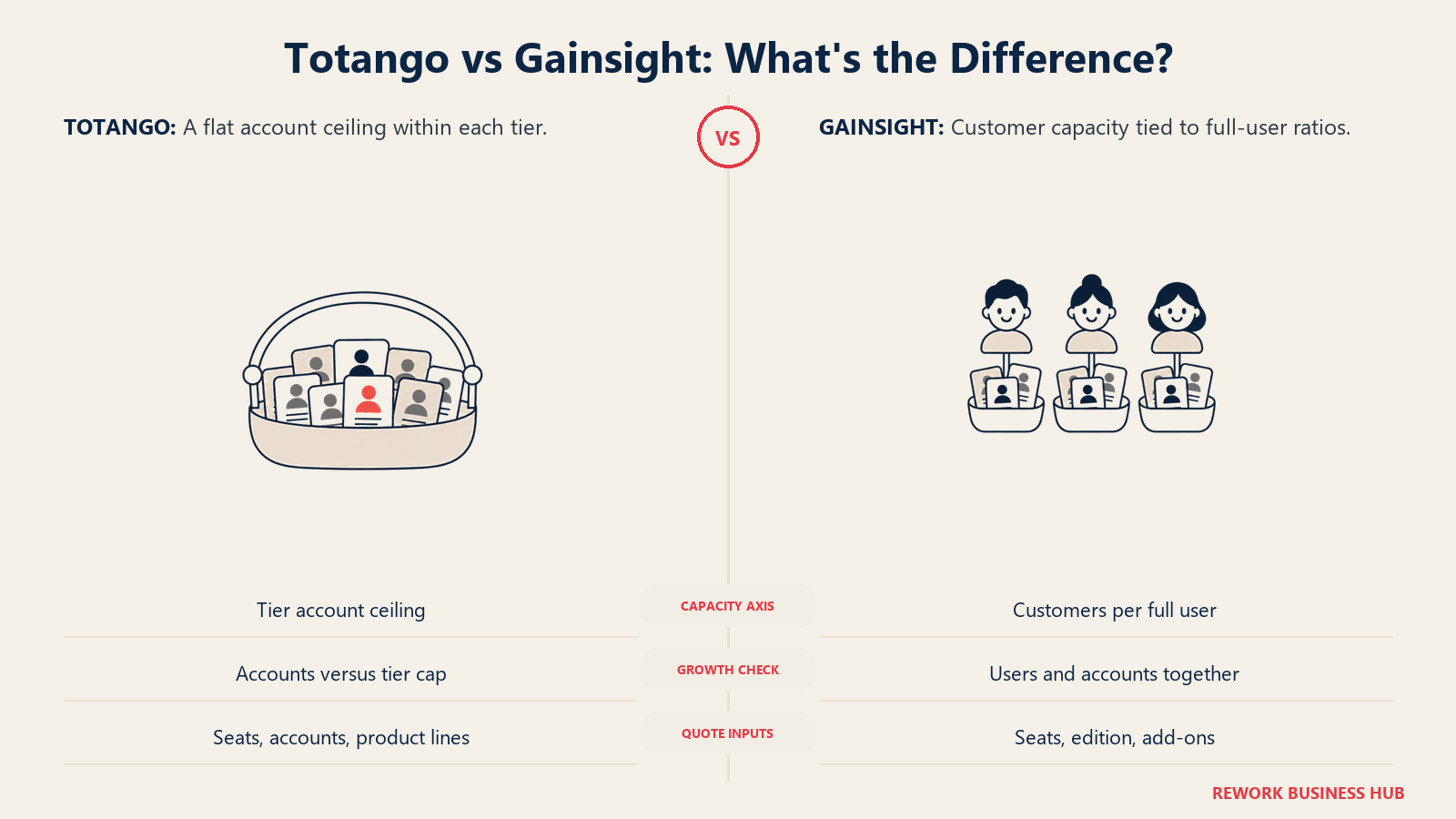
Gainsight's packaging is a ratio. Essentials gives you 10 full users at 100 customers per user, which works out to roughly 1,000 accounts of capacity before you need more users. Enterprise gives you 20 full users at 200 customers per user, roughly 4,000 accounts, and notice the ratio itself doubles along with the seat count. Add a user on Gainsight and you know exactly how many more accounts that user is licensed to cover, because the vendor tells you the multiplier.
Totango's packaging is a bundle. CS Enterprise gives you 10 seats and a flat 2,000-account ceiling, plus a cap of 5 teams. CS Premier gives you 20 seats, 3 named viewer seats, a flat 10,000-account ceiling, unlimited teams, and one development instance. Nothing on the page states a per-seat ratio. If you divide the numbers yourself, CS Enterprise implies roughly 200 accounts per seat at full allocation and CS Premier implies roughly 500, but that's your own division, not a published rate, and Totango isn't obligated to honor it if your real seat-to-account mix looks different.
| Totango CS Enterprise | Totango CS Premier | Gainsight Essentials | Gainsight Enterprise | |
|---|---|---|---|---|
| Practitioner / full seats included | 10 | 20 | 10 | 20 |
| Viewer / read-only seats | Not published | 3, named | Unlimited, published | Unlimited, published |
| Customer accounts included | 2,000, flat | 10,000, flat | 1,000, implied (10 x 100) | 4,000, implied (20 x 200) |
| Accounts per seat if fully allocated | ~200 (unpublished ratio) | ~500 (unpublished ratio) | 100, published ratio | 200, published ratio |
| Teams | 5 | Unlimited | Not published | Not published |
| Development instance | Not published | 1 | Not published | Not published |
| Gate axis | Seats + flat account ceiling + team count | Same, plus a dev instance | Full users x customers-per-user ratio | Same, at a higher ratio |
Here's what that means for your actual portfolio. If you run a small, high-touch team where each CSM owns a deep book of enterprise accounts, you'll likely blow through Totango's seat count long before you touch its account ceiling, and Gainsight's per-user ratio will feel generous by comparison. If you run a lean team covering a wide base of smaller accounts, you're more likely to hit Gainsight's customers-per-user cap first, forcing an edition upgrade or extra seats you don't otherwise need, while Totango's flat ceiling absorbs that volume without changing your seat count at all. Work out which number you hit first before the first call, because that's the number the account executive will price against.
The team-count and development-instance axes are worth a second look too. Totango caps you at 5 teams on CS Enterprise, a real constraint if you run separate teams by region or segment, lifted entirely on Premier. Gainsight publishes no team-count limit at all on either edition, which either means it isn't a gating dimension for Gainsight or simply isn't disclosed publicly. Ask directly rather than assuming either.
What to actually ask for in writing. Send both vendors the same request, with the same inputs, on the same deadline. Letting each propose its own shape gets you two documents that can't be compared side by side.
| Ask for this | Why it decides the number |
|---|---|
| Your exact practitioner headcount, plus one hire | Totango's seat count and Gainsight's full-user count both punish growth you already know is coming |
| Your account count today and a 12-month projection | The second axis on both vendors, and the one buyers forget to bring to the call |
| Whether accounts and seats can be bought incrementally, not just by upgrading the whole tier | Neither page states this; it's the single highest-leverage question in the room |
| Which Totango product lines you actually need, priced as separate line items | CS, Unison Standard or Custom, and Catalyst Growth are three separate quotes bundled into one conversation |
| Which Gainsight adjacent products you actually need, priced as separate line items | Skilljar, Product Experience, Communities, and Staircase AI are all separate SKUs |
| Viewer or read-only seat terms and count, in writing | Gainsight publishes unlimited on both editions; get Totango's Enterprise-tier viewer terms confirmed, since only Premier names a count |
| Which features sit behind which tier or edition | Gainsight gates forecasting to Enterprise by name; ask Totango directly whether any capability is tier-gated beyond seats and accounts |
| Team count and development instance terms | Totango caps teams at 5 on Enterprise; confirm whether that's negotiable below Premier |
| Implementation fees itemized, plus year 2 and 3 uplift caps | Both vendors' named CS contact roles on Totango and Gainsight's services model deserve the same scrutiny |
| Exit terms: export format and notice period | Migration cost is the real switching cost in this category |
Health Scoring and Automation
Every vendor demos a scorecard that turns from green to red. What differs is how the score gets built and who has to maintain it.
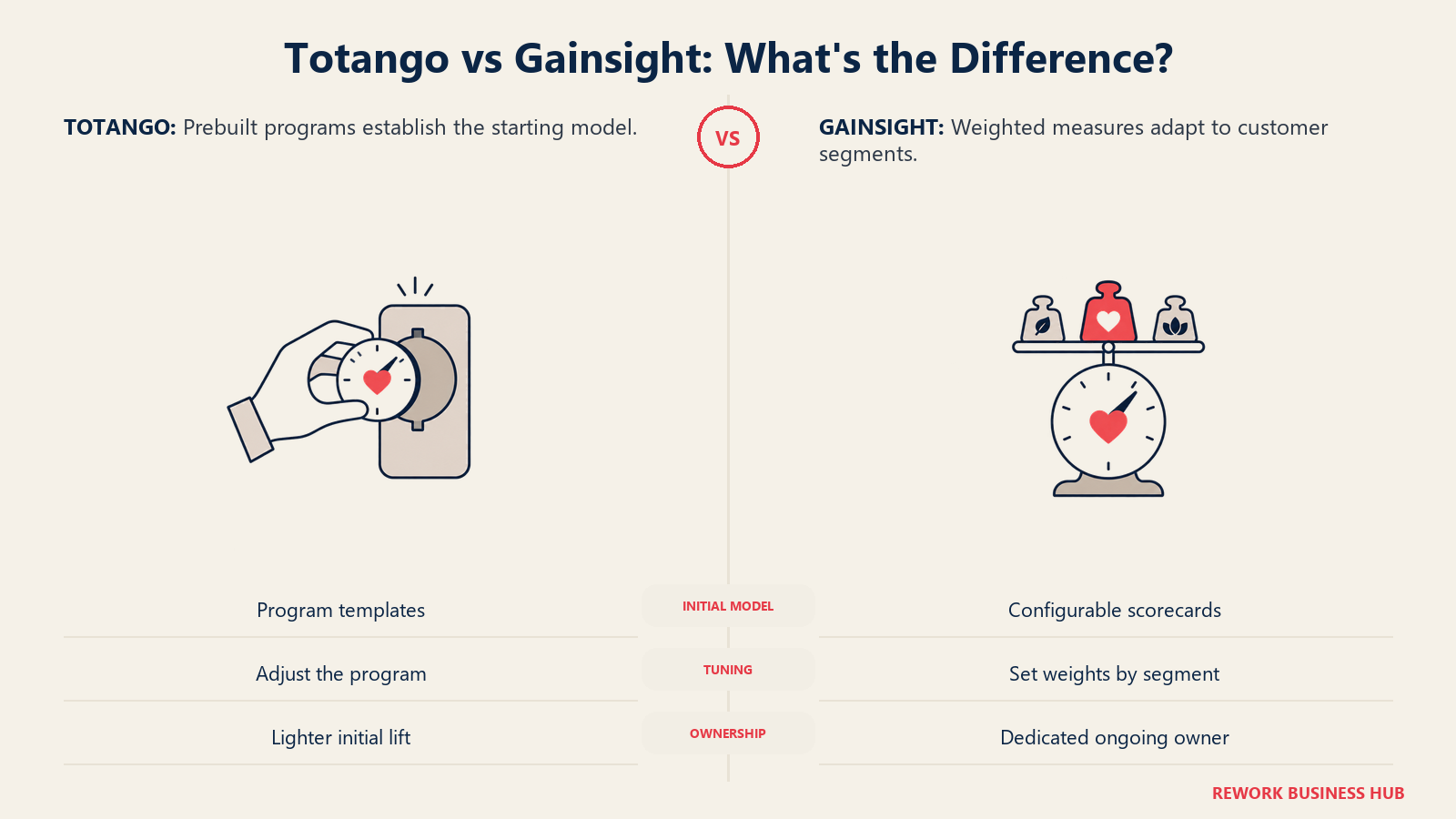
Totango leans on prebuilt, SuccessBLOC-style programs, packaged workflows you can switch on rather than assemble from scratch, layered with Unison's AI churn intelligence for risk detection and key-moment tracking. The Standard AI Models tier covers a baseline model and three customer tiers, or segments; Custom AI Models adds a model built and evaluated against your own data over a stated six-month window. That's a real commitment on Totango's part, and also a real one on yours, since a six-month evaluation window means you won't know if the custom model earns its keep until deep into year one.
Gainsight builds around configurable scorecards with weighted measures, and its strength is running different scoring logic for different segments on one data model. Staircase AI, its conversation and sentiment layer, ingests email, support tickets, chat, meeting recordings, CRM records, and Slack to surface risk and expansion signals plus stakeholder relationship mapping, with PII redaction and ISO 27001 and ISO 42001 certifications listed on Gainsight's product page. That's deeper source coverage than anything Totango's pricing page describes for Unison, though it's also priced and evaluated separately from the core CS edition.
| Health and risk factor | Totango | Gainsight |
|---|---|---|
| Scoring approach | Prebuilt, SuccessBLOC-style programs | Configurable weighted scorecards by segment |
| Time to a working score | Fast, designed to switch on | Weeks of tuning, with an owner |
| AI risk detection | Unison, Standard or Custom AI Models, separate line | Staircase AI, separate line, broader named source list |
| Conversation signal sources | Not itemized beyond "one bi-directional CRM/CSP integration" (Standard) | Email, tickets, chat, meetings, CRM, Slack, per vendor page |
| Custom model evaluation window | 6 months, stated on the pricing page | Not published as a fixed window |
| Who has to own it | Lighter, prebuilt programs reduce the admin lift | Realistically a CS Ops or admin role |
The trap is identical for both. A score built on whatever data you already have, rather than the behaviors that actually predict renewal, is a colored dot with a spreadsheet behind it. Decide what belongs in the model on paper before you configure either platform.
Forecasting and Reporting
This is where the CFO conversation gets settled, and where Gainsight's edition structure is more explicit than Totango's.
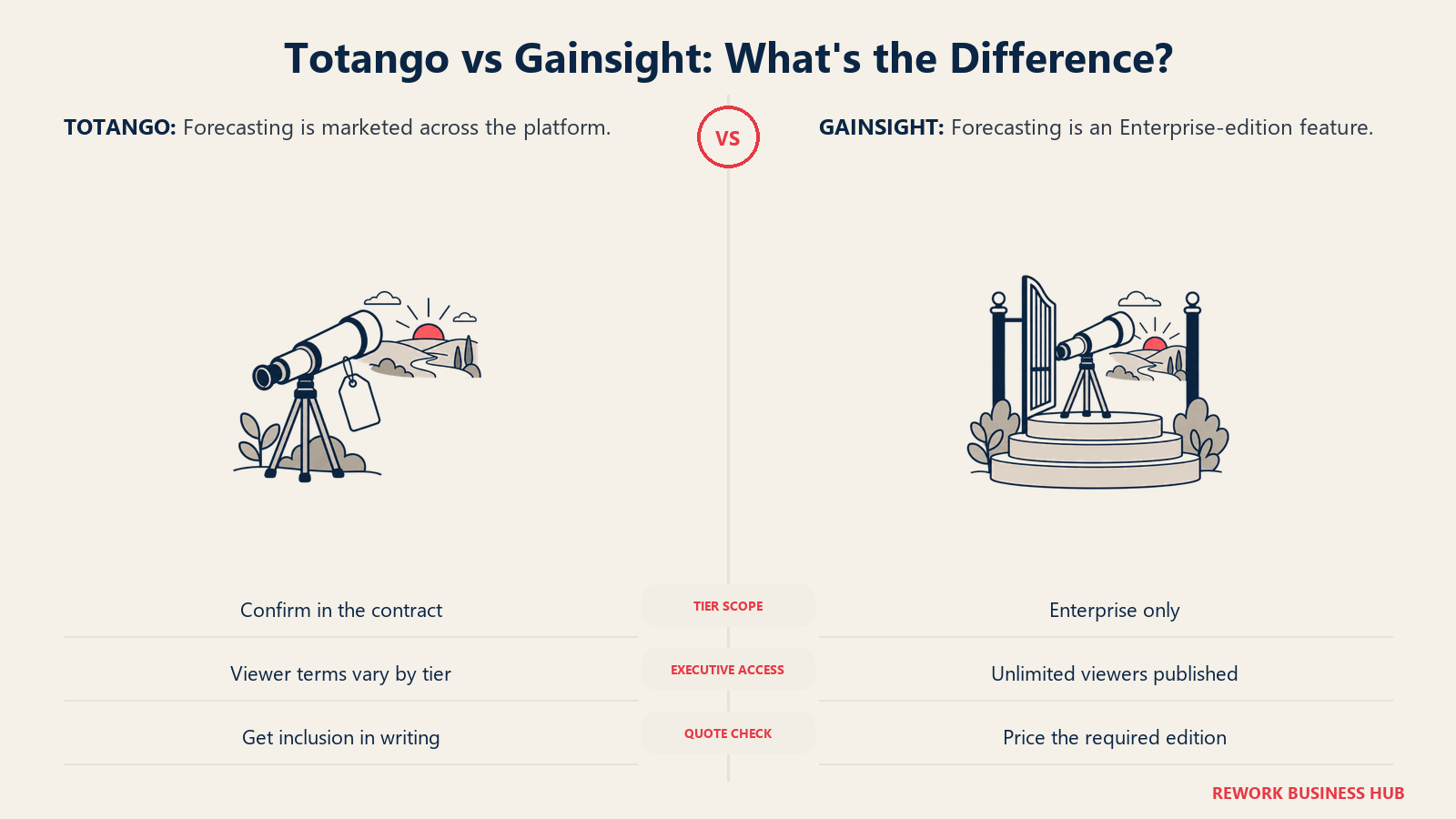
Gainsight's pricing page draws a hard line: Renewal and Expansion Forecasting, Company News, and Organizational Mapping and Sponsor Tracking are all Enterprise-edition features, absent from Essentials. If you're pricing Essentials against Totango and assuming forecasting comes standard, you're comparing the wrong tier. Totango's own site markets "revenue intelligence and forecasting" as a platform-wide capability rather than naming a specific tier gate on its pricing page, which sounds like an advantage until you remember that "not gated by name" and "included at every tier" aren't the same claim. Confirm it in writing before you assume CS Enterprise carries the same forecasting depth as CS Premier.
| Reporting dimension | Totango | Gainsight |
|---|---|---|
| Standard CS dashboards | ✓ | ✓ |
| Renewal and expansion forecasting | Marketed platform-wide, no named tier gate | Enterprise edition only |
| Read-only exec access | 3 viewer seats named on Premier, unpublished on Enterprise | Unlimited, published on both editions |
| Custom report building | Not detailed on the pricing page | Deep, requires familiarity |
| Multi-team rollups | Capped at 5 teams on Enterprise, unlimited on Premier | Not published as a limit |
| Who builds the reports | Usually the CS lead, with prebuilt programs doing initial setup | CS Ops or an analyst |
A forecast that disagrees with the sales forecast produces a meeting, not clarity, regardless of which platform generated it. And that 122% median NRR figure above is a public-company number. Private B2B SaaS companies between $3M and $20M ARR run a median NRR closer to 103%, per SaaS Capital's benchmark of more than 1,000 private companies. If your board deck is quietly comparing your private-company forecast to a public-company benchmark, no platform in this comparison fixes that.
Integrations and the Data Model
Both integrate with the tools you'd expect. Totango connects to Salesforce, HubSpot, Zendesk, Slack, Microsoft Outlook, Gmail, and more than 40 other tools listed in its integration directory. Gainsight's history is deeply Salesforce-native, and it shows in how naturally its data model extends a Salesforce org that already runs custom objects, alongside HubSpot, Zendesk, Jira, Snowflake, and Segment.
| Integration dimension | Totango | Gainsight |
|---|---|---|
| Salesforce depth | Solid, plus Catalyst's own Salesforce custom-object support (up to 5) | Deepest of the two, native custom-object support |
| HubSpot depth | Listed among core integrations | Supported |
| Support desk (Zendesk and similar) | ✓ | ✓ |
| Breadth of integration directory | 40+ tools named on the homepage | Extensive, plus MCP and CLI access for programmatic use |
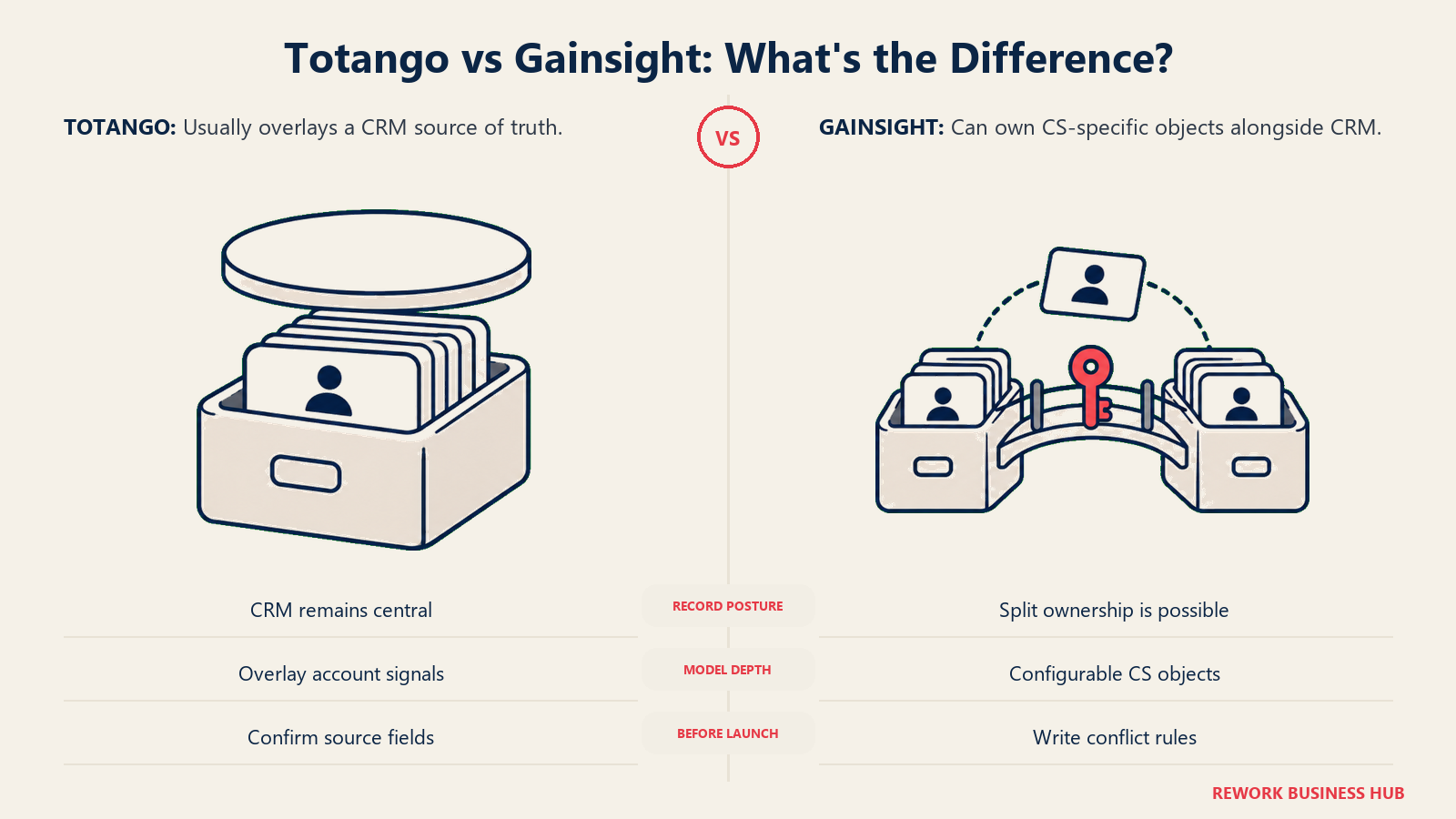
| System of record | Typically stays in the CRM, account-ceiling model overlays it | Can become the system of record for CS objects |
| Where the AI layer sits | Unison, a separate priced line | Staircase AI and Atlas AI Agents, separate priced lines |
The system-of-record question is the one that decides whether year three hurts. If your CRM stays the source of truth and the CS platform overlays it, as Totango's model tends to encourage, that decision is effectively made for you. If Gainsight becomes the system of record for CS-specific objects while your CRM handles the rest, someone needs to decide in writing which system wins on conflict, before the conflict happens rather than after.
What Drives Each Vendor's Quote
Neither company puts a number on its page, and for once that's not a knock on either vendor specifically. Almost nothing in this category has a public rate card. The two things you can verify today are the published packaging shapes above and, for Totango, one piece of third-party context: the merger that created its current three-line structure. Totango and Catalyst announced their merger in early 2024, and Catalyst now sells as a product line inside Totango's own pricing page rather than as an independent company. If an old shortlist has both names on it, it's the same vendor counted twice.
| Totango | Gainsight | |
|---|---|---|
| Published price | None, "Talk to sales" on every line | None, "Request Pricing" on both editions |
| Published packaging | Yes, CS Enterprise, CS Premier, Unison, Catalyst Growth | Yes, Essentials and Enterprise |
| Included practitioner / full seats | 10 (Enterprise) / 20 (Premier) | 10 (Essentials) / 20 (Enterprise) |
| Included customer accounts | 2,000 (Enterprise) / 10,000 (Premier), flat | 1,000 / 4,000, implied from the customers-per-user ratio |
| Viewer access | Not published (Enterprise) / 3 named (Premier) | Unlimited, published on both editions |
| Feature gating by tier | Team count and dev instance named; forecasting not explicitly gated | Forecasting, Company News, and org mapping are Enterprise-only, named explicitly |
| Adjacent products priced separately | Unison (Standard or Custom AI), Catalyst Growth | Skilljar, Product Experience, Communities, Staircase AI, Atlas |
| Named onboarding resource included | Yes, a CS Manager or dedicated account team, by tier | Not listed as an included line item |
Read the packaging shapes as pricing logic even without a dollar figure attached. Totango's jump from Enterprise to Premier is a 5x increase in accounts (2,000 to 10,000) against only a 2x increase in seats (10 to 20), which tells you the upgrade is really sold on account volume, not headcount. Gainsight's jump from Essentials to Enterprise doubles seats and doubles the per-user ratio at the same time, so both axes move together. If your growth plan adds accounts faster than headcount, that structural difference should shape which vendor you push harder for a favorable quote from.
Implementation Effort and Admin Load
The demo shows a configured system in both cases and hides the weeks that configured it. The difference shows up in what's actually included in the tier versus what gets quoted separately.
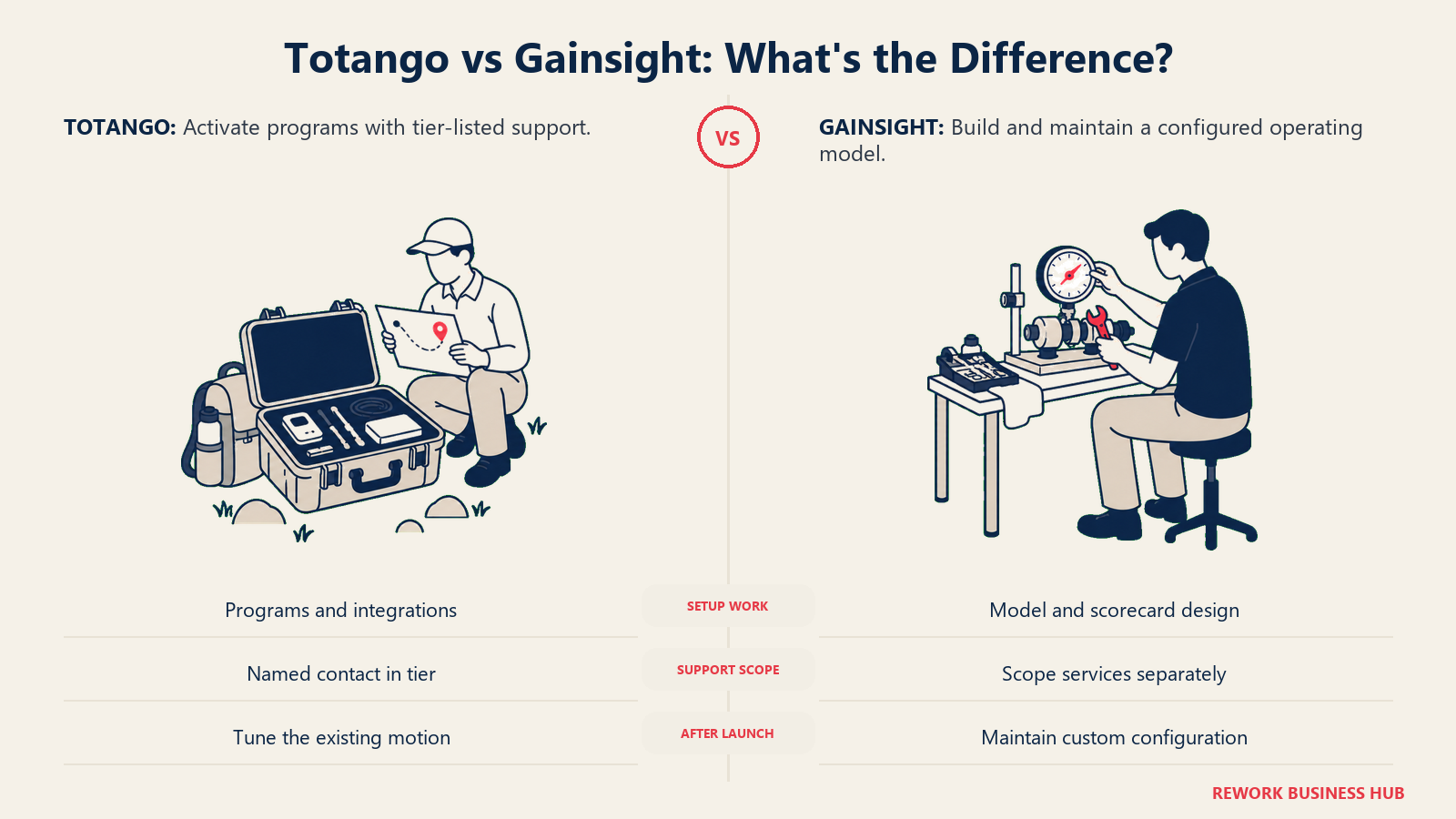
Totango names a human resource inside its own pricing table: an "Enterprise Customer Success Manager" on CS Enterprise, a "dedicated account team" on CS Premier. That's the vendor telling you, in writing, that onboarding support is part of what you're buying, not a services line item negotiated afterward. Combined with prebuilt, SuccessBLOC-style programs, the intent is clearly a faster path to a working motion.
Gainsight's published edition list is pure product: AI Insights, Automations, Customer 360, Playbooks and Success Plans, Dashboards, Health Scorecards, Surveys, and Digital Journeys, on both editions. No named onboarding contact appears in that list, which typically means implementation, whether internal or via a partner, gets scoped and quoted on its own track. That tracks with the category's best-documented failure mode: a consultant configures the platform, the internal owner leaves, and eighteen months later nobody can explain why an automation still fires.
| Implementation factor | Totango | Gainsight |
|---|---|---|
| Onboarding resource named in the tier | Yes, by edition | Not listed |
| Typical scope | Activate prebuilt programs, connect integrations, tune Unison | Discovery, data model design, scorecard build, integration work |
| Internal owner required | Helpful, less structurally necessary | Effectively yes, a CS Ops or admin role |
| Time to a working motion | Faster, prebuilt programs do the initial lift | A quarter or more is common |
| Ongoing admin load | Lighter, fewer surfaces to maintain | Meaningful and continuous |
| Risk if the internal owner leaves | Lower, less custom configuration to lose | Higher, undocumented config becomes debt |
The number that actually matters isn't time to go live. It's time until a CSM changes what they do because the platform told them something true. Make both vendors answer that question with a reference at your size, not their best logo.
When Totango Is the Right Call
Your portfolio is wide relative to your team. If a handful of CSMs cover thousands of small to mid-size accounts, Totango's flat account ceiling per tier fits that shape better than a per-user ratio designed around deeper, fewer books.
You want prebuilt programs, not a blank configuration surface. SuccessBLOC-style workflows get a tech-touch or hybrid motion running without a long discovery phase, which matters if nobody on your team has done a CS platform rollout before.
A named onboarding resource matters to your buying committee. An Enterprise Customer Success Manager or dedicated account team, included in the tier rather than quoted separately, is a real difference if your internal bandwidth for implementation is thin.
You already need Catalyst-style growth signals on a Salesforce-adjacent stack. Catalyst Growth's account ceiling and custom-object support are built for expansion motions that lean on a smaller number of Salesforce objects rather than a full custom data model.
When Gainsight Is the Right Call
Your team scales users roughly in step with accounts. Gainsight's published per-user ratio rewards a high-touch motion where headcount and account count grow together, and it tells you the exact multiplier in advance.
You need governance across multiple products, segments, or regions on one data model. Running different scoring logic for different segments without forking your architecture is what Gainsight's configurability buys, and it's the harder capability to compromise on.
Forecasting has to be board-defensible, and you're prepared to budget Enterprise. Renewal and Expansion Forecasting is explicitly gated to Gainsight's Enterprise edition, so price that edition, not Essentials, if forecasting is why the purchase gets approved.
You want analytics, education, or community from the same vendor. Product Experience, Skilljar, and Customer Communities extend Gainsight well past CS into adjacent functions, priced separately but under one vendor relationship.
If Neither Fits Yet
A meaningful share of readers on this page shouldn't sign with either vendor this quarter.
| If this is you | What to do instead |
|---|---|
| Under a few hundred accounts, or fewer than 3 CSMs | Track health in your CRM and revisit once the account count justifies a platform |
| You want a published, self-serve rate card | See how Akita compares in ClientSuccess vs Akita vs SmartKarrot |
| Your real problem is data structure, not packaging | Planhat vs Custify vs Velaris covers vendors built around flexible data models |
| You want a three-way view before narrowing to two | Vitally vs Gainsight vs ChurnZero puts a third motion-based vendor in the mix |
| Gainsight is your other finalist against a mid-market challenger | Gainsight vs ChurnZero is the matchup most enterprise shortlists actually run |
| You're leaving Totango specifically, not comparing it | Best Totango alternatives covers 12 options with pricing |
| Gainsight feels too heavy for your team size | Best Gainsight alternatives narrows the field by implementation load |
| You want ChurnZero specifically ruled in or out | Best ChurnZero alternatives covers the closest functional swap for either vendor here |
Decision Framework
The choice comes down to which axis your growth plan actually moves on. Totango rewards teams whose account count grows faster than headcount. Gainsight rewards teams whose headcount and account count grow together, and who need governance evidence to show for it.
| If this is true for you | Pick |
|---|---|
| Your accounts-per-CSM ratio is high and growing | Totango |
| Your headcount and account count scale together | Gainsight |
| You want a named onboarding resource included in the tier | Totango |
| You need multi-segment, multi-region scoring on one data model | Gainsight |
| Forecasting must be included without an edition upgrade | Confirm with Totango in writing, or budget Gainsight Enterprise |
| You want analytics, education, or community from one vendor | Gainsight |
| You're already running Catalyst-style Salesforce object mapping | Totango |
| Governance evidence for audit or diligence is required | Gainsight |
| You need more than 5 teams without a tier jump | Totango Premier, unlimited teams |
| Read-only executive access must be unlimited, not a named count | Gainsight, published on both editions |
What to Do Next
- Work out which axis you hit first: seats or accounts. Gainsight's published ratio and Totango's flat ceiling let you do that math before the first call, and it changes which tier or edition you're actually being quoted.
- Decide which Totango product lines you need priced. CS, Unison, and Catalyst Growth are three separate quotes. Don't let a single conversation blend all three into one number you can't unbundle later.
- Name your implementation owner before you sign, regardless of vendor. Totango bundles a CS contact into the tier; Gainsight doesn't. Neither substitutes for someone on your team who actually owns the rollout.
- Confirm forecasting in writing. Gainsight gates it to Enterprise by name. Totango doesn't name a gate on its pricing page, which means you should get the answer in the contract, not the demo.
- Send both vendors the same written quote request, using the table above. Same seat count, same account count, same 12-month projection, same deadline.
- Ask each vendor for a reference at your account count and seat mix, not their flagship logo, and ask the same question: how long until a CSM changed what they did because of the tool?
Frequently Asked Questions about Totango vs Gainsight
How much does Totango cost?
Totango publishes no price. Its pricing page lists what each line includes rather than what it costs: CS Enterprise covers 10 practitioner seats, 2,000 customer accounts, and 5 teams; CS Premier covers 20 seats, 3 viewer seats, 10,000 accounts, unlimited teams, and 1 development instance. Unison and Catalyst Growth are priced as separate lines, and every option routes to "Talk to sales."
How much does Gainsight cost?
Gainsight also publishes no price. Its pricing page shows "Request Pricing" on both editions, but it does publish the shape of each: Essentials includes 10 full users at 100 customers per user, Enterprise 20 at 200, both with unlimited viewer licenses. Your quote depends on which limit you exceed first, plus any adjacent products like Skilljar or Product Experience you attach.
Does Totango still have a free plan?
No. The free forever plan Totango was known for is no longer listed on its pricing page. Every line, including Totango CS, Unison, and Catalyst Growth, now routes through "Talk to sales," with no self-serve or trial path shown.
Does Gainsight include renewal forecasting?
Only on the Enterprise edition. Gainsight's pricing page lists Renewal and Expansion Forecasting, Organizational Mapping and Sponsor Tracking, and Company News as Enterprise-only, so Essentials does not include them. Totango markets revenue intelligence and forecasting platform-wide without naming a specific tier gate, so confirm in writing whether CS Enterprise includes the same depth as Premier.
Is Catalyst a separate vendor from Totango?
No. Totango and Catalyst merged, and Catalyst now appears as "Catalyst Growth," a product line on Totango's own pricing page, covering 2,500 customer accounts and up to 5 Salesforce custom objects. If an older shortlist lists both names separately, it's the same vendor counted twice.
Which one is easier to implement?
Totango is designed to get there faster, largely because its tiers include a named onboarding contact, either an Enterprise Customer Success Manager or a dedicated account team, and lean on prebuilt, SuccessBLOC-style programs. Gainsight's published edition list is pure product capability with no named onboarding resource, and its implementations typically involve discovery, data model design, and scorecard configuration that assume a dedicated CS Ops owner or a partner.

Principal Product Marketing Strategist
On this page
- Key Facts
- TL;DR
- Who Each Platform Is Really Built For
- What Changed at Totango
- Core Capability Comparison
- The Real Wedge: Two Different Packaging Shapes
- Health Scoring and Automation
- Forecasting and Reporting
- Integrations and the Data Model
- What Drives Each Vendor's Quote
- Implementation Effort and Admin Load
- When Totango Is the Right Call
- When Gainsight Is the Right Call
- If Neither Fits Yet
- Decision Framework
- What to Do Next