Best Gainsight Alternatives in 2026: 12 Customer Success Platforms Worth Switching To
Turn this article into takeaways for your work.


Each assistant summarizes the article only for you and suggests best practices for your work.
If you are shopping Gainsight alternatives, the shortlist usually narrows to four names: ChurnZero if you want comparable depth with less administration, Planhat if your team wants to model its own data objects, Vitally if a CS ops lead is going to own configuration in-house, and Custify or Velaris if you run lean and want a platform a CSM can actually change without filing a ticket. Akita is the outlier worth knowing about, because it is the only vendor in this entire category that publishes a full rate card.
Gainsight is not on this page because it is bad software. It is on this page because it is the category's enterprise standard, which means it is also the platform buyers most often over-buy. Gartner named Gainsight a Leader in its Magic Quadrant for Customer Success Management Platforms published November 3, 2025, positioned highest for Ability to Execute, alongside ChurnZero and Planhat. Nobody switches away from Gainsight because it cannot do the job. They switch because of what it costs to make it do the job at their size.
This guide covers 12 alternatives for VPs of Customer Success, Chief Customer Officers, and CS Ops leads at B2B SaaS companies roughly between 20 and 500 employees. If you have not narrowed the category yet, start with the customer success software roundup, or go straight to the Gainsight vs ChurnZero comparison if those two are already your finalists.
Key Facts
- Median net revenue retention across public B2B SaaS is 122%, with the top decile at 155%, based on 913 verified disclosures from 105 public B2B SaaS companies (Cust, "2026 State of Customer Success").
- SaaS companies now spend a median of 9% of annual recurring revenue on customer support and customer success, up from 8% the year before, across a survey of more than 1,000 SaaS companies completed in March 2026 (SaaS Capital, 2026 Spending Benchmarks for Private B2B SaaS Companies).
- Cutting the customer defection rate by just 5% raised profits by 85% in one bank's branch system, 50% in an insurance brokerage, and 30% in an auto-service chain, the original research that created the retention-economics case (Reichheld and Sasser, "Zero Defections: Quality Comes to Services," Harvard Business Review, September 1990).
- Gartner's Magic Quadrant for Customer Success Management Platforms, published November 3, 2025, named exactly three Leaders: ChurnZero, Gainsight, and Planhat (Gartner Peer Insights, Customer Success Management Platforms).
- The customer success platforms market was valued at roughly $2.77 billion in 2025 and is projected to reach $16.68 billion by 2034, a 22.1% compound annual growth rate that explains why so many funded vendors are competing for this budget line (Fortune Business Insights, Customer Success Platforms Market).
The Defining Fact of This Category: Almost Nobody Publishes a Price
One thing before the list, because it shapes the entire evaluation. Of the 12 platforms below, exactly two publish a real starting price: Akita, which posts a full self-serve rate card, and SmartKarrot, which posts a single entry tier and routes everything above it to sales. Gainsight, ChurnZero, Totango, Planhat, Vitally, Custify, ClientSuccess, Velaris and EverAfter are all quote-only.
That is not vendor laziness. Customer success platforms price on two axes at once, seats and customer accounts, and both move independently. Gainsight's own pricing page sizes its editions exactly that way: Essentials includes 10 full users at 100 customers per user, Enterprise includes 20 full users at 200 customers per user, with unlimited viewer licenses on both. So a 6-person CS team managing 900 accounts and a 6-person team managing 4,000 accounts get very different quotes for the same nominal product.
| What this means for your evaluation | Why |
|---|---|
| Bring your account count to the first call, not just headcount | Seat count alone will not produce an accurate quote in this category |
| Ask for the overage rate before you ask for the discount | Growth past the included account ceiling is where surprise cost lives |
| Get the renewal uplift cap in writing | Quote-only pricing means year two is negotiated, not published |
| Budget the implementation separately from the license | Several vendors charge nothing for setup, several charge a lot |
| Run your two finalists through the same account-count scenario | It is the only way to compare quotes that are structured differently |
Two vendors make a point of charging nothing to get started. Custify's pricing page commits in writing that it does not charge setup fees, and ClientSuccess states the same while offering 15% to 20% off for annual contracts. In a category where implementation is the real cost, that is worth more than a small license discount.
Why Teams Leave Gainsight (and Who Should Stay)
Start with the honest half. If your company runs a formal customer success operation at enterprise scale, with a dedicated CS Ops function, a multi-product portfolio, thousands of accounts, and a board that expects governance-grade reporting, Gainsight is very likely still the right answer. Its rules engine, its journey orchestration, its ecosystem of adjacent products (Skilljar for customer education, Product Experience, Customer Communities, Staircase AI, Atlas AI Agents) and its partner network are deeper than anything else on this list. Switching away from that to save on license cost is usually a bad trade if you actually use the depth.
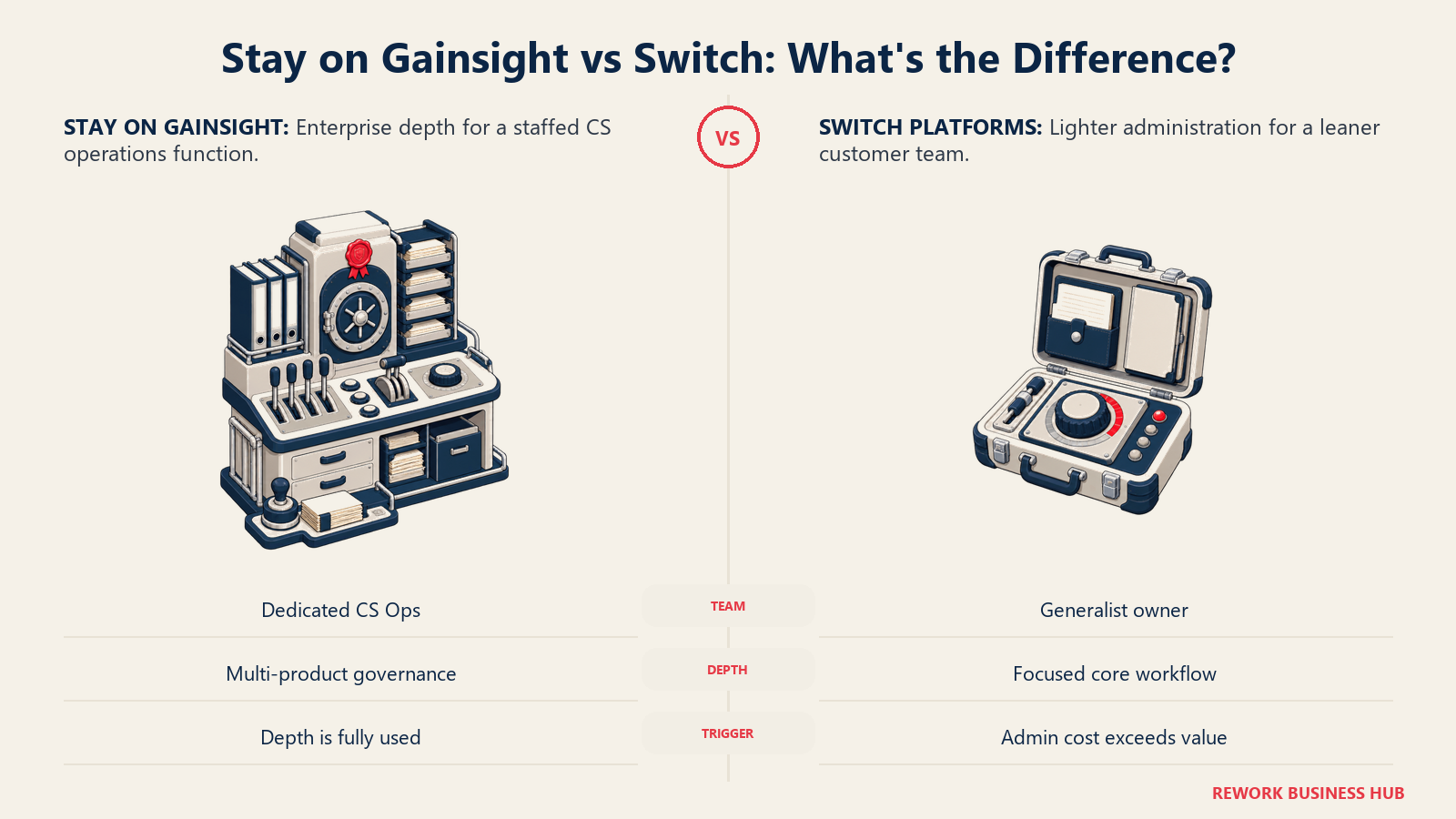
The three reasons teams do leave are specific, and none of them is "the product does not work."
1. Contract size relative to a small CS team. Gainsight is quote-only, and its editions start at 10 included full users. If your CS team is five people, you are buying an edition sized for ten. There is no five-seat tier to drop into. That mismatch is the single most common reason a Series B company evaluates alternatives at renewal, and it gets worse as the seat-to-account ratio drifts away from the 100-or-200-customers-per-user shape the editions assume.
2. Implementation and administration overhead. A Gainsight rollout is a project, not a signup. Rules, scorecards, calls-to-action, playbooks and data ingestion all have to be designed before the platform tells you anything useful. Gartner's own research on customer service technology found that leaders who were effective at organizational readiness activities were 300% more likely to hit their technology goals, while leaders who were merely effective at vendor and product evaluation saw only a 50% lift, from a survey of more than 200 service and support leaders conducted between December 2024 and January 2025 (Gartner). Deep platforms punish unready teams hardest.
3. Needing a dedicated admin you do not have. This is the one that actually forces the decision. Many Gainsight customers end up with a person whose job is Gainsight. If your CS org cannot justify that headcount, every configuration change becomes a services request or a backlog item, and the platform slowly stops matching how your team works. The alternatives that win deals against Gainsight almost all win on the same claim: a CSM or a CS ops generalist can change it without a services engagement.
| Reason for leaving | What it looks like day to day | Does switching actually fix it? |
|---|---|---|
| Contract sized above your team | Paying for 10 included users with 5 CSMs | Yes. Velaris (5 users), Akita (2 to 4 users) and Custify size down cleanly |
| Implementation drag | Months between signature and first useful health score | Partly. Custify and ClientSuccess charge no setup fees, but data work remains |
| No dedicated admin | Every change needs a ticket or a services call | Yes. Vitally, Custify and Akita are built for CSM-level configuration |
| Cost per account at scale | Account ceilings drive the quote more than seats do | Sometimes. Totango and Akita price generously on account volume |
| Reporting you never use | Paying for governance depth nobody reads | Yes, but confirm your board reporting first |
| Wanting AI to replace manual work | Manual QBR prep and health updates | Not automatically. Every vendor here now claims AI. Test it on your data |
One more piece of context: 91% of customer success organizations said AI will have a moderate to significant impact on their CS strategy, and 52% were already integrating AI into workflows, according to Gainsight's own Customer Success Index 2025, a vendor benchmark survey of more than 400 CS professionals. Read it as directional rather than neutral, since the vendor selling AI features ran the survey. Every platform below ships something labeled AI, and a pilot is how you learn whether it runs against your data or a demo dataset.
Quick Comparison Table
| Tool | Best For | Starting Price | Key Strength | Key Limitation |
|---|---|---|---|---|
| ChurnZero | The closest full swap at mid-market scale | Quote only; $18,681 to $131,560/yr (reported) | Gartner Leader with lighter admin than Gainsight | No published price at all, even a starting tier |
| Totango (incl. Catalyst) | Teams with far more accounts than seats | Quote only | Enterprise tier includes 2,000 customer accounts | The free plan it was famous for is no longer listed |
| Planhat | Data-heavy teams that want to model their own objects | Quote only | Flexible data model, Gartner Leader two years running | Add-ons priced separately, so quotes vary widely |
| Vitally | CS ops leads who will configure it themselves | Quote only | High-Touch plan includes unlimited full seats | Three plans by CS motion, so plan choice locks you in |
| Custify | Mid-market teams that want live fast, no setup bill | Quote only | Commits in writing to no setup fees | No published tiers or figures at all |
| ClientSuccess | Buyers who want the pricing logic explained | Quote only; 15 to 20% off annual | Prices on CSM count and modules, stated openly | Startup package caps you at 10 customers |
| Velaris | Lean teams of about five CSMs | Quote only | One license, 5 users, unlimited viewers | Smaller vendor, thinner partner ecosystem |
| Akita | Anyone who wants a price without a sales call | $49/month (Small Teams) | The only full published rate card in the category | 2 full users and 2 integrations at entry level |
| SmartKarrot | Buyers who need a published enterprise floor | $15,000/year (Basic, 5 users) | Publishes an actual entry price in dollars | That entry tier is flagged as a discounted price |
| ZapScale | Cost-driven teams willing to trade ecosystem depth | ~$500/month (reported) | Low reported entry point for up to 100 customers | No vendor pricing page exists to verify anything |
| EverAfter | Teams whose problem is the customer-facing side | Quote only | Widget-built customer portals with SSO login | Not a replacement for internal health scoring |
| HubSpot Service Hub | Companies already standardized on HubSpot | $90/seat/mo Professional, annual commit | Customer Success Workspace sits on your existing CRM | Workspace requires Professional, plus $1,500 onboarding |
Figures marked (reported) come from third parties, named in the relevant section, because the vendor publishes nothing.*
1. ChurnZero - The Closest Full Swap
ChurnZero is the platform Gainsight loses the most head-to-head deals to, and the reason is structural rather than featural. Both companies built around the same thesis: subscription revenue is won after the sale, so customer teams need health scoring, journey automation, in-app engagement and renewal forecasting in one system. ChurnZero just built it for a CS team that does not employ a full-time platform administrator. Gartner named it a Leader in the November 2025 Magic Quadrant alongside Gainsight, so this is not a step down in category standing.
The practical difference shows up in configuration. ChurnZero's segments, plays and journeys are built to be edited by a CS ops generalist rather than designed by a services engagement, and its in-app Success Center and WalkThroughs put customer-facing content in your product without a front-end release. That is the specific complaint most Gainsight leavers bring to the first call.
Pricing is the frustrating part. ChurnZero publishes no price at all, and its pricing page is not publicly accessible. From its anonymized ChurnZero transactions, the procurement marketplace Vendr reports a range of $18,681 to $131,560 per year, with a median annual contract of $44,681 (reported by Vendr, not vendor-confirmed). Treat that as a negotiating anchor, not a quote.
Target audience. B2B SaaS companies with a defined CS function, typically 3 to 30 CSMs, running renewals and expansion on the same platform.
Sizing fit. Strongest from 50 to 500 employees. Above roughly 1,000, Gainsight's governance depth starts winning again.
Stage fit. Series A through Series C, especially at the point where spreadsheets stop scaling but a platform admin is not yet budgeted.
| Pros | Cons |
|---|---|
| Gartner Leader standing without Gainsight's admin weight | No published pricing whatsoever, not even a starting tier |
| Segments, plays and journeys editable by a CS ops generalist | Reported contract range spans more than 16x, so quotes vary widely |
| In-app Success Center and WalkThroughs ship customer content fast | Ecosystem of adjacent products is narrower than Gainsight's |
Pricing: Quote only. (reported) $18,681 to $131,560 per year across anonymized ChurnZero transactions, with a median annual contract of $44,681, per Vendr.
Best for: Mid-market CS teams that want Gainsight-class capability with a configuration burden a generalist can carry. If these two are your finalists, the Gainsight vs ChurnZero head-to-head goes deeper on the trade, and the ChurnZero alternatives guide covers what happens if the quote comes back higher than you expected.
2. Totango (Including Catalyst) - When You Have Far More Accounts Than Seats
Totango solves a specific shape of problem: a small practitioner team responsible for a very large book of accounts. Its packaging says so directly. The Enterprise tier includes 10 practitioner seats, 2,000 customer accounts and 5 teams. Premier steps up to 20 practitioner seats, 3 viewer seats, 10,000 customer accounts, unlimited teams and one development instance. If your ratio is six CSMs to 3,000 accounts, that account allowance is worth more than any feature comparison on this page.
Two facts you need before you evaluate it. First, Catalyst is no longer an independent company. It is now a Totango product line and appears on Totango's own pricing page, where the Catalyst Growth package covers 2,500 customer accounts and up to 5 Salesforce custom objects. Do not build a shortlist that treats Totango and Catalyst as two separate vendors to compare. Second, and this one catches almost everybody: the free forever plan Totango was famous for is no longer listed on its pricing page. Every plan, Catalyst Growth included, routes through "Talk to sales."
Totango also sells Unison, a customer intelligence engine offered with either Standard or Custom AI Models.
Target audience. Tech-touch and hybrid-touch CS organizations with high account counts per CSM, often in PLG or SMB-heavy portfolios.
Sizing fit. 100 to 2,000 employees. The account allowances are wasted on a 300-account book.
Stage fit. Post-product-market-fit companies scaling customer count faster than CS headcount.
| Pros | Cons |
|---|---|
| Account allowances (2,000 to 10,000) sized for tech-touch books | No published price, and no free plan listed as of August 2026 |
| Catalyst absorbed, so one vendor covers two former products | Two product lines plus Unison makes the packaging harder to compare |
| Premier includes a development instance for safe config testing | Overkill for teams with fewer than several hundred accounts |
Pricing: Quote only. Every tier routes to "Talk to sales." No figures published.
Best for: Teams whose constraint is accounts per CSM, not features. Segment the book before you buy, because your account tiers decide which package you actually need. The Totango alternatives guide covers the swap in the other direction.
3. Planhat - The Data Model Is the Product
Planhat's differentiator is not a feature, it is an architecture decision. Where most CS platforms give you a fixed set of objects (company, user, health score, task) and let you add fields, Planhat lets you model your own objects and relationships, then build health scoring, revenue tracking and portals on top of that model. For a team whose accounts have a genuinely non-standard shape (multi-entity customers, franchise structures, usage that rolls up across sub-accounts), that flexibility is the entire reason to switch.
Gartner named Planhat a Leader in the November 2025 Magic Quadrant, its second consecutive year, with the largest year-over-year improvement in the field on both vision and execution.
Pricing is quote-based, and Planhat says so plainly on its page: "Quote-based pricing with add-ons for advanced needs." The add-ons are named, which is more useful than it sounds, because it tells you where the quote will grow: Upgraded AI Platform, Advanced Service, Email Marketing, and Advanced Portals. No tiers, seat counts or minimums are published. Ask which add-ons your use case needs on the first call, because a quote with three add-ons is a very different number from the base.
Target audience. CS and revenue teams that want to unify usage, revenue and relationship data in one model rather than syncing three tools.
Sizing fit. 100 to 2,000 employees. Below about 50, the flexibility outruns what a small team can maintain.
Stage fit. Series B and beyond, particularly where a data or ops function exists to own the model.
| Pros | Cons |
|---|---|
| Custom data model handles non-standard account structures | Flexibility means you have to design the model before value appears |
| Gartner Leader two years running, strongest year-over-year gain | Add-ons priced separately, so quotes vary widely between buyers |
| Covers CS, revenue and portals without three separate tools | Quote-only, with no published floor to sanity-check against |
Pricing: Quote only ("Enquire"). Named add-ons: Upgraded AI Platform, Advanced Service, Email Marketing, Advanced Portals.
Best for: Teams that already know their data model is the problem. Pair it with a real product usage and customer health dashboard design before implementation, and see the Planhat alternatives guide if the flexibility feels like more rope than you need.
4. Vitally - Built for the CS Ops Lead Who Wants to Own It
Vitally packages by customer success motion rather than by feature tier, which is an unusually honest way to sell into this category. Three plans: Tech-Touch for one-to-many and PLG motions, Hybrid-Touch for teams running both, and High-Touch for one-to-one enterprise coverage. You pick the plan that matches how your team actually works, not the one that unlocks the feature you need.
One detail gets misquoted constantly, so be precise: the unlimited full seats benefit belongs to the High-Touch plan only, not to all three. What every plan does include is unlimited automations, unlimited observer seats, SSO, the full integration library, and unlimited docs. Observer seats being unlimited across all plans means your AEs, product managers and executives can live in the customer record without a per-seat conversation, which is usually where Gainsight's viewer-license question comes up.
The product itself leans hard into a spreadsheet-fast interface, with Vitally Docs for collaborative account plans and notes, and automation building that a CS ops lead can do in an afternoon. That is the specific answer to the "we cannot justify a dedicated admin" objection.
Target audience. CS teams with a designated ops owner who wants to build and iterate playbooks without a services engagement.
Sizing fit. 50 to 500 employees. It scales up further, but that band is where the self-service configuration story pays off most.
Stage fit. Series A through Series C, especially teams transitioning from a tech-touch motion into a hybrid one.
| Pros | Cons |
|---|---|
| Unlimited observer seats and SSO on every plan | Unlimited full seats applies to High-Touch only, not all plans |
| Plans map to CS motion, so the fit question is concrete | Picking the wrong motion at signature is an awkward mid-term change |
| Automation and docs configurable by a CS ops generalist | No published pricing at any tier |
Pricing: Quote only ("Request Pricing"). Three plans by motion: Tech-Touch, Hybrid-Touch, High-Touch.
Best for: Teams where one person owns CS ops and wants to configure the platform themselves. Bring your customer health monitoring definitions to the trial, because Vitally rewards teams that already know what a healthy account looks like.
5. Custify - Live in Weeks, With No Setup Bill
Custify built its whole positioning around the second reason people leave Gainsight: time and cost to first value. Its pricing page makes exactly one concrete commitment, and it is a useful one. "We don't charge any setup fees." In a category where implementation services routinely cost as much as the first year of license, a vendor putting that in writing is a real signal about how it expects onboarding to go.
The product is a conventional CS platform done cleanly rather than an unusual one: health scores, lifecycle stages, playbooks, task automation, and a concierge-style view for CSMs who need to see what to do next rather than browse dashboards. It targets B2B SaaS teams who want the core CS motion running properly and are not trying to build a bespoke revenue data warehouse on top of it. If your Gainsight instance is 20% configured and you are paying for 100%, Custify is the shape of the trade you are looking for.
The catch is transparency: no tiers, no seat rates, no minimums. You get one honest commitment about setup fees and a "talk to us" for everything else, so you still cannot budget without a call.
Target audience. B2B SaaS CS teams of roughly 3 to 20 CSMs that want a working platform fast without a services project.
Sizing fit. 20 to 300 employees. Above that, the depth ceiling starts to matter.
Stage fit. Series A and B, or bootstrapped companies past their first hundred customers.
| Pros | Cons |
|---|---|
| Written commitment to no setup fees, unusual in this category | No published tiers, seat rates or minimums at all |
| Straightforward health scoring and playbooks, fast to configure | Less depth than Gainsight or Planhat for complex portfolios |
| Concierge-style CSM view reduces dashboard-hunting | Smaller integration and partner ecosystem |
Pricing: Quote only. The one published commitment: no setup fees.
Best for: Teams that need a working platform this quarter, not next year. Design your early warning systems before onboarding, because Custify gets useful fast only if you already know which signals matter.
6. ClientSuccess - The Vendor That Explains Its Own Pricing Logic
ClientSuccess is quote-only like almost everyone else, but it is the only vendor here that tells you exactly what drives the number. Its pricing page states that cost is based on the number of customer success managers using the platform and the modules you need. That single sentence saves a week of guessing, because it tells you your quote scales with CS headcount rather than with total customer accounts, which is the opposite of how Totango prices.
The three packages have real, published shapes even without dollar figures. Startup covers up to 10 customers and up to 500 full licenses, with 1 goal or KBO per customer and onboarding-only support. Growth raises that to 50 customers, 5,000 full licenses, 3 goals or KBOs per customer, and adds a dedicated CSM on the vendor side. Enterprise is unlimited on customers and licenses, and includes custom dashboards and a customer portal. That customer and license structure is unusual enough that it is worth having the vendor walk you through it against your own book on the first call rather than assuming what the terms map to.
Two commercial details matter: annual contracts get 15% to 20% off, and there are no setup fees.
Target audience. CS teams that run a structured, goal-based customer methodology and want the platform to enforce it.
Sizing fit. 50 to 500 employees, with a genuine small-team entry point at the Startup package.
Stage fit. Series A through C, especially teams formalizing success plans and KBOs for the first time.
| Pros | Cons |
|---|---|
| States plainly what drives the price: CSM count and modules | Still no dollar figures published at any package |
| 15% to 20% annual discount and no setup fees | Package limits on customers and goals need clarifying on the call |
| Goals and KBOs are first-class objects, not custom fields | Lighter automation depth than ChurnZero or Vitally |
Pricing: Quote only, priced on CSM count plus modules. Annual contracts 15% to 20% off. No setup fees.
Best for: Teams with a defined success methodology who want fewer surprises in the quote. It pairs well with a clear answer on renewal ownership across AE, AM and CSM, since ClientSuccess prices on the CSM seats you actually give the platform to.
7. Velaris - One License, Five Users, Unlimited Viewers
Velaris is the most direct answer to the "our CS team is five people and Gainsight wants us to buy ten seats" problem. Its packaging is a single line on its pricing page and it is unusually clear for a quote-only vendor: all the tools you need in one license, 5 users, unlimited viewers, add-ons available. One license, no tier ladder to climb, and the viewer question settled before it becomes a negotiation.
The product leans AI-first, with assistants that summarize accounts, draft follow-ups and surface risk signals rather than making you build the rules that surface them. For a five-person team without a CS ops function, that is the right bet: the platform does the assembling instead of asking you to configure a rules engine you will never have time to maintain. That is the same job Gainsight does, approached from the opposite direction.
The trade-offs are the ones any smaller vendor carries. The partner ecosystem is thinner, there are fewer prebuilt integrations than Gainsight or Planhat, and there is no published price to anchor against, only a custom estimate on request.
Target audience. Lean CS teams of about five practitioners who want AI to carry the analysis load.
Sizing fit. 20 to 200 employees. The 5-user license is the product, not a starting point you grow out of quietly.
Stage fit. Seed through Series B, especially the first dedicated CS hire building the function.
| Pros | Cons |
|---|---|
| One license covering 5 users with unlimited viewers | No published price, custom estimate only |
| AI assistants reduce manual account analysis for small teams | Smaller vendor, thinner partner and integration ecosystem |
| Add-ons available rather than forced tier upgrades | Five-user shape needs revisiting as the team grows |
Pricing: Quote only. Packaging published as one license, 5 users, unlimited viewers, add-ons available.
Best for: A five-CSM team that wants enterprise-shaped capability without an enterprise-shaped contract. Settle your coverage tiers first, since a small team's leverage comes from coverage decisions more than from tooling.
8. Akita - The Only Full Rate Card in the Category
Akita deserves a place on this list for one reason above its feature set: it is the only customer success platform here that publishes a complete, self-serve rate card. In a category where twelve vendors say "talk to sales," that alone changes how you can run an evaluation.
The numbers, from Akita's own pricing page: Small Teams at $49 per month covers 2 full users, 4 read-only users, 2 integrations and up to 10,000 accounts and contacts. Growing Teams at $99 per month covers 4 full users, 8 read-only users, 4 integrations and up to 100,000 accounts and contacts. Enterprise is custom with unlimited accounts. Annual prepayment takes 20% off. Extra full users are $29 per month each and extra integrations $29 per month each. There is a 14-day free trial, and no setup or cancellation fees.
Read those account allowances again. Ten thousand accounts on a $49 per month plan is a wildly different pricing philosophy from a category where account ceilings drive six-figure quotes. What you give up is depth: the integration count is the real ceiling (two on entry, four on Growing Teams, $29 for each additional), and the platform is built around health scoring, segments, alerts and playbooks rather than the orchestration and governance layers an enterprise CS org expects.
Target audience. Small CS teams and founder-led success functions that want structure without a procurement cycle.
Sizing fit. 10 to 100 employees. Two to four full users is genuinely the shape.
Stage fit. Seed through Series A, or any team that wants to prove the CS motion works before buying a platform for it.
| Pros | Cons |
|---|---|
| Full published rate card, 14-day trial, no setup or cancellation fees | 2 full users and 2 integrations at the $49 entry tier |
| Very high account allowances relative to price | Not built for enterprise orchestration or governance depth |
| 20% off annual prepayment, extra seats a flat $29/month | Smaller ecosystem, fewer prebuilt enterprise connectors |
Pricing: Small Teams $49/month, Growing Teams $99/month, Enterprise custom. 20% off annual prepayment. Extra full user $29/month, extra integration $29/month.
Best for: Teams that want to run real health and churn reporting for a year before committing to a six-figure platform. It is also the fastest way to put a number in a budget line while every other vendor schedules a call.
9. SmartKarrot - A Published Floor for an Enterprise-Shaped Buy
SmartKarrot is the only other vendor here that puts a dollar figure on its site, and it does it at the opposite end from Akita. Basic is $15,000 per year and covers 5 users, 2 third-party integrations and email support. Above that, Growth (10 users), Pro (25 users) and Enterprise (custom) are all "Contact Sales." One detail matters when you quote that number internally: SmartKarrot's own page flags the $15,000 figure as a discounted price, so treat it as a promotional floor rather than a permanent list rate.
Product-wise, SmartKarrot positions around account intelligence and automation across the full customer lifecycle, with touchpoint mapping, health and sentiment scoring, and playbook automation. The tiers price per practitioner in bands of 5, 10 and 25, easy to model as the team grows and hard to justify if you are three people.
The honest read is that $15,000 per year for five users puts SmartKarrot in the same budget conversation as a small ChurnZero or Custify deal, without the Gartner standing of the former or the setup-fee commitment of the latter. Its advantage is that you can start the conversation knowing the number.
Target audience. Mid-market CS teams of 5 to 25 practitioners that want a published starting point for budget approval.
Sizing fit. 100 to 1,000 employees.
Stage fit. Series B and later, where a $15,000 line item is a routine approval rather than a debate.
| Pros | Cons |
|---|---|
| Publishes an actual entry price, rare in this category | The published $15,000 is flagged as a discounted price |
| Clean user bands at 5, 10 and 25 make growth easy to model | Only 2 third-party integrations at the Basic tier |
| Account intelligence and lifecycle automation in one platform | Everything above Basic is "Contact Sales" again |
Pricing: Basic $15,000/year (5 users, 2 integrations, email support), flagged as discounted. Growth (10 users), Pro (25 users) and Enterprise: contact sales.
Best for: Buyers who need a number to start a budget conversation and expect to grow into 10 or 25 practitioner seats.
10. ZapScale - The Low-Cost Option, With a Transparency Caveat
ZapScale shows up on most Gainsight alternative lists as the budget pick, and the reported numbers explain why. Third-party software directories including GetApp and Software Advice list Startup at roughly $500 per month for up to 100 customers and Growth at roughly $2,000 per month for up to 500 customers, with Enterprise custom. Those figures are (reported), not vendor-confirmed, and here is the caveat you should weigh heavily: ZapScale does not currently publish a pricing page at all.
That matters more than the price. A vendor with no public rate card gives you nothing to hold a renewal conversation against, and directory listings age badly. If ZapScale is on your shortlist, ask for the current rate card in writing on the first call and confirm the account ceilings, since a customer-count cap at 100 or 500 is the sort of limit that gets renegotiated exactly when you are growing fastest.
The product itself covers the expected ground: health scores built from product usage, support and financial signals, churn prediction, playbooks and QBR reporting. For a team that can live with a smaller vendor, it is a legitimate option. Just do not treat the reported price as a quote.
Target audience. Cost-sensitive B2B SaaS teams that want automated health scoring without an enterprise contract.
Sizing fit. 20 to 200 employees, with account counts under the 500 ceiling.
Stage fit. Seed through Series B.
| Pros | Cons |
|---|---|
| Low reported entry point relative to the category | No vendor pricing page exists, so nothing is verifiable |
| Health scoring from usage, support and financial signals | Reported customer ceilings (100 and 500) can bind quickly |
| Churn prediction and QBR reporting included at entry level | Smallest ecosystem and least public track record on this list |
Pricing: (reported) Startup ~$500/month up to 100 customers, Growth ~$2,000/month up to 500 customers, Enterprise custom, per GetApp and Software Advice vendor profiles. ZapScale publishes no rate card of its own.
Best for: Teams whose immediate need is working churn prediction models on a small budget, and who will accept a transparency trade to get there.
11. EverAfter - When the Problem Is the Customer-Facing Side
EverAfter is the one entry on this list that is not really a Gainsight replacement, and it earns its place precisely because of that. Gainsight and everything above it are internal systems: they tell your team what is happening. EverAfter builds the customer-facing layer, the portals, onboarding plans, shared success plans and QBR hubs that your customers log into and use themselves.
Its interface builder is widget-based, so a CSM assembles a customer hub from blocks rather than filing a request with product or design. Every tier includes the same core set: the widget-based customer interface builder, automation and visibility rules, 100-plus integrations, engagement tracking, customer login with SSO, granular roles, task management, and a dedicated CSM on the vendor side. Pricing is "customized pricing tailored for you," with no seats or figures published.
Where this matters for a Gainsight decision: plenty of teams evaluating alternatives are not actually unhappy with their internal health scoring. They are unhappy that onboarding runs through email threads and shared spreadsheets, and that customers have no single place to see their own plan. If that is your real problem, replacing your internal platform will not fix it, and adding EverAfter alongside a lighter internal tool may cost less than the Gainsight renewal you were dreading.
Target audience. CS and onboarding teams whose friction is customer-facing rather than internal.
Sizing fit. 50 to 1,000 employees, typically with structured onboarding or implementation motions.
Stage fit. Series B and later, once onboarding is a repeatable process worth productizing.
| Pros | Cons |
|---|---|
| Customer-facing portals a CSM can build without engineering | Not a replacement for internal health scoring and playbooks |
| Customer login with SSO and granular roles on every tier | No published pricing, seats or tiers |
| 100-plus integrations and engagement tracking included | Adds a second platform rather than consolidating one |
Pricing: Quote only. "Customized pricing tailored for you." All tiers include the same core capability set.
Best for: Teams whose closed-won to onboarded handoff is the actual leak, not their health scoring.
12. HubSpot Service Hub (Customer Success Workspace) - If You Already Live in HubSpot
If your company already runs sales and support on HubSpot, the cheapest credible CS platform may be the one you are partly paying for. HubSpot's Customer Success Workspace gives CSMs a dedicated view over the CRM you already have: account health signals, an activity feed, owned-account lists and pipeline context in the same record your AEs use. Nothing to sync, nothing to reconcile, and no second source of truth about who the customer is.
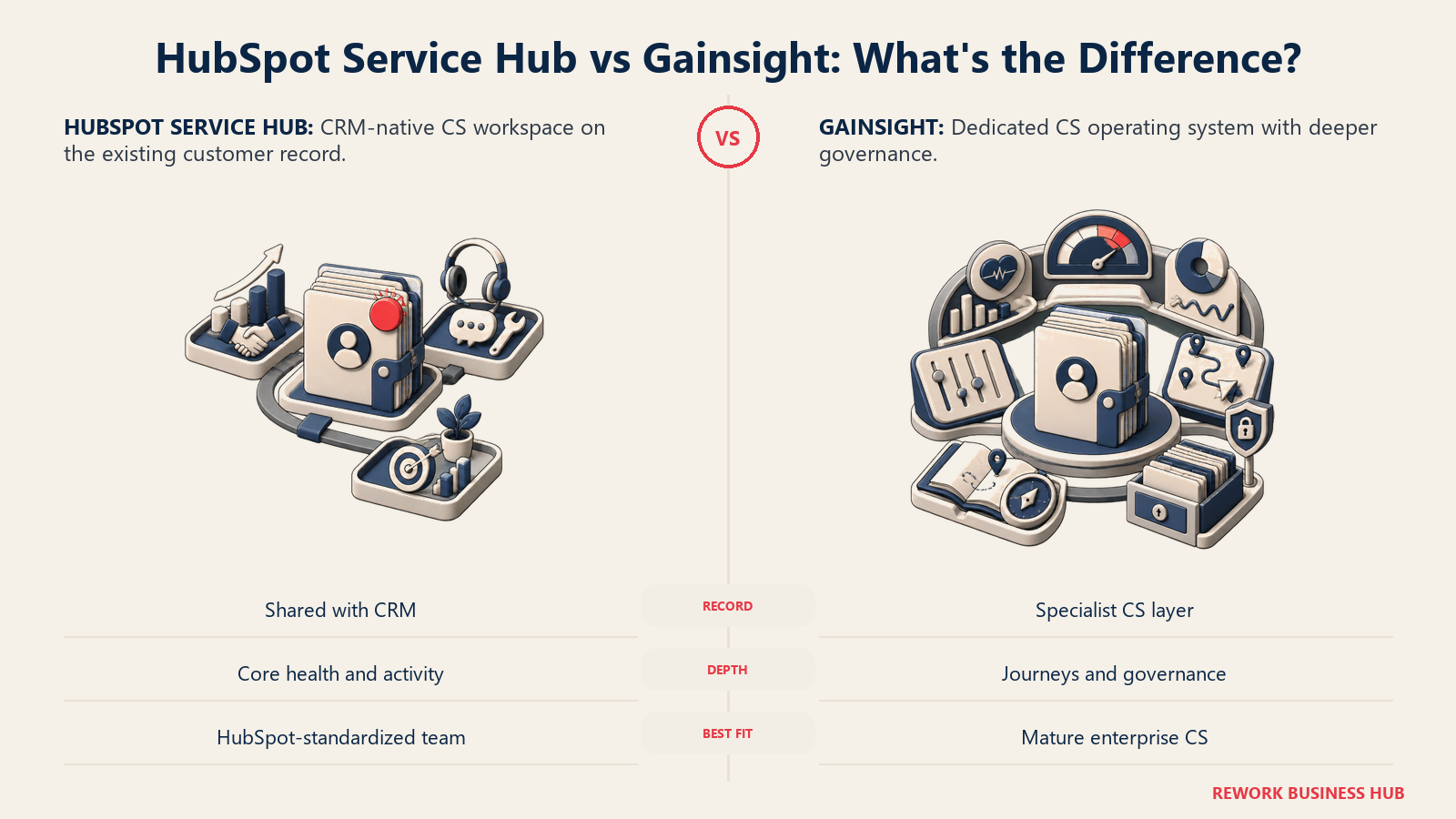
The pricing rule you need is a gate, not a discount. The Customer Success Workspace requires Service Hub Professional or Enterprise. Professional is published at $90 per seat per month on an annual commitment, with $100 per seat per month when billed monthly, plus a one-time $1,500 Professional onboarding fee. Enterprise starts at $150 per seat per month with a one-time $3,500 onboarding fee. HubSpot's free tier (up to 2 users) does not include the workspace. Confirm on your quote that the per-seat number is written on the annual term, since the month-to-month rate is $10 per seat higher.
The honest limitation: this is a CRM-native workspace, not a purpose-built customer success platform. Health scoring is thinner than ChurnZero or Planhat, journey orchestration is marketing-shaped rather than CS-shaped, and product usage data has to be piped in rather than being native. For a 6-CSM team already standardized on HubSpot, that is often an acceptable trade for one login and one record.
Target audience. Companies already running HubSpot CRM and Service Hub that want CS coverage without a new vendor.
Sizing fit. 20 to 300 employees. Above that, per-seat costs and depth limits both start to bite.
Stage fit. Seed through Series B, especially where CS is a new function rather than an established org.
| Pros | Cons |
|---|---|
| Sits on the CRM record you already use, no sync to maintain | Requires Professional or Enterprise, so the entry cost is real |
| Published per-seat pricing, unusual in this category | One-time onboarding fees of $1,500 (Pro) or $3,500 (Enterprise) |
| One login for sales, support and customer success | Health scoring and usage depth trail purpose-built CS platforms |
Pricing: Customer Success Workspace requires Professional ($100/seat/month, annual commit, plus one-time $1,500 onboarding) or Enterprise (from $150/seat/month, plus one-time $3,500 onboarding). Free tier up to 2 users does not include the workspace.
Best for: HubSpot-standardized companies that want CS coverage inside an aligned CRM, CS platform and revenue intelligence stack rather than another system to reconcile.
Sizing and Persona Fit
Gainsight's editions draw their line at 10 and 20 included full users. The tools around it split the market more finely, on two axes at once: how many CSMs you employ, and how many accounts they carry between them. Get both numbers on the table before any demo.
| CS team size | Accounts under management | Best fit | Watch out for |
|---|---|---|---|
| 1 to 2 CSMs | Under 500 | Akita, ZapScale | Akita's 2-user, 2-integration entry ceiling |
| 3 to 5 CSMs | 200 to 1,500 | Velaris, Custify, Akita Growing Teams | Velaris packages at exactly 5 users, plan for the sixth |
| 5 to 10 CSMs | 500 to 3,000 | ChurnZero, Vitally, ClientSuccess, SmartKarrot | SmartKarrot's Basic tier caps at 5 users |
| 10 to 25 CSMs | 2,000 to 10,000 | ChurnZero, Planhat, Totango, Vitally | Account ceilings, not seats, will drive the quote |
| 25-plus CSMs | 10,000-plus | Gainsight, Planhat, Totango Premier | Switching cost may exceed the license saving |
| Any size, HubSpot-native | Any | HubSpot Service Hub | Professional tier gate plus one-time onboarding fee |
| Persona | What they optimize for | Strongest picks |
|---|---|---|
| VP of CS at a Series B company | Time to first useful health score | Custify, ChurnZero, Vitally |
| CS Ops lead who owns configuration | Self-service automation without a services call | Vitally, ChurnZero, Custify |
| Chief Customer Officer reporting to a board | Analyst standing and governance depth | Gainsight, Planhat, ChurnZero |
| Head of CS with a huge tech-touch book | Account allowances over per-seat depth | Totango, Akita |
| Founder running CS personally | A published price and a trial | Akita, ZapScale |
| RevOps lead consolidating the stack | One record across sales, support and CS | HubSpot Service Hub, Planhat |
| Onboarding lead fixing customer handoffs | Customer-facing plans and portals | EverAfter, Planhat (Advanced Portals) |
| CFO reviewing the renewal | A number that can be forecast | Akita, SmartKarrot, HubSpot |
Stage Fit
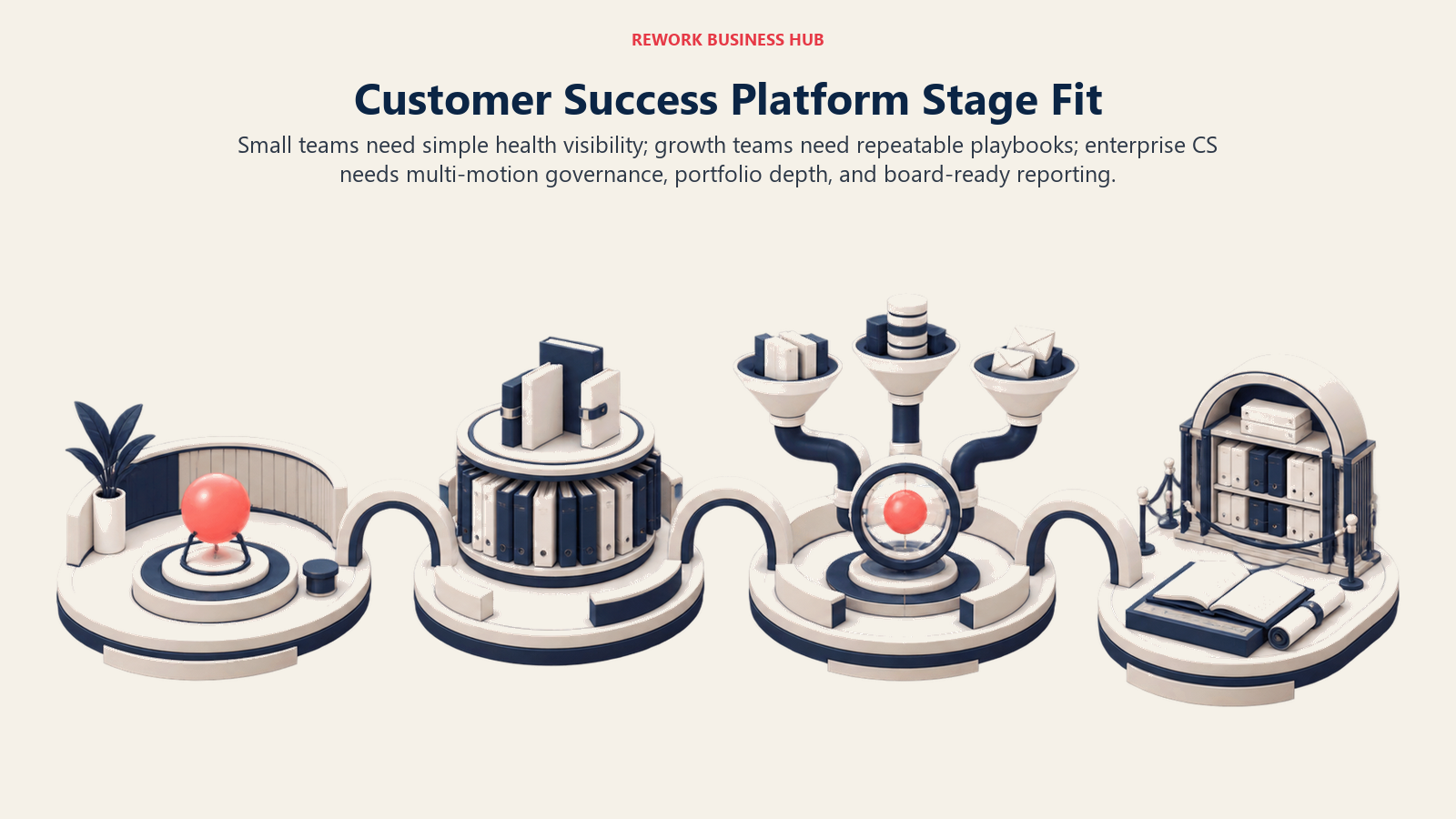
Platform requirements grow from a shared account view to repeatable playbooks, connected data, and formal governance.
| Company stage | What usually breaks | Best fit |
|---|---|---|
| Seed, under 30 people | No health definition at all, churn is a surprise | Akita, ZapScale |
| Series A, 30 to 80 | First CS hires, no shared account view | Custify, Velaris, HubSpot Service Hub |
| Series B, 80 to 250 | Playbooks exist but nobody runs them consistently | ChurnZero, Vitally, ClientSuccess |
| Series C, 250 to 600 | Data is scattered across product, CRM and support | Planhat, ChurnZero, Totango |
| Late stage, 600-plus | Governance, multi-product portfolios, board reporting | Gainsight, Planhat, Totango Premier |
| Any stage, PLG motion | Thousands of accounts, a handful of humans | Totango, Vitally Tech-Touch, Akita |
Migrating Off Gainsight: What Actually Moves
The license quote is the easy part of this decision. What determines whether the switch is worth it is how much of your configured intelligence survives the move, and the honest answer is: your data mostly travels, your logic mostly does not.
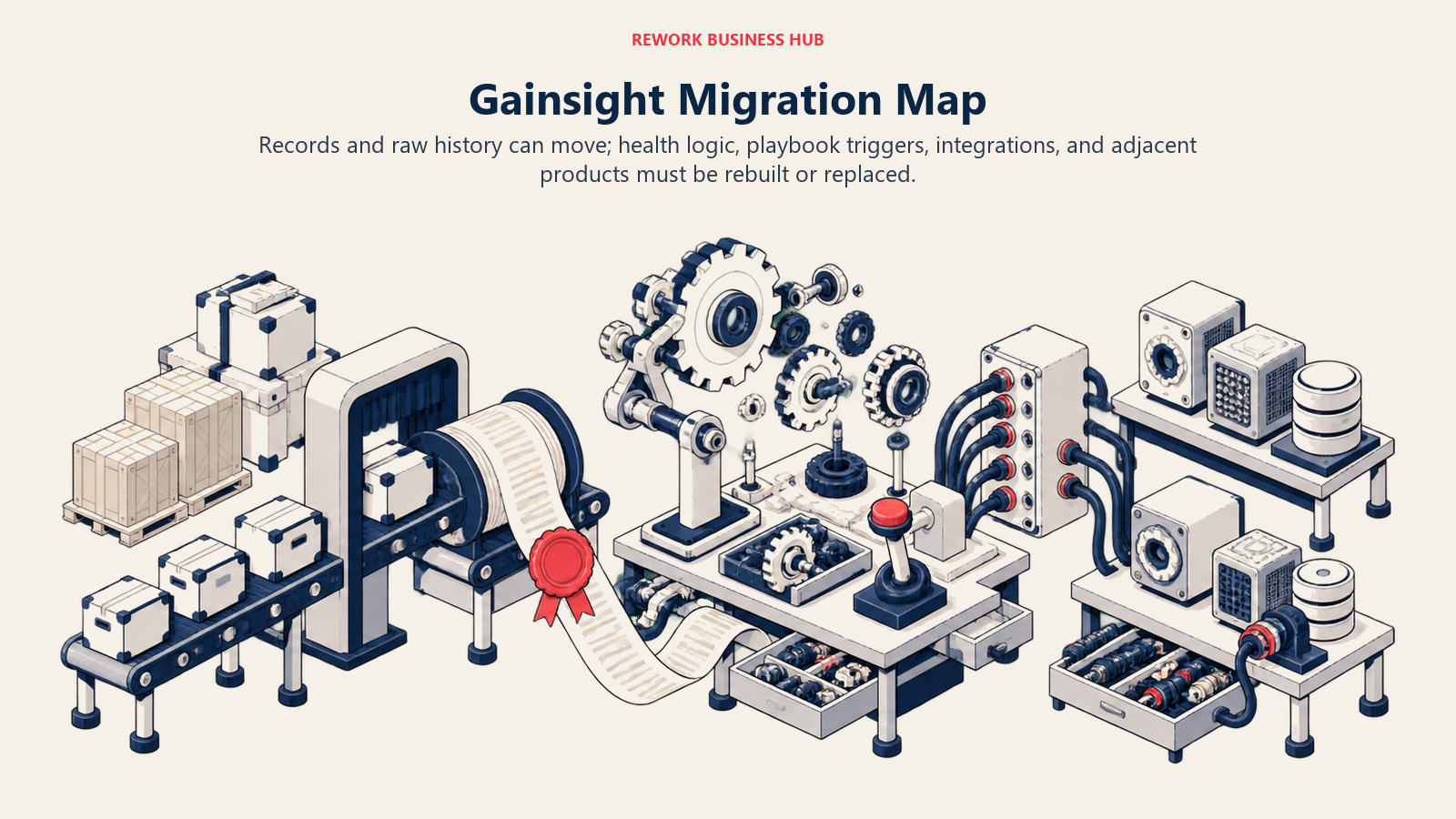
Health scores do not migrate. Their inputs do. You can export the account-level scores Gainsight produced, but the scorecard itself, the weightings, the measure definitions, the thresholds that make an account turn yellow, is Gainsight's model expressed in Gainsight's rules engine. Every platform on this list reimplements that differently. Budget two to four weeks to rebuild it, and use the move as a chance to fix the parts nobody trusted anyway. Export the raw measure data, not just the composite score, or you will have no way to validate the new model against the old one.
Playbooks and calls-to-action are a rewrite, not a transfer. The content travels as text. The triggers, the branching logic and the automation that fired them do not. This is where teams underestimate effort most often, because a playbook looks like a document and behaves like software.
Integrations are the real timeline. Salesforce or HubSpot sync, product usage pipelines, support ticket feeds, billing data, and any custom objects you built all have to be re-established on the new platform. Akita's entry tiers include 2 to 4 integrations for a reason: connector count is genuinely the constraint. Inventory every live integration in your Gainsight instance before you scope the project, including the ones nobody remembers configuring.
Historical usage data is the piece worth fighting for. Trend context is what makes a health score credible in month one instead of month six. Export at least 12 months of account-level usage and engagement history in row-level CSV, and confirm during the trial that your new platform can ingest historical rows rather than only accepting data from the go-live date forward. Several cannot.
| What you are moving | Does it transfer? | Effort | What to export before you cancel |
|---|---|---|---|
| Account and contact records | Yes | Low | Full CSV with external IDs intact |
| Composite health scores | Values yes, model no | High | Score history plus every underlying measure |
| Scorecard weightings and thresholds | No | High | Screenshots or config export, then rebuild |
| Playbooks and calls-to-action | Content yes, logic no | High | Text of every play, plus its trigger conditions |
| Success plans, goals and QBR history | Partly | Medium | Row-level CSV per account, not summary PDFs |
| Timeline notes and activity history | Usually | Medium | CSV per account, including author and date |
| Product usage history | Yes, if the target ingests it | Medium | 12-plus months of row-level usage events |
| Survey and NPS responses | Yes | Low | Raw responses with account and date fields |
| Integration configurations | No | Medium | A written inventory of every live connector |
| Adjacent Gainsight products (Skilljar, Communities) | No | Varies | Separate export per product, plan separate replacements |
One sequencing note that saves real money: start the export before you start the negotiation. Access typically ends at contract termination, and a team that already holds its data negotiates a renewal from a much stronger position than one that does not.
How to Choose: Decision Framework
Shortlist by customer scale, data complexity, available administration, deployment speed, portal needs, and governance depth.
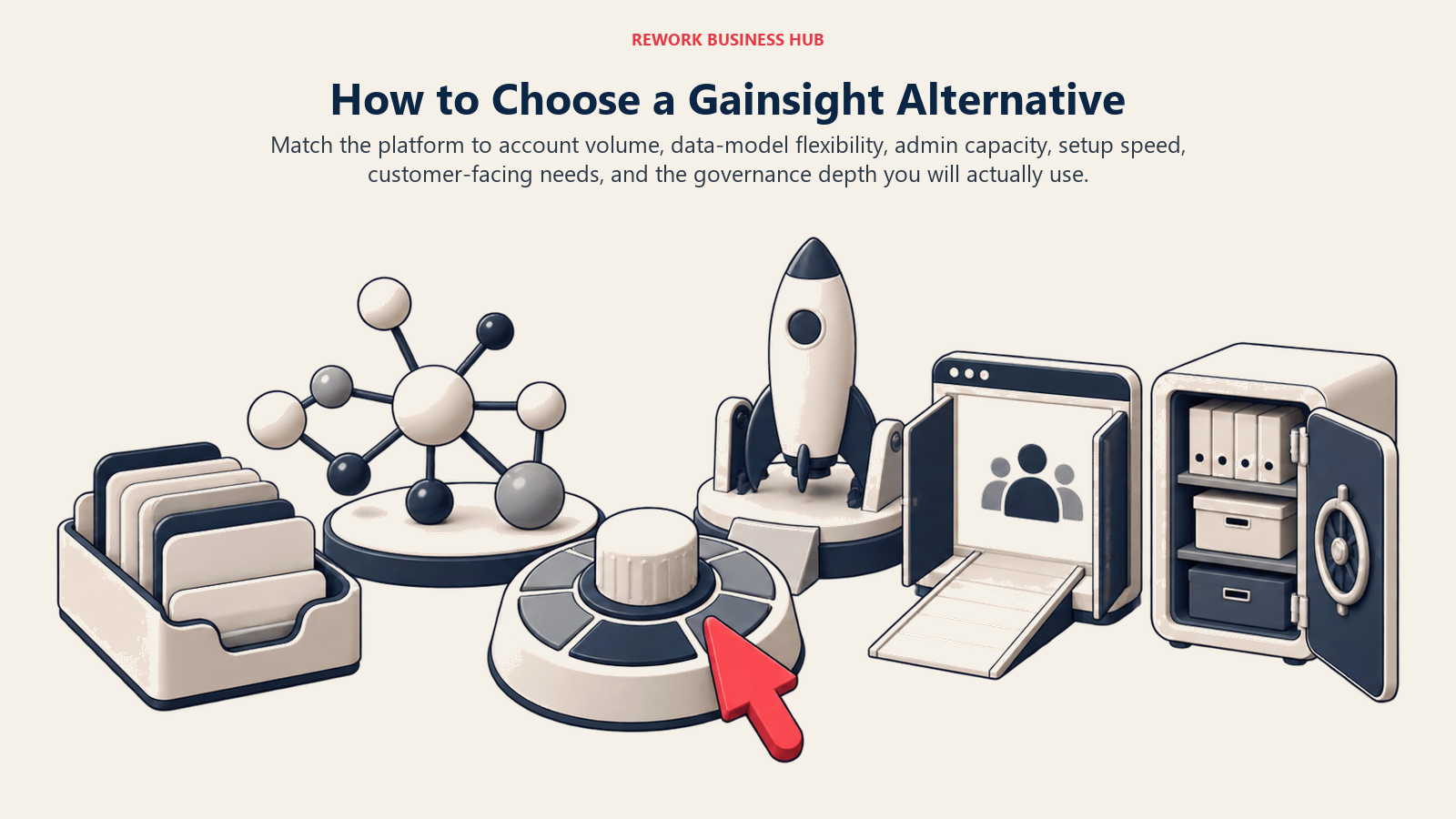
| If you need... | Choose |
|---|---|
| The closest full swap with Gartner Leader standing | ChurnZero |
| Account allowances in the thousands for a small team | Totango (including Catalyst) |
| To model your own data objects and relationships | Planhat |
| A CS ops lead to own configuration without services | Vitally |
| To be live this quarter with no setup bill | Custify |
| Pricing logic explained before the first call | ClientSuccess |
| Exactly five CSM seats plus unlimited viewers | Velaris |
| A published price and a self-serve trial | Akita |
| A published enterprise-shaped floor for budgeting | SmartKarrot |
| The lowest reported entry cost, transparency aside | ZapScale |
| To fix the customer-facing side, not internal scoring | EverAfter |
| CS coverage inside the HubSpot stack you already run | HubSpot Service Hub |
| Governance depth across thousands of accounts and products | Stay on Gainsight |
Frequently Asked Questions about Gainsight Alternatives
How much does Gainsight actually cost?
Gainsight does not publish a price. Its pricing page routes to "Request Pricing" and describes two editions by capacity rather than by dollar figure: Essentials includes 10 full users at 100 customers per user, and Enterprise includes 20 full users at 200 customers per user, both with unlimited viewer licenses. Your quote is driven by the combination of seats and total customer accounts, so bring both numbers to the first call.
Who should stay on Gainsight rather than switch?
Companies running an enterprise-scale customer success operation with a dedicated CS Ops function, thousands of accounts, a multi-product portfolio, and board-level governance reporting. Gainsight's rules engine, journey orchestration and adjacent product ecosystem (Skilljar, Product Experience, Customer Communities, Staircase AI, Atlas AI Agents) are deeper than anything else in the category. If you use that depth, switching to save license cost is usually a bad trade.
Does Totango still have a free forever plan?
No. Totango was well known for a free tier, but as of 23 August 2026 its pricing page lists no free plan. Every tier, including the Catalyst Growth package, routes through "Talk to sales." If a comparison article says otherwise, it is describing an older version of Totango's packaging.
What happened to Catalyst as a standalone customer success platform?
Catalyst is no longer an independent vendor. It is now a Totango product line and appears on Totango's own pricing page, where the Catalyst Growth package covers 2,500 customer accounts and up to 5 Salesforce custom objects. Do not evaluate Totango and Catalyst as two separate companies.
Which customer success platforms actually publish their pricing?
Only two of the twelve here publish real figures. Akita posts a full self-serve rate card starting at $49 per month for Small Teams and $99 per month for Growing Teams, with 20% off annual prepayment. SmartKarrot publishes a single entry tier at $15,000 per year for 5 users, which its own page flags as a discounted price. HubSpot publishes per-seat Service Hub pricing, though its Customer Success Workspace requires the Professional tier at $90 per seat per month on an annual commitment plus a one-time $1,500 onboarding fee.
Will my Gainsight health scores transfer to a new platform?
The score values export, but the model behind them does not. Scorecard weightings, measure definitions and threshold logic are expressed in Gainsight's rules engine and have to be rebuilt in whatever you choose next. Export the underlying measure data as well as the composite scores, so you can validate the rebuilt model against the original before you trust it in front of customers.
Is HubSpot Service Hub a real alternative to a dedicated CS platform?
For teams already standardized on HubSpot, yes, with limits. The Customer Success Workspace puts health signals, owned accounts and activity in the CRM record your sales team already uses, which removes an entire sync problem. But it requires Service Hub Professional or Enterprise, and its health scoring and product usage depth trail purpose-built platforms like ChurnZero or Planhat. It suits a CS function of roughly 3 to 10 people better than a mature CS org.
How long does it take to switch customer success platforms?
Plan for one full quarter for a mid-market team, and treat integrations as the critical path rather than the license. Account and contact data moves quickly, but rebuilding scorecards and playbook logic typically takes two to four weeks, and re-establishing product usage, CRM and support integrations takes longer than most vendors quote. Start your data export before you open the renewal negotiation, since access usually ends at contract termination.
What to Do Next
Pull two numbers before you book a single demo: your current CSM headcount and your total customer account count. Almost every quote in this category is a function of those two figures together, and vendors that look cheap on seats often price expensively on accounts, or the reverse. Teams that walk into the first call with both numbers and a growth projection get comparable quotes. Teams that walk in with headcount alone get twelve quotes structured twelve different ways.
Then run a bounded pilot rather than a full evaluation. Pick your two strongest candidates from the decision framework, load one real segment of accounts into each, rebuild one health scorecard and one playbook end to end, and see which one a CSM can change without asking for help. That single test answers the question that actually sent you looking for a Gainsight alternative, and it answers it in two weeks instead of two quarters.
Camellia writes about customer success and revenue tooling for B2B teams.

Principal Product Marketing Strategist
On this page
- Key Facts
- The Defining Fact of This Category: Almost Nobody Publishes a Price
- Why Teams Leave Gainsight (and Who Should Stay)
- Quick Comparison Table
- 1. ChurnZero - The Closest Full Swap
- 2. Totango (Including Catalyst) - When You Have Far More Accounts Than Seats
- 3. Planhat - The Data Model Is the Product
- 4. Vitally - Built for the CS Ops Lead Who Wants to Own It
- 5. Custify - Live in Weeks, With No Setup Bill
- 6. ClientSuccess - The Vendor That Explains Its Own Pricing Logic
- 7. Velaris - One License, Five Users, Unlimited Viewers
- 8. Akita - The Only Full Rate Card in the Category
- 9. SmartKarrot - A Published Floor for an Enterprise-Shaped Buy
- 10. ZapScale - The Low-Cost Option, With a Transparency Caveat
- 11. EverAfter - When the Problem Is the Customer-Facing Side
- 12. HubSpot Service Hub (Customer Success Workspace) - If You Already Live in HubSpot
- Sizing and Persona Fit
- Stage Fit
- Migrating Off Gainsight: What Actually Moves
- How to Choose: Decision Framework
- What to Do Next