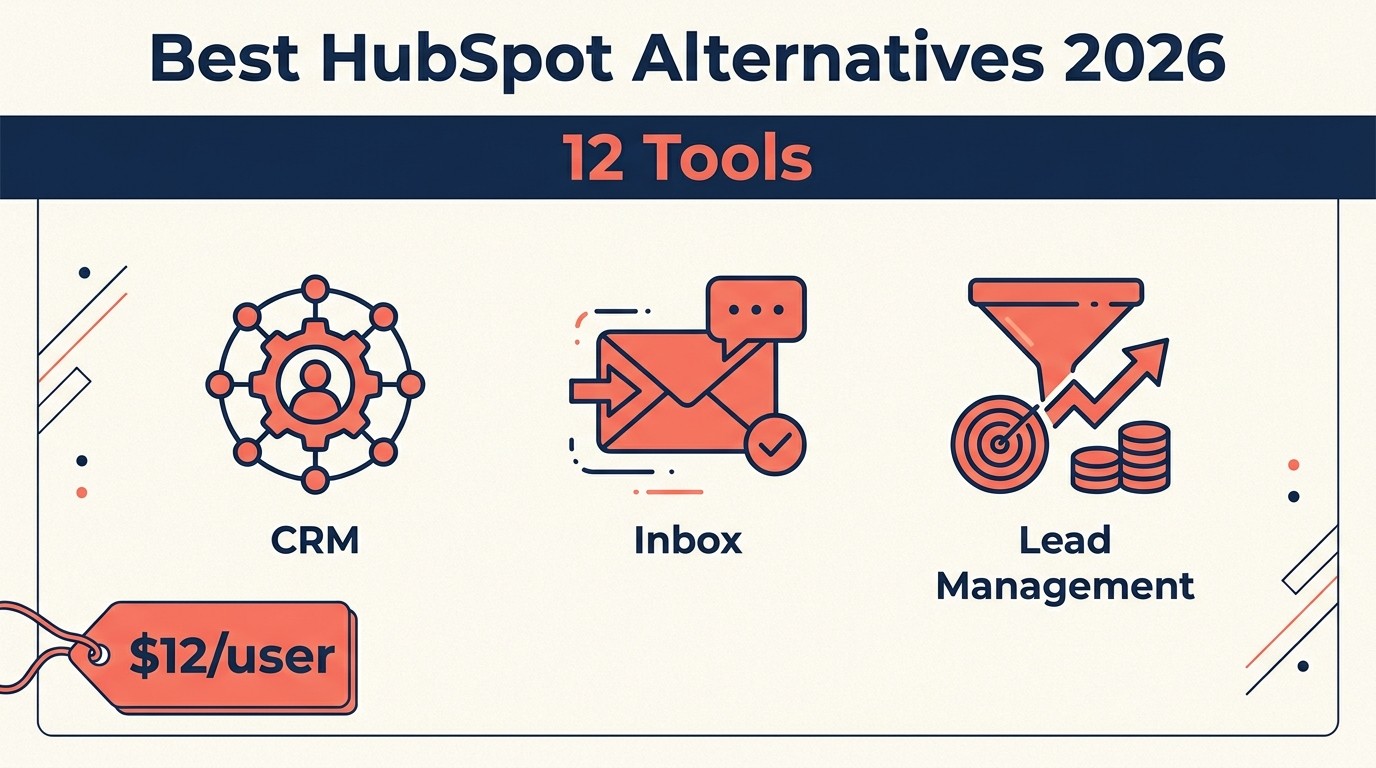
Best HubSpot CRM Alternatives in 2026: 12 Tools That Won't Nickle-and-Dime You
Turn this article into takeaways for your work.


Each assistant summarizes the article only for you and suggests best practices for your work.
HubSpot is a legitimate product. The free CRM is genuinely useful, the onboarding is smooth, and the brand awareness is second to none in the mid-market CRM space. But if you've ever priced out a full HubSpot rollout for a 50-person revenue team, you know the number that shows up at checkout. (If you're still deciding whether HubSpot or Salesforce is the right baseline, our How to Pick a CRM in 2026 guide can help frame the evaluation.)
Marketing Hub + Sales Hub + Service Hub at Professional or Enterprise tier, multiplied by contact-based billing that charges you again as your list grows, with certain automation features that only unlock at the next pricing tier: you're looking at $30,000-$80,000+ per year before you've customized a single workflow. For many mid-size teams running cross-functional operations, the pricing model becomes the product's biggest limitation. According to G2's CRM category data, pricing and value for money are the top two reasons buyers switch CRMs. If you're re-evaluating HubSpot, here are 12 alternatives worth a serious look. And if you want to understand what the full cost of switching looks like, the True Cost of Software Sprawl breaks it down.
Key Facts: HubSpot Alternatives in 2026
- Most mid-market B2B teams on HubSpot Professional tiers spend $12,000 to $50,000 per year once hubs, seats, contacts, and mandatory onboarding fees are combined. (Tropic, 2025)
- HubSpot's mandatory onboarding fees run $3,000 for Professional and $7,000 for Enterprise -- costs that don't appear in the per-seat headline price.
- CRM projects fail to meet their planned objectives 55% of the time, making vendor selection and total cost visibility the two highest-stakes decisions in the process. (Johnnygrow.com / Gartner data, 2025)
- Low user adoption accounts for 38% of CRM failures -- a figure that rises when teams buy more features than they actually use. (Rethink Revenue, 2025)
- Marketing Hub Professional charges roughly $225/month for every additional 5,000 contacts beyond the base tier, meaning a fast-growing email list can double a HubSpot bill with zero additional seats. (Avidly Agency analysis, 2025)
Quick Comparison Table
Use this table to narrow the HubSpot alternatives by the reason you are switching. Pricing pressure, hub complexity, and the need for a lighter CRM usually point to different shortlists.
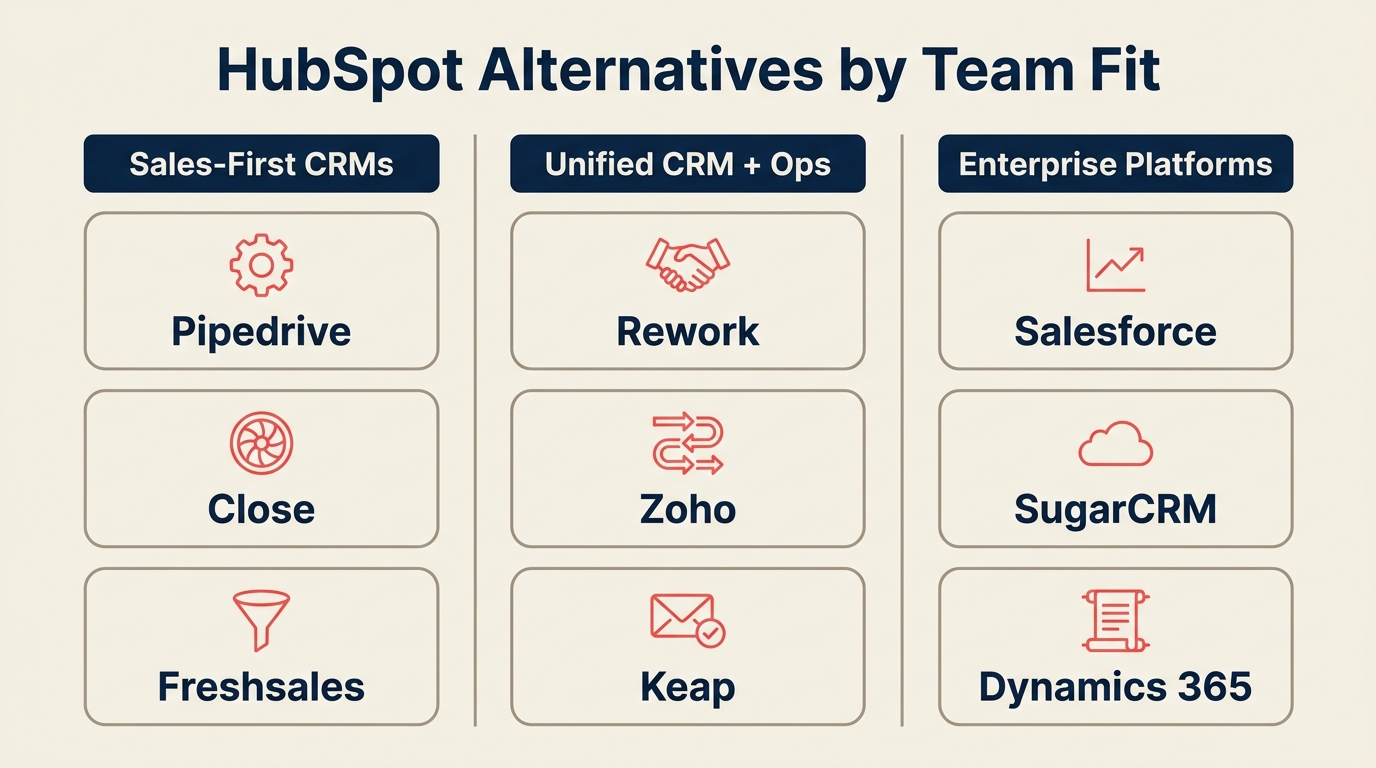
| Tool | Best For | Starting Price | Key Strength | Key Limitation |
|---|---|---|---|---|
| Rework | Mid-size teams needing CRM + Lead Mgmt + multi-channel inbox | From $69/mo billed yearly for 5 seats; $159/mo with lead management and the inbox (rework.com/pricing) | Unified CRM, lead management, and chat inbox in one product | Less brand recognition than HubSpot |
| Salesforce | Enterprise with complex custom objects | ~$25/user/mo (Starter) | Deepest ecosystem, Agentforce AI | Expensive, high implementation overhead |
| Pipedrive | Sales-focused teams wanting simple pipeline | $14/user/mo | Clean sales UX, fast onboarding | Limited marketing automation |
| Zoho CRM | Budget-conscious teams in the Zoho ecosystem | $14/user/mo | Affordable, Zoho One bundle value | UI complexity, steeper learning curve |
| Freshsales | Teams wanting AI-led CRM with clean UX | $9/user/mo | Freddy AI, modern interface | Smaller app ecosystem than HubSpot |
| Close | Inside sales teams with heavy call volume | $49/user/mo | Built-in dialer + SMS, no add-ons needed | No built-in marketing automation |
| Monday Sales CRM | Ops-minded teams preferring board-style views | $12/user/mo | Flexible boards, visual pipeline | CRM depth is lighter than dedicated tools |
| Attio | Modern data-model-forward teams | $34/user/mo | Flexible objects, clean API | Early-stage, fewer native integrations |
| Copper | Google Workspace-native teams | $9/user/mo | Deep Gmail/Drive/Calendar integration | Limited outside Google ecosystem |
| Keap | Small business needing CRM + marketing automation | $299/mo (up to 2 users) | Campaign builder, e-commerce hooks | Expensive per-user at scale |
| Folk | Lightweight relationship and networking CRM | $20/user/mo | Simple, fast, opinionated | Not built for full sales operations |
| Nutshell | Teams needing CRM + built-in email marketing | $19/user/mo | All-in-one with email campaigns | Lighter reporting at enterprise scale |
1. Rework: Unified CRM + Lead Management + Multi-Channel Inbox
Rework is most relevant for teams that like HubSpot's connected go-to-market idea but do not want hub-based packaging, contact-tier billing, or a marketing-first platform shaping every workflow.
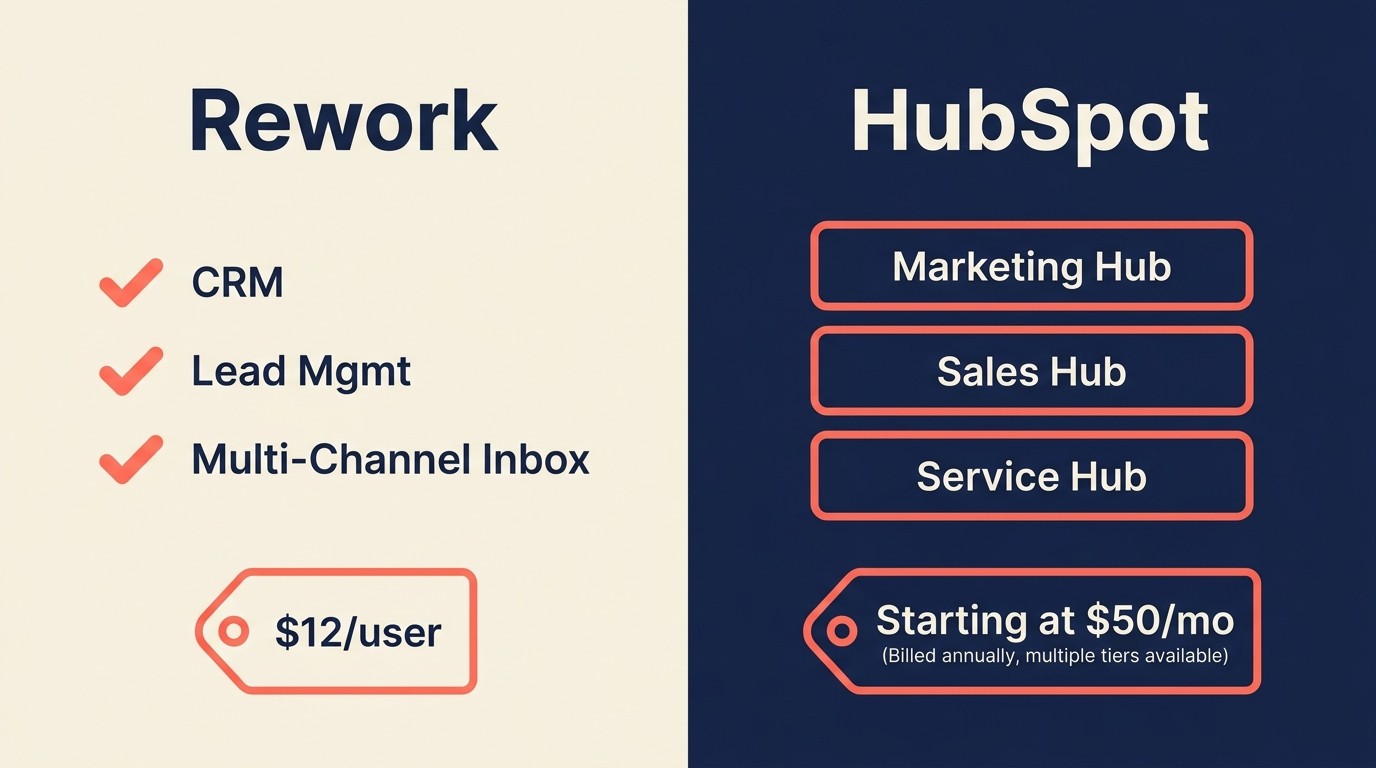
Mid-market GTM teams on HubSpot Professional tiers typically spend $12,000 to $50,000 per year once hubs, seats, contacts, and mandatory onboarding fees are combined -- a cost structure that per-seat alternatives can cut by 40 to 60 percent at equivalent team sizes (Tropic, 2025).
If the core reason you're leaving HubSpot is the hub model, Rework solves that structurally. It ships CRM, lead management, and multi-channel inbox as one product rather than three separately billed hubs. See the Rework vs HubSpot CRM comparison for the full side-by-side breakdown. Your sales pipeline, lead distribution rules, and conversation inbox (WhatsApp, Messenger, Instagram DM, TikTok, Zalo, live chat) all live in the same contact timeline.
For mid-size revenue teams running cross-functional workflows, this matters more than it sounds. In HubSpot, getting your marketing-to-sales handoff, chat-to-pipeline routing, and lead scoring to actually talk to each other requires multiple hub subscriptions and careful workflow stitching. In Rework, those are the same product. And if you want to understand how to structure that rollout, CRM rollout and adoption walks through the change management side.
The lead management module is worth calling out specifically. Round-robin distribution, territory routing, SLA-based assignment, and lead scoring are built in. HubSpot gates most of these behind Professional or Enterprise tier. Rework includes them in its Lead app on the Standard edition (Marketing or Revenue Engine). For teams building out their revenue operations, the RevOps Maturity Model is a useful benchmark for where these capabilities fit in.
| What you get | What you don't |
|---|---|
| Full CRM + pipeline + quota tracking | The HubSpot brand name on your deck |
| Native multi-channel inbox (WhatsApp, IG DM, Messenger, live chat) | Salesforce-level custom objects for F500 governance |
| Lead capture, scoring, distribution, and nurture in one product | A free starter tier |
| Cross-team ops workflows and process templates | Consumer-facing marketplace of 1,000+ integrations |
| Revenue reporting across marketing + sales + CS | Specialized help-desk SLA reporting depth |
Pricing: The Sales Engine (CRM) is $69/month billed yearly, or $80 month to month, with 5 sales seats included; extra seats come in blocks of 5 ($21/month per block on yearly billing). The Revenue Engine ($159/month billed yearly) adds the multi-channel inbox and lead capture. See rework.com/pricing.
Best for: Mid-size teams where marketing, sales, and customer success share a contact record and need lead distribution + unified chat without buying multiple tools.
2. Salesforce: Enterprise Depth with Agentforce AI
Salesforce is what HubSpot Enterprise is trying to become. If your organization has a 100+ person revenue team, complex territory hierarchies, custom objects, or an AppExchange integration dependency, Salesforce is the category benchmark.
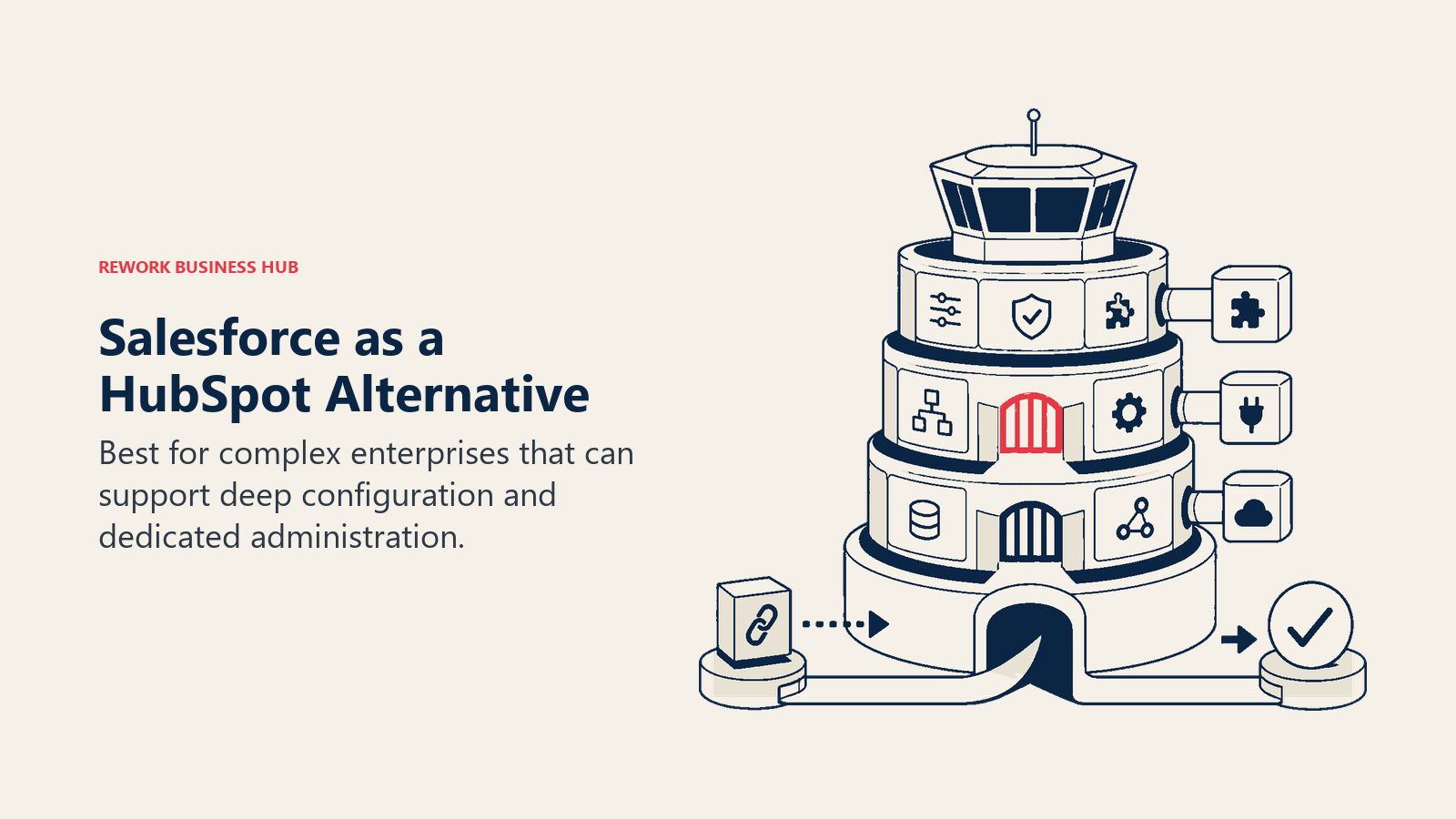
The 2026 story is Agentforce: autonomous AI agents that handle SDR prospecting sequences, case routing, and sales coaching without manual triggers. For organizations already on Salesforce, this is a meaningful leap forward. And if you're weighing how HubSpot's AI compares, the Rework vs HubSpot Breeze breakdown covers what the AI race means for buyers right now.
The tradeoff is well known. Salesforce is expensive, implementation takes months, and Salesforce admins are a hiring category of their own. If you're a 50-person SaaS team that wants a clean CRM setup in 2 weeks, this is the wrong choice. See our best Salesforce alternatives if you're simultaneously evaluating what Salesforce-adjacent tools look like.
| What you get | What you don't |
|---|---|
| Deepest CRM customization in the market | Simple pricing (it compounds fast) |
| Agentforce AI across sales, service, and marketing | Fast implementation (plan for 3-6 months) |
| AppExchange: 5,000+ certified integrations | Lean ops (you'll need a Salesforce admin) |
| Industry-specific clouds (Financial Services, Health) | Cost predictability as your team scales |
Pricing: Starter Suite from $25/user/month. Enterprise and Unlimited tiers run $165-$330/user/month annually. Add-ons (Einstein AI, Marketing Cloud) compound quickly.
Best for: Enterprises with 200+ employees, complex revenue operations, and an existing Salesforce investment.
3. Pipedrive: Sales-First Simplicity
Pipedrive is built around one premise: a salesperson's pipeline should be visual, fast, and dead simple to update. It does that better than almost any tool in this list. Onboarding takes days, not weeks. The UI doesn't require a training manual. If Pipedrive looks like a better fit than HubSpot for your team, the best Pipedrive alternatives guide covers what comes next once you outgrow it.
The limitations are the mirror image of those strengths. Pipedrive is fundamentally a pipeline tracker. Lead distribution requires third-party tools or the Professional tier. Marketing automation is light compared to HubSpot. Multi-channel chat is not native. If your SDR team runs outbound sequences that need to tie into marketing campaigns, you'll be patching Pipedrive together with other tools quickly. And the Pipeline Stages That Match Selling guide is worth reading before you migrate your pipeline structure.
| What you get | What you don't |
|---|---|
| Clean, opinionated sales pipeline | Native lead distribution rules |
| Fast onboarding (days, not weeks) | Built-in multi-channel inbox |
| Solid mobile app | Deep marketing automation |
| LeadBooster add-on for web forms and chatbot | Contact-based pricing model (but cheaper than HubSpot) |
Pricing: Essential at $14/user/month, Professional at $49/user/month, Power at $64/user/month (annual).
Best for: Pure sales teams of 5-50 people that want pipeline management without the overhead of a full CRM suite.
4. Zoho CRM: Affordable + Zoho One Ecosystem
Zoho CRM's biggest argument is value density. At $14/user/month for the Standard tier, you get workflows, scoring rules, email templates, and sales forecasting. And if your team needs marketing automation, helpdesk, finance tools, or HR software, Zoho One bundles the entire stack for roughly $37/user/month. See our best Zoho alternatives guide if you want to compare the broader Zoho ecosystem against other all-in-one bets.
The honest caveat: Zoho's UI has historically lagged behind the cleaner experiences of HubSpot and Pipedrive. The product has improved, but if your team is used to HubSpot's design sensibility, the transition takes some adjustment. Support quality has also been inconsistent at the lower tiers.
| What you get | What you don't |
|---|---|
| Full CRM functionality at lower cost | HubSpot-grade onboarding experience |
| Zoho One bundle (40+ apps for ~$37/user) | Consistently polished UX |
| Canvas UI customization | First-class North American support at lower tiers |
| Zia AI for predictions and anomaly detection | The brand recognition of top-3 CRMs |
Pricing: Standard at $14/user/month, Professional at $23/user/month, Enterprise at $40/user/month (annual).
Best for: Cost-conscious teams that want a broad software stack without buying seven separate SaaS tools.
5. Freshsales: Freddy AI, Clean UX
Freshsales (part of Freshworks) has made a real push on AI with Freddy AI: predictive contact scoring, deal insights, conversation summaries, and AI-driven next-action recommendations. The UI is modern, onboarding is smooth, and the pricing is transparent. See our best Freshsales alternatives if you're evaluating within the Freshworks family and want to compare options.
Where Freshsales falls short relative to HubSpot is ecosystem maturity. The integration library is smaller, the reporting at higher tiers is less flexible, and the marketing automation sits in a separate product (Freshmarketer). But for teams that want a clean CRM with AI assistance and aren't married to a 500-integration ecosystem, it's a serious contender.
| What you get | What you don't |
|---|---|
| Freddy AI across deal scoring, forecasting, summaries | HubSpot's native content and SEO tools |
| Clean, modern interface | Deep custom reporting without Growth tier |
| Built-in phone, email, chat sequences | Mature integration marketplace |
| 21-day free trial | Marketing automation in the same product (it's separate) |
Pricing: Growth at $9/user/month, Pro at $39/user/month, Enterprise at $59/user/month (annual).
Best for: Revenue teams wanting AI-assisted selling without Salesforce's complexity or HubSpot's pricing model.
6. Close: Built-In Dialer, Inside Sales
Close is purpose-built for inside sales teams where the phone and email are the primary channels. The built-in power dialer, predictive dialer, SMS, and email sequences are all native features, not add-ons. That matters because in most other CRMs, getting a real calling workflow running requires a Twilio integration or a separate sales engagement platform. Our best Close alternatives guide covers what to evaluate if the per-user price is too steep for your team size.
Close doesn't try to be HubSpot. There's no built-in marketing automation, no contact-based email marketing tier, no multi-channel social inbox. But if your team lives on the phone and you're paying for HubSpot + a separate calling tool, Close might collapse that into one line item.
| What you get | What you don't |
|---|---|
| Power dialer + predictive dialer built in | Marketing automation |
| SMS, email sequences, no extra add-ons | Multi-channel chat inbox |
| Transparent per-user pricing | Contact or lead-based billing surprises |
| Strong reporting for call + email activity | Visual pipeline customization |
Pricing: Startup at $49/user/month, Professional at $99/user/month, Enterprise at $139/user/month (annual).
Best for: High-volume inside sales teams where calling is the primary revenue motion.
7. Monday Sales CRM: Flexible Boards
Monday.com built its reputation as a work management platform, and Monday Sales CRM carries that DNA into the CRM space. If your sales team thinks in boards and columns rather than list-based pipelines, Monday's visual layout clicks immediately.
The tradeoff is CRM depth. Monday Sales CRM handles pipeline tracking, contact management, and basic automations well. But lead distribution, advanced scoring, and multi-channel inbox are not the product's native strengths. It's a good choice for teams that are already on Monday for project management and want their sales pipeline in the same workspace. CRM Workflow Automation covers what to look for when evaluating automation depth across platforms.
| What you get | What you don't |
|---|---|
| Board-style pipeline that non-sales ops teams adopt fast | Deep lead management and distribution rules |
| Strong cross-team visibility (sales + project work in one place) | Native dialer or multi-channel inbox |
| Flexible column types and automations | Advanced CRM reporting without Enterprise |
| Mobile app parity with desktop | CRM feature depth of dedicated tools |
Pricing: Basic CRM at $12/seat/month, Standard at $17/seat/month, Pro at $28/seat/month (annual, minimum 3 seats).
Best for: Teams already on Monday Work Management that want to consolidate project and sales pipelines without switching platforms.
8. Attio: Modern Data Model
Attio is what HubSpot would look like if it were designed in 2024 instead of 2006. The data model is genuinely flexible: objects, attributes, and records can be configured without heavy customization overhead. The UI is fast and opinionated in a way that many modern tools are not. And the best Attio alternatives guide is worth reading if you want to compare the modern-CRM category more broadly before committing.
The catch is maturity. Attio's integration library is still growing, the workflow automation is functional but less battle-tested than HubSpot at scale, and the community and documentation ecosystem is smaller. For a 15-50 person company that wants a CRM that doesn't feel dated, it's a strong pick. For a 200-person revenue org with existing integrations, the risk is higher.
| What you get | What you don't |
|---|---|
| Flexible, modern object model | Mature integration ecosystem |
| Fast, clean UI with minimal training overhead | Enterprise-grade workflow depth |
| Strong API for custom integrations | Large community and documentation base |
| Real-time collaboration on records | Contact-based email marketing features |
Pricing: Free for small teams, Plus at $34/member/month, Pro at $69/member/month (annual).
Best for: Modern tech teams of 5-50 people that value product design and API flexibility over ecosystem breadth.
9. Copper: Google Workspace Native
If your team lives in Gmail, Google Calendar, and Google Drive, Copper is the only CRM that's genuinely embedded in that environment. Contacts sync automatically from Gmail, meetings log from Calendar, and documents link from Drive. There's no app-switching. Your CRM is the sidebar of your inbox.
Outside of Google Workspace, Copper is limited. The integration library is smaller, mobile experience outside Gmail is serviceable but not exceptional, and there's no meaningful marketing automation. It's a specialist tool for a specific kind of team.
| What you get | What you don't |
|---|---|
| Native Gmail sidebar (zero context switching) | Value outside Google Workspace |
| Auto-capture of contacts and emails | Built-in dialer or multi-channel inbox |
| Google Calendar and Drive sync | Advanced lead distribution |
| Clean, fast interface | Deep reporting |
Pricing: Starter at $9/user/month, Basic at $23/user/month, Business at $59/user/month (annual).
Best for: Small to mid-size teams that are fully committed to Google Workspace and want CRM that feels like a natural extension of Gmail.
10. Keap: CRM + Marketing Automation for Small Business
Keap (formerly Infusionsoft) has been around long enough to earn its category: it's the small business CRM that combines pipeline management with campaign automation and e-commerce hooks. Invoice generation, payment collection, appointment booking, and automated follow-up sequences are all native. The best Keap alternatives guide is useful if the pricing model doesn't fit your team size.
The pricing model is unusual. Keap charges per account rather than per user (the base $299/month covers 2 users), which makes it either expensive or a bargain depending on your team size. At 2 users it's competitive with HubSpot. At 10 users the per-user math flips unfavorably.
| What you get | What you don't |
|---|---|
| CRM + campaign automation + payments in one | Competitive per-user pricing at larger team sizes |
| E-commerce and invoice tools built in | Modern UX (the interface shows its age) |
| Appointment scheduling and follow-up automation | The scalability of tools built for 50+ person teams |
| Strong small business community and templates | Native multi-channel chat |
Pricing: Pro at $299/month (2 users), Max at $399/month (3 users), with per-contact pricing above thresholds.
Best for: Coaches, consultants, and small service businesses that want CRM + marketing automation + payments without stitching three separate tools.
11. Folk: Lightweight Relationship CRM
Folk is the tool for people who think CRMs are too heavy. It's designed for founders, investors, agencies, and professionals who manage relationships rather than structured sales pipelines. The contact enrichment is good, the UI is minimal, and the setup is measured in hours rather than days.
Folk doesn't compete with HubSpot for revenue operations. There are no territory routing rules, no deal forecasting, no marketing automation. But if your reason for leaving HubSpot is that it's overkill for what you actually need, Folk is worth a look before committing to another full CRM. And if HubSpot's email tools were part of your stack, the best Mailchimp alternatives guide covers the lightweight options on that side too.
| What you get | What you don't |
|---|---|
| Lightweight, fast contact management | Pipeline automation and lead distribution |
| Built-in contact enrichment | Advanced reporting |
| Clean, opinionated UX | Marketing automation |
| Magic fields (AI-assisted contact data) | Enterprise-grade scaling |
Pricing: Standard at $20/member/month, Premium at $40/member/month (annual).
Best for: Founders, VCs, agencies, and small teams that need relationship tracking without the overhead of a full CRM suite.
12. Nutshell: CRM + Email Marketing
Nutshell bundles CRM with email marketing in a single product at a price point that undercuts most competitors. Campaigns (the email marketing module) is included at higher tiers rather than sold as a separate hub, which is the direct counter-argument to HubSpot's pricing model. Pipeline automation, contact management, and email sequences are all solid.
Where Nutshell shows its ceiling is in reporting flexibility and integration depth at scale. It's a strong tool for teams of 5-50 that want CRM + email marketing without paying for two separate products. If you also use ActiveCampaign or are evaluating marketing automation as part of this switch, the best ActiveCampaign alternatives guide is a useful companion read.
| What you get | What you don't |
|---|---|
| CRM + email campaigns in one product | Enterprise-grade custom reporting |
| No contact-based pricing surprises | Deep multi-channel inbox |
| Transparent per-seat pricing | Large integration ecosystem |
| Solid phone + email activity tracking | AI-driven features at the depth of Freshsales or Salesforce |
Pricing: Foundation at $19/user/month, Growth at $32/user/month, Pro at $49/user/month (annual). Campaigns (email marketing) included from Growth tier.
Best for: Small to mid-size sales teams that want CRM + email marketing without buying a separate marketing automation product.
How to Choose: Decision Framework
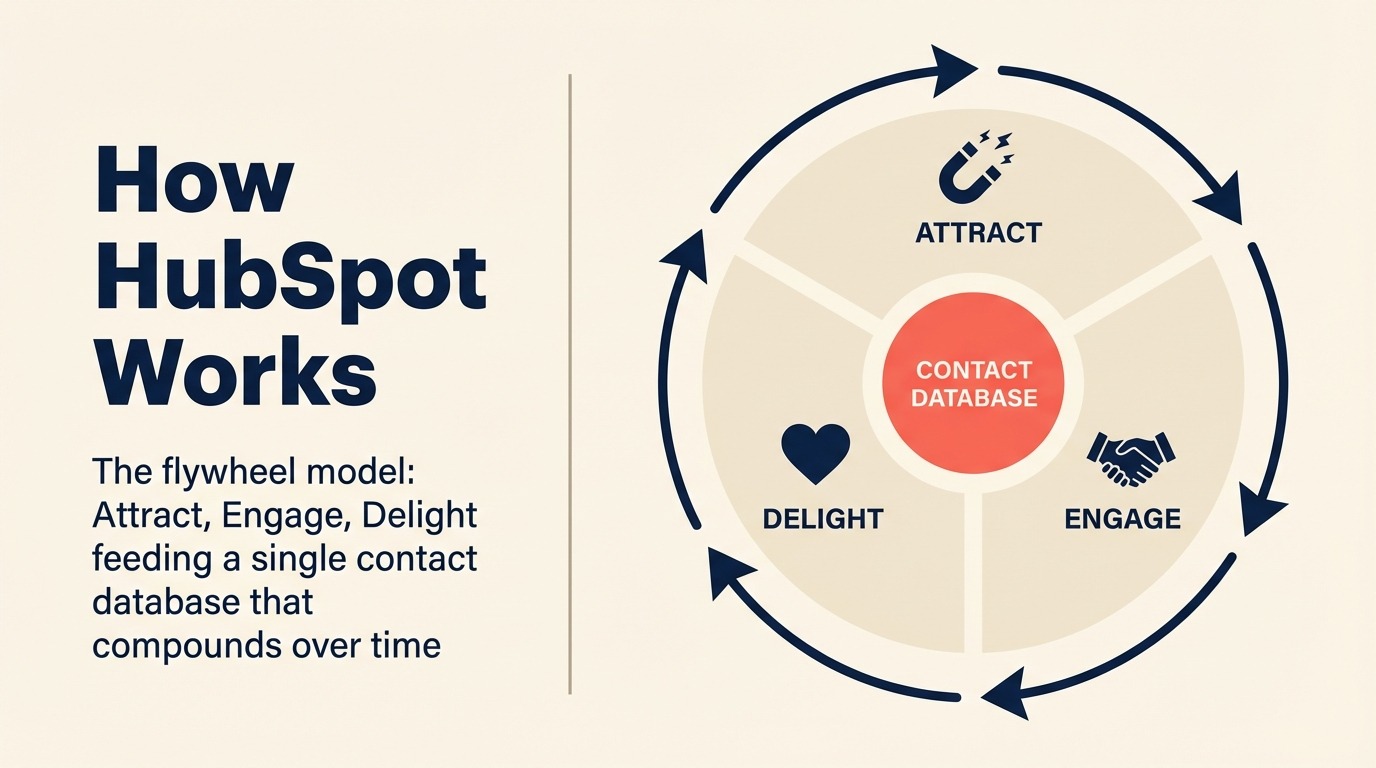
Use the decision framework after you identify the real source of HubSpot friction. A team leaving because of cost needs a different replacement than a team leaving because HubSpot is too marketing-heavy.
| If you need this... | Pick this |
|---|---|
| Unified CRM + lead management + multi-channel chat inbox without buying multiple hubs | Rework |
| Enterprise customization depth, AppExchange integrations, or Agentforce AI | Salesforce |
| Pure sales pipeline simplicity with fast onboarding | Pipedrive |
| Full software stack (CRM + helpdesk + HR + finance) at low cost | Zoho CRM / Zoho One |
| AI-assisted CRM with clean UX and transparent pricing | Freshsales |
| High-volume inside sales with a built-in dialer | Close |
| Google Workspace-native CRM with zero context switching | Copper |
| CRM + email marketing in one product at a fair per-seat price | Nutshell |
| Lightweight relationship management without pipeline complexity | Folk |
| Small business needing CRM + campaign automation + payments | Keap |
| Visual, board-style pipeline integrated with project management | Monday Sales CRM |
| Modern, flexible data model with a strong API | Attio |
Why People Actually Leave HubSpot
The reasons teams leave HubSpot are rarely about one missing feature. They usually come from the way pricing, packaging, and operational ownership compound as the company grows.
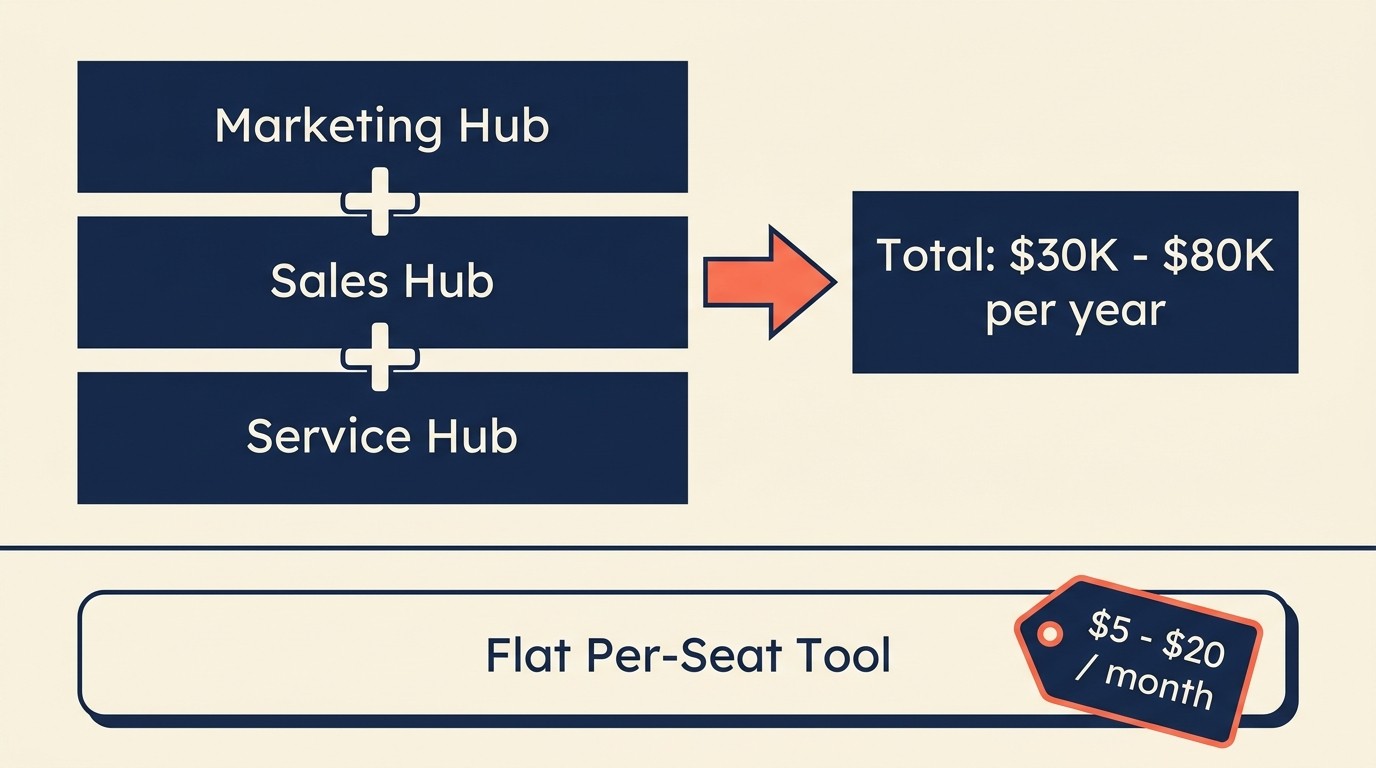
Before closing, it's worth naming the patterns directly because they inform which alternative makes sense for your team. We call the combined effect of these three patterns the Hub Stack Tax -- the compounding annual cost created when contact-based billing, hub bundling, and tier gates interact at scale.
Contact-based billing. HubSpot charges based on the number of marketing contacts in your database, not just seats. A fast-growing email list can double your HubSpot bill without adding a single new employee. Most alternatives on this list charge per user, not per contact. Marketing Hub Professional adds roughly $225/month for every 5,000 contacts above the base tier (Avidly Agency, 2025). This is one reason the true cost of software sprawl is often higher than teams expect when they sign the initial contract.
Hub stacking. Marketing Hub, Sales Hub, and Service Hub are each separately priced. Getting a complete marketing-to-sales-to-service workflow running requires three subscriptions. For a 50-person company, that stacks up to a significant annual contract quickly. And seat-based pricing is dying as a broader trend -- understanding why helps you evaluate which pricing models are more durable long-term.
Feature tier gates. Lead scoring, advanced automation, custom reporting, and predictive forecasting are often locked behind Professional or Enterprise tiers. Teams frequently discover this after signing. According to Gartner's CRM market research, hidden upgrade costs are one of the top sources of buyer dissatisfaction in the CRM market.
Scale penalties. HubSpot's pricing is reasonable at small scale. It becomes progressively harder to justify as your contact database grows and your hub requirements expand.
Rework Analysis: When you add contact-tier overages to hub stacking and mandatory onboarding fees, the real-world Hub Stack Tax for a 50-person GTM team running Marketing + Sales + Service Hub at Professional typically lands between $30,000 and $80,000 per year -- before any integrations or add-ons. Most per-seat alternatives on this list deliver the same core workflow for $15,000 to $30,000 annually at that team size. The delta pays for itself within one budget cycle.
If your primary pain point is cost at scale, Zoho CRM, Freshsales, or Nutshell solve that directly. If your pain is the fractured hub model, Rework and Close consolidate the most into a single product. If your pain is complexity, Folk or Pipedrive strip it back.
Frequently Asked Questions
How much does HubSpot actually cost for a 50-person team?
A 50-person GTM team running Marketing Hub, Sales Hub, and Service Hub at Professional tier typically spends $30,000 to $80,000 per year, including mandatory onboarding fees ($3,000 for Professional, $7,000 for Enterprise) and contact-tier overages. Most per-seat alternatives on this list land between $15,000 and $30,000 annually for the same team size.
What is contact-based billing and why does it matter?
Contact-based billing means your CRM cost rises as your marketing database grows, independent of headcount. HubSpot Marketing Hub Professional charges roughly $225 per month for every additional 5,000 contacts above the base tier (Avidly Agency, 2025). A company growing its email list from 10,000 to 50,000 contacts can see its HubSpot bill increase by $1,800 per month before adding a single new employee.
What is the most common reason companies switch from HubSpot?
Pricing and value for money are the top two reasons buyers switch CRMs, according to G2's CRM category data. The most frequent trigger is the upgrade cliff from Starter to Professional, where the monthly cost can jump from under $100 to $800+ while mandatory features like advanced automation and custom reporting only unlock at the higher tier.
What is a good HubSpot alternative for mid-size teams?
For mid-size teams that want CRM, lead management, and multi-channel inbox without buying multiple hubs, Rework's Revenue Engine includes these as one product for $159/month billed yearly (5 marketing and 5 sales seats); the CRM alone (Sales Engine) starts at $69/month billed yearly. Teams prioritizing pure sales pipeline simplicity tend to choose Pipedrive. Teams needing CRM plus built-in email marketing in a single product often choose Nutshell.
Are CRM migrations risky?
CRM projects fail to meet their planned objectives 55% of the time, with low user adoption causing 38% of failures (Johnnygrow.com, 2025). The highest-risk migrations are those where teams buy a new tool without first mapping which workflows their team actually uses versus which ones were aspirational. A two-week audit of real HubSpot usage before switching reduces migration risk significantly.
What is the Hub Stack Tax?
The Hub Stack Tax is the compounding annual cost created when HubSpot's contact-based billing, hub bundling (Marketing + Sales + Service Hub each priced separately), and feature tier gates interact at scale. For most mid-market teams, the Hub Stack Tax adds $15,000 to $50,000 per year beyond what a comparable per-seat alternative would cost. Most teams don't calculate it until renewal time.
Is Salesforce a good HubSpot alternative?
Salesforce is the right choice for enterprises with 200+ employees, complex custom objects, territory hierarchies, or an existing AppExchange integration dependency. For smaller teams, the implementation timeline (3 to 6 months), admin overhead, and per-user pricing at Enterprise tiers ($165 to $330/user/month) make it more expensive and complex than HubSpot, not less. Pipedrive, Rework, or Freshsales are faster alternatives for teams under 100 people.
Does HubSpot offer a free CRM?
HubSpot's free CRM tier is genuinely useful for small teams managing contacts and basic pipelines. But most features that make CRM valuable at scale -- lead scoring, workflow automation, custom reporting, and predictive forecasting -- require Professional or Enterprise tier. Teams that start on the free CRM often face a significant price cliff when they outgrow it.
What to Do Next
Run a 2-week internal audit before you switch. Export your current HubSpot data, map your actual workflows (not the ones you planned to use but the ones your team actually runs), and shortlist 2 tools from this list that match your highest-priority use cases. Most tools here offer free trials. Use them with a real pipeline segment rather than test data. The tool that your team actually logs into during the trial is usually the one worth migrating to.

Head of Enterprise Solutions
On this page
- Quick Comparison Table
- 1. Rework: Unified CRM + Lead Management + Multi-Channel Inbox
- 2. Salesforce: Enterprise Depth with Agentforce AI
- 3. Pipedrive: Sales-First Simplicity
- 4. Zoho CRM: Affordable + Zoho One Ecosystem
- 5. Freshsales: Freddy AI, Clean UX
- 6. Close: Built-In Dialer, Inside Sales
- 7. Monday Sales CRM: Flexible Boards
- 8. Attio: Modern Data Model
- 9. Copper: Google Workspace Native
- 10. Keap: CRM + Marketing Automation for Small Business
- 11. Folk: Lightweight Relationship CRM
- 12. Nutshell: CRM + Email Marketing
- How to Choose: Decision Framework
- Why People Actually Leave HubSpot
- Frequently Asked Questions
- How much does HubSpot actually cost for a 50-person team?
- What is contact-based billing and why does it matter?
- What is the most common reason companies switch from HubSpot?
- What is a good HubSpot alternative for mid-size teams?
- Are CRM migrations risky?
- What is the Hub Stack Tax?
- Is Salesforce a good HubSpot alternative?
- Does HubSpot offer a free CRM?
- What to Do Next