Best Zoho Alternatives in 2026: 11 Tools for CRM, Operations, and Beyond
Turn this article into takeaways for your work.


Each assistant summarizes the article only for you and suggests best practices for your work.
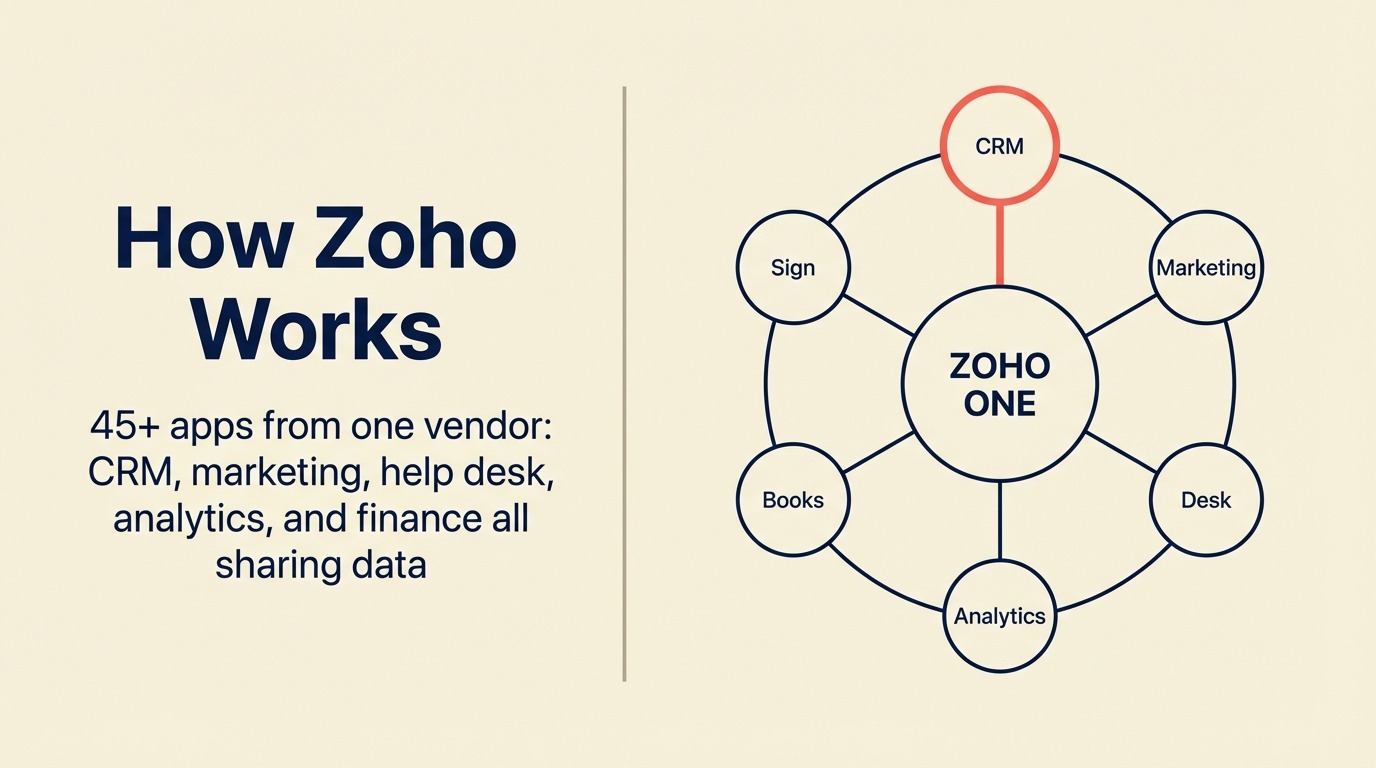
Zoho's pitch has always been ambitious: one vendor for everything. CRM, email, HR, accounting, help desk, project management, marketing automation, and roughly 40 more apps under a single login. For teams that buy into the vision, it's attractive. But for the teams that actually try to live in it, a familiar pattern shows up fast.
You sign up for Zoho CRM, then realize you need Zoho Campaigns for email. That requires Zoho Marketing Automation. Then someone asks whether that's different from Zoho MarketingHub. It is. You add Zoho Desk for support tickets, Zoho Projects for delivery, and Zoho Cliq for messaging. Six months later, you're managing eight different Zoho apps that each have their own UI, their own data model, and their own support tickets. The integration friction you bought Zoho to avoid is now happening inside Zoho itself. It's the same pattern covered in lead management vs CRM: two concepts that should be one product often end up as two billing lines.
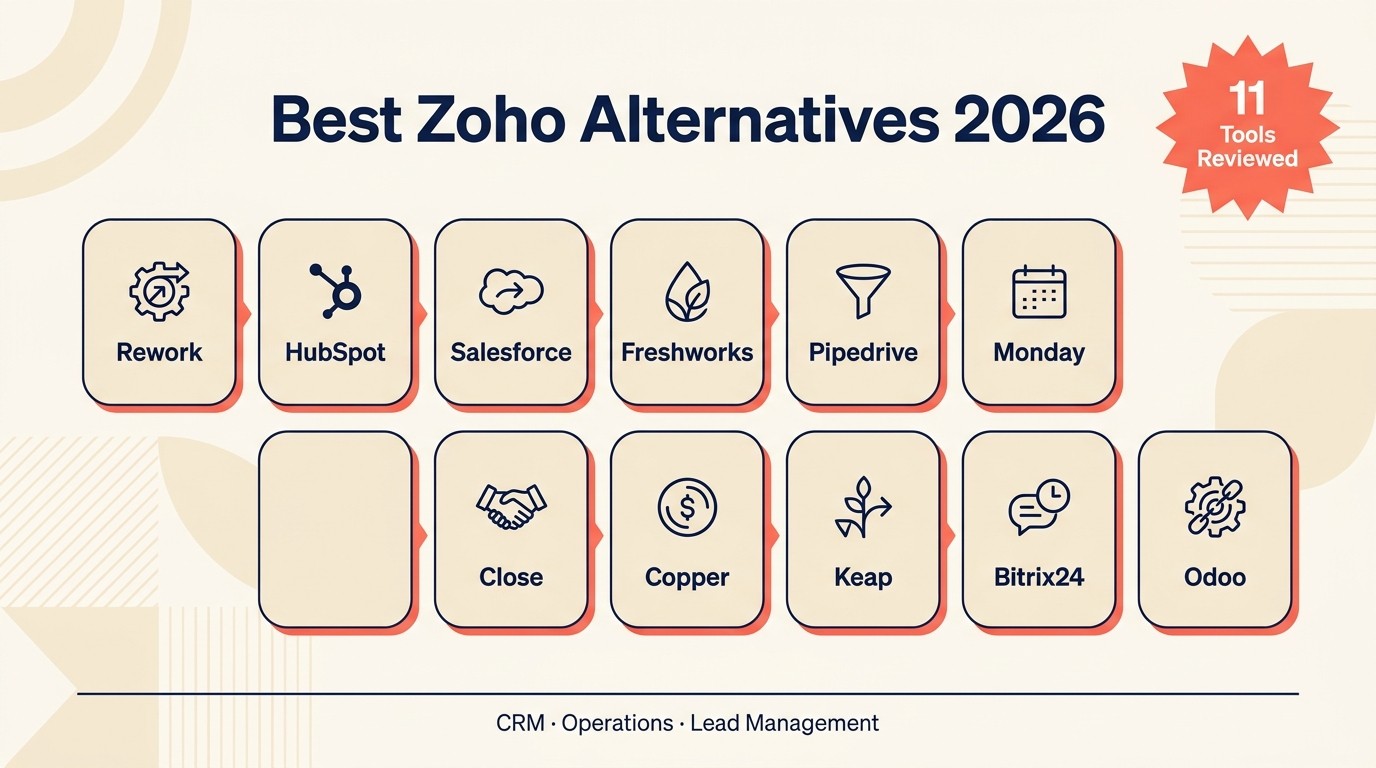
This article is for mid-size sales and ops teams, typically 20 to 300 employees, that are evaluating what comes next. We've covered 11 alternatives honestly, starting with Rework (our product, listed first as expected), followed by the strongest options across different use cases and budgets.
Key Facts: Zoho Alternatives in 2026
- Zoho's suite spans 55+ apps, but Gartner reports that most SMB customers actively use fewer than 4 of them, meaning the "one vendor" promise rarely maps to reality. (Gartner, Magic Quadrant for CRM Customer Engagement Center, 2024)
- 74% of CRM implementations are cited as underperforming or failing to meet expectations in the first 18 months, according to Forrester Research, often because teams underestimate integration complexity. (Forrester, "The State of CRM," 2024)
- The average mid-market sales team uses 7 disconnected sales tools, according to HubSpot's State of Sales report, each requiring its own login, support queue, and data sync. (HubSpot, State of Sales 2024)
- Companies that consolidate CRM and lead management into a single data model report 28% faster sales cycles on average, compared to teams using separate point solutions. (McKinsey & Company, "The Revenue Operations Imperative," 2023)
- CRM switching costs for a 50-person team average $75,000 to $150,000 in lost productivity, migration labor, and retraining, according to Nucleus Research. (Nucleus Research, "CRM ROI Report," 2024)
Quick Comparison Table
Use this table to sort Zoho alternatives by the specific kind of simplification you need. Some teams want fewer apps, some want cleaner UX, and others want stronger CRM depth without the suite overhead.
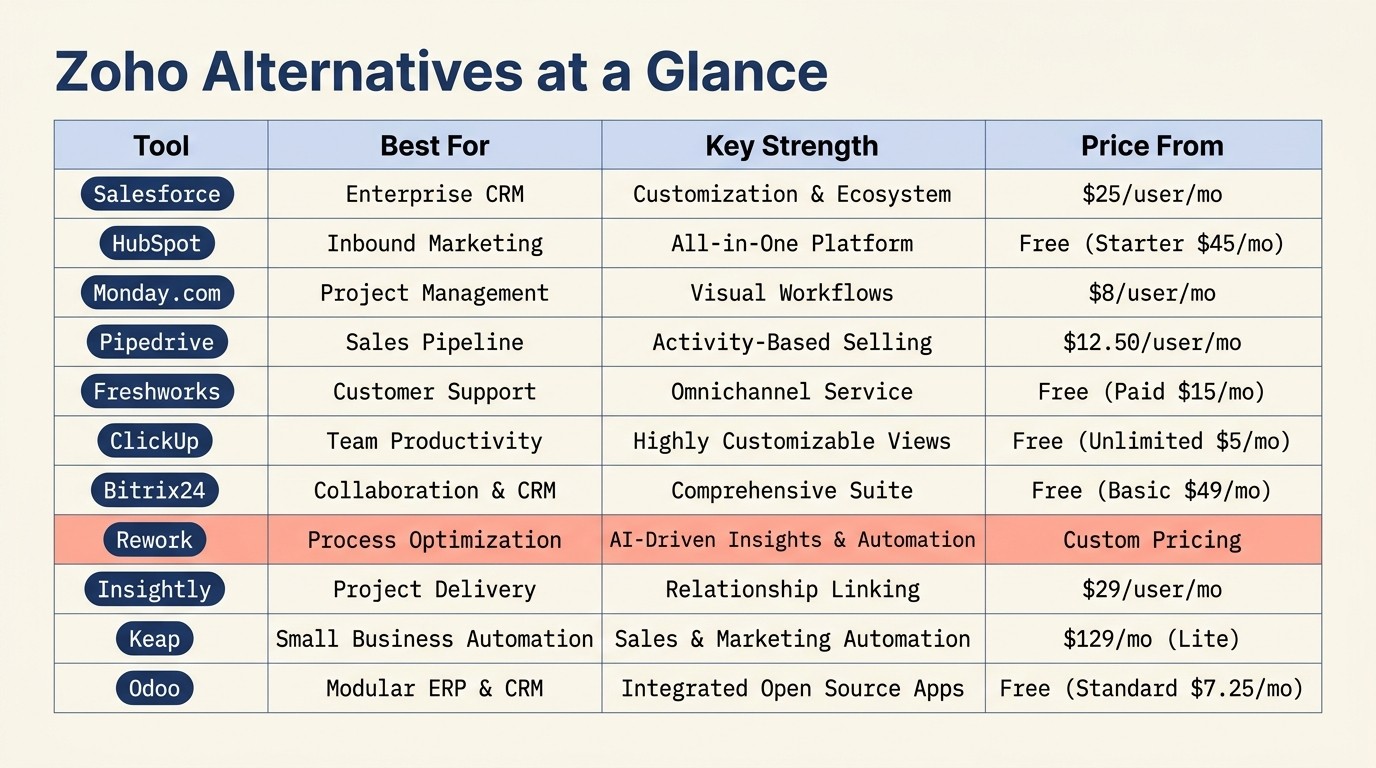
| Tool | Best For | Starting Price | Key Strength | Key Limitation |
|---|---|---|---|---|
| Rework | Mid-size cross-functional teams needing CRM + lead mgmt + ops in one product | From $69/mo billed yearly for 5 seats; $159/mo with lead management and the inbox (rework.com/pricing) | Unified CRM, lead management, and multi-channel inbox in one product | Not suited for very small teams or F500 governance requirements |
| HubSpot CRM | Marketing-led teams needing CRM + automation | Free; $20/user Starter | Deep marketing automation + strong ecosystem | Gets expensive fast; hubs priced separately |
| Salesforce | Enterprise teams needing deep customization | $25/user/month Starter | Unmatched customization and AppExchange depth | Complex, expensive, slow to implement |
| Freshworks | Teams wanting a simpler Zoho-style suite | $15/user/month | CRM + helpdesk + marketing in one vendor | Thinner depth vs Zoho; still siloed across products |
| Pipedrive | Sales-focused teams wanting a clean pipeline tool | $14/user/month | Visual pipeline, fast setup, intuitive UX | Limited marketing automation; weak lead distribution |
| Monday.com | Work management + light CRM | $12/user/month | Flexible visual boards; strong project ops | CRM is a bolt-on; not purpose-built for revenue workflows |
| Close | Inside sales teams doing high-volume outreach | $49/user/month | Built-in calling, SMS, email sequences | No marketing side; not a full cross-team platform |
| Copper | Google Workspace teams wanting a native CRM | $12/user/month | Deep Gmail/Drive/Calendar integration | Thin outside Google stack; limited automation |
| Keap | Small biz needing CRM + marketing automation | $249/month (up to 3 users) | Appointment booking + email automation + CRM | Expensive for what it is; dated UX |
| Bitrix24 | Budget-conscious teams wanting an all-in-one | Free; $61/month (5 users) | CRM + tasks + comms + HR in one product at low cost | Overwhelming UI; support quality inconsistent |
| Odoo | Tech-savvy teams wanting open-source ERP + CRM | Free (Community); ~$13/user/month | Open-source, modular, extensible | Requires developer resources to configure |
1. Rework: Unified CRM + Lead Management + Operations in One Product
Rework is the clearest fit when the main Zoho frustration is app sprawl. The comparison below focuses on what changes when CRM, lead management, inbox, and workflow automation share one product surface.
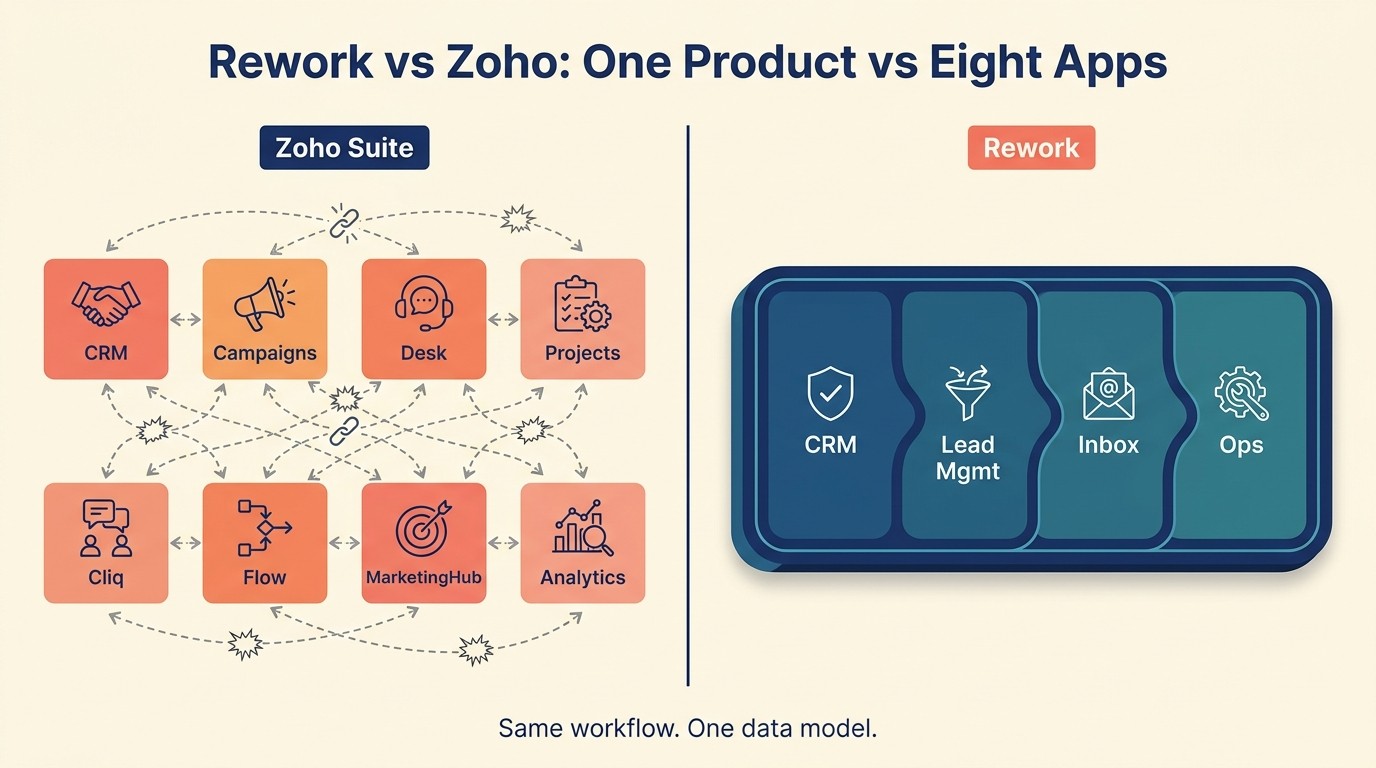
If the core Zoho complaint is that you're juggling too many disconnected apps, Rework addresses it from a different angle. Instead of building 45 separate tools and calling it a suite, Rework ships one product: a full CRM with built-in lead management, a unified multi-channel inbox, cross-team ops workflows, and process templates. Everything shares a single data model.
For a mid-size team running sales, marketing, and operations together, that matters. Lead capture from web forms, WhatsApp, Messenger, Instagram DM, and live chat lands in one timeline tied to the contact record. Lead distribution with round-robin, territory, and SLA rules is included in the Lead app (Marketing or Revenue Engine, Standard edition), not locked behind an enterprise tier. And when a lead converts to a deal, the handoff happens inside the same product, no Zapier glue required.
The honest trade-off: Rework is not the cheapest option, and it's not trying to be. Teams under 10 people rarely need this depth. And if you're already embedded in a mature Salesforce setup with custom objects and AppExchange packages, the consolidation math probably doesn't work in your favor. For a full side-by-side, see Rework vs Zoho CRM.
| What you get | What you don't |
|---|---|
| Full CRM + lead management as one product | Deep marketing automation (Marketo/Pardot-level) |
| Native multi-channel inbox (WhatsApp, Messenger, IG DM, Zalo, web chat) | 1,500+ app marketplace |
| Built-in lead routing with round-robin, territory, and SLA rules | Enterprise governance for F500 compliance requirements |
| Cross-team ops workflows and process templates | Pure task-tracking (overkill for kanban-only needs) |
| Unified contact timeline across all channels |
Pricing: The Sales Engine (CRM) is $69/month billed yearly, or $80 month to month, with 5 sales seats included; extra seats come in blocks of 5 ($21/month per block on yearly billing). The Revenue Engine ($159/month billed yearly) adds the multi-channel inbox and lead capture. See rework.com/pricing.
Best for: Mid-size cross-functional teams (20-500 employees) running sales, marketing, and ops on shared workflows.
2. HubSpot CRM: Marketing + Sales Suite with a Strong Ecosystem
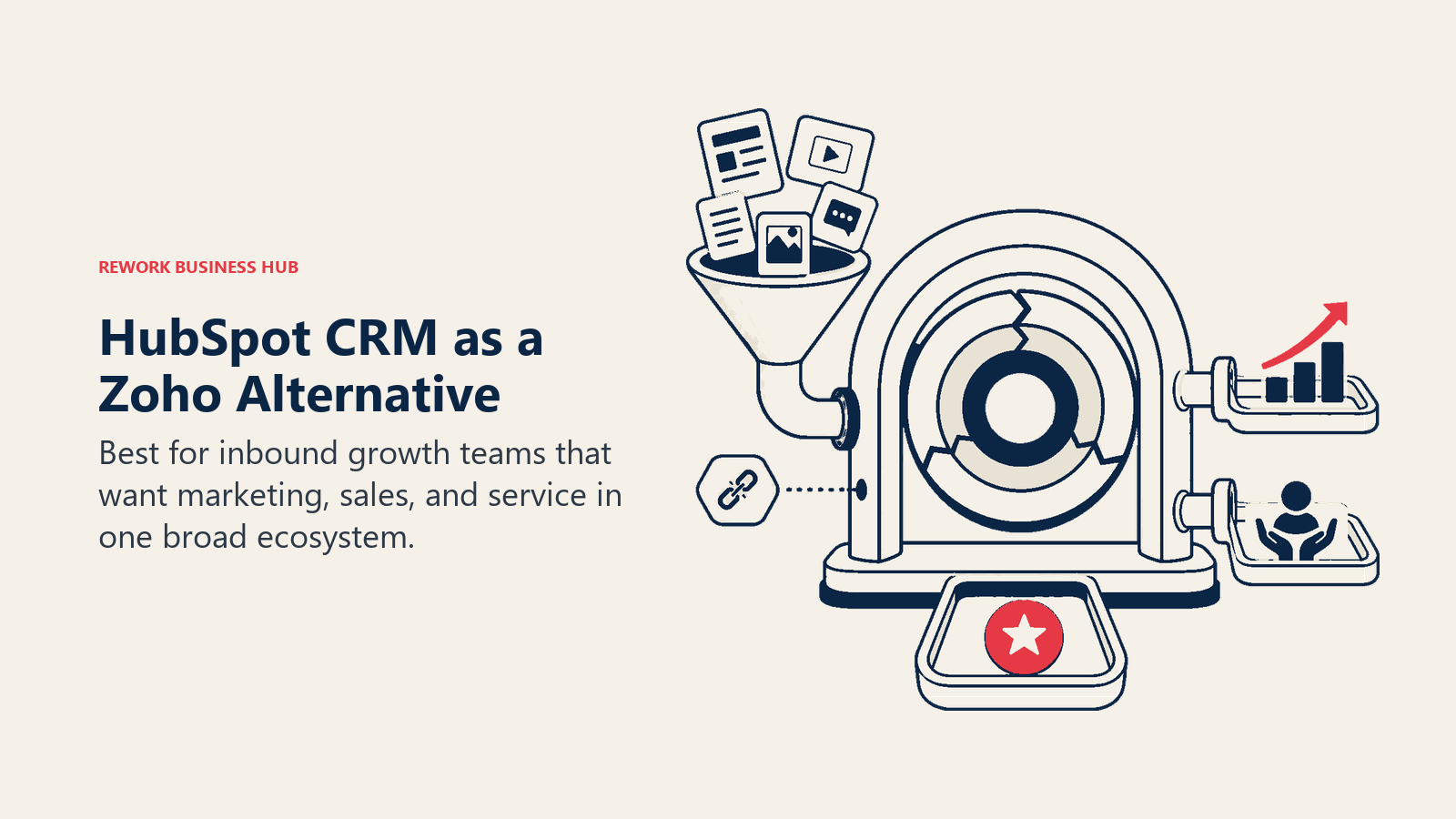
HubSpot is arguably the clearest winner among Zoho switchers at the mid-market. The free CRM is genuinely usable, and if your team is primarily marketing-led, Sales Hub + Marketing Hub is a coherent package. The 1,500+ app marketplace means your existing stack connects without custom work.
The pricing structure is where teams get surprised. HubSpot is organized into hubs: Sales Hub, Marketing Hub, Service Hub, Content Hub, Operations Hub. Each hub has its own pricing tiers. A team of 50 users that needs CRM + email marketing + basic automation can easily land at $3,000 to $5,000 per month on Professional tiers. Lead distribution and round-robin routing still require configuration; they're not native out of the box the way Rework ships them. If HubSpot is already in your shortlist, the best HubSpot alternatives guide covers what teams typically switch to when HubSpot's pricing model stops making sense.
| What you get | What you don't |
|---|---|
| Deep marketing automation | Affordable pricing at scale |
| 1,500+ integrations | Native lead routing (requires setup) |
| Strong reporting and attribution | Native WhatsApp / Instagram DM inbox |
| Free CRM tier to start | Predictable pricing as team grows |
Pricing: Free CRM; Starter from $20/user/month; Professional from $100/user/month (Sales Hub). See HubSpot CRM pricing for current tier details.
Best for: Marketing-led B2B teams that need content, automation, and CRM in one ecosystem and can absorb the hub pricing model.
3. Salesforce: Enterprise Depth for Teams That Need Full Customization
Salesforce is the category-defining CRM and it's the right choice for a specific type of team: large organizations that need deep custom objects, complex approval workflows, multi-region compliance, and a developer ecosystem. For a detailed comparison of the options in that direction, see the best Salesforce alternatives guide. If you're at 500+ employees with a dedicated RevOps and Salesforce admin, the AppExchange and Salesforce Flow capabilities are unmatched.
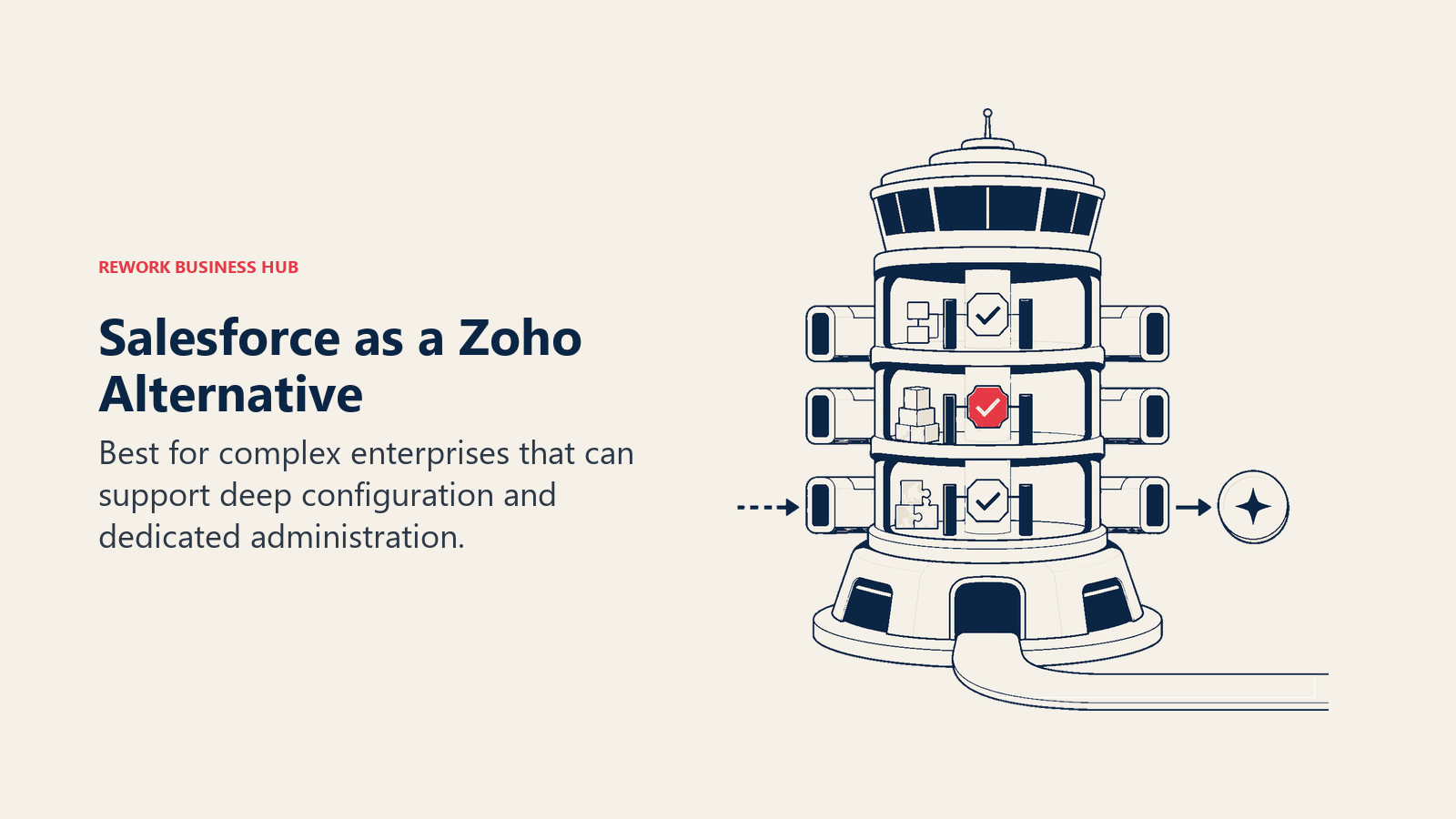
For the team leaving Zoho at 50 to 200 employees, Salesforce is typically the wrong direction. Implementation costs are high, the learning curve is steep, and by the time you add Sales Cloud, Service Cloud, Marketing Cloud Account Engagement (Pardot), and the integrations to tie them together, total cost of ownership lands significantly above what mid-size teams budget for. This is exactly the kind of decision where understanding your CRM data model design needs upfront prevents expensive rework later.
| What you get | What you don't |
|---|---|
| Deepest CRM customization on the market | Simple onboarding or fast time-to-value |
| AppExchange with thousands of partners | Predictable mid-market pricing |
| Advanced governance and compliance controls | A product that works out of the box without an admin |
| Industry Clouds for specific verticals |
Pricing: Starter Suite from $25/user/month; Professional from $80/user/month; Enterprise from $165/user/month. See Salesforce pricing for full tier details.
Best for: 200+ person organizations with dedicated Salesforce admins that need custom data models and enterprise-grade governance.
4. Freshworks: A Simpler Suite Model Without Zoho's Complexity
Freshworks positions itself as the accessible alternative to both Zoho and Salesforce. Freshsales (CRM), Freshdesk (help desk), Freshmarketer (marketing automation), and Freshservice (IT) cover similar territory to Zoho's portfolio but with a cleaner onboarding experience and generally more intuitive interfaces.
The trade-off is depth. Freshsales is a solid CRM but it doesn't match Zoho CRM's customization, and the products still function as separate SKUs with their own data. If you're leaving Zoho because of fragmentation, Freshworks gives you a less cluttered version of the same model, not a fundamentally unified one. See the best Freshsales alternatives and best Freshworks alternatives guides if you want to compare what else sits in this tier.
| What you get | What you don't |
|---|---|
| Cleaner UX than Zoho | Deep cross-product data unification |
| Reasonable entry pricing | Zoho-level breadth of apps |
| AI features (Freddy AI) across products | Full lead management module |
Pricing: CRM Starter from $15/user/month; Growth from $39/user/month.
Best for: Teams that want a Zoho-style multi-product suite but found Zoho's UX too inconsistent.
5. Pipedrive: Sales-Focused CRM with a Clean Pipeline View
Pipedrive is a purpose-built sales CRM. It's one of the clearest, most intuitive pipeline tools available, and it's consistently rated highly by sales teams that just want to track deals without configuration overhead. If the main thing your team uses in Zoho is CRM, and the rest of the Zoho suite is noise, Pipedrive is worth a serious look.
The gap shows up when marketing gets involved. Pipedrive's lead management is basic. Lead distribution requires third-party integrations or workarounds. There's no native marketing automation that matches Zoho Campaigns or Freshmarketer. And the unified inbox is thin compared to tools built around multi-channel communication.
| What you get | What you don't |
|---|---|
| Clean, visual pipeline UX | Native marketing automation |
| Fast setup (teams are live in days) | Built-in lead routing rules |
| Strong activity tracking | Multi-channel inbox (WhatsApp, IG DM) |
| Affordable entry pricing | Cross-team ops workflows |
Pricing: Essential from $14/user/month; Advanced from $29/user/month; Professional from $59/user/month.
Best for: Sales-focused teams of 5-100 people that primarily need pipeline management and deal tracking.
6. Monday.com: Work Management with a CRM Bolt-On
Monday.com built its brand on visual project management. Its CRM module is a more recent addition and it works reasonably well for teams with light sales operations. The real strength is cross-functional work: connecting sales activities to project delivery, onboarding, and internal workflows in one visual board environment.
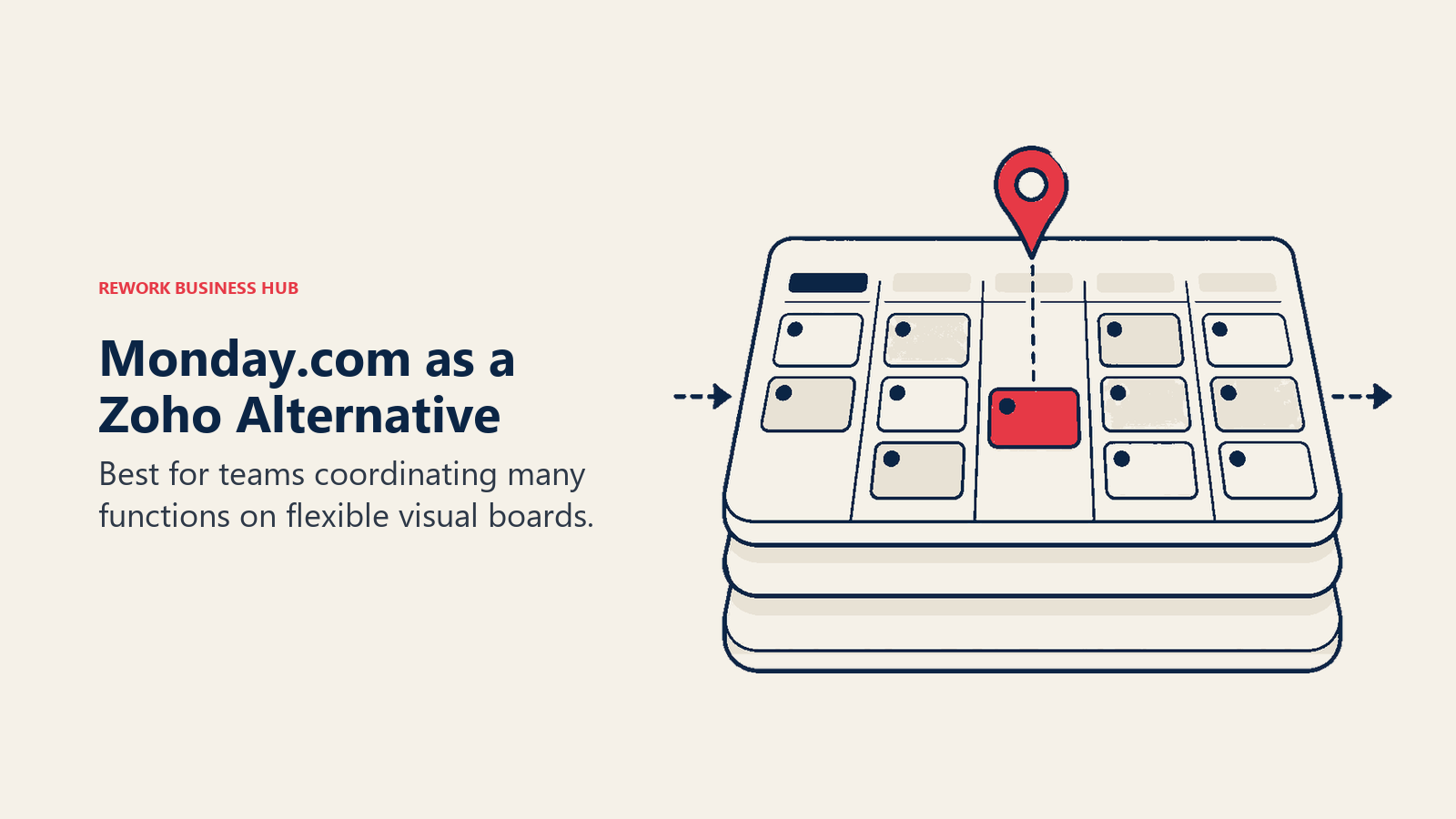
But Monday's CRM is an add-on to a work management tool, not the other way around. If your team's primary need is revenue operations, pipeline management, or lead distribution, Monday hits its limits quickly. It's built around flexibility, not opinionated process, which means your team assembles the CRM workflow rather than adopting one. Teams evaluating this combination often benefit from mapping out CRM workflow automation requirements first, since Monday's automation model works very differently from purpose-built CRMs.
| What you get | What you don't |
|---|---|
| Strong visual boards for any workflow | Purpose-built CRM with lead management |
| Cross-functional project + CRM in one tool | Native lead routing or scoring |
| Good automations for task-based work | Multi-channel inbox |
| Large template library | Deep sales reporting |
Pricing: Basic from $12/user/month; Standard from $14/user/month; Pro from $24/user/month.
Best for: Teams where project management and light CRM overlap, particularly professional services or agency teams.
7. Close: Inside Sales CRM for High-Volume Outreach Teams
Close is built specifically for inside sales: calling, emailing, and sequencing at volume. It ships with built-in VoIP calling, SMS, email sequences, and a power dialer. For teams that live in outbound, Close is one of the most focused tools available and the activity-based workflow is genuinely well-designed for reps making 50+ calls a day.
The limitation is scope. Close is a sales tool, not a cross-team platform. There's no marketing automation, no help desk module, no ops workflows. If your Zoho replacement needs to span sales, marketing, and operations, Close covers one-third of that.
| What you get | What you don't |
|---|---|
| Native VoIP, SMS, email sequences in one tool | Marketing automation |
| Fast outbound workflow for inside sales teams | Lead capture from web forms or ads |
| Clean activity timeline per contact | Cross-functional ops or project workflows |
| Power dialer | Affordable pricing for larger teams |
Pricing: Startup from $49/user/month; Professional from $99/user/month; Enterprise from $139/user/month.
Best for: Inside sales teams doing high-volume outbound with 5-50 reps.
8. Copper: CRM for Teams Living Inside Google Workspace
Copper is the CRM built for Google Workspace loyalists. It sits inside Gmail, auto-logs emails, syncs contacts from Google Contacts, and ties into Google Calendar and Drive natively. If your team runs almost entirely in Google products and wants a CRM that doesn't require them to leave Gmail, Copper delivers that experience well.
Outside the Google ecosystem, Copper is thin. Automation is limited, the mobile app trails competitors, and there's no real marketing automation or multi-channel inbox. It's a specialist tool with a clear use case, not a Zoho replacement for teams with broad ops needs.
| What you get | What you don't |
|---|---|
| Deep Google Workspace integration | Marketing automation |
| Minimal data entry (auto-logs from Gmail) | Multi-channel comms inbox |
| Clean UX inside the tools your team already uses | Advanced reporting |
| Reasonable pricing at entry level | Breadth for cross-team workflows |
Pricing: Starter from $12/user/month; Basic from $29/user/month; Professional from $69/user/month.
Best for: Small Google Workspace teams that want CRM with zero friction inside Gmail.
9. Keap: CRM + Marketing Automation for Small Business
Keap (formerly Infusionsoft) targets small businesses that need CRM + email marketing + appointment booking in one product. It handles lead capture, email sequences, pipeline, and invoicing without requiring separate tools. For a service-based small business, that bundling has real value.
The challenge is pricing and UX. Keap charges by contact count and user, and the entry point is $249/month for up to 3 users and 1,500 contacts, which is expensive relative to the alternatives. The interface also hasn't kept pace with modern standards. Teams leaving Zoho for a simpler experience often find Keap's automation builder just as complicated, if not more so.
| What you get | What you don't |
|---|---|
| CRM + email marketing + appointments bundled | Modern UX |
| Built for service business workflows | Competitive pricing at scale |
| Invoicing and payment collection included | Depth for sales team operations |
Pricing: Pro from $249/month (up to 3 users, 1,500 contacts); Max from $349/month.
Best for: Solo operators and small service businesses (1-5 users) that need automation + CRM + invoicing without technical setup.
10. Bitrix24: All-in-One on a Budget
Bitrix24 covers the most ground for the least money. CRM, task management, project management, internal communications, HR tools, telephony, and a website builder all sit under one product, with a free plan that handles up to unlimited users. For budget-constrained teams that need breadth without paying Zoho suite prices, it's hard to find a comparable deal. For a deeper look at what competes in this tier, see the best Bitrix24 alternatives guide.
The cost is complexity. Bitrix24's interface is dense, the navigation is non-obvious, and new users consistently report a steep learning curve. Support quality on lower tiers is inconsistent. And while the feature count is high, the depth on any individual module tends to trail purpose-built tools.
| What you get | What you don't |
|---|---|
| CRM + tasks + comms + HR in one product | Intuitive UX |
| Generous free plan | Consistent support quality |
| Telephony and video built in | Modern design |
| Very low cost for small teams | Depth in any single module |
Pricing: Free (unlimited users, limited features); Basic from $61/month (5 users); Standard from $124/month (50 users).
Best for: Budget-conscious teams of 10-50 people that can tolerate a learning curve for low-cost breadth.
11. Odoo: Open-Source ERP + CRM for Technical Teams
Odoo is the most configurable option on this list. As an open-source ERP platform with a CRM module, it covers sales, inventory, accounting, manufacturing, project management, HR, and more. Teams with developer resources can extend it to fit almost any business model, and the Community edition is free to self-host. See the best Odoo alternatives guide if you want to see what else sits in the open-source and ERP-adjacent tier.
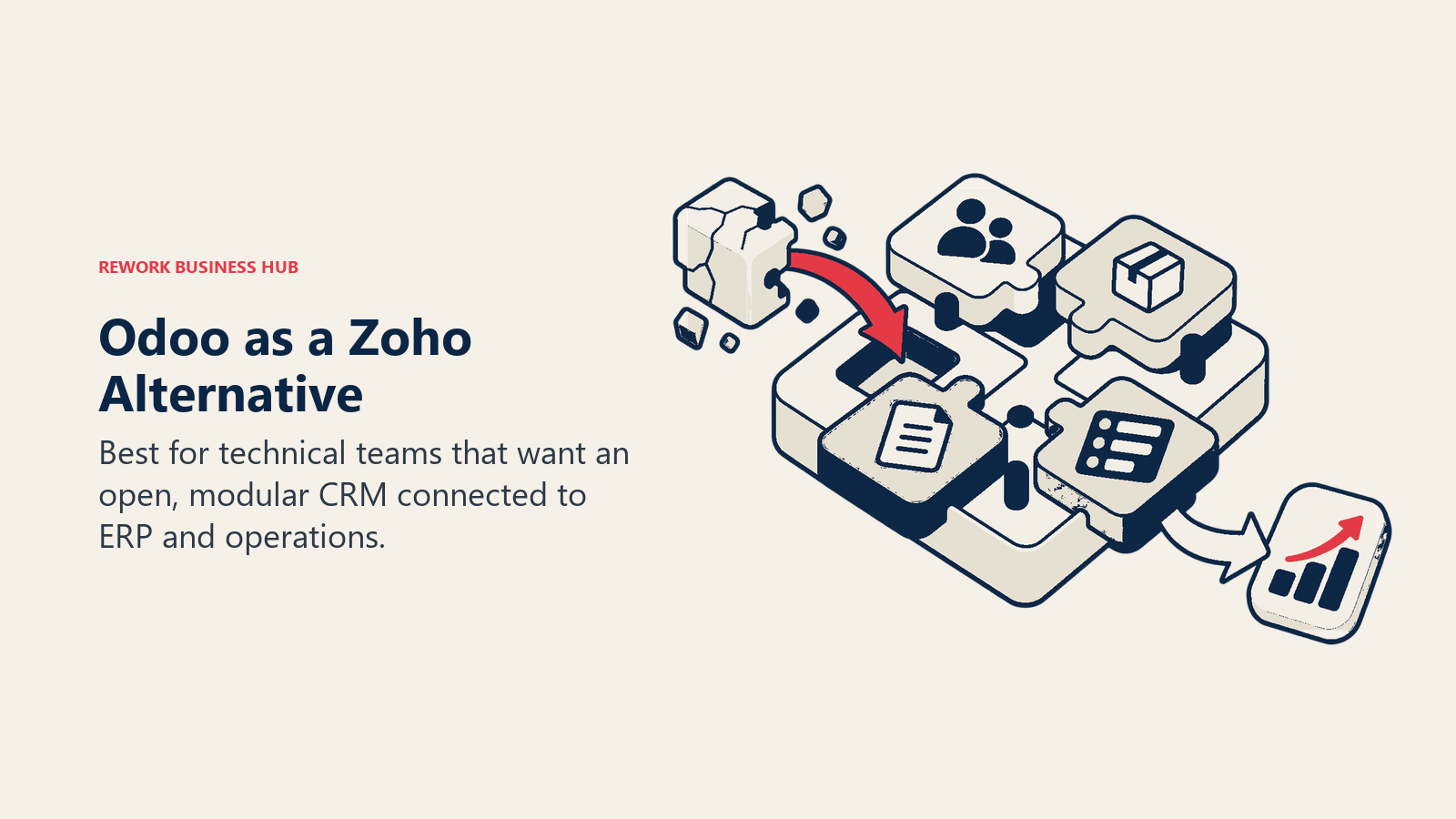
The honest requirement: Odoo without developer support is a rough experience. The Community edition needs configuration, and the Enterprise edition requires Odoo.sh hosting or an official partner. For ops-heavy teams with technical staff, Odoo can replace Zoho's full breadth and then some. For teams expecting a SaaS product that works out of the box, it's the wrong choice.
| What you get | What you don't |
|---|---|
| Open-source, fully customizable | Out-of-the-box SaaS simplicity |
| ERP-level breadth (accounting, inventory, HR, CRM) | Good UX without customization work |
| Free Community edition | Fast time-to-value |
| No per-seat pricing on Community | A vendor's customer success team to call |
Pricing: Community edition free (self-hosted); Enterprise from ~$13/user/month (requires Odoo.sh hosting). See Odoo pricing for current details.
Best for: Tech-forward manufacturing, logistics, or multi-function SMBs with in-house developer resources.
Why Teams Leave Zoho
Zoho's breadth is its advantage until it becomes the source of operational drag. Naming the specific pain point helps avoid replacing one sprawling system with another.
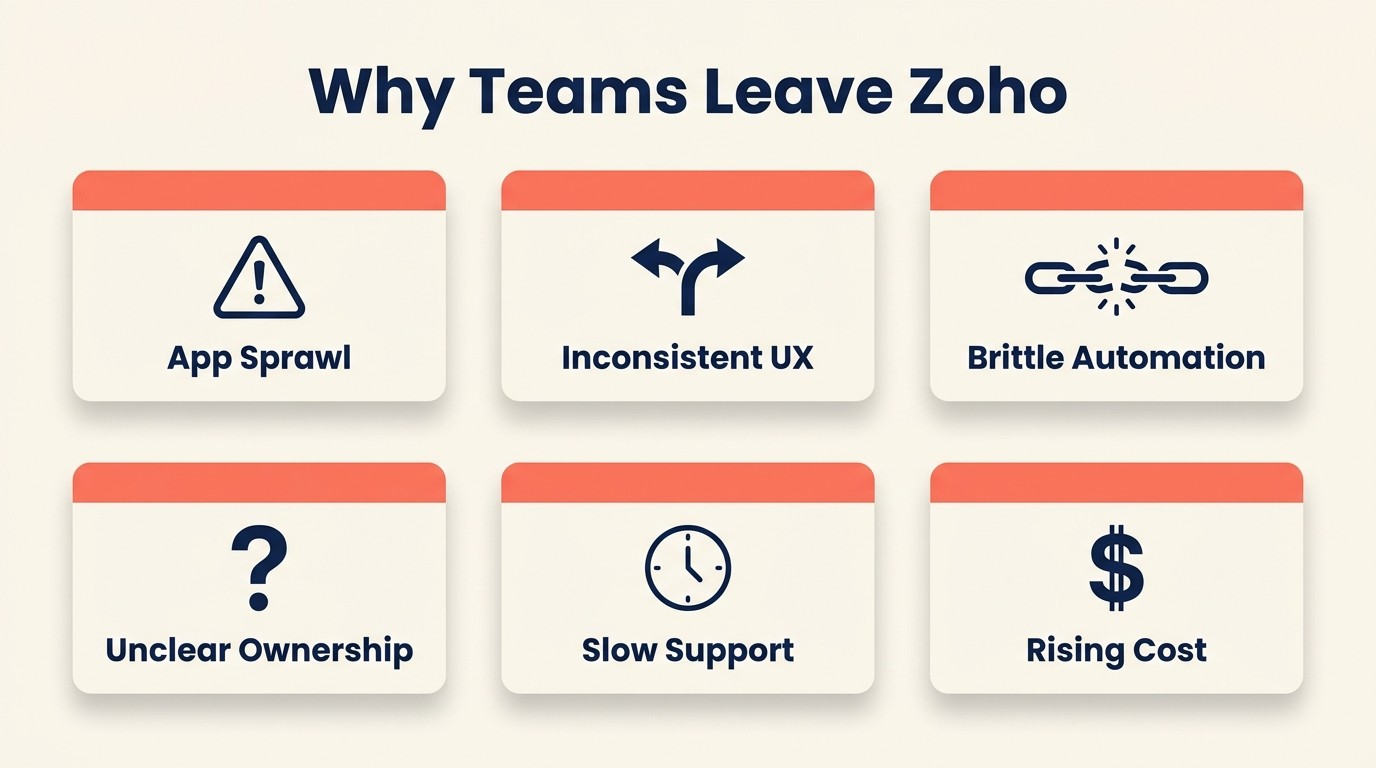
Understanding the real Zoho pain points helps clarify what to prioritize in a replacement.
There's a recognizable progression called The Suite Sprawl Pattern: a team buys one app, adds adjacent apps to fill gaps, and eventually spends more time managing integrations between those apps than the original problem cost them. Zoho accelerates this because every gap in CRM leads to another Zoho product. The sprawl happens inside a single vendor, which makes it harder to notice until you're 18 months in and running eight separate billing lines.
"The average SMB CRM deployment grows from 1 app to 6+ connected tools within 24 months, and integration maintenance becomes the second-largest hidden cost after licensing." (Forrester Research, "The True Cost of SaaS Stacks," 2024)
| Complaint | What it means for your search |
|---|---|
| "We're on 8 different Zoho apps and they don't always sync" | Look for tools with a single data model, not a suite of products |
| "We don't know which Zoho app does what" | The product needs to be opinionated about what it covers |
| "UX is inconsistent across apps" | Prioritize UX in your pilot. Test it with actual users, not just admins |
| "Support is slow and hard to reach" | Check tier-specific SLAs before buying; ask for support response time guarantees |
| "Automation between apps requires Zoho Flow and it's brittle" | Test automation in a live pilot, not just a demo |
| "It got expensive when we added apps" | Calculate total cost with all modules you actually need, not just the base CRM |
The True Cost of Software Sprawl breaks down how these "free" app additions stack up across a 50-person team over 24 months. It's a useful sanity check before you repeat the same pattern with a different vendor.
How to Choose: Decision Framework
Use this framework after deciding whether the problem is CRM capability, suite complexity, or team adoption. Each path leads to a different kind of Zoho replacement.
| If you need this... | Pick this |
|---|---|
| One product replacing CRM + lead mgmt + multi-channel inbox + ops workflows | Rework |
| Deep marketing automation + large integration ecosystem | HubSpot |
| Maximum CRM customization + enterprise governance | Salesforce |
| A cleaner Zoho-style suite with simpler UX | Freshworks |
| Sales pipeline management with fast setup | Pipedrive |
| Work management + light CRM in one visual tool | Monday.com |
| High-volume inside sales with built-in calling | Close |
| CRM entirely inside Google Workspace | Copper |
| Small-business CRM + email automation + invoicing | Keap |
| Broad all-in-one at minimal cost | Bitrix24 |
| Open-source ERP + CRM with developer resources | Odoo |
Rework Analysis: For teams migrating away from multi-app CRM suites, a strong predictor of implementation success is whether the replacement tool shares one data model across CRM, lead management, and inbox. Fewer sync points mean fewer integrations to rebuild and fewer places for data to drift, which is what slows adoption when teams assemble best-of-breed point solutions instead. Rework is built on this principle from day one.
Where you are in your RevOps maturity also shapes which trade-offs make sense. Teams earlier in the journey usually benefit from opinionated tooling; more mature teams often need the flexibility of a platform they can configure.
What to Do Next
Don't try to evaluate all 11 at once. Pick the 2 options that match your primary pain point from the table above, then run a 2-week pilot with 4-5 real users from the teams that will use it daily (not just the admin buying it). The UX complaints that drove you away from Zoho tend to show up within the first week of real use. That's the signal you're looking for before you commit to a migration.
Use the How to Pick a CRM in 2026 checklist to document your must-haves before you start. It takes 20 minutes and surfaces the deal-breakers that often only appear during implementation. And once you've picked, the CRM rollout and adoption guide covers how to run the migration without losing data or momentum.
If you're evaluating Rework specifically as the replacement, the Rework vs Zoho CRM breakdown covers the full side-by-side comparison. You can also check Zoho CRM's pricing page directly to confirm what modules you're currently paying for before you run the migration math.
Frequently Asked Questions
What is the best Zoho alternative for mid-size sales teams?
Rework is the strongest option for mid-size sales and ops teams that need CRM, lead management, and a multi-channel inbox in one product, with the Revenue Engine at $159/month billed yearly (5 marketing and 5 sales seats). HubSpot is better for marketing-led teams with budget for hub pricing, and Pipedrive fits teams that only need pipeline management without cross-functional ops.
Why do teams leave Zoho?
The most common reason is what we call The Suite Sprawl Pattern: teams start with Zoho CRM, add Zoho Campaigns, Zoho Desk, Zoho Projects, and Zoho Flow to fill gaps, and end up managing eight apps that don't share a unified data model. According to Gartner, most SMB Zoho customers actively use fewer than 4 of the 55+ available apps, meaning the integration promise rarely delivers in practice.
How much does it cost to switch from Zoho to a different CRM?
Nucleus Research estimates CRM switching costs for a 50-person team at $75,000 to $150,000 in migration labor, lost productivity, and retraining. The best way to reduce that cost is to run a 2-week pilot with real users before committing, and to document your must-have workflows in a checklist before you start evaluating vendors.
Is HubSpot cheaper than Zoho?
HubSpot's free CRM is genuinely free, but the hub pricing model makes it more expensive than Zoho at scale. A 50-person team needing Sales Hub Professional, Marketing Hub Professional, and basic automation can reach $3,000 to $5,000 per month, which exceeds comparable Zoho bundles. Zoho One at $37/user/month covers more apps, but with the depth trade-offs described above.
What is the cheapest Zoho alternative?
Bitrix24 offers the broadest free plan, covering CRM, tasks, communications, and HR for unlimited users. Rework's Revenue Engine is $159/month billed yearly with lead management and multi-channel inbox included (the CRM-only Sales Engine starts at $69/month billed yearly). Pipedrive starts at $14/user/month for pure pipeline management. Odoo Community is free to self-host if you have developer resources to configure it.
What Zoho alternative is best for Google Workspace teams?
Copper is purpose-built for Google Workspace: it lives inside Gmail, auto-logs emails, syncs with Google Calendar and Contacts, and requires almost no data entry. It's the right choice for small teams that run entirely in Google products and don't need marketing automation or multi-channel inbox capabilities.
How long does it take to migrate from Zoho to a new CRM?
A 50-person team migrating from Zoho CRM to a modern alternative typically takes 4 to 12 weeks, depending on data complexity and the number of custom fields and automations to recreate. Teams that map their must-have workflows before starting, pilot with 4-5 real users, and use a structured rollout plan (see CRM rollout and adoption) complete migrations at the lower end of that range.

Head of Enterprise Solutions
On this page
- Quick Comparison Table
- 1. Rework: Unified CRM + Lead Management + Operations in One Product
- 2. HubSpot CRM: Marketing + Sales Suite with a Strong Ecosystem
- 3. Salesforce: Enterprise Depth for Teams That Need Full Customization
- 4. Freshworks: A Simpler Suite Model Without Zoho's Complexity
- 5. Pipedrive: Sales-Focused CRM with a Clean Pipeline View
- 6. Monday.com: Work Management with a CRM Bolt-On
- 7. Close: Inside Sales CRM for High-Volume Outreach Teams
- 8. Copper: CRM for Teams Living Inside Google Workspace
- 9. Keap: CRM + Marketing Automation for Small Business
- 10. Bitrix24: All-in-One on a Budget
- 11. Odoo: Open-Source ERP + CRM for Technical Teams
- Why Teams Leave Zoho
- How to Choose: Decision Framework
- What to Do Next
- Frequently Asked Questions
- What is the best Zoho alternative for mid-size sales teams?
- Why do teams leave Zoho?
- How much does it cost to switch from Zoho to a different CRM?
- Is HubSpot cheaper than Zoho?
- What is the cheapest Zoho alternative?
- What Zoho alternative is best for Google Workspace teams?
- How long does it take to migrate from Zoho to a new CRM?