Best Keap Alternatives in 2026: 10 CRM and Marketing Automation Tools for Growing Teams
Turn this article into takeaways for your work.


Each assistant summarizes the article only for you and suggests best practices for your work.
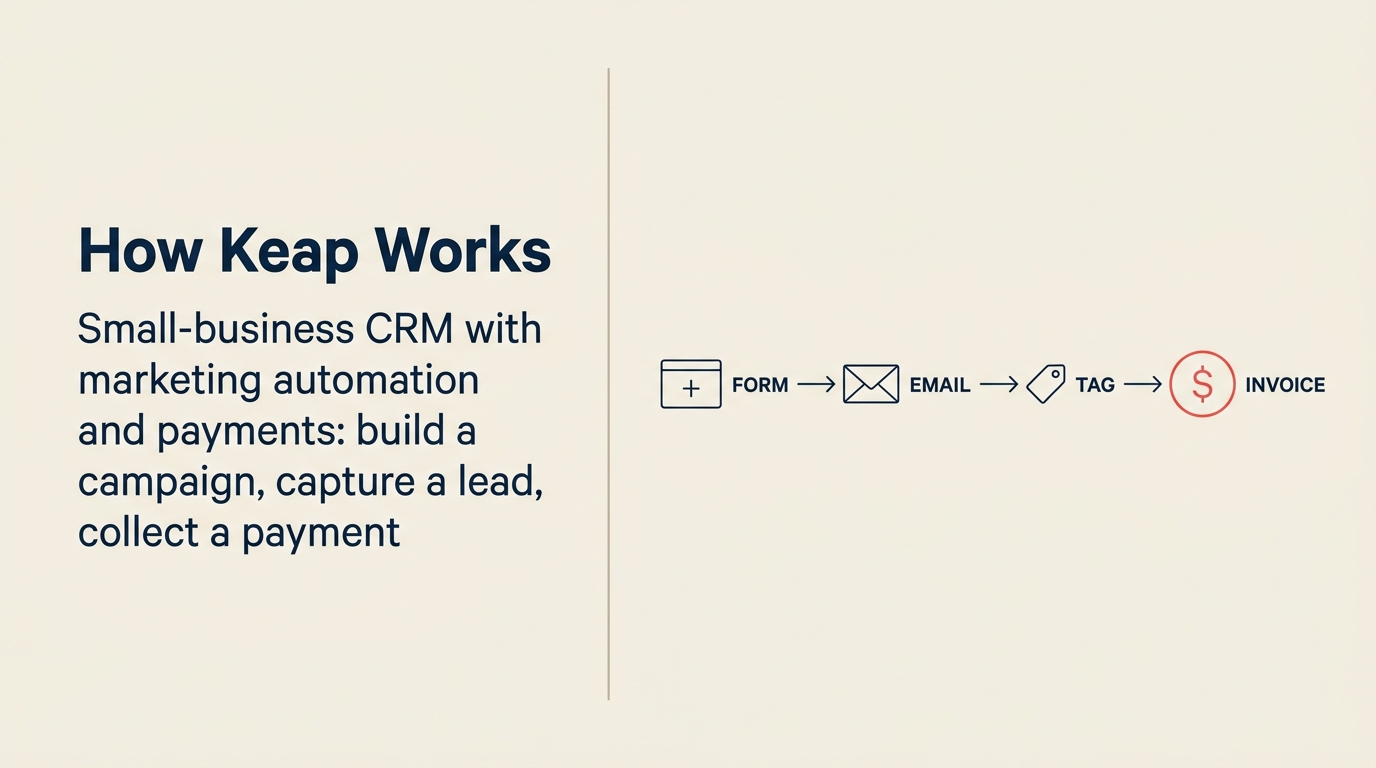
Keap built its reputation on a simple promise: one place for small business owners to handle contacts, email sequences, invoicing, and appointments. For solopreneurs and very early-stage teams, that promise held up. But at a certain point (usually somewhere around 5 to 15 people, or when the sales motion gets more complex than "nurture and close"), Keap starts to feel like the wrong size shirt.
The frustrations are consistent. Pricing jumps sharply between the Pro and Max tiers without a clear reason to upgrade unless you're hitting contact limits. The UI hasn't kept pace with tools built in the last few years. And the feature set, while broad for a solo operator, doesn't stretch well into multi-rep sales, pipeline visibility across a team, or anything resembling a modern RevOps stack. If your team has grown past five people, you've probably already started looking around.
Key Facts: CRM Switching in 2026
- 56% of Keap reviewers on Capterra say the platform is too expensive for what it delivers (Capterra, 2025)
- 40% of SMBs switch CRM tools specifically to improve team efficiency, not just to cut costs (Gartner)
- CRM failure rates run between 50-63%, with poor user adoption cited as the leading cause in every major study (Gartner, Forrester)
- Fewer than 40% of CRM customers achieve end-user adoption rates above 90% (CRM.org, 2026)
- Teams that switch to a modern CRM see an average 29% increase in sales and 42% improvement in forecast accuracy (Salesforce State of Sales)
This guide covers 10 alternatives, including Rework at #1, with honest assessments of who each tool actually fits. If your Keap frustration is primarily about the email automation layer rather than the CRM, the best Constant Contact alternatives guide covers that angle in more depth. And if you're evaluating a CRM-only replacement, best Pipedrive alternatives is worth a read alongside this one.
Quick Comparison Table
Use this table to split Keap alternatives by the type of growth problem you are solving. Solo-operator automation, multi-rep pipeline management, and broader revenue operations require very different replacements.
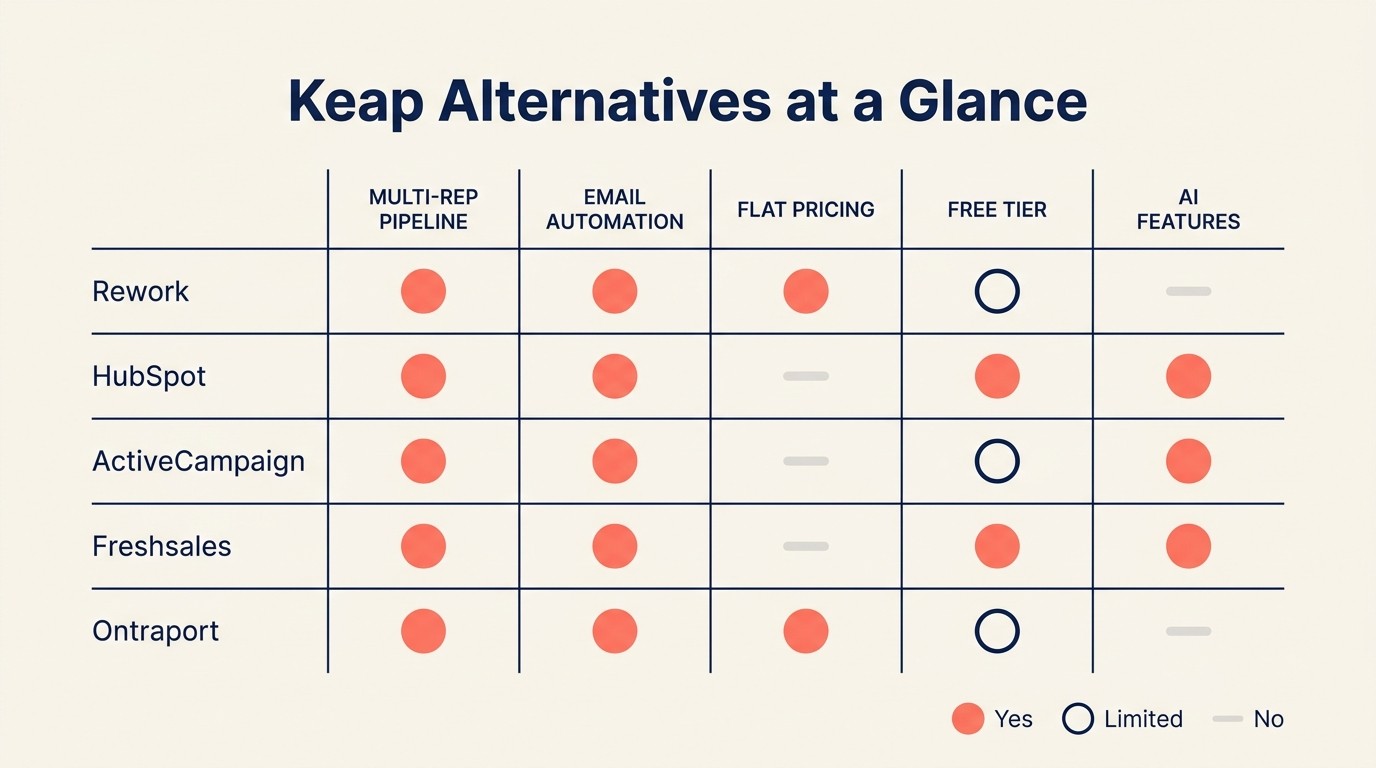
| Tool | Best For | Starting Price | Key Strength | Key Limitation |
|---|---|---|---|---|
| Rework | Growing teams wanting CRM + multi-channel inbox + ops workflows | From $69/mo billed yearly for 5 seats; $159/mo with the inbox and lead management (rework.com/pricing) | Unified inbox, lead management, cross-team workflows | Less mature marketing automation than legacy tools |
| HubSpot CRM | Marketing-led teams scaling from startup to mid-market | Free CRM; Starter from $20/seat/mo | Ecosystem depth, marketing + sales alignment | Gets expensive fast; many features gated behind higher tiers |
| ActiveCampaign | Automation-first teams with complex email journeys | From $15/mo (Starter, 1k contacts) | Best-in-class email automation builder | Weak CRM; not built for multi-rep sales teams |
| Freshsales | Sales-focused SMBs wanting AI-assisted pipeline | Free plan; Growth from $11/user/mo | Affordable, clean pipeline view, built-in phone | Marketing automation is add-on, not native |
| Zoho CRM | Budget-conscious teams wanting enterprise features | Free for 3 users; Standard $14/user/mo | Feature breadth, strong integrations, low cost | Steep learning curve; inconsistent UX across modules |
| Pipedrive | Sales teams that live inside their pipeline | Essential $14/user/mo | Cleanest pipeline UX, fast to onboard sales reps | No native marketing automation; email features are basic |
| Monday Sales CRM | Teams already on Monday.com or wanting visual ops | Basic CRM from $12/seat/mo | Highly visual, flexible, no-code customization | Not purpose-built for sales; weak automation depth |
| Nutshell | SMB sales teams wanting simplicity + email tools | Foundation $19/user/mo | Easy to use, built-in email sequences, clean reporting | Limited marketing depth; small ecosystem |
| Ontraport | Solopreneurs and online businesses needing Keap-like all-in-one | Basic $24/mo (1 user, 500 contacts) | Closest Keap replacement; strong automation + payments | Outdated UI; not built for multi-rep sales teams |
| GoHighLevel | Agencies managing multiple client accounts | $97/mo flat (unlimited users) | Agency-first model, white-label, incredible value for agencies | Overwhelming for non-agencies; steep learning curve |
Stage Fit Matrix
| Tool | Startup (1-10) | Growth (10-50) | Mid-Market (50-200) | Enterprise (200+) |
|---|---|---|---|---|
| Rework | Good | Best fit | Good | Limited |
| HubSpot CRM | Good | Good | Best fit | Good |
| ActiveCampaign | Best fit | Good | Limited | Not recommended |
| Freshsales | Good | Best fit | Good | Limited |
| Zoho CRM | Good | Good | Best fit | Limited |
| Pipedrive | Good | Best fit | Good | Limited |
| Monday Sales CRM | Good | Good | Best fit | Limited |
| Nutshell | Best fit | Good | Limited | Not recommended |
| Ontraport | Best fit | Limited | Not recommended | Not recommended |
| GoHighLevel | Good (agencies) | Good (agencies) | Good (agencies) | Limited |
Sizing and Persona Table
| Tool | Team Size Sweet Spot | Primary Buyer | Secondary Buyer | Industry Sweet Spot |
|---|---|---|---|---|
| Rework | 10-100 | COO, Head of Sales | RevOps, Sales Manager | Professional services, SaaS, consulting |
| HubSpot CRM | 20-200 | CMO, VP Marketing | Sales Ops, CRO | SaaS, agency, e-commerce |
| ActiveCampaign | 1-50 | Marketing Manager, Founder | Email specialist | E-commerce, coaching, info products |
| Freshsales | 5-100 | Sales Manager, Founder | IT buyer | SMB across verticals |
| Zoho CRM | 5-200 | IT buyer, Operations | Sales Manager | Manufacturing, distribution, SMB |
| Pipedrive | 2-100 | Head of Sales, Founder | Sales rep | B2B services, real estate, tech |
| Monday Sales CRM | 10-150 | COO, Project/Ops Manager | Sales Manager | Marketing agencies, product teams |
| Nutshell | 2-50 | Sales Manager, Founder | Marketer | B2B services, manufacturing |
| Ontraport | 1-10 | Founder, Solopreneur | Marketer | Coaching, courses, online business |
| GoHighLevel | 1-50 (agencies) | Agency Owner | Account Manager | Digital marketing agencies |
1. Rework: Unified CRM, inbox, and team workflows for growing operations
Rework is the cleanest fit when the team has grown beyond Keap's solo-operator center of gravity and needs shared ownership across sales, inboxes, and operational handoffs.
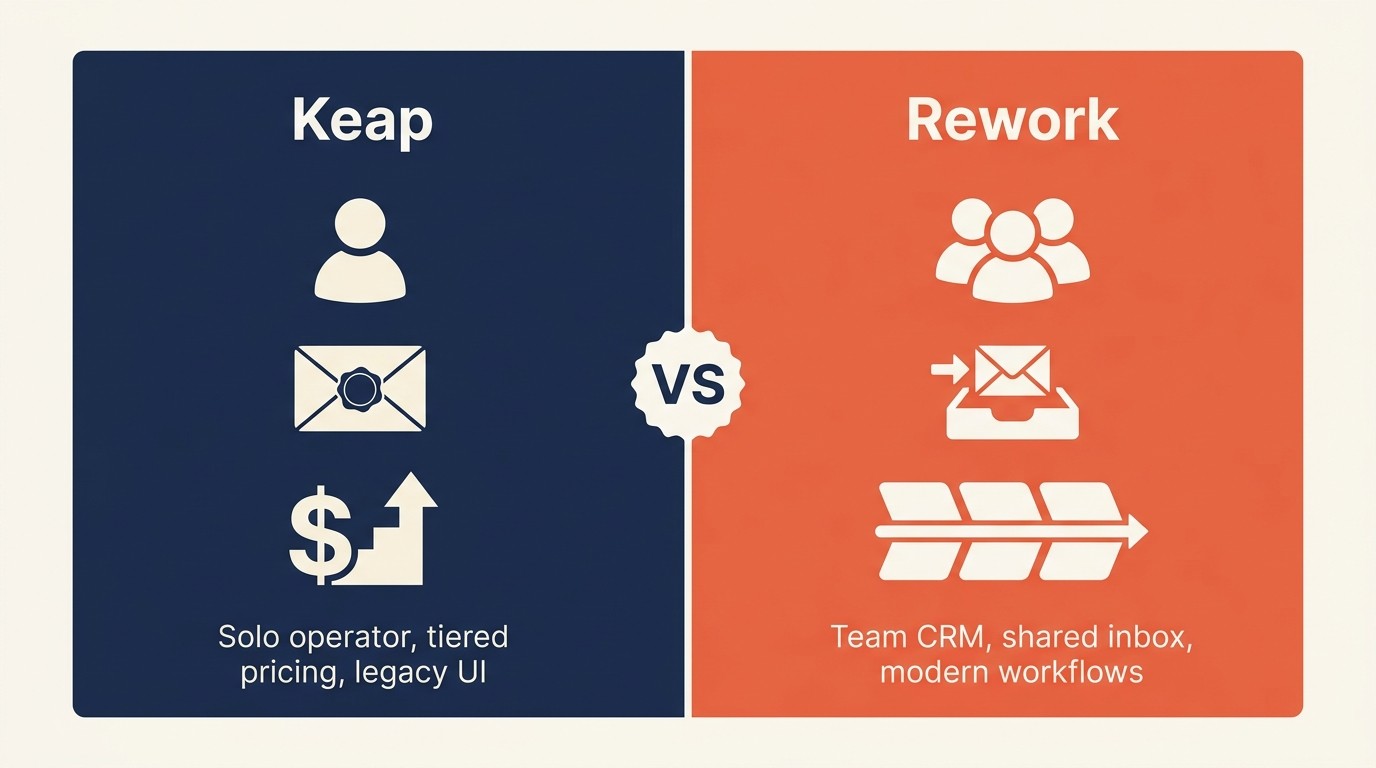
Rework is built for teams that have outgrown solo-operator tools like Keap but don't yet need the complexity of HubSpot or Salesforce. The core is a unified lead management system that sits alongside a multi-channel inbox, so your team handles chat conversations, lead follow-ups, and cross-department handoffs from one surface instead of three.
Where Keap keeps everything bottlenecked through a single owner, Rework is designed for the moment you have an SDR handing to an AE, or a sales team sharing a pipeline with customer success. Visibility across the team is the default, not an add-on. If you want a side-by-side breakdown, the Rework vs Keap comparison walks through where each tool wins.
The workflow layer is genuinely cross-functional. Sales pipelines, onboarding sequences, and recurring ops tasks all live in the same tool. That makes Rework a good fit for operators who are tired of duct-taping together a CRM, a project tool, and a shared inbox. For teams setting up their first real process, CRM rollout and adoption covers what actually works when you're getting a team to use a new tool.
| What you get | What you don't |
|---|---|
| Unified inbox + CRM in one surface | Deep email broadcast / newsletter tools |
| Multi-rep pipeline visibility | Legacy automation builder sophistication |
| Cross-team workflow management | Built-in payment processing |
| Lead management with team assignment | Industry-specific vertical modules |
| Clean, modern UI with fast onboarding | Marketplace of third-party integrations |
Fewer than 40% of CRM customers achieve end-user adoption rates above 90% (CRM.org, 2026). The main culprit is almost always the tool requiring more administrative work than it saves. Rework's unified surface reduces that overhead by collapsing inbox, pipeline, and task management into one view instead of three.
Pricing: The Sales Engine (CRM) is $69/month billed yearly, or $80 month to month, with 5 sales seats included; extra seats come in blocks of 5 ($21/month per block on yearly billing). The Revenue Engine ($159/month billed yearly) adds the multi-channel inbox and lead capture. See rework.com/pricing.
Best for: Growing teams (10-100 people) moving off a solo-operator tool and needing shared pipeline + inbox without the overhead of an enterprise CRM. Not ideal for: Solopreneurs who only need email sequences + invoicing, or teams that rely heavily on broadcast email marketing.
2. HubSpot CRM: Marketing and sales alignment for teams scaling fast
HubSpot's product philosophy is "grow better": the idea that marketing, sales, and service should share one data layer so nothing falls through the cracks as you scale. It's been the dominant mid-market CRM for a reason: the free tier is genuinely useful, the ecosystem is vast, and the transition from startup to 200-person company can happen inside one platform.
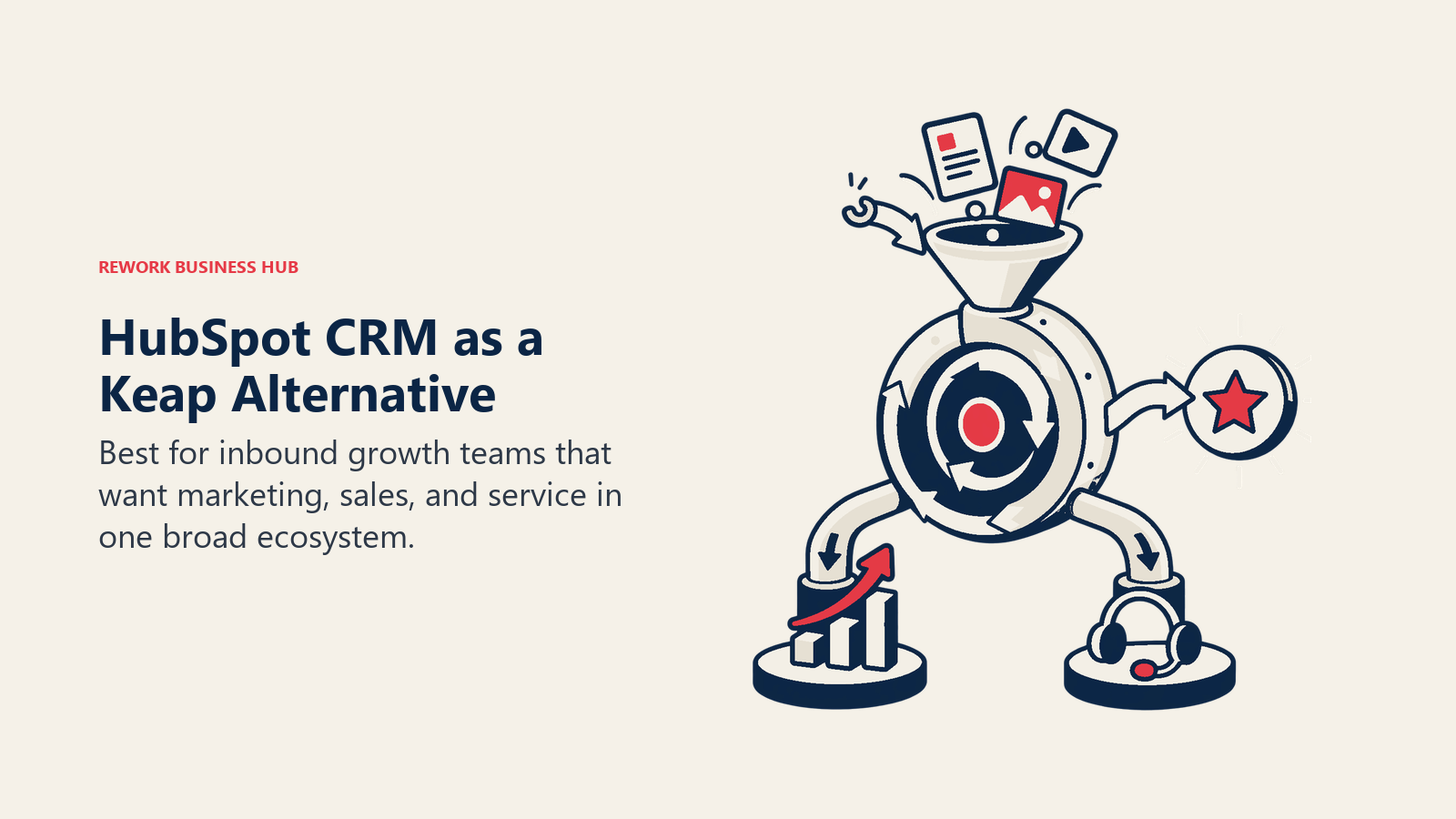
The free CRM is not a stripped-down trial. You get unlimited users, contact records, deal pipelines, and live chat. The paid tiers unlock automation, sequences, reporting, and their marketing hub. That's where costs climb. A team of 10 running Marketing Hub Professional and Sales Hub Professional is looking at north of $1,000 per month, which surprises a lot of buyers coming from Keap's flat fee. HubSpot's free-to-paid conversion is intentional product design: 87% of CRM deployments are now cloud-based (CRM.org, 2026), and HubSpot's land-and-expand model depends on teams discovering how deep the platform goes before they see the invoice. For a full breakdown of where HubSpot wins and loses, see the Rework vs HubSpot CRM comparison. And if HubSpot's pricing is putting you off, the best HubSpot alternatives guide covers the field.
Methodology: HubSpot thinks about the buyer journey from first click to closed deal to customer success, and the platform reflects that. Every record has a full activity timeline, attribution data, and cross-hub context.
Team vs company-wide: Company-wide. Marketing, sales, and service all run inside HubSpot at mid-market companies that go all-in.
| What you get | What you don't |
|---|---|
| Free CRM that's actually useful | Affordable pricing at scale |
| Best-in-class marketing + sales alignment | Simple, clutter-free UI |
| Massive ecosystem (1,500+ integrations) | Predictable costs (feature gating is aggressive) |
| Strong reporting and attribution | Flexibility without upgrading tiers |
| Excellent onboarding and documentation | Fast setup without configuration work |
Pricing: Free CRM. Starter from $20/seat/month. Professional from $100/seat/month (minimum seats apply).
Best for: Marketing-led companies between 20 and 200 people who want a single platform for the full funnel and are willing to pay for it. Not ideal for: Budget-conscious teams under 20 people, or sales-only teams that don't need the marketing layer.
3. ActiveCampaign: Automation-first email marketing with a thin CRM layer
ActiveCampaign's philosophy is that the email automation engine should be the brain of your marketing operation. Everything else, including the CRM, is secondary. Their visual automation builder is still one of the most powerful in the market: conditional logic, branching sequences, lead scoring, and site tracking are all available at lower price points than most competitors.
Where it falls short as a Keap replacement is on the CRM side. Deals and pipelines exist, but they're not the product's strength. Multi-rep sales teams will find it limiting. It works best for one- to five-person marketing teams running complex nurture sequences with light sales activity, not teams with a dedicated sales function. If you're considering ActiveCampaign and want to see what else is in the category, best ActiveCampaign alternatives is worth a look before you commit.
Methodology: Behavior-driven automation. Tags, custom fields, and site/event tracking feed a rules engine that triggers the right message at the right time.
Sizing fit: Solo to 50-person teams. Starts to strain with large sales teams.
Stage fit: Ideal for startups and early-growth companies with a marketing-led motion. Less suited to sales-led growth stage companies.
Team vs company-wide: Marketing team tool, sometimes with a sales layer bolted on.
| What you get | What you don't |
|---|---|
| Best-in-class visual automation builder | Strong native CRM |
| Deep segmentation and tagging | Good fit for multi-rep sales teams |
| Site + event tracking included | Modern, fast UI |
| Strong email deliverability | Easy migration from Keap |
| Affordable for contacts-based pricing | Native invoicing or payments |
Pricing: Starter from $15/month (1,000 contacts, 1 user). Plus from $49/month. Professional from $79/month.
Best for: Marketing-heavy teams running sophisticated nurture sequences who need email automation more than pipeline management. Not ideal for: Sales teams with multiple reps, or companies that need CRM as the primary workflow.
4. Freshsales: Sales-first CRM with AI pipeline assistance at SMB pricing
Freshsales (part of Freshworks) is built on the belief that sales reps shouldn't need training to use their CRM. The pipeline view is one of the cleanest in the market. Drag-and-drop deals, built-in phone and email, AI lead scoring on paid plans, and a mobile app that actually works. For teams coming from Keap's contact-and-sequence model, Freshsales gives you a proper multi-rep pipeline without a big price jump.
The gap is marketing automation. Freshsales handles email sequences and basic workflows well, but for broadcast email campaigns, drip sequences with complex branching, or landing pages, you'd need Freshmarketer as a separate product. That's a meaningful add-on cost if you want the full Keap replacement. If Freshsales doesn't feel right, the best Freshsales alternatives guide covers similar tools at similar price points.
Methodology: Freddy AI (their AI layer) surfaces hot leads, next-best actions, and deal health scores automatically. The design goal is to reduce manual CRM hygiene.
Sizing fit: 5 to 100-person sales teams. Particularly strong for 10-50 person companies.
Stage fit: Early growth to growth stage. Works well for companies formalizing their first real sales process.
Team vs company-wide: Sales team tool. Other departments may use Freshdesk (support) separately.
| What you get | What you don't |
|---|---|
| Clean pipeline with drag-and-drop deals | Native marketing automation (needs add-on) |
| Built-in phone and email | Advanced email sequence branching |
| AI lead scoring on Growth+ plans | Native invoicing or appointments |
| Free tier for small teams | HubSpot-level marketing integration |
| Fast onboarding, minimal training needed | Strong offline/mobile capability |
Pricing: Free plan (3 users). Growth from $11/user/month. Pro from $47/user/month.
Best for: Sales teams of 5-50 people who want a clean, modern pipeline tool at an affordable price point. Not ideal for: Teams that need marketing automation on par with ActiveCampaign or Keap's automation features.
5. Zoho CRM: Enterprise feature depth at SMB pricing
Zoho's philosophy is "more features per dollar than anyone else," and they deliver. Zoho CRM packs lead management, workflow automation, AI scoring (Zia), territory management, forecasting, and deep reporting into a price point that undercuts most competitors significantly. The trade-off is complexity: Zoho CRM rewards power users and frustrates those who want quick setup.
For teams leaving Keap because of pricing, Zoho is often the first stop. The feature list is genuinely impressive. But the onboarding curve is real: the UI is dense, modules don't always feel integrated, and customization requires time investment. For a full comparison of where Zoho sits against other tools in this space, see the best Zoho alternatives guide.
Methodology: Zoho thinks about CRM as a configurable platform. Almost everything can be customized, extended, or automated through their low-code tools. It's a builder's CRM.
Sizing fit: 5 to 200-person teams. Particularly strong for 10-100 people who have the operational maturity to configure it well.
Stage fit: Growth to mid-market. Best when you have someone on the team willing to own the CRM configuration.
Team vs company-wide: Can span sales, marketing, and service if you also deploy Zoho Campaigns and Zoho Desk.
| What you get | What you don't |
|---|---|
| More features per dollar than most tools | Easy, fast setup |
| Deep customization and automation | Polished, consistent UI across modules |
| Strong third-party integrations | Simple onboarding for non-technical users |
| Territory management and forecasting | HubSpot-quality marketing tools |
| AI scoring and anomaly detection (Zia) | Responsive support on lower tiers |
Pricing: Free for 3 users. Standard $14/user/month. Professional $23/user/month. Enterprise $40/user/month.
Best for: Budget-conscious teams that need enterprise-level feature depth and have the patience to configure the platform. Not ideal for: Teams that need quick deployment or have no dedicated ops person to own the tool.
6. Pipedrive: Pipeline-first CRM designed for sales reps who hate admin
Pipedrive's product bet was simple: most CRM failures happen because sales reps don't actually use the tool. So they built the cleanest, most rep-friendly pipeline view in the market and made everything else secondary. Reps see their deals, their next actions, and nothing else unless they go looking.
There's no native marketing automation. No broadcast email. No invoicing. Pipedrive is unapologetically a sales pipeline tool. If your Keap usage was 80% sequences and 20% CRM, Pipedrive is the wrong replacement. But if your team grew and you realized you mostly need pipeline visibility and activity tracking, Pipedrive is one of the fastest tools to onboard.
Methodology: Activity-based selling. The tool surfaces "what should I do next?" for every rep, every day. Win rates improve not from better data, but from consistent follow-through.
Sizing fit: 2 to 100-person sales teams. Sweet spot is 5-50 reps.
Stage fit: Growth stage companies formalizing their first repeatable sales process. Also used by mature sales teams who prefer simplicity.
Team vs company-wide: Sales team only. Integrates with marketing tools but doesn't replace them.
| What you get | What you don't |
|---|---|
| Cleanest pipeline UX in the market | Native marketing automation |
| Fast rep onboarding (days, not weeks) | Email broadcast / sequences depth |
| Strong mobile app | Native invoicing or payments |
| Clear activity tracking and follow-up prompts | Advanced reporting without add-ons |
| Affordable pricing at small team sizes | Contact management beyond sales context |
Pricing: Essential $14/user/month. Advanced $29/user/month. Professional $59/user/month.
Best for: B2B sales teams that want the cleanest pipeline view and don't need marketing automation baked in. Not ideal for: Anyone who needs email sequences, drip campaigns, or marketing automation as part of the same tool.
7. Monday Sales CRM: Visual, flexible CRM for teams that run on Monday.com
Monday.com's CRM module is built on their work OS platform, which means it inherits everything great and limiting about that system. Great: incredibly visual, highly customizable without code, easy to adapt to any sales process, and seamlessly connected to project management and operations boards. Limiting: it's not purpose-built for sales, so advanced CRM features like AI lead scoring, revenue forecasting, or deep email sequencing aren't as mature as in dedicated CRM tools.
Teams already using Monday.com for project management find the CRM module a natural extension. Teams evaluating Monday.com purely as a CRM replacement often end up wanting more depth.
Methodology: Monday.com thinks of "work OS" as the organizing principle. A deal is just a work item. A pipeline is just a board. The flexibility is a feature, not a compromise.
Sizing fit: 10 to 150 people. Best for teams using Monday.com across multiple departments.
Stage fit: Growth to mid-market. Strong for companies already in the Monday.com ecosystem.
Team vs company-wide: Often company-wide if the org runs Monday for ops + projects as well.
| What you get | What you don't |
|---|---|
| Highly visual, no-code customization | Native email sequence depth |
| Seamless connection to ops and project boards | Purpose-built CRM features (scoring, forecasting) |
| Good mobile and collaboration features | Affordable pricing for small teams |
| Flexible pipeline stages and views | Fast onboarding for sales-only teams |
| Strong automations and integrations | Clean contact/company history view |
Pricing: Basic CRM from $12/seat/month. Standard from $17/seat/month. Pro from $28/seat/month. (3-seat minimum)
Best for: Teams running Monday.com for operations who want to add a sales layer without switching tools. Not ideal for: Pure sales teams who want a dedicated CRM with deep email and automation features.
8. Nutshell: Simple, honest CRM with built-in email sequences for SMB sales
Nutshell targets exactly the buyer who's tired of overpaying for Salesforce or HubSpot's complexity. It's a straightforward CRM with a genuine email sequence builder, clean reporting, and a UI that doesn't require a training course. For small B2B sales teams with a defined process, it often gets the job done without the overhead.
The Nutshell philosophy is "CRM that sales teams actually use," and they've invested in removing friction. The contact and company relationship graph is well designed. The sequence builder handles most small-team automation needs. It's not going to replace ActiveCampaign for marketing, but for a team of 3-20 reps who need pipeline + follow-up sequences, it's a clean choice.
Methodology: Opinionated simplicity. Nutshell makes decisions for you so you don't have to configure your way into a functional system.
Sizing fit: 2 to 50-person teams. Best at 5-25 users.
Stage fit: Startup finding first sales process through early growth. Teams that want to add structure without platform complexity.
Team vs company-wide: Sales team tool. Nutshell Campaigns add-on handles broadcast email if needed.
| What you get | What you don't |
|---|---|
| Clean, fast CRM with low learning curve | Enterprise-grade features |
| Built-in email sequences | Deep marketing automation |
| Solid reporting for team and individual performance | Large integration ecosystem |
| Pipeline views (list, board, map, chart) | Native phone/SMS features |
| Transparent, honest pricing | AI-assisted features |
Pricing: Foundation $19/user/month. Pro $37/user/month. Power AI $52/user/month.
Best for: Small B2B sales teams (2-25 reps) who want a functional CRM + email sequences without configuration overhead. Not ideal for: Teams needing advanced marketing automation, large contact lists, or enterprise reporting.
9. Ontraport: The most direct Keap replacement for solo operators and small online businesses
If you're leaving Keap and want the same all-in-one model (email automation, CRM, payments, landing pages, membership sites), Ontraport is the closest direct swap. The feature set mirrors what made Keap popular for solopreneurs: automation sequences, contact management, invoicing, and e-commerce tools in one place. The pricing model is also similar: flat monthly fee based on contact count, not per-user.
The honest assessment: Ontraport's UI is not modern. The learning curve is real. But for a one- to five-person business that needs a Keap-like all-in-one without Keap's pricing frustrations and contact limits, Ontraport is a legitimate answer.
Methodology: Small business automation platform. The core thesis is that a solo or small-team operator shouldn't need five tools to run their business.
Sizing fit: 1 to 10 people. Not designed for multi-rep sales teams.
Stage fit: Solo and early startup. Ideal for course creators, coaches, consultants, and service businesses.
Team vs company-wide: Owner-operated tool. Not designed for team-based pipeline management.
| What you get | What you don't |
|---|---|
| Direct Keap feature-for-feature replacement | Modern, fast UI |
| Native payments, membership, and e-commerce | Multi-rep sales team support |
| Strong visual automation builder | Large integration ecosystem |
| Flat pricing (not per-user) | Good mobile experience |
| Landing pages and forms included | Fast, intuitive onboarding |
Pricing: Basic $24/month (1 user, 500 contacts). Plus $83/month (2 users, 2,000 contacts). Pro $124/month (3 users, 10,000 contacts).
Best for: Solopreneurs and small online businesses wanting the Keap model without Keap's pricing structure. Not ideal for: Any team larger than 5 people or any sales-led business that needs a multi-rep pipeline.
10. GoHighLevel: All-in-one platform for digital marketing agencies
GoHighLevel (GHL) is the tool that doesn't make sense for most businesses and makes perfect sense for digital marketing agencies. The model is unusual: flat monthly pricing, unlimited users, unlimited sub-accounts, white-label options. For an agency managing 20 client accounts, the math is obvious. For a regular business, the interface is overwhelming and the focus on agency workflows creates friction.
GHL includes CRM, funnel builder, email and SMS marketing, reputation management, calendar booking, and course hosting. It's a genuinely broad platform. The onboarding curve is steep, so plan for 2-4 weeks before your team is productive. And if GoHighLevel turns out not to be the right fit, the best GoHighLevel alternatives guide covers what else exists in this space.
Methodology: Agency operating system. GHL thinks about "what does an agency need to deliver services to clients?" and builds everything from that lens.
Sizing fit: 1 to 50-person agencies. Not designed for non-agency companies.
Stage fit: Agencies from solo to growth stage. The flat pricing model becomes more valuable as you add clients.
Team vs company-wide: Agency-wide tool, used across account managers, fulfillment teams, and client reporting.
| What you get | What you don't |
|---|---|
| Unlimited users on flat pricing | Clean, intuitive UI |
| White-label options for client delivery | Fast onboarding |
| Broad feature set (CRM, funnels, SMS, courses) | Good fit for non-agency businesses |
| Active community and documentation | Native multi-currency or international support |
| Strong ROI for agencies with 5+ clients | Best-in-class depth in any single category |
Pricing: Starter $97/month (3 sub-accounts). Unlimited $297/month. SaaS Pro $497/month.
Best for: Digital marketing agencies managing multiple client accounts who want one platform for all client CRM and marketing work. Not ideal for: Non-agency businesses, or anyone who wants clean, modern UX without a significant learning investment.
Why Teams Leave Keap
The important question is not whether Keap is capable, but whether its automation-first model still matches the way the team now sells and collaborates.
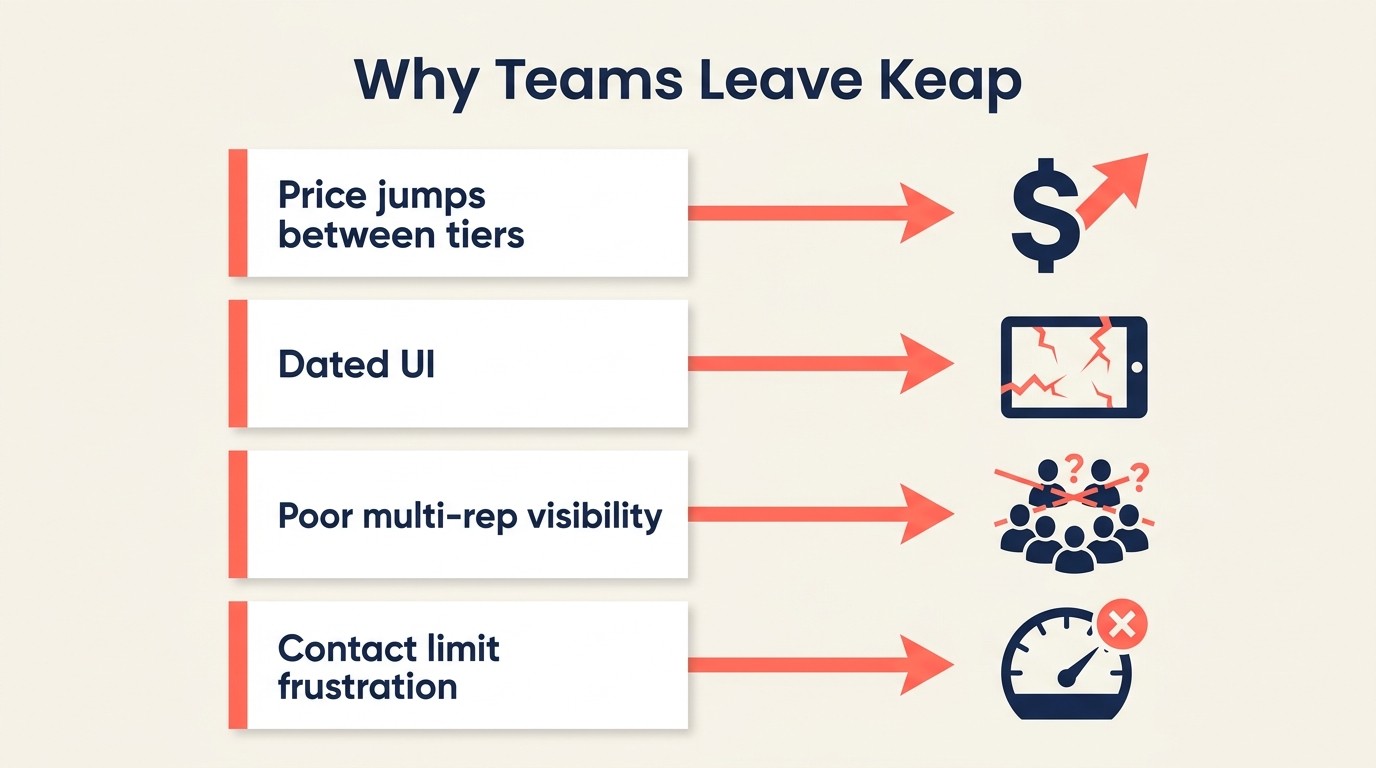
Before switching, it's worth naming what's actually frustrating you. Not all replacements fix all problems.
56% of Keap's own reviewers on Capterra cite pricing as their primary complaint, making it one of the most price-contested tools in the SMB CRM category (Capterra, 2025).
Rework Analysis: Most CRM switches fail for the same reason the original CRM failed: teams buy the tool but don't redesign the process. The Fit-First Framework for evaluating a Keap replacement has three steps: (1) identify whether your primary frustration is pricing, UX, or missing team features, (2) map your actual rep count and pipeline complexity, (3) run a two-week pilot with real deals before committing. Teams that skip step one almost always land in the same mismatch two years later.
| Keap Pain Point | Root Cause | Tools That Fix It |
|---|---|---|
| Price for what you get | Pro/Max tier jump without clear value | Rework, Freshsales, Nutshell, Pipedrive |
| Confusing pricing tiers | Contact-count limits + user limits combined | Ontraport (flat), GoHighLevel (flat), Freshsales (per-user only) |
| Dated UI | Platform built on legacy architecture | Rework, Freshsales, HubSpot, Pipedrive |
| Poor multi-rep pipeline visibility | Built for solo operator, not team | Rework, Freshsales, Pipedrive, HubSpot |
| Limited outside solopreneur use case | Single-owner product philosophy | Any tool above with team features |
| Contact limit frustration | Pricing model, not product capability | HubSpot (free unlimited contacts), Pipedrive (unlimited), Rework |
| Weak integrations | Smaller ecosystem vs. newer tools | HubSpot, Zoho, ActiveCampaign |
| No real team collaboration | Designed for one primary user | Rework, Monday Sales CRM, HubSpot |
Feature Comparison by Category
This comparison shows where Keap remains strong and where team-based CRM requirements start to outgrow it. Read it by workflow category rather than by total feature count.
| Feature | Rework | HubSpot | ActiveCampaign | Freshsales | Zoho CRM | Pipedrive | Monday CRM | Nutshell | Ontraport | GoHighLevel |
|---|---|---|---|---|---|---|---|---|---|---|
| Multi-rep pipeline | Yes | Yes | Limited | Yes | Yes | Yes | Yes | Yes | No | Yes |
| Email sequences | Yes | Yes | Yes (best-in-class) | Yes | Yes | Basic | Basic | Yes | Yes | Yes |
| Marketing automation | Limited | Yes | Yes (best-in-class) | Add-on | Yes | Add-on | Limited | Limited | Yes | Yes |
| Built-in phone/SMS | No | Add-on | No | Yes | Add-on | Add-on | No | No | SMS yes | Yes |
| Native invoicing | Yes (Commerce app) | No | No | No | Yes | No | No | No | Yes | Yes |
| Landing pages | No | Yes | Yes | No | No | No | No | No | Yes | Yes |
| AI features | Limited | Yes | Yes | Yes | Yes | Yes | Yes | Yes | No | Limited |
| Free tier | No (14-day trial) | Yes | No | Yes | Yes | No | No | No | No | No |
| Flat pricing option | No | No | Contacts-based | No | No | No | No | No | Yes | Yes |
| White-label | No | No | No | No | No | No | No | No | No | Yes |
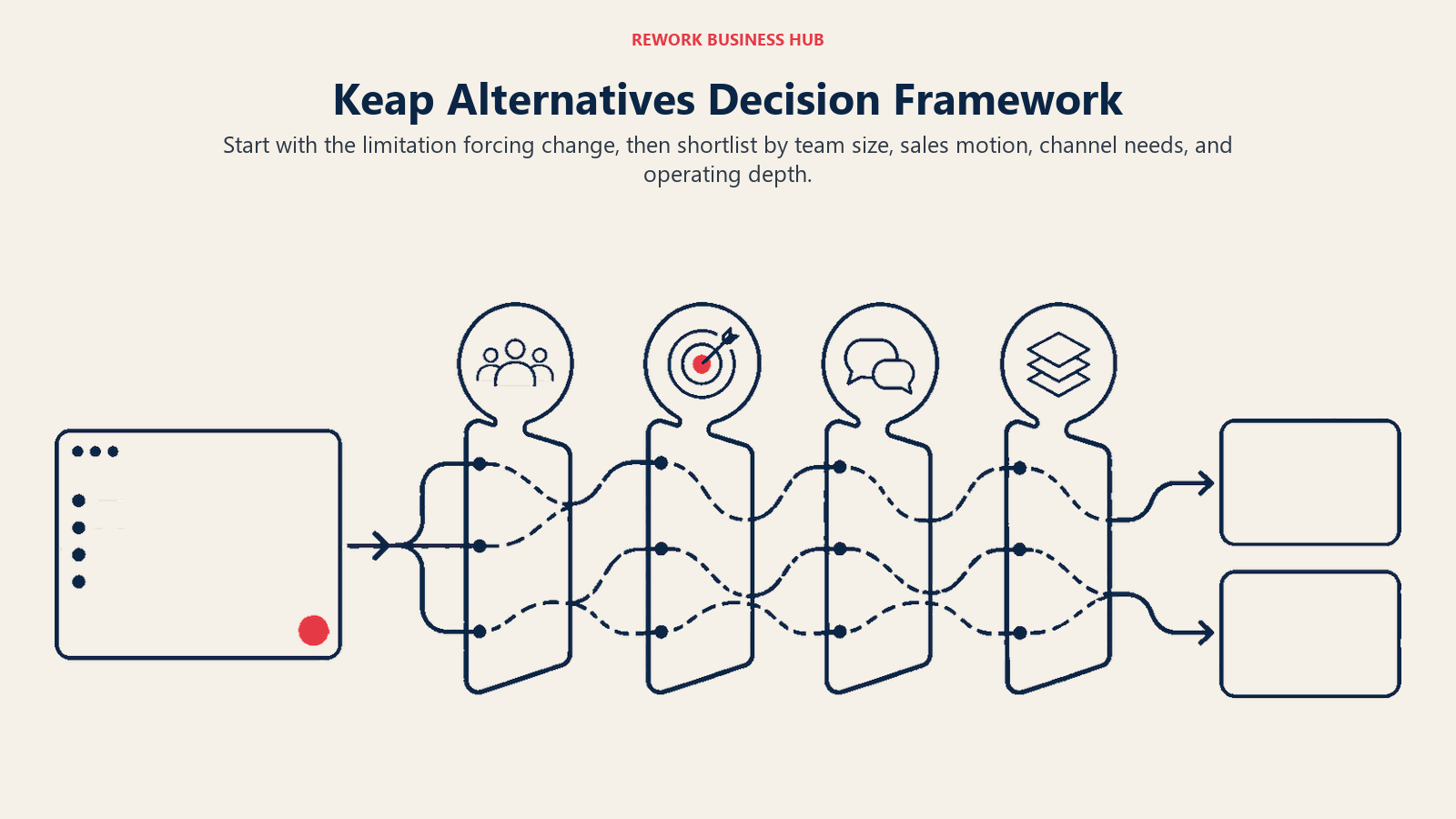
How to Choose: Decision Framework
| If you need... | Best pick | Why |
|---|---|---|
| Multi-rep pipeline + shared inbox for a growing team | Rework | Built for the transition from solo tool to team CRM |
| Full-funnel marketing + sales alignment | HubSpot | Best ecosystem for marketing-led companies |
| Complex email automation above everything else | ActiveCampaign | Deepest automation builder at accessible price |
| Clean pipeline + AI scoring at SMB pricing | Freshsales | Best value for pure sales teams |
| Most features for the lowest per-seat cost | Zoho CRM | Enterprise depth at SMB pricing, if you'll configure it |
| Simplest pipeline tool that sales reps will actually use | Pipedrive | Fastest rep onboarding, cleanest UX |
| CRM inside an existing Monday.com setup | Monday Sales CRM | Zero switching cost if you're already on Monday |
| Simple CRM + sequences without configuration overhead | Nutshell | Best for 5-25 person B2B sales teams |
| Direct Keap replacement for a solo/small online business | Ontraport | Closest feature-for-feature match to Keap's model |
| Agency managing multiple client accounts | GoHighLevel | Flat pricing + white-label + unlimited users for agencies |
Pricing Comparison at Scale
To make the cost comparison real, here's what each tool costs for a team of 10 users, annually:
| Tool | 10-User Annual Cost (est.) | Notes |
|---|---|---|
| Rework | $1,080/year | Sales Engine, 10 seats, billed yearly ($69/month plus one 5-seat block at $21) |
| HubSpot Starter | ~$2,400/year | Sales Hub Starter only; Marketing Hub extra |
| ActiveCampaign Plus | ~$5,880/year | Plus plan, 10k contacts |
| Freshsales Growth | ~$1,320/year | Growth plan |
| Zoho CRM Professional | ~$2,760/year | Professional plan |
| Pipedrive Advanced | ~$3,480/year | Advanced plan |
| Monday Sales CRM Standard | ~$2,040/year | Standard plan, 10 seats |
| Nutshell Pro | ~$4,440/year | Pro plan |
| Ontraport Pro | ~$1,488/year | Pro plan (not per-user) |
| GoHighLevel Unlimited | ~$3,564/year | Unlimited plan (not per-user) |
Frequently Asked Questions
What is the best alternative to Keap for small businesses?
The best Keap alternative depends on your primary frustration. For growing teams that need multi-rep pipeline visibility and a shared inbox, Rework's Sales Engine starts at $69/month billed yearly for 5 seats (the Revenue Engine, which adds the shared inbox, is $159/month) and is purpose-built for the 10-100 person range. For solopreneurs who want the same all-in-one model as Keap (automation, CRM, payments), Ontraport is the closest direct replacement at $24/month flat.
Why is Keap so expensive compared to alternatives?
Keap's pricing model combines per-user fees with contact-count limits, which compounds costs as your list grows. 56% of Keap reviewers on Capterra explicitly cite pricing as their top complaint (Capterra, 2025). Most alternatives like Freshsales ($11/user/month) or Rework (from $69/month billed yearly for 5 seats) offer pricing without contact limits, which is significantly cheaper for growing teams.
What CRM is easiest to switch to from Keap?
Ontraport is the easiest switch if you rely on Keap's automation and payment features, since it mirrors the same all-in-one model. For teams primarily using Keap as a pipeline and contact management tool, Pipedrive and Freshsales both import Keap data cleanly and have faster onboarding curves, typically 1-2 weeks versus 4-8 weeks for HubSpot or Zoho.
Does HubSpot replace Keap?
HubSpot replaces Keap's CRM and marketing functions but at a different price point. The free HubSpot CRM handles contacts, deals, and basic email. But matching Keap's automation depth requires HubSpot's Marketing Hub Starter ($20/seat/month minimum), and teams of 10 using both Sales Hub and Marketing Hub Professional can pay over $1,000 per month, well above Keap's pricing.
What CRM do marketing agencies use instead of Keap?
GoHighLevel is the dominant Keap replacement for digital marketing agencies, primarily because of its flat-fee model ($97/month for unlimited users and unlimited sub-accounts for clients). Agencies managing 5 or more client accounts almost always find GoHighLevel's economics far superior to any per-seat tool.
How long does switching from Keap take?
Most teams take 4-8 weeks to fully migrate from Keap, including data export, contact import, workflow rebuild, and team training. The productivity dip during transition typically runs 20-40% for CRM-related work during the first 4-6 weeks (Dench Research). Tools with simpler UX like Pipedrive and Nutshell reduce that ramp to 1-2 weeks for sales reps.
Is there a free Keap alternative?
HubSpot CRM has the strongest free tier: unlimited users, unlimited contacts, deal pipelines, and live chat at no cost. Freshsales also has a free plan for up to 3 users with basic pipeline features. Neither matches Keap's automation depth at the free tier, but both are legitimate starting points before upgrading.
What to Do Next
Run a 2-week pilot before you commit. Most of these tools have free tiers or trials. The real test isn't the demo. It's whether your sales reps actually update deals at the end of a normal work week without being reminded.
Pick your top two from the decision framework above. Set up one real pipeline with real deals. See which one creates less friction.
Before you start that pilot, it helps to have a clear picture of what you need. The How to Pick a CRM in 2026 guide walks through the key questions, and CRM Workflow Automation covers how to think about automation before you're locked into a platform. If lead capture and routing is part of your evaluation, Form-to-CRM Automation Patterns and Lead Enrichment Automation are worth reading alongside this list.
The best CRM is the one your team uses. The worst is the one you've paid for and nobody logs into.
Related reading: Once you've picked a CRM, the guide on pipeline stages that match your selling process helps you set up deal stages that actually reflect how your team sells, which matters more than which tool you chose.

Head of Enterprise Solutions
On this page
- Quick Comparison Table
- Stage Fit Matrix
- Sizing and Persona Table
- 1. Rework: Unified CRM, inbox, and team workflows for growing operations
- 2. HubSpot CRM: Marketing and sales alignment for teams scaling fast
- 3. ActiveCampaign: Automation-first email marketing with a thin CRM layer
- 4. Freshsales: Sales-first CRM with AI pipeline assistance at SMB pricing
- 5. Zoho CRM: Enterprise feature depth at SMB pricing
- 6. Pipedrive: Pipeline-first CRM designed for sales reps who hate admin
- 7. Monday Sales CRM: Visual, flexible CRM for teams that run on Monday.com
- 8. Nutshell: Simple, honest CRM with built-in email sequences for SMB sales
- 9. Ontraport: The most direct Keap replacement for solo operators and small online businesses
- 10. GoHighLevel: All-in-one platform for digital marketing agencies
- Why Teams Leave Keap
- Feature Comparison by Category
- How to Choose: Decision Framework
- Pricing Comparison at Scale
- Frequently Asked Questions
- What is the best alternative to Keap for small businesses?
- Why is Keap so expensive compared to alternatives?
- What CRM is easiest to switch to from Keap?
- Does HubSpot replace Keap?
- What CRM do marketing agencies use instead of Keap?
- How long does switching from Keap take?
- Is there a free Keap alternative?
- What to Do Next