Best Close CRM Alternatives in 2026: 10 Tools for Inside Sales Teams Ready to Scale
Turn this article into takeaways for your work.


Each assistant summarizes the article only for you and suggests best practices for your work.
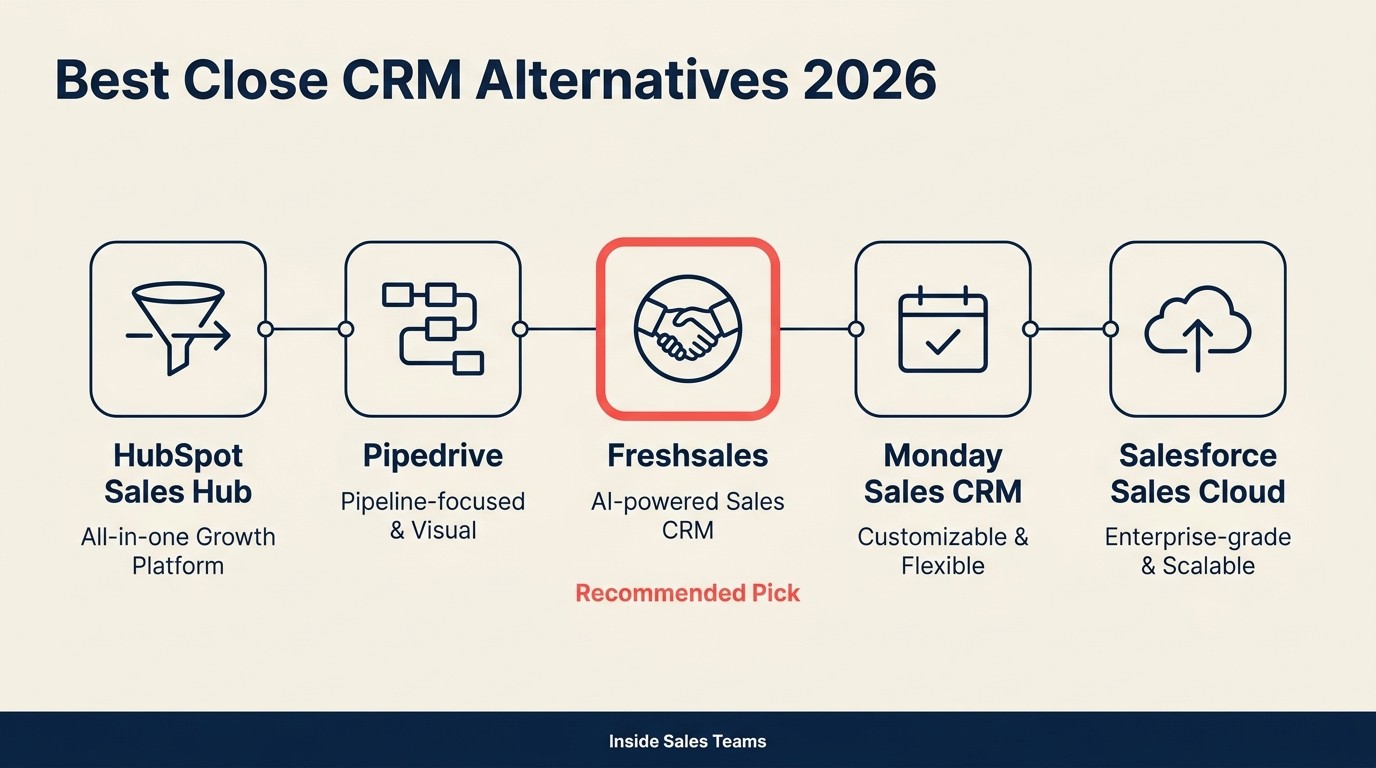
The best CRM for a team outgrowing Close depends on the wall you hit: Rework wins for unified CRM plus native lead routing and a multi-channel inbox, HubSpot for marketing-led growth, Apollo.io for outbound prospecting, and Outreach or Salesloft for enterprise sales engagement. This guide ranks 10 alternatives by motion and team size so you can match the tool to your actual constraint, not a feature checklist.
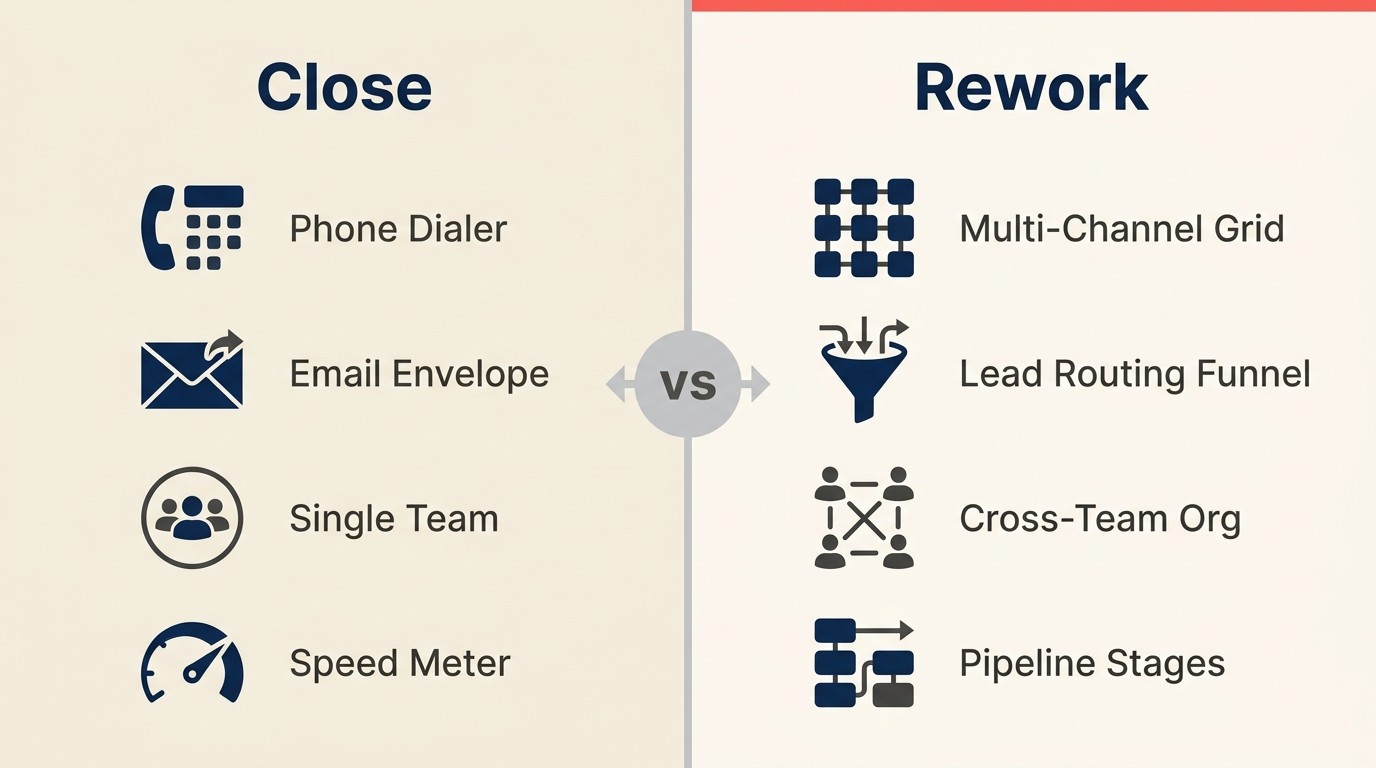
Close is honest about what it is: a CRM built for inside sales velocity. Its built-in VoIP dialer, power dialer, predictive dialer, and instant email sync make it the fastest tool in its class for SDR and AE teams doing high-volume calling and emailing. If your whole world is dial lists and follow-up sequences, Close earns its reputation. See the Rework vs Close comparison if you want to understand the specific trade-offs before evaluating alternatives.
Key Facts: CRM Alternatives for Inside Sales Teams
- The global CRM market reached $87.96 billion in 2026 and is growing at 8% annually, giving buyers more alternatives than ever before. (Mordor Intelligence)
- Companies using CRM report up to 29% higher sales revenue, 34% higher sales productivity, and 42% better forecast accuracy. (Salesforce State of Sales)
- 91% of companies with 10 or more employees now run some form of CRM, making the fit-to-motion decision the critical variable -- not whether to use a CRM at all. (Demandsage CRM Statistics 2026)
- WhatsApp Business messages reach a 98% open rate vs. 21.5% for email, and 58% of companies using the WhatsApp Business API already integrate it with a CRM -- a channel gap Close does not address natively. (Aurora Inbox / Infobip, 2025)
- Businesses using seven or more coordinated sales channels grow market share faster than single-channel teams, according to B2B multi-channel research. (NetHunt, 2025)
But if you're reading this, the model has probably shifted. Maybe your team has grown past 50 reps and territory management is creaking. Maybe marketing wants a seat at the table and there's nowhere to put them. Maybe your leads are arriving through WhatsApp, Instagram DM, or a live chat widget, and Close doesn't know those channels exist. Maybe RevOps needs reporting depth that Close's dashboards don't cover. These aren't product failures. They're the expected ceiling of a tool that made deliberate choices to optimize for one motion. This list is for the teams who've hit that ceiling and need to know what comes next.
Quick Comparison Table
Use this table to separate platforms by motion before comparing features line by line. Close is strongest for inside sales speed, while most alternatives below trade some of that speed for broader channel coverage, marketing depth, or operational control.

| Tool | Best For | Starting Price (per seat/mo) | Key Strength | Key Limitation |
|---|---|---|---|---|
| Rework | Mid-size teams needing CRM + Lead Management + multi-channel inbox | From $159/mo billed yearly for the Revenue Engine, 5 marketing + 5 sales seats (rework.com/pricing) | Unified CRM, native lead distribution, WhatsApp/IG/Messenger inbox | Less known, smaller integration ecosystem |
| HubSpot CRM | Marketing-led orgs that also run inside sales | Free; Sales Hub from $20/seat | Marketing + sales in one suite, large ecosystem | Gets expensive fast as contacts and features scale |
| Pipedrive | Small-to-mid sales teams wanting visual pipeline | From $14/seat | Clean visual pipeline, fast setup | Minimal automation, no native dialer, no marketing module |
| Freshsales | Budget-conscious teams wanting AI-assisted CRM | From $11/seat | Freddy AI scoring, built-in phone, affordable | Less customizable at scale, support lags at higher tiers |
| Apollo.io | Outbound teams that want prospecting + CRM in one | From $49/user | 275M+ contact database, sequences, intent data | CRM depth thinner than dedicated platforms |
| Outreach | Enterprise sales engagement with deep analytics | Contact sales | Best-in-class sequence analytics, AI coaching | Enterprise pricing and complexity, no native CRM |
| Salesloft | Revenue orchestration for mature GTM teams | Contact sales | Cadences, deal intelligence, buyer signals | Overkill for teams under 50 reps, high TCO |
| Monday Sales CRM | Visual-first teams living inside Monday.com | From $12/seat | Highly customizable boards, easy cross-team adoption | Thin native CRM depth, no built-in dialer |
| Copper | Google Workspace-first relationship management | From $9/seat | Frictionless Gmail/Calendar integration | Google-only, limited outside that ecosystem |
| Folk | Founder, BD, and agency relationship management | From $20/seat | Lightweight, great UX, relationship-centric | Not suited for high-volume SDR/AE pipelines |
Why Teams Leave Close
Before picking a replacement, it helps to name exactly which wall you've hit. Not every team leaves Close for the same reason, and the right replacement depends on which limitation is doing the most damage. We call this the 5-Ceiling Diagnostic -- five predictable growth walls that single-motion CRMs hit as teams scale.
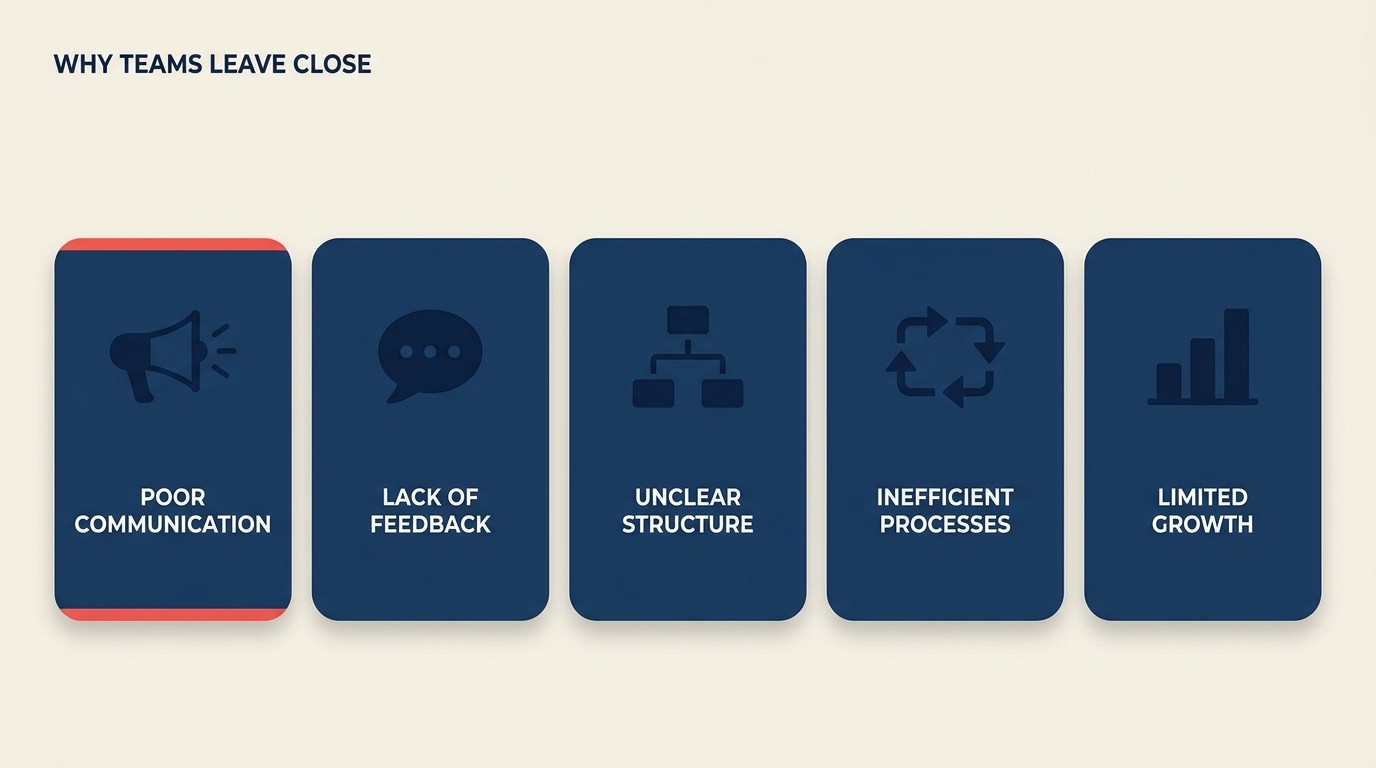
Sales-only with no marketing module. Close was built for SDR and AE teams. There's no native space for marketing to run campaigns, capture leads from ads or forms, or score inbound inquiries before they hit the pipeline. If your go-to-market has shifted toward inbound or product-led, Close has no answer for the top of funnel. The CRM rollout and adoption guide is worth reading here; it covers what teams typically need from the routing layer that Close doesn't ship natively.
Multi-channel conversations beyond email and phone. Close natively handles email and VoIP calls. But if your leads first contact you through WhatsApp, Instagram DM, Facebook Messenger, or a web chat widget, those conversations live outside Close's world entirely. That creates a split contact timeline and manual reconciliation work for every rep.
Outgrows past 50 reps. Close's permission structure, territory management, and reporting layer show friction when organizations scale into larger, more segmented sales teams. Territory routing, complex quota models, and multi-region org structures require workarounds that eat into the velocity advantage.
Limited cross-team workflows. Once you need approval chains, CS handoffs, or marketing-to-sales routing embedded in the same system, Close's single-team design becomes a constraint.
Reporting ceiling for RevOps. Close gives reps activity visibility. But RevOps teams building pipeline forecasts, funnel analytics, attribution models, or territory performance reports will find the native reporting insufficient. The RevOps Maturity Model outlines what reporting depth mature teams actually need at each stage.
Rework Analysis: According to G2's CRM category data, lead routing and pipeline automation are the two capabilities most frequently cited as gaps when inside sales teams outgrow entry-level CRMs. Teams hitting the 5-Ceiling Diagnostic typically reach that inflection point between 30 and 60 reps -- which is also when per-seat costs on feature-limited tools begin to match the price of platforms that include those capabilities natively.
Stage Fit Matrix
| Tool | Startup (1-20 reps) | Growth (20-50 reps) | Mid-Market (50-200 reps) | Enterprise (200+ reps) |
|---|---|---|---|---|
| Rework | Good fit | Strong fit | Strong fit | Selective fit |
| HubSpot CRM | Strong fit | Strong fit | Strong fit | Possible (with cost) |
| Pipedrive | Strong fit | Good fit | Weak fit | Not recommended |
| Freshsales | Strong fit | Good fit | Moderate fit | Weak fit |
| Apollo.io | Strong fit | Strong fit | Good fit | Selective fit |
| Outreach | Not recommended | Moderate fit | Strong fit | Strong fit |
| Salesloft | Not recommended | Moderate fit | Strong fit | Strong fit |
| Monday Sales CRM | Good fit | Good fit | Moderate fit | Weak fit |
| Copper | Strong fit | Good fit | Weak fit | Not recommended |
| Folk | Strong fit | Moderate fit | Weak fit | Not recommended |
Sizing and Persona Table
| Tool | Ideal Team Size | Who Buys It |
|---|---|---|
| Rework | 20-500 employees | COO, Head of Revenue, RevOps Lead, Founder-Operator |
| HubSpot CRM | 10-500+ employees | CMO, VP Marketing, Head of Sales, RevOps |
| Pipedrive | 5-50 reps | VP Sales, Sales Manager, Founder |
| Freshsales | 5-100 reps | Sales Manager, IT Lead, SMB Founder |
| Apollo.io | 5-200 reps | Head of Sales Dev, VP Sales, RevOps |
| Outreach | 50-1,000+ reps | VP Sales, CRO, Sales Operations Director |
| Salesloft | 50-1,000+ reps | CRO, VP Sales, Revenue Operations |
| Monday Sales CRM | 5-100 employees | Head of Sales, COO, Team Manager |
| Copper | 1-50 employees | Founder, Agency Owner, BizDev Manager |
| Folk | 1-30 people | Founder, BD Lead, VC, Agency Principal |
1. Rework: Unified CRM + Lead Management + Multi-Channel Inbox
Close is built for speed inside a single motion: outbound calling and email cadences. Rework is built for teams where leads arrive from multiple directions (ads, forms, WhatsApp, Instagram DM, web chat, referrals) and where marketing, sales, and customer success need to work from the same contact record instead of passing spreadsheets around.
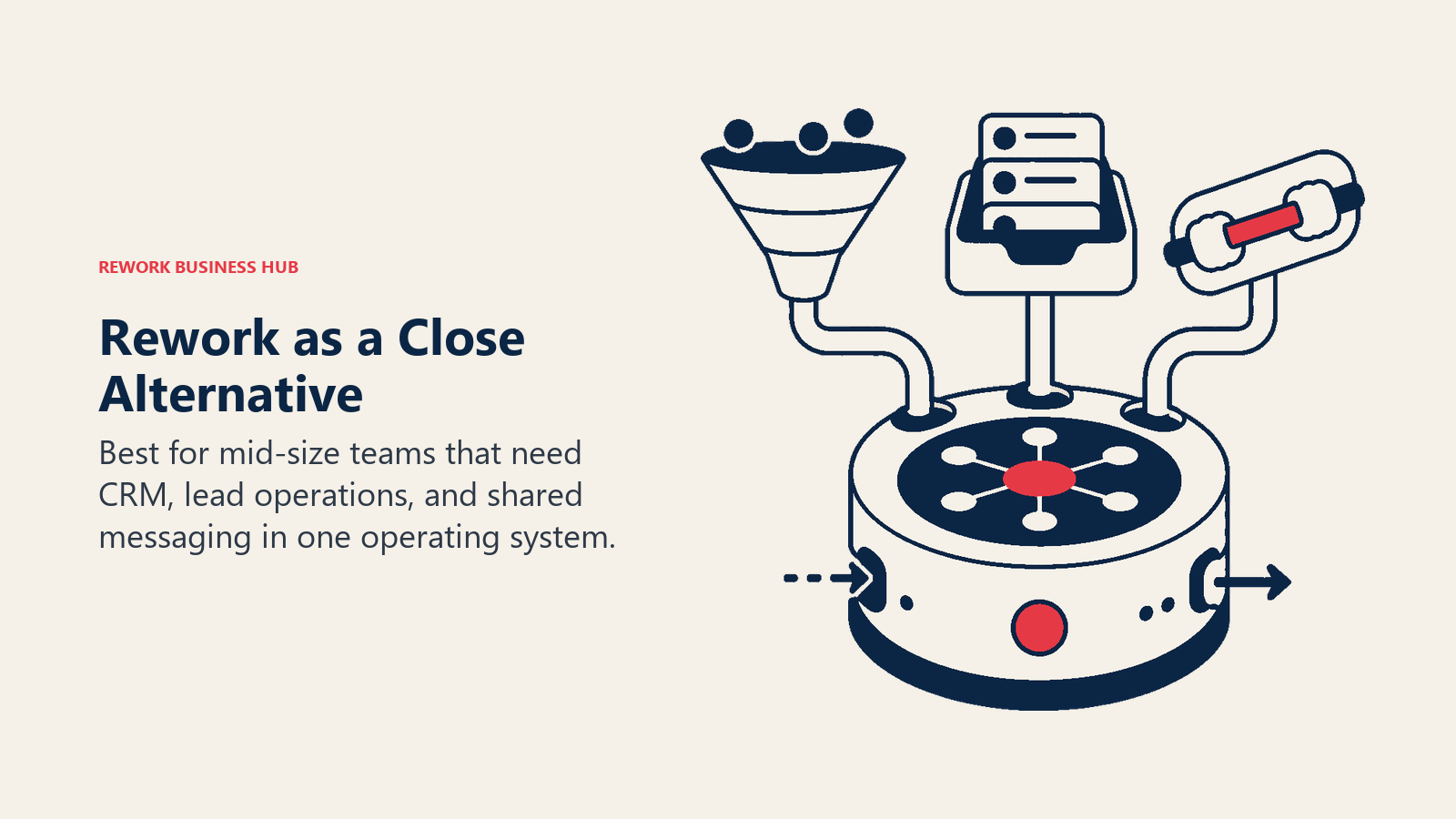
The clearest differentiator: Rework ships native Lead Management as a first-class module with round-robin, territory, and SLA-based lead distribution built in. That's not an add-on or an automation workaround; it's core to how the product routes work. Rework also consolidates WhatsApp, Messenger, Instagram DM, TikTok, Telegram, LINE, Zalo, and web chat into a single contact timeline, so reps see the full conversation history regardless of which channel the lead came through. Before you evaluate, it's worth reading the How to Pick a CRM in 2026 checklist to know what questions to ask any vendor.
Where Close prioritizes call velocity, Rework prioritizes cross-team data integrity. The trade-off is that Rework isn't the fastest tool for a team that spends 80% of its day on the phone making cold calls. But for organizations where the revenue motion involves more than pure outbound dialing, it covers ground Close doesn't.
Methodology / Vision: Mid-size operational unity. The product thesis is that disconnected CRM, lead management, and messaging tools create handoff failures that cost revenue. Rework's answer is a single product where every channel, every team, and every stage of the customer lifecycle shares one data model.
Target Audience: Mid-size B2B companies from 20 to 500 employees. Industries with multi-channel inbound lead flows: SaaS, agencies, professional services, e-commerce, education, real estate, healthcare.
Sizing Fit: Too deep for solo users or very small teams. Well-suited for growth to mid-market. Upper limit is around 500 employees before enterprise governance needs push teams toward Salesforce-tier tooling.
Stage Fit: Growth through mature. Best adopted when a team has outgrown a single CRM tool and needs the marketing-to-sales handoff to work cleanly.
Team vs Company-Wide: Company-wide. Sales, marketing, RevOps, ops, and customer success can all have a functional home in Rework.
| What you get | What you don't |
|---|---|
| CRM + Lead Management as one product | AppExchange-scale integration library |
| Native multi-channel inbox (WhatsApp, IG, Messenger, web chat) | A built-in VoIP power dialer |
| Round-robin, territory-rule, and claim-pool lead routing | Free or very low cost solo tier |
| Cross-team ops workflows and process templates | Fortune 500-grade governance and custom objects |
| Pipeline, forecasting, and quota tracking | Pure outbound calling motion speed |
Pricing: The Sales Engine (CRM) is $69/month billed yearly, or $80 month to month, with 5 sales seats included; extra seats come in blocks of 5 ($21/month per block on yearly billing). The Revenue Engine ($159/month billed yearly) adds the multi-channel inbox and lead capture. See rework.com/pricing.
Best for: Mid-size B2B teams where leads arrive through multiple channels and the marketing-to-sales handoff matters as much as the close rate. Not ideal for: SDR teams doing pure high-volume cold calling as their only go-to-market motion, or solo founders who just need a deal list.
2. HubSpot CRM: Marketing + Sales Suite
HubSpot is the most logical destination for Close users who need marketing to live inside the same system as sales. If your growth motion is shifting toward inbound, content, or product-led trials, HubSpot's marketing automation, landing pages, forms, lead nurture workflows, and email marketing connect directly to the sales pipeline without any Zapier overhead. The best HubSpot alternatives guide covers the full HubSpot competitive landscape if that's where your evaluation is heading.
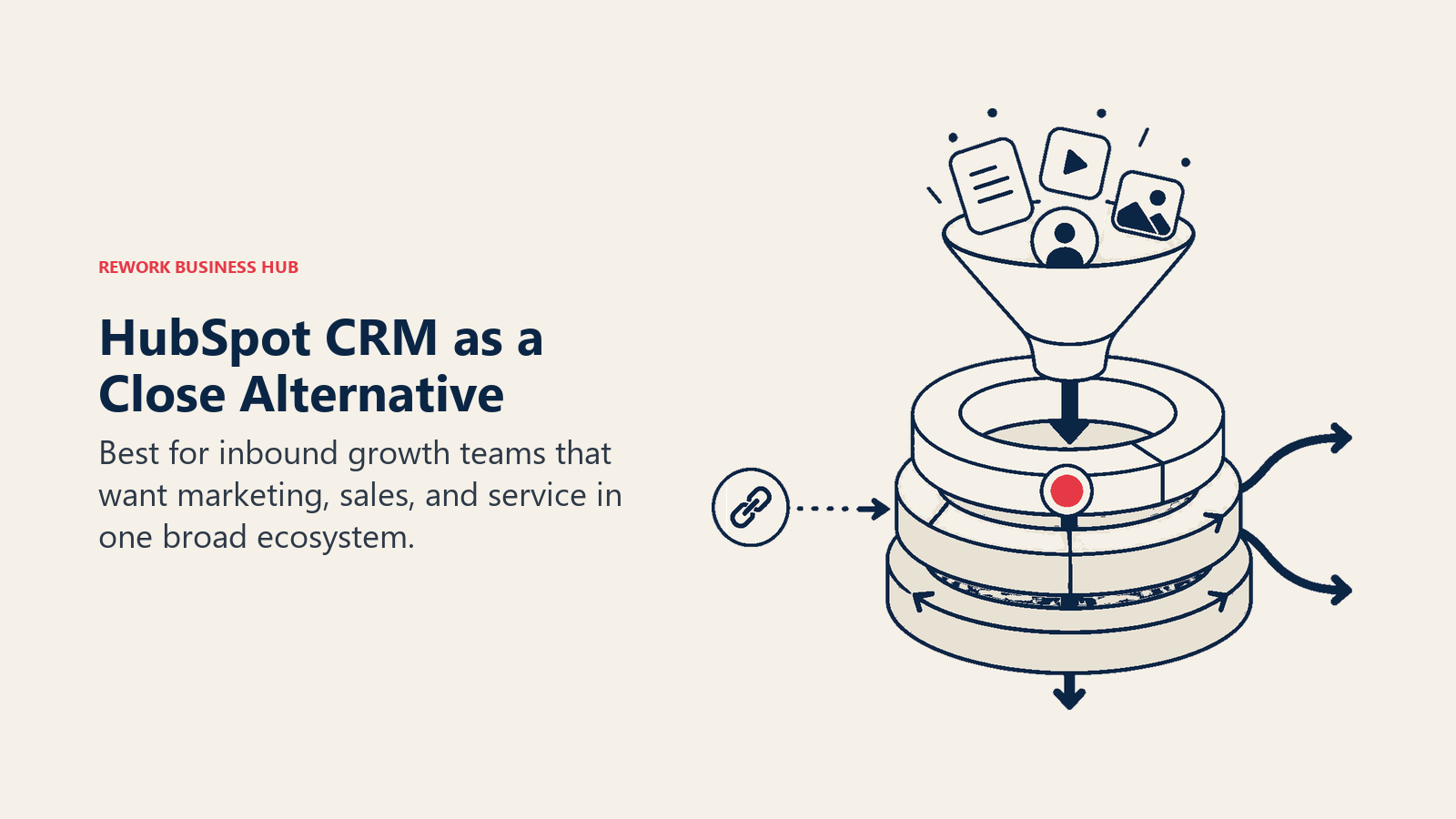
The honest accounting on pricing: HubSpot's free tier is real and useful for small teams. But when you add Marketing Hub Professional for workflows, Sales Hub Pro for sequences and forecasting, and account for contact tier pricing as your database grows, costs escalate quickly. A 50-person team using both Marketing and Sales Hub professionally can expect $3,000-$8,000 per month. That's a different budget conversation than Close.
Methodology / Vision: The all-in-one inbound flywheel. HubSpot's philosophy is that marketing, sales, and service should be one connected loop, not three separate tools. The CRM is the connective tissue between them.
Target Audience: Marketing-led B2B companies, typically 10-500 employees. Best fit when there's a meaningful content, campaign, or inbound program that needs to feed the sales pipeline.
Sizing Fit: Scales from small teams on free tier to mid-market on paid hubs. Enterprise tier available but gets complex and expensive.
Stage Fit: Startup through mature. One of the few tools on this list that genuinely works across all stages (with different cost profiles).
Team vs Company-Wide: Company-wide for GTM teams. Sales, marketing, and service all have dedicated products within the suite.
| What you get | What you don't |
|---|---|
| Deep marketing automation (workflows, email, landing pages) | Predictable pricing as contacts and features scale |
| Excellent sales pipeline and forecasting | Native WhatsApp/Instagram DM inbox on base plans |
| Large partner and integration ecosystem | Simple lead distribution on base plans |
| Free CRM for small teams | A built-in VoIP dialer comparable to Close |
Pricing: Free CRM; Sales Hub from $20/seat/mo (Starter) to $100/seat/mo (Enterprise), billed annually. See HubSpot's pricing page for the current tier breakdown.
Best for: Marketing-led growth companies that need content, nurture, and sales in one place and have budget flexibility as they grow. Not ideal for: Teams that primarily need outbound calling depth, or organizations that want multi-channel chat natively included.
3. Pipedrive: Clean Visual Pipeline
Pipedrive is frequently where teams land before Close and occasionally after it. It's simpler, cheaper, and doesn't try to do as much. If the primary reason for leaving Close is cost or complexity rather than a need for more features, Pipedrive deserves a look. The best Pipedrive alternatives article is worth bookmarking too, in case Pipedrive also turns out to be too limited.
But be clear about what it doesn't bring: no native dialer (you're adding Aircall, JustCall, or Twilio), no marketing module, limited automation on lower plans, and no native multi-channel chat. It's a visual pipeline tracker for teams that want clean deal management without the overhead. If you're also evaluating Rework against Pipedrive directly, the Rework vs Pipedrive comparison covers the key differences.
Methodology / Vision: Sales simplicity. The Pipedrive thesis is that salespeople should spend time selling, not managing software. Everything bends toward reducing friction in deal tracking.
Target Audience: Small to mid-size sales teams, 5 to 50 reps. Common in agencies, SaaS, and professional services where deal flow is structured and relatively simple.
Sizing Fit: Solo to growth stage. Shows friction above 50 reps due to limited permission structure and reporting depth.
Stage Fit: Early startup to early growth. Strong for teams finding their sales process before they need operational maturity.
Team vs Company-Wide: Sales-only. Marketing and CS need separate tools.
| What you get | What you don't |
|---|---|
| Clean, fast visual pipeline | Built-in dialer (requires integration) |
| Simple deal tracking and activity management | Native marketing module |
| Affordable entry price | Strong automation on base plans |
| Good mobile app | Multi-channel inbox |
Pricing: From $14/seat/mo (Essential) to $99/seat/mo (Enterprise), billed annually.
Best for: Small sales teams that want clean pipeline management without complexity, at a lower cost than Close. Not ideal for: Teams that rely on the phone as their primary channel, or any organization that needs marketing and sales in one system.
4. Freshsales: Freddy AI + Affordable All-in-One
Freshsales competes with Close in the mid-market CRM space but adds Freddy AI for lead scoring and contact enrichment at a price point that undercuts most of the list. The Growth plan at ~$11/seat includes pipeline management, email, a built-in phone module, and basic AI scoring. That's a reasonable value for teams that want CRM utility without the sales engagement platform overhead. The best Freshsales alternatives guide is useful if you're considering Freshsales but want to compare it before committing. And if you want a direct product comparison, see Rework vs Freshsales.
Freddy AI's predictive scoring is genuinely useful once it has enough data to work with, typically after 3-4 months. The limitation is that Freshsales' customization ceiling is lower than Zoho or HubSpot, and support response times at larger team sizes have been a recurring complaint in user reviews on G2.
Methodology / Vision: Affordable intelligence. Freshworks bets that mid-market teams want AI-assisted CRM without needing to be enterprise to afford it.
Target Audience: SMB and lower mid-market teams from 5 to 100 reps. Common in tech startups, fintech, and regional service businesses.
Sizing Fit: Solo to early mid-market. Shows customization limits above 100 seats.
Stage Fit: Startup through early growth. Strong choice before a team has enough complexity to need Salesforce-grade tools.
Team vs Company-Wide: Primarily sales. Freshworks offers separate products for marketing and support that integrate with Freshsales but aren't native modules.
| What you get | What you don't |
|---|---|
| Freddy AI lead scoring and contact enrichment | Deep customization for complex processes |
| Affordable all-in-one (CRM + email + phone) | Consistent enterprise-grade support |
| Clean UI, fast onboarding | Marketing automation depth comparable to HubSpot |
| Freshworks ecosystem (Desk, Chat, Marketing) | Strong RevOps reporting layer |
Pricing: From $11/seat/mo (Growth) to $71/seat/mo (Enterprise), billed annually.
Best for: SMB and early mid-market teams who want AI-assisted CRM at an accessible price point. Not ideal for: Larger teams with complex sales processes or RevOps teams who need deep reporting and customization.
5. Apollo.io: Sales Intelligence + Sequencing + CRM
Apollo is the most direct alternative for Close users whose primary go-to-market is outbound prospecting. It combines a 275 million contact database with email sequences, dialer, LinkedIn workflows, and intent data, all in one product. For SDR teams that spend significant time building lists and running cold outreach, Apollo collapses what would otherwise be three separate tools (ZoomInfo, Outreach, and a CRM) into one. The best Outreach alternatives article covers the sales engagement side of this category in more depth.
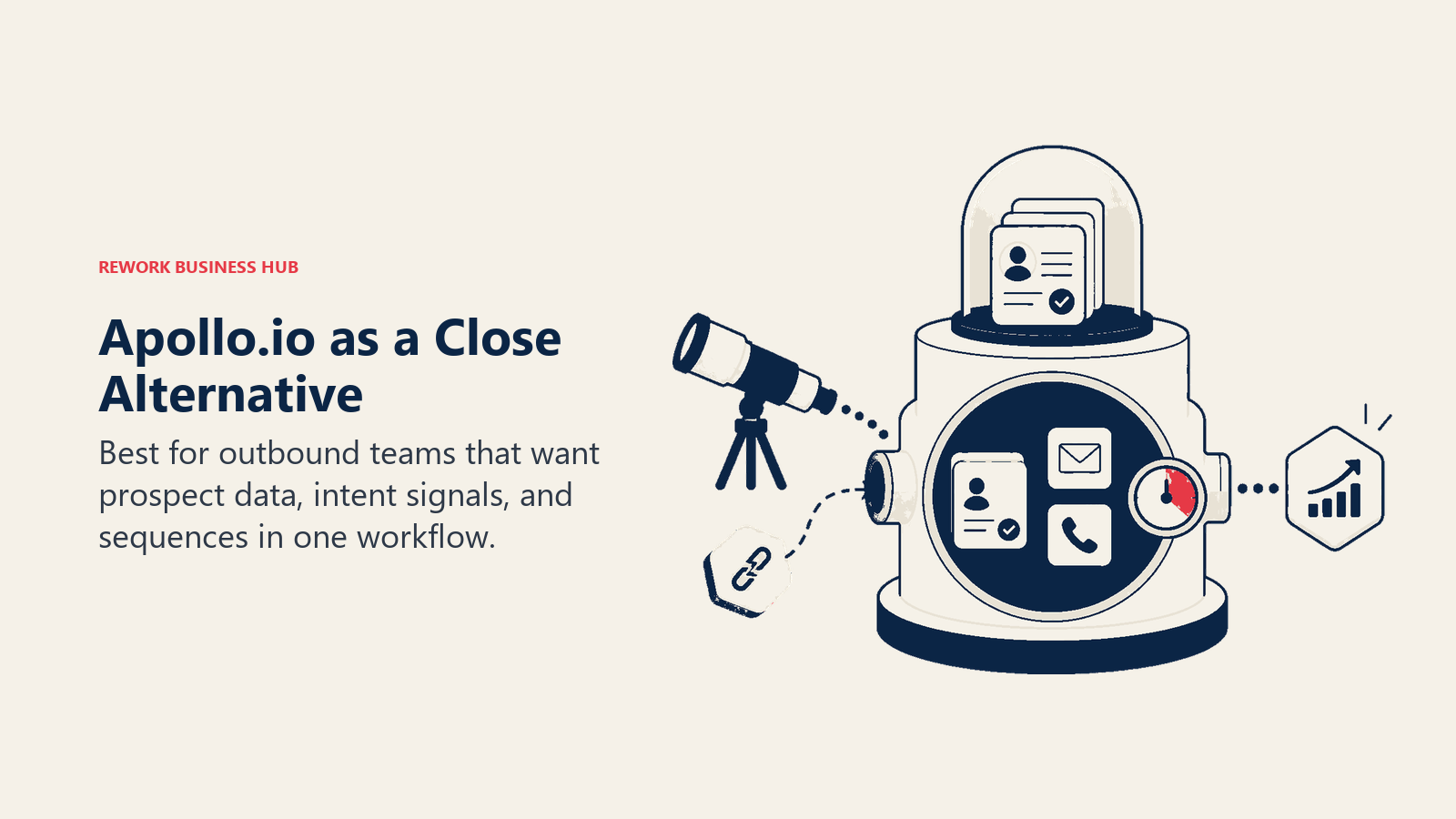
The honest trade-off: Apollo's CRM layer is thinner than dedicated CRM products. It works fine for tracking outbound conversations, but teams that need complex pipeline stages, territory management, or quote-to-close workflows will find it lean. Apollo is best thought of as a prospecting and engagement platform that has CRM features, not a CRM that has prospecting features.
Methodology / Vision: Outbound motion in one place. Apollo's thesis is that the research → contact → sequence → call loop should never require switching applications.
Target Audience: SDR-heavy and outbound-first B2B sales teams, from seed-stage startups to mid-market companies running structured prospecting programs.
Sizing Fit: Solo to mid-market. Works well at any outbound-focused team size. CRM depth limits applicability at larger organizations with complex pipeline needs.
Stage Fit: Startup through growth. Particularly strong for teams launching a structured outbound motion for the first time.
Team vs Company-Wide: Sales and SDR-focused. Marketing can use the email sequencing, but this is primarily a sales dev tool.
| What you get | What you don't |
|---|---|
| 275M+ contact database with intent and enrichment data | Deep CRM for complex pipeline management |
| Built-in email sequences, dialer, and LinkedIn steps | Native multi-channel chat inbox |
| Intent signals and buyer activity tracking | Marketing automation for nurture campaigns |
| Good analytics on outbound sequence performance | Strong territory or approval workflow management |
Pricing: Free tier available; paid from $49/user/mo (Basic) to $119/user/mo (Organization), billed annually.
Best for: Outbound-first SDR teams that want prospecting, sequencing, and contact data in one product without buying ZoomInfo separately. Not ideal for: Teams where inbound, multi-channel chat, or marketing-to-sales handoffs are central to the revenue motion.
6. Outreach: Sales Engagement for Mature Teams
Outreach is the market leader in enterprise sales engagement. If Close is fast and lean, Outreach is thorough and analytics-heavy. Its sequence engine is best in class for managing complex, multi-touch outbound programs across large sales teams. The AI coaching features, call recording analysis, and deal intelligence give managers and RevOps real signal on what's working versus what's just activity. The best Salesloft alternatives guide is a useful companion read if you're evaluating the enterprise sales engagement category broadly.
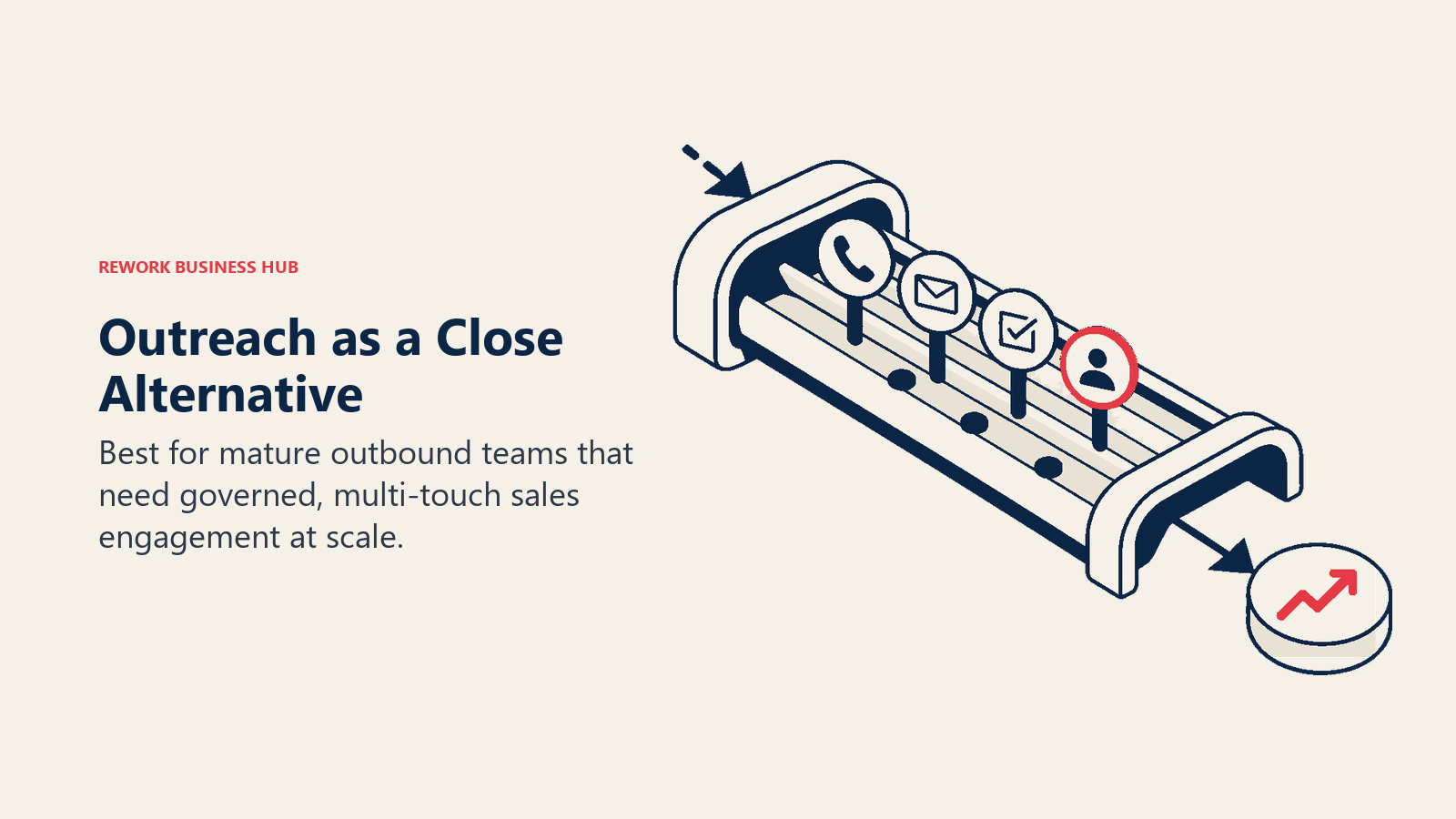
But Outreach is not a CRM. It needs Salesforce or HubSpot CRM to operate as a backend. And it's built for organizations that have the headcount and budget to match its complexity: implementation takes weeks, and the pricing reflects an enterprise buyer, not a growth-stage team.
Methodology / Vision: Scientific selling. Outreach's bet is that sales can be systematized through sequence testing, conversation intelligence, and outcome analytics. The goal is turning best-rep behavior into repeatable playbooks.
Target Audience: Enterprise and upper mid-market sales organizations, typically 50+ reps, with dedicated sales operations and RevOps teams.
Sizing Fit: Mid-market to enterprise. Under-utilized and over-priced for teams below 50 reps.
Stage Fit: Mature to enterprise. Best for organizations that have already defined their sales playbook and need to scale and optimize it.
Team vs Company-Wide: Sales and sales management. Not a cross-team platform; requires a separate CRM for data ownership.
| What you get | What you don't |
|---|---|
| Best-in-class sequence engine and A/B testing | A native CRM (needs Salesforce or HubSpot) |
| Deep analytics on sequence and rep performance | Simple, fast setup (complex implementation) |
| AI call coaching and deal intelligence | Affordable pricing for growth-stage teams |
| Enterprise-grade security and compliance | Native multi-channel chat or lead management |
Pricing: Contact sales. Enterprise pricing typically runs $100-$150+/seat/mo depending on tier and volume.
Best for: Enterprise sales teams with dedicated RevOps who need to systematize and scale complex outbound playbooks. Not ideal for: Teams under 50 reps, teams without a dedicated CRM already in place, or organizations that need a platform to cover marketing and customer success.
7. Salesloft: Revenue Orchestration
Salesloft rebranded from "sales engagement" to "revenue orchestration" after acquiring Drift in 2023, and the positioning is accurate: it now covers the full revenue cycle from initial buyer signal through post-close expansion. The platform combines cadences, conversation intelligence, deal intelligence, buyer signal tracking, and coaching into one revenue operations layer.
Like Outreach, Salesloft is a platform for mature GTM teams. It works alongside a CRM (typically Salesforce or HubSpot) rather than replacing it. And like Outreach, its complexity and pricing reflect that enterprise positioning. For a 15-person inside sales team, it's significant overkill. Setting up CRM workflow automation before you move to an orchestration platform like Salesloft will make the transition considerably smoother.
Methodology / Vision: Revenue intelligence over activity management. Salesloft's philosophy is that tracking activity isn't enough; teams need to understand buyer intent and deal health to prioritize effort correctly.
Target Audience: Mid-market to enterprise revenue teams, 50-1,000+ reps, with Salesforce or HubSpot as the CRM backbone.
Sizing Fit: Mid-market to large enterprise. Most teams below 50 reps won't use the platform's depth and will overpay.
Stage Fit: Mature to enterprise. Best when a structured GTM motion already exists and the team needs to optimize and scale it.
Team vs Company-Wide: Sales, marketing alignment, and customer success can all operate in Salesloft, but it's GTM-team-centric, not company-wide.
| What you get | What you don't |
|---|---|
| Cadences with deal and buyer signal intelligence | A native CRM (requires external system) |
| Conversation intelligence and coaching | Affordable growth-stage pricing |
| Post-acquisition Drift integration for buyer engagement | Fast, simple implementation |
| Revenue dashboards and forecast accuracy tools | Native lead distribution or multi-channel social inbox |
Pricing: Contact sales. Typically $125-$175+/seat/mo based on tier.
Best for: Enterprise revenue teams that need a revenue orchestration layer on top of Salesforce or HubSpot. Not ideal for: Teams under 50 reps, early-stage companies without mature CRM infrastructure, or organizations looking for an all-in-one CRM replacement.
8. Monday Sales CRM: Visual Boards + CRM
Monday.com built its brand as a work management platform, and Monday Sales CRM extends that flexible board model into pipeline management. If your team already lives in Monday for project tracking, client delivery, and internal ops, the appeal of managing sales pipeline in the same interface is real. One tool, one login, one view of the business.
The honest limitation: Monday Sales CRM is a visual pipeline layer, not a purpose-built revenue platform. Lead scoring, round-robin distribution, multi-channel inbox, and forecasting all require custom automation or third-party add-ons. You're buying flexibility, not depth.
Methodology / Vision: Work management first, CRM second. Monday's bet is that sales teams shouldn't use separate tools from the rest of the company if everything can live on customizable boards.
Target Audience: Small to mid-size teams (5-100 employees) where sales is one of several functions on Monday, not the primary user of a dedicated CRM.
Sizing Fit: Startup to early growth. Sufficient for small pipeline volumes; limited for complex sales organizations.
Stage Fit: Startup through early growth. Strong when Monday.com is already the company's operational hub.
Team vs Company-Wide: Company-wide in terms of the Monday.com platform, but the sales-specific features are lighter than dedicated CRMs.
| What you get | What you don't |
|---|---|
| Highly visual, intuitive board interface | Deep native CRM features (scoring, routing, forecasting) |
| Easy cross-team visibility across Monday.com | Built-in dialer or email sequencing |
| Flexible customization for unique sales processes | Clean multi-channel inbox |
| Good mobile experience | Serious RevOps reporting depth |
Pricing: From $12/seat/mo (Basic) to $28/seat/mo (Pro), billed annually. Minimum 3 seats.
Best for: Teams already on Monday.com that want pipeline management without switching platforms. Not ideal for: Teams that need serious sales engagement depth, lead distribution logic, or advanced forecasting.
9. Copper: Google Workspace CRM
Copper's entire value proposition lives inside a single premise: if your team does everything in Gmail and Google Calendar, the best CRM is the one that disappears into those tools. Contact records auto-populate from your email history, deals attach to threads, and meetings log without manual entry. There's no context switching and no data entry discipline required.
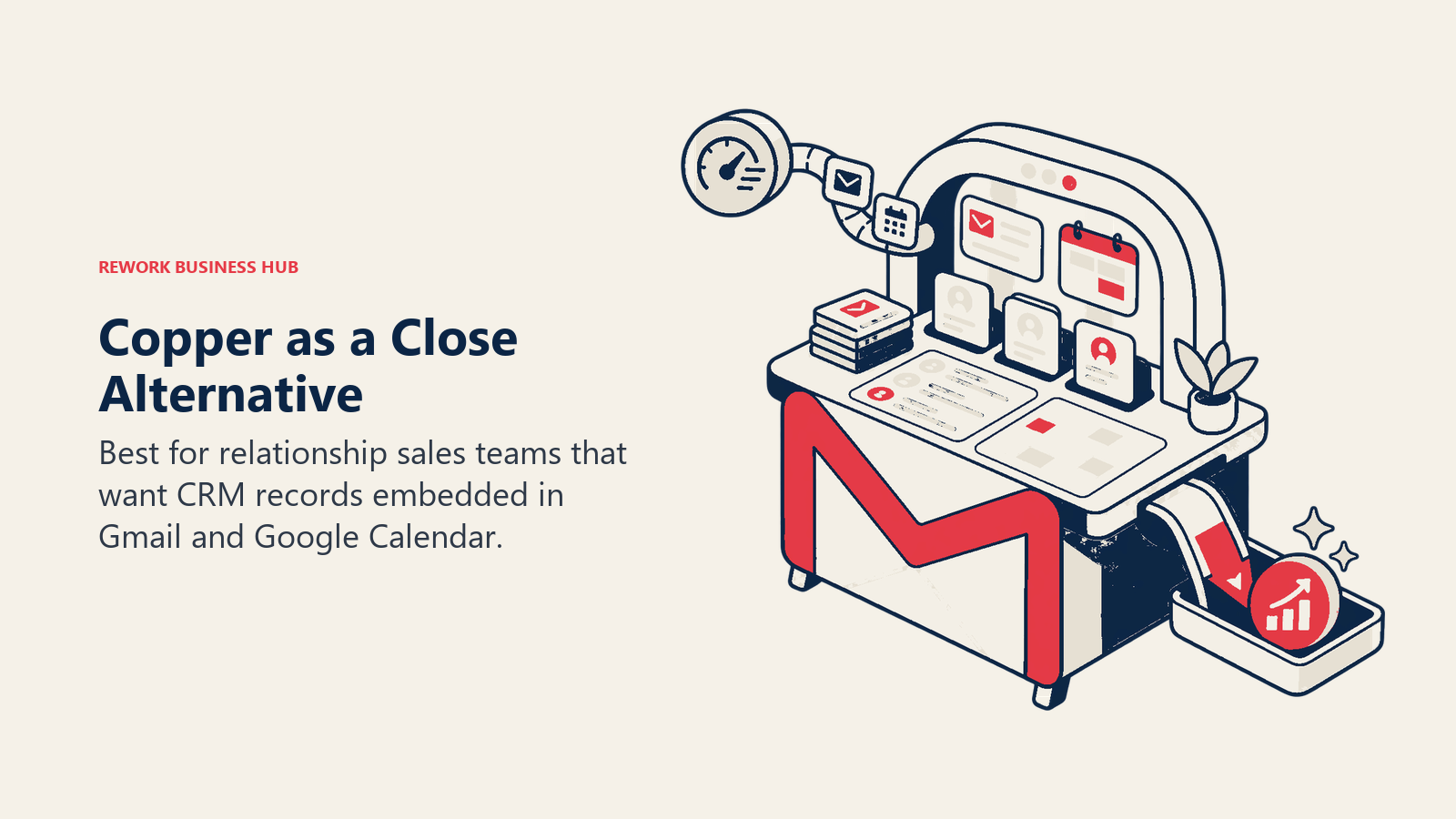
That same tight integration is the constraint. Copper is genuinely best when the whole team is inside Google Workspace. Salespeople on Outlook, or operations teams in Slack-first workflows, won't get the same benefit. And for teams that need lead routing, power dialers, or multi-channel inbox, Copper is a relationship tracker, not a revenue platform.
Methodology / Vision: The frictionless CRM for Google-native teams. The product thesis is that CRM adoption fails because of data entry friction. Eliminating that friction by living inside Gmail solves the core problem.
Target Audience: Small professional services firms, agencies, consulting practices, and founder-led businesses that operate entirely inside Google Workspace.
Sizing Fit: Solo to small team (1-30 employees). Starts to strain above that with limited permission depth and reporting.
Stage Fit: Early startup. Best as a first CRM for a Google-native team, before the sales process becomes complex enough to need routing and automation.
Team vs Company-Wide: Primarily a sales and BD tool. Other teams benefit from Google Workspace integration but it's not a cross-functional platform.
| What you get | What you don't |
|---|---|
| Frictionless Gmail and Google Calendar integration | Any CRM functionality outside Google Workspace |
| Auto-populated contact records from email history | Native dialer, lead routing, or multi-channel inbox |
| Simple pipeline with low learning curve | Deep reporting or forecasting |
| Google Workspace SSO and admin management | Strong automation engine |
Pricing: From $9/seat/mo (Starter) to $99/seat/mo (Business), billed annually.
Best for: Google Workspace teams in professional services, consulting, or early-stage sales where zero-friction contact tracking is more important than feature depth. Not ideal for: Any team not fully inside Google Workspace, or organizations needing more than basic pipeline management.
10. Folk: Lightweight Relationship CRM
Folk is built for relationship-driven professionals who find HubSpot and Close too heavy for how they actually work. Founders managing investor relationships, agency owners tracking client conversations, BD leads nurturing partnership pipelines, and VCs managing deal flow all fit the Folk use case. It's lightweight, well-designed, and genuinely pleasant to use in ways that enterprise CRMs rarely are. The best folk alternatives article covers the options if Folk turns out to be too lightweight for your needs.
The product does not try to be a sales engagement platform. There's no power dialer, no sequence builder, no territory routing, and no quota management. For the right user, that's a feature. For a team of 10 SDRs running 80 cold calls a day, it's the wrong tool entirely.
Methodology / Vision: Relationship intelligence over pipeline management. Folk's thesis is that business relationships are fundamentally different from transactional sales pipelines, and they need a different kind of tool.
Target Audience: Founders, investors, agency principals, partnership leads, and consultants managing high-value, low-volume relationship flows.
Sizing Fit: Solo to small team (1-25 people). Not designed for structured sales organizations at scale.
Stage Fit: Early startup to growth for the relationship-management use case. Not tied to company maturity as much as to the nature of the sales motion.
Team vs Company-Wide: Individual contributor and small team tool. Not a company-wide platform.
| What you get | What you don't |
|---|---|
| Excellent UX and relationship-centric design | High-volume transactional pipeline management |
| Good enrichment, tagging, and duplicate merging | Native dialer, sequencing, or lead distribution |
| Collaborative notes and shared deal context | Deep automation or workflow engine |
| Lightweight and fast to set up | Strong reporting or quota management |
Pricing: From $20/seat/mo (Standard) to $40/seat/mo (Premium), billed annually.
Best for: Founders, BD leads, VCs, and agency owners managing relationship-driven deal flows where quality of connection matters more than call volume. Not ideal for: SDR/AE teams running structured outbound pipelines with volume targets and territory splits.
Multi-Channel Inbox Coverage
One of the clearest gaps in Close is native multi-channel conversation support, and it's an increasingly important axis for inside sales teams. Leads from ads, live chat, WhatsApp, and Instagram DM are common today, and a CRM that can't unify those threads forces reps to piece together context from multiple sources.
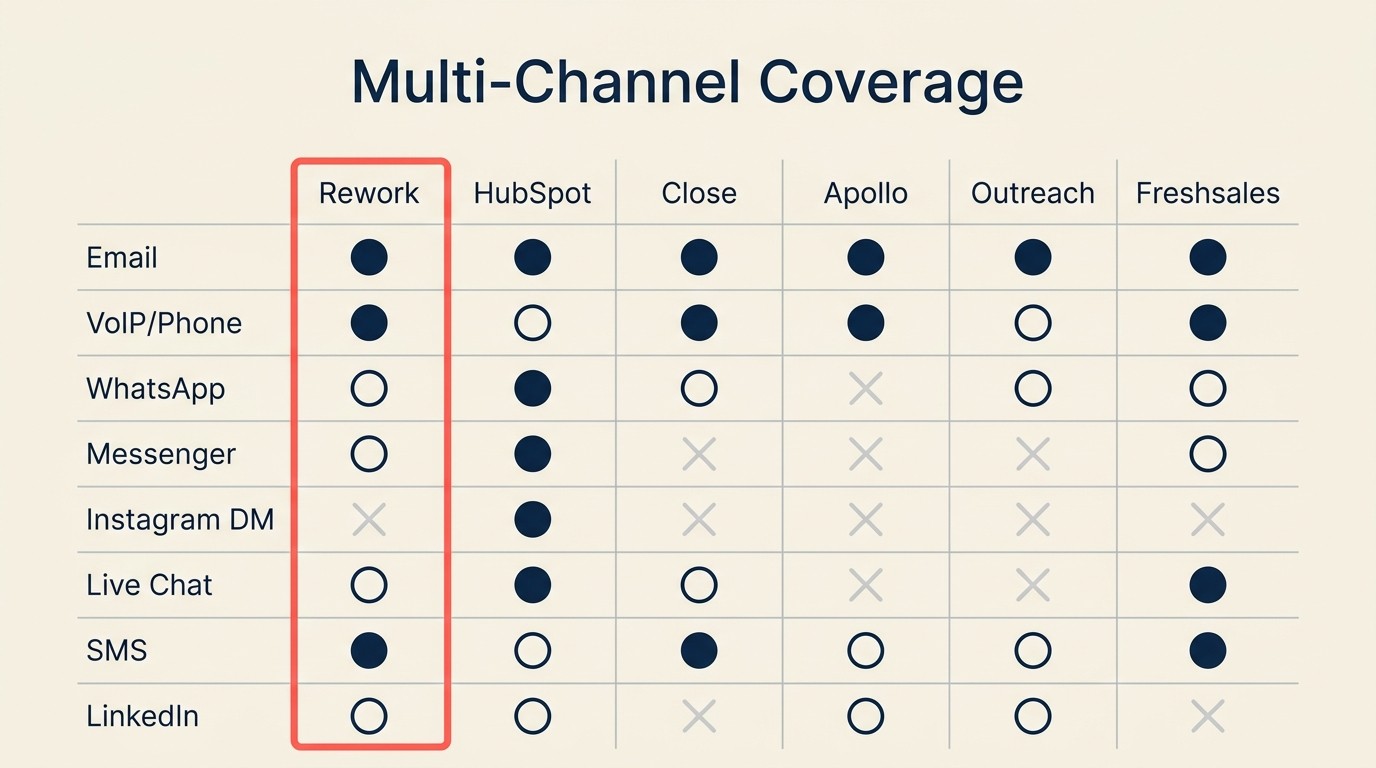
| Channel | Rework | HubSpot | Close | Apollo.io | Outreach | Freshsales |
|---|---|---|---|---|---|---|
| Native (separate Mail app) | Native | Native | Native | Native | Native | |
| VoIP / Phone | Integration | Sales Hub | Native (power dialer) | Native | Native | Native |
| Native | Paid add-on | Not supported | Not supported | Not supported | Partial (3rd party) | |
| Messenger | Native | Service Hub | Not supported | Not supported | Not supported | Not supported |
| Instagram DM | Native | Paid add-on | Not supported | Not supported | Not supported | Not supported |
| Live web chat | Native | Native | Not supported | Not supported | Not supported | Native |
| SMS | Not supported | Paid add-on | 3rd party | 3rd party | Not supported | 3rd party |
| Lead Gen ads sync | Integration | Not supported | Native (sequences) | Native (steps) | Not supported |
Lead Management Depth
For teams moving away from Close because of limited lead routing or marketing integration, the lead management layer is the most important thing to evaluate before picking a replacement. The Pipeline Stages That Match Selling guide walks through how to structure your stages before migrating to a new tool.
| Capability | Rework | HubSpot | Close | Apollo.io | Freshsales |
|---|---|---|---|---|---|
| Lead capture from forms/ads | Native | Native | 3rd party | Partial | Native |
| Lead scoring | Native | Native (Marketing Hub) | Manual | Intent-based | Freddy AI |
| Round-robin distribution | Native | Pro+ only | Manual | Manual | Manual |
| Territory routing | Native | Enterprise only | Limited | Not supported | Limited |
| SLA-based routing | Native | Not supported | Not supported | Not supported | Not supported |
| Marketing-to-sales handoff | Native workflow | Native (Marketing Hub) | 3rd party | Partial | Separate module |
| Attribution back to pipeline | Native | Native | Limited | Partial | Limited |
According to G2's CRM category data, lead routing and pipeline automation are the two features most often cited as gaps when teams migrate away from entry-level CRMs -- which tracks with why Close users typically look for alternatives when they scale past 50 reps.
Sales teams that successfully implement a well-matched CRM report up to 29% higher revenue, 34% higher productivity, and 42% better forecast accuracy, according to Salesforce's State of Sales research. The payoff from switching to the right tool compounds quickly once the routing and handoff layer works correctly.
How to Choose: Decision Framework
Start with the constraint that pushed the evaluation in the first place. A team leaving Close because it lacks marketing workflows should make a different choice than a team leaving because it needs WhatsApp, territory routing, or enterprise sales engagement analytics.
| If your team needs... | Best pick |
|---|---|
| Full CRM + native lead routing + multi-channel inbox in one product | Rework |
| Marketing automation tightly integrated with a sales pipeline | HubSpot CRM |
| Simpler, cheaper pipeline management with no dialer required | Pipedrive |
| Affordable AI-assisted CRM with a built-in phone module | Freshsales |
| Outbound prospecting + sequencing + contact database in one place | Apollo.io |
| Enterprise sequence analytics and AI coaching on top of Salesforce | Outreach |
| Revenue orchestration with deal intelligence for mature GTM teams | Salesloft |
| Visual pipeline boards inside an existing Monday.com deployment | Monday Sales CRM |
| Zero-friction CRM embedded in Google Workspace | Copper |
| Lightweight relationship management for founders or BD leads | Folk |
Frequently Asked Questions
What is the best Close CRM alternative for multi-channel inbox?
Rework is the strongest Close alternative when multi-channel inbox is the primary gap. It natively unifies WhatsApp, Instagram DM, Facebook Messenger, and web chat into a single contact timeline (email runs in the separate Mail app), and that inbox comes with the Revenue Engine at $159/month billed yearly. HubSpot covers some of these channels but gates social messaging behind higher-tier plans.
Why do inside sales teams outgrow Close CRM?
The most common reasons inside sales teams outgrow Close are: no native marketing module for inbound or product-led growth, limited multi-channel support beyond email and phone, and permission or territory management friction once teams exceed 50 reps. According to G2's CRM category data, lead routing and pipeline automation are the top two gaps cited when teams migrate away from entry-level CRMs.
How does Close CRM pricing compare to alternatives?
Close starts at $49/user/month (Startup plan) and rises to $139/user/month (Enterprise). Comparable alternatives range from $11/user/month (Freshsales Growth) to $49/user/month (Apollo Basic) to enterprise-only pricing for Outreach and Salesloft. Rework's Sales Engine starts at $69/month billed yearly with 5 seats, and the Revenue Engine ($159/month billed yearly) covers CRM, lead management, and multi-channel inbox in one product.
Is Apollo.io a full CRM replacement for Close?
Apollo.io is a strong replacement for the outbound prospecting and sequencing functions of Close -- it includes a 275M+ contact database, email sequences, and a built-in dialer. But its CRM layer is thinner than dedicated platforms. Teams that need territory management, complex pipeline stages, or marketing-to-sales routing will find Apollo insufficient as a standalone CRM.
What CRM is best for teams that need both marketing and sales in one system?
HubSpot CRM is the most widely adopted solution for organizations that need marketing automation and inside sales pipeline in one connected platform. A 50-person team using both Marketing Hub Professional and Sales Hub can expect to pay $3,000 to $8,000 per month. Rework offers a lighter version of this integration for mid-size teams that need multi-channel lead capture and sales routing without full marketing automation.
How long does a CRM migration from Close typically take?
CRM migrations for teams of 10 to 50 users typically take 4 to 12 weeks depending on data complexity and whether migration is handled internally or with a consultant. Over 80% of data migration projects exceed their original timeline or budget, according to migration research, with cost overruns averaging 30%. Phased migrations have a 2% failure rate compared to 13% for big-bang cutover approaches.
Which Close alternative is best for small teams under 20 reps?
For small teams under 20 reps, Pipedrive (from $14/seat), Freshsales (from $11/seat), and Copper (from $9/seat, Google Workspace-only) are the most cost-effective options with fast setup. Rework and Apollo.io also work well at this size for teams with multi-channel or outbound prospecting needs, respectively.
What to Do Next
Pick two tools from the framework above that match your specific reason for leaving Close, then run a two-week pilot with 3-5 reps from the actual team that will use it daily. Don't evaluate in a sandbox. Load real contacts, work real deals, and see which one your team actually opens before the first morning standup.
If you're leaving Close because leads are arriving through channels it doesn't support, or because marketing and sales need to operate from the same system, start that pilot with Rework. Before you do, it's worth codifying your current sales playbook, since any new CRM will need it as the baseline for pipeline stages, sequences, and qualification frameworks. That cross-channel, cross-team cohesion is the specific problem Rework was built to solve. If you're leaving Close because you need enterprise sequence analytics and you're already on Salesforce, start with Outreach or Salesloft instead.
Most tools on this list have free trials or free tiers. There's no reason to make this decision on a demo alone.

Head of Enterprise Solutions
On this page
- Quick Comparison Table
- Why Teams Leave Close
- Stage Fit Matrix
- Sizing and Persona Table
- 1. Rework: Unified CRM + Lead Management + Multi-Channel Inbox
- 2. HubSpot CRM: Marketing + Sales Suite
- 3. Pipedrive: Clean Visual Pipeline
- 4. Freshsales: Freddy AI + Affordable All-in-One
- 5. Apollo.io: Sales Intelligence + Sequencing + CRM
- 6. Outreach: Sales Engagement for Mature Teams
- 7. Salesloft: Revenue Orchestration
- 8. Monday Sales CRM: Visual Boards + CRM
- 9. Copper: Google Workspace CRM
- 10. Folk: Lightweight Relationship CRM
- Multi-Channel Inbox Coverage
- Lead Management Depth
- How to Choose: Decision Framework
- Frequently Asked Questions
- What is the best Close CRM alternative for multi-channel inbox?
- Why do inside sales teams outgrow Close CRM?
- How does Close CRM pricing compare to alternatives?
- Is Apollo.io a full CRM replacement for Close?
- What CRM is best for teams that need both marketing and sales in one system?
- How long does a CRM migration from Close typically take?
- Which Close alternative is best for small teams under 20 reps?
- What to Do Next