Best Pipedrive Alternatives in 2026: 10 Tools for Growing Sales Teams
Turn this article into takeaways for your work.


Each assistant summarizes the article only for you and suggests best practices for your work.
Pipedrive does one thing well: it puts a visual pipeline in front of sales reps and gets out of the way. For a 5-person sales team chasing deals in a simple cycle, it's hard to beat on setup speed. But if you're reading this, you've probably outgrown that story.
The most common trigger: your team is growing past 30-50 reps, and Pipedrive starts feeling like a single-player tool bolted together with Zapier and spreadsheets. Marketing has no native home in it. Lead distribution is manual or patched. Automation is gated behind the higher tiers. And when a lead comes in through WhatsApp or Instagram DM, Pipedrive doesn't know it exists. These aren't complaints about a bad product. They're the expected ceiling of a tool purpose-built for pipeline visualization, not the full revenue operation.
This list covers 10 alternatives for teams who need more: more channels, more automation, or a system that connects marketing, sales, and customer success in one place. If you're also weighing whether to stay or switch, the How to Pick a CRM in 2026 guide walks through the full evaluation framework.
Key Facts: CRM Market and Switching Triggers
- 91% of companies with 10 or more employees now use a CRM, making it the most universally adopted business software category. (CRM.org, 2026)
- CRM delivers an average ROI of $8.71 for every $1 spent, yet 50% of sales leaders report difficulty with successful CRM implementation. (Salesmate, 2026)
- Companies using a CRM are 86% more likely to surpass their sales targets compared to those managing pipelines in spreadsheets or disconnected tools. (Salesmate, 2026)
- WhatsApp marketing campaigns achieve conversion rates between 45% and 60%, outperforming traditional email. Teams using a CRM that can't capture these conversations lose a growing share of inbound leads. (AISensy, 2026)
- Businesses see a 29% increase in sales, 34% improvement in sales productivity, and 42% better forecast accuracy after adopting the right CRM platform. (Salesmate, 2026)
Quick Comparison Table
Use this table to compare Pipedrive alternatives by the operational gap they solve. Pipedrive is strong at visual pipeline management, so the question is what else your revenue team now needs around that pipeline.
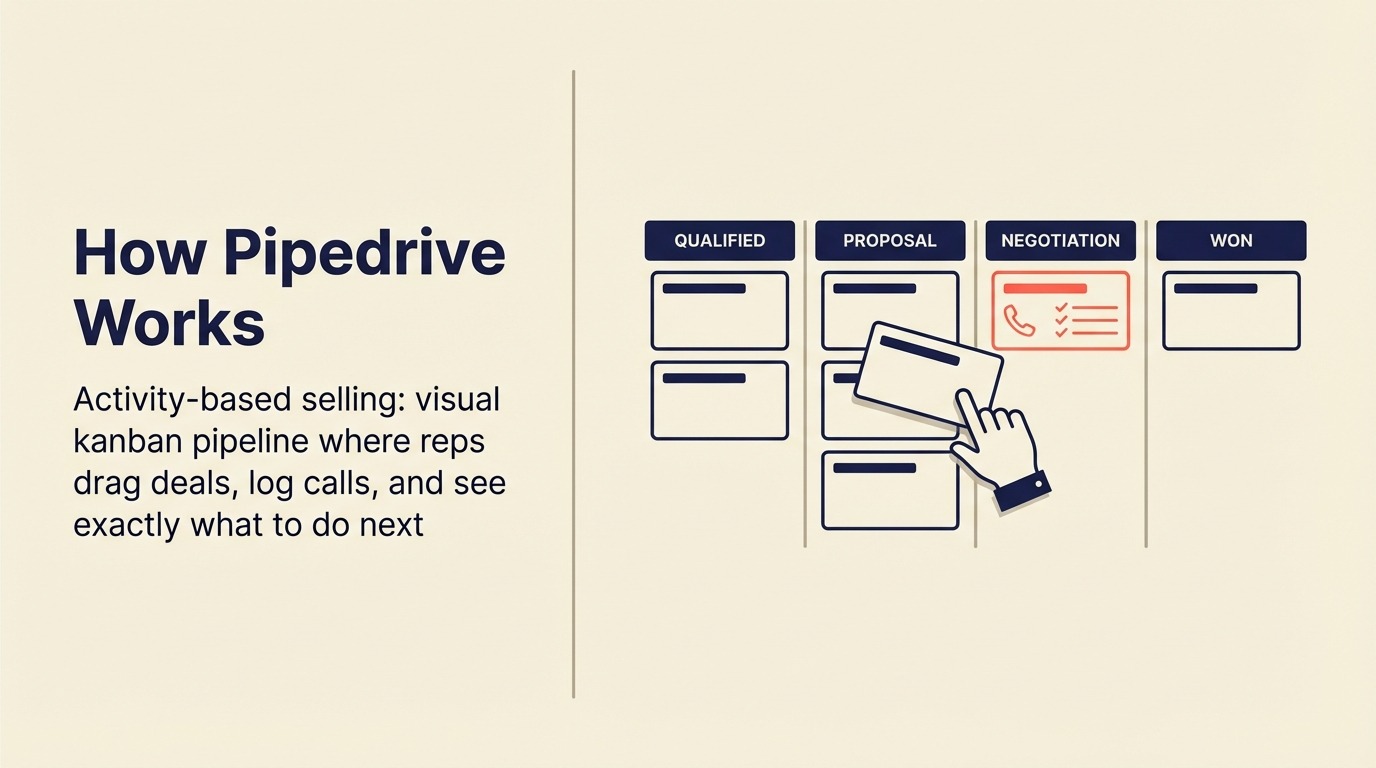
The tools below are evaluated using the Revenue Operations Fit Framework: channel coverage (how many lead sources a CRM handles natively), team ceiling (the rep count where it starts to buckle), and stack integration (whether marketing and customer success share the same data model as sales).
| Tool | Best For | Starting Price (per seat/mo) | Key Strength | Key Limitation |
|---|---|---|---|---|
| Rework | Mid-size teams needing CRM + Lead Management + multi-channel inbox | From $69/mo billed yearly for 5 seats; $159/mo with inbox and lead capture (Revenue Engine) (rework.com/pricing) | Unified CRM, lead distribution, WhatsApp/IG/Messenger native | Less known, smaller integration ecosystem |
| HubSpot CRM | Marketing-led growth orgs | Free tier; Sales Hub from $20/seat | Marketing + Sales in one suite, deep content integration | Gets expensive fast with contacts growth |
| Close | Inside sales teams with high call volume | From $49/seat | Built-in VoIP dialer, fastest email sync in class | Minimal marketing tools, limited for field/complex sales |
| Freshsales | Budget-conscious teams wanting AI assist | From $11/seat | Freddy AI lead scoring, affordable all-in-one | Less customizable, support can lag at scale |
| Zoho CRM | Teams already in Zoho ecosystem | From $14/seat | Massive integration ecosystem, very affordable | Steep learning curve, inconsistent UX |
| Monday Sales CRM | Visual-first teams who live in Monday.com | From $12/seat | Highly visual, flexible boards, easy adoption | Thin native CRM depth, automation gets complex |
| Copper | Teams deeply inside Google Workspace | From $9/seat | Frictionless Gmail/Calendar integration | Google-only, limited outside that ecosystem |
| Attio | Ops-heavy teams wanting a flexible data model | From $34/seat | Best-in-class data model, relationship intelligence | Newer, smaller integration library |
| Folk | Relationship-first, small-to-mid teams | From $20/seat | Lightweight, great UX, relationship-centric | Not suited for high-volume transactional pipelines |
| Nutshell | SMBs needing CRM + email marketing combined | From $19/seat | CRM + email marketing in one affordable package | Less depth on enterprise reporting, limited AI |
Rework Analysis: Based on publicly available pricing and feature documentation across these 10 tools, the median starting price for a CRM with native lead routing is $22/seat/month. Tools that add multi-channel inbox coverage (WhatsApp, Instagram DM, Messenger) as a built-in feature, not an add-on, start at $159/month billed yearly for 5 marketing and 5 sales seats with Rework's Revenue Engine and jump to $65+ per seat elsewhere. The gap is widest for teams between 20 and 100 reps.
1. Rework: Full CRM + Lead Management + Ops Workflows
Rework is the relevant comparison when Pipedrive's simplicity has become a constraint rather than an advantage. The difference is less about pipeline UI and more about routing, inboxes, and cross-team workflow.

If Pipedrive's core problem for your team is that it's a pipeline tool bolted onto a disconnected marketing stack with manual lead routing, Rework is the most direct answer. It's built for mid-size companies (20 to 500 employees) that need sales, marketing, and operations sharing one system instead of three.
The key differentiators over Pipedrive: Rework ships native Lead Management as a first-class module (not a pipeline import), with round-robin, territory, and SLA-based lead distribution built in. Rework also pulls WhatsApp, Messenger, Instagram DM, TikTok, Telegram, LINE, Zalo, and web chat into a single contact timeline. That means a lead from a Facebook ad and a follow-up WhatsApp message both live on the same record without any Zapier glue.
Where Pipedrive is a sales-only tool, Rework connects marketing lead capture, sales pipeline, and customer success handoffs across one data model.
| What you get | What you don't |
|---|---|
| CRM + Lead Management in one product | AppExchange-scale integration library |
| Native multi-channel inbox (WhatsApp, IG, Messenger, web chat) | Free solo/startup tier |
| Round-robin, weighted, and rule-based (e.g. territory) lead routing | Deep customization needed for Fortune 500 complexity |
| Cross-team ops workflows and process templates | Pure marketing automation (Marketo-depth demand gen) |
| Pipeline, quota tracking, forecasting | Pre-built connectors for every niche vertical |
Pricing: The Sales Engine (CRM) is $69/month billed yearly, or $80 month to month, with 5 sales seats included; extra seats come in blocks of 5 ($21/month per block on yearly billing). The Revenue Engine ($159/month billed yearly) adds the multi-channel inbox and lead capture. Ops workflows run in the separate Process Engine ($99/month billed yearly). See rework.com/pricing.
Best for: Mid-size B2B teams, agencies, e-commerce, education, and real estate businesses where leads flow across multiple channels and handoffs between marketing and sales need to be clean. See also how Rework vs Pipedrive breaks down the direct comparison. Not ideal for: Solo founders or teams under 10 people who just need a simple list of deals to track.
2. HubSpot CRM: Marketing + Sales Suite
HubSpot is Pipedrive's most direct apples-to-apples swap for teams that outgrew the sales-only model. It's the dominant CRM in the 20-200 employee space, and for good reason: the free tier is genuinely useful, the marketing tools connect natively to the sales pipeline, and the onboarding path is well-documented. If you're comparing HubSpot and Rework directly, the best HubSpot alternatives guide walks through the full field.
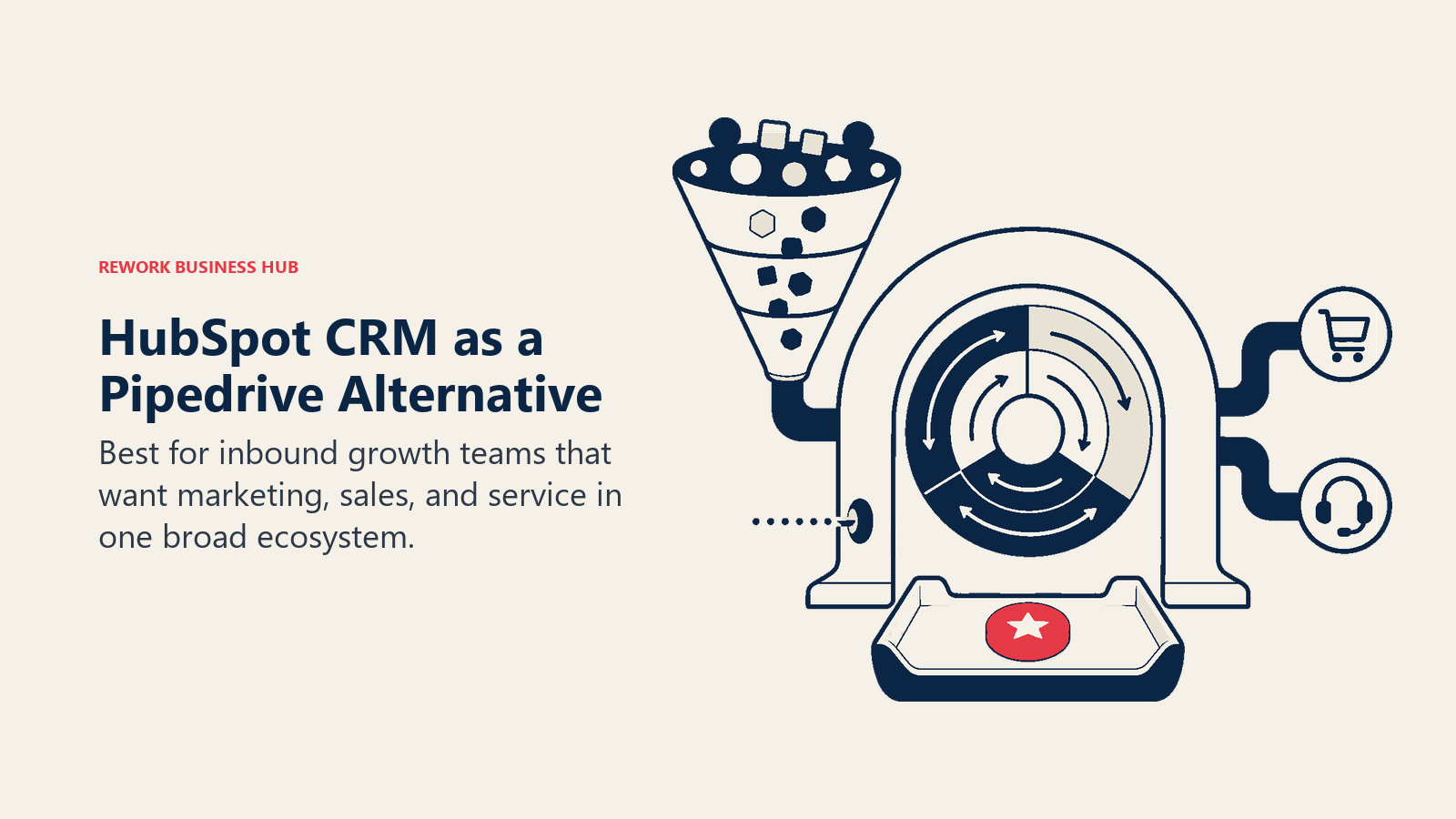
The honest catch: HubSpot's pricing compounds fast. You start on the free tier, add a few contacts from a campaign, upgrade Marketing Hub for workflows, then add Sales Hub Pro for sequences, and suddenly you're at $800-$2,000/month for a 20-person team. HubSpot holds 5.62% of the global CRM platforms market and commands the largest share among SMB and mid-market companies in the 20-49 employee range, making it the most-chosen upgrade path from simpler tools like Pipedrive. (6sense, 2026) The platform is genuinely powerful at that spend level, but it surprises teams who budgeted for the free version. See Rework vs HubSpot CRM for a side-by-side on where each one fits.
| What you get | What you don't |
|---|---|
| Deep marketing automation (workflows, email, landing pages) | Predictable pricing as contacts scale |
| Excellent sales pipeline and forecasting | Native WhatsApp / Instagram DM inbox (requires paid add-on) |
| Large partner and integration ecosystem | Simple lead distribution / round-robin routing on base plans |
| Free tier for small teams to start | Flexibility without becoming complex |
Pricing: Free CRM; Sales Hub from $20/seat/mo (Starter) to $100/seat/mo (Enterprise), billed annually. (HubSpot pricing page)
Best for: Marketing-led growth companies that need content, nurture, and sales in one place, and have budget flexibility as they scale. Not ideal for: Teams that need native multi-channel chat or built-in lead routing without premium upgrades. If those gaps matter to you, the best HubSpot alternatives guide covers the full field.
3. Close: Built-In Dialer, Fastest Email Sync
Close is the CRM for inside sales teams who live on the phone and in the inbox. It ships a VoIP dialer natively (no Twilio integration, no separate Aircall contract), and its email sync is widely considered the fastest and most reliable in class. If your reps make 50+ calls a day and need every email tracked without lifting a finger, Close is worth a serious look.
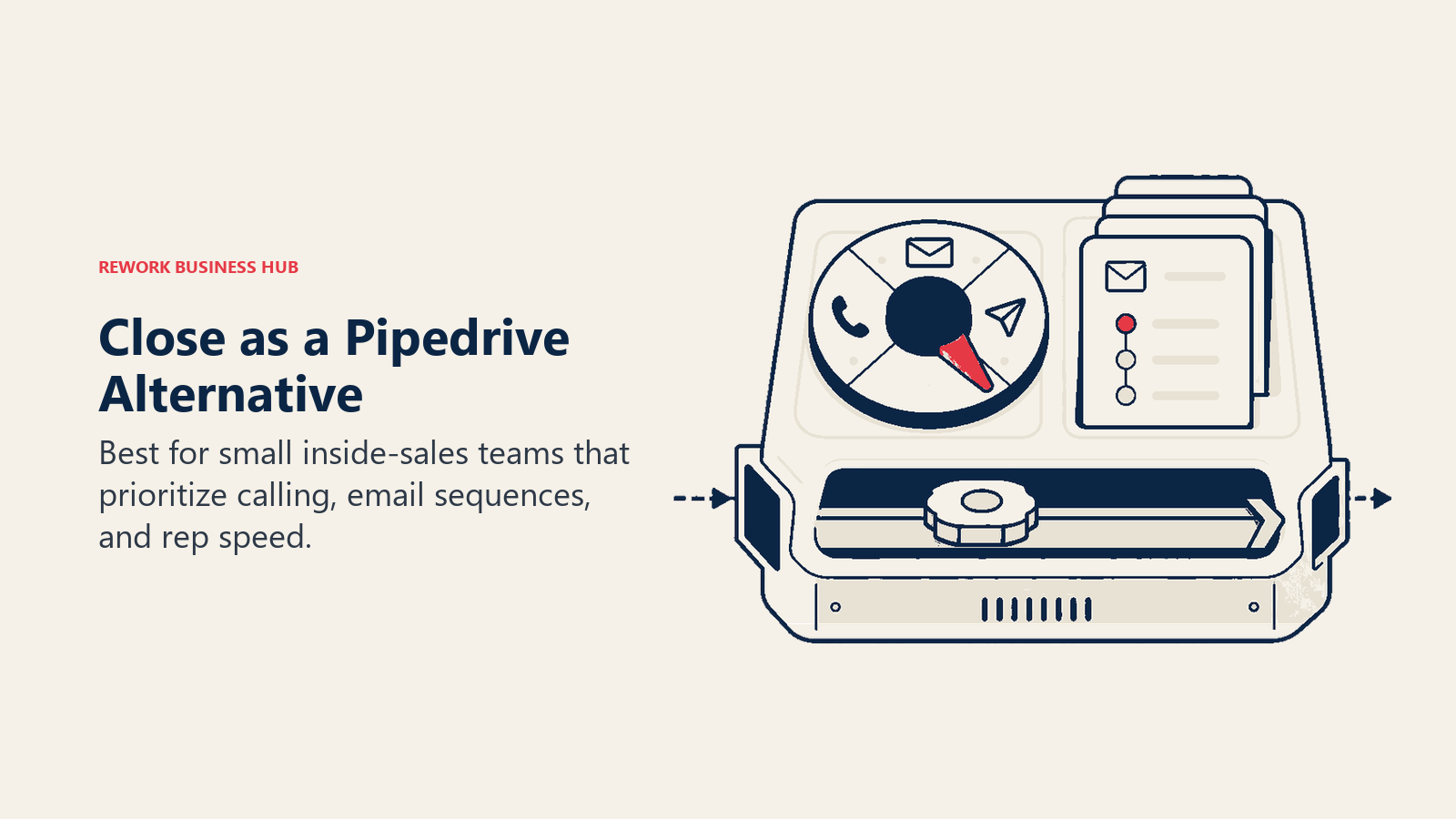
The trade-off is breadth. Close is sales-focused in the same way Pipedrive is, but deeper on activity. There's no native marketing module. If your growth motion depends on lead nurture sequences from a marketing team, you're adding external tools. You can dig into how it compares at the source on Close's pricing page.
| What you get | What you don't |
|---|---|
| Built-in VoIP dialer with local presence | Marketing automation or lead capture |
| Best-in-class email sync | Native WhatsApp, Messenger, or social inbox |
| Sequences for outbound automation | Complex territory or round-robin lead routing |
| Simple, fast UI for high-activity reps | Deep reporting for RevOps |
Pricing: From $49/seat/mo (Startup) to $139/seat/mo (Enterprise), billed annually.
Best for: Inside sales teams at SaaS companies, agencies, or service businesses with high outbound volume. For teams where Close isn't the right fit, the best Close alternatives page walks through the options. Not ideal for: Teams that need marketing and sales in one system, or multi-channel lead conversations. Also see Rework vs Close for the direct comparison.
4. Freshsales: Freddy AI, Affordable
Freshsales (part of the Freshworks suite) competes in a similar segment to Pipedrive but adds Freddy AI for lead scoring and contact enrichment at a price point that feels reasonable for SMB and lower mid-market. The Growth plan runs around $11/seat/month and includes basic AI scoring, email, and pipeline features most teams actually use.
The limitation at scale: Freshsales is less customizable than HubSpot or Zoho, and support response times have been a consistent complaint from customers at higher team sizes. It works well when you use it as a managed product; less so if you need to bend it to match complex sales processes. See Rework vs Freshsales if you're comparing the two directly.
| What you get | What you don't |
|---|---|
| Freddy AI lead scoring and contact enrichment | Deep customization for complex processes |
| Affordable all-in-one (CRM + email + phone) | Consistent enterprise-grade support |
| Clean UI, fast onboarding | Marketing automation depth of HubSpot |
| Freshworks ecosystem integration | Strong RevOps reporting layer |
Pricing: From $11/seat/mo (Growth) to $71/seat/mo (Enterprise), billed annually.
Best for: SMB and early mid-market teams who want AI-assisted CRM without the HubSpot price tag. Not ideal for: Larger teams with complex processes who will hit support or customization ceilings. The best Freshsales alternatives page covers what to look at if you've outgrown it.
5. Zoho CRM: Budget-Friendly, Massive Ecosystem
Zoho CRM is the value play in this list. It's not the most intuitive tool: the UX is inconsistent across modules, and the learning curve is steeper than Pipedrive by a meaningful margin. But if your team is already in the Zoho ecosystem (Desk, Books, Campaigns, Projects), Zoho CRM connects everything in a way that's hard to match at this price point.
Zia, Zoho's AI assistant, adds lead scoring, anomaly detection, and workflow suggestions. It's genuinely useful once trained on your data, though it requires a few months of usage before it becomes reliable.
| What you get | What you don't |
|---|---|
| Very affordable pricing, even at scale | Consistent UI across all modules |
| Massive native app ecosystem (50+ Zoho apps) | Fast onboarding (steeper setup curve) |
| Zia AI scoring and predictions | Modern, polished design |
| Highly configurable workflow engine | Intuitive out-of-the-box CRM experience |
Pricing: From $14/seat/mo (Standard) to $52/seat/mo (Ultimate), billed annually. Free tier for up to 3 users.
Best for: Budget-conscious teams who need a deep integration ecosystem or who are already Zoho-native. Not ideal for: Teams who prioritize fast time-to-value and intuitive UX over customization depth. If Zoho's not quite right either, check out best Zoho alternatives for the next tier of options.
6. Monday Sales CRM: Visual Boards + CRM
Monday.com built its reputation as a work management tool, and Monday Sales CRM is the company's extension into the CRM space. If your team already uses Monday for project tracking and you want pipeline management in the same visual interface (same boards, same automations, same team dashboard), it makes sense to evaluate it here.
The honest limitation: Monday Sales CRM is thinner on native CRM depth than dedicated sales tools. Lead scoring, round-robin distribution, and forecasting require either custom configuration or third-party automations. You're buying a great visual layer on top of a flexible database, not a purpose-built revenue operations platform.
| What you get | What you don't |
|---|---|
| Highly visual, intuitive board interface | Deep native CRM features (scoring, routing, forecasting) |
| Easy cross-team visibility if team is already on Monday | Native dialer or email sequencing |
| Flexible board customization | Clean lead management module |
| Good mobile app | Clear distinction between CRM and project management |
Pricing: From $12/seat/mo (Basic) to $28/seat/mo (Pro), billed annually (3-seat minimum).
Best for: Teams already on Monday.com who want pipeline management without switching platforms. Not ideal for: Teams who need serious lead management, routing logic, or advanced sales forecasting.
7. Copper: Google Workspace CRM
Copper's pitch is simple: if your team lives in Gmail and Google Calendar, Copper is the CRM that disappears into that environment. Contact records auto-populate from your email history, meetings sync without manual input, and your inbox shows CRM context alongside every message.
That tight integration is also the constraint. Copper is genuinely best for Google-first teams. If any part of your stack runs on Outlook, Microsoft Teams, or Slack-first workflows, the native integration story falls apart fast. And for teams with complex lead routing or multi-channel comms, Copper is a relationship tracker, not a revenue operations platform.
| What you get | What you don't |
|---|---|
| Frictionless Gmail and Google Calendar sync | Cross-platform support beyond Google Workspace |
| Auto-populated contact records from email | Native dialer, lead routing, or multi-channel inbox |
| Simple pipeline with low learning curve | Deep CRM customization |
| Google Workspace admin single sign-on | Strong reporting or forecasting layer |
Pricing: From $9/seat/mo (Starter) to $99/seat/mo (Business), billed annually.
Best for: Google Workspace teams in professional services, consulting, or early-stage sales ops who want zero-friction contact tracking. Not ideal for: Any team not fully inside Google Workspace, or teams needing more than basic pipeline management.
8. Attio: Next-Gen Flexible CRM
Attio is the most interesting new entrant in the CRM category. It's built on a flexible, spreadsheet-like data model where your contacts, companies, deals, and custom objects all relate to each other in ways you define. This gives technically inclined teams, especially RevOps and data-forward operators, more control over how their CRM models the business than any other tool on this list.
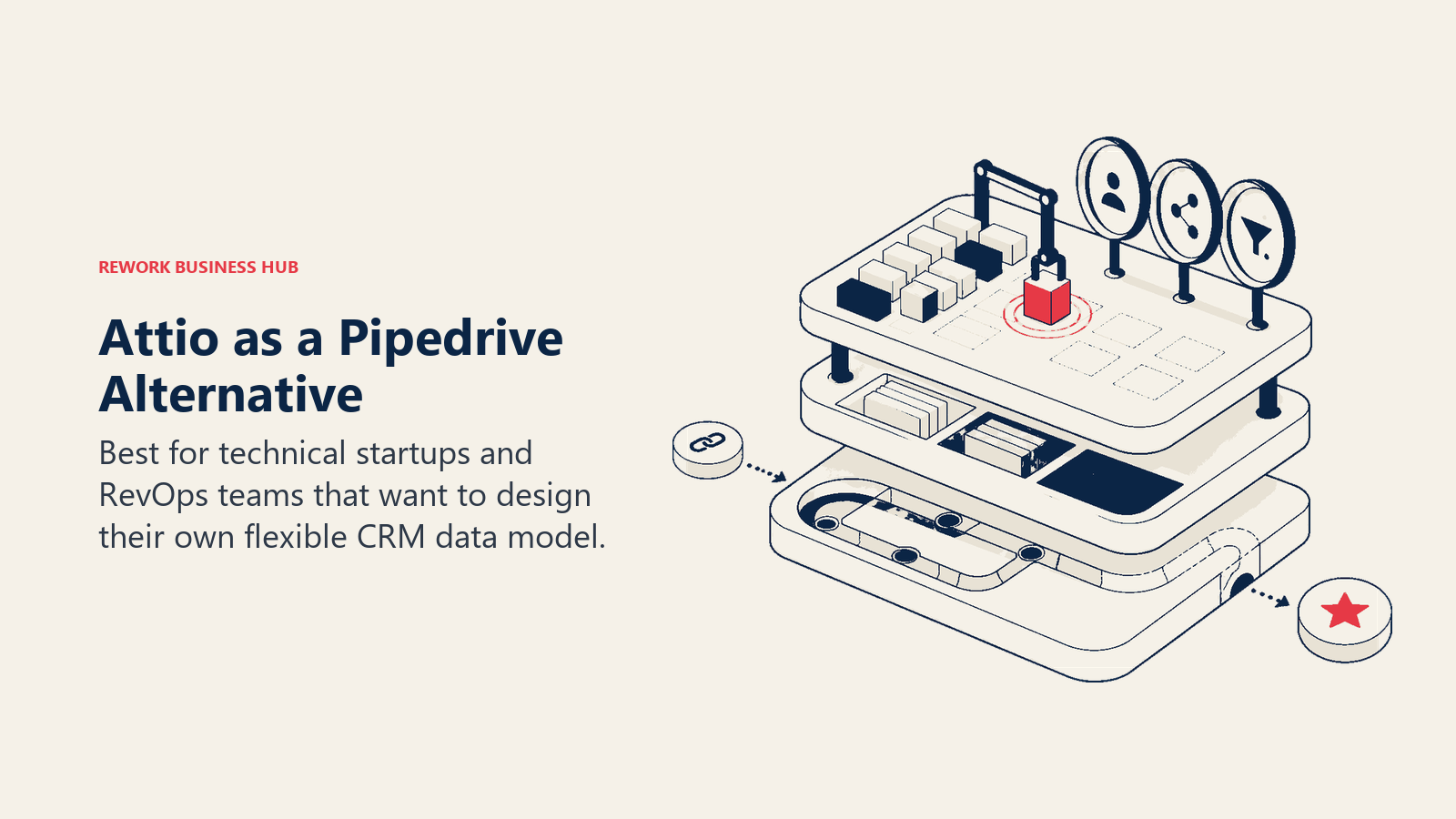
The trade-off is maturity. Attio's integration library is smaller than HubSpot's or Zoho's, and some enterprise features are still catching up. But for a technical operator who's frustrated by the rigidity of Salesforce or the opinionated structure of HubSpot, Attio is worth a proper pilot.
| What you get | What you don't |
|---|---|
| Best-in-class flexible data model | Large pre-built integration catalog |
| Strong relationship intelligence and network mapping | Native dialer or multi-channel inbox |
| Modern API-first architecture | Enterprise-level governance and permissions |
| Great UI for technically inclined teams | Mature automation engine (still improving) |
Pricing: From $34/seat/mo (Plus) to $119/seat/mo (Enterprise), billed annually. Free tier available.
Best for: RevOps teams, technical operators, and data-forward companies that need a CRM they can shape to fit unusual business models. Not ideal for: Teams that want an opinionated, out-of-the-box setup with minimal configuration work. The best Attio alternatives guide covers what to evaluate if Attio's maturity gaps are a concern.
9. Folk: Relationship-First Lightweight CRM
Folk positions itself as the CRM for relationship-driven professionals: founders, investors, agencies, consultants, and BD teams who care more about the quality of their connections than the volume of their pipeline. It's lightweight by design, with a clean interface and a focus on keeping important relationships visible.
But lightweight is a feature and a limitation. Folk doesn't handle high-volume transactional pipelines, complex routing, or deep automation well. It's a better Rolodex than a RevOps platform. For the right use case though, it's genuinely pleasant to use in a way that HubSpot and Zoho rarely are.
| What you get | What you don't |
|---|---|
| Excellent UX, easy relationship tracking | High-volume transactional pipeline management |
| Good enrichment and duplicate merging | Native dialer, sequencing, or lead distribution |
| Collaborative notes and deal context | Deep automation or workflow engine |
| Lightweight and fast to set up | Strong reporting or forecasting |
Pricing: From $20/seat/mo (Standard) to $40/seat/mo (Premium), billed annually.
Best for: Founders, agency owners, BD leads, VCs, and consultants managing relationship-driven deal flows. Not ideal for: Sales teams running structured pipelines with multiple reps, territories, or quota management.
10. Nutshell: Simple CRM + Email Marketing
Nutshell targets the underserved gap between "too simple" (Pipedrive) and "too complex" (HubSpot) for SMBs. It packages CRM pipeline management with email marketing in one affordable product, so small teams don't have to buy and sync a separate email tool. The UI is straightforward, the onboarding is fast, and the pricing is transparent.
The ceiling is real: Nutshell's reporting depth doesn't scale to RevOps needs, AI features are limited compared to Freshsales or HubSpot, and the integration ecosystem is smaller. But for a 5-25 person team that wants CRM + email without paying HubSpot prices, it's a smart choice.
| What you get | What you don't |
|---|---|
| CRM + email marketing in one affordable package | Advanced AI scoring or lead distribution |
| Clean, easy-to-learn UI | Strong RevOps reporting and forecasting |
| Transparent, flat pricing | Large integration ecosystem |
| Good customer support reputation | Multi-channel inbox (WhatsApp, Messenger, etc.) |
Pricing: From $19/seat/mo (Foundation) to $79/seat/mo (Enterprise), billed annually.
Best for: Small and early mid-market B2B teams that want CRM and email marketing without the HubSpot complexity or cost. Not ideal for: Scaling teams that need serious automation, multi-channel lead handling, or complex territory management.
Why Teams Leave Pipedrive
Most teams leave Pipedrive only after the pipeline view has done its job and the surrounding go-to-market motion becomes more complex. That context determines which limitation matters most.
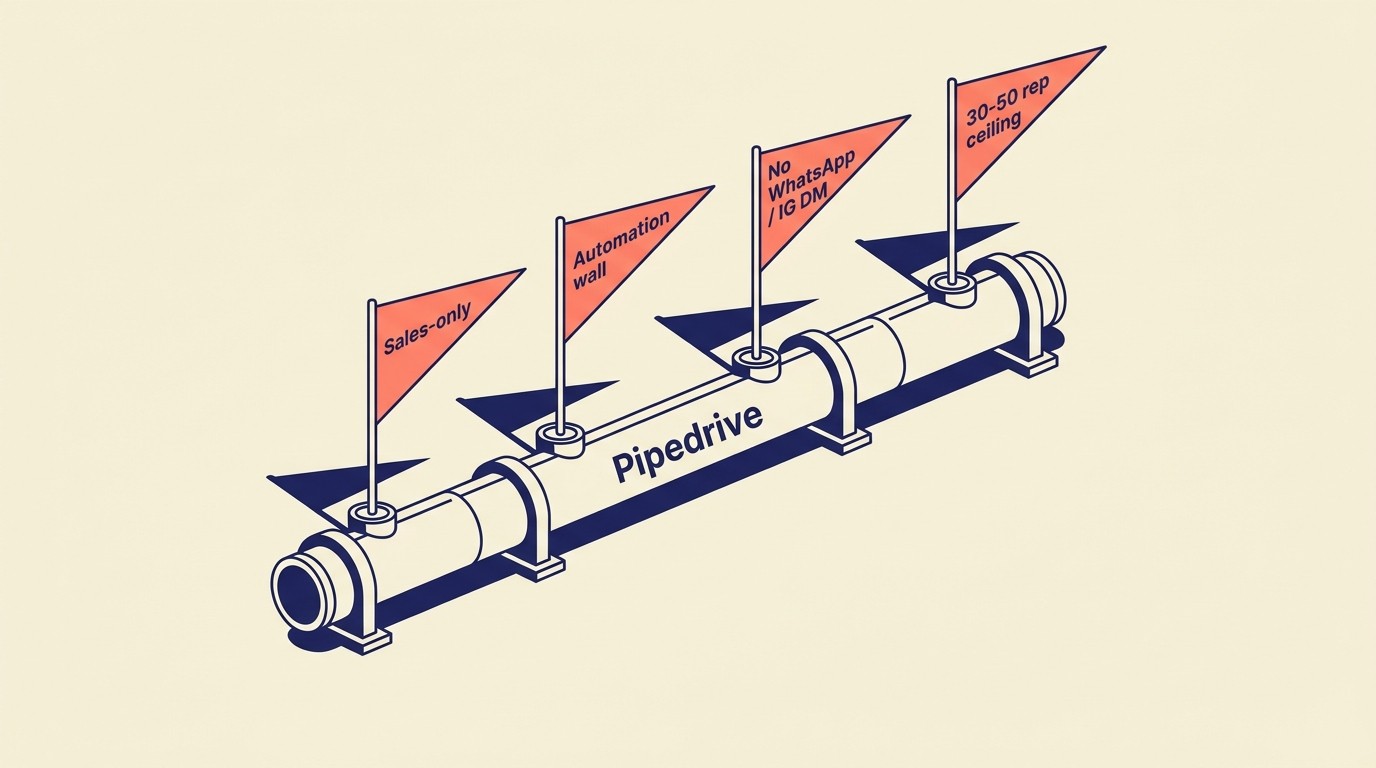
Before picking a replacement, it helps to name exactly which limitation is driving the switch. The four most common ones:
Sales-only tool in a multi-team world. Pipedrive was built for sales reps managing deals. As soon as marketing wants to run nurture campaigns against the same database, or customer success wants to see the full contact history, you're either buying add-ons or maintaining a second system.
Automation gated behind higher tiers. Workflow automation on Pipedrive's Essential and Advanced plans is limited. Teams who want to automate lead assignment, trigger follow-up sequences on deal stage changes, or route incoming leads by territory hit a wall quickly without upgrading to the Professional or Power plans. Companies that adopt CRM automation see a 34% improvement in sales productivity and are 86% more likely to hit revenue targets than teams managing workflows manually. (Salesmate, 2026) For teams where automation is the core gap rather than channel coverage, evaluating tools on their native automation depth before pricing is worth the extra diligence. If you're building out your automation logic before the switch, the CRM Workflow Automation guide covers what good looks like.
No native multi-channel chat. Leads increasingly arrive through WhatsApp, Instagram DM, and Messenger before they ever become a formal contact. Pipedrive has no native inbox for these channels. Connecting them requires third-party integrations that break the contact timeline and create data gaps. WhatsApp messages carry a 98% open rate and marketing campaigns on the platform convert between 45% and 60% of engaged contacts, compared to roughly 2-3% for cold email. (AISensy, 2026) Sales teams whose CRM can't log these conversations lose attribution and response speed on the fastest-converting channel in B2B outreach.
Grows awkward past 30-50 reps. Pipedrive's permission model, territory management, and reporting layer aren't designed for larger sales organizations. Teams above that size often find themselves spending more time managing Pipedrive than selling from it. G2 reviewers consistently flag this in Pipedrive's review page, and it's worth reading the 3-star reviews before you pilot a replacement. When you get to rollout, the CRM rollout and adoption guide covers the change management side.
How to Choose: Decision Framework
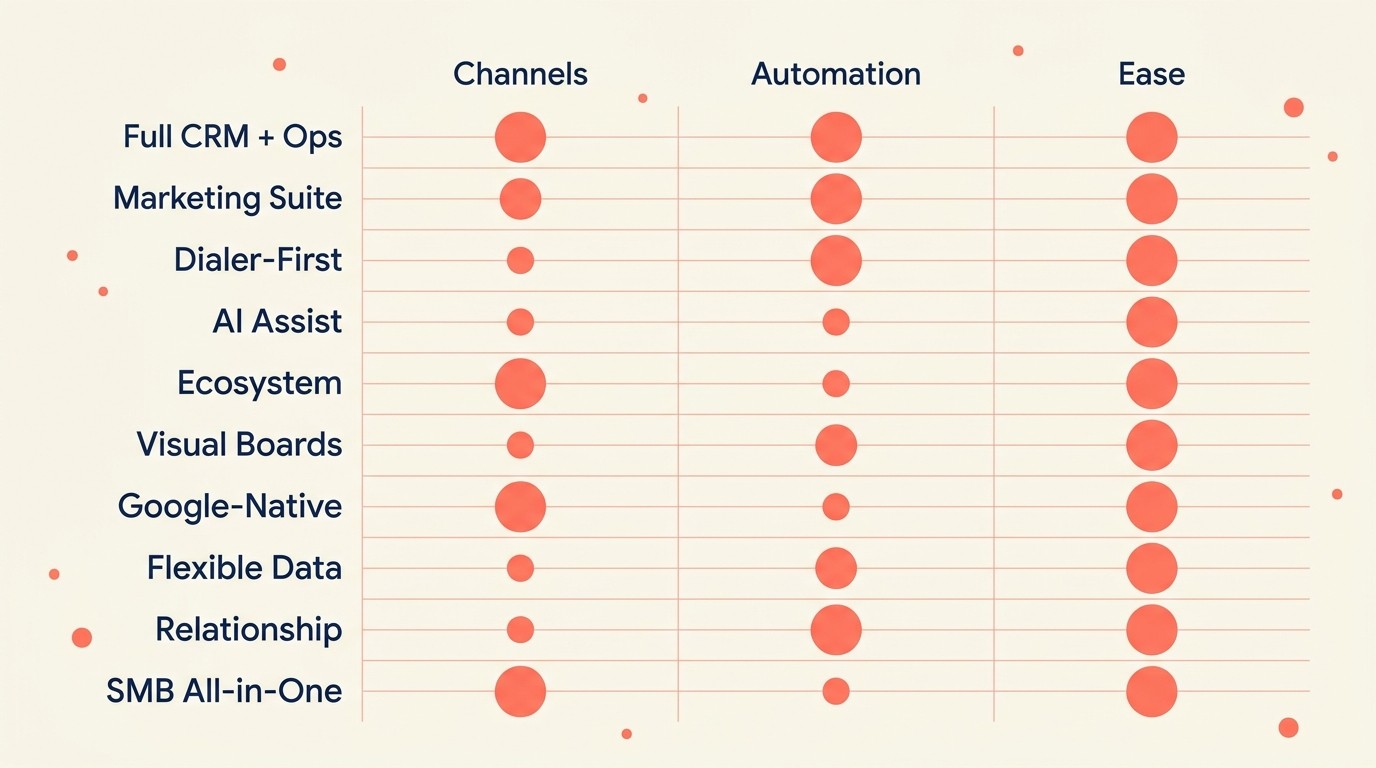
Use the framework below to pick by workflow need rather than by brand familiarity. A team replacing Pipedrive for lead routing should not make the same choice as one replacing it for marketing depth or enterprise reporting.
| If your team needs... | Best pick |
|---|---|
| Full CRM + native lead routing + multi-channel inbox in one product | Rework |
| Marketing automation tightly integrated with sales pipeline | HubSpot CRM |
| High call volume with built-in dialer and fast email sync | Close |
| Affordable AI-assisted CRM for SMB or early mid-market | Freshsales |
| Deep integration ecosystem at a low per-seat cost | Zoho CRM |
| Visual pipeline boards with existing Monday.com adoption | Monday Sales CRM |
| Zero-friction CRM inside Google Workspace | Copper |
| Flexible, developer-friendly data model for RevOps teams | Attio |
| Lightweight relationship management for founders or BD leads | Folk |
| Simple CRM + email marketing without HubSpot pricing | Nutshell |
Frequently Asked Questions
What is the biggest reason sales teams switch from Pipedrive?
The most common trigger is team growth past 30-50 reps combined with a marketing team that needs to work from the same database. Pipedrive was designed for sales reps managing a visual pipeline, not for shared revenue operations across marketing, sales, and customer success. When those teams need to share one data model, Pipedrive requires add-ons or a parallel system.
How much does a typical Pipedrive alternative cost per user?
Starting prices across the 10 tools in this list range from $9/seat/month (Copper) to $49/seat/month (Close). Tools with native lead routing and multi-channel inbox, like Rework's Revenue Engine at $159/month billed yearly for 5 marketing and 5 sales seats (rework.com/pricing), sit at the lower end of that range once you spread the cost across the included seats. HubSpot starts free but commonly reaches $800-$2,000/month for a 20-person team once marketing automation is added.
Does CRM software actually improve sales performance?
Yes, with measurable benchmarks. Companies adopting the right CRM see a 29% increase in sales, a 34% improvement in sales productivity, and a 42% improvement in forecast accuracy, according to research compiled by Salesmate (2026). The 50% of sales leaders who struggle with CRM implementation cite poor adoption and process misfit as the primary causes of underperformance.
Which Pipedrive alternative is best for teams that use WhatsApp and Instagram DM for lead generation?
Rework is the strongest pick on this list for that motion: it brings WhatsApp, Instagram DM, Messenger, TikTok, Zalo, and web chat into a single native inbox tied directly to the CRM contact record. WhatsApp messages carry a 98% open rate and convert at 45-60%, which makes it a high-value lead channel that most CRMs still treat as an integration afterthought.
Is HubSpot a direct replacement for Pipedrive?
HubSpot replaces Pipedrive for teams that need marketing and sales in one platform, and it is the most-chosen upgrade path from Pipedrive in the 20-200 employee range. But its pricing structure compounds fast: what starts as a free CRM often becomes $800-$2,000/month once Marketing Hub workflows and Sales Hub sequences are added. Teams sensitive to that cost curve should model out 12-month total cost before committing.
How do I choose between Close and Rework as a Pipedrive alternative?
Close is the better choice for inside sales teams with 50+ outbound calls per day who need a built-in VoIP dialer and fast email sync. Rework is the better choice for teams where leads come in through multiple channels (WhatsApp, Instagram DM, web chat) and need marketing and sales sharing one system. Close starts at $49/seat/month; Rework's Sales Engine from $69/month billed yearly (5 seats).
What CRM works best for teams already using Google Workspace?
Copper is purpose-built for Google Workspace: it auto-populates contact records from Gmail history, syncs Google Calendar meetings without manual input, and shows CRM context directly inside Gmail. It starts at $9/seat/month and is the lowest-friction CRM for Google-first teams. The constraint is that it provides little value outside the Google ecosystem.
When does it make sense to stay with Pipedrive instead of switching?
Pipedrive remains the right tool for teams under 30 reps with a straightforward deal cycle, no marketing automation requirements, and no multi-channel lead sources. If your reps primarily manage email and phone-based deals and the visual pipeline is all they need, the switching cost of moving to a more complex platform outweighs the benefit.
What to Do Next
Narrow your list to two tools based on the framework above, then run a two-week pilot with 3-5 reps from your actual sales team. Don't evaluate these tools in a sandbox. Load real contacts, work real deals, and see which one your team actually opens in the morning. Before you pilot, work through the pipeline stages that match your selling motion so you can configure any CRM against your real deal cycle, not a generic template. And if your reps are inconsistent at qualifying leads into the pipeline, sort out your qualification frameworks before the switch, otherwise you're just moving a messy process to a new tool. Most of the tools on this list have free trials or free tiers. There's no reason to make this decision on paper alone.
If your primary reason for leaving Pipedrive is that your marketing and sales teams are working from different systems and leads are falling through the cracks, start your pilot with Rework. That's the specific problem it was built to solve. You can also compare how Rework stacks up directly in the Rework vs Pipedrive breakdown.

Head of Enterprise Solutions
On this page
- Quick Comparison Table
- 1. Rework: Full CRM + Lead Management + Ops Workflows
- 2. HubSpot CRM: Marketing + Sales Suite
- 3. Close: Built-In Dialer, Fastest Email Sync
- 4. Freshsales: Freddy AI, Affordable
- 5. Zoho CRM: Budget-Friendly, Massive Ecosystem
- 6. Monday Sales CRM: Visual Boards + CRM
- 7. Copper: Google Workspace CRM
- 8. Attio: Next-Gen Flexible CRM
- 9. Folk: Relationship-First Lightweight CRM
- 10. Nutshell: Simple CRM + Email Marketing
- Why Teams Leave Pipedrive
- How to Choose: Decision Framework
- Frequently Asked Questions
- What is the biggest reason sales teams switch from Pipedrive?
- How much does a typical Pipedrive alternative cost per user?
- Does CRM software actually improve sales performance?
- Which Pipedrive alternative is best for teams that use WhatsApp and Instagram DM for lead generation?
- Is HubSpot a direct replacement for Pipedrive?
- How do I choose between Close and Rework as a Pipedrive alternative?
- What CRM works best for teams already using Google Workspace?
- When does it make sense to stay with Pipedrive instead of switching?
- What to Do Next