More in
CRM Implementation Guide
Setting Up CRM Roles and Permissions the Right Way
Apr 18, 2026
Email and Calendar Sync Without the Data Mess
Apr 18, 2026
Integrating Your CRM with Marketing Tools: A Sales Ops Guide
Apr 18, 2026
Training Sales Reps to Actually Use the CRM
Apr 18, 2026
Measuring CRM Adoption with Leading Indicators
Apr 18, 2026
Handling the "The Old System Was Better" Transition
Apr 18, 2026
CRM Hygiene: Weekly, Monthly, and Quarterly Routines That Keep Data Clean
Apr 18, 2026
Common CRM Implementation Mistakes — and How to Recover from Each One
Apr 18, 2026
When to Bring In a CRM Consultant, and When Not To
Apr 18, 2026
How to Pick a CRM in 2026: The Buyer's Checklist
Apr 6, 2026 · Currently reading
How to Pick a CRM in 2026: The Buyer's Checklist
Turn this article into takeaways for your work.


Each assistant summarizes the article only for you and suggests best practices for your work.
Three months after signing the contract, a lot of sales teams hit the same wall. The demo was slick. The AE was responsive. The pricing seemed right. And now half the reps are still keeping their deals in a spreadsheet because the CRM doesn't match how they actually sell.
This isn't a technology problem. It's a selection problem. Teams buy for the demo, not the daily workflow. They evaluate features instead of fit. They let the CEO's preference from their last company override what the reps actually need. Gartner research on CRM implementation consistently shows that user adoption failures, not technical problems, are the primary reason CRM investments underperform.
This guide gives you a structured, 10-step process to evaluate CRMs without spending six weeks in demos. And without picking the wrong one. If you're also weighing whether a purpose-built tool fits better than a traditional CRM, read the Rework vs HubSpot CRM comparison before you finalize your shortlist.
Step 1: Define Your Deal Types Before You Look at Any Software
This is the step everyone skips, and it's the one that matters most.
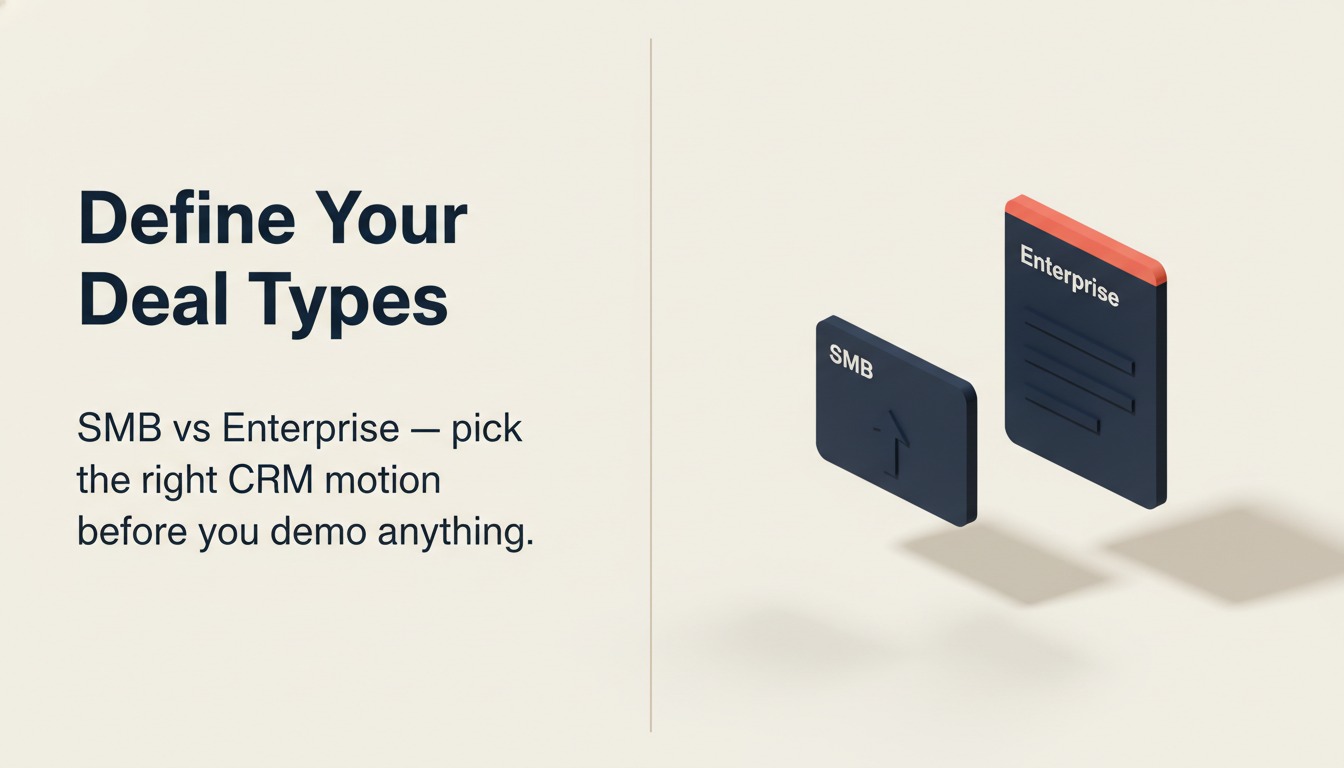
SMB transactional sales and enterprise multi-threaded deals have completely different CRM requirements. A 7-day close cycle where one person makes the decision needs frictionless data entry and fast email sync. A 9-month enterprise cycle with a 6-person buying committee needs account hierarchy, contact roles, and activity tracking across multiple threads.
Different CRMs are built for different motions. Rework combines CRM, lead management, and multi-channel inbox in one platform for mid-size ops teams running cross-functional workflows. Close was designed for high-velocity inside sales where speed matters. Salesforce was built for complex enterprise deals with custom objects and process builders. Pipedrive suits teams who want a clean pipeline view without the overhead. HubSpot sits in the middle and does reasonably well across motions. HubSpot's CRM overview covers how it positions itself across deal types. Zoho is flexible but requires configuration investment.
Write down your deal types before you open a single vendor website. Include: average deal length, number of stakeholders, whether you sell to SMBs or enterprise, and whether deals typically involve a single product or a bundle.
Step 2: Build a Requirements List, Not a Wish List
Ask your sales team what they want in a CRM and you'll get 40 features, half of which they'll never use. Instead, separate must-haves from nice-to-haves using this framework.
| Requirement | Must-Have | Nice-to-Have | Why |
|---|---|---|---|
| Two-way email sync (Gmail/Outlook) | Yes | N/A | Reps won't log manually |
| Mobile app for field reps | Yes | N/A | 30% of logging happens on mobile |
| Custom pipeline stages | Yes | N/A | Our stages differ from defaults |
| AI email writing | N/A | Yes | Useful but not blocking |
| Built-in dialer | N/A | Yes | We use a separate tool |
| Account hierarchy (parent/child companies) | Yes | N/A | We sell to divisions of large cos |
| Marketing automation built in | N/A | Yes | We have Marketo |
| Forecasting and quota tracking | Yes | N/A | Sales manager needs this weekly |
The rule: if you can workaround it with another tool you already own, it's a nice-to-have. If you can't operate your sales process without it, it's a must-have.
Keep the must-have list under 15 items. Any shortlisted CRM that misses more than two must-haves is disqualified before the demo.
Step 3: Run a Pipeline Stage Test, Not a Feature Tour
This is the single best evaluation technique, and almost nobody does it. When you schedule a vendor demo, don't let the AE show you the marketing dashboard or the AI deal scoring. Ask them to do this instead:
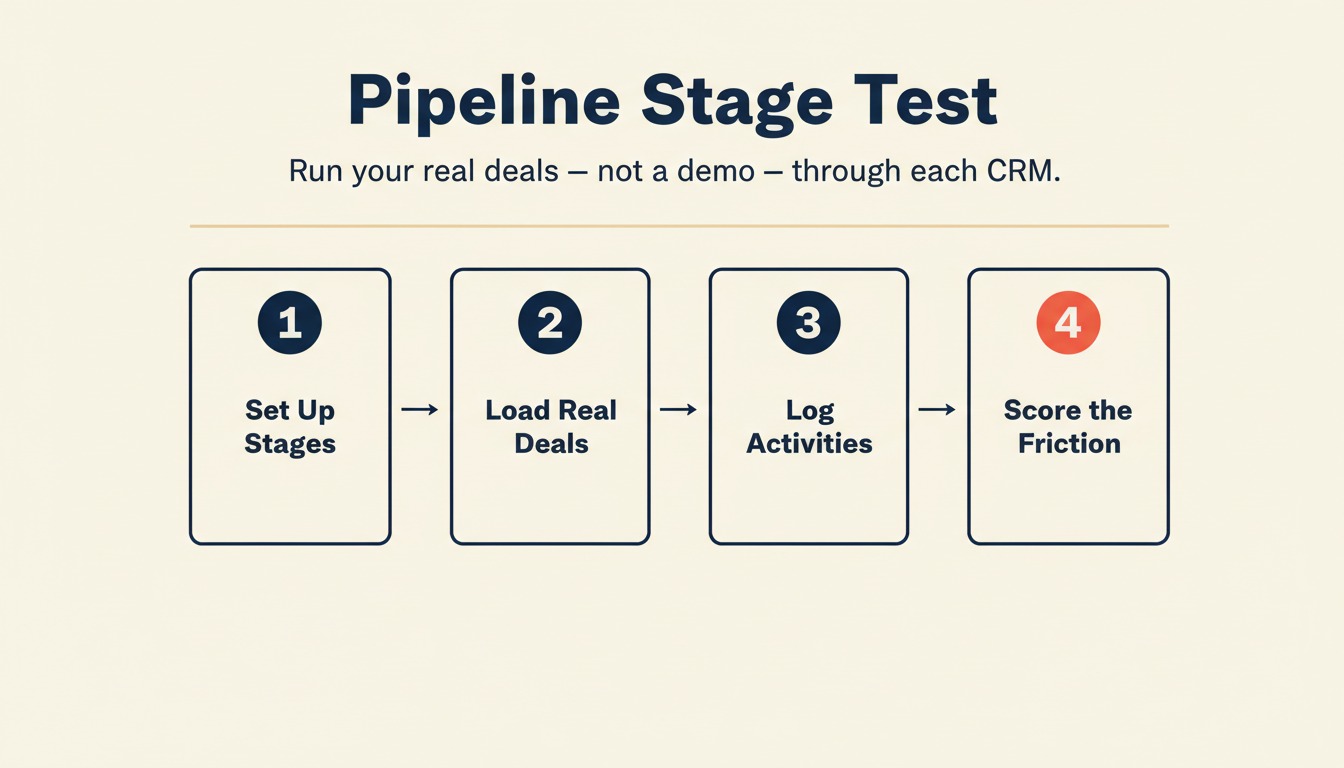
Set up your actual pipeline stages in their CRM. Your real stages, not their default ones. Then walk three of your real deals through those stages, logging activities the way your reps would actually log them.
Give yourself 30 minutes to do this for each shortlisted CRM. You'll learn more in those 30 minutes than in a 3-hour demo. You'll see where the UI creates friction. You'll find out if stage entry criteria can be enforced or just suggested. You'll discover whether the deal view gives managers what they need for a pipeline review.
Step 4: Evaluate the Data Model
Before you buy, understand how the CRM structures data. This affects everything: what you can report on, how you can automate, and how much rework you'll do after go-live.
Ask these questions:
- Objects: What are the default objects (Contacts, Companies, Deals, Activities)? Can you add custom objects? What's the cost?
- Relationships: Can one contact link to multiple deals? Can a deal link to multiple contacts with different roles? Salesforce handles this natively. HubSpot added associations in 2022. Pipedrive keeps it simpler.
- Custom fields: How many custom fields are supported per object? What field types exist (picklist, number, date, formula)?
If you haven't done this yet, read the companion guide on designing your CRM data model before you touch the software. It's the work you do before you open the CRM UI.
Step 5: Check the Integration Surface
A CRM that doesn't talk to your other tools creates more work, not less. Map your current stack and verify each connection. If you're building out a lead capture layer, the form-to-CRM automation guide shows which integration points matter most.
Email and calendar: Gmail or Outlook? Bi-directional sync or one-way logging? Does it create contacts automatically from email? Does it sync meeting attendees as contacts? HubSpot's Gmail sync is solid. Salesforce's is functional but configurable (see Salesforce's email integration documentation for the specifics). Close has best-in-class email sync for inside sales.
Marketing tools: If you use HubSpot Marketing, using HubSpot CRM is an easy decision. If you use Marketo or Pardot, verify the native connector with Salesforce. Pipedrive and Close both connect to most marketing tools via Zapier or native APIs, but check for sync delay and field mapping options.
Chat and support: Do leads from Intercom or Drift create contacts in the CRM automatically? Is there a native connector or only Zapier?
Data enrichment: Clearbit, Apollo, and ZoomInfo all have native integrations with HubSpot and Salesforce. Verify support for whichever enrichment tool you use.
Document every integration your team relies on. For each one, note whether the CRM has a native connector or requires a third-party middleware like Zapier.
Step 6: Score Each Vendor on a 10-Criteria Rubric
Once you've done the hands-on testing, score your shortlist objectively. Use this rubric with a 1-5 scale for each criterion.
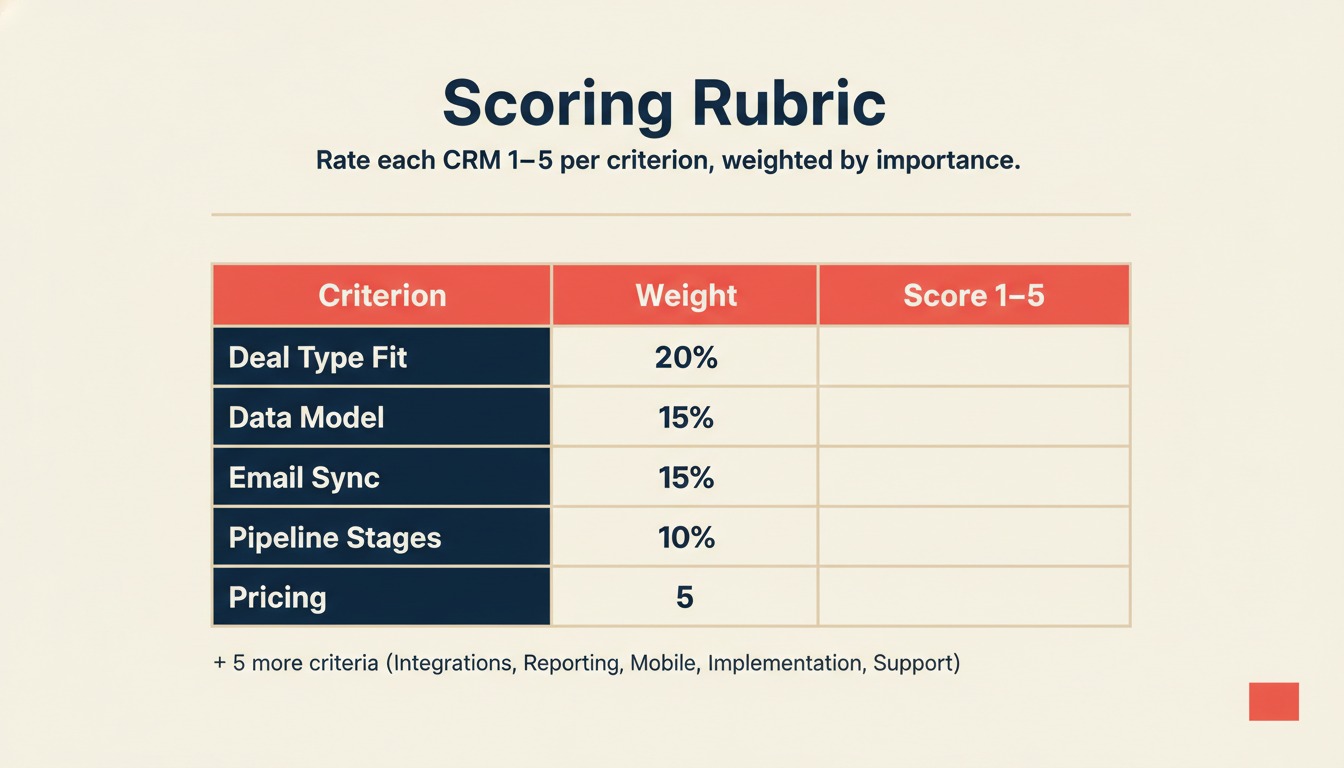
| Criterion | Weight | Rework | HubSpot | Salesforce | Pipedrive | Zoho |
|---|---|---|---|---|---|---|
| Fits our deal type | 20% | |||||
| Data model flexibility | 15% | |||||
| Email/calendar sync quality | 15% | |||||
| Pipeline stage customization | 10% | |||||
| Required integrations | 10% | |||||
| Reporting and forecasting | 10% | |||||
| Mobile app quality | 5% | |||||
| Implementation complexity | 5% | |||||
| Support quality | 5% | |||||
| Pricing at our user count | 5% |
Fill in your actual scores based on testing and vendor conversations. Multiply score by weight, sum across criteria, and compare. This removes gut feeling from the final decision.
Step 7: Reference Check the Right People
Every CRM vendor will give you a reference list of happy customers. Those customers were cherry-picked. Ask for customers who went live 18 months ago and are in a similar company profile (size, deal type, tech stack).
When you talk to them, skip the "would you recommend it" question. Ask these instead:
- What broke in the first 90 days that you didn't expect?
- What's the one thing you wish you'd set up differently?
- How long did it actually take to get reps to full adoption?
- What do you wish you'd negotiated differently in the contract?
- If you were buying today, would you pick the same CRM?
If the vendor won't give you 18-month references, that's a signal. Most established CRMs will give them. You just have to ask explicitly.
Step 8: Evaluate Implementation Complexity Against Your Team
Some CRMs require a 3-month professional services engagement to go live properly. Others you can configure in a week. Salesforce at enterprise level routinely involves a Salesforce partner and a 4-6 month timeline. Salesforce Trailhead's CRM implementation path is the standard resource for scoping that work. Rework can be live in 1-2 weeks with built-in workflow templates and no code required. HubSpot's Sales Hub can be live in 2-3 weeks for most teams. Pipedrive and Close are often self-serve in under a week.
Be honest about your internal capacity. If you don't have a RevOps person who can own implementation, a CRM with high configuration complexity will stall. If you do have that person, the added flexibility might be worth it. McKinsey research on digital tool adoption notes that companies with dedicated RevOps ownership see 2-3x faster time-to-value on CRM deployments. Either way, reviewing the RevOps maturity model before you commit will help you match CRM complexity to your team's current capabilities.
Ask the vendor: who typically owns implementation on the customer side? What does a failed implementation look like for you, and what caused it?
Step 9: Negotiate the Contract with Leverage
You have more leverage than you think, especially with Rework, HubSpot, Pipedrive, and Zoho. Salesforce is less flexible on price but often negotiates on professional services or additional licenses.
Things to negotiate:
- Contract length: Avoid 3-year contracts for your first CRM. You don't yet know if it'll work. Push for annual or 18 months.
- Implementation support: Ask for onboarding hours, not just documentation access.
- User count flexibility: Can you add users at the same per-seat rate mid-contract? What happens if you reduce headcount?
- Data export: Get written confirmation you can export all data in a standard format (CSV, JSON) at any time without support tickets.
Step 10: Run a 2-Week Pilot Before Signing
This is the step that separates teams that pick well from teams that regret fast. Don't sign the annual contract until your top-performing rep has used the CRM with real deals for two weeks.
Not test data. Real deals. Real emails. Real pipeline movement.
Give that rep a structured daily 15-minute debrief with you. What slowed them down? What was faster than expected? What would they need before they'd recommend it to the rest of the team?
If the pilot rep gives you two thumbs up, you're ready. If they find blockers, you have two choices: fix the configuration, or reconsider the vendor. Either way, you haven't signed yet.
Once you've picked your CRM, the next decision is rolling out the CRM to your full team without losing adoption momentum.
Common Pitfalls
Picking the CRM the CEO used at their last company. That company was different. Different deal size, different team, different tech stack. The CEO's familiarity is not a buying criterion.
Over-weighting AI features. Every CRM announced an AI roadmap in 2024-2025. Most of those features are early and inconsistent. Don't let a great AI demo override a poor email sync.
Ignoring mobile. If any of your reps visit customers in person or attend events, they're going to log on mobile. Test the mobile app yourself. If it takes 6 taps to log a call, it won't get used.
Underestimating migration complexity. According to Statista's enterprise software survey, data migration and integration issues are cited as the top challenge in CRM projects by over 40% of respondents. Moving data from a spreadsheet is easy. Moving from an existing CRM with custom objects, activity history, and attachments is a project. Get a migration estimate from the vendor before you sign. The data cleaning and deduplication guide shows you what that work actually involves. Before migration day, also review the cutover day checklist so nothing falls through the cracks.
Buying for the features you might use in year two. Buy for the workflow you have today. The features you need next year are either already there and you'll discover them, or you'll negotiate them in your renewal.
What to Do Next
Pick your top two vendors based on the scoring rubric. Schedule one 30-minute pipeline stage test for each. Run it yourself or with your top sales rep, no AE present. Ask for 18-month references. Then review the pipeline stages guide to confirm the CRM you're leaning toward can support your buyer milestones before you pull the trigger.
Learn More
- Designing your CRM data model before you touch the software
- Pipeline stages that match how your team actually sells
- Rolling out the CRM: pilot team, full team, adoption tracking
- CRM custom fields: what to add, what to avoid
- Rework vs HubSpot CRM: full comparison
- Rework vs Pipedrive: which fits your sales motion

On this page
- Step 1: Define Your Deal Types Before You Look at Any Software
- Step 2: Build a Requirements List, Not a Wish List
- Step 3: Run a Pipeline Stage Test, Not a Feature Tour
- Step 4: Evaluate the Data Model
- Step 5: Check the Integration Surface
- Step 6: Score Each Vendor on a 10-Criteria Rubric
- Step 7: Reference Check the Right People
- Step 8: Evaluate Implementation Complexity Against Your Team
- Step 9: Negotiate the Contract with Leverage
- Step 10: Run a 2-Week Pilot Before Signing
- Common Pitfalls
- What to Do Next
- Learn More