Best Freshsales Alternatives in 2026: 10 CRMs for Teams That Want More Than a Sales Tool
Turn this article into takeaways for your work.


Each assistant summarizes the article only for you and suggests best practices for your work.
Freshsales is a genuinely capable CRM. The interface is clean, onboarding is fast, and Freddy AI adds enough automation hooks to make a 20-person sales team feel sophisticated on day one. For teams already inside the Freshworks ecosystem, the appeal is obvious: one vendor, one login, familiar support channels. The Rework vs Freshsales comparison covers the specific trade-offs in detail if you're already mid-evaluation.
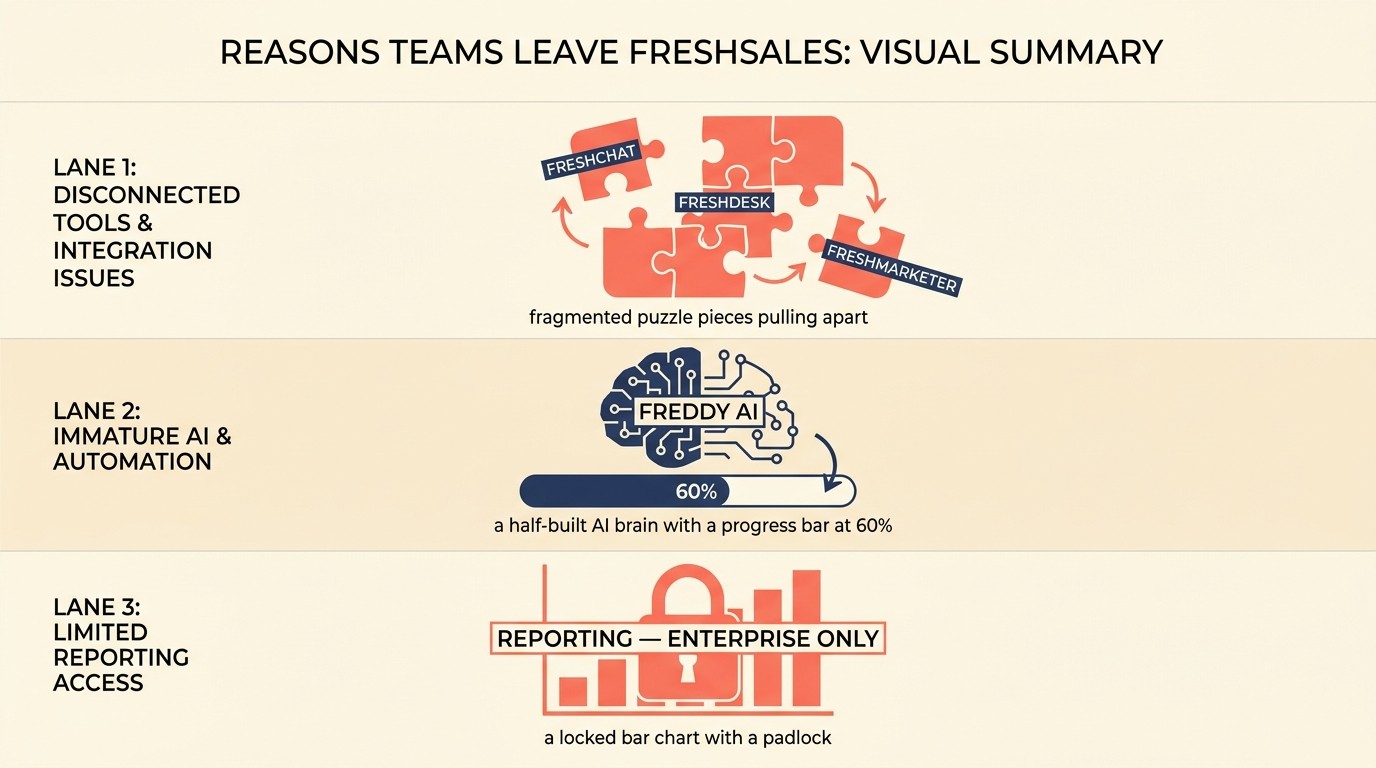
But growth-stage teams running cross-functional revenue operations tend to hit three walls. First, the Freshworks ecosystem becomes a constraint rather than a feature: Freshdesk for support, Freshchat for messaging, Freshmarketer for automation all live in separate products with separate billing and imperfect data handoffs. Second, Freddy AI is still maturing. The predictive scoring and deal insights that justify the higher tiers aren't yet at the level of purpose-built AI tools. Third, reporting customization is limited without exporting to a BI tool. If any of those walls sound familiar, here are 10 alternatives that address them directly. Before diving in, How to Pick a CRM in 2026 is worth a read. It gives you a structured framework to evaluate any of these against your actual requirements.
Key Facts: CRM Market & Switching in 2026
- The global CRM market is projected to reach $101B in 2026 and $145B by 2029, growing at 12.8% annually. This makes it the fastest-growing enterprise software category. (Gartner)
- CRM delivers an average ROI of $8.71 for every $1 spent, with sales teams reporting a 34% boost in productivity after adoption. (Nucleus Research / Salesforce)
- 91% of companies with 11+ employees now use a CRM, yet Gartner reports 83% of CRM migration projects exceed their budgets or timelines. This makes the tool-selection decision high-stakes.
- Freshsales' top-cited limitations on G2 and Capterra: limited custom reporting below Enterprise tier, Freshchat/Freshcaller as separate billing lines, and automation gaps that require Freshmarketer to fill. (G2 Reviews, 2026)
- The average SMB CRM migration costs $12K–$40K in internal labor and tooling alone (before any consultant fees) and takes 3–7 months to complete. (Wezom / DataFlowMapper, 2025)
Quick Comparison Table
Use the comparison table as a first filter by team shape, not as a final verdict. Freshsales replacements split into focused CRMs, broader go-to-market platforms, and tools that solve one narrow gap like outbound, calling, or data flexibility.
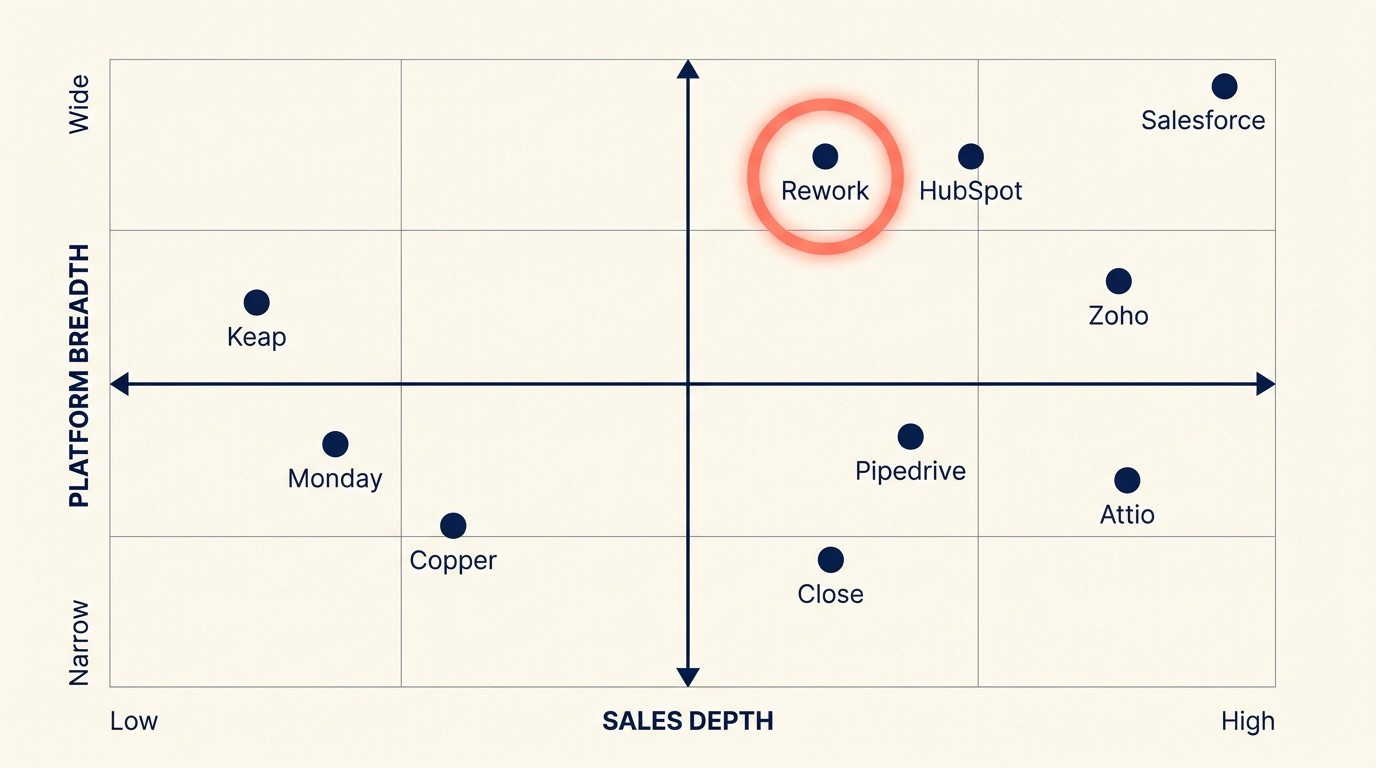
| Tool | Best For | Starting Price | Key Strength | Key Limitation |
|---|---|---|---|---|
| Rework | Mid-size teams needing CRM + Lead Mgmt + multi-channel inbox in one product | From $69/mo billed yearly for 5 seats; $159/mo with lead management and the inbox (rework.com/pricing) | Unified CRM, lead management, chat inbox, and ops workflows as one product | Less brand recognition; newer in the market |
| HubSpot CRM | Teams wanting marketing + sales + service in one platform | Free (paid from $15/user/mo) | Depth across marketing, sales, service; massive ecosystem | Hub pricing adds up fast at scale |
| Pipedrive | Sales-focused teams wanting clean, fast pipeline management | $14/user/mo | Simple UX, fast onboarding, strong pipeline focus | Limited marketing automation and lead distribution |
| Zoho CRM | Budget-conscious teams wanting an affordable ecosystem | $14/user/mo | Price, Zoho One bundle value, breadth of features | UI complexity; steeper learning curve |
| Close | Inside sales teams with heavy call/SMS volume | $49/user/mo | Built-in dialer + SMS; no add-ons needed | No marketing automation; team-only tool |
| Monday Sales CRM | Ops teams preferring visual board-style pipeline | $12/user/mo | Flexible boards, visual pipeline, easy adoption | CRM depth is lighter than purpose-built tools |
| Salesforce | Enterprises needing deep customization and ecosystem | ~$25/user/mo (Starter) | Deepest ecosystem, AppExchange, Agentforce AI | High implementation cost; overkill for teams under 200 |
| Copper | Google Workspace-native teams wanting zero rekeying | $9/user/mo | Native Gmail/Drive/Calendar sync | Weak outside Google ecosystem; limited reporting |
| Keap | Small businesses needing CRM + marketing automation together | $299/mo (up to 2 users) | Campaign builder, e-commerce hooks, automation depth | Expensive per-user at scale |
| Attio | Data-model-forward teams wanting a flexible, next-gen CRM | $34/user/mo | Flexible objects, clean API, modern architecture | Early-stage; fewer native integrations |
Stage Fit Matrix
| Tool | Startup (1-10) | Growth (10-50) | Mid-Market (50-200) | Enterprise (200+) |
|---|---|---|---|---|
| Rework | Not ideal | Strong fit | Strong fit | Good fit |
| HubSpot CRM | Free tier works | Good fit | Good fit | Gets expensive |
| Pipedrive | Good fit | Good fit | Adequate | Limited |
| Zoho CRM | Good fit | Good fit | Good fit | Adequate |
| Close | Good fit | Good fit | Adequate | Limited |
| Monday Sales CRM | Good fit | Good fit | Adequate | Limited |
| Salesforce | Overkill | Overkill | Good fit | Best fit |
| Copper | Good fit | Good fit | Adequate | Not designed for it |
| Keap | Good fit | Good fit | Gets expensive | Not designed for it |
| Attio | Good fit | Good fit | Adequate | Early-stage product |
Sizing and Persona Table
| Tool | Ideal Team Size | Who Buys It | Primary Buyer Pain |
|---|---|---|---|
| Rework | 20-500 | COO, Head of RevOps, Head of Sales | Disconnected tools, handoffs dropping, no single source of truth |
| HubSpot CRM | 10-500 | VP Marketing, Head of Sales, RevOps | Need one platform for marketing + sales + service |
| Pipedrive | 5-100 | Sales Manager, VP Sales, Founder | Need clean, fast pipeline visibility without complexity |
| Zoho CRM | 10-200 | Operations Manager, IT Manager, Founder | Costs are running high; needs a full-featured affordable stack |
| Close | 5-100 | Head of Inside Sales, Sales Manager | Call volume is high; dialer and CRM need to be the same product |
| Monday Sales CRM | 10-150 | Operations Lead, Sales Manager | Team already on Monday; wants CRM without a new tool |
| Salesforce | 100-5000+ | CRO, VP Sales, IT/CIO | Needs deep custom objects, governance, AppExchange |
| Copper | 5-100 | Founder, Sales Manager (Google shops) | Lives in Gmail; wants zero context switching |
| Keap | 1-30 | Founder, Owner, Marketing Manager | Needs simple marketing automation + CRM in one |
| Attio | 5-100 | Founder, Ops, RevOps | Wants a modern, flexible CRM without legacy baggage |
1. Rework: Unified CRM + Lead Management + Multi-Channel Inbox
The core reason teams leave Freshsales is ecosystem fragmentation. Freshchat handles messaging. Freshmarketer handles lead nurture. Freshdesk handles support. Each product has its own data model, its own billing, and its own integration layer. Stitching them together into a coherent customer timeline is a configuration project, not an out-of-the-box outcome.
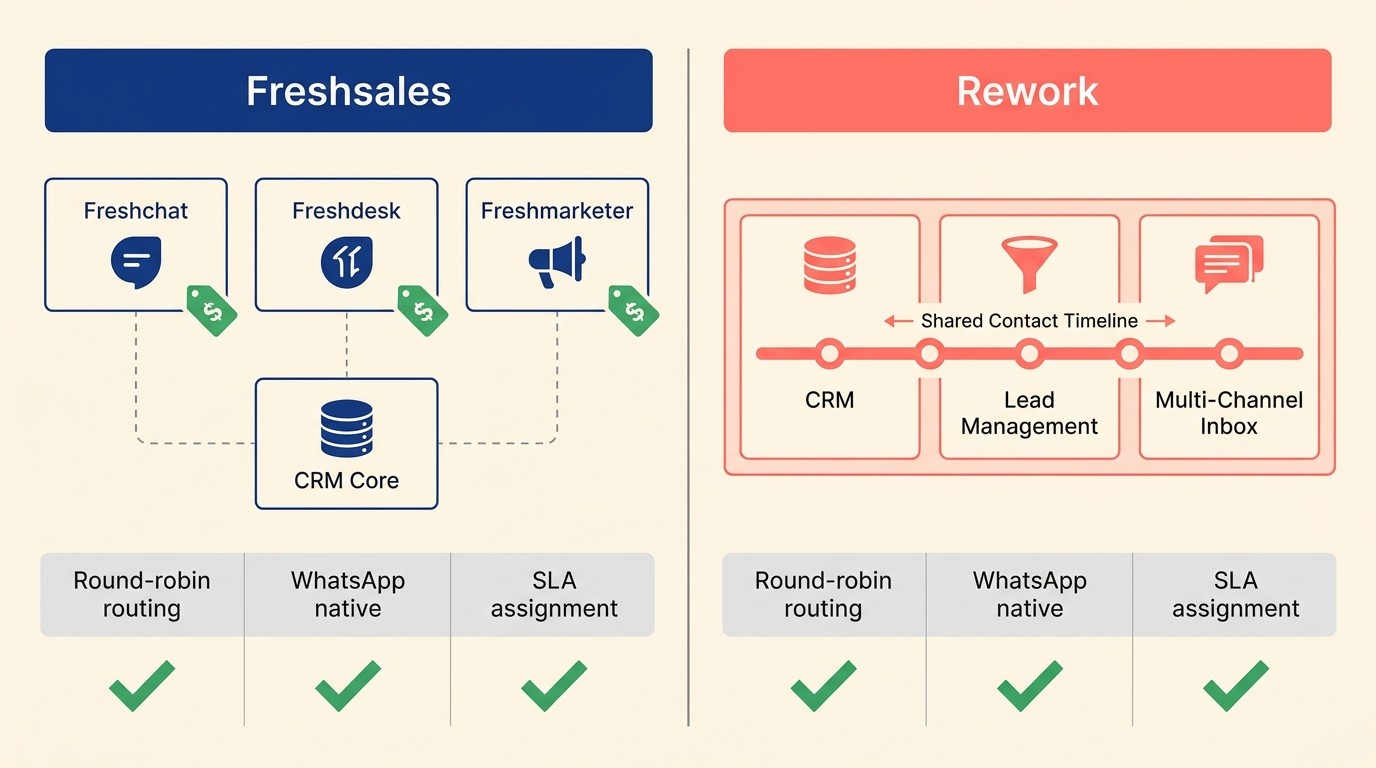
Rework's architecture inverts this. What we call the Single-Timeline Model puts CRM, lead management, and multi-channel inbox on one shared contact record. When a lead comes in through WhatsApp, gets scored, distributed to a sales rep, and moves through the pipeline, none of those handoffs cross a product boundary. Everything lands in the same record.
For mid-size revenue teams running cross-functional workflows, that consolidation matters at the ops layer. Round-robin and territory routing, SLA-based assignment, lead scoring, and marketing-to-sales handoff are built into the Lead app (Marketing or Revenue Engine). Freshsales gates several of these behind the Growth or Pro tiers. Rework's lead management module is particularly strong for teams where marketing and sales share a pipeline. See how pipeline stages that match your selling motion should be set up before you configure any CRM.
The ops workflow layer adds another dimension Freshsales doesn't address: cross-team process templates for onboarding, approvals, and recurring handoffs, sold as the separate Process Engine. If your team needs CRM plus the operational scaffolding that surrounds it, Rework covers that ground without a second tool. The CRM rollout and adoption guide walks through how to get a revenue team fully operational on a new platform in 30 days.
Rework Analysis: Growth-stage teams running Freshchat + Freshdesk + Freshmarketer alongside Freshsales typically carry three separate billing lines and at least one integration gap in the contact timeline. Rework's Single-Timeline Model collapses that stack to one product, which for teams at 20-100 seats usually costs less than an equivalent three-product Freshworks configuration at the Growth or Pro tier.
| What you get | What you don't |
|---|---|
| Unified CRM + lead management + chat inbox | Freshworks-style free starter tier |
| Native WhatsApp, Messenger, Instagram DM, TikTok, Zalo, web chat | Deep legacy Salesforce migration path |
| Round-robin, territory, SLA-based lead routing | Pure marketing automation suite (Marketo-grade) |
| Cross-team ops workflow templates | Enterprise governance for 1000+ seats |
| No per-hub billing surprises | Long brand track record |
Pricing: The Sales Engine (CRM) is $69/month billed yearly, or $80 month to month, with 5 sales seats included; extra seats come in blocks of 5 ($21/month per block on yearly billing). The Revenue Engine ($159/month billed yearly) adds the multi-channel inbox and lead capture. See rework.com/pricing.
Best for: Mid-size revenue teams (20-500 employees) running cross-functional operations who want CRM, lead management, and multi-channel communications in one product rather than across three Freshworks SKUs. Not ideal for: Solopreneurs, teams under 10, or companies already deeply customized in Salesforce.
2. HubSpot CRM: Marketing + Sales Suite With the Deepest Ecosystem
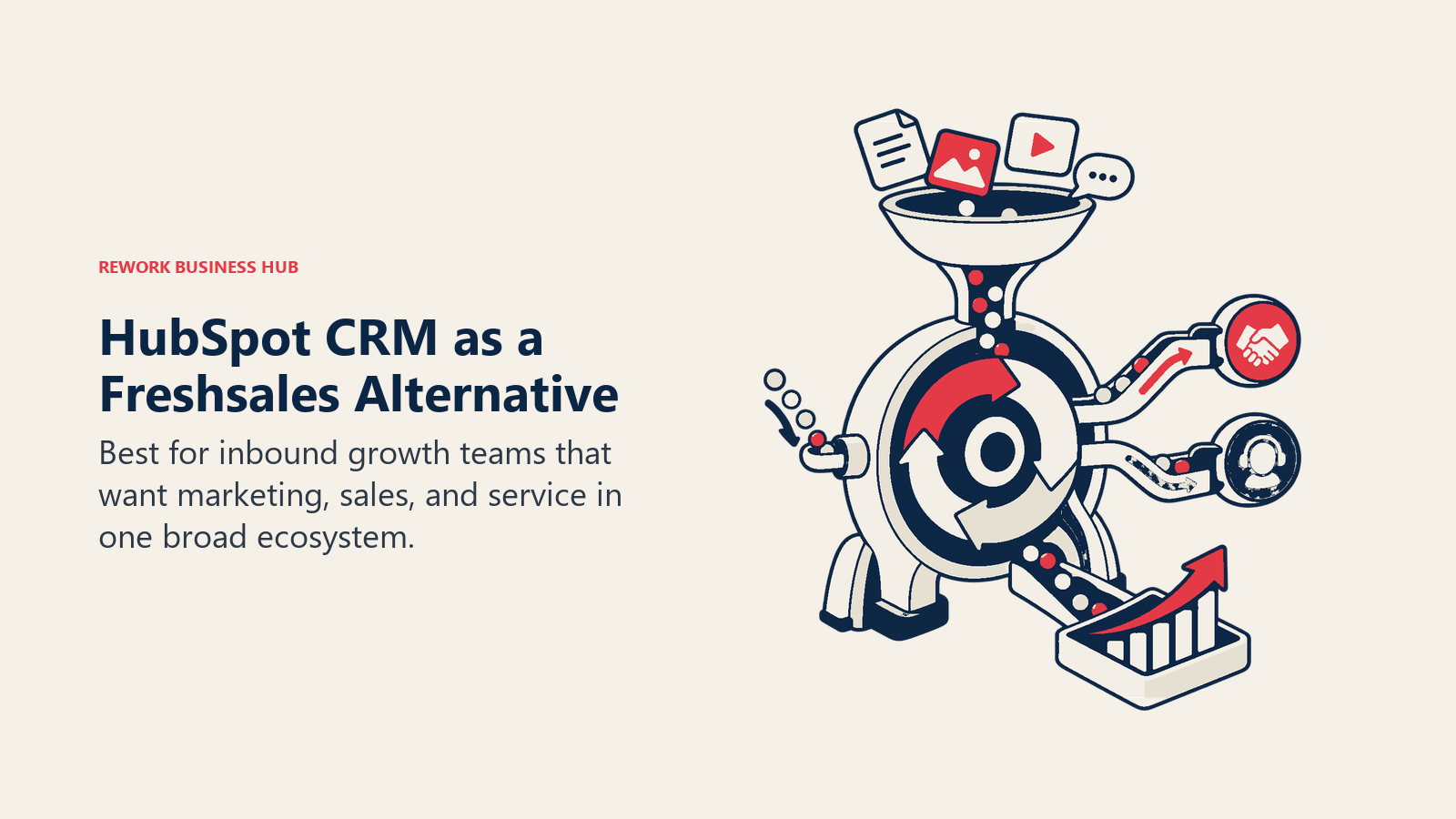
HubSpot's methodology is "growth platform." The product vision is that marketing, sales, and service should share one data layer, and that a company should be able to grow from startup to enterprise without re-platforming. That vision is real. HubSpot does more under one brand than almost any competitor. Check the best HubSpot alternatives guide if you want to map the full competitive landscape before landing on HubSpot as the Freshsales replacement. And if HubSpot is in your shortlist alongside Rework, the Rework vs HubSpot CRM comparison breaks down where each one actually wins.
The trade-off is pricing structure. HubSpot's free CRM is genuinely useful, but the features that move a revenue team (automation, advanced reporting, lead scoring, sequences, and meeting booking) mostly live behind Marketing Hub Professional ($800/mo) or Sales Hub Professional ($450/mo). Pair them for a 50-person team and you're north of $30,000 annually before any customization.
HubSpot is the right call when your marketing team and sales team both need dedicated tooling and you want them on the same database. It's less the right call when you're primarily a sales motion with light marketing needs and you don't want to pay for the full stack to get a few pipeline features.
| What you get | What you don't |
|---|---|
| Mature marketing automation + sales pipeline | Affordable pricing at scale |
| Massive app marketplace (1,000+ integrations) | Native WhatsApp or Instagram DM inbox |
| Sequences, meetings, deal-stage automation | Predictable pricing without a sales call at mid-market |
| CMS, landing pages, email, ads, all integrated | Simple per-seat flat pricing |
| Strong community, documentation, and support | Built-in ops workflow templates for non-sales teams |
Pricing: Free tier available. Marketing Hub Professional from $800/mo; Sales Hub Professional from $450/mo. Enterprise tiers available.
Best for: Companies (10-500) where marketing and sales both need a serious tool and are willing to pay for the combined platform. Not ideal for: Sales-only teams who don't need the marketing layer but will still pay for it.
3. Pipedrive: Sales Pipeline Simplicity Done Right
Pipedrive's philosophy is "sales-first simplicity." The product was built by salespeople for salespeople who wanted a visual pipeline and nothing more. It doesn't try to be a marketing platform, a support platform, or an ops platform. It tries to be the best place to manage a sales pipeline.
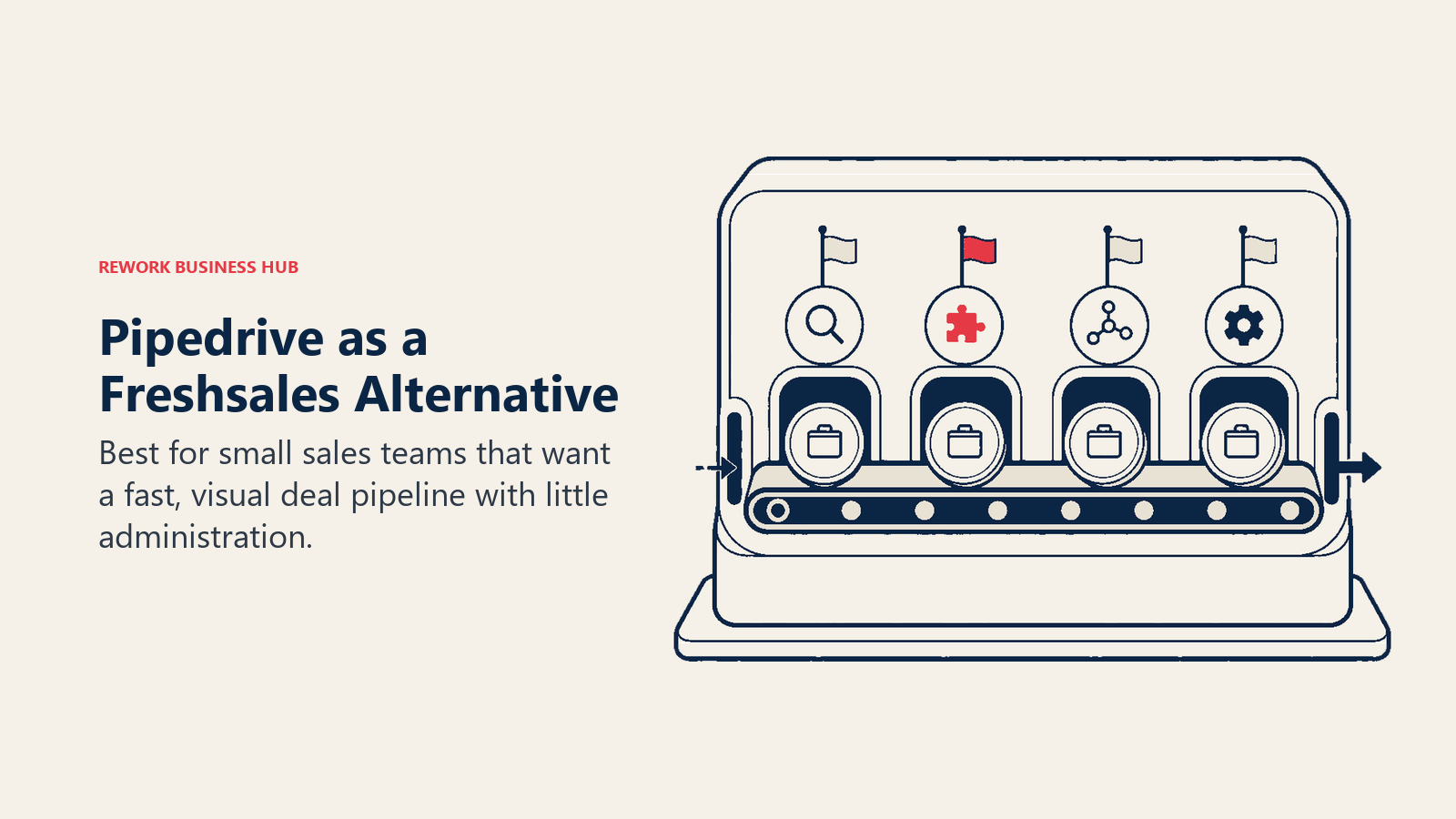
That focus is a genuine strength. Pipedrive's activity-based selling model means reps always see what to do next. The drag-and-drop pipeline is intuitive. Onboarding is measured in hours, not days. For teams with a 5-30 person sales function that just needs pipeline visibility and activity tracking, Pipedrive is often the fastest path from zero to working CRM. See the best Pipedrive alternatives guide if you're evaluating it against a wider field, or the Rework vs Pipedrive comparison if it's down to those two.
The limitation shows up when you need lead management depth. Pipedrive's lead distribution requires Zapier or a manual process on lower tiers. Round-robin assignment is a workaround rather than a feature. For inside-out lead operations where marketing is feeding the CRM and sales is following up, the gap becomes a daily frustration.
| What you get | What you don't |
|---|---|
| Clean, fast pipeline UX | Built-in lead distribution or round-robin |
| Activity-based selling framework | Marketing automation without a third-party tool |
| Strong mobile app | Multi-channel inbox (WhatsApp, Messenger, etc.) |
| Solid reporting for pipeline health | Cross-team ops workflows |
| Easy onboarding, 24-hour ramp | Advanced AI scoring on lower tiers |
Pricing: Essential at $14/user/mo; Advanced at $29/user/mo; Professional at $59/user/mo; Power at $69/user/mo (all billed annually).
Best for: Small to mid-size sales teams (5-100) who need a clean pipeline tool and don't need marketing automation or heavy lead routing. Not ideal for: Teams where marketing and sales share pipeline data or where lead distribution logic is complex.
4. Zoho CRM: Affordable Ecosystem for Cost-Conscious Teams
Zoho CRM's methodology is "breadth at budget." The Zoho philosophy is to build a comprehensive business software suite and price it below every comparable competitor. Zoho CRM covers pipeline, contacts, leads, automation, telephony, email, and analytics. Zoho One bundles 45+ Zoho apps for $37/user/month, which is a strong value for a growing business that would otherwise be paying separately for CRM, email, collaboration, HR, and finance tools. The best Zoho alternatives guide is worth a look if you're not sure the Zoho ecosystem fits your stack.
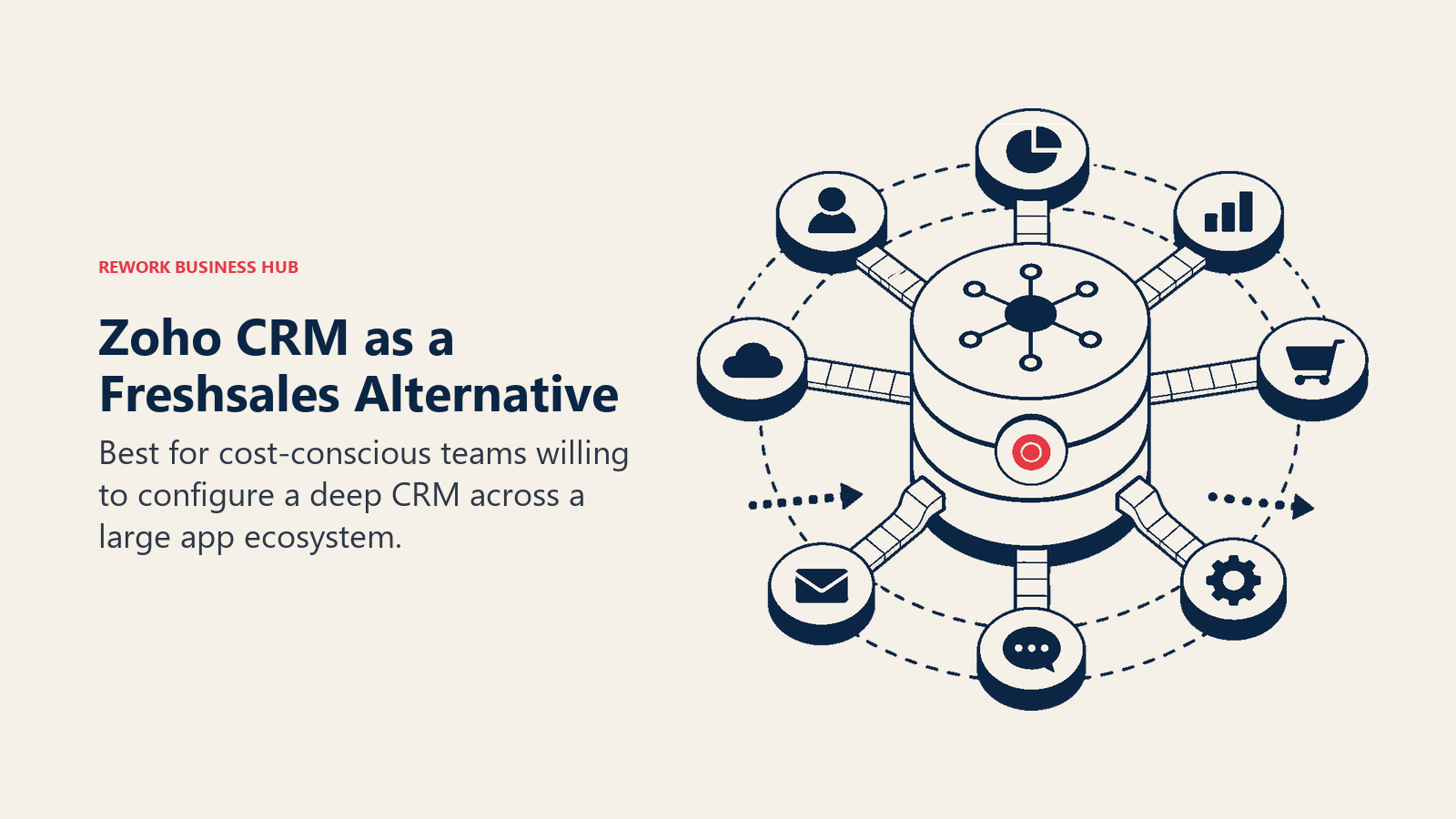
For teams leaving Freshsales because of cost, Zoho CRM is the natural landing pad. The feature depth is comparable. Zia (Zoho's AI) covers predictive scoring, anomaly detection, and workflow suggestions at a tier price that undercuts Freshsales' equivalent AI features. The ecosystem breadth is stronger than Freshsales: if you're already running Zoho Books, Zoho Desk, or Zoho Campaigns, the CRM data flows naturally across them.
The honest limitation is the user experience. Zoho CRM is wide rather than deep on any single use case. The interface carries legacy complexity from years of feature additions, and new users consistently report a longer learning curve than Freshsales. Configuration requires more deliberate setup to get the same outcomes Freshsales delivers out of the box.
| What you get | What you don't |
|---|---|
| Comprehensive CRM feature set at low price | Polished modern UX |
| Zia AI for scoring and predictions | Quick ramp-up: setup takes real effort |
| Zoho One bundle value (45+ apps) | Dedicated support quality at lower tiers |
| Strong API and customization | Intuitive out-of-the-box experience |
| Territory management and forecasting |
Pricing: Standard at $14/user/mo; Professional at $23/user/mo; Enterprise at $40/user/mo; Ultimate at $52/user/mo (all billed annually). Zoho One at $37/user/mo billed annually.
Best for: Cost-conscious teams (10-200) already evaluating or inside the Zoho ecosystem who want CRM + surrounding tools under one budget. Not ideal for: Teams who prioritize UX and onboarding speed over total cost.
5. Close: Inside Sales Velocity for Call-Heavy Teams
Close's philosophy is "close more deals through communication, not software configuration." The product was built specifically for inside sales teams who live on phone and email. Close ships a built-in power dialer, predictive dialer, SMS, and email sequences as native features, not integrations. Reps can call a prospect, log the outcome, and trigger a follow-up sequence without leaving the CRM record.
That communication-first design is Close's competitive edge. Teams comparing it to Freshsales almost always cite the same thing: Close's dialer is built in, while Freshsales' calling requires Freshcaller as a separate product with its own billing. If your sales motion is call-heavy, email-heavy, and sequence-driven, Close removes a significant integration tax. See the best Close alternatives guide if you're evaluating it alongside other options.
Close is explicitly a sales team tool, not a company-wide platform. Marketing automation, lead capture, and customer success workflows are outside its scope. The pricing reflects a sales operations assumption: the $49/user/mo entry point is steep for small teams who don't use the dialer daily, but fair for inside sales reps where calling volume justifies it.
| What you get | What you don't |
|---|---|
| Built-in power dialer + predictive dialer | Marketing automation or lead capture |
| Built-in SMS and email sequences | Multi-channel inbox (WhatsApp, Messenger) |
| Activity-based reporting for call volume | Ops workflows for non-sales teams |
| Clean sales-focused UX | Affordable entry pricing for low-call-volume teams |
| No integration needed for calling | Customer success tooling |
Pricing: Startup at $49/user/mo; Professional at $99/user/mo; Enterprise at $139/user/mo (all billed annually).
Best for: Inside sales teams (5-100) with high call and email volume who want their dialer and CRM as one product. Not ideal for: Teams without significant call volume or teams needing marketing + sales in a unified platform.
6. Monday Sales CRM: Visual Boards for Ops-Minded Teams
Monday.com's methodology is "work OS": a flexible platform where teams can build any workflow on top of a visual board structure. Monday Sales CRM is the sales-specific layer of that platform, designed for teams that are already on Monday for project management and want to extend it to sales pipeline rather than add a separate CRM.
The board-style visual interface is genuinely distinctive. Pipeline stages, contacts, and activities all live on boards that feel similar to the project boards Monday users already know. For sales managers who think visually and for ops teams who want pipeline in the same workspace as delivery, this is a real advantage over Freshsales' more conventional CRM layout.
The honest trade-off is CRM depth. Monday Sales CRM handles pipeline stages, contact management, and basic activity logging well. But lead distribution, advanced scoring, territory routing, and detailed sales analytics remain lighter than Freshsales, Pipedrive, or Close at equivalent price points. It's a strong choice when the priority is workflow flexibility over sales-specific depth.
| What you get | What you don't |
|---|---|
| Flexible board-style pipeline views | Deep lead routing and territory management |
| Works inside the Monday ecosystem | Purpose-built sales analytics |
| Easy for non-CRM users to adopt | Built-in dialer or calling features |
| Automations tied to broader Monday workflows | Multi-channel inbox |
| Visual dashboards | Advanced AI scoring |
Pricing: Basic at $12/user/mo; Standard at $17/user/mo; Pro at $28/user/mo; Enterprise custom (all billed annually, minimum 3 seats).
Best for: Teams (10-150) already on Monday Work OS who want to extend pipeline management into their existing workspace without a second tool. Not ideal for: Teams who need deep CRM functionality and aren't already invested in Monday.
7. Salesforce: Enterprise Depth When You've Grown Past Mid-Market
Salesforce's methodology is "the customer 360." The product thesis is that every customer interaction (sales, marketing, service, commerce, analytics) should live in one data platform with a shared identity layer. For enterprises that need that level of integration depth, custom object modeling, and ecosystem breadth, nothing else comes close. See the best Salesforce alternatives if you're weighing it against other enterprise options.
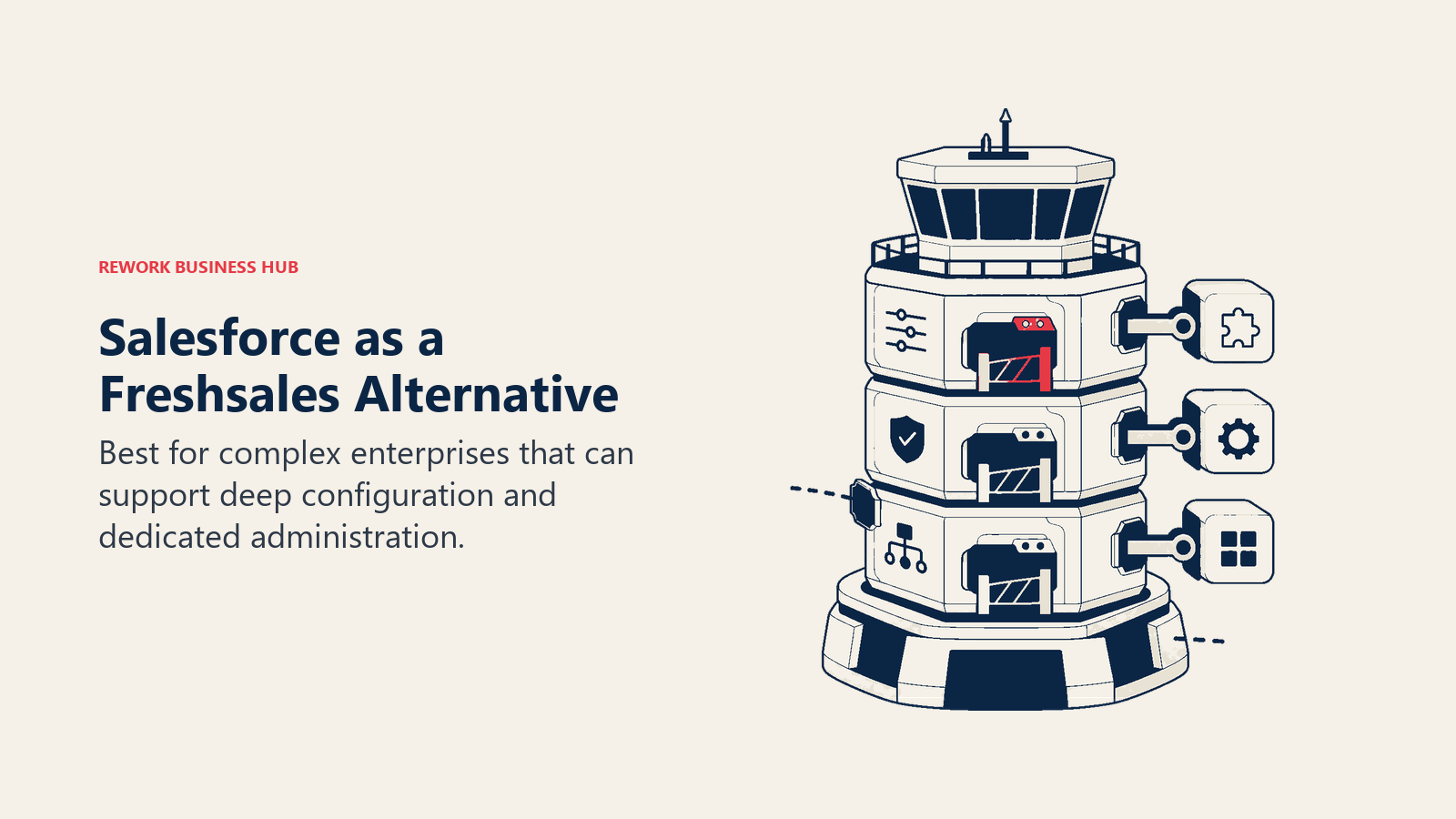
The sizing and stage fit is very specific: Salesforce is a strong choice for companies at 200+ employees where customization, governance, and a large AppExchange ecosystem justify the overhead. Below that threshold, the implementation cost, the admin overhead, and the learning curve tend to outweigh the feature depth. If you're leaving Freshsales, you're probably not moving to Salesforce unless your growth trajectory is pushing you into enterprise territory. Salesforce holds approximately 21% of the global CRM market by revenue, more than the next four vendors combined, which partly explains why enterprise teams treat it as a default. (Gartner, 2025)
Salesforce's AI layer (Agentforce) is more mature than Freddy AI for predictive scoring, deal insights, and automated workflows. The reporting and analytics depth is genuinely enterprise-grade. But the price at real seat counts, plus the SI partner cost for implementation, makes it a fundamentally different budget conversation than Freshsales. According to G2's CRM category rankings, Salesforce consistently holds the highest market presence score among enterprise CRMs.
| What you get | What you don't |
|---|---|
| Deepest custom object and data modeling | Affordable mid-market pricing |
| AppExchange with 3,000+ integrations | Fast implementation |
| Agentforce AI for predictions and automation | Simple administration |
| Mature reporting and analytics (Tableau integration) | Out-of-the-box lead routing on lower tiers |
| Industry clouds for regulated verticals | Unified chat inbox without add-ons |
Pricing: Starter Suite at $25/user/mo; Pro Suite at $100/user/mo; Enterprise at $165/user/mo; Unlimited at $330/user/mo (billed annually).
Best for: Enterprises (200+) requiring deep customization, complex governance, or AppExchange integrations. Not ideal for: Growth-stage teams under 200 employees unless complexity and budget justify the overhead.
8. Copper: Google Workspace-Native CRM With Zero Rekeying
Copper's philosophy is "a CRM that lives inside Gmail." The product is built specifically for teams whose workflow is Google-native. Copper auto-captures emails, contacts, and calendar events from Google Workspace without any manual entry. If a contact emails you, Copper logs it. If you schedule a meeting, Copper creates the activity. The promise is a CRM that updates itself.
For Google-native businesses (agencies, consultancies, professional services firms) this auto-capture promise is a real differentiator. Reps who refuse to update a CRM will often adopt Copper because it updates without them. The integration depth with Gmail, Google Drive, and Google Calendar is more thorough than Freshsales' Google integration.
The limitation is equally clear: Copper only earns its value if your team lives in Google Workspace. If you use Outlook, Slack as a primary async tool, or have a non-Google stack, the auto-capture functionality disappears and you're left with a relatively thin CRM at above-average pricing. The reporting and lead distribution capabilities are lighter than Freshsales.
| What you get | What you don't |
|---|---|
| Auto-capture from Gmail + Google Workspace | Value outside a Google-first stack |
| Zero rekeying for Google users | Strong lead distribution or routing |
| Clean, minimal interface | Marketing automation |
| Google Drive file attachment on deals | Multi-channel inbox |
| Solid basic pipeline management | Deep reporting customization |
Pricing: Starter at $9/user/mo; Basic at $23/user/mo; Business at $59/user/mo (billed annually).
Best for: Small to mid-size teams (5-100) whose entire workflow is Google Workspace-native and who want a CRM that requires zero manual data entry. Not ideal for: Teams outside Google Workspace or teams needing marketing automation and lead routing.
9. Keap: CRM + Marketing Automation for Small Business Owners
Keap's methodology is "automated follow-up for small business." The product was originally known as Infusionsoft and has historically served small business owners who need a combination of CRM, marketing automation, and e-commerce hooks without hiring a marketing ops team. The campaign builder allows non-technical users to build multi-step automations tied to contact behavior. See the best Keap alternatives if you're not sure the small-business focus fits your stage.
Compared to Freshsales, Keap is a different beast. Freshsales is a sales CRM. Keap is a small business automation platform with CRM capabilities. If your primary pain is "we're not following up with leads fast enough" or "we need automated nurture sequences but don't want to hire someone to configure them," Keap's visual campaign builder is genuinely accessible.
The pricing structure is unusual: flat monthly pricing based on contact count and user seats rather than per-user at every tier. The entry plan at $299/month covers 2 users and 1,500 contacts. That's affordable for a 2-person team but becomes expensive per-user when the team grows past 10.
| What you get | What you don't |
|---|---|
| Visual campaign automation builder | Scalable pricing for larger teams |
| CRM + email marketing + landing pages | Advanced pipeline analytics |
| E-commerce hooks (orders, invoicing) | Multi-channel inbox (WhatsApp, social) |
| Appointment booking integration | Enterprise-grade lead routing |
| Accessible automation for non-technical users | Modern UI quality |
Pricing: Pro at $299/mo (2 users, 1,500 contacts); Max at $399/mo (3 users, 2,500 contacts); Ultimate at $599/mo (contact sales for contacts). Billed annually with discounts.
Best for: Small business owners and operators (1-30 employees) who need CRM + marketing automation and can't hire a marketing ops person to configure it. Not ideal for: Growth-stage teams beyond 30 employees or companies that need sales CRM depth more than marketing automation breadth.
10. Attio: Next-Gen Flexible CRM for Data-Forward Teams
Attio's philosophy is "a CRM should be as flexible as a spreadsheet but as powerful as a database." The product is built for teams who want to define their own data model rather than inherit a rigid CRM schema. Objects, attributes, and relationship types are customizable from the ground up. Pipeline stages, company records, and contact properties are all first-class, programmable entities rather than fixed CRM conventions.
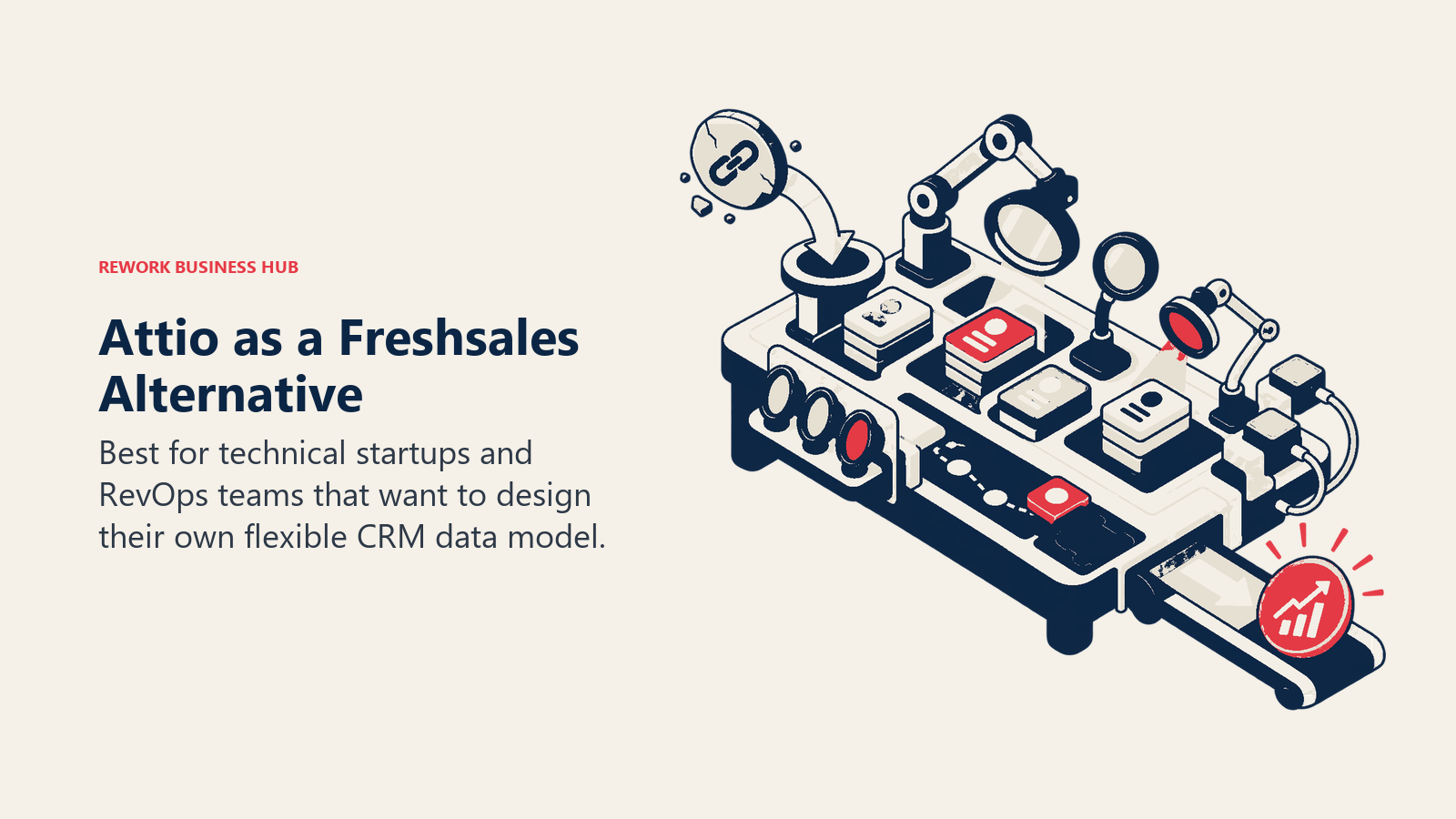
For founders and RevOps leads who've built custom CRM spreadsheets and outgrown them, Attio fills a genuine gap. The API is clean, the data model is flexible, and the interface is modern in a way most legacy CRMs aren't. If you know what data structure you need and want to build it without fighting a rigid CRM schema, Attio is worth a serious look. Configuring the right lead qualification framework upfront makes the most of Attio's flexible data model.
The honest limitation is maturity. Attio is an early-stage product. The native integrations list is shorter than Freshsales, Pipedrive, or HubSpot. The reporting capabilities are still building out. For teams that need an established integration ecosystem or enterprise-grade analytics today, Attio is a future bet rather than a present-tense solution.
| What you get | What you don't |
|---|---|
| Flexible, programmable data model | Mature integration ecosystem |
| Modern, clean UI | Deep sales-specific analytics |
| Strong developer-friendly API | Large user community for training resources |
| First-class objects and relationships | Enterprise-level governance and permissions |
| Workflow automation built on flexible objects | Proven reliability at scale |
Pricing: Free for up to 3 users; Plus at $34/user/mo; Pro at $59/user/mo; Enterprise custom (billed annually).
Best for: Data-forward founders and RevOps teams (5-100) who want to define their own CRM schema from scratch and have the technical appetite to configure it. Not ideal for: Teams needing out-of-the-box CRM workflows, a rich integration library, or established analytics today.
Multi-Channel Inbox Comparison
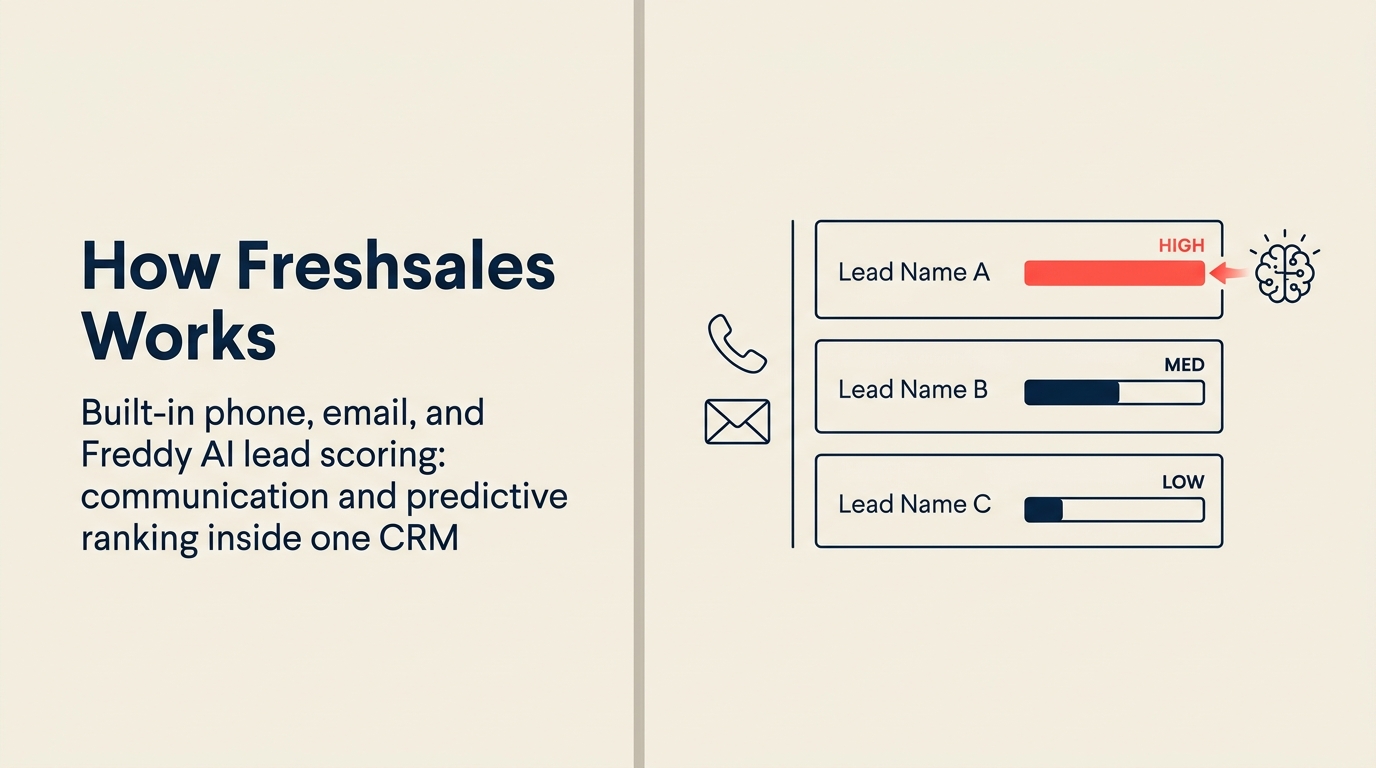
One of the clearest failure points in Freshsales is multi-channel communication. Freshchat handles messaging separately, and connecting it to the CRM timeline requires configuration that most teams never fully complete. Here's how the alternatives compare on native channel support.
| Channel | Rework | HubSpot | Pipedrive | Close | Freshsales | Zoho CRM |
|---|---|---|---|---|---|---|
| Native | Paid add-on | 3rd party | 3rd party | Freshchat (separate) | 3rd party | |
| Messenger | Native | Service Hub | 3rd party | 3rd party | Freshchat (separate) | 3rd party |
| Instagram DM | Native | Paid add-on | 3rd party | 3rd party | Freshchat (separate) | 3rd party |
| Live web chat | Native | Native | 3rd party | 3rd party | Freshchat (separate) | 3rd party |
| Native | Native | Native | Native | Native | Native | |
| SMS | No | Paid add-on | 3rd party | Native | Freshcaller (separate) | 3rd party |
| Phone / Dialer | Separate Call app | Add-on | 3rd party | Native (core feature) | Freshcaller (separate) | Built-in |
Lead Management Depth Comparison
Freshsales has basic lead routing but gates advanced distribution behind higher tiers and relies on Freshmarketer for the marketing side of the funnel. This table maps where each tool falls on the lead management spectrum. For a deeper look at how to structure lead routing rules before you migrate, the CRM workflow automation guide is useful.
| Capability | Rework | HubSpot | Pipedrive | Zoho CRM | Freshsales |
|---|---|---|---|---|---|
| Round-robin assignment | Native (Lead app) | Professional+ | Manual/Zapier | Enterprise | Growth+ |
| Territory routing | Native | Enterprise | 3rd party | Enterprise | Enterprise |
| SLA-based assignment | Native | Not native | Not native | Partial | Not native |
| Lead scoring | Native | Professional+ | Add-on | Standard+ | Growth+ |
| Marketing-to-sales handoff | Single product | Hub integration | Manual | Cross-product | Freshmarketer (separate) |
| Lead capture forms | Native | Native | 3rd party | Native | Native |
| Nurture sequences | Native | Marketing Hub | Campaigns add-on | Zoho Campaigns | Freshmarketer (separate) |
Pricing at 10, 25, and 50 Seats (Annual)
| Tool | 10 seats / year | 25 seats / year | 50 seats / year |
|---|---|---|---|
| Rework (Sales Engine, billed yearly) | $1,080 | $1,836 | $3,096 |
| HubSpot (Sales Hub Professional) | $54,000 | $135,000 | $270,000 |
| Pipedrive (Professional) | $7,080 | $17,700 | $35,400 |
| Zoho CRM (Enterprise) | $4,800 | $12,000 | $24,000 |
| Close (Professional) | $11,880 | $29,700 | $59,400 |
| Monday Sales CRM (Pro) | $3,360 | $8,400 | $16,800 |
| Salesforce (Enterprise) | $19,800 | $49,500 | $99,000 |
| Copper (Business) | $7,080 | $17,700 | $35,400 |
| Keap (Max) | $4,788 (flat) | $4,788 (flat) | Custom |
| Attio (Pro) | $7,080 | $17,700 | $35,400 |
Note: HubSpot figures reflect Sales Hub Professional only. Marketing Hub Professional adds $9,600/year flat. Keap pricing is contact-count based, not per-user above 3 seats.
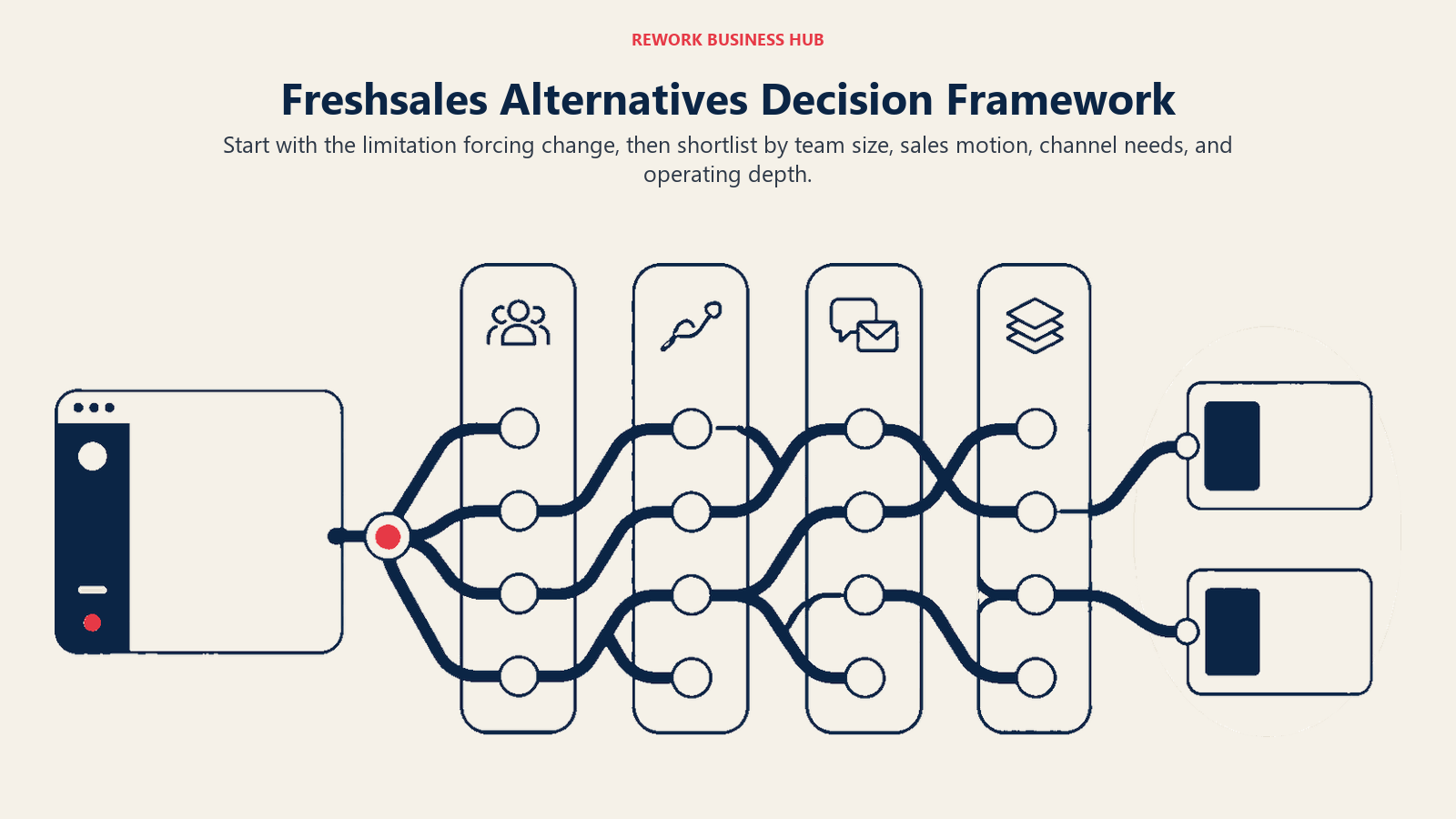
How to Choose: Decision Framework
| If you need this... | Pick this |
|---|---|
| CRM + lead management + multi-channel inbox in one product for a 20-500 person revenue team | Rework |
| Marketing automation + sales + service hub from one vendor, budget not the constraint | HubSpot CRM |
| Clean, fast pipeline management for a sales-only team with no marketing complexity | Pipedrive |
| Full CRM at the lowest possible per-seat cost, willing to invest in configuration | Zoho CRM |
| Inside sales with high call and SMS volume where the dialer is as important as the pipeline | Close |
| Your team is already on Monday and wants to extend it to pipeline without a new tool | Monday Sales CRM |
| 200+ employees needing deep custom objects, enterprise governance, AppExchange ecosystem | Salesforce |
| The entire team lives in Gmail and wants a CRM that updates itself from Google Workspace | Copper |
| Small business needing visual marketing automation + CRM without a dedicated ops hire | Keap |
| Building a custom CRM data model from scratch with a technical team, early-stage budget | Attio |
Why Teams Leave Freshsales: The Honest Summary
This summary is the final sanity check before changing systems. If the real pain is fragmentation, AI reliability, or reporting limits, the replacement needs to solve that specific constraint rather than simply feel newer than Freshsales.
Freshsales isn't a bad product. For a 10-50 person sales team inside the Freshworks ecosystem, it's a reasonable choice. The problems emerge at the edges. And because the average SMB CRM migration runs $12K–$40K in internal labor and takes 3–7 months to complete (Wezom, 2025), it's worth being specific about which limitation is actually costing you before switching.
The Freshworks fragmentation problem means that getting WhatsApp, support tickets, and marketing automation on the same contact record requires three separate products (Freshchat, Freshdesk, Freshmarketer), three separate billing lines, and integration work that most ops teams underestimate. Teams that need a unified customer timeline eventually pay more and get less than they'd get from a single platform. And if you're migrating away, the data cleaning and dedup guide is worth reading before you export anything from Freshsales.
Freddy AI is still building credibility. Predictive deal scoring and AI-suggested actions work, but the accuracy and reliability at the Pro tier isn't yet at the level that justifies choosing Freshsales for its AI specifically. Teams that compare it to Zoho's Zia or HubSpot's AI features often find Freddy underwhelming at the same investment level.
Reporting customization is limited below Enterprise tier. Teams that need revenue analytics broken down by territory, lead source attribution, and pipeline health in a format that doesn't require exporting to Excel find themselves hitting walls.
If those three constraints describe your current frustration, the tools in this list address them in different ways. The right one depends on your team size, how important the marketing layer is, and whether you need a unified platform or just a better sales pipeline. It's also worth checking Gartner's CRM Market Guide for analyst-backed context on where each category of tool fits enterprise buyer needs.
Frequently Asked Questions
What are the most common reasons teams leave Freshsales?
The three most-cited reasons on G2 and Capterra (2026) are limited custom reporting below the Enterprise tier, the Freshchat/Freshcaller add-on billing model that fragments the contact timeline, and Freddy AI's predictive scoring not yet matching purpose-built tools at equivalent price points. Teams that hit all three tend to leave for a unified platform rather than patching individual gaps.
How much does it cost to migrate away from Freshsales?
The average SMB CRM migration costs $12K–$40K in internal labor and tooling, with 3–7 months of elapsed time before the team is fully operational on the new platform (Wezom, 2025). Gartner reports that 83% of data migration projects exceed their original budgets, so budget conservatively and prioritize data cleansing before export.
Is Freshsales good for small businesses?
Freshsales is a solid starting point for 10–50 person sales teams, especially if you're already inside the Freshworks ecosystem. Its onboarding is fast and the interface is clean. The limitations surface when your team needs cross-functional lead management, advanced reporting, or multi-channel inbox support that doesn't require bolting on Freshchat and Freshmarketer separately.
What is the best Freshsales alternative for inside sales teams?
Close is the strongest Freshsales alternative for inside sales teams with high call and SMS volume. It ships a built-in power dialer, predictive dialer, and email sequences as core features, not add-ons, at $49/user/mo. Teams whose daily motion is dial, log, sequence will find Close eliminates the integration overhead that Freshsales + Freshcaller requires.
What is the best Freshsales alternative for mid-size revenue teams?
Rework is the strongest option for mid-size teams (20–500 employees) running cross-functional revenue operations. It ships CRM, lead management, and multi-channel inbox (WhatsApp, Messenger, Instagram DM, web chat) as one product with a shared contact timeline, with the Sales Engine from $69/month billed yearly and the Revenue Engine, which adds the inbox, at $159/month billed yearly (rework.com/pricing). Teams leaving Freshsales because of ecosystem fragmentation get a single product instead of three.
Does CRM software actually improve sales performance?
Yes, and the data is consistent. CRM adoption correlates with a 34% average increase in sales productivity and a 29% increase in sales revenue, according to Nucleus Research and Salesforce benchmark studies. Companies that implement CRM effectively see ROI of $8.71 per $1 spent on average, with some enterprise organizations reporting 3-year ROI above 245%.
How do I evaluate CRM alternatives to Freshsales?
Run a 2-week pilot with your top two picks using 50 real contacts and your actual pipeline stages. The three questions that matter most: How fast does the team adopt it without coaching? How much manual data entry does it eliminate? Does the lead routing logic match how your team actually works? Use the CRM buyer's checklist to structure those questions into a 30-minute evaluation.
What to Do Next
Run a structured 2-week pilot with your top two picks. Load in 50 real contacts, replicate your current pipeline stages, and have 3-5 reps use it daily. The evaluation criteria that matter most: how fast does the team adopt it without coaching, how much manual data entry does it eliminate, and does the lead routing logic match how your team actually works? Those three questions will surface the right answer faster than any feature comparison. The CRM buyer's checklist is useful here. It structures those three questions into a decision framework that takes less than 30 minutes to complete.
If multi-channel inbox and unified lead management are the core need, start with a Rework demo to see how the consolidated model compares to the Freshworks ecosystem stack. If sales pipeline simplicity is the priority and you want to move fast, Pipedrive's trial is live in under an hour. Also worth reading the best Freshworks alternatives guide if you're evaluating whether to leave the Freshworks ecosystem entirely rather than just replacing the CRM layer.

Head of Enterprise Solutions
On this page
- Quick Comparison Table
- Stage Fit Matrix
- Sizing and Persona Table
- 1. Rework: Unified CRM + Lead Management + Multi-Channel Inbox
- 2. HubSpot CRM: Marketing + Sales Suite With the Deepest Ecosystem
- 3. Pipedrive: Sales Pipeline Simplicity Done Right
- 4. Zoho CRM: Affordable Ecosystem for Cost-Conscious Teams
- 5. Close: Inside Sales Velocity for Call-Heavy Teams
- 6. Monday Sales CRM: Visual Boards for Ops-Minded Teams
- 7. Salesforce: Enterprise Depth When You've Grown Past Mid-Market
- 8. Copper: Google Workspace-Native CRM With Zero Rekeying
- 9. Keap: CRM + Marketing Automation for Small Business Owners
- 10. Attio: Next-Gen Flexible CRM for Data-Forward Teams
- Multi-Channel Inbox Comparison
- Lead Management Depth Comparison
- Pricing at 10, 25, and 50 Seats (Annual)
- How to Choose: Decision Framework
- Why Teams Leave Freshsales: The Honest Summary
- Frequently Asked Questions
- What are the most common reasons teams leave Freshsales?
- How much does it cost to migrate away from Freshsales?
- Is Freshsales good for small businesses?
- What is the best Freshsales alternative for inside sales teams?
- What is the best Freshsales alternative for mid-size revenue teams?
- Does CRM software actually improve sales performance?
- How do I evaluate CRM alternatives to Freshsales?
- What to Do Next