Best Unbounce Alternatives in 2026: 14 Landing Page Builders Compared
Turn this article into takeaways for your work.


Each assistant summarizes the article only for you and suggests best practices for your work.
Unbounce no longer starts at $99 a month. That number is stuck in nearly every "alternatives" article you'll find, because it described the old Launch plan, which is gone. The current entry tier is Starter, at $29/month paid monthly or $22/month billed annually ($264/year), and it's what a solo marketer or small team actually sees on the pricing page today. Getting this detail right matters, because if a listicle can't correctly report the price of the tool it's comparing against, you should question everything else on the page too.
The number that actually decides your bill is a different one: seats and traffic. Starter and the next tier up, Build, are both capped at one user and one root domain, and Starter tops out at 500 monthly visits. Add a second marketer or a second domain and you're pushed to Experiment at $149/month monthly ($112/month annual), before you've touched a single new feature. That seat-and-traffic math, not the sticker price, is what this guide compares across 14 tools, including Instapage, Leadpages, Landingi, ClickFunnels, Swipe Pages, Carrd, Webflow, HubSpot Marketing Hub, GetResponse, Elementor, Systeme.io, Duda, Framer, and Rework, which sits downstream of all of them, handling what happens to a lead in the five minutes after the form submits. This guide focuses on dedicated landing page and lead capture tools; if exit-intent popups and on-site forms are also due for a refresh, see our OptinMonster alternatives guide. Prices below come from each vendor's own pricing page unless labeled (reported), in which case the third-party source is named, and monthly versus annual is stated explicitly. For the wider category view, see Best Lead Management Software in 2026.
Key Facts
- The median landing page converts at 6.6% across all industries, based on 57 million conversions, 41,000 landing pages, and 464 million pageviews. (Unbounce, Conversion Benchmark Report)
- A 0.1-second improvement in mobile site speed correlates with 8.4% higher retail conversion rates and 9.2% higher average order value. (Google and Deloitte, Milliseconds Make Millions, via web.dev)
- As mobile page load time goes from 1 second to 10 seconds, the probability of a visitor bouncing increases 123%. (Google, Find Out How You Stack Up to New Industry Benchmarks for Mobile Page Speed)
- Smartphones account for roughly 51 to 52% of global website traffic as of 2026, excluding tablets. (Statista, Mobile Web Traffic Share)
What Unbounce Actually Costs in 2026 (Correcting a Stale Number)
Search for "Unbounce pricing" and most results still quote $99/month as the floor. That was the Launch plan, and it's been retired. Unbounce's current pricing page shows four tiers plus two custom ones, all billed in USD with a 25% discount for paying annually. Here's the full ladder:
| Plan | Monthly | Billed Annually | Users | Root Domains | Monthly Traffic | Pages |
|---|---|---|---|---|---|---|
| Starter | $29/mo | $22/mo ($264/yr) | 1 | 1 | Up to 500 | 5 |
| Build | $99/mo | $74/mo ($888/yr) | 1 | 1 | Up to 20,000 | Unlimited |
| Experiment | $149/mo | $112/mo ($1,344/yr) | 3 | 2 | Up to 30,000 | Unlimited |
| Optimize | $249/mo | $187/mo ($2,244/yr) | 5 | 3 | Up to 50,000 | Unlimited |
| Concierge | Custom | Custom | Custom | Custom | 100,000 minimum | Unlimited |
| Agency | Custom | Custom | Custom | Custom | 50,000 minimum | Unlimited |
There's no free plan, but there's a 14-day trial with no card required. The part every third-party listicle misses: $99/month is now the Build tier, not the entry point, and even Build is capped at one user and one root domain. A two-person marketing team, or a team running pages for two brands, needs Experiment at minimum, which is $112/month billed annually before anyone touches an A/B test or a third integration. That's the real story of Unbounce's 2026 pricing, and it's the reason this guide leads with seats and traffic instead of a headline number that no longer describes what you'd actually pay.
Quick Comparison Table
| Tool | Best For | Starting Price | Key Strength | Key Limitation |
|---|---|---|---|---|
| Instapage | Enterprise collaboration on conversion pages | $79/mo annual ($99 monthly) | Heatmaps and AdMap ad-to-page matching | No plan under 10,000 visitors |
| Leadpages | A cheap standalone page, not a funnel suite | $5/mo (HTML Pub Starter) | Lowest credible entry price with a real page | HTML Pub caps pages; funnels need the pricier family |
| Landingi | Agencies running many client campaigns | $24/mo annual ($29 monthly, reported) | Built-in AI page generation and A/B testing | Vendor pricing page blocked automated verification |
| ClickFunnels | Multi-step sales funnels, not single pages | $81/mo annual ($97 monthly) | Full funnel plus course and community hosting | Seat and workspace caps bite agencies fast |
| Swipe Pages | Mobile-first, AMP-speed landing pages | $19/mo annual ($29 monthly) | Genuine AMP speed on mobile | Traffic overages billed per 5,000 visits |
| Rework | Routing and working the leads your pages capture | Marketing Engine from $99/mo billed yearly (5 seats) | Scoring, routing, and a multi-channel inbox after the form submits | Not a drag-and-drop landing page builder |
| Carrd | An ultra-simple one-page site on a tiny budget | $19/yr (Pro Standard, 10 sites) | Real custom domain and forms at $19/year | No A/B testing, analytics dashboards, or multi-step funnels |
| Webflow | Designers wanting full visual/CSS control | Free (2 pages); Basic $15/mo annual (reported) | Design freedom with real CMS depth | Free tier caps at 2 static pages and 50 submissions |
| HubSpot Marketing Hub | Teams wanting pages tied to a CRM | Free; Starter $7/seat/mo annual | Native CRM and contact-level attribution | Professional jumps to $800/mo plus $3,000 onboarding |
| GetResponse | Teams that want email and pages bundled | $19/mo (1,000 contacts) | Unlimited pages once past Starter's visitor cap | Starter's landing pages cap at 1,000 visitors/month |
| Elementor (WordPress) | Teams already committed to WordPress | $59/yr (Essential, 1 site) | Huge WordPress plugin and template ecosystem | Free plugin excludes popups, custom CSS, and A/B testing |
| Systeme.io | Bootstrapped founders wanting funnels plus email | Free; Startup $17/mo | Real free plan with a custom domain included | Free plan caps at 3 funnels and one course |
| Duda | Agencies publishing many client sites at scale | $19/mo annual ($25 monthly) | No hard visitor/bandwidth cap on hosted sites | Every plan bills per published site, not a pool |
| Framer | Designers wanting a modern, code-quality site fast | Free; Basic $10/mo | Publishes production-grade sites without a coder | Page count and CMS items cap hard on paid tiers too |
Seats and Traffic: The Real Cost Driver
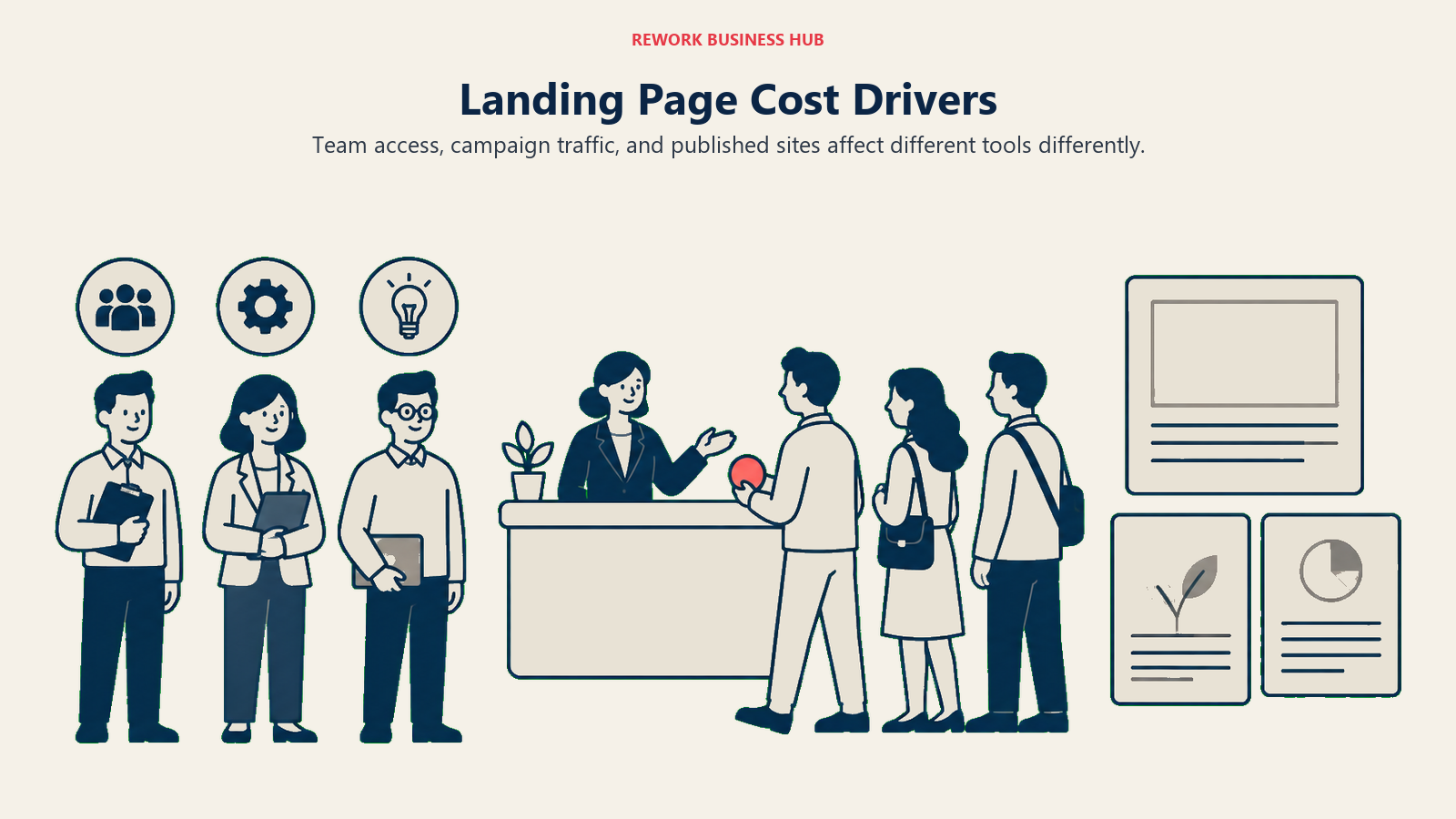
Unbounce metering on seats and traffic isn't unusual, it's the norm. What varies is which lever each vendor pulls, and that lever decides whether your bill grows with your team, your campaign volume, or barely at all.
| Tool | Meters primarily on | Users/seats included at entry | Traffic or visitor cap at entry |
|---|---|---|---|
| Unbounce | Users, root domains, traffic | 1 user (Starter, Build) | 500/mo (Starter) |
| Instapage | Unique monthly visitors | 10 team members (both paid tiers) | 15,000/mo (Create) |
| Leadpages | Published pages (HTML Pub) or feature tier (Leadpages) | Not published as a seat count | No published visitor cap |
| Landingi | Active pages, monthly visits, domains | Not published as a seat count | 2,000/mo (Build, reported) |
| ClickFunnels | Team members, custom domains, contacts | 2 (Launch) | Unlimited visitors on every tier |
| Swipe Pages | Custom domains, monthly traffic, team members | 5 (Startup) | 20,000/mo (Startup) |
| Rework | Seats in blocks of 5 (not a page tool) | 5 (every engine) | Not applicable |
| Carrd | Number of sites bundled per plan | Not applicable (single-operator tool) | No traffic metering |
| Webflow | Bandwidth (GB) and CMS items | 1 (Basic/Premium are single-site plans) | 1 GB bandwidth (Starter) |
| HubSpot Marketing Hub | Core seats and marketing contacts | 2 (Free), 1/seat (Starter) | Not applicable (contacts, not visitors) |
| GetResponse | Contacts, with a separate landing page visitor cap | Not applicable (contacts, not seats) | 1,000/mo (Starter's landing pages only) |
| Elementor (WordPress) | Number of WordPress sites | Not applicable (per-site plugin license) | No traffic metering (your host's cap applies) |
| Systeme.io | Contacts and funnel count | Not applicable | Not applicable (funnel count caps instead) |
| Duda | Number of published sites | Varies by plan (3 to 6 typical) | No hard visitor/bandwidth cap |
| Framer | Bandwidth (GB) and team editors | Up to 3 editors (Free) | 1 GB bandwidth (Free) |
The practical read: Unbounce, Instapage, and Swipe Pages charge you for success (more traffic, more cost). Webflow and Framer charge for bandwidth, which correlates with traffic but isn't the same number. ClickFunnels, Carrd, Duda, and Elementor don't meter traffic at all, they meter seats, sites, or a flat published-project count, which means a viral campaign doesn't trigger a surprise upgrade. Know which model you're buying before you commit, because the number on the pricing page only tells half the story, and it says nothing about your actual cost per lead once you factor in what each visitor costs to acquire in the first place. Every form on these pages is also a form-building decision in its own right; if that's the piece you're evaluating separately, see Best Form Builder Software in 2026.
Stage Fit Matrix
| Tool | Startup | Growth | Mature |
|---|---|---|---|
| Instapage | No (10k-visitor floor is steep for early traffic) | Yes | Yes |
| Leadpages | Yes (HTML Pub) | Yes | Partial |
| Landingi | Yes | Yes | Yes |
| ClickFunnels | Partial (funnel-first, not page-first) | Yes | Yes |
| Swipe Pages | Yes | Yes | Partial |
| Rework | No (5-seat floor) | Yes | Yes |
| Carrd | Yes | Partial | No (no A/B testing or team features) |
| Webflow | Yes (free tier for a first page) | Yes | Yes |
| HubSpot Marketing Hub | Yes (free tier) | Yes | Yes |
| GetResponse | Yes | Yes | Partial |
| Elementor (WordPress) | Yes | Yes | Partial |
| Systeme.io | Yes | Yes | No (feature ceiling above small funnels) |
| Duda | Partial (built for agencies, not solo) | Yes | Yes |
| Framer | Yes | Yes | Partial |
Sizing and Persona Table
| Tool | Ideal Company Size | Ideal User | Budget Range/Year |
|---|---|---|---|
| Instapage | 10-500 | Paid media manager, growth team | $948-$1,908+ |
| Leadpages | Solo-100 | Solo marketer, small business owner | $60-$2,400+ |
| Landingi | 5-200 (agencies especially) | Agency account manager | $288-$14,388+ |
| ClickFunnels | Solo-200 | Course creator, funnel-led founder | $972-$5,997+ |
| Swipe Pages | Solo-100 | Mobile-first performance marketer | $228-$1,188+ |
| Rework | 10-200 | Marketing ops or RevOps lead | $1,188-$2,196+ |
| Carrd | Solo-20 | Freelancer, side-project builder | $19-$599+ |
| Webflow | Solo-500 | In-house designer, agency | $0-$30,000+ |
| HubSpot Marketing Hub | 2-5,000 | Marketing director, RevOps | $0-$50,000+ |
| GetResponse | Solo-200 | Solo marketer to small team | $228-$1,608+ |
| Elementor (WordPress) | Solo-100 | WordPress site owner or agency | $59-$399+ |
| Systeme.io | Solo-50 | Bootstrapped founder, coach | $0-$1,164+ |
| Duda | Agency/5-200 clients | Agency owner, web shop | $228-$2,388+ |
| Framer | Solo-100 | Product designer, indie founder | $0-$1,200+ |
1. Instapage
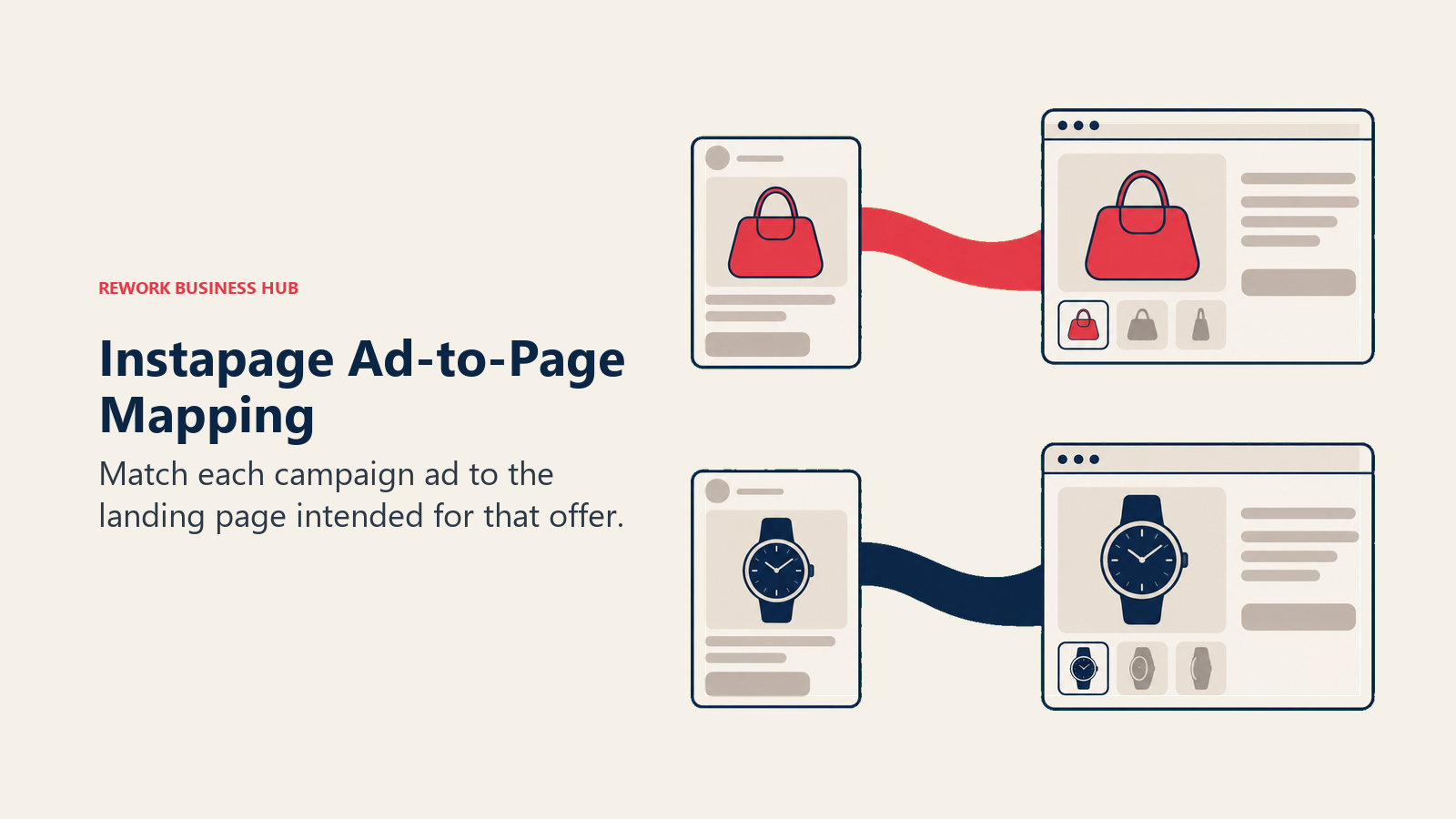
Instapage built its name on two things Unbounce doesn't do as deeply: heatmaps baked into every page, and AdMap, a visual tool that links each Google or Meta ad directly to the landing page it's supposed to drive, so a media buyer can spot a mismatched ad-to-page pair before it burns spend. Its pricing has moved more than once, and the old Business/Enterprise split some older reviews still describe is gone. The current lineup is Create, Optimize, and Convert.
Target audience: Paid media teams and growth marketers running enough campaigns that page-to-ad mapping and collaboration tools earn their keep.
Sizing fit: 10-500 employees. The entry tier's 15,000-visitor floor makes it an odd fit for a team just starting to run paid traffic.
Stage fit: Growth through mature. Rarely the first tool a startup buys.
Team vs. company-wide: Marketing team, with agency-friendly collaboration features (approval workflows, comments) built in.
| Pros | Cons |
|---|---|
| Heatmaps included on every plan, not an add-on | No plan below 10,000 team-member and 15,000-visitor floor |
| AdMap catches mismatched ad-to-page pairs | Custom pricing kicks in fast once you outgrow Optimize |
| 10 team members included on both paid tiers | Trial caps at 2,500 unique visitors, card required |
| Unlimited conversions on every plan | Thinner course/community features than ClickFunnels |
Pricing: Create $99/month monthly, $79/month billed annually (15,000 unique monthly visitors, 10 team members). Optimize $199/month monthly, $159/month billed annually (30,000 visitors, expandable to 50,000). Convert is custom, demo-only. No free plan. See instapage.com/plans.
Because these two are the category's default shortlist, Unbounce vs Instapage works the crossover in detail: which one wins depends almost entirely on how many people need a login.
Best for: Paid media teams running enough ad-to-page campaigns that heatmaps and AdMap's ad-mapping justify a higher visitor floor than Unbounce's Build tier.
2. Leadpages
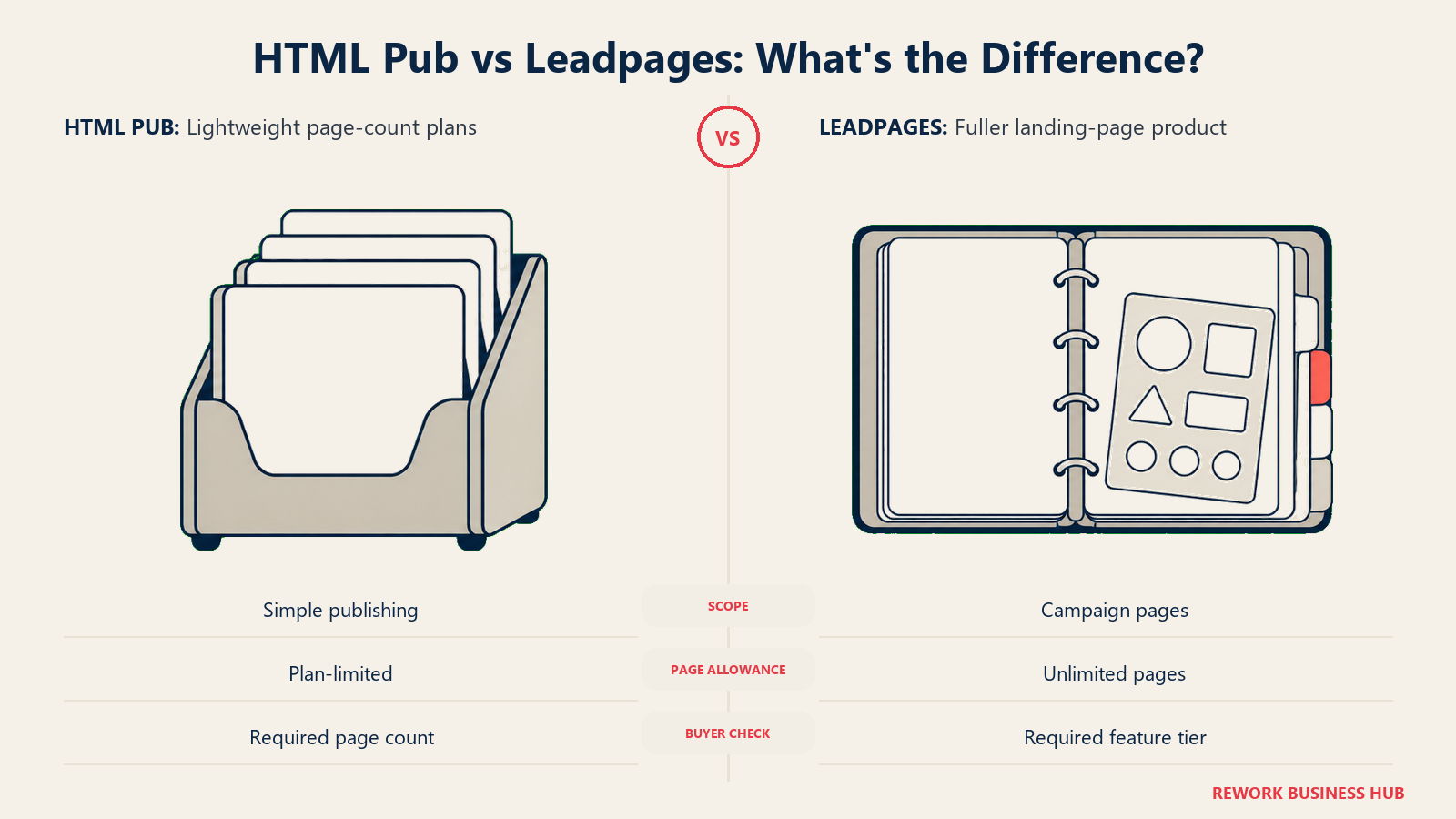
Leadpages runs two separate product families on one pricing page, and confusing them is the single most common mistake in coverage of this tool. HTML Pub is a lightweight, page-count-limited builder: Starter $5/month (5 pages), Pro $15/month (25 pages), Business $25/month (50 pages). The Leadpages family is the fuller product most people mean when they say "Leadpages": Grow $50/month, Optimize $100/month, Scale $200/month, all with unlimited pages. If an article tells you Leadpages starts at $5/month without naming HTML Pub, that sentence is describing a different, much thinner product.
Target audience: Solo marketers and small businesses who want a cheap, reliable page builder without ClickFunnels-style funnel complexity.
Sizing fit: Solo to ~100 employees on the Leadpages family; HTML Pub suits a true solo operator publishing a handful of pages.
Stage fit: Startup through early growth.
Team vs. company-wide: Solo operator or small marketing team.
| Pros | Cons |
|---|---|
| HTML Pub Starter at $5/month is a genuinely cheap real page | Two product families on one page invites confusion |
| Leadpages family includes unlimited pages on every tier | No annual dollar figures published, only "save 20%" |
| 7-day free trial on every plan | No free plan of any kind |
| Long track record and simple, fast editor | Fewer advanced targeting/personalization tools than Unbounce |
Pricing: HTML Pub: Starter $5/month, Pro $15/month, Business $25/month. Leadpages: Grow $50/month, Optimize $100/month, Scale $200/month, unlimited pages. Annual billing saves 20% (exact annual figures not published). See leadpages.com/pricing.
Best for: Solo marketers and small teams who want a reliable page builder at a lower floor than Unbounce, provided you're clear on which of the two product families you're buying.
3. Landingi
Landingi's pitch is volume: agencies and in-house teams running many campaigns across many clients or brands, with an AI page generator (Lunar AI) and a Smart Sections library meant to cut build time on page number 40 the same way it did on page one. It also ships A/B testing and Solis, an AI-driven insights layer, starting at the Optimize tier.
A note on sourcing: the figures below are consistent across multiple independent pricing trackers rather than pulled from a single third-party listicle, and they carry a (reported) label. Confirm current pricing with Landingi.
Target audience: Agencies and marketing teams running high page volume across multiple clients or campaigns.
Sizing fit: 5-200 employees, agencies especially.
Stage fit: Startup through mature.
Team vs. company-wide: Marketing or agency delivery team.
| Pros | Cons |
|---|---|
| AI page generation built into every paid tier | Vendor pricing page blocks automated verification |
| Custom domains scale with tier (1 to 10 to 100) | Enterprise floor jumps to $1,199/month annual |
| A/B testing and AI insights from Optimize up | Entry tier caps at just 2,000 visits/month |
| 14-day free trial, no card required | Page and visit caps require close plan-fit math |
Pricing (reported): Build $29/month, $24/month billed annually (10 pages, 2,000 visits/month, 1 domain). Optimize $149/month, $119/month billed annually (100 pages, 30,000 visits, 3 domains). Scale $299/month, $229/month billed annually (unlimited pages, six-figure monthly visits, 10 domains). Enterprise from $1,499/month, $1,199/month billed annually. Source: cross-verified via ThatMarketingBuddy and PricingSaaS; confirm directly with Landingi before budgeting.
Best for: Agencies and teams that build landing pages in volume and want AI generation baked into the workflow rather than bolted on.
4. ClickFunnels
ClickFunnels answers a different question than Unbounce does. Unbounce builds a page; ClickFunnels builds the whole multi-step sequence around it, order bumps, upsells, downsells, a course area, and a community feature, aimed at creators and info-product sellers who sell a single offer through a scripted path rather than driving traffic to many independent landing pages.
Target audience: Course creators, coaches, and DTC founders selling through a scripted, multi-step funnel rather than a single conversion page.
Sizing fit: Solo founder to ~200 employees. The seat and workspace caps make it awkward for a larger, multi-brand agency.
Stage fit: Startup through growth.
Team vs. company-wide: Founder-led or small marketing team.
| Pros | Cons |
|---|---|
| Unlimited funnels and unlimited visitors on every tier | Team member and workspace caps bite fast (2 members, 1 workspace on Launch) |
| Built-in course hosting and community, no separate tool | No free plan, 14-day trial only |
| Custom domains scale to unlimited by Scale | Contact caps (10K on Launch) push upgrades independent of traffic |
| Dominate tier bundles 20 workspaces for agencies | Overkill if you just need one conversion page, not a funnel |
Pricing: Launch $97/month, $81/month billed annually (2 team members, 1 workspace, 5 domains, 10K contacts). Scale $197/month, $164/month annually (5 members, 5 workspaces, unlimited domains, 75K contacts). Optimize $297/month, $248/month annually (10 members, 10 workspaces, 150K contacts). Dominate $5,997/year only (20 members, 20 workspaces, 400K contacts). See clickfunnels.com/pricing.
Best for: Creators and founders who need a full sales funnel with courses and community attached, not just a standalone landing page.
5. Swipe Pages
Swipe Pages built its product around a real technical claim, AMP-speed pages that load close to instantly on mobile, which matters directly given that smartphones carry roughly half of global web traffic and Google's own research ties every extra second of load time to a measurable bounce increase. It's a narrower tool than Unbounce, no built-in CRM or webinar features, but the speed focus is genuine, not marketing language.
Target audience: Performance marketers running mobile-heavy paid traffic where page speed directly affects cost per click and Quality Score.
Sizing fit: Solo to ~100 employees, including agencies via client subaccounts.
Stage fit: Startup through growth.
Team vs. company-wide: Marketing team or agency delivery team.
| Pros | Cons |
|---|---|
| Genuine AMP speed on mobile, not just a marketing claim | Overage billed at $5 per additional 5,000 visits |
| Unlimited landing pages and funnels on every tier | Fewer built-in integrations than Unbounce or Instapage |
| Client subaccounts included from the entry tier | Team-member cap doesn't scale as fast as domain cap |
| 14-day full-featured trial, no card required | No free plan |
Pricing: Startup $29/month monthly, $19/month billed annually ($228/year; 1 domain, 20,000 traffic/month, 5 team members, 5 client subaccounts). Marketer $69/month monthly, $49/month billed annually ($588/year; 5 domains, 50,000 traffic/month). Agency $149/month monthly, $99/month billed annually ($1,188/year; unlimited domains, 500,000 traffic/month, unlimited team members). See swipepages.com/pricing.
Best for: Mobile-first performance marketers who need pages that load fast enough to protect ad Quality Scores and mobile conversion rates.
6. Rework: What Happens After the Form Submits
Rework doesn't belong on this list as a page builder, and it isn't one: no drag-and-drop page designer, no A/B or multivariate page testing, no AI page variant generation, no template gallery, and no CDN page hosting. Every other tool on this list ends its job at form submit. Rework's job starts there.
The gap it closes is real. A landing page's conversion rate is only half the funnel; the other half is what happens to that lead in the next five minutes, which is where speed to lead, routing, and clear ownership decide whether it converts into a customer at all. Rework takes the lead your Unbounce, Instapage, or Landingi page just captured and scores it, routes it through native round-robin, territory, or SLA rules, assigns an owner, tracks it through its lifecycle and status, and gives the team a multi-channel inbox (WhatsApp, Instagram DM, Messenger, TikTok, Zalo, chat) so the follow-up doesn't get lost in someone's personal phone. Think of it as the platform your page builder hands the lead to, not a replacement for the page builder itself. If inbound meeting scheduling and buyer routing is the specific bottleneck rather than lead distribution broadly, see our Chili Piper alternatives guide, which covers that narrower job.
Target audience: Mid-size B2B and lead-gen teams (roughly 10-200 people) where marketing runs paid landing pages and sales needs to work those leads fast, without the handoff dropping.
Sizing fit: 5-seat minimum on every engine. Rework's value compounds once multiple people are working the same lead pool, so it's not built for a one-person operation.
Stage fit: Growth through mature. A team still validating its first landing page doesn't need a routing layer yet.
Team vs. company-wide: Company-wide. Marketing captures, sales works the lead, both see the same record.
| Pros | Cons |
|---|---|
| Native lead scoring, round-robin, territory, and SLA routing | Not a drag-and-drop landing page builder |
| Unified multi-channel inbox (WhatsApp, IG DM, Messenger, TikTok, Zalo, chat) | No A/B or multivariate testing for pages |
| One shared lead record from capture through close | 5-seat minimum isn't right for a solo marketer |
| Lifecycle and status tracking built in, not bolted on | No template gallery or CDN page hosting |
Pricing: Lead capture and routing sit in Rework's Marketing Engine: $99/month billed yearly ($1,188/year), or $115 month to month, with 5 marketing seats included. Extra seats come in blocks of 5 ($21/month per block on yearly billing), so 25 seats run $2,196/year. The Revenue Engine adds the CRM for $159/month billed yearly. A 14-day free trial is available. See rework.com/pricing.
Best for: Mid-size marketing and sales teams that need the leads their landing pages capture scored, routed, and worked without falling through the cracks between tools.
Not ideal for: Solo marketers and freelancers, who make up a real share of Unbounce's own buyer base. If you're building and running pages by yourself, Rework's 5-seat floor means you'd be paying for four seats you don't use; stick with your page builder's own lead export or a free CRM until you're hiring a second or third person to work the leads with you.
7. Carrd
Carrd's reputation as the cheapest real page builder online holds up when you check it. The $19/year figure people cite isn't the free tier, it's Pro Standard, and at that price you get 10 sites, a real custom domain with SSL, and basic forms, not a stripped demo. The free tier exists underneath that (Carrd-branded, no custom domain, no forms), but the reputation is specifically about what $19/year buys, and that part is accurate. What Carrd doesn't do is the rest of what "landing page software" usually implies: no A/B testing, no analytics dashboard, no multi-step funnel, no CRM connection beyond basic embeds.
Target audience: Freelancers, indie builders, and anyone who needs one clean page (a link-in-bio, a coming-soon page, a simple product page) without the overhead of a full marketing platform.
Sizing fit: Solo to ~20. Not built for a team that needs shared workflows or approvals.
Stage fit: Startup, and specifically pre-campaign or side-project stage.
Team vs. company-wide: Solo operator.
| Pros | Cons |
|---|---|
| $19/year genuinely includes a custom domain and forms | No A/B testing, personalization, or conversion analytics |
| Pricing bundles multiple sites per tier (10 at the entry Pro Standard price) | No multi-step funnels or CRM integration beyond embeds |
| 7-day free Pro trial, no payment required | Not built for a team; single-operator workflow |
| Extremely fast to build and publish | Wrong tool once you need to run paid traffic at scale |
Pricing: Pro Lite from $9/year (3 sites, no custom domain). Pro Standard from $19/year (10 sites, custom domain, forms) up to $599/year (1,000 sites). Pro Plus from $49/year (25 sites, advanced forms) up to $999/year (1,000 sites). See carrd.com/pro.
Best for: A single, simple page on the smallest realistic budget, not a campaign engine.
Not ideal for: Any team running paid traffic that needs to test, segment, or route what a page captures.
8. Webflow
Webflow's free tier is real, but its reputation as a generous way to launch a page for free is thinner than it sounds in 2026. Following a May 2026 pricing restructure that folded the old CMS and Business plans into a single Premium tier, the free Starter plan caps at 2 static pages, 50 CMS items, 1 GB of bandwidth, and 50 form submissions a month, enough to prototype, not enough to run a real lead-capture campaign. These figures are reported by third-party pricing breakdowns, so confirm current numbers with Webflow.
Target audience: Designers and design-led marketing teams who want full visual and CSS control over a page, not a template-locked builder.
Sizing fit: Solo to 500+. The new Team plan targets mid-size orgs specifically.
Stage fit: Startup through mature, with the caveat that the free tier is a prototype, not a launch plan.
Team vs. company-wide: Design-led marketing team, or a dedicated web team at scale.
| Pros | Cons |
|---|---|
| Full visual/CSS design control, no template lock-in | Free tier caps at 2 static pages and 50 submissions |
| Premium tier includes real CMS depth (20,000 items, 40 collections) | Learning curve is steeper than a template-based builder |
| Genuinely no hard traffic/visitor cap on paid site plans | Team plan at $2,500/month annual is a big jump for mid-market |
| Strong SEO and Core Web Vitals control out of the box | Landing-page-specific features (A/B testing) are thinner than Unbounce |
Pricing (reported): Starter free (2 static pages, 50 CMS items, 1 GB bandwidth, 50 form submissions/month). Basic $15/month billed annually. Premium $25/month billed annually (20,000 CMS items, 40 collections). Team from $2,500/month on an annual contract (10 seats, 100 collections). Confirm current figures at webflow.com/pricing.
Best for: Designers and design-conscious teams who want a page that looks and performs like custom code without writing it. If you're evaluating Webflow itself rather than adding it as a landing-page option, our Webflow alternatives guide runs that comparison head to head.
9. HubSpot Marketing Hub
HubSpot's landing pages aren't the reason most teams buy Marketing Hub, the CRM-native attribution is. A page built here inherits the contact record automatically: which page it was, which ad drove the click, and every touch after that, without a separate integration between the page tool and the CRM. That's the argument for HubSpot over a standalone builder like Unbounce; it's also why the price includes a lot more than page-building.
Target audience: B2B and SaaS teams that want landing pages, forms, and CRM data living in one system with zero integration gap.
Sizing fit: 2 to 5,000+. The value compounds as the sales team using the same contact data grows.
Stage fit: Startup (free tier) through enterprise.
Team vs. company-wide: Marketing plus sales, with RevOps visibility.
| Pros | Cons |
|---|---|
| Landing pages included free, up to 2 users | Professional jumps to $800/month (3 seats) plus a mandatory $3,000 onboarding fee |
| Zero-integration attribution from page to closed deal | Enterprise adds a mandatory $7,000 onboarding fee |
| Starter at $7/seat/month annual is a real, cheap entry | Marketing contact limits (1,000 on Starter) push upgrades independent of page traffic |
| Same platform as HubSpot's CRM and Sales Hub | Overkill if you only need pages, not a CRM |
Pricing: Free ($0, up to 2 users, landing pages included). Starter $7/month per seat billed annually, $20/month per seat billed monthly (1,000 marketing contacts). Professional $800/month billed annually for 3 core seats ($890/month billed monthly), additional seats $45/month, 2,000 contacts, $3,000 mandatory onboarding fee. Enterprise from $3,600/month for 5 core seats, additional seats $75/month, 10,000 contacts, $7,000 mandatory onboarding fee. See hubspot.com/pricing/marketing.
Best for: B2B teams that want landing page performance connected directly to pipeline and revenue data without a separate integration to maintain.
10. GetResponse
GetResponse bundles landing pages into its email and automation plans rather than selling pages as the standalone product Unbounce does, and there's a limit here worth catching before you assume "unlimited" applies everywhere. Landing pages are included starting on the Starter plan, but Starter's landing pages are capped at 1,000 unique visitors a month; the unlimited-visitor landing pages that most reviews describe only kick in from Marketer up. If your page traffic is the point, that distinction changes which tier you actually need.
Target audience: Small teams and solo marketers who want email marketing, automation, and landing pages in one subscription instead of paying for a separate page tool.
Sizing fit: Solo to ~200. Pricing scales primarily with contact count, not team size.
Stage fit: Startup through growth.
Team vs. company-wide: Marketing team, often solo.
| Pros | Cons |
|---|---|
| Landing pages, email, and automation in one price | Starter's landing pages cap at 1,000 visitors/month |
| Unlimited landing pages and visitors from Marketer up | No permanent free plan, trial only |
| 18% discount for annual billing across all tiers | Contact-count pricing climbs as your list grows, independent of page traffic |
| Website builder and webinars bundled from Creator up | Weaker standalone page-testing tools than a dedicated builder |
Pricing: Starter $19/month, roughly $15.58/month billed annually (18% off) at 1,000 contacts; landing pages capped at 1,000 visitors/month. Marketer $59/month, roughly $48.38/month billed annually; unlimited landing pages and visitors. Creator $69/month, roughly $56.58/month billed annually; adds website builder and webinars. Enterprise (GetResponse MAX) custom. See getresponse.com/pricing.
Best for: Solo marketers and small teams who'd rather pay one bill for email plus pages than stitch GetResponse's email tool to a separate landing page builder. If GetResponse itself, rather than its bundled landing pages, is what you're shopping to replace, our dedicated GetResponse alternatives guide covers that comparison directly.
11. Elementor (WordPress)
Elementor's free plugin is real and remains one of the most-installed page builders on WordPress.org, but its reputation as "the free way to build landing pages" needs the same caveat as Carrd's: what's free is genuinely free, and it's also genuinely basic. The free tier excludes the Theme Builder, custom CSS, popup builder, and any marketing-specific widgets, which are exactly the pieces a real landing page campaign needs. Those live in Elementor Pro, priced per WordPress site, not per team.
Target audience: Teams and freelancers already running WordPress who want page-building inside the CMS they already use, rather than a separate hosted tool.
Sizing fit: Solo to ~100. Pricing scales by number of sites, not seats.
Stage fit: Startup through growth.
Team vs. company-wide: Individual site owner or small web team.
| Pros | Cons |
|---|---|
| Free plugin is genuinely free, no trial clock | Free tier excludes popups, custom CSS, and marketing widgets |
| Huge ecosystem of WordPress templates and integrations | Requires separate WordPress hosting; not bundled by default |
| Priced per site, so a single-site freelancer pays the floor price | No native A/B testing or lead scoring |
| Agency tier covers up to 1,000 sites at a flat rate | You're managing WordPress itself, plugins, updates, security |
Pricing: Free (WordPress.org plugin, core widgets only). Essential $59/year (1 site, 57 Pro widgets, no popup builder or custom CSS). Advanced $99/year (3 sites, 85 Pro widgets, popup builder, custom CSS). Expert $199/year (25 sites). Agency $399/year (1,000 sites). See elementor.com/pricing.
Best for: Teams already committed to WordPress who want landing pages built in the same CMS as the rest of the site, without the switching cost of a separate hosted tool.
12. Systeme.io
Systeme.io's free plan has the reputation of being unusually generous for a funnel builder, and checking it directly confirms that reputation rather than debunking it: the free tier includes a real custom domain, not just a branded subdomain, plus 2,000 contacts, 3 sales funnels, 1 blog, and 1 course, all with unlimited email sends and no credit card required. The ceiling is real too, 3 funnels won't run more than a couple of campaigns at once, but for a bootstrapped founder testing an offer, this is one of the few "free" claims in this list that holds up exactly as advertised.
Target audience: Bootstrapped founders, coaches, and course creators who want funnels, email, and a course area in one free-to-start tool.
Sizing fit: Solo to ~50. Not built for a multi-brand agency workflow.
Stage fit: Startup, with a real runway before you need to pay anything.
Team vs. company-wide: Solo founder or very small team.
| Pros | Cons |
|---|---|
| Free plan includes a real custom domain, not just a subdomain | Free plan caps at 3 funnels and 1 course |
| Unlimited email sends on every tier, including free | Feature ceiling shows once you're past a handful of funnels |
| 0% transaction fees via Stripe or PayPal | Fewer advanced design controls than Unbounce or Webflow |
| Annual billing gives 2 months free on every paid tier | Support and infrastructure feel thinner than category leaders |
Pricing: Free ($0, 2,000 contacts, 3 funnels, 1 custom domain). Startup $17/month (5,000 contacts, unlimited funnels, 5 courses). Webinar $47/month (10,000 contacts, adds automated webinars). Unlimited $97/month (unlimited contacts, sub-accounts, free migration). Annual billing equals 10 months' cost for 12 months of access. See systeme.io/pricing.
Best for: A founder validating an offer who wants funnels, email, and a course area without paying anything until the free plan's real limits (3 funnels) start to bind.
13. Duda
Duda is built for agencies publishing client sites at scale, and its pricing reflects that: every tier bills by number of published sites, not by traffic. There's no visitor or bandwidth ceiling on a hosted site at any published tier, which matters for an agency that can't predict which client's campaign goes viral this quarter. The tradeoff is that a single-site owner pays nearly the same floor price as an agency managing four.
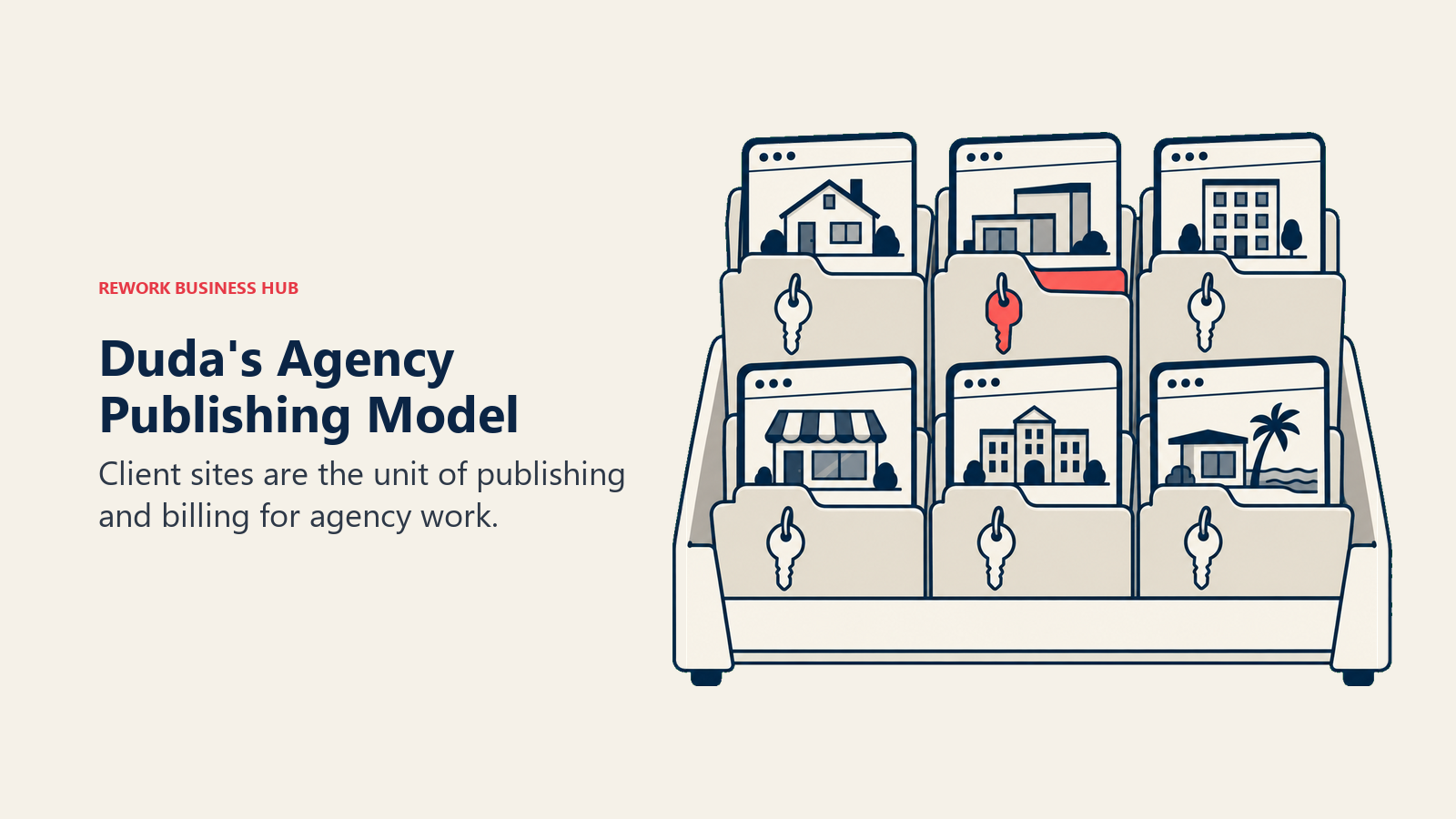
Target audience: Web agencies and freelancers publishing and managing many client sites under one account.
Sizing fit: Agency-model teams managing 5-200 client accounts.
Stage fit: Growth through mature, built around a recurring agency-client model.
Team vs. company-wide: Agency delivery team, with white-label options at the top tier.
| Pros | Cons |
|---|---|
| No hard visitor/bandwidth cap on any published site | Every plan bills per published site, not a shared pool |
| Agency tier bundles 4 sites at a meaningfully lower per-site rate | Single-site owner pays close to the agency floor price |
| White Label tier lets agencies fully rebrand the platform | AI Visibility add-ons are priced and sold separately |
| 14-day commitment-free trial, no card required | Team seat counts are set per plan, not freely adjustable |
Pricing: Basic $25/month monthly, $19/month billed annually ($228/year, 1 site). Team $39/month monthly, $29/month billed annually ($348/year). Agency $69/month monthly, $52/month billed annually ($624/year, 4 sites). White Label $199/month monthly, $149/month billed annually ($1,788/year, 4 sites). Additional sites $17-19/month each depending on tier. See duda.co/pricing.
Best for: Agencies managing multiple client landing pages or sites who need predictable per-site pricing and no traffic-spike surprise bill.
14. Framer
Framer's pitch is that a designer, not a developer, can ship a site that performs and reads like hand-written code, animations, responsive behavior, and clean markup included. It meters differently than almost everything else on this list: bandwidth in gigabytes and CMS items, not visitor counts, which means a traffic spike doesn't automatically trigger an upgrade the way it would on Unbounce, though the page-count and CMS caps still apply on every tier, including paid ones.
Target audience: Product designers and indie founders who want a modern, animation-capable site without writing code or hiring a developer.
Sizing fit: Solo to ~100.
Stage fit: Startup through growth.
Team vs. company-wide: Individual designer or small product team.
| Pros | Cons |
|---|---|
| Free plan includes a real custom-feeling site, not just a placeholder | Page count caps at 30 (Free) and 150 (Basic) before per-page overage fees |
| Meters on bandwidth, not raw visitor count | Team editors cost $20/month each beyond the free tier's 3 |
| Publishes production-grade, animation-rich sites without code | CMS items cap at 1,000 (Free/Basic) and 2,500 (Pro) |
| Custom domain included from Basic at $10/month | Fewer marketing-specific features (A/B testing, lead scoring) than Unbounce |
Pricing: Free ($0, 500 credits, 1 GB bandwidth, Framer subdomain, up to 3 team editors, 30 pages). Basic $10/month (50 GB bandwidth, custom domain, 2 CMS collections, 150 pages then $20 per additional 100 up to 700 max). Pro $30/month (100 GB bandwidth, 10 CMS collections, 2,500 CMS items). Enterprise custom. See framer.com/pricing.
Best for: Designers who want a page that looks and performs like custom-built code, without page-speed or animation compromises. See our Framer alternatives guide if Framer itself is the tool under evaluation.
How to Choose: Decision Framework
| If you need... | Consider... | Skip... |
|---|---|---|
| The cheapest real page with a custom domain | Carrd or Leadpages HTML Pub | Instapage, Landingi |
| Ad-to-page mapping and heatmaps for paid media | Instapage | Carrd, Systeme.io |
| A full multi-step sales funnel with courses | ClickFunnels or Systeme.io | Carrd, Framer |
| The fastest-loading mobile pages | Swipe Pages | Webflow, Elementor |
| Pages tied directly to CRM and pipeline data | HubSpot Marketing Hub | Carrd, Framer |
| Email, automation, and pages in one bill | GetResponse | Instapage, Landingi |
| Full design/CSS control with no template lock-in | Webflow or Framer | Leadpages, Systeme.io |
| You're already running WordPress | Elementor | Webflow, Framer |
| Agency-scale publishing across many client sites | Duda or Landingi | Carrd, ClickFunnels |
| A real free plan you can actually launch on | Systeme.io | Instapage, Duda |
| The leads your pages capture are getting lost after submit | Rework (alongside your page builder) | A page builder alone |
Frequently Asked Questions about Unbounce Alternatives
Does Unbounce really start at $99 a month?
No. That described the old Launch plan, which is gone. The current entry tier is Starter at $29/month monthly or $22/month billed annually ($264/year), capped at 500 monthly visits, 1 user, and 1 root domain. $99/month is now the Build tier, still capped at 1 user and 1 domain.
What's the cheapest real landing page alternative to Unbounce?
Carrd at $19/year (Pro Standard, 10 sites, custom domain, forms included) or Leadpages' HTML Pub Starter at $5/month for a single simple page. Neither includes A/B testing or advanced targeting, which is what you're trading for the lower price.
Which Unbounce alternative has the most generous free plan?
Systeme.io's free plan is the most usable of the group: 2,000 contacts, 3 funnels, and a real custom domain, not a branded subdomain. Webflow's free Starter plan also exists but caps at just 2 static pages and 50 form submissions a month, tight for a real campaign.
Why does my Unbounce bill jump so fast once I add a second team member?
Because Starter and Build are both capped at 1 user. Adding a second person or a second domain pushes you to Experiment at $149/month monthly ($112/month billed annually), a bigger jump than most buyers expect from the sticker price alone.
Is HubSpot Marketing Hub worth it just for landing pages?
Only if you also want the CRM-native attribution, contact records, and pipeline data connected to those pages. If you just need pages, dedicated builders like Instapage or Landingi are cheaper and don't require the eventual jump to Professional's $800/month plus $3,000 onboarding fee.
Does Rework replace a landing page builder like Unbounce?
No. Rework has no page designer, no A/B testing, and no page hosting. It's the layer that takes the lead your landing page just captured and scores, routes, and works it, so teams typically run Rework alongside a page builder, not instead of one.
Which tool meters on something other than traffic, so a viral campaign won't spike my bill?
ClickFunnels, Carrd, Duda, and Elementor don't meter on visitor traffic at all; they charge by seats, sites, or a flat published-project count. Unbounce, Instapage, and Swipe Pages all charge more as your traffic grows.
What actually moves if I switch away from Unbounce?
Page content and copy usually transfer with manual rebuilding, since visual page builders rarely export a clean import format between vendors. Custom domains and DNS records move cleanly with a quick reconfiguration. A/B test history and analytics almost never transfer and are usually lost at switch time.
What to Do Next
Write down what's actually driving your Unbounce bill before you shop: is it the $22-$29/month base price, or is it the second seat and second domain that pushed you to Experiment? That answer decides whether you're looking for a cheaper page tool (Carrd, Leadpages HTML Pub, Systeme.io's free plan) or a tool that scales seats and traffic more gracefully (Landingi, ClickFunnels, Duda). Run a real two-week test on your top two picks: rebuild your best-performing page, connect your actual domain, and send a slice of live traffic before committing a year of billing.
And if the honest answer is that your pages convert fine but the leads they capture go cold before a rep ever calls, that's a different problem than page pricing, and it's the one Rework is built to solve. Most teams running paid landing pages end up keeping a dedicated builder for the page itself and adding a routing layer like Rework for what happens in the five minutes after someone hits submit. Worth remembering too: your conversion rate only counts the visitors who filled out the form. For the much larger share who land, browse, and leave anonymously, see our Leadfeeder alternatives guide on identifying that traffic instead of losing it entirely.
Camellia writes about marketing and lead-capture tooling for B2B teams. Last updated August 2026.

Sales Operations Practice Lead
On this page
- Key Facts
- What Unbounce Actually Costs in 2026 (Correcting a Stale Number)
- Quick Comparison Table
- Seats and Traffic: The Real Cost Driver
- Stage Fit Matrix
- Sizing and Persona Table
- 1. Instapage
- 2. Leadpages
- 3. Landingi
- 4. ClickFunnels
- 5. Swipe Pages
- 6. Rework: What Happens After the Form Submits
- 7. Carrd
- 8. Webflow
- 9. HubSpot Marketing Hub
- 10. GetResponse
- 11. Elementor (WordPress)
- 12. Systeme.io
- 13. Duda
- 14. Framer
- How to Choose: Decision Framework
- What to Do Next